Google wants to help you to take a closer look at the art world.
The company’s Arts & Culture app has long been one of the company’s cooler niche apps and one that I often feel guilty about overlooking every time I rediscover it. Today, the company has added another experience into the mix focused on collecting the known works of Dutch master artist Johannes Vermeer and curating them in a single place.
The feature looks a lot like many of the company’s other deep dives, including listicles of factoids, interviews with experts and editorials. What makes this presentation unique is that the company actually constructed a miniature 3D art gallery that you can utilize your phone’s AR functionality to plop into physical space in front of you.
With ARCore or ARKit, you can move through the “Pocket Gallery” and get close to the high-resolution captures of the paintings while also bringing up information about the works.
Having just tried it, this is one of those things that honestly doesn’t make a ton of sense to do with phone AR. Having a fully rendered gallery pop on your coffee table is an interesting gimmick but they probably could have ditched the AR for a fully rendered 3D environment that’s more of a traversable object or just left the immersive views for VR and stuck with 2D exploration on your phone.
Nevertheless, it all makes for some interesting experimentation and it’s just cool to see Google trying out new things with experiencing digital art in a more immersive way. Google’s Arts & Culture app is available on iOS and Android.
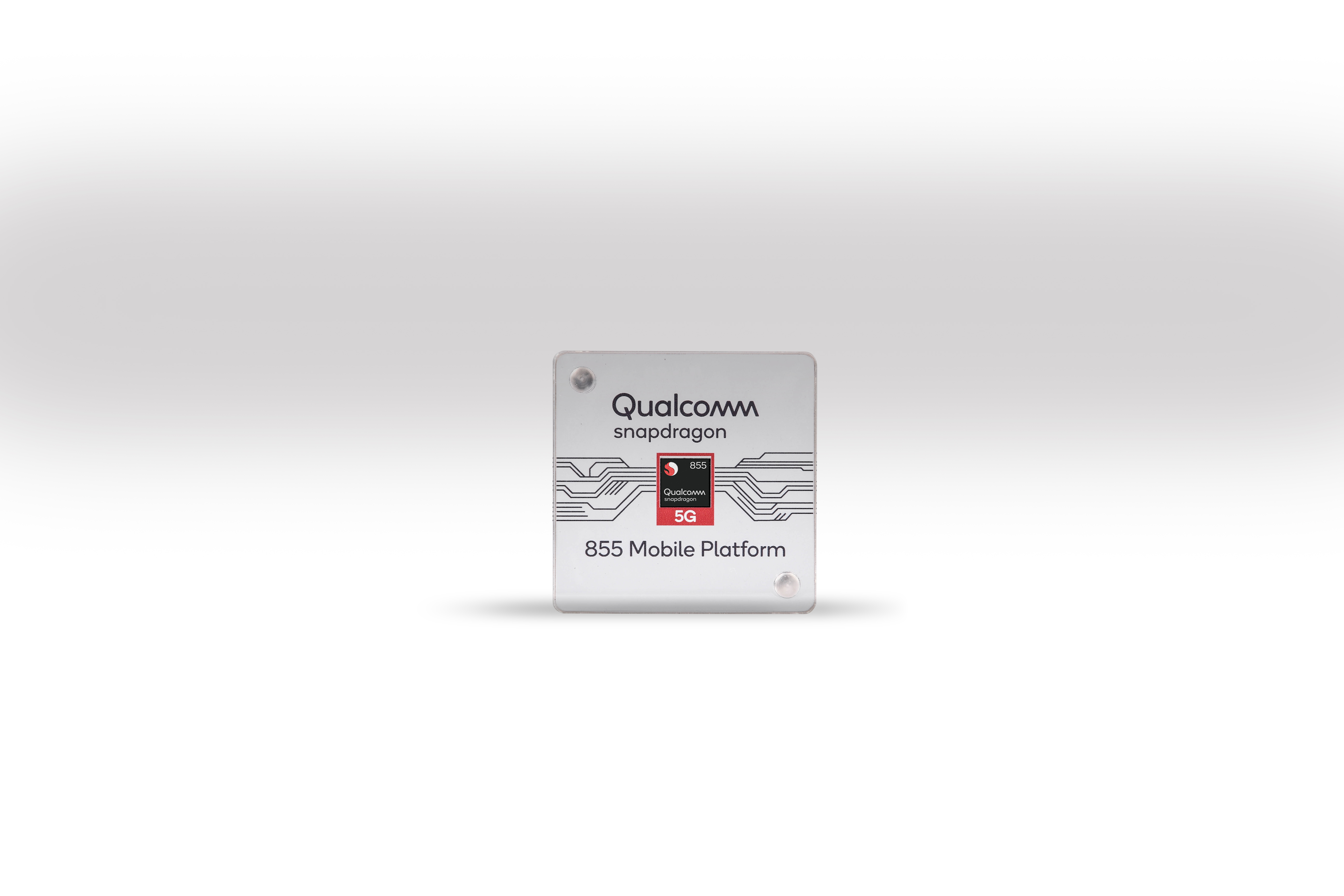
This week, Qualcomm is hosting press and analysts on Maui for its annual Snapdragon Summit. Sadly, we’re not there, but a couple of weeks ago, Qualcomm gave us a preview of the news. There’ll be three days of news and the company decided to start with a focus on 5G, as well as a preview of its new Snapdragon 855 mobile platform. In addition, the company announced its new ultrasonic fingerprint solution for sensors that can sit under the display.
It’ll probably still be a while before there’ll be a 5G tower in your neighbourhood, but after years of buzz, it’s fair to say that we’re now getting to the point where 5G is becoming real. Indeed, AT&T and Verizon are showing off live 5G networks on Maui this week. Qualcomm described its event as the “coming out party for 5G,” though I’m sure we’ll hear from plenty of other players who will claim the same in the coming months.
In the short term, what’s maybe more interesting is that Qualcomm also announced its new flagship 855 mobile platform today. While the company didn’t release all of the details yet, it stressed that the 855 is “the world’s first commercial mobile platform supporting multi-gigabit 5G.”
The 855 also features a new multi-core AI engine that promises up to 3x better AI performance compared to its previous mobile platform, as well as specialized computer vision silicon for enhances computational photography (think something akin to Google’s Night Light) and video capture.
The company also briefly noted that the new platform has been optimized for gaming. The product name for this is “Snapdragon Elite Gaming,” but details remain sparse. Qualcomm also continues to bet on AR (or ‘extended reality’ as the company brands it).
The last piece of news is likely the most interesting here. Fingerprint sensors are now standard, even on mid-market phones. With its new 3D Sonic Sensors, Qualcomm promises an enhanced ultrasonic fingerprint solution that can sit under the display. In part, this is a rebranding of Qualcomm’s existing under-display sensor, but there’s some new technology here, too. The promise here is that the scanner will work, even if the display is very dirty or if the user installs a screen protector. Chances are, we’ll see quite a few new flagship phones in the next few months (Mobile World Congress is coming up quickly, after all) that will feature these new fingerprint scanners.
It’s a well-known fact that you can find anything on the internet, including communities that band together around the strangest and most niche topics. Case in point: the ASMR community that centers on the autonomous sensory meridian response.
Not sure what that is? Neither did I, so I spent some time researching it and found out that it described a weird feeling that I’ve been experiencing since childhood but could never put into words for others.
If you’ve ever felt a weird tingling sensation in your scalp, neck, or spine for seemingly no reason, you may have had “ASMR tingles.” Read on to find out what they are.
What Is ASMR?
ASMR is best described as a physical sensation of tingling that usually begins in the scalp and moves down through the spine and sometimes to the limbs. It’s a pleasurable feeling that many would call relaxing.
ASMR is also known as AIHO (attention induced head orgasm) or AIE (attention induced euphoria), but ASMR is the most popular variation of the term by far.
The feeling of ASMR is usually caused by an external stimulus, which are colloquially known as “ASMR triggers.” Triggers can differ from person to person. Some common ASMR triggers include:
The sound of lips smacking, such as when eating.
Slow or soft speech patterns, including whispers.
Receiving personal attention from someone, such as having your hair done, having your makeup done, receiving an eye exam, receiving a massage, etc.
Having someone play with your hair.
Certain sounds may trigger ASMR, like crackling fire, rustling paper, white noise, running water, etc.
Watching someone perform a meticulous task, like fixing an electronic device, working origami, making tea, etc.
Not everyone experiences ASMR. If you have absolutely no idea what I’ve been describing so far, then it’s likely you don’t have the ASMR response. However, if this sounds like something you’ve experienced before, then you may be able to induce it manually by watching videos that include one or more of the above ASMR triggers.
Here are some videos that have been known to trigger ASMR in viewers. Sit back, relax, and just watch—preferably with headphones!
1. Bob Ross and The Joy of Painting
Out of all the people I know who have ASMR, it seems like the most common ASMR trigger is Bob Ross. He just has that kind of voice that not only soothes, but makes you want to chill out and listen. On top of that, he always has nuggets of wisdom that he injects into his show.
It’s too bad that he is no longer able to continue his show. RIP Bob Ross. Thank you for leaving behind 30 seasons of The Joy of Painting for us to enjoy for our ASMR fixes.
2. ASMR Cat
Easily my favorite ASMR video on all of YouTube—and there are dozens of similarly cute and relaxing videos uploaded to the YouTube channel, all starring the same cat named Sammy. Between grooming and eating, there are plenty of tingles waiting for you ahead. Note: Be sure to check out ASMR Cat’s 150-minute super compilation!
3. Cranial Nerve Exam
This video is the perfect example of the “watch someone do something meticulously” trigger. In it, Dr. James Kelly performs a 9-minute long cranial nerve examination on Pat LaFontaine—and whether you’re susceptible to ASMR or not, you’ll find yourself engrossed as he’s taken through test after test. Very interesting!
4. How to Iron a Shirt
One could say that this video kickstarted the online ASMR community. This video is a re-upload of the original, which first hit YouTube many years before, way back when “ASMR” wasn’t even a mainstream term. It’s soothing to watch, and as a bonus, you might even learn how to iron those pesky wrinkles out of your shirts properly.
5. Hotel Staff Prepare Futon
Watch as these two Japanese hotel staffers turn bed preparation into an art form. With almost no effort, they set up two futons complete with bedding and blankets, and all the wonderful ASMR sounds that come with it. It’s a joy to watch—and even if it doesn’t trigger ASMR for you, you’ll still find it oddly satisfying.
6. How to Cut Citrus Fruit
In this video, J. Kenji Lopez-Alt of Serious Eats delivers unintentional ASMR in the cutting of a grapefruit.
Some may disagree with me, but I find that videos without talking tend to make the best ASMR videos, Bob Ross excluded. Like the ASMR Cat and How to Iron a Shirt videos above, it’s the pleasant rhythm of work being done that gives me the best shivers.
7. Applying an iPhone Screen Protector
Here’s another great example of ASMR brought on by watching a meticulous person do meticulous things. In this case, the pride Gavin takes in his work combined with the gentle sounds as he works result in a moderate but enjoyable ASMR experience. If only all customer service representatives had his kind of work ethic.
8. Making a Cup of Tea
Yang Haiying is a soft-spoken Asian woman with thousands of videos uploaded to her Youtube account. The videos cover a whole bunch of topics ranging from painting to cooking to the making of tea. I’ve only seen her tea-related videos, but she has the kind of voice that will shiver you right up—and she knows it, too. Some of her videos are titled and tagged as “Inadvertent ASMR,” so she definitely knows the power of her sweet voice.
9. Fountain Pen
This video has two main ASMR triggers: the scratching of the fountain pen’s tip against the rough canvas paper, and the intricate details of the writer’s penmanship. The scratching is what gets me in this video.
Even if you don’t get an ASMR response out of this, I think you’ll enjoy watching it. The clip is relatively short and it gives you a glimpse into the artful world of calligraphy and handwriting.
10. Making Fire With IKEA Products
Lastly, this video demonstrates the ASMR triggers of clacking, scratching, shaving, and crackling—all distinct sounds that have been known to trigger an ASMR response. If these sorts of sounds don’t get you, then at least you’ll learn how to make a fire from scratch using only IKEA products.
The Best ASMR Videos: What Else Is Out There?
Did you get shivers down your spine and a tingling sensation along your scalp? If so, congrats! You have been blessed with the opportunity to enjoy such a pleasurable experience.
If you want more ASMR-related videos, then hop on over to /r/ASMR on Reddit and join 165,000+ other users who also enjoy head tingles. If craftsmanship and meticulous work is one of your triggers, then be sure to check out our list of fascinating artisan videos.
Every year, as the holidays approach, families around the world gather together to celebrate with festive decorations, feasts of all flavors, and often also an exchange of gifts. What’s easy to forget during these festive times is the fact that there are many families around the world that are struggling just to put food on the table.
In this article, you’ll learn all about how you can give or receive help with a variety of charities focused on providing Christmas support for struggling families.
For many families, simple survival takes all of their resources. But the following charities can help these families make the holidays magical for their kids.
The Make-a-Wish Foundation is one of the world’s most important charitable foundations, not simply because they grant the Christmas wishes of children, but because they grant all wishes of kids throughout the year.
More importantly, they do so for kids who face life-threatening medical conditions aged from 2 1/2 to 18 years old.
If you know such a child and are eligible to refer that child, I would encourage you to do so as soon as you can.
The Make-a-Wish Foundation will make that child’s holiday one of the most magical and special that they’ve ever experienced. And if you miss the holidays, don’t worry—the foundation grants the wishes of these children the whole year.
On theplatform, if you know a child within this age bracket and you are eligible to refer a child, the child’s wish will most likely come true. To make a wish, you have to fill out the referral inquiry form.
Of course, no list of resources for families in need during the holidays would be complete without a mention for the Salvation Army.
Of all charities in the world, when it comes to the holidays, the Salvation Army really comes out in full force. You’ll see them with collection tins and ringing bells just about everywhere you go when you’re shopping for holiday gifts. You’ve probably even seen the lines of people just outside the Salvation Army soup kitchens and food pantries. These are people just hoping to collect a little bit of food to get them through.
If you find yourself in need of a miracle for your kids during the holiday, you will do well by asking this organization for help.
Just click on the link above and click Location to search for the closest location where you live.
The core services offered by the Salvation Army include:
Angel Tree Program: In this program, the Salvation Army provides Christmas gifts for less privileged children in the form of clothes and toys.
Grocery and Food Assistance: Meals delivered to struggling families not only during the holidays but all year.
Bill-Pay Assistance: The Salvation Army helps families pay for heat and electric so they can afford to enjoy the holidays.
Holiday Events: Hosted Christmas events including gift parties for children and visits to children’s’ hospitals.
Also, if you live in the UK, don’t forget to check out the branch of the Salvation Army based there.
Another fascinating Christmas charity that most people probably wouldn’t consider is the Angel Tree Christmas program put on by the Prison Fellowship Organization.
When people think of helping kids, they often picture families with two hard-working parents who are doing everything they can to make ends meet but just can’t seem to bring in enough. However, have you ever considered what happens to those kids whose parents are criminals in prison?
The truth is, these are children who did nothing wrong to deserve the situation they’re in. But with their parents in prison, they usually have a holiday that’s more depressing than most of us could possibly imagine.
The Prison Fellowship seeks to show these children compassion through “Angel Tree” gift collections across the world, that even if they live in a community where everything seems hopeless, there is a world out there where people love them and care about them.
If you’re a Marine, or you know any Marines, then you know that one of the most important elements of being a Marine is serving the community.
In this spirit, the US Marine Corps runs a program called Toys For Tots, which collects toy donations from the community in order to give those toys to children in need in local communities.
ToysForTots is a well-known community charity and usually many people throughout various charities and community organizations assist the Marines in raising a cache of toys to be used as gifts.
Everyone knows that Christmas is one of the most important and magical holidays for children across the world. That’s why giving to a charity like ToysForTots is one of those things that makes anyone feel good about contributing to something.
United Way is one of the most well-known charities that helps families all year. But during Christmas, the United Way goes into high gear to help families during the holidays in many ways.
In addition to collaborating with various other charities to support Gift Tree initiatives, the United Way also provides Christmas assistance programs to families in need.
If you don’t know where to turn for help during the holidays, the United Way is the perfect organization to turn to. This is because the organization has connections to nearly every single charity in your community.
No matter what your situation, the United Way can likely help this holiday season.
If you click on Contact Us on the United Way website, you’ll find a helpful FAQ area that will direct you in the right direction to get more help depending on your situation.
If you’re looking to donate, just click on the Give Now link on the main page to get more information on where and how you can give.
Operated by the Christian relief organization known as the Samaritan’s Purse, this charity provides partner charities around the world with shoeboxes that are filled with toys, school supplies, and other goodies for children in need.
The shoeboxes are filled with materials donated by people from all around the world. It doesn’t require a lot to fill a shoebox, but the difference it can make to a child who doesn’t have anything during the holidays is significant.
The organization even sends its shoeboxes to communities in need in countries all around the world. This includes communities affected by things like famine, war, disease, and more. If you don’t want to donate items, the organization accepts financial donations, which helps them purchase the items they need as well as covering the shipping costs.
If you really want to get into the Christmas spirit, donating to a charity like the Christmas Spirit Foundation will definitely work.
Imagine being a soldier stationed overseas, far from your family and loved ones. The Christmas Spirit Foundation organizes a program called Trees for Troops, which involves packaging and shipping Christmas trees to troops stationed overseas all around the world.
A Christmas tree can make all the difference to lift the spirits of men and women stationed in remote locations. Even though they can’t be home with their loved ones for the holidays, a Christmas tree at least brings them the memory of home during Christmas.
Giving During the Holidays
One thing that all children in developed nations should be taught during the holiday season is that even if their own family is struggling, there are children in other parts of the world that don’t even have food to eat.
While it’s hard to go with no presents during the holidays, most kids understand that they’re lucky to have a roof over their heads and warm food to eat. When you look at what amazing organizations like those above do for children across the world—it’s enough to warm your heart four times over.
While this list only includes a few charities that can offer Christmas help for low income families, there are many more.
If you’re not sure what toys to buy to donate to kids during the holidays, you could even try a few 3D printing projects and print some toys to donate!
There are many times when recording your Mac screen can come in handy. Maybe you want to create a screencast tutorial. Perhaps you’re creating a business presentation. Or maybe you’re interested in making video notes for yourself.
Whatever the reason, it’s simple, and you have a few different ways to do it. So here’s how to record your screen on a Mac with several methods.
How to Record on Mac With QuickTime
QuickTime comes preinstalled on your Mac and you can do a lot with it, like rotating video files for instance. So using this tool to record your screen makes perfect sense. Open QuickTime Player, then select File > New Screen Recording from the menu bar.
Click the arrow next to the red button to set up the recording. Here, select from None or Internal Microphone for your audio and check or uncheck Show Mouse Clicks in Recording.
Now hit the red button, then simply click to record your entire screen, or drag to choose a specific part of it, and start recording. This will place the QuickTime Player icon in your menu bar. When you finish recording, just click that button.
Your recording will pop right open for you to view. To save it, select File > Save from the menu bar, give your recording a name, and choose its location. Click Save and you’re done.
Benefits
The app is installed on your Mac by default, so there are no extra costs or installations.
QuickTime Player offers additional features such as movie and audio recordings.
You can use AirPlay or sharing options immediately from your recorded video.
To open the utility, press Cmd + Shift + 5 on your keyboard. At the bottom of the window that displays, you’ll see two options to Record Entire Screen and Record Selected Portion.
If you choose Record Entire Screen, a camera icon will appear. This is handy if you use more than one monitor. Just move the camera to the screen you want to record and click for the recording to begin.
If you choose Record Selected Portion, drag the corners of the box you see to adjust the size. You can also move the box to a different area on your screen. Click Record to start recording.
Benefits
The screenshot utility is a new feature of macOS Mojave, so it’s free and required no software installing.
Features include a built-in microphone for audio, a timer for timed recordings, and the ability to show mouse clicks for tutorials.
Like QuickTime, you can use AirPlay or sharing options immediately from your recorded video.
How to Record on Mac With Third-Party Apps
With the above two options, there’s no reason to seek a third-party app for recording your Mac screen unless you want or need more features. Here are a couple of options that offer a little extra.
Viking Recorder Lite
Once you install Viking Recorder Lite, a handy icon will pop into your menu bar, letting you start a recording in a snap. You can capture your entire screen or just part of it, include audio along with mouse clicks, and adjust the codec and frame settings.
To begin, select Start Screen Recording from the menu bar dropdown box and make your setting adjustments in the popup window. Select Stop Recording from the dropdown when you finish and then follow the prompt to save your recording.
Standout Features
Viking Recorder Lite comes with both a built-in movie editor and YouTube downloader.
You can use hotkeys, tweak the user interface, view help balloons, have the menu bar icon blink during recording, and use the Notification Center.
As you move the New Recording window, you can see a quick preview.
If these standout features interest you, then give Viking Recorder Lite a try for free. If you like it and want more features, including unlimited video lengths, you can look at the paid version.
Smart Recorder Lite is another good screen recording app with a super-simple interface. Open the app and select your options for the capture device, full or partial screen, screen quality, audio source, and saved path.
To begin, open the app, make your settings adjustments, and then click Start Recording. An icon will pop into your menu bar where you can see the elapsed time as you record. Click that icon when you finish, and your recording will open immediately for you to view. It will also save to the location you specified in the settings.
Standout Features
Smart Recorder Lite lets you record your screen or use the FaceTime HD camera.
You can record audio from additional sources (even more than one at a time), including the built-in microphone, computer sound card, or input device.
Screen quality options range from low to high, and frame rate options go from 1-30FPS.
If you like this, you can grab Smart Recorder Lite for free. You can also take a look at the paid version, which offers additional features like recording times beyond 300 seconds.
Recording your computer screen used to be more complicated. But as you can see, it gets easier all the time. Hopefully, one of these methods is exactly what you need to screen record on your Mac.
The popularity of cord cutting continues to gather pace. Collectively, cable TV companies are losing millions of subscribers every year.
If you’ve ditched your TV subscription, there’s a good chance you’re trying to decide between an Amazon Fire TV stick and one of the many Roku devices as your new entertainment platform.
Keep reading to find out which gadget you should buy.
A Complicated Comparison
Unfortunately, it’s impossible to make a like-for-like comparison between Amazon Fire TV devices and Roku streaming sticks.
We need to consider two Amazon products: The Fire TV Stick and the Fire TV Stick 4K. On the Roku side, there are six devices which can be thought of as Fire TV competitors: Roku Express, Roku Express +, Roku Premiere, Roku Premiere +, Roku Streaming Stick, and Roku Streaming Stick +.
We’ll cover all of these devices in this article.
Amazon Fire Stick vs. Roku: Cost
Before we get into the features and the technical specifications, let’s deal with the elephant in the room—the cost of the devices.
Amazon’s entry-level Fire TV Stick costs $39.99. The 4K model will set you back a further $10, coming in at $49.99.
The cheapest Roku model is the Roku Express. At $29.99, it’s more affordable than the Fire TV. At the other end of the scale, the top Roku model (Ultra excluded) is the Roku Streaming Stick +, which costs $59.99.
From a cost standpoint, the nearest Roku devices to Amazon’s two products are the Roku Premiere ($39.99), the Premiere + ($49.99), and the Streaming Stick ($49.99).
Amazon Fire Stick vs. Roku: Specifications
This is where things get confusing. Let’s try and make sense of all the different models on offer from the two companies.
First, the Amazon devices. The basic Fire TV Stick has a 1.3GHz processor, 8GB of internal memory, and support for Bluetooth 4.1. It plays videos in 720p or 1080p resolution at up to 60 frames-per-second (FPS).
The 4K model is a notable improvement. You’ll find a 1.7GHz processor, support for Bluetooth 5.0, and 2160p video resolution. The internal storage stays at 8GB.
Three Roku products—the Express, Express +, and Streaming Stick—only offer 1080p resolution, the offers offer 4K.
Amazon Fire Stick vs. Roku: Controls
All Roku and Amazon Fire TV devices ship with a dedicated remote control.
Both Amazon controls support Alexa. If you want to control your Roku with your voice, you will need to buy a Roku Premiere +, Roku Streaming Stick, or Roku Streaming Stick +.
Both devices also have an accompanying remote control smartphone app.
Lastly, if you have an Amazon Echo speaker, you can sync it with your Fire TV Stick and use it to control your content.
Amazon Fire Stick vs. Roku: Interface
Visually, the Amazon platform is more modern and feels more polished. However, critics have argued that it pushes Amazon’s own content too aggressively.
It’s a valid viewpoint. You’ll only see one row of your own apps at the top of the screen. And if you have too many installed, you’ll need to scroll all the way to the right and click on View All to see them.
The rest of the home screen real estate is taken up by content from Amazon Prime Video. Even if you don’t subscribe to the service, you will still see it.
Roku’s interface is more customizable. All your channels are displayed in a scrollable list. If you install third-party add-ons, you can even place your channels into groups for easier navigation.
On the downside, Roku’s menus and visuals are dated. They badly need a refresh.
Amazon Fire Stick vs. Roku: TV Shows and Movies
If you’re looking for a provider-agnostic device, Roku is the best streaming stick on the market. It’s not only better than Amazon Fire TV sticks; it’s also better than Android TV, Apple TV, and Chromecast dongles.
You’ll find apps for just about every on-demand video and music streaming app, including Netflix, Hulu, YouTube, Google Play Movies, Spotify, and TuneIn Radio.
The biggest problem with the Amazon Fire Stick is the lack of a native YouTube app. Ongoing bickering between the two tech giants forced Google to pull its apps from Amazon’s platform almost a year ago, and there’s no hint that they’ll be returning any time soon.
YouTube is still available via a web browser on the device, but it’s a clumsy workaround.
Amazon Fire Stick vs. Roku: Web Browsing
Speaking of browsers, it’s worth noting that only the Amazon products let you surf the web. Two browsers are available—Amazon’s own Silk Browser and Firefox. You can control them both easily using the Fire TV remote.
You can also sideload apps on Fire TV Sticks. The process lets you install any browser from the Google Play Store. However, most other browsers are not compatible with the remote, meaning you will also need to install a mouse app on your Fire TV.
In contrast, Roku devices do not offer any facility to browse websites.
Amazon Fire Stick vs. Roku: Gaming
Roku devices and Amazon Fire TV Sticks both offer games on their platform.
However, hardcore gamers might find Fire TV devices are more suitable for their needs. Generally speaking, Roku games are a bit “cutesy”. Sure, they’ll keep you entertained for half an hour, but they don’t offer longevity.
The games on Amazon’s devices are beefier. You’ll find titles such as Minecraft, Badland, and Star Wars.
Of course, if the ability to game on your streaming device is high on your list of priorities, neither a Roku or a Fire TV Stick can hold a candle to the Nvidia Shield. You can stream titles from your PC using Nvidia GameStream, download a host of local games from Nvidia and Google Play, and install emulators for classic consoles.
Roku devices have Miracast technology built-in. If you’re not aware, Miracast is like a wireless version of an HDMI cable. Most Android and Windows devices are Miracast-compatible. Apple devices are not.
Some older Amazon Fire TV models also support screen mirroring. Oddly, it’s not available on the third-generation Amazon Fire Stick nor the 4K model.
Which Is Right for You?
It’s really difficult to choose a clear winner. Much depends on how you plan to use your device, which gadgets you already own, and which streaming service you subscribe to.
All else being equal, we’d recommend either the Amazon Fire TV 4K or the Roku Streaming Stick +. And remember, you could even buy a Chromecast. We have written a comparison of Roku and Chromecast if you would like to learn more.
One of the best new features of macOS Mojave is the dark mode. Not only does this look way cooler, but it’s also easier on your eyes at night.
Since I installed Mojave, I’ve been on a quest to set a dark mode for everything. This includes all the third-party apps I use and frequently visited websites. I also found a utility that automatically enables dark mode at a given time, making it smarter.
If you like dark apps and you’ve updated to macOS Mojave, use the following apps, themes, settings, and utilities to join the dark side.
How to Enable Dark Mode on Mac
First, make sure you’re running macOS Mojave. If not, head to the App Store to download the update.
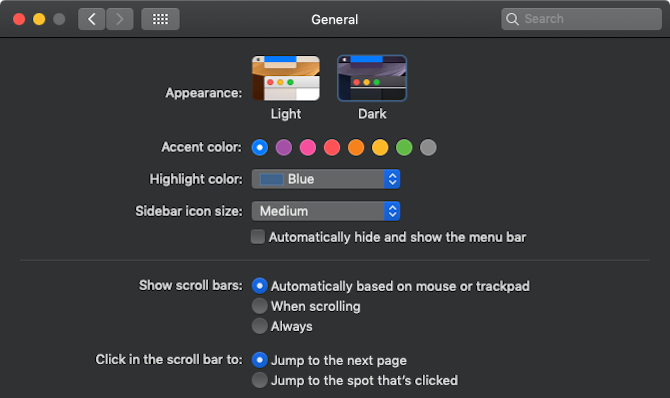
Then open System Preferences > General > Appearance and select Dark.
You’ll notice that macOS’s theme changes to black, and this isn’t just for the menu bar and Dock. Once enabled, every default app like Safari, Finder, and even Notes gets a black or gray background with white text.
Dark Mode for the Web
You probably spend most of your time in a browser. So first, let’s add a dark mode for your browser.
1. Dark Mode Themes for Chrome
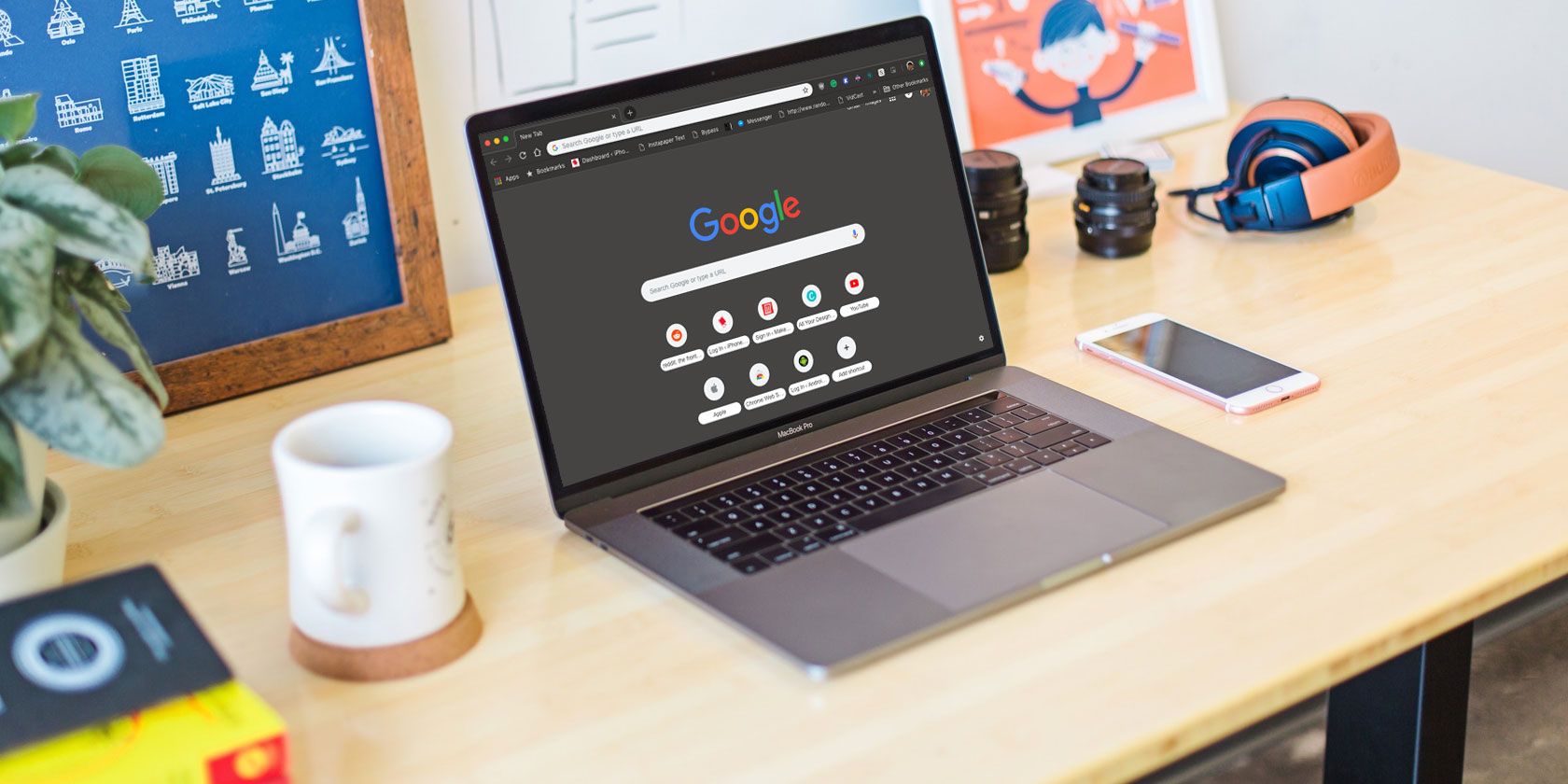
If you’re using Chrome, install the Mojave Dark Theme to get a dark-gray look for the Chrome window. The colors are very close to what you’ll find in Finder.
But if you want to go completely black, use the Morpheon Dark theme instead.
Dark Reader is an awesome extension that automatically adds a dark mode to every website. And it has a surprisingly good hit rate. Most of the websites that I visit regularly work well. The background turns dark gray with white text. And you can adjust the brightness and contrast to make the background completely black.
In my experience, Dark Reader works better on Chrome than on Safari. And while it’s free on Chrome, the Safari extension costs $2.
The best part of Dark Reader is how customizable it is. You can create themes or turn off dark mode for individual websites. This is useful for websites that already have a stellar dark mode, like Gmail, YouTube, and others.
The new Gmail update comes with a great new dark theme. Click the Settings icon, select Themes, scroll down, and select the Dark theme. We’ve covered how to customize Gmail in other ways, too.
4. Night Mode for Reddit
The new Reddit UI also has a built-in dark mode. After logging in, click on your Profile button and toggle the Night mode.
5. Trello Night for Chrome
Trello is one of the few productivity apps that’s mostly used on the web. Chrome users can now enable a dark mode using the Trello Night extension.
Twitter’s default Night mode is more blue than black, but it does the job. After logging in, click the Profile button and then select Night mode.
Dark Mode Mac Apps
There’s an amazing collection of dark mode Mac apps that pair well with the stock apps. The best part is that most apps on the list can synchronize their theme based on your system preference. So when you switch from light mode to dark mode in your system preferences, all supported apps will instantly switch to dark mode too!
7. Caprine for Facebook Messenger
If you use Facebook Messenger regularly, you might benefit from a dedicated Messenger app like Caprine. It supports native notifications and comes with a sweet dark mode.
ChatMate for WhatsApp is a better version of the WhatsApp desktop app. It supports Do Not Disturb, has a privacy mode, and more importantly, packs a great dark theme.
Ulysses is the best writing app for macOS and the recent update for macOS Mojave brings a new dark theme with an improved contrast ratio. The syntax and links are in blue, which makes them much easier to read.
If Apple Notes is not your cup of tea, take a look at Bear. It has great organization features and supports Markdown. Plus, the dark theme looks gorgeous on a Mac’s Retina display.
Fantastical 2 is the preferred calendar solution for those who don’t like the stock Calendar app. It’s featur- rich, comes with natural language processing, and looks great on Mojave. Its built-in dark theme activates whenever you turn on macOS’s dark mode.
Things is a simple yet gorgeous task management app for Apple devices. It takes the complexity of the Getting Things Done system and distills it into a simple UI that’s a pleasure to use and look at. Things 3 for macOS has been updated with an equally gorgeous dark theme.
Tweetbot is still the best Twitter client for Mac. The recent Tweetbot 3 update brings a new design and a dark theme. Like many other professional apps on this list, Tweetbot can automatically change the theme based on your macOS theme preference.
Spark’s recent update makes it one of the most innovative email apps on macOS. You can now chat with your team members from inside an email and collaborate on emails before sending them out. The new dark mode looks great too.
ReadKit is one of the best RSS readers for macOS. It supports a ton of syncing services and offers great reading customization. Switch to the dark theme and make your RSS reading easy on your eyes. ReadKit can match your system theme as well.
If you like to toggle between the light and dark modes frequently, going to System Preferences every time will get old quickly.
Install the free NightOwl app and you’ll have a quick switcher right in the menu bar. Plus, you can schedule dark mode to automatically kick in at a certain time or right after sunset.
Many professional independent apps on macOS have been updated with a dark theme. If you use an app like iA Writer, AirMail, Todoist, OmniFocus, Sublime Text, Day One, and other favorites, just go to the app’s preferences and look for theme options.
Dark modes look great and they make your Mac easier to use at night. With all these options available, why not give it a try?
Don’t forget that dark mode is just one of macOS Mojave’s awesome new features. After updating, you should also try out the new stacks feature, dynamic wallpapers, and the refreshed screenshot utility.
Tumblr, a microblogging service that’s impact on internet culture has been massive and unique, is preparing for a massive change that’s sure to upset many of its millions of users.
On December 17, Tumblr will be banning porn, errr “adult content,” from its site and encouraging users to flag that content for removal. Existing adult content will be set to a “private mode” viewable only to the original poster.
What does “adult content” even mean? Well, according to Tumblr, the ban means the removal of any media that depicts “real-life human genitals or female-presenting nipples, and any content—including photos, videos, GIFs and illustrations—that depicts sex acts.”
This is a lot more complicated than just deleting some hardcore porn from the site; over the past several years Tumblr has become a hub for communities and artists with more adult themes. This has largely been born out of the fact that adult content has been disallowed from other multimedia-focused social platforms. There are bans on nudity and sexual content on Instagram and Facebook, though Twitter has more relaxed standards.
Why now? The Tumblr app was removed from the iOS app store several weeks ago due to an issue with its content filtering that led the company to issue a statement. “We’re committed to helping build a safe online environment for all users, and we have a zero tolerance policy when it comes to media featuring child sexual exploitation and abuse,” the company had detailed. “We’re continuously assessing further steps we can take to improve and there is no higher priority for our team.”
We’ve reached out to Tumblr for further comment.
Update: In a blog post titled “A better, more positive Tumblr,” the company’s CEO Jeff D’Onofrio minimized claims that the content ban was related to recent issues surrounding child porn, and is instead intended to make the platform one “where more people feel comfortable expressing themselves.”
“As Tumblr continues to grow and evolve, and our understanding of our impact on our world becomes clearer, we have a responsibility to consider that impact across different age groups, demographics, cultures, and mindsets,” the post reads. “Bottom line: There are no shortage of sites on the internet that feature adult content. We will leave it to them and focus our efforts on creating the most welcoming environment possible for our community.”
The imminent “adult content” ban will not apply to media connected with breastfeeding, birth or more general “health-related situations” like surgery, according to the company.
Tumblr is attempting to make aims to minimize the impact on the site’s artistic community as well, but this level of nuance is going to be incredibly difficult for them to enforce uniformly and will more than likely lead to a lot of frustrated users being told that their content does not qualify as “art.”
Tumblr is also looking to minimize impact on the more artistic storytelling, “such as erotica, nudity related to political or newsworthy speech, and nudity found in art, such as sculptures and illustrations, are also stuff that can be freely posted on Tumblr.”
I don’t know how much it needs to be reiterated that child porn is a major issue plaguing the web, but a blanket ban on adult content on a platform that has gathered so many creatives working with NSFW themes is undoubtedly going to be a pretty controversial decision for the company.
Earlier this year, we reported that TrackR, a startup that makes a small Bluetooth device that you attach to items like keys to locate them when lost, would be rebranding as Adero and pivoting the business amid an increasingly commoditized market for its basic hardware product.
Now, that is just what is happening.
Today, Adero is officially making its debut, with a product that builds and expands on the TrackR, by providing a system to organise multiple groups of items — not just so that you can find them when they’ve been misplaced, but also so that you can be proactively alerted when you have forgotten something behind in a grouped set of items when on the move.
A starter kit — containing three smart tags, three smaller item “taglets,” a tag charger, lanyards, cases and key rings — is going on sale today for $119.99. A “deluxe” case with five tags and nine taglets will be coming soon, costing $199.99. The Adero is compatible with Android 5.1 and higher, and will be soon adding iOS 11, too.
To be clear, while Adero is discontinuing the TrackR, the company has confirmed that it will continue to support those that are in the market (for the time being).
If you think that the Adero sounds like a glorified version of what it is replacing, the company says that, in addition to offering a way of grouping items that you are tracking (“smart containers”), and chirping at you when you leave something behind, it has other features that make it more useful.
These include creating time-based reminders to collect your items; a rechargeable smart tag battery; and water resistance.
The move is a significant, and necessary, leap that the startup had to take.
In a market full of competition, even the largest of the bunch, Tile, has worked on refocusing its own remit under a new CEO, taking strategic investment from Comcast to develop products with the broadband giant as it tries to tap into more connected home opportunities and the promises of IoT (before other tech players like Amazon, Google and Apple once again eat up what could have been an obvious carrier opportunity, as they have done in other areas).
For its part, Adero had been struggling to find the right margins and business model for TrackR, and attempts to expand the original product — such as a Beacon device called the Atlas — also met dead ends (after a debut at CES, the Atlas never made it to market).
It was a clear downround: TrackR was valued at $150 million when it raised $50 million as recently as August 2017. Investors were not disclosed in the most recent funding, but previous backers of the company, in addition to Amazon, include Foundry Group, NTT and Revolution.
“Foundry and Revolution were hoping that they would put this money in and I could fix and scale things, similar to how I’d scaled Sonos and so on. But within six weeks, it became evident that we didn’t need to scale but figure out what the future was and where this is going,” said Nathan Kelly, who was promoted to CEO from COO in December 2017, in an interview ahead of today.
Kelly’s resume includes years at Sonos, Tesla and Facebook’s Building 8, so he has had a spectrum of experiences of what it means to build and sell hardware. To his credit, he talked to me frankly, even after we scooped their launch.
“We realised that in the 10 years that TrackR had been out there, there wasn’t anything new,” he said. It was a call that maybe only a non-founder could make (neither Christian Smith nor Chris Herbert, the two founders, are with the company anymore). “There wasn’t enough innovation going on. We had to figure out what is next, not just rinsing and repeating in a spec war when the original idea was not that interesting to begin with.”
Going forward, he says there is another, bigger funding round in the works — likely dependent on how this effort will go, I’m guessing — and there are plans to add more intelligence into the product.
“Adero will soon be smart enough to know what you are leaving behind [when you need it]. It will say you are leaving without your wallet in the morning,” or perhaps your passport before a trip abroad.
Kelly added the company wasn’t able to get that rolled out in time for this launch — which it hoped to have out in time for holiday shopping — but an early version of the predictive feature should be out “within a few weeks.” He also noted that the company filed a number of large patents in the last year to this end.
Posted by Slav Petrov, Principal Scientist, Google
This week, Montréal hosts the 32nd annual Conference on Neural Information Processing Systems (NeurIPS 2018), the biggest machine learning conference of the year. The conference includes invited talks, demonstrations and presentations of some of the latest in machine learning research. Google will have a strong presence at NeurIPS 2018, with more than 400 Googlers attending in order to contribute to, and learn from, the broader academic research community via talks, posters, workshops, competitions and tutorials. We will be presenting work that pushes the boundaries of what is possible in language understanding, translation, speech recognition and visual & audio perception, with Googlers co-authoring nearly 100 accepted papers (see below).
At the forefront of machine learning, Google is actively exploring virtually all aspects of the field spanning both theory and applications. This research is often inspired by real product needs but increasingly more often driven by scientific curiosity. Given the range of research projects that we pursue, we have found it useful to define a new framework which helps crystalize the goals of projects and allows us to measure progress and success in appropriate ways. Our contributions to NeurIPS and to the broader research community in general are integral to our research mission.
If you are attending NeurIPS 2018, we hope you’ll stop by our booth and chat with our researchers about the projects and opportunities at Google that go into solving the world's most challenging research problems, and to see demonstrations of some of the exciting research we pursue. You can also learn more about our work being presented in the list below (Googlers highlighted in blue).
Google is a Platinum Sponsor of NeurIPS 2018.
NeurIPS Foundation Board Corinna Cortes, John C. Platt, Fernando Pereira
NeurIPS Organizing Committee
General Chair: Samy Bengio
Program Co-Chair: Hugo Larochelle
Party Chair: Douglas Eck
Diversity and Inclusion Co-Chair: Katherine A. Heller
Area Chairs include: Amin Karbasi, Amir Globerson, Amit Daniely, Andras Gyorgy, Andriy Mnih, Been Kim, Branislav Kveton, Ce Liu, D Sculley, Danilo Rezende, Danny Tarlow, David Balduzzi, Denny Zhou, Dilan Gorur, Dumitru Erhan, George Dahl, Graham Taylor, Ian Goodfellow, Jasper Snoek, Jean-Philippe Vert, Jia Deng, Jon Shlens, Karen Simonyan, Kevin Swersky, Kun Zhang, Lihong Li, Marc G. Bellemare, Marco Cuturi, Maya Gupta, Michael Bowling, Michalis Titsias, Mohammad Norouzi, Mouhamadou Moustapha Cisse, Nicolas Le Roux, Remi Munos, Sanjiv Kumar, Sanmi Koyejo, Sergey Levine, Silvia Chiappa, Slav Petrov, Surya Ganguli, Timnit Gebru, Timothy Lillicrap, Viren Jain, Vitaly Feldman, Vitaly Kuznetsov
Workshops Program Committee includes: Mehryar Mohri, Sergey Levine
AI for Social Good
Workshop Program Committee includes: Samuel Greydanus
Black in AI
Workshop Organizers: Mouhamadou Moustapha Cisse, Timnit Gebru
Program Committee: Irwan Bello, Samy Bengio, Ian Goodfellow, Hugo Larochelle, Margaret Mitchell
LatinX in AI
Workshop Organizers includes: Pablo Samuel Castro
Program Committee includes: Sergio Guadarrama
Machine Learning for Systems
Workshop Organizers include: Anna Goldie, Azalia Mirhoseini, Kevin Swersky, Milad Hashemi
Program Committee includes: Simon Kornblith, Nicholas Frosst, Amir Yazdanbakhsh, Azade Nazi, James Bradbury, Sharan Narang, Martin Maas, Carlos Villavieja
Queer in AI
Workshop Organizers include: Raphael Gontijo Lopes