01 May 2019

Portal Cord is a Charger Cable With a Power Bank Hiding Inside


Power banks are an incredible invention. They make it so we can keep our devices running for substantially longer than their built-in batteries.

They’re not without flaws, though. Part of the reason a device like a smartphone is so useful is that it’s easy to carry around. It fits right into your pocket. Most power banks, however, aren’t so portable.

Portal Cord is setting out to solve that problem by tucking the power bank right inside of the cord.

Portal Cord Features

The way the Portal Cord is able to contain the power within the cord is by having multiple batteries lining the length of the device. While a traditional power bank features one large battery, this one uses a bunch of smaller ones.

Obviously, even by having multiple batteries along the cable, there’s just no way to fit a huge amount of juice. As such, the Portal Cord features 1,800 mAh of charging power. To put that into perspective, an iPhone XS Max features a 3,174 mAh battery, while a Pixel 3 features a 2900 mAh battery. Basically, you won’t get a full charge for your devices out of this power bank, but thanks to Quick Charge technology, you’ll get a decent amount of juice rather quickly.

The Portal Cord is available in USB-C, Lightning, and micro USB, so it’ll work with a wide range of devices including newer iPhones and most Android devices.

For length, the Portal Cord measures three feet, which is pretty standard for power cables. Not going with an incredibly long cable allows the device to remain portable. The cable and attached batteries are pretty light, coming with a weight of only 4.24 ounces.

Portal Cord Availability

Portal Power is seeking funding for Portal Cord on Kickstarter right now. The project is tracking to meet is $20,000 funding goal with around $15K as of this writing. Backers who would like to order a device can do so for $55 while the early special lasts. After that, the price goes up by $10. The company plans to ship the power banks to backers in October 2019.

Make sure you understand the risks of backing a crowdfunding project before you jump in though. Read our guide featuring things you need to know before backing a Kickstarter.

Read the full article: Portal Cord is a Charger Cable With a Power Bank Hiding Inside


Read Full Article

Facebook Is Getting a New Redesign for 2019


Facebook is currently hosting F8, its annual conference for developers. The first day of F8 was filled with announcements covering Facebook, Messenger, Instagram, WhatsApp, and Oculus. And the headline has to be Facebook’s new redesign for 2019.

Facebook Changes Things Up for 2019

Facebook has redesigned the Facebook website and app. Visually, Facebook is being bleached, with the blue almost all gone, and a simpler, cleaner, and very white palette used instead. This makeover makes Facebook look more like Instagram.

Content-wise, the new Facebook is being built around two core components: Groups and Events. Groups is at the heart of the new Facebook, and represents Facebook trying to move away from the News Feed and make Facebook more about communities.

Facebook Wants You to Join New Groups

On the Facebook Newsroom, Facebook explains that while people use “Facebook to connect with friends and family […] it’s also a place to connect with people who share your interests and passions.” Which is why it’s putting Groups first.

There’s also a privacy element involved. While many people make their Facebook posts viewable to all and sundry, groups are more private. And with Mark Zuckerberg claiming Facebook is becoming a “more privacy-focused social platform” this is a crucial move.

facebook redesign 2019

Facebook is launching a redesigned Groups tab to help you find new groups. It will also plant group recommendations across other parts of the app. And introduce new features for specific types of group such as Job groups and Health Support groups.

Events is getting a new tab too. This will let you “see what’s happening around you, get recommendations, discover local businesses, and coordinate with friends to make plans to get together.” Which Facebook sees as another way of fostering communities.

Facebook Wants You to Meet New Friends

Facebook is also testing a new feature called Meet New Friends. This will “help people start friendships with new people from their shared communities like a school, workplace or city.” Meet New Friends is opt-in only and still a work in progress.

Facebook is rolling out the redesigned app for Android and iOS right now. The new desktop site will follow “in the next few months”. Which gives you time to check out the top social media apps you could (and probably should) be using instead of Facebook.

Image Credit: Marco Verch/Flickr

Read the full article: Facebook Is Getting a New Redesign for 2019


Read Full Article

Valve Index Price, Release Date, and Preorder Information Revealed


Anyone eagerly anticipating the final details of Valve’s Index virtual reality headset can relax, as the company has revealed all of the details, including how much it’ll cost, when it’ll ship, and when you can throw down your hard-earned cash on a preorder.

Valve Index Details and Specs

We’ve seen quite a few companies moving in the direction of computer-free virtual reality, including HTC with the Vive Focus Plus. This isn’t one of those, as Valve is pushing the limits with a very high-end headset that’ll keep hardcore virtual reality fans quite happy.

The screens on the new Index are 1440×1600 RGB LCDs, which Valve says allows for sharper visuals than OLEDs with the same amount of rendering power. The screens are also faster than others on the VR market, coming with a 120Hz refresh rate with full back-compatibility to 90Hz. There’s also an experimental 144Hz mode. According to Valve, “higher framerates improve realism and optical comfort, allowing longer and more comfortable play sessions,” which sounds like exactly what VR fans are looking for.

Another key aspect of the Index is the low persistence of 0.330ms to 0.530ms. This allows images to remain sharp when you move your head around, which is key to creating an immersive VR experience.

The headset will also feature off-ear sound built-in, which makes it easy to hear the VR experiences with as much comfort as possible.

Outside of the headset, there’s a full VR kit which includes new controllers and base stations. Thankfully, the Valve Index Base stations are compatible with 2.0 tracking-capable hardware, which is the same that comes with the Vive Pro, so buyers will be able to keep the base stations they already have.

Speaking of those controllers, Valve says they were “designed from the ground up to enable natural interactions, high-fidelity hand presence, and long-term comfort.” They promise natural, direct inputs that’ll help keep immersion during gameplay. There’s a total of 87 sensors in each controller that’ll track everything including hand position, finger position, motion, and pressure. Valve specifically called out the amount of time it spent developing controllers that allow natural and accurate open-handed throwing, which these will.

Valve Index Preorder, Release Date, and Price

Obviously, the key information about the Valve Index is the cost. For the full kit, which includes the headset, controllers, and base stations, the price is $999. The headset and controllers together sell for $749. On their own, the headset is $499, the controllers are $279, and the base stations are $149.

Obviously, those prices don’t include the computer required to run virtual reality experiences. Valve suggests at least 8GB RAM, an NVIDIA GeForce GTX 970+ or AMD RX480+ GPU, a dual-core processor with hyperthreading, and USB 3.0.

Preorders on all of the parts of the Valve Index open tomorrow, May 1. Valve says the hardware will ship by June 28, 2019, so anyone who drops the money on a preorder won’t have to wait too long to get their hands (and eyes) on a kit.

Once you snag one of these, make sure to check out some of our favorite virtual reality experiences to play on it.

Read the full article: Valve Index Price, Release Date, and Preorder Information Revealed


Read Full Article

YouTube sets a goal of having half of trending videos coming from its own site


YouTube wants to have half of the featured videos in its trending tab come from streams originating on the company’s own site going forward, according to the latest quarterly letter from chief executive Susan Wojcicki.

The letter, directed to YouTube’s users, is meant to help ease concerns the site’s biggest stars have over copyright challenges, advertising policies and video monetization — along with their shrinking presence on the site’s trending feature.

It’s been a rough quarter for YouTube. The company had to deal with yet another child predator scandal, which prompted the company to completely shut down comment sections on most videos featuring minors. 

The Alphabet-owned video company was also forced to wrestle with its role in the spread of a global anti-vaccination campaign that has helped foster a resurgence in Measles cases around the world — creating a new epidemic in the U.S. of a disease that had been largely eradicated in the country.

Beyond monetizing anti-vaccination videos, YouTube’s role in the dissemination of videos taken by the white supremacist mass-murderer who killed scores of people in attacks on mosques in Christchurch, New Zealand has created a backlash against the company in capitals around the world.

Wojcicki addressed both incidents in the letter, writing:

In February, we announced the suspension of comments on most YouTube videos that feature minors. We did this to protect children from predatory comments (with the exception of a small number of channels that have the manpower needed to actively moderate their comments and take additional steps to protect children). We know how vital comments are to creators. I hear from creators every day how meaningful comments are for engaging with fans, getting feedback, and helping guide future videos. I also know this change impacted so many creators who we know are innocent—from professional creators to young people or their parents who are posting videos. But in the end, that was a trade-off we made because we feel protecting children on our platform should be the most important guiding principle.

The following month, we took unprecedented action in the wake of the Christchurch tragedy. Our teams immediately sprung into action to remove the violative content. To counter the enormous volume of uploaded videos showing violent imagery, we chose to temporarily break some of our processes and features. That meant a number of videos that didn’t actually violate community guidelines, including a small set of news and commentary, were swept up and kept off the platform (until appealed by its owners and reinstated). But given the stakes, it was another trade-off that we felt was necessary. And with the devastating Sri Lankan attacks, our teams worked around the clock to make sure we removed violative content. In both cases, our systems triggered authoritative news and limited the spread of any hate and misinformation.

Given those examples, the commitment that Wojcicki is making to ensure that half of the videos in the company’s trending tab come from YouTube itself seems… risky.

The company needs to do something, though. The talent on which it depends to bring in advertisers and an audience is very worried about a number of recent steps YouTube has taken.

From the perspective of YouTube’s top talent, the company is abandoning them even as regulators restrict the ways in which they’re able to make the videos that have defined the site throughout its history.

In Europe, meme culture is under attack by lawmakers who have passed legislation muddying the waters around what constitutes fair use — and YouTube’s users are worried that the company may start restricting the distribution of their videos on flimsy copyright claims.

“[We] are also still very concerned about Article 13 (now renamed Article 17) — a part of the Copyright directive that recently passed in the E.U.,” Wojcicki wrote. “While we support the rights of copyright holders—YouTube has deals with almost all the music companies and TV broadcasters today—we are concerned about the vague, untested requirements of the new directive. It could create serious limitations for what YouTube creators can upload. This risks lowering the revenue to traditional media and music companies from YouTube and potentially devastating the many European creators who have built their businesses on YouTube.”

In many ways the letter is just a continuation of themes that Wojcicki laid out in her first address to the company’s core user base.

It’s a pivotal moment for YouTube as public pressures mount for the company to take more responsibility for the videos it distributes and the users that make up the bulk of its creative community start chafing under their increasing constraints.

The company appears to be responding with a commitment to be more transparent going forward, but it’s going to be increasingly difficult for the company to navigate between the pressures of advertisers for “safe” videos and producers for greater creative freedoms — all with traditional media putting the company increasingly in its crosshairs and new players like TikTok commanding greater attention.


Read Full Article

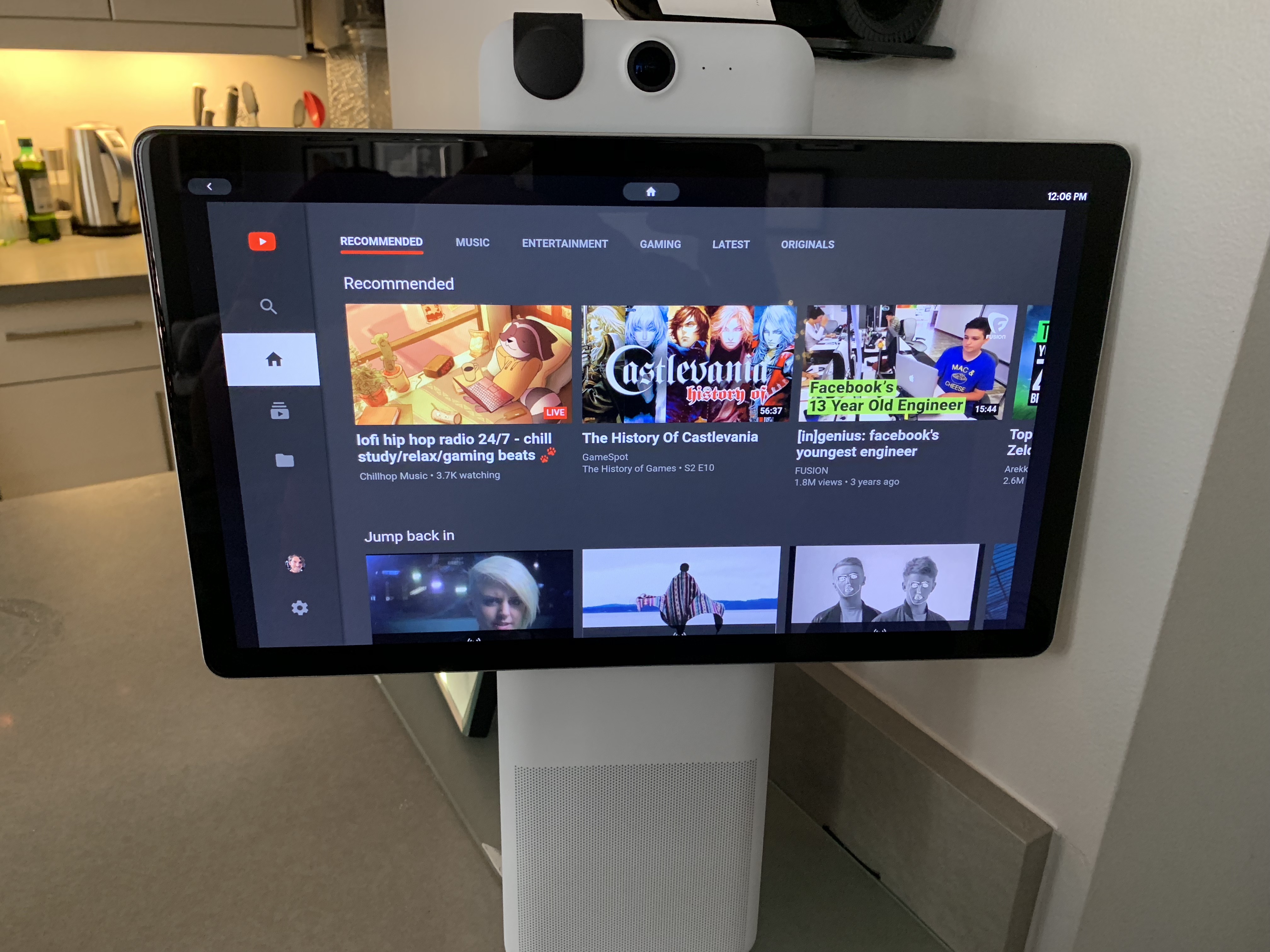
Facebook takes its Portal international, adds WhatsApp, Facebook Live support


At its F8 developer conference, Facebook today announced that it is launching its Portal video chat hardware internationally by bringing it to Canada and a select number of European countries, too. This rollout will begin in June in Canada, with Europe following this fall. In the U.S., Portal sells for $199 and $349, depending on the screen size. The company did not announce international pricing.

Portal originally only launched in the U.S. As the company’s co-founder and CEO Mark Zuckerberg noted during his F8 keynote today, the service has done better than the company expected. Given that it launched right during some of Facebook’s biggest privacy scandals, that’s a bit of a surprise, though we don’t know what Facebook’s own expectations were, of course, or how many of the device it has sold.

In addition, Zuckerberg announced that its WhatsApp messenger is also coming to Portal. That means end-to-end encrypted video chats are coming to Portal, something that should reduce some of the privacy concerns around the device. “Now, you can be sure that when you’re having conversations with your friends and family, everything stays between you,” Zuckerberg said, though most current users probably hope that this has always been the case, even when using Portal without WhatsApp.

Later this summer, Portal will also get new AR effects and a story-reading mode. Starting today, Portal can also display photos from Instagram, and Facebook is building a mobile app that lets you display photos on the Portal. You can do that today, but it’s significantly more complicated because you need to create a private album just for Portal.

Coming soon, too, is the ability to send private video messages and Facebook Live support.


Read Full Article

Eric Schmidt and Diane Greene are leaving Alphabet’s board of directors


Google’s parent company Alphabet announced that two board members, Eric Schmidt and Diane Green, will not be seeking re-election when their terms expire on June 19.

Schmidt has been on the company’s board since 2001, and also served as Google’s CEO for a decade, until April 2011. He then became the company’s executive chairman, before transitioning into the vague-sounding role of “technical advisor” at the end of 2017. (He said last year that he’s focused on new applications of machine learning and artificial intelligence.)

Alphabet said Schmidt will continue to serve as technical advisor to the company.

Greene, meanwhile, became the CEO of Google’s cloud business after Google acquired her company Bebop in 2015, a role she held for about three years before stepping down in January. She’s been on the board since 2012.

Along with the departures, Alphabet is also announcing the appointment of Robin L. Washington to its board. Washington is the executive vice president and chief financial officer of biopharmaceutical company Gilead Sciences. She previously held executive roles at Hyperion Solutions and PeopleSoft.

“Robin’s incredible business and leadership experience will be hugely valuable to our Board and company in the years ahead,” said Board Chairman John Hennessy in a statement.


Read Full Article

Spotify Q1 hits 100M paying users, 217M overall, beats on sales but loss widens to $159M


As Amazon reportedly gears up to offer its own hi-fi music streaming service, Spotify has posted its Q1 figures. One significant milestone: the world’s currently biggest music streaming service reported that it now has 100 million paying users (up 32 percent on a year ago) and 217 million subscribers overall in 79 markets, picking up 2 million users in India since launching there in February.

In financial terms, however, the picture is more mixed. Its €1.511 billion ($1.68 billion) in sales just beat analysts’ estimates for revenues of $1.64 billion. But earnings per share seems to have taken a big hit. The company, which is still unprofitable, posted negative EPS of €0.79 (or negative $0.88), while analysts on average were expecting only negative EPS of $0.39.

Its net loss is now €142 million ($158.6 million), down from €169 million in the same quarter a year ago.

Spotify as investor also provided an update. It noted that the value of its investment in Tencent Music is now €2.3 billion, going up €652 million in the quarter, and it also confirmed that it paid a total of €358 million for three podcasting acquisitions in the period: €308 million for Gimlet Media and Anchor FM, and €50 million for Parcast. To downplay the size of that deal, or at least provide some more context, it noted that the combined purchase consideration “is roughly equivalent” to Spotify’s cumulative free cash flow over the last three quarters.

This, plus decent guidance for the quarter and year ahead, has made the market relatively happy: Spotify’s shares are up nearly five percent in pre-market trading.

Spotify noted that “most metrics” exceeded the company’s own expectations, although the 217 million monthly active user figure — while up 26 percent — was lower than midpoint of its 215-22- million expectation.

Premium (paid) revenues represent the bulk of Spotify’s revenues at the moment — €1,385 million versus just €126 million from advertising, and still growing at a higher rate than its advertising business (34 percent vs. 24 percent).

Because of that, partnerships, which help to bring in more paid subscriptions, continue to be a huge part of Spotify’s business model. This quarter, it noted that promotions with Google Home Mini and Samsung, and a reduced price of $9.99 for a bundle sold with Hulu, all contributed to its strong revenue performance (however that reduced price provides one clue to why margins are not great). Its group subscriptions — specifically the Family plan — also had a strong impact, it noted.

Guidance for the next quarter and year, meanwhile show continued growth for the company at a relatively similar rate. The thinking is that this should help Spotify eventually even out its losses, although that won’t happen in the year ahead:

For next quarter, Q2, Spotify expects MAUs of between 222-228 million, up 23-27 percent Y/Y; Premium subs of 107-110 million, up 29-34 percent Y/Y; revenues of €1.51-€1.71 billion, up 18-35 percent; gross margin of 23.5-25.5 percent; and an operating loss of €15-€95 million.

For the full-year, Spotify expects MAUs of 245-265 million, up 18-28 percent Y/Y; Premium subs of 117-127 million, up 21-32 percent Y/Y; revenues of €6.35-€6.8 billion, up 21-29 percent Y/Y; gross margins of 22.0-25.0 percent; and an operating loss of €180-€340 million.


Read Full Article

Meet the tech boss, same as the old boss


“Power corrupts, and absolute power corrupts absolutely.” It seems darkly funny, now, that anyone ever dared to dream that tech would be different. But we did, once. We would build new companies in new ways, was the thinking, not like the amoral industrial behemoths of old. The corporate villains of 90s cyberpunk were fresh in our imaginations. We weren’t going to be like that. We were going to show that you could get rich, do good, and treat everyone who worked for or interacted with your business with fundamental decency, all at the same time.

The poster child for this was, of course, Google, whose corporate code of conduct for fifteen years famously included the motto “don’t be evil.” No longer, and the symbolism is all too apt. Since removing that phrase in 2015, we’ve all witnessed reports of widespread sexual harassment, including 13 senior managers fired for it; Project Maven; and Project Dragonfly. Internal backlashes and a mass walkout led to retractions and changes, courtesy of Google employees rather than management … and now we’re seeing multiple reports of management retaliation against those employees.

Facebook? I mean, where do we even begin. Rootkits on teenagers‘ phones. Privacy catastrophe after privacy catastrophe. Admissions that they didn’t do enough to prevent Facebook-fostered violence in Myanmar. Sheryl Sandberg personally ordering opposition research on a Facebook critic. And those are just stories from the last six months alone!

Amazon? Consider how they overwork and underpay delivery drivers and warehouse workers. Apple? Consider how they “deny Chinese users the ability to install the VPN and E2E messaging apps that would allow them to avoid pervasive censorship and surveillance,” to quote Stanford’s Alex Stamos. Microsoft? The grand dame of the Big Five has mostly evolved into a quiet enterprise respectability, but has recently seen “dozens of” reports of sexual harassment and discrimination ignored by HR, along with demands for cancellation of the HoloLens military contract.

Those are the five most valuable publicly traded companies in the world. It’s far from “absolute power,” but it’s far more power than the tech industry has had before. Have we avoided corruption and complacency? Have we done things differently? Have we been better than our predecessors? Not half so much as we hoped back in the giddy early days of the Internet. Not a quarter. Not an eighth.

And it’s mostly so gratuitous. Google didn’t need to try to build a censored search engine for China. They don’t need the money — they’re a giant money-printing machine already — and the Chinese people don’t need their product. Amazon doesn’t need to treat its lower-paid workers with vicious contempt. (It’s true they finally — finally! — raised their minimum wage to $15, but it could very easily afford to make their pay and working conditions substantially better yet.) Facebook doesn’t need to … to increasingly act like a company whose management is composed largely of wide-eyed cultists and/or mustache-twirling villains, basically.

Google should have promoted the organizers of their walkout, but there, at least, you can see why they didn’t. Raw fear. The one thing which truly frightens the management of big tech companies, more than regulators, more than competitors, more than climate change, is their own employees.

Is it that the modern megacorps have inherited from their forebears the obsession with growth at all costs, a religious drive to cast their net over every aspect of the entire world, so it’s still not enough for each of those companies to make billions upon billions from advertising and commerce to spend on their famous — and now sometimes infamous — “moonshot” projects? (Don’t talk to me about the fiduciary duty of maximum profit. Tech senior management can interpret that “duty” however they see fit.)

Is it that any sufficiently large and wealthy organization becomes, in its upper reaches, a nest of would-be Game of Thrones starlets, playing power politics with their pet projects and personal careers, regardless of the costs and repercussions? (At least when they are born of hypergrowth; it’s noticeable that more-mature Apple and Microsoft, while imperfect, still seem by some considerable distance the least objectionable of these Big Five, and Facebook the most so.)

I don’t want to sound like I think the tech industry is guilty of ruining everything. Not at all. The greatest trick the finance industry ever pulled is somehow convincing (some of) the world that it’s the tech industry who are the primary drivers of inequality. As for the many media who seem to be trying to pin recent election outcomes, and all other ills of the world, on tech, well

But the existence of greater failures should not blind us to our own, and whether we have failed in an old way or a new one is moot. Accepting this failure is — at least for people like me who were once actually dumb/optimistic enough to believe that things might be different this time — an important step towards trying to build something better.


Read Full Article

How to source hard-to-fill programming positions


The competition is intense for great tech talent, and it’s even harder to find the most qualified people who are also the right fit for your company

This article shares some practical processes that you can add to your human resources function in order to accelerate the programmer pipeline, based on the years I have spent as a hiring focused software engineer at growing startups and now running my own recruiting firm.

Our recruiting strategy is surprisingly simple, and boils down to optimizing various segments of the sourcing funnel: awareness, pageviews, and application submits.

What ties these tactics together, though, is you, your company, what you’re offering, and how you approach the people you want to hire. If you want to build a strong, diverse team, you need to develop a thoughtful, empathetic and proactive approach before you can optimize.

Within the article we cover:

In the article’s appendix, I also provide our company’s 2019 checklist process — eighteen steps that we delegate to manage our sourcing process.


Read Full Article

Developers can now verify mobile app users over WhatsApp instead of SMS


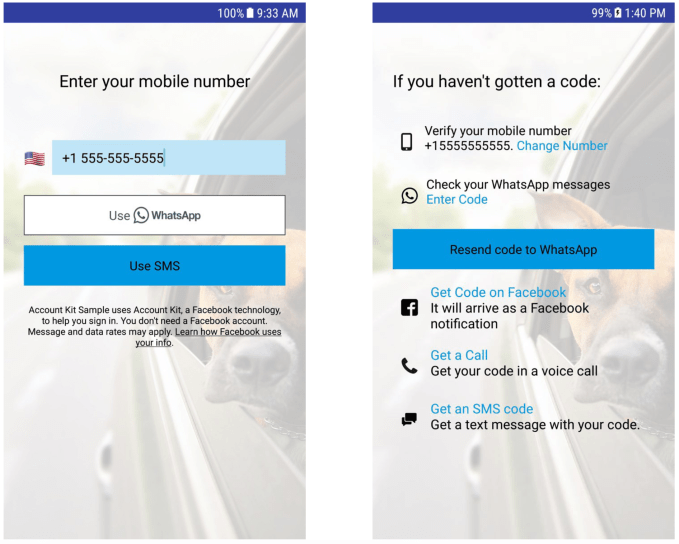
Facebook today released a new SDK that allows mobile app developers to integrate WhatsApp verification into Account Kit for iOS and Android. This will allow developers to build apps where users can opt to receive their verification codes through the WhatsApp app installed on their phone, instead through SMS.

Today, many apps give users the ability to sign up using only a phone number — a now popular alternative to Facebook Login, thanks to the social network’s numerous privacy scandals which led to fewer people choosing to use Facebook with third-party apps. Plus, using phone numbers to sign up is common with a younger generation of users who don’t have Facebook accounts — and sometimes barely use email, except for joining apps and services.

When using a phone number to sign in, the app can confirm the user by sending a verification code over SMS to the number provided. The user then enters that code to create their account. This process can also be used when logging in, as part of a multi-factor verification system where a user’s account information is combined with this extra step for added security.

While this process is straightforward and easy enough to follow, SMS is not everyone’s preferred messaging platform. That’s particularly true in emerging markets like India, where 200 million people are on WhatsApp, for example. In addition, those without an unlimited messaging plan are careful not to overuse texting when it can be avoided.

That’s where the WhatsApp SDK comes in. Once integrated into an iOS or Android app, developers can offer to send users their verification code over WhatsApp instead of text messaging. They can even choose to disable SMS verification, notes Facebook.

This is all a part of WhatsApp’s Account Kit, which is a larger set of developer tools designed to allow people to quickly register and login to apps or websites using only a phone number and email, no password required.

This WhatsApp verification codes option has been available on WhatsApp’s web SDK since late 2018, but hadn’t been available with mobile apps until today.


Read Full Article

Developers can now verify mobile app users over WhatsApp instead of SMS


Facebook today released a new SDK that allows mobile app developers to integrate WhatsApp verification into Account Kit for iOS and Android. This will allow developers to build apps where users can opt to receive their verification codes through the WhatsApp app installed on their phone, instead through SMS.

Today, many apps give users the ability to sign up using only a phone number — a now popular alternative to Facebook Login, thanks to the social network’s numerous privacy scandals which led to fewer people choosing to use Facebook with third-party apps. Plus, using phone numbers to sign up is common with a younger generation of users who don’t have Facebook accounts — and sometimes barely use email, except for joining apps and services.

When using a phone number to sign in, the app can confirm the user by sending a verification code over SMS to the number provided. The user then enters that code to create their account. This process can also be used when logging in, as part of a multi-factor verification system where a user’s account information is combined with this extra step for added security.

While this process is straightforward and easy enough to follow, SMS is not everyone’s preferred messaging platform. That’s particularly true in emerging markets like India, where 200 million people are on WhatsApp, for example. In addition, those without an unlimited messaging plan are careful not to overuse texting when it can be avoided.

That’s where the WhatsApp SDK comes in. Once integrated into an iOS or Android app, developers can offer to send users their verification code over WhatsApp instead of text messaging. They can even choose to disable SMS verification, notes Facebook.

This is all a part of WhatsApp’s Account Kit, which is a larger set of developer tools designed to allow people to quickly register and login to apps or websites using only a phone number and email, no password required.

This WhatsApp verification codes option has been available on WhatsApp’s web SDK since late 2018, but hadn’t been available with mobile apps until today.


Read Full Article

Google employees are staging a sit-in to protest reported retaliation


Google employees are staging a sit-in tomorrow to protest the alleged retaliation at the hands of managers toward employees. The plan is to stage the sit-in tomorrow at 11 a.m.

This comes about six months after 20,000 Google employees walked out following the company’s mishandling of sexual harassment allegations.

Developing…


Read Full Article

Instagram will now let creators and influencers sell items directly


The monetization hose is on full blast at Instagram now, and today at F8, Facebook unveiled one of the latest developments on that front. The company said that creators will now be able to tag items to sell them directly to people viewing their posts and Stories.

For now, this will work only on items that are tagged from businesses that are part of the new checkout beta program Instagram is running in the U.S.

It’s also part of a bigger transactional swing that we’re seeing at Instagram that extends beyond just catering to consumerism and influencers speaking to Instagram’s billion-plus users.

Today Instagram also confirmed that it would be adding donation stickers in Stories — something we reported it was working on several months ago.

The tags that creators and influencers can now add is a significant development on product tagging, which up to now had been reserved just for businesses and brands, not open to individuals.

But the purpose for now doesn’t seem to be to help creators make commissions on those sales. Facebook tells us that “at this time,” creators will not make a cut on any purchases made as a result of anyone clicking on links in their posts (meaning: it may come down the line).

Rather, the point is to cut down on some of the repeat questions that creators get about what they are wearing, and where to buy it. “People are already shopping from creators by asking product questions in comments and Direct,” a spokesperson said. “With the ability to tag products, creators can provide the information their followers are looking for and get back to expressing themselves and sharing what’s on their mind, which will make their followers happy too.”

But they are not getting diddly, either. The spokesperson notes that creators will also receive additional insights with shopping posts, such as engagements and shopping insights. For those who are making a living out of their influencer status, these could help them leverage better deals with those brands, longer term.

Instagram will start testing first with a small group of creators over the next few weeks, including on the accounts of Gigi Hadid, Kim Kardashian West, Kris Jenner, Kylie Jenner and Leesa Angelique (who runs @saythelees). 

“It’s my job to share beauty secrets and tips,” she said about the new feature. “I’m usually writing long, detailed captions about the latest products I’ve been using. Having this tool just makes it that much easier to let everyone know what I’m wearing and from where – down to the shade.”


Read Full Article

30 April 2019

Why women are indefinitely sharing their locations

What Is Airplane Mode and What Does It Do?

How to Replace a Damaged Phone Screen Display


As mobile phone displays are much tougher than they used to be, it seems like they’re indestructible. Sadly, they’re not. Dropping your phone can often break the display. Your phone can no longer be considered useful.

Want to replace a damaged smartphone display? It’s a relatively cheap and straightforward process. Here’s how to do it.

The Costs of Replacing Your Phone Screen

Replace a cracked phone display

Cracked your mobile phone display? Dropped it in the street, or crushed it playing football? Sat on it, even? You know by now that you’ve given yourself a headache. Can the phone be repaired, and if so, what are the costs?

Many services available online and locally will repair your mobile phone, for a price. But if you have access to the parts and they’re inexpensive, why not perform the procedure yourself?

You should also consider the non-monetary costs: time spent without a phone, data that needs archiving from the device. Hopefully your mobile platform’s cloud service can help here, or perhaps a desktop utility can check the phone’s contents.

Fitting a new display that costs the same as a replacement phone is pointless. However, if replacing the mobile phone screen is closer to $15, it makes sense to have a go yourself.

Where to Find a Replacement Phone Screen

Replacement smartphone display and tools

The most obvious location for a replacement display is eBay. Simply searching for the mobile phone model and the word display will turn up the required parts. Just remember to shop safely when using eBay.

In my case, “nexus 5 display” returned a wealth of accurate (and, sadly, slightly inaccurate) results. Take the time to check that the component you choose is genuinely for your device. Often, components may appear in the results thanks to a poorly written listing.

Amazon is also a resource for replacement screens, but you should also consider a general Google search as this will turn up specialist suppliers who might be able to provide a lower price.

Note that you may find listings that offer just the display, versus listings with half the phone’s chassis. Which one you buy depends on how complicated you want things to get. For example, just the display means melting the adhesive using a heatgun or hairdryer.

Alternatively, a replacement display kit that includes half the phone’s body will require components being transferred from the old body into the replacement.

The Tools for Replacing Your Phone Screen

Often, replacement displays ship with the tools included. Typically, you’ll receive:

  • Mini screwdrivers
  • Mini Torx drivers
  • Plastic tweezers
  • Plastic wedges
  • A guitar pick/plectrum

You should also have:

  • Curved tweezers
  • Precision knife or craft scalpel
  • Hairdryer or heat gun

These tools are included to remove the case and unscrew any components that obstruct replacing the display. For example, a mobile phone will have Torx screws under the battery cover that will need removing before you gently prize the case apart.

Note that spending money on these tools isn’t totally necessary. Sanding off the ends of a couple of plastic bicycle wheel levers will produce usable alternatives—otherwise, they can be sourced relatively cheaply.

The Basics of Replacing a Phone Screen

There are so many different mobile phone models on the market (either new or used) that providing a standardized guide is next to impossible. Additionally, some models cannot be repaired without sending them back to the manufacturer.

Head to YouTube to check how your particular phone’s display can be replaced. You’ll find many detailed device-specific guides on the procedure.

Most smartphones are essentially made up of several layers of components. Each layer must be carefully detached for the glass display to be replaced.

These guides typically follow this procedure for replacing your smartphone display:

  1. Open the phone
  2. Remove the display
  3. Replace the adhesive
  4. Fit the new display
  5. Ensure correct cable connection

Read on to learn how to fit a replacement smartphone display.

Step 1: Open the Phone

To begin, remove (where possible) the rear cover, battery and identify where the Torx (or standard) screws might be hidden. Look under labels and beside USB ports. You might find screws in the battery cavity if you have a device with a removable cell.

Prize the phone apart using the levers and plectrum; additional screws will need removing, too.

Use the provided tools to open your phone

Watch out for ribbon cables, which require careful unlatching from their connectors. Use a flat plastic blade or plectrum for this.

Use the provided tools to open your phone

These are often threaded through the different layers of hardware within the phone. Ribbon cables are delicate; easily broken, take care as damage to these could change the dynamic of the repair considerably.

Step 2: Remove the Screen

By now you should have the front of the phone in your hand, empty, with the glass display ready to remove. Soften the adhesive with the heat gun.

Alternatively, you can leave the phone in a warm place (such as on a radiator) for a while.

Persuading your phone’s display to part with the body isn’t usually difficult. Pushing through the camera hole against the glass to begin with, slowly prize the glass display away from the body.

As noted, some replacements are basically half a phone.

In this case, you won’t need to remove the display, but you will need to remove components (and even the motherboard) from the damaged device into the new body.

Step 3: Replace the Adhesive

Narrow rolls of replacement adhesive can be bought online. Have some double-sided sticky tape laying around? Cut this into narrow 1 mm slivers, then apply the adhesive to the phone’s frame, rather than the glass.

Step 4: Install the New Screen

Once the adhesive is in place remove the protective strips on the adhesive and push the glass into place.

Apply light pressure where the display meets the adhesive. Take care not to put pressure on the middle of the glass display. Excessive force can break even the strongest Gorilla glass.

Step 5: Ensure Correct Cable Connections

It’s now time to put the phone back together.

Reconnect the relevant cables, locking them down where necessary. Place the components back in the case with care, checking that there are no cables or screws left over. Test the phone to check that it works.

Reconnect the cables to the phone during reassembly

You should be able to switch the phone on without securing the final screws in order to check functionality.

Planning to use a video guide? Review it before you start to familiarize yourself with the steps.

Does the New Phone Screen Work?

A repaired smartphone display

The moment of truth: does the new screen work? Remember, a touchscreen display has two purposes: touch interaction, and displaying the phone’s operating system.

A successful replacement will give your phone a fresh “almost new” look, and if the touchscreen works, well done.

However, it isn’t always plain sailing. I’ve fitted a replacement display that caused the phone to overheat. Therefore, it is important to buy components from reputable sellers, and ensure you’re buying the right parts for your phone.

DIY Smartphone Repair, Success!

Confident? Replacing a mobile phone screen isn’t simple, but it is something that you should certainly consider if the price is right.

While there are no hard-and-fast rules—devices differ from manufacturer to manufacturer—the steps provided should illustrate what is entailed.

Most importantly, don’t walk into performing such a repair without some device-specific research first. Video guides are particularly useful; once you’re ready, get hold of the right tools and surprise yourself!

Here’s another tech problem you can solve yourself with a bit of time and effort: phone display flickering.

Read the full article: How to Replace a Damaged Phone Screen Display


Read Full Article

Amazon Alexa Will Soon Be Able to Speak Spanish


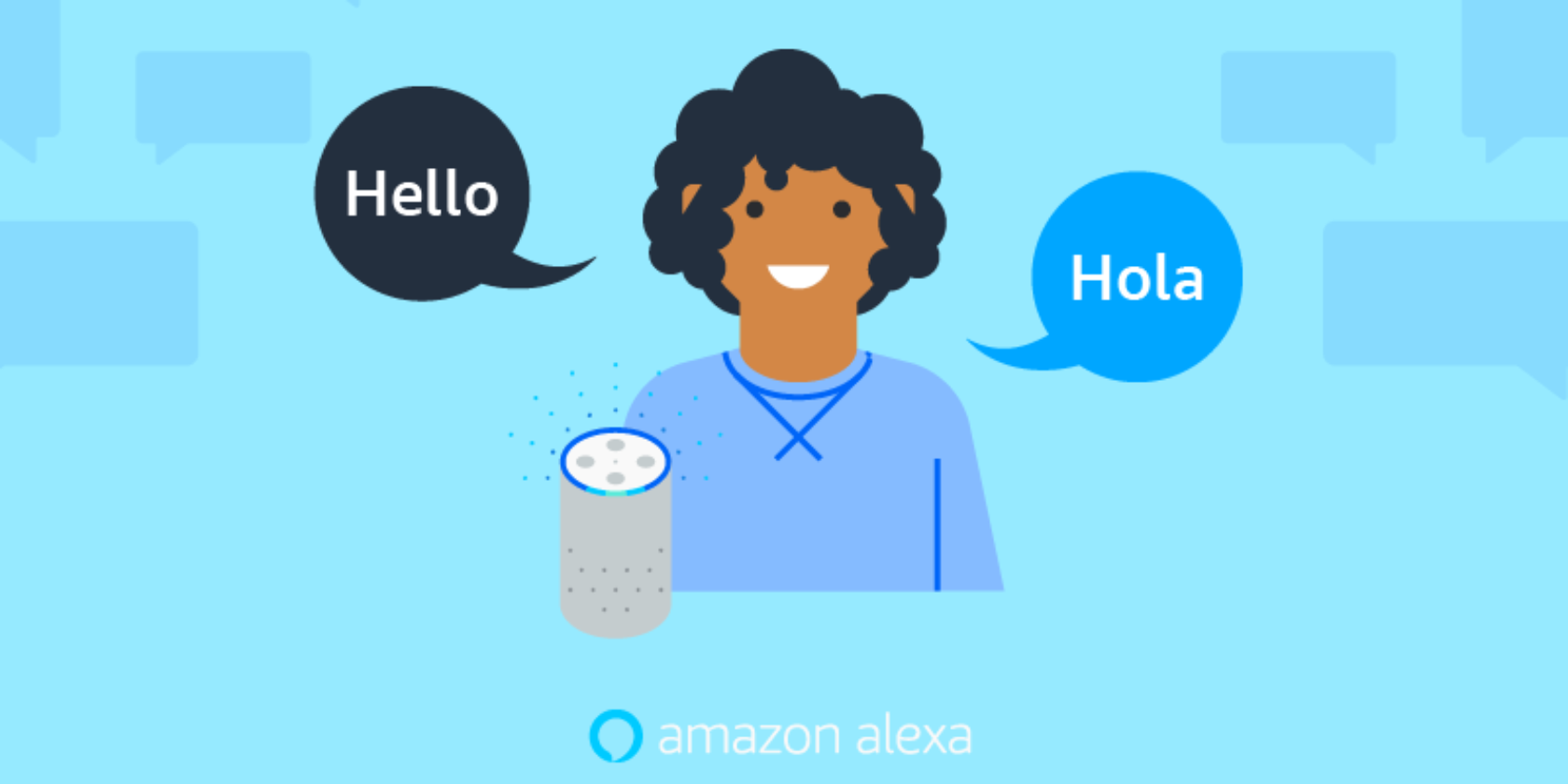
Spanish speakers in the United States will soon be able to interact with Amazon Alexa in their native language. And it’s about time too. The US has a high number of Spanish speakers, and yet Amazon has taken its time teaching Alexa to speak Spanish.

Catering to More Than English Speakers

To those of us whose first (and probably only) language is English, interacting with digital assistants is a breeze. However, native speakers of other languages are stuck having to speak English while they wait for the technology to start catering to them.

Things have been improving. In June 2018, Google Home learned to speak Spanish. Google is also leading the way with other languages in other countries, utilizing its previous work on Google Translate. But Amazon has taken longer to include other languages.

Amazon Alexa Learns to Speak Spanish

As announced on the Alexa Blog, developers can now use the Alexa Skills Kit (ASK) to “start building skills for Spanish-speaking customers in the US […] with the new Spanish for US voice model.”

Once these skills have been certified for publication they will become available first to participants in the Alexa Preview program. They will then become available to everyone “when Alexa launches in the US with Spanish language support later this year.”

This means Spanish speakers in the US will be able to interact with Alexa through their Amazon Echo device. Alexa Built-In devices from Sony, Bose, and Facebook, and Works With Alexa devices from Philips, TP Link, and Honeywell Home will also be compatible.

Is It Time to Learn to Speak Spanish?

It’s important to note than the US has the second highest concentration of Spanish speakers in the world after Mexico. Reports suggest there are more than 50 million people able to speak Spanish in the US, so this is long overdue from Amazon.

This is obviously good news if you are a native Spanish speaker who owns an Alexa-compatible device. But if you don’t speak Spanish there’s no need to feel left out. With that in mind, here are the best apps to learn Spanish fast.

Read the full article: Amazon Alexa Will Soon Be Able to Speak Spanish


Read Full Article

The 6 Most Unique Smart Lighting Products for Your Home

The 10 Best Job Search Websites


There’s one thing every job seeker can do to improve their chances of landing a job—use multiple resources in their job hunting efforts. This means posting your resume online and using social networks. However, the core of your efforts should be focused on job search websites that bring all of the world’s jobs to your desktop.

To help you begin or continue your hunt for a new position or career, these are the best job search websites.

1. Indeed

Indeed Job Search Main Page

This site is quite a job search engine indeed! The site has climbed to the top of the popularity list with over 250 million unique visitors per month. And it’s with good reason that the site is well-known. Just pop in a keyword, select a location and find tons of available jobs.

You can upload your resume, find salaries, read company reviews, and apply on either the hiring company’s site or directly through Indeed. The site also offers a nice area for your profile where you can save jobs and then review them and then move them to Applied or Interviewing. If you’re just starting your job search, global websites like Indeed are a terrific place to start.

2. Monster

Monster Job Search Main Page

Whenever anyone needs access to job markets across the world, Monster is an obvious place to start. Monster has grown into one of the largest job search sites on the internet and serves just about every community across the world.

What makes the Monster of job search sites so useful is the international search. Select a country and then search for or browse opportunities. The site lets you post your resume, apply for positions directly, use an advanced job search, and access career resources to help you research every step of the job hunting process.

3. ZipRecruiter

ZipRecruiter Job Search Main Page

ZipRecruiter not only gives you easy-to-use job search tools, but lets you quickly see suggested jobs, applied jobs, saved jobs, alerts, and a message center. You can also receive text alerts, which is handy for keeping up with new jobs available when you’re on-the-go.

You can narrow down your search results with filters for when posted, distance, salary, employment type, title, or company. Plus, as you apply a filter, you’ll see the number of positions available using that filter. A standout feature ZipRecruiter is its 1-Click Apply. Find a job you like, click that button, and that’s it!

4. Glassdoor

Glassdoor Job Search Main Page

If you’re looking for job search sites like Monster, that offer career resource tools, then head to Glassdoor. While they may be different than Monster’s tools, they’re certainly helpful. Read company reviews, search interview questions, find jobs by salary, and use the convenient salary calculator.

You’ll need to create a free account to start using Glassdoor, but that’s when that door opens for all of the site’s useful tools. You can set up job alerts, follow specific companies, upload your resume, and save jobs you like to review later. Don’t pass this job search site by, Glassdoor is worth your time.

5. LinkedIn Jobs

LinkedIn Jobs Job Search Main Page

Most people know that LinkedIn is the tops when it comes to professional networking. So, why wouldn’t there be a LinkedIn Jobs site? Enter a job title, location, and hit the search button. You’ll see results with filters for date posted, job type, experience level, and more.

If you’re a LinkedIn user, you can apply for jobs with a single click using your LinkedIn details. While the LinkedIn Jobs site may not have all of those extra features, like career resource tools, it doesn’t need them because you can find those on the LinkedIn site itself. If you already have a LinkedIn account and profile set up, then this job search site is a no-brainer.

6. CareerBuilder

CareerBuilder Job Search Main Page

There’s little question that CareerBuilder is another in the list of best job search websites. If you’re looking for sites like Indeed, this is a good one. You can post your resume, find jobs by company or industry, and save your job searches to receive regular alerts via email.

Similar to Monster, you can use career resources which include who’s currently hiring, jobs on the rise you should consider, recommended positions for you, and helpful tips for your job search. CareerBuilder is a definite job search site to bookmark.

7. Simply Hired

Simply Hired Job Search Main Page

Simply Hired is a great job search website, mostly because of its little extras. Of course, you can search for a job by keyword and location as well as upload your resume. But this job site offers a bit more.

You can view the top cities and companies along with positions earning the highest salaries. Then, head over to the salary estimator section for even more details on what jobs are paying. That area lets you browse jobs by salary or pop in a position and location to retrieve salary data. If this is something that would help you in your job search, then search with Simply Hired.

8. NetTemps

NetTemps Job Search Main Page

NetTemps is a good site for job hunters to find jobs worldwide. A great feature is the filter options you get. You can refine your search results by job type, salary or rate, distance, industry, and job age. And you can view your recent searches with a click and without registering.

With NetTemps, you can also apply for a job that interests you without registering for an account. This is wonderful if you don’t want to keep updating your resume on all of the job sites you join. Just click to apply, enter your email address, and attach your resume to the message. For quick and easy searching and applying, check out NetTemps.

9. USAJOBS

USAJOBS Job Search Main Page

One of the world’s wealthiest countries in the world is also one of the world’s largest employers. The U.S. Federal government has its own giant online job database that lets you search for whatever industry or discipline you’re interested in.

These jobs are worldwide, and the site isn’t shy about listing the actual salary ranges right there in the listing. You can use filters to narrow down your search by hiring path, security clearance, travel percentage, and more. If you’re thinking that a government job is for you, then you should take a look at USAJOBS.

10. College Recruiter

College Recruiter Job Search Main Page

Over the years, employers got into the habit of going to college career centers to advertise their entry level positions. In fact, sometimes those are the only places they’ll advertise their openings.

The College Recruiter job site helps you find these entry level, part-time, seasonal, and internship jobs. And when you want to get your foot in the door, these types of positions are often the best way to go. The site provides helpful tools like articles, videos, job search advice, and conference details, so you can search for a job and get help doing it.

Good Luck on Your Job Search!

Make sure that you’re prepared to meet your potential employer after using one of these job search sites to apply for a position. with these mock interview websites.

You might also take a look at how employment scams work so that you can steer clear of them. And get help with your first impression by designing the perfect cover letter with Canva!

Read the full article: The 10 Best Job Search Websites


Read Full Article

How to Fix iMessage Not Working on a Mac, iPhone, or iPad