03 May 2013

Artificial Google Suggestions


The suggestions that are diplayed when you type a Google search query are useful most of the time. Google tries to finish your query and suggests some popular queries that start with the keywords you've typed.


Sometimes Google also shows suggestions from web pages and many of them are pretty long and verbose. They look artificial because it's unlikely that many users typed them. Google compiles a list of popular n-grams from web pages and includes them in the list of Google Instant suggestions. You'll find page titles, excerpts from Wikipedia articles and press releases, but also incomplete suggestions that don't make any sense.


It's easy to spot these artificial suggestions: type a long query until Google no longer shows suggestions, type more keywords and Google will suddenly show long suggestions.


Here are some of them:


In the last example I've searched for ["the * why it's inaccurate"] and started to type a new word after "the", when I saw these absurdly detailed suggestions. If you search for [why would it be inaccurate], Google shows a single suggestion: [why would it be inaccurate to speak of an nacl molecule]. You need to type [why would it be inaccurate to call t] to see this suggestion: [why would it be inaccurate to call the pituitary gland the master gland of the body]. This long phrase can't be found in any web page, but it shows up because Google merges various word sequences.


3 Unusual Uses For A Gmail Account


uses for gmailGmail is a powerful webmail client. You can manage multiple email accounts using a single Gmail account, easily set up advanced filters to manage incoming email, or quickly find archived emails using Google’s advanced search options. There is no end to Gmail’s awesomeness for everyday use, hence most users don’t even scratch the surface of what this tool can do.


Since Gmail comes with so many in-depth features, some hidden and some available as browser add-ons, it can be used in ways that are not immediately obvious. We previously elaborated on alternative uses like writing a diary, keeping your diet, or organizing books and movies. Much has happened since then and we found that Gmail can handle some seriously challenging tasks now.


Maintain Inbox Zero by Pairing Filters with Aliases


Filters are fine and dandy, but they require a lot of manual intervention and sometimes fail. Each new subscription and every outdated filter means more emails will default to your inbox until you are bothered enough to fix or set up a new filter.


Enter Gmail aliases. Instead of filtering emails by their content, use a unique email address for different purposes and set up filters based on the aliases emails were sent to.


You can create Gmail aliases on the spot, simply by adding +xyz to the part before the @ sign. For example email sent to tina+feedback@thisdomain.com or tina+offer@thisdomain.com will arrive in the inbox of tina@thisdomain.com .


uses for gmail


Now each time you sign up for something online or hand out your email address, decide where you want those emails to go and use the respective alias. By combining aliases with filters, your email will automatically get sorted and you won’t have to worry about a cluttered inbox anymore.


Aliases can be used in many other creative ways :


  • Manage an Email To Do List

    Send yourself emails to your To Do List alias, which is filtered to your To Do List label.

  • Cloak Your Private or Work Email Address

    Add the respective email address as forwarding address (> Settings > Forwarding and POP/IMAP ). Then auto-forward email sent to a specific alias to this email address.


Auto-Answer Emails with Canned Responses


Essentially, canned responses are saved snippets of text that you can insert into your emails. Instead of typing the same stuff over and over again, you ‘can’ it once and subsequently dish it out whenever needed. The person on the other end receives the information they needed faster and you gain time, too. Find a great walk-through for setting up Gmail canned responses and auto-responders here.


uses for gmail


Canned responses are great for manually pasting standard bits of text where you need them, but there are more clever things you can do with them! Paired with filters and aliases, canned responses can answer your email without you intervening at all. Here are a few ideas:


  • Out Of Office Reply

    Set up an auto-responder to let people know you are on vacation and when they can expect to hear from you. You can target any incoming email with a new filter or add a canned response as action to existing filters.

  • Email FAQ

    Create filters for specific keywords in which the action is to send a matching canned response, for example to share requested information or answer a common question.

  • Automated Chat

    Set up filters for common phrases, such as how are you, what do you think, or other things some people frequently ask or tell you and let them auto-respond with canned responses. Admitted, this is a silly idea, but could make for a good joke.


Manage Customer Relationships and Projects


Why use an additional service if you can meet all your CRM and PM needs within Gmail? Plenty of browser add-ons can turn Gmail into a productivity beast that will make other established tools look dated. My favorites are Boomerang and Streak, both available for Chrome.


With Boomerang you can schedule emails and reminders. You can make archived emails return to your inbox when you need them, send emails on a specific date, and make sure you are reminded of an email you sent whether or not the recipient has replied in the meantime. It’s a great tool for managing projects with deadlines and following up on conversations. You could even automate emails with Birthday wishes, so you will never forget. The add-on is available for Chrome, Firefox, and Safari and the free version is limited to 10 emails per month.


Streak on the other hand is a full-fledged project management add-on for teams. It offers templates for the most common types of projects, but you can also set up custom ones. With multiple people collaborating, each from their own inbox, you can assign tasks, have a colleague follow up on a support request, or collectively move projects from start to finish.


Another great tool that belongs into this category is ActiveInbox. Unfortunately, I haven’t been using it myself (yet). However, it does look impressive. See for yourself:


The free version of ActiveInbox offers all key features, except for deadlines, notes, GCal integration, and saving / syncing preferences.


Conclusion


With Gmail you can do so much more than sending and receiving emails. It’s a versatile tool, which can be adapted to your needs. If there is an insane or creative use you can think of, there will be ways to make it happen.


How do you tap the full potential of Gmail? Have you discovered any cool uses for Gmail that I didn’t address above?


The post 3 Unusual Uses For A Gmail Account appeared first on MakeUseOf.


Google Table Search


Google has a very cool feature that restricts search results to pages that include tables. The snippets are table rows and you can import the tables to Fusion Tables.


"Google Tables allows you to search across public Fusion Tables and millions of web pages with data presented in a table. Once you find the right table, you can import the data to Fusion Tables for filtering, visualizations, collaboration, downloads, and access with the Fusion Tables API," informs Google.


There's a search box for this feature when you create a Fusion Table file, but Google Table Search is also useful as a standalone feature. It's interesting that there are a lot of Wikipedia pages that show up in the search results and a search for [the] returns about 39 million results (vs 25 billion web search results).


{ Thanks, Florian K. }


Gmail Tests a New Login Page


Gmail tests a new login page that promotes the mobile apps for Android and iOS and shows a large picture of a Nexus 4 running the Gmail app. "Experience the ease and simplicity of Gmail, everywhere you go."


If the current login page mentions that Gmail offers lots of storage and has a great spam filtering technology, the new page promotes video chat and phone calling. "One username is all you need to unlock more features from the Google services you use everyday."


Here's the existing login page:


{ Thanks, Herin. }


Google Keep App for Chrome


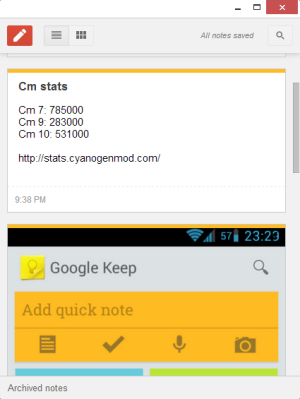
Speaking of new-style packaged apps for Chrome, here's a new app: Google Keep. It's another way to access the recently launched service for taking notes.


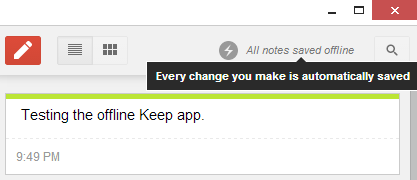
The app looks just like the Google Keep site, but it works offline. This means that you can access your notes or create new notes even if you don't have an Internet connection. Unfortunately, you can't insert images when you're offline. Another limitation is that new notes aren't uploaded in the background when you're back online, so you need to open the app.


{ via Chrome Blog }


02 May 2013

Top 5 Free Blogger Templates To Download


You're looking for a professional blogger templates? If yes, then you are in the right place. It was a very common problem these days when blog authors and blog writers can not seek to create a blog / web page, a good professional stage as a model to show the personality Blogs. And his blog, so that the only case that may bring many visitors and Template.


Top free blogger templates


Read More: How to Attracting 1,000 Daily Blog Visitors with top Six Steps


Means traction if your blogger blog template is nice and easy and professional, then you swing your webpage Blog. Actually is berkualiti many models, but they are not free than cost. You need to pay a large amount of money, meaning we have collected in the top 10 is a professional blogger templates useless 2013.


Read More: Submissions to the search engines in 2013


These cooked up and published by the authors differed, and we just teamed up with you, to make your life more harmonious blog.


I am at your disposal 5 beautiful themes for Blogger:


Template 1: Jarid :


3 columns, Magazine, Slider positions featured, fixed-width , drop-down menu ,Widget Social , Widget page navigation .


jarid blogger template


Preview | Download


Template 2: WebDesign:


2 columns , sidebar on the right , Webdesign, Slider positions featured , fixed width ,dark green background , Widget page navigation .


webdesign


Preview | Download


Template 3: Agreement:


3 columns, Fashion, sidebar on the right , Slider positions featured, fixed width , gray background, banner header, dropdown menu , Widget Social , Widget page navigation .


Agreement blogger template


Preview | Download


Template 4: ChromeGT:


2 columns , 4 columns footer, Modern, sidebar on the right , Slider positions featured ,fixed width , black , top menu, Widget page navigation .


chromegt blogger template


Preview | Download


Template 5: Insomnia:


2 columns , 3 columns footer, Personnel, sidebar on the right , Slider positions featured , fixed width , black , top menu, Widget page navigation .


insomnia blogger template


Preview | Download


8 Of The Best Band Websites On The Planet


best band websitesI have never met anybody who doesn’t like music. I’ve met plenty who don’t share my taste in music, but none who reject it altogether. A love of music is clearly hardwired into our mainframes, being a key part of the human experience. The fact that we all like different genres and artists is a wholly positive thing too.


When one discovers a new music artist our first instinct is to head online to find out more about them and hopefully hear more of their music. So why do the websites of numerous musicians and bands suck so badly? I’ve lost count of the number I’ve visited only to be disappointed by the bland, insipid design that shows a complete lack of creativity or imagination.


Thankfully not all music artists suffer from this trait. Some actually spend the time, money, and effort needed to maintain a good presence online. Their websites are good looking, interactive, filled with great content, and are generally blessed with cool designs.


What follows are the current cream of the crop, along with screenshots showing their awesomeness. Websites naturally evolve over time, and bands often change the look and feel of their online properties in order to promote new material. However, the bands listed here have a history of offering a certain aesthetic on their websites, so this list should remain relevant for many years to come.


Nine Inch Nails


best band websites


NIN comprises Trent Reznor and whoever he picks up along the way. Reznor is the driving force behind the band, which straddles genres but is generally regarded as an industrial rock group. The website is clean and efficient, but contains masses of content, including free downloads and more than 50,000 photos and videos spanning the history of the band.


MGMT


band websites inspiration


MGMT are an indie rock group who experiment with alternative and experimental sounds. Ben Goldwasser and Andrew VanWyngarden are the founding members, with the other band members having joined later. The website is a strange mix of the ordinary and the bizarre, with fan art providing the background for more traditional merchandising and forum areas.


U2


band websites inspiration


U2 are pretty much legendary at this point. Led by Bono, who is ably supported by The Edge and those other two guys, the Irish rock group are famous in all four corners of the world. The website has everything a U2 fan could ask for, with photos, audio, video, a discography, an archive, and a nice community feel that is rare for bands of such size and scale as U2.


The Killers


band websites inspiration


The Killers are an American rock band led by the always-entertaining Brandon Flowers. They’re big in the U.S, but arguably even bigger in the U.K. The website always looks good, with a color scheme and style matching the band’s current album. There is an active community, and members can enjoy additional features.


Radiohead


band websites


Radiohead are a British alternative rock group that have gone from strength to strength over the years, gaining fans and followers in most territories. Their sound is always evolving, with each album marking a new line in the sand. The website is absolutely epic, with multiple areas covering different portions of Radiohead’s persona.


Gorillaz


band websites


Gorillaz are a virtual group consisting of animated members taking the place of the evolving mix of actual contributors. Damon Albarn, formerly of Britpop sensation Blur, is the driving force behind the project. The band are currently on hiatus, but the website is still rocking, and Gorillaz are highly likely to return before long.


Flight Of The Conchords


band websites


Flight Of The Conchords are a duo from New Zealand comprising Bret McKenzie and Jemaine Clement. They’re primarily a comedy folk group, but thanks to a hit show on HBO they’re far more successful than such a moniker would suggest. The website has a retro feel to it, with a style and sense of humor which perfectly complement the band.


Muse


best band websites


Muse are perhaps the best live band in the world at the moment. They make a lot of noise for a trio of musicians from the South-West of England, and their innovative style of genre-redefining music has earned them fans around the world. The website is heavy on graphics but has enough great content to justify the overpowering feeling this engenders.


Conclusions


You may not like some of the bands listed here. I’ll be honest and admit there are at least two of the eight who don’t do it for me personally. However, their websites ooze with an elementary cool factor, to the point that I’m happy to hang out on the domains of bands I don’t even like.


Which of the best band websites on this list do you particularly like, if any? Are there any band websites with cool designs you think should have made the cut? Do you feel music artists and their labels should try harder to foster a following on the InterWebs? As always we’d love to hear your thoughts in the comments section.


Image Credit: Nina Matthews


The post 8 Of The Best Band Websites On The Planet appeared first on MakeUseOf.


The New Chrome Apps


Back in 2010, I wrote a post about the Chrome Web Store and the two kinds of apps that were available: hosted apps (mostly links to web apps) and packaged apps (local apps that work offline and are closer to native apps). At that time, many people complained that the apps from the Chrome Web Store are mostly bookmarks and Google didn't distinguish hosted apps from packaged apps. "Unfortunately, Google's store doesn't properly label apps, so it's difficult to find apps that work offline, apps that have a rich user interaction, apps that only live inside Chrome," I mentioned back then.


The Web Store has improved: Google started to label the apps that work offline and the two types of apps will have different names. Only packaged apps will be called "apps", while hosted apps will be called "websites".


Today's packaged apps are actually new-style packaged apps and have a lot of new features: "powerful APIs have been added so your apps can have native-like capabilities, and a serious security model is enforced to make sure these APIs are not abused." Package apps launch from outside of the browser, using the Chrome App Launcher - a new icon that will be added to the operating system's taskbar. The apps launch in a new window that has no chrome and no browser interface elements.


"These combine the best of websites and native applications — they're available offline & from any computer, are always up to date, and they can communicate with devices like USB drives & Bluetooth speakers," explains Google.


Here's the new Chrome Web Store interface that's displayed if you use Chrome 28 (Dev/Canary) for Windows or Chrome OS:


Install the Gliffy Diagrams app and you can use it almost instantly. Add some shapes, close the window, open Gliffy again from the App Launcher and your data is there.


"Many of these apps are works in progress, which is why we're only making them easily available on Chrome's dev channel. If you've written a packaged app, or are working on one, now is a great time to get some early feedback and polish your app before Chrome packaged apps become more broadly available," informs the Chromium Blog.


Some examples of apps: games, to-do apps, text editors, video editors, SSH clients, IRC clients, torrent clients, camera apps, calculators, image editors, weather apps and more.


Download and Sync Google Fonts to Your Computer


Google's Web Fonts are really popular. Google created a directory of open source fonts that anyone can use. They're hosted by Google and it's easy to embed them. The most popular font is Open Sans, which has more than 2 billion views only for the last week.


Fonts like Open Sans, Droid Sans and Roboto are only preinstalled if you're using an Android device and there are many other fonts that aren't preinstalled, so how can you use them? "If a page uses web fonts, then the font files have to be downloaded to the site visitor's computer before they can be displayed initially. The font files are served compressed for a faster download. After that initial download, they will be cached in the browser. As the Google Fonts API becomes widely used, your visitors will be likely to already have the font you're using in their browser cache when they visit your page," explains Google.


A search for fonts.googleapis.com in Chrome's cache page (chrome://cache/) returned font families like Open Sans, Tangerine, Oswald, Noto Serif, IM Fell English, Arvo, Droid Sans.


If you want to download some of these fonts to your computer and sync them when they're updated, you can install SkyFonts, a free software for Windows and Mac OS X. "SkyFonts automatically updates the fonts installed on your system whenever they are updated on Google Fonts – for example, when new characters are added – ensuring you always have the latest fonts to work with. And with the fonts installed locally, browsing websites that use web fonts will be faster, since your browser won't have to spend time fetching font data," mentions Raziel Alvarez, from the Google Fonts team.


There are 624 font families and 1105 fonts right now, but SkyFonts only lets you download fonts one by one. It's probably a good idea to visit the Google Fonts directory, sort font families by popularity and download some of the font styles from fonts.com.


If you don't need the syncing feature, you can also download fonts from the Google Fonts site: click "Add to Collection" next to the fonts you want to download, then click the "Download" button and download the font families in your collection as a .zip file and use these instructions.