28 February 2020

Teen hit Yolo raises $8M to let you Snapchat anonymously


It wasn’t a fad. Yolo became the country’s No. 1 app just a week after launch by letting teens ask for anonymous replies to questions they posted on Snapchat. But nine months later, Yolo is still in the top 100 iOS apps and has 10 million active users. Now it’s safeguarding the app from predators while revealing a smart new feature for spinning up anonymous group chats, powered by $8 million in fresh funding.

“What we are trying to build is a new kind of network where there’s a fluidity to identity,” Yolo co-founder Greg Henrion tells me. “We weren’t sure if Yolo was here to stay, but we’re still ranking well and there seems to be a real opportunity in anonymity starting with Snapchat Q&A.”
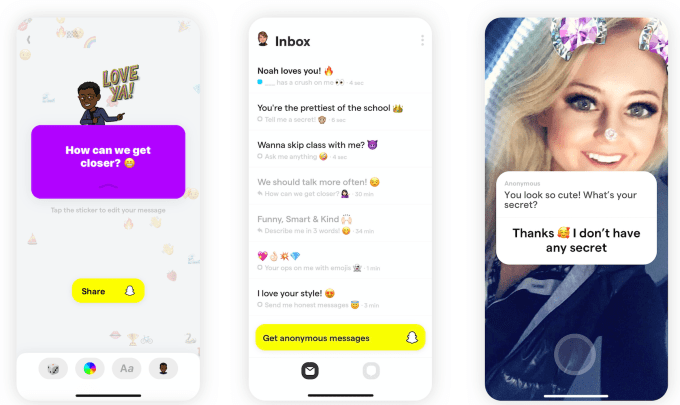
Yolo is the first big win for Snapchat’s Snap Kit platform that lets developers piggyback on its login, Bitmoji avatars, stickers and Stories. This lets tiny development teams build apps that hundreds of millions of people, teens in particular, can instantly sign up for in just a few taps. Another Snap Kit app for meeting new people called Hoop recently spiked to No. 2 on the charts

We haven’t seen this kind of social platform success since Zynga’s empire rose atop Facebook. Spawning more blockbusters like Yolo could ensure that a Snapchat account is a must-have utility for the next generation.

Sleepless nights atop the charts

“For two weeks we basically didn’t sleep,” Henrion recalls about the chaos he and co-founder ClĂ©ment Raffenoux endured after Yolo shot to No. 1 last May. “You’re trying to stay afloat. It was very, very wild.”

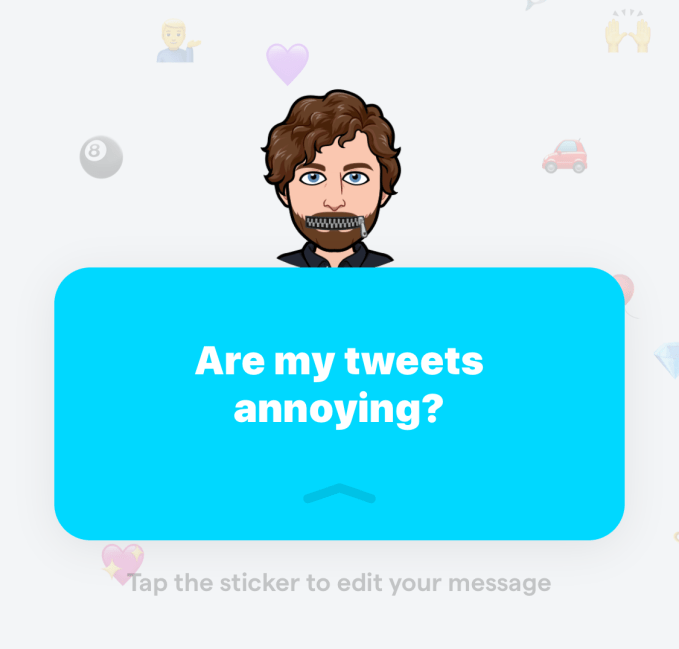
The basic premise of Yolo is that you write a question like, “Who’s my celebrity look alike?”, “What do people really think of me?” or “How could I be nicer?”. You’re then switched over to Snapchat, where you can post the question in your Story or messages with a link back to Yolo. There, people can anonymously leave a response; you can post that and your reply with another post on Snapchat.

Yolo co-founder and CEO Greg Henrion, in real life and Bitmoji

The result is that friends and followers feel comfortable giving you real talk. They don’t have to sugarcoat their answers. And that makes people race to open Yolo each time they get a message. Yolo has seen 26 million downloads across iOS and Android globally, with nearly 70% in the U.S.

Other anonymous apps like tbh (acquired by Facebook) and Sarahah (kicked off the app stores) quickly faded, and others eventually imploded due to bullying, like Secret and YikYak. Although tbh hit No. 1 in September 2017, it was out of the top 500 by November. It seems a combination of inherent virality via Snapchat, easy user acquisition via Snap Kit and sharp product design has given Yolo some staying power. It still managed 2.2 million downloads last month versus a peak of 5.5 million in its first month back in May 2019.

That June, Yolo quietly raised a $2 million seed round thanks to its sudden success. The team had been grinding since 2017 on a video reactions app called Popshow funded by a small pre-seed round from SV Angel, Shrug Capital and Product Hunt’s Ryan Hoover. They’d previously built music video-making app Mindie that eventually sold to influencer collective Shots Studios. Popshow never caught on, so the team began experimenting on Snap Kit, building a more official Q&A feature for Snapchat than predecessors like Sarahah and Polly. Then, boom. Days after launch, Yolo’s usage exploded.

But to keep users interested, Yolo needed to evolve. That would require more funding for the eight-person team split between Snapchat’s home of Los Angeles and Henrion’s home of Paris.

An honest way to chat

The concept of a social app where users could shift between full anonymity and representation via avatar attracted its $8 million Series A to invest in product and engineering. The round was led by Thrive Capital, Ron Conway’s A.Capital, former TechCrunch editor Alexia Tsotsis’ Dream Machine, Shrug, Day One, Goodwater, Knight VC, ex-Facebooker Bobby Goodlatte, Twitter co-founder Biz Stone and SV Angel’s Brian Pokorny.
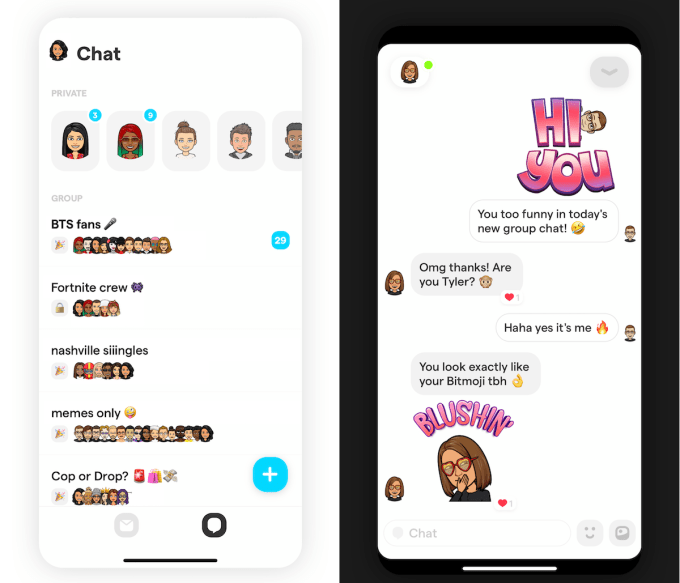
That cash fueled the release of Yolo’s new group chat feature. You can set up a chat room, give it a name and generate an invite URL or sticker you can post on Snapchat, just like its previous question feature. Friends or friends of friends that are already in can join the group chat, represented by their Bitmoji instead of their name. Yolo suggests people join the more open “party mode” chats where their friends are active.

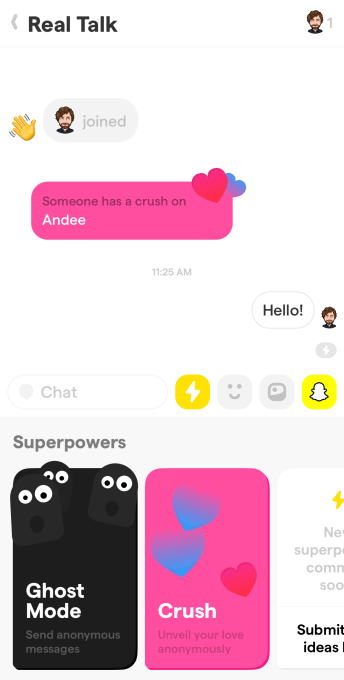
What makes this special is that once an hour, users can tap the Yolo Superpowers button to send  a totally anonymous message to the group. More Superpowers are coming, but there’s also an anonymous “Someone has a crush on [name]” message so you can secretly profess your affection to anyone or someone else in the chat.

“The limits of Q&A is that it doesn’t generate real conversation. It’s an ice breaker, but we also want conversations to happen,” Henrion stresses. ” ‘What do you think about this dress?’ The group chat is more about ‘let’s talk about the dress.’ ” The chats could be focused on people you actually know offline, or those you share interests with. The option to restrict group chats to either just your contacts or friends of friends “limits the amount of meeting strangers,” Henrion explains. “This is very different from the public communities like Reddit or the dating apps.”

Can “anonymous” be synonymous with “safe”?

Still, anonymous apps have consistently proven to be havens for cyberbullying and unsafe behavior. Without the accountability of having your name attached, people are free to say awful things. That can be even worse amongst teenagers who might get in trouble for being mean at school but not on an app.

Yolo first focused on messages blocking 10% of overall messages that contained offensive content. That meant blatant hate speech and trolling couldn’t spread through the app. “We’re strict on moderation. When looking at the reviews about bullying, it’s like nothing compared to any other anonymous app. I think we solved 90% of the problem.”
Now it’s working with Snapchat to safeguard the group chats feature. The goal is to ensure Yolo doesn’t actively recommend chat amongst adults to minors and vice-versa. Henrion says this update should roll out soon.

“It’s 2020 and we need to be very responsible” Henrion tells me. “Moderation and growth are the most difficult things to balance. It’s moderation first for sure. We don’t care about growth if it’s not healthy or sustainable.” The new funding also gives Yolo the luxury of pushing back monetization while it focuses on safely adding more users.

By making anonymity more private, Yolo has a chance to sidestep some of the worst elements of human behavior. Making fun of someone has less appeal if there’s no wider audience like trolls exploited in the feeds and comment reels of Secret and YikYak.

That could let the brighter side of anonymity shine through: vulnerability, honesty and deep connections that are enhanced by the absence of embarrassment. With all the change, uncertainty and anxiety that’s part of growing up, teens deserve a place where they can be open with each other and speak their minds. After all, you only live once.


Read Full Article

Relativity Space expands its rocket printing operations into an enormous new Long Beach HQ


Building a rocket is a big operation, even when you’re printing them from the ground up, like Relativity Space. The launch startup is graduating from its initial office, which is a bit cramped for assembling rockets, to a huge space in Long Beach where the company will go from prototype to first flight.

We recently visited Relativity at their old headquarters, which had the scrappy (literally — there were metal scraps everywhere) industrial feel you’d expect from a large-scale hardware startup. But except for the parking lot, there didn’t seem to be anywhere to put together… you know, a rocket.

So it was no surprise when co-founder and CEO Tim Ellis said that the company was just starting the process of moving to a gigantic new open-plan warehouse-style building in Long Beach.

Relativity CEO Tim Ellis is obviously excited about the new HQ.

“It’s a big step,” Ellis told TechCrunch. ” It’ll actually be the first factory we fully build out with 3D printers. This new space is actually big enough that we’ll be printing the first and second stages, and the fairing at the same time. The new ceiling height is approximately 40 feet, which will allow us to build taller – about twice the height of our current facility. We’re on track to start shipping parts to Stennis for testing later this year.”

In addition to the three “Stargate” printers that can print parts up to 15 feet high, they’ll have three more that can go up to 20 feet and two that can go up to 30. It’s a bit hard to imagine a single printed rocket part 30 feet tall until you’ve seen some of the pieces Relativity has already made.

Not only do the rockets take up a lot of space, but the company itself is growing.

“From two years ago to now we’ve over 20X-ed our entire footprint as a company,” Ellis pointed out. In other words, it was starting to feel a bit overpopulated in their old spot near LAX.

This the space as it is now; the image up top is a render of how it will look once active.

Assembly of the launch vehicle, called Terran 1, its Aeon engines, and R&D will all take place in the new HQ. It’s  nearly 120,000 square feet, and will be built as a very high-tech manufacturing operation indeed. There will be no fixed tooling, meaning the factory can be rapidly reconfigured, and will be highly automated. The company’s 3D printers aren’t like the simple ones used for rough prototyping but enormous, carefully monitored robot arms that perform real-time analysis of the metal they are laying down.

“It’s really the first autonomous factory, and it’s not just for rockets,” Ellis said. “Once we prove out the factory with this first launch vehicle, we’re convinced this works towards our long term plan of launching factories to Mars and building a wide range of products that you’re going to need there. It’s on the path for the long term vision but also a way for us to be a pioneer in this new value chain for aerospace.”

“It’s going to be cool,” he added.


Read Full Article

If virtual worlds are so popular, why don’t we have them yet?


If virtual worlds are so enticing, why haven’t we already shifted to them as our online social hubs?

The thought of virtual worlds for socializing evokes Second Life (launched in 2003), where users created unique avatars to socialize, build and trade with each other. Contemporaneous press hype told us that our entry into the metaverse appeared imminent, and a 2006 cover story in BusinessWeek magazine featured an analyst who predicted that Second Life could displace Windows as the leading PC operating system.

That didn’t happen.

Granted, Second Life is still around, albeit with only a few hundred thousand active users. Eve Online is another long-running, open-world MMO where the experience is shaped by users’ contributions and social interactions. It’s been the subject of numerous studies on economics and psychology, given the depth of its data on human interaction, but it remains niche as well.

The popularity of Roblox, which surpassed 100 million MAUs and 40 million user-created experiences in August, and Minecraft, which surpassed 112 million MAUs, shows this movement gaining traction in a bigger way among the youngest generation of internet users.

There are both technical reasons and cultural reasons why participation in virtual worlds will finally go massively mainstream in the next few years.

On the technical side, most consumers have lacked the high-performance hardware necessary to meaningfully participate in advanced MMOs while going about their daily lives. And even if they had the right hardware, they weren’t entering one shared virtual space with all other users, they were just entering one instance of that world which was limited in scope and player count by the capabilities of a single server.

(This is part four of a seven-part series about virtual worlds.)

That’s all in the process of changing:


Read Full Article

How to Grant User Privileges in Google Cloud MySQL


When you create a new user account in your Google Cloud MySQL database, it has the same privileges as a root user. It is, therefore, a good idea to limit the admin privileges of the new MySQL user with the REVOKE command and explicitly grant the required user privileges with the GRANT statement.

Google Cloud SQL User Privileges

You can use MySQL Workbench or Sequel Pro to connect to your Cloud SQL database with the root user. Make sure that your database has a public IP and your computer’s IP address is added as an authorized network in the Connections tab of your Database console.

SHOW GRANTS FOR db_user

If your MySQL user has root privileges, the statement will output the following:

GRANT SELECT, INSERT, UPDATE, DELETE, CREATE, DROP, RELOAD, SHUTDOWN, PROCESS, REFERENCES, INDEX, ALTER, SHOW DATABASES, CREATE TEMPORARY TABLES, LOCK TABLES, EXECUTE, REPLICATION SLAVE, REPLICATION CLIENT, CREATE VIEW, SHOW VIEW, CREATE ROUTINE, ALTER ROUTINE, CREATE USER, EVENT, TRIGGER, CREATE TABLESPACE ON *.* TO 'db_user'@'%' WITH GRANT OPTION

As a first step, you can revoke all privileges from the user account. You can either specify individual permissions, separated by commas, but since the root user has many privileges, we can revoke them all and grant the required one in another statement.

REVOKE ALL PRIVILEGES, GRANT OPTION FROM db_user

Next, we tell the server to reload the privileges from the grant tables in the MySQL system schema.

FLUSH PRIVILEGES

Finally, grant the required privileges to the user. In our case, the user should only be able to read, insert, view and delete rows from all tables in a specific database.

GRANT SELECT, UPDATE, INSERT, DELETE ON db_name.* TO db_user

Execute the Flush Privileges statement again to apply the changes.

FLUSH PRIVILEGES

You may also run the SHOW GRANTS statement to verify that the correct privileges have been applied to the user.

SHOW GRANTS FOR db_user


Sony Announces Its 2020 Xperia Smartphone Lineup


Sony has officially announced the latest range of Xperia smartphones for 2020. The company, best known for its range of photography-friendly devices, launched three phones, each with its own unique feature set. So, you’ll find something here for every budget and requirement.

Sony Xperia 1 II

Sony Xperia 1 II smartphone

The Sony Xperia 1 II is the company’s newest flagship device, with specifications and pricing to match. At first glance, the name is unusual, as it appears to read the Xperia one two. However, marketing materials show that Sony opted for a similar naming strategy as with their cameras, so this is actually the Xperia 1 Mark II.

As with previous flagships, the main focus here is on the camera and photography setup. The Xperia 1 II comes with the, now familiar, triple-lens rear camera with ZEISS optics. This is made up of a 12MP primary sensor, 12MP telephoto lens, and 12MP ultra-wide sensor.

There are features like Real-time Eye AF for tracking people and animals using auto-focus. The front stereo speakers are tuned by Sony Pictures and were built around Dolby Atmos technology. The phone is also among the first to sport 5G compatibility.

Rounding things off, the Xperia 1 II comes with a 4,000mAh battery with Qi fast wireless charging. The company also boasts that the on-board AI-powered Battery Care technology will improve the battery’s lifespan.

Sony Xperia 10 II

Sony Xperia 10 II smartphone

The Xperia 10 II is an upgrade to last year’s Xperia 10. The mid-range phone is designed with entertainment in mind. To that end, there is a 21:9 Wide six-inch OLED display, protected by Gorilla Glass 6.

The display is optimized for immersive viewing by the TRILUMINOS tech, usually found in Sony’s Bravia TVs. The 21:9 screen gives mobile games a more immersive experience, as well. You can also multi-task, thanks to Sony’s implementation of multi-window applications.

The 10 II is lighter than its predecessor, too, weighing just 151g. Despite this, the phone is IP65 and IP68-rated for water and dust resistance.

The Xperia 10 II also features a tripe-lens rear camera setup, with a 12MP primary sensor and two 8MP lenses. Like the Xperia 1 II, this phone comes with the AI-powered Battery Care feature to take care of the 3,600mAh battery.

Sony Xperia L4

Sony Xperia L4 smartphone

To round things off, Sony also announced its entry-level device, the Xperia L4. The phone has the same 21:9 aspect display as the Xperia 10 II but is slightly larger at 6.2 inches.

The L series is the company’s entry-level range, and the L4 marks the first time you’ll find a triple-lens rear camera here. There’s a 13MP primary sensor, a 5MP ultra-wide lens, and a 2MP depth camera.

The battery is smaller, too, measuring 3,580mAh, but it does support fast charging. You’ll also have access to Sony’s multi-window UI. At launch, the Xperia L4 will be available a choice of either black or blue.

The Smartphones of The Future

Although there is no official release date for the new Xperia devices, Sony has noted they’ll be available in Spring 2020.

Ordinarily, smartphone launches at this time of year are handled at Mobile World Congress (MWC). However, fears over Covid-19 (otherwise known as coronavirus) meant that MWC 2020 was canceled. This has led to many manufacturers going it alone and sharing their latest devices without attendance at an international event.

This was the case with Samsung earlier in the month. The smartphone giant unveiled its latest Galaxy S20 devices. If you’re after an alternative to Sony’s latest flagships, then be sure to check out everything you need to know about the Samsung Galaxy S20 series.

Read the full article: Sony Announces Its 2020 Xperia Smartphone Lineup


Read Full Article

How Do Emulators Work? The Difference Between Emulator and Simulator


emulators-slow

Emulation software allows you to use a different operating system to your host. For instance, you could run a Windows 7 emulator on your Windows 10 machine. You can still use Windows 10, but you can also dip into Windows 7 as you want.

Many people use emulators every day, to test software, try out a new operating system, or run an old video game console.

But have you ever wondered how emulators work? Or why your emulators are slow or experience lag? Read on and you’ll find out how amazing emulation really is.

Emulation Hardware Makes a Difference

Let’s think about what affects emulation performance using a real-world example.

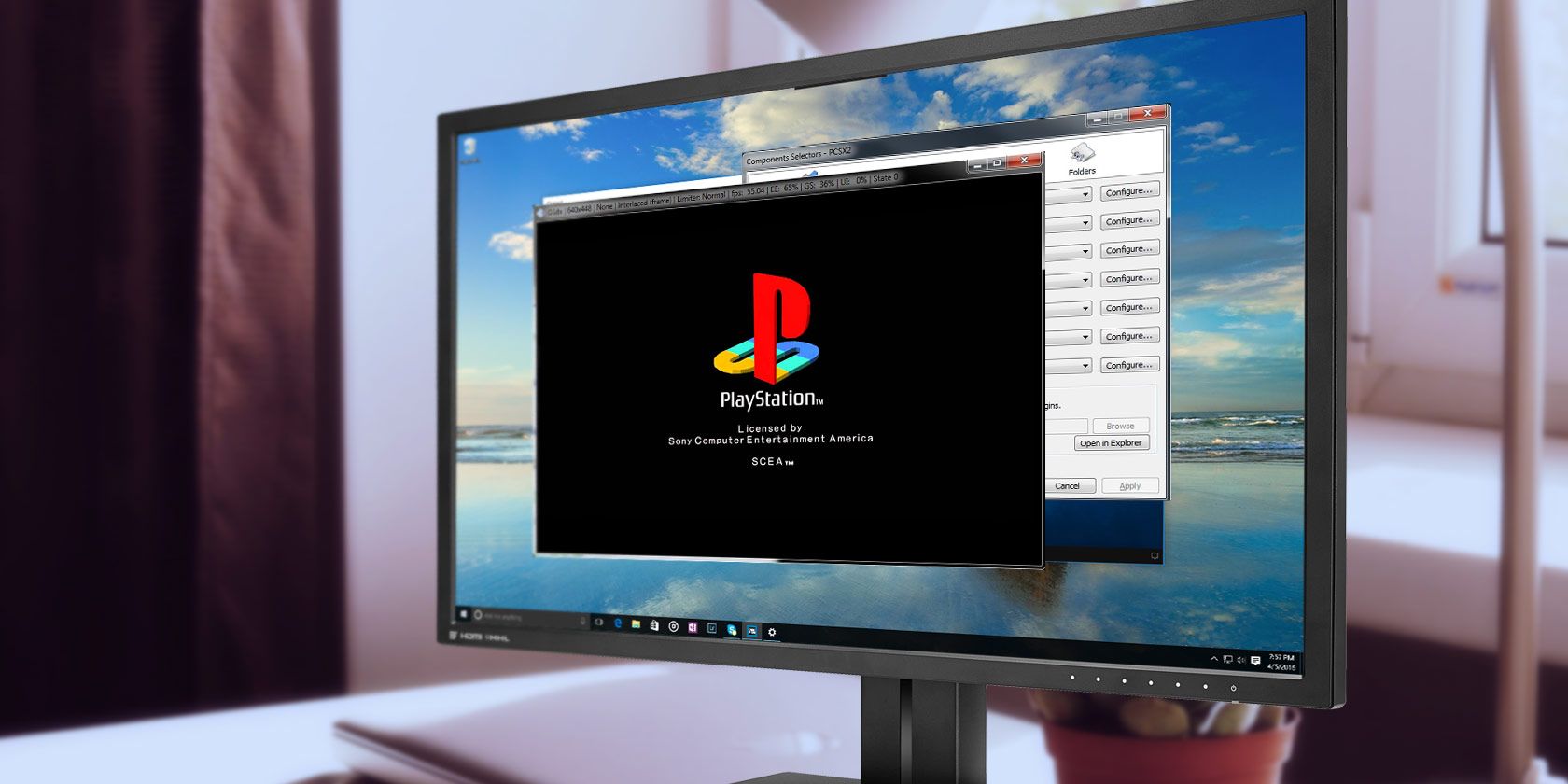
PlayStation games don’t work on your Windows system because those games are not designed to run on a normal computer. PlayStation devices are very specific in their physical makeup, containing unique hardware that Windows—or any other computer operating system—doesn’t know how to use.

That’s why you need an emulator. Emulation software aims to run a program designed for one kind of system on another system. The programs that make this happen are known as emulators. While the details and inner workings vary between emulators, in the end, they attempt to achieve the same outcome: to make software run on different hardware.

How Do Emulators Work?

Emulators work hard to get a foreign program running. In short, an emulator is a piece of software that “acts” like a piece of hardware. In most cases, this means simulating all of the capabilities of a hardware component as a software component. Not only that, the hardware components that are emulated as software must perform without bugs, or else the emulator won’t work properly.

PlayStation 2 emulator on Windows

The difficulty in turning advanced and unique pieces of hardware into functioning software is why emulators for modern gaming consoles take a long time to develop. It takes a lot of hard work and effort to get the emulation process working, because modern hardware, like a PlayStation 4 or an Xbox One, is exceedingly complex.

Going back to the PlayStation example, an emulator must mimic a special sound chip, graphics card, central processing unit, and so on, without even considering the emulation of peripheral components like CD drivers.

So, what’s the hardest component to emulate?

Central Processing Unit

The most difficult piece of hardware to emulate is usually the central processing unit (CPU). The CPU is a core component of every computer, from smartphones to video game consoles. In many ways, the CPU is the most important computer component regarding emulation, as every other component links to it directly.

CPU perfomance

Not all CPUs are the same. The main way CPUs differ from each other is in their instruction sets. A CPU instruction set determines how a computer carries out the commands a program gives it. An emulator will target a system that has a different instruction set from the host machine. For example, the PlayStation’s CPU uses an instruction set known as MIPS, which is different from desktop or laptop that uses x86.

Why Are Emulators So Slow?

The difference between instruction sets is one of the reasons why emulators sometimes underperform. Every CPU instruction the emulator receives must translate from one instruction set to another. Furthermore, this instruction set translation takes place on the fly.

In the example above, the PlayStation emulator CPU receives a MIPS instruction, translates it into x86, then runs on your computer.

The translation of instruction sets forms the basis of how emulators simulate an entire device inside your computer. Another way to look at it is as a real-world translator rapidly relaying a conversation between two people who speak different languages. Even if the translation is very fast, you will always encounter some loss in speed. The more complex the languages, the slower the translations.

Virtualization vs. Emulation: What’s the Difference?

Virtualization is very similar to emulation, but there are important differences between them. In particular, virtualization usually refers to the use of virtual machines. Virtualization and emulation accomplish the same thing, but they go about it in slightly different ways.

Both are designed to run the software in an isolated environment. Virtualization focuses on the isolation while emulation focuses on the environment. What this means is that emulators simulate a larger range of hardware than virtual machines can.

You can’t run a PlayStation system in a virtual machine, for example. But you could run a PlayStation emulator in a virtual Windows environment.

VirtualBox runs operating systems in a virtual machine

However, because of this, virtualization is often faster than emulation. Rather than emulating a system, a virtual machine allocates processing power to an isolated subsystem. Importantly, this means the CPU is not emulated.

As such, the target audiences of the two differ somewhat. Emulators tend to be designed for video game consoles (or other systems that are completely different from regular computers) whereas virtual machines are more likely to be found running in businesses. This is because they provide a fast and secure environment in which to run programs.

However, this is mostly nit-picking. Practically speaking, virtualization and emulation are functionally the same in that both mainly exist to translate from one “instruction language” to another.

3 Ways You Can Use Emulation

There are a few ways you can take advantage of emulation. You might even be using it now without even knowing! Here are a few notable examples.

1. Run 32-Bit Programs on 64-Bit Windows

64-bit Windows is different to 32-bit Windows. The 64-bit version of Windows can use a special compatibility layer to run 32-bit programs. There is no need to emulate an entire system to get things working because 32-bit programs are similar in design already. Because of this, the process is extremely fast.

2. Emulate Every Console

The latest consoles are very difficult to emulate. Although the PlayStation 3 hit the markets in 2006, it is still difficult to emulate a large proportion of games for the console. The emulation situation for the Xbox 360 lags even further behind.

Still, emulators exist for heaps of older video game consoles, including many of the best consoles of the 90s. There is a bonus to running the old video game emulators on modern hardware. The old games receive a performance boost on modern hardware. Depending on the emulator, you can use HD or even 4K graphics, making use of the extra computing power to play games at far higher levels than their native resolution. Check out the video for a prime example, using the PCSX2 PlayStation 2 emulator to play Gran Turismo 4.

You can even run video game emulators on your Android device, letting you retro game on the go.

3. Test Out Different Operating Systems

Usually, if you want to try out a new operating system, you’ll need to install it on your hard drive. Emulation lets you run a separate operating system right on your current operating system using a virtual machine.

There are several reasons why you’d want to do this. You won’t have to worry if your installation misbehaves since it’s restrained to a virtual environment. It might also be your only option if you want to try out an operating system that is incompatible with your computer hardware. The Windows Sub-system for Linux is a good example.

Why Is Emulation So Hard?

You now understand more about why emulation is tricky. Emulating a video game console is a complex process—and this article only covers the basics. However, now you understand more about the process of emulation and the development of emulators, you’ll know exactly why it’s a little slow next time you use one.

If you want to start delving into your back catalog of video games, here’s how you play PS2 games on your PC. Alternatively, head back a little further in gaming history and learn how to play PS1 games on your PC, instead.

Read the full article: How Do Emulators Work? The Difference Between Emulator and Simulator


Read Full Article

The 15 Best Two-Player Mobile Games to Play Anywhere


two-player-mobile-games

Are you bored in the office? Or perhaps you’re trying to pass the time while relaxing on vacation. Wherever you are and whatever you’re doing, two-player mobile games are one of the best ways to while away your free time.

So, with that in mind, here are the best two-player mobile games that you can play on the same device, separate phones, or over the internet…

Two-Player Games to Play on the Same Device

1. Dots and Boxes

Genre: Strategy

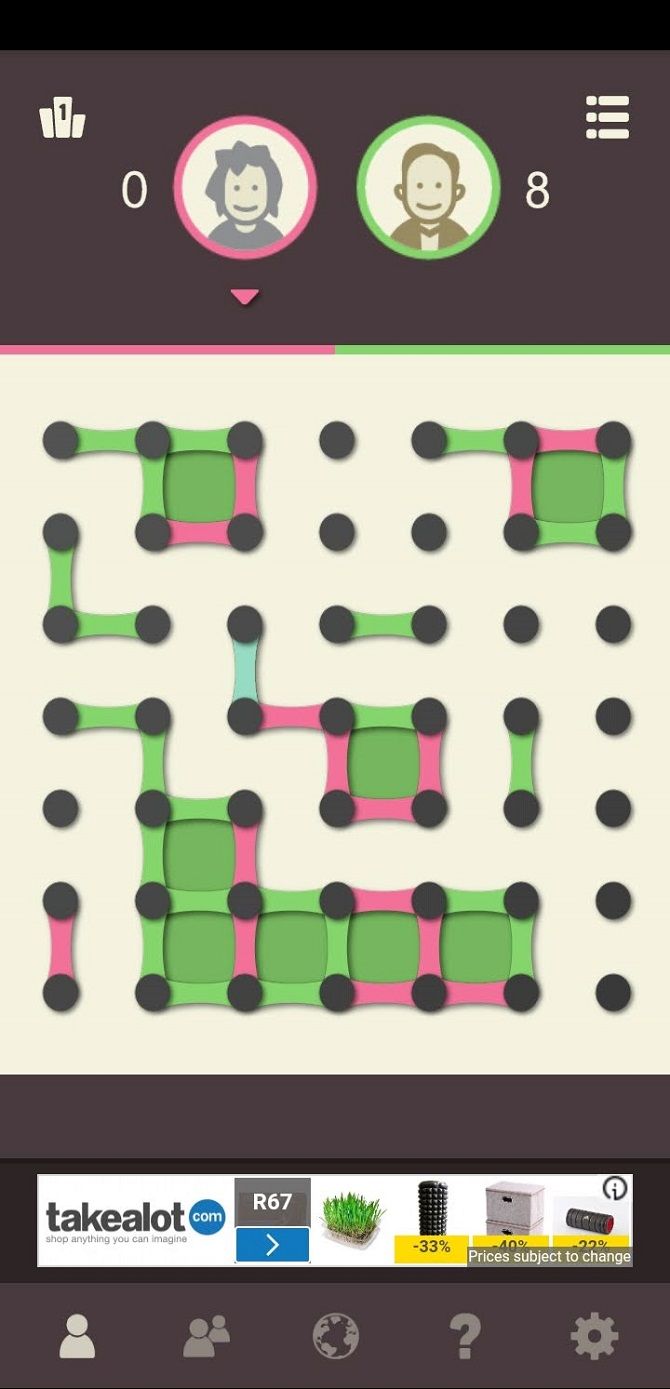
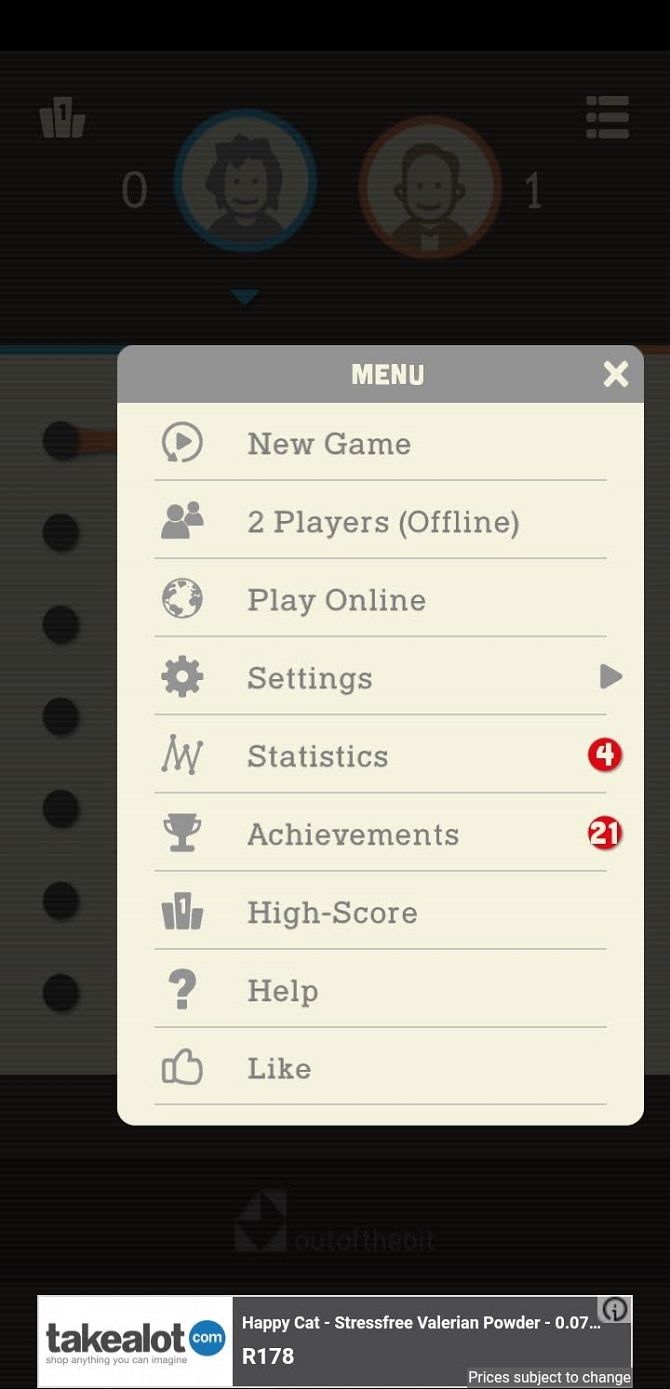
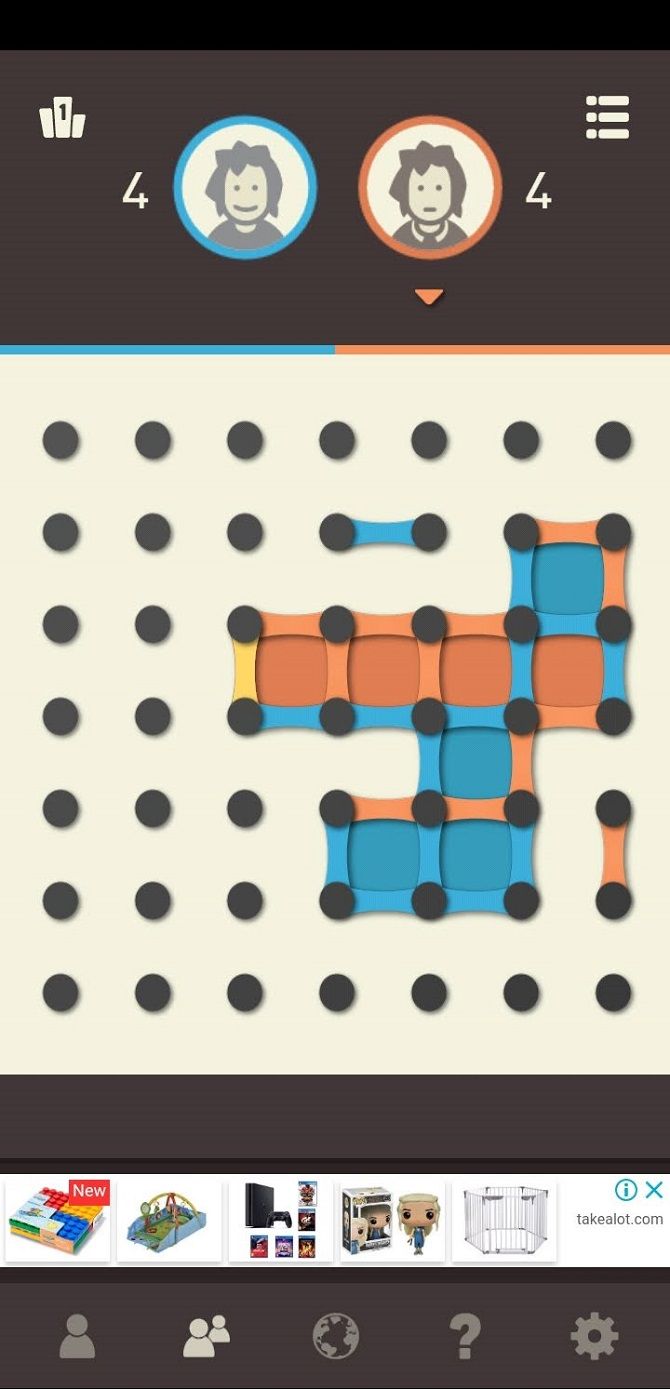
Dots and Boxes turns a traditional childhood pen-and-paper game into a convenient way to kill time with your phone. With local multiplayer, two people can play the game using the same Android or iOS device.

This offline functionality makes it useful when you don’t have access to Wi-Fi. It’s a simple, yet competitive and addictive game.

Download: Dots and Boxes for Android | iOS (Free)

2. Crossy Road

Genre: Arcade

Crossy Road takes inspiration from the classic retro game Frogger, delivering the same frustrating and addictive gameplay with a fun block aesthetic. The two-player mode allows you to play on the same device using a split-screen format for input.

You can simultaneously compete with and sabotage your opponent. The game also works with Android TV, allowing you to play on a larger screen.

Download: Crossy Road for Android | iOS (Free)

3. Glow Hockey 2

Genre: Arcade

Another real-world classic turned into a fun mobile game is Glow Hockey 2, bringing air hockey to your phone. While a smartphone or tablet screen makes the physical scale of the game much smaller, the competitive stakes feel the same, making it a great game for two players.

The gameplay is simple, yet incredibly fun. Use your finger to guide your striker. Then try to get the puck into your opponent’s goal while simultaneously defending your own goal.

Download: Glow Hockey 2 for Android | iOS (Free)

4. Badland

Genre: Adventure/Sidescroller

If you’re looking for something a little different, Badland is a unique title with a great art-style that the critics have praised. The aim of the game is to guide your blob through obstacles until you reach the end of the stage.

The game has both co-operative and competitive multiplayer modes. You play on the same device, which is the best way to coordinate your characters in real-time.

Download: Badland for Android | iOS (Free)

5. Duel Otters

Genre: Compilation

Duel Otters is the perfect local multiplayer mobile game for some quick, competitive fun. It is packed with simple mini-games that rely on reflexes, timing, and coordination.

Dueling mini-games include pong-type batting games, matching games, speed-clicking matches, counting games, and an assortment of other fast and frenetic games.

Download: Duel Otters for Android | iOS (Free)

Two-Player Mobile Games That You Play Online

6. Bowmasters

Genre: Action/Fighting

Bowmasters combines ragdoll physics, a charming art style, and cartoon violence to create a game that is fiendishly fun. The aim is to eliminate your opponent by lobbing a weapon towards them. Calculating the trajectory of your weapon is half the fun. Meanwhile, the other half is landing the target and watching your friend’s dismay.

Before you can unlock the game’s PvP modes, you will need to complete the tutorial and a few matches. After that, two players can compete on the same device or online.

Download: Bowmasters for Android | iOS (Free)

7. Words With Friends 2

Genre: Word

After the success that was the Scrabble-inspired game Words With Friends, Zynga launched Words With Friends 2—an updated version. Two-player Android games that emulate classic board games are notoriously popular and this one is no different.

You can play online either with random opponents or friends. Another benefit of the game is that if you’re interrupted, you can continue your turn later.

Download: Words With Friends 2 for Android | iOS (Free)

8. Clash Royale

Genre: Card/Strategy

Clash Royale comes from the creators of Clash of Clans and is a mixture of a battle card and tower defense game. Opponents draw attackers and defenders from their deck of cards, with the aim of destroying the competitor’s towers before your own are destroyed.

You’ll need to finish the tutorial before you can play against a friend. Once you unlock this mode, you simply need to add your friend and start a match.

Download: Clash Royale for Android | iOS (Free)

9. Battlelands Royale

Genre: Battle Royale/Shooter

Battlelands Royale is a battle royale game similar to Fortnite and PUBG, but doesn’t require as much strategy or a high-end device. It’s great for short bouts of gaming with a friend, who you can team up with online through the game in its duos and squad modes.

Controls are simple and games are short, making it perfect as a quick time-waster for two players.

Download: Battlelands Royale for Android | iOS (Free)

10. QuizUp

Genre: Trivia

A great way to pass the time is by testing out your trivia knowledge. QuizUp raises the stakes by allowing you to directly compete with other people. Like real quizzes, the match happens in real-time rather than using a turn-based system. Your goal is to answer quickly and correctly, outscoring your opponent.

To invite a friend to a match, you will need to add their username to your friends list in the game.

Download: QuizUp for Android | iOS (Free)

11. Boggle With Friends

Genre: Word

Boggle is another traditional word game that Zynga has turned into a mobile success. In Boggle With Friends, the aim is to find as many words as possible from a randomly generated set of letters. However, you can only connect letters adjacent to each other (vertically, horizontally, or diagonally). You win if you reach a higher number of points than your opponent before the timer runs out.

While each round is timed, the timer only starts once you start your turn. This means that you can play the game whenever you have time to spare.

Download: Boggle With Friends for Android | iOS (Free)

Two-Player Games You Play Over Wi-Fi or Bluetooth

12. Sea Battle 2

Genre: Strategy

Sea Battle 2 is a Battleship-inspired game with an interesting pen-and-paper aesthetic. You can play with a friend on the same device, connecting via Bluetooth, sending a game invite, or joining online. Since secrecy is a major element of gameplay, it’s better not to play the game on the same screen—but the option is there.

Download: Sea Battle 2 on Android | iOS (Free)

13. Soul Knight

Genre: Dungeon/Roguelike

Soul Knight is an incredibly fun dungeon crawler, reminiscent of games like Enter the Gungeon. Considering the simple controls and repetitive cycle of the genre’s gameplay, roguelike games on mobile are the perfect package.

You can play with friends by connecting to the same Wi-Fi network. The game will automatically detect whether someone connected to your network is hosting a match.

Download: Soul Knight for Android | iOS (Free)

14. Terraria

Genre: Sandbox

While most of these games are designed for short bouts of gameplay, Terraria is a multiplayer mobile game that you can spend hours playing. It is a mobile port of the popular PC game and allows you to play with friends using local Wi-Fi or by connecting to a PC-hosted dedicated mobile server.

It’s an inexpensive way for two players to enjoy a mobile game together and offers an experience well worth the price tag.

Download: Terraria for Android | iOS ($4.99)

15. Tank Stars

Genre: Tactical

Tank Stars is a Worms-inspired tactical game that has a very similar graphical style to Bowmasters. The variety of tanks and weapons, combined with the precision element of aiming, makes the game a fulfilling way to challenge your friends.

You can play on the same device or by connecting over the same Wi-Fi network. However, both modes need to be unlocked by completing a few practice AI matches.

Download: Tank Stars for Android | iOS (Free)

More Mobile Games to Add to Your Collection

While mobile games were once seen as overly simplistic and repetitive, they’ve evolved to become a massive phenomenon.  You’ll still find idle clickers and match-three games, but there are also many amazing titles out there.

If you want to add some more awesome mobile games to your collection, make sure to check out our list of the best hidden-gem mobile games you should try.

Image Credit: Avemario/Depositphotos

Read the full article: The 15 Best Two-Player Mobile Games to Play Anywhere


Read Full Article

How to Run Linux on Android Devices


linux-android

If you’re reading this, you’ve probably used Linux before, and know that it works on almost any piece of hardware. Meanwhile, you’ve got a phone in your pocket, and you know it’s versatile. So can your Android phone run Linux?

Unlock the "Essential Linux Commands Cheat Sheet" now!

This will sign you up to our newsletter

Enter your Email

Yes, it can. Here’s what you need to know about running Linux on your Android smartphone or tablet.

Wait, Isn’t Android Already Linux?

Well, it is… and it isn’t.

Android is built upon the Linux kernel, a software stack that interfaces with the hardware of a device. It basically enables an operating system to communicate with the device—whether that’s a PC, a smartphone, or other hardware.

The Linux operating system should really be referred to as GNU/Linux. But over time, the word “Linux” has come to interchangeably describe the kernel as well as the various operating systems. These include Arch Linux, Ubuntu, Gentoo, and many others.

So while Android uses the Linux kernel, it doesn’t offer a desktop environment. This is what most people are thinking about when considering ways to install Linux for Android.

Why Install Linux on Your Android Device?

So why might you want a Linux desktop environment installed on your Android phone or tablet?

You may wish to run an app that isn’t available on Android. But in most cases, you’ll simply want to gain access to some sort of desktop environment. Maybe you have a spare Android tablet you want to revitalize, and installing Linux on it is a good way to do this.

Current Android devices have ideal hardware for a PC-like experience, and installing Linux is a great way to enable this.

Of course, you may find that the tasks you want to perform in Linux also work in Android. The only hurdle holding you back might be simultaneous Android app multitasking. Fortunately, this is a feature that many modern Android devices support on the latest OS versions.

Running Linux running on an Android phone or tablet device isn’t easy. If you’re looking for improved multitasking, try upgrading to a recent version of Android instead.

Can My Phone or Tablet Run Linux?

To run Linux on Android, you have several choices. Which you should use is determined by whether your Android device is rooted or not.

In almost all cases, your phone, tablet, or even Android TV box can run a Linux desktop environment. You can also install a Linux command line tool on Android. It doesn’t matter if your phone is rooted (unlocked, the Android equivalent of jailbreaking) or not.

The following options to install Linux on your Android tablet or phone are available:

  • To install Linux on Android without root:
    • Debian Noroot
    • UserLAnd
    • AndroNix
  • For installing Linux on a rooted Android device:
    • Use Linux Deploy
    • Install Kali Linux for penetration testing

Several other methods will give you a Linux, or desktop-like experience, on Android. We’ll look at those, too.

Install Linux on Android Without Root

First, we’ll take a look at three ways to install Linux on your Android phone or tablet without rooting the device.

How to Run Linux on Android With Debian Noroot

The best way to get Linux running on your phone with minimum fuss is with Debian Noroot. You need Android 4.1 or later to run this.

The benefit of Debian Noroot is that it will install Debian Buster on your phone with a compatibility layer. This allows you to run Debian apps without having to root Android. Given how difficult rooting can be for some devices, this is useful.

Performance with Debian Noroot is not great, but it’s usable. For the best results installing Linux for Android, consider rooting your device first.

Download: Debian Noroot (Free)

Get Linux on Android With UserLAnd

An alternative to Debian Noroot, UserLAnd is an Android app from the Play Store that offers a choice of distros. In addition to Alpine, Arch, Debian, Kali, and Ubuntu, this tool lets you install apps.

You can install tools like GIMP, Firefox, and LibreOffice before you install Linux on Android. Simply run the app, agree to the permissions, and select a distro to install. There’s a choice of viewing the installed Linux version over SSH (command line) or using a VNC app (for desktop).

It’s surprisingly simple to set up and use. Thus, if you’re looking for a solution for running Linux on Android, try this.

Download: UserLAnd (Free)

AndroNix Installs Linux on Android

Shipping with eight distros, this useful tool also offers modded versions of some Linux operating systems for improved performance. The standard eight distributions are:

  1. Ubuntu
  2. Kali
  3. Debian
  4. Arch
  5. Parrot OS
  6. Fedora
  7. Manjaro
  8. Alpine

Of these, Ubuntu, Debian, Ubuntu, and Manjaro have modded versions available for Android devices with ARMv8 chipsets and later.

To install a Linux operating system on Android with AndroNix, simple tap the distro you want, then hit Install. You’ll need to follow the steps to copy a command into a Termux terminal window, as well as choose a desktop environment.

The video above outlines the process in more detail. Just be sure to have Termux and a VNC viewing app (like VNC Viewer) installed. You’ll need VNC to use your chosen Linux desktop.

AndroNix is free, but features a premium upgrade which removes ads and introduces additional (non-vital) features. This includes support for offline downloading of operating systems.

Download: AndroNix (Free, in-app purchases available)

3 More Ways to Run Linux on Android Without Root

Desktop mode on Samsung Galaxy devices with DeX

While we’ve covered a few good options to run Linux on your Android device, other methods are available:

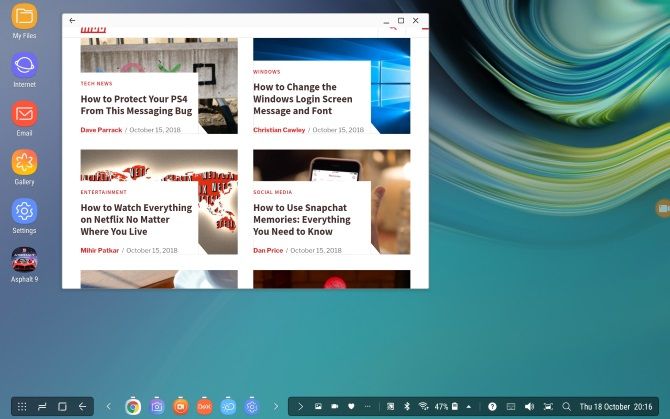
  1. DeX: If you own a modern Samsung device, you have the option of switching your hardware to desktop mode with DeX. While not exactly a Linux operating system, this is a desktop environment with a Linux kernel.
  2. Remote Desktop to a system running Linux, using the app Splashtop.
  3. Termux: This self-contained Linux environment based on the command line lets you run Linux apps on Android. Thus, it’s literally Linux on Android!

Root Android and Install Linux

For rooted users, or anyone happy to take the time to root their Android device, installing Linux is simpler and faster.

How to Install Linux on a Rooted Android Device

If you have a rooted device, you can install various versions of Linux on Android using the Linux Deploy tool. This is best done by first connecting your phone to a Wi-Fi network.

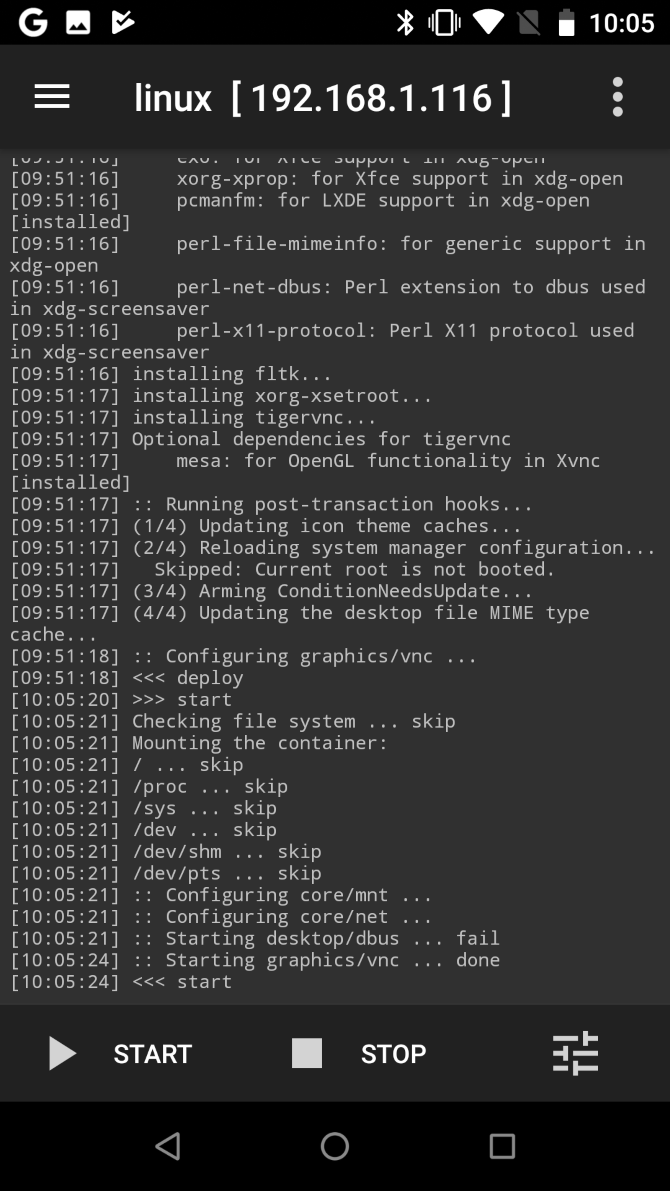
Start off by installing BusyBox, which provides some enhanced root capabilities. Next, install Linux Deploy. On first run, tap Start to ensure the root permissions are enabled, then tap Settings in the bottom-right corner.

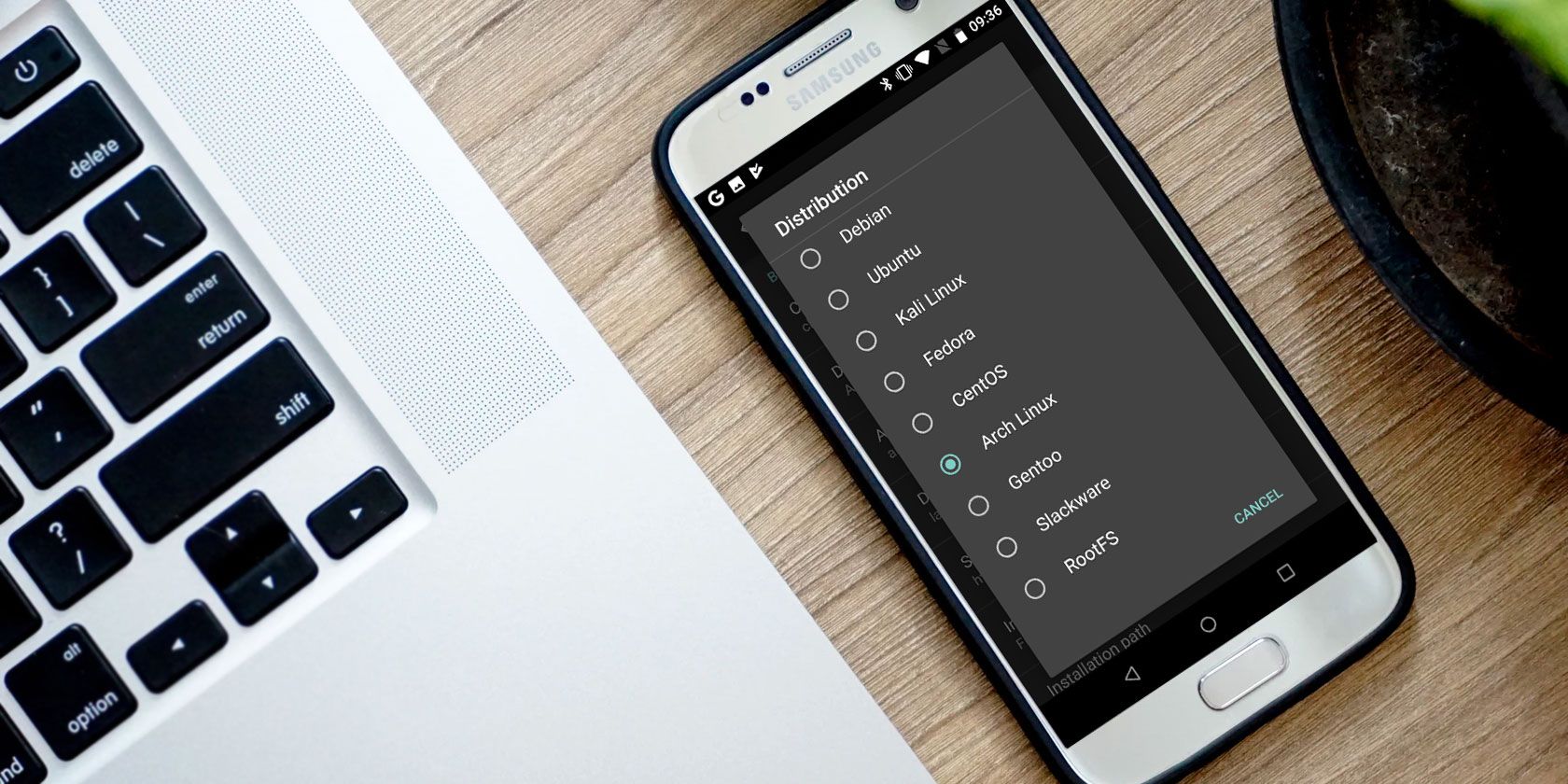
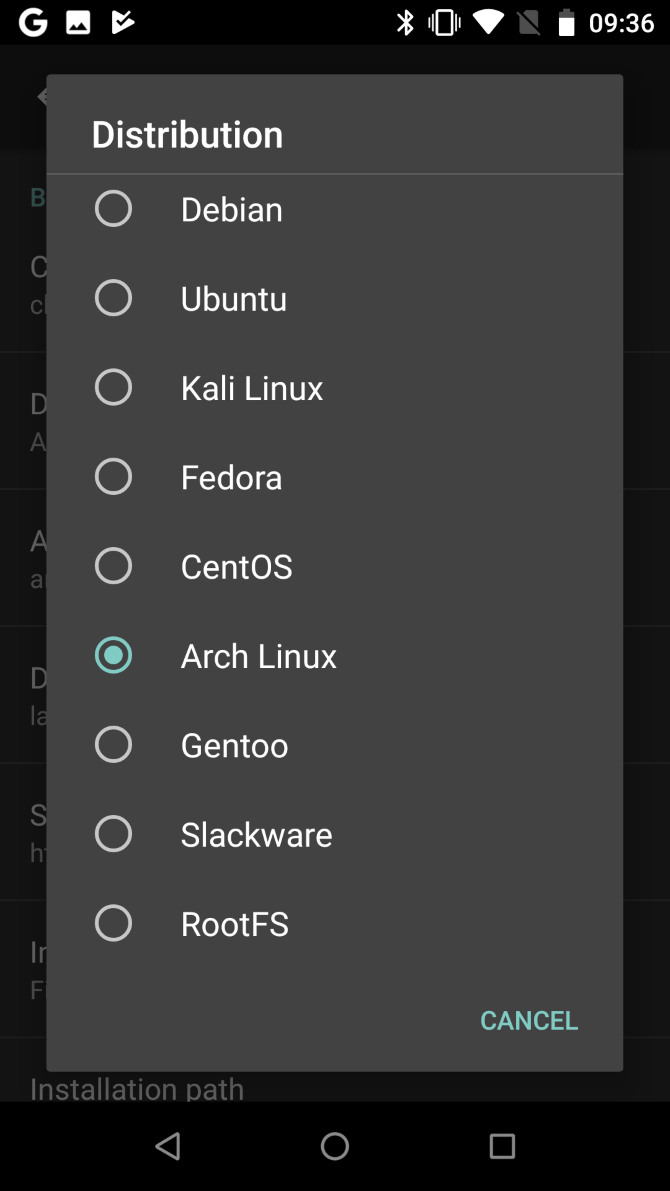
Use the displayed options menu to select your preferred Distribution. Debian, Ubuntu, Gentoo, Fedora, and many more are available to install. We used Arch Linux.

You’ll need to check the Enable box under GUI to view a Linux desktop on your phone. Also ensure that VNC is selected for the Graphics subsystem. Next, check the screen resolution under GUI settings, and make sure you’re happy with the Desktop environment.

Finally, find the User name and User password entries. Either make a note of them or change them to something more memorable for you.

Back out of this menu, then tap the three dots in the upper-right corner and select Install, then OK.

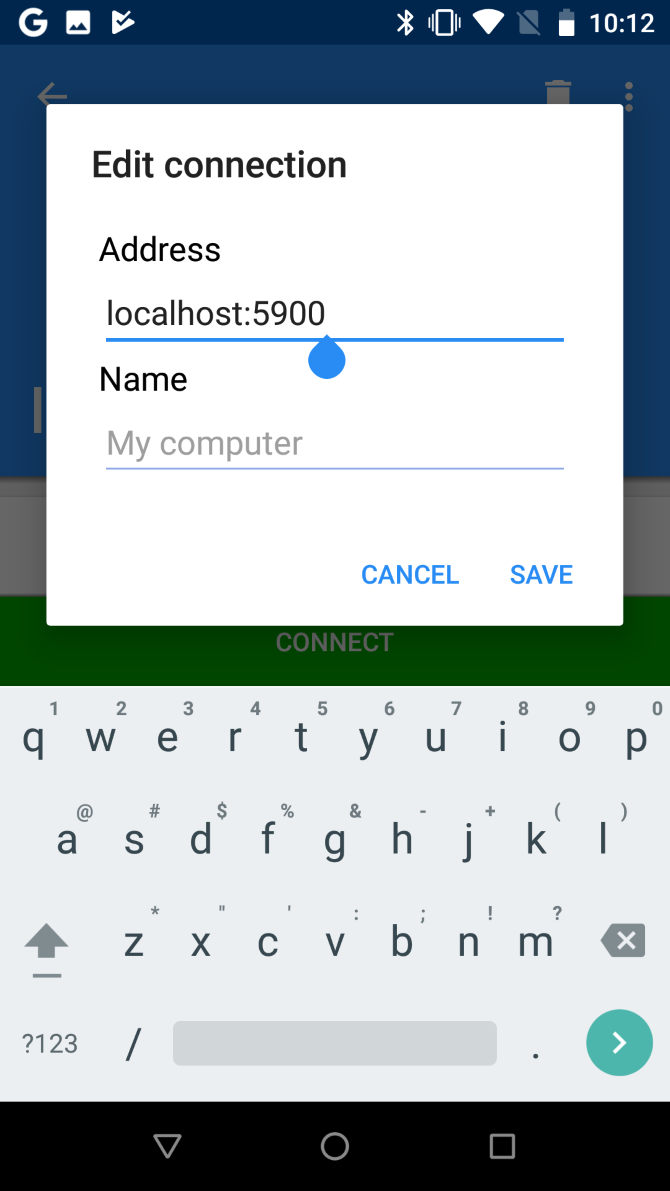
When this is done, install VNC Viewer from the Play Store. In Linux Deploy, tap Start to run Linux. Then open VNC Viewer and connect to localhost:5900 to view your Linux desktop with the credentials you entered earlier.

Once up and running, you can install Linux software using the terminal in the usual manner.

Congratulations: you now have Linux running on Android!

How to Install Kali Linux on Android (Root Required)

The Linux Deploy method above for running Linux distros on Android is probably the best one you’ll find. It provides a good choice of Linux versions, including Kali Linux.

Want to use your Android phone or tablet as a penetration testing device? While you’ll find various useful Android networking tools, the best option is a portable version of Kali Linux. Simply follow the instructions above using Linux Deploy, and select Kali Linux to install on Android.

Once installed, you’ll have a portable pen-testing solution in your pocket. This will check the safety of any network your phone connects to.

Alternative, Install a Custom Android ROM

Not sure installing Linux on Android is such a good idea, but want more functionality from your phone? You could simply try a different version of Android.

If you’re not sure where to start, read about how to install a custom ROM on Android.

Read the full article: How to Run Linux on Android Devices


Read Full Article

Andreessen Horowitz has backed Run The World, a startup with a timely offering: live online events


Every day, there’s another event-related cancellation owing to concern around the coronavirus. Just today Microsoft announced it will not have a presence at the Game Developers Conference in mid-March “out of an abundance of caution.” Facebook also said today that it is canceling its annual F8 conference scheduled for May over coronavirus-outbreak concerns.

The last is a particularly big deal. F8 is by far the largest event that Facebook hosts every year, so it’s little wonder that it plans to host part of the event online.

Likely, Facebook will use its own tech toward this end. But there is a new option for other companies that are right now second-guessing their own event plans, and that’s Run the World, a year-old, 18-person company that’s based in Mountain View, Ca., and has small teams both in China and Taiwan.

What it’s doing: smooshing together every functionality that a conference organizer might need in the time of a pandemic. Think video conferencing, ticketing, interactivity, and networking.

Who’s backing it: Andreessen Horowitz largely, though Run The World — which has raised $4.3 million in seed funding — also counts as investors GSR Ventures, Pear Ventures, 122 West Ventures, Unanimous Capital, and angel investors like Kevin Weil, the VP of product at the Facebook subsidiary Calibra; Patreon cofounder Sam Yam; and Jetblue Airways Chairman Joel Peterson.

Who started it: Xiaoyin Qu, who is the CEO and previously led products for both Facebook and Instagram (“basically anything to do with entertainment influencers and creators,” she said of part of her time at Facebook). She dropped out Stanford’s MBA program after a year to start the company last year with Xuan Jiang, a former colleague who was a technical lead for Facebook events, ads, and stories. (Jiang does have a master’s degree — one in computer science from the Georgia Institute of Technology.).

We talked with Qu yesterday after learning about the company from Connie Chan, the general partner who led the deal for a16z.

Qu says the impetus for the startup ties to her mother, a doctor in China who focuses on meningitis and traveled to a conference in Chicago in late 2018 where she made a connection with a Dubai-based physician. It was a fruitful meeting, given the doctor was able to share with her some rare, valuable insight into his own work around meningitis.

While that might not seem so exceptional to those who travel regularly, it was striking to Qu. As she explains it, because her mother had to secure a visa, take off two weeks around the event, including for travel days, and spend a fortune on airfare and accommodations, it was the first major trip she’d taken in 35 years. Both mother and daughter wondered what other insights she might have gained otherwise.

As Qu half-joked, “It isn’t like at Stanford, where there are events held regularly that [local] doctors can even walk over to.”

Indeed, like a lot of founders who solve a pain point for themselves of someone they love, Qu wanted to create a platform where her mother could meet and have meaningful work connections with people regularly. The solution she struck on: digitized events.

Turns out, Qu’s timing is pretty good. Though numerous startups have launched live online events businesses in the past (many of them since shuttered), you can bet many more organizers are thinking about exactly the type of platform that Run the World is fine-tuning right now.

Though publicly launched just four months ago, it has already hosted numerous events and has a bunch upcoming. One of its customers is Wuhan2020, a large open source community with more than 3,000 developers who will be using the platform as part of a long-distance hackathon that hopes to produce tech solutions to those affected by the coronavirus in Wuhan.

Qu also mentions an elephant conservation reserve in Laos that was recently able to raise $30,000 from donors from 15 countries in two weeks through a conference they organized on the platform. The reserve had a constrained budget, but being able to bring together a distributed audience (beyond just wealthy donors) for nearly zero overhead (no venue, no catering), turned it into a major success for the organization.

As an example of a smaller event, a dating coach who specializes in working with engineers recently held a workshop where just 40 people showed up but she was able to make $1,300 from the event, says Qu.

Run the World keeps the cost structure simple, taking 25 percent of ticket sales in exchange for what it provides organizers, from the templates they can choose for their events, to the ability to sell tickets, to processing those payments (via Stripe), streaming the event, enabling social interactions throughout the event, and helping organizers follow up with attendees afterward.

Indeed, beyond enabling organizers to reach a wider audience at perhaps a more accessible price point, a big advantage conferred by online events is the potential for more effective networking, insists Qu. For example, rather than walk into a physical space where it’s sometimes hard to know who to talk with about what, Run the World asks every event attendee to create a quick video profile akin to an Instagram Story that can help inform other attendees about who is with them online. It also organizes related “cocktail parties” where it can match attendees for several minutes at a time.

Naturally, there are downsides to streamed live events as the world was reminded last year, when a gunman filmed the mass murder of 51 people in Christchurch, New Zealand on Facebook Live. One could also imagine that those video profiles could attract unwanted attention to some attendees who might rather just watch an event.

It’s certainly something about which Qu and Jiang are well aware. While the plan is to keep adding new features (including, potentially, to use LinkedIn to validate attendees’ identities), Qu notes that another way to ensure the quality of the events on the platform remains high — and that attendees feel safe —  is to steer clear of most free events. “When organizers are recruiting their own people and curating a community” of people who they know or can ostensibly learn more about, it keeps things above the level, she suggests

As Run The World scales, she concedes, “we’ll need to figure out new ways.” Certainly, the lessons learned at Facebook and Instagram should help, she says, adding: “The ideal event to me isn’t one with 2 million people. I’d rather we hosted 2 million events with 50 people.”


Read Full Article

Tinder’s video series ‘Swipe Night’ gets a second season


Following a successful debut for Tinder’s first foray into original content, the company is giving its interactive video series “Swipe Night” another run. The company confirmed today it’s renewing “Swipe Night” for a second season that will launch this summer, again as an in-app experience within Tinder’s dating app.

Variety first reported the news of “Swipe Night’s” return. Tinder further confirmed the details to TechCrunch.

“Swipe Night,” as you may recall, first launched in October 2019 within Tinder. The experience introduced a first-person adventure played in-app, where users would make choices at key turning points to progress the narrative — like a choose-your-own-adventure story.

The series was designed to increase user engagement and help the app’s young users better connect.

Today, half of Tinder is Gen Z (ages 18-25) — a demographic that’s embracing their single lifestyle and more casual relationships compared with those on other dating apps, like Tinder parent company Match, for example, or its newer acquisition Hinge. These younger users connected with the idea of starting conversations based on a shared experience, says Tinder.

However, the reality is that “Swipe Night” had also arrived at a time when users were opening Tinder’s app less on a daily basis, even as monthly usage climbed. Though “Swipe Night” only ran on specific dates in October 2019, users’ choices within the interactive experience were added to their profiles. This allowed users to see who else agreed with their decisions and who took the opposite path. That made launching Tinder and swiping through profiles more compelling — even for those who may have been tiring Tinder before the series’ arrival.

The experiment worked. Tinder said millions of users tuned in to “Swipe Night” and matches and conversations increased by 26% and 12%, respectively. With “Swipe Night,” it seemed, Tinder finally gave users something to talk about.

The returning second season of “Swipe Night” will again be directed by Karena Evans, who directed Coldplay’s music video “Everyday Life” and Drake’s “In My Feelings” and “God’s Plan.” This time, it will be written by Jessica Stickles (“Portlandia,” “Another Period”) and Julie Sharbutt (“3 Days”).

“Working on Swipe Night was such a fulfilling experience for me. I got to do something that had never been done before and innovate with storytelling to bring a generation of people together. I’m in search of projects that impact, shift or curate a culture and couldn’t be more excited to return for more,” said Evans, in a statement.

“Swipe Night’s” second season may see Tinder tweaking the formula a bit, and may even introduce new mechanics to keep it feeling fresh.

In addition to the Season 2 launching in the U.S., Match previously confirmed that 10 international markets across Europe and Asia will get “Swipe Night” this year. Tinder said today that Season 1 would be launching internationally on March 14th, but declined to say when those users would receive Season 2.


Read Full Article

Tinder’s video series ‘Swipe Night’ gets a second season


Following a successful debut for Tinder’s first foray into original content, the company is giving its interactive video series “Swipe Night” another run. The company confirmed today it’s renewing “Swipe Night” for a second season that will launch this summer, again as an in-app experience within Tinder’s dating app.

Variety first reported the news of “Swipe Night’s” return. Tinder further confirmed the details to TechCrunch.

“Swipe Night,” as you may recall, first launched in October 2019 within Tinder. The experience introduced a first-person adventure played in-app, where users would make choices at key turning points to progress the narrative — like a choose-your-own-adventure story.

The series was designed to increase user engagement and help the app’s young users better connect.

Today, half of Tinder is Gen Z (ages 18-25) — a demographic that’s embracing their single lifestyle and more casual relationships compared with those on other dating apps, like Tinder parent company Match, for example, or its newer acquisition Hinge. These younger users connected with the idea of starting conversations based on a shared experience, says Tinder.

However, the reality is that “Swipe Night” had also arrived at a time when users were opening Tinder’s app less on a daily basis, even as monthly usage climbed. Though “Swipe Night” only ran on specific dates in October 2019, users’ choices within the interactive experience were added to their profiles. This allowed users to see who else agreed with their decisions and who took the opposite path. That made launching Tinder and swiping through profiles more compelling — even for those who may have been tiring Tinder before the series’ arrival.

The experiment worked. Tinder said millions of users tuned in to “Swipe Night” and matches and conversations increased by 26% and 12%, respectively. With “Swipe Night,” it seemed, Tinder finally gave users something to talk about.

The returning second season of “Swipe Night” will again be directed by Karena Evans, who directed Coldplay’s music video “Everyday Life” and Drake’s “In My Feelings” and “God’s Plan.” This time, it will be written by Jessica Stickles (“Portlandia,” “Another Period”) and Julie Sharbutt (“3 Days”).

“Working on Swipe Night was such a fulfilling experience for me. I got to do something that had never been done before and innovate with storytelling to bring a generation of people together. I’m in search of projects that impact, shift or curate a culture and couldn’t be more excited to return for more,” said Evans, in a statement.

“Swipe Night’s” second season may see Tinder tweaking the formula a bit, and may even introduce new mechanics to keep it feeling fresh.

In addition to the Season 2 launching in the U.S., Match previously confirmed that 10 international markets across Europe and Asia will get “Swipe Night” this year. Tinder said today that Season 1 would be launching internationally on March 14th, but declined to say when those users would receive Season 2.


Read Full Article

Google Cloud’s newest data center opens in Salt Lake City


Google Cloud announced today that it’s a new data center in Salt Lake City has opened, making it the 22nd such center the company has opened to-date.

This Salt Lake City data center marks the third in the western region joining LA and Dalles, Oregon with the goal of providing lower latency compute power across the region.

“We’re committed to building the most secure, high-performance and scalable public cloud, and we continue to make critical infrastructure investments that deliver our cloud services closer to customers that need them the most,” said Jennifer Chason, director of Google Cloud Enterprise for the Western States and Southern California said in a statement.

Cloud vendors in general are trying to open more locations closer to potential customers. This is a similar approach taken by AWS when it announced its LA local zone at AWS re:Invent last year. The idea is to reduce latency by moving compute resources closer to the companies who need the, or to spread workloads across a set of regional resources.

Google also announced that PayPal, a company that was already a customer, has signed a multi-year contract, and will be moving parts of its payment systems into the western region. It’s worth noting that Salt Lake City is also home to a thriving startup scene that could benefit from having a data center located close by.

Google Cloud’s parent company Alphabet’s recently shared the cloud division’s quarterly earnings for the first time, indicating that it was on a run rate of more than $10 billion. While it still has a long way to go catch rivals Microsoft and Amazon, as it expands its reach in this fashion, it could help grow that market share.


Read Full Article
27 February 2020

Facebook has paused election reminders in Europe after data watchdog raises transparency concerns


Big tech’s lead privacy regulator in Europe has intervened to flag transparency concerns about a Facebook election reminder feature — asking the tech giant to provide it with information about what data it collects from users who interact with the notification and how their personal data is used, including whether it’s used for targeting them with ads.

Facebook confirmed to TechCrunch it has paused use of the election reminder feature in the European Union while it works on addressing the Irish Data Protection Commission (DPC)’s concerns.

Facebook’s Election Day Reminder (EDR) feature is a notification the platform can display to users on the day of an election — ostensibly to encourage voter participation. However, as ever with the data-driven ad business, there’s a whole wrapper of associated questions about what information Facebook’s platform might be harvesting when it chooses to deploy the nudge — and how the (ad) business is making use of the data.

On an FAQ on its website about the election reminder Facebook writes vaguely that users “may see reminders and posts about elections and voting”.

Facebook does not explain what criteria it uses to determine whether to target (or not to target) a particular user with an election reminder.

Yet a study carried out by Facebook in 2012, working with academics from the University of California at San Diego, found an election day reminder sent via its platform on the day of the 2010 US congressional elections boosted voter turnout by about 340,000 people — which has led to concern that selective deployment of election reminders by Facebook could have the potential to influence poll outcomes.

If, for example, Facebook chose to target an election reminder at certain types of users who it knows via its profiling of them are likely to lean towards voting a particular way. Or if the reminder was targeted at key regions where a poll result could be swung with a small shift in voter turnout. So the lack of transparency around how the tool is deployed by Facebook is also concerning. 

Under EU law, meanwhile, entities processing personal data that reveals political opinions must also meet a higher standard of regulatory compliance for this so-called “special category data” — including around transparency and consent. (If relying on user consent to collect this type of data it would need to be explicit — requiring a clear, purpose-specific statement that the user affirms, for instance.)

In a statement today the DPC writes that it notified Facebook of a number of “data protection concerns” related to the EDR ahead of the recent Irish General Election — which took place February 8 — raising particular concerns about “transparency to users about how personal data is collected when interacting with the feature and subsequently used by Facebook”.

The DPC said it asked Facebook to make some changes to the feature but because these “remedial actions” could not be implemented in advance of the Irish election it says Facebook decided not to activate the EDR during that poll.

We understand the main issue for the regulator centers on the provision of in-context transparency for users on how their personal data would be collected and used when they engaged with the feature — such as the types of data being collected and the purposes the data is used for, including whether it’s used for advertising purposes.

In its statement, the DPC says that following its intervention Facebook has paused use of the EDR across the EU, writing: “Facebook has confirmed that the Election Day Reminder feature will not be activated during any EU elections pending a response to the DPC addressing the concerns raised.”

It’s not clear how long this intervention-triggered pause will last — neither the DPC nor Facebook have given a timeframe for when the transparency problems might be resolved.

We reached out to Facebook with questions on the DPC’s intervention.

The company sent this statement, attributed to a spokesperson:

We are committed to processing people’s information lawfully, fairly, and in a transparent manner. However, following concerns raised by the Irish Data Protection Commission around whether we give users enough information about how the feature works, we have paused this feature in the EU for the time being. We will continue working with the DPC to address their concerns.

“We believe that the Election Day reminder is a positive feature which reminds people to vote and helps them find their polling place,” Facebook added.

Forthcoming elections in Europe include Slovak parliamentary elections this month; North Macedonian and Serbian parliamentary elections, which are due to take place in April; and UK local elections in early May.

The intervention by the Irish DPC against Facebook is the second such public event in around a fortnight — after the regulator also published a statement revealing it had raised concerns about Facebook’s planned launch of a dating feature in the EU.

That launch was also put on ice following its intervention, although Facebook claimed it chose to postpone the rollout to get the launch “right”; while the DPC said it’s waiting for adequate responses and expects the feature won’t be launched before it gets them.

It looks like public statements of concern could be a new tactic by the regulator to try to address the sticky challenge of reining in big tech.

The DPC is certainly under huge pressure to deliver key decisions to prove that the EU’s flagship General Data Protection Regulation (GDPR) is functioning as intended. Critics say it’s taking too long, even as its case load continues to pile up.

No GDPR decisions on major cases involving tech giants including Facebook and Google have yet been handed down in Dublin — despite the GDPR fast approaching its second birthday.

At the same time it’s clear tech giants have no shortage of money, resources and lawyers to inject friction into the regulatory process — with the aim of slowing down any enforcement.

So it’s likely the DPC is looking for avenues to bag some quick wins — by making more of its interventions public and thereby putting pressure on a major player like Facebook to respond to publicity generated by it going public with “concerns”.


Read Full Article