27 November 2019

Can the Facebook App Actually Secretly Spy on You?


facebook-spying

You might have heard rumors or news reports that the Facebook app can spy on you using your smartphone’s camera or microphone. But is that really true? And how else could the site know so much about you?

Unlock the free "Facebook Security Checklist" now!

This will sign you up to our newsletter

Enter your Email

Can the Facebook App Spy on Users?

Facebook spying - app

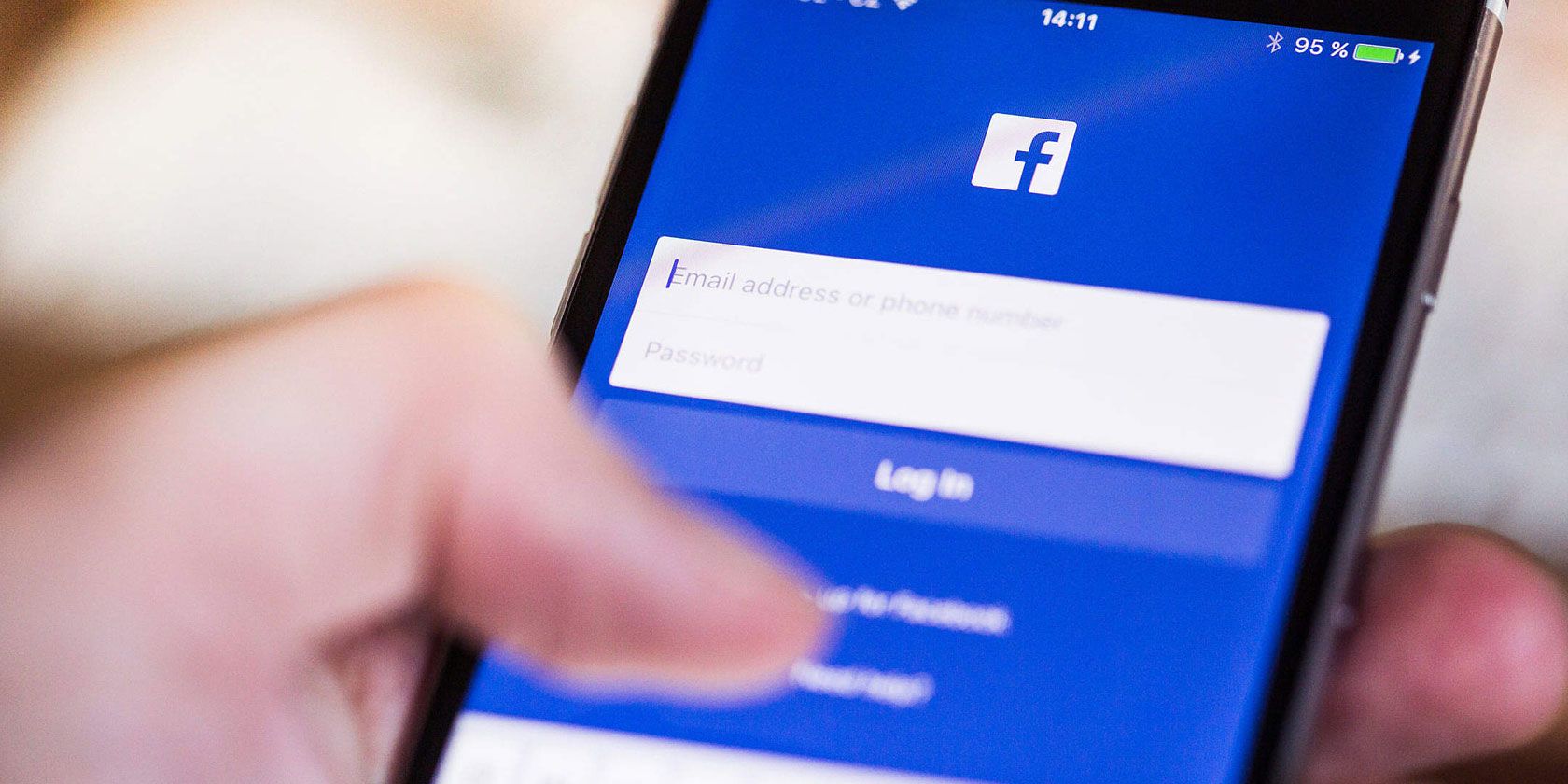
In November 2019, iPhone and Facebook user Joshua Maddux tweeted a video showing that when he browsed through the news feed in his Facebook app, his iPhone camera would be opened at strange times. Other users investigated and found similar issues.

When an iOS user opens the Facebook app on their device and scrolls through the news feed, the camera of their device may open in the background. There’s no reason that this should happen. And it’s very uncomfortable to think the app is watching users without their knowledge as they browse.

The existence of the bug was confirmed by Facebook to The Guardian. But a company spokesperson insisted that no photos or videos had been uploaded due to the bug. It’s likely that this was truly a security mistake, and not an actual attempt to spy on users.

Facebook submitted a fix for the app issue to the Apple App Store very quickly. This bug should now be removed from iOS and should no longer be a problem.

Does Facebook Use Smartphone Mics or Cameras to Spy on You?

Facebook spying - camera and microphone

This story made news headlines because many people are suspicious about how Facebook collects information about them. It’s a commonly held belief that Facebook surreptitiously turns on the camera or microphone of smartphones to spy on users.

Despite the security bug mentioned above, there’s no evidence that Facebook actually does this. Facebook has emphatically denied that it spies on users in the past.

However, you can see why people might believe this. It’s a very common experience to be discussing a product with a friend, and then for that product to be “magically” advertised to you on Facebook within a few days. Or when you’re planning a trip, for Facebook to recommend you a product like a new suitcase.

This makes it appear as if Facebook must be spying on you without your knowledge.

Facebook Doesn’t Need to Spy on You to Be Creepy and Invasive

The truth is, Facebook doesn’t need to spy on you through your smartphone’s microphone or camera in order to target ads at you with uncanny accuracy. People commonly assume that Facebook must be spying on them because it is so accurate at predicting their interests.

How Facebook Collects Information on You

Facebook spying - collecting data

Facebook is able to gobble up a tremendous amount of information about you. From this, it can predict your buying behavior extremely accurately.

The first piece of information Facebook uses to target ads is simply your location. By knowing where you live and spend most of your time, Facebook can predict a lot about your interests, personality, and purchasing habits. And when the app detects you are in a new location, then it knows you are traveling. So that’s a sign to advertise vacation items or travel accessories.

Another big source of information is a tool called a Facebook Pixel. This is a small snippet of code which webmasters for sites outside of Facebook can use to add Facebook tracking to their sites. It’s similar to a browser cookie, but for Facebook exclusively. This is why when you look at item like a pair of shoes on Amazon and then log into Facebook, you’ll often see an advert for the specific shoes you were just looking at.

Facebook Pixels are extremely common on sites across the internet. They allow Facebook to build up a profile of your behavior outside of the site and app. This makes it easier to target ads at you.

Other sources of data are your friends and family. Facebook knows that if a close friend of yours is interested in a product, the odds are high that you’d be interested in it too. Is also uses information like your stated interests and pages you have liked to build up a profile of you. All this information can predict your habits and behaviors very well.

How to Stop Facebook From Tracking You Online

Facebook spying - stop tracking

Even if it’s not actively spying on you, it’s still creepy how much data that Facebook collects about you. Fortunately, there are ways you can lessen the amount of data which Facebook collects about you. Here are some ways to prevent Facebook from tracking you online:

  • Delete your Facebook account. This is a drastic step, but it’s the best way to stop Facebook harvesting data about you. If you go this route, be sure to delete your account and not merely to deactivate it. Even if your account is deactivated, Facebook will continue to collect data about you.
  • Use browser extensions which block Facebook tracking. There are extensions for both Chrome and Firefox to limit how much information Facebook can hoover up about you. These work by blocking Facebook Pixels and other trackers. Try an extension like Disconnect or Facebook Container.
  • Use general privacy browser extensions. While you’re adding extensions, now is a good time to consider other privacy tools as well. For example, the Electronic Frontier Foundation, a respected digital rights group, has a tool called Privacy Badger. This blocks online trackers without you needing to do anything. You might also consider using a general blocking tool like uBlock Origin.
  • Use a Facebook Pixel-blocking tool. If it’s Facebook Pixels in particular which both you, you should look into a company called Ghostery. The company produces reports on tracking tools, including those used by Facebook. And they have a browser extension to block Pixels and many other trackers too.

Further Steps to Limit Facebook Tracking

The above steps all limit the way Facebook can access your data from the outside. But there are also ways to limit the reach of Facebook from within:

  • Adjust your Facebook settings. With all the focus on privacy recently, Facebook has tried to make its privacy options stronger. It’s always a good idea to check your privacy settings. However, it’s impossible to opt out of all the ways Facebook collects data on you.
  • Revoke the Facebook app’s permissions. If you’re still concerned that Facebook is spying on you through the app, you can revoke the app’s access to your camera and microphone. Then you won’t be able to take picture directly through the Facebook app. But you can be more sure that the app isn’t watching or listening to you.

Facebook Is Harvesting Your Data

The bug which let the Facebook app open users’ cameras without permission really does appear to have been an honest mistake. However, Facebook doesn’t need to use your camera or microphone to spy on you. It already has more than enough information about you to predict your behavior.

This is just one of the many problems Facebook has had regarding privacy and security. Here’s why Facebook is a security and privacy nightmare.

Read the full article: Can the Facebook App Actually Secretly Spy on You?


Read Full Article

Facebook Viewpoints pays users for well-being surveys & tasks


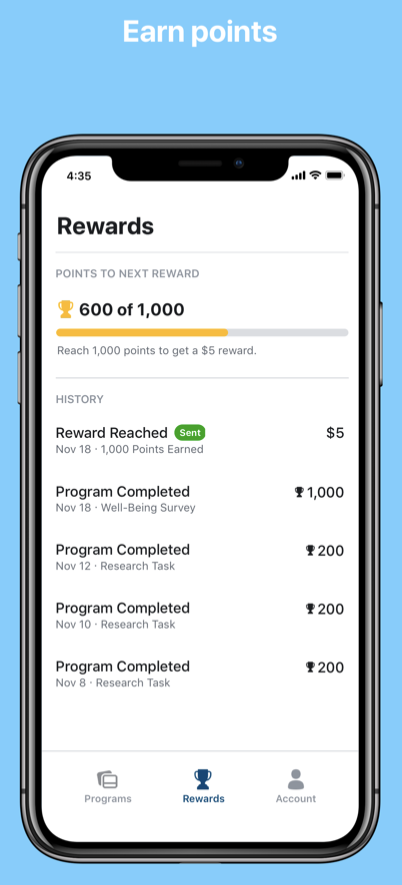
Facebook is launching a new market research, task, and product testing program that lets users earn money. Starting today, people in the US who are over 18 can download Viewpoints and participate in a well-being survey so Facebook can learn to “limit the negative impacts of social media and enhance the benefits.” Other opportunities include completing online chores on behalf of Facebook, or trying out new apps or devices ahead of launch so Facebook can refine them.

The well-being survey will take about 15 minutes score users 1000 points, which translates into a $5 reward that’s paid over PayPal. People interested in signing up can join Viewpoints here. The company claims it will only use the data collected internally and won’t sell it. Facebook Viewpoints is available on iOS and Android, and the company plans to open the app to more countries next year.

The question is whether users will be comfortable giving up even more data Facebook. Many are already creeped out by Facebook, but the monetary incentive might override their morals.

Meanwhile, Facebook will have to work to prevent the app from beinh abused. Most importantly, it needs to figure out how to make sure underage minors aren’t slipping into the app. They might be more vulnerable to coercion by cash, and less aware of the consequences of sharing their data.

I tried using Viewpoints but wasn’t invited to the well-being study or any other opportunities, so I couldn’t earn any money or try it out further as som studies are open only to people in certain locations or demographics. For now you have to log in with a Facebook account but it showed greyed out options for Google, phone, and email login that Facebook says are coming soon. Payments can take up to 10 days to process and your points expire after 5 years. Facebook won’t post or publicly share any info you provide through the app.

The launch of Viewpoints comes after Facebook shut down its paid market surveillance program Research and its free VPN that collected users’ data Onavo in the wake of a TechCrunch investigation that found the company was paying teenagers for their data while breaking Apple’s rules about distributing employee-only apps outside of a company.

The social network relaunched its market research efforts under the name Study From Facebook in June with a commitment to not allowing kids access. But in the meantime, leaked court documents have shown that Facebook purposefully used market research collected from Onavo to find potential rivals to cut off from its data. Facebook is now under anti-trust investigations surrounding concerns that disadvantaging its competitors hurt consumer choice in social apps.


Read Full Article

Daily Crunch: Free Spotify comes to Alexa


The Daily Crunch is TechCrunch’s roundup of our biggest and most important stories. If you’d like to get this delivered to your inbox every day at around 9am Pacific, you can subscribe here.

1. Spotify’s free music service will now stream on Alexa devices, plus Bose and Sonos smart speakers

Spotify has worked with Amazon Echo since 2016, but only for premium subscribers. Today, that changes.

The Alexa support — which includes playing Spotify’s Top Hits playlist, Discover Weekly and more — will be available for users in the U.S., Australia and New Zealand. Support for Sonos and Bose is more broadly available to users around the world.

2. Facebook’s latest experiment is a meme-creation app, Whale

Currently, the app allows users to decorate photos with text and stickers in order to create memes that can be shared to social media or texted to friends.

3. Vayyar nabs $109M for its “4D” radar tech, which detects and tracks images while preserving privacy

Vayyar is an Israeli startup that builds radar-imaging chips and sensors, as well as the software that reads and interprets the resulting images, for use in automotive and IoT applications.

4. Google Assistant introduces personalized playlists of audio news

When you say “Hey Google, play me the news” to a Google Assistant-enabled phone or smart speaker, you’ll get a tailored playlist of the day’s big headlines and stories. Your News Update draws from a variety of publisher partners, focusing on the stories that seem relevant to your interests and your location.

5. Bunch, the Discord for mobile games, raises $3.85M from Supercell, Tencent, Riot Games

Users who download the game can connect with friends and join an audio or video chat with them. From there, users can choose a game to load and the whole party is instantly taken into a multiplayer game session with their friends.

6. Build trust with remote users to get qualitative feedback

As co-founder of a digital health company, Alex Gold had to build a community of test patients. And because of security and privacy concerns, he had to approach this process unconventionally. (Extra Crunch membership required.)

7. 5 reasons you need to be at Disrupt Berlin

We’re one month out from Disrupt Berlin. And no matter which part of the startup ecosystem you inhabit, the event should be a huge opportunity. (I’ll be there!)


Read Full Article

Daily Crunch: Google fires employee activists


The Daily Crunch is TechCrunch’s roundup of our biggest and most important stories. If you’d like to get this delivered to your inbox every day at around 9am Pacific, you can subscribe here.

1. Google employee activist says she’s been fired

Employee activist Rebecca Rivers (who was involved in a campaign pressuring Google to end its contract with U.S. Customs and Border Protection) said yesterday that she’d been fired. Google declined to comment but confirmed an internal note published by Bloomberg, which said the company fired a total of four employees for repeatedly violating its data-security policies.

Earlier this month, Google put Rivers and Laurence Berland on leave for allegedly violating company policies. Ahead of an employee rally last week, however, organizers said the “attack” on Rivers and Berland “is an attack on all people who care about transparency and accountability for tech.”

2. Facebook Viewpoints pays users for well-being surveys & tasks

People in the U.S. who are over 18 can now download Viewpoints and participate in a survey to help Facebook can learn to “limit the negative impacts of social media and enhance the benefits.” Other opportunities include completing online chores on behalf of Facebook or trying out new apps or devices ahead of launch so Facebook can refine them.

3. Announcing the complete Disrupt Berlin agenda

Join us December 11 and December 12 as we sit down with CEOs from big-name companies such as UIPath, Samsung and Naspers, as well as leading investors from Atomico, SoftBank and Index.

4. Leavy.co, the app for millennials who want to rent out their room while traveling, discloses $14M funding

The Leavy.co app is described as a “travel community and marketplace” that wants to help millennials travel more for less. At the heart of its offering is a way for travelers (dubbed “Happy Leavers”) to rent out their room or apartment when they are away to help fund their trip.

5. NASA’s second free-flying assistant robot gets to work

NASA activated a free-floating autonomous robot called ‘Bumble’ earlier this year, and now Bumble has a new companion called Honey. Both are Astrobee robots, cube-like “robotic teammates” for ISS astronauts, that are designed to help with experiments, day-to-day activities and more.

6. Argentine fintech Ualá raises $150M led by Tencent and SoftBank

Founder and CEO Pierpaolo Barbieri, a Buenos Aires native and Harvard University graduate, says his ambition was to create a platform that would bring all financial services into one app linked to one card. As it exists now, Ualá is linked to a prepaid, global Mastercard and allows users to transfer money, invest in mutual funds, request loans, pay bills and top-up prepaid services.

7. The herd sours on unprofitable unicorns again

Wasabi CEO David Friend looks at why venture and private equity funds have been chasing unprofitable unicorns, and why they’ve soured on those unicorns lately. (Extra Crunch membership required.)


Read Full Article

Disney releases cringe-worthy Baby Yoda merch


Who could have guessed an adorable, big-eyed baby Star Wars alien would have generated a ton of demand for toys? Apparently not Disney, which today started to sell merchandise based on The Child from new Disney+ show The Mandalorian, commonly known as “Baby Yoda”. The shirts, bags, mugs, and phone cases all feel…forced, like Disney rushed to print them on CafePress.

“The laziest merch ever” one TechCrunch staffer said. “If only there was 40 years of Star Wars Merchandise as a precedent. They would sell ten billion yoda beanie babies” quipped another. The lack of a plush doll, baby clothes, chew-safe rubber toys for tots and dogs, or original artwork indicate Disney was so busy getting its streaming service off the ground that it didn’t realize it already had a mascot. Yoda backpacks have been a hit for decades. Where’s the Yoda baby bjorn chest pack?

Just because the little green bundle of joy isn’t technically ‘Baby Yoda’, since The Mandalorian is set after the real Yoda’s death in Return Of The Jedi, doesn’t mean Disney isn’t exploiting the term for SEO. “He may look like a ‘Baby Yoda,’ but this lovable creature is referred to as ‘The Child'” Disney notes on all the product pages.

The Disney entertainment empire has suffered these failures to predict demand before. Frozen 1 merchandise sold out everywhere as tykes around the world screamed “Let It Go”. And Guardians Of The Galaxy 2’s Baby Groot also saw demand outstrip supply until Disney started sticking the tiny tree on everything. Hopefully it won’t be long until we can get a magnetic The Child shoulder buddy so he can ride around with us like we’re his Bobasitter.


Read Full Article

26 November 2019

Astrophotography with Night Sight on Pixel Phones


Taking pictures of outdoor scenes at night has so far been the domain of large cameras, such as DSLRs, which are able to achieve excellent image quality, provided photographers are willing to put up with bulky equipment and sometimes tricky postprocessing. A few years ago experiments with phone camera nighttime photography produced pleasing results, but the methods employed were impractical for all but the most dedicated users.

Night Sight, introduced last year as part of the Google Camera App for the Pixel 3, allows phone photographers to take good-looking handheld shots in environments so dark that the normal camera mode would produce grainy, severely underexposed images. In a previous blog post our team described how Night Sight is able to do this, with a technical discussion presented at SIGGRAPH Asia 2019.

This year’s version of Night Sight pushes the boundaries of low-light photography with phone cameras. By allowing exposures up to 4 minutes on Pixel 4, and 1 minute on Pixel 3 and 3a, the latest version makes it possible to take sharp and clear pictures of the stars in the night sky or of nighttime landscapes without any artificial light.
The Milky Way as seen from the summit of Haleakala volcano on a cloudless and moonless September night, captured using the Google Camera App running on a Pixel 4 XL phone. The image has not been retouched or post-processed in any way. It shows significantly more detail than a person can see with the unaided eye on a night this dark. The dust clouds along the Milky Way are clearly visible, the sky is covered with thousands of stars, and unlike human night vision, the picture is colorful.
A Brief Overview of Night Sight
The amount of light detected by the camera’s image sensor inherently has some uncertainty, called “shot noise,” which causes images to look grainy. The visibility of shot noise decreases as the amount of light increases; therefore, it is best for the camera to gather as much light as possible to produce a high-quality image.

How much light reaches the image sensor in a given amount of time is limited by the aperture of the camera lens. Extending the exposure time for a photo increases the total amount of light captured, but if the exposure is long, motion in the scene being photographed and unsteadiness of the handheld camera can cause blur. To overcome this, Night Sight splits the exposure into a sequence of multiple frames with shorter exposure times and correspondingly less motion blur. The frames are first aligned, compensating for both camera shake and in-scene motion, and then averaged, with careful treatment of cases where perfect alignment is not possible. While individual frames may be fairly grainy, the combined, averaged image looks much cleaner.

Experimenting with Exposure Time
Soon after the original Night Sight was released, we started to investigate taking photos in very dark outdoor environments with the goal of capturing the stars. We realized that, just as with our previous experiments, high quality pictures would require exposure times of several minutes. Clearly, this cannot work with a handheld camera; the phone would have to be placed on a tripod, a rock, or whatever else might be available to hold the camera steady.

Just as with handheld Night Sight photos, nighttime landscape shots must take motion in the scene into account — trees sway in the wind, clouds drift across the sky, and the moon and the stars rise in the east and set in the west. Viewers will tolerate motion-blurred clouds and tree branches in a photo that is otherwise sharp, but motion-blurred stars that look like short line segments look wrong. To mitigate this, we split the exposure into frames with exposure times short enough to make the stars look like points of light. Taking pictures of real night skies we found that the per-frame exposure time should not exceed 16 seconds.
Motion-blurred stars in a single-frame two-minute exposure.
While the number of frames we can capture for a single photo, and therefore the total exposure time, is limited by technical considerations, we found that it is more tightly constrained by the photographer’s patience. Few are willing to wait more than four minutes for a picture, so we limited a single Night Sight image to at most 15 frames with up to 16 seconds per frame.

Sixteen-second exposures allow us to capture enough light to produce recognizable images but a useable camera app capable of taking pictures that look great must deal with additional issues that are unique to low-light photography.

Dark Current and Hot Pixels
Dark current causes CMOS image sensors to record a spurious signal, as if the pixels were exposed to a small amount of light, even when no actual light is present. The effect is negligible when exposure times are short, but it becomes significant with multi-second captures. Due to unavoidable imperfections in the sensor’s silicon substrate, some pixels exhibit higher dark current than their neighbors. In a recorded frame these “warm pixels,” as well as defective “hot pixels,” are visible as tiny bright dots.

Warm and hot pixels can be identified by comparing the values of neighboring pixels within the same frame and across the sequence of frames recorded for a photo, and looking for outliers. Once an outlier has been detected, it is concealed by replacing its value with the average of its neighbors. Since the original pixel value is discarded, there is a loss of image information, but in practice this does not noticeably affect image quality.
Left: A small region of a long-exposure image with hot pixels, and warm pixels caused by dark current nonuniformity. Right: The same image after outliers have been removed. Fine details in the landscape, including small points of light, are preserved.
Scene Composition
Mobile phones use their screens as electronic viewfinders — the camera captures a continuous stream of frames that is displayed as a live video in order to aid with shot composition. The frames are simultaneously used by the camera’s autofocus, auto exposure, and auto white balance systems.

To feel responsive to the photographer, the viewfinder is updated at least 15 times per second, which limits the viewfinder frame exposure time to 66 milliseconds. This makes it challenging to display a detailed image in low-light environments. At light levels below the rough equivalent of a full moon or so, the viewfinder becomes mostly gray — maybe showing a few bright stars, but none of the landscape — and composing a shot becomes difficult.

To assist in framing the scene in extremely low light, Night Sight displays a “post-shutter viewfinder”. After the shutter button has been pressed, each long-exposure frame is displayed on the screen as soon as it has been captured. With exposure times up to 16 seconds, these frames have collected almost 250 times more light than the regular viewfinder frames, allowing the photographer to easily see image details as soon as the first frame has been captured. The composition can then be adjusted by moving the phone while the exposure continues. Once the composition is correct, the initial shot can be stopped, and a second shot can be captured where all frames have the desired composition.
Left: The live Night Sight viewfinder in a very dark outdoor environment. Except for a few points of light from distant buildings, the landscape and the sky are largely invisible. Right: The post-shutter viewfinder during a long exposure shot. The image is much clearer; it updates after every long-exposure frame.
Autofocus
Autofocus ensures that the image captured by the camera is sharp. In normal operation, the incoming viewfinder frames are analyzed to determine how far the lens must be from the sensor to produce an in-focus image, but in very low light the viewfinder frames can be so dark and grainy that autofocus fails due to lack of detectable image detail. When this happens, Night Sight on Pixel 4 switches to “post-shutter autofocus.” After the user presses the shutter button, the camera captures two autofocus frames with exposure times up to one second, long enough to detect image details even in low light. These frames are used only to focus the lens and do not contribute directly to the final image.

Even though using long-exposure frames for autofocus leads to consistently sharp images at light levels low enough that the human visual system cannot clearly distinguish objects, sometimes it gets too dark even for post-shutter autofocus. In this case the camera instead focuses at infinity. In addition, Night Sight includes manual focus buttons, allowing the user to focus on nearby objects in very dark conditions.

Sky Processing
When images of very dark environments are viewed on a screen, they are displayed much brighter than the original scenes. This can change the viewer’s perception of the time of day when the photos were captured. At night we expect the sky to be dark. If a picture taken at night shows a bright sky, then we see it as a daytime scene, perhaps with slightly unusual lighting.

This effect is countered in Night Sight by selectively darkening the sky in photos of low-light scenes. To do this, we use machine learning to detect which regions of an image represent sky. An on-device convolutional neural network, trained on over 100,000 images that were manually labeled by tracing the outlines of sky regions, identifies each pixel in a photograph as “sky” or “not sky.”
A landscape picture taken on a bright full-moon night, without sky processing (left half), and with sky darkening (right half). Note that the landscape is not darkened.
Sky detection also makes it possible to perform sky-specific noise reduction, and to selectively increase contrast to make features like clouds, color gradients, or the Milky Way more prominent.

Results
With the phone on a tripod, Night Sight produces sharp pictures of star-filled skies, and as long as there is at least a small amount of moonlight, landscapes will be clear and colorful.

Of course, the phone’s capabilities are not limitless, and there is always room for improvement. Although nighttime scenes are dark overall, they often contain bright light sources such as the moon, distant street lamps, or prominent stars. While we can capture a moonlit landscape, or details on the surface of the moon, the extremely large brightness range, which can exceed 500,000:1, so far prevents us from capturing both in the same image. Also, when the stars are the only source of illumination, we can take clear pictures of the sky, but the landscape is only visible as a silhouette.

For Pixel 4 we have been using the brightest part of the Milky Way, near the constellation Sagittarius, as a benchmark for the quality of images of a moonless sky. By that standard Night Sight is doing very well. Although Milky Way photos exhibit some residual noise, they are pleasing to look at, showing more stars and more detail than a person can see looking at the real night sky.
Examples of photos taken with the Google Camera App on Pixel 4. An album with more pictures can be found here.
Tips and Tricks
In the course of developing and testing Night Sight astrophotography we gained some experience taking outdoor nighttime pictures with Pixel phones, and we’d like to share a list of tips and tricks that have worked for us. You can find it here.

Acknowledgements
Night Sight is an ongoing collaboration between several teams at Google. Key contributors to the project include from the Gcam team, Orly Liba, Nikhil Karnad, Charles He, Manfred Ernst, Michael Milne, Andrew Radin, Navin Sarma, Jon Barron, Yun-Ta Tsai, Tianfan Xue, Jiawen Chen, Dillon Sharlet, Ryan Geiss, Sam Hasinoff, Alex Schiffhauer, Yael Pritch Knaan and Marc Levoy; from the Super Res Zoom team, Bart Wronski, Peyman Milanfar, and Ignacio Garcia Dorado; from the Google camera app team, Emily To, Gabriel Nava, Sushil Nath, Isaac Reynolds, and Michelle Chen; from the Android platform team, Ryan Chan, Ying Chen Lou, and Bob Hung; from the Mobile Vision team, Longqi (Rocky) Cai, Huizhong Chen, Emily Manoogian, Nicole Maffeo, and Tomer Meron; from Machine Perception, Elad Eban and Yair Movshovitz-Attias.

Android’s Ambient Mode will soon come to ‘select devices’


You’ve probably heard murmurs about Google’s forthcoming Ambient Mode for Android. The company first announced this feature, which essentially turns an Android device into a smart display while it’s charging, in September. Now, in a Twitter post, Google confirmed that it will launch soon, starting with a number of select devices that run Android 8.0 or later.

At the time, Google said Ambient Mode was coming to the Lenovo Smart Tab M8 HD and Smart Tab tablets, as well as the Nokia 7.2 and 6.2 phones. According to the Verge, it’ll also come to Sony, Nokia, Transsion and Xiaomi phones, though Google’s own Pixels aren’t on the company’s list yet.

“The ultimate goal for proactive Assistant is to help you get things done faster, anticipate your needs and accomplish your tasks as quickly and as easily as possible,” said Google Assistant product manager Arvind Chandrababu in the announcement. “It’s fundamentally about moving from an app-based way of doing things to an intent-based way of doing things. Right now, users can do most things with their smartphones, but it requires quite a bit of mental bandwidth to figure out, hey, I need to accomplish this task, so let me backtrack and figure out all the steps that I need to do in order to get there.”

Those are pretty lofty goals. In practice, what this means, for now, is that you will be able to set an alarm with just a few taps from the ambient screen, see your upcoming appointments, turn off your connected lights and see a slideshow of your images in the background. I don’t think that any of those tasks really consumed a lot of mental bandwidth in the first place, but Google says it has more proactive experiences planned for the future.


Read Full Article

Android’s Ambient Mode will soon come to ‘select devices’


You’ve probably heard murmurs about Google’s forthcoming Ambient Mode for Android. The company first announced this feature, which essentially turns an Android device into a smart display while it’s charging, in September. Now, in a Twitter post, Google confirmed that it will launch soon, starting with a number of select devices that run Android 8.0 or later.

At the time, Google said Ambient Mode was coming to the Lenovo Smart Tab M8 HD and Smart Tab tablets, as well as the Nokia 7.2 and 6.2 phones. According to the Verge, it’ll also come to Sony, Nokia, Transsion and Xiaomi phones, though Google’s own Pixels aren’t on the company’s list yet.

“The ultimate goal for proactive Assistant is to help you get things done faster, anticipate your needs and accomplish your tasks as quickly and as easily as possible,” said Google Assistant product manager Arvind Chandrababu in the announcement. “It’s fundamentally about moving from an app-based way of doing things to an intent-based way of doing things. Right now, users can do most things with their smartphones, but it requires quite a bit of mental bandwidth to figure out, hey, I need to accomplish this task, so let me backtrack and figure out all the steps that I need to do in order to get there.”

Those are pretty lofty goals. In practice, what this means, for now, is that you will be able to set an alarm with just a few taps from the ambient screen, see your upcoming appointments, turn off your connected lights and see a slideshow of your images in the background. I don’t think that any of those tasks really consumed a lot of mental bandwidth in the first place, but Google says it has more proactive experiences planned for the future.


Read Full Article

Instagram founders join $30M raise for Loom work video messenger


Why are we all trapped in enterprise chat apps if we talk 6X faster than we type, and our brain processes visual info 60,000X faster than text? Thanks to Instagram, we’re not as camera-shy anymore. And everyone’s trying to remain in flow instead of being distracted by multi-tasking.

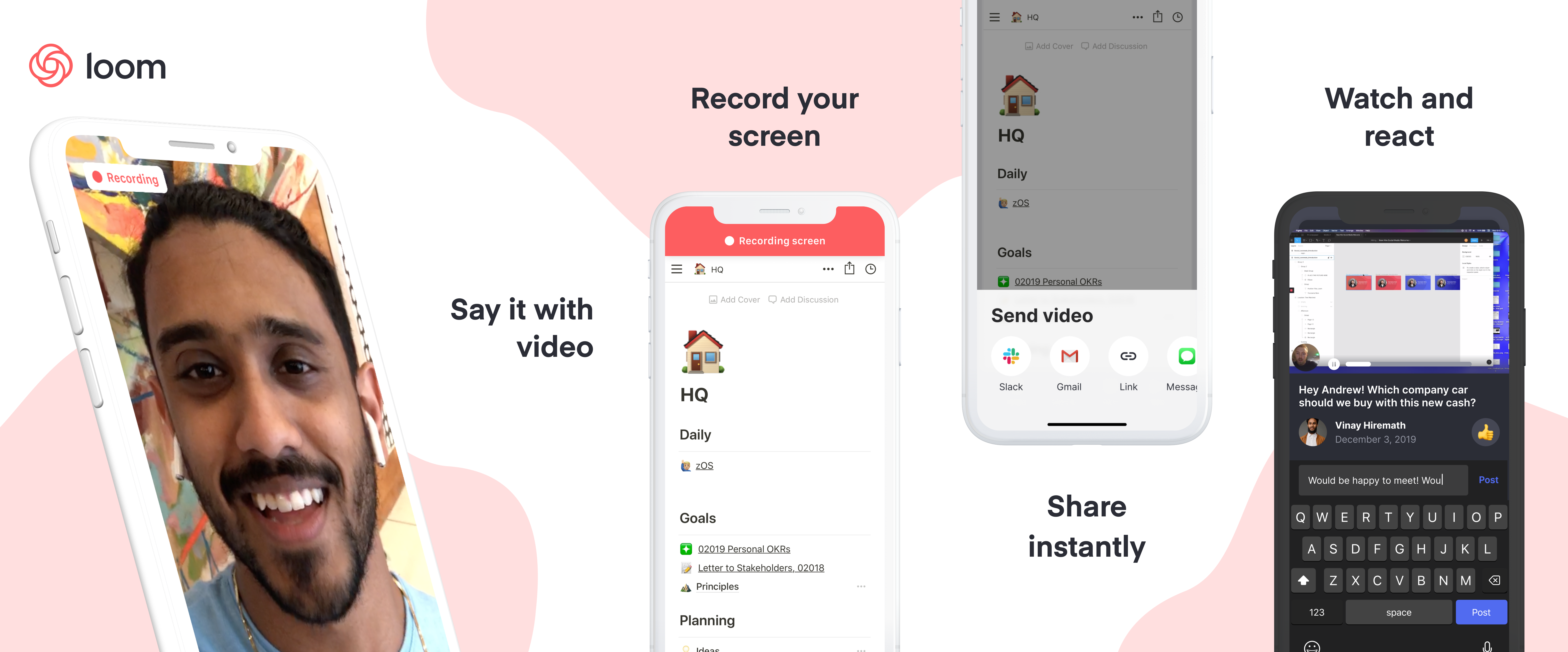
That’s why now is the time for Loom. It’s an enterprise collaboration video messaging service that lets you send quick clips of yourself so you can get your point across and get back to work. Talk through a problem, explain your solution, or narrate a screenshare. Some engineering hocus pocus sees videos start uploading before you finish recording so you can share instantly viewable links as soon as you’re done.

“What we felt was that more visual communication could be translated into the workplace and deliver disproportionate value” co-founder and CEO Joe Thomas tells me. He actually conducted our whole interview over Loom, responding to emailed questions with video clips.

Launched in 2016, Loom is finally hitting its growth spurt. It’s up from 1.1 million users and 18,000 companies in February to 1.8 million people at 50,000 businesses sharing 15 million minutes of Loom videos per month. Remote workers are especially keen on Loom since it gives them face-to-face time with colleagues without the annoyance of scheduling synchronous video calls. “80% of our professional power users had primarily said that they were communicating with people that they didn’t share office space with” Thomas notes.

A smart product, swift traction, and a shot at riding the consumerization of enterprise trend has secured Loom a $30 million Series B. The round that’s being announced later today was led by prestigious SAAS investor Sequoia and joined by Kleiner Perkins, Figma CEO Dylan Field, Front CEO Mathilde Collin, and Instagram co-founders Kevin Systrom and Mike Krieger.

“At Instagram, one of the biggest things we did was focus on extreme performance and extreme ease of use and that meant optimizing every screen, doing really creative things about when we started uploading, optimizing everything from video codec to networking” Krieger says. “Since then I feel like some products have managed to try to capture some of that but few as much as Loom did. When I first used Loom I turned to Kevin who was my Instagram co-founder and said, ‘oh my god, how did they do that? This feels impossibly fast.'”

Systrom concurs about the similarities, saying “I’m most excited because I see how they’re tackling the problem of visual communication in the same way that we tried to tackle that at Instagram.” Loom is looking to double-down there, potentially adding the ability to Like and follow videos from your favorite productivity gurus or sharpest co-workers.

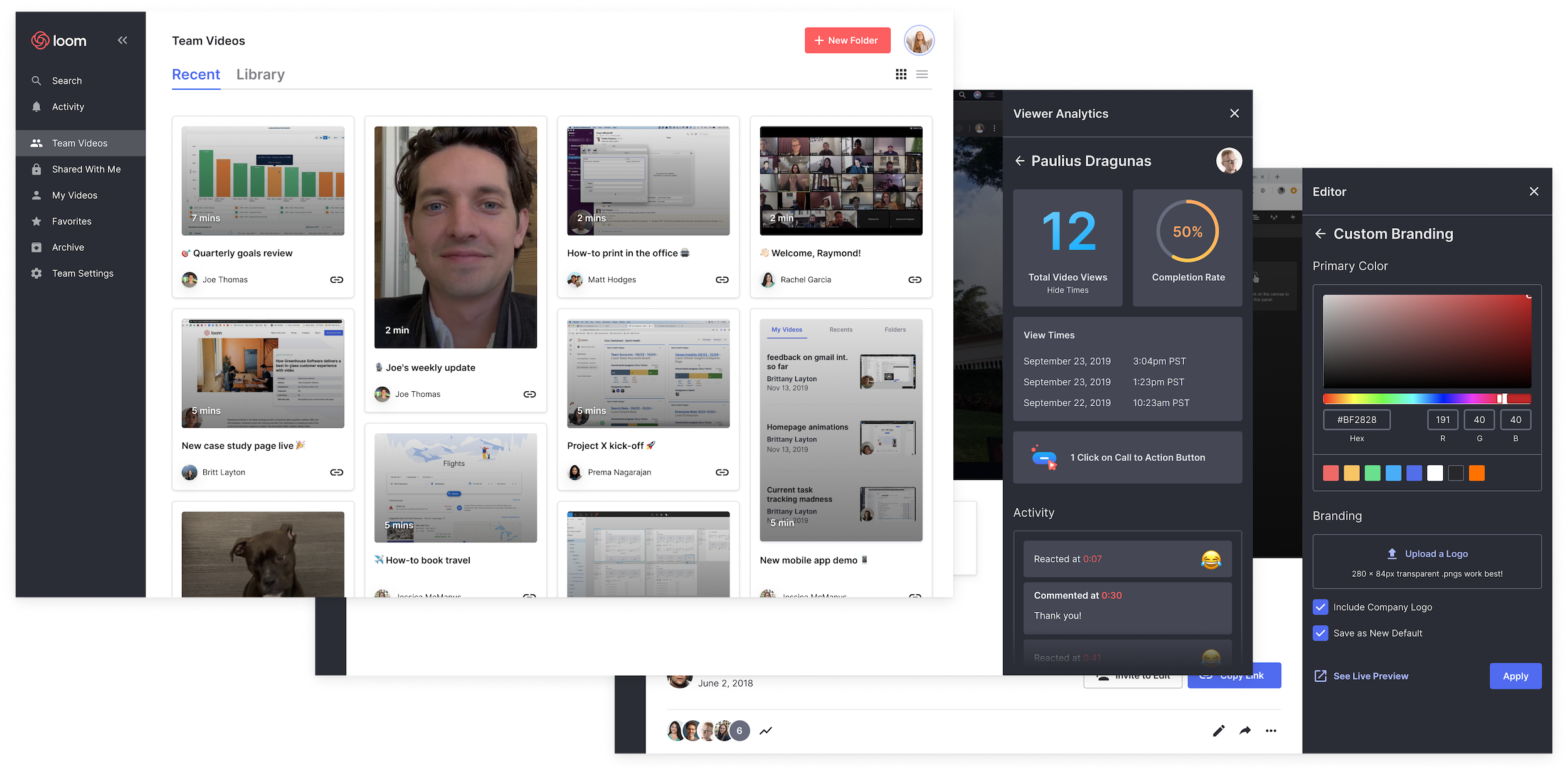
Loom is also prepping some of its most requested features. The startup is launching an iOS app next month with Android coming the first half of 2020, improving its video editor with blurring for hiding your bad hair day and stitching to connect multiple takes. New branding options will help external sales pitches and presentations look right. What I’m most excited for is transcription, which is also slated for the first half of next year through a partnership with another provider, so you can skim or search a Loom. Sometimes even watching at 2X speed is too slow.

But the point of raising a massive $30 million Series B just a year after Loom’s $11 million Kleiner-led Series A is to nail the enterprise product and sales process. To date, Loom has focused on a bottom-up distribution strategy similar to Dropbox. It tries to get so many individual employees to use Loom that it becomes a team’s default collaboration software. Now it needs to grow up so it can offer the security and permissions features IT managers demand. Loom for teams is rolling out in beta access this year before officially launching in early 2020.

Loom’s bid to become essential to the enterprise, though, is its team video library. This will let employees organize their Looms into folders of a knowledge base so they can explain something once on camera, and everyone else can watch whenever they need to learn that skill. No more redundant one-off messages begging for a team’s best employees to stop and re-teach something. The Loom dashboard offers analytics on who’s actually watching your videos. And integration directly into popular enterprise software suites will let recipients watch without stopping what they’re doing.

To build out these features Loom has already grown to a headcount of 45. It’s also hired away former head of growth at Dropbox Nicole Obst, head of design for Slack Joshua Goldenberg, and VP of commercial product strategy for Intercom Matt Hodges.

Still, the elephants in the room remain Slack and Microsoft Teams. Right now, they’re mainly focused on text messaging with some additional screensharing and video chat integrations. They’re not building Loom-style asynchronous video messaging…yet. “We want to be clear about the fact that we don’t think we’re in competition with Slack or Microsoft Teams at all. We are a complementary tool to chat” Thomas insists. But given the similar productivity and communication ethos, those incumbents could certainly opt to compete.

Loom co-founder and CEO Joe Thomas

Hodges, Loom’s head of marketing, tells me “I agree Slack and Microsoft could choose to get into this territory, but what’s the opportunity cost for them in doing so? It’s the classic build vs. buy vs. integrate argument.” Slack bought screensharing tool Screenhero, but partners with Zoom and Google for video chat. Loom will focus on being easily integratable so it can plug into would-be competitors. And Hodges notes that “Delivering asynchronous video recording and sharing at scale is non-trivial. Loom holds a patent on its streaming, transcoding, and storage technology, which has proven to provide a competitive advantage to this day.”

The tea leaves point to video invading more and more of our communication, so I expect rival startups and features to Loom will crop up. As long as it has the head start, it needs to move as fast as it can. “It’s really hard to maintain focus to deliver on the core product experience that we set out to deliver versus spreading ourselves too thin. And this is absolutely critical” Thomas tells me.

One thing that could set Loom apart? A commitment to financial fundamentals. “When you grow really fast, you can sometimes lose sight of what is the core reason for a business entity to exist, which is to become profitable. . . Even in a really bold market where cash can be cheap, we’re trying to keep profitability at the top of our minds.”


Read Full Article

Instagram founders join $30M raise for Loom work video messenger


Why are we all trapped in enterprise chat apps if we talk 6X faster than we type, and our brain processes visual info 60,000X faster than text? Thanks to Instagram, we’re not as camera-shy anymore. And everyone’s trying to remain in flow instead of being distracted by multi-tasking.

That’s why now is the time for Loom. It’s an enterprise collaboration video messaging service that lets you send quick clips of yourself so you can get your point across and get back to work. Talk through a problem, explain your solution, or narrate a screenshare. Some engineering hocus pocus sees videos start uploading before you finish recording so you can share instantly viewable links as soon as you’re done.

“What we felt was that more visual communication could be translated into the workplace and deliver disproportionate value” co-founder and CEO Joe Thomas tells me. He actually conducted our whole interview over Loom, responding to emailed questions with video clips.

Launched in 2016, Loom is finally hitting its growth spurt. It’s up from 1.1 million users and 18,000 companies in February to 1.8 million people at 50,000 businesses sharing 15 million minutes of Loom videos per month. Remote workers are especially keen on Loom since it gives them face-to-face time with colleagues without the annoyance of scheduling synchronous video calls. “80% of our professional power users had primarily said that they were communicating with people that they didn’t share office space with” Thomas notes.

A smart product, swift traction, and a shot at riding the consumerization of enterprise trend has secured Loom a $30 million Series B. The round that’s being announced later today was led by prestigious SAAS investor Sequoia and joined by Kleiner Perkins, Figma CEO Dylan Field, Front CEO Mathilde Collin, and Instagram co-founders Kevin Systrom and Mike Krieger.

“At Instagram, one of the biggest things we did was focus on extreme performance and extreme ease of use and that meant optimizing every screen, doing really creative things about when we started uploading, optimizing everything from video codec to networking” Krieger says. “Since then I feel like some products have managed to try to capture some of that but few as much as Loom did. When I first used Loom I turned to Kevin who was my Instagram co-founder and said, ‘oh my god, how did they do that? This feels impossibly fast.'”

Systrom concurs about the similarities, saying “I’m most excited because I see how they’re tackling the problem of visual communication in the same way that we tried to tackle that at Instagram.” Loom is looking to double-down there, potentially adding the ability to Like and follow videos from your favorite productivity gurus or sharpest co-workers.

Loom is also prepping some of its most requested features. The startup is launching an iOS app next month with Android coming the first half of 2020, improving its video editor with blurring for hiding your bad hair day and stitching to connect multiple takes. New branding options will help external sales pitches and presentations look right. What I’m most excited for is transcription, which is also slated for the first half of next year through a partnership with another provider, so you can skim or search a Loom. Sometimes even watching at 2X speed is too slow.

But the point of raising a massive $30 million Series B just a year after Loom’s $11 million Kleiner-led Series A is to nail the enterprise product and sales process. To date, Loom has focused on a bottom-up distribution strategy similar to Dropbox. It tries to get so many individual employees to use Loom that it becomes a team’s default collaboration software. Now it needs to grow up so it can offer the security and permissions features IT managers demand. Loom for teams is rolling out in beta access this year before officially launching in early 2020.

Loom’s bid to become essential to the enterprise, though, is its team video library. This will let employees organize their Looms into folders of a knowledge base so they can explain something once on camera, and everyone else can watch whenever they need to learn that skill. No more redundant one-off messages begging for a team’s best employees to stop and re-teach something. The Loom dashboard offers analytics on who’s actually watching your videos. And integration directly into popular enterprise software suites will let recipients watch without stopping what they’re doing.

To build out these features Loom has already grown to a headcount of 45. It’s also hired away former head of growth at Dropbox Nicole Obst, head of design for Slack Joshua Goldenberg, and VP of commercial product strategy for Intercom Matt Hodges.

Still, the elephants in the room remain Slack and Microsoft Teams. Right now, they’re mainly focused on text messaging with some additional screensharing and video chat integrations. They’re not building Loom-style asynchronous video messaging…yet. “We want to be clear about the fact that we don’t think we’re in competition with Slack or Microsoft Teams at all. We are a complementary tool to chat” Thomas insists. But given the similar productivity and communication ethos, those incumbents could certainly opt to compete.

Loom co-founder and CEO Joe Thomas

Hodges, Loom’s head of marketing, tells me “I agree Slack and Microsoft could choose to get into this territory, but what’s the opportunity cost for them in doing so? It’s the classic build vs. buy vs. integrate argument.” Slack bought screensharing tool Screenhero, but partners with Zoom and Google for video chat. Loom will focus on being easily integratable so it can plug into would-be competitors. And Hodges notes that “Delivering asynchronous video recording and sharing at scale is non-trivial. Loom holds a patent on its streaming, transcoding, and storage technology, which has proven to provide a competitive advantage to this day.”

The tea leaves point to video invading more and more of our communication, so I expect rival startups and features to Loom will crop up. Vidyard and Wistia’s Soapbox are already pushing into the space. As long as it has the head start, Loom needs to move as fast as it can. “It’s really hard to maintain focus to deliver on the core product experience that we set out to deliver versus spreading ourselves too thin. And this is absolutely critical” Thomas tells me.

One thing that could set Loom apart? A commitment to financial fundamentals. “When you grow really fast, you can sometimes lose sight of what is the core reason for a business entity to exist, which is to become profitable. . . Even in a really bold market where cash can be cheap, we’re trying to keep profitability at the top of our minds.”


Read Full Article

How you can use impostor syndrome to your benefit | Mike Cannon-Brookes

How you can use impostor syndrome to your benefit | Mike Cannon-Brookes

Have you ever doubted your abilities, feared you were going to be discovered as a "fraud"? That's called "impostor syndrome," and you're definitely not alone in feeling it, says entrepreneur and CEO Mike Cannon-Brookes. In this funny, relatable talk, he shares how his own experiences of impostor syndrome helped pave the way to his success -- and shows how you can use it to your advantage, too.

Click the above link to download the TED talk.

5 Ways to Get In-Car Wi-Fi for Internet Access on the Go


wifi-in-car

New cars come connected, with some even offering Wi-Fi to passengers. But what about those of us who cannot afford a connected car? What options are available for getting Wi-Fi in your vehicle?

Whether you want live updates from Google Maps as you drive, listen to Spotify, or simply keep your kids entertained, here’s how you can get wireless internet in your car.

1. Simple Option: Use 4G Phones and Tablets

As most older vehicles shipped without any built-in networking, it makes sense to use 4G (or 5G, where available).

After all, if your passengers have mobile internet, why would you need to provide them with connectivity? Well, a couple of reasons spring to mind:

  1. It’s a long journey and their mobile data might be capped
  2. You’re driving beyond their carrier’s mobile internet range

In either scenario, it’s smart to use an in-car solution. But for city and suburban travel, there’s no reason why passengers shouldn’t use their own internet.

2. Set Your Mobile as a Hotspot for In-Car Internet

Okay, so you’re on the road with a car full all wanting music, video, even audiobooks. Maybe some online gaming. What do you do?

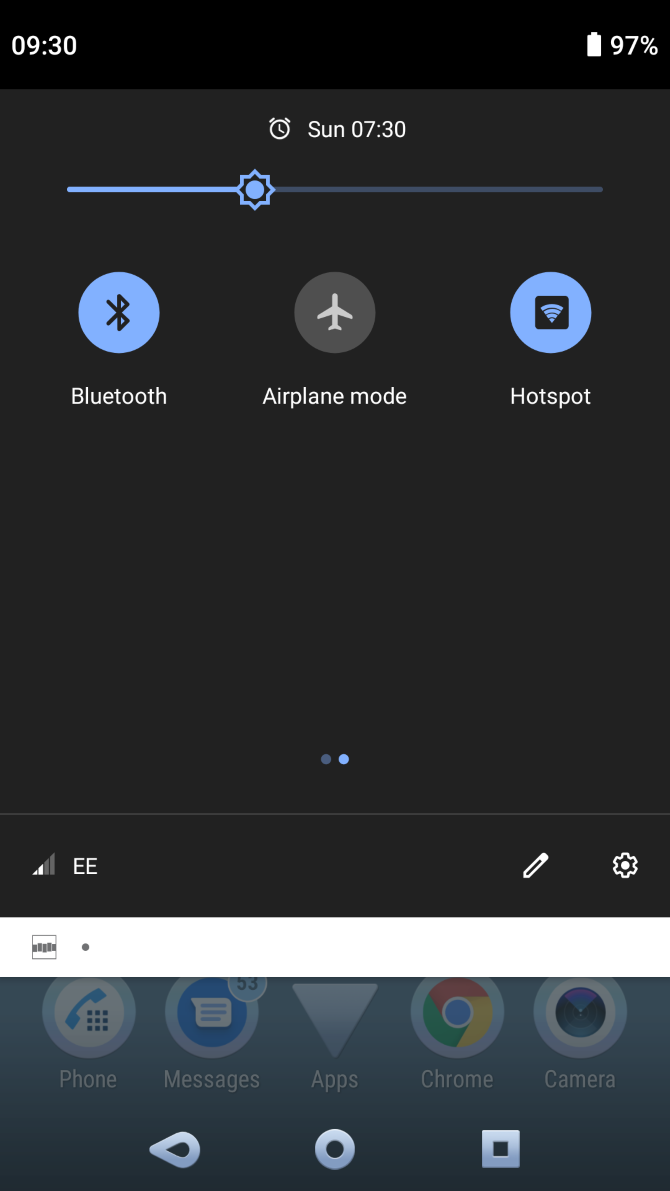
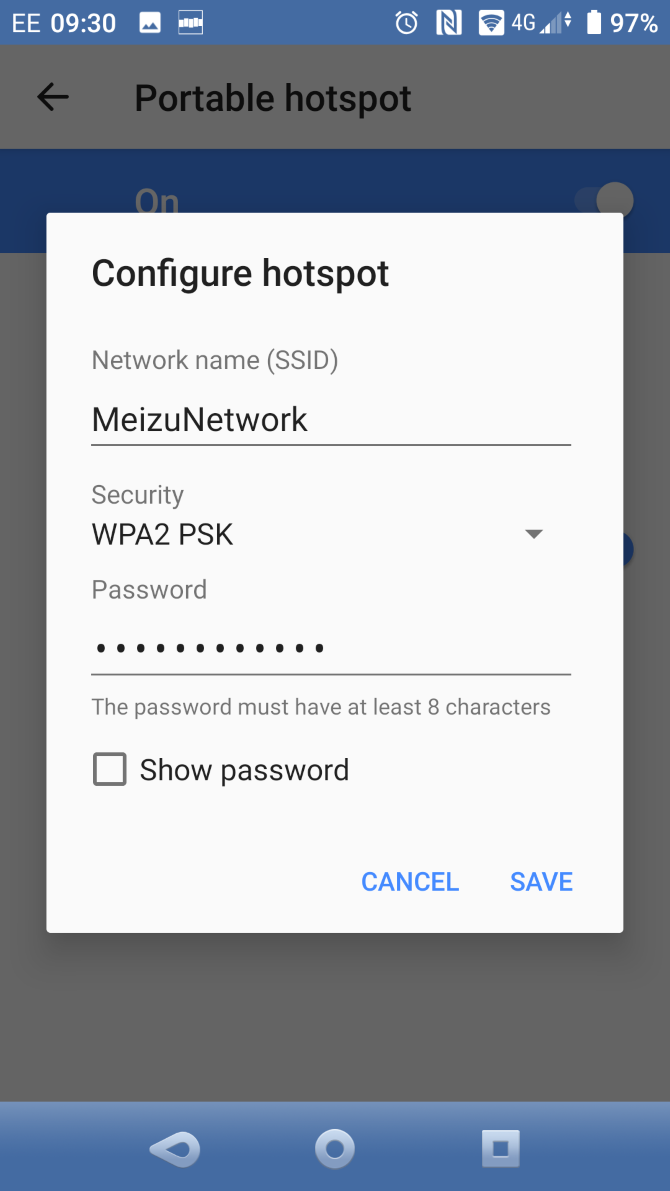
Well, if you’re basically unprepared, but have your smartphone with you, it makes sense to just share the connection. Mobile internet can be shared by setting your phone up as a hotspot. How you do this depends on what type of phone you use.

If you use an iPhone, it’s easy to set up the hotspot feature. No iPhone? It’s also simple to enable wireless tethering on Android and create a hotspot.

Set a password, share it with your passengers, and everyone in the car can benefit from your mobile internet connection.

3. Use a Universal Portable Hotspot

If you’re likely to regularly require mobile internet for your family or yourself, a portable hotspot seems smart.

These devices basically replicate the hotspot function of a mobile phone. Like your home router, they connect to the internet and share access via a secure password. The difference is, like a phone, portable hotspots use mobile internet. As such, a subscription or pre-payment is required to use them, on-top of the initial purchase price.

Various manufacturers produce portable hotspots. This Netgear 4G LTE Wi-Fi hotspot has 10 hours of battery and up to 10 days of standby charge.

To use one, you’ll need to speak to a mobile network to order a SIM card. Be sure to choose one that fits and provides the right level of usage. Otherwise, you could end up running out of data and have to use your smartphone!

4. Purchase an In-Car Hotspot

While you can easily use a portable hotspot in your car, some devices are specifically designed for in-car use.

One example is the Sprint Drive, a car tracking module that connects to your vehicle’s ODB-II port. This means that the device can share data about your vehicle’s performance, trip history analysis, fuel efficiency, vehicle health alerts, and diagnostics.

No idea what OBD-II is? Don’t worry, it’s a bit of a secret to most car users. In short, there’s a secret plug somewhere in the front of your car. Auto repair garages use the OBD-II port to perform car diagnostics, but you can also access it.

As a benefit for passengers, up to eight devices can be connected to the device’s Wi-Fi hotspot. Sprint Drive supports 5G, 4G, and 4G LTE. It will set you back around $120.00, with a 2GB plan for $10.00 a month or unlimited at $25.00/month.

Want to try a hotspot intended for a car? This Huawei device provides 150Mpbs

5. Use Old Hardware as an In-Car Wi-Fi Hotspot

Use a Sprint Drive for in-car internet

While portable hotspots and dedicated in-car 4G routers are expensive, you have cheaper options available.

For example, if you have an old phone, you could use this instead of your main device. Just leave it connected to your car’s charge port, maybe secure with tape or Velcro, and keep it hidden. Only share its existence with your passengers. Plus, you have a spare phone to use in an emergency.

Alternatively, you could rely on a mobile dongle. While such devices are rare these days, they can be found on eBay, or at the back of a drawer.

Importantly, mobile dongles only require a USB power source. So, you could take a few minutes to set one up manually with your laptop, then connect it to your car’s USB port. Whenever your car is running, the USB port will be powered, and the hotspot active.

It’s not a perfect solution, but it works.

A Word About Safe Driving

Before we finish, it’s worth taking a moment to consider the importance of adhering to road safety and the law.

In short, driving a vehicle while interacting with a mobile device is almost certainly an offense where you live. It’s a dangerous act, an inevitable, forced lapse in concentration that can cause an accident. Your vehicle’s occupants, pedestrians, and other road users are all at risk.

So, when using digital devices while driving, either pull over to set them up, or rely on a passenger.

Safety goes further, however. Getting internet in your car means staying secure, as well as safe. So, ensure a strong password is set for your wireless hotspot, and if possible hide the SSID (network name). This will keep the network hidden—just tell your passengers what to look for when they’re trying to connect.

Get Connected While You Drive

Long journeys can be tough. Some connected devices can help travelers relax, stream music, games, and more to phones and tablets.

At this stage, you should know exactly how to keep everyone in your car happy with an internet connection. To get in-car Wi-Fi you can:

  • Suggest everyone use their own mobile internet
  • Set a mobile as a hotspot
  • Use a portable Wi-Fi hotspot
  • Use a dedicated in-car hotspot
  • Consider a DIY in-car wireless hotspot

Alternatively, you might want to simply connect your phone to your car. Here’s how to stream music from your phone to your car audio system.

Read the full article: 5 Ways to Get In-Car Wi-Fi for Internet Access on the Go


Read Full Article