04 March 2020

Robinhood offers $15 discount, blames outage on record trades


It wasn’t the leap year, a coding blip, or a hack that caused Robinhood’s massive outages yesterday and today that left customers unable to trade stocks. Instead, the co-CEOs write that “the cause of the outage was stress on our infrastructure — which struggled with unprecedented load. That in turn led to a “thundering herd” effect — triggering a failure of our DNS system.”

Robinhood was offline from Monday at 6:30am Pacific to 11pm Pacific, then had another outage this morning from 6:30am Pacific until just before 9am Pacific.

The $912 million-funded fintech giant will provide compensation to all customers of its Robinhood Gold premium subscription for borrowing money to trade plus access to Morningstar research reports, Nasdaq data, and bigger instant deposits. It’s offering them three months of service.

A month of Robinhood Gold costs $5 plus 5% yearly interest on borrowing above $1,000, charged daily. Before a pricing change, the flat fee per month could range as high as $200. However, compensated users will only get the $5 off per month, for a total of $15. That could seem woefully insufficient if Robinhood users missed out on buying back into stocks like Apple that went up over 9% on Monday. Robinhood is calling it a “first step”.

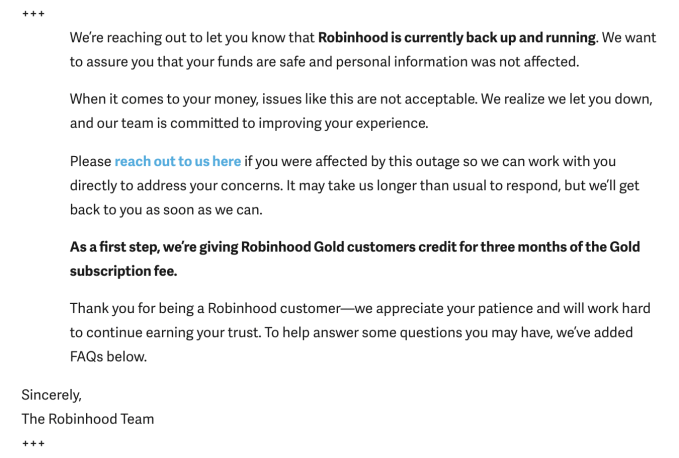
Impacted Robinhood users can contact the company here to ask for compensation. Below you can see the email Robinhood sent to custoemrs late last night.

Robinhood’s email to customers late last night

Robinhood is also working to contact impacted customers on a individual basis, and it’s looking into other forms of compensation on a case by case basis, company spokesperson Jack Randall tells me. It’s unclear if that might include cash to offset what traders might have lost by having their money locked in inaccessible Robinhood accounts during the outage.

Compensation could become a significant cost if the startup assesses that many of its 10 million users were impacted. The markets gained a record $1.1 trillion yesterday, but some Robinhood traders may not have been able to buy back in as the rebound occurred following mass selloffs due to fears of coronavirus.

Now the startup, valued at $7.6 billion, will have to try to regain users’ trust. “When it comes to your money, we know how important it is for you to have answers. The outages you have experienced over the last two days are not acceptable and we want to share an update on the current situation . . . We worked as quickly as possible to restore service, but it took us a while. Too long” wrote co-founders and co-CEO Baiju Bhatt and Vlad Tenev [disclosure: who I know from college].

As for exactly what triggered the downtime, the founders write that “Multiple factors contributed to the unprecedented load that ultimately led to the outages. The factors included, among others, highly volatile and historic market conditions; record volume; and record account sign-ups.” There’s been a frenzy of retail trading activity in the wake of coronavirus. There’s also been sudden spikes in stocks like Tesla amidst mainstream media attention. 

Robinhood Schwab ETrade Ameritrade

Going forward, Robinhood promises to “work to improve the resilience of our infrastructure to meet the heightened load we have been experiencing. We’re simultaneously working to reduce the interdependencies in our overall infrastructure. We’re also investing in additional redundancies in our infrastructure.” However, they warn that “we may experience additional brief outages, but we’re now better positioned to more quickly resolve them.”

The outage comes at a vulnerable time for Robinhood as oldschool brokerages like Charles Schwab, Ameritrade, and Etrade all recently moved to eliminate per-trade fees to match Robinhood’s pioneering zero-comission trades. Though some of those brokerages experienced infrastructure troubles recently, Robinhood massive outages could push users towards those incumbents that they might perceive as more stable. 


Read Full Article

Down again, Robinhood will offer ‘case-by-case’ compensation for its outage on the day markets gained $1.1 trillion


As the company experiences its second day of outages, Robinhood, the popular trading app with a purported 10-million-strong user base and a $7.6 billion valuation, said it will offer compensation for yesterday’s outage on a case-by-case basis, according to a company spokesperson.

The company issued a statement early Tuesday documenting that the outage began at around 9:30 AM Eastern when the company experienced what it called instability in the part of its infrastructure that allows the company’s systems to communicate with each other.

The communication breakdown resulted in outages that took down the company’s app, website and help center, a spokesperson wrote in an email.

[Update 3/3 5pm Pacific: Robinhood has taken responsibility for the outages but will give Robinhood Gold customers just $15 in compensation in the form of three months of free subscription. It’s considering other compensation on a case-by-case basis.]

It’s perhaps the worst-timed bug in the history of the seven-year-old company, because it coincided with one of the biggest single-day gains in the history of the Dow Jones Industrial Average, and huge gains on the Nasdaq, as well. In all, markets gained $1.1 trillion in value while Robinhood users were forced to sit on the sidelines. 

In a statement, the company said the outage started on Monday at 6:30 AM Pacific and only came back online at 11 PM Pacific. 

Robinhood is now reaching out to customers with information on how to get in touch with the company so it can work on compensating users “on a case-by-case basis.”

The company said it would consider offering billing credits or other, undisclosed forms of compensation. It also added that no customer data, information or funds were lost during the outage.

Apparently, the company may have spoken too soon about its availability for users. While its trading services for cryptocurrencies were working, the company’s trading mechanisms for public companies on stock exchanges were down for some users during the first hours of trading on the East Coast. According to the company, service was restored before 9AM Pacific.

This story has been updated to indicate that Robinhood is experiencing its second day of outages. 


Read Full Article

Facebook fact-check feud erupts over Trump virus “hoax”


Who fact-checks the fact-checkers? Did Trump call coronavirus the Democrat’s “new hoax”?

Those the big questions emerging from a controversial “false” label applied to Politico and NBC News stories by right-wing publisher The Daily Caller. Its Check Your Fact division is a Facebook fact-checking partner, giving it the power to flag links on the social network as false, demoting their ranking in the News Feed as well as the visibility of the entire outlet that posted it.

Critics railed against Facebook’s decision to admit The Daily Caller to the fact-checking program last April due to its history of publishing widely debunked articles. Now some believe their fears of politically biased fact-checks are coming true.

Image via Judd Legum

This week, Check Your Fact rated two stories as false. “Trump rallies his base to treat coronavirus as a ‘hoax’ from Politico, and “Trump calls coronavirus Democrats’ ‘new hoax'” from NBC News, as highlighted by Popular Information’s Judd Legum. The fact-check explanation states that “Trump actually described complaints about his handling of the virus threat as a “hoax”.

Trump had said at a rally that (emphasis ours):

Now the Democrats are politicizing the coronavirus. You know that, right? Coronavirus. They’re politicizing it. We did one of the great jobs . . . They tried the impeachment hoax. That was on a perfect conversation. They tried anything, they tried it over and over, they’ve been doing it since you got in. It’s all turning, they lost, it’s all turning. Think of it. Think of it. And this is their new hoax. But you know, we did something that’s been pretty amazing. We’re 15 people [cases of coronavirus infection] in this massive country. And because of the fact that we went early, we went early, we could have had a lot more than that . . . we’ve lost nobody, and you wonder, the press is in hysteria mode.

It’s hard to tell exactly what Trump means here. He could be calling coronavirus a hoax, concerns about its severity a hoax, or Democrats’ criticism of his response a hoax. Reputable fact-checking institution Snopes rated the claim that Trump called coronavirus a hoax as a mixture of true and false, noting “Despite creating some confusion with his remarks, Trump did not call the coronavirus itself a hoax.”

Image via Judd Legum

Perhaps Politico and NBC News’ headlines went too far, or perhaps the headlines fairly describe Trump’s characterization of the situation.

But the bigger concern is how Facebook has designed its fact-checking system to prevent other fact-checking partners from auditing the decision of The Daily Caller.

When asked about this, Facebook deflected responsibility, implying that audit process wouldn’t be necessary because all of its fact-checking partners have been certified through the non-partisan International Fact-Checking Network. This group publishes ethics guidelines that include an accuracy standard that requires checkers “maintain high standards of reporting, writing, and editing in order to produce work that is as error-free as possible.” Checkers are also supposed to follow criteria for determining story accuracy, and can apply  mid-point labels like “Partly False” or “False Headline” which The Daily Caller didn’t use here.

Facebook tells me that because it doesn’t think it’s appropriate for it to be the arbiter of truth, it relies on the IFCN to set guidelines. It also noted that there’s an appeals process where publishers can reach out to directly to a fact-checker to dispute a rating. But when I followed up, Facebook clarified that publishers can only appeal the fact-checker that labeled them, and can’t appeal to other fact-checkers for a second decision or audit of the original label.

fb arbiter of truth

That leaves very little room for controversial or inaccurate labels to be rolled back. A fact-checker would have to be formally rejected by the IFCN for violating its guidelines to lose its status as a Facebook partner.

If Facebook doesn’t want to be the arbiter of truth, it should still establish a process for a quorum of its fact-checking partners to play that role. If consensus amongst other partners is that a label was in accurate and a story might instead warrant a lesser label or none at all, that new decision should be applied. Otherwise, mistakes or malicious bias from a single fact-checker could suppress the work of entire news outlets and deprive the public of the truth.


Read Full Article

What we do (and don't) know about the coronavirus | David Heymann

What we do (and don't) know about the coronavirus | David Heymann

What happens if you get infected with the coronavirus? Who's most at risk? How can you protect yourself? Public health expert David Heymann, who led the global response to the SARS outbreak in 2003, shares the latest findings about COVID-19 and what the future may hold.

Click the above link to download the TED talk.

Google cancels its 2020 I/O developer conference


After Facebook canceled its F8 developer conference and Google itself moved its Cloud Next event in April to a digital-only conference, it doesn’t come as a huge surprise that Google is canceling its I/O developer conference in Mountain View for 2020 as well. The company has sent an email to attendees informing them of the cancellation.  The event was originally scheduled to run from May 12 to 14 but because of concerns around the coronavirus, it is now canceling the show.

“Due to concerns around the coronavirus (COVID-19), and in accordance with health guidance from the CDC, WHO, and other health authorities, we have decided to cancel the physical Google I/O event at Shoreline Amphitheatre,” Google said in a statement. “Over the coming weeks, we will explore other ways to evolve Google I/O to best connect with and continue to build our developer community. We’ll continue to update the Google I/O website.”

Unlike with its Cloud Next conference, Google hasn’t announced any plans (yet) to still go ahead with its keynotes and sessions in the form of a remote conference. Google’s statement leaves that option open, though.

All attendees who purchased tickets will receive a refund and they won’t have to enter next year’s I/O 2021 lottery to get a ticket. To make up for the economic impact of canceling the event, Google is pledging $1 million to local Mountain View organizations to support small businesses and increase STEM and computer science opportunities in Mountain View schools.

This marks the first time Google has canceled I/O, its flagship developer conference, which it first hosted in 2008. After a few years in San Francisco’s Moscone Center, the event moved outdoors to Mountain View’s Shoreline Amphitheatre in the company’s backyard. Typically, about 5,000 people attend the event, where Google tends to announce both its latest tools for developers, as well as a good number of new consumer-facing features as well. Last year, for the first time, it also launched a new phone at the event, the Pixel 3a.


Read Full Article

Google pitches free trials of its enterprise G Suite conferencing tools as part of a coronavirus response


Google said in a blog post that it would roll out free access to advanced Hangouts Meet video-conferencing capabilities to all G Suite and G Suite for Education customers globally as the company pitches its remote work tools as an option for companies looking to let employees work from home.

Chief executive Sundar Pichai announced the initiative in a tweet on Tuesday.

“As more employees, educators, and students work remotely in response to the spread of COVID-19, we want to do our part to help them stay connected and productive, ” the company wrote in its post. “And, as more businesses adjust their work-from-home policies and adopt reduced travel plans in response to COVID-19, we’re helping to ensure that all globally distributed teams can still reliably meet face to face, even if employees are not in the same location.”

Google’s move comes as some of the largest industry conferences and events around the world are cancelling due to fears of the spreading new coronavirus, COVID-19. Major canceled events include: GSMA’s Mobile World Congress and Facebook’s F8 conference along with the Geneva Motor Show and the Game Developers Conference.

It’s not just conferences that are closing their doors. Companies are also doing everything that they can to encourage remote work. Twitter has encouraged its workers to operate remotely and they’re not alone. Stripe, Slack, Square and others are all urging their employees to not come in to the office.

Google’s pitch to companies and educational institutions during the trial is free access for capabilities including for larger meetings of up to 250 participants per-call; live streaming for up to 100,000 viewers within a domain; and the ability to record meetings and save them to Google Drive.

Google is enabling all of its customers to use the enterprise functionality for no additional cost until July 1, the company said in a statement.

“We’re committed to supporting our users and customers during this challenging time, and are continuing to scale our infrastructure to support greater Hangouts Meet demand, ensuring streamlined, reliable access to the service throughout this period.”

The company already has one happy customer for its services in Jack Dorsey and Twitter. The embattled chief executive wrote in a tweet, “We just held our first fully virtual Twitter global all-hands using @Google Meet and @SlackHQ.”


Read Full Article

Toward Human-Centered Design for ML Frameworks


As machine learning (ML) increasingly impacts diverse stakeholders and social groups, it has become necessary for a broader range of developers — even those without formal ML training — to be able to adapt and apply ML to their own problems. In recent years, there have been many efforts to lower the barrier to machine learning, by abstracting complex model behavior into higher-level APIs. For instance, Google has been developing TensorFlow.js, an open-source framework that lets developers write ML code in JavaScript to run directly in web browsers. Despite the abundance of engineering work towards improving APIs, little is known about what non-ML software developers actually need to successfully adopt ML into their daily work practices. Specifically, what do they struggle with when trying modern ML frameworks, and what do they want these frameworks to provide?

In “Software Developers Learning Machine Learning: Motivations, Hurdles, and Desires,” which received a Best Paper Award at the IEEE conference on Visual Languages and Human-Centric Computing (VL/HCC), we share our research on these questions and report the results from a large-scale survey of 645 people who used TensorFlow.js. The vast majority of respondents were software or web developers, who were fairly new to machine learning and usually did not use ML as part of their primary job. We examined the hurdles experienced by developers when using ML frameworks and explored the features and tools that they felt would best assist in their adoption of these frameworks into their programming workflows.

What Do Developers Struggle With Most When Using ML Frameworks?
Interestingly, by far the most common challenge reported by developers was not the lack of a clear API, but rather their own lack of conceptual understanding of ML, which hindered their ability to successfully use ML frameworks. These hurdles ranged from the initial stages of picking a good problem to which they could apply TensorFlow.js (e.g., survey respondents reported not knowing “what to apply ML to, where ML succeeds, where it sucks”), to creating the architecture of a neural net (e.g., “how many units [do] I have to put in when adding layers to the model?”) and knowing how to set and tune parameters during model training (e.g., “deciding what optimizers, loss functions to use”). Without a conceptual understanding of how different parameters affect outcomes, developers often felt overwhelmed by the seemingly infinite space of parameters to tune when debugging ML models.

Without sufficient conceptual support, developers also found it hard to transfer lessons learned from “hello world” API tutorials to their own real-world problems. While API tutorials provide syntax for implementing specific models (e.g., classifying MNIST digits), they typically don't provide the underlying conceptual scaffolding necessary to generalize beyond that specific problem.

Developers often attributed these challenges to their own lack of experience in advanced mathematics. Ironically, despite the abundance of non-experts tinkering with ML frameworks nowadays, many felt that ML frameworks were intended for specialists with advanced training in linear algebra and calculus, and thus not meant for general software developers or product managers. This semblance of imposter syndrome may be fueled by the prevalence of esoteric mathematical terminology in API documentation, which may unintentionally give the impression that an advanced math degree is necessary for even practical integration of ML into software projects. Though math training is indeed beneficial, the ability to grasp and apply practical concepts (e.g., a model’s learning rate) to real-world problems does not require an advanced math degree.

What Do Developers Want From ML Frameworks?
Developers who responded to our survey wanted ML frameworks to teach them not only how to use the API, but also the unspoken idioms that would help them to effectively apply the framework to their own problems.

Pre-made Models with Explicit Support for Modification
A common desire was to have access to libraries of canonical ML models, so that they could modify an existing template rather than creating new ones from scratch. Currently, pre-trained models are being made more widely available in many ML platforms, including TensorFlow.js. However, in their current form, these models do not provide explicit support for novice consumption. For example, in our survey, developers reported substantial hurdles transferring and modifying existing model examples to their own use cases. Thus, the provision of pre-made ML models should also be coupled with explicit support for modification.

Synthesize ML Best Practices into Just-in-Time Hints
Developers also wished frameworks could provide ML best practices, i.e., practical tips and tricks that they could use when designing or debugging models. While ML experts may acquire heuristics and go-to strategies through years of dedicated trial and error, the mere decision overhead of “which parameter should I try tuning first?” can be overwhelming for developers who aren't ML experts. To help narrow this broad space of decision possibilities, ML frameworks could embed tips on best practices directly into the programming workflow. Currently, visualizations like TensorBoard and tfjs-vis make it possible to help see what's going on inside of their models.

Coupling these with just-in-time strategic pointers, such as whether to adapt a pre-trained model or to build one from scratch, or diagnostic checks, like practical tips to “decrease learning rate” if the model is not converging, could help users acquire and make use of practical strategies. These tips could serve as an intermediate scaffolding layer that helps demystify the math theory underlying ML into developer-friendly terms.

Support for Learning-by-Doing
Finally, even though ML frameworks are not traditional learning platforms, software developers are indeed treating them as lightweight vehicles for learning-by-doing. For example, one survey respondent appreciated when conceptual support was tightly interwoven into the framework, rather than being a separate resource: “...the small code demos that you can edit and run right there. Really helps basic understanding.” Another explained that “I prefer learning by doing, so I would like to see more tutorials, examples” embedded into ML frameworks. Some found it difficult to take a formal online course, and would rather learn in bite-sized pieces through hands-on tinkering: “Due to the rest of life, I have to fit learning into small 5-15 minute blocks.”

Given these desires to learn-by-doing, ML frameworks may need to more clearly distinguish between a spectrum of resources aimed at different levels of expertise. Although many frameworks already have “hello world” tutorials, to properly set expectations these frameworks could more explicitly differentiate between API (syntax-specific) onboarding and ML (conceptual) onboarding.

Looking Forward
Ultimately, as the frontiers of ML are still evolving, providing practical, conceptual tips for software developers and creating a shared reservoir of community-curated best practices can benefit ML experts and novices alike. Hopefully, these research findings pave the way for more user-centric designs of future ML frameworks.

Acknowledgements
This work would not have been possible without Yannick Assogba, Sandeep Gupta, Lauren Hannah-Murphy, Michael Terry, Ann Yuan, Nikhil Thorat, Daniel Smilkov, Martin Wattenberg, Fernanda Viegas, and members of PAIR and TensorFlow.js.

03 March 2020

Finally dark mode arrives to soothe your 3am WhatsApps


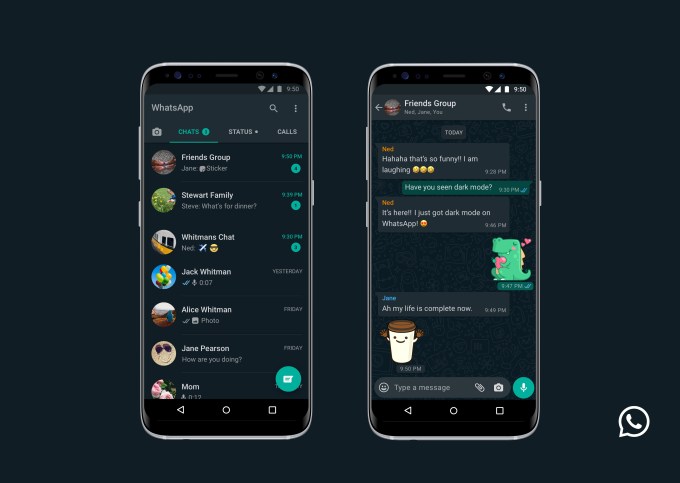
Facebook-owned WhatsApp is finally giving users’ eyes a break by rolling out a dark mode setting to the messaging app — years after some other tech giants figured out how to offer a ‘dimmer pixels’ switch.

The messaging giant says the feature is rolling out globally in the “coming days” to the latest version of WhatsApp on both Android and iOS.

The setting can be enabled via system settings for users running the most recent versions of the respective smartphone OSes — or via the WhatsApp settings option on Android:

Users on Android 10 and iOS 13 can use dark mode by enabling it in system settings. Users on Android 9 and below can go into WhatsApp Settings > Chats > Theme > select ‘Dark’.

We’re told iPhone users not running the latest OS are out of luck. “Dark Mode will only be available to users on iOS 13 and above,” said a spokesman.

WhatsApp says the eye-soothing option has been the most requested feature from users everywhere.

Nonetheless it’s taken its sweet time to jump aboard the dark mode bandwagon.

YouTube, for example, announced a dark mode for its iOS app a full two years ago. While Twitter added an even darker mode to its dark mode more than a year ago. Google was also showing off a system-wide dark mode for Android Q last May. In June Apple followed suit, previewing iOS 13’s eye-soothing setting.

Apparently Facebook has low interest in moving fast and soothing things. But, er, it got there in the end…

In a blog post about the launch, WhatsApp writes that it spent its time “researching and experimenting” how to design a dark mode that would ensure “readability” and maintain “information hierarchy”.

Which is a fancy way of saying it didn’t want to reduce eye-strain so much that users might actually remember they need to fall asleep, rather than carry on WhatsApping through the night.

“When choosing colours, we wanted to minimise eye fatigue and use colours that are closer to the system defaults on iPhone and Android respectively,” it writes, before reversing the intent by expressing the counter design: “We wanted to help users easily focus their attention on each screen. We did this by using colour and other design elements to make sure the most important information stands out.”

Perhaps it’s clear why it took the company so long to ‘fix’ eye strain after all.

The Android flavor of the dark mode (below) also appears a smidge less dark on the contacts screen view vs the iOS version (pictured at the top of this post) — though that may be to do with differences in how the two OSes handle dark mode at the system level since WhatsApp said it wanted to reflect those choices.


Read Full Article

When local news dies, so does democracy | Chuck Plunkett

When local news dies, so does democracy | Chuck Plunkett

Nearly 1,800 newsrooms have shuttered across the US since 2004, leaving many communities unseen, unheard and in the dark. In this passionate talk and rallying cry, journalist Chuck Plunkett explains why he rebelled against his employer to raise awareness for an industry under threat of extinction -- and makes the case for local news as an essential part of any healthy democracy.

Click the above link to download the TED talk.

Mega Modz Makes the PS4 Controller Even Better (Review and Giveaway!)


mega modz ps4 controller
Our verdict of the Mega Modz PS4 Macro Remap Controller:
It doesn't quite do as much as an Xbox Elite controller, but if you're looking to customize your PlayStation 4 gaming experience, this controller from Mega Modz is one of your best options.
810

Earlier this year, Sony released the DualShock 4 Back Button attachment. As the name implies, this lets you add two remappable buttons to the back of the PlayStation 4’s DualShock 4 controller. This can be handy, but it’s a little cumbersome when compared to something like the Xbox Elite Wireless Controller.

Could it be though? That’s the question that Mega Modz seems to be answering with its new modded PlayStation 4 controllers. These take the idea of what you could do with Sony’s back button attachment and run with it, adding a whole lot of style in the process.

What’s in the Box?

Mega Modz doesn’t make these controllers in the same way a third-party controller manufacturer would. Instead, it takes Sony’s official DualShock 4 controllers, makes various modifications to them, then resells them. Because of that, the box these come in is exactly the same as an official PlayStation 4 controller.

The only thing you’ll find when you open the box is the controller itself. You might not even find a manual, though one is included. In my case, the PS4 Macro Remap Controller Operational Guide was included but wouldn’t fit in the box as it’s rather large. The size of the manual is a neccessity, as we’ll see later.

Mega Modz controller in DualShock 4 box

Specs and Features

Before we dive into actually using the Mega Modz modded PlayStation 4 controller, we’ll take a quick look at the basic specs and some of its various features.

  • Official Sony DualShock 4 Wireless Controller
  • 2 Extra Remappable Buttons
  • 4 Additional LED Status Lights
  • Macro button for programming extra buttons
  • Custom finish

That doesn’t necessarily look like a lot on paper, but once you start putting the controller to work, the benefits become quite clear. Before we get to that, let’s look at the care that Mega Modz puts into these controllers.

Build and Design

Third-party controllers aren’t known for being the nicest to hold or look at, which is one of the reasons it’s nice that this isn’t a third-party controller. Everything you’ve come to known and love about Sony’s iconic controller shape is here, only with a snazzier finish and some extra functionality. If you hate the DualShock 4, you won’t like this either.

Mega Modz face buttons

One of the most surprising aspects of the Mega Modz PS4 Macro Remap Controller is how little it feels like a modded controller. The added buttons both look and feel like something added at the factory. Even the plastic and the embossed K2 and K4 markings on the buttons look exactly the same as they do on the L2 and R2 buttons, which can’t have been easy.

Given that this is coming from a company, not a random Etsy seller, I knew to expect a certain amount of fit and finish, but I was still surprised at how nicely this was done. The new holes for the Macro button and the four status LEDs look like they’ve always been there. If it weren’t for the somewhat wild colors, I’d easily believe this was some sort of Sony prototype.

Ergonomics and Feel

Companies like Sony, Nintendo, and Microsoft spend a lot of time developing their controllers. I can’t speak from experience, but I imagine something like adding new buttons requires several signatures on several different pieces of paper, not to mention hours upon hours of testing.

With that in mind, the location of the extra buttons on this controller works surprisingly well. I can’t imagine where else they would go. In my case, the L4 and R4 buttons fall right below where either my middle fingers or ring fingers would go on the back of the controller, depending on how many fingers I have on the shoulder buttons.

Rear extra buttons

The action of pressing the buttons feels nice too, with enough resistance that you don’t end up accidentally pressing them. That said, they don’t feel like they require too much pressure to press down either. I can’t speak for how well they hold up as I’ve only had a few weeks with the controller, but they still feel as good as they did the day I took the controller out of the box.

Otherwise, everything else is exactly as you would expect from a Dual Shock 4. As I mentioned before, if you don’t like Sony’s standard controller, you’re not going to like this one either. That said, there is a reason Sony has left this design largely the same since the first DualShock controller debuted for the original PlayStation.

Getting Up and Running

Unlike some other modded and macro controllers, programming the Mega Modz controller doesn’t require plugging it into a computer. Everything is done using the Macro button combined with other buttons on the controller.

At the simplest level, assigning one of the rear paddle buttons is quite easy. Simply make sure the controller is turned on, hold down the Macro button plus whichever of the R4 and L4 buttons you wish to assign for two seconds, then tap the button you want to map to the macro button.

Mega Modz Status LED

That’s it, but effectively moving a button to a different spot on the controller can make a huge difference. For example, many first-person shooters have alternate control options that put melee attacks or jumping on the shoulder buttons for more movement options. In this case, you wouldn’t need to swap control options in-game, just set it up on the controller.

For me, one of the most useful aspects of this basic remap feature was to move the R3 and L3 buttons from the thumbsticks to the extra buttons. Games often map running or other actions to these, and I happen to hate how they feel to press. Moving the “run” button to the L4 button made a few games much more enjoyable to play.

Getting More Out of the Custom Buttons

Moving a button to another location on the controller is just the beginning of what you can do with the Mega Modz Macro Remap controllers. These also let you simulate multiple button presses by holding down a button, great for firing semi-automatic weapons more like their automatic counterparts in shooters. You can also tap a button to simulate holding it down, which can be handy for hand-cramping control combinations.

Using different sub-modes, you can further customize how this works. Sub-mode 1 is simple remap mode, perfect for rebinding the thumbstick buttons as I mentioned before. Sub-mode 2 functions as a turbo mode, letting you hold down a button to simulate rapidly pressing another button. For this mode, you can adjust the timing to get it just right.

Mega Modz macro button

Sub-mode 3 functions as an auto double-tap mode, with adjustable timing between the two taps. Sub-mode 4 is similar, though this is a triple-tap mode instead of a double-tap mode, with the same adjustable timing. Finally, sub-mode five is continuous press mode, letting a simple tap simulate holding down a button for an amount of time you specify.

You control these by entering programming mode with a combination of the Macro button and the Home button, then adjusting timing with the shoulder buttons. It takes a little getting used to, and there is some trial and error involved, but after a short while you’ll find programming the controller to be quite easy.

What Can’t the Mega Modz PS4 Remap Controller Do?

One thing you can’t do is program multi-button macros to a single remappable button. This means you can’t take a complex string of inputs for a fighting game, create a macro, then automatically pull off complex moves with a single button press every time you feel like it. If you require that functionality there are other controllers than can handle that, but that doesn’t seem to be a focus for Mega Modz.

PS4 Macro Remap Controller, turned on

You might wonder if the extra macro functionality is cheating, or if Sony is going to ban you for using it. While I can’t promise anything, Sony offers much of this same functionality with its add-on, and I’m there are plenty of third-party controllers with turbo modes for buttons. As far as Sony is concerned, this is probably on the same level as upgrading the storage capacity of your PlayStation 4, which the company allows.

Are the Extras Worth the Price?

I found a certain subset of the functionality this controller offers to be very useful. I find it so useful in fact that I’d definitely consider buying one, and that’s just because I really dislike clicking the thumbsticks. These mods do plenty more, and it’s likely that you would find your own “killer app” for this controller. In that case, this is definitely worth the price.

Considering the price of a standalone DualShock 4 plus Sony’s Back Button attachment, the Mega Modz take on that controller is reasonably priced. Add in all the style and personalization options available, and it’s certainly an attractive option. Put it up against an Xbox Elite controller and it doesn’t look quite as good, but it’s a solid alternative for PlayStation gamers.

If this isn’t your cup of tea but you need to replace that aging DualShock 4, take a look at our list of our favorite PlayStation 4 controllers.

Enter the Competition!

Mega Modz Macro Remap PS4 Controller Giveaway

Read the full article: Mega Modz Makes the PS4 Controller Even Better (Review and Giveaway!)


Read Full Article
The 6 Best Android Apps for Music Production


Nowadays, music production isn’t limited solely to expensive production studios. It’s now entirely possible to create a complete song using just your smartphone or tablet.

Android has a wide range of apps that can help you achieve your dream of becoming a music producer. This allows you to produce on the fly and gives you plenty of options to hone your production skills.

We’ve pulled together and highlighted several apps that you should install if you’re serious about becoming a music producer.

1. FL Studio Mobile

the FL Studio screen layout with piano roll display

FL Studio is a full-blown DAW (digital audio workstation). This means that you have a complete software-based music studio at your fingertips—excellent news if you want to produce music as you travel or have limited funds. It’s also useful if you don’t have the space for racks filled with hardware.

FL Studio is a powerful application. It comes loaded with instruments, effects, musical loops and samples. This way, you can start making music immediately, regardless of your style. Upon launching the app, you are presented with a blank canvas upon which you “draw” your music. Once completed, this can be saved down as high-quality audio files such as WAV and FLAC.

As mentioned, the app comes with several instruments to get you moving in the right direction. Once you’ve mastered the app’s pre-loaded instrument package, purchase further modules to take your production to the next level. You’ll be sounding like Avicii before you know it!

Download: FL Studio Mobile ($14.99)

2. Ninja Jamm

If you’re after something a little simpler (and perhaps a little more fun) than a full DAW, then Ninja Jamm should be right up your street. The app has been developed by Coldcut, founders of the globally renowned Ninja Tune record label and masters of the “cut-and-paste” sample technique of music production.

As the name suggests, the app is designed for “jamming.” This allows you to learn an easy production processes with music loops and samples from world-renowned artists. You can then move onto creating your own in a full DAW. With Ninja Jamm you can glean an understanding of how loops work in combination with each other.

As it is native to smart devices, you can also use a range of gestures to manipulate the sound. Shaking or tilting your device, for example, adds different effects to the sound, giving you a range of options to customize your jam.

The app features a paid-for version which opens up a host of additional loops and samples, as well as the apps “Share+” option. This allows you to record and save your music as lossless audio, and you can even upload to SoundCloud.

Download: Ninja Jamm (Free, premium version available)

3. Bandcamp

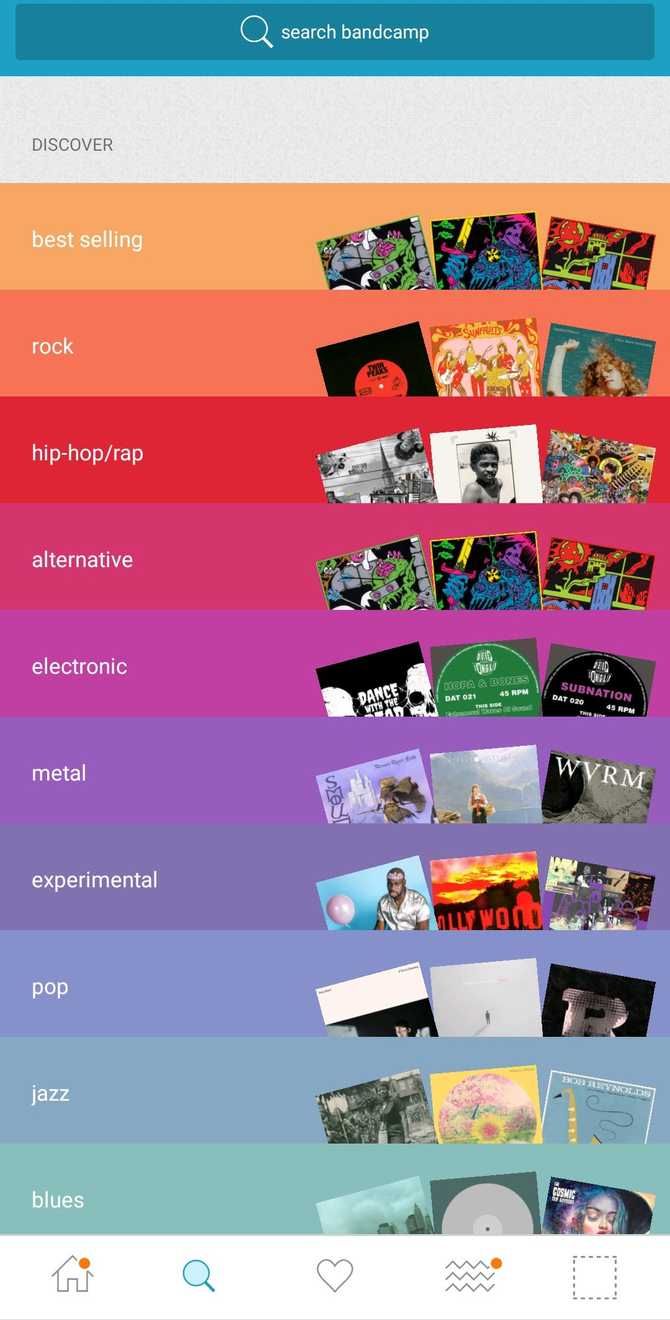
So, you’ve crafted the perfect collection of tracks and you feel like the world needs to hear them. But how are you going to make this happen? In this instance, Bandcamp is your friend. Bandcamp is an online music marketplace that allows artists to upload their music direct to the site. Alongside artwork and liner notes, this gives you a comprehensive digital release without having to deal with publishers and distributors.

You can release music as a free Bandcamp stream, add a “pay what you like” option to your tracks, or give the tracks set prices. This is an excellent way to monetize your music and Bandcamp take only a small percentage from each sale, so you don’t need to worry about receiving micro-payments for simply streaming your music via alternatives such as Spotify or YouTube. All of your releases are fully shareable via social media, and tracks can be embedded using the handy share widget.

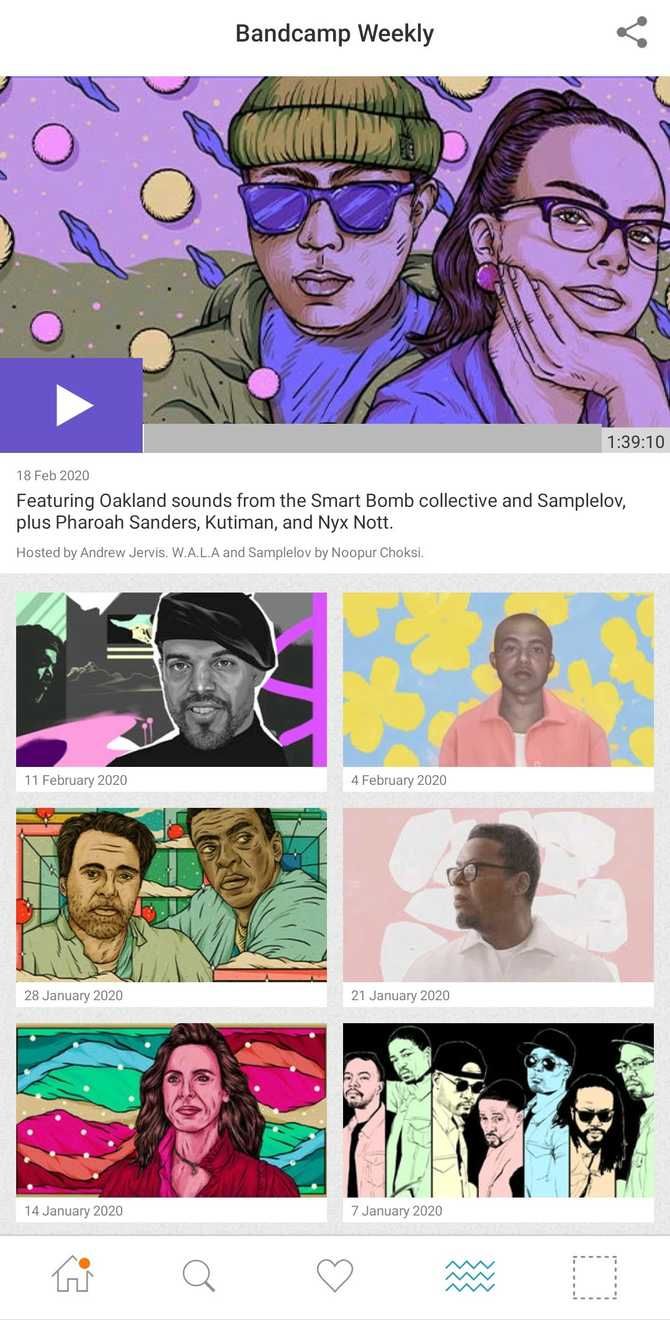
Another advantage of Bandcamp is the weekly chart that they release for different genres. No matter what your style, if your music is good enough to be selected, then you could potentially see it shared to the entire Bandcamp userbase. In turn you may see an increase in sales. Bandcamp is becoming an increasingly popular platform and it treats the artists that use the service fairly and respectfully.

Download: Bandcamp (Free)

4. Yousician

If you are thinking of learning a string instrument, want to improve your singing, or fancy a go at playing the piano, then you can’t go wrong with Yousician. The app is great, because it covers everything from the beginner basics right through to professional-level musicianship.

Acting as a digital music tutor, Yousician features a huge tutorial library, songs and exercises that make learning music fun. One really cool feature of the app is the feedback element. The application will listen to you play and will offer constructive criticism on where you need to improve. Then you can go away and work on those tough barre chords or hard-to-reach upper octaves.

The advantage of self-teaching an instrument is that you can do it in your own way. Yousician is perfect for this method of learning as you can pick up your guitar, for example, when you have a spare 30 minutes, and quickly get busy adding new tricks to your repertoire.

Download: Yousician (Free, premium version available)

5. Ultimate Guitar: Chords and Tabs

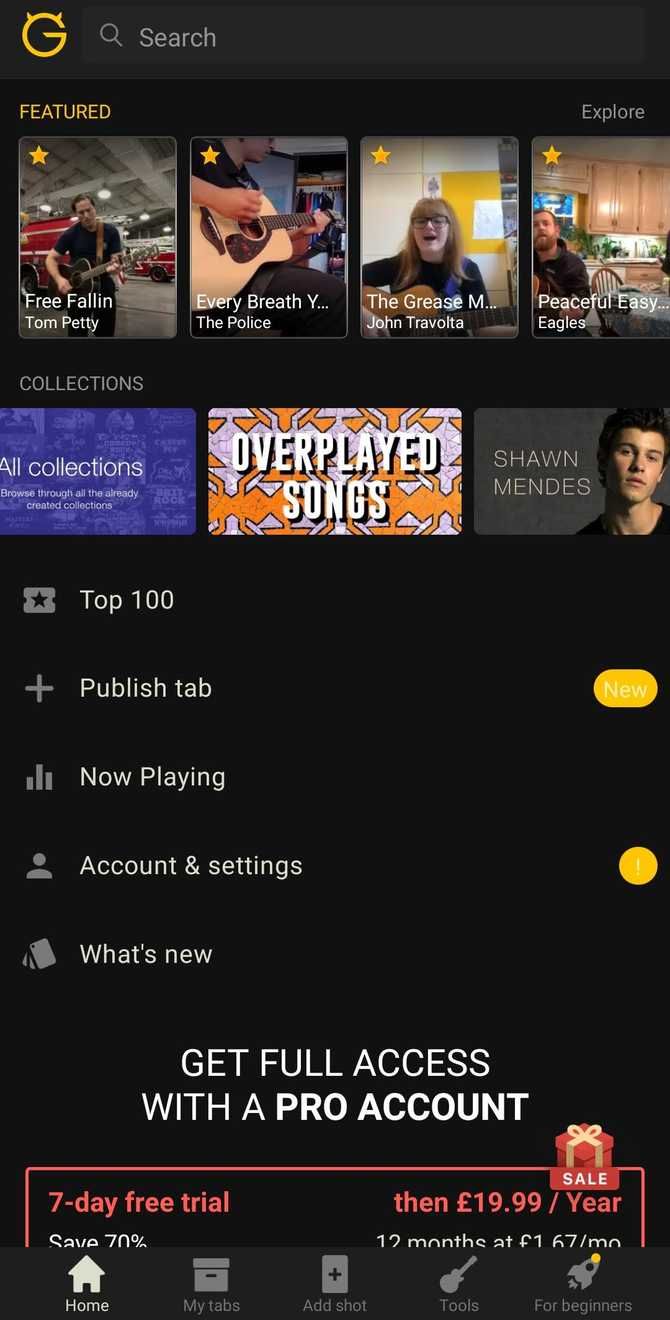
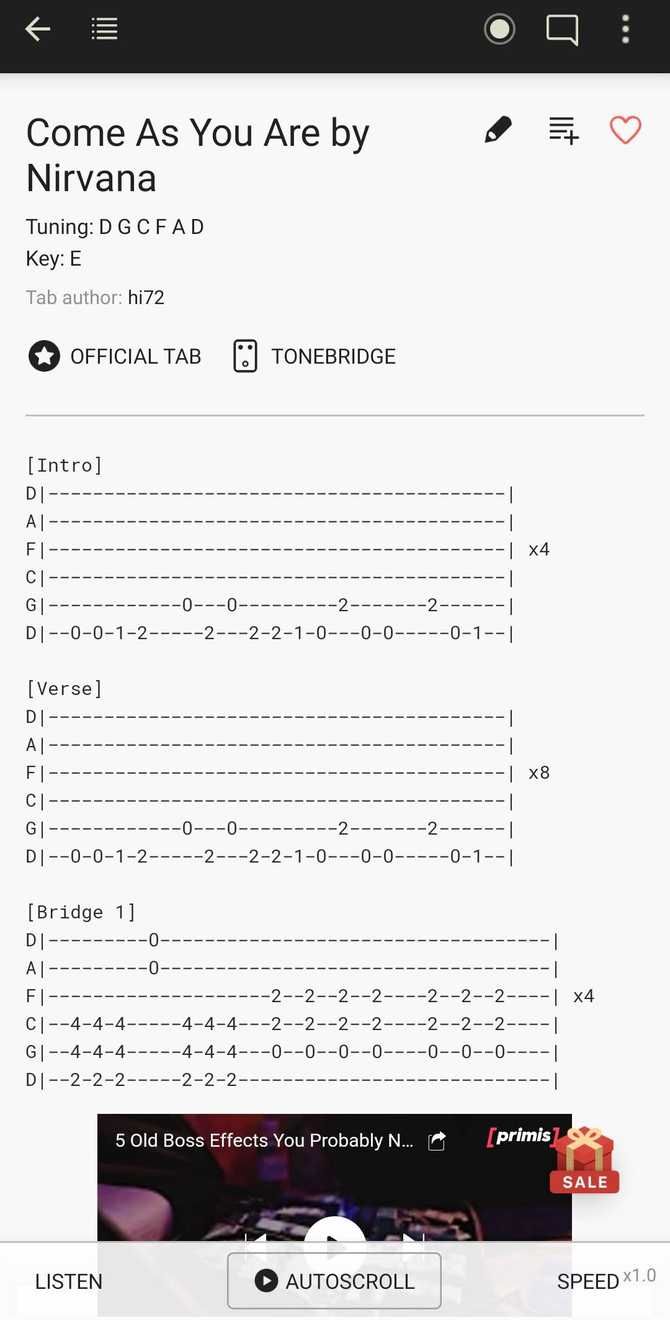
One exclusively for the axe-wielders out there, Ultimate Guitar is (as you undoubtedly expect) a resource for guitar and bass players. I used this app endlessly when teaching myself to play guitar and found it very useful for learning the songs I wanted to learn. Once you have basic chord shapes nailed down, you’re good to go with learning some actual songs.

The most impressive feature of Ultimate Guitar: Chords and Tabs is the ridiculously vast collection of songs available in their library. Not only that, but it is a community-based app, meaning that other guitarists and bass players will upload chords or tablature, which are then rated for accuracy and quality by other users.

The Pro version of the app boasts a wealth of additional features, including playing along with a backing track, a guitar tuner, and interactive tabs to allow you to learn while the app plays notes at a speed comfortable for you.

Download: Ultimate Guitar: Chords and Tabs (Free, premium version available)

6. Roland ZenBeats

If you are producer, then you are likely to have heard of Roland’s line of famed drums and hardware synths. What you may not have heard of, though, is their Zenbeats app. Zenbeats allows you to create music using a range of sounds made famous by their bassline and drum synthesizers.

The app is available via three payment tiers, each one offering greater degrees of functionality as you progress through price-points. The basic free version has all you need to get started with making music, however. Features include unlimited audio tracks, nine instruments, several effects to manipulate the sound. You can even share your songs!

Roland Zenbeats has a nice, clean user interface, which is easy to navigate and simple to operate. This app is essential if you are looking to make electronic music with an authentic sound; one that comes straight from one of the most recognised names in the industry.

Download: Roland ZenBeats (Free, premium version available)

The Best Apps for Android Music Production

Android has a wide range of music production applications on offer – these are just a few. If you plan to start producing, you’re likely to need some headphones so you can listen to the output from your chosen app and tailor it if required; check out our guide to the best wired headphones to keep your productions sounding crisp and tight.

Read the full article: The 6 Best Android Apps for Music Production


Read Full Article

Sensel raises a $28M Series A to bring pressure sensing tech to more mobile devices


I was honestly a surprised to find out from Sensel that the company is only just recently raising its Series A. The Sunnyvale-based hardware startup has been around since 2013, bringing its first product, the modular music and computing Morph peripheral, to market a few years back.

Over the past few years, however, the company’s been undergoing a bit of a slow motion pivot. As fascinating as the Morph has been, the multiple touch input device has proven to be something more akin to a proof of concept for Sensel. I’ve met with co-founder and CEO Ilya Rosenberg at CES the last couple of years and watched as it changed its outward facing focus from standalone hardware offering to smartphone/tablet components.

The new $28 million Series A brings its total funding up to $38 million, courtesy of Susquehanna International Group, Morningside Group, SMiT, Palm Commerce Holdings Co. Ltd, Chariot Gold Limited, SV Tech Ventures and Innolinks Ventures. A big part of this funding will no doubt be used to play a role in that shift, as Sensel works with OEMs to bring its advanced sensing technology to different devices.

“Since Sensel’s founding in 2013, we’ve worked tirelessly to create a sensor that outperforms existing touch technologies on every metric and at a lower overall cost,” Rosenberg says in a release. “This financing brings us closer to our ultimate goal of improving how people experience the products they rely on every single day.”

Sensel notes that it will “continue supporting the Morph,” but the language seems to pretty heavily imply that the device will no longer be a focus — something the company more or less confirmed with me during our most recent meeting. But working with OEMs to implement its technologies on third-party device is potentially a much more lucrative way forward.


Read Full Article

Datastax acquires The Last Pickle


Data management company Datastax, one of the largest contributors to the Apache Cassandra project, today announced that it has acquired The Last Pickle (and no, I don’t know what’s up with that name either), a New Zealand-based Cassandra consulting and services firm that’s behind a number of popular open-source tools for the distributed NoSQL database.

As Datastax Chief Strategy Officer Sam Ramji, who you may remember from his recent tenure at Apigee, the Cloud Foundry Foundation, Google and Autodesk, told me, The Last Pickle is one of the premier Apache Cassandra consulting and services companies. The team there has been building Cassandra-based open source solutions for the likes of Spotify, T Mobile and AT&T since it was founded back in 2012. And while The Last Pickle is based in New Zealand, the company has engineers all over the world that do the heavy lifting and help these companies successfully implement the Cassandra database technology.

It’s worth mentioning that Last Pickle CEO Aaron Morton first discovered Cassandra when he worked for WETA Digital on the special effects for Avatar, where the team used Cassandra to allow the VFX artists to store their data.

“There’s two parts to what they do,” Ramji explained. “One is the very visible consulting, which has led them to become world experts in the operation of Cassandra. So as we automate Cassandra and as we improve the operability of the project with enterprises, their embodied wisdom about how to operate and scale Apache Cassandra is as good as it gets — the best in the world.” And The Last Pickle’s experience in building systems with tens of thousands of nodes — and the challenges that its customers face — is something Datastax can then offer to its customers as well.

And Datastax, of course, also plans to productize The Last Pickle’s open-source tools like the automated repair tool Reaper and the Medusa backup and restore system.

As both Ramji and Datastax VP of Engineering Josh McKenzie stressed, Cassandra has seen a lot of commercial development in recent years, with the likes of AWS now offering a managed Cassandra service, for example, but there wasn’t all that much hype around the project anymore. But they argue that’s a good thing. Now that it is over ten years old, Cassandra has been battle-hardened. For the last ten years, Ramji argues, the industry tried to figure out what the de factor standard for scale-out computing should be. By 2019, it became clear that Kubernetes was the answer to that.

“This next decade is about what is the de facto standard for scale-out data? We think that’s got certain affordances, certain structural needs and we think that the decades that Cassandra has spent getting harden puts it in a position to be data for that wave.”

McKenzie also noted that Cassandra provides users with a number of built-in features like support for mutiple data centers and geo-replication, rolling updates and live scaling, as well as wide support across programming languages, give it a number of advantages over competing databases.

“It’s easy to forget how much Cassandra gives you for free just based on its architecture,” he said. “Losing the power in an entire datacenter, upgrading the version of the database, hardware failing every day? No problem. The cluster is 100 percent always still up and available. The tooling and expertise of The Last Pickle really help bring all this distributed and resilient power into the hands of the masses.”

The two companies did not disclose the price of the acquisition.


Read Full Article

Learn How to Build Mobile Apps With 20 Hours of Beginner-Friendly Training


Apps are big business. In the first half of last year alone, global app revenue reached $39 billion. If you want to jump on this runaway train, the 2020 Mobile App Developers Bundle is a great place to start your journey. This learning library offers 20 hours of beginner-friendly instruction, showing you how to code and design apps from scratch. Right now, the bundle is just $29.99 at MakeUseOf Deals.

App Development

According to Payscale, the average iOS developer earns $85,812. Build a popular app, and you can expect to multiply that figure by ten.

To stand a chance of hitting the jackpot, you need to master certain skills. This bundle helps you get started, with seven premium courses delivered by experienced developers.

Through concise video tutorials, you learn how to build apps from scratch using a variety of key tools. Courses on Swift and Xcode help you get started with iOS, while Flutter covers cross-platform development. You also discover how to code Android apps with Java, SQL, and Kotlin.

Each course offers step-by-step instruction, and you gain plenty of hands-on experience along the way.

Lifetime Learning for $29.99

These courses are worth $350 all together, but you can grab the bundle now for $29.99.

Read the full article: Learn How to Build Mobile Apps With 20 Hours of Beginner-Friendly Training


Read Full Article

5 Apps to Fix YouTube Fails and Overcome Limitations


Apps to Fix YouTube Fails

Tired of how YouTube promotes mainstream media? Or how it removes videos without warning and doesn’t let you listen to podcasts in the background? With the right tools, you can fix all of these YouTube failures and limitations.

Just because YouTube is the biggest video sharing platform in the world doesn’t mean it is free of flaws.

If anything, the list of YouTube annoyances lengthens as it tries to be a place for everyone. This often means it has to kowtow to the demands of big advertisers and brands while sacrificing the experience for the user.

But don’t worry, enterprising users and developers are providing solutions to any restrictions YouTube imposes.

1. De-Mainstream YouTube (Chrome, Firefox): Remove Mainstream Media from YouTube

De-Mainstream Youtube hides mainstream media channels and videos on youtube

It’s not your imagination, you do tend to see more content from mainstream media on YouTube these days. In fact, YouTube is often criticized for sidelining independent channels (which made the platform so big in the first place) and promoting mainstream media instead.

De-Mainstream YouTube is a browser extension that hides these mainstream channels. There is a long list of channels from different countries, including everything from BBC to Fox News. Apart from traditional media, you can hide new media like Vox as well as talk show channels like The Late Show or The Daily Show.

Through the browser extension, you can choose which ones you want to block or allow, or click the simple Select All button to hide them all. If a channel you don’t want to see isn’t on the list yet, you can request the developers by going to the extension’s GitHub page and submitting suggestions as a new issue.

Download: De-Mainstream YouTube for Chrome | Firefox (Free)

2. PocketTube (Chrome, Firefox, Android, iOS): Manage YouTube Subscriptions

Once you find trending and awesome YouTube videos, you should subscribe to the channel for more of that. Over time, your subscriptions will pile up. But YouTube offers no easy way to manage and organize subscriptions. So that’s why you need PocketTube.

This is one of those apps that you think YouTube should buy and make it an official part of the interface. With PocketTube, you can create groups in subscriptions and add channels to them. So all your sports subscriptions are in one group, cooking channels in another, and so on. The process of adding channels is as simple as it can be, and makes the app easy to set up and get running.

Once you’ve got your groups, PocketTube makes things even better while browsing YouTube. You can filter these groups, search within them, or switch them on and off so that you get exactly the content you’re browsing for. A tremendously handy switch hides videos you’ve already watched.

The extension offers other ways to make the browsing interface better, like hiding popup windows when hovering on channels. And you can sync your preferences with the PocketTube mobile app for browsing YouTube while on the move.

Download: PocketTube for Chrome | Firefox (Free)

Download: PocketTube for Android | iOS (Free)

3. ListenBox (Web): Turn YouTube Into Podcast

ListenBox turns YouTube videos, channels, and playlists into podcast RSS feed

The YouTube app won’t let you listen to a video in the background while on your phone unless you have upgraded to YouTube Premium. But with so many podcasts, lectures, audiobooks, and other great audio content on YouTube, this gets really annoying. ListenBox solves this by turning YouTube videos into audio for your podcast feed.

All you have to do is copy-paste the URL of a YouTube video, channel, or playlist into the box provided. Then, copy your unique podcast RSS feed and add it to your favorite podcast app. While you can use the website without an account, it’s best used by registering so that the feed syncs across devices.

ListenBox has a couple of cool integrations for Android and iOS that add your RSS feed to the Share menu. So when you come across a cool video and want to turn it into a podcast, share it to the ListenBox link and it’ll be automatically added to your podcast feed.

ListenBox is free for adding individual videos and fetches up to 50 videos from channels or playlists. If you want it to fetch more than 50 videos, you’ll need to subscribe to a paid account, which also gets updates for new videos.

4. Floating for YouTube (Chrome): Pop-out Panel for YouTube

Floating for YouTube is an always-on-top picture-in-picture panel for YouTube

Sideplayer was one of the best Chrome extensions for YouTube, letting you pop out any video and see it in a floating panel while browsing other tabs. While Sideplayer is no longer available, the Floating for YouTube extension is a worthy replacement.

The Chrome Web Store is filled with several options for this feature but Floating for YouTube does a couple of things really well. Click the icon and the pop-out panel is ready in a jiffy. It stays on top, so when you change tab windows, you don’t have to call it back up. And it’s easy to move around to any part of the screen.

The player also includes basic native controls for YouTube, which several others don’t. You can play/pause, control the volume, enable/disable closed captions, add it to Watch Later, and even share the link. Floating for YouTube doesn’t do anything extraordinary. It delivers the basics perfectly, and that’s what makes it worth using again and again.

Download: Floating for YouTube for Chrome (Free)

5. Deleted Video Finder (Chrome): Find Removed YouTube Videos

Deleted Video Finder searches for deleted YouTube videos on Google and Wayback Machine

Sometimes, you’ll come across a YouTube link while browsing the web. But when you click it, you see only a black screen with a red logo with an emoticon, and a message saying, “This video was removed.” It’s frustrating, right? But well, there’s a way to still view it.

You see, nothing gets deleted on the internet, ever. Websites like Wayback Machine catalog everything ever uploaded online to create a virtual backup of how the internet looked. And one enterprising developer made a neat YouTube extension to find these videos through the Wayback Machine.

After installing the Deleted Video Finder, when you come across any deleted video, right-click it and choose Find Video. It’ll instantly launch a Google search for that URL, as well as another tab with a link to the Wayback Machine archive of the clip. Pretty cool, right?

Download: Deleted Video Finder for YouTube for Chrome (Free)

Now Fix YouTube Recommendations

These apps and tools help to get rid of common YouTube fails, but there’s a bigger problem that needs a deeper fix. If you often find that YouTube doesn’t give good recommendations, you aren’t alone.

YouTube has so much great content but its recommendation algorithm makes some flawed assumptions about you. But you can work to make this algorithm better and get rid of irrelevant YouTube recommendations.

Read the full article: 5 Apps to Fix YouTube Fails and Overcome Limitations


Read Full Article