08 August 2020

How to Organize Windows Files Using Both an SSD and HDD


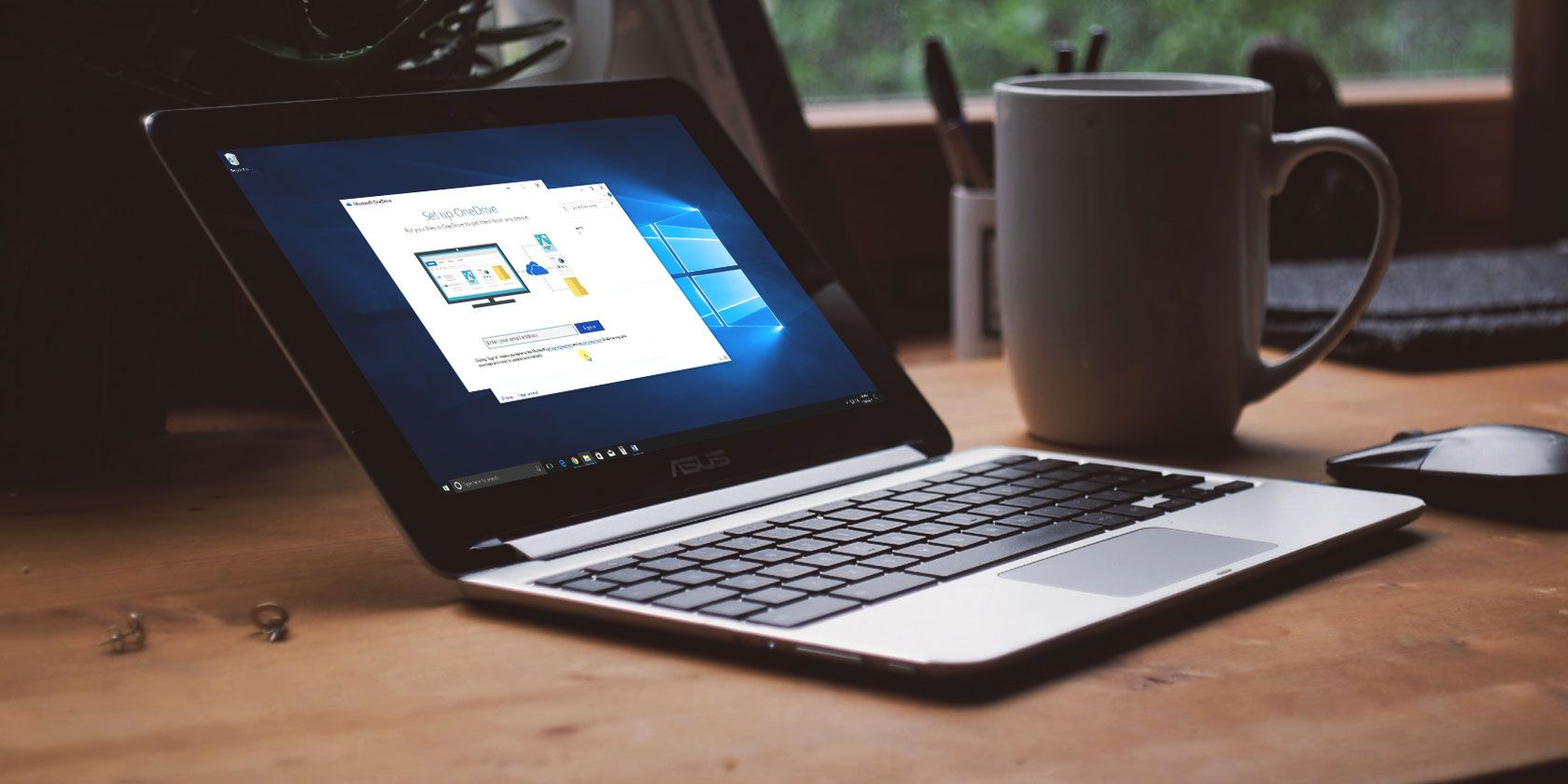
windows-10-onedrive-sync

You probably know that a solid-state drive (SSD) is a huge upgrade for your computer because it runs much faster than a mechanical hard disk drive (HDD). However, since SSDs are more expensive, you might not be able to afford a large enough SSD to store all your data on.

In that case, what’s the best way to use an SSD and HDD combo? We’ll show you how to use an SSD and HDD together for best results.

Basics on Using an SSD and HDD Together

Just in case you’re not familiar, it helps to know the differences between an SSD and HDD. Essentially, because SSDs have no moving parts and use flash memory, they can read and write data much faster than an HDD can with its spinning platters and reading head.

This results in everything loading faster, including your operating system, app launches, file transfers, game loading times, and similar. Thus, in a perfect world, you would have all your data on an SSD to keep everything running smoothly.

However, SSDs are much more expensive than a comparable HDD. At the time of writing, you can buy a decent 1TB SSD for around $100, while that same amount would get you a 4TB HDD.

If you build a desktop, you can choose what drives to put inside it, making cost the only issue. But some prebuilt desktops and laptops come with a small SSD and larger HDD. Let’s look at how to prioritize what data goes where.

Use Your SSD as a Boot Drive

The most important item to keep on your SSD is the Windows operating system itself. Having your OS on the SSD will speed up all Windows elements, including booting up, shutting down, and launching programs.

This will make the biggest speed difference, which is why you’ll sometimes hear “boot drive” used to describe a small SSD primarily used for Windows. As of version 1903 (the May 2019 update), Windows 10 requires at least 32GB of space to run.

However, there are a few ways to shrink your Windows install size further. One of these is disabling hibernation if you don’t need it, which will save a few gigabytes.

While 32GB isn’t a whole lot, you also need to leave some additional space to have room for updates. Windows won’t run well if your drive has barely any space free.

Windows Drive Space Free

Finally, when Windows is on your SSD, your user profile will be as well. This won’t take up a lot of space to start, unless you start adding a lot of photos, videos, and similar (which we discuss below)

Decide Which Apps to Install

After installing the Windows OS, you’ll (hopefully) have some space left over for apps. But with limited space, which ones should you install on the SSD?

All programs benefit from the speed of an SSD—long load times will be shorter, and shorter load times will become almost instant. Thus, the most important apps to keep on your SSD are ones that you use most often. Productivity apps like Office, photo editors, and your browser are all relatively small in size and will benefit from the speed.

If you use any heavy-duty software like video editors or IDEs for programming, those will run much better on an SSD too. However, those take up a lot more space, so you might not have room for them. Prioritize apps you use the most often that are small.

Another category of apps that get a huge benefit from an SSD is video games. SSD speeds drastically reduce load times, so you may want to install the games you always play to that drive. But since many modern games take up dozens of gigabytes, you may only have room for one or two.

Where to Put Files

When you install most apps, they put some necessary files in the Program Files folder, which you can’t move. But many additional files don’t need to live on your SSD.

For instance, while you might have VLC installed on your SSD, you don’t need to keep movies and videos there. They’ll still load in an acceptable time from an HDD, and once they’re open, an SSD won’t provide much additional benefit.

Pictures, documents, and downloads are all other types of content you can keep off the SSD. Unless you open something all the time, the slightly faster file load time isn’t worth the used space.

You should change your default download folder in your browser to avoid saving downloaded files to your SSD all the time. In Chrome, click the three-dot menu and choose Settings. Scroll down to the bottom and expand the Advanced section, then find Downloads.

Here, either click the Change button to pick a new folder for downloads or enable Ask where to save each file before downloading if you want to pick every time.

Chrome Change Download Location

Organizing Your Second Drive

When you’re using a single drive, you probably don’t think much about where you install new programs or put files. But with two drives, you must be more intentional about where you put everything. We’ve talked about general ideas above, but what does this look like in practice?

Open File Explorer and navigate to This PC to see all your drives. Assuming you installed Windows on the SSD, the regular Windows folders will already be in place there. But you’re free to do whatever you’d like with the secondary drive.

Try creating folders for each type of content you put on the drive. For example, you might create both a Program Files and Games folder at the root of your HDD. Then when you install a program that you want to keep off your SSD, just select that location during the install process.

Windows Second Drive Organization

Using Libraries

If you have many files split across drives, the Windows Library feature can come in handy. This allows you to specify certain locations that contain similar types of files and view them all in one place.

Libraries are hidden by default in Windows 10. To show them, open File Explorer and go to View > Navigation pane > Show Libraries. You’ll then see Libraries in the left panel, which contains default collections for file types like Documents and Pictures.

Windows 10 Show Libraries

To edit a Library, right-click it here and choose Properties. In the Library locations box, click Add and pick a folder you want to include in it. Repeat for as many folders as you want to add to that library. It’s also useful to click a folder and choose Set save location to set it as the default place when you save to that Library.

Windows Edit Library Locations

Using this, you can see all the files scattered across your two drives in one view. That way, you don’t have to remember where you put a specific file.

Moving Files Between Drives

It’s easy to move files from your SSD to HDD later, too. In File Explorer, simply select the files you want to remove from your SSD and press Ctrl + X to cut them. Then browse to a new location on your HDD and press Ctrl + V to paste the cut files.

Keep in mind that you should only do this with user data like pictures and videos. Cutting and pasting program data to a new drive usually doesn’t work (unless it’s a portable app), so you’re better off uninstalling and reinstalling to the new location.

That’s really all it takes—whenever you install a new program or download a large file, think about whether you want it to load quickly and if it’s worth using your limited SSD space. That will help you decide where to put it.

Managing Your Space Over Time

Depending on how much free space your SSD has, you’ll need to check in on your free space occasionally. Several factors can use up space on your SSD without you noticing, including the following:

  • User data from programs. Even if you install apps to your secondary drive, a lot of software will save files to your AppData user folder and/or the ProgramData folder.
  • The Recycle Bin. By default, deleted files go to your Recycle Bin, which lives on your boot drive. If you never empty this, the contents of the Recycle Bin could take up several gigabytes.
  • Software and Windows updates. Patches to both installed apps and Windows itself may take up more of your space over time. This is why you need to keep a buffer of free space.

Using tools to free up space in Windows, such as the Disk Cleanup tool, will help you manage these leftover bits. Also take a look at TreeSize Free, which shows you the folders taking up the most space on your drive. Uninstalling apps you no longer use will help free up space too.

TreeSize Windows

The Perfect SSD and HDD Combo

While SSDs are superior to HDDs in most regards, we’ve seen how to use them both in harmony. Hopefully, you can upgrade to a larger SSD before long. But until then, you know how to manage your files between drives.

If you’re moving everything to a new drive, see how to use Clonezilla to clone your drive. You might also consider partitioning your hard drive.

Read the full article: How to Organize Windows Files Using Both an SSD and HDD


Read Full Article

It’s Getting Much Harder to Uninstall Microsoft Edge


The Microsoft Edge logo

To keep up with the competition, Microsoft has revamped its Edge browser with new features and a Chromium base. However, Microsoft Edge is now being delivered via Windows Update. Which means it’s becoming much more difficult to uninstall Microsoft Edge. Unless you know your way around the Command Prompt.

Why Microsoft Edge Is Sticking Around

Microsoft discusses this change in a Microsoft Support note. Previously, users had to manually download the new version of Microsoft Edge. However, to ensure everyone is using the same version, Microsoft is now delivering the new Microsoft Edge via Windows Update. Some people will have it already, with everyone else due to get it soon.

Microsoft states that this move will ensure all users receive critical Microsoft Edge updates:

“We want to ensure all Windows customers have the latest Microsoft Edge browser for the performance, privacy, security, productivity, and support features it offers.”

As such, if you installed Microsoft Edge manually, you can still uninstall it. However, once the update lands on your computer, Microsoft Edge will be bundled with it.

Because this version of the browser is part of a system update, it’s not regarded as normal software, so you cannot remove it by conventional means.

As Microsoft states:

“The new version of Microsoft Edge is included in a Windows system update, so the option to uninstall it or use the legacy version of Microsoft Edge will no longer be available.”

This includes uninstalling it from the Add or Remove Programs menu. Instead, you’ll have to uninstall Microsoft Edge via a workaround only suitable for experienced users.

Microsoft’s Fight Against the Competition

For years, Chrome and Firefox have usurped Microsoft’s offerings to become the most used web browsers. However, on January 17, 2020, Microsoft released the Chromium-based version of Edge. This version reaped all the benefits of a Chromium base and took a significant step in the right direction.

Now it seems that Microsoft is trying to scrub out the legacy version of Edge.

Rolling Out the New Microsoft Edge

With this update, everyone will be forced to use the new Chromium-based version. And not only is it impossible to uninstall Microsoft Edge without delving into the Command Prompt, you’ll also be unable to use the legacy version.

If you’re still in the dark about the new Chromium version of Microsoft Edge, be sure to read how the new Microsoft Edge compares to the legacy version.

Read the full article: It’s Getting Much Harder to Uninstall Microsoft Edge


Read Full Article
How to Download Apps From the US App Store in Any Region


Although developers release most of their apps worldwide, some American apps are only available to download from the US App Store. To get these apps, you need to create a US Apple ID account to use with that App Store instead of your local one.

All you need to create a US Apple ID is a new email address and an American billing address. We’ll show you how to get each of these for free so you can download American apps in Canada, the UK, and any other country.

Why Can’t I Use My Existing Apple ID in the US App Store?

Country/Region setting for Apple ID account

Your first instinct might be to change the location settings on your existing Apple ID to work with the US App Store. This option appears simple at first, because you only need to manage a single Apple ID account instead of creating a second one.

But there are big problems that come with changing your App Store location. These issues include needing a valid American credit card to change your store location and that you might lose access to all your existing purchases afterward.

In contrast, you can create an entirely new American Apple ID account without adding any payment method at all. Plus, you can easily switch between accounts to keep access to all your existing purchases.

How to Create a US App Store Account

To create an American Apple ID account you can use with the US App Store, you need a new email address and a billing address in the US.

The email address can be any address that isn’t already linked to an Apple ID account. If you don’t have a spare email address, create a free one using Gmail, Outlook, or another popular provider.

As for the American billing address, either pick a random spot on the map or generate your own American address for free using ViaBox.

With your email address and billing address in hand, follow these steps to create a US Apple ID account from any device:

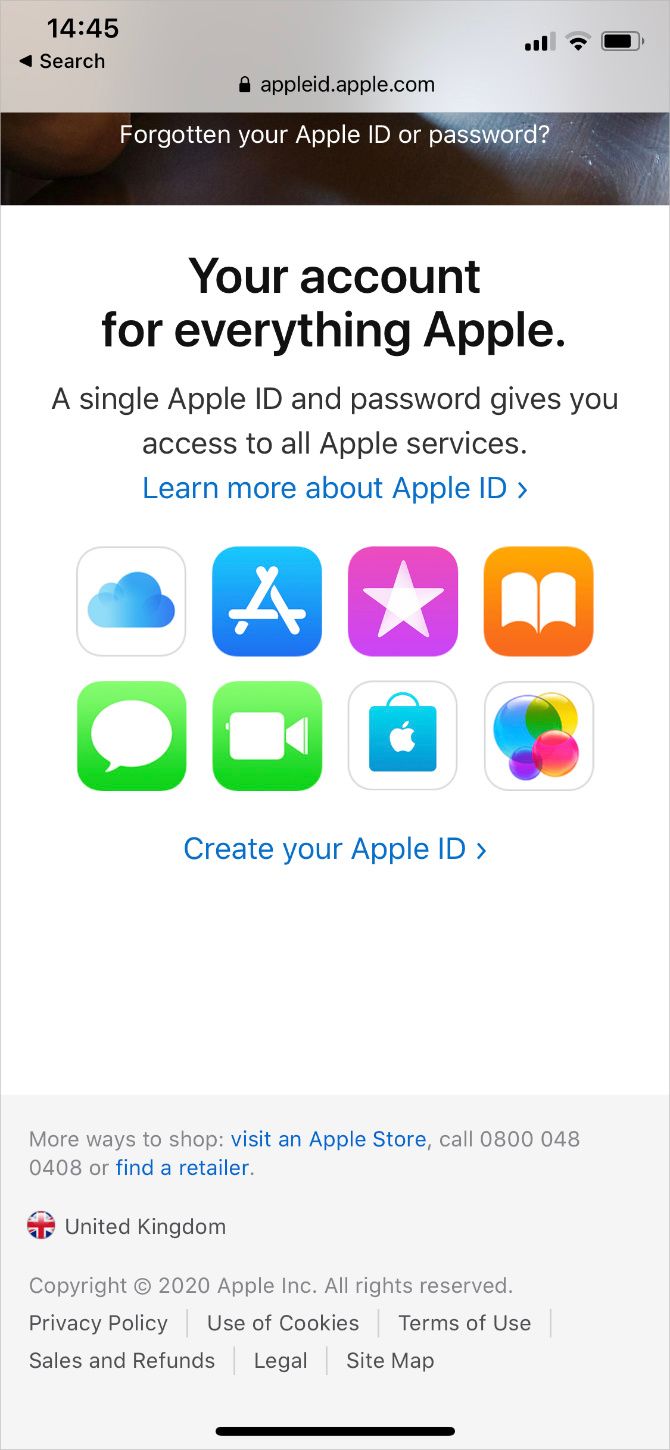
  1. Visit the Apple ID website on your iPhone, iPad, or Mac.
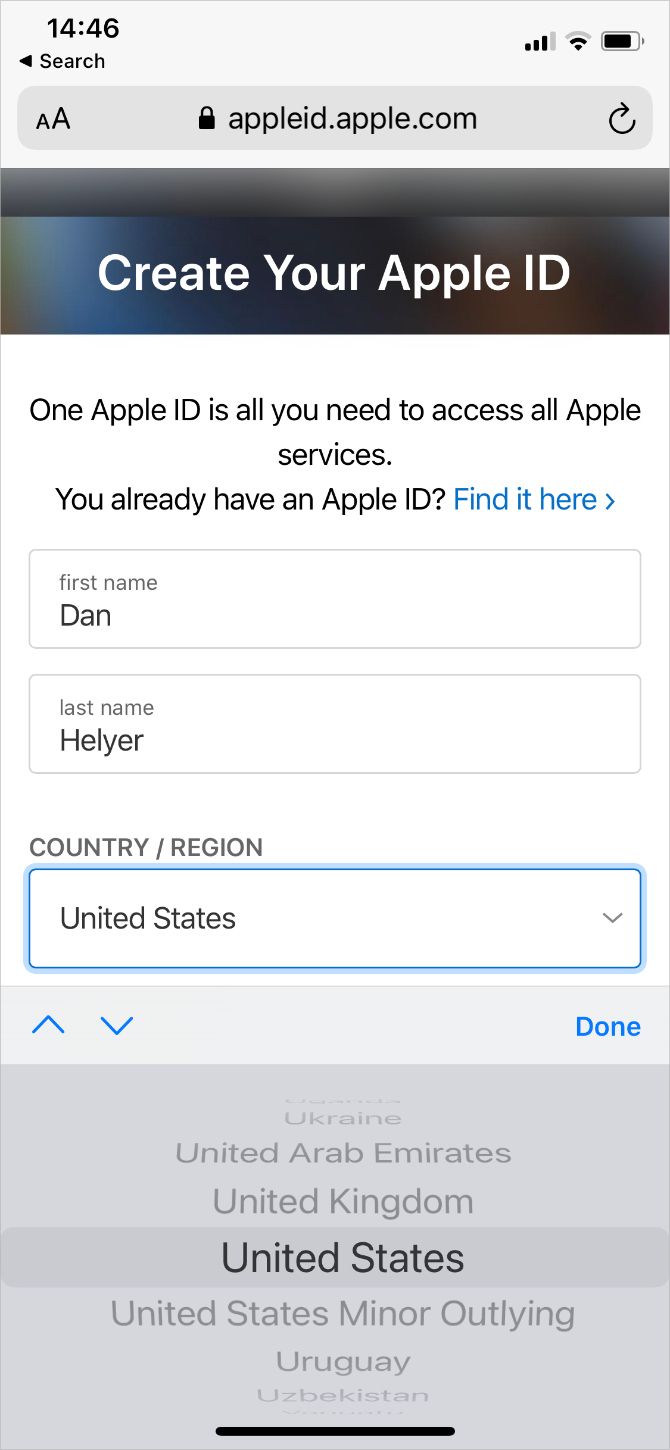
  2. Select Create Your Apple ID, then choose United States as your country and fill in all the requested details. You can use any international phone number with this account, as long as the dialing code is correct.
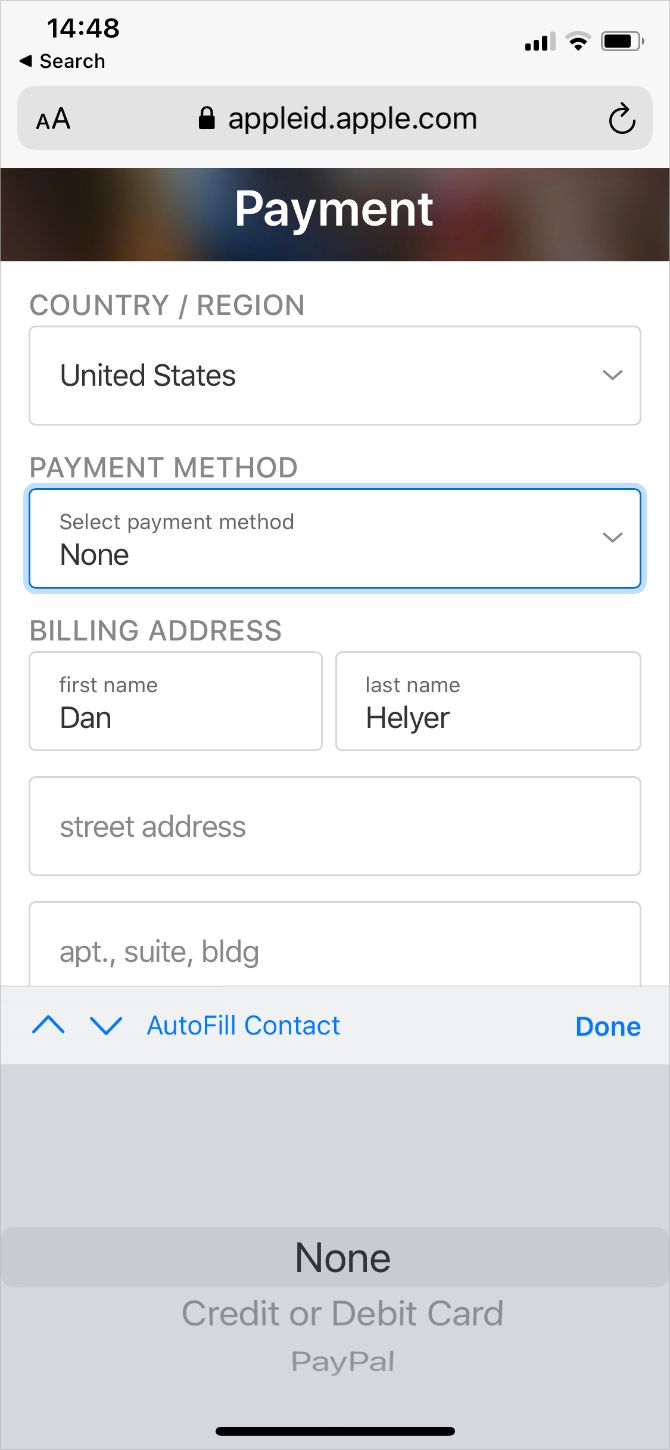
  3. When given the option, choose None as your payment method and enter your American billing address to use alongside it.
  4. Enter the codes sent to your phone number and email address to verify your identity and finish creating your US App Store account.

Switching Between App Store Accounts

After creating an American Apple ID, sign into that account on your iPhone, iPad, or Mac to get apps from the US App Store.

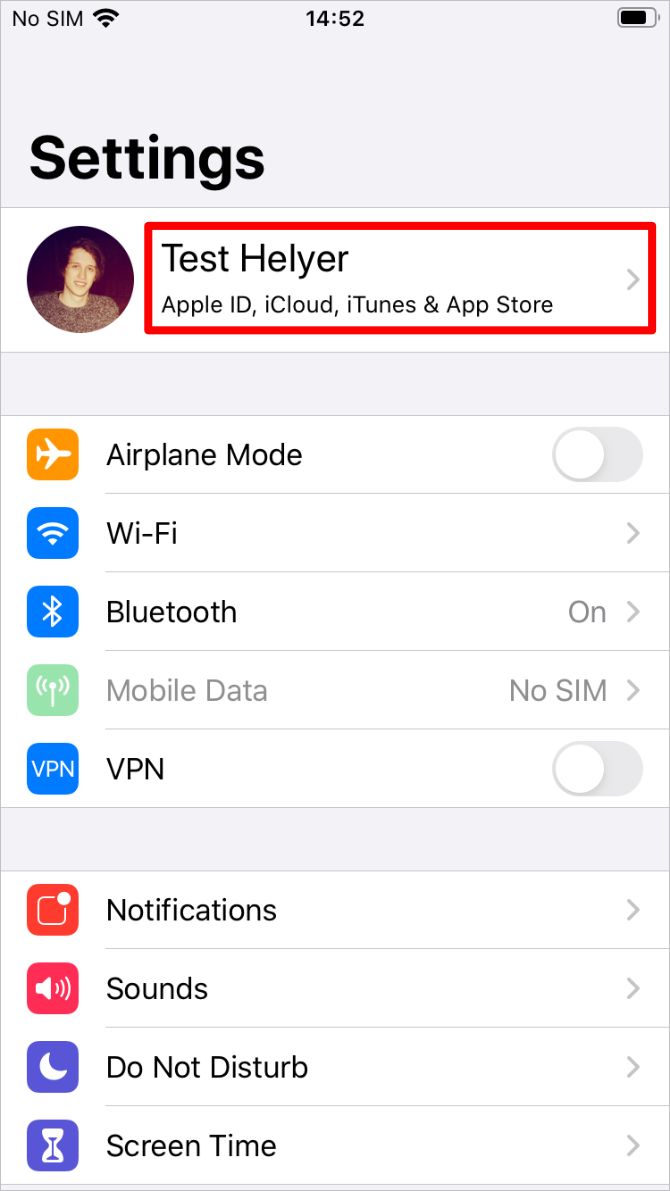
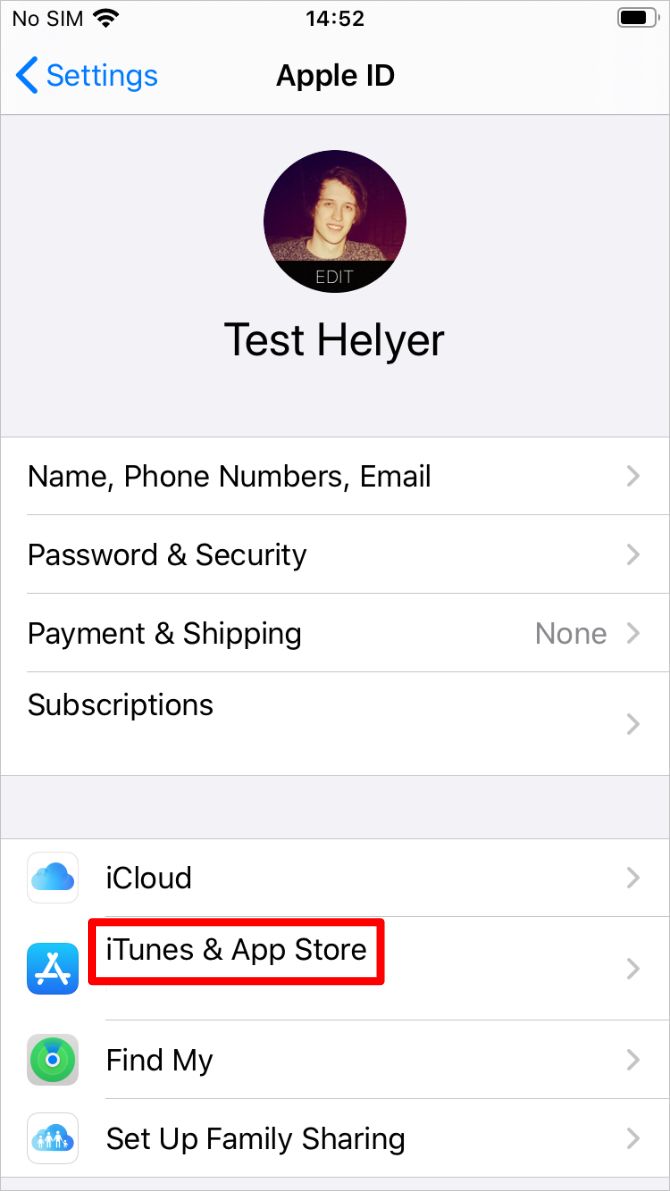
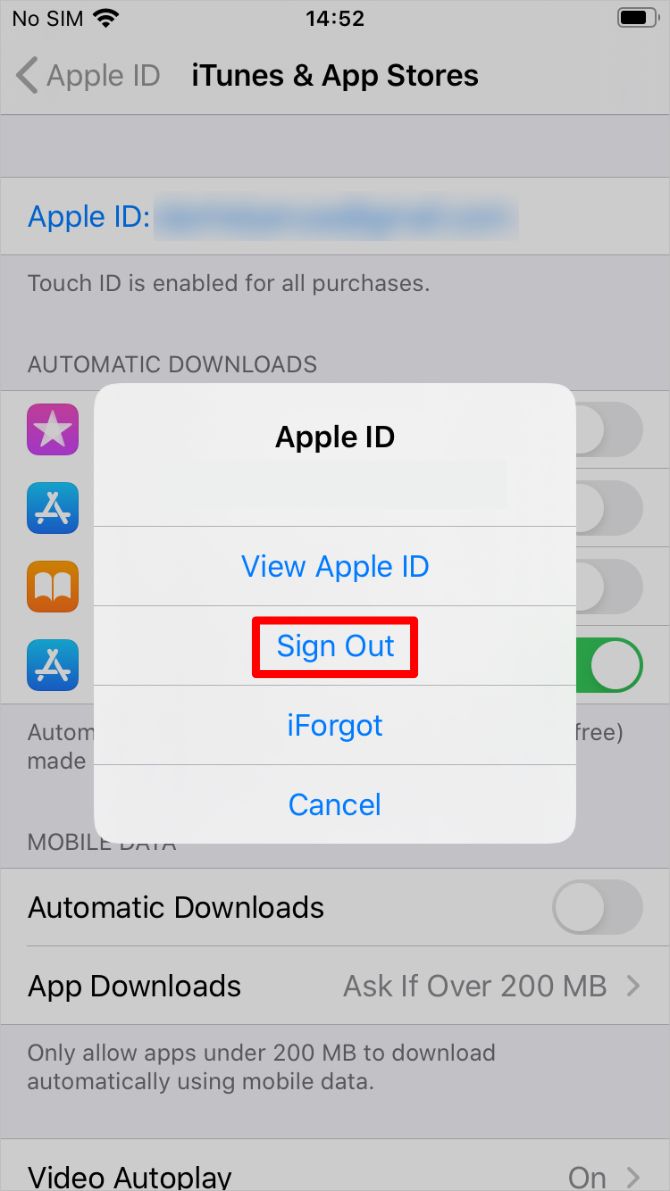
To change the account you’re using with the App Store on your iOS device, go to Settings > [Your Name] > iTunes & App Store. Tap your current Apple ID account to sign out, then sign in again with the new account. This keeps you signed in to the original account for iCloud and other Apple services.

In iOS 14 and later, you need to sign out of every Apple service to change your Apple ID account in the App Store. Go to Settings > [Your Name] > Sign Out to do so. Then sign in from the same page using your US Apple ID.

Use American Apps With Your Local Apple ID

Switching between Apple ID accounts doesn’t delete any apps or media you already downloaded to your device. This means you can still use your existing apps after signing in to the US App Store.

But it also means you can download American apps, then sign back into your original Apple ID account to continue using those apps. This is the method we suggest you use, so that only a small selection of apps are linked to your American Apple ID account.

You need to change accounts again any time an American app needs to update. Just make sure you switch back to your regular account after the update is complete.

Buy American Apps Using App Store Gift Cards

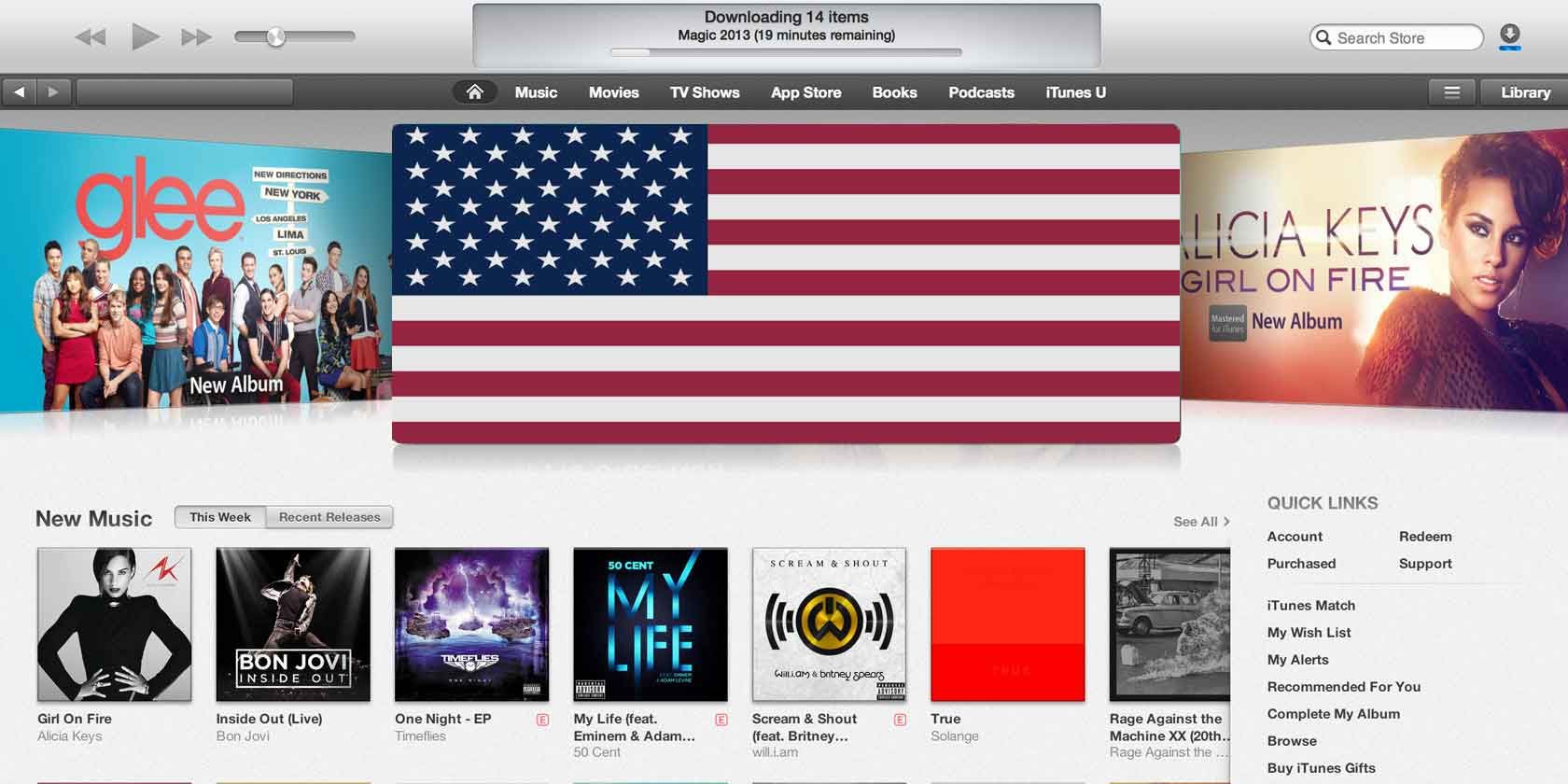
iTunes gift cards graphic

After following the instructions above, you should have a US App Store account with no payment method connected to it. This is fine for downloading free apps from the US App Store. But you can’t use it to buy anything unless you have an American credit card or PayPal account you can add to your Apple ID.

The only way to get around this problem is to use App Store gift cards to add a balance to your US Apple ID. You need to purchase American App Store gift cards for this—which are in US dollars—because gift cards aren’t transferable across different regions.

Unfortunately, you can’t use your US App Store account to buy these, since there is no payment method linked to it. And you can’t use your original App Store account, because that will link the gift cards to the wrong region.

Instead, buy gift cards for the US App Store using Apple’s American website and checking out as a guest. Alternatively, buy gift cards from highly-reviewed sellers on eBay. But beware of common eBay scams when taking this route.

Gift cards are available from $10 to over $100. Keep in mind that you might pay a small fee for the currency conversion if you use a foreign payment method to buy them.

After buying a physical or email gift card, open the App Store with your US Apple ID to redeem the code and add a balance to your account.

You Also Need a VPN to Stream American TV Shows

Now you know how to use a US App Store account from anywhere in the world. However, if you wanted to know how to get American apps because you wanted to stream Hulu in Canada, for example, you also need a VPN that makes it look like you’re trying to stream video from within the US.

This is because streaming services are only licensed to broadcast content in certain countries. The same is true whether you want to stream video from other US-only streaming services or whether you want to access the American version of Netflix.

Unfortunately, not all VPNs work with streaming services. If you want to stream American TV shows from abroad, make sure you use one of the VPNs that work with Netflix.

Read the full article: How to Download Apps From the US App Store in Any Region


Read Full Article

How to Legally Search for Any Book Using Google


google-books-legal

What would you do if you knew a million books were waiting for you?

Thanks to their tireless work, Google Books puts over ten million books at your fingertips. Plus, with Google Book’s Library Project and Partner Program, users can enjoy a growing online collection.

If you’re ready to learn more, here’s how to search for any book with Google.

What Is Google Books?

Google Books helps you discover books that interest you. It offers both a basic and advanced search to help you find what you’re after. Then you can preview, read, download, borrow, or purchase books that fit your need.

Plus, Google Books goes beyond books since you’re able to search for magazines and newspapers. It’s a growing resource for both everyday readers and scholars.

What Is the Google Books Library Project?

While Google Books’ platform lets you connect with new books, it’s thanks to the Library Project that much of this knowledge is available. The title comes from Google Books’ original intent of partnering with major libraries to digitize their collection.

Simply put, the Library Project pioneered the scanning in and creation of searchability for millions of books. Thanks to this, many rare and hard to access titles now are searchable for everyone.

How Does Google Books Library Project Work?

While the Google Books Library Project focuses on expanding its digital library, it does have limitations. By default, it’s only able to grant full access to public domain works. If the work does not fall into the realm of the public domain, only a snippet is displayed, but this may vary based on the rightsholder’s decision.

If you’re unfamiliar with the concept of the public domain or need another example of its use, check out the best sites for public domain movies.

How Does Google Books Display Books?

google books access options

On Google Books, there are four levels of access for books:

  • Full View
  • Limited Preview
  • Snippet View
  • No Preview Available

With Full View, you’re able to read the entire book’s contents for free, search its contents, and download it as a PDF file. Limited preview only lets you look at a part of the book’s contents. The amount of a preview you get will vary per title; its contents are also searchable.

Snippet view occurs when no preview for the book exists, but you can still search inside. Once you’ve searched, you’ll see a few lines surrounding your keyword to give you an idea of its mentions and their context. No preview available titles don’t allow for any searching, but you’ll have access to information such as ISBN, publication date, publisher, and page count.

Why the Legal Battle Over Google Books?

It’s important to note that the Library Project didn’t always go smoothly. Google engaged in an eleven-year long legal battle with the Author’s Guild. The Author’s Guild alleged Google had broken copyright laws by digitizing books without permission.

Without explicit permission, Google Books never shows full pages of in-copyright work. Instead, what’s displayed would be safe in other settings such as book review.

As such, the Supreme Court decided to go with Google on the side of fair use. The Supreme Court ruled they would hear no appeal, and this solidified the growth of Google Books.

What Is the Google Play Books Partner Center?

google books play account

Due to the legal ruling, Google is safe to continue scanning in content. So it’s no surprise that Google included a way for a direct book submission. The Google Play Books Partner Center lets authors and publishers submit, publish, promote, and sell their book.

How Does Google Play Books Partner Center Work?

To start using the Books Partner Center, it’s as easy as signing up for an account. When signing up, you just need to give the following details:

  • An associated Google account
  • Publisher type (publisher, self-published author, distributor or service provider)
  • Publisher name
  • Your country of residence (for banking purposes)
  • A phone number
  • A website

Afterward, you can upload your work to Google Play Books and begin earning revenue as long as you hold the copyright claim. In addition to this, anyone with a Partner Center account can claim ownership of their book scanned by the Library Project.

After proving your ownership, you can choose to set how much of the book you want to display. Google Books lets you select between 20 percent and 100 percent for a preview. Finally, you choose whether you want your book available as a downloadable PDF.

You can also choose to remove your book as a search result or preemptively ask that it’s not scanned in.

How to Search on Google Books

google books default search

When you search on Google Books, the basic search works like any other. You enter either a book’s title or a keyword, and you’ll find results based on the four access layers.

While this is effective if you know what you’re looking for, you can always perfect your search. If you use Google Books’ advanced search, you can further tailor your results. Plus, if need more ideas on what to search, you can consult these fuss-free websites to find what book to read next.

How to Use Google Books Advanced Search

google books advanced search options

Using the advanced search on Google Books helps you narrow down your search to any specific need. If you’re looking for certain words or phrases, then scan millions of books for those. Furthermore, you can filter your search results to certain access levels and types of content.

While those options are incredibly effective for discovery, if you need a specific book then Google Books’ advanced search has you covered. You can still search by title, author, publisher, subject, publication date, ISBN, and/or ISSN.

Remember if you have a full view title, you can read the entire book, download it as a PDF, or save it to your My Library for later reading and categorization.

Search and Find Your Ideal Book on Google Books

With the Google Books Library Project, you can search for any book with Google. Best of all, it’s completely legal! With plenty of tools and options such as Google Book’s advanced search, information has never been more accessible.

If you want to start saving your new books, learn how to download books from Google Books.

Read the full article: How to Legally Search for Any Book Using Google


Read Full Article

Onyx Boox Nova2 Review: The Best 7.8″ eReader of 2020


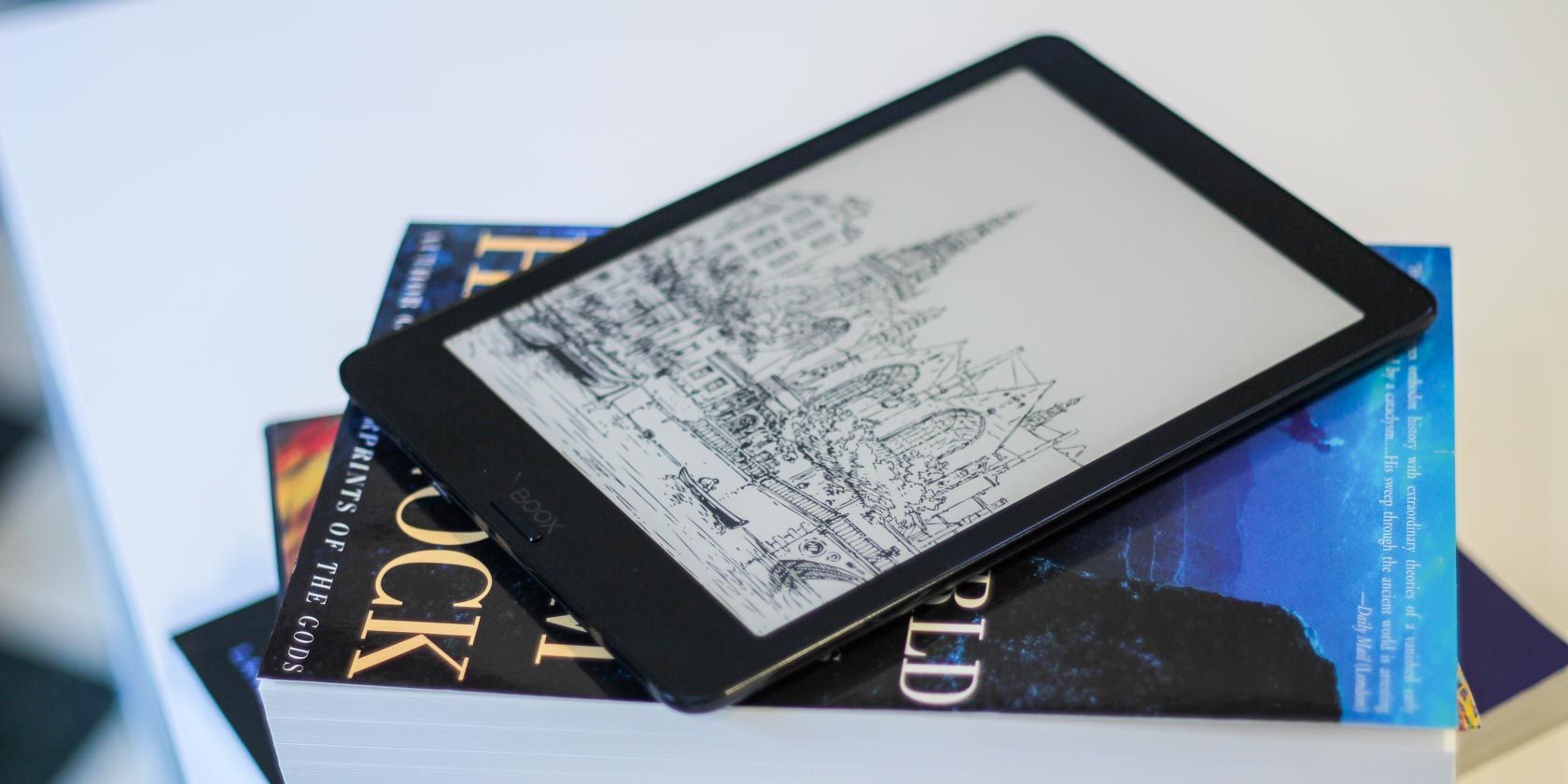
onxy boox nova2
Our verdict of the Onyx Boox Nova2 Ereader:
If you're familiar with Android, the Onyx Boox Nova2 is flat-out the best 7.8" Android ereader of 2020.
910

Amazon Kindle eReaders are designed to do one thing: sell eBooks. For those looking for something more versatile, the best Kindle alternative of 2020 is the $340 Onyx Boox Nova2. It’s a stylus-compatible Android tablet with an E Ink display, optimized for reading, not for selling.

But it’s not for everyone. Its higher up-front cost and the complexity of Android make the Nova2 a poor choice for those who want a dead-simple device for buying and reading ebooks. But for those comfortable with Android, it’s the king of its class.

What Is Onyx?

onyx boox nova2 horizontal image

Onyx‘s Boox eReaders aren’t as common as devices from Amazon or Kobo. But unlike the Kindle or Forma, Boox eReaders can install Android apps—and Android’s app store has a tremendous number of apps.

On the downside, Onyx’s earlier models had poor quality control along with a return policy that either required shipping it back to China or dealing with third-party importers, who often refused to honor warranties.

As Onyx has moved into Western markets, though, they have started to contract with American and European repair shops.

BOOX Nova2 7.8 ePaper E Note, 300 DPI Android 9.0 Front Light Dual Touch USB OTG E-Reader BOOX Nova2 7.8 ePaper E Note, 300 DPI Android 9.0 Front Light Dual Touch USB OTG E-Reader Buy Now On Amazon $339.99

Onyx Boox Nova2 Hardware and Features

The Nova2 won’t win any beauty competition when compared to the Oasis 3. No eReader would. It’s pleasant to hold and fairly lightweight for a tablet. But it’s almost twice as heavy as an Oasis and not nearly as svelte or pleasant to hold. It doesn’t automatically change orientation depending on how you hold it. And forget about taking it to the swimming pool as the Nova2 lacks waterproofing.

Think of it as an Android tablet that’s great for reading everything. It smashes through ebooks and plows through websites with tablet-like speed. If the Oasis is a lithe and graceful ballerina, the Nova2 is a chunky and powerful sumo wrestler.

Here are the device’s major features:

  • 3,150mAh lithium-ion battery with a battery life of over a month (average 210mA power consumption)
  • Wacom touchscreen with 4,096-degrees of pressure sensitivity
  • Passive stylus compatibility with palm rejection technology (stylus included)
  • Snapdragon 625 system-on-a-chip
  • Bluetooth 4.1
  • Black plastic construction with a matte finish
  • 3GB of RAM, 32GB of storage
  • Supports Power Delivery (PD) charging (USB-C to USB-C)
  • E Ink Carta screen
  • Variable warmth front light (as opposed to a backlight)
  • Android version 9.0
  • Screen DPI of 300
  • On-the-Go functionality on the USB Type-C (USB-C) port for external devices, including keyboards and mice

So what do these specs mean?

It’s one of the fastest eReaders ever made and comes loaded with features, such as USB-C PD charging. But most important, it supports stylus input for note-taking.

USB Type-C Power Delivery

onyx boox nova2 charges over usb-c

It’s also worth noting that unlike many other eReaders, the Nova2 includes support for the USB Type-C Power Delivery standard, although without Quick Charge capabilities. While it may not charge as fast as a smartphone does, it works with any USB-C charger.

The Nova2 Is Fast (for an eReader)

onyx boox nova2 fast for an ereader with snapdragon cpu

Up until 2020, eReaders used low-end, obsolete processors based on ancient 28nm “transistor” technology. This is doubly true for eReaders from Amazon and Kobo. However, Android eReaders need a little more CPU juice in order to fluently run apps.

The Onyx Boox Nova2 is one of the first E Ink devices equipped with a modern processor. The Qualcomm Snapdragon 625 uses a 14nm process-node technology and the Arm Cortex A53 architecture.

Even though these aren’t exactly performance specs, within its class, these are some of the punchiest components around.

Great Battery Life Even for an eReader

onyx boox nova2 review of battery life

The big advantage of its more advanced Snapdragon processor is battery life. Combined with power-saving optimizations in Android 9.0, the Nova2 tested at around 25-days of battery life with Wi-Fi turned on. To my knowledge, all other Android 6.0-based eReaders get around a week of up-time with Wi-Fi on. In comparison, the older Onyx Boox Nova Pro gets about a week of usage.

With Wi-Fi turned off, it can probably get in the range of two months of battery life.

E-Ink Fast Reading Modes

The Nova2, like a few Android eReaders, also possesses four variable screen-refresh modes, which trade text clarity for faster refreshes.

  • Speed: Speed mode provides a tradeoff between visual clarity and refresh rate, favoring clarity.
  • Normal: Normal mode maintains high screen clarity but uses jarring full-screen refreshes.
  • X-Mode: X-Mode is the fastest refresh mode but it also suffers from serious amounts of ghosting.
  • A2: A2-Mode, is a blend of fast refreshes combined with decent visual clarity. It’s not as clear as Speed Mode although its refreshes are faster.

It’s also worth noting that the Nova2 (like most of the Boox series) includes a partial refresh method that Onyx calls Snow Field. Snow Field is a software-based technique that allows for partial refreshes of the E-Ink screen. That means there’s less ghosting and higher visual clarity when running Android apps.

However, even with this technology, there are still visible traces of ghosting. Unless I use the fastest refresh modes, the ghosting doesn’t impact reading quality, though.

The Nova2 Is a Great Reading Experience

onyx boox nvoa2 carta eink screen is very clear

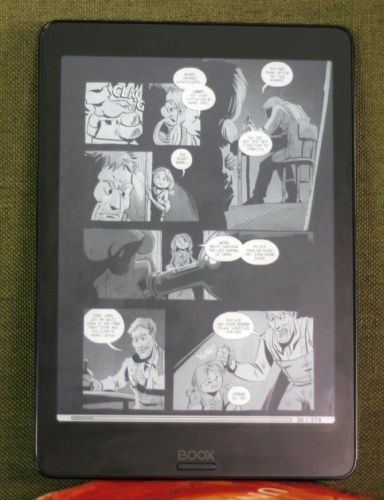
The 7.8-inch 1872×1404, 300DPI E Ink Carta display has great contrast with crisp, clear text. Even with a matte-glass finish, the display looks whiter than the previous Nova Pro model.

The Default Reading App Is Excellent

The Nova2’s default reading experience stands above its competitors. While you can install any ebook app (I recommend KOReader, which is on the open-source app store F-Droid), the native reading software onboard the Nova2 is versatile and efficient. Aside from being able to reflow any text, including sloppily scanned images, it can write notes directly onto ebooks. In other words, you can write on, highlight, and annotate your texts.

Using the Onyx Boox Nova2

Activate the Google Play Store on Onyx Boox Devices

As a full-Android device, capable of installing apps from the Google Play Store, the Nova2 requires patience. You’ll need to do two things: first, activate the Play Store and, second, learn how to sideload content on it. If that sounds too complicated, a Kindle Paperwhite, Oasis, or Kobo might better meet your needs.

The Boox Nova2 Launcher

onyx boox nova2 launcher

The Nova2’s home page includes shortcuts to a Library ebook organizer, Onyx’s defunct ebook Store (which only offers public domain books), Storage, the app manifest, and a Settings menu. New to the Nova series, there’s a Notes feature, which takes advantage of a Wacom touch layer. Of these features, the ones worth mentioning are its Notes app and its native reader, which appears to be based on the open-source FBReader. Onyx brands the app as the Neo Reader.

The Native Ebook Reader App Is Crazy Good

If you launch any ebook from within the Library app, it opens in Onyx Neo Reader.

Neo Reader opened every book format that I threw at it, from EPUB, to massive 800MB PDFs, to CBZ. While it won’t natively open Kindle books, you can install Amazon’s Kindle app through the Google Play Store or convert Amazon’s ebooks using Calibre.

The best thing about the Neo Reader is that you can hand-write notes directly onto the text. While there’s zero margins to write in, the app will write-to and save all your marks. Personally, I’d feel more comfortable with a 10-inch eReader for annotations, but if you’re just highlighting text, then it’s perfectly adequate. For taking more detailed, handwritten notes, I’d strongly recommend the Notes app.

While the Notes app isn’t as good as the Remarkable 2 for annotating eBooks or taking notes due to the limitations of a 7.8-inch screen, its pressure sensitivity is equal to the Remarkable 2.

In a nutshell, if you want to only take notes, you’re better off with a Remarkable 2. But if you want something more versatile, the Nova2 beats all competitors.

Note Taking With a Stylus

taking notes on an onyx boox nova2

The note-taking abilities are outstanding for a $340 device. While larger, more expensive devices take handwriting input better, nothing in its price-range offers the same features for the money.

While the Nova2 lacks the 10.3-inch writing area of the Remarkable 2, it’s still a credibly better all-round device. But on top of that, the Nova2 can quickly transcribe your handwriting into digital text.

I was surprised at the Note app’s handwriting recognition accuracy, despite how sloppy my handwriting is. It got every single word right with 100% accuracy.

Amazon Kindles Vs. Boox Nova2

If you’re using an ad-supported Kindle, chances are you’re not reading EPUB documents, which is the most common electronic book format in the world.

You’re also probably not taking notes, or reading CBZ (comic books), or really anything outside of Amazon’s proprietary formats. While Kindles can, on paper, read PDF files, their limited hardware and smaller screen aren’t great at it. In comparison, the Nova2’s significantly beefier hardware opens even the largest of PDFs in seconds. And each page turn is a fluid, seamless affair.

In terms of heft, the Kindle Paperwhite weighs in at 182 grams with a six-inch screen, whereas the Oasis 3’s seven-inch screen and 188 grams weight make it one of the lightest models in its class on the planet. The Nova2, while 7.8-inches, also weights a whopping 265 grams.

On the other hand, not everyone wants to deal with what’s essentially a black-and-white Android tablet. If you just want a lightweight, pocket-sized, dead-simple eReader, you’re far better off with the much less expensive Paperwhite 4, Oasis 3,  or even the older Voyage.

Reasons to Not Buy the Boox Nova2

While the Boox Nova2’s hardware and software beat all competitors, it’s not a for everyone.

It’s Bigger and Heavier Compared to Kindles and Kobos

onyx boox nova2 case

While the Nova2 may have a larger screen, it also weighs almost twice as much as the heaviest of the Kindle eReaders. And its 7.8-inch screen makes it difficult to pocket, particularly if you use the included case.

History of Poor Quality Control

Onyx’s earliest devices had a poor quality-control record (I’ve had four different failures between 2015 and 2016). Additionally, I’ve had issues returning devices through importers. Fortunately, in 2019 Onyx began contracting out repairs using Michigan-based iCare Repair, although the customer pays shipping costs. iCare Repair, a disabled-veteran-owned and operated service, promises a two-day turnaround on returns.

iCare Repair’s service included a “lifetime warranty” on the replaced components. In other words, they guarantee that if they replace a part, it’ll never fail. That’s a substantial promise.

That said, in the past four years Onyx’s newer devices have not failed on me in any way and their build qualities have improved substantially.

Onyx Doesn’t Release Source Code

Any manufacturer that modifies the Android operating system is required by the GNU General Public License (GPL) to regularly publish its source code. In other words, they have to share their changes with the larger Linux community, of which Android is a part.

Unfortunately, Onyx has not yet released any code, which means two things:

  • They are in violation of the GPL.
  • There will never be custom ROMs that will extend the lifespan of the Nova.

For most consumers, neither is a serious problem. In my opinion, however, it’s a serious black mark on an otherwise attractive device.

Boox Devices Aren’t Play Store Certified

None of Onyx’s devices are Play Store certified. That means Google hasn’t evaluated any of these devices for security vulnerabilities. No black-and-white E Ink device has official Play Store certification, and Google has dropped support for E Ink after Android 6.0. This has led to Onyx selling their devices in China and East Asia without the Google Play Store.

In other words, the problem is with Google’s refusal to certify E Ink devices, likely because of performance issues.

Android Is Too Complex for Some

Finally, Android is more complicated to use than other eReaders, like the Kindle. If you’re already using an eReader from a big-box retailer, and prefer its ease-of-use and straightforward interface, there’s no reason to buy a more expensive and more complicated device.

What’s the Best ~8-inch Android eReader?

The Nova2 is the best eightish-inch Android eReader ever made. It’s the kind of device you wish Amazon sold. But it’s not for everyone.

BOOX Nova2 7.8 ePaper E Note, 300 DPI Android 9.0 Front Light Dual Touch USB OTG E-Reader BOOX Nova2 7.8 ePaper E Note, 300 DPI Android 9.0 Front Light Dual Touch USB OTG E-Reader Buy Now On Amazon $339.99

While installing any app you want looks good on (pun intended) e-paper, it’s a lot more complicated than a Kindle. But if you can handle sideloading content and want the best possible reading device, or need to annotate digital texts, no better 7.8-inch purpose-built eReader around. (We’ve covered the best simple Readers elsewhere.)

For those interested in a color eReader, recent advances in E Ink’s ACeP display technology along with its Kaleido color E Ink screens may kill the Kindle in 2020 or 2021.

Enter the Competition!

Onyx Boox Nova2 eReader Giveaway

Read the full article: Onyx Boox Nova2 Review: The Best 7.8″ eReader of 2020


Read Full Article

The Best Netflix Documentaries About Serial Killers


netflix-serial-killers

People have a morbid fascination with the lives of serial killers. Often, we want to know the motives behind their evil deeds. Also, it is interesting to see how they respond to questioning. That is, of course, if they are still alive. Or if they have any recorded interviews that still exist.

How can you get your next gruesome fix? Well, Netflix is a great place to find documentaries about serial killers. There are lots available to watch, and we’ve rounded up the best serial killer documentaries. So, without further ado, here are the best documentaries about serial killers to watch on Netflix.

1. Conversations With A Killer: The Ted Bundy Tapes

Would you like an insight into the macabre mind of this murderer? Then Conversations With a Killer: The Ted Bundy Tapes, will give you a glimpse into Bundy’s world. This one isn’t for the faint of heart. It features a lot of details about his killing sprees.

But, perhaps more disturbing is the glorified manner in which Bundy talks about himself and his acts. This is one of the best Netflix crime documentaries for fans of the serial killer genre.

2. Interview With a Serial Killer

interview with a serial killer title screen

Another gruesome tale. Interview with a Serial Killer chronicles the crimes of Arthur Shawcross. Also known as the Genesee River Killer, he died in prison in 2008 while he was serving a 250-year sentence for his crimes. Like The Ted Bundy Tapes, this documentary features his crimes in disturbing detail.

However, the most gruesome aspect of this documentary is the interview with Shawcross. He comes across as the cold-hearted killer that he was, taking great pleasure in discussing his heinous acts. This is a fantastic documentary that gives a real insight into the often brazen way a serial killer will talk about themselves and their crimes.

3. The Confession Killer

This one is a little different from the others on the list. The Confession Killer focuses on the life and crimes of Henry Lee Lucas. Why is it different? Well, after a spate of arrests for murder, Lucas eventually confessed to dozens more. However, it is impossible to say whether he was telling the truth or not. This is all down to the unusual preferential treatment he was given while in prison.

We won’t go into too much detail here as it might spoil the series for you, but the bumbling authorities and Lucas’ manipulation of circumstances makes for a compelling watch. If you like to see how a sociopath/psychopath can turn situations to their advantage, then this is an ideal documentary.

4. Killer Ratings

Killer Ratings is a genuinely harrowing tale that highlights what happens when greed takes a stranglehold. It looks at Wallace Souza, who started out as a Brazilian politician, before becoming a cop. From there, he went on to become the host of true-crime TV series, Canal Livre.

Whether Souza was a serial killer per se is a matter of conjecture, but he did hire a hitman to kill five people in order to improve the ratings of his show. More of a serial killer by proxy, but still a greedy, heartless beast nonetheless. This is a brilliant series if you like to see how criminals are often hidden in plain sight.

5. Unabomber – In His Own Words

It is hard to say whether Ted Kaczynski is a serial killer or not. He was more of a “serial bomber”. However, he did kill three people during his bombing sprees. This fills the serial killer criteria, for sure.

What is most interesting about this case is the manner in which the Unabomber went from an intellectual young man—a mathematics professor, no less—to a cold-hearted bomber. The police eventually apprehended him in 1996. The Unabomber is currently serving eight life sentences in ADX Florence for 10 counts of transportation, mailing, and use of bombs, and three counts of murder.

Unabomber – In His Own Words is a great documentary, with details “straight from the horse’s mouth”.

6. Inside the Criminal Mind

Inside the Criminal Mind is a series spread over four 50-minute episodes. Each episode deals with a different form of criminal activity. But the first episode—Serial Killers—is what we’re looking for. The episode features expert analysis from professionals.

These range from criminal profilers to psychologists and neurologists. They leave no stone unturned in explaining the mind of a serial killer. If you are a fan of true crime documentaries in general, this is a great pick for your watch list. You can also watch episodes about kidnapping, cult leaders, and crime lords like El Chapo, too.

7. The Devil Next Door

From the producers of Emmy-winning documentary Wild, Wild Country comes the tale of Nazi Death Camp guard “Ivan the Terrible”. There is no doubt that this character will have murdered many people in cold blood during his time as a prison guard. This will earn him the title of “serial killer”.

The doubt in The Devil Next Door lies in the fact that the Cleveland grandfather, accused of being Ivan the Terrible, protests his innocence throughout. We’ll leave you to find out whether he did it or not, but this is a great documentary with an intriguing historical back-story.

8. I Am a Killer

Another series that deals with a range of crimes. I Am a Killer looks at the lives of murderers on Death Row. Not all of them are serial killers. However, episode four, “Sympathy for the Devil”, focuses on Miguel Angel Martinez, the youngest inmate ever to have graced Texas’ Death Row.

Martinez gives his account first hand, making it interesting as it offers his side of the story. Not that we should sympathize with him. He killed three people and all three murders were linked to Satanism. The whole series is worth watching, but this is a genuinely chilling episode.

The Best Netflix Documentaries About Serial Killers

If you love a good serial killer documentary, then the options above should be enough to give you several hours of viewing… pleasure? Perhaps that is the wrong noun to use here, but it will certainly fill your day with brutal binge-worthiness.

Plus, one of the great things about Netflix is that it will give you suggestions based on your viewing, so there’s a chance you’ll find the odd gem that way, too.

For out and out morbidity, though, Conversation with a Serial Killer: The Ted Bundy Tapes makes for some truly nail-biting viewing. The manner in which Bundy tells his story is truly chilling. If you would like to share the tension remotely, why not check out how to watch Netflix with friends far away.

Read the full article: The Best Netflix Documentaries About Serial Killers


Read Full Article

Apple Bans Microsoft’s Project xCloud From the App Store


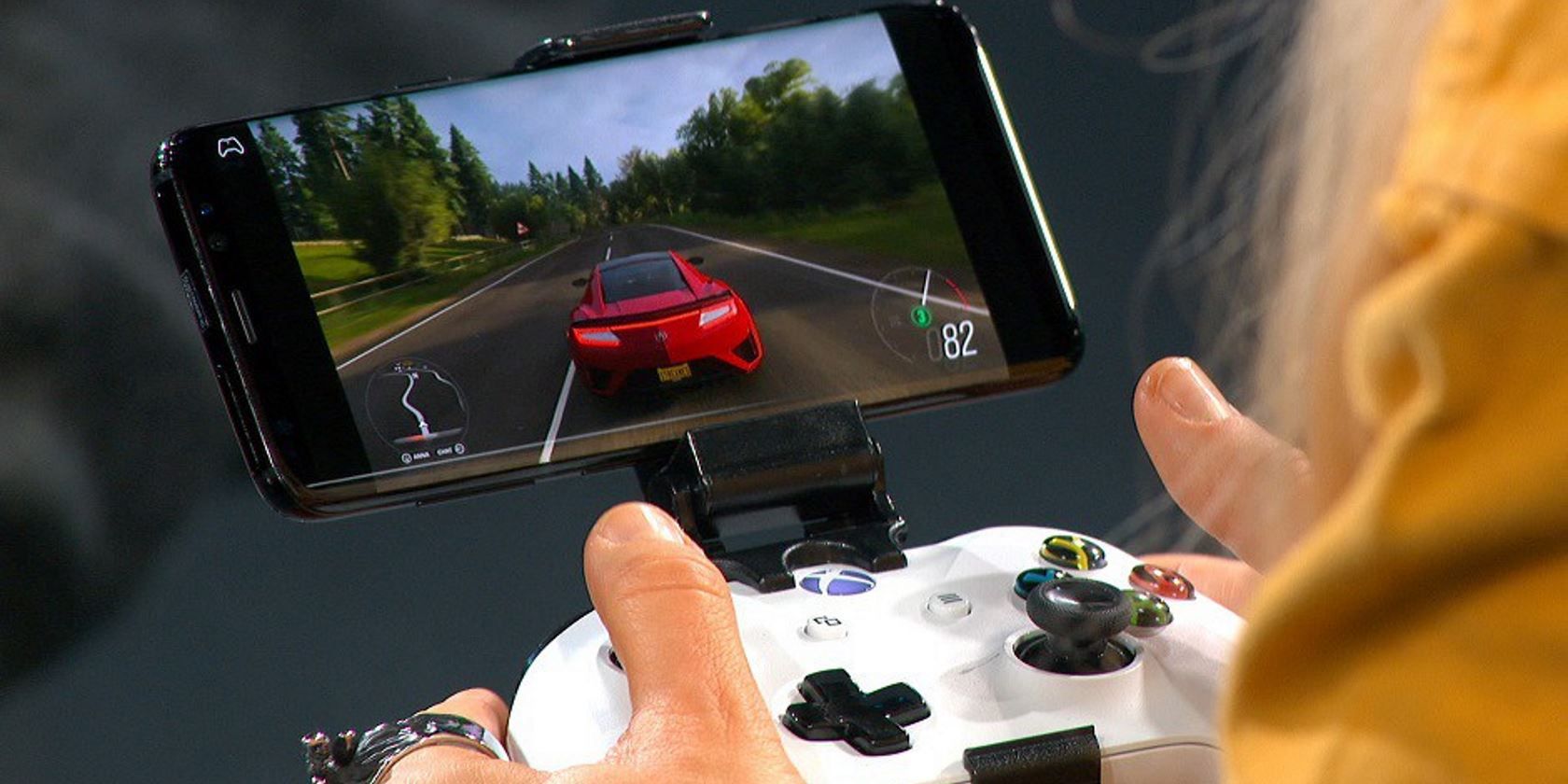
Someone playing a game on Project xCloud

Despite Microsoft wanting to bring Xbox games to smartphones, Apple is resisting the company’s efforts to bring Project xCloud to the App Store.

Apple has now clarified why the company bans game streaming services from its store. And Microsoft has condemned Apple for its stance.

Why Is Apple Blocking Project xCloud From the App Store?

This news comes in the wake of Microsoft abandoning the iOS version of Project xCloud. Both Microsoft and Apple were initially silent about the matter, but Apple has now clarified its position.

In a statement to Business Insider, Apple states that it has banned Project xCloud (and other similar apps) because the company can’t screen every single game streamed on the service:

“The App Store was created to be a safe and trusted place for customers to discover and download apps, and a great business opportunity for all developers. Before they go on our store, all apps are reviewed against the same set of guidelines that are intended to protect customers and provide a fair and level playing field to developers.”

Apple prefers companies to submit games one at a time so it can screen each one. As Apple cannot screen a game-streaming service with a changing library, the company has banned these services instead.

This also explains why other game streaming services like Google Stadia are missing from the App Store.

Microsoft’s Response to Apple’s Statement

After Apple released its statement, Microsoft responded with its own. The company told The Verge:

“Unfortunately, we do not have a path to bring our vision of cloud gaming with Xbox Game Pass Ultimate to gamers on iOS via the Apple App Store. Apple stands alone as the only general purpose platform to deny consumers from cloud gaming and game subscription services like Xbox Game Pass.”

The spokesperson goes on to claim that Apple treats gaming apps differently, holding them to different standards than non-gaming apps. Despite this setback, Microsoft is still looking for a way to publish Project xCloud on iOS. Eventually.

A Hurdle for Cloud Gaming

This is unfortunate news for gaming companies that offer cloud-based services. The combination of fiber and 5G means that streaming games is now a reality. Big names in the technology industry are developing cloud gaming services so that you can play games wherever you are on whatever device you have to hand.

If cloud gaming takes off, many gamers will turn away from the iOS App Store due to the restrictions Apple is imposing on it. As such, it’s down to Apple to decide if it wants to stay strong to its values. If it does, it risks losing customers to rival companies that support these apps. Namely, Google.

A Decisive Moment for Apple

In the past, Apple banned game streaming services without much explanation as to why. And while we now know what Apple’s logic is for this stance, it may prove troublesome for the company once cloud gaming gets established.

If you like the idea of streaming games to any device, check out these ways to play your games on any TV, PC, or mobile device.

Read the full article: Apple Bans Microsoft’s Project xCloud From the App Store


Read Full Article

The 7 Best Eco-Friendly Phone Cases


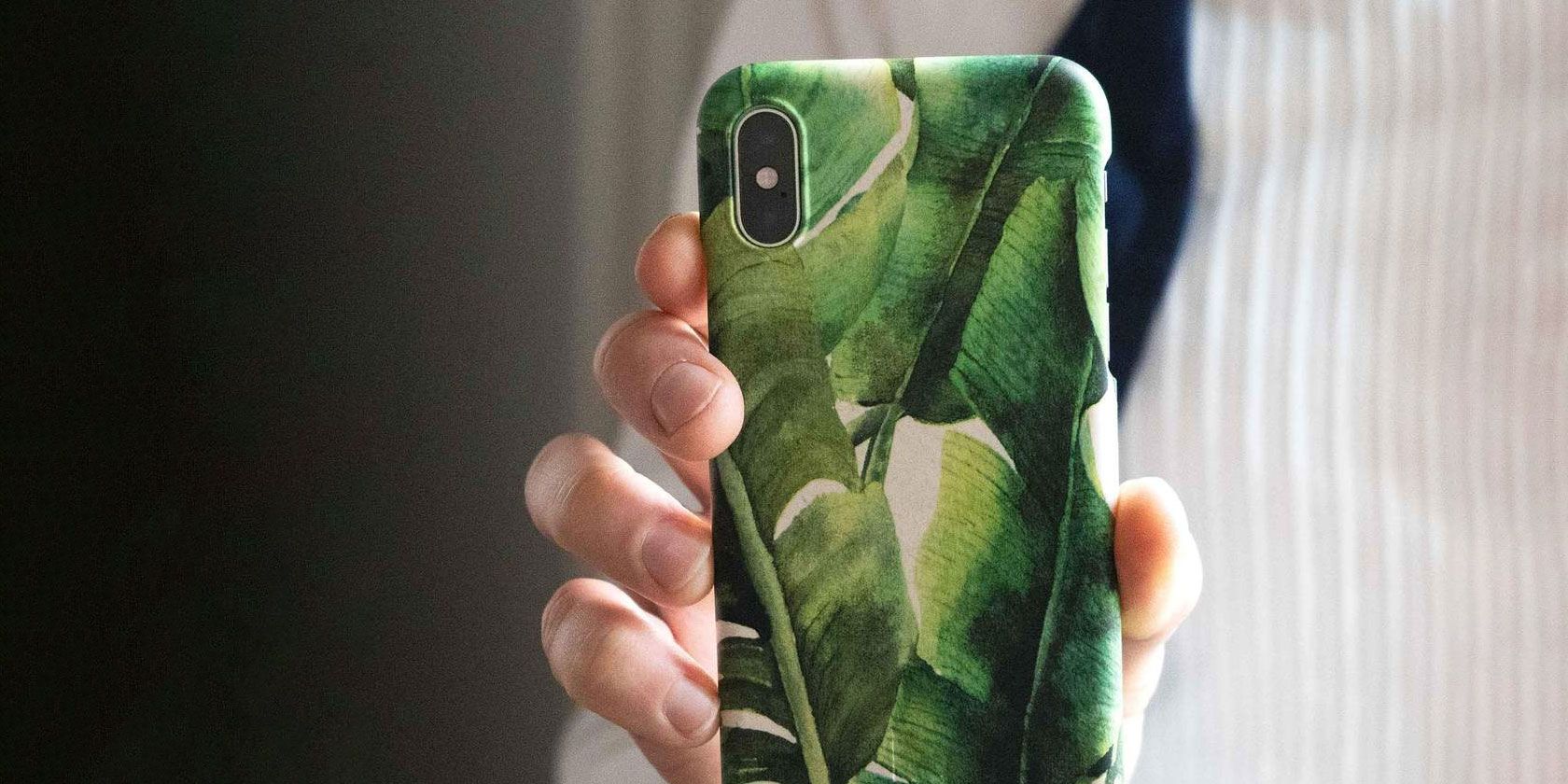
eco-friendly-cases

If you’re passionate about sustainability, you should protect your phone with a decent case to keep it out of a landfill for as long as possible. But not all phone cases are equally eco-friendly.

Ideally, the phone case you choose will be made from sustainable or recycled materials, it will be compostable or biodegradable, and it will look good, so you want to keep using it.

Choosing an eco-friendly phone case is no small task. So, we’ve gathered all the best options for you below.

1. Pela

Pela Sea Turtle Case for iPhone 11 Pela Sea Turtle Case for iPhone 11 Buy Now On Amazon $44.95

When you’re in the market for an eco-friendly phone case, you’re bound to come across Pela. This is by far the most highly-regarded brand producing sustainable phone cases, and it’s easy to see why.

Pela creates biodegradable cases for iPhone, Samsung, and Google phones in a range of colors and designs. Sometimes the delivery times run a little long, but Pela makes every phone case from bioplastic elastomer and flax straw materials, making it compostable and durable.

We’re particularly fond of the Pela Sea Turtle Case for iPhone 11. You can also choose from 18 other designs, various speckled colors, clear-backed, and even wallet-style phone cases as well.

2. A Good Company

A Good Company Samsung Galaxy Phone CaseBased in Sweden, A Good Company aims to make sustainable everyday products without sacrificing great design. Every single phone case from A Good Company is fully compostable. And four percent of every purchase is used to implement eco-friendly initiatives across the globe.

A Good Company offers over a dozen different designs for Samsung phone cases and over two dozen iPhone case designs. These range from pop art to leopard print to plain black. If you get tired of your case, you can always recycle it and get a discount on your replacement.

The Leafy Green Phone Case for the Samsung Galaxy S20 could serve double-time as a stylish accessory and a reminder of your sustainable purchase. Not only are all these phone cases compostable, but A Good Company plants a tree for each one sold.

3. MMORE

MMORE Organic Coffee Phone CaseEvery phone case from MMORE is handcrafted and made from recyclable, sustainable materials. Even better than that, you can choose to include coffee, lavender, jasmine, and other organic materials in the construction to make your phone case unique.

Customers say the aromas from these phone cases are relaxing without being too intense. Alongside the pleasant smells, these cases also prove themselves to be durable and protective.

The Organic Coffee Case is particularly popular—who doesn’t love the smell of coffee?—and it’s available for a wide range of iPhone, Samsung, and Huawei devices. You can even add a personalized engraving to make these eco-friendly phone cases even more special.

4. POPSICASE

POPSICASE Mediterranean recycled iPhone casePhone cases from POPSICASE are part phone case, part lollipop, and 100 percent recycled. Slide the aluminum handle down from the back of the case to get a better grip on your iPhone. It’s perfect for FaceTime or watching videos when you’ve only got one free hand.

The case itself is made from abandoned fishing nets, while the handle is made from scrap aluminum. When you’re finished with your phone case, return it to POPSICASE to have it recycled into a new one. POPSICASE also helps the planet by compensating for CO2 emissions through shipping and contributing profits towards ocean conservation.

Unfortunately, POPSICASE’s recycled phone cases are only available for the iPhone, but at least there are plenty of designs to choose from. We’re fans of the sea-life design on the Mediterranean Sea POPSICASE; you can also get a naked model of the same design if you prefer it without the handle.

5. REVEAL

REVEAL Izu Cork Case for iPhone 8 REVEAL Izu Cork Case for iPhone 8 Buy Now On Amazon $27.99

With its wood and rubber design, REVEAL offers some of the most stylish eco-friendly iPhone cases on the market. You can find cases made of cork, bamboo, walnut, and other woods, knowing they’re sustainably sourced wherever possible.

Unfortunately, REVEAL makes no mention of where the rubber comes from. But the company compensates for this by donating to non-profit organizations and planting a tree for every purchase.

REVEAL only offers eco-friendly phone cases for iPhones. But you can also buy similarly designed earphones, wireless chargers, and travel speakers from REVEAL that work with any phone.

The Izu Cork iPhone Case features a relaxing sunset design on the back. Sit back and admire it while feeling confident that the cork is sustainably sourced, and the rubber bumper will protect your iPhone from drops.

6. Loam & Lore

Loam & Lore iPhone 11 cases in different colors

The phone cases from Loam & Lore are made from plant-based materials, making them 100 percent compostable. When you’re done with your phone case, stick it in the compost bin at home, and it will completely break down within two years.

Even better, since Loam & Lore uses recyclable packaging, the entire product line is absolutely waste-free. This company also donates 10 percent of all its profits to the Amazon Conservation Team.

Loam & Lore offers an Eco-Friendly iPhone 11 Case and cases for Samsung and Huawei phones in mint green, pink, or black. Each case features a subtle engraving on the back, giving the case a little bit of texture, and they all offer drop protection as well.

7. Any Used Phone Case

The most sustainable or eco-friendly phone case available is the one you already own. If you already have a case for your phone, you should avoid buying a new one unless you really need one. Even if you want to have a biodegradable or sustainable phone case, you’ve already purchased the original one, so you might as well use it.

That said, this usually isn’t an option when you get a new phone. And it’s definitely a good idea to buy some sort of case to protect your new phone from damage. Rather than rushing to buy a brand new phone case, consider the used phone case market instead. Even if these phone cases aren’t biodegradable or eco-friendly, they already exist, so it makes sense for them to get as much use as possible.

Make Your Phone as Eco-Friendly as Possible

Buying an eco-friendly case for your phone is a great way to live more sustainably. It’s important to make wise purchases like this, but those aren’t the only actions you can take to help the planet.

If you want to know where to get started, check out these eco-friendly lifestyle apps that can help you get through it. With a sustainable phone case and a few of those apps, your iPhone will be physically and virtually eco-friendly.

Read the full article: The 7 Best Eco-Friendly Phone Cases


Read Full Article

07 August 2020

Google launches the final beta of Android 11


With the launch of Android 11 getting closer, Google today launched the third and final beta of its mobile operating system ahead of its general availability. Google had previously delayed the beta program by about a month because of the coronavirus pandemic.

Image Credits: Google

Since Android 11 had already reached platform stability with Beta 2, most of the changes here are fixes and optimizations. As a Google spokesperson noted, “this beta is focused on helping developers put the finishing touches on their apps as they prepare for Android 11, including the official API 30 SDK and build tools for Android Studio.”

The one exception is some updates to the Exposure Notification System contact-tracing API, which users can now use without turning on device location settings. Exposure Notification is an exception here, as all other Android apps need to have location settings on (and user permission to access it) to perform the kind of Bluetooth scanning Google is using for this API.

Otherwise, there are no surprises here, given that this has already been a pretty lengthy preview cycle. Mostly, Google really wants developers to make sure their apps are ready for the new version, which includes quite a few changes.

If you are brave enough, you can get the latest beta over the air as part of the Android Beta program. It’s available for Pixel 2, 3, 3a, 4 and (soon) 4a users.


Read Full Article

A look inside Gmail’s product development process


Google has long been known as the leader in email, but it hasn’t always been that way.

In 1997, AOL was the world’s largest email provider with around ten million subscribers, but other providers were making headway. Hotmail, now part of Microsoft Outlook, launched in 1996, Yahoo Mail launched in 1997 and Gmail followed in 2004, becoming the most popular email provider in the world, with more than 1.5 billion active users as of October 2019.

Despite Google’s stronghold on the email market, other competitors have emerged over the years. Most recently, we’ve seen paid email products like Superhuman and Hey emerge. In light of new competitors to the space, as well as Google’s latest version of Gmail that more deeply integrates with Meet, Chat and Rooms, we asked Gmail Design Lead Jeroen Jillissen about what makes good email, how he and the team think about product design and more.

Here’s a lightly edited Q&A we had with Jillissen over Gmail.

Google has been at email since at least 2004. What does good email look like these days?

Generally speaking, a good email experience is not that different today than it was in 2004. It should be straightforward to use and should support the basic tasks like reading, writing, replying to and triaging emails. That said, nowadays there is a lot more email, in terms of volume, than there was in 2004, so we find that Gmail has many more opportunities to assist users in ways it didn’t before. For example, tabbed inboxes, which sorts your email into helpful categories like Primary, Social, Promotions, etc. in a simple, organized way so you can focus on what’s important to you. Also, we’ve introduced assistive features like Smart Compose and Smart Reply and nudges, plus robust security and spam protection to keep users safe. And lastly, we’ve made deeper integrations a priority: both across G Suite apps like Calendar, Keep, Tasks and most recently Chat and Meet, as well as with third-party services via the G Suite Marketplace.

How has Google’s hypothesis about email evolved over the years?

We see email as a very strong communication channel and the primary means of digital communication for many of our users and customers for many years to come. Most people still start their workday in email, which is still used for important use cases, such as more formal or external communications (i.e., with clients/customers), for record-keeping or easy access/reference, and for communications that need a little more thoughtfulness or consideration.


Read Full Article
LivingPackets hopes to nurture a circular economy with its smart parcels


More than ever before, people are getting life’s essentials delivered — good news for Amazon, but bad news for the environment, which must bear the consequences of the resulting waste. LivingPackets is a Berlin-based startup that aims to replace the familiar cardboard box with a smarter alternative that’s smarter, more secure, and possibly the building block of a new circular economy.
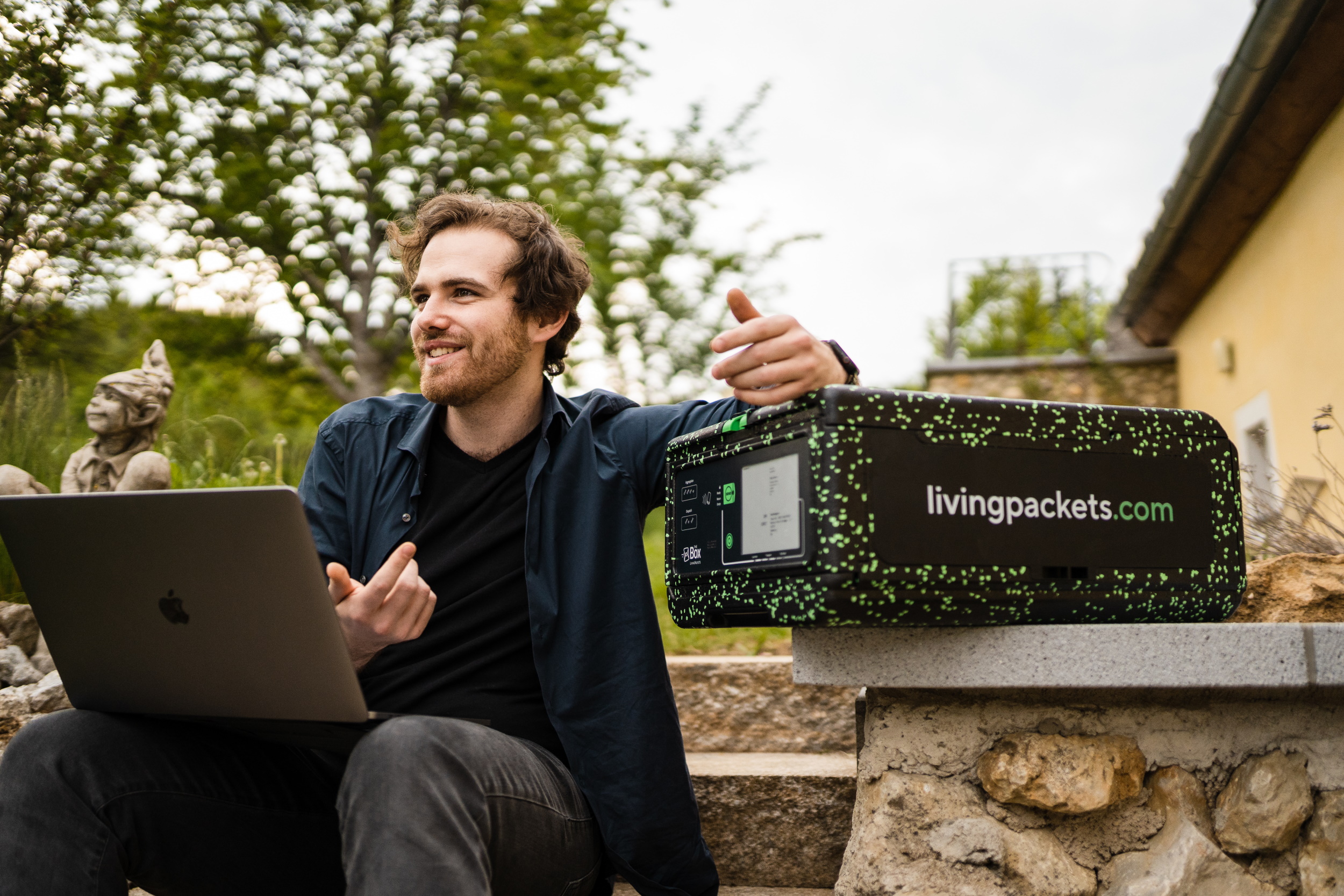
The primary product created by LivingPackets is called The Box, and it’s just that: a box. But not just any box. This one is reusable, durable, digitally locked and monitored, with a smartphone’s worth of sensors and gadgets that make it trackable and versatile, and an E-Ink screen so its destination or contents can be updated at will. A prototype shown at CES and a few other locations attracted some interest but the company is now well into producing the V2 of The Box, improved in many ways and ready to be deployed at the scale of hundreds of thousands.

Sure, it costs a lot more than a cardboard box. But once a LivingPackets Box has been used a couple hundred times for returns and local distribution purposes, it breaks even with its paper-based predecessor. Cardboard is cheap to make new, but it doesn’t last long — and that’s not its only problem.

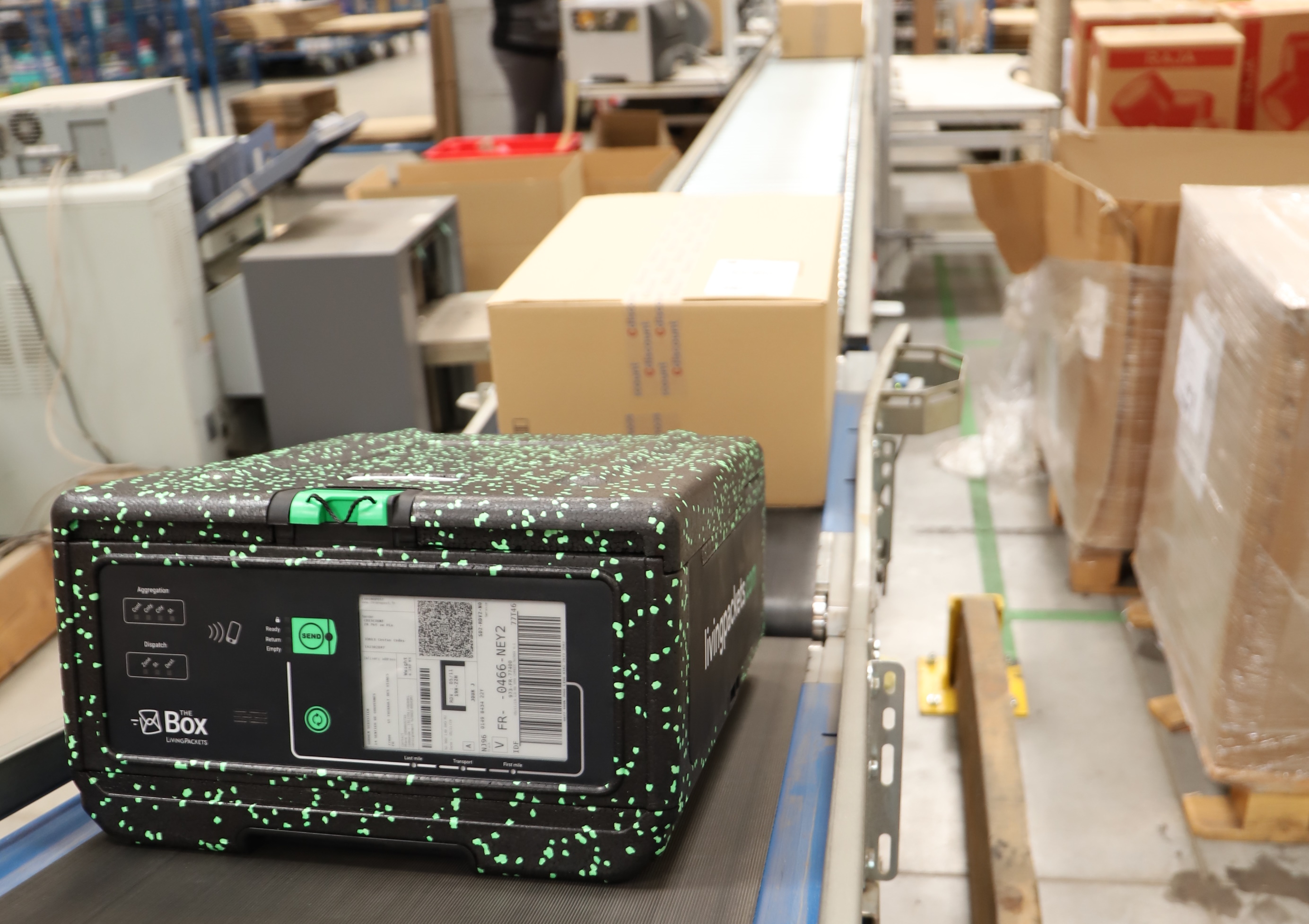
The Box, pictured here with standard cardboard boxes on a conveyor belt, is meant to be compatible with lots of existing intrastructure.

“If you think about it, online transactions are still risky,” said co-founder Sebastian Rumberg. “The physical transaction and financial transaction don’t happen in parallel: You pay up front, and the seller sends something into the void. You may not receive it, or maybe you do and you say you didn’t, so the company has to claim it with insurers.”

“The logistics system is over capacity; There’s frustration with DHL and other carriers,” he said. “People in ecommerce and logistics know what they’re missing, what their problems are. Demand has grown, but there’s no innovation.”

And indeed, it does seem strange that although delivery has become much more important to practically everyone over the last decade and especially in recent months, it’s pretty much done the same way it’s been done for a century — except you might get an email when the package arrives. LivingPackets aims to upend this by completely reinventing the package, leaving things like theft, damage, and missed connections in the past.

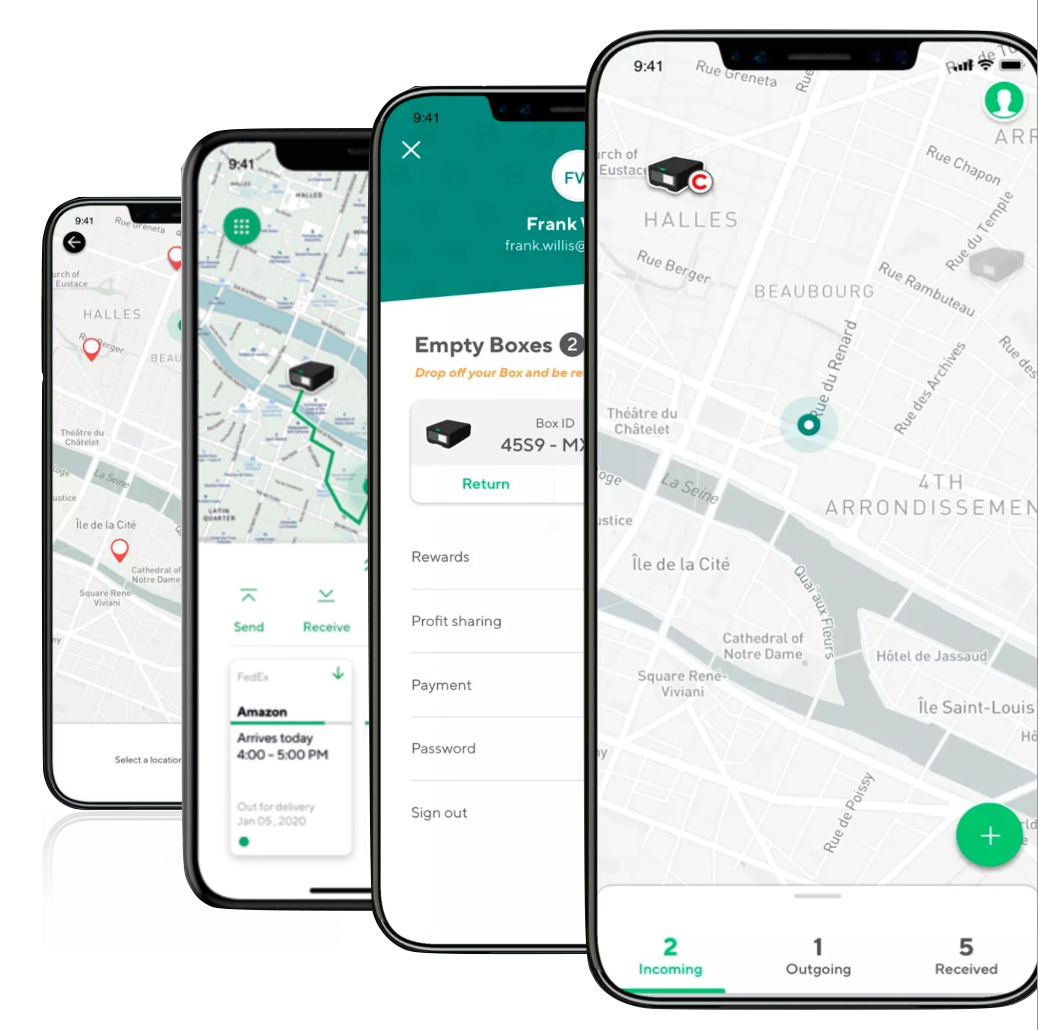
Apps let users track the location and status of their box.

“You’re in full control of everything involved,” he explained. “You know where the parcel is, what’s happening to it. You can look inside. You can say, I’m not at the location for delivery right now, I’m at my office, and just update the address. You don’t need filling material, you don’t need a paper label. You can tell when the seal is broken, when the item is removed.”

It all sounds great, but cardboard is simple and, while limited, proven. Why should anyone switch over to such a fancy device? The business model has to account for this, so it does — and then some.

To begin with, LivingPackets doesn’t actually sell The Box. It provides it to customers and charges per use — “packaging as a service,” as they call it. This prevents the possibility of a business balking at the upfront cost of a few thousand of these.

As a service, it simplifies a lot of existing pain points for merchants, consumers, and logistics companies.

For merchants, among other things, tracking and insurance are much simpler. As co-founder Alexander Cotte explained, and as surely many reading this have experienced, it’s practically impossible to know what happened to a missing package, even if it’s something large or expensive. With better tracking, lossage can be mitigated to start, and the question of who’s responsible, where it was taken, and so on can be determined in a straightforward way.

For packaging and delivery companies, the standard form factor with adjustable interior makes these boxes easy to pack and difficult to meddle with or damage — tests with European online retail showed that handling time and costs can be reduced by more than half. LivingPackets also pays for pickup, so delivery companies can recoup costs without changing routes. And generally speaking more data, more traceability, is a good thing.

For consumers, the most obvious improvement is returns; no need to print a label or for the company to pre-package one, just notify them and the return address appears on the box automatically. In addition there are opportunities once an essentially pre-paid box is in a consumer’s house: for instance, selling or donating an old phone or laptop. LivingPackets will be operating partnerships whereby you can just toss your old gear in the box and it will make its way to the right locations. Or a consumer can hang onto the box until the item they’re selling on eBay is bought and send it that way. Or a neighbor can — and yes, they’re working on the public health side of that, with antibiotic coatings and other protections against spreading COVID-19.

The Box locks securely but also folds down for storage when empty.

The idea underpinning all this, and which was wrapped up in this company from the start, is that of creating a real circular economy, building decentralized value and reducing waste. Even The Box itself is made of materials that can be reused, should it be damaged, in the creation of its replacement. In addition to the market efficiencies added by turning parcels into traveling IoT devices, reusing the boxes could reduce waste and carbon emissions — once you get past the first hundred uses or so, The Box pays for itself in more ways than one. Early pilots with carriers and retailers in France and Germany have borne this out.

That philosophy is embodied in LivingPackets’ unusual form of funding itself: a combination of bootstrapping and crowdsourced equity.

Cotte and his father founded investment firm the Cotte Group, which provided a good starting point for said bootstrapping, but he noted that every employee is taking a less than competitive wage with the hope that the company’s profit-sharing plan will pan out. Even so, with 95 employees, that amounts to several million a year even by the most conservative estimate — this is no small operation.

CEO Alex Cotte sits with V2 of The Box.

Part of keeping the lights on, then, is the ongoing crowdfunding campaign, which has pulled in somewhere north of €6 million, from individuals contributing as little as €50 or as much as €20,000. This, Cotte said, is largely to finance the cost of production, while he and the founding team essentially funded the R&D period. Half of future profits are earmarked for paying back these contributors multiple times their investment — not exactly the sort of business model you see in Silicon Valley. But that’s kind of the point, they explained.

“Obviously all the people working for us believe deeply in what we’re doing,” Cotte said. “They’re willing to take a step back now to create value together and not just take value out of an existing system. And you need to share the value you create with the people who helped you create it.”

It’s hard to imagine a future where these newfangled boxes replace even a noticeable proportion of the truly astronomical numbers of cardboard boxes being used every day. But even so, getting them into a few key distribution channels could prove they work as intended — and improvements to the well-oiled machines (and deeply rutted paths) of logistics can spread like wildfire once the innumerable companies the industry touches see there’s a better way.

The aims and means of LivingPackets may be rather utopian, but that could be the moonshot thinking that’s necessary to dislodge the logistics business from its current, decidedly last-century methods.


Read Full Article