26 March 2020

India’s MX Player expands to US, UK and other markets in international push


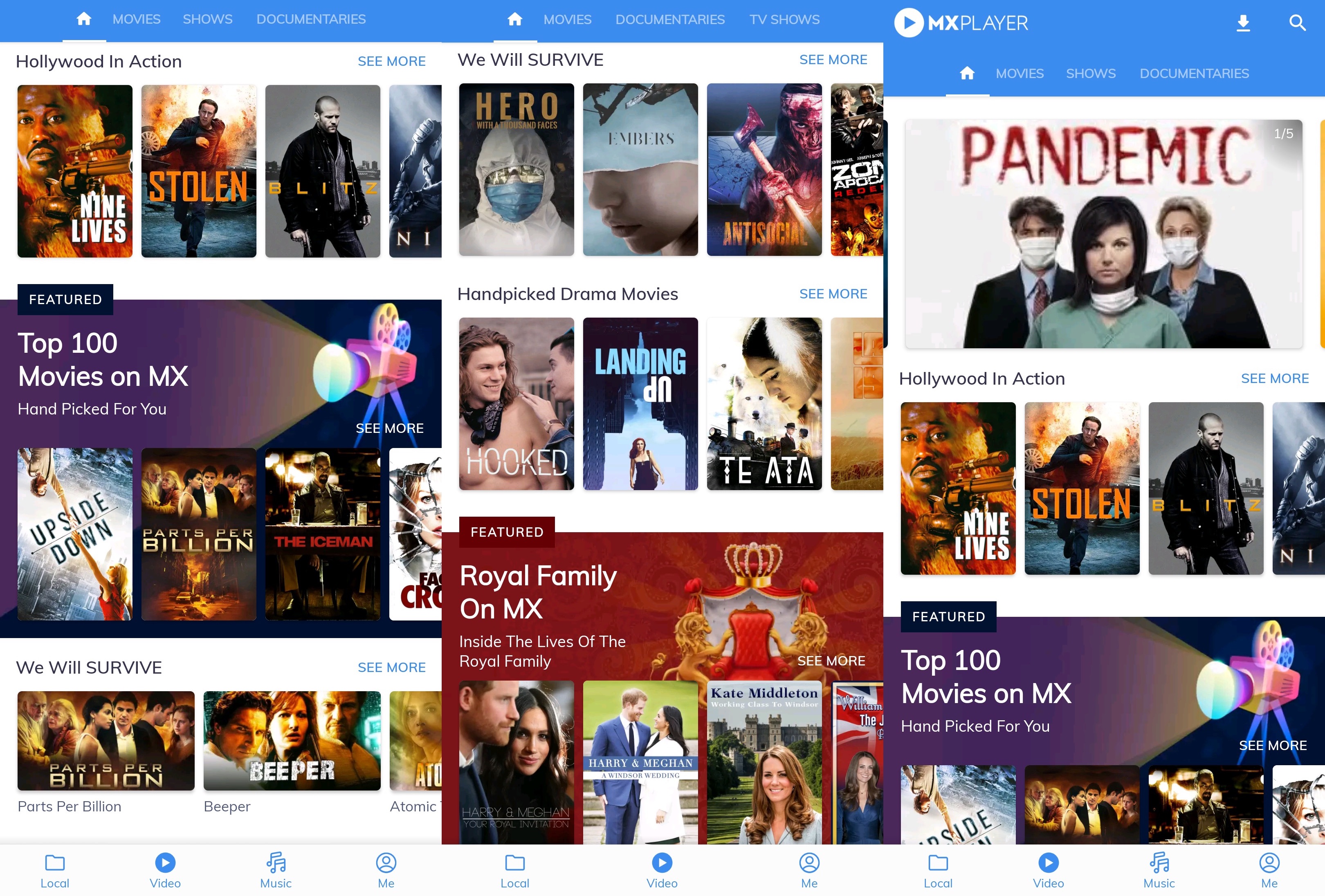
MX Player, the on-demand video streaming service owned by India’s conglomerate Times Internet, is expanding to more than half a dozen new international markets including the U.S. and the UK to supply more entertainment content to millions of people trapped in their homes.

The Singapore-headquartered on-demand video streaming service, which raised $111 million in a round led by Tencent last year, said it has expanded to Canada, Australia, New Zealand, Bangladesh, and Nepal in addition to the U.S. and the UK.

Like in India, MX Player will offer its catalog at no charge to users in the international markets and monetize through ads, Karan Bedi, chief executive of the service, told TechCrunch in an interview.

The streaming service, which has amassed over 175 million monthly active users, is offering locally relevant content in each market, Bedi said. This is notably different from Disney’s Hotstar expansion into international markets, where it has largely aimed to cater to the Indian diaspora.

MX Player is not currently offering any originally produced titles in any international markets — instead offering movies and shows it has licensed from global and local studios — but the streamer plans to change that in the coming future, said Bedi.

Even as the expansion comes at a time when the world is grappling with containing and fighting the coronavirus outbreak, Bedi said MX Player had been testing the service in several markets for a few months.

“We believe in meeting this rapidly rising demand from discerning entertainment lovers with stories that strike a chord. To that end, we have collaborated with some of the best talent and content partners globally who will help bring us a step closer to becoming the go-to destination for entertainment across the world,” said Nakul Kapur, Business Head for International markets at MX Player, in a statement.

Times Internet acquired MX Player, an app popular for efficiently playing a plethora of locally-stored media files on entry-level Android smartphones, in 2018 for about $140 million. In the years since, Times Internet has introduced video streaming service to it, and then live TV channels in India, its biggest market.

MX Player has also bundled free music streaming (through Gaana, another property owned by Times Internet) and has introduced in-app casual games for users in the country.

Bedi said the company is working on bringing these additional services to international markets, and also expanding to additional regions including Middle East and South Asia.


Read Full Article

Ultimate Microsoft Office Mastery: 90+ Tips, Tricks, and Tutorials for You


Use Microsoft Office every day? Check out our tips, tricks, and tutorials that’ll turn you into an efficiency machine with both Microsoft Word and Microsoft Excel.

Microsoft Office is powerful; there’s a reason why nearly every serious business in the world relies on it for office productivity. Yes, Microsoft Office can be daunting to learn, what with all of its crazy menus and features—but it doesn’t have to be difficult at all.

If you use either Microsoft Word or Microsoft Excel on a regular basis and want to become a more fluent user, we have all kinds of tips, tricks, and tutorials that’ll help you effortlessly learn the ins and outs of each program. You’ll be a master in no time!

Getting Started With Microsoft Office

If you’re a new user, or if you don’t even have Microsoft Office yet, you may want to check out our articles on how to acquire a copy of Microsoft Office for free—without breaking the law. Did you know you can even use Microsoft Office on Linux computers?

Once Microsoft Office is installed, you may also want to make a few tweaks and install a few add-ins that’ll ease your overall experience:

Mastering Microsoft Word

microsoft-word-auto-update

Beginner Tips for Microsoft Word

The first step to getting comfortable with Microsoft Word is making sure it’s set up properly. With a few tweaks to the settings, and some familiarity with basic features, you’ll feel much more at home when using the software:

And then once you’re comfortable with Microsoft Word, that’s when you’ll want to check out our various tutorials on how to do things with it, which will give you a quick boost to productivity:

Advanced Tips for Microsoft Word

After acquainting yourself with the basics of Microsoft Word, that’s when you’ll be ready to try full-fledged projects that are more than just simple essays and typed reports. Here are some of the cooler things you can do with Microsoft Word:

Useful Templates for Microsoft Word

Don’t have time to make new documents from scratch? You aren’t alone. That’s why you should check out our roundups of the best Microsoft Word templates for all kinds of needs and use-cases:

Mastering Microsoft Excel

For many, Excel is the much tougher software compared to Word. Numbers and formulas will do that to you. That’s why before you dive into our Excel tips and tricks, we recommend starting with these introductory articles:

Beginner Tips for Microsoft Excel

The first and most important skill to learn in Microsoft Excel is understanding worksheets and tabs. Check out our beginner articles that teach you how to set up, edit, recover, and compare Excel worksheets with ease:

And then learn the other essential skills that’ll give you a leg up when it comes to creating and modifying Excel spreadsheets. There’s a lot of cool stuff you can do, and most of it’s quite easy once you know how to do them:

Advanced Tips for Microsoft Excel

Microsoft Excel is a powerhouse application, and with a bit of know-how, you can effortlessly pull off some crazy cool tasks. Here are some of the more advanced techniques you can use to manage your Excel worksheets:

And there are plenty of more advanced tricks you can use to automate much of the process when dealing with complex Excel spreadsheets, and these automations will save a ton of time over the long run:

Useful Templates for Microsoft Excel

Who has the time to build new Excel spreadsheets from scratch? Whether for personal or business use, you should consider downloading one of the many free templates available on the web and customizing it to your specific needs:

Read the full article: Ultimate Microsoft Office Mastery: 90+ Tips, Tricks, and Tutorials for You


Read Full Article

How to Unlock Hidden Snapchat Filters and Lenses


snapchat-hidden-filters

One of the best reasons to use Snapchat is its collection of fun filters and lenses that make your selfies pop.

There are plenty of choices from the get-go, with the selection changing on a regular basis. However, Snapchat also has secret filters and lenses that you need to unlock before they’re accessible. And, even then, they may only be available for a limited time.

So, how do you unlock Snapchat filters and lenses? Including hidden ones? In this article, we’ll explain everything you need to know.

Snapchat Filters and Lenses: What’s the Difference?

In Snapchat, there are two effects that you can apply to your photos and videos: filters and lenses. While they may sound like the same thing, there are some differences between them.

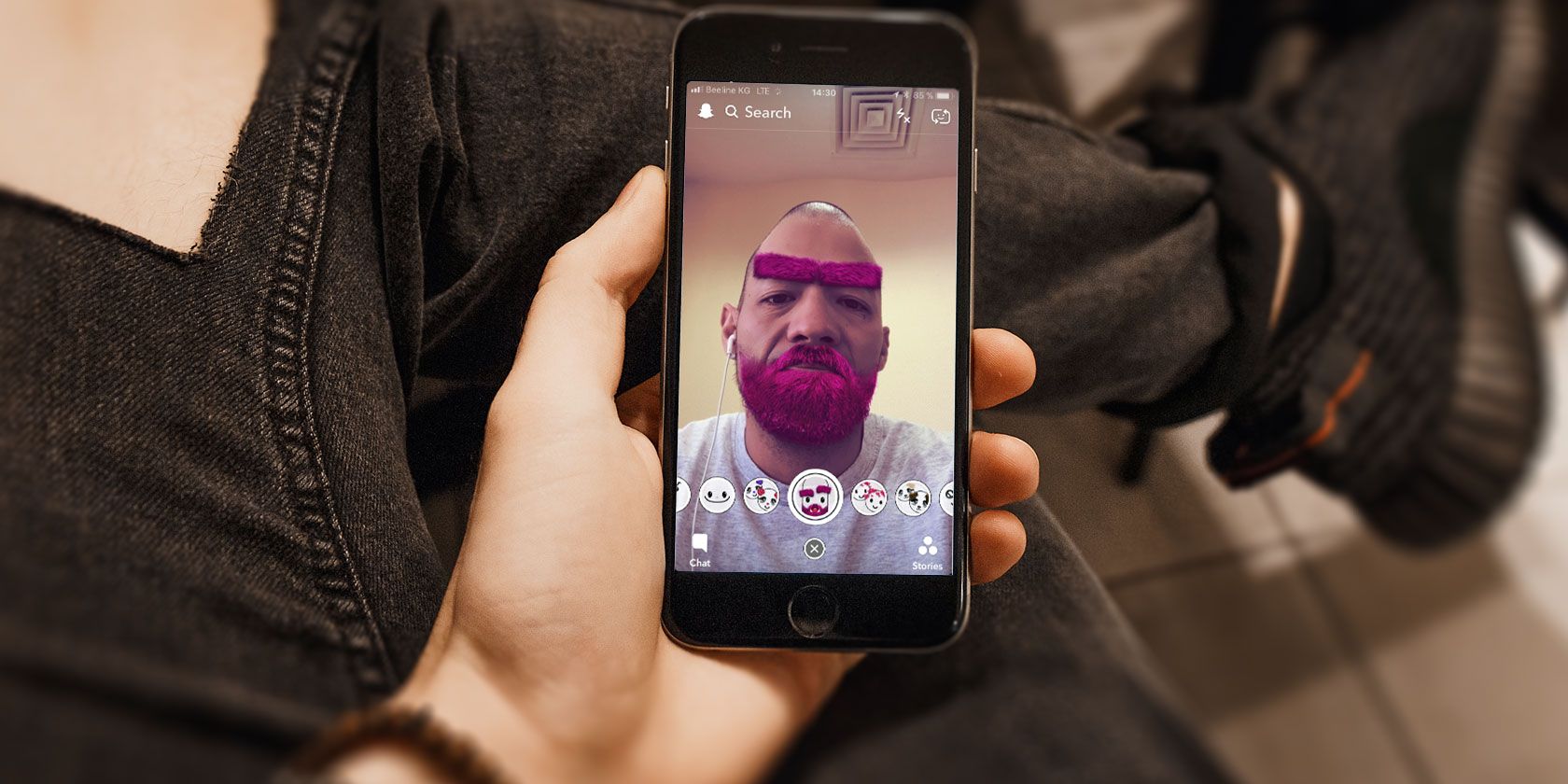
Snapchat lenses are the meat of the app and the feature that sets it apart from the rest. Essentially, lenses are augmented reality filters, and they’re mostly designed for your phone’s selfie camera. It’s how all the cool kids are turning themselves into cute dogs or puking rainbows.

Filters are more basic, as they mostly change the color of your image or video (like on Instagram). However, they can also add information, such as geofilters, time, or weather. Our list of the best Snapchat filters and lenses will help you find some new favorites.

How to Use Snapchat Filters

For the filters, all you need to do is snap a photo (front or rear cameras) and then swipe left and right to go through the different filters. The filters vary depending on whether you just took a still image or recorded a video.

The further right you swipe, the more unique filters you’ll see. These include geofilters, which are overlays featuring famous locations and cities, or special ones for holidays and events, such as sports games or music festivals.

When you’re out enjoying life, make sure to launch Snapchat, as you never know what geofilters you’ll find. If you’re feeling creative, you can even learn how to make your own Snapchat filter.

How to Use Lenses

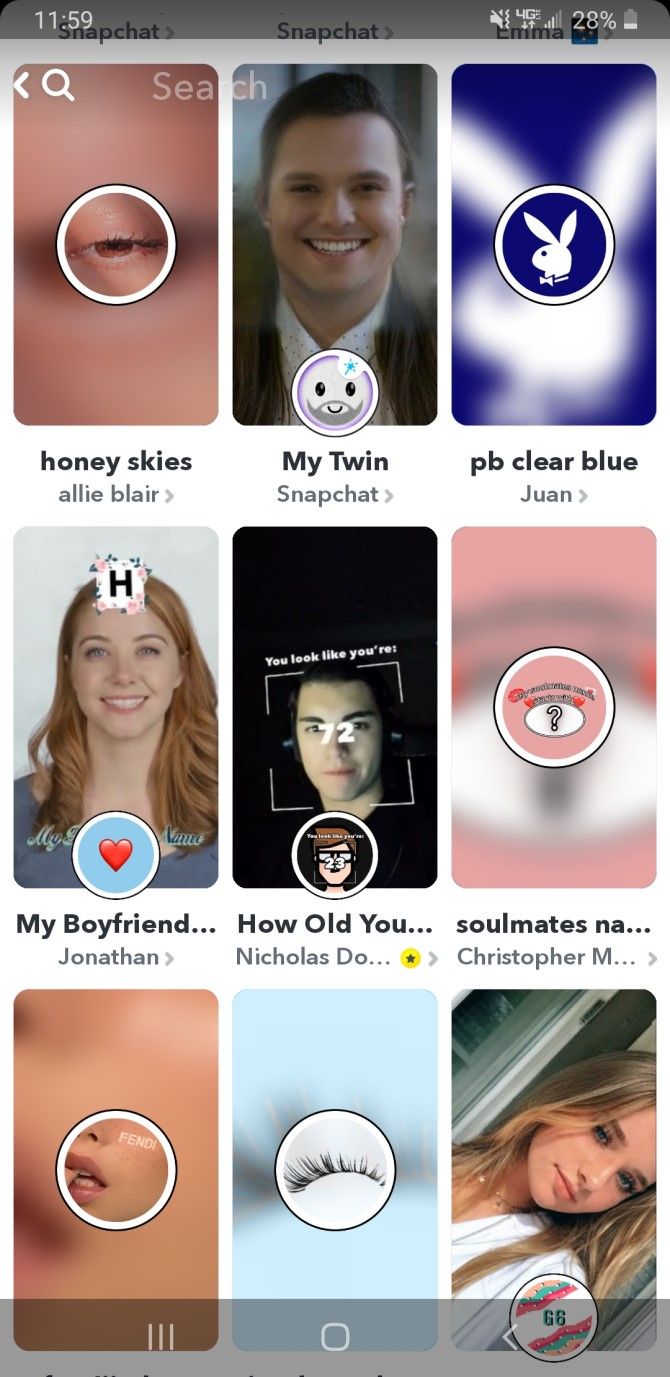
If you’re new to Snapchat, you might not know where to look to find lenses. In the camera view, enable the selfie camera (front-facing) and then press the small smiley face icon to the right of the capture button. You can then scroll through the available lenses. The lenses on the left side are interactive games called Snappables, while the right side features the collection of standard lenses.

As you look through the lenses, you’ll see a preview of each one in action. There are special effects on each lens that occurs when you follow the directions on the screen. Some lenses work with the rear-facing camera too, and others are best used with a friend.

Always in Rotation

The fun with Snapchat lies in the always-changing line-up of available filters and lenses for users to choose from. While this means more variety from time-to-time, it also means not all of them are going to be around forever. If you want to use a lens, you’d better use it when you see it.

And of course, there are some limited edition lenses and filters that are only available briefly. These are mostly to promote that hot television show that’s airing, a product with a sponsor, or even certain theme parks.

How to Find and Use Snapcodes

Snapchat has special filters and lenses locked away behind Snapcodes. What are Snapcodes? They’re similar to QR codes, and you can find them on limited edition products, in tweets, or even through basic hyperlinks.

They are slightly different than normal QR codes, though, and you’ll be able to tell the difference right away. Snapcodes feature the Snapchat logo icon, with a dotted pattern surrounding the ghost mascot. Each Snapcode is unique and only lasts for a certain amount of time.

Scan the Snapcode

Unlock Snapchat Lenses Snapchat Community

If you find a Snapcode that’s a hyperlink, all you have to do is tap on the link to launch Snapchat and unlock the lens. But if you’re working with a Snapcode image, there’s slightly more work involved.

Launch Snapchat and then switch to the rear-view camera. Get the Snapcode into the viewfinder and have it focus so the image is clear. Then just do a long-press on the Snapcode on the screen until your phone vibrates when it’s recognized.

The Snapcode can be used for a variety of things, like making it easier to follow users, but we’re only discussing the ones to unlock lenses.

Unlock Your New Lens

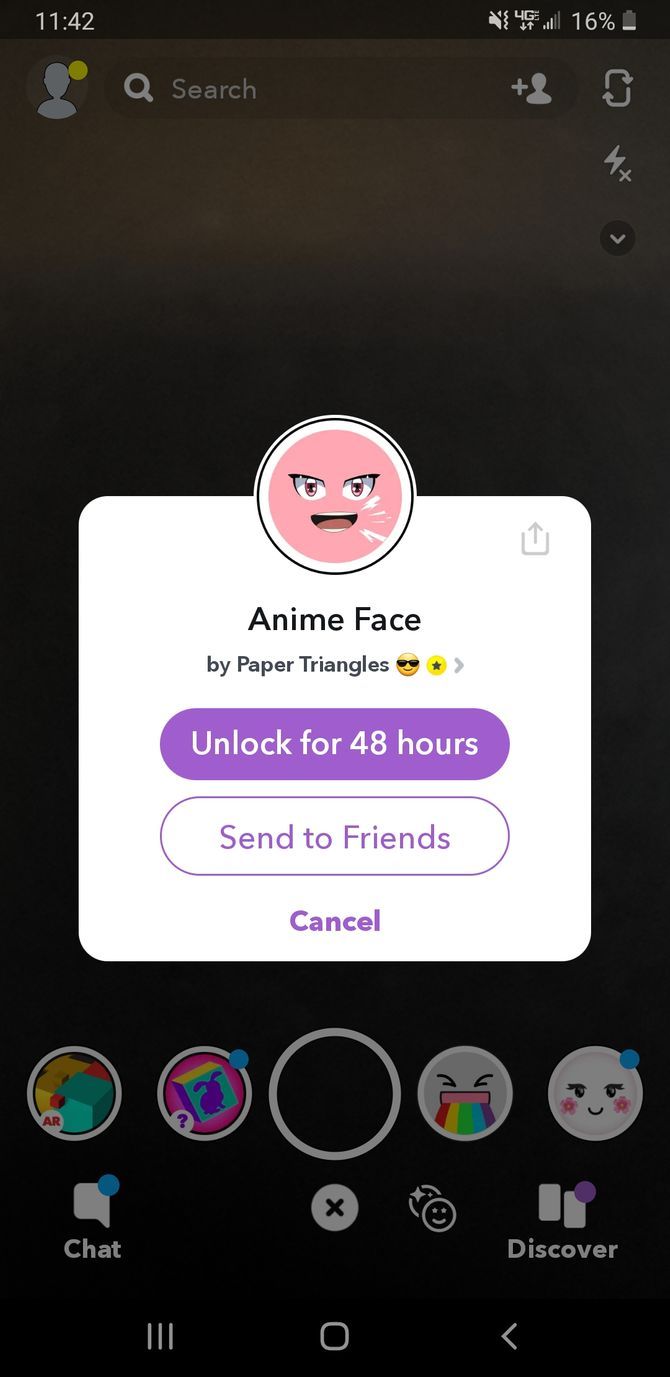
After you scan the Snapcode or tap the link, you’ll see the name of the filter in a popup. Just tap on the Unlock button to add it to your Lens repertoire.

As mentioned earlier, each code is unique and you can only use it for a limited time. The duration that each Snapcode is available is different, but Snapchat tells you how long you can use it for once it’s unlocked.

On top of that, Snapcodes may not be available forever, as some of them are used to promote something. Even if you find some codes from previous promos, they may have expired already.

Experiment With New Lenses and Have Fun

Once you’ve unlocked a hidden lens, be sure to give it a spin!

To use your new Snapchat lenses, go back to the camera and enable selfie view using the front-facing camera. Then tap the smiley face button to access the available selfie filters and lenses. Any secret ones you’ve just unlocked show up first, so they’re the quickest to access. To use it, just tap the one you want and then follow the directions on the screen. It’s that easy!

Where to Find Hidden Lenses and Filters

We mentioned earlier that secret Snapchat filters and lenses are usually available for a limited time to promote a new product, popular TV show, or even a location. Because of this, the availability of secret filters varies. Here are some tips that can help you find more lenses and filters that you can temporarily add to your library.

Snapchat Lens Studio

Snapchat Lens Studio Lenses

On the Snapchat Lens Studio, you can find tons of lenses made by creative Snapchat users. When you arrive on the page, you’ll see a carousel of fun lenses handpicked by Snapchat itself. Simply scroll down the page to find a huge list of trending lenses. You can scan any of these Snapcodes to upload them to your app.

The Creators page features a list of official Snapchat lens creators. Here, you can browse through each lens creators’ profile, and experiment with the unique lenses they’ve made.

Find Lenses From the Snapchat App

If you don’t want to go through the trouble of scanning Snapcodes from Snapchat’s site, you can find even more lenses right from the Snapchat app.

As you scroll through the carousel of lenses, swipe up on the screen. This brings up a page full of popular Snapchat filters that don’t come with the app by default. Select any filters that look fun to use, and you can start using them instantly.

Keep an Eye Out for Promotions

Occasionally, a brand, TV show, movie, or even theme park might release a lens that you can only use for a limited time. In the past, HBO released a special filter to celebrate Game of Thrones season premiere. Even Wendy’s joined in on the Snapchat fun by putting a Snapcode on customers’ cups—every time the code got scanned, Wendy’s donated $5 to a foster care charity.

We can’t predict when these lenses will get released, so it’s best to just keep an eye out for any news on social media. When you see your friends snapping you with a lens you’ve never seen before, you’ll know that a new hidden Snapcode has been released.

Unlock Snapchat Filters and Start Snapping

Now that you know all about how Snapchat’s filters and lenses work, as well as the best ways to find them, it’s time to have some fun. Send some snaps using the new lenses you’ve discovered, and you’ll definitely surprise your friends.

To become even more Snapchat-savvy, check out the Snapchat features all users need to learn.

Read the full article: How to Unlock Hidden Snapchat Filters and Lenses


Read Full Article
The New Google Podcasts Is Available on iOS and Android


Google has launched a new version of its Podcasts app. And, for the first time ever, Google Podcasts is now available on iOS as well as Android. What’s more, across both mobile platforms, Google has redesigned the Podcasts app to make it easier to use.

Google Wants You to Listen to Podcasts

Podcasts have been around for longer than you might think. However, they have massively grown in popularity in recent years to become a medium in their own right. The two issues are choosing the best app to listen to them on, and finding new podcasts to listen to.

Google thinks it has solved both of these issues with the new version of Google Podcasts. Now available on both Android and iOS, according to The Keyword, Podcasts has been redesigned to make it easier than ever to listen to, organize, and discover podcasts.

How to Use the New Google Podcasts

The new Google Podcasts boasts three main tabs: Home, Explore, and Activity.

Home provides you with a feed of new episodes and quick access to the shows you subscribe to. Selecting an episode will reveal the topics discussed in that episode. You can then learn more about those topics by jumping over to Google Search.

new Google Podcasts app

Explore is where you’ll find new podcasts to listen to. The “For You” tab will feature new shows and episodes of shows Google thinks you’ll enjoy. To the right of that are other tabs recommending popular podcasts across a range of different categories.

Activity is where you’ll find everything you have been doing on Google Podcasts. This includes episodes you have already listened to, episodes you have queued up to listen to, which episodes you have downloaded, and which podcasts you’re subscribed to.

Download: Google Podcasts on iOS | Android

Other Podcasts Apps on Android and iOS

Google faces a tough time persuading iPhone users to switch from Apple Podcasts to Google Podcasts. And there are plenty of alternatives on both operating systems. So, here are the best podcast apps for Android and the best podcast apps for iOS.

While Google Podcasts is all about helping you listen to podcasts, perhaps you would prefer to record your own podcast instead. Now is as good a time as any, and all you need is an original idea in your head and the right equipment to start podcasting.

Read the full article: The New Google Podcasts Is Available on iOS and Android


Read Full Article

The 18 Best Educational Instagram Accounts for Students


educational-instagram

When used correctly, Instagram can become a great educational asset rather than an unhelpful distraction. If you use Instagram a lot, why not make the most of it? Especially if you’re a student.

To get more out of Instagram you need to find the right people to follow. Depending on your interests, that may be more difficult than it sounds. There are so many people and organizations on Instagram, it’s hard to pick out the good ones from a sea of choices.

To get you started, take a look at these great educational Instagram accounts. These are some of the best pages on Instagram for boosting your world knowledge.

1. NASA Goddard

NASA Goddard

If you love research and space, following the NASA Goddard account is a must. You can explore other worlds from the comfort of your phone. You’ll get a lot of pictures of astronauts, shuttle launches, and space shots straight from the Hubble Space Telescope.

2. National Geographic

National Geographic

National Geographic posts about all sorts of topics, including nature, animals, and cultures. This Instagram account can quickly open up your mind to the wider world and make you more appreciative of all the awesome, unique things that exist out there.

3. The Smithsonian

Smithsonian

The Smithsonian is a group of American museums and research centers that focus on culture and human achievements. Its Instagram account is a great peak into the lives of famous figures from the past and a look at the lives of people that you might not normally encounter.

4. NOAA Fisheries

NOAA Fisheries

Do you nerd out specifically over marine life? Do you just enjoy pictures of sea creatures and oceans? Then following the NOAA Fisheries Instagram account is a must. You don’t just get interesting pictures, but also detailed aquatic facts with every picture.

5. The American Museum of Natural History

Am Museum of Natural History

The American Museum of Natural History is based in New York City and its Instagram account shares the wonders of the natural world that brings history to life. It includes amazing photos of beautiful plants and creatures past and present, including dinosaurs and fossils.

6. Daily English Vocabulary Words

Daily English Vocabulary Words

There are over half a million English words. You’re never going to learn them all, but you can try with the Daily English Vocabulary Words Instagram account. Every day the account defines an unusual word and posts a quiz; try using one of the words you learn in your next assignment.

7. The British Library

British Library

The British Library is the largest library in the world, based on how many items it has cataloged. Its Instagram page gives you an insight into its historical documents and a peak into its latest exhibits; perfect for any history buff.

8. The Saatchi Gallery

Saatchi Gallery

The Saatchi Gallery is based in London, but its Instagram page allows it to share its unique art exhibits to the world. You’re bound to see something thought-provoking here and it’s an excellent resource for inspiring artistic students.

9. Health and Nutrition Facts

Health and Nutrition Facts

It can be difficult to eat well when you’re a student. That’s why the Health and Nutrition Facts Instagram is invaluable. Not only does it offer up tasty and simple recipes, but it also offers tips on how to stay healthy and avoid junk food.

Interested in improving your diet? Be sure to use one of these food diary apps to see how your food affects you.

10. Study With Maggie

Study With Maggie

You will write down a lot of information as a student and it can be difficult to keep those notes organized. That’s why Study With Maggie is great to follow because her neat journal notes are bound to inspire you. Or perhaps you’ll just admire the practice while you shove another crumpled notepad into your bag…

11. Subway Book Review

Subway Book Review

While your bookshelf is no doubt full of textbooks, don’t forget the power of a good story. Reading can help boost your creativity or just give you a break from study. Subway Book Review posts book recommendations from regular folk riding on public transport.

12. Homework Help Global

Homework Help Global

Studying for exams and writing assignments isn’t easy. However, there are various tips you can follow to help you improve at them. Homework Help Global is a great resource for that, offering advice on things like how to memorize information easier or how to make your arguments flow better in essays.

13. History in Pictures

History in Pictures

History is endlessly fascinating. The History in Pictures Instagram account brings our past to life, shining a spotlight on both famous and lesser-known moments of history, with each picture accompanied by interesting nuggets of information.

14. Humans of New York

Humans of New York

Humans of New York is a famous Instagram account and isn’t technically an educational resource, but it’s great to broaden your horizons and improve your empathy. Each day, the account tells the story of a random person out and about in New York City.

If you love Humans of New York, you should check out these other photography projects.

15. Tech by Guf

Tech by Guf

Our planet is constantly evolving and technology plays a big part in that. The world that you enter once you finish school is going to be shaped by technology, so follow Tech by Guf to keep up-to-date with the latest innovations.

16. Pearson Students

Pearson Students

Pearson Students is a dominant textbook publisher in the United States, but its Instagram account is packed full of great advice for students. It offers support on making major decisions, tips for studying, interesting facts, plus the occasional laugh.

17. LinkedIn

LinkedIn

LinkedIn is a professional networking site. Its Instagram account highlights all sorts of jobs that different people fill around the world. It’s a great student resource to get thinking about what career you might want, or to just be inspired by others.

18. Dormify

Dormify

Your surroundings are a vital part to your well-being. Don’t let yourself be dragged down by living in a dingy dorm. Instead, follow Dormify so that you can be blasted with great tips on how to spice up your room. Alternatively, use it as a resource if you study something like interior decorating or fashion.

You Can Also Have a Laugh With Instagram

These are some of the best educational Instagram accounts to help you live your best life as a student. And they’ll be interesting to other people too.

However, Instagram is about much more than education, so if you also want to keep your Instagram account light, follow these funny Instagram accounts to brighten your day.

Image Credits: Naosuke II/Flickr

Read the full article: The 18 Best Educational Instagram Accounts for Students


Read Full Article
What Is My Phone’s IMEI? Here’s What You Need to Know


simcard-vs-esim

You may have heard your insurance company or law enforcement encourage you to record your IMEI. You might have even seen it in your phone’s settings or device packaging. What isn’t so clear is what the IMEI number is actually for.

So, what exactly is an IMEI number, and how do you find yours?

What Is an IMEI Number?

Apple iPad Air 2 IMEI Codes

The International Mobile Equipment Identity—or IMEI—is a unique numerical identifier for every mobile device.

This number helps to differentiate each device from one another. If you take your phone in for repair, they will track it using the IMEI to distinguish it from the other millions of iPhones, for example.

A standard IMEI number is a 14 digit string, with an additional 15th check digit for verifying the entire string. There is also a 16 digit variation that includes information on the device’s software version, known as the IMEISV.

Since 2004, the IMEI appears in the format AA-BBBBBB-CCCCCC-D. The sections labeled A and B are known as the Type Allocation Code (TAC). The TAC portion of the IMEI identifies the manufacturer and model of the device. For example, the Google Pixel TAC code is 35-161508, while the iPhone 6s Plus is 35-332907.

Some models have multiple TACs depending on revision, manufacturing location, and other factors. For example, the iPhone 5C had five different TAC codes.

The six C digits represent your device’s unique serial number, and the handset manufacturer defines these. The D portion of the IMEI is a check digit that ensures the IMEI meets the Allocation and Approval Guidelines. The check digit is displayed on packaging to prevent incorrect IMEI recording, but it doesn’t make up part of the documented IMEI.

While the IMEI number is undoubtedly significant, it isn’t the only regulatory requirement for your smartphone. Manufacturers have to abide by regulations for each region they want to sell their devices in. The IMEI doesn’t show that the equipment meets any of those other safety and regulation requirements.

Finding Your IMEI

iPhone X IMEI Number

There are a couple of ways you can go about finding your device’s IMEI. The most universal approach is to head to your device’s dialer app. Tap in *#06# and the IMEI will be displayed on the screen.

If you have an Android or iOS device, then the IMEI can be found under Settings too. On iOS head to Settings > General > About and the IMEI will be displayed. Copying the IMEI is as simple as tapping and holding on the number. Android devices may vary, but generally heading to Settings > About Phone should display the IMEI.

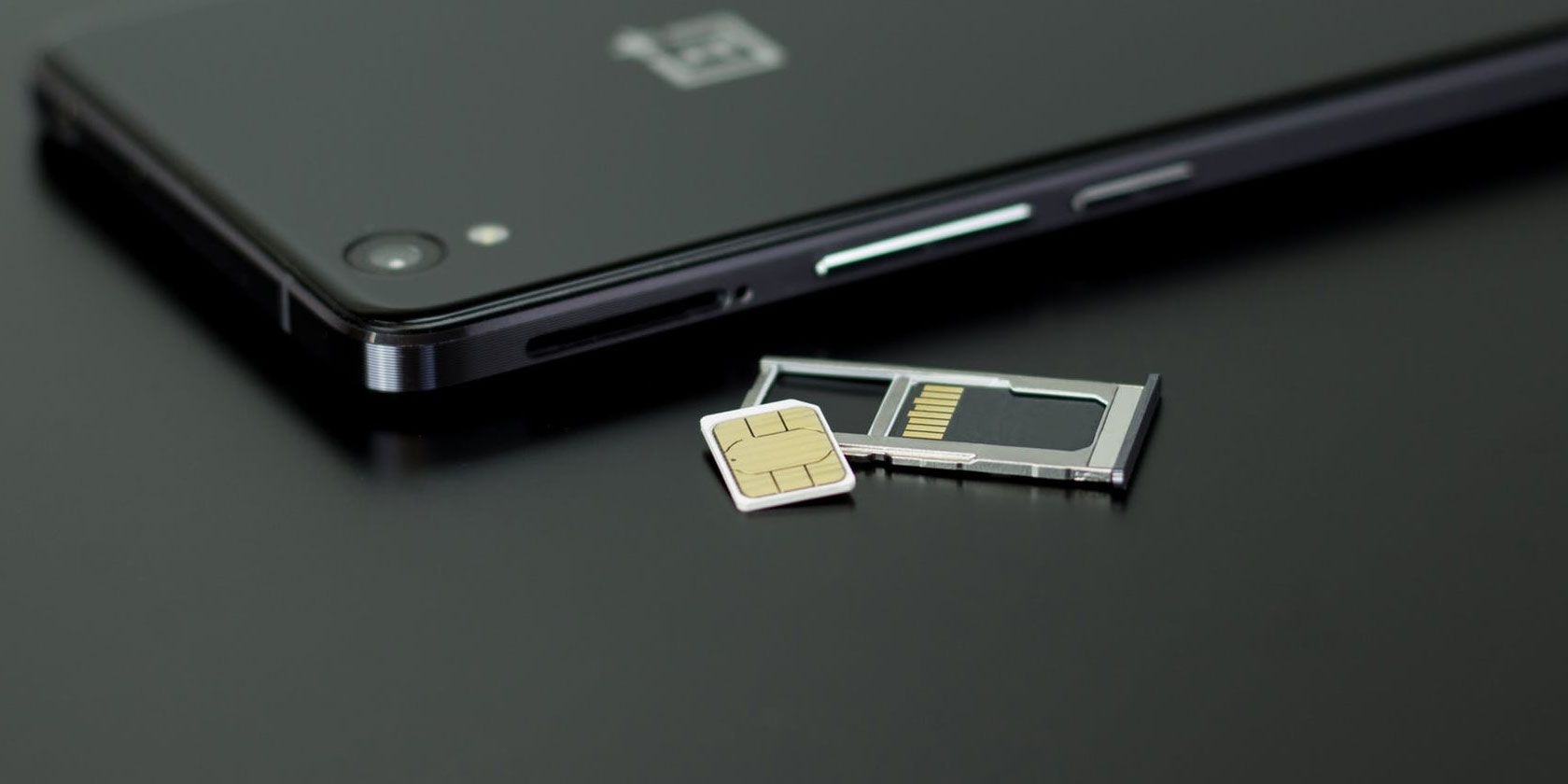
If you can’t access your device, there are other ways to find your IMEI too. The retail packaging should have a label with the IMEI displayed. If your device has a removable battery, then the IMEI is often listed underneath the battery. Many devices have the IMEI printed on the back. Others, including the iPhone 6s and above, have the IMEI inscribed on the SIM tray.

However, if you are about to purchase a new device, particularly a second-hand one, you’ll want to verify it’s status using the IMEI, too. To do this, head over to IMEI.info and enter the smartphone’s IMEI number.

This free tool will tell you a bit about the device, as well as offer you additional services like a basic blacklist check. If you want to gain even greater clarity, IMEI.info has premium services like a separate blacklist check for each major US carrier and a SIM-lock status tool.

If you’re after the information in a hurry, and don’t mind paying for it, the premium service CheckMEND offers a Device History Check for just under a dollar.

What Is an IMEI Number Used For?

The IMEI’s primary purpose is to equip your device with a unique ID number. So, in practice, the IMEI is very similar to the Vehicle Identification Number (VIN) used in the automotive industry. Although sometimes confused, the IMEI number is entirely separate from your SIM number and cannot be changed.

When you connect to a cell network, the provider captures both numbers to enable their service. The SIM number identifies your subscriber account, while the IMEI only identifies the device.

If your device is lost or stolen, you can contact your provider who may be able to place a block on the IMEI number, preventing it from being used to connect to the network. Your provider may also be able to contact other networks, asking them also to block the device. Once you’ve done so, you can then use built-in tools to find your phone’s location.

Law enforcement often keep records of lost and recovered phones, identified by their IMEI. Since there is no good reason to change the device’s IMEI, the practice is illegal in many regions.

While it may be illegal to change the IMEI of a device, it does happen. Thieves, in particular, will attempt to take non-blacklisted numbers and apply them to their stolen devices to make them usable again. For this reason, we recommend that you never share or post your IMEI number online, or else you may find your device cloned.

We advise against sharing personal data online more generally, too.

Have You Recorded Your IMEI?

The IMEI number is one of the most important and unique ways of identifying your device. If you haven’t already, you should locate it and take note of it right away.

Keep a record of your IMEI somewhere safe, so it’s there if you ever need it. If you are looking for a digital safe, then a password manager might even do the trick.

That said, if you’ve found or recovered someone else’s smartphone, you may be wondering how to get it back to them. In that case, you’ll want to know what to do if you find a lost or stolen iPhone.

Read the full article: What Is My Phone’s IMEI? Here’s What You Need to Know


Read Full Article
Are Surge Protectors Necessary? Here’s What They Really Do


surge-protector

People sometimes confuse surge protectors with power strips, but they’re two very different technologies. It’s important to learn the difference, as only one of them will protect your devices from a power spike!

Let’s explore what a surge protector does and how it works.

What Does a Surge Protector Do?

Before we can define how a surge protector works, we need to define what it’s protecting your electronics from—an electrical surge.

Think of the flow of electricity like water running through a pipe. Water moves from one end of a pipe to the other end due to water pressure—water moves from high pressure to low pressure.

Electricity operates in a similar way, moving from areas of high electric potential energy to areas of low electric potential energy. In this case, it’s from one end of a wire to the other end.

Voltage is a measure of this electric potential energy—more specifically, the difference in electric potential energy. When the voltage increases above the norm for at least 3 nanoseconds, it’s called a surge.

If the voltage of the wire is too great—meaning the difference in electric potential energy from one end to the other is too high—then the electricity will surge through. This heats up the wire; if it gets hot enough, it can burn the wire and render it useless.

The surge protector has one job: detect excess voltage and divert the extra electricity into the grounding wire. This is why all surge protectors will have a grounding pin (the third prong on a plug) and all surge protectors must be plugged into a properly grounded outlet for them to work as intended.

What Is an Electrical Surge?

So what causes an electrical surge? Most people think that the biggest culprit of electrical surging is lightning, but that’s not wholly true.

Lightning can and does cause electrical surges, but it’s not as common as other causes. In fact, buying a surge protector to save your electronics from a thunderstorm may not work in your favor.

While good surge protectors can take on a surge caused by a distant thunderstorm, a near or direct hit from a lightning bolt will fry it. As such, the best protection against thunderstorms is to unplug your electronics.

The primary culprits of electrical surges are devices that require lots of power to operate. Depending on the wiring of your home, you may notice at times that your lights flicker when powerful devices turn on and off, such as your air conditioner.

If these devices are switched on, they demand a lot of electricity, which puts a lot of strain on the grid and can cause surges.

Are Surge Protectors Necessary?

Given how surges can happen at any time, you don’t need to worry about when to use a protector; just use it all the time. The real question is what you should plug into a surge protector.

You don’t need a surge protector for your desk lamp or your standing fan, but you do want a surge protector for expensive devices that have intricate microprocessors, like computers, televisions, stereo systems, and media centers. In short, anything electronic and expensive benefits from a surge protector.

Think of it this way: if there was an electrical surge that destroyed all of the devices connected to your outlets, which lost devices would pain you the most? Plug those into a surge protector. It’s better to be safe than sorry.

On an offbeat note, surge protectors can be useful for reducing cable clutter and improving organization with your electronics. All of the cables end up being directed to the same destination, making it much easier for you to handle them all neatly.

Choosing the Best Surge Protector For You

It can be difficult finding the right surge protector for your needs at a good value. What makes a surge protector good? And why are some surge protectors much more expensive than others? Are there any features you should be looking out for?

Let’s break down the basics to look out for when getting a surge protector.

Indicator Lights

Surge protectors only have a limited lifespan depending on how hard they work. Even when the surge protector properly diverts a surge, the protector itself can suffer damage in the process.

As such, one of the most important features is an indicator light. An indicator light will let you know that your surge protector is working fine. Is the indicator light not working? Time to buy a new surge protector.

UL Rating

As for protection power, good surge protectors will come with a UL rating, a rating put out by the independent Underwriters Laboratories that test the safety of electronic devices.

Don’t bother with a surge protector that doesn’t have a UL rating. Also, make sure that the product is a “transient voltage surge suppressor” as many UL-rated power strips still might not offer surge protection.

Clamping Voltage

The clamping voltage is the measurement that prompts the surge protector to start redirecting the excess electricity away from the plugged-in devices. In other words, a surge protector with a lower clamping voltage will trigger earlier, thus protecting your devices quicker.

Any surge protector with a clamping voltage below 400 volts should be good enough for home use.

Joule Rating

This is the maximum amount of energy the surge protector can absorb. If the surge breaches this maximum, it renders the surge protector useless.

The higher the joule rating, the more energy can be absorbed by the surge protector, so a higher joule rating will often indicate a longer lifespan for the product.

For best household protection, you’ll want a surge protector with a joule rating of at least 600.

Response Time

The response time is how long it takes for the surge protector to detect a surge in electricity. A lower value means a faster response. This reduces the time that your plugged-in devices are exposed to the surge, thus protecting them better.

Ideally, you’ll want a surge protector with a response time of 1 nanosecond or faster.

Recommended Surge Protectors

If you’re still stuck on which surge protector to buy, don’t worry. We covered your best options in our article on the best surge protectors for every use case, from the budget-minded spender to someone protecting an expensive home cinema.

Defending Against the Surge

All electrical grids experience electrical surges; some more than others. These surges can damage electronics and surge protectors are there to control them as much as possible.

You’ll want to use surge protectors for complex and valuable electronics, such as computers, appliances, and media centers. Keep in mind that it’s not enough to have a surge protector; you need one that’s properly suited to your needs.

Given how power-hungry devices cause surges, it’s a good idea to learn how much energy your PC uses in case it’s a prime culprit.

Read the full article: Are Surge Protectors Necessary? Here’s What They Really Do


Read Full Article

People who mostly get news from social networks have some COVID-19 misconceptions


A new survey conducted by the Pew Research Center shows a COVID-19 information divide between people who mostly get their news from social networks and those who rely on more traditional news sources.

Pew surveyed 8,914 adults in the U.S. during the week of March 10, dividing survey respondents by the main means they use to consume political and election news. In the group of users that reports getting most of their news from social media, only 37% of respondents said that they expected the COVID-19 vaccine to be available in a year or more — an answer aligned with the current scientific consensus. In every other sample with the exception of the local TV group, at least 50% of those surveyed answered the question correctly. A third of social media news consumers also reported that they weren’t sure about the vaccine availability.

Among people who get most of their news from social media, 57% reported that they had seen at least some COVID-19 information that “seemed completely made up.” For people who consume most of their news via print media, that number was 37%.

Most alarmingly, people who primarily get their news via social media perceived the threat of COVID-19 to be exaggerated. Of the social media news consumers surveyed, 45% answered that the media “greatly exaggerated the risks” posed by the novel coronavirus. Radio news consumers were close behind, with 44% believing the media greatly exaggerated the threat of the virus, while only 26% of print consumers — those more likely to be paying for their news — believed the same.

The full results were part of Pew’s Election News Pathways project, which explores how people in the U.S. consume election news.


Read Full Article

Monitoring is critical to successful AI


As the world becomes more deeply connected through IoT devices and networks, consumer and business needs and expectations will soon only be sustainable through automation.

Recognizing this, artificial intelligence and machine learning are being rapidly adopted by critical industries such as finance, retail, healthcare, transportation and manufacturing to help them compete in an always-on and on-demand global culture. However, even as AI and ML provide endless benefits — such as increasing productivity while decreasing costs, reducing waste, improving efficiency and fostering innovation in outdated business models — there is tremendous potential for errors that result in unintended, biased results and, worse, abuse by bad actors.

The market for advanced technologies including AI and ML will continue its exponential growth, with market research firm IDC projecting that spending on AI systems will reach $98 billion in 2023, more than two and one-half times the $37.5 billion that was projected to be spent in 2019. Additionally, IDC foresees that retail and banking will drive much of this spending, as the industries invested more than $5 billion in 2019.

These findings underscore the importance for companies that are leveraging or plan to deploy advanced technologies for business operations to understand how and why it’s making certain decisions. Moreover, having a fundamental understanding of how AI and ML operate is even more crucial for conducting proper oversight in order to minimize the risk of undesired results.

Companies often realize AI and ML performance issues after the damage has been done, which in some cases has made headlines. Such instances of AI driving unintentional bias include the Apple Card allowing lower credit limits for women and Google’s AI algorithm for monitoring hate speech on social media being racially biased against African Americans. And there have been far worse examples of AI and ML being used to spread misinformation online through deepfakes, bots and more.

Through real-time monitoring, companies will be given visibility into the “black box” to see exactly how their AI and ML models operate. In other words, explainability will enable data scientists and engineers to know what to look for (a.k.a. transparency) so they can make the right decisions (a.k.a. insight) to improve their models and reduce potential risks (a.k.a. building trust).

But there are complex operational challenges that must first be addressed in order to achieve risk-free and reliable, or trustworthy, outcomes.

5 key operational challenges in AI and ML models

Coinbase Wallet lets you earn interest with deeper DeFi integration


Coinbase’s mobile wallet app Coinbase Wallet puts you in control of your crypto assets. The app already lets you access decentralized crypto apps (dapps) using a dapp browser. But Coinbase is going one step further, with deep integrations with some of the most popular DeFi projects.

DeFi means “decentralized finance,” and it has been a hot trend in the cryptocurrency space. DeFi projects try to reproduce traditional financial products in the blockchain. For instance, you can lend and borrow money, invest in derivative assets and more.

A popular category of DeFi projects has been lending protocols, such as Compound and dYdX. Those protocols work pretty muck like LendingClub, but on the blockchain. Some users send money to a DeFi lending project to contribute to liquidity pools. Other users borrow money from that pool. Interest rates go up and down depending on supply and demand.

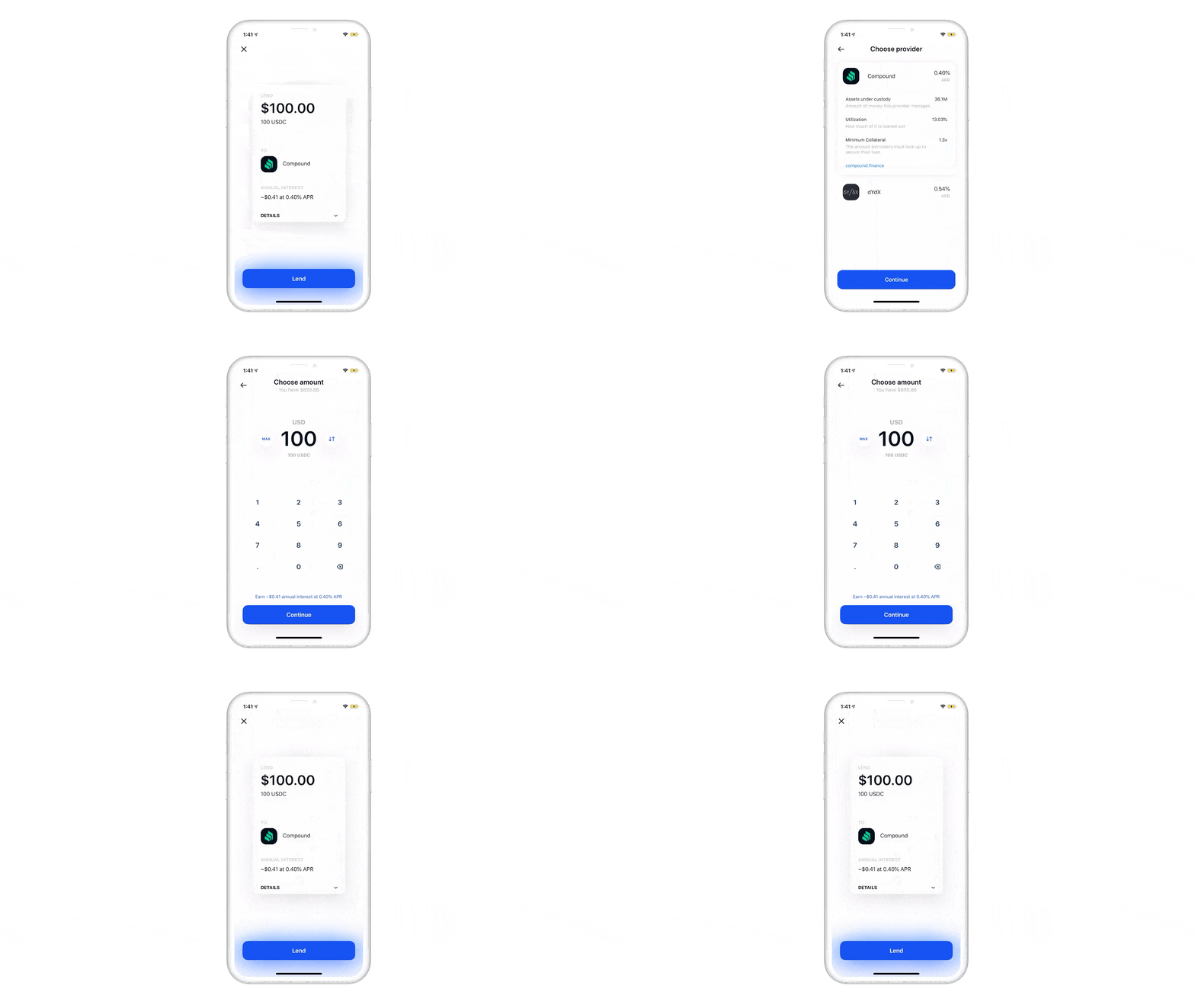
With today’s update, you can contribute to lending protocols much more easily. Coinbase Wallet lets you pick a cryptocurrency, compare interest rates across multiple DeFi protocols, interact with those protocols and view your balances in a unified dashboard, you don’t have to use Coinbase Wallet’s dapp browser.

Interest rates will change over time. At any time, you can check the current interest rate, see how much you’ve earned already and withdraw your crypto assets.

Those protocols rely on collateralized borrowing in order to avoid default payments. It means that borrowers have to lock crypto assets as collateral. You often have to provide a bigger collateral than what you’re trying to borrow with those DeFi protocols — that’s the downside of not relying on credit history and external financial data.

Again, this isn’t a traditional finance product. Your deposits are not insured and there could be some bugs in DeFi protocols. For instance, bZx recently suffered from a “flash loan” attack. But it’s an interesting crypto use case.


Read Full Article

25 March 2020

How we must respond to the COVID-19 pandemic | Bill Gates

How we must respond to the COVID-19 pandemic | Bill Gates

Philanthropist and Microsoft cofounder Bill Gates offers insights into the COVID-19 pandemic, discussing why testing and self-isolation are essential, which medical advancements show promise and what it will take for the world to endure this crisis. (This virtual conversation is part of the TED Connects series, hosted by head of TED Chris Anderson and current affairs curator Whitney Pennington Rodgers.)

Click the above link to download the TED talk.