04 September 2018

New to Instagram? 20 Common Terms You Should Know


new-to-instagram

Thanks to its visual nature, Instagram can still bring joy to your life. As opposed to the anxiety and anger that some people feel when using Facebook and Twitter.

However, if you’re new to Instagram you may be confused by some of the terms being thrown around without explanation. In this article, we explain the language of Instagram…

1. Bio
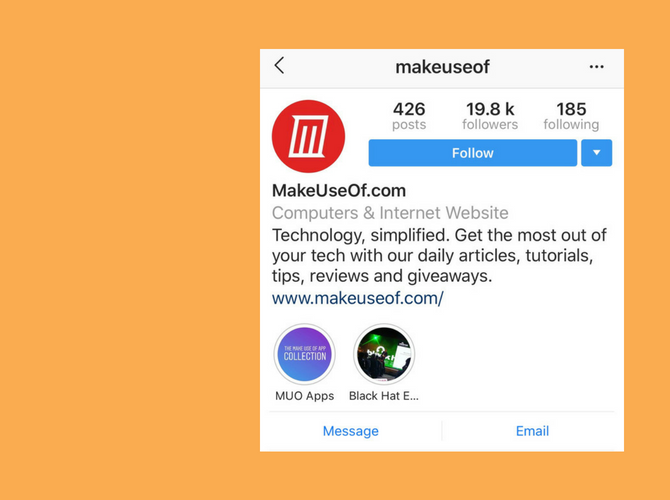
Instagram Bio

This is the biography of your profile on Instagram. This is your place to tell the world a little bit about yourself. You can use text, emojis, hashtags, and even ‘@’ mention profiles here. Want to format text with empty lines? First, write the description in a notes app and then paste it over in the Bio field.

2. Stories
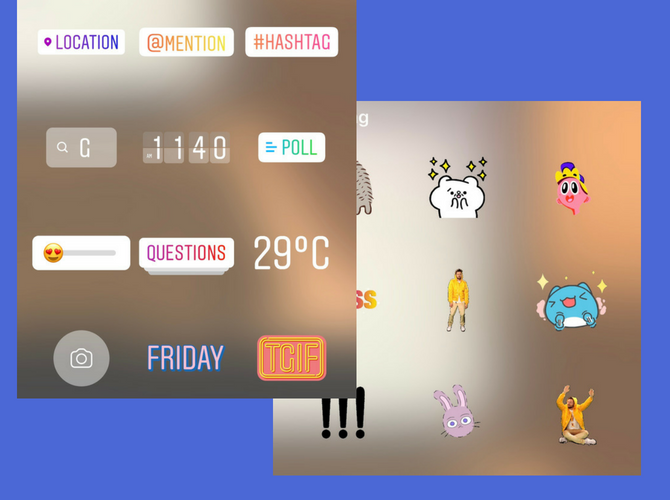
Instagram Stories Features

Instagram Stories is the feature Instagram copied from Snapchat, and it’s possibly the biggest reason why Instagram is so popular right now. Using the Stories feature, you can post a public-facing photo or 15-second video that automatically disappears from your feed in 24 hours.

Using Instagram Stories is fun. There’s so much to do here that Stories is more like its own mini app.

You can add text, emojis, stickers, GIFs, hashtags, mentions, and even doodle over the image. Instagram Stories might seem silly but it’s an amazing platform for sharing a little bit of your creativity with the world. And we have shared the tips to make your Instagram Stories stand out.

3. Mention
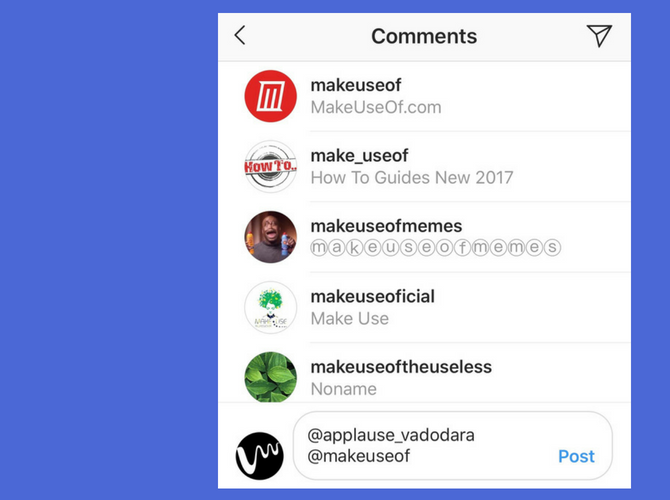
Instagram Mentions

This is how you get someone’s attention on Instagram. Begin with the @ symbol, followed by their handle or name. If you’re following them, you’ll find their handle in the first couple of autocomplete options. You can mention someone in a variety of places on Instagram, including in your bio, comments, or even in Instagram Stories.

4. Tag
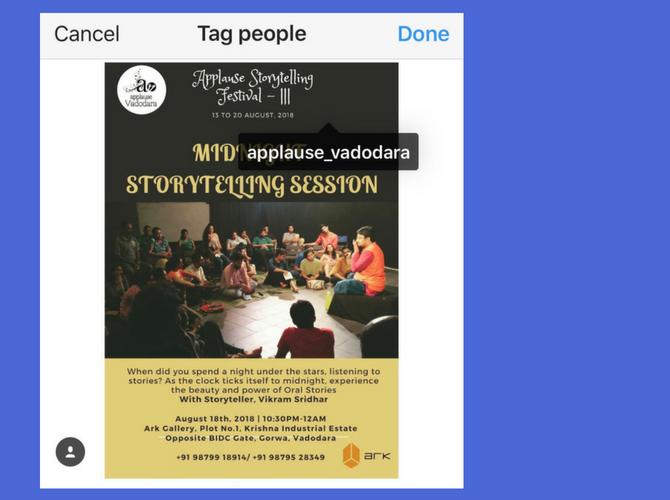
Instagram Tag

Tag is different from Mention. You can only tag a person on a picture or a video. When you tag someone, it will show up in their profile (in the tagged section next to their Gallery).

5. IG Live
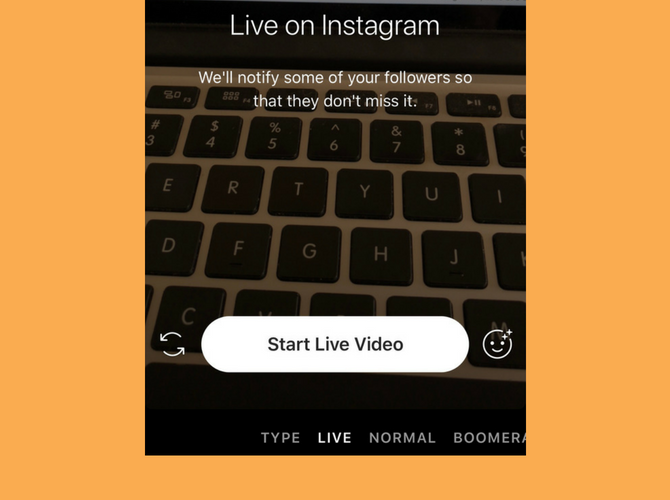
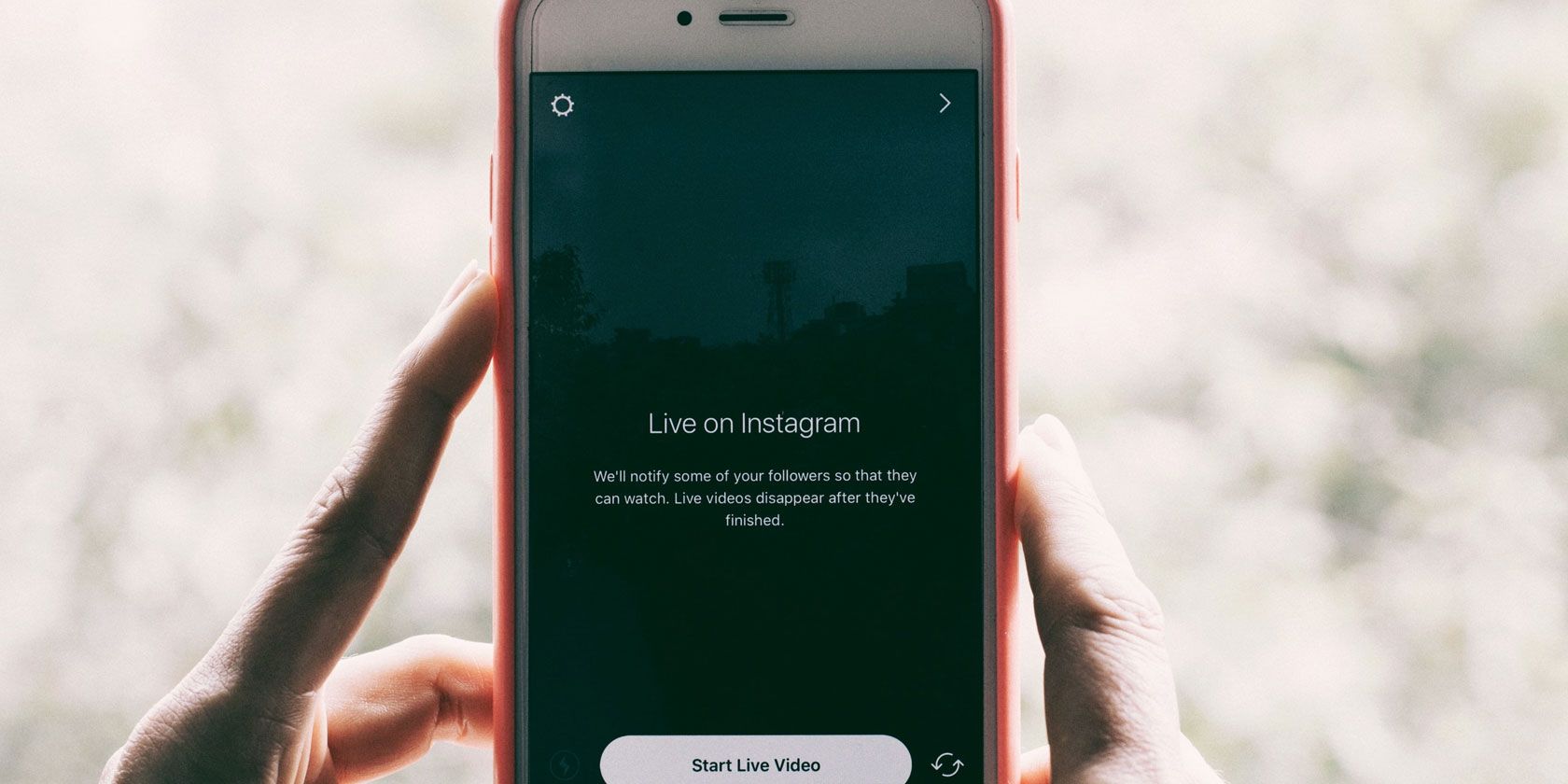
IG Live or Instagram Live is Instagram’s live-streaming feature. It works similar to Facebook Live or Periscope. IG Live works from the Stories section of the app, and you can go live to your audience instantly. Once live, you can pin messages in the chat, reply to comments, and even invite someone to join in your livestream (using a splitscreen view).

6. IGTV
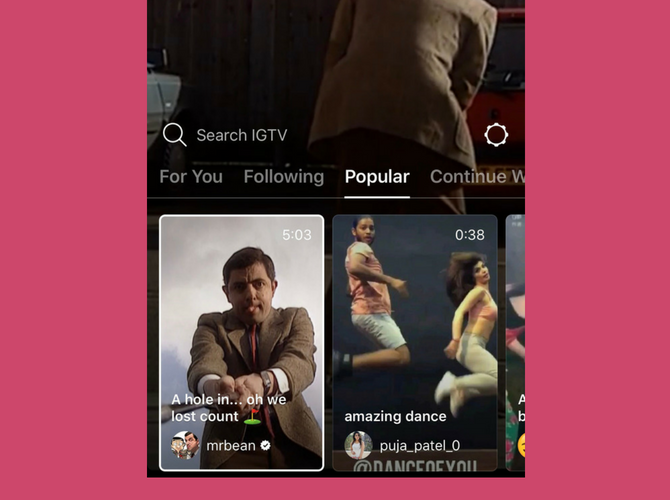
Instagram IGTV

IGTV is Instagram’s latest attempt at longform video. And for Instagram, that means anything that’s longer than one minute. IGTV is both a standalone app and a section in the main Instagram app. If you just want to watch vertical, longform videos from your favorite Instagrammer, you can do that using the TV icon in the top-right corner.

7. Highlights
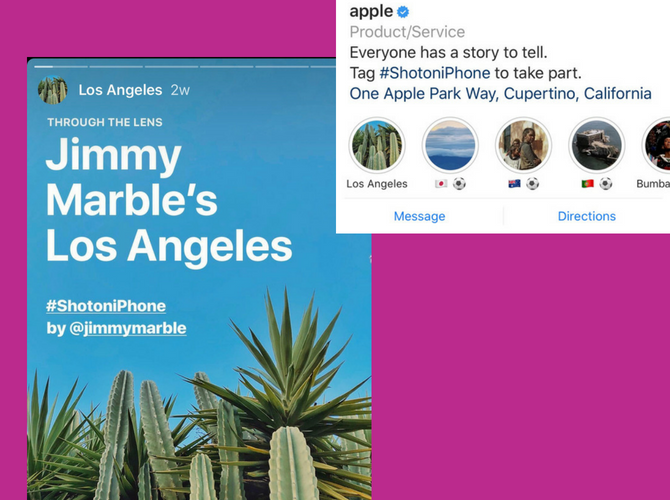
Instagram Stories Highlights

Highlights are Instagram’s way of helping you surface your best Instagram Stories. As mentioned above, Stories you post disappear after 24 hours. But they still live on in your archive.

Using this feature, you can create a highlights reel of your best Instagram Stories, and even bundle them into related categories or events. For example, you can make a Highlight about your last vacation, or a topic you shared with your audience.

8. Insta DM

Insta DM, or Instagram Direct Message, is Instagram’s own built-in messaging platform. You’ll find the familiar, tilted paper plane icon everywhere in the app. You can use Instagram DM to message a friend, share a picture from your gallery, send a disappearing picture, and even initiate a group video call.

9. Instagram Algorithm

Over the past year, Instagram Algorithm has been the talk of the town. Well, at least on Instagram. It’s the hidden computer science magic that Instagram uses to influence everything users view and interact with on the platform.

The next time you hear Instagram users argue about the algorithm, try these prompts. Did you know that Instagram only shows your posts to around 10 percent of your audience organically? Or that Instagram Stories is where all the engagement is at these days? The more you interact with users (on comments or in DM), the more they’re likely to see your posts on their feed?

10. Instagram Bots

Instagram Bots are automated profiles (poorly) masquerading as people. But sometimes, even legit profiles use automated bots (third-party services) to get your attention. If you come across random comments on your posts or a slew of likes seconds after you post a picture, a bot was probably involved in the process.

The best thing to do is to ignore the bots. If they’re posting spam or inappropriate content, you can report and block them as well.

11. Hashtags

Instagram Hashtags

Hashtags are the lifeblood of Instagram. You can use up to 30 of them in a post, but you should use them wisely. The right hashtag will get you the right engagement.

A hashtag is just a collection of words, letters, or a phrase preceded by the # symbol. When someone taps on a hashtag, they can see all the posts tagged using the given hashtag. Hashtags are a great way to increase both your followers and your engagement.

12: Follow Hashtags

Instagram Follow Hashtags

You can now follow any hashtag on Instagram, no matter how obscure it is. And this is a good way of adding a bit of spice to your feed. Instead of following 10 different profiles of something you’re interested in, just follow the hashtag (for example, #pottery, #lettering, or #calligraphy). Instagram will automatically surface the top posts from the hashtag in your feed periodically.

13. Save

Instagram Save Posts

Instagram now lets you save posts for your own personal use. This is not the same as downloading an image or video to your camera roll. Instead, it’s more like bookmarking.

This new feature lets you use Instagram more like Pinterest. When you come across a post you want to save for later, tap on the bookmark icon in the bottom-right corner of the post. It will be saved. You can tap on the Save to Collection option to save it to a different collection (similar to boards on Pinterest).

14. Mute
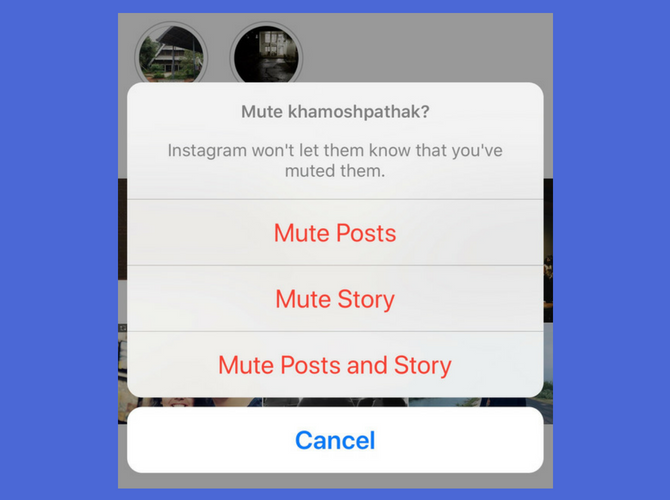
Instagram Mute

Don’t want to see the perfectly edited travel shots from your colleague’s latest vacation? But unfollowing or blocking would be too much of a hassle? Try the new mute button instead.

You can mute both Stories and posts from an Instagram profile. Their profile is still available for you to view and interact with. But their posts and Stories will stop showing up on your feed.

15. Block
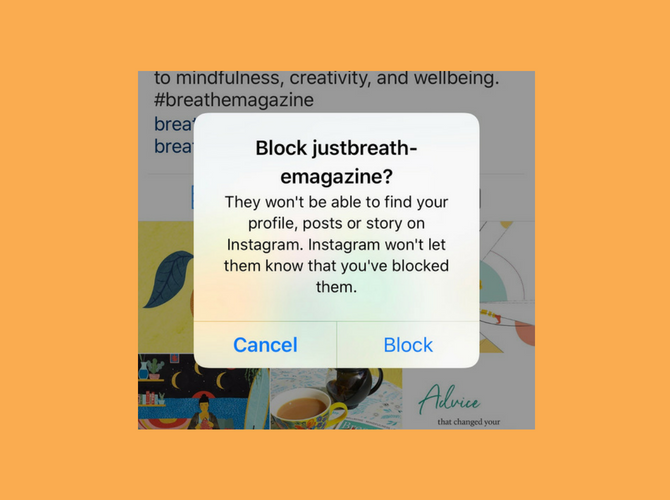
Instagram Block

This is the nuclear option. When you block someone on Instagram, they can no longer view your posts, Stories or your activity. When they visit your profile, they’ll be able to see the follow button but tapping it will do nothing.

You can block someone specifically from commenting as well. Go to Settings > Comment Controls & Block Comments from.

16. Hide Your Story
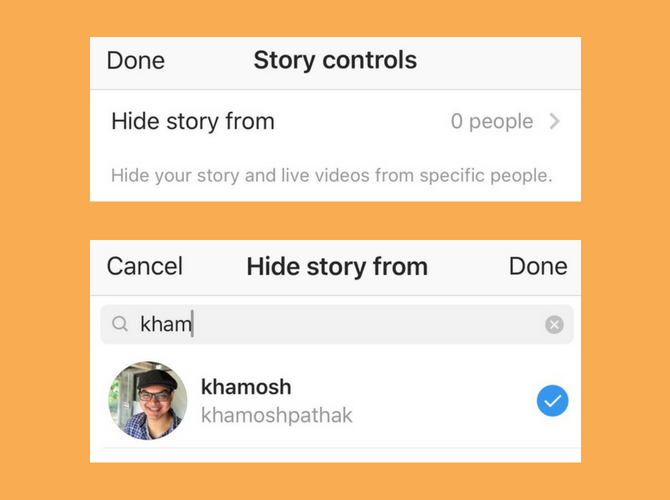
Instagram Hide Story

Mute takes care of hiding other people’s posts. But what if you don’t want someone to view your own Instagram Stories? When you’re in the Stories editing page, click on the Gear icon. From here, go to the Hide Story from section and add people you don’t want to show your Stories to.

17. Report
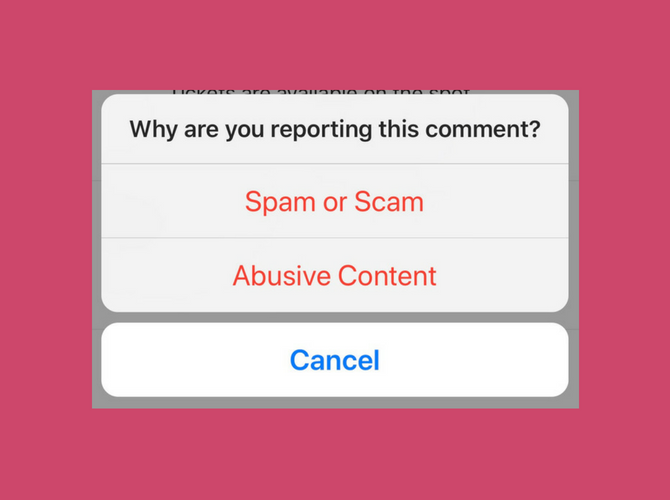
Instagram Report

Whenever you see something inappropriate on Instagram, always report it. It can be a threatening comment or a page dedicated to scamming people. Tap on the menu button and select Report. Instagram will review your report and take appropriate action. You’re doing your part in making Instagram a better place for everyone.

18. Business Profile
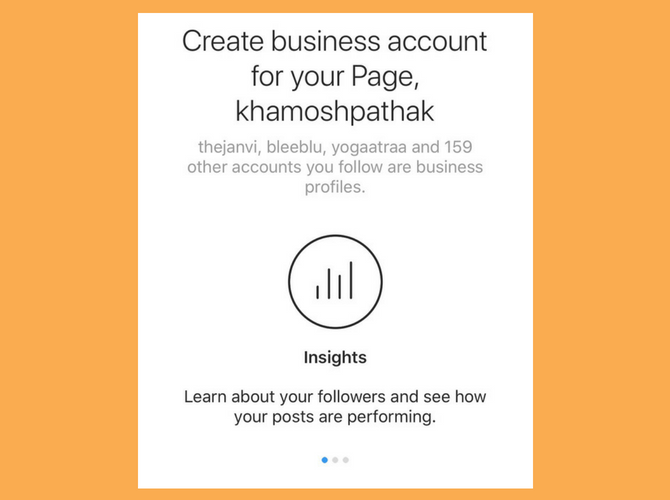
Instagram Business Profile

Instagram offers a simple way to switch from a personal profile to a business profile. You don’t even need to be a registered business to use a business profile. And there are many advantages to converting to a business profile.

You get access to action buttons in the bio and you get detailed insights from your followers. Plus, using a business profile is the only way to unlock features like embedding links in Stories and adding buy buttons to your posts.

19. Insights
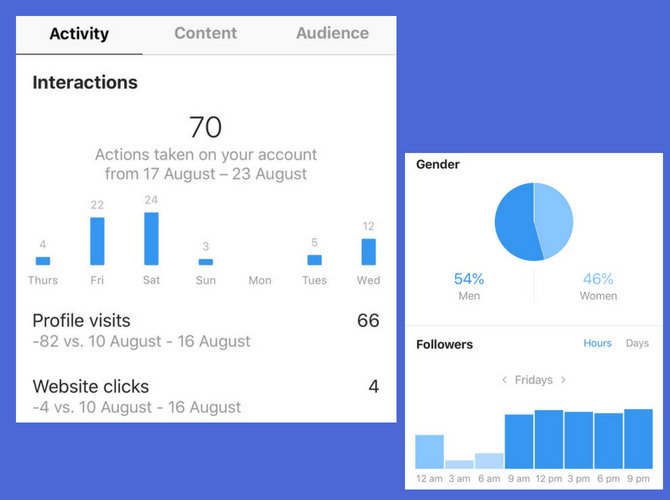
Once you’ve converted to a Business Profile, you’ll see an Insights button in the top toolbar in your profile. Tap on it and you’ll find a sea of useful information. You’ll find out what the age and gender breakdown of your followers is, as well as the best time to post to Instagram for maximum engagement.

20. Explore

Instagram Explore Page

Tap on the Search button from the bottom toolbar and you’ll end up in the Explore tab. This is the hodgepodge of everything that’s trending on Instagram right now. On the top, you’ll find topics, and below, a feed of popular photos and videos.

Get Noticed on Instagram

Now that you understand some of the most common Instagram terms, you’ll want to turn your knowledge into action. So, with that in mind, here are some tips to help you get noticed on Instagram. Good luck!

Read the full article: New to Instagram? 20 Common Terms You Should Know


Read Full Article

5 RetroPie Tips for Better Retro Gaming Performance

3D Printing at IFA 2018: Affordable Full Color Printing and Education Highlights

Chat app Line to raise $1.33BN via convertible bonds to double down on financial services


Move over stickers and games: Japanese messaging app firm Line has announced it’s raising around 148.1 billion yen ($1.33BN) through convertible bonds to fund aggressive expansion into the financial services business, Reuters reports. 

Line said it plans to spend most of the money on promoting its Line Pay service and for other new financial services by the end of 2021.

The messaging platform has been involved in payment offerings for some years, launching Line Pay at the end of 2014 — to let users make payments through the app at affiliated online and offline stores by registering their credit cards.

Line Pay also supports p2p payments between users of the platform, which has some 164M monthly active users in Japan, Taiwan, Thailand and Indonesia.

While popular in parts of Asia, the messaging platform has failed to grow usage beyond its core regions — unsurprisingly given how fiercely competitive the space is — with the likes of China’s WeChat and Facebook owned WhatsApp standing in its way. But while user growth has stalled, Line has managed to grow revenue from its existing user base. And doubling down on financial services looks to be its growth strategy going forward.

It has recently started experimenting with crypto — announcing the forthcoming launch of a cryptocurrency token (called Link) late last month, and developing its own blockchain to power it, in what looks to be a bid to drive user engagement on its platform. Though it has long used a digital currency (Line Coins) on its platform.

Earlier this year Line also announced the launch of a Singapore-based crypto exchange, called BitBox.

It’s not doing an Initial Coin Offering (ICO) for the Link token launch, presumably to side-step the legal questions around token sales. So the convertible bond sale looks to be its alternative (traditional) route for raise funds for the push to grow its financial services business.

In a statement today Line said it would issue zero coupon convertible bonds maturing in 2023 and 2025.

Reuters reports that a portion of the bonds will be issued to its South Korea-based parent Naver Corp to maintain its ownership above a certain level.

It added that Naver’s stake would fall to 70.42 percent from the current 72.86 percent when all the bonds are converted into stock.


Read Full Article

Save 80% on Ultra-Fast Online Protection with Buffered VPN


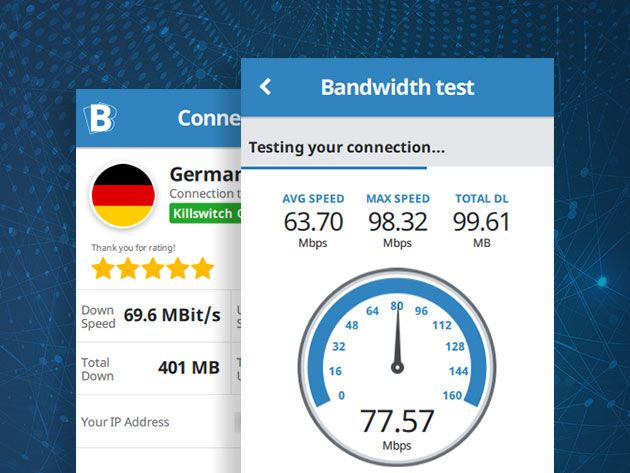
It’s well known that using a VPN is the best way to protect your online privacy. Unfortunately, many services are pretty slow. If you want to keep browsing at full speed, Buffered VPN should be your first choice. This lightning-fast VPN ranks in the top five for speed, without compromising on your security. Right now, you can grab a two-year subscription for $59.99 at MakeUseOf Deals.

Speedy and Secure

In order to protect your privacy, Buffered VPN routes your data through masking servers. This makes it virtually impossible for anyone to trace your IP address or physical location. But unlike many VPN platforms, Buffered uses superfast servers. As a result, you won’t feel any slowdown.

This VPN also has impressive security credentials. All your data is protected by military-grade 256-bit Blowfish encryption and the OpenVPN protocol. Buffered VPN keeps no record of your online activity, and the company is based in Gibraltar — outside the “14 eyes” alliance of countries that share surveillance.

With 45 servers around the world to choose from, Buffered VPN lets you stream to your heart’s content. You can easily bypass geo-restrictions on sites such as Netflix and BBC iPlayer. In addition, this service supports P2P connections.

Buffered VPN is available to download on Mac, Windows, iOS and Android. You can also set up protection on your home router. One subscription covers five devices, with 24/7 live support.

Two Years for $59.99

Order now for $59.99 to get two years of coverage with Buffered VPN, worth $311.

Read the full article: Save 80% on Ultra-Fast Online Protection with Buffered VPN


Read Full Article
Political anonymity may help us see both sides of a divisive issue online


Some topics are so politically charged that even to attempt a discussion online is to invite toxicity and rigid disagreement among participants. But a new study finds that exposure to the views of others, minus their political affiliation, could help us overcome our own biases.

Researchers from the University of Pennsylvania, led by sociologist Damon Centola, examined how people’s interpretations of some commonly misunderstood climate change data changed after seeing those of people in opposing political parties.

The theory is that by exposing people to information sans partisan affiliation, we might be able to break the “motivated reasoning” that leads us to interpret data in a preconceived way.

The data in this case was a NASA study indicating that sea ice levels will decrease but frequently misinterpreted as suggesting the opposite. The misunderstanding isn’t entirely partisan in nature: 40 percent of self-identified Republicans and 26 percent of Democrats polled in the study adopted the mistaken latter view.

The NASA graph used in the study. As you can see it’s not crazy to think that the sea ice levels would increase, though it is incorrect.

Thousands from both parties, recruited via Mechanical Turk, were asked to indicate whether sea ice levels were rising or falling, and how much. After their initial guess, they were shown how others had answered and allowed to adjust their answer afterwards. Some were shown their peers answers with those peers’ political affiliation, and some were shown it without.

When political party was not attached to the answers, there was a considerable effect on people’s answers. Republicans jumped from about 65 percent getting it right to around 90, and Democrats went from 75 to 85 percent. When party was shown, improvements were much smaller; and when people were only exposed to those from their own party, there was practically no improvement at all.

Obviously this isn’t going to fix the problem of viral misinformation or the near-constant flame wars raging across every major online service. But it’s amazing that doing something as simple as stripping the political context from communications may lead to those communications being taken more seriously.

Perhaps something along these lines could help put the brakes on runaway articles: showing highly-cited views from people with no indication of their political beliefs. Will you be so quick to dismiss or accept someone’s argument if you can’t be sure of their agenda? At worst it may force people to take a second and evaluate those ideas on their merits, and that’s hardly a bad thing.

The study was published today in the Proceedings of the National Academy of Sciences.


Read Full Article

8 Awesome Sites for Making Flashcards Online


sites-make-flashcards-online

Flashcards are effective tools for both learning and studying. They contain bits of information related to your subjects like images, words, phrases, or numbers and let you quickly quiz yourself on your topic of study.

Pre-made flashcards are usually seen in elementary schools, not so much in high schools or colleges. So, many students turn to creating their own flashcards. If this is you or someone you know, check out this great list of eight sites to make flashcards online.

1. Cram.com

CramDotCom

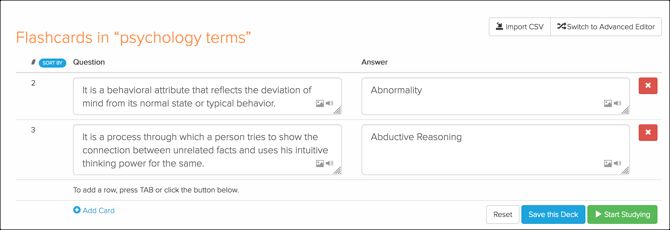
Cram.com makes it super easy to create flashcard decks for any subject with a free account. Name your deck, add subjects, insert a description, and choose between private or public access. To create your flashcards, use the editor to add text, images, lists, and formatting to the fronts and backs of the cards.

When it’s time to study your cards, Cram.com gives you a few different options. You can simply study your cards, go through them to memorize the information, test yourself with a quiz, or play a game. You can also edit your flashcard sets as well as share, print, export, or clone them.

And for studying on-the-go, Cram.com offers apps for both Android and iOS.

Download: Cram.com for Android | iOS (Free)

2. Flashcard.online

FlashcardOnline

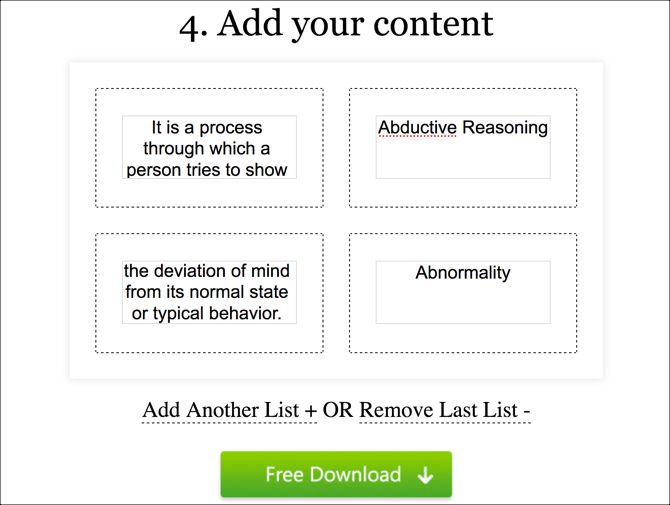
Flashcard.online is another simple site for creating flashcard decks that you can save and print. Start with a title, choose the number of cards, and select a type from only text or text plus a picture. You don’t need to sign up for an account; just create your cards and go.

Once you add your text and/or images to the cards, hit the Save as PDF and then Free Download buttons. You’ll have a handy PDF file of your flashcards that you can print and cut. The only drawback with Flashcard.online is that you don’t have an option to use both the fronts and backs of your cards.

But, if you’re looking for an easily printable flashcard option, give the site a try.

3. GoConqr

GoConqr

GoConqr goes a step further with its flashcard creation process. You start by setting up your account and then answering questions about your grade level and subjects to build your learning profile. This gives you additional features such as free content, groups, a calendar, and more, in addition to the flashcards you can create.

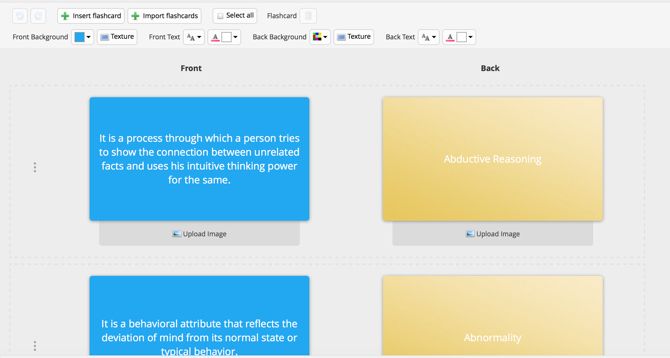
So, when you’re ready to make your flashcards, hit the Create button from the top left and select Flashcards. Then enter your text or upload images to the fronts and backs of the cards. You can format the background color, text, and textures.

When it’s time to study, head to the flashcard deck in the subject you created it for, and that’s it.

4. Brainscape

Brainscape

Brainscape is a terrific site for finding flashcards created by others as well as making your own. Start by setting up a free account, then add a class (subject) and create your deck of flashcards. You can set up several classes and flashcard decks in each, which is ideal for multiple courses.

Enter the questions and answers (fronts and backs) for your cards. Then save your deck or start studying right away. While you can only use text on your flashcards with the free account, that might be all you need. Plus, you can sort, edit, and share your decks with others.

Brainscape does offer paid plans for additional content, an advanced editor to include images and sounds, and other learning features.

5. ProProfs.com

ProProfs

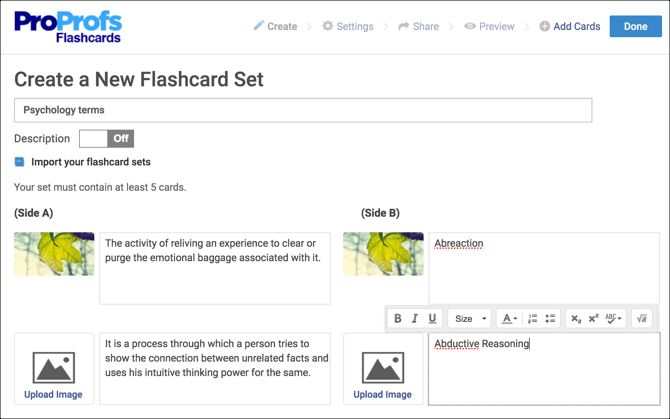
With ProProfs.com, you can make a deck of five flashcards in just minutes after creating your free account. You can add images and text, arrange the cards in the order you want, and edit or add more cards to decks anytime.

ProProfs.com offers similar options for study time like Cram.com. You can view your flashcard deck, memorize the information, take a quiz, and play a match or gravity game. The site gives you options to share your flashcard set via email, shareable link, social sign-in, or embed code.

You can also take a look at the site’s knowledge base, brain games, training, and more.

6. StudyBlue

StudyBlue

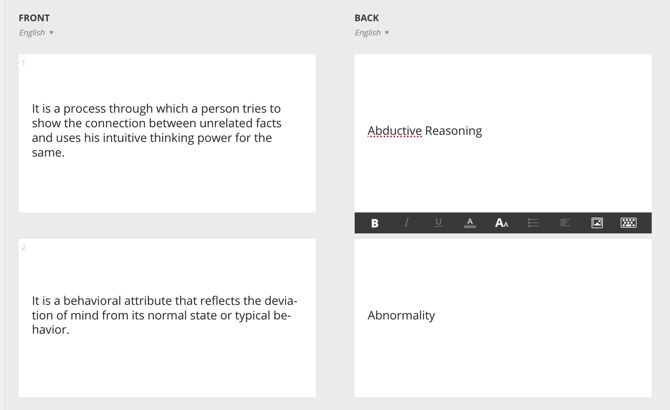
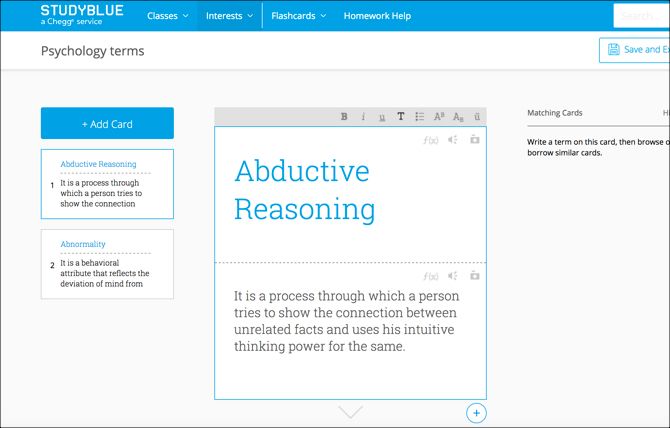
Making flashcards online is easy with StudyBlue. Pop in a term and definition (front and back) and click the plus sign at the bottom to keep creating cards for your deck. You can use text, images, audio files, and equations, covering most topic needs.

When it’s time to study with the flashcards you create, you can flip through them, take a quiz, or check out a review sheet. StudyBlue offers extra features too, like homework help, classes that you can join, and flashcard decks shared by other users. StudyBlue also offers apps for Android and iOS.

And if you find mobile apps like this helpful during the school year, check out this massive list of iPhone and iPad apps for students.

Download: StudyBlue for Android | iOS (Free)

7. Flashcard Machine

Flashcard Machine

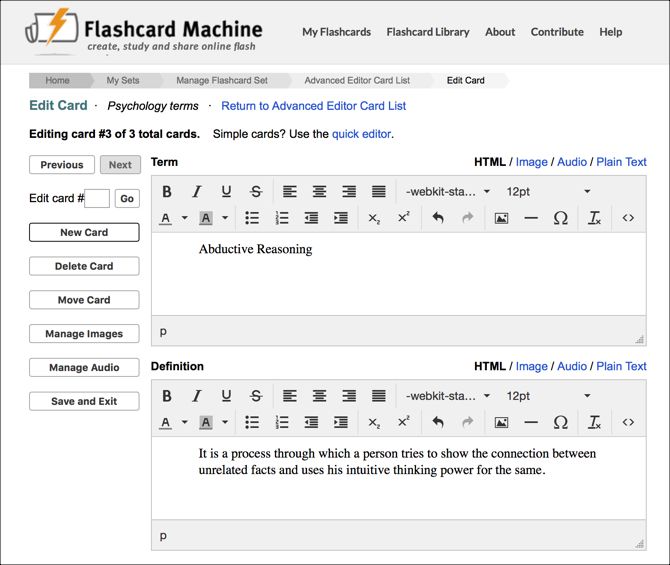
With Flashcard Machine, you start with a free account and the basics of your flashcard deck. Then jump into the editor where you can insert text, images, equations, and other items. You can also align the text, include lists, and adjust the font.

After you make your flashcards, you can start a general study session by moving through the cards or playing a game. You can also print, export, and review your deck.

Flashcard Machine offers apps for both Android and iOS, so you can study wherever you go.

Download: Flashcard Machine for Android | iOS (Free)

8. FlashDecks

FlashDecks

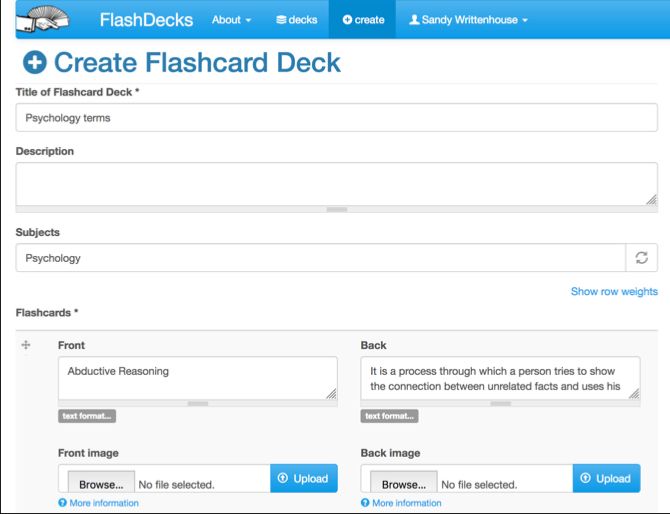
FlashDecks is one final site to look at for creating flashcards online. With a basic interface, you can make flashcard decks quickly. Add your text to the fronts and backs and upload images to go with the cards.

For reviewing your flashcards, you will see the fronts of each display. When you want to reveal the back, just click and then indicate if you were right or wrong. The indication is helpful for keeping track of your stats which display nicely in a graph.

Check out flashcards shared by others, share your own on the site or via social media, and create collections for multiple decks. FlashDecks makes it all very easy.

Flashcards Are Great Study Tools

Every student has a different way of learning and studying that works best for them. So, if flashcards are what you prefer or if you’re someone who wants to try them, these sites are for you. You can easily create and use decks for all your classes and give your studying a boost.

If the school year is just beginning for you, take a look at some useful templates for schedules and planning, plus several helpful Windows apps for students.

Read the full article: 8 Awesome Sites for Making Flashcards Online


Read Full Article

TikTok adds video reactions to its newly-merged app


Just about a month after the merger of the short-form video apps Musical.ly and TikTok, the app is introducing a new social feature, allowing users to post their reactions to the videos that they watch.

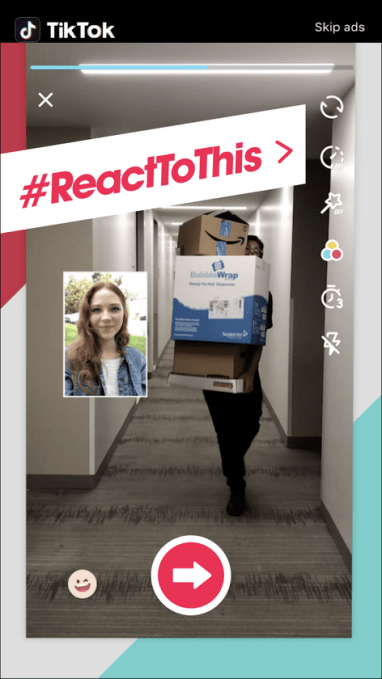
Instead of text comments, these reactions will take the form of videos that are essentially superimposed on top of existing clips. The idea of a reaction video should be familiar to anyone who’s spent some time on YouTube, but TikTok is incorporating the concept in way that looks like a pretty seamless.

To post a reaction, users just need to choose the React option in the Share menu for a given video. The app will then record your audio and video as the clip plays. You can also decide where on the screen you want your reaction video to appear.

If you don’t recognize the TikTok name, that’s probably because the app only launched in the United States at the beginning of August, but it’s been available in China for a couple of years.

TikTok Reactions

Back in 2017, Bytedance — the Chinese company behind TikTok as well as news aggregator Toutia — acquired Musical.ly for around $1 billion. It eventually merged the two apps to combine their audiences and features; Musical.ly users were moved over with their existing videos and settings.

The company says Reactions will be available in the updated app on Google Play and the Apple App Store over the next day or two.


Read Full Article

TikTok adds video reactions to its newly-merged app


Just about a month after the merger of the short-form video apps Musical.ly and TikTok, the app is introducing a new social feature, allowing users to post their reactions to the videos that they watch.

Instead of text comments, these reactions will take the form of videos that are essentially superimposed on top of existing clips. The idea of a reaction video should be familiar to anyone who’s spent some time on YouTube, but TikTok is incorporating the concept in way that looks like a pretty seamless.

To post a reaction, users just need to choose the React option in the Share menu for a given video. The app will then record your audio and video as the clip plays. You can also decide where on the screen you want your reaction video to appear.

If you don’t recognize the TikTok name, that’s probably because the app only launched in the United States at the beginning of August, but it’s been available in China for a couple of years.

TikTok Reactions

Back in 2017, Bytedance — the Chinese company behind TikTok as well as news aggregator Toutia — acquired Musical.ly for around $1 billion. It eventually merged the two apps to combine their audiences and features; Musical.ly users were moved over with their existing videos and settings.

The company says Reactions will be available in the updated app on Google Play and the Apple App Store over the next day or two.


Read Full Article

How Expensive Is Gaming as a Hobby? 3 Tips for Gaming on a Budget


gaming-hobby-budget

If you’re happy to play free games for your smartphone all day, every day, gaming will barely cost you a cent. However, if you want to step up a level and play on your PC or consoles, the story is very different.

How expensive is gaming as a hobby? This is something worth figuring out before you dive in, or allow your kids to get the gaming bug. So, let’s try and analyze some of the costs associated with playing video games as a hobby…

The Basics

Let’s assume you’re starting from scratch. What are the essentials that you need to be able to begin your gaming journey?

Consoles

xbox one x

Two companies dominate the traditional console market—Sony and Microsoft. If you want to play the latest big-budget titles, you’ll inevitably need one of their products.

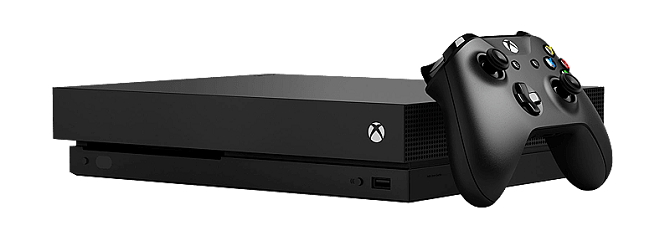
The latest PlayStation model is the PS4 Pro, while the latest hardware from Microsoft is the Xbox One X. Both products are incremental upgrades on the standard PS4 and Xbox One; they offer a few hardware and design improvements, but little else.

The PS4 Pro currently retails for $399.99. The Xbox One X currently retails for $499.99.

TV

There’s little point in splashing out on top-end consoles if you don’t have a screen to enjoy their glorious 4K output, multiple teraflops of GPU power, and high-quality audio.

At the very least, you’ll need a well-sized 4K TV. When we reviewed some of the cheapest 4K HDR TVs, we established that the 55-inch Sony XBR55X900E and the 55-inch LG 55SJ8500 were good picks for gamers. So, if you don’t already own one, you’re looking at another $500 to $1,500 for a good TV.

PC

Of course, lots of hardcore gamers insist that playing on a dedicated desktop computer is the best way to enjoy your hobby.

If you’re just getting into the world of gaming, you probably don’t need a console and a computer, so pick whichever works best for you.

But beware—buying a gaming computer isn’t as straightforward as buying a regular machine. If you don’t want to invest in a new machine, you could try tweaking your current PC for gaming instead.

For a top-of-the-range gaming computer, you can expect to pay upwards of $1,500.

Games

You can’t be a gamer if you don’t have any games to play. New AAA games typically cost around $60. However, if you’re happy to play games that are more than a year old—especially annual-release franchises—you can spend considerably less.

The Extras

While the things we’ve listed above might be enough to get you started, other costs will soon begin to rack up.

Peripherals

It doesn’t matter whether you’ve taken the console or PC approach to gaming, there are lots of add-ons that make gaming more fun.

The list of gaming peripherals you can buy is almost endless: racing wheels, headsets, cameras, console stands, gaming keyboards—each of which has the potential to set you back $100 or more.

Extra Controllers

Consoles usually only ship with one controller, so you’ll want to pick up a second one almost immediately. After all, gaming is more fun when you do it with friends.

Both a new Xbox controller and PS4 controller cost about $60, though retailers sometimes offer a discount if you buy one at the same time as you buy the console.

ps4 controllers

Online Gaming

If you play on PC, you can play against other gamers online for free using apps like Steam.

Unfortunately, Sony and Microsoft aren’t so generous. They both force you to pay for a subscription in order to play online via Xbox Live or PlayStation Plus. The most cost-efficient way to sign up is to buy an annual plan. Sony’s PlayStation Plus subscription is $50/year; Microsoft’s Xbox Live Gold is $60/year.

Downloadable Content and Microtransactions

steam dlc

Microtransactions and downloadable content (DLC) are now commonplace throughout the gaming world. Players don’t like them—there are endless stories of expensive games locking some of the best content behind a paywall—but they are here to stay regardless.

The cost of DLC varies considerably. Some content can cost almost as much as the original game, while lesser items can be picked up for a couple of dollars apiece.

Similarly, microtransactions have become almost necessary if you want to keep pace with the top players online. They can cost anything from a few cents to tens of dollars.

Virtual Reality

Right now, the cutting edge of consumer gaming is virtual reality. Perhaps surprisingly, the entry cost is not as high as you might expect.

For example, when we reviewed the standalone Oculus Go VR headset, we gave it a score of 10/10 and called it a “must buy.” Best of all, the headset costs a mere $200. It’s an absolute steal. On the downside, it only has access to the games from the Oculus Store, and they cost a few dollars each.

For a more extensive selection of games, you will need to pay a bit more. The HTC Vive costs around $500, and the Oculus Rift is about $400. The Rift has access to the SteamVR library. Check out our article if you need help deciding between the Vive and the Rift.

And, before you head to the shops, you need to make sure you’ve got a suitable space in which to use your headset. If you don’t, you might be wasting your money.

How to Start Gaming on a Budget

The price of all these elements add up to a tidy sum, but there are a few ways you can eat away at the total.

Subscribe to PlayStation Plus and Xbox Live Gold

Yes, we just listed the two consoles’ subscriptions as an expense. We didn’t mention, however, the impressive number of free games that the two plans give you.

In the last 12 months, both services have given their users around $700-worth of free titles. And these aren’t junk games that you’d never want to play. Example freebies include Mafia III, Assassin’s Creed IV, Halo 3, and Gears of War 3.

If you’re a casual gamer who doesn’t play for more than a few hours a week, you might never need to buy another game again.

Note: The two plans also offer up to 50% discounts on games.

Buy Cheaper Consoles

Although Sony and Microsoft might dominate the world of big-ticket consoles, there are plenty of other choices out there.

If you spend a lot of time on the road, you might find the portable Nintendo Switch or 3DS XL to be a good option. Those looking for family fun could even pick up a Nintendo Wii on the cheap. And if you’re looking for retro fun, you could even grab the recently re-released Super NES Classic.

Games on other consoles are also cheaper than on the Xbox and PS4.

Cut the Cord and Play More Games

You could offset some of the cost of your new hobby by cutting the cord. These days, it’s possible to save a lot of money on your cable bill without losing access to your favorite TV shows and live channels.

But why not kill two birds with one stone? The Nvidia Shield is one of the best devices for cord cutters, but it also has excellent gaming potential.

The GeForce Now beta gives you access to a massive library of high-quality free games, including NBA 2K18, Call of Duty, Bioshock, Sonic, Civilization VI, Overwatch, and many more.

A new Nvidia Shield even comes with a gaming controller in the box.

And the Total Cost Is…

Gaming isn’t cheap. Gone are the days when a Gameboy and two games could keep you entertained for six months. If you want to truly experience what the world of gaming has to offer, you need to get your wallet out.

And as for how much gaming costs? There’s no easy answer; no two people are the same. However, we estimate an average family household might look something like this:

  • Xbox One X: $500
  • 5 x AAA games: $300
  • Other games: $100
  • 2 x extra controllers: $120
  • Other peripherals: $150
  • Xbox Live Gold: $60
  • Total: $1,230

This should be enough to get you started gaming, but you’ll inevitably spend more as the years pass. Especially when Microsoft, Sony, and Nintendo release their next must-have consoles.

If you’d like to learn more about gaming, check out our article about the best websites for gaming news and reviews.

Read the full article: How Expensive Is Gaming as a Hobby? 3 Tips for Gaming on a Budget


Read Full Article

The VoCore2 is a tiny computer that can play tiny Doom


The VoCore2 is a Wi-Fi capable computer with a 580 MHz CPU and 128 RAM that supports video, USB, and Ethernet. And it plays Doom. That’s right: this is a computer you can easily swallow and allow your biome flora to play a hard core FPS while you slowly digest the package.

The product started life on Indiegogo where it raised $100,000. Now it’s available for $17 for the barebones unit or $24 for the unit with USB and MicroSD card. You can also buy a four inch display for it that lets you display video at 25fps.

What is this thing good for? Well, like all single board computers it pushes the limits on what computing means in the 21st century. A computer the size of a Euro coin could fit in all sorts of places and for all sorts of weird projects and even if you don’t use it to build the next unmanned Red-Tailed Hawk nest surveillance drone it could be cool to blast some demons on a computer the size of a joystick button.

The VoCore2 is shipping soon and is available for purchase here.


Read Full Article
Wireless headphones and earbuds to fit your budget


Editor’s note: This post was done in partnership with Wirecutter. When readers choose to buy Wirecutter’s independently chosen editorial picks, Wirecutter and TechCrunch may earn affiliate commissions.

Headphones keep us connected to our favorite music, podcasts, and audiobooks. They make sure we don’t drop an important phone call. As our devices ditch the headphone jack and Bluetooth technology improves, more and more people will need to upgrade to something that offers great sound, solid performance, and helpful features.

We’ve tested hundreds of wireless earbuds and headphones, and whether your budget is $30 or $300, we’ve found a pair to fit your needs.


Bluetooth earbuds: Skullcandy Ink’d Bluetooth

For the cheapest option that still offers good sound quality, the Skullcandy Ink’d Bluetooth earbuds are the best wireless earbuds under $50. They come with a collar that’s equipped with large control buttons, but it’s so light you’ll forget that it’s around your neck. The Ink’d Bluetooth are comfortable and made to fit all but the largest ear canals. Plus, they’re water-resistant.

The Ink’d Bluetooth’s battery will get you through a full day before it’s time to recharge. During testing, we were able to walk two rooms away from our connected smartphone before experiencing a signal drop.

Photo: Kyle Fitzgerald

Workout headphones: Aukey Latitude EP-B40

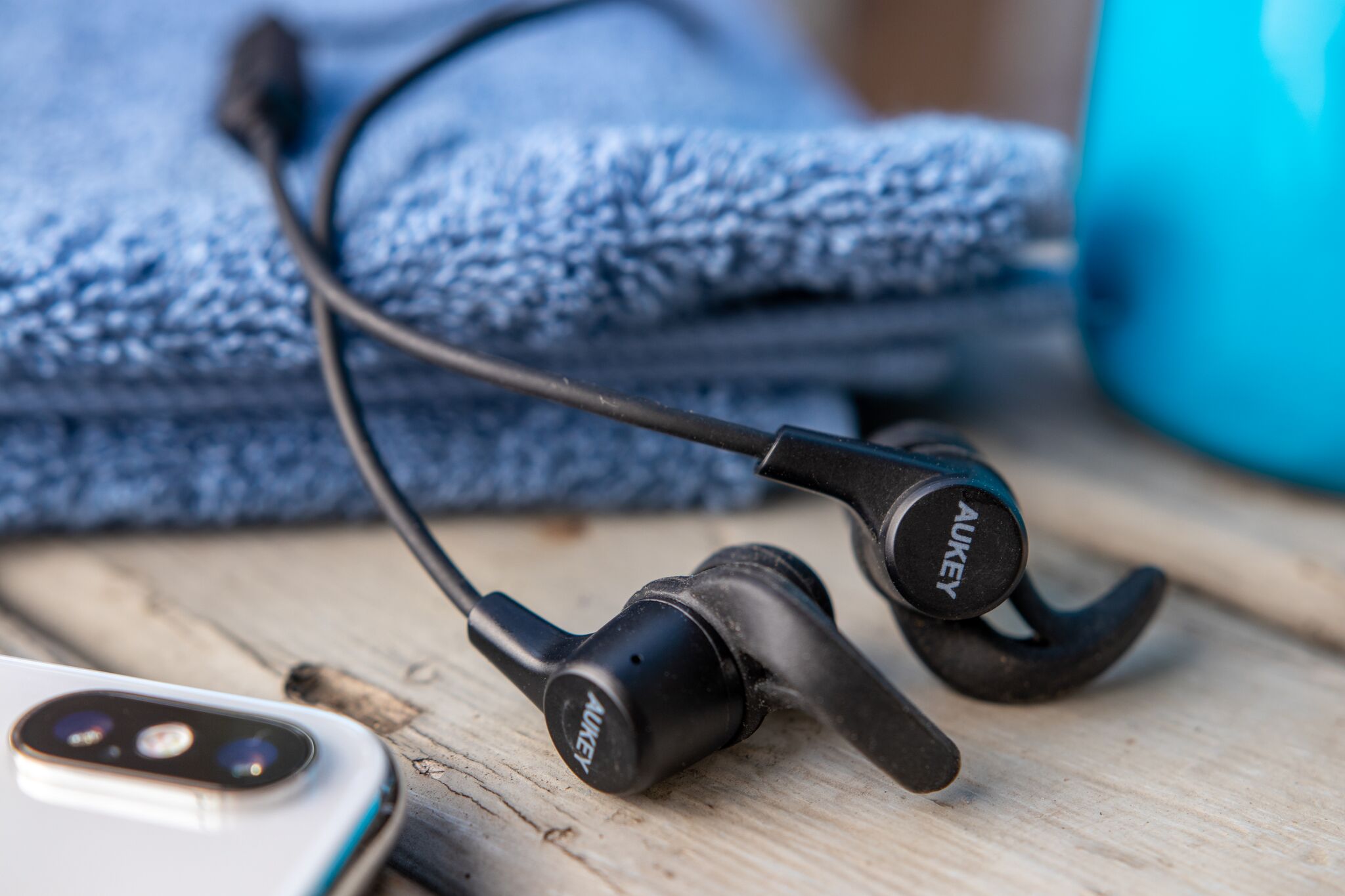
When it’s time to focus at the gym, there’s no better way to tune out distractions than a reliable pair of earbuds. For a cheap but comfortable pair that can handle casual workouts and a bit of sweat, we recommend the Aukey Latitude EP-B40. They’re the best workout headphones under $50 and they offer more than eight hours of battery life, which is enough for a few gym sessions before recharging.

Silicone tips and wings help with keeping them secured during high-intensity activities. The cable that connects the earbuds is longer than we’d like, but the Latitude EP-B40 are a better option for working out than similarly priced wired earbuds, and they offer good sound quality.

Photo: Kyle Fitzgerald                                                               

Budget Bluetooth wireless: Jabra Move Wireless

For some, earbuds just don’t cut it. The Jabra Move Wireless are the best Bluetooth wireless headphones under $100. They’re ideal for someone who prefers over-ear headphones and doesn’t want to spend a lot of money. The Move Wireless sound almost as good as Bluetooth headphones that cost four times as much—without sacrificing solid basic features like intuitive and easily accessible controls. The Move Wireless’ pivoting earcups and a padded headband add to comfort.

Photo: Rozette Rago

True Wireless: Jabra Elite 65t

If keeping up with the latest tech gear is important to you, you’ve probably already done your research on true wireless headphones. The majority of them are still first-generation models and come with a few kinks. Still, the Jabra Elite 65t perform just as well as standard Bluetooth earbuds—offering great sound, battery life, and comfort—without a wire connecting each earpiece.

The Elite 65t usually block out a good amount of noise, but you have the option of using the mics to hear your surroundings by activating transparency mode. We like that these headphones work with voice assistants (Google Assistant, Siri and Alexa) and they have both track and volume controls. During testing, the Elite 65t’s Bluetooth 5.0 offered seamless and stronger connections than competitors, making calls sound especially clear. For a true wireless workout version of these headphones, we recommend the Jabra Elite Active 65t.

Photo: Rozette Rago

Bluetooth Wireless: Sony H.ear On WH-H900N

If you’re ready to invest in a pair of high-end Bluetooth wireless headphones that come with the best features, we recommend the Sony H.ear On WH-H900N. You’ll get above-average active noise cancelling, long-lasting battery life, a clear mic for voice calls, and, most importantly, a pair of headphones that sound great.

During testing, the H.ear On WH-H900M sounded better than competitors (with or without noise cancelling) and the bass added a noticeable boost that didn’t overpower vocals. We like that these headphones are lightweight, comfortable to wear for long periods of time, and that they come in a variety of colors.

These picks may have been updated by Wirecutter. When readers choose to buy Wirecutter’s independently chosen editorial picks, Wirecutter and TechCrunch may earn affiliate commissions.


Read Full Article

How Much Money Do Programmers Make?


how-much-money-coders

Thinking of becoming a programmer? While there’s a lot to consider, the money you’ll make is no small part of the decision.

If you’re wondering how much money the average programmer makes in a variety of positions, you’ve come to the right place. Let’s look at standard coding positions, their usual job descriptions, and how much you can expect to earn.

Note: We used aggregate results from Glassdoor, PayScale, and Salary.com to provide the average numbers here. These are not guarantees.

1. Web Developer

Job description: Responsible for creating and maintaining web applications.

Web development is a diverse field. Your exact work depends on the programming languages you’ve learned, whether you’re a front or back-end developer, and similar.

Glassdoor rates the average base pay for web developers at $93,000 per year. That’s much higher than PayScale ($58,000) and Salary.com, which claims a median of $60,000. It truly depends on the type of web work you do.

Most web developers move into a Senior Web Developer position later in their careers. Check out our comparison of programmers and web developers for more info.

2. Web Designer

Job description: Create and design websites for the best user experience.

While web developers focus on building apps for a website, web designers are the ones who build the site in the first place. Their primary concern is how the website looks and feels.

Taking into account averages from all three sites, you can expect a salary between $49,000 and $75,000 per year as a web designer.

Depending on the organization’s size, web designers may also branch out to copywriting, SEO work, and similar. Some of the best channels for web design can help you learn more.

3. Computer Programmer

Job description: Someone who creates and debugs computer software by writing code.

“Programmer” is a broad generalization for many standard programming jobs. Typically, an entry-level programmer in this position will know one primary language (like C++, Java, or Python) and may expand as they become more experienced.

They usually report to a project manager and work on a variety of projects. This may involve coding a brand-new application, updating an old app to work with modern standards, or similar.

Your salary will vary quite a bit depending on the languages you know, the company you work for, and your location. Expect a ballpark low of $60,000 per year and $75,000 on the higher end. Entry-level programmers may well earn $10,000 less than this.

4. PLC Programmer

Job description: Write and test programs for machine equipment.

PLC (programmable logic controller) refers to a computer that controls a machine process. These are often used in assembly lines and similar environments where consistency and having an easy way to identify faults is paramount. Thus, PLC programmers code these system to run optimally.

The average salary for a PLC programmer is between $64,000 and $74,000. Note that many jobs in this position require experience due to the sensitive nature of the machines being programmed. Thus, salary rises significantly as you become more experienced.

5. Game Developer

Job description: Create video games through coding logic, creating art, and similar tasks.

Programming video games for a living sounds like a dream. And it’s definitely a real career path, though the pay you can expect depends wildly on where you work. Small independent studios obviously can’t pay as much as major developers like Sony.

Thus, it’s hard to give an estimated salary here. PayScale provides a $61,000 average for a “video game designer” but just $45,000 for a “video game developer”. Meanwhile, Glassdoor rates the salary for a “game programmer” at $89,000.

If you want to make a game on your own, check out some free game development software tools.

6. Mobile Developer

Job description: Design, test, and support mobile applications.

More people access the internet on their phones and tablets than ever, which is why mobile development is so important. This type of programmer works to create mobile-specific apps for companies, typically for Android or iOS.

Mobile developers earn a good wage, with average estimates around $72,000 on the low end and $103,000 on the high end.

Read up on the programming languages you must know to create Android apps if this interests you.

7. Database Developer

Job description: Develops and improves database systems to ensure simplicity and usability.

Databases are critical to almost every company, especially with the advent of big data. Because of this, businesses have an interest in making sure their databases are clean, easy to access, and efficient. This is what database developers (an in-demand type of programming job) handle.

If you’re looking into database development, expect your annual wages to be somewhere between $73,000 and $99,000.

Which Programming Path Will You Pursue?

We’ve taken a look at the average salary for seven different types of programming jobs. No matter which part of programming you pursue, you can expect a decent wage.

The 2015 median household income in the US was $56,516 according to the Census Bureau. In 2016, the real median personal income was $31,099.

These numbers have risen somewhat in the past few years, but it gives a good indication of how lucrative a career in programming is. You probably won’t make the above salaries right out of college, but with some experience, you’ll be well on your way.

If this talk of salaries has you interested in pursuing a new job, check out the best job search engines.

Read the full article: How Much Money Do Programmers Make?


Read Full Article