11 August 2020

Google’s Lookout app for vision-impaired now scans food labels and long documents


Google has updated its Lookout app, an AI toolkit for people with impaired vision, with two helpful new capabilities: scanning long documents and reading out food labels. Paper forms and similarly-shaped products at the store present a challenge for blind folks and this ought to make things easier.

Food labels, if you think about it, are actually a pretty difficult problem for a computer vision system to solve. They’re designed to be attention-grabbing and distinctive, but not necessarily highly readable or informative. If a sighted person can accidentally buy the wrong kind of peanut butter, what chance does someone who can’t read the label themselves have?

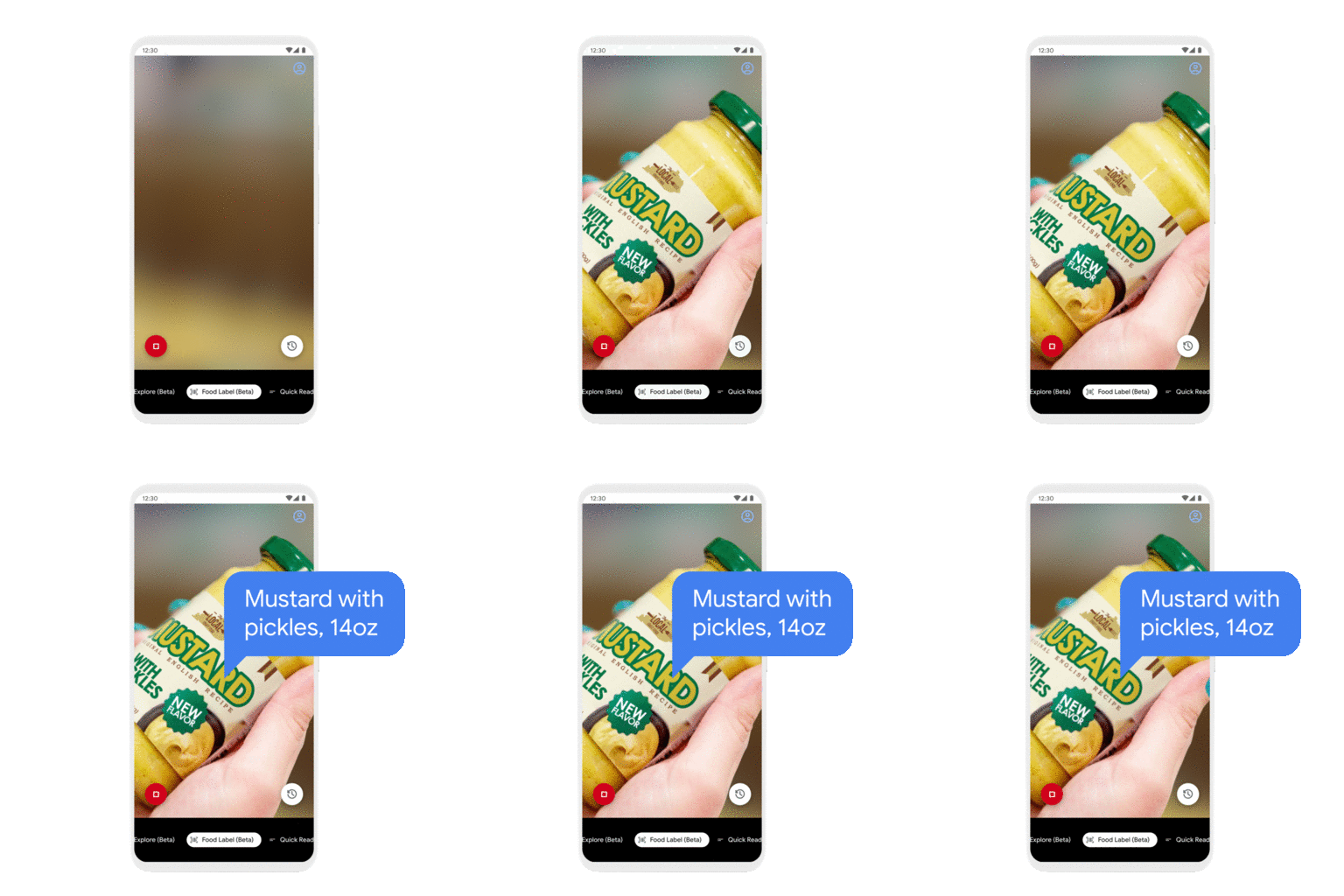
GIF of Google's Lookout app showing it identifying a jar of mustard.

Image Credits: Google

The new food label mode, then, is less about reading text and more about recognizing exactly what product it’s looking at. If the user needs to turn the can or bottle to give the camera a good look, the app will tell them so. It compares what it sees to a database of product images, and when it gets a match it reads off the relevant information: brand, product, flavor, other relevant information. If there’s a problem, the app can always scan the barcode as well.

Document scanning isn’t exactly exciting, but it’s good to have the option built in a straightforward way into a general-purpose artificial vision app. It works as you’d expect: Point your phone at the document (the app will help you get the whole thing in view) and it scans it for your screen reader to read out.

The “quick read” mode that the app debuted with last year, which watches for text in the camera view and reads it out loud, has gotten some speed improvements.

The update brings a few other conveniences to the app, which should run on any Android phone with 2 gigs of RAM and running version 6.0 or higher. It’s also now available in Spanish, German, French, and Italian.


Read Full Article

Google’s Lookout app for vision-impaired now scans food labels and long documents


Google has updated its Lookout app, an AI toolkit for people with impaired vision, with two helpful new capabilities: scanning long documents and reading out food labels. Paper forms and similarly-shaped products at the store present a challenge for blind folks and this ought to make things easier.

Food labels, if you think about it, are actually a pretty difficult problem for a computer vision system to solve. They’re designed to be attention-grabbing and distinctive, but not necessarily highly readable or informative. If a sighted person can accidentally buy the wrong kind of peanut butter, what chance does someone who can’t read the label themselves have?

GIF of Google's Lookout app showing it identifying a jar of mustard.

Image Credits: Google

The new food label mode, then, is less about reading text and more about recognizing exactly what product it’s looking at. If the user needs to turn the can or bottle to give the camera a good look, the app will tell them so. It compares what it sees to a database of product images, and when it gets a match it reads off the relevant information: brand, product, flavor, other relevant information. If there’s a problem, the app can always scan the barcode as well.

Document scanning isn’t exactly exciting, but it’s good to have the option built in a straightforward way into a general-purpose artificial vision app. It works as you’d expect: Point your phone at the document (the app will help you get the whole thing in view) and it scans it for your screen reader to read out.

The “quick read” mode that the app debuted with last year, which watches for text in the camera view and reads it out loud, has gotten some speed improvements.

The update brings a few other conveniences to the app, which should run on any Android phone with 2 gigs of RAM and running version 6.0 or higher. It’s also now available in Spanish, German, French, and Italian.


Read Full Article

Google, Nokia, Qualcomm are investors in $230M Series A2 for Finnish phone maker, HMD Global


Mobile device maker HMD Global has announced a $230M Series A2 — its first tranche of external funding since a $100M round back in 2018 when it tipped over into a unicorn valuation. Since late 2016 the startup has exclusively licensed Nokia’s brand for mobile devices, going on to ship some 240M devices to date.

Its latest cash injection is notable both for its size (HMD claims it as the third largest funding round in Europe this year); and the profile of the strategic investors ploughing in capital — namely: Google, Nokia and Qualcomm.

Though whether a tech giant (Google) whose OS dominates the world’s smartphone market (Android) becoming a strategic investor in Europe’s last significant mobile OEM (HMD) catches the attention of regional competition enforcers remains to be seen. Er, vertical integration anyone? (To wit: It’s a little over two years since Google was slapped with a $5BN penalty by EU regulators for antitrust violations related to how it operates Android — and the Commission has said it continues to monitor the market ‘remedies’.)

In a further quirk, when we spoke to HMD Global CEO, Florian Seiche, ahead of today’s announcement, he didn’t expect the names of the investors to be disclosed — but we’d already been sent press release material listing them so he duly confirmed the trio are investors in the round. (But wouldn’t be drawn on how much equity Google is grabbing.)

HMD’s smartphones run on Google’s Android platform, which gives the tech giant a firm business reason for supporting the mobile maker in growing the availability of Google-packed hardware in key growth markets around the world.

And while HMD likens its consistent (and consistently updated) flavor of Android to the premium ‘pure’ Android experience you get from Google’s own-brand Pixel smartphones, the difference is the Finnish company offers devices across the range of price points, and targets hardware at mobile users in developing markets.

The upshot is relatively little overlap with Google’s Pixel hardware, and still plenty of business upside for Google should HMD grow the pipeline of Google services users (as it makes money by targeting ads).

Connoisseurs of mobile history may see more than a little irony in Google investing into Nokia branded smartphones (via HMD), given Android’s role in fatally disrupting Nokia’s lucrative smartphone business — knocking the Finnish giant off its perch as the world’s number one mobile maker and ushering in an era of Android-fuelled Asian mobile giants. But wait long enough in tech and what goes around oftentimes comes back around.

“We’re extremely excited,” said Seiche, when we mention Google’s pivotal role in Nokia’s historical downfall in smartphones. “How we are going to write that next chapter on smartphones is a critical strategic pillar for the company and our opportunity to team up so closely with Google around this has been a very, very great partnership from the beginning. And then this investment definitely confirms that — also for the future.”

“It’s a critical time for the industry therefore having a clear strategy — having a clear differentiation and a different point of view to offer, we believe, is a fantastic asset that we have developed for ourselves. And now is a great moment for us to double down on this,” he added.

We also asked Seiche whether HMD has any interest in taking advantage of the European Commission’s Android antitrust enforcement decision — i.e. to fork Android and remove the usual Google services, perhaps swapping them out for some European alternatives, which is at least a possibility for OEMs selling in the region — but Seiche told us: “We have looked at it but we strongly believe that consumers or enterprise customers actually love [Google] services and therefore they choose those services for themselves.” (Millions of dollars of direct investment from Google also, presumably, helps make the Google services business case stack up.)

Nokia, meanwhile, has always had a close relationship with HMD — which was established by former Nokia execs for the sole purpose of licensing its iconic mobile brand. (The backstory there is a clause in the sale terms of Nokia’s mobile device division to Microsoft expired in 2016, paving the way for Nokia’s brand to be returned to the smartphone market without the prior Windows Mobile baggage.)

Its investment into HMD now looks like a vote of confidence in how the company has been executing in the fiercely competitive mobile space to date (HMD doesn’t break out a lot of detail about device sales but Seiche told us it sold in excess of 70M mobiles last year; that’s a combined figure for smartphones and feature phones) — as well as an upbeat assessment of the scope of the growth opportunity ahead of it.

On the latter front US-led geopolitical tensions between the West and China do look poised to generate a tail-wind for HMD’s business.

Mobile chipmaker Qualcomm, for example, is facing a loss of business, as US government restrictions threaten its ability to continue selling chips to Huawei; a major Chinese device maker that’s become a key target for US president Trump. Its interest in supporting HMD’s growth, therefore, looks like a way for Qualcomm to hedge against US government disruption aimed at Chinese firms in its mobile device maker portfolio.

While with Trump’s recent threats against the TikTok app it seems safe to assume that no tech company with a Chinese owner is safe.

As a European company, HMD is able to position itself as a safe haven — and Seiche’s sales pitch talks up a focus on security detail and overall quality of experience as key differentiating factors vs the Android hoards.

“We have been very clear and very consistent right from the beginning to pick these core principles that are close to our heart and very closely linked with the Nokia brand itself — and definitely security, quality and trust are key elements,” he told TechCrunch. “This is resonating with our carrier and retail customers around the world and it is definitely also a core fundamental differentiator that those partners that are taking a longer term view clearly see that same opportunity that we see for us going forward.”

HMD does use manufacturing facilities in China, as well as in a number of other locations around the world — including Brazil, India, Indonesia and Vietnam.

But asked whether it sees any supply chain risks related to continued use of Chinese manufacturers to build ‘secure’ mobile hardware, Seiche responded by claiming: “The most important [factor] is we do control the software experience fully.” He pointed specifically to HMD’s acquisition of Valona Labs earlier this year. The Finnish security startup carries out all its software audits. “They basically control our software to make sure we can live up to that trusted standard,” Seiche added. 

Landing a major tranche of new funding now — and with geopolitical tension between the West and the Far East shining a spotlight on its value as alternative, European mobile maker — HMD is eyeing expansion in growth markets such as Africa, Brail and India. (Currently, HMD said it’s active in 91 markets across eight regions, with its devices ranged in 250,000 retail outlets around the world.)

It’s also looking to bring 5G to devices at a greater range of price-points, beyond the current flagship Nokia 8.3. Seiche also said it wants to do more on the mobile services side. HMD’s first 5G device, the flagship Nokia 8.3, is due to land in the US and Europe in a matter of weeks. And Seiche suggested a timeframe of the middle of next year for launching a 5G device at a mid tier price point.

“The 5G journey again has started, in terms of market adoption, in China. But now Europe, US are the key next opportunity — not just in the premium tier but also in the mid segment. And to get to that as fast as possible is one of our goals,” he said, noting joint-working with Qualcomm on that.

“We also see great opportunity with Nokia in that 5G transition — because they are also working on a lot of private LTE deployments which is also an interesting area since… we are also very strongly present in that large enterprise segment,” he added.

On mobile services, Seiche highlighted the launch of HMD Connect: A data SIM aimed at travellers — suggesting it could expand into additional connectivity offers in future, forging more partnerships with carriers. 

“We have already launched several services that are close to the hardware business — like insurance for your smartphones — but we are also now looking at connectivity as a great area for us,” he said. “The first pilot of that has been our global roaming but we believe there is a play in the future for consumers or enterprise customers to get their connectivity directly with their device. And we’re partnering also with operators to make that happen.”

“You can see us more as a complement [to carriers],” he added, arguing that business “dynamics” for carriers have also changed substantially — and customer acquisition hasn’t been a linear game for some time.

“In a similar way when we talk about Google Pixel vs us — we have a different footprint. And again if you look at carriers where they get their subscribers from today is already today a mix between their own direct channels and their partner channels. And actually why wouldn’t a smartphone player be a natural good partner of choice also for them? So I think you’ll see that as a trend, potentially, evolving in the next couple of years.”


Read Full Article

Beware bankers talking TikTok


The next few weeks are going to be critical for ByteDance-owned TikTok. The company is weeks away from a ban signed by President Trump, and while the company is expected to sue the U.S. federal government this week to block it, clearly the company’s future has at least storm clouds on the horizon.

That has led to massive speculation about who might purchase TikTok and save it from its precarious situation. The leading contender so far in media reporting has been Microsoft, with multiple press reports indicating that Microsoft CEO Satya Nadella has talked with President Trump about an outline of how a deal could be consummated. Trump has indicated he wants the buyer to pay some sort of tithe to the federal government, an argument that might even make sense for a suitor like Microsoft in the right circumstances.

Over the past week and weekend though, we are starting to get more and more names outside of Microsoft that are supposedly interested. We’ve heard Apple mentioned, and Twitter has been discussed heavily. SoftBank (which owns part of ByteDance in the Vision Fund) has been rumored to be a contender. Google was formerly in talks about potentially buying the app late last year, and presumably could stay in the mix. And private equity firms are also supposedly sniffing around the opportunity.

Here’s the deal though: All of this — outside of Microsoft’s potential deal — seems completely like smoke.

Apple has actively denied any interest in buying the company, which shouldn’t be surprising, as it makes no strategic sense whatsoever. Other supposed suitors have been more lukewarm with the typical PR blandishments that their companies “consider all strategic opportunities.”

What’s going on is that TikTok is an extremely valuable property, potentially worth tens of billions of dollars. But it is only worth that value if the company can find a number of deep-pocketed buyers who are willing to bid the price up. If Microsoft is the only suitor, then TikTok’s price may well be shockingly low.

So what do the investment bankers at the heart of the deal do? They run the deal around to every corporate development department in the country, and they leak the information to reporters to try to drum up FOMO in other departments, all in the hope that a board member somewhere starts asking, “Hey, why aren’t we taking a deep look at this?” Heck, I’m sure even Oracle is taking a look — they have data centers and “synergy” potential, and its CEO Safra Catz is a major Trump supporter as well, and could navigate the coming policy shenanigans.

Yet, the reality of the deal is the same: There just aren’t that many companies that can even consider an acquisition. Facebook is out on antitrust. Japan-headquartered SoftBank is out on foreign company concerns (the very reason why TikTok is in this position in the first place). Apple isn’t interested, and even companies like Twitter, popular and strategic as they are, don’t have the cash. Twitter is worth less than $30 billion in market cap today — can they really afford to spend, say, half the company on an acquisition? How much of a writedown would ByteDance have to take to make Twitter a logical fit?

Most of this smoke about interest is designed to push Microsoft to make a fair deal. It’s designed to encourage them to sweeten their offer, lest one of these other “suitors” potentially becomes interested. Yet, the timing of a deal (it needs to be done in a matter of weeks right now) and the scope of the price effectively precludes all but one buyer today.

So, beware bankers talking TikTok. We’re going to get a bunch of names of potential acquirers. Unless there is hard evidence of deep interest, I am going to remain skeptical of all the rumors.


Read Full Article

Google rolls out virtual business card in India to take on LinkedIn


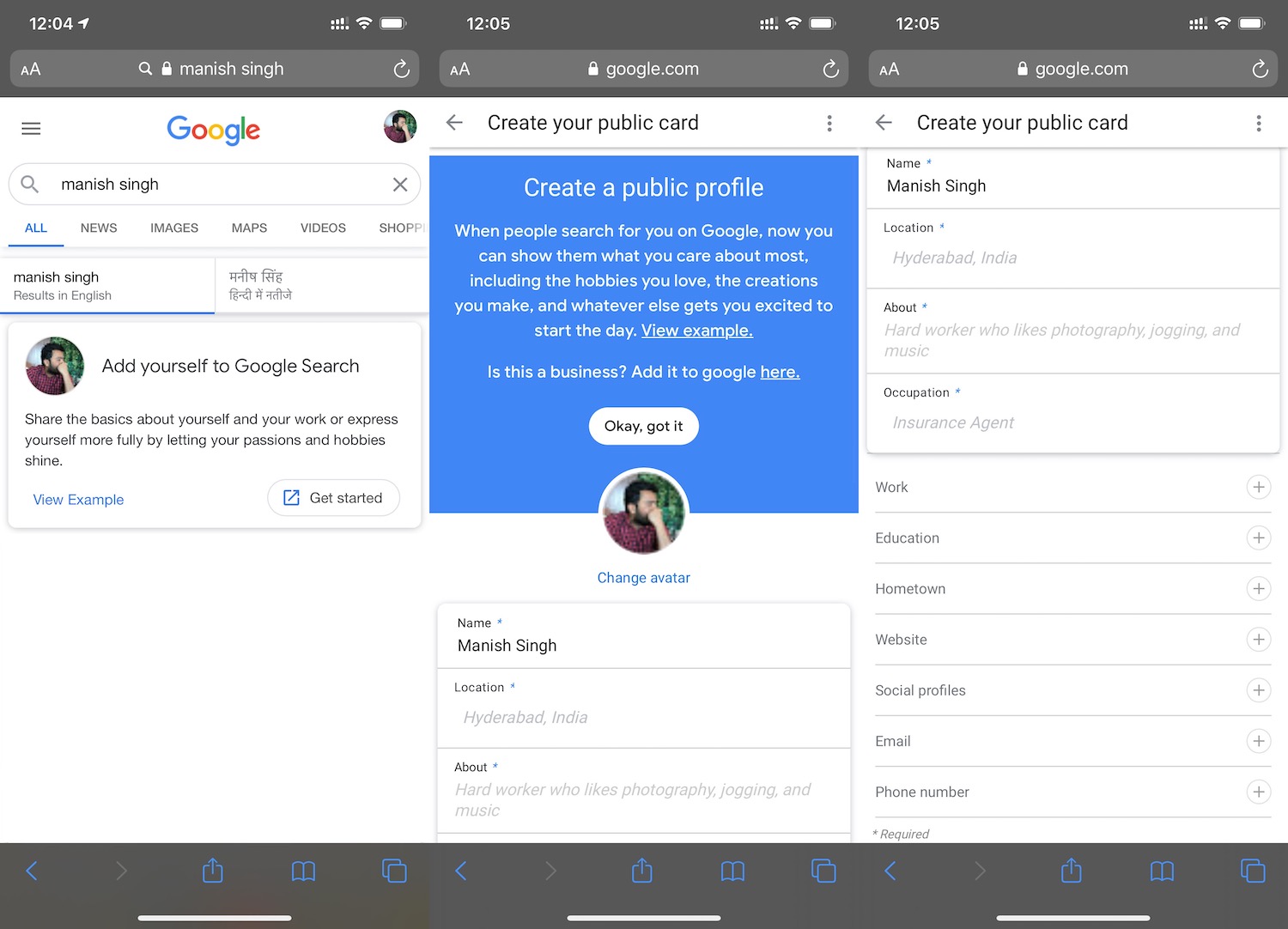
Google has rolled out a new Search feature in India that enables influencers, entrepreneurs, freelancers, or anyone else who wants to be easily discovered online create a virtual visiting card in what appears to be the company’s latest attempt to bring more of LinkedIn functionalities into its search engine.

The company said it has rolled out the feature, called people cards, first in India because of the special affinity people in the world’s second largest internet market have shown toward looking up their own names on the search engine. People cards currently only supports English.

Users can create people cards about themselves by signing into their Google account and then looking up their name on Google search. This will prompt a new option called “add me to Search” or “get started”; tapping which will open a form that asks users to provide a bio (description) of themselves, their picture (by default, Google fetches the image associated with a user’s Google account), links to their website and social media profiles, and optionally, their phone number, address, work and education details, and email address.

Google said the more information a user provides, the easier it would be for others to find them on Google Search. The company said that it has put in place several measures to curb potential misuse of the new feature. One of which is limiting the number of people cards a Google account can create — it is set to one.

“We have a number of mechanisms to protect against abusive or spammy content, and if you come across low quality information or a card that you believe was created by an impersonator, you can tap the feedback link to let us know. If you no longer want your people card to appear in Search, you can delete it at any time,” wrote Lauren Clark, Product Manager for Search at Google, in a blog post.

People card appears to be Google’s latest step to bring more functionalities into Search and thereby reduce a user’s reliance on many other services. In this case, the feature is likely aimed at LinkedIn. Two years ago, the company added jobs listing discovery feature to Search in India after unveiling it in the U.S. in 2017.

“For the millions of influencers, entrepreneurs, prospective employees, self-employed individuals, freelancers, or anyone else out there who wants to be discovered, we hope this new Search feature will help the world find them. For people in India searching on mobile phones, people cards are rolling out in English starting today,” wrote Clark.


Read Full Article

Remove “For Quick Access, Place Your Favorites Here On The Favorites Bar” From Edge New Tab


CLICK HERE TO SEE FULL POST

With default settings, the Chromium-based Microsoft Edge browser displays “For quick access, place your favorites here on the favorites bar. Manage favorites now” text just below the address bar, as you can see in the picture below. Many users have asked us if there is a way to remove this text from the new tab […]

The post Remove “For Quick Access, Place Your Favorites Here On The Favorites Bar” From Edge New Tab appeared first on Into Windows. Content from IntoWindows website.


Google Maps Gets CarPlay Dashboard and Apple Watch Support


Google Maps CarPlay Dashboard

Google Maps is getting some huge updates for Apple devices in the form of CarPlay Dashboard and Apple Watch support.

Google’s mapping app is one of the most popular GPS services on iOS, and having it gain support for these key parts of the Apple ecosystem will make it even more useful.

How Google Maps Works on CarPlay Dashboard

Google announced the first big change to Google Maps on The Keyword. The company revealed the addition of CarPlay Dashboard support. While Google Maps has worked with Apple CarPlay since launch, when Apple added its Dashboard feature with iOS 13, only Apple Maps displayed directions on that screen.

With Google Maps now supported, you can view your directions while also having access to other key CarPlay functions. If you need to skip a song, check a calendar event, or do anything else that works with the Dashboard, you’ll be able to get it done without losing your directions.

If you’re a CarPlay user who relies on Google Maps, this will make getting around a lot more pleasant. CarPlay Dashboard is one of the biggest changes to come to CarPlay since its inception, and it’s great to see a major third-party mapping app work with it. Hopefully, we’ll see other apps like Waze jump into the mix soon as well.

Google Maps Returns to the Apple Watch

If you find yourself walking in unknown places a lot, having directions on your Apple Watch will be useful. Google is rolling out an app that works with Apple Watch so that you can see turn-by-turn directions right on your wrist.

Google Maps Apple Watch

The app isn’t without limitations, though. You can use it to navigate to saved locations, such as home or work. You can also designate other shortcuts within the app. For anywhere else you need to go, you need to start navigating on your phone first before getting the step-by-step directions on your wrist.

Google Maps CarPlay Dashboard and Watch App Availability

Unfortunately, the Apple Watch app isn’t available just yet. Google says that it’ll be rolling out in the coming weeks, so you’ll have to wait just a little longer to get directions on your wrists.

However, you can try Google Maps on CarPlay Dashboard right now. You just need to connect your phone to your CarPlay-support vehicle and you’ll be good to go.

If you’re in love with Apple CarPlay, be sure to check out the best CarPlay apps for iPhone you can use right now.

Read the full article: Google Maps Gets CarPlay Dashboard and Apple Watch Support


Read Full Article

You Can Now Play Minecraft: Education Edition on Chromebooks


The official Minecraft Education Edition logo

With the world slowly reopening after the recent pandemic, students are preparing to go back to school. To help them, Microsoft is releasing Minecraft: Education Edition for Chromebook users.

What Is Minecraft: Education Edition?

Microsoft broke the news on its official Minecraft Education Blog.

In the update, the company explains that this move is an effort to help teachers and students adapt to the new world of education. The update also adds new features for Windows, Mac, and iPad versions of the game, alongside crossplay with all of the different platforms.

Minecraft: Education Edition is a special version of the famous multiplayer game which has fascinated kids and adults alike for over a decade. The Education Edition is only available to schools with a Microsoft 365 for Education license, and focuses on educating and testing students.

Currently, the Education Edition features lessons to help students with a wide range of topics, from STEM to history. In fact, the blog post announces 11 more lessons designed by the American Beekeeping Federation’s Kids and Bees program to help students learn about pollination.

Welsh educator and Minecraft Mentor James Protheroe explains how the game helps in this unique time:

“We’ve built new relationships with students in this remote learning time. They’re helping one another in new ways, and it’s strengthening the relationships between teachers and students. Minecraft is helping them make sense of what’s happening. They can share their thoughts and reasoning, offload stress, and learn in a safe environment.”

If you use a Chromebook, iPad, or PC to play Minecraft, you should receive this update automatically; however, Mac users will have to update their game manually from the website.

Minecraft… The New Face for Learning?

In the current global climate, remote learning has never been more valuable. Countries around the world are slowly reopening to a life that somewhat resembles normality. Governments are aware, however, that another spike in the number of cases of infections will cause further national lockdowns.

If such an event occurs, tools such as Minecraft: Education Edition can help students carry on learning while in quarantine. Not only is Minecraft a fantastic remote learning tool, but it’s hard to find a child who hasn’t heard of the game. Even if there are further waves of the COVID-19 pandemic, kids can still learn in a safe and fun way.

Using Minecraft for Education in a New Era

Minecraft: Education Edition is an excellent way for children to learn within the world of their favorite game. As a result, Microsoft is helping the efforts to reopen schools by bringing the educational version of its game to Chrome OS.

Be sure to check out how Minecraft Hour of Code teaches kids the basics of programming to see the power of education in games.

Read the full article: You Can Now Play Minecraft: Education Edition on Chromebooks


Read Full Article

26-Second Pulse


26-Second Pulse

TikTok is reportedly planning to challenge the Trump administration ban


TikTok, the video-sharing app that’s moved to the center of the economic conflict between the U.S. and China, is planning to challenge the executive order issued by President Donald Trump that would force the sale or ban the service in the United States.

According to a report from National Public Radio yesterday, TikTok could file a federal lawsuit challenging the order as soon as Tuesday. The lawsuit is expected to be filed in the U.S. District Court for the Southern District of California, where TikTok has its American headquarters.

TikTok will challenge the constitutionality of the ban and its underlying claims that the video-sharing service represents a national security threat to the country, according to NPR’s report.

TikTok did not respond to a request for comment at the time of publication.

On Thursday, the president signed executive orders that put a 45-day deadline on American companies to unwind their business relationships with TikTok’s parent company, ByteDance, and with WeChat, the messaging service owned by Chinese tech giant, Tencent.

TikTok had already laid out its opposition to the executive order when news first broke that the president had signed it.

As TechCrunch reported, the company said the order was “issued without any due process” and would risk “undermining global businesses’ trust in the United States’ commitment to the rule of law.” The mechanisms the White House wants to use to ban the app include the International Emergency Economic Powers Act and the National Emergencies Act. But claiming that the operations of a subsidiary of a foreign business on U.S. soil constitutes a national emergency is highly unprecedented.

Under the International Emergency Economic Powers Act, which was passed during the Iran hostage crisis in 1976, the president has sweeping authority to issue tariffs and suspend economic relationships with other companies.

Any challenge to the executive order needs to come soon, because ByteDance, TikTok’s parent company, is also looking at how to unwind its U.S. operations through a sale.

After the president’s executive order was announced, Microsoft said in a statement that it was in talks with ByteDance about acquiring TikTok.

Microsoft said:

Following a conversation between Microsoft CEO Satya Nadella and President Donald J. Trump, Microsoft is prepared to continue discussions to explore a purchase of TikTok in the United States. Microsoft fully appreciates the importance of addressing the President’s concerns. It is committed to acquiring TikTok subject to a complete security review and providing proper economic benefits to the United States, including the United States Treasury.

Analysts and bankers have said that TikTok’s U.S. business could be worth anywhere from $20 billion to $50 billion, thanks to the company’s user base of over 100 million customers in the U.S., according to reports in Fortune.

And other bidders are emerging for TikTok’s U.S. business as well. According to The Wall Street Journal, TikTok has also engaged in preliminary discussions with Twitter over a possible combination.


Read Full Article

iOS 14 redirects web links from News+ publishers directly to the Apple News app


Apple’s still-in-beta operating systems will automatically redirect News+ subscribers to the Apple News app when they click on links from a News+ publisher.

In other words, if you click or tap on a link to a paywalled story published by a News+ partner — including stories from our own Extra Crunch membership program — iOS 14, iPadOS 14 and macOS Big Sur will take you straight to the article page in the News+ app, even when the link ostensibly points to the publisher’s own website.

Tony Haile (who founded the ad-free subscription news service Scroll)  tweeted about the change this morning, and I’ve been able to replicate it myself.

The experience should be familiar to (for example) New York Times app readers who, when they click on a web link, are taken straight to the article page in the NY Times app. (In TechCrunch’s case, I noticed that Apple even prompts users to open the News app when they click on stories that aren’t paywalled.)

This addresses one of the more frustrating elements of being a News+ subscriber: Although your $9.99 monthly subscription gets you access to paywalled stories from publishers like The New Yorker and the Wall Street Journal, you only get access via the News app — not the publishers’ websites. So I’ve often seen something I want to read on Google or Twitter, but instead of clicking the link, I have to open the News app and track down the story.

So this seems like it should significantly improve the reader experience, even if it might be a little disconcerting at first. And it only applies to News+ subscribers, who are opted-in but will have the option to turn off the “Open Web Links in News” feature in their News settings.

But as Haile noted, publishers may be less excited about the change: “Any strategic rationale that Apple News+ represents a separate  channel/audience is now gone. This directly cannibalizes a publishers’ core subscription audience.”

Although Apple has not released News+ subscriber numbers, there have been several reports — including a November 2019 story from CNBC —suggesting that the service has struggled to attract new subscribers after signing on 200,000 users in the first 48 hours after launch. And Digiday reported that publishers have been underwhelmed with revenue.


Read Full Article

Save Money Shopping Online With CouponX


couponx-save-money

Shopping online and want to save money? Coupons are a great way to apply discounts and save money, but they’re often out of date. Coupon sites typically promise much but deliver expired or irrelevant coupons.

Aiming to change this is CouponX, a site offering over 100 exclusive coupons from over 100 merchants for all types of online shopping, including major stores.

Get 100% Working Coupons

Coupons are becoming an integral part of the online shopping experience. But sometimes, they disappoint. Outdated or simply fake coupons are a huge issue for shoppers looking to apply coupons at online stores.

Although online stores almost always offer a field to apply a coupon (and some sites even give you a coupon for visiting for the first time or signing up for a newsletter), finding a working coupon to use is harder.

coupon x

To combat this CouponX confirms the authenticity of its coupons, aiming to update its collection of coupons before competitors. Its coupon content curation works to remove expired deals and coupons on a weekly basis.

The result: you get the latest, 100% working coupons.

What Is the CouponX Dealbox?

Get buying tips from CouponX

Offering coupons from major players from online health shops, designers, and even web hosts, CouponX breaks down its available coupons by category. You might find cars, bread machines, video editing tools—the list goes on.

Supporting the wealth of coupons on offer, CouponX also offers the Dealbox blog, which provides buying guides, shopping tips, and tricks. Deals here include eCard ideas, robot vacuums, subscription boxes—they are based on timely occasions and trending gift ideas.

Don’t miss an update from CouponX’s Dealbox blog—sign up to the newsletter for regular updates.

Sign Up to CouponX for the Best Personalized Deals

Another problem with finding the latest coupons for online shopping is that they’re often intended for different territories. CouponX operates for shoppers in the US, UK, Japan, France, and Russia to ensure the right coupons are used in the right regions. Non-English-speaking countries can also see the CouponX site in the regional language.

coupon x

To ensure you find the best available deals, you can sign into CouponX with Facebook or Google. This provides personalized deals and lets you save favorite coupons and stores for later.

And don’t forget to check the site around the time of big holidays and events. On days such as Black Friday and Cyber Monday, you’ll find the site bursting with personalized money-saving coupons and special deals.

Don’t Miss the Latest Coupons With the CouponX Browser Extension

Obviously, it can be a pain to have to open a new tab in your browser to find a coupon website. CouponX offers a smart solution: a Chrome browser extension that helps you find the best coupons to save money.

With your privacy in mind, the extension doesn’t track your activity online (unlike other companies’ extensions). Instead, it simply shares the best coupon to use on the corresponding website.

Find the best discounts for your with CouponX

Simply visit a site where you plan to buy from, then click the extension to list the available coupons. Click one to apply it to your shopping basket, then checkout.

CouponX Will Help You Save Money Today

Everyone needs to save money and buy as much as possible within their budget. A great way to do this is with coupons, which is where CouponX comes in.

With an easy to use site, handy search tool, and even the ability for online stores to submit their coupons, CouponX offers a comprehensive and professional couponing experience. Signing up with Facebook or Google delivers a personal aspect and the Chrome extension makes finding a suitable coupon east.

Meanwhile, if you’re short of inspiration when the holidays come around, the Dealbox will surely highlight a great gift idea.

If you haven’t tried CouponX already, head over there now and check the latest coupons and codes—and maybe bag yourself a bargain.

Read the full article: Save Money Shopping Online With CouponX


10 Awesome Educational Websites for Kids Worth Bookmarking


educational-sites-kids

If you’re a parent or a teacher looking for resources to help your kids take their education a notch higher, you don’t have to look too far. There are lots of great free learning websites for kids to keep them entertained and educated.

Here are some of the best free educational websites for kids that they will want to keep returning to, keeping them out your hair and ensuring they use their computer time productively.

1. BrainPOP

brainpop

BrainPOP tackles every subject from math to music with humorous animated movies. It breaks down even the most complex concepts into easy-to-understand chunks and uses relatable, real-life scenarios as examples.

The videos come with relevant interactive quizzes, activities, and games that help drive each concept home. Kids are sure to love Moby, the funny robot who appears in the videos.

The website is subscription based, but there’s some interesting free stuff as well. Don’t miss the daily spotlight feature that teaches children about various timely and relevant topics, from U.S. presidents to cyberbullying to American Indians.

2. DOGO News

dogonews

It’s good to help kids stay informed about the goings-on in their world, but regular newspapers may not be the ideal way to do that. Child-safe news websites are much better, and DOGO News is one of them. The site doesn’t skirt around the facts or talk down to children but makes it easy for them to understand.

DOGO News brings news and other non-fictional content for kids. You can filter stories based on categories (science, sports, entertainment, etc.) or grades that the material is suitable for.

3. Funology

funology

Want to limit your child’s screen time? Keep them occupied and entertained with offline activities from Funology. The website may be designed as an idea toolbox for parents and teachers, but there’s no reason it can’t double up as an online laboratory and playground for the kids themselves.

Funology has instruction sets to help kids to try their hand at science experiments, arts and crafts projects, and even magic tricks. It also has plenty of games, jokes, and trivia that you can stock up on for later.

The site includes breakfast, lunch, and dinner recipes, and they come with quirky names and descriptions to entice little chefs. Now, who wouldn’t want to snack on melon rainbow salad, a leprechaun’s favorite dish?

4. BBC Bitesize

bbc bitesize

While BBC Bitesize is aimed at the UK curriculum, it’s perfect for children around the world of any age. It has lessons, games, and resources for all the common school subjects: History, Math, English, Science, and more.

BBC Bitesize also has topical learning to help children understand the news and educate them about the world generally, like how to spot fake news or how to prepare for getting exam results.

5. Funbrain

Funbrain

Games are one language that every kid seems to understand without needing to learn it. Funology makes full use of this fact to help children master math, spelling, reading, and more.

Funbrain has hundreds of interactive games designed to educate and entertain kids. Some popular books and comics, such as Diary of a Wimpy Kid and Brewster Rockit, are available as free reads on Funbrain.

If you have a preschooler, head to the Playground section for games that will teach your little one mouse and keyboard manipulation. Bright colors, funny graphics and games, and a safe online environment make FunBrain the perfect online playground for kids.

6. National Geographic Kids

national geographic kids

Like its magazine counterpart, the interactive National Geographic Kids website gets children excited and curious about the world around them. The website’s home page is a mosaic of colorful, clickable content designed to appeal to young minds. Stunning photos and videos of a wide variety of places, flora, and fauna keep both kids and adults hooked.

National Geographic Kids uses cool materials like facts, games, quizzes, and polls to teach young explorers various concepts related to geography, natural science, archaeology, and more.

7. Scratch

scratch

Coding is one of the best tech skills that you can encourage your kids to take up. But you won’t have much success getting them to explore it if you don’t make programming fun. Leave that job to Scratch—a web app that teaches coding with visual tools and an easy-to-use interface.

The website teaches coding via a “cause and effect” approach. You click on various color-coded instructions to see their impact on cute animal sprites. For example, by clicking on a specific button, you can make a sprite move 20 spaces to the left.

Scratch ensures that your child’s introduction to programming is far from boring. They can create and share animations, games, and interactive stories, learning to reason and think creatively along the way.

If this takes your child’s fancy, here are the best coding apps for teaching programming to kids.

8. Science Bob

science bob

Award-winning educator Bob Pflugfelder (aka Science Bob) is on a mission to make science fun for kids. He explains various scientific concepts using video demos of experiments.

Kids won’t find any “don’t try this at home” warnings playing spoilsport. They get detailed instructions to recreate the experiments—an approach that fosters a hands-on approach to science.

Kids can satisfy their curiosity about stuff like “why do we cry when we chop onions?” and “why do our toes get wrinkled in the tub?” via the Q&A section.

9. Rich Kid Smart Kid

rich kid smart kid

Like it or not, money often makes our world go around, and learning how to handle it is a vital skill to have. Give your kids a head start toward financial literacy by teaching them some key concepts about money. Rich Kid Smart Kid (RKSK) does all the work for you.

RKSK uses free interactive games to explain ideas like cash flow, saving, investing, and business. Two adorable cartoon characters, Reno and Toki, are in charge of guiding the kids through the website.

10. Mission US

Mission US

As much as kids dread math, they seem to dread history even more. What if they had a chance to “be there” when the events from our collective past unfolded? Wouldn’t they want to learn more about those times? The folks at sites like MissionUS certainly think so.

With its collection of free video games, MissionUS gives kids a way to immerse themselves as protagonists in US history. They can choose from different missions to complete. Each mission introduces them to a different time and aspect of history, like the Boston massacre and the anti-slavery movement.

Get More Edutainment With Math Games

Hopefully, these websites can not only solve your kid’s cries about being bored but also teach them a thing or two along the way.

If you’d like some more edutainment to keep your little ones occupied, check out these cool and fun math games for kids.

Image Credits: Production Perig/Shutterstock

Read the full article: 10 Awesome Educational Websites for Kids Worth Bookmarking


10 August 2020

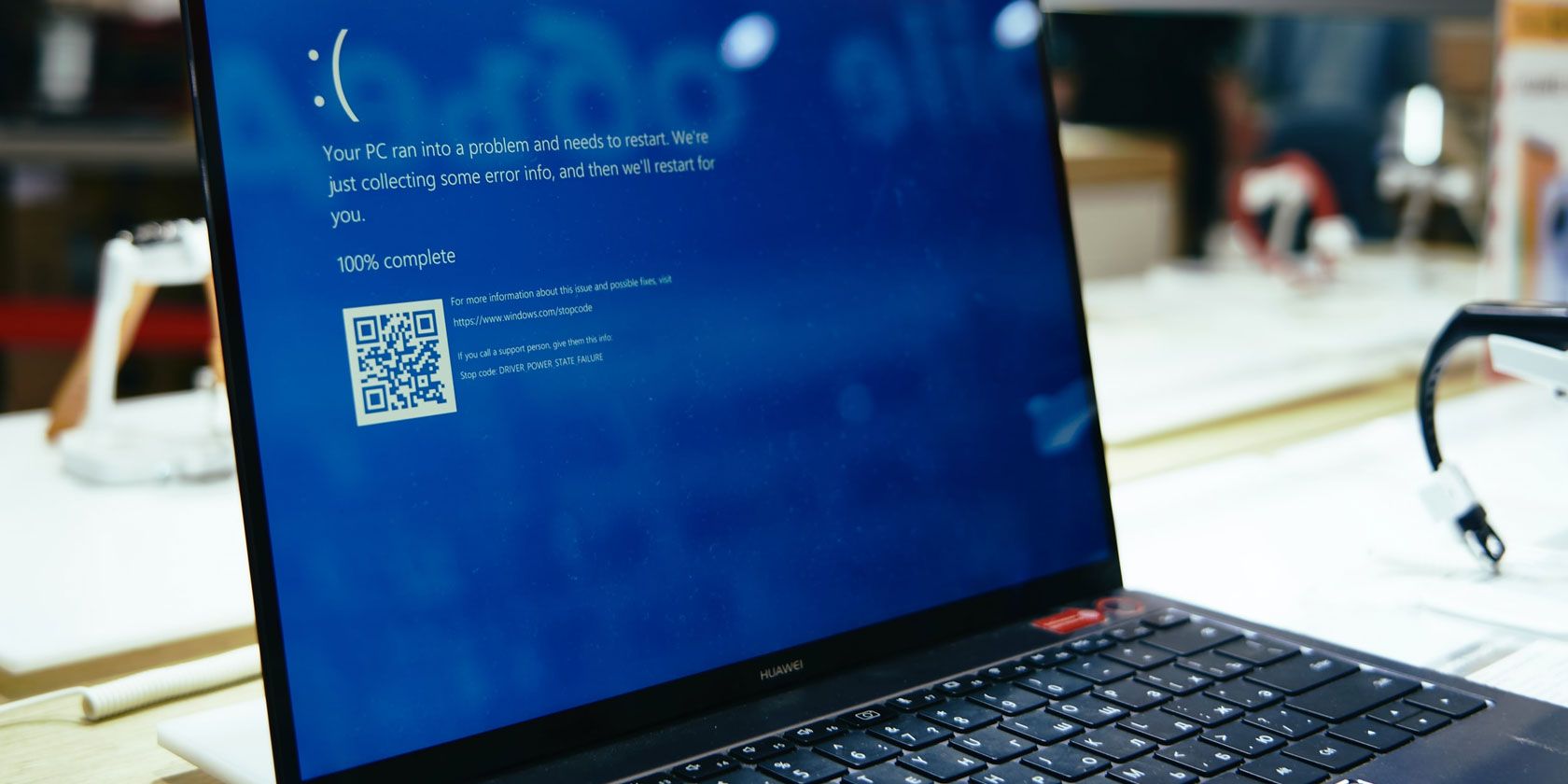
5 Fixes for the Bad System Config Info Stop Code in Windows 10


bad-system-config-stop

The Bad System Config Info stop code is a common Windows error that can cause a Blue Screen of Death (BSOD). While the system crash and blue screen can seem alarming, the Bad System Config Info error is relatively simple to fix and doesn’t require much technical expertise.

Better still, it doesn’t take long to fix, either. So, here’s how you fix the Bad System Config Info stop code.

What Is the Bad System Config Info Error on Windows 10?

The Bad System Config Info error (Windows stop code 0x00000074) can stem from several areas and relates to a faulty system configuration. Unfortunately, a faulty system configuration is a broad spectrum, covering the Windows Registry, faulty drivers, corrupt system files, and more.

Thankfully, these issues are all easy to fix.

1. Restart Your System

The first fix is always the easiest: restart your computer. Switching your computer off and on again fixes a variety of issues. Before you start running through the other fixes, restart your computer and see if that fixes your Bad System Config Info error.

2. Run SFC and CHKDSK

A persistent Bad System Config Info error can point to a corrupt file system. At times, important Windows system files can become corrupt, in turn causing an issue. The Windows System File Check (SFC) is an integrated Windows system tool you can use to check for errors.

However, before running the SFC command, it is important to check it is working properly. To do this, we use the Deployment Image Servicing and Management tool, or DISM.

Like SFC, DISM is an integrated Windows utility with a wide range of functions. In this case, the DISM Restorehealth command ensures that our next fix will work properly.

Running sfc to fix video scheduler internal error

Work through the following steps.

  1. Type Command Prompt (Admin) in the Start menu search bar, then right-click and select Run as administrator to open an elevated Command Prompt.
  2. Type the following command and press Enter: DISM /online /cleanup-image /restorehealth
  3. Wait for the command to complete. The process can take up to 20 minutes, depending on your system’s health. The process seems stuck at certain times, but wait for it to complete.
  4. When the process completes, type sfc /scannow and press Enter.

CHKDSK is another Windows system tool that checks your file structure. Unlike SFC, CHKDSK scans your entire drive for errors, whereas SFC scans your Windows system files specifically. Like SFC, run the CHKDSK scan from the Command Prompt to fix your machine.

  1. Type command prompt in your Start menu search bar, then right-click the best match and select Run as administrator. (Alternatively, press Windows key + X, then select Command Prompt (Admin) from the menu.)
  2. Next, type chkdsk /r and press Enter. The command will scan your system for errors and fix any issues along the way.

3. Restore the Windows Registry

The Bad System Config Info error can also relate to issues with the Windows Registry. The Windows Registry is essentially a massive internal database containing important, machine-specific information regarding almost everything in your machine:

  • System Hardware
  • Installed Software and Drivers
  • System Settings
  • Profile Information

Restoring the Windows Registry from a backup will eliminate any faults. There is, however, one issue with this fix. Since Windows 10 version 1803, there is no automatic Windows Registry backup. Prior to 1803, Windows would take a Registry backup every 10-days via the RegIdleBackup service.

Microsoft stopped the automatic backup to reduce the size of the Windows 10 footprint. As such, Microsoft recommends using a system restore point to repair a corrupt registry. Before commencing this fix, you can check if you have a Windows Registry backup to restore.

Head to C:\Windows\System32\config\RegBack. This folder contains your Windows Registry backups. If the file sizes show zero, you cannot use this backup method, and you should proceed to the next section.

Otherwise, read on to find out how to restore the Windows Registry manually. If you want to switch automatic Windows Registry backups on, check out our guide on when you should fix Windows Registry issues—and when not to bother.

1. Enter Advanced Startup Options

If the files in the RegBack folder do show that they have data (e.g., there are numerical values in the Size column), you can attempt a manual Registry restoration.

First, you need to boot into the advanced start-up options.

  1. Head to Settings > Update & Security > Recovery
  2. Select Restart Now

Alternatively, open your Start Menu, then hold the Shift key and press Restart.

Once the menu options, press Troubleshoot > Advanced Options > Command Prompt.

windows 10 advanced startup settings

2. Change the Directory, Restore

When the Command Prompt opens, it will default to X:\Windows\System32. This isn’t the actual location of your Windows installation, so we need to move to the correct drive letter before proceeding.

Windows usually installs to the C:\ drive, unless you specify a different location. However, the Windows recovery mode will boot your Windows installation under a different drive letter, usually D:\. Locate the correct drive using the following command:

dir D:\Win*

The Command Prompt will list the directory contents, so you’ll know it is the correct drive.

Now, enter the following commands, in order:

cd d:\windows\system32\config

xcopy *.* C:\RegBack\

cd RegBack

dir

Check the dates of the files in the RegBack directory. If they are from before your issue began, you can enter the following commands:

copy /y software ..

copy /y system ..

copy /y sam ..

And yes, the two periods are part of the command.

Following this, reboot your computer normally.

4. Use System Restore to Fix the Windows Registry

If you do not have a manual Windows Registry backup to restore, you can opt for a system restore point instead. Windows creates automatic system restore points for you to return to, so long as the feature is switched on.

Press Windows + S and search for restore. Select the create a restore point result. This will open System Properties > System Protection where you can check whether protection is on, configure settings, and create a restore point right now.

windows 10 system protection properties options

If you want to use a system restore point, select System Restore, and then the restore point you want to use. Then follow the instructions.

One nice Windows System Restore feature is the ability to Scan for affected programs. If you select your system restore point, then scan to see a list of the programs the system restore point will affect or delete.

windows 10 system restore points

5. Fix Boot Configuration Data (BCD)

If none of the fixes above work, you can attempt to fix your boot configuration data (BCD). Fixing your boot configuration data requires Windows 10 installation media. Follow our guide on creating Windows 10 installation media, then continue.

Switch off your computer. Now, insert the Windows 10 USB flash drive installation media into a USB port, and turn your computer on. You need to boot from the USB flash drive, which means pressing a special key to launch the boot menu during the boot process. The key for the boot menu varies but is typically F8, Del, Esc, or similar.

windows 10 repair your computer

From the boot menu, select the Windows 10 installation media. When the Welcome screen appears, select Repair your computer in the bottom left of the screen.

Now, head to Troubleshoot > Advanced Options > Command Prompt. From the Command Prompt, enter the following commands, in order:

bootrec /repairbcd

bootrec /osscan

bootrec /repairmbr

Now, close the Command Prompt and turn the computer off. Remove your Windows 10 installation media and boot your computer.

Fixing the Bad System Config Info Error

The fixes for the Bad System Config Info error vary in difficulty. Restarting your computer is extremely easy, but might not solve the problem. Work through the fixes for the error, and you’ll have your system up and running in no time.

If you want to learn more about fixing your computer, check out how to solve bluescreen errors using WinDbg and BlueScreenView.

Read the full article: 5 Fixes for the Bad System Config Info Stop Code in Windows 10

ByteDance valuation under huge pressure as TikTok sale nears


As it reached an estimated valuation of $100 billion this year, TikTok’s parent company ByteDance solidified its status as the most valuable startup in private markets. Its success outside China has also become a source of envy and inspiration among its local peers.

Now, the company’s price tag is under tremendous pressure as it’s set to shed its prized asset TikTok, several investors told TechCrunch.

ByteDance last year generated 120 billion yuan ($17.2 billion) in revenue, said an investor with knowledge of the matter. Around 67% was derived from ads sold on its domestic apps Douyin, TikTok’s Chinese version, and popular news aggregator Toutiao. Live streaming targeted at users of Douyin and another app in the family made up about 17%. Nascent businesses including games, e-commerce and TikTok accounted for 20 billion yuan, or roughly another 17%.

The company projected its 2020 revenue at 200 billion yuan ($28.7 billion), with TikTok and other emerging businesses contributing 30 billion yuan, or 15%, according to the investor. Previous reports by Reuters and Bloomberg cited similar revenue figures.

Although TikTok continues to account for only a fraction of ByteDance’s income, the addressable market is enormous. “It went from having a potential overseas market of 6 billion users to just China, where Douyin and Toutiao are reaching saturation,” the investor said.

Moreover, TikTok has only begun to monetize its enormous user base. The app experienced exponential growth and surpassed 2 billion downloads this year as COVID-19 lockdowns kept people indoors, but it’s unclear how much eyeball time it will retain when social life returns to normal. The app already lost its largest market (India), which accounted for about one-third of its user base, according to the investor, though app spending in the country is relatively low.

ByteDance did not respond to a request for comment.

What’s left

Back home, the eight-year-old company faces a crammed market. Tencent-backed Kuaishou claimed that 300 million people used its short-video platform daily at the beginning of this year, while Douyin said it reached 400 million DAU around the same time. Toutiao is coping with challengers from various fronts, from microblogging veteran Weibo to WeChat’s in-app news feature.

Like all other tech giants, ByteDance keeps a pipeline of projects alongside its cash cows. It’s known for its ability to churn out new products, thanks to an organizational structure that divides the firm by functions, primarily technology (development), user growth and monetization, earning it the nickname of an “app factory.”

The company’s more high-profile gestures are in mobile games, a lucrative internet business where it competes head-on with Tencent; education, which could allow it to ride the wave of online education in China; and enterprise software, represented by its work collaboration platform, Lark.

So far, none of these new efforts are remotely close to the success of TikTok, Douyin and Toutiao in user acquisition and monetization. It remains to be seen how the poster child for Chinese apps’ globalization strives to hold onto its domination. One thing is for sure: ByteDance’s founder and CEO Zhang Yiming will not let his company shrink from its global ambitions even as it stumbles overseas.


Read Full Article

New Gboard Update Adds Smart Completion and More


Google recently released a pretty major Gboard update that users will enjoy. However, the company dropped the new features without all the fanfare we typically see from an update to one of Google’s major tools.

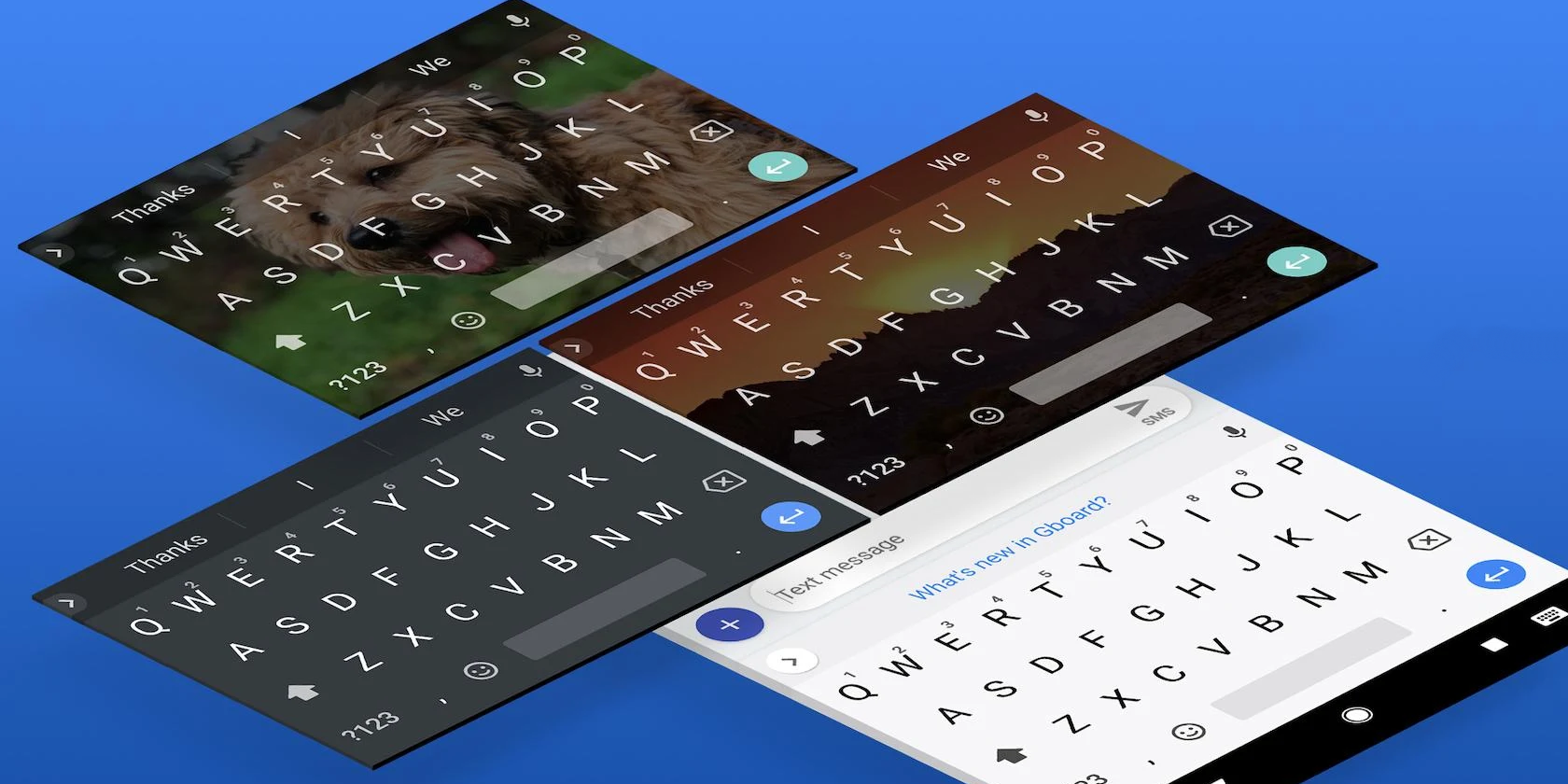
The update makes a few small tweaks and adds a really useful new feature called Smart Completion. The new feature will make typing in a wide variety of apps a quicker, more streamlined experience.

Gboard Smart Completion and Other New Features

As reported by XDA-Developers, The main thing that’s new in Gboard is a feature called smart completion. Basically, it shows some predictive text as you type, making it quicker and easier to send messages or write thoughts in just about any app. If the word Gboard suggests is what you want to say, you simply need to tap the spacebar to complete it.

Technically, this feature was first spotted in Gboard at the end of June, but its implementation was limited to certain apps. With the latest update, it should work with just about any app that requires typing, which is quite a nice change.

Also important to note is that this won’t be useful if you’re using glide typing. However, for users who prefer traditional typing, this could really speed up their workflows.

The other big Gboard change comes to the autocorrect function. Now, there’s a toggle that’ll let you turn the feature on and off. The feature was turned on by default for some time, but for users who find it annoying, it’s nice to see a toggle.

Oddly, some users are reporting that Gboard is turning the feature off automatically. If this happens to you and you want it on, you can simply head to Settings, and then Text Correction to turn it back on.

Google is also rolling out a new Google Assistant-powered dictation feature. This should make typing with your voice a more pleasant experience. However, we’ll have to wait and see how it performs in the real-world.

The last thing that many users are noticing is a missing Google search icon within Gboard.

A user review on the Play Store says, “It also had a nice built-in Google search built-in, which was extremely practical. Not too long ago, they made it a bit more hidden, and this week they cut it out entirely. Why, why, why? Sad.”

This seems like an odd change for Google to make. Search is such a huge part of its business. Facilitating search within its keyboard seems like a no-brainer. Hopefully, Google will fix this in a future update.

How to Change Your Android Keyboard

When it comes to keyboards on Android, you have a lot of choices. There’s Gboard, which is one of the most popular, but there are plenty of other good ones as well. Once you find the one you like, make sure you know how to change your Android keyboard quickly and easily.

Read the full article: New Gboard Update Adds Smart Completion and More


Read Full Article

How to Sideload Any File Onto Your Android Phone or Tablet


sideload-files-android

Once you move beyond the basics of Android, you’re likely to come across the term “sideloading.” And while sideloading is useful and not particularly complicated, if you’re not familiar, the process might confuse you.

Let’s look at what sideloading is, how it works on Android, and the various types of media you can sideload.

What Is Sideloading?

You’ve heard of downloading and uploading, but what is sideloading? In general terms, sideloading means transferring files between two devices of your own. It doesn’t necessarily require an internet connection, hence the “side” instead of “up” or “down.”

In the context of mobile devices, sideloading typically refers to moving files from your desktop computer to your phone so you can use them on your mobile device. For Android specifically, sideloading often means installing apps from outside of the Play Store.

However, because Android gives you the freedom to install and launch media from anywhere, sideloading works for more than just installing apps.

What Can You Sideload on Android?

Let’s look at the different types of files you can sideload on Android, then we’ll discuss how the sideloading process works.

Apps

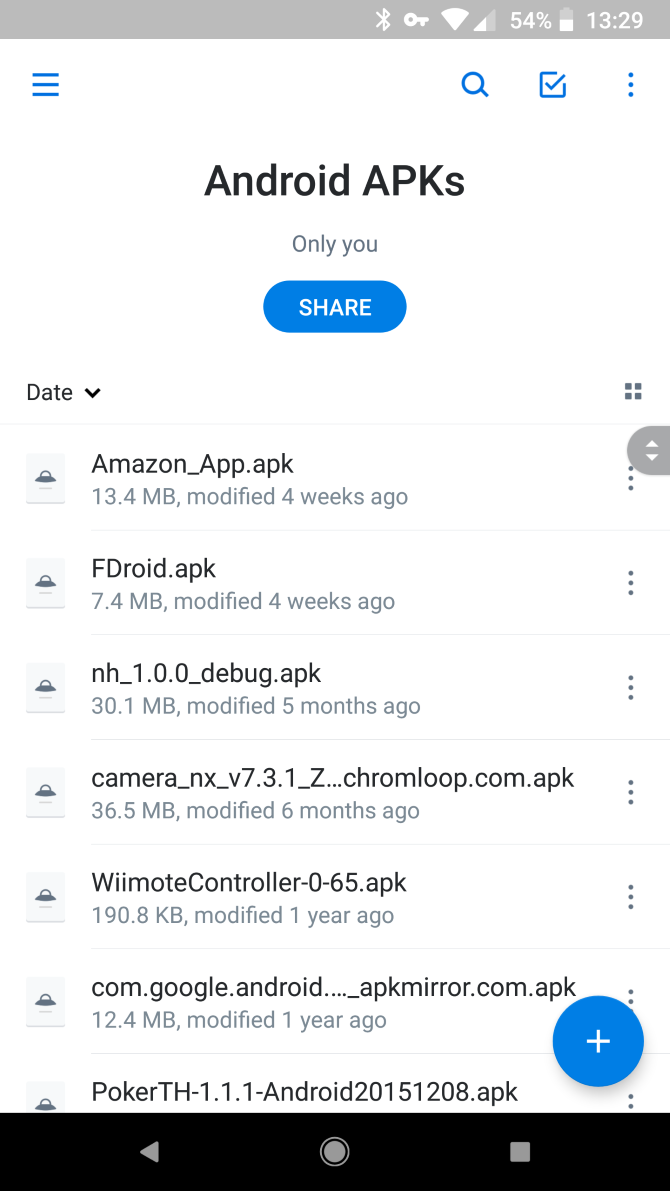
Much of the time, people use Android sideloading to install apps from sources outside the Play Store. These come as APK files, which are Android package files (similar to EXE files on Windows).

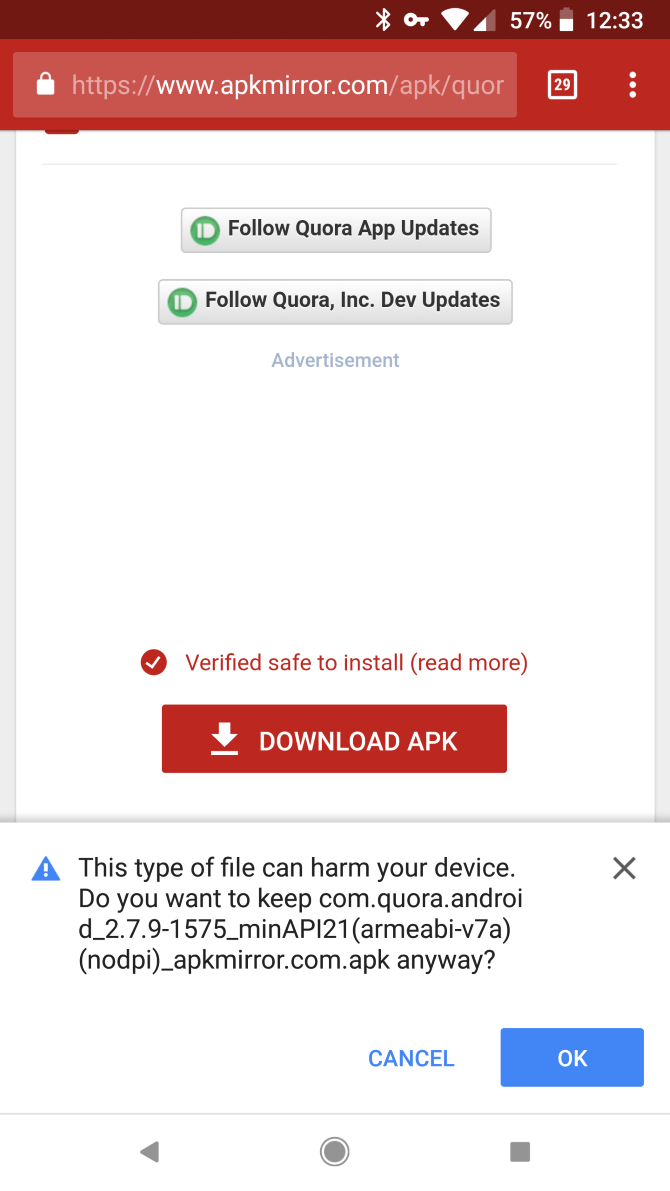
There are many safe places to find APK files, such as APKMirror. You should be careful not to download APKs from random sites, as they could harm your device. Plus, don’t forget that downloading paid apps for free is piracy.

We have a guide specifically for sideloading apps on Android, so have a look at that for everything you need to know.

Music, Books, Videos, and Other Media

If you’re interested in sideloading something other than apps, you have plenty of options. With the right apps on your device, you can enjoy music, ebooks, movies, and other kinds of content:

  • Music: Install one of the best offline music apps for Android and you can enjoy your MP3 collection anywhere.
  • Books: Using Google Play Books or another Android ebook reader, you can load up free ebooks to read on your device or transfer your collection.
  • Movies and TV: VLC is a great all-around choice, allowing you to enjoy any kind of video files you have saved locally.

You could sideload podcasts as well, but it’s much more convenient to just use an Android podcast app to subscribe to your favorite shows and download them automatically.

Custom ROMs and Other Modding Tools

Finally, Android sideloading is an important tool when you’re modifying your device. Using the Android Debug Bridge, or ADB, you can push files from your desktop to install custom ROMs on your Android device.

This is an advanced use, though, so we won’t go into detail about it here.

How to Move Sideloaded Files to Your Android Device

Once you have an appropriate app installed on your phone to handle sideloaded content, the next step is moving the files to your device. This assumes you have content ready on your desktop to move to your phone, so download anything you want to move first.

No matter which method you use, when you place files in your phone’s storage, don’t forget where you put them. Android has several folders already set up for common types of media, such as Music, so either use those or make new folders if needed.

Using a USB Cable

Access Android File Explorer

The most straightforward way to move files to your Android device is by connecting your phone and computer using a USB cable. This lets you simply move the files from your PC to your phone like you would across other folders. While connecting a cable isn’t as convenient as other ways to do this, it’s faster and more reliable than wireless methods.

On Windows, you don’t need anything special to move files over USB. However, on a Mac, you’ll need the free Android File Transfer tool installed first.

Download Files Directly on Your Phone

If you don’t want to bother with a USB cable, it’s often convenient to download files directly on your phone. For instance, if you want to sideload an app, you can just visit the APK download site using a browser on your phone and download it there.

This saves you from having to connect your phone and PC physically. However, it might not be an option if the media you want to sideload only exists on your PC, such as a large MP3 collection.

Move via Cloud Storage, Bluetooth, or Similar

To move data from your PC to phone without a cable, you can rely on wireless methods. If you use a cloud storage app like Dropbox or OneDrive on both devices, put the files in your cloud storage folder on your computer and then open them on your phone.

We’ve also shown how to connect your Android device and PC using Bluetooth. While wireless methods are convenient, keep in mind that they’re slower than transferring over USB and more susceptible to interference. If you have a large file to transfer or are on a slow network, you’re better off connecting physically.

If none of the above methods work for you, see other ways to transfer files from Android to PC.

Accessing Sideloaded Files

Now that you’ve placed files on your device, all that’s left to do is open them. For this, you’ll need an Android file explorer app, so download one of those if you don’t have one already.

Using the file explorer, navigate to where you saved the sideloaded content, then tap to open it. Depending on the type of media, Android will either launch it in your default app, or ask which app you’d like to open the content in.

If it opens in an app that you don’t want to use (such as music opening in YouTube Music instead of a new local music manager you installed), see our guide to managing default apps on Android to change it. Otherwise, you can open the content in any supported app and enjoy it there.

For some kinds of content, you might be able to launch the files through the given app instead of your file manager. For instance, an ebook manager might ask you to specify a folder where your ebooks are stored. If you point this at the folder containing the books on your phone, the manager app will update its content when you add new files to that folder.

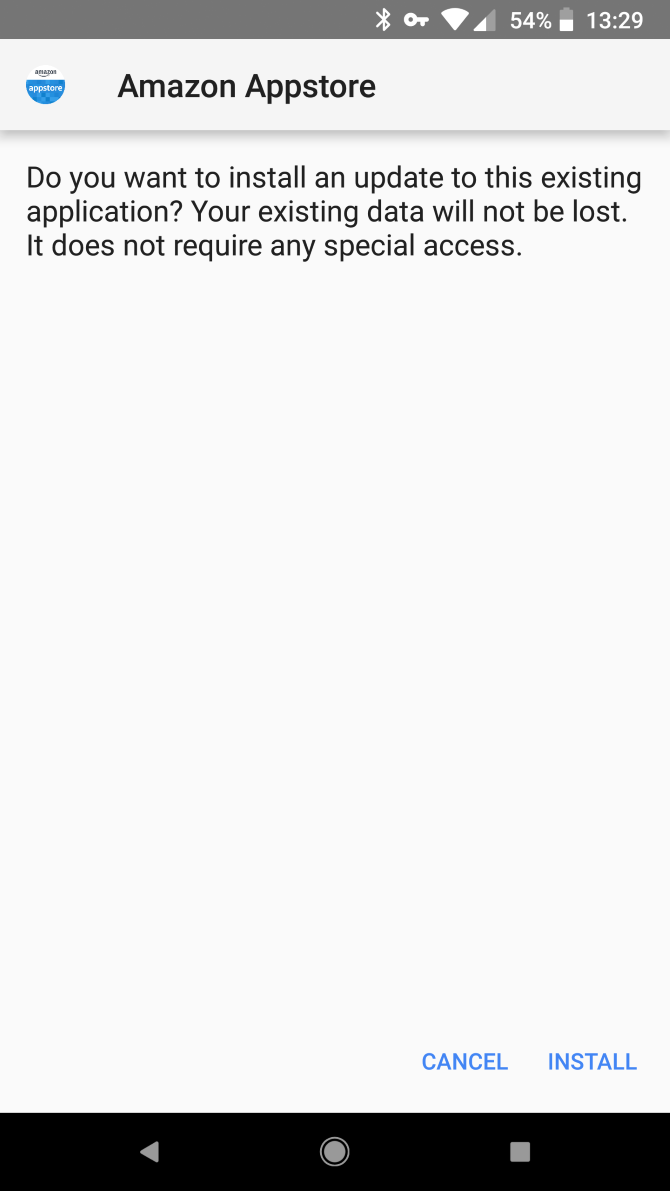
Installing sideloaded apps requires additional steps, so be sure to check the guide linked earlier for more help with that.

Take Advantage of Android Sideloading

Now you know how to sideload any type of content on your Android device. Your phone can handle pretty much any type of entertainment file that a computer can, making it easy to take your favorite media on the go. Once you establish a routine for moving new files to your device, it won’t take much time at all.

For more on things worth sideloading, check out the best alternative Android app stores.

Read the full article: How to Sideload Any File Onto Your Android Phone or Tablet


Read Full Article