14 April 2020

Apple opens access to mobility data, offering insight into how COVID-19 is changing cities


Apple is providing a dataset derived from aggregated, anonymized information taken from users of its Maps navigational app, the company announced today. The data is collected as a set of “Mobility Trends Reports,” which are updated daily and which provide a look at the change in the number of routing requests made within the Maps app, which is the default routing app on iPhones, for three modes of transportation including driving, walking and transit.

Apple is quick to note that this information isn’t tied to any individuals, since Maps does not associate any mobility data with a user’s Apple ID, nor does it maintain any history of where people have been. In fact, Apple notes that all data collected by maps, including search terms and specific routing, is only ever tied to random rotating identifying numbers that are reset on a rolling basis. This anonymized, aggregated data is collected only to provide a city, country or region-level view, representing the change over time in the number of pedestrians, drivers and transit-takers in an area based on the number of times they open the app and ask for directions.

As far as signals go for measuring the decrease in outdoor activity in a given city, this is a pretty good one considering Apple’s install base and the fact that most users probably don’t bother installing or using a third-party app like Google Maps for their daily commuting or transportation needs.

The data is available to all directly from Apple’s website, and can be downloaded in a broadly compatible CSV format. You can also use the web-based version to search a particular location and see the overall trend for that area.

For an individual, this is more or less a curiosity, but the release f this info could be very useful for municipal, state and federal policy makers looking to study the impact of COVID-19, as well as the effect of strategies put in place to mitigate its spread, including social distancing, shelter-in-place and quarantining measures.

Apple has also announced that it’s working with Google on a new system-level, anonymized contact tracing system that both companies will first release as APIs for use by developers, before making them native built-in features that are supplemented by public health agency applications and guidance. Apple seems particularly eager to do what it can to assist with the ongoing COVID-19 crisis, while still striving to ensure that these measures respect the privacy of their individual users. That’s a hard balance to strike in terms of taking effective action at a population level, but Apple’s reach is a powerful potential advantage to any tools it provides.


Read Full Article

OnePlus redefines its premium approach with the 8 Pro


As recently as a year or two ago, the idea of a $900 starting price for a OnePlus device would have seemed, at best, fanciful. The company built a name for itself with a series of flagship quality devices at a mid-tier price point. It was a smart approach that served the company well, carving a solid niche for itself even amid a saturated and stagnant market.

But as the market has changed, so too has OnePlus. One of the more pronounced signs of the company’s growth over the past half-dozen years is an increasing interest in the higher end of the market. It has been a slow evolution. First the company rethought its longstanding approach of holding off on cutting-edge technologies, and then last year it introduced a Pro tier to its device line.

The latter, in particular, opened the line to a real premium category, and today it delivered on the promise with the introduction of the OnePlus 8 and 8 Pro, starting at $699 and $899, respectively. The Pro comes in two configurations, with 8GB of RAM and 128GB of storage or 12GB/256GB (the same as you’ll find on the standard 8), with the higher end running an extra $100.

OnePlus 8 Pro

That’s chump change compared to premium devices from the likes of Samsung and Apple, but it’s still a new paradigm from the traditionally budget-minded OnePlus. Of course, you’re going to get a lot for that price — this is OnePlus, after all.

First, there’s 5G. That was one of the trends OnePlus was more than happy to be among the first to jump on. It also was something we spent a lot more time talking about when we were still allowed outside. Which, honestly, makes this as good a time as any to point out that I’ve had the phone in my possession for a while, but am unable to do a proper review due to both my inability to leave the house and some of my own ongoing health issues.

OnePlus 8 Pro

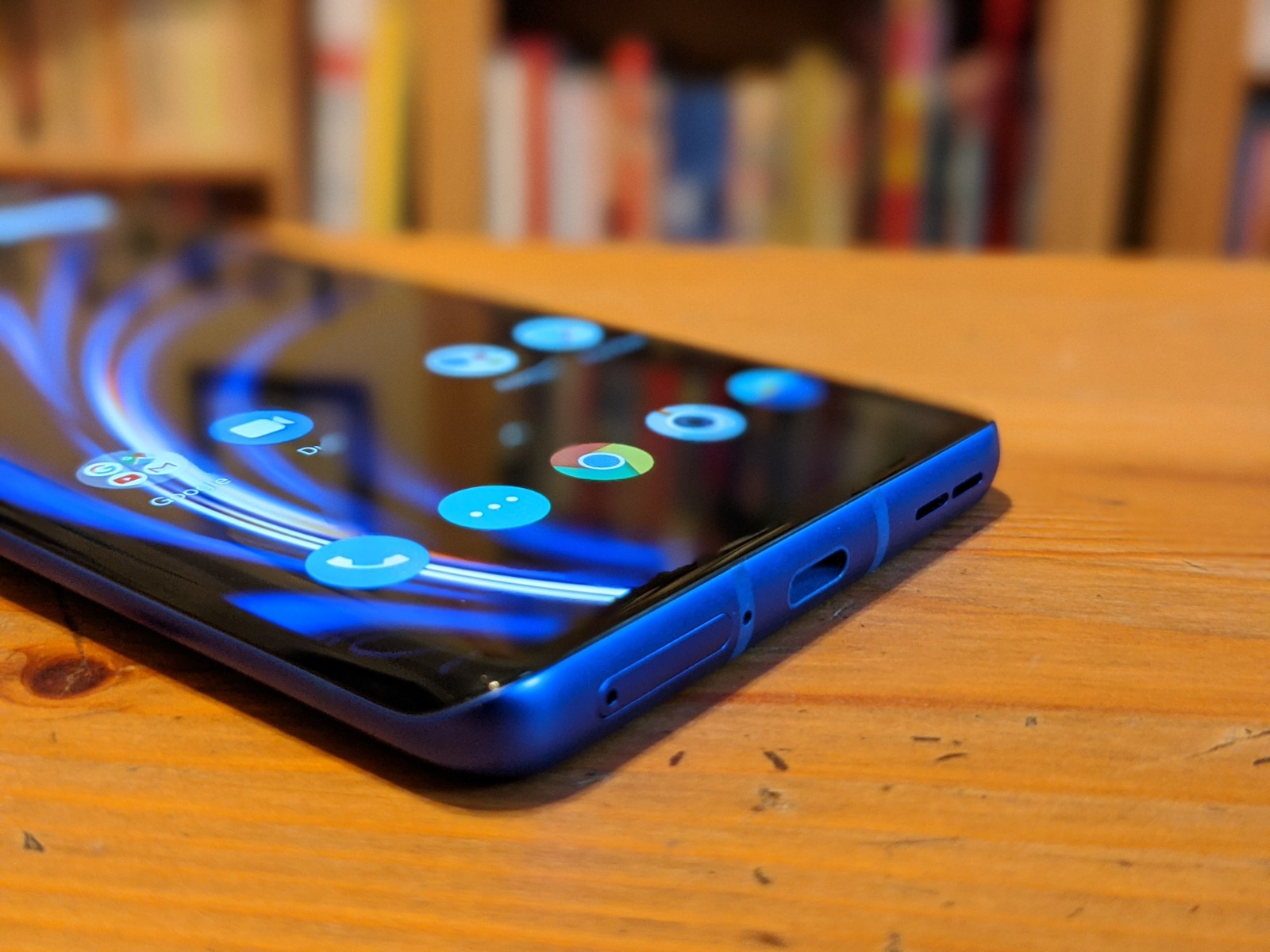
What I will say, however, is that it’s one of the more striking devices I’ve seen in a while, due in no small part to a lovely — if largely unphotographable — blue finish. Up front is a massive 6.78-inch curved QHD+ display coupled with a 120 Hz refresh rate (that can be toggled down to 60Hz to save on battery — which is perfectly fine for most tasks).

In spite of the large screen, it’s still held easily in one hand, courtesy of the elongated 19.8:9 aspect ratio. HDR Boost provides stronger color contrasts, along with 10-bit color for better accuracy. It’s a combination that pops, making for a solid and well-rounded display at a price point that’s plenty competitive with high-end devices.

Around back is an interesting take on the quad-camera design. There’s a 48-megapixel main, 48MP ultra wide, a 3x optical zoom (for a total of an admittedly degraded 30x with help from digital) and a color filter camera. That last one’s a bit of an odd addition with some fairly niche uses, like the ability to add “artistic lighting effects and filters.” Not exactly the most useful application of a fourth rear-facing camera.

The handset is powered by the flagship-ready Snapdragon 865, along with a solid 4510 mAh battery that charges to 50% in less than half an hour. There are a handful of OnePlus’s customary software add-ons as well, via the latest version of OxygenOS, including a new Dark Theme and various other visual touches.

OnePlus 8 Pro

It adds up to a handset that still feels like a bit of a bargain, in spite of being OnePlus’s most expensive to date. It goes on sale April 29 through OnePlus, carrier sites and Amazon. The $699 OnePlus 8 will be available the same day.


Read Full Article

YouTube launches a free, DIY tool for businesses in need of short video ads


YouTube today is launching a new tool aimed at small businesses who need a simple, low-cost way to create videos, but may not have the creative experience or technical know-how required to do so. The YouTube Video Builder, as the new tool is simply called, has been in testing with a small group of customers for months but has been rushed to launch more publicly in light of the COVID-19 pandemic where in-person video shoots are no longer an option, and many small businesses are strapped for cash.

“We think Video Builder can help businesses of all sizes who need quick videos, especially now, when we’ve heard from many businesses that they need to update their messaging to customers quickly and easily,” said Ali Miller, Director, Product Management at YouTube Ads.

To gain access to the tool, the business will need only a Google Account that can be used to log into Google’s services, like Gmail and YouTube. If they don’t have one, they can link their non-Google email address to a Google account instead. And to save and publish the video, the business will need its own YouTube channel. 

Using the tool is fairly straightforward. The beta version of Video Builder can animate a business’s static assets — including images, text, and photos — which can be set to music from YouTube’s free audio library. Users can also select from a variety of layouts based on their messages and goals, says YouTube, and then customize their colors and fonts quickly to generate either a 6-second or 15-second video.

When finished, the video can be uploaded as Unlisted to the business’s YouTube Channel –unless the business wants the video ad visible to the public browsing the channel, in which case they can change the setting. The video can then be used wherever the business sees fit, including embedded on other websites or shared elsewhere on social media. And if the business chooses, they can run the videos as ads through Google Ads.

The tool is now one of many DIY solutions on the market for businesses looking to create their own video ads. Vimeo in February released an app that helps small businesses create professional social videos, for example. Last fall, Facetune maker Lightricks launched a full suite of apps for small businesses to use for their social media marketing campaigns. There also are dozens of video editing tools already on the market, including those from incumbents, like Adobe and Apple, as well as from others like Magisto, Canva, PicsArt and many more. Most of these specifically target small business owners with features like templates, easy editing tools, access to stock content and support for one-click multi-platform publishing, among other things.

In the case of YouTube’s Video Builder, the advantage is that the tool produces videos that are optimized for YouTube viewers and integrated with the Google Ads program.

Before today, Video Builder was tested by businesses that ranged from those with hundreds of employees like interior designing service Havenly and sandwich shop Which Wich to those with thousands, like grocer Central Market. In some cases, businesses wanted to alert customers to changing hours or new services, like pickup and delivery. In other cases, brands and agencies may want to use the tool for supplemental videos or experimentation with new concepts.

For today’s public launch, customers will be able to use the tool via the desktop, after gaining beta access. The tool itself is only available in English but the videos it creates can be in any language. YouTube believes it will be able to accommodate all those who sign up, we’re told.

Miller says the tool was initially developed to help businesses quickly and easily create video ads for YouTube.

“While we’ve accelerated the development of the tool to help businesses keep in touch with their consumers, as they are sheltering in place, we still believe it will be helpful to those that want to get started with video creation on YouTube to reach new consumers,” she added.

The new tool is now one of several services for businesses that YouTube has launched in recent months, following last May’s debut of Bumper Machine, a fast way to adapt existing videos into short 6-second clips using machine learning. It also recently added new partners to the YouTube Video Directory, which include firms offering a range of services, including lower-cost video editing.

YouTube Video Builder is free to access, after signing up here. 


Read Full Article

Truphone raises $38M at $516M valuation as its eSIM business crosses 4M profiles


Truphone, a UK-based startup that provides voice and data services for phones, tablets and IoT hardware by way of eSIM software integrated directly into the devices, has raised another round of funding to continue expanding its business. The company, which told TechCrunch today that it counts Apple as a key partner, has raised another £30 million, valuing Truphone at £410 million (or $38 million at a $516 million valuation at current rates).

Truphone said it would use the money to continue investing in software development and network upgrades; and “to ensure the business is equipped to deliver on further acceleration; and to support an expanding worldwide presence, particularly in North America and Asia Pacific.”

The company said it has now provisioned some 4 million eSIM profiles globally and is seeing further eSIM downloads of 20,000 daily.

Although eSIM technology was conceived as a quick way to switch carriers without physically changing fiddly, tiny physical cards (and subsequent carrier contracts), it’s an interesting datapoint right now, given that we are seeing a big focus on technology and transactions that can be run in a contactless way (thus avoiding the spread of the novel coronavirus).

“We have long championed eSIM as the superior method of connectivity, and its immensely rewarding to reap the benefits of this decision,” said Ralph Steffens, CEO of Truphone, in a statement. “We are delighted that our investors continue to support us as we develop this technology which is maturing and accelerating all the time. Backed further by our investors, the future looks bright for Truphone, our partners, customers and a better-connected world.”

Truphone did not disclose the specific names of investors but we have confirmed that the majority of the funds are coming from Vollin Holdings and Minden Worldwide — two investment firms with ties to Roman Abramovich, the Russian oligarch who also owns the Chelsea football club, among other things.

Collectively, Abramovich-connected entities controlled more than 80 percent of the company when Truphone last raised funding in 2018: part of its large shareholding also stems from an earlier fundraise, when the company raised $339 million to retire existing debt in 2017.

For some additional context, the company was valued at £386 million in its last fundraise in 2018, making this latest raise effectively a slight down round.

Truphone is not a startup in the “young” sense: the company has actually been around since 2006, starting out originally as a provider of SIM cards that travellers could use in their phones to get cheap calls and data while roaming outside their home countries. That legacy MVNO business reached breakeven in September 2019, it said today.

In more recent years, it has pivoted to focusing squarely on eSIM services, taking advantage of the advances in hardware design that make it easier to switch carriers (and use cheaper data plans) without physically replacing a SIM card.

It was an early partner of Apple’s — a supporter of eSIM developments, first for its iPad tablets — and said today that in the last year has secured deals with 25 “major operator customers across four continents”, covering some 200 million customers, to expand its network of coverage to allow users to more easily switch between carriers, and seek out cheaper data deals. Its growth, Truphone said, makes it one of the three biggest eSIM providers now globally.

The company today says it provides several flavors of eSIM services. The first of these, an eSIM operating system that it calls SIM OS, works with eUICC and iUICC hardware, and “is a component-oriented, high-performance embedded operating system, fully compatible with most international and industry standards such as ISO, GSMA, Oracle’s Java, Global Platform, 3GPP and ETSI.”

The second of these is a secure remote SIM provisioning service. “Truphone’s platform works with any mobile network operator, is interoperable with any eSIM and supports consumer and M2M eSIM deployments” through this service, it said.

It also launched an entitlements server, an operator-focused service that allows carriers to enable the use, for example, of Apple Watch devices and other connected devices and objects on their networks.


Read Full Article

Facebook launches an experimental app for messaging close friends over Apple Watch


Facebook’s internal R&D group has today launched a new app that lets you keep up with your close friends via your Apple Watch. The app is called Kit, or Keep in Touch, and works using a combination of QR codes and Facebook’s existing Messenger service.

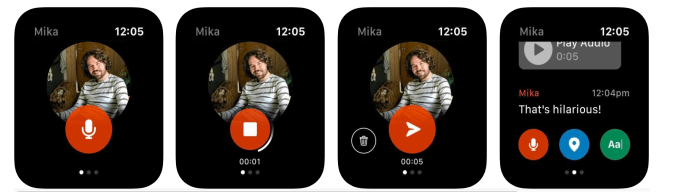
According to Kit’s App Store description, you get started with the app by first scanning a QR code on your watch or by entering in an access code at fb.com/devices. You then select the Messenger contact you want to stay in touch with using Kit.

The app allows you to send a variety of messages with just one tap, including voice recordings, emoji, location sharing, scribbles and even dictation input — similar to how using iMessage from your Apple Watch works today. However, these messages are being sent over Facebook’s own Messenger service, not SMS or iMessage.

The new app also allows you to receive and respond to notifications and read your contact’s messages to you.

The idea behind the app is to allow users to stay in touch without having to pick up their phone, the App Store description explains.

While Facebook’s Messenger already offers support for Apple Watch, Kit is focused more on keeping up with close contacts only– a significant other, best friend, or family member, for example. That allows it to offer a different user interface and experience from Messenger on Apple Watch, where you have to navigate on a tiny screen to read and respond to your messages.

Kit is the latest from Facebook’s internal R&D division, NPE Team, which tests out new app concepts and rapidly iterates. So far, the NPE Team has put out a variety of new social apps like meme creator Whale, conversational app Bump, music app Aux, video app Hobbi, and most recently, Tuned, an app for couples. But only a few remain available today, as Facebook had said previously that the NPE Team apps that don’t find an audience will be quickly shut down.

To date, the NPE Team apps have launched new social experiences that weren’t tied to Facebook’s existing products. Kit, however, ties into Messenger — a move that could help it gain more of an audience, as it can tap into Messenger’s over a billion users. In addition, Kit could prove especially useful in the COVID-19 era, as people are trying not to touch their smartphones while out in public and wearing gloves. Instead, they could respond to critical messages from their close friends or family over Kit, without having to use their phone.

Kit is also notable for being the first of Facebook’s NPE Team apps to launch on Apple Watch.

Facebook doesn’t typically comment on its NPE Team experiments, and will instead point back to its original announcement that said availability would depend on the app.

According to data from Apptopia, the app hasn’t ranked yet on the App Store charts, as it’s still new.

Kit is a free download for iOS, but is for Apple Watch only.


Read Full Article

Facebook launches an experimental app for messaging close friends over Apple Watch


Facebook’s internal R&D group has today launched a new app that lets you keep up with your close friends via your Apple Watch. The app is called Kit, or Keep in Touch, and works using a combination of QR codes and Facebook’s existing Messenger service.

According to Kit’s App Store description, you get started with the app by first scanning a QR code on your watch or by entering in an access code at fb.com/devices. You then select the Messenger contact you want to stay in touch with using Kit.

The app allows you to send a variety of messages with just one tap, including voice recordings, emoji, location sharing, scribbles and even dictation input — similar to how using iMessage from your Apple Watch works today. However, these messages are being sent over Facebook’s own Messenger service, not SMS or iMessage.

The new app also allows you to receive and respond to notifications and read your contact’s messages to you.

The idea behind the app is to allow users to stay in touch without having to pick up their phone, the App Store description explains.

While Facebook’s Messenger already offers support for Apple Watch, Kit is focused more on keeping up with close contacts only– a significant other, best friend, or family member, for example. That allows it to offer a different user interface and experience from Messenger on Apple Watch, where you have to navigate on a tiny screen to read and respond to your messages.

Kit is the latest from Facebook’s internal R&D division, NPE Team, which tests out new app concepts and rapidly iterates. So far, the NPE Team has put out a variety of new social apps like meme creator Whale, conversational app Bump, music app Aux, video app Hobbi, and most recently, Tuned, an app for couples. But only a few remain available today, as Facebook had said previously that the NPE Team apps that don’t find an audience will be quickly shut down.

To date, the NPE Team apps have launched new social experiences that weren’t tied to Facebook’s existing products. Kit, however, ties into Messenger — a move that could help it gain more of an audience, as it can tap into Messenger’s over a billion users. In addition, Kit could prove especially useful in the COVID-19 era, as people are trying not to touch their smartphones while out in public and wearing gloves. Instead, they could respond to critical messages from their close friends or family over Kit, without having to use their phone.

Kit is also notable for being the first of Facebook’s NPE Team apps to launch on Apple Watch.

Facebook doesn’t typically comment on its NPE Team experiments, and will instead point back to its original announcement that said availability would depend on the app.

According to data from Apptopia, the app hasn’t ranked yet on the App Store charts, as it’s still new.

Kit is a free download for iOS, but is for Apple Watch only.


Read Full Article

Stanford and Google create an embeddable COVID-19 map for local journalists


Stanford University’s Big Local News and Pitch Interactive projects, along with the Google News Initiative, are launching a new tool today that allows local journalists to embed customized, up-to-date maps of COVID-19 cases in the United States.

The COVID-19 Case Mapper might sound pretty basic — and indeed, Google Data Editor Simon Rogers admitted that he’d expected something like this to exist already.

However, while local journalists are doing their best to keep their readers informed about the latest COVID-19 developments, Rogers said they may not have the tools to normalize different sources of data and build maps of their own.

“The local news crisis, which was already happening, has totally been exacerbated by coronavirus,” he said.

Plus, he said most of the existing COVID-19 case maps don’t offer an easy way for journalists to embed them anywhere. And when it comes to making information widely, the key is to create something “you can embed and use anywhere.”

Now journalists anywhere in the U.S. can just visit the Case Mapper, identify the area that they want to map, and then copy an embed code that will allow them include the map in their articles or on their website. The map uses data from The New York Times’ COVID-19 county data, and it’s colored based on the number of cases per 100,000 people — so you can see how serious the outbreak is relative to the total population.

This is part of a broader, $6.5 million commitment from Google to fight COVID-19 misinformation. While the initial map is U.S.-only, Rogers said there are plans to launch global version soon.


Read Full Article

Electrical worker safety startup launches a COVID-19 workplace distance and contact tracker


A startup that created a dedicated gadget to help ensure the safety of electrical industry workers has turned their talents to addressing the need for similar workplace protections in the face of another threat: COVID-19. Vancouver-based Proxxi is launching Halo, a wrist-worn wearable device that can provide a vibration notification to alert someone of the presence of another band within 6 feet – the recommended span of separation to ensure proper social distancing.

Proxxi explains that the device is designed to help ensure compliance with social stance guidelines while on a job site or at a workplace, where essential work might need to continue despite the ongoing global coronavirus pandemic, but where it can also be tricky to maintain proper distance between workers without a reminder system.

The wearable uses low-power Bluetooth to communicate with other bands, and the bands also retain a log of which other bands they’ve been in contact with to provide internal contact tracing capabilities in case of positive coronavirus case diagnoses. The startup says that the bands don’t include location tracking, however, and they’re not tied to any specific personal identity information for any respective employee who wears them in terms of sharing info between bands or back to Proxxi itself, for the purposes of privacy protection.

We’ve seen other similar efforts, including Estimote’s contact tracing wearable for workplace use. Proxxi’s approach differs in a couple of respects, including in that its primary focus is on active monitoring and awareness round appropriate social distancing. Estimote’s wearable is also more focused on providing a visual alert system regarding potential contacts.

Proxxi says its Halo system can be set up and implemented quickly and easily, and notes that they don’t require connection with, or setup through any kind of smartphone to operate.

Per-band pricing is set at $100, and the company will begin shipping them out on May 4. Deployment includes both mobile app and web-based dashboards for monitoring contact tracing and tracking compliance and efficacy of social distancing measures on-site.


Read Full Article

Google said to be preparing its own chips for use in Pixel phones and Chromebooks


Google is reportedly on the verge of stepping up their hardware game in a way that follows the example set by Apple, with custom-designed silicon powering future smartphones. Axios reports that Google is readying its own in-house processors for use in future Pixel devices, including both phones and eventually Chromebooks, too.

Google’s efforts around its own first-party hardware have been somewhat of a mixed success, with some generations of Pixel smartphone earning high praise, including for its work around camera software and photo processing. But it has used standard Qualcomm processors to date, whereas Apple has long designed its own custom processor (the A-series) for its iPhone, providing the Mac-maker an edge when it comes to performance tailor-made for its OS and applications.

The Axios report says that Google’s in-house chip is code-named ‘Whitechapel,’ and that it was made in collaboration with Samsung and uses that company’s 5-nanometer process. It includes an 8-core ARM-based processor, as well as dedicated on-chip resources for machine learning and Google Assistant.

Google has already taken delivery of the first working prototypes of this processor, but it’s said to be at least a year before they’ll be used in actual shipping Pixel phones, which means we likely have at least one more generation of Pixel that will include a third-party processor. The report says that this will eventually make its way to Chromebooks, too, if all goes to plan, but that that will take longer.

Rumors have circulated for years now that Apple would eventually move its own Mac line to in-house, ARM-based processors, especially as the power and performance capabilities of its A-series chips has scaled and surpassed those of its Intel equivalents. ARM-based Chromebooks already exist, so that could make for an easier transition on the Google side – provided the Google chips can live up to expectations.


Read Full Article

Google said to be preparing its own chips for use in Pixel phones and Chromebooks


Google is reportedly on the verge of stepping up their hardware game in a way that follows the example set by Apple, with custom-designed silicon powering future smartphones. Axios reports that Google is readying its own in-house processors for use in future Pixel devices, including both phones and eventually Chromebooks, too.

Google’s efforts around its own first-party hardware have been somewhat of a mixed success, with some generations of Pixel smartphone earning high praise, including for its work around camera software and photo processing. But it has used standard Qualcomm processors to date, whereas Apple has long designed its own custom processor (the A-series) for its iPhone, providing the Mac-maker an edge when it comes to performance tailor-made for its OS and applications.

The Axios report says that Google’s in-house chip is code-named ‘Whitechapel,’ and that it was made in collaboration with Samsung and uses that company’s 5-nanometer process. It includes an 8-core ARM-based processor, as well as dedicated on-chip resources for machine learning and Google Assistant.

Google has already taken delivery of the first working prototypes of this processor, but it’s said to be at least a year before they’ll be used in actual shipping Pixel phones, which means we likely have at least one more generation of Pixel that will include a third-party processor. The report says that this will eventually make its way to Chromebooks, too, if all goes to plan, but that that will take longer.

Rumors have circulated for years now that Apple would eventually move its own Mac line to in-house, ARM-based processors, especially as the power and performance capabilities of its A-series chips has scaled and surpassed those of its Intel equivalents. ARM-based Chromebooks already exist, so that could make for an easier transition on the Google side – provided the Google chips can live up to expectations.


Read Full Article

Covidmaps lets you find grocery stores and pharmacies in India


More than half a dozen volunteers have banded together in India to launch a crowdsourced tool to help people in the nation identify and locate nearby grocery stores, pharmacies, and cash machines as New Delhi extends the nationwide lockdown to May 3.

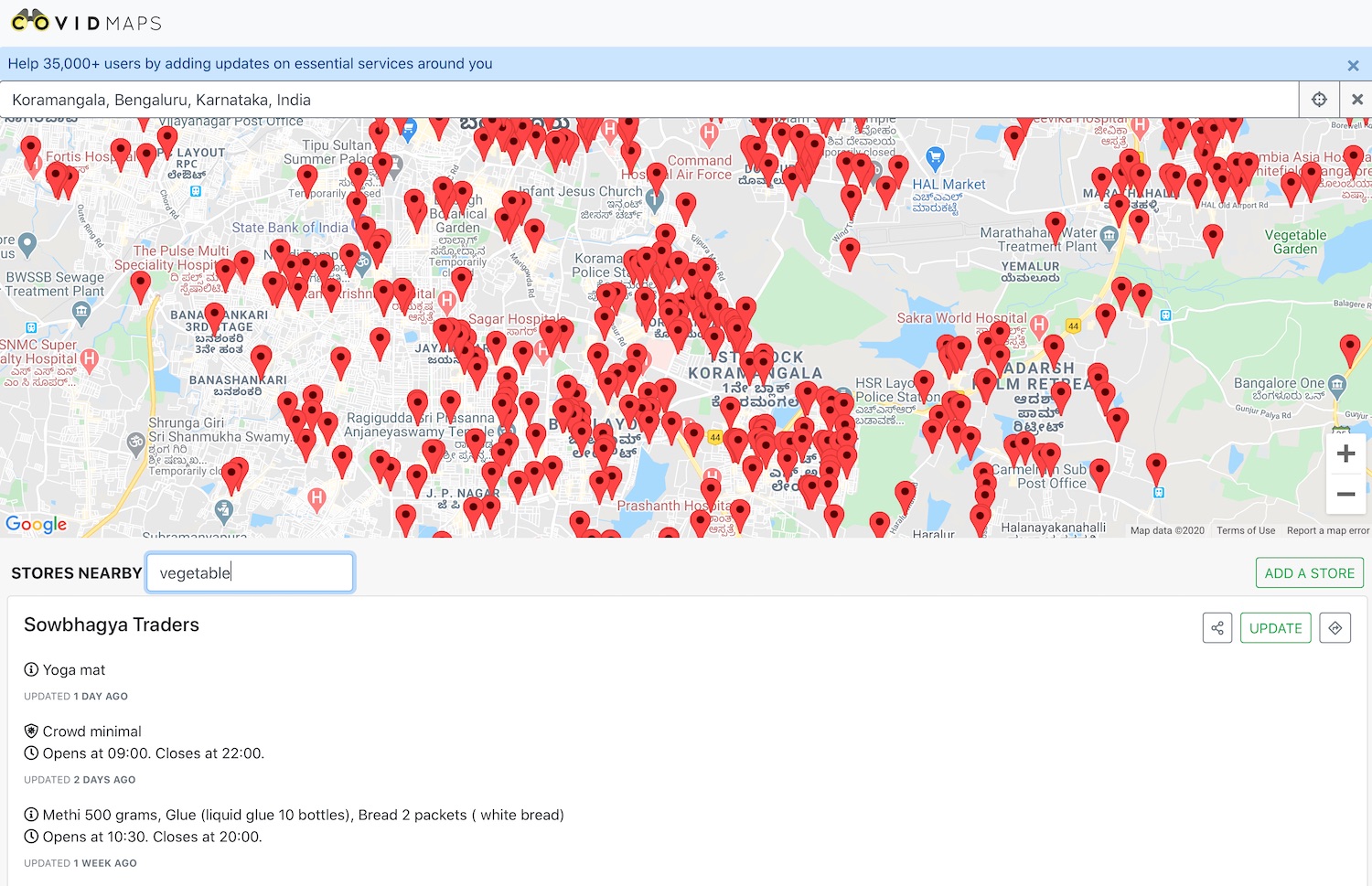
The service, called Covidmaps, allows people to locate operational grocery stores, pharmacies, cash machines in their vicinity and find up-to-date details such as when the store opens and closes, the items it has in stock, and whether the store uses a queuing system.

Covidmaps relies on people to add new stores, explained Phani Kishan, one of the founding members, in an interview with TechCrunch. Users are also tasked with updating details about different stores.

India ordered a 21-day nationwide lockdown last month that has restricted people’s movement and shut most stores in a bid to contain the spread of the coronavirus. On Tuesday, India’s Prime Minister Narendra Modi extended the lockdown to May 3.

Kishan said seven people are today collaborating on Covidmaps, all of whom are working on it as a side project. At his day job, he works at Swiggy, India’s largest food delivery startup.

The service has already amassed more than 50,000 visitors, including some from outside of India. Covidmaps is currently seeing most traction in Bangalore, Mumbai, Hyderabad, Pune, and Vancouver.

“People in Delhi and other places are also beginning to participate. But it takes some time before there are enough stores listed in a vicinity before the service gets popular there,” said Kishan, who added that he was hopeful people outside India would find this service useful, too.

Kishan said that some services in India such as startup Dunzo has also started to use Covidmaps as their delivery personnel try to find stores in different localities to serve customers.

On Monday, Google unveiled Nearby Spot on Maps that allows users to find some stores in their vicinity. The company sources this information when a person uses Google Pay to complete a transaction at a store. Kishan said Google had provided free credit to Covidmaps so that it can use Maps Platform.


Read Full Article

Babbel Can Help You Master a Foreign Language While You’re Stuck at Home


If you have ever wanted to learn a foreign language but never found the time, now is your opportunity. While Netflix and Zoom might drag you away from textbooks, Babbel makes language learning fun. Covering 14 languages, this highly-rated platform combines fun picture quizzes and native speaker audio to help you start speaking with confidence. Right now, you can pick up a lifetime subscription for only $159 at MakeUseOf Deals.

Expert Training

With content developed by over 100 linguistic experts, it’s easy to see how Babbel became the top-grossing language learning app in the world. This platform offers “high-quality, self-paced courses” according to PC Mag, with a focus on everyday vocabulary and conversation skills.

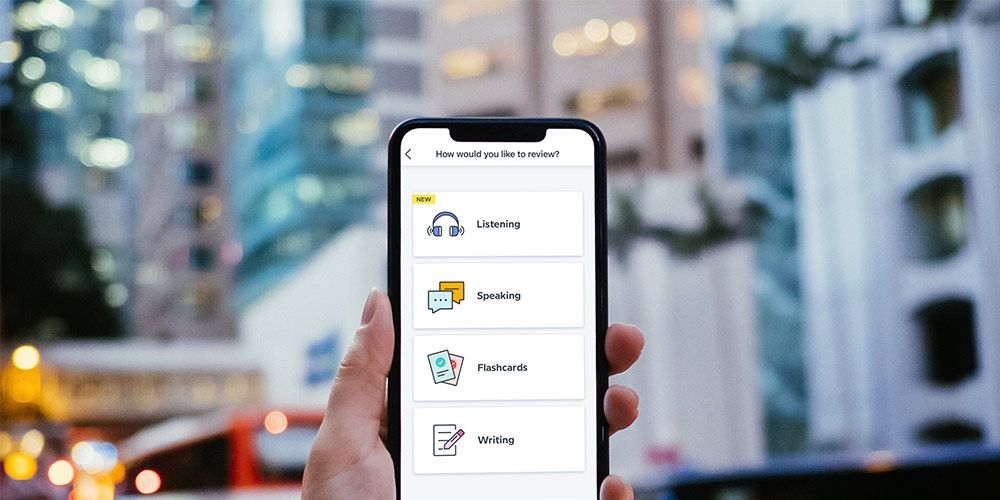
Available online and on mobile, Babbel introduces words through picture quizzes. As you see the images, you also hear a native speaker repeat the word. This helps new words to stick faster in your mind.

Over time, Babbel introduces new topics and increases the difficulty level. As you progress, you will discover how to talk about travel, family, business, food, and more.

The lessons take only 10-15 minutes each day, and you can even study offline via the mobile apps, which are rated at 4.6 stars on the App Store and Google Play.

Lifetime Access for $159

Worth $399, lifetime Babbel subscriptions are now only $159 including unlimited access to all 14 languages.

Read the full article: Babbel Can Help You Master a Foreign Language While You’re Stuck at Home


Read Full Article

5 Musical Skills You Can Learn Online for Free, With or Without Instruments


Learning Music Online

Since you have some extra free time at home, how about learning a musical skill? You can get free music lessons online, with or without instruments, to pick up a new art form.

While self-isolating during this pandemic, you can use the opportunity to learn some skills. It’s both interesting right now, and it’ll serve you well once you rejoin society.

The internet has free music lessons for all types of things. We’ve already told you the best sites to learn the basics of music theory.

In this article, you’ll learn to sing and beatbox, play the guitar like a pro, or even produce an entire song.

1. Learn How to Beatbox Online for Free

Beatbox Bootcamp teaches you how to beatbox for free in three YouTube video lessons

You don’t need any instruments to add some beats. It’s easy to learn beatboxing online, the art of vocal percussion to mimic the sounds of drums. After all, most of us don’t have a spare drum kit lying around that we can learn in our free time.

Start at Beatbox Camp, a three-part free video series on YouTube by Grant Zabriskie. This is great for kids, teens, and beginners, and something you can try together too.

In the three lessons that total up to 40 minutes, Zabriskie tells you the essentials of what you’ll need, basic beats, and how to practice.

If you learn better through text than video, the Human Bootbox teaches it all.

Start with the beginner’s guide to understanding the structure of how you will pick up the skill. Then go through their exercises and suggestions in serial order.

For a detailed explanation of each beatbox sound, check out Fat Tony’s beatbox tutorials on YouTube.

Each video is about two minutes, where he demonstrates what the beat should sound like, and shows how to do it. Fat Tony’s explanations are some of the most-shared resources on the internet among beatboxing communities.

2. Learn How to Play Guitar Online for Free

New Guitar Lessons is for beginners to learn the basics of how to play a guitar

It’s time to dust off that old six-string and finally get serious about learning to play the guitar. Whether you’re a complete beginner, need extra practice, or want to take your skills to the next level, you’ll easily find free online guitar lessons.

New Guitar Lessons is an excellent starting point for beginners to learn to play the guitar.

You’ll learn the basics of a guitar, like tuning, reading guitar tabs, pentatonic scales, simple chords, and fingerstyle. If you don’t know these, practice them before you try to play a song.

The Berklee College of Music offers a free online course on guitar lessons, through Coursera.

Over four weeks, blues guitarist Thaddeus Hogarth teaches the basics of guitar and music theory, as well as musical scales. It includes videos, reading material, and quizzes. You can learn the course at your own pace, and start immediately.

If you already know your way around a guitar and want to level-up your skills, head to FretGym.

This neat web app creates custom exercise routines for guitarists as warm-ups, appregios, or scales. For each exercise, you’ll see the name, a description, and what it improves. If you don’t like the workout, simply generate another one.

Apart from these three resources, the internet also offers free apps to learn the guitar as well as websites like the ever-popular Justin Guitar.

3. Learn How to Play the Harmonica Online for Free

The harmonica is a fantastic instrument for beginner musicians. It doesn’t take up space in your house. It’s not so loud that you’ll disturb others. And once you’re good at it, you can carry it in a pocket to impress others with your talent.

Pick one up based on the tips in the video above, and you’re ready to go.

That video is from Liam Ward who offers extensive premium lessons on LearnTheHarmonica.com. But you can get a bunch of them for free on his YouTube channel.

He neatly categorizes lessons in different playlists, so start with the Beginner harmonica lessons playlist, which itself has over 100 videos of instructions. Then you can move to essential harmonica techniques, or select a musical genre (pop, rock, blues) to learn songs.

With a lot of online courses going free during the coronavirus pandemic, you can try the 30 Day Harmonica Challenge by Erik of Harmonica Notes.

While it’s actually from way back in 2010, the lessons are as useful today as ever before. Every day, go through a new video (under 10 minutes) and then practice it. It’s as simple as that, and you don’t have to pay a dime.

4. Learn How to Sing Online for Free

Free 10-Step Cheat Sheet to learn how to sing

All right, first things first. You can’t become a great singer through online lessons. At some point, you’ll need an in-person coach. But you can learn the basics so that you don’t sound tone-deaf when you sing.

Start your online singing journey with the 10-Step Cheat Sheet to Learn How to Sing by Take Lessons.

This article guides you through each step, like vocal health, breathing, posture, tone and pitch, and so on. You can use the resources in the guide itself, or use it as a template for your journey to learn singing on the internet.

Aaron Anastasi’s Superior Singing Method is the most frequently recommended YouTube channel to learn how to sing online.

It’s not a huge collection of videos either, so you can start with the first and watch them all in order. Since it’s not a guided course, go through as many as you’d like. He covers all the steps in the checklist above, so you can apply the lessons easily.

Similarly, check out the YouTube channels Healthy Vocal Technique by Victoria Rapanan and Singing Success.

If you can already sing decently and want to level-up your skills, get the OB1 Theater Company’s free ebook, The Essential Guide to SOVT. Semi-Occluded Vocal Tract (SOVT) exercises will ensure your voice gets better and better.

5. Learn How to Become a Music Producer or Engineer Online for Free

NYU's MusEDLab teaches you how to produce a song for free online with its Play With Your Music mini-site that uses Peter Gabriel's music

The NYU’s Music Experience Design Lab (MusEDLab) is one of the coolest places to learn music online.

Play With Your Music is a free crash course in the fundamentals of music, aided by innovative apps to play music on your computer. Take the course at your own pace or join a group, where you’ll learn how to be a music producer or engineer.

MusEDLab collaborated with singer-songwriter Peter Gabriel to use his tracks Sledgehammer and In Your Eyes.

You can mix and match the tunes and beats from these songs to learn how to put a song together. The course takes you through the basics before letting you play with the good stuff, so you know what you’re doing.

Play With Your Music’s highlight features are the series of apps created by MusEDLab.

For example, try aQWERTYon to turn a computer keyboard into any instrument, and learn the basics of how to match notes to create music. Or there’s Groove Pizza to virtually set up beats on a digital drum kit.

In no time, you’ll learn how to make your own song, or your version of how Sledgehammer should have sounded!

More Music Learning Websites

Apart from the five skills above, there are other musical skills you can pick up online for free. How about learning to read musical notes or general music theory? Or maybe you’d like to play the piano or bow the violin?

Before YouTube and online courses, the internet relied on simple websites to share and receive knowledge. So try this giant list of the easiest music learning websites to pick up a new skill for free.

Read the full article: 5 Musical Skills You Can Learn Online for Free, With or Without Instruments


Read Full Article

Airbnb Launches Online Experiences to Keep You Entertained


Airbnb has launched Online Experiences to help keep us all entertained during the coronavirus crisis. As the name suggests, these are experiences you can enjoy at home, with people hosting activities which simply require a stable internet connection.

Since 2016, Airbnb has offered Experiences: a range of activities (including classes, tours, and excursions) in cities around the world. However, with the COVID-19 pandemic calling a halt to these in-person experiences, Airbnb has launched Online Experiences.

How Airbnb Online Experiences Work

Airbnb introduced Online Experiences in a post on the Airbnb Newsroom. Like most businesses, Airbnb has been hit hard by this pandemic, so Online Experiences offer “a new way for people to connect, travel virtually and earn income during the COVID-19 crisis.”

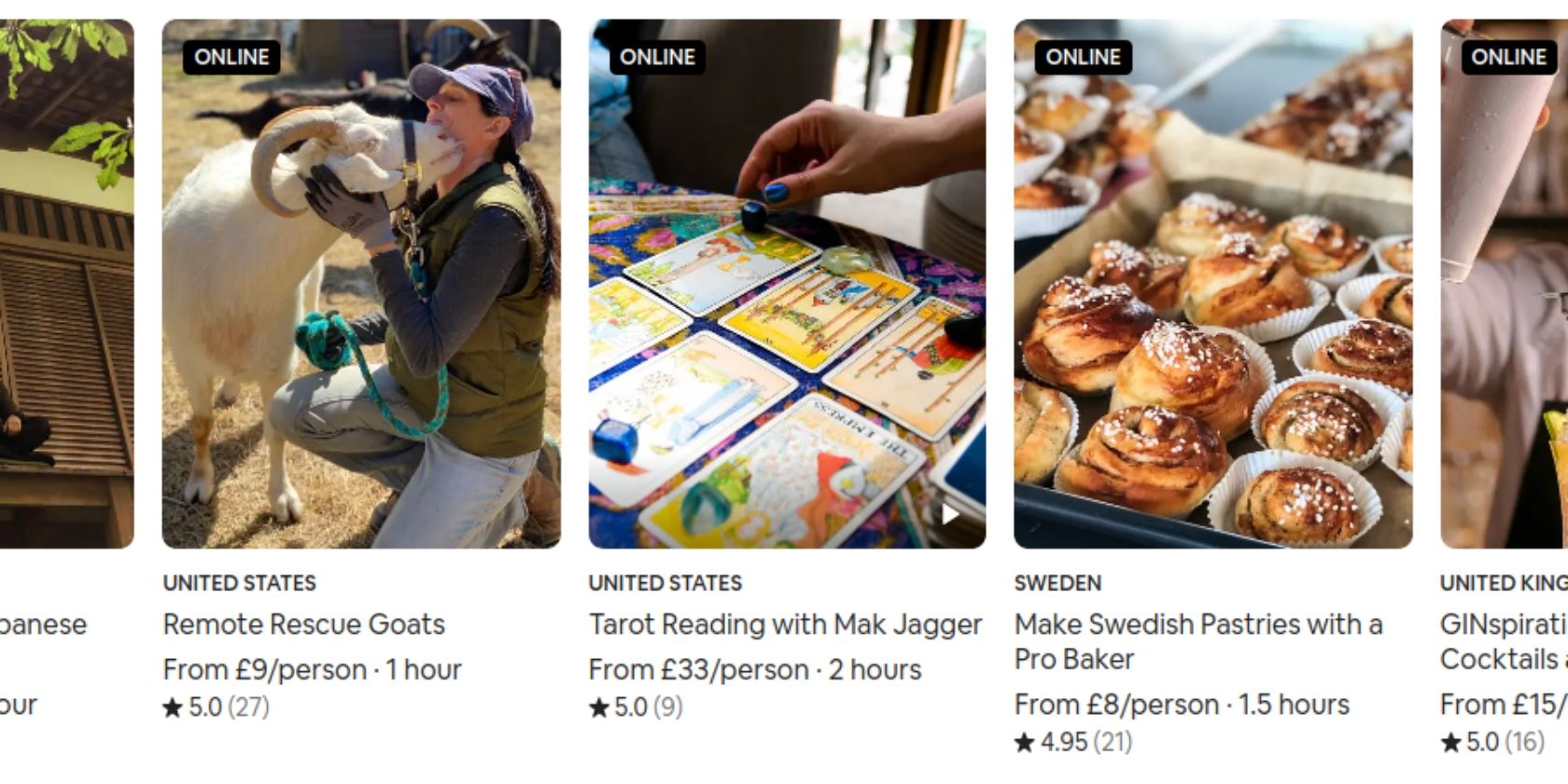
Airbnb bills its Online Experiences as “Unique activities we can do together, led by a world of hosts.” And these activities include a wine class, a family baking experience, meditation with a monk, and a tarot reading. All virtual, of course.

To book an experience through Airbnb, just go to the Online Experiences website, browse the activities on offer, and click on any that interest you. You’ll find out everything you need to know, including the duration and price, and can then book a date and time.

Airbnb is also actively looking for people to host online experiences. And if you’re interested, you should visit the Online Hosts website to get started. This involves designing an experience, sharing the idea, and submitting it to Airbnb for approval.

Other Ways to Keep Yourself Entertained

With Airbnb being one of the companies whose whole business model has been knocked out by the coronavirus crisis, Online Experiences is a fantastic idea. Not only to help keep people in lockdown entertained, but also to allow hosts to keep on earning money.

If you’re still bored, we have compiled a list of tips to keep you entertained and engaged during lockdown. And once you’ve worked your way through those, you could always start planning a group vacation to enjoy with friends once this is all over.

Read the full article: Airbnb Launches Online Experiences to Keep You Entertained


Read Full Article
India’s lockdown is making life hard for its most popular apps


The coronavirus pandemic, which has forced billions of people to stay home, has led to a surge in new downloads of several consumer and enterprise focused apps in the west. But in India, the biggest open market globally, things have taken a slightly different turn.

Daily downloads for several popular apps including TikTok, WhatsApp, Truecaller, Helo, Vmate, Facebook, Google Pay, and Paytm have either remained unchanged in the last three months or taken a dip, according to a TechCrunch analysis of figures provided by research firm Apptopia.

Additionally, several popular apps that offer in-app purchases have seen their revenue dramatically drop in the last four weeks as most companies in India recommended employees to work from home and New Delhi imposed a 21-day nationwide lockdown — which has today been extended to May 3.

TikTok was downloaded 20.2 million times in India in a 31-day period ending April 12, down from 21.6 million times it was downloaded in the month of January, for instance. During the same period, WhatsApp’s download plummeted to 12 million from 17 million; Hotstar fell from 9.8 million to 3 million; and ByteDance’s Helo dropped from 10.5 million to 7.5 million.

For most of February, TikTok saw more than 700,000 downloads a day in India, peaking at 891,000. In the last one week, volume of daily downloads of the app has fallen below 450,000. WhatsApp’s figure has dropped from about 650,000 to below 250,000, according to Apptopia.

Aarogya Setu, an app launched by the Indian government to help people know if they have been in the vicinity of someone who has tested positive for coronavirus, is currently topping the chart in India with more than 780,000 downloads a day.

Tinder clocked $319,102 in in-app revenue on the App Store and Google Play Store in India between March 13 to April 12, down from $547,103 in January. Netflix’s in-app revenue fell from $285,562 to $192,154 during the same period. LinkedIn and YouTube also observed a decline.

One app that has seen its in-app revenue improve noticeably is Hotstar, which went from $173,253 to $329,675. Disney launched Disney+ atop Hotstar in India earlier this month.

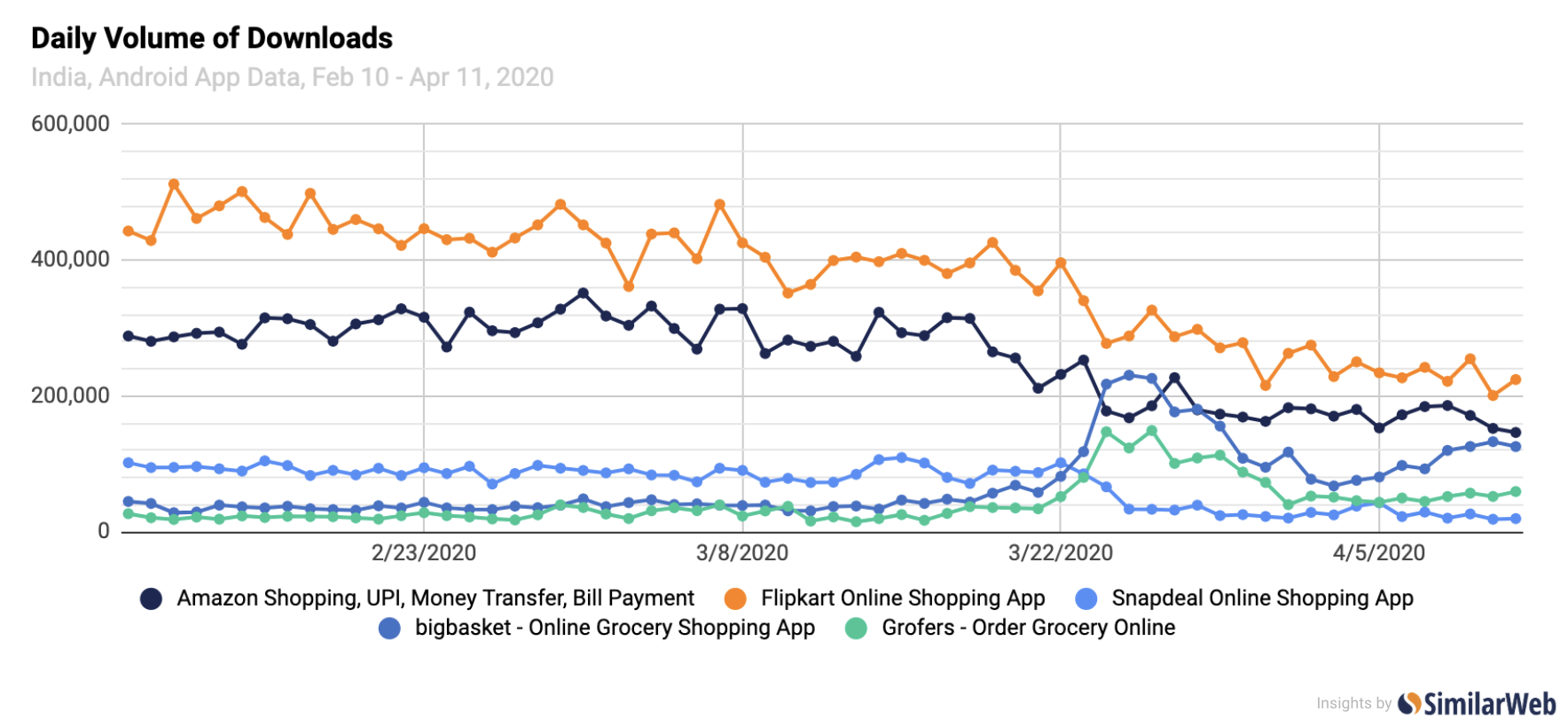
Grocery delivery apps BigBasket, which raised $60 million last week, and Grofers have surged considerably, while Amazon, Flipkart, and Snapdeal that have halted taking non-essential orders in recent weeks have seen a decline in volume of daily downloads and active users on Android in India, according to marketing research firm SimilarWeb.

Zoom, a popular video chat app, has seen its daily downloads surge to over 500,000 in recent weeks, up from about 9,000 in early February. Ludo King, a popular game in Asian markets, has seen its daily download figure jump from about 150,000 in early February to over 450,000 in India in recent days.

As people stay at home, desktop usage has also increased in India, a mobile-first nation with nearly half a billion smartphone users.

“India has consistently seen mobile web browsing account for the heavy majority compared to the desktop, however from February to March, desktop usage increased its share of total visits to the top 100 sites by 1.6%. While this may seem small, it is 1.6% of 31.32 billion visits, so it is still rather significant,” a SimilarWeb representative told TechCrunch.


Read Full Article

Italians stuck at home are measuring light pollution for ‘science on the balcony’


The fact that so many people are stuck at home makes for strange opportunities. Italy’s confined populace has taken to singing from the balconies — and now researchers are asking them to use those same balconies to help accomplish a bit of citizen science.

The project, created by the Italian National Research Council, aims to take widespread samples of light pollution in the country. The question of “light trespass,” or how much light from outside our homes reaches inside them, isn’t a particularly easy one to test without access to those homes. So they’re asking people to collect that information themselves.

Lots of data points!

Using their phone and a special app, some 7,000 Italians participated in an initial run of the experiment two weeks ago. All they needed to do was turn off all the lights in their place, go to their window or balcony, and point their phone at the brightest light source they could see.

The resulting data showed that the average light trespass in Italian cities is nearly twice that of homes in the country — not exactly surprising, but it’s important for even supposedly obvious conclusions to be quantified and supported with evidence. Sure, it’s brighter in the city — but how much brighter? What type of light is it? More data means better understanding of even the most basic questions.

“With this experiment, we wanted to bring citizens closer to measurement techniques, to let them see the often complex process and allow them to participate in the scientific method,” Alessandro Farini, one of the organizers of the experiment, told Nature. (I contacted the researchers for more information but have not heard back.)

The experiment was so successful that #scienzasulbalcone, or “science on the balcony,” is having an encore — new measurements taken last week and a final one tomorrow night. The team issued revised instructions to its participants in order to better characterize the data they bring in.

Anyone interested in helping is asked to find a light bulb they can easily check the wattage on, then calibrate their phone by leaving only that light on and using their phone’s ambient light sensor to measure its output. This will help calibrate the system, since some phones are more sensitive to light than others. Once they’re done, they can make another measurement out their window or off the balcony, and submit that.

If you’re interested in taking part, you can find the instructions in Italian here; English instructions are here, but I don’t think it is intended to be a global effort just yet.


Read Full Article

Q&A: Apple and Google discuss their coronavirus tracing efforts


Last week, Apple and Google announced a partnership that will soon let users opt-in to a decentralized tracing tool, designed to help determine if a person has come into contact with someone who tested positive for COVID-19.

The opt-in system uses Bluetooth to transmit a randomized and anonymous identifier to nearby devices. A user can then choose to upload their anonymized data, which is then broadcast to other devices. If a match is found based on time spent and distance between nearby devices, a user will be told that they may have been exposed to a person — whose identity is not shared — with the virus.

It’s a similar system to one conceived by MIT researchers, which also uses Bluetooth to anonymously inform others of potential infection. The system, like Apple and Google’s new effort, also sidesteps the use of location data.

Contact tracing has proven somewhat effective in some parts of the world, helping authorities understand hotspots of infections. But privacy groups and security experts are concerned that privacy would take a backseat over people’s individual rights in an effort to contain the spread of the virus. Apple and Google said the service is privacy-focused. The system doesn’t use location data, the user’s randomized identifiers change every 15 minutes to prevent tracking, and any data collected is processed on the device and doesn’t leave a user’s phone unless they choose to share it.

But security and privacy experts were quick to point out the possible flaws in the system. Former FTC chief technologist Ashkan Soltani warned of false positives but also false negatives. Moxie Marlinspike, founder of the Signal encrypted messaging app, also expressed concerns that the system could be abused.

TechCrunch joined a media call with Apple and Google representatives, allowing reporters to ask questions about their coronavirus tracing efforts.

Here’s what was discussed on the call.

Which versions of iOS and Android will get the feature update?

Apple said it’ll roll out the update to the broadest number of iOS devices as possible. More than three-quarters of iPhones and iPads are on the latest version of iOS 13 and will receive the update. Google said it will update Google Play Services, a core part of Android, with the feature so that the contact tracing system can run on the entire fleet of Android devices (running Android 4.1 or newer) and not just the most recently updated devices.

When will this tracing system be available?

Apple and Google said they will roll out software updates in mid-May to begin support for contact tracing. Public health authorities will incorporate the contact tracing API into their apps, which can then be downloaded from the Apple and Google app stores. The companies said they will bake the contact tracing feature into iOS and Android in the coming months, so that users won’t even have to install an app. The companies said this would help get more people using the system.

Even when the contact tracing feature is baked into the OS at the system level, any detection of a positive match would still prompt the user to download the relevant public health app for their region to receive more information about what the COVID-19 contact tracing process is, and next steps.

Can anyone else use the API?

The companies said only public health authorities will be allowed access to the contact tracing API.

This limited API use will be restricted in the same spirit that you restrict individual healthcare to licensed medical professionals like physicians. In the same way, use of the API will be restricted only to authorized public health organizations as identified by whatever government is responsible for designating such entities for a given country or region. There could be conflict about what constitutes a legitimate public health agency in some cases, and even disagreements between national and state authorities, conceivably, so this sounds like it could be a place where friction might occur, with Apple and Google on tricky footing as platform operators.

Will any of the data be stored in a central database?

Apple says the data is processed on a user’s device and that data is “relayed” through servers run by the health organizations across the world, and will not be centralized. The tech giants said that because the data is decentralized, it’s far more difficult for governments to conduct surveillance.

Does that mean Apple, Google or the public health authorities can access the data?

Apple and Google admitted that no system is completely secure — it’s a widely known concept in cybersecurity that nothing is “unhackable.” Servers can get breached and data can get lost. But in decentralizing the data, it makes it far more difficult for anyone with malicious intentions to access the data, they said.

How are you preventing people from producing false reports?

The companies said they’re working with different public health organizations to confirm diagnoses, like public health authorities, to do the validation. Apple and Google said they want users to trust the system, and that includes users knowing that the system is reliable.

How is a confirmed COVID-19 case identified?

Apple and Google point out that while a positive test result is likely the best means of identifying a case, it isn’t necessarily the only way. It’s true that a diagnosis by a medical professional doesn’t actually require a confirmed positive test result specifically identifying the presence of the virus — theoretically, a public health agency could set a lower bar, requiring just a diagnosis based on symptom presentation, for instance.

Both tech giants concede that for contact tracing to be effective, there needs to be a high degree of case identification within a population, but left the door open to the possibility that a high degree of case identification doesn’t necessarily translate one-to-one to widespread testing, should other means of identifying cases be deemed reliable enough by local health authorities in any given area.

Should you trust this system?

There’s no easy answer. It seems like Apple and Google have made a system that’s better than nothing, but it’s a system that requires considerable user trust. You have to trust that Apple and Google have built a system that can withstand abuses — either from themselves or governments. But no system is foolproof or immune to abuse. If you don’t trust the system, you do not have to use it.


Read Full Article

The 10 Best Alarm Clock Apps for Android


best-alarm-clock-android

If you search for alarm apps on the Google Play Store, you’ll find a lot of options available. It’s hard to find ones that go above and beyond the stock Android alarm clock, so we’ve hunted down the top alarm apps for Android and compiled them here for you.

Here are the best alarm clock apps for Android, including how each one stands out.

1. Early Rise Alarm Clock

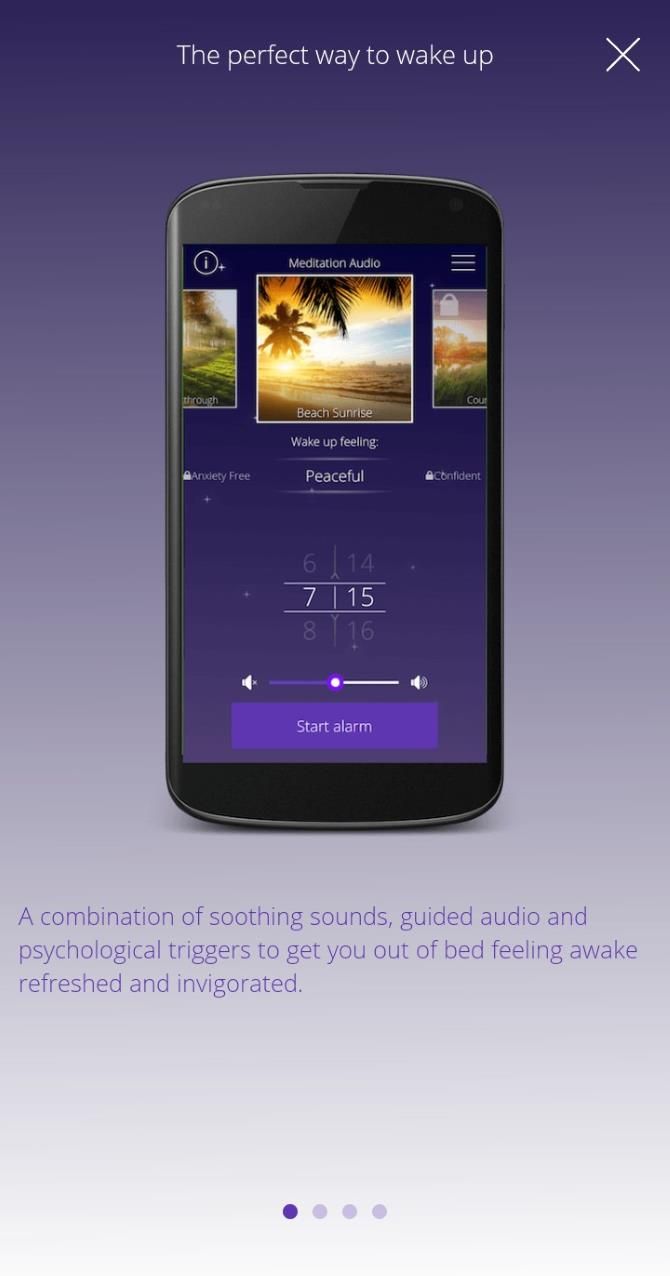
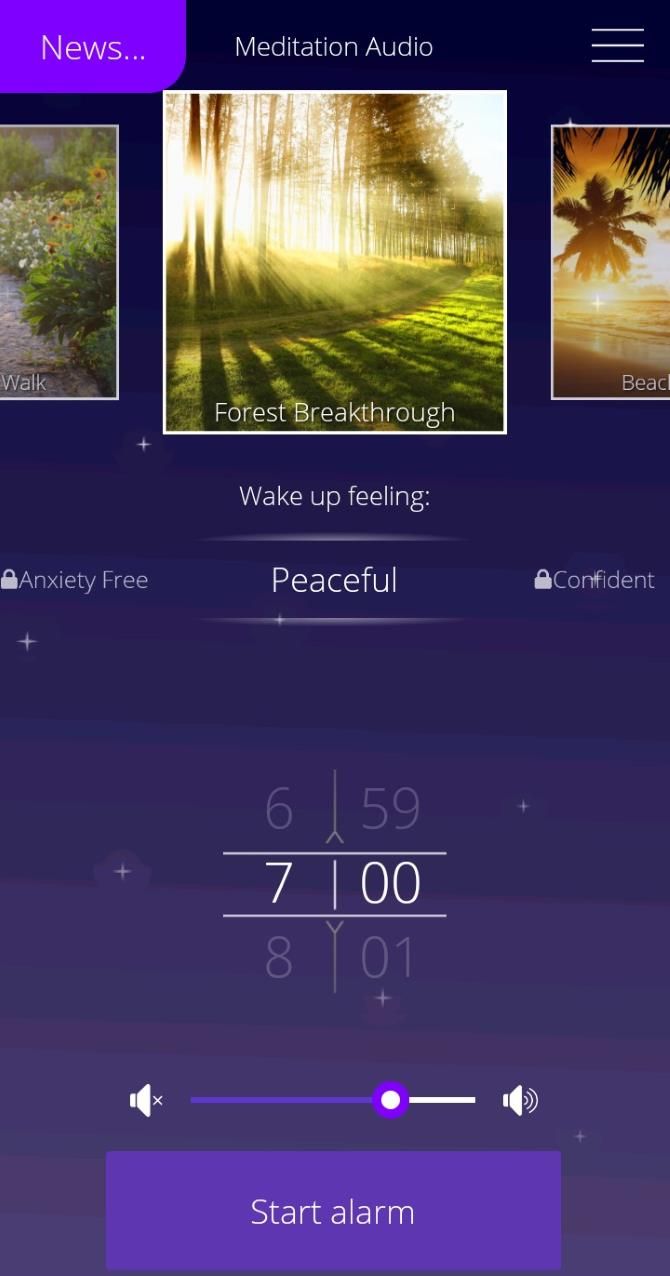
If you hate the shrill sound of your alarm clock when you wake up, try the Early Rise Alarm Clock app. Instead of loud beeps and buzzes, this alarm uses natural sounds and meditation guides to help you start your day. You can choose what type of meditation you wake up to, from relaxing and de-stressing to keeping your anxiety down. This makes Early Rise the best alarm app for relaxing, calm mornings.

Unfortunately, a lot of features are locked behind a paywall. Without paying, you can only choose from four soundscapes and one meditation course. However, the cost of the premium plan isn’t much and unlocks everything at once.

Download: Early Rise Alarm Clock (Free, premium version available)

2. GO Clock

If you’ve used Android for any period of time, you’ve almost certainly seen an app from the GO team at some point. Most of its apps are great, which is also the case with GO Clock.

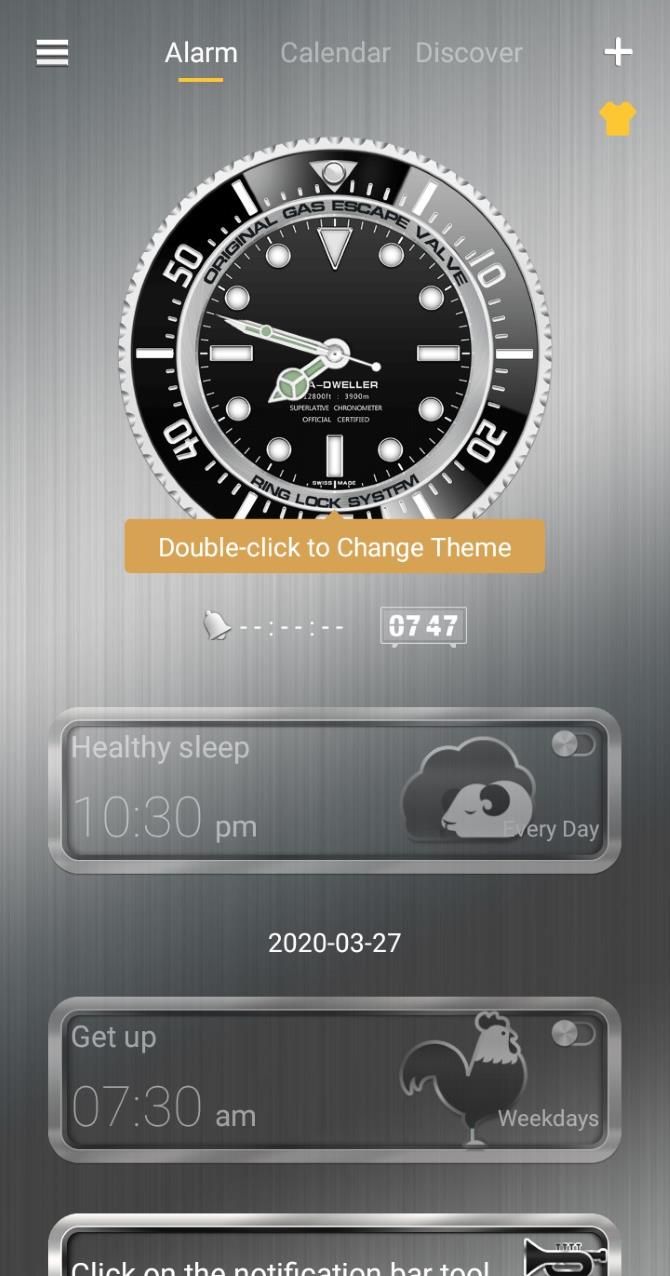
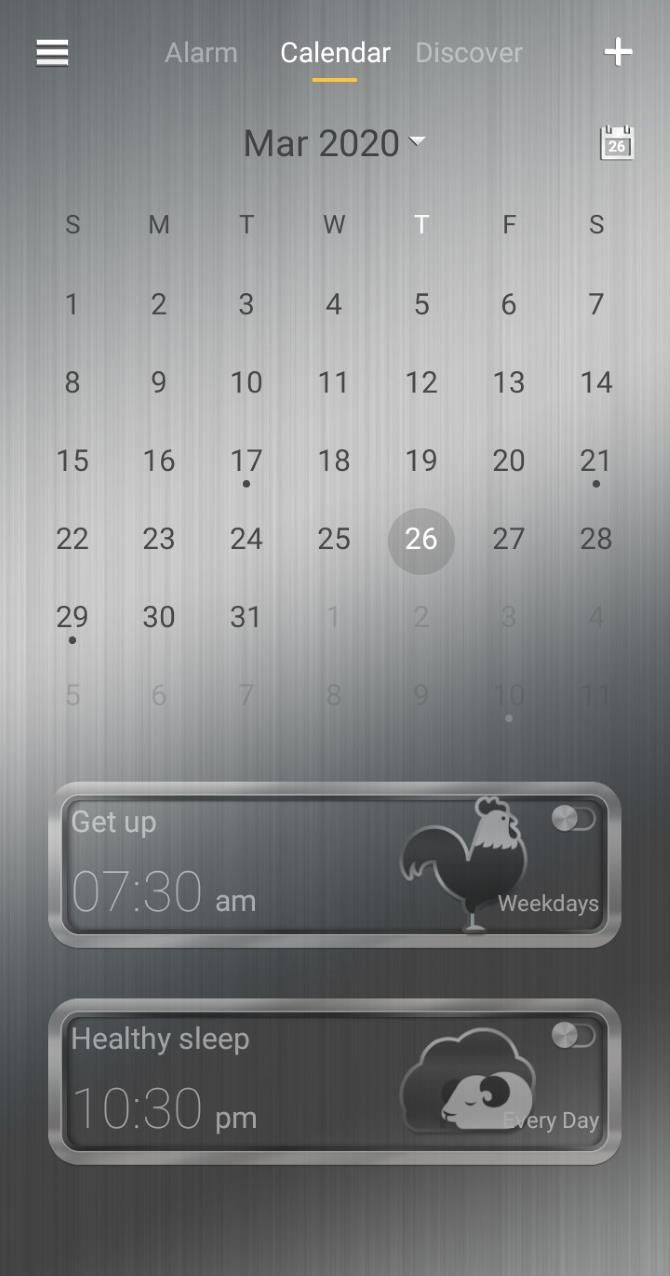
This app is both beautiful and functional, packed with features that most other alarm clock apps don’t have: a built-in calendar, health-based reminders, and a bedside clock display.

Download: GO Clock (Free, subscription available)

3. Alarm Clock Xtreme

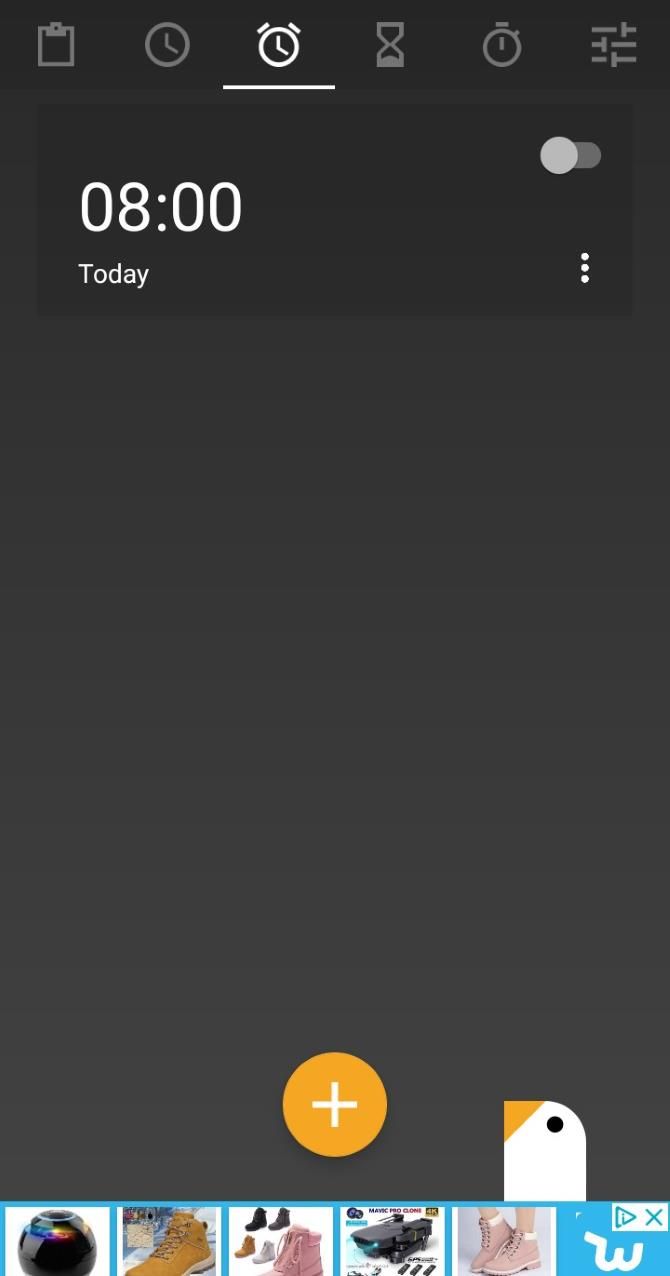
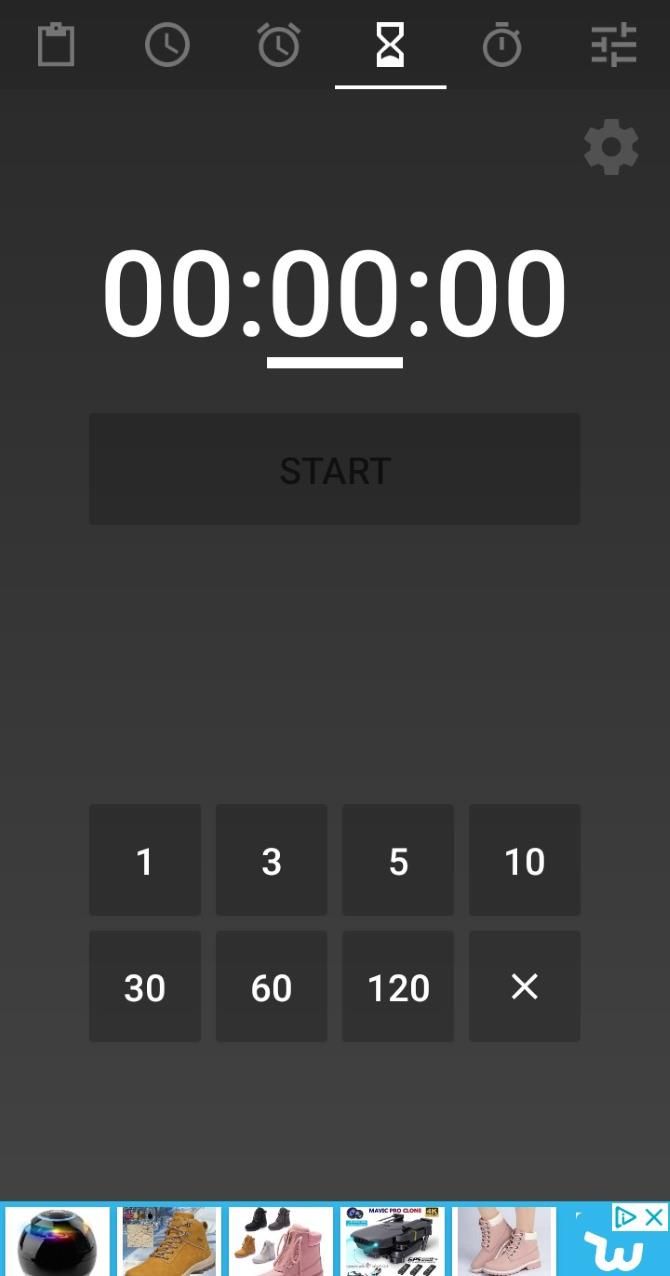
Alarm Clock Xtreme is the best alarm app for Android phones when it comes to customization. You can set how you turn off the alarm, from tapping the screen to shaking the phone. You can make a puzzle pop up for you to solve, or have an app launch when you dismiss the alarm.

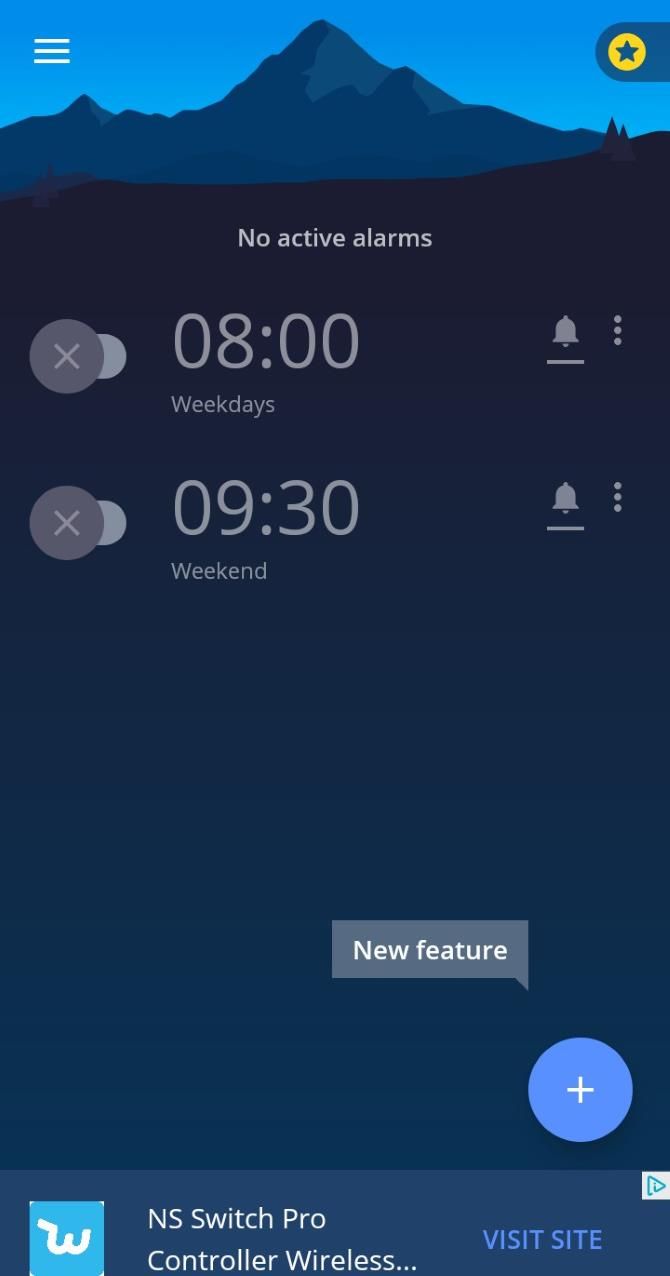
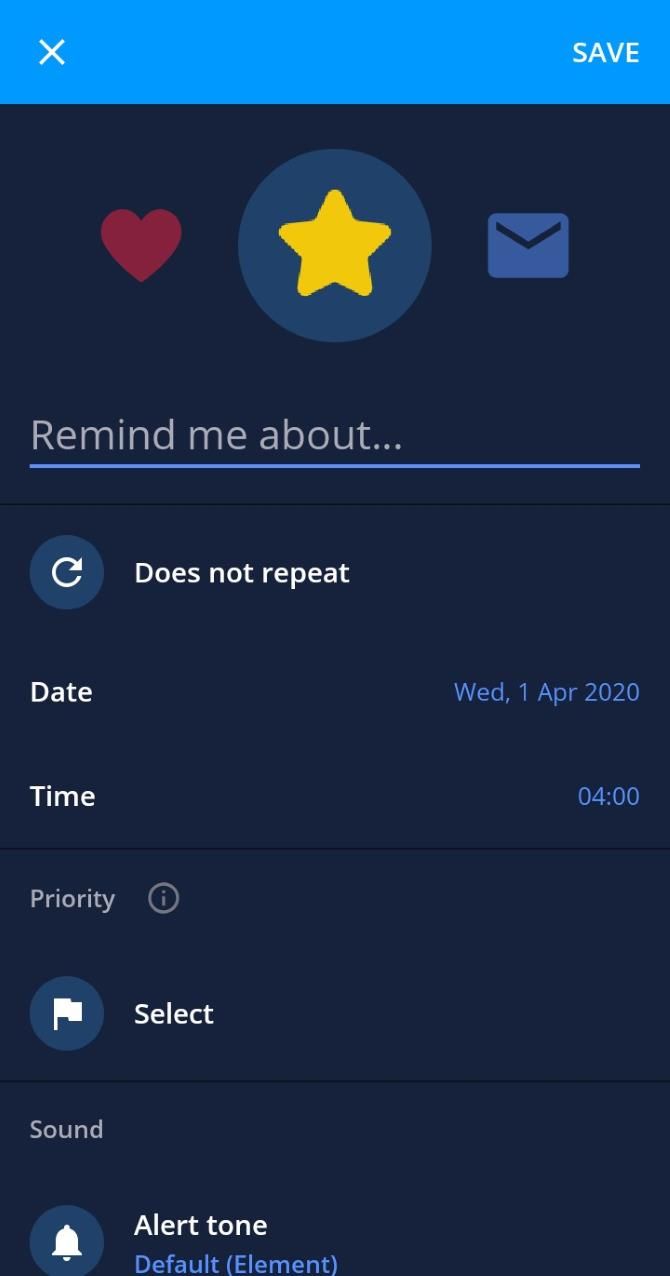
Plus, Alarm Clock Xtreme has some daily planning tools you can use to better schedule your day. You can sync the app up with your calendar to see any upcoming events and set reminders for important tasks. These reminders have a lot of customization available; you can change the alert tone for each one and adjust how much of the screen they take up when they fire.

Download: Alarm Clock Extreme (Free, premium version available)

4. Glimmer

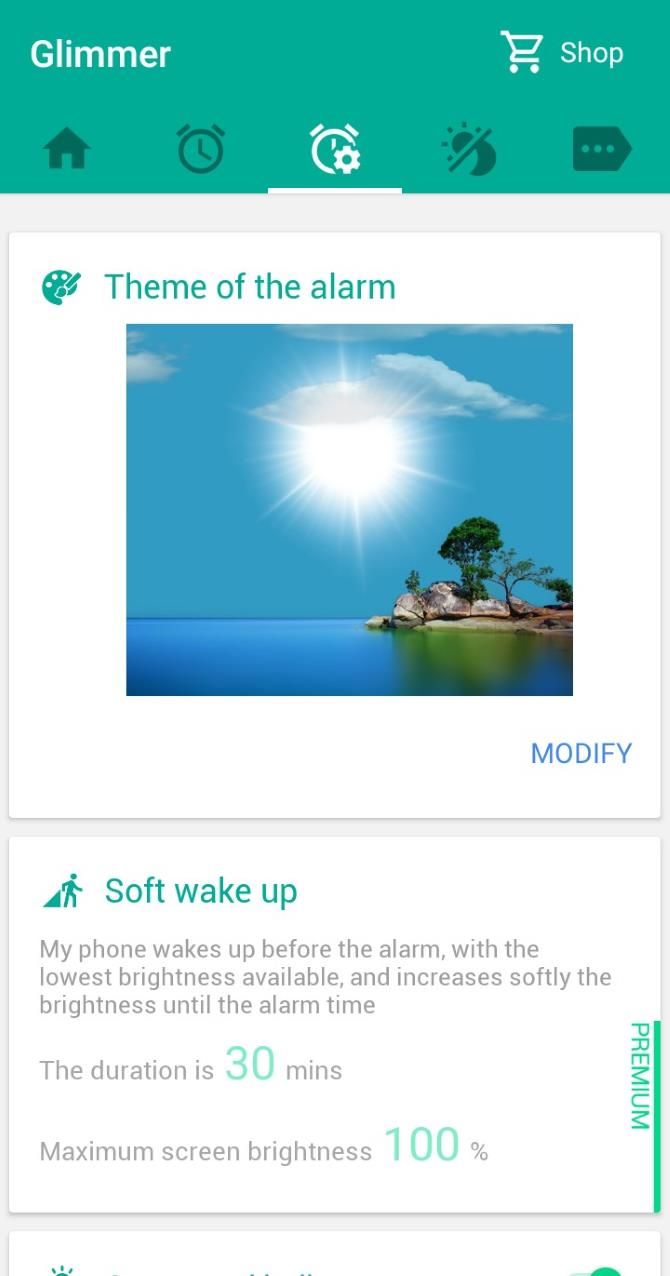
Glimmer uses an interesting method to wake you up. Instead of loud noises, it uses light to jar you out of your sleep. Some people prefer this method, as it emulates the sun rising and prompts your body to awaken naturally.

To achieve this, it will show a bright, calming scene when the alarm activates. It then slowly increases the brightness until it stirs you from sleep. If this doesn’t work, the alarm will then make a sound to ensure you wake up on time.

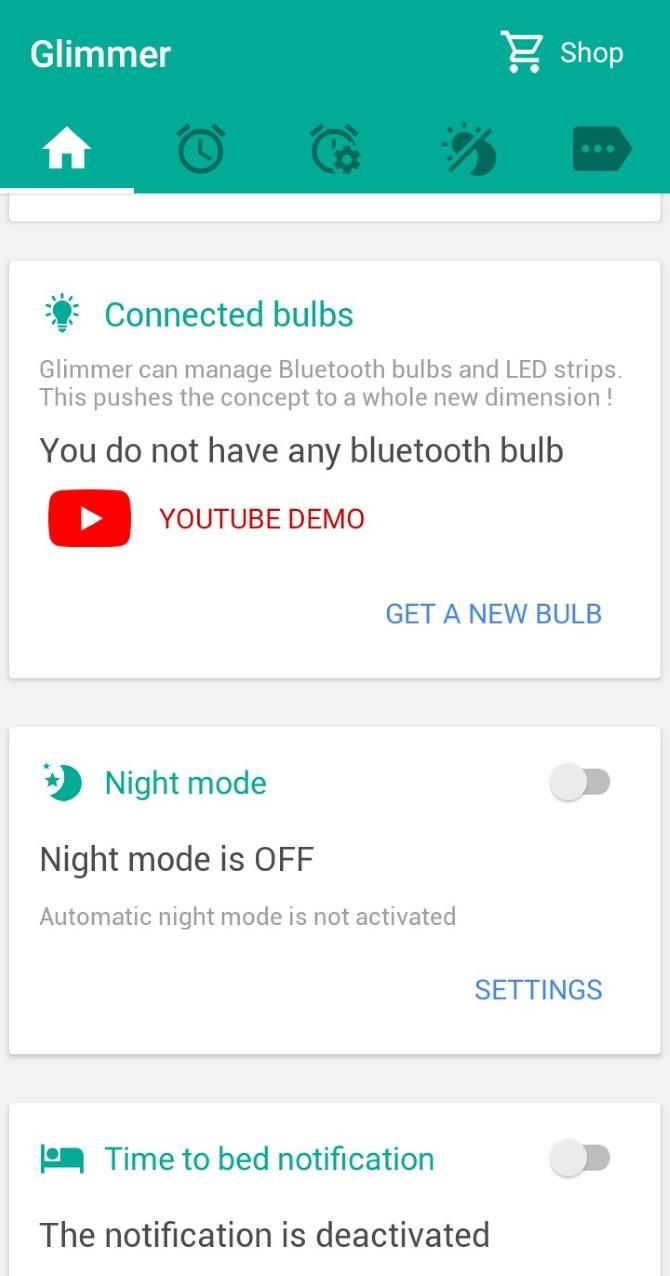
Glimmer is also the best Android alarm clock for smart bulb owners. Through the app, you can set a routine that slowly brightens your room’s lights when it’s time to wake up.

Download: Glimmer (Free, in-app purchases available)

5. Sleep Cycle

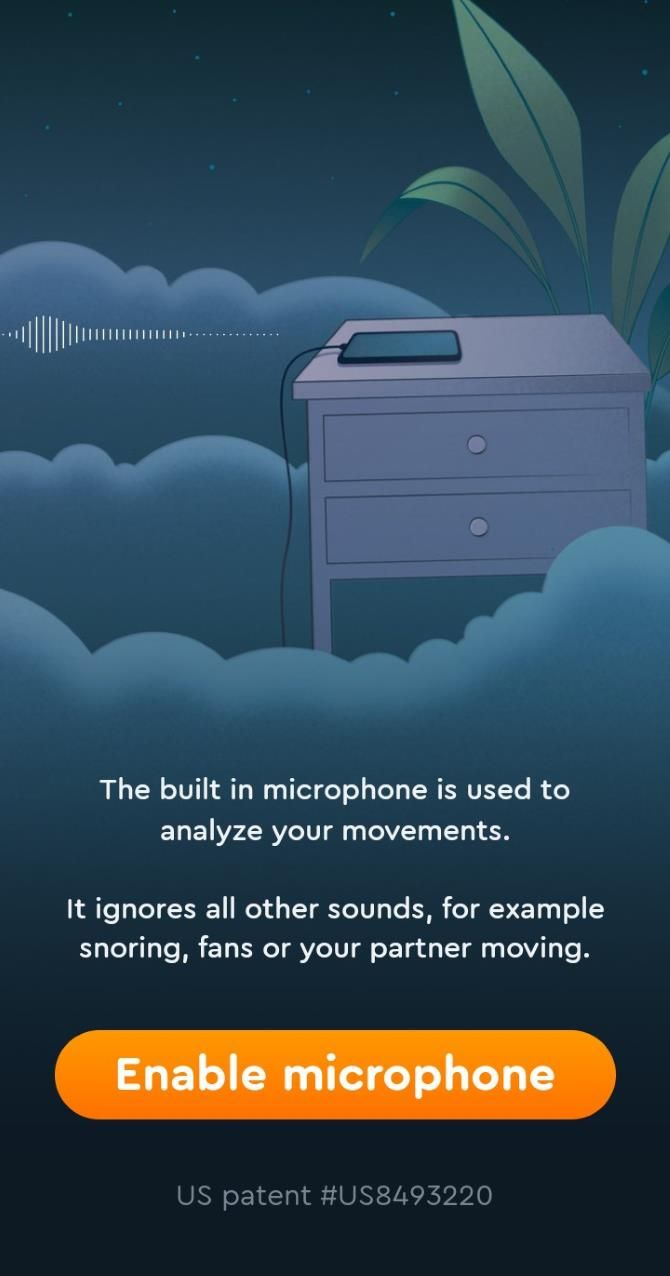
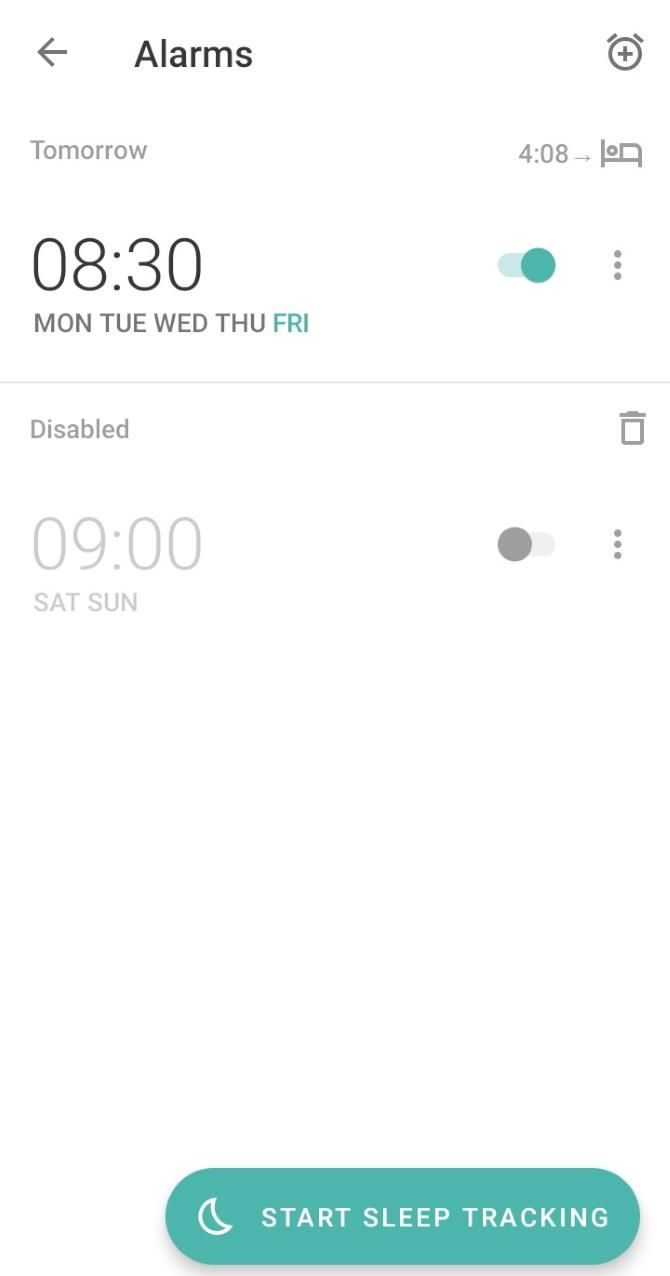
Sleep Cycle is one of the few alarms on the Play Store that can track your sleep quality. All you have to do is sleep with it next to you on the bed and it tracks sleep behavior using your phone’s microphone to detect movement.

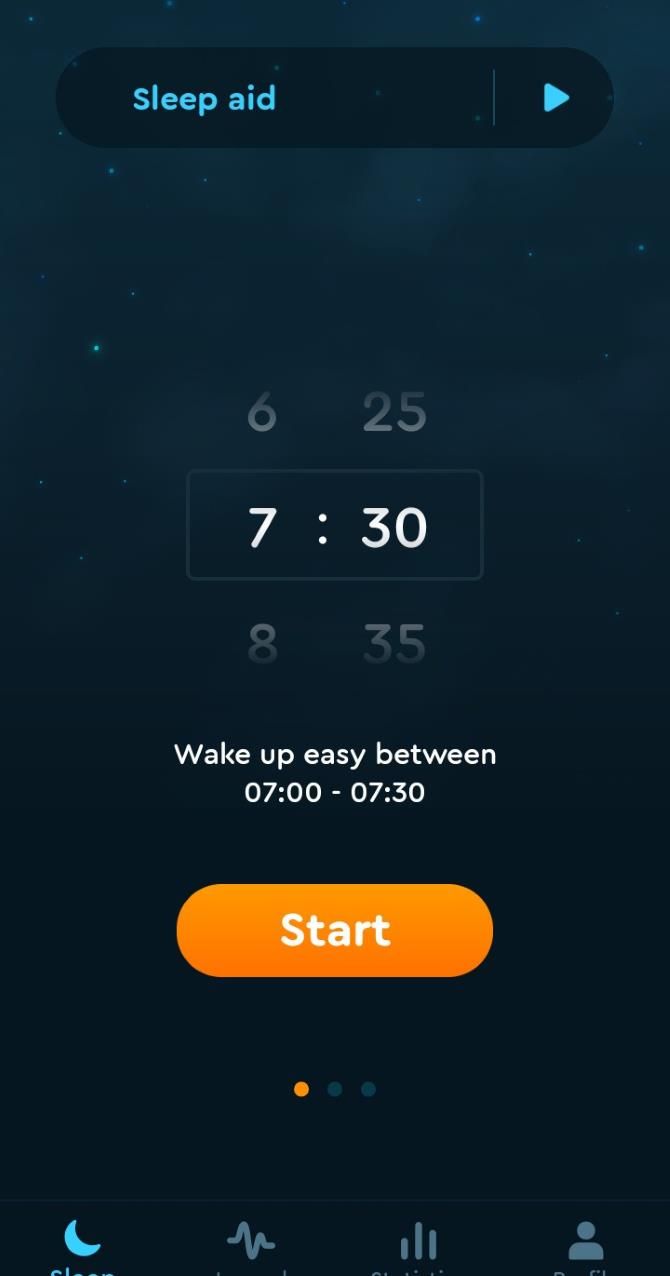
Once it gets to know you, Sleep Cycle knows when you’re in the lightest phase of sleep. It uses this knowledge to wake you up in that phase, which minimizes grogginess and makes you feel well-rested and relaxed. You can set a custom wake window that Sleep Cycle will try to stay within.

Other features include sleep notes, in-depth graphs, and statistics to help you analyze what affects your sleep. For instance, if you’re an avid coffee drinker, you can take note of when you have a late-night drink, then compare the notes to your statistics to see if caffeine is disrupting your sleep.

Download: Sleep Cycle (Free, subscription available)

6. AMdroid

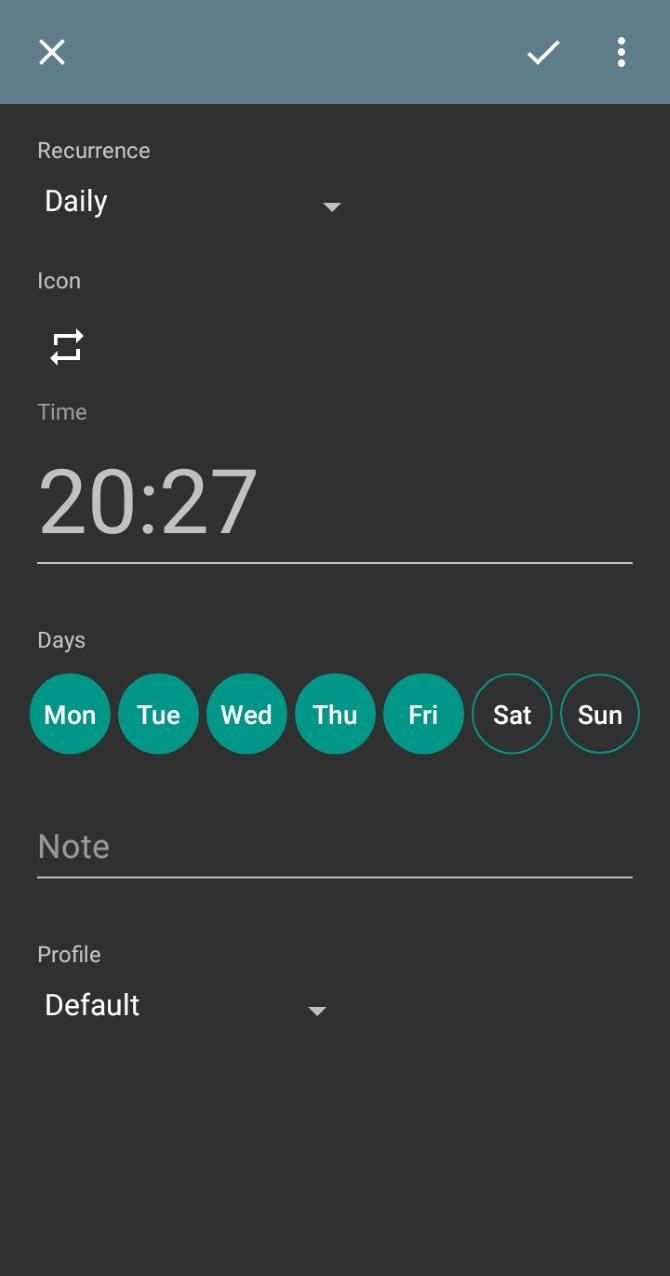
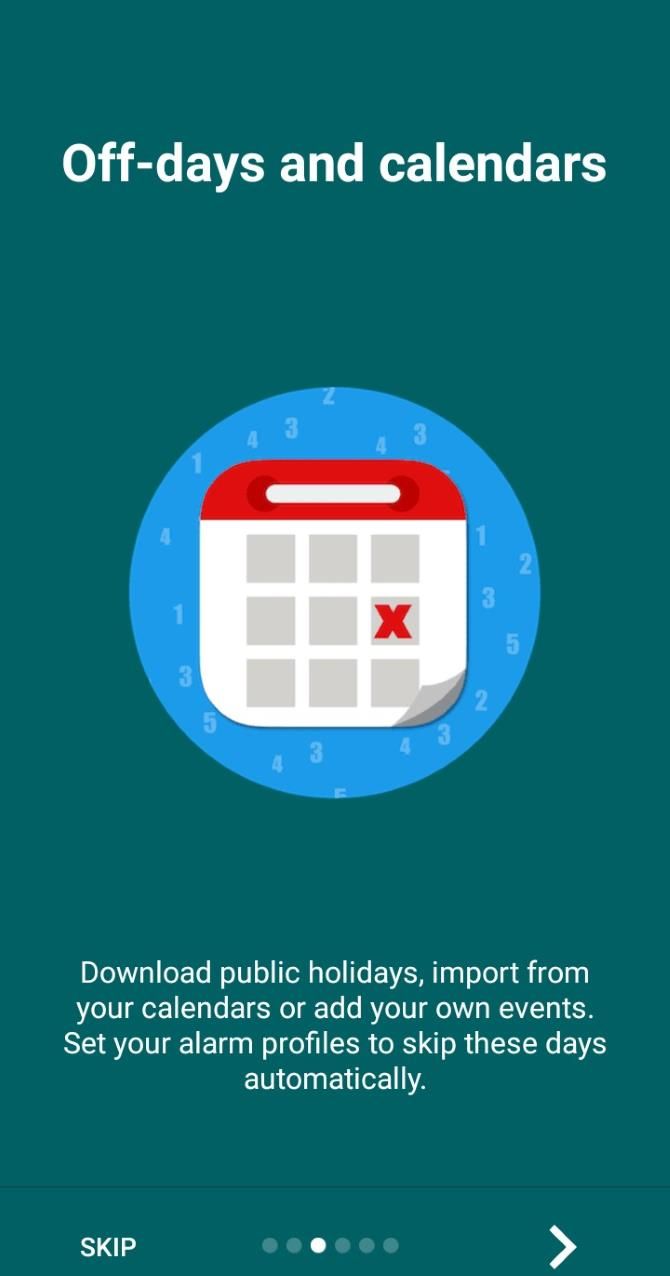
AMdroid has a great selection of features that you don’t find in every alarm clock app. For example, you can set wake up challenges, customizable alarm profiles, and an option to automatically disable alarms on public holidays.

One of its smartest features is its location awareness. If you’re not at a set location when an alarm triggers, it won’t sound. This means no more stray exercise alarms going off when you’re out at a party, for example.

Download: AMdroid (Free)

7. Timely

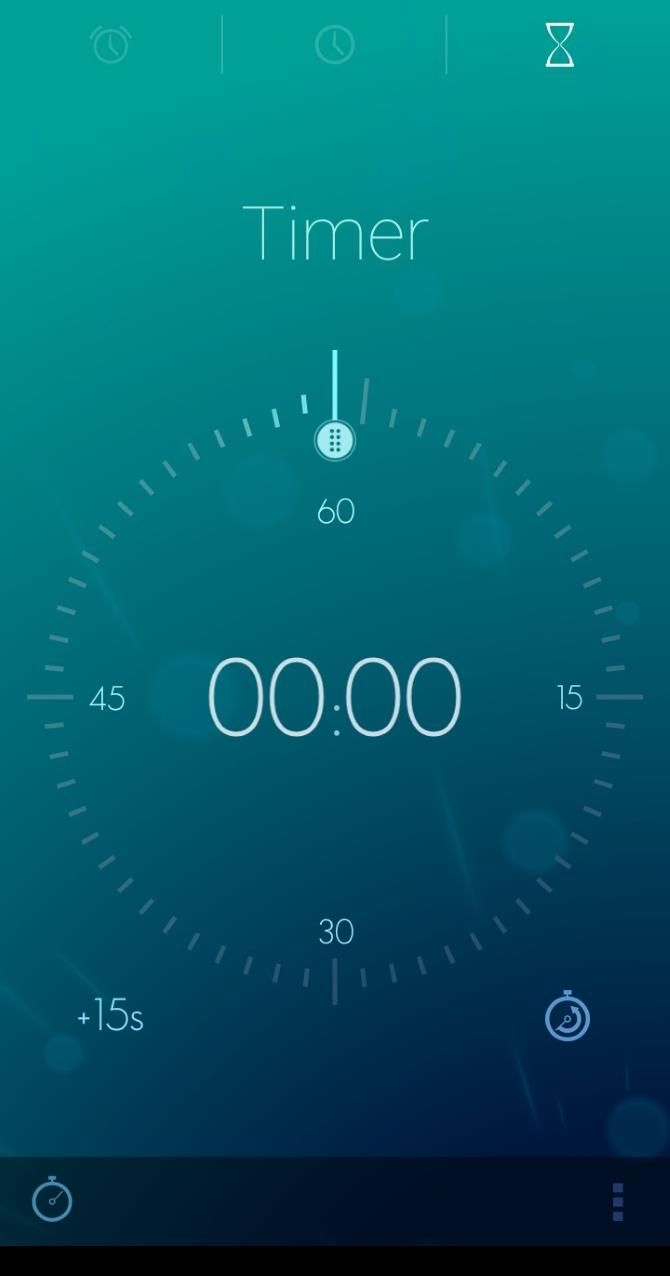
If you don’t need a load of features and don’t want to purchase a premium plan, try Timely, which is simple and free. The app has an account sync feature to match up your alarms with all of your devices. After you set that up, however, the full app is ready to use.

You can use the app to check the time, set alarms, and start a stopwatch. Its best feature, however, is its presentation—you’ll be hard-pressed to find an alarm that looks as sleek and relaxing as Timely.

Download: Timely (Free)

8. AlarmMon

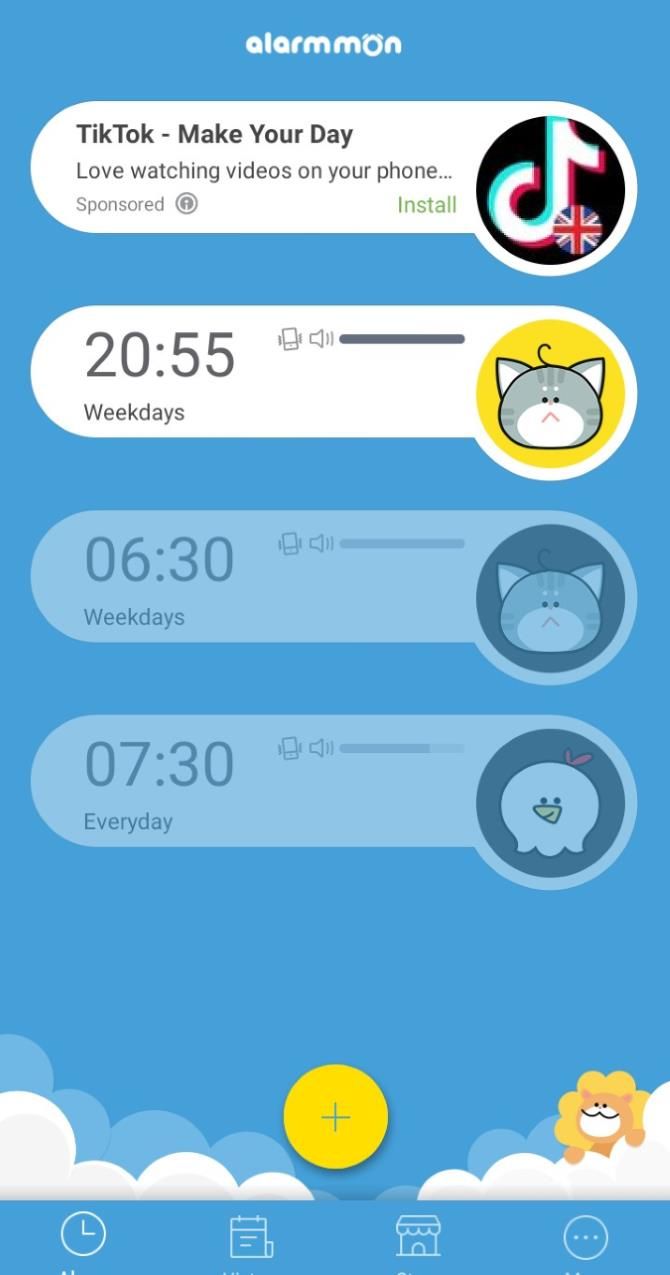
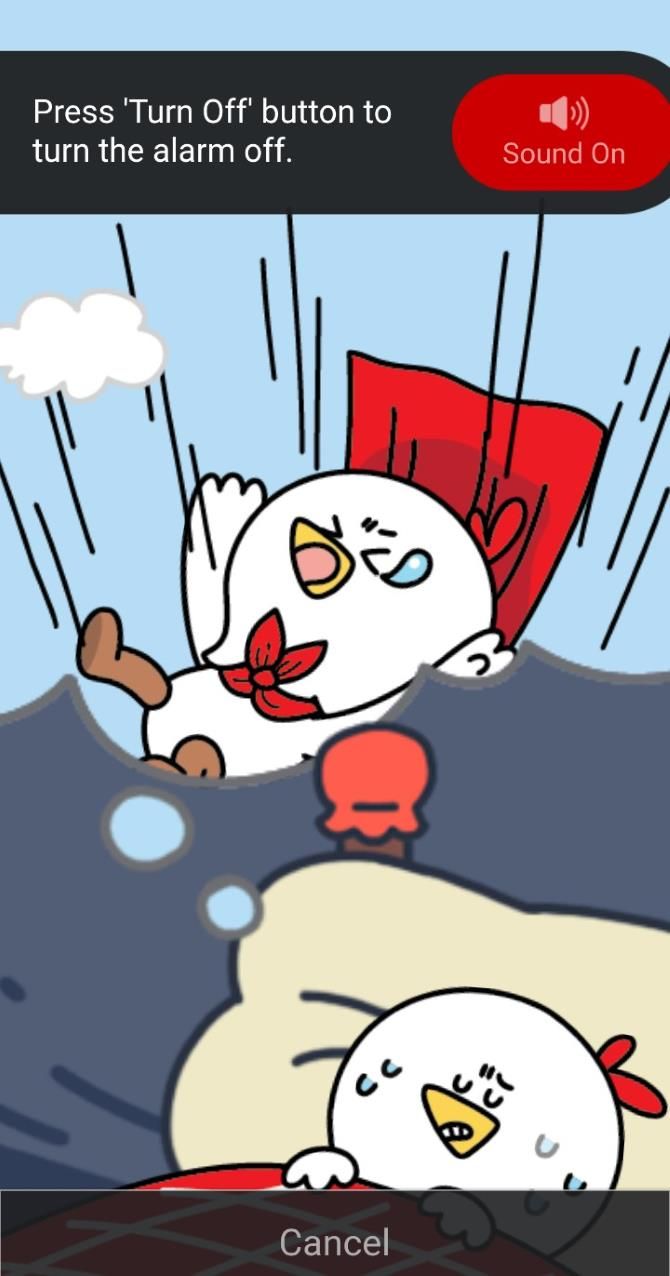
While AlarmMon is huge in South Korea, it hasn’t gained much traction elsewhere. This is a shame, because AlarmMon is one of the most fun-loving alarm apps on Android.

AlarmMon has a range of characters you can choose from for your alarm. If you’re a light sleeper, you can use a quiet character with a fun mini-game to play to wake you up.

If you sleep through everything, you can select a noisier character who will play a loud animation until you shut it up. This ranges from loud animal noises to a rendition of the Psycho theme, making AlarmMon a customizable evil alarm clock. Don’t worry; it’s only as evil as you allow it to be!

The alarm also has a history feature that details what time the alarm went off, which character alarm you used, and how long it took for you to turn the alarm off. This makes AlarmMon a great way to see where you’re slipping on your alarms and when you may need a louder character to get you out of bed.

Download: AlarmMon (Free, in-app purchases available)

9. Early Bird Alarm Clock

If you find it hard to pick one sound to wake up to, why not choose them all? Early Bird Alarm Clock lets you pick more than one sound as an alarm. Then, when it goes off, it randomly picks one of the sounds to play.

If you find that you tend to sleep through an alarm as your body adjusts to it, use this app to mix it up and keep you on your toes.

Early Bird comes with additional handy features, such as the local weather and an egg timer. Early Bird also keeps track of every alarm that goes off, how long it sounded for before you turned it off, and how many times you hit the snooze button.

Download: Early Bird Alarm Clock (Free)

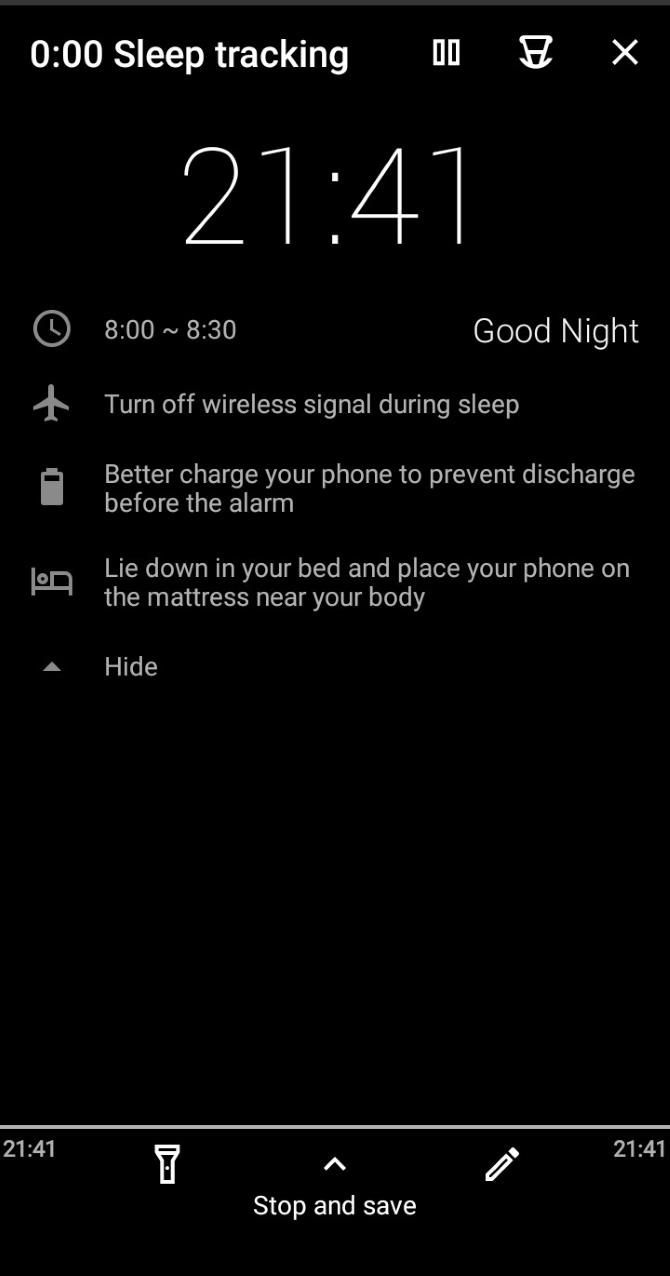
10. Sleep as Android

Sleep As Android is all about getting a good night’s sleep. If you burn the midnight oil a little too much, the app can alert you that it’s bedtime so you don’t miss it.

Once you’re asleep, Sleep As Android gets to work. It uses the microphone to check how deep your sleep is and compares this to your sleep cycles. Once it gets an idea of how you sleep, it can wake you up in the lighter phases to stop you from feeling groggy.

To achieve this, Sleep As Android uses a “smart period” for alarms. The app will choose the optimal time during that period to wake you up, instead of going off at a specific time. For instance, an alarm set at 8am with a smart period of 30 minutes will go off between 8:00 and 8:30, depending on when it’s best.

When you install the app, you get two weeks of the premium service for free. Once the trial ends, you can get all the features back with a one-time purchase.

Download: Sleep as Android (Free, in-app purchases available)

Enhancing Your Alarm for Better Mornings

While the stock alarm feature in Android is useful, it may not appeal to everyone’s tastes. Thankfully, there are lots of high-quality alarm apps on the Play Store, whether you’re looking for meditation advice or a sleep quality monitor.

If you need the personal touch of someone else waking you up, try a social alarm app instead.

Read the full article: The 10 Best Alarm Clock Apps for Android


Read Full Article