08 April 2020

Securitization platform Cadence surpasses $125M deal volume and raises $4M


Securitization is a critical function of the modern financial system. Banks “package” individual loans, say a mortgage or an auto loan, into a group with similar characteristics and sell them to other investors. That gets the debt off the originator’s balance sheet so that they can offer more loans, while also offering private investors alternative investment opportunities to buy up.

Despite the scale of the market — the trade association SIFMA’s research shows that the volume for asset-backed securities reached more than $300 billion in 2019 (excluding mortgages) — much of that structuring remains relatively ad hoc, with structuring agents and buyers constantly seeking each other out.

Much in the way that real estate and startup crowdsourcing platforms democratized access to those alternative investments, Cadence wants to expand access to securitized products while increasing the velocity of transactions for originators and lowering prices. Founder and CEO Nelson Chu said that “our job is to bring transparency and efficiency to this market and through all the various things that we do.” The company operates on top of the Ethereum blockchain network.

Founded in 2018 and launched publicly in 2019, the New York City-based capital markets startup has now structured $88 million in notes across 76 offerings and 12 originators according to the company. The firm’s public leaderboard shows that the largest originators were Sellers Funding with more than $23 million and Wall Street Funding with almost $26 million in transaction volume. Chu said that “I think we are the 21st largest structuring agent the United States in 2020 so far,” which is not a bad place to be for a young startup in a massive multi-trillion dollar market.

In addition to that $88 million volume processed on the company’s retail platform, Cadence also structured a $40 million whole business securitization with FAT Brands, the owner of restaurant chains like Fatburger and Yalla Mediterranean. The company notes that the structuring reduced the company’s interest costs by $2 million.

The company has hit a number of milestones over the past two years. It closed a seed round of $4 million in December led by Revel VC, with Revel’s Thomas Falk, Navtej S. Nandra, former President of E*Trade, and portfolio manager Oliver Wriedt joining the company’s board.

In addition, back in 2019, the company said that it also became the first digital asset company to launch a digital asset ticker on Bloomberg Terminal and also the first to join the Bloomberg App Portal. It also secured the first financial debt rating for a digital asset.

The company has a variety of revenue streams from different areas of its platform. It takes transaction fees on each deal, but also derives revenues from hosting data related to the performance of the underlying loans. Given the company’s technology stack, it has better and more verified data about how the underlying assets that back each security are performing, giving all investment holders a much more robust look at the health of their portfolio.

Longer term, Cadence’s goal is to move to a mostly SaaS model for originators and buyers. “We can be very, very beneficial to every single counterparty involved when we become that,” Chu said, adding “we essentially are Switzerland … because our incentives are all aligned.”

I asked about how the company is responding to the COVID-19 situation, and Chu said that as the world saw in the 2008 global financial crisis, “there are pockets of opportunity here that we continue to find, and we allow retail, accredited investors to get access to that.” Chu gave the example of game developers waiting on payments from Apple and Google who need short-term loans to cover costs.

In addition to Revel, other investors in the seed round included Morgan Creek Digital, Nimble Ventures, Argo, Tuesday Capital, Manatt, and Recharge Capital. R&R Venture Partners, a joint VC firm of former Citi chairman Richard D. Parsons and Clinique chairman Ronald S. Lauder, also participated.


Read Full Article

Jack Dorsey creates $1B COVID-19 relief fund using Square equity


Jack Dorsey announced in a series of tweets today that he is shifting $1 billion in his Square equity to create a fund dedicated to COVID-19 relief. The Twitter and Square CEO is calling the fund Start Small and posting a tally of disbursements and recipients in a public spreadsheet.

Dorsey said in his announcement that the new initiative will shift the focus to other causes at some point.

The first Start Small contribution listed is $100,000 to America’s Food Fund — an effort led by Leonardo DiCaprio and Laurene Powell Jobs dedicated to providing meals to vulnerable populations disrupted by the COVID-19 pandemic.

Other top backers of America’s Food Fund include Oprah Winfrey ($1 million) and Apple ($5 million), according to the organization’s GoFundMe page.

That’s what we know so far from a tweet posted Tuesday afternoon by the American tech entrepreneur who co-founded and leads not one, but two publicly listed companies.

There’s still a lot to learn about Dorsey’s new initiative, including how it will be managed, whether it will make investments (along with donations) and how to apply for funding. TechCrunch has asked Square for additional details and will update this post when we hear back.


Read Full Article
Facebook ships an experimental app for couples


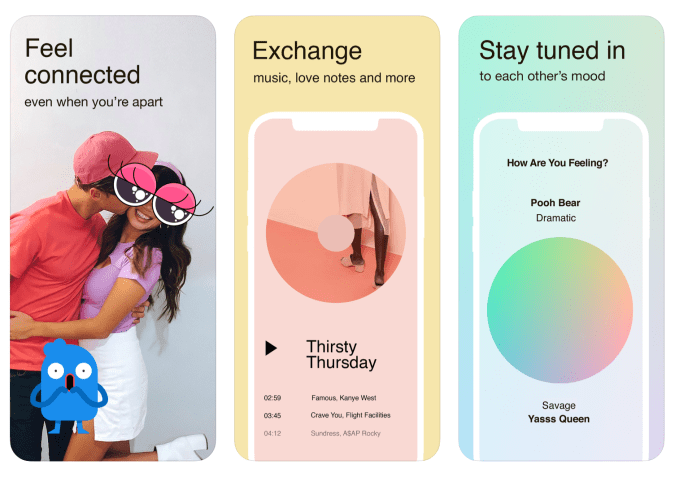
Today, Facebook quietly released a new app for couples. Called Tuned, the new release is a multimedia messaging app designed to help significant others communicate.

The app is available for download in the U.S. and Canada, app analytics firm Sensor Tower tells us. Tuned was developed and released by Facebook’s New Product Experimentation (NPE) team. The division is — as the name suggests — very experimental and thus a bit quicker to pull the plug on projects if they don’t show traction.

The Tuned app arrives during a very interesting time for couples. Couples that live together are spending every waking moment in each other’s presence in the midst of quarantine and could probably never have less of a need for an app like this. For couples that don’t live together, there’s more of an appeal, as people are emboldened to build out digital toolsets to stay close with their partners during an unprecedented time.

The app is by all means just a messaging app that’s more focused on pushing updates and stickers to a singular person. Users can also integrate the app with Spotify to share songs, or use dedicated widgets to share how they’re feeling or what they’re up to. The company refers to the app’s feed as “scrapbook-style.”

It’s not integrated with the company’s dating platform, Facebook Dating; in fact, the most interesting quality of the app is the sheer lack of Facebook tie-ins.

For years, Messenger was the testing bed for Facebook’s social curiosities, but Messenger became too important and users weren’t responding positively to constantly seeing nominal changes in an app they frequently used. The issue is Facebook doesn’t have a default experimentation app anymore, and so these NPE team releases kind of force Facebook to get by with less user data and make judgment calls on how fast functionality can develop when starting from a standstill. It’s unclear how successfully this strategy is progressing. NPE Team’s only other release that’s still available, a Pinterest competitor named Hobbi, was released two months ago and has only received one review on the App Store — a one-star review.


Read Full Article

A history of Indigenous languages -- and how to revitalize them | Lindsay Morcom

A history of Indigenous languages -- and how to revitalize them | Lindsay Morcom

Indigenous languages across North America are under threat of extinction due to the colonial legacy of cultural erasure, says linguist Lindsay Morcom. Highlighting grassroots strategies developed by the Anishinaabe people of Canada to revive their language and community, Morcom makes a passionate case for enacting policies that could protect Indigenous heritage for generations to come.

Click the above link to download the TED talk.

PlayStation 5’s new DualSense controller is a sleek and futuristic gaming accessory


Sony has revealed the design of the PlayStation 5‘s controller – a follow-on to its popular DualShock line that takes on a new name for a new generation: DualSense.

The DualSense controller is kitted out in black and white, and looks like a futuristic, plastic armor-plated robot companion more than a gamepad in some ways. It’s still recognizably a product of the DualShock legacy, however, and has the same familiar button layout as previous PlayStation controllers. The DualSense incorporates haptic feedback, however, for what Sony says will be a heightened sense of immersion in gaming.

Haptic feedback should be an improvement over the relatively general and non-specific rumble vibration of current generation controllers, and Sony has also added more tactile response thanks to new L2 and R2 “adaptive triggers” that provide different kinds of tensions response when performing in-game actions, like “drawing a bow to shoot an arrow,” the company says.

The resulting physical design is a bit chunkier than the DualShock 4, with more room needed inside the case for that adaptive trigger tech. Still, Sony said that it has redesigned the component angles to produce a controller that feels a lot lighter in the hand than it looks.

This controller also does away with the dedicated “Share” button, but replaces it with a “Create” button that sounds like it should offer similar features and much more, though Sony isn’t yet ready to tip its hand as to exactly what that entails and promises more details to follow.

[gallery ids="1971611,1971613,1971609"]

Meanwhile, there’s a new built-in mic array for voice chat without any headset required – though it sounds like this is intended primarily as a ‘you have it in case you need it’ feature than a dedicated input, since Sony is still advocating use of a headset for longer play sessions.

From a pure looks perspective, Sony clearly decided it wanted to go a bit more bold than its standard all-black look for the first version of a new controller it ships with a console. The two-tone, Stormtrooper palette is complemented by a new light bar that lines both sides of the central touchpad.

Personally, I love this look – and the USB-C port that you can spy at the top of the controller for charging. I don’t even know if I’m all that interested in a new generation of console, but the controller alone might convince me to upgrade.


Read Full Article

GV’s M.G. Siegler on portfolio management, crisis fundraising and his latest investment


The coronavirus pandemic has pushed entrepreneurs and investors into unknown territory.

Google’s GV just led a $10 million investment in Universe, a low-friction website builder that’s venturing into the world of commerce.

The investment was in the works before COVID-19 hit America in force, but things were finalized for the Brooklyn startup in late March. I chatted with M.G. Siegler, a general partner at GV (and former TechCrunch writer) who led the deal about how the crisis was affecting his investment work and how he was balancing portfolio work with sourcing new deals.

This interview has edited for length and clarity.

TechCrunch: This deal sounds like it was in the works before pandemic concerns really hit America, but when you saw this situation arise, did it change your thinking about this deal at all?

M.G. Siegler: The reality is we’re still going to be continuing to look for interesting opportunities to invest in. History has shown that even during great financial turmoil, many companies are still being built, and while it’s certainly not easy for anyone given that we’re all stuck inside and trying to make things work. I think Universe is in an interesting spot, they have a tool that can potentially help some of these struggling businesses move online quicker and create commerce opportunities that they really need to think about given the current realities.

So there’s no thought that we shouldn’t do something just because of the current macro environment if we’re really passionate about it to begin with. Obviously, there’s there’s varying degrees of that for different sectors, but I do think that Universe had been in a great position before this situation, and it seems like they have different opportunities now.


Read Full Article

07 April 2020

Investor survey results: Upcoming trends in social startups


Voice-based social networks and gaming as a new form of identity were among the top emerging trends in consumer social startups, according to an Extra Crunch survey of top social tech investors. Meanwhile, anonymity and dating apps with a superfluous twist were spaces where investors were most pessimistic.

Extra Crunch assembled a list of the most prolific and well-respected investors in social. Many have funded or worked for the breakout companies changing the way we interact with other people. We asked about the most exciting trends they’re seeing and which areas they expect will soon spawn blockbuster social apps.

Subscribe to Extra Crunch to read the full answers to our questionnaire from funds like Andreessen Horowitz, CRV, and Initialized.

Here are the 15 leading social network VCs that participated in our survey:

Stay tuned next week for a followup article from these investors detailing their thoughts on social investing in the COVID-19 era.

Olivia Moore & Justine Moore, CRV

What trends are you most excited in social from an investing perspective?

First, it’s worth noting that consumer social is very hard to predict. Unlike enterprise software, there’s no rational buyer, and the things that take off can seem “random” or dumb. Startups that see huge success in this space are often pioneering a new feature or way of communicating that hasn’t existed before. Any VC who claims to know what the “next big thing” in consumer social will look like should probably go build it themselves!


Read Full Article

CNN has acquired Canopy, a privacy-focused content personalization engine, for its upcoming news platform


Last year, The Information reported that CNN was working on a new digital news service to compete with the likes of Apple and Facebook. Today, some of those plans are taking shape. The Turner-owned news broadcaster has acquired Canopy, an all-purpose content personalisation that uses human curation, on-device machine learning and differential privacy to help readers discover things they actually want to see, while at the same kind keeping personal data private. The startup will become an anchoring part of CNN’s upcoming news project.

Canopy was founded in 2018, and to date its only product and commercial example of how it would work was an app that it had launched itself called Tonic. That app, Canopy tells me, will be wound down over the coming months, as the team and assets of the Boston/Brooklyn-based startup are integrated into its new parent.

CNN is not disclosing any of the financial terms of the deal, except to confirm that it is a full acquisition of talent (15 people in all), IP and other assets. Canopy — which was led and co-founded by Brian Whitman, the former co-founder of Echo Nest (the content recommendation company that became the basis of Spotify’s recommendation engine after it acquired the company) — had raised $4.5 million from Matrix Partners and E14.

Nor is CNN talking much yet about its new project, currently codenamed “NewsCo”, except to say that it is a “news and information platform connecting users to trusted sources, storytellers and creators across a wide range of topics.”

The initiative is part of a bigger plan at the company to build new products and services to meet the tastes, interests and needs of current but also new consumers. That, in turn, underscores a bigger, and longer-term, push from across all of the media industry — from other broadcasters, to those with their roots in print, and even online-native news efforts — to chase and capture that ever-elusive concept, audience, and the money that comes with it in the form of advertising, paid subscriptions, and more.

That “more” in many cases, controversially, has included data, which is swapped and sold across a range of known and less-known entities, from advertising networks through to other kinds of data aggregators and others. But it seems that this is where CNN is drawing a line, to see how and if it can build a service that doesn’t cross it. At least, that seems to be the hope: no services are launching yet, and we’ll only know how popular they are and the business model behind them when they do.

“There has never been a more crucial time to help people discover trusted sources around topics and issues that matter most to them,” said Whitman in a statement. “We’re incredibly excited to join the team at CNN to build some amazing products for their millions of global users.”

It’s worth mentioning that this is not CNN’s first rodeo when it comes to making an acquisition of a startup focused on content personalisation. Way back in 2011, the company acquired Zite, another company with a similar aim, “reading” what you read and watch to help you find more engaging content like it.

From what I understand, that deal was made by a previous leadership team at CNN, and during a time when there wasn’t a bigger plan for how and where Zite would fit into the bigger picture. Zite was eventually sold three years later to Flipboard with not a lot to show for the time it spent at its first owner (the terms were never revealed but at the time it seemed to be more of a partnership between CNN and Flipboard than a deal specifically for Zite).

“Timing, in life and in business, is everything,” a spokesperson at CNN told TechCrunch. “We didn’t get Zite quite right, because candidly, we didn’t have all the pieces in place at the time to be able to fully leverage the capabilities for which we acquired them. We made the right decision in selling Zite to Flipboard. It was the right outcome for everyone. And the lessons we learned helped us evolve as an organization.”

You might wonder why Canopy decided to sell up rather than partner, which had been the company’s original business model in building a recommendation engine that could be used for different kinds of content plays.

The company notably had not picked up any customers — at least none that it’s talking about — nor had it raised any further money beyond its seed round at launch — at least, none that it disclosed. It may be that in the days of mega-platforms like Apple and Google — which have billions to spend on experiments in content that may be revenue generators in their own right, or may just be a nice way of keep customers more locked into their ecosystems — it’s just too challenging to scale that kind of play as a standalone service if your aim is to be used by many.

“Our long term dream is to reach millions of people and help them navigate the increasingly complex world in a way that can only help them,” said Whitman in an emailed response. “This acquisition takes the big dream of Canopy and makes it much bigger. We’re going to build new ways for millions of people to connect with news and information while keeping their data safe and secure.”

Canopy had never released user numbers for Tonic, but it confirms that its data security expertise was part of the attraction for CNN, so expect to see more on that, with a product launch date “expected within a year,” Whitman said.

“This acquisition enables us to light up in a single transaction a proven, best-in-class team whose deep knowledge and skill sets would’ve taken many months or even years to assemble,” said CNN EVP & Chief Digital Officer Andrew Morse in a statement. “Canopy’s culture of fast-cycle, iterative software and product development will enable us to more rapidly realize our ambitions and deliver against our goals.”


Read Full Article

The tech we need to end the pandemic and restart the economy | Danielle Allen

The tech we need to end the pandemic and restart the economy | Danielle Allen

As COVID-19 continues to spread, the world is facing two existential threats at once: a public health emergency and an economic crisis. Political theorist Danielle Allen describes how we can ethically and democratically address both problems by scaling up "smart testing," which would track positive cases with peer-to-peer software on people's cell phones -- so we can end the pandemic and get back to work. (This virtual conversation is part of the TED Connects series, hosted by head of TED Chris Anderson and business curator Corey Hajim. Recorded April 6, 2020)

Click the above link to download the TED talk.

Teamstack Simplifies Your Team’s Identity Management


teamstack

Looking for a way to improve the security of your team and customers when they log into your systems? Onboarding can be a nerve-wracking experience thanks to lost usernames, mistyped or forgotten passwords, and other frustrating issues. Simplifying this means a happy team, satisfied customers, and increased productivity.

Teamstack is a new “easy to use solution for cloud identity management” with a range of price points for teams of all sizes. It boasts a range of secure identity management features, so let’s look at the benefits of managing online access with Teamstack.

What Is SaaS?

Software as a Service (SaaS) is a software licensing model that requires a subscription and hosting on a central location. This might be a remote server owned by the publisher, or a dedicated server in your organization.

Examples of SaaS products include Microsoft Office 365, Dropbox, the Google Apps Suite, DocuSign, and the Slack collaboration tool. These services deliver different software, from office tools to cloud storage and electronic signatures.

Teamstack uses the SaaS model to deliver a system that provides secure and easy access to online services wherever you and your team are. It’s the ultimate cloud identity and access management solution for distributed working.

How Much Is Teamstack?

To get started with Teamstack, you can set up a small team of up to five users with a free account. This provides a single SAML (Security Assertion Markup Language) app, four FBA (Form-Based Applications) apps, and basic multi-factor authentication.

Manage your team and customer logins with TeamStack

If you need more, the Basic package is $3 per user/month. This supports up to 25 users, with five SAML apps and 50 FBA apps. The Basic plan adds single sign-on support for easy authentication, apps for desktop and mobile, and basic customer support.

You can upgrade this further with Teamstack’s Professional option. At $4 per user per month, this is the most popular package, as it supports up to 200 users. SAML is boosted to 20 apps, FBA to 100 apps, and you get priority support.

An Enterprise level package is also available. Here, all limits are removed, you can craft custom solutions, and receive dedicated support.

If you select the Basic or Professional package, you can boost them with per-user add-ons. These include a custom multi-factor authentication (MFA), extended audit trail, and security policies.

TeamStack audit trail

Teamstack is giving MakeUseOf readers the chance to get started with its Basic plan for free. You’ll get the Basic plan for six months plus all add-ons, with no payment needed. Simply head to the Teamstack signup page with this special link.

Teamstack’s Identity Management Features

To enhance the onboarding process and team security for business, Teamstack offers comprehensive identity management features:

  • Cloud directory
  • One-click provisioning
  • Single sign-on
  • Multi-factor authentication
  • SAML applications
  • Form-based applications

Let’s look at each in turn.

Cloud Directory

The directory is a single, secure way to manage Teamstack users and groups. It allows control over authentication and permissions.

There’s real-time synchronization to ensure data is up to date, customizable profiles, and an overview of user lifecycles.

One-Click Provisioning

This takes the pain out of new user signup (and cancellation) by streamlining the onboarding and offboarding process. With a single click, it’s simple to add or remove users from apps. This reduces risk, increases efficiency, and simplifies access management.

Single Sign-On

TeamStack new users account screen

Users get access to a Teamstack dashboard or browser extension, with access to permitted apps. Single sign-on streamlines workflow and enhances security because it doesn’t require any further credential entry. As a result, using single sign-on reduces IT support tickets and calls.

Multi-Factor Authentication

Protect against unauthorized access across all security levels, with optional additional authentication factors for sensitive applications. This featured uses biometrics in conjunction with IP whitelisting, blacklisting, and geolocation technologies to restrict access to sensitive data.

SAML Applications

SAML (Security Assertion Markup Language) is an authentication exchange standard. It transfers the user’s ID from Teamstack, streamlining the login process, onboarding and offboarding, and removes the risk posed by weak passwords.

Form-Based Applications

All FBAs are accessible with single sign-on via browser extensions, while administrators can assign credentials. Group-based credential management adds further security for sensitive user groups.

Getting Started With Teamstack

Fancy a look at Teamstack? Head to its main page and click Try Teamstack. In the subsequent screen, input your details to create an account, then Sign Up Free.

Confirm your email address, then select the Free subscription plan to try it out. The next screen you’ll see is the Dashboard displaying the Onboarding tool. Click Get Started to add your first application integration.

Browse the list for a suitable app, then +Add. Configure the settings, such as SAML or FBA, then input any additional required fields. When you’re done, hit +Add again.

Click Next Step to begin adding users, inputting the corresponding email addresses, and setting roles. Remember: with the Free Teamstack plan, you get five users. Each receives a confirmation email to set up their account.

Add users to TeamStack

Continue to the next stage of Onboarding with Next Step. Here, you can see the Audit Trail of all invited users. Click each event to see its individual ID.

Hit Next Step again to proceed to Secure your Organization. The trial version offers just a one-time password two-factor authentication (OTP 2FA) method, along with the choice to enforce MFA.

However, upgraded subscriptions get to add recovery keys, WebAuthn, security questions, and SMS authentication (with per-SMS charges). The default OTP 2FA option requires an authentication app like Google Authenticator.

To configure this, click Next Step, then Set Up OTP 2FA. Follow the instructions to install a multi-factor authentication app on your computer or phone. Next, snap the QR code with the authenticator app to enable OTP 2FA, and enter the MFA code.

Complete Teamstack Onboarding

The final stage of onboarding gives you the opportunity to browse the Teamstack add-ons. You’ll need a standard subscription to add these.

You’ll now have access to the full set of Dashboard options:

  • Dashboard: Displays a list of application integrations
  • Control Panel: Displays notifications, tasks, audit trail, and quick actions for user management
  • Users: Lists active users, along with manual setup and import feature for bulk user management
  • Groups: Manage existing group permissions and add new ones
  • Applications: Lists existing applications and allows you to add new ones
  • Security: Manage user and application security policies

Users attempting to use added services via Teamstack will notice the hexagonal logo alongside login and password fields. They can simply click this, sign in, and start working.

Single sign-on with TeamStack

Teamstack Supports App Integrations

Teamstack boasts 571 app integrations at the time of writing. You’ll find these grouped by type: SAML, FBA, and Provisioning.

TeamStack integrates with as many web apps and services as you can name

With so many app integrations available, it isn’t possible to list them all here. However, you can expect integration with services covering everything from Dropbox and Box to Slack, Amazon Web Services, AirBnB, American Express, Kickstarter, Webex, Yelp, WordPress, Zendesk, and beyond.

Some of these only offer Security Assertion Markup Language support; others are limited to FBA and One-Click Provisioning. Many support all three features, however.

The result is a multi-user secure single sign-on platform that can boost productivity for all level of business. From simple start-ups to enterprise, Teamstack simplifies potentially time-consuming provisioning. Enjoy streamlined onboarding, enhanced security, and support for major browsers.

And remember—it’s not just about the team. Contractors and customers can also benefit from Teamstack, resulting in seamless integrations.

Ensure Your Team’s Online Security Anywhere With Teamstack

From just $3 per user per month, you can set up identity management tools for your team wherever they’re based. This is a massive advantage to remote work and international collaboration.

The free option lets you experience basic features of Teamstack’s software as a service for a small five-person team. But to maximize your options, choose the Professional package or try the Basic plan for free with an exclusive offer for MakeUseOf readers!

Read the full article: Teamstack Simplifies Your Team’s Identity Management


Read Full Article
The 5 Best Instagram Repost Apps for Android and iPhone


repost-apps-instagram

Instagram has become the ultimate social network for sharing photos and videos. However, while the Facebook-owned social network has almost all of the features that you might want, Instagram still lacks a few features.

The biggest omission is the ability to repost photos or videos. Generally speaking, you need a third-party app to accomplish this, and there are quite a few available. So, here are the best Instagram repost apps…

1. Repost For Instagram

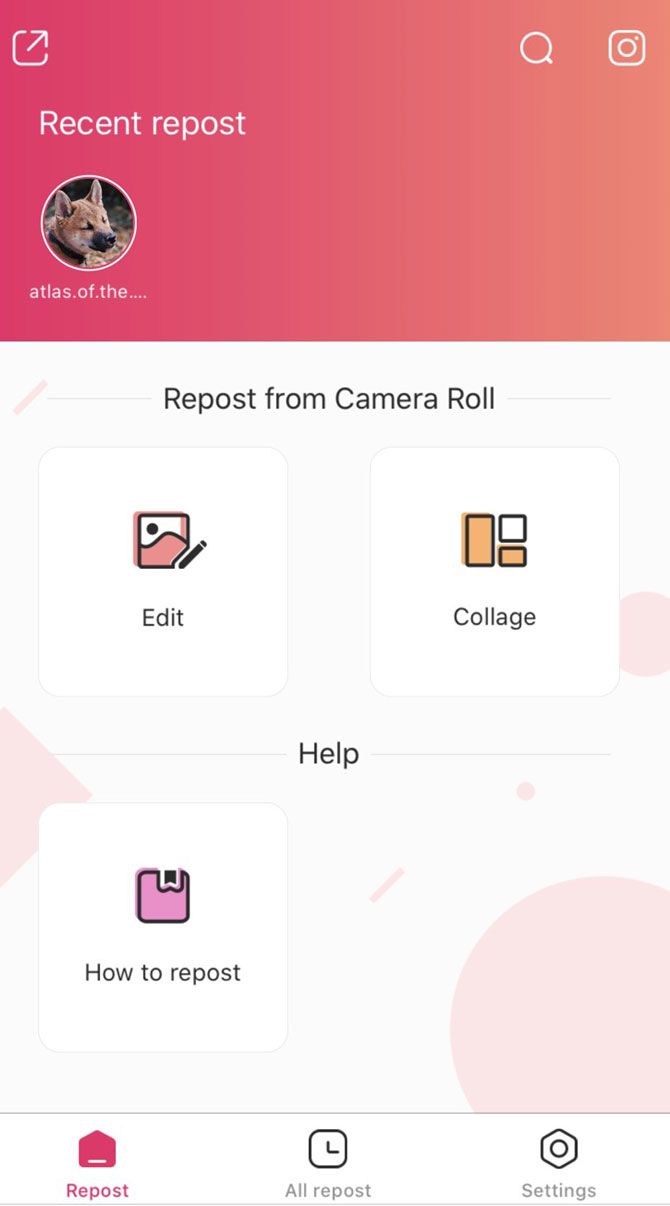
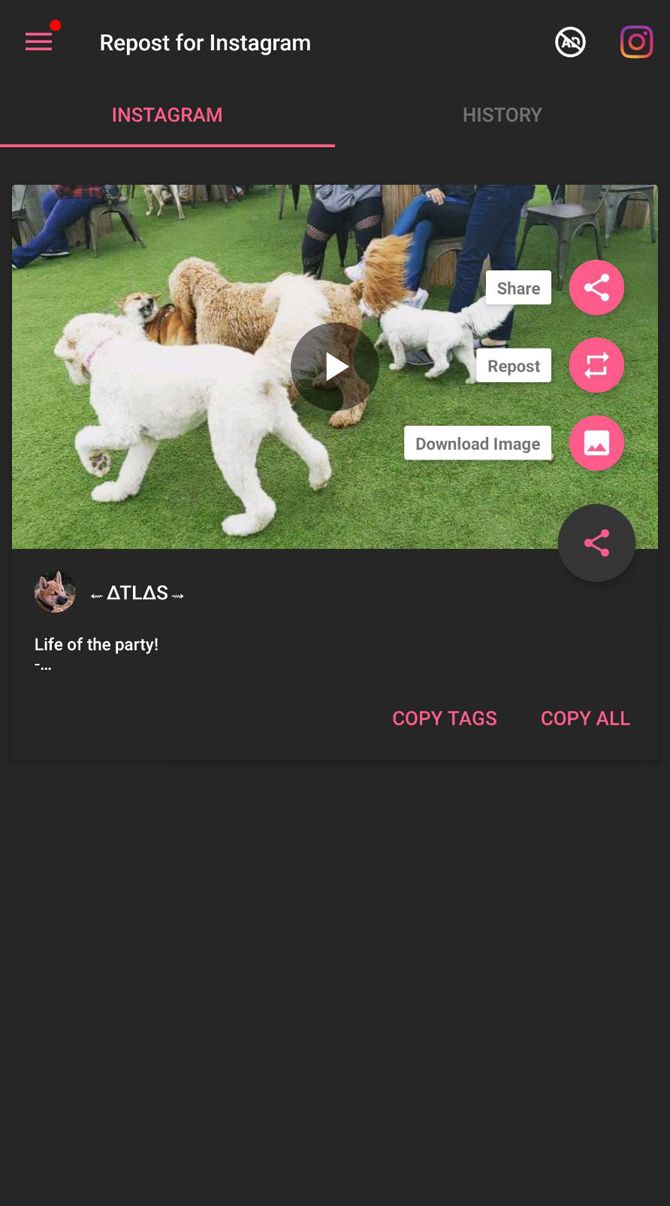
Pros: Repost For Instagram provides a very easy to use app experience. Simply go to Instagram either via Repost’s button or manually, find the post you want, and click the three dots to copy the link. After you return to Repost, the post will appear under the All repost tab.

Once you interact with the post, there are just a few streamlined options to work with. You can copy the caption and all of the tags with a click of the copy hyperlink. You can also remove or add a watermark indicating the original source.

For those particular about the watermark, you can change its color and position as well. Afterwards, simply press repost to finish.

Besides its simplicity, the app’s ability to access your camera roll makes for a nice back-up should anything go wrong. The collage option also provides a nice multi-post option which the majority of Instagram repost apps shy away from.

Cons: You still have to remember to paste the caption and tags after copying them. There’s no paid variant, so you’ll have to deal with some annoying ads.

Download: Repost For Instagram for iOS (Free)

2. Regram Posts – Repost for Instagram

Pros: Regram features a lot of nice features by default such as a one-click Instagram opener and night mode. However, it mostly stands out for its customizable settings versus other reposting apps. You control what notifications you want to see, and you can set up numerous default settings to make reposting faster.

Once you get to the editing stage for your image, you have a lot more options for what to do with the watermark (if you want to include it). You can alter the location, make it opaque, change the background color, and change the font color.

There’s also an experimental HD quality.

Cons: The only real downside to the app is the costly price to remove ads. Unlike other apps, it will cost you $4.99.

Download: Repost For Instagram for Android (Free, Subscription available)

If you’re someone who is trying to use Instagram as a business tool, check out our article about how to find Instagram hashtags for more likes and followers.

3. Sepia Software’s Repost for Instagram

Pros: Repost for Instagram features a simple interface with two views: expanded and compact. The app also does an amazing job of auto-detecting when you copy links on Instagram and automatically inputs them into its gallery. You can also schedule a reminder for when you want to repost anything.

In terms of options, you change the color of the watermark and its positioning. For the post itself, you can’t really do anything else besides repost.

Cons: You can’t access the editor or remove the watermark without paying $4.99/month for a pro subscription. Non-pro users will also have to deal with ads.

Download: Repost For Instagram for iOS (Free, Subscription available)

4. Repost for Instagram – Regrann

Pros: Repost for Instagram – Regrann greets you with a tutorial. If you happen to forget what you’ve learned, you can easily go through it again.

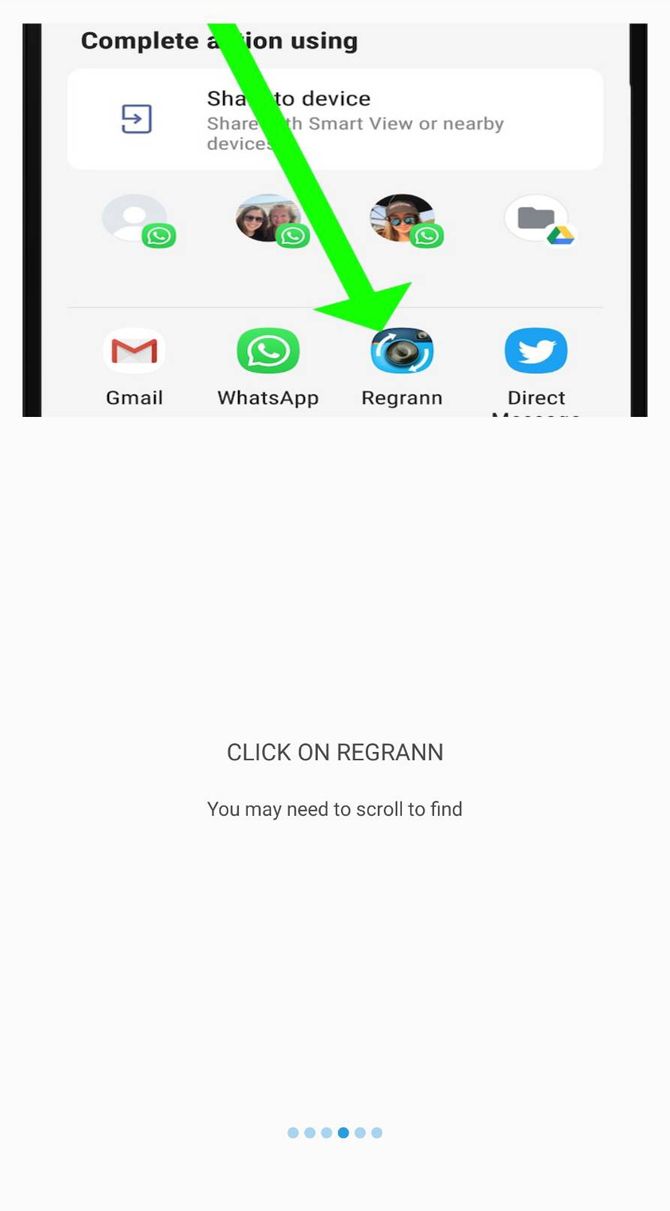
The app provides you with two modes to try as a free user. The most convenient one is the “Selection Pop-up Mode.” After you’ve selected Copy Link on Instagram, Regrann offers you the option to save, share, post later, or post the image to your Instagram stories and feed.

Regrann also provides you the option to place a credit watermark. The app automatically copies the caption but you still have to post it in yourself. It also gives you the option to have a text “Signature” to add to the caption or to replace the caption with.

The “Quick Post-Later” mode is pretty nifty, too, letting you bookmark posts. However, if you don’t use them after going into Regrann, it will clear them out.

Cons: The “Quick Repost” and “Quick Save” modes are only available to Premium users that pay $1.99. As a free user you’ll also have to deal with random video ads.

If you want to copy a post with multiple photos/videos, you’re only able to download the images/videos. Instead, you’ll have to upload them manually from the Regrann-Multi-Post album saved to your phone.

Download: Repost for Instagram – Regrann for Android (Free, Subscription available)

If your focus is Instagram stories rather than posts, check out our guide to visual tricks that can make your Instagram stories pop.

5. Photo and Video Downloader for Instagram – Repost IG (Repost for Instagram)

Pros: Repost IG (Repost for Instagram) offers a very streamlined interface. If you don’t have Instagram open, you can open it with the press of the Instagram button. After you either copy in your Instagram URL or share it with the app, a preview image appears alongside the other options.

Unlike other apps, you have the option to just copy the tags or the full caption. Additionally, if you prefer using night mode in your apps, Repost IG has it. The ability to repost from the previewed screen to your direct messages, feed, and stories also makes it incredibly fast.

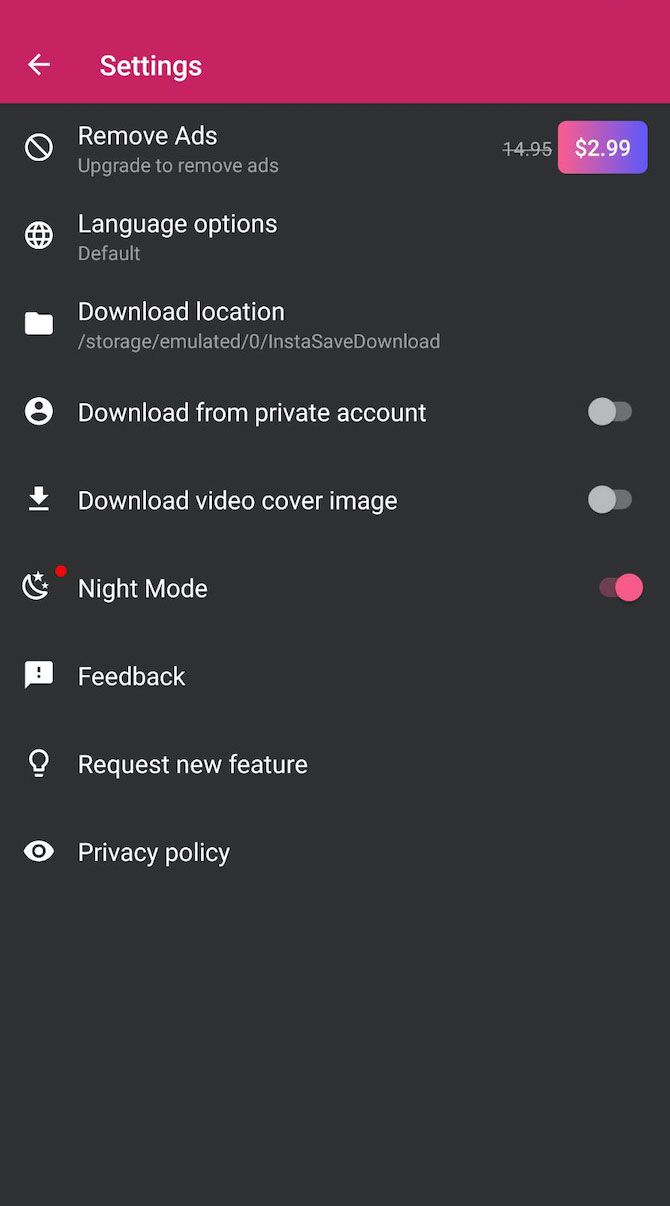
Cons: The ads aren’t as glaring in Repost IG, but you’re asked $2.99 to remove them. Additionally, repost to your feed will sometimes not work. This requires you to download the image/video and repost it manually.

Download: Photo and Video Downloader for Instagram – Repost IG for Android (Free, Subscription available)

For more information about reposting, and ways to handle Instagram reposts without using a dedicated app, take a look at our guide detailing how to repost Instagram photos and videos.

Things to Note About Instagram Repost Apps

Finding the best Instagram repost app can be tricky. A number of apps will go through periods of instability, so one might stop working at any time. So, if you decide to invest in an app, be sure to pick Instagram repost apps that offer guarantees or refunds.

For more help with Instagram, check out our article explaining what Instagram is and how it works and our list of the best Instagram photo editors.

Read the full article: The 5 Best Instagram Repost Apps for Android and iPhone


Read Full Article

7 Ways to Prevent Drones Infringing on Your Privacy


drones-privacy

A lot of people are hyped about drones these days. And while it’s true that drones are set to transform the future in amazing ways, what we can’t forget is that drones pose a serious risk to security and privacy. You might want to know how to stop drones from flying over your house. Or you might wonder how to disable or jam a drone.

However, the legal status of these activities is complicated.

Fortunately, methods of protection against drones are being developed right now. Here are some drone blocking strategies that have been devised.

1. Anti-Drone Drones

In 2015, Malou Tech gave their first demonstration of an anti-drone drone: a bigger, badder drone equipped with a huge net meant for capturing and disabling smaller drones. It could be an effective method, but in a lot of cases, something more subtle is needed.

That’s why the Rapere project turned a lot of heads, offering a unique solution for interfering with drones. Rather than using a net, it proposed dropping a string that could entangle drone rotors. This meant faster and more precise strikes at target drones. Unfortunately, it seems the project is no more, but you can expect more ideas like this to pop up in the future.

2. Anti-Drone Birds

Drone-intercepting drones may be practical. But if you’re the kind of person who wants to kick it up a few notches, then you’ll probably want to look into anti-drone birds. Specifically, eagles that have been trained to tackle drones out of the sky.

In fact, some of these birds are even able to snatch drones and carry them all the way back to their trainers. And in case you were worried whether this process is harmful to the birds, rest assured it’s not. The birds are intelligent enough to pull it off without so much as clipping a talon.

These birds are only available in the Netherlands and only for police. But it’s conceivable to expect other countries to follow suit in some form or another.

3. Anti-Drone Jammers

If you need a method that’s even more subtle than physical interception, then there are ways to jam a drone signal. The Anti-UAV Defense System (AUDS) is one such solution. It scans the skies for drones and jams their control signals using its own high-powered radio signal.

Or if you need a more portable option, you could look into the DroneDefender. This is an accurate anti-drone rifle that uses targeted radio signals to disrupt drone controls. It works much in the same way that the AUDS operates. It currently has a range over 1,300 feet but may be able to reach even farther in future versions.

But there’s one good reason not to use these kinds of devices: radar jammers may be illegal where you live. Don’t even think about buying one of these until you’ve made sure that you won’t be arrested for it.

4. Drone-Blinding Lasers

Anti-drone lasers are kind of like anti-drone jammers. Except instead of interfering with a drone’s control signals, they interfere with its camera. Digital cameras use a light sensor to pick up visual information, so if you overload that sensor with too much light, you can blind it.

Have you ever taken a video from inside your house and walked out the door? For a few seconds, everything becomes really bright and white. That’s basically how a blinding laser works. All you’d need is a low-powered laser pointer and some good aim.

But be careful. It’s not exactly legal to shine lasers into the sky because you might accidentally blind an airplane pilot. So you really need to take caution when playing around with lasers like this.

5. Drone Detection Systems

Prevent Drones Infringing on Your Privacy - drone sky

Back in 2013, a group of engineers and computer scientists started a crowdfunding campaign for a device called DroneShield. Powered by a Raspberry Pi core, it was able to detect the presence of drones with a microphone that could pick up frequencies that humans can’t hear.

Once processed, the signal would be compared against a database to separate it from everyday noises and to confirm that it was actually a drone. If so, the device would shoot a notification your way to let you know that a drone was nearby.

This particular project was benched, but DroneShield does have other enterprise-grade drone detection systems for sale. Nothing currently exists for single homes or other consumer-grade situations, however.

6. Drone Hijacks

Prevent Drones Infringing on Your Privacy - drone flying

One important thing to know about drones is that they’ll never be 100% impervious to hacks, much in the same way that computers and mobile devices will never be completely protected. Keep that in mind if you ever plan on buying a drone of your own.

The thing is, this kind of weakness can always be exploited, which was proved when a security researcher demonstrated the hijacking of a $35,000 police drone from up to one mile away. If a government drone can be disabled like that, it’s reasonable to assume that most consumer-grade drones won’t stand a chance either.

Not to say that you should go around hijacking drones, but in the future we may see disruption devices that utilize these kinds of vulnerabilities to knock drones out the sky and maintain the peace.

7. Drone Surveillance Laws

Prevent Drones Infringing on Your Privacy - drone camera

If all else fails, the last thing you can do is to push for laws that protect the privacy of citizens against drones. Bills have been popping up ever since the drone craze really took off back in 2013, and some have even been passed into law, but we still have a long way to go.

In 2019, both the US and the UK brought in new laws about drone flying. In the US, drones must be registered to an owner before they are used if they weigh more than 250 grams. Permission needs to be obtained before drones are flown in controlled airspace. And drone pilots must pass a test before they can fly. This means that it should be easier to trace who a drone belongs to and who was flying it if it causes a problem.

In the UK, drones over 250 grams also need to be registered and pilots need to pass a theory test.

The good news for privacy advocates is that both sides of US Congress agree and want to “prevent high-tech window-peeping.” Drones with cameras may be covered by laws like the Data Protection Act (DPA). Groups like the Uniform Law Commission (ULC) are working to create laws regarding drones which balance privacy concerns with the potential benefits of drones for search and rescue, delivering medical supplies, and other important functions. These laws are being frequently updated as drones become more popular.

Ideally, a middle ground will be found, but until that happens, there’s not a lot you can do about drones threatening your privacy as a private citizen. Laws may end up being the only effective defense.

Drone Users Should Be Aware of Privacy Concerns

Plenty of people are concerned about how drones could impact their privacy. There are some methods to stop a drone, but these are mostly suited to military or large organizations, not to individuals trying to protect their homes. Therefore, the best defense is to lobby for laws which restrict the use of drones.

If you are a drone user yourself, remember that you should consider the privacy of others when you fly. And you must register yourself as a pilot. For more information, see our guide on how to get an FAA drone license as fast as possible.

Read the full article: 7 Ways to Prevent Drones Infringing on Your Privacy


Read Full Article
How to Use Skype on Android for Beginners


Want to make Skype calls on the go? With the Skype app for Android, you can make Skype-to-Skype calls, ring landlines, send messages, and video conference with others.

Skype revolutionized how we make calls on computers and it’s also available for your Android cell phone. Here’s everything you need to know to get started with Skype for Android.

What Skype Can Do on Your Phone

Skype brings modern communication tools to your mobile phone. With a single free account, you can:

  • Make free local and international calls as well as low-cost international, local, and mobile calls
  • Send instant messages
  • Hold video chats and video conferences
  • Record calls and videos

When calling a Skype account, calls are free. For non-Skype telephone numbers, you’ll need Skype credit, which is charged at a very low rate. Calls are receivable on other phones, laptops, tablets, desktop PCs, and any device with the Skype app.

Let’s look at how to use Skype on Android. First, you’ll need to install the app from Google Play. Note that while we focus on Android here, the Skype app for iPhone is similar.

Download: Skype for Android | iOS (Free, in-app purchases available)

Getting Started With Skype for Android

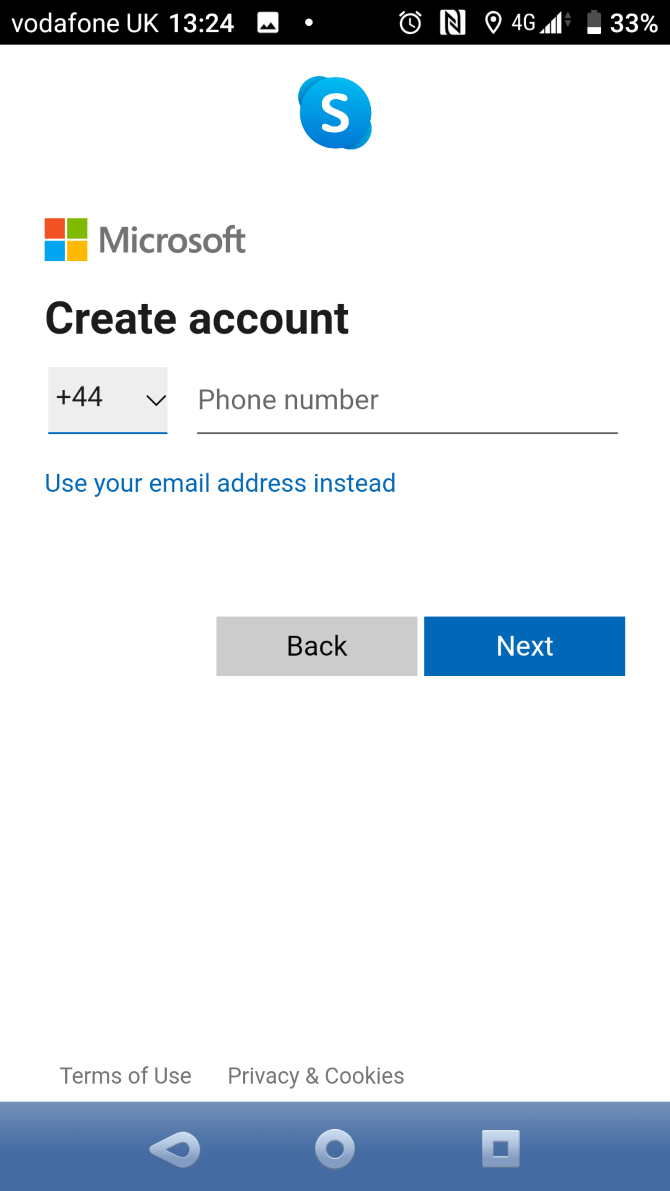
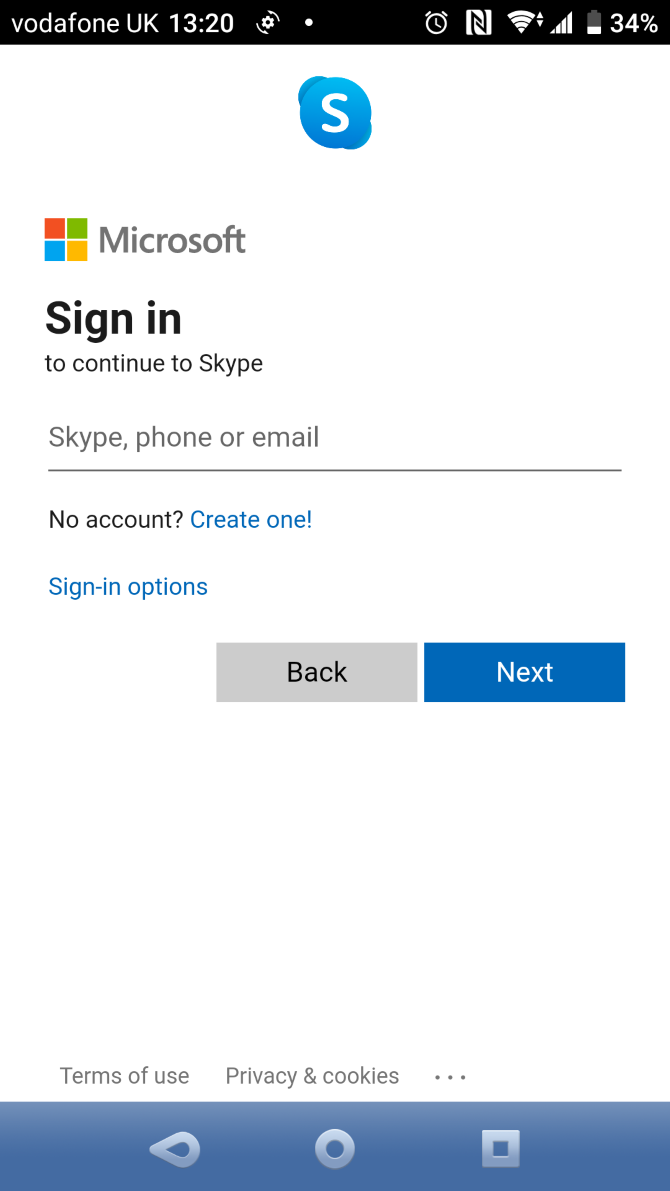
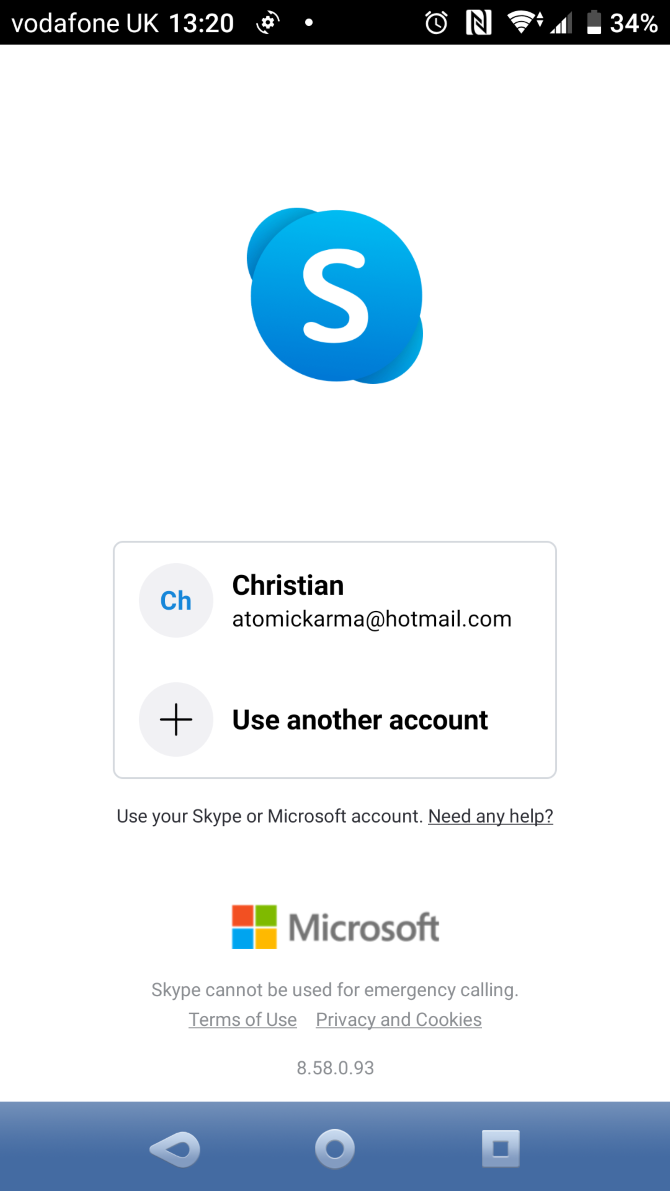
After launching the app, sign into Skype. Use an existing Microsoft account or tap Create one to open a new Microsoft account.

Often, Skype will ask you to add call credit to your account. You can use this on any device running Skype tied to your account. If you want to add credit later, you can do so on your Skype account management page.

Before you add credit, however, you should ensure the app is working properly by making a Skype to Skype call. We’ll look at this shortly.

Manage Your Skype Profile

With Skype installed and your account set up, it’s important to make sure your profile is ready.

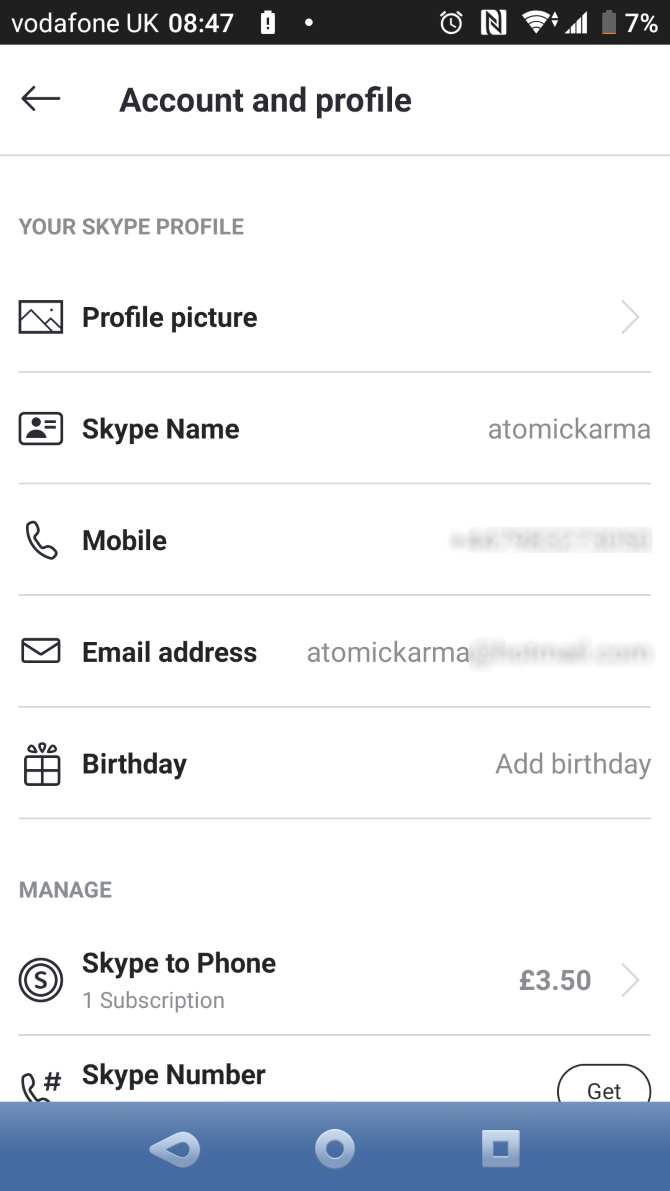
At the top of the Chats window, tap your avatar. Here, you can set your status (Active/Away/Do Not Disturb/etc.), add a comment, and even buy credit. You can also view your full Skype profile.

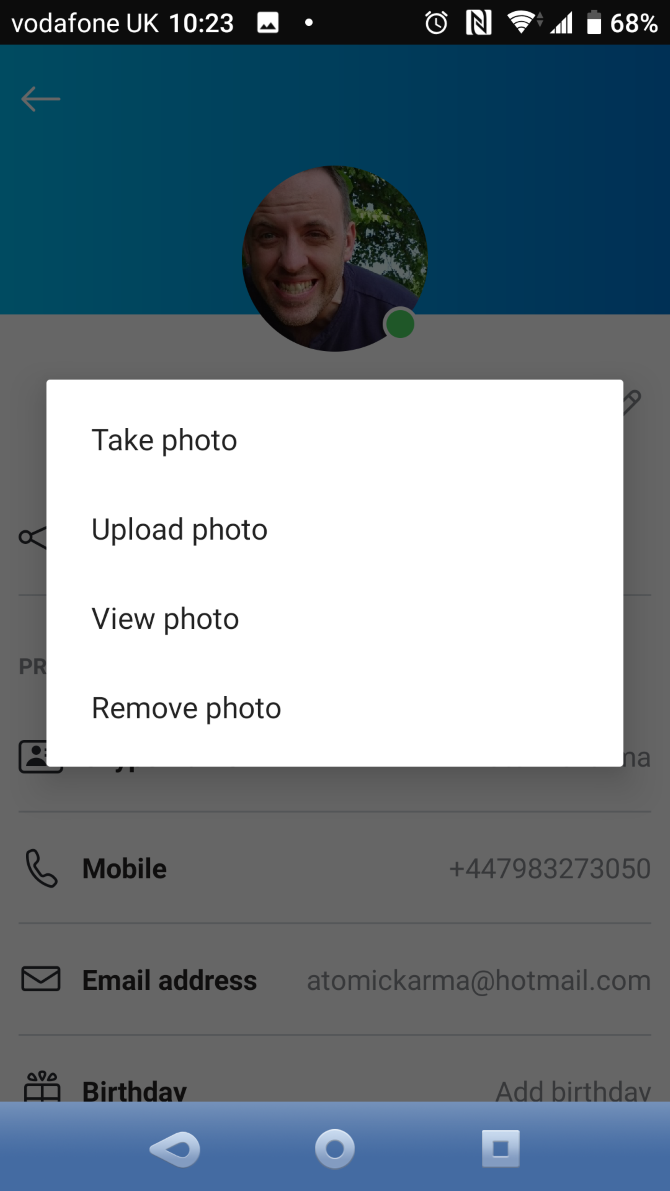
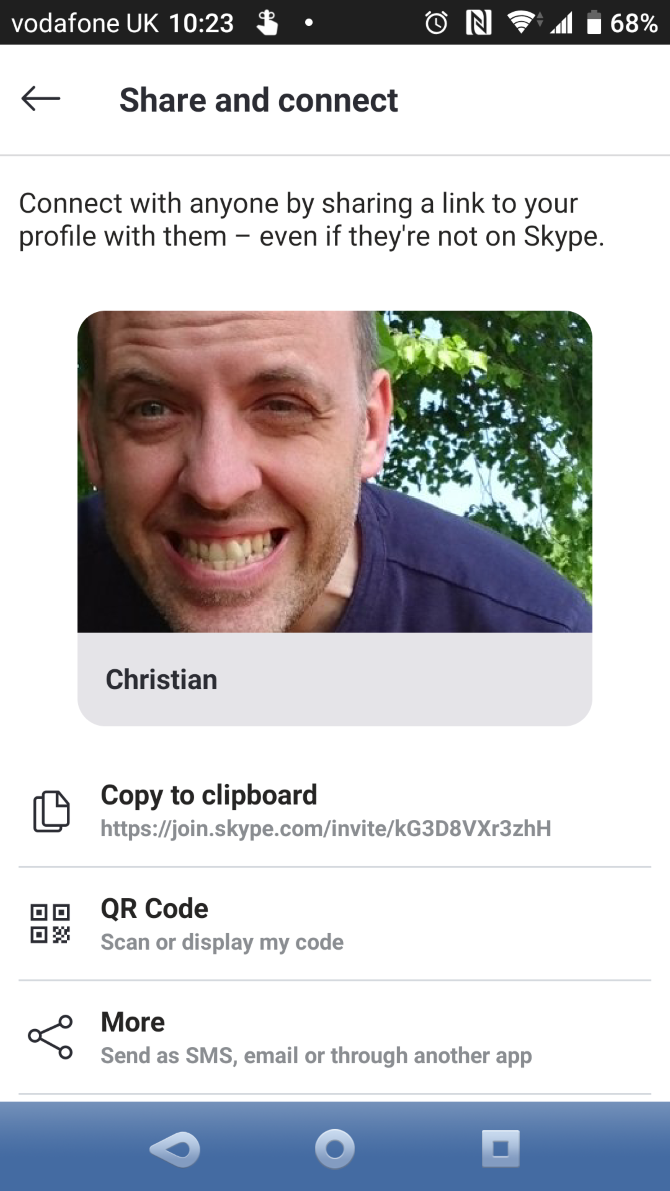
On this screen, it’s possible to edit your Skype name, mobile number, and email address. You can also set a new avatar/profile image and share your profile via URL, QR code, and SMS.

How to Make a Call With Skype for Android

Unlike the desktop version of Skype, it isn’t possible to make a test call. The next best option is making a Skype-to-Skype call, which will allow you to confirm that the app works properly. You should also make sure the other person can hear your voice and vice-versa.

To use this feature, open the Calls screen. You’ll find this view split into two. At the top, your Recent calls are listed. Scroll down to find a list of contacts that you can call, then tap the phone icon beside that name.

Add contacts by opening the Contacts screen and tapping the Add people icon. Enter the username of the contact and when the app finds them, choose Add to contacts to save them. You can alternatively tap the call button to drop them a line right away.

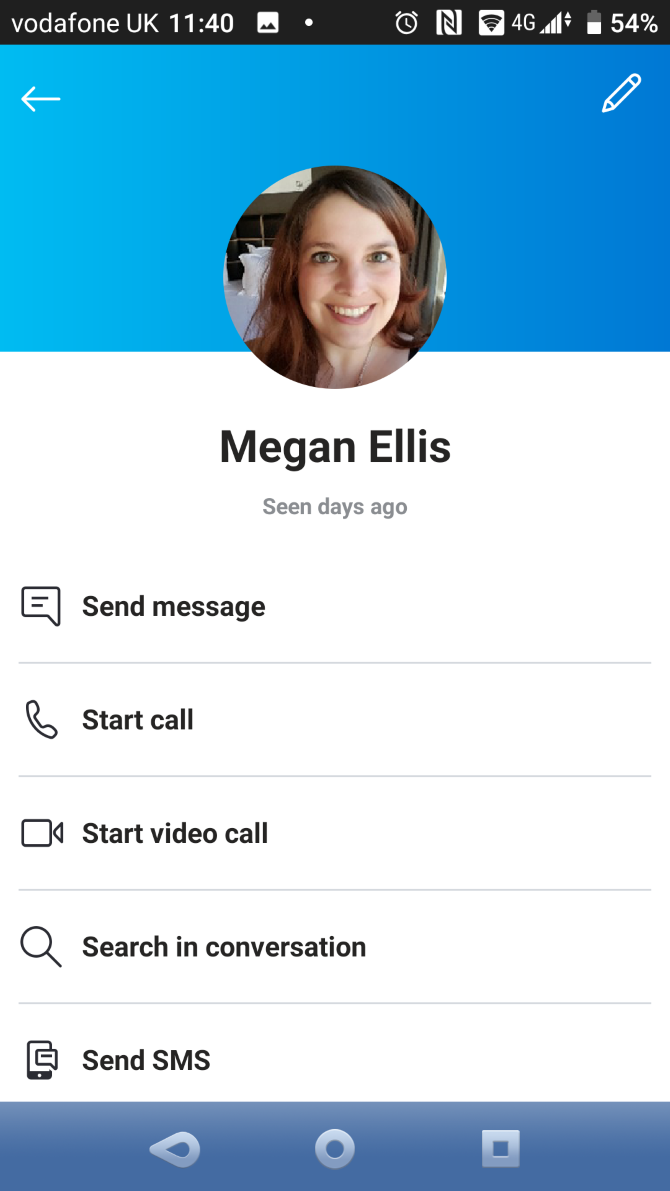
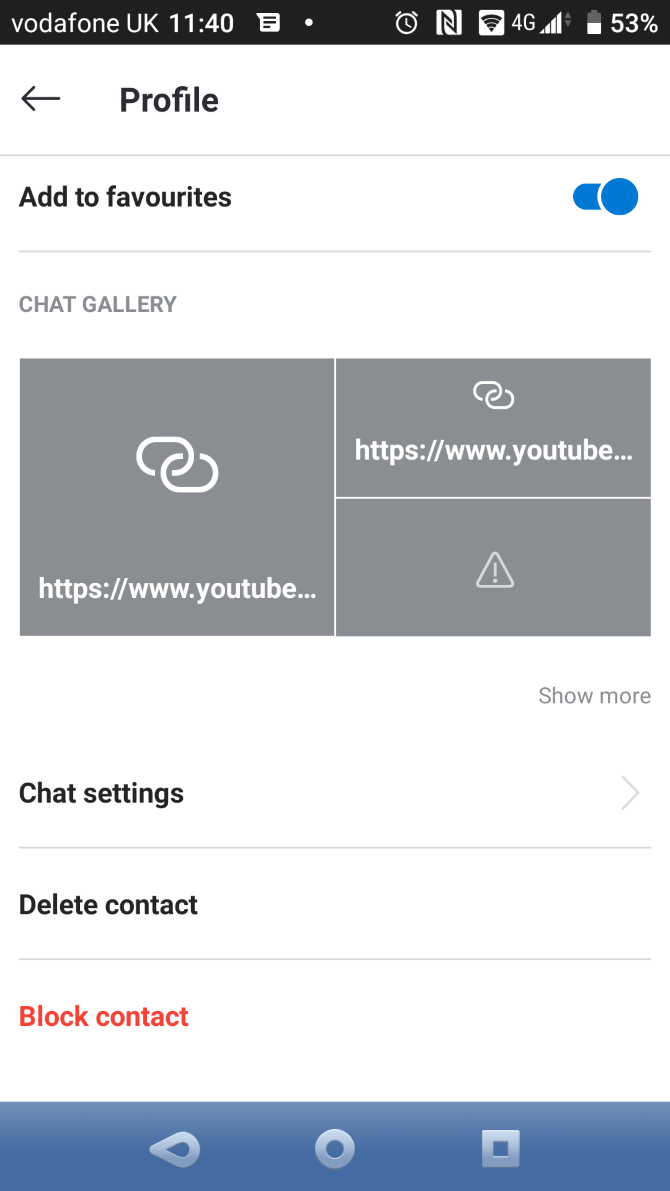
Viewing a contact’s profile opens a host of options. You can check their Skype name, mobile number if shared, and even use the Add to favorites feature.

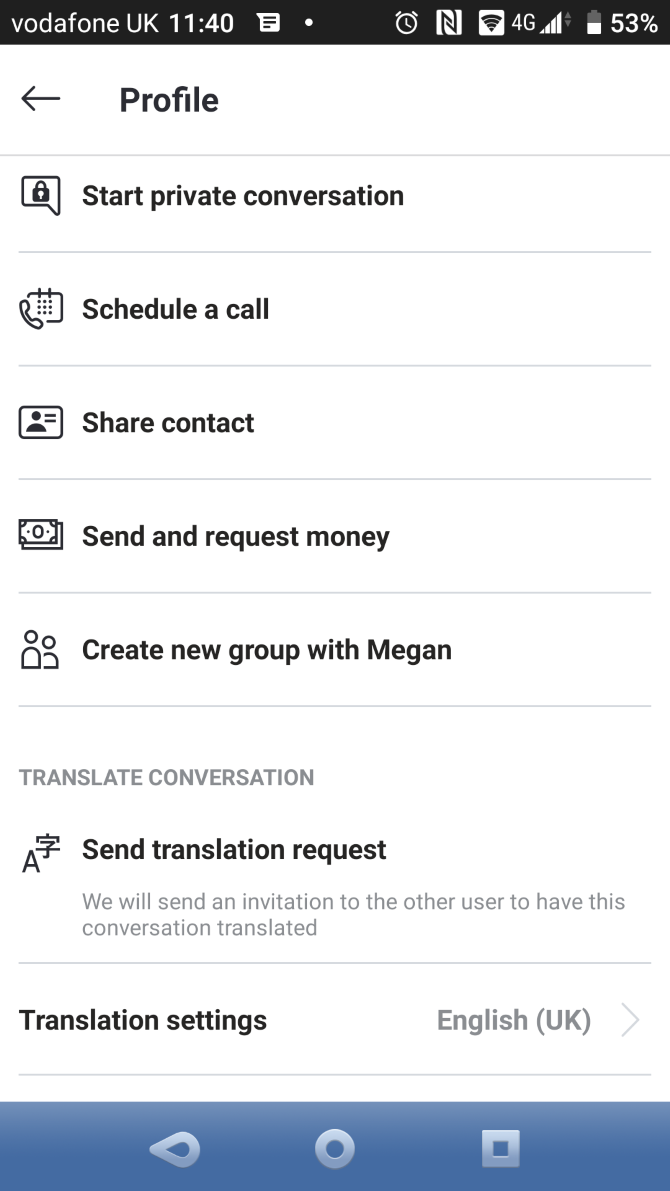
You can start voice, text, and video calls, Schedule a call, and even hold a private conversation from here. The latter is Skype’s end-to-end encrypted messaging service for secure conversations.

For privacy purposes, Skype provides Block contact and Remove contact options, each of which is self-explanatory.

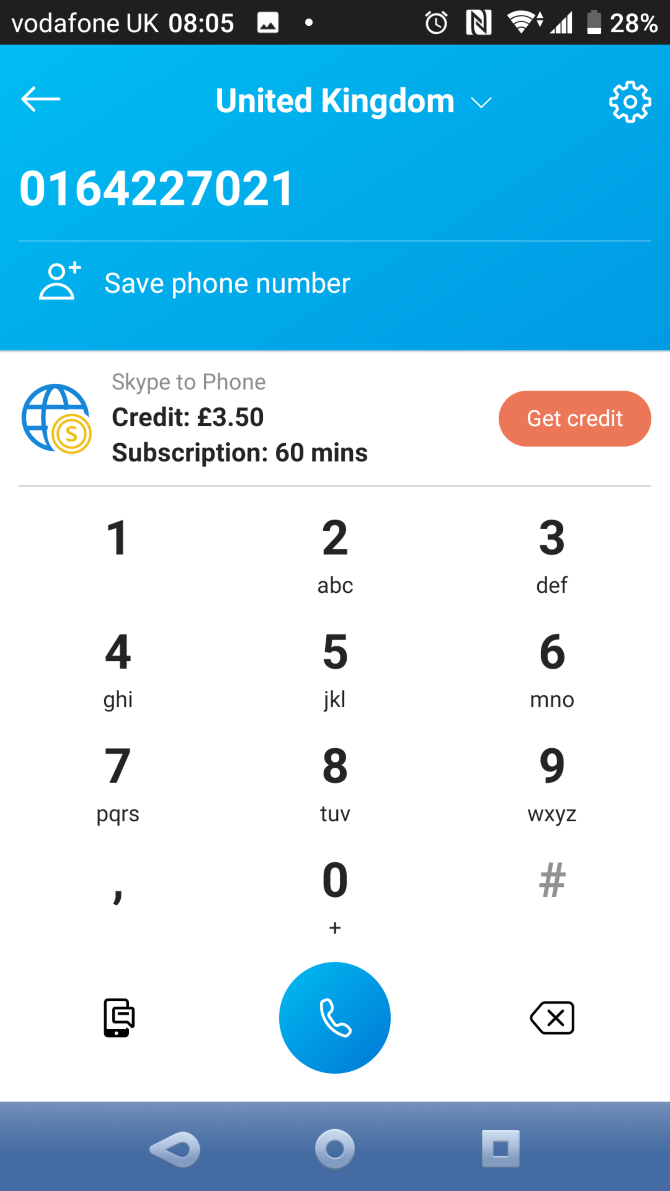
With a Skype-to-Skype call completed, it’s time to try a Skype-to-Phone call. This can be a landline or a mobile number and requires that you have some credit in your account.

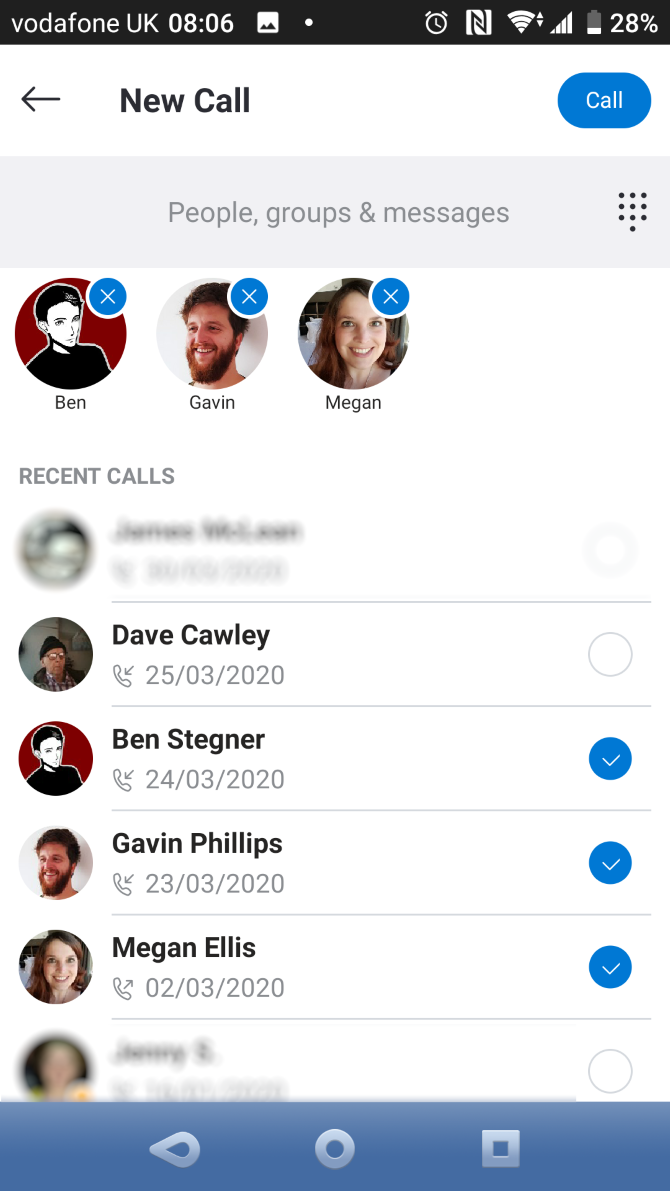
Making a call is as simple as you’d expect. Tap the phone button in the bottom-left corner. From here, enter the number, tap Call, and you’re using Skype like a standard phone.

Skype Options During a Call on Android

With the call running, several Skype features are accessible to enhance the experience.

For example, you can mute your microphone to talk to someone else in the room, or when you need to sneeze. There are also options to enable the device loudspeaker or toggle video chat.

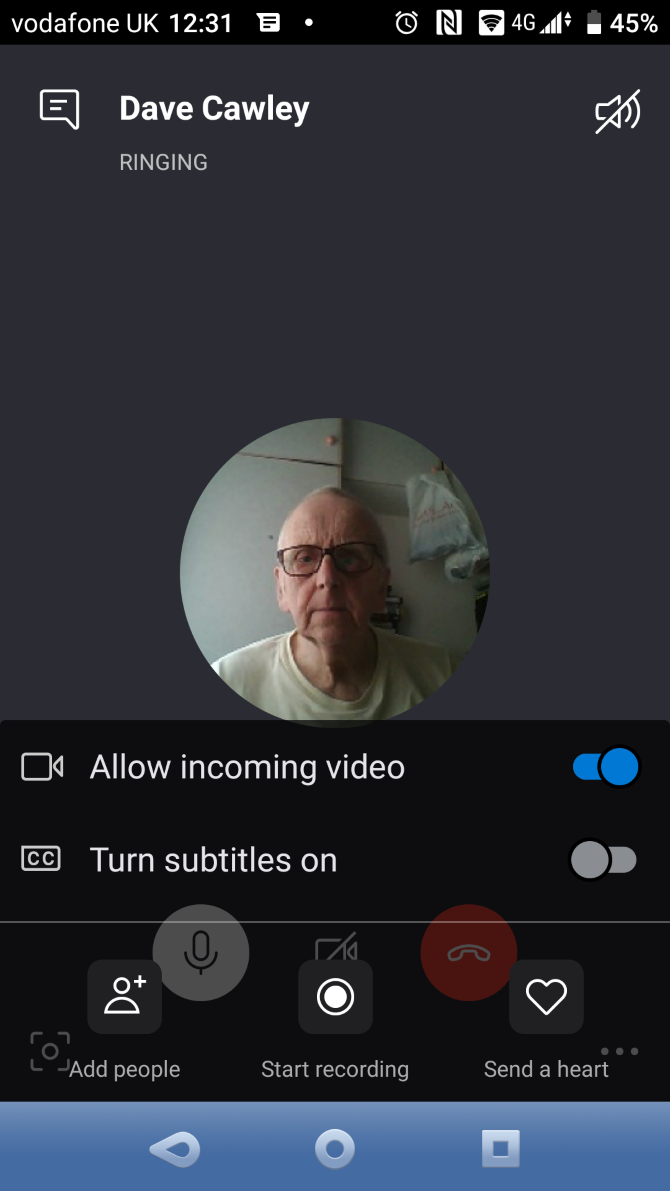
Tapping the three-dot button in the bottom-right corner reveals five options:

  • Allow incoming video
  • Turn subtitles on
  • Add people
  • Start recording
  • Send a heart

Add people brings new contacts into an existing call, turning it into an audio or video conference call. Start recording records the call as an MP4 file (regardless of whether it was a video call). This becomes downloadable after the call ends.

Buy Skype Call Credit on Android

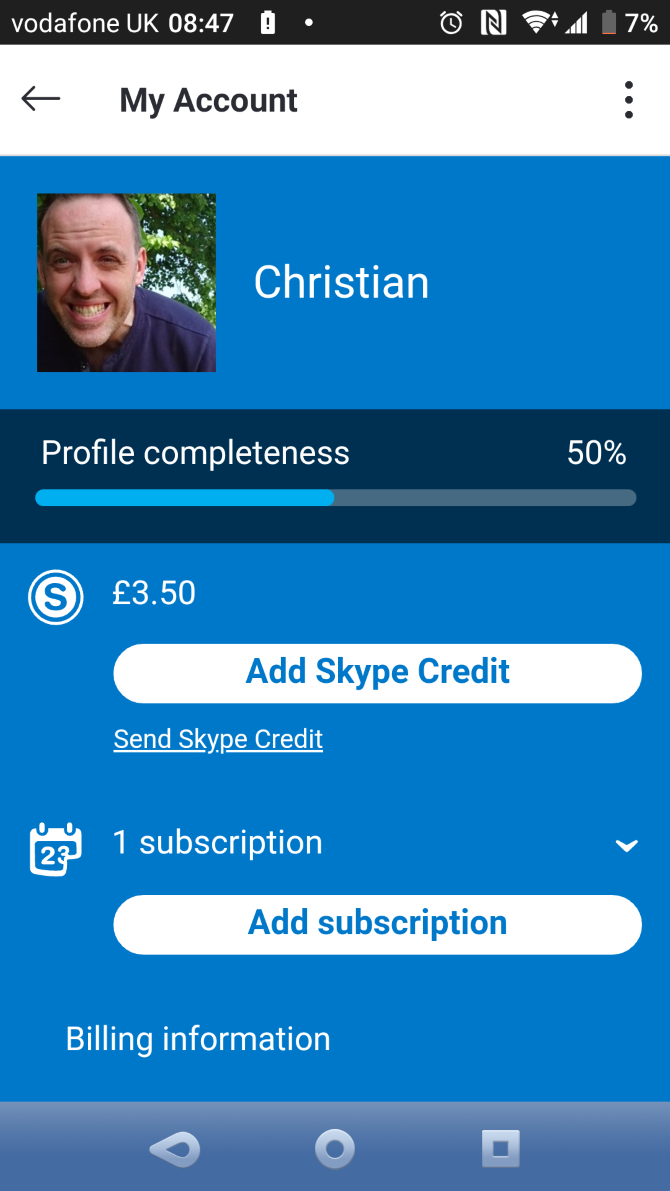
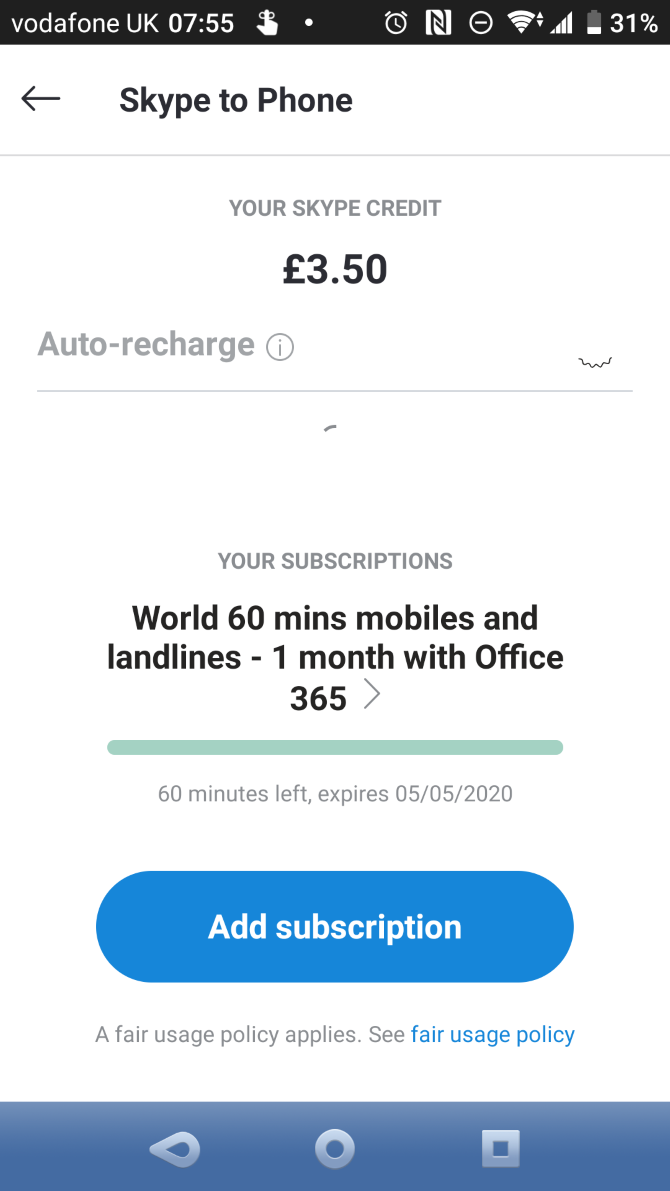
If you need to make calls to landlines or mobiles with Skype, you’ll need call credit. The price of a call depends on the country you’re calling. To add credit, open your contacts list and tap Get credit. You’ll also find options to buy credit in your profile. Tap My Account > Add Skype Credit to begin the transaction.

For example, calling India from the USA costs $7.99 for 800 minutes each month. Calls within the USA to mobiles and landlines come at a price of just $2.99 for unlimited minutes. Payment options differ depending on territory, but in the USA, you can pay by credit card, PayPal, Western Union, Alipay, and even Skype prepaid cards.

There is an alternative to paying for monthly bundles. With a Microsoft 365 subscription, you get 60 minutes of calls to mobiles and landlines included each month. Note that if you cancel your Microsoft 365 subscription, you’ll lose this monthly credit.

Call Groups With Skype on Your Phone

Group calling is an important feature of Skype, as it enables conversation with multiple people. Up to 50 people can engage in a group call on Skype.

Calling a group is useful not just for voice calls, but also video calls and instant messaging. To create a group:

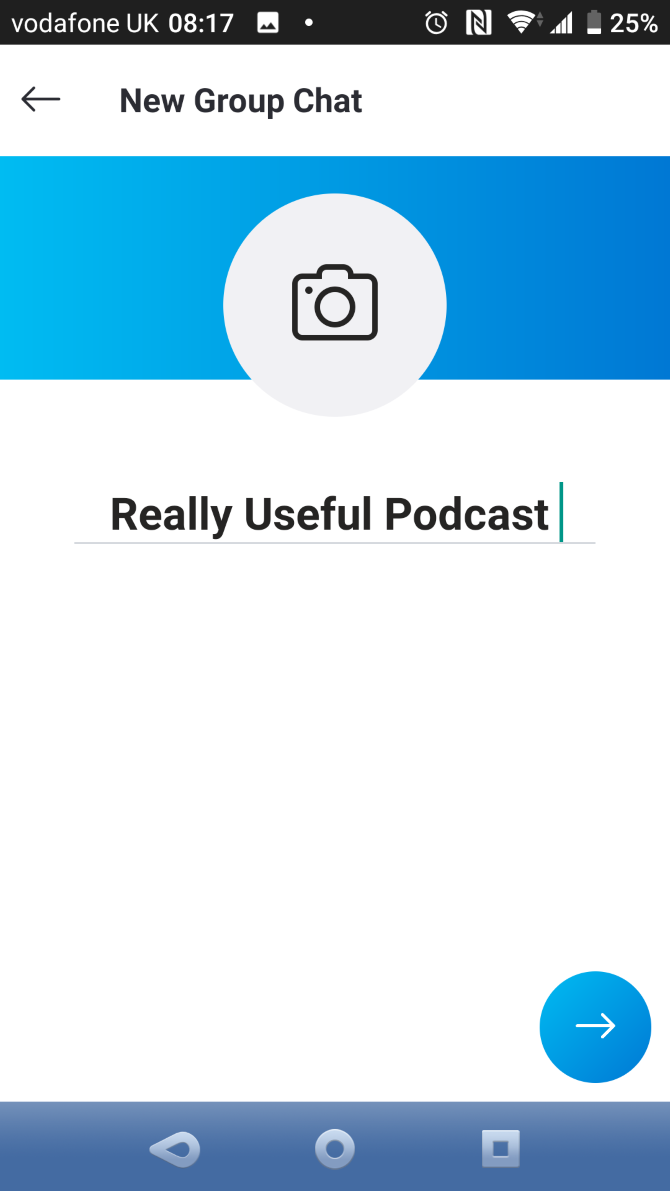
  1. Tap Chats > New Chat (pen icon) > New Group Chat.
  2. Give the chat a name, and perhaps an image too (such as your company logo).
  3. Tap the right arrow.
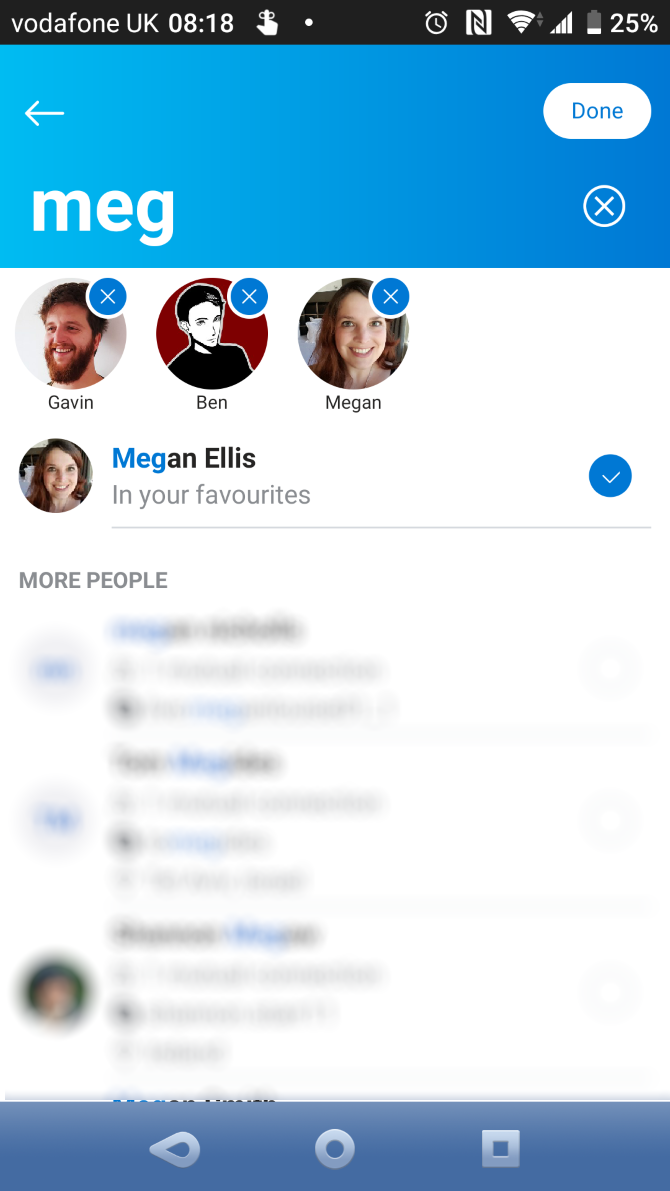
  4. Add contacts by tapping the circle next to each required contact.

  5. Use the Search feature to find contacts if necessary.
  6. Tap Done to finish.

Once set up, you can use a chat group for calls, video, and instant messaging.

It Gets Better: Video Calling on Android With Skype

Have you noticed the video camera button in Skype? This isn’t for taking photos—it’s for video calls! Find it in the top-right corner of the display when you open an existing Skype contact. It should be next to the phone icon.

Tap the camera button to start a video call. For video conferencing, open or create a group in Skype, then tap the camera icon.

You can also create an ad hoc group by doing the following:

  1. Open the Calls view.
  2. Tap the Group Call button (a video camera).
  3. Tap Share invite to send the invite via email/SMS/social.
  4. Recipients will receive a link to join the call.
  5. When you’re ready to start, tap Start call.

Video calling drains a lot of battery, and if you’re on a limited mobile data connection, it can suck up a lot of data. When you’re not using Wi-Fi, make video calls with discretion.
With support for up to 50 people, video calling Skype is a good alternative to using Zoom for online meetings.

Send Instant Messages With Skype

As well as making calls with Skype, you can use the app to send messages to contacts with Skype accounts. This comes in handy for arranging a call or just having a quick text chat, plus it works with multiple recipients for a group discussion.

Sending a message is simple:

  1. Tap Chats.
  2. Select a contact.
  3. Type a message, then tap the blue arrow to send it.
  4. Tap New Chat to message someone new.

You can also send voice messages, photos, videos, and files from the instant messaging window:

  1. Tap the mic icon to record and send a voice message.
  2. Use the camera icon to open your phone’s camera and snap a photo to send, or use images from the gallery.
  3. Tap the Plus button to the left of the message box to browse and send a file saved to your phone.
  4. You can also share contacts or location, send money (via PayPal), create a poll, or schedule a call.

Skype allows you to apply filters to images; you can even use whiteboard mode to annotate before sending.

This feature could be useful for talking to a group of family members, work colleagues, or any other group whose members share the same interest.

Protect Your Privacy When Using Skype on Android

The Android Skype app includes advanced settings to ensure your privacy. Unfortunately, some Skype users make money from spamming users like you, which they do by sending instant messages.

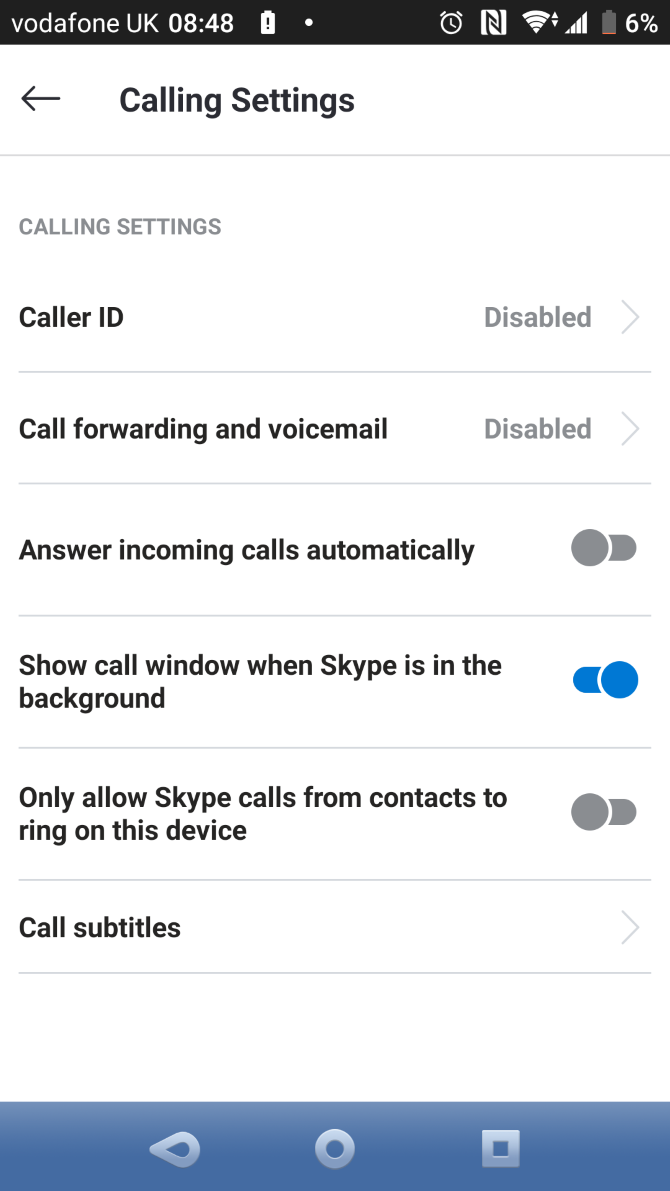
You can easily stop this behavior from affecting you by opening your Profile and choosing Settings. From there:

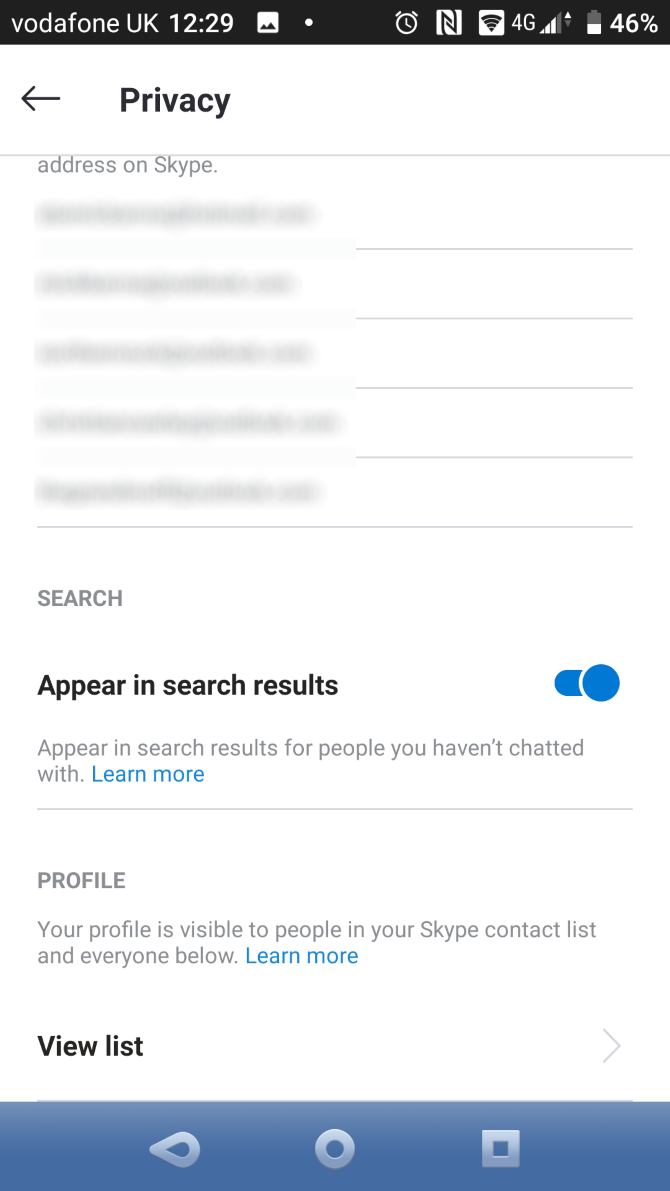
  • In Calling, enable Only allow Skype calls from contacts.
  • Under Contacts > Privacy, disable Appear in search results.

Start Using Skype on Android

Skype is easy to use and works for phone calls, Skype-to-Skype calls, instant messaging, and video chat. You probably already know that from using it on your desktop computer—and now you understand how to use the mobile version.

Skype for Android is simple enough for anyone new to the app or even to smartphones to pick it up. It can even save you money if you need to make occasional calls.

Hopefully, everything works well for you. But if you run into problems, check these Skype troubleshooting tips for help.

Read the full article: How to Use Skype on Android for Beginners


Read Full Article