25 January 2020

This Week in Apps: Apple antitrust issues come to Congress, subscription apps boom, Tencent takes on TikTok


Welcome back to ThisWeek in Apps, the Extra Crunch series that recaps the latest OS news, the applications they support and the money that flows through it all.

The app industry is as hot as ever with a record 204 billion downloads in 2019 and $120 billion in consumer spending in 2019, according to App Annie’s recently released “State of Mobile” annual report. People are now spending 3 hours and 40 minutes per day using apps, rivaling TV. Apps aren’t just a way to pass idle hours — they’re a big business. In 2019, mobile-first companies had a combined $544 billion valuation, 6.5x higher than those without a mobile focus.

In this Extra Crunch series, we help you keep up with the latest news from the world of apps, delivered on a weekly basis.

This week, there was a ton of app news. We’re digging into the latest with Apple’s antitrust issues, Tencent’s plan to leverage WeChat to fend off the TikTok threat, AppsFlyer’s massive new round, the booming subscription economy, Disney’s mobile game studio sale, Pokémon GO’s boost to tourism, Match Group’s latest investment and much more. And did you see the app that lets you use your phone from within a paper envelope? Or the new AR social network? It’s Weird App Week, apparently.

Headlines

5 Sites to Find Ethical Alternatives to Tech, Fashion, and Unfair Brands


ethical-alternatives-brands

It’s time to make better choices in what we buy and consume. From using eco-friendly products to buying from companies that treat their workers fairly, here’s how you can find ethical alternatives to anything.

When we talk about making an ethical choice, there are different aspects to look at. For example, how a company behaves with its employees or a firm’s carbon footprint, or even how they treat animals. Importantly, you don’t need to be strict about ethical choices either. The first step is finding out what’s out there.

1. Ethical.net (Web): List of Ethical Tech Alternatives

Ethical.net lists ethical alternatives to technology products, brands, and services

Ethical.net is one of the leading websites to find ethical alternatives to several technological brands, products, and services. It also features articles with different takes on ethical choices, such as a guide to foraging and the ethical and sustainable side of Christmas.

The Resources tab has the long list that you’re looking for. It deals with apps and tech services, such as email and search engines, broadband providers, streaming services, office tools, messaging, etc. But look closely for a few interesting choices.

For instance, it’s no secret that most major companies make smartphones in China where labor is exploited. And there are several privacy implications too.

Ethical.net suggests alternatives for smartphones that adhere to certain ethical standards, like the sustainable and ethical Shiftphone.

Apart from the readymade resources, the website also hosts an active forum where you can discuss such topics with like-minded people. You can learn from each other and find what ethical living is all about, plus get recommendations for things not on the lists.

2. Take Care (Web): Discover Companies Focusing on Sustainability and Ethics

Take Care is a catalogue of companies that focus on sustainability and ethics

Take Care is creating a platform for laypeople to discover companies that focus on sustainable methods and ethical practices. The fields range from food and health to large-scale projects like architecture or biotechnology.

There are so many ethical issues out there, and so many companies are tackling it in their own unique way.

For example, the simple toothpaste you use every day has questionable ingredients and is eventually packaged in non-recyclable plastic. So there’s a company called Bite that’s making zero waste toothpaste tablets, packaged in glass bottles.

It would be difficult to find out about a company like Bite without a platform like Take Care. There are a few featured companies on the main page but dive into the full list to discover innovative solutions to the problems we face today. You might find a simple way to make a difference with a small change.

3. Eticaly, Good On You, and r/EthicalFashion (Web): Fashion Without Ethical Compromises

Eticaly hosts a catalogue of eco-friendly, vegan, handmade, fair trade, and zero waste fashion brands

The fashion, style, and beauty industries are notorious for ethical transgressions such as mistreatment of animals, unfair trade practices, and wasteful productions. But if you thought that looking good requires that compromise, a few websites are here to dispel that notion.

Eticaly and Good On You round up ethical fashion brands, and categorize them based on their values.

Eticaly filters them by eco-friendly, vegan, handmade, fair trade, and zero waste.

Good On You categorizes brands by the type of product, and measures each company’s impact on planet, people, and animals.

Go through the list to find specific issues like organic wear or reusing deadstock fabrics. Both are simple catalogs though, stating what each brand does and linking back to the official store.

r/EthicalFashion is a subreddit to discuss fashion and style choices that take some sort of an ethical stance. The community also maintains a master list of ethical fashion brands to add to what you’ll find at Eticaly or Good On You.

Plus, if you’re unsure about any fashion choice, you could ask others to look into it. It’s a fairly supportive subreddit that tries to help rather than preach.

4. Ethical Consumer (Web): UK-Based Non-Profit Since 1989

Ethical Consumer ranks products and brands, and educates people about the ethical problems across goods

Since 1989, Ethical Consumer magazine has been tracking how companies and products affect different problems such as climate impact, sustainability, fair trade, or human rights violations.

While primarily meant for the UK, the advice on the website is generally applicable anywhere in the world.

The magazine does an excellent job of investigating, scoring, and ranking the ethical and environmental records of several common products. These product guides are largely distributed in categories like energy, fashion and clothing, food and drinks, health and beauty, home and garden, money, retailers, technology, and travel.

In each category, you can also find a cheatsheet for the major issues affecting that industry. Ethical Consumer will explain, in simple terms, the problem and how you can make a difference.

The website also maintains a Boycotts List.

Campaign groups often call for consumers to boycott a certain brand or product due to an ethical violation. Ethical Consumer lists all of them in one page, with a quick explanation of why you should avoid it.

5. Platar (Chrome): Extension to Suggest Alternatives While Shopping

Platar is a Chrome extension that suggests ethical alternatives to products while you're shopping online

You don’t need to remember every single cause you want to support or brand you want to avoid. Google Chrome extension Platar will do that for you, suggesting an ethical alternative while shopping online.

Once you activate Platar, you get to choose from a list of campaigns started by organizations like PETA, Greenpeace, Clean Sugar Campaign, and even Ethical Consumer.

Sign up for those causes you believe in, and Platar will add products from their boycott list. You can even add campaigns yourself, but they’ll have to be approved by the app.

When you’re browsing Amazon or another shopping site and come across one of those products, the Platar icon turns red. Click the icon to find out why the product or brand is recommended for a boycott.

Platar also suggests a few alternatives from brands that aren’t on its no-no list. It’s a convenient way to keep shopping while retaining your conscience.

Download: Platar for Chrome (Free)

For an Eco-Friendly Lifestyle

Being more aware of your purchase decisions is only one step in helping build a better planet. But it’s still an excellent step to take, especially for beginners. If you want to do more and go green, then check out these apps for a more eco-friendly lifestyle.

Image Credit: IgorVetushko/Depositphotos

Read the full article: 5 Sites to Find Ethical Alternatives to Tech, Fashion, and Unfair Brands


Read Full Article

7 Underground Torrent Sites for Getting Uncensored Content


utorrent-scandal

Everyone loves Google and Bing, but normal search engines only brush the surface of the internet. To dive into the underground internet, you need to use underground search engines.

In many cases, these search engines are tapped into what is currently termed the invisible web, also known as the dark web. It contains information available on the internet that standard search engines don’t have access to because they are buried behind query forms or directory requests.

The following specialized underground search engines let you access all those hidden areas of the internet, like a legal torrent search engine or public records. Note that none of these can get you in trouble.

1. The Best Torrent Search Engines

If you aren’t familiar with torrents, it’s essentially a shared file that other nodes (computers) on the network can download. People access these networks using torrent clients like BitTorrent or uTorrent. Downloads take place in pieces so that even if you shut down your computer in the middle of a download, you can continue your download later.

With that said, finding available torrent files isn’t easy. To help, you can use a torrent search site like the ones on the list.

However, if you use any of the following popular torrent sites, you’ll have little trouble finding what you need.

The Pirate Bay

the pirate bay torrent search engine
The Pirate Bay has been a source for searching torrents for a long time. While other torrent search sites have shut down, this one remains.

You can search for anything from music and TV shows, to games, and applications.

For listings, you’ll see links to launch your torrent client to download.

the pirate bay torrent listing

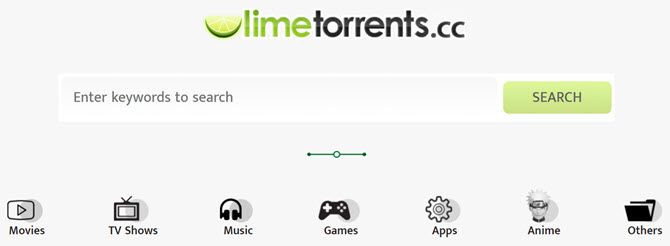
Limetorrents

limetorrents search page

Limetorrents is another one that’s been around for many years.

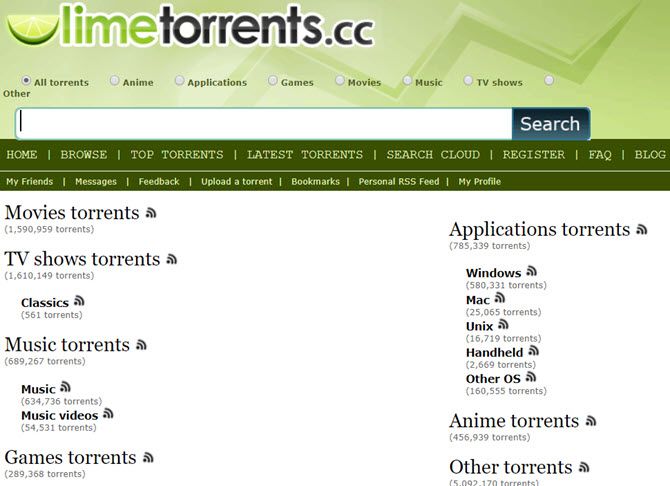
If you click on the Other or Browse links, you can sift through available torrent files (there are millions).

When you start browsing through the available torrent files, you’ll be surprised at the wide assortment of files available.

Torrent networks get a bad rap because of the illegal content you’ll find there, but you can also find useful things like free e-books, manuals, and other hard-to-find content.

limetorrents torrent search engine

There’s even an anime category!

RARBG

rarbg torrent search engine
RARBG has been a favorite among torrent fans for some time. You can click on the Torrents tab to use the torrent search engine (or browse the list of new additions).

Or you can browse specific categories by clicking any of the links along the left side of the main page. You’ll also find a frequently updated top 10 list or read any recent torrent news.

Torrentz2

torrenz2 torrent search engine
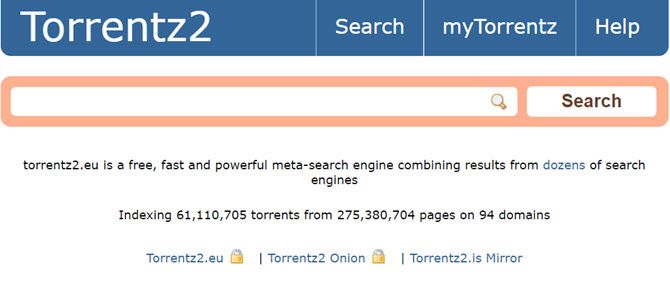
Torrentz2 has been around since around 2016 and sprung up when the original Torrentz site shut down. It’s what’s known as a “meta-search” engine, meaning that it scours through results from multiple torrent search engines so you don’t have to.

The main page touts over 61 million files in its database. So whether you’re looking to find something specific, or you’re just looking to browse, you’re likely to find what you want here.

Search results show you download size, user rating, and the estimated download time (based on the number of peers that are sharing).

AIO Search

aio torrent search engine
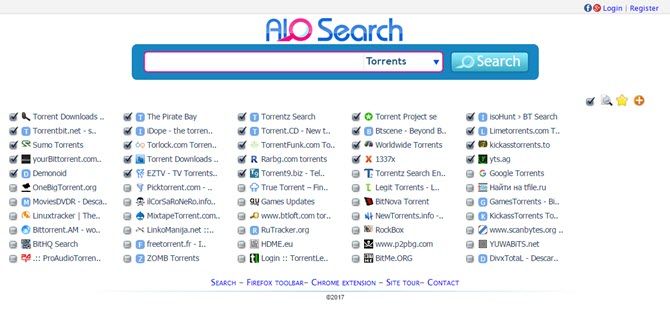
AIO Search is another meta-search engine for torrent files.

What makes it unique is that you can select specific torrent search engines that you want to include.

The list of torrent sites this search engine plugs into is impressive. The results show up almost like an embedded web browser, with an individual tab showing search results from the individual torrent search engine.

You can also use it to search secret torrent search engines for images, videos, sub-titles, shared files, and even your favorite show.

Other Free Torrent Search Engines You Can Try:

2. Hidden Bargains and Deals

If you search Google for cheap laptops or other gadgets, you’re likely to see results from standard corporate entities like Amazon or eBay.

However, there are databases of extremely cheap (or free!) stuff buried inside a multitude of website directories.

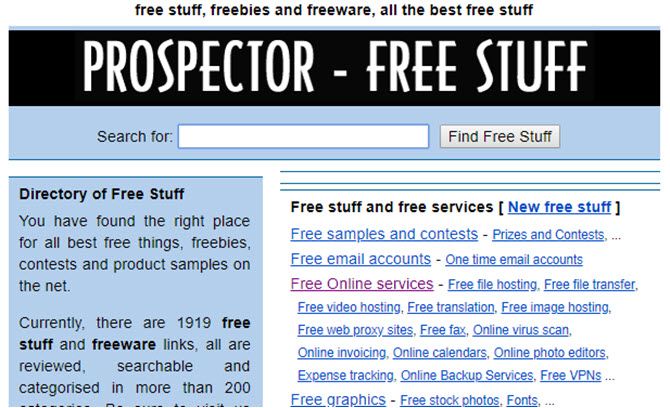
Prospector

free stuff on prospector

Prospector has been around for many years.

It’s like a massive yard sale where everyone is giving away stuff for free.

The site boasts thousands of links to websites that offer things like free file hosting, free stock photos, and free applications.

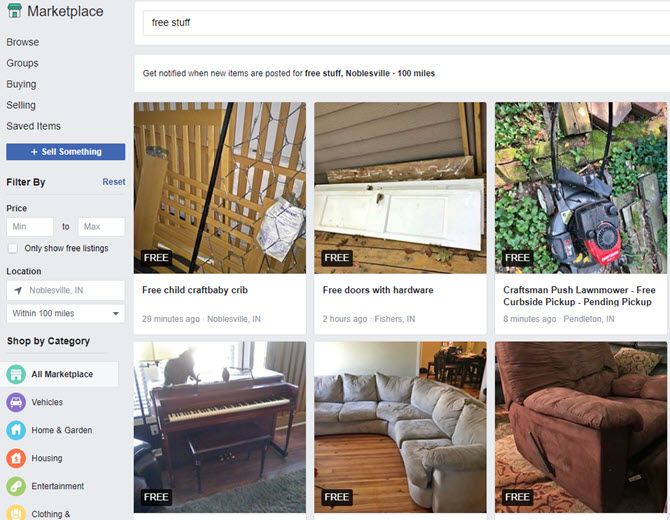
Bargains on Facebook

free stuff on facebook marketplace
What’s the best way to get actual free goods from your local neighbors? Since most of them are on Facebook, the answer seems obvious.

Just visit Facebook Marketplace, and search for “free stuff” to see what your neighbors are giving away.

Since Facebook already knows where you live, all the listings are in your local area. Or you can set the search area by changing the location field.

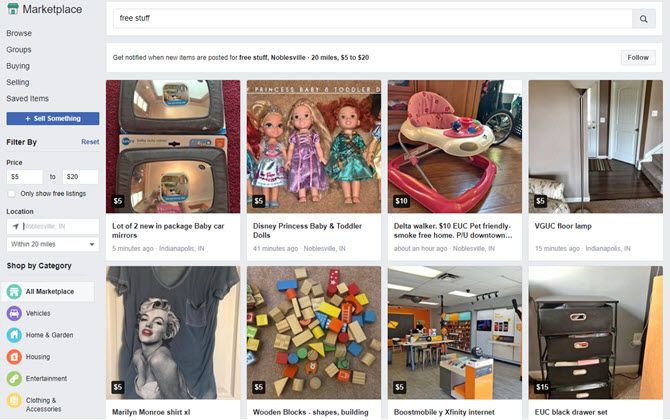
If you don’t mind paying a little bit of money for even better stuff, just adjust the price min and max fields to add a price filter.

cheap stuff on facebook marketplace

With so much waste in the world already, why let your neighbors throw away things that you need?

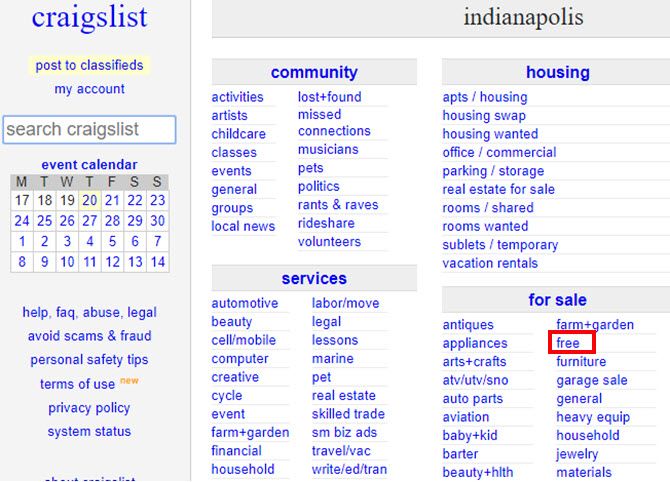
Free Stuff on Craigslist

free stuff on craigslist
It would be foolish to overlook Craigslist if you’re looking for free stuff.

Nearly every community on Craigslist has a free category under the for sale section.

Instead of going to Walmart to buy something, why not check Craigslist to reuse someone else’s?

It’s better than adding even more items to the world’s growing landfills.

Other Good Freebie Sites You Can Try:

3. Search for House Sales and Foreclosures

One of the easiest ways to get into a home at a below-market price is to shop for foreclosures.

There are piles of these properties sitting in official databases throughout the web, but no easy way to find them with Google.

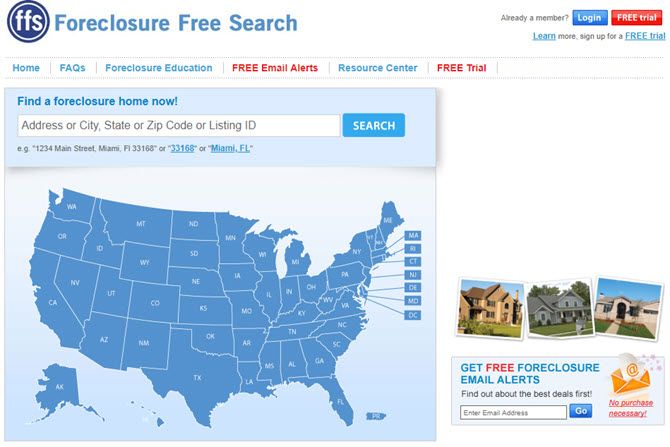
Foreclosure Free Search

foreclosure free search
Foreclosure Free Search is a search engine that sifts through various sources of foreclosure listings from across the country (U.S. only).

Unlike the paid sites—it offers price, address, and other information about the property.

Foreclosure Free Search is one of the unsung heroes of free foreclosure search engines.

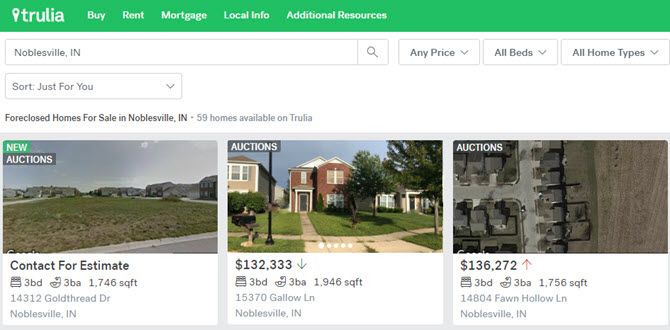
Trulia

trulia property listings

Trulia has been around for many years now. It’s a real estate search engine that provides real estate information from various sources.

To get the best bargains, search in your desired neighborhood, and then click All For Sale from the menu. Choose Foreclosures.

trulia foreclosure listings

If you prefer to avoid foreclosures, Trulia also shows recent price fluctuations up or down. This way you can jump on a good deal the moment a seller drops their price.

4. Public Records Search Engines

Another common search that isn’t easy to find are public records. Most public records search engines are disguised commercial companies trying to sell paid public records as search results to you.

The following search engines give you access to “secret” databases where you can search public records for free.

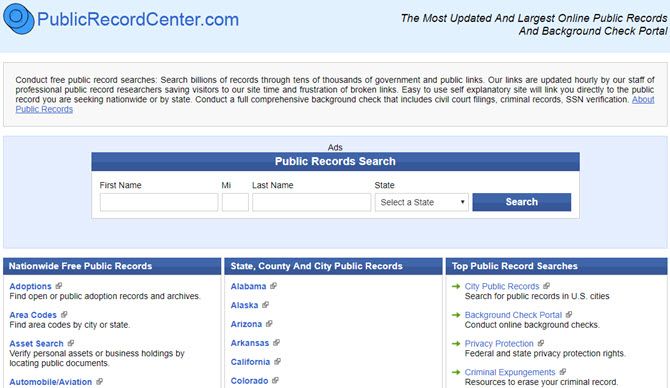
Public Record Center 

public record center

The Public Record Center is different. It’s more of an underground “portal” to government websites than a search engine.

However, it’s organized so well that it’ll save you a lot of time if you’re not sure where to go to find the public database.

Using the Public Record Center you can find government databases for court judgments and liens, conduct asset searches, and even look up copyright and trademark information.

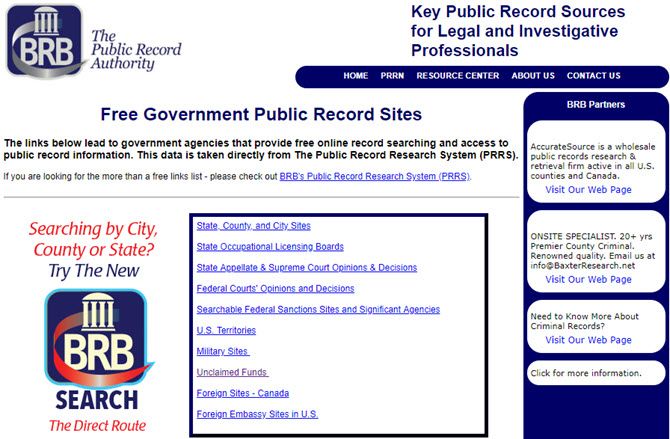
The Public Record Authority

the public record authority

Like the Public Record Center, the Public Record Authority is a trustworthy resource for links to your local and state public databases.

The site offers browsable lists of court records, federal agency databases, and unclaimed funds.

Make sure to check your state records for unclaimed funds under your name. You never know what might turn up!

Other Public Records Portals You Can Try:

5. Legal Search Engines

Ever hear of a search engine that lets you dig up legal information from the web?

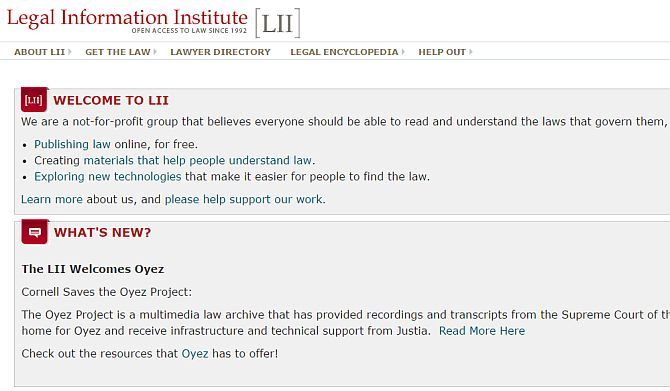
Neither did I, until I discovered Cornell’s Legal Information Institute.

This amazing little search engine digs through the institute’s extensive legal library and pulls out any information that you might need. This could include family law, criminal law, labor law and much more.

legal information institute

There are search engines buried throughout this excellent legal resource providing court opinion information, constitutional insights, and much more.

If you have any interest in law at all, take some time to check this one out.

Other Legal Search Engines You Can Try:

6. Paranormal Search Engine and UFO Sightings

If you’re into UFOs, you’ll love the amazing stories you’ll read about in all the underground databases for UFO sightings.

All the private national UFO sightings centers maintain meticulous records of everyone who calls in a report.

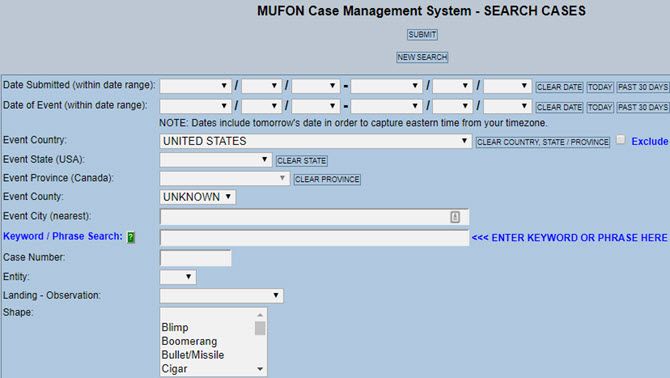
MUFON Case Management System

mufon ufo database
The Mutual UFO Network (MUFON) is one of the nation’s central clearinghouses for UFO sightings.

MUFON investigators receive calls about sightings and then head out on field investigations. They then enter the information they gather into their reporting database.

This database is completely open to the public and searchable only through this case search form. Google has no idea any of these stories exist.

UFO Stalker

ufo stalker database

One of the most entertaining UFO databases is UFO Stalker. At this site, you’ll see an interactive map that shows most of the recent UFO sightings.

If the sighting was a UFO, it’ll have a UFO icon. If it’s a black triangle, it’ll show a stealth fighter… I mean a black triangle UFO, and so on.

When you click on any of the icons, you can click on the title to read the story.

Many of these sightings include lots of great blurry videos and photos as evidence!

Other UFO Databases You Can Try:

Searching the Underbelly of the Internet

I hope you’ve enjoyed strolling through the deep, dark, depths of the underground internet.

If you’re hungry for more, continue on by exploring our list of the best dark web websites online with TOR search engines. Just remember that once you head down the rabbit hole, there’s no turning back.

Read the full article: 7 Underground Torrent Sites for Getting Uncensored Content


Read Full Article

Vine reboot Byte officially launches


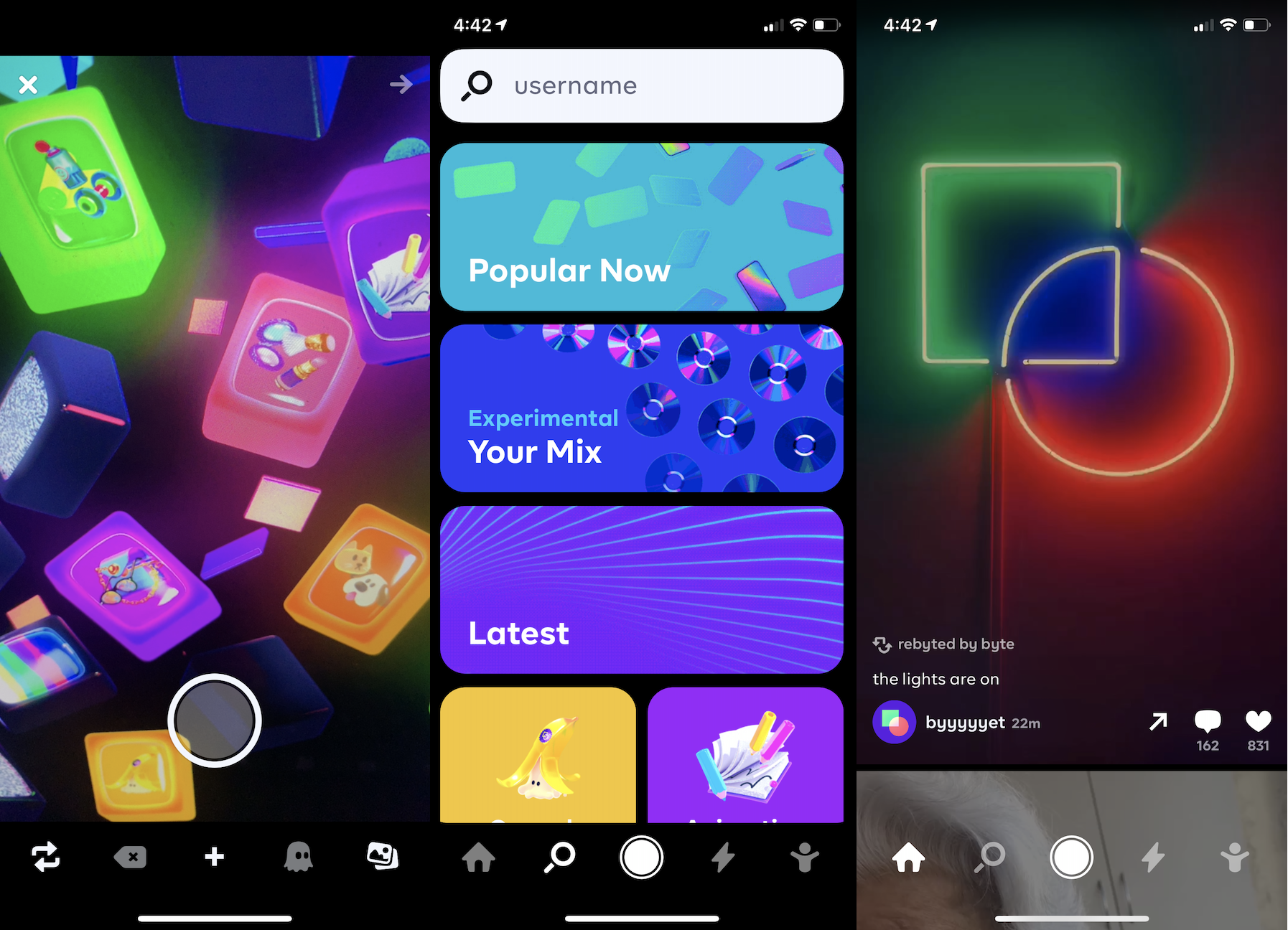
Two years after Vine’s co-founder Dom Hofmann announced he was building a successor to the short-form video app, today Byte makes its debut on iOS and Android. Byte lets you shoot or upload and then share six-second videos. The tiny time limit necessitates no-filler content that’s denser than the maximum 1-minute clips on TikTok.

Byte comes equipped with standard social features like a feed, Explore page, notifications, and profiles. For now, though Byte lacks the remixability, augmented reality filters, transition effects, and other bonus features you’ll find in apps like TikTok.

What Hofmann hopes will differentiate Byte is an early focus on helping content creators make money — something TikTok, and other micro-entertainment apps largely don’t offer. The app plans to soon launch a pilot of its partner program for offering monetization options to people proving popular on Byte. When asked if Byte would offer ad revenue sharing, tipping, or other options to partners, Hofmann told me that “We’re looking at all of those, but we’ll be starting with a revenue share + supplementing with our own funds. We’ll have more details about exactly how the pilot program will work soon.”

Many creators who’ve grown popular on apps like TikTok and Snapchat that lack direct monetization have tried to pull their audiences over to YouTube where they can earn a steady ad-share. By getting started paying early, Byte might lure some of those dancers, comedians, and pranksters over to its app and be able to retain them long-term. Former Vine stars turned TikTok stars like Chris Melberger. Joshdarnit, and Lance Stewart are already on Byte.

Staying connected with Byte’s most loyal users is another way Hofmann hopes to set his app apart. He’s been actively running a beta tester forum since the initial Byte announcement in early 2018, and sees it as a way to find out what features to build next. “It’s always a bummer when the people behind online services and the people that actually use them are disconnected from one another, so we’re trying out these forums to see if we can do a better job at that” Hofmann writes.

Byte founder Dom Hofmann

Byte is a long time coming. To rewind all the way, Hofmann co-founded Vine in June 2012 with Colin Kroll and Rus Yusupov, but it was acquired by Twitter before its launch in January 2013. By that fall, Hofmann had left the company. But 2014 and 2015 saw Vine’s popularity grow thanks to rapid-fire comedy skits and the creativity unlocked by its looping effect. Vine reached over 200 million active users. Then the unthinkable happened. Desperate to cut costs, Twitter shut down Vine’s sharing feed in late 2016 so it wouldn’t have to host any more video content. The creative web mourned.

By then, Hofmann had already built the first version of Byte, which offered more free-form creation. You could pull together photos, GIFs, drawings and more into little shareable creations. But this prototype never gained steam. Hofmann gave Vine fans hope when he announced plans to build a successor called V2 in early 2018, but cancelled it a few months later. Hofmann got more serious about the project by then end of 2018, announcing the name Byte and then beginning beta testing in April 2019.

Now the big question will be whether Byte can take off despite its late start. Between TikTok, Snapchat, Instagram, and more, do people need another short-form video app? Winning here will require seducing high quality creators who can get bigger view counts elsewhere. Considering there’s already a pile of TikTok competitors like Dubsmash, Triller, Firework, and Facebook’s Lasso available in the US, creators seeking stardom on a less competitive network already have plenty of apps to try. Hofmann may have to rely on the soft spot for Vine in people’s memories to get enough activity on Byte to recreate its predecessor’s magic.


Read Full Article
Vine reboot Byte officially launches


Two years after Vine’s co-founder Dom Hofmann announced he was building a successor to the short-form video app, today Byte makes its debut on iOS and Android. Byte lets you shoot or upload and then share six-second videos. The tiny time limit necessitates no-filler content that’s denser than the maximum 1-minute clips on TikTok.

Byte comes equipped with standard social features like a feed, Explore page, notifications, and profiles. For now, though Byte lacks the remixability, augmented reality filters, transition effects, and other bonus features you’ll find in apps like TikTok.

What Hofmann hopes will differentiate Byte is an early focus on helping content creators make money — something TikTok, and other micro-entertainment apps largely don’t offer. The app plans to soon launch a pilot of its partner program for offering monetization options to people proving popular on Byte. When asked if Byte would offer ad revenue sharing, tipping, or other options to partners, Hofmann told me that “We’re looking at all of those, but we’ll be starting with a revenue share + supplementing with our own funds. We’ll have more details about exactly how the pilot program will work soon.”

Many creators who’ve grown popular on apps like TikTok and Snapchat that lack direct monetization have tried to pull their audiences over to YouTube where they can earn a steady ad-share. By getting started paying early, Byte might lure some of those dancers, comedians, and pranksters over to its app and be able to retain them long-term. Former Vine stars turned TikTok stars like Chris Melberger. Joshdarnit, and Lance Stewart are already on Byte.

Staying connected with Byte’s most loyal users is another way Hofmann hopes to set his app apart. He’s been actively running a beta tester forum since the initial Byte announcement in early 2018, and sees it as a way to find out what features to build next. “It’s always a bummer when the people behind online services and the people that actually use them are disconnected from one another, so we’re trying out these forums to see if we can do a better job at that” Hofmann writes.

Byte founder Dom Hofmann

Byte is a long time coming. To rewind all the way, Hofmann co-founded Vine in June 2012 with Colin Kroll and Rus Yusupov, but it was acquired by Twitter before its launch in January 2013. By that fall, Hofmann had left the company. But 2014 and 2015 saw Vine’s popularity grow thanks to rapid-fire comedy skits and the creativity unlocked by its looping effect. Vine reached over 200 million active users. Then the unthinkable happened. Desperate to cut costs, Twitter shut down Vine’s sharing feed in late 2016 so it wouldn’t have to host any more video content. The creative web mourned.

By then, Hofmann had already built the first version of Byte, which offered more free-form creation. You could pull together photos, GIFs, drawings and more into little shareable creations. But this prototype never gained steam. Hofmann gave Vine fans hope when he announced plans to build a successor called V2 in early 2018, but cancelled it a few months later. Hofmann got more serious about the project by then end of 2018, announcing the name Byte and then beginning beta testing in April 2019.

Now the big question will be whether Byte can take off despite its late start. Between TikTok, Snapchat, Instagram, and more, do people need another short-form video app? Winning here will require seducing high quality creators who can get bigger view counts elsewhere. Considering there’s already a pile of TikTok competitors like Dubsmash, Triller, Firework, and Facebook’s Lasso available in the US, creators seeking stardom on a less competitive network already have plenty of apps to try. Hofmann may have to rely on the soft spot for Vine in people’s memories to get enough activity on Byte to recreate its predecessor’s magic.


Read Full Article
Google backtracks on search results design


Earlier today, Google href="https://twitter.com/searchliaison/status/1220768238490939394?s=21"> announced that it would be redesigning the redesign of its search results as a response to withering criticism from politicians, consumers, and the press over the way in which search results display were made to look like ads.

Google makes money when users of its search service click on ads. It doesn’t make money when people click on an unpaid search result. Making ads look like search results makes Google more money.

It’s also a pretty evil (or at least unethical) business decision by a company whose mantra was “Don’t be evil”(although they gave that up in 2018).

Users began noticing the changes to search results last week and at least one user flagged the changes earlier this week.

Google responded with a bit of doublespeak from its corporate account about how the redesign was intended to achieve the opposite effect of what it was actually doing.

“Last year, our search results on mobile gained a new look. That’s now rolling out to desktop results this week, presenting site domain names and brand icons prominently, along with a bolded ‘Ad’ label for ads,” the company wrote.

Virginia’s Senator Mark Warner took a break from impeachment hearings to talk to the Washington Post about just how bad the new search redesign was.

“We’ve seen multiple instances over the last few years where Google has made paid advertisements ever more indistinguishable from organic search results,” Warner told the Post. “This is yet another example of a platform exploiting its bottleneck power for commercial gain, to the detriment of both consumers and also small businesses.”

Google’s changes to its search results happened despite the fact that the company is already being investigated by every state in the country for antitrust violations.

For Google, the rationale is simple. The company’s advertising revenues aren’t growing the way they used to, and the company is looking at a slowdown in its core business. To try and juice the numbers, dark patterns present an attractive way forward.

Indeed, Google’s using the same tricks that it once battled to become the premier search service in the U.S. When the company first launched its search service, ads were clearly demarcated and separated from actual search results returned by Google’s algorithm. Over time, the separation between what was an ad and what wasn’t became increasingly blurred.

“Search results were near-instant and they were just a page of links and summaries – perfection with nothing to add or take away,” user experience expert Harry Brignull (and founder of the watchdog website darkpatterns.org) said of the original Google search results in an interview with TechCrunch.

“The back-propagation algorithm they introduced had never been used to index the web before, and it instantly left the competition in the dust. It was proof that engineers could disrupt the rules of the web without needing any suit-wearing executives. Strip out all the crap. Do one thing and do it well.”

“As Google’s ambitions changed, the tinted box started to fade. It’s completely gone now,” Brignull added.

The company acknowledged that its latest experiment might have gone too far in its latest statement and noted that it will “experiment further” on how it displays results.


Read Full Article
The Pentagon pushes back on Huawei ban in bid for ‘balance’


Huawei may have just found itself an ally in the most unexpected of places. According to a new report out of The Wall Street Journal, both the Defense and Treasury Departments are pushing back on a Commerce Department-led ban on sales from the embattled Chinese hardware giant.

That move, in turn, has reportedly led Commerce Department officials to withdraw a proposal set to make it even more difficult for U.S.-based companies to work with Huawei.

Defense Secretary Mark Esper struck a fittingly pragmatic tone while speaking with the paper, noting, “We have to be conscious of sustaining those [technology] companies’ supply chains and those innovators. That’s the balance we have to strike.”

Huawei, already under fire for allegations of flouting sanctions with other countries, has become a centerpiece of a simmering trade war between the Trump White House and China. The smartphone maker has been barred from selling 5G networking equipment due to concerns over its close ties to the Chinese government.

Last year, meanwhile, the government barred Huawei from utilizing software and components from U.S.-based companies, including Google. Huawei is also expected to be a key talking point in upcoming White House discussions, as officials weigh actions against the repercussions they’ll ultimately have for U.S. partners.

The Commerce Department has yet to offer any official announcement related to the report.


Read Full Article

The Pentagon pushes back on Huawei ban in bid for ‘balance’


Huawei may have just found itself an ally in the most unexpected of places. According to a new report out of The Wall Street Journal, both the Defense and Treasury Departments are pushing back on a Commerce Department-led ban on sales from the embattled Chinese hardware giant.

That move, in turn, has reportedly led Commerce Department officials to withdraw a proposal set to make it even more difficult for U.S.-based companies to work with Huawei.

Defense Secretary Mark Esper struck a fittingly pragmatic tone while speaking with the paper, noting, “We have to be conscious of sustaining those [technology] companies’ supply chains and those innovators. That’s the balance we have to strike.”

Huawei, already under fire for allegations of flouting sanctions with other countries, has become a centerpiece of a simmering trade war between the Trump White House and China. The smartphone maker has been barred from selling 5G networking equipment due to concerns over its close ties to the Chinese government.

Last year, meanwhile, the government barred Huawei from utilizing software and components from U.S.-based companies, including Google. Huawei is also expected to be a key talking point in upcoming White House discussions, as officials weigh actions against the repercussions they’ll ultimately have for U.S. partners.

The Commerce Department has yet to offer any official announcement related to the report.


Read Full Article
24 January 2020

Facebook’s dodgy defaults face more scrutiny in Europe


Italy’s Competition and Markets Authority has launched proceedings against Facebook for failing to fully inform users about the commercial uses it makes of their data.

At the same time, a German court has today upheld a consumer group’s right to challenge the tech giant over data and privacy issues in the national courts.

Lack of transparency

The Italian authority’s action, which could result in a fine of €5 million for Facebook, follows an earlier decision by the regulator, in November 2018 — when it found the company had not been dealing plainly with users about the underlying value exchange involved in signing up to the “free” service, and fined Facebook €5 million for failing to properly inform users how their information would be used commercially.

In a press notice about its latest action, the watchdog notes Facebook has removed a claim from its homepage — which had stated that the service “is free and always will be” — but finds users are still not being informed, “with clarity and immediacy” about how the tech giant monetizes their data.

The Authority had prohibited Facebook from continuing what it dubs “deceptive practice” and ordered it to publish an amending declaration on its homepage in Italy, as well as on the Facebook app and on the personal page of each registered Italian user.

In a statement responding to the watchdog’s latest action, a Facebook spokesperson told us:

We are reviewing the Authority decision. We made changes last year — including to our Terms of Service — to further clarify how Facebook makes money. These changes were part of our ongoing commitment to give people more transparency and control over their information.

Last year Italy’s data protection agency also fined Facebook $1.1 million — in that case for privacy violations attached to the Cambridge Analytics data misuse scandal.

Dodgy defaults

In separate but related news, a ruling by a German court today found that Facebook can continue to use the advertising slogan that its service is “free and always will be” — on the grounds that it does not require users to hand over monetary payments in exchange for using the service.

A local consumer rights group, vzbv, had sought to challenge Facebook’s use of the slogan — arguing it’s misleading, given the platform’s harvesting of user data for targeted ads. But the court disagreed.

However, that was only one of a number of data protection complaints filed by the group — 26 in all. And the Berlin court found in its favor on a number of other fronts.

Significantly, vzbv has won the right to bring data protection-related legal challenges within Germany even with the pan-EU General Data Protection Regulation in force — opening the door to strategic litigation by consumer advocacy bodies and privacy rights groups in what is a very pro-privacy market.

This looks interesting because one of Facebook’s favored legal arguments in a bid to derail privacy challenges at an EU Member State level has been to argue those courts lack jurisdiction — given that its European HQ is sited in Ireland (and GDPR includes provision for a one-stop shop mechanism that pushes cross-border complaints to a lead regulator).

But this ruling looks like it will make it tougher for Facebook to funnel all data and privacy complaints via the heavily backlogged Irish regulator — which has, for example, been sitting on a GDPR complaint over forced consent by adtech giants (including Facebook) since May 2018.

The Berlin court also agreed with vzbv’s argument that Facebook’s privacy settings and T&Cs violate laws around consent — such as a location service being already activated in the Facebook mobile app; and a pre-ticked setting that made users’ profiles indexable by search engines by default

The court also agreed that certain pre-formulated conditions in Facebook’s T&C do not meet the required legal standard — such as a requirement that users agree to their name and profile picture being used “for commercial, sponsored or related content,” and another stipulation that users agree in advance to all future changes to the policy.

Commenting in a statement, Heiko Dünkel from the law enforcement team at vzbv, said: “It is not the first time that Facebook has been convicted of careless handling of its users’ data. The Chamber of Justice has made it clear that consumer advice centers can take action against violations of the GDPR.”

We’ve reached out to Facebook for a response.


Read Full Article
How to Add Website Shortcuts to the iPhone Home Screen


organize-iphone-apps

With millions of apps on the App Store for iPhone and iPad, you think there would be an app for everything. Sadly, that’s not the case.

Sometimes you’ll come across a great website that doesn’t offer a dedicated app. Or maybe you just want quick access to your favorites sites from your iPhone’s home screen. Whatever the case, you can easily add websites to your home screen on iPhone thanks to a neat Safari trick.

We’ll show you how to make any website an app on iPhone and iPad.

How to Add Website Apps to the iPhone Home Screen

To add websites to your home screen like apps, follow these steps:

  1. Open Safari. Other browsers, such as Chrome, won’t work for this.
  2. Navigate to the website you want to save to your home screen. Make sure you visit the exact page you want to open through the shortcut.
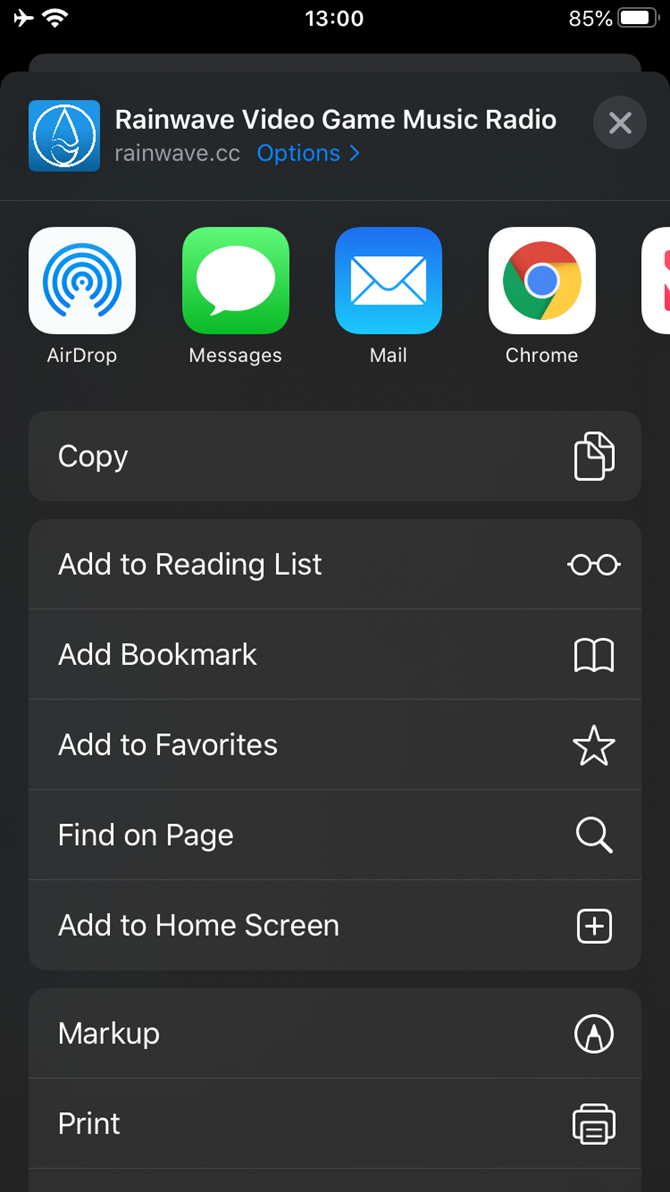
  3. Tap the Share button at the bottom of the page. It looks like a square with an arrow pointing out of the top.
  4. In the list of options that appears, scroll down until you see Add to Home Screen. Tap this.
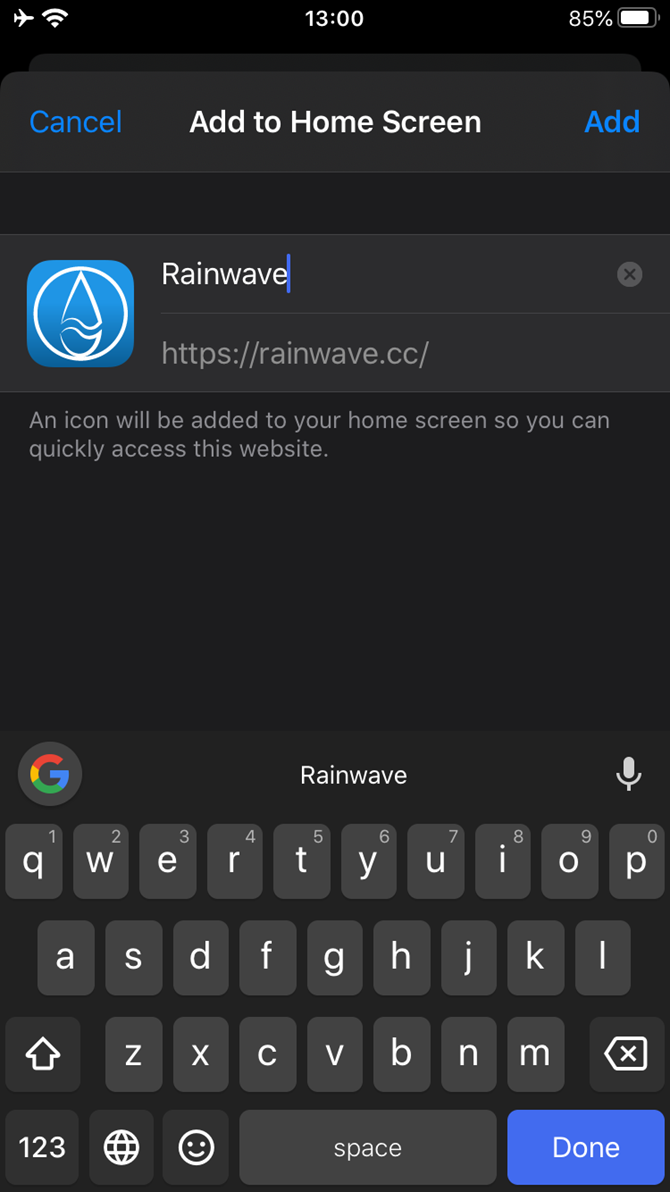
  5. On the next screen, choose a name for the website shortcut on your home screen. You’ll see the link so you can confirm it, as well as the site’s favicon that becomes its “app” icon. Click Add when you’re done.
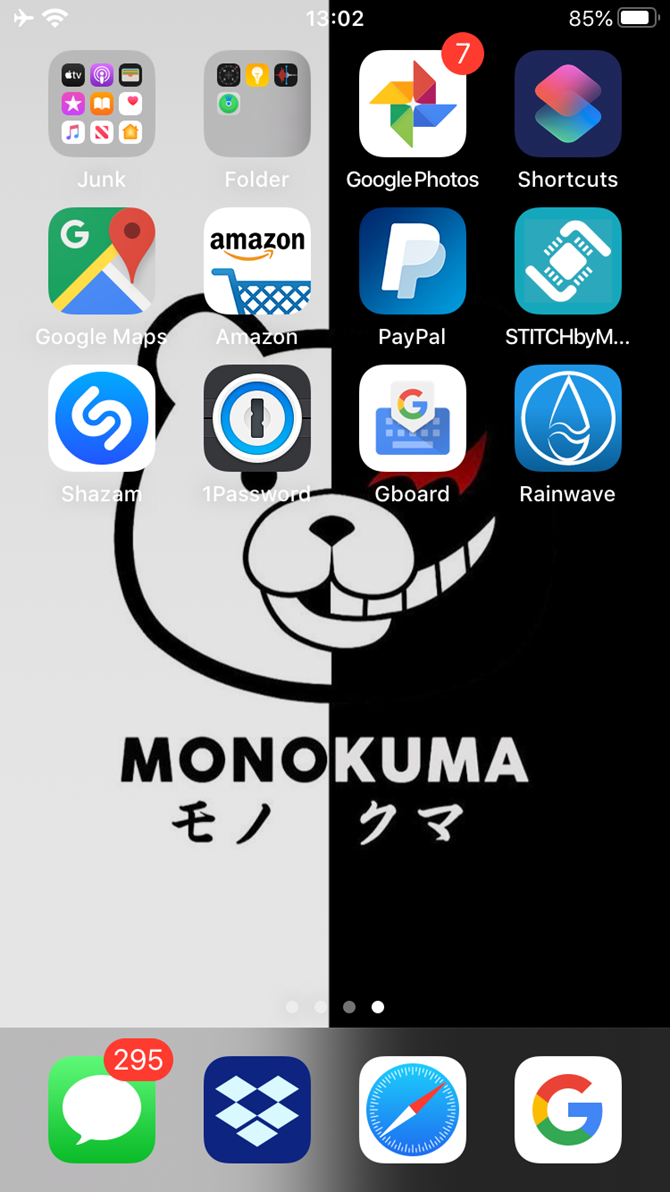
  6. Now just tap the new app on your home screen, and it will open the website in its own navigation window, independent of what you have open in Safari.

If you ever decide you want to remove the website shortcut, you can delete it just like you would any other app on your phone.

Add Everything to Your Home Screen

This is a great way to add website “apps” to your home screen for services that don’t have them. Video game music radio site Rainwave, which we used above, is a good example. It’s a lot better than having to open Safari and jump to a bookmark every time you want to visit a particular site.

Many people prefer to have an app for everything they use on their phones. With this method, it’s easy to do so. If you get overwhelmed with all the apps on your home screen, check out our tips for organizing your iPhone apps and creative layouts to organize your iPhone home screen.

Read the full article: How to Add Website Shortcuts to the iPhone Home Screen


Read Full Article
How to Recover Your PC Using an Android Device


recover-pc-using-android

Your PC’s operating system crashed, and the only chance of recovery is an ISO file flashed to a USB stick.

But if you don’t have a spare PC to create installation media with, don’t worry. Android has you covered. Here’s how to recover your system by creating a bootable USB from Android without a PC.

Your PC Is Toast: What Now?

We’ve all been there: your PC won’t load. Perhaps a virus has compromised the operating system, or the hard disk is failing and needs replacing. There’s data you need to recover, but you have no way to burn a recovery disk.

You may think your PC is the only device you have that can download and burn ISO files (disk images saved as a single file). Or is it?

If you have an Android phone or tablet on hand running Android 3.1 or later, the device probably has USB On-The-Go (OTG) support. This means you can attach USB devices to your phone or tablet, like a mouse, keyboard, or even a USB storage device.

This is the path you can use to recover your PC. Download the recovery disk ISO file, connect the USB device to your tablet or phone, and burn the ISO file using a dedicated app.

Using Android Like a PC

If you have an Android phone or tablet nearby with OTG support, there’s a good chance you can use it to fix your PC.

But wait: have you diagnosed the problem? Before proceeding with recovery, search online to check what the boot issue might be. Think about the symptoms, what your PC did before it crashed, and how long you’ve had the problem. Taking this approach will help you to decide what path to take later when burning an ISO.

For instance, you might require a dedicated recovery disk, or simply a fresh version of your preferred operating system. However, if you’re not sure, opt for the recovery disk. If your Android device has enough storage space, find a suitable disk image ISO file and download it. If you’re low on space, try a tiny Linux distro.

Be sure to use your home network connection for this, rather than mobile internet. Downloading an operating system will use several gigabytes of data, which could eat up your entire mobile allowance.

Create a Bootable USB on Android Without a PC

Once you’ve downloaded the ISO you want, you’ll need a tool to burn it with. On Windows, you would probably choose Rufus, but this is not available for Android. However, several Rufus-like alternatives are available.

Of these, the most reliable is the ISO 2 USB Android utility. This basically does the same job as Rufus, turning a portion of your phone’s storage into a bootable disk.

With this, you can run recovery, or simply install a new operating system.

Download: ISO 2 USB for Android (Free)

Create Bootable ISO Media

To use this, however, you’ll also need an OTG adapter. This is an affordable cable that you can purchase from mobile phone retailers or online. Two types are available: one for phones with USB-C ports, and another for those with micro-USB ports.

USB C to USB Adapter USB C to USB Adapter Buy Now On Amazon $7.99 Micro USB 2.0 OTG Cable Micro USB 2.0 OTG Cable Buy Now On Amazon $5.29

Once connected to your phone, simply plug a USB flash drive into the OTG adapter. You can write your downloaded ISO to this destination.

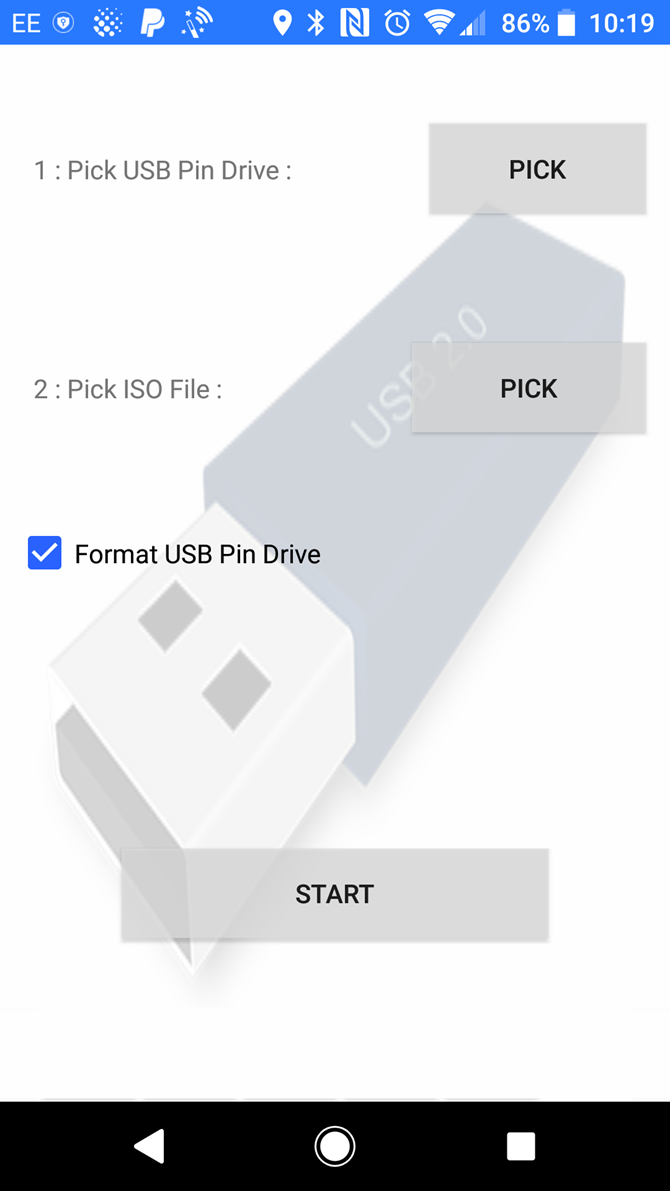
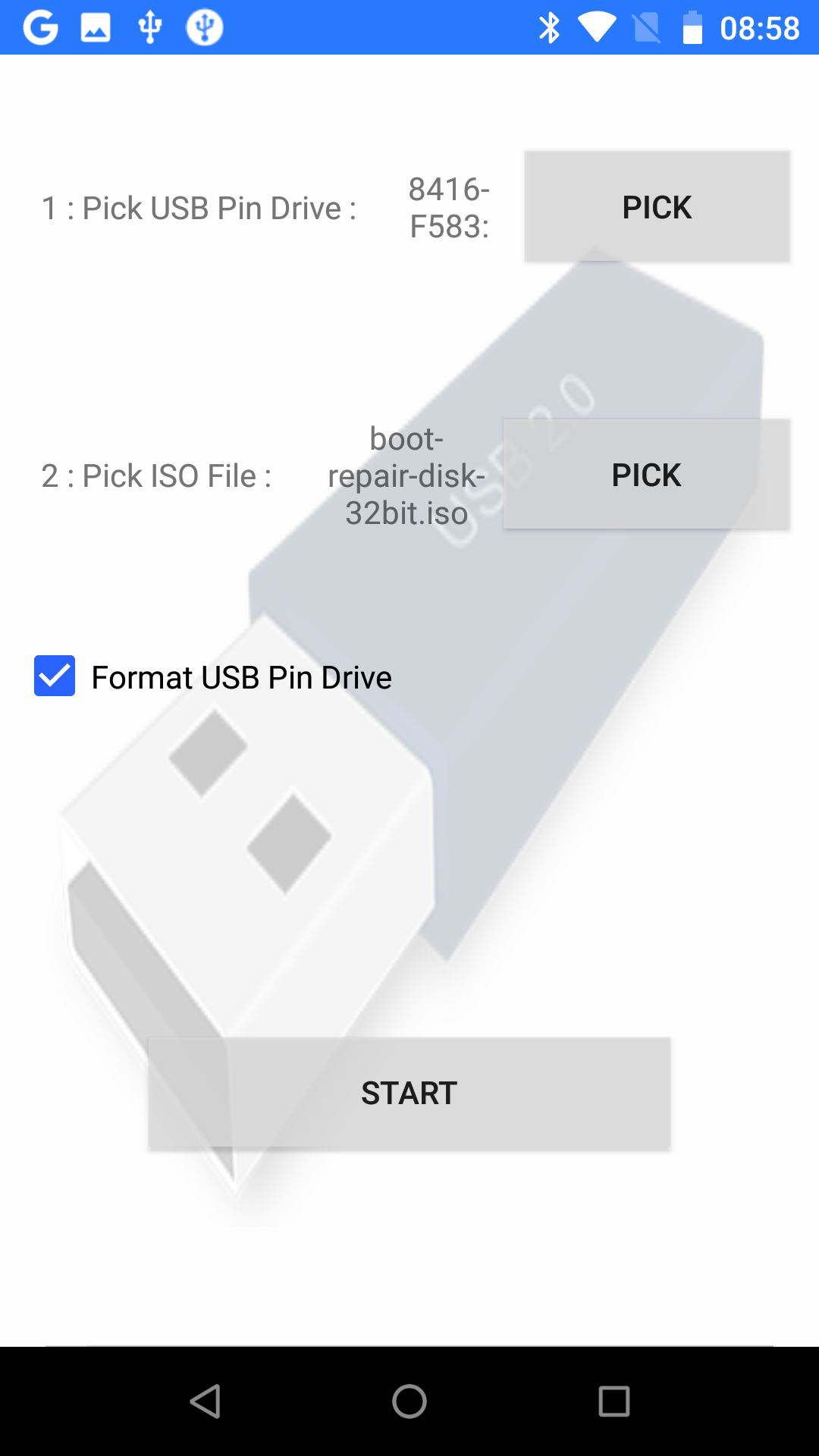
Begin by connecting the USB drive via the OTG cable, then tapping the first Pick button. Choose your USB drive, then proceed to the second Pick button to choose the ISO file.

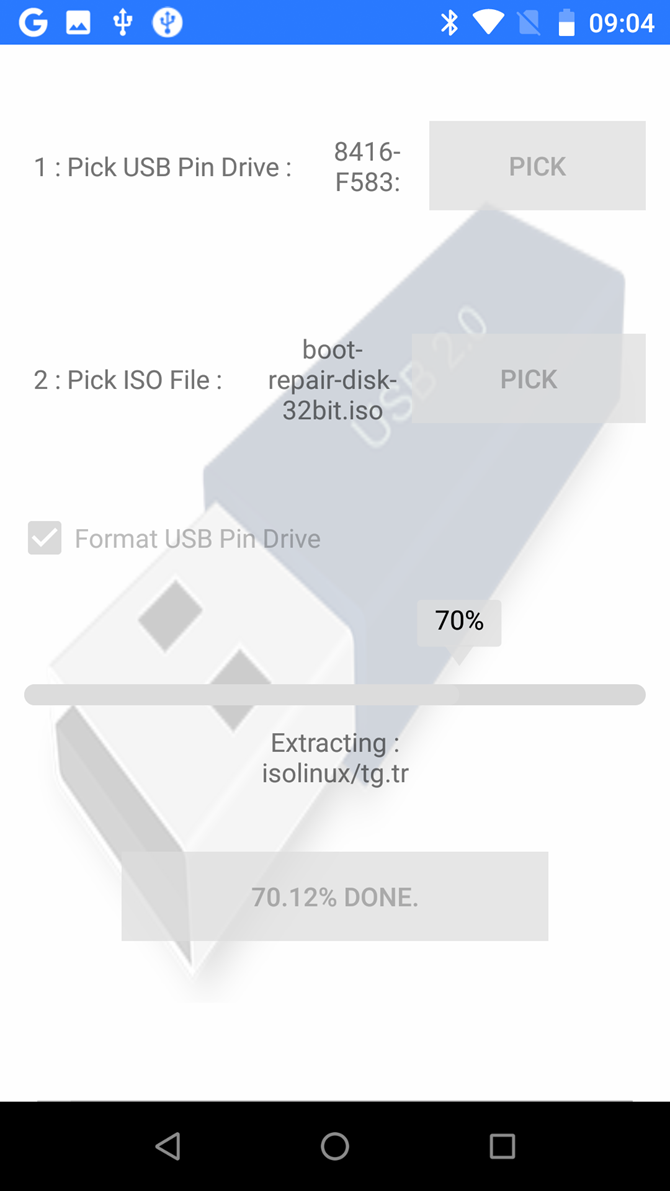
Be sure to accept Android’s permissions requests throughout; the app will request access to your media files, as well as the USB drive. With both selected, you can then tap Start to begin writing the data.

It shouldn’t take long to complete; once done, remove the USB device, insert it in your PC, and begin recovery. Remember to change the boot order in your computer’s BIOS to enable booting from USB.

Turning an Android Phone Into a Bootable Linux Environment

Don’t have a USB flash drive or a USB to OTG cable? If your Android device is rooted, you can try an alternative approach.

DriveDroid is a useful utility that lets you boot your PC directly over a USB cable using any ISO or IMG file stored on your phone. You just need your Android smartphone or tablet and a suitable cable—no flash drives required.

Download: DriveDroid (Free) | DriveDroid Paid ($1.99)

It’s important to note that this is only an option for rooted devices. Even then, some phones may not work as intended due to kernel quirks.

Note also that this solution requires support for USB Mass Storage on your device. While modern versions of Android don’t support USB Mass Storage, DriveDroid’s website notes that “DriveDroid has various methods of enabling Mass Storage.”

How to Recover a PC Using DriveDroid

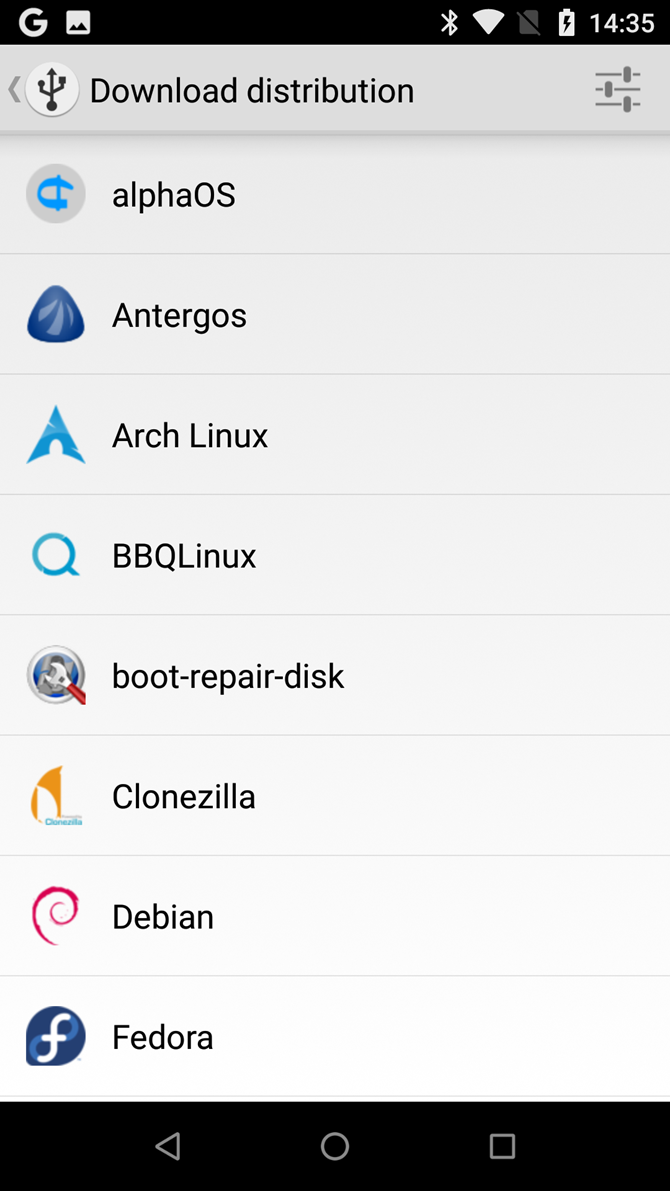
Run DriveDroid and Grant root permissions. Next, click the Download button, and select an OS to download to your phone. A massive selection is available, from Ubuntu to ZorinOS, Tiny Linux, Gentoo, Arch Linux, and other top Linux distros.

However, if you’re trying to recover your PC, the best options are boot-repair-disk, or CloneZilla if you need to clone the contents of your dying HDD.

Note that when you select an OS, you’re given a choice of version. This is typically a recent build, in 32-bit or 64-bit flavors. Be sure to select the OS that suits the build of the PC you’re attempting to recover.

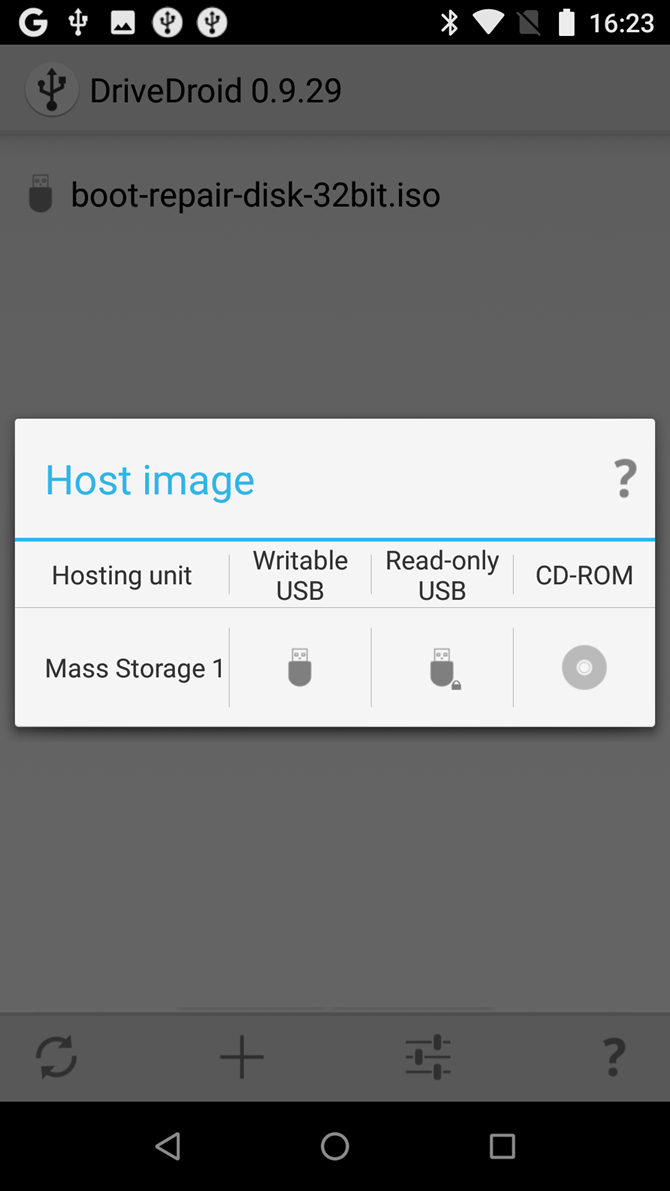
With the OS selection made, wait while it downloads to your Android device. The ISO file will save in the Downloads folder but will also appear in the main DriveDroid screen. Select the ISO, then wait while the options are displayed. Choose standard USB storage, read-only USB storage, or CD-ROM. This will determine how the ISO behaves when you reboot your computer.

You can then connect the Android device to your PC and reboot. If your computer’s boot order is configured to boot USB devices, the downloaded operating system will boot from your phone. You can then use this to recover your PC, or even install a brand-new OS.

How to Install Windows 10 From an Android Phone to PC

There is another benefit of using the DriveDroid app rather than ISO 2 USB. DriveDroid adds the ability to install Windows 10 from an Android phone or tablet.

So if Linux isn’t ideal for you, and the recovery tools don’t repair your Windows partition, you can simply reinstall. For $1.99, this is a good deal. You could have Windows 10 reinstalled on your PC using your Android phone in under an hour.

That’s not bad for an Android app.

Two Options to Recover Your PC With Android

If your PC is out of action, you can install a new operating system or run a recovery environment thanks to Android. Two solid options are available:

  • ISO 2 USB: Lets you burn an ISO file directly to a USB flash drive over USB-OTG.
  • DriveDroid: Enables you to store bootable ISO files on Android. With the paid version, support for Windows 10 installation images is added.

By now you should have a USB stick or an Android device ready to boot your PC.

Still having trouble? Try another recovery option. If you end up gaining access to a second PC, follow our guide to backing up your data when your computer won’t boot.

Read the full article: How to Recover Your PC Using an Android Device


Read Full Article