16 October 2018

Google CEO Sundar Pichai speaks publicly for the first time about its censored China search engine
Commenting publicly for the first time about Google’s censored search engine for China, CEO Sundar Pichai said onstage at the WIRED 25 summit in San Francisco that the company is taking “a longer-term view” about the country. Codenamed Project Dragonfly, the controversial development has been public knowledge since a report in August by the Intercept, generating significant backlash, with several employees resigning in protest.
Google did not confirm Project Dragonfly’s existence until its chief privacy officer, Keith Enright, spoke at a Senate hearing last month. Even then, Enright did not provide much information about the project, so this means Pichai’s comments at WIRED 25 are the most detailed ones made officially by Google’s leadership so far.
Even before Project Dragonfly was revealed by The Intercept, Google had already been quietly working on a strategy to re-enter China, including launching (or re-launching) apps through third-party Android stores (Google Play is not available in China) and working with partners like Xiaomi and Huawei to introduce its ARCore technology for augmented and virtual reality there. Pichai said Google has not decided if it will actually launch Project Dragonfly in China, but if it does, the search engine’s biggest competition would be Baidu.
Pichai said that Chinese tech innovations means it’s time for Google to get an understanding of the market from the inside out. “It’s a wonderful, innovative market. We wanted to learn what it would look like if we were in China, so that’s what we built internally,” adding that “given how important the market is and how many users there are, we feel obliged to think hard about this problem and take a longer-term view.”
Even though it follows China’s strict censorship laws, Pichai claimed that Project Dragonfly will still be able to answer “well over 99% of the queries” put to it and that “there are many, many areas where we would provide information better than what’s available.”
Google once operated a censored search engine in China at Google.cn, but pulled out of the country in 2010. At the time, Google said its decision was prompted by a “sophisticated cyber attack originating from China” that targeted human rights activists, and the country’s efforts to “further limit free speech on the web in China” by blocking websites like Googe Docs, Blogger, Facebook, Twitter and YouTube.
For its critics, Project Dragonfly’s existence means Google has reneged on the values it avowed nine years ago. While onstage at WIRED 25, however, Pichai said working on a search engine is in line with the company’s mission to “provide information to everyone,” noting that China contains about 20% of the world’s population.
Google only embarked on Project Dragonfly after much deliberation, he said. “People don’t understand fully, but you’re always balancing a set of values” when entering new countries,” adding “but we also follow the rule of law in every country.”

Read Full Article
The 5 Best Email Signature Generators to Make Your Mails Pop
You must have seen some impressive email signatures by now, complete with the sender’s picture, company details, contact details, and little icons for social media. Want to make your own? It’s easier than you think, especially if you use these great email signature apps.
An email signature is important. It makes your messages seem more professional and often saves you the trouble of back-and-forth emails. If someone you’ve emailed needs your office address or phone number, they can find it by checking past messages.
There are a few basic things you need to create the perfect email signature. It helps to know HTML, or how to format in rich text. But you don’t need any of that if you use the right app. You can get minute customizations, plenty of templates, and even email tracking through these free websites and extensions to make your own email signature.
Signature Maker (Web): Simplest Way to Create Email Signatures

Signature Maker is the easiest way to create an email signature that you can use in any email client of your choice. It looks quite basic, but if this is the first time you’re making a signature, it’s good for beginners.
The Basic tab has a few empty boxes to fill the details you need: name, job title, company name, company website, postal address, email address, phone number, and a link to your photo or avatar.
Switch to the Social tab to add links to your social profiles. You’ll need to put the full link, not just your handle. For example, I would write “https://twitter.com/mihirpatkar” (without the quotes) not just @mihirpatkar. To make it easier, go to your social profile, copy the link, and paste it in the appropriate field.
As you update Signature Maker, it will update details in the preview. Once you’re done, click “Highlight and Select” and paste it in your email app’s signature settings. If you don’t know how, check our guides for Gmail and Outlook:
Si.gnatu.re (Web): Add a Footnote, and Customize Colors, Fonts, and Layout
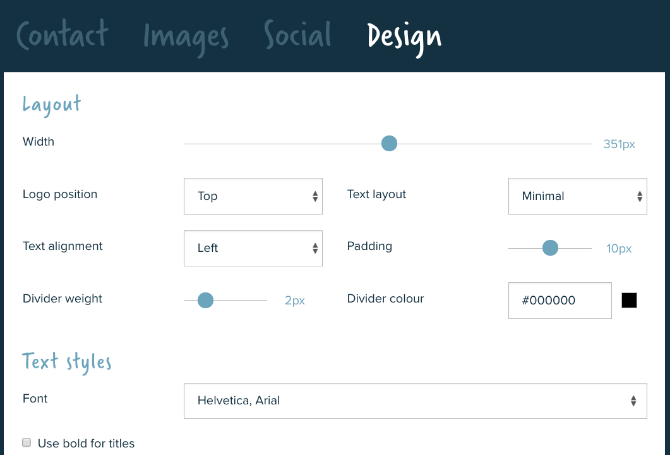
Signature Maker is the basic level of making an email signature. The next step is to level up with Si.gnatu.re, which lets you customize several aspects of how the signature would look. And it lets you add a footnote.
You start with your contact details, most of which also have the option of adding an icon or a text label. Si.gnatu.re also adds a Google Maps link to your address. The social tab only needs your handle this time, not your full web link. You can also add a logo, a profile photo, and a banner image too.
Footnotes are generally functional to add disclaimers to your emails. But they are also a cool way to add more to your signature than contact details. You can throw in witty jokes, motivational quotes, or a simple message that changes from time to time.
Finally, you can customize how the signature looks. Si.gnatu.re gives you minute control over the width, placement of items, fonts, colors, and icons, so that you can get everything to match your company’s colors too.
Mail Signatures (Web): Lots of Free Email Signature Templates

If you don’t have much design sense, you shouldn’t really be changing the layout you get in these apps. The better way is to use a template. Mail Signatures hosts a range of signature templates, so you can pick the one that’s best for your needs.
You can filter the signatures by columns (one, two, or three) as well as the content you need (banners, disclaimers, graphics, logos, photos, and social icons). Once you find something you like, click “Edit Signature” to start turning it into your own pro email signature.
Mail Signatures also lets you choose your favorite email platform in advance, so you know that it can customize each bit of the signature accordingly. Choices include Outlook, Outlook 365, Exchange Server, Exchange Online, Gmail, and Thunderbird.
It’s easy, it’s free, and it’s perhaps the best way for most people to create a professional signature without any HTML or design chops.
Email Signature Rescue’s Examples (Web): Inspirations for Custom Signatures

We have apps that let you customize each part of your signature, and we have apps that come with templates. But if you want to stand out, you should create your own signature.
For a bit of inspiration as to what you can do with email signatures, turn to this page from Email Signature Rescue. It collects over 200 different examples of different types of beautiful signatures. Some have buttons with direct links to download an app, while others feature minimalistic design. There is something different for each type of job, much like how you can have business cards for every type of profession.
As for the app itself, Email Signature Rescue is excellent, but it’s better for companies and businesses with a large number of employees. This paid app has a few tricks to apply a signature to every employee’s email and keep it updated when the firm changes its address, web page, social links, or banners.
Mailcastr (Web, Chrome, Android): Signatures With Email Tracking
Mailcastr is more than a simple signature maker. Let’s say you’ve sent an important email. But how do you know when the person has actually opened and read it? Email tracking apps can tell you this information. And Mailcastr does that as part of the signature itself.
Making the signature is actually simple and easy. Once you’re done, get the Chrome extension. When you send an email, Mailcastr will automatically track it. The free version of the app tracks up to five emails a day or 150 emails per month.
If you want more than that, go for the paid version that costs $3 per month. It has unlimited email tracking, and it lets you create multiple signatures. Before every email, you can choose which signature to add. This is terrific if you run multiple businesses, or want different signatures for personal and professional messages while using the same email address.
Mailcastr also has an Android app that can add signatures and track read receipts. You’ll need to send emails from that app though, you can’t use Gmail or Outlook on Android.
Download: Mailcastr for Chrome | Android (Free)
Aim to Get a Reply to Emails
With one of these tools, you’ll make a great email signature. But that is only one part of the puzzle when it comes to writing a professional email. If your goal is to get your email read and maybe seek further action, then you can’t stop at the signature, you need to do more.
It matters how you write your email. It matters how you format it. It matters whether you are too long or too short. And for all of these tips and tricks to compose messages, there are apps to get a reply on your email.
Read the full article: The 5 Best Email Signature Generators to Make Your Mails Pop
Read Full Article
A former Google+ UI designer suggests inept management played a role in the network’s demise (beyond Facebook’s impact)
A lot of people leave their jobs because of bosses they can’t stand. Yet it’s seldom the case that a former employee publicly badmouths management after the fact. The obvious risk in doing so: future employers might not want to gamble on this person badmouthing them at a later date.
That isn’t stopping Morgan Knutson, a UI designer who seven years ago, spent eight months at Google working on its recently shuttered social networking product Google+ and who, in light of the shutdown, decided to share on Twitter his personal experience with how “awful the project and exec team was.”
This will be a super slow burn that goes back many years. I’ll continue to add to over the next couple of days. I’ll preface it with a bunch of backstory and explain what I had left behind, which made me more unhappy about the culture I had come into.
— Morgan (@morganknutson) October 11, 2018
It’s a fairly long read, but among his most notable complaints is that former Google SVP Vic Gundotra, who oversaw Google+, ruled by fear and never bothered to talk with Knutson, whose desk was “directly next to Vic’s glass-walled office. He would walk by my desk dozens of times during the day. He could see my screen from his desk. During the 8 months I was there, culminating in me leading the redesign of his product, Vic didn’t say a word to me. No hello. No goodbye, or thanks for staying late. No handshake. No eye contact.”
Vic was powerful at Google. He had buy-in from the top and he wielded that stick aggressively. He made Plus as pervasive as he could. Each product org had a mandate to integrate its social features.
— Morgan (@morganknutson) October 12, 2018
He also says Gundotra essentially bribed other teams within Google to incorporate Google+’s features into their products by promising them handsome financial rewards for doing so atop their yearly bonuses. “You read that correctly, “tweeted Knutson. “A f*ck ton of money to ruin the product you were building with bloated garbage that no one wanted.”
Gundotra is today the cofounder and CEO of AliveCor, maker of a device that captures a “medical grade” E.K.G. within 30 seconds; AliveCor has gone on to raise $30 million from investors, including the Mayo Clinic.
Asked about Knutson’s characterization of him, Gundotra suggested the rant was “absurd” but otherwise declined to comment.
Knutson disparages even more strongly a former manager that he calls “Greg” and he portrays a fellow designer, Jim, as paranoid and vindictive. Indeed, in describing how his unit was organized, Knutson paints a picture of a political, haphazard, wasteful and ultimately disappointing division where it was never quite clear who should be working on what or why. In fact, though he says he thought he was “joining the big leagues” when recruited by Google, Knutson wound up taking a job with Dropbox shortly afterward in order to escape from the corporate leviathan.
It also sounds from his own telling like Knutson might have been canned eventually.
No matter what you think of the tweets, it’s an interesting narrative and it’s instructive as one insider’s view onto what — other than Facebook’s stranglehold on users — may have ultimately doomed Google+, which was shut down last week due to lack of user and developer adoption (even while a business version of the network lives on for the foreseeable future).
The biggest takeaway: like many other gigantic companies, Google has its fair share of flaws.
You can check out the full tweetstorm here.
Thread Reader has also published them in a more palatable format here.

Read Full Article
Google Pixel 3 XL review
The smartphone arms race isn’t always pretty. The knock-down, drag-out fight between Apple and Samsung in particular has given rise to some nasty lawsuits and wincing commercials year in and out as the two companies invest millions in outdoing one another.
But Google is playing another game entirely. The company has never really been concerned with battling it out over flashy designs and specs. It’s really exactly the sort of approach you’d expect from a software-first company. I won’t go so far as to suggest that the Pixel 3 is a utilitarian phone, but it’s safe to say that the hardware exists in service of the company’s software innovations.
If it were like other companies, last week’s hardware event would have been an opportunity for Google to bask in processor speed and pixel density. Instead, it blew through such things. It was a strange spectacle to behold, really, as someone who’s been through a million of these things. The company more or less announced all of the products at once and moved onto more important topics like algorithms and machine learning.
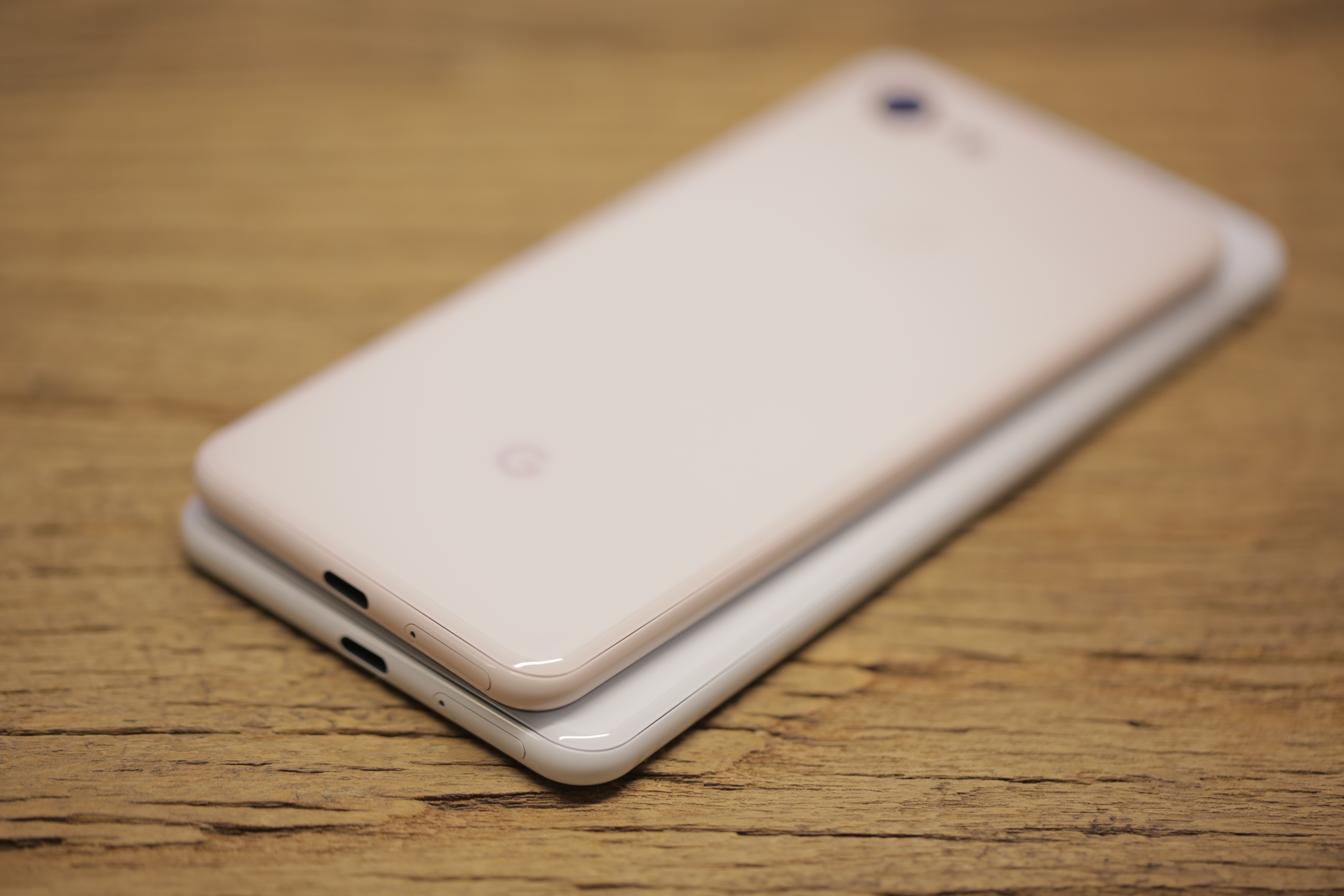
For many intents and purposes, Google’s approach to smartphones is a breath of fresh air. From a more practical standpoint, the company’s path often means less radical hardware upgrades, year over year. If you’re wondering whether to upgrade from the Pixel 2, the simple answer is: no, what are you, made out of money? But here’s Taylor’s slightly more nuanced approach to the question, if that’s your thing.
The fact is that Google has always been less interested than Apple or Samsung in keeping you beholden to the constant upgrade cycle. In fact, a number of the new photo features introduced this round will also be making their way onto older models, when possible. That’s not a promise all of the competition is willing to make.
The bottom line for products like the Pixel 3, Pixel Slate and Home Hub is that Google is intent on delivering the best hardware showcase for what it’s been working on over on the software side. That we happen to get one of the best Android smartphones out of the deal is a happy side effect.
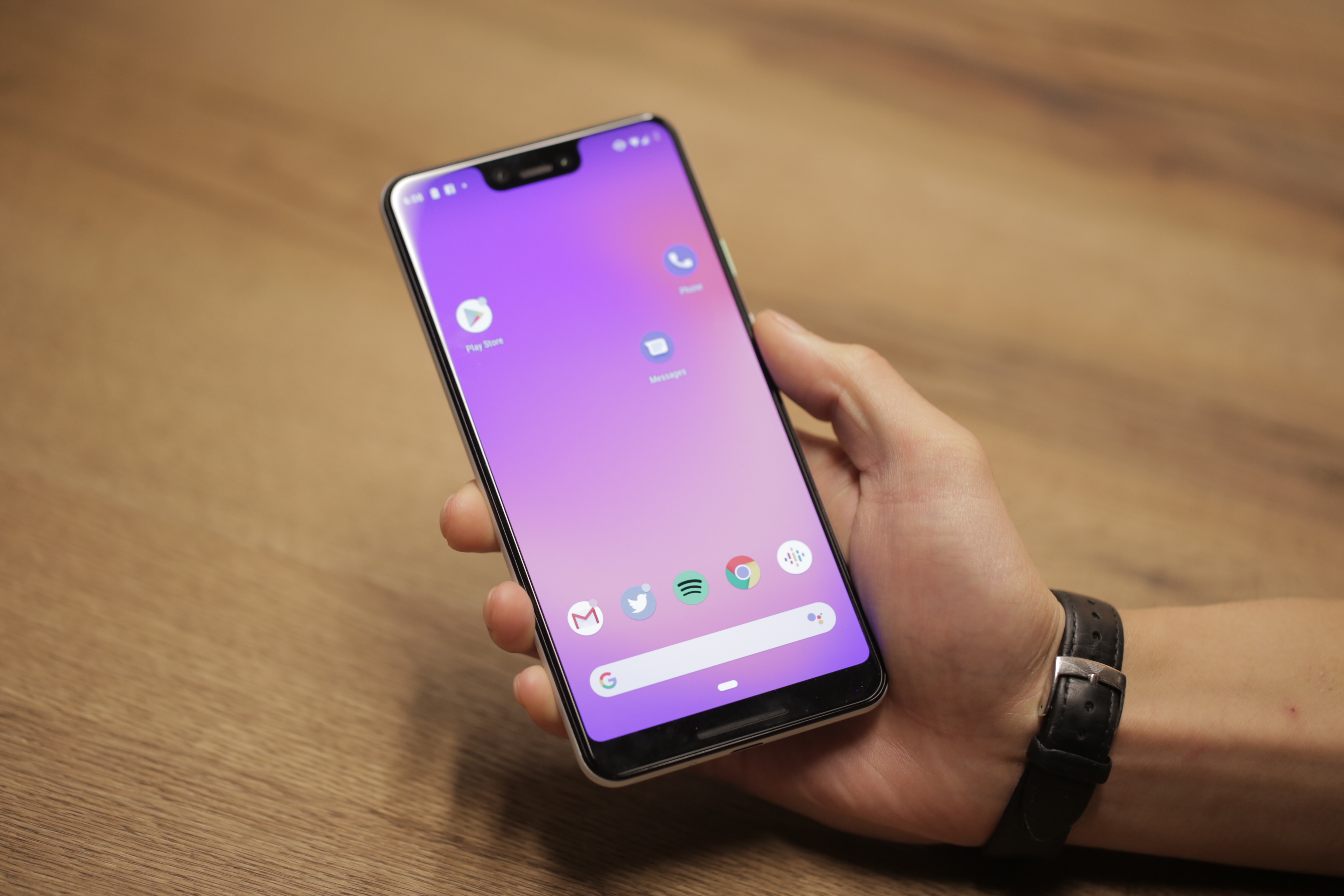
Top level, here are the key hardware changes from the last version:
- Bigger screen: This the single largest hardware change, so to speak. The Pixel 3 bumps up from five inches to 5.5 inches, while the XL moves up in the world from six to 6.3. Both a pretty sizable upgrade, all told.
- Dual front-facing cameras: Seemingly a bit of a head scratcher, given that the back of the device sticks to one. More on that below.
- Wireless charging: Better late than never, right?
We walked away from the Google event with both handsets in a branded tote bag that also included the new Pixel Stand. It’s clear that the company was looking to outfit reviewers with the best experience possible. As someone who cycles through a lot of phones for work, I’ve found myself gravitating toward larger phones.
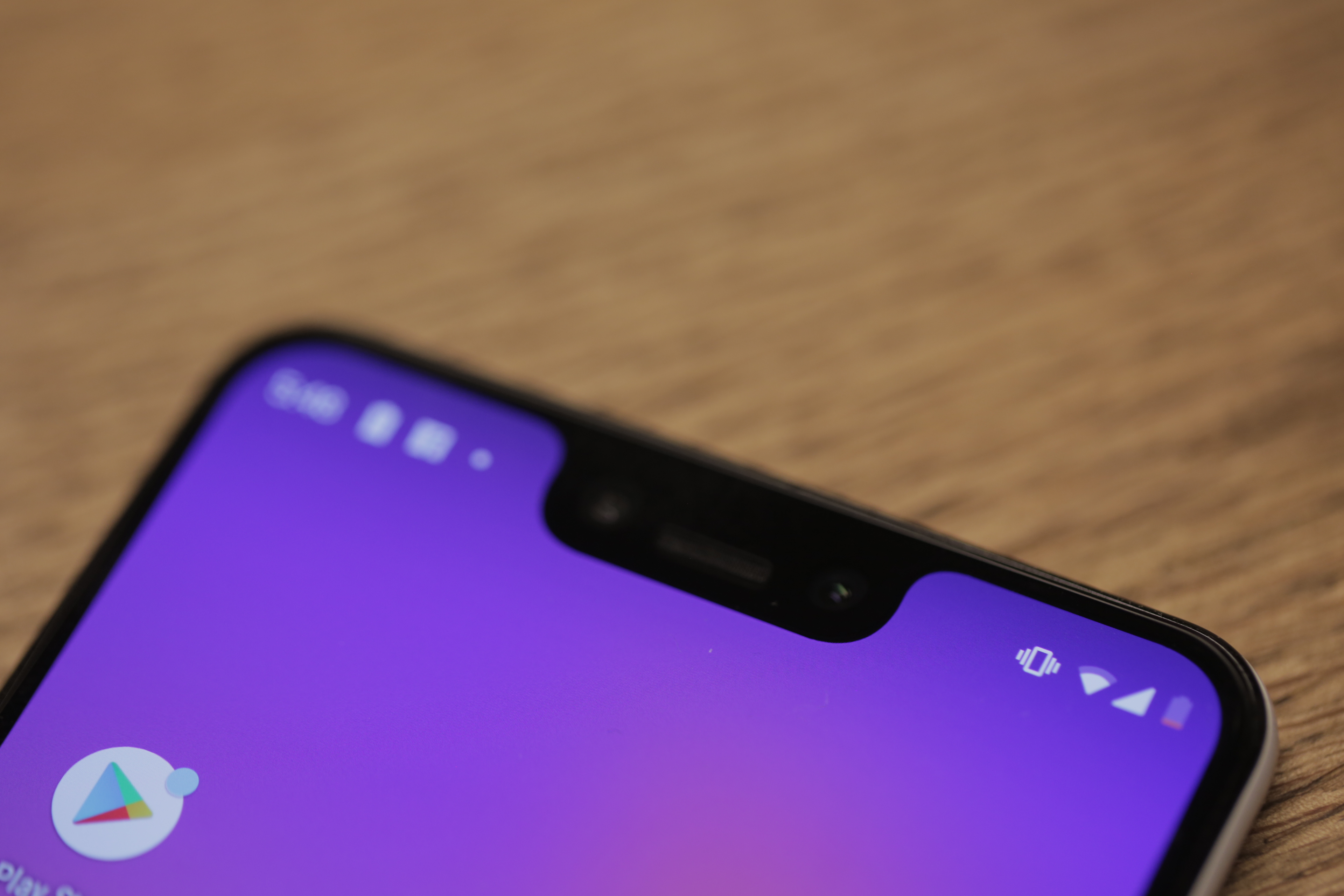
With that in mind, most of the rest of this piece pertains to my experiences with the Pixel 3 XL. That said, Anthony kindly agreed to take the Pixel 3 out on the town for a photo safari, so the imaging samples in this review are taken from both handsets. Spec-wise, the two products are quite similar, beyond the standard array of things that come with a larger phone: screen, battery, et al.
There’s a sentiment you’ll read a lot when it comes to large flagships — that the company has done a good job keeping the footprint small, in spite of the massive screen size. Indeed, a lot of progress has been made on this front in recent generations, between thinner bodies and the rapid extinction of the bezel. That said, the Pixel 3 XL is a big phone by just about any measure.
Sure, Apple came from behind, only to rocket to the top of display sizes with the 6.5-inch XS Max. But the 6.3-inch XL isn’t far behind. It’s also a few fractions of a millimeter thicker than Apple’s massive handset at 7.9mm — though it still has nothing on the Note 9’s 8.8mm. Either way, the thing isn’t for the small of hand or limited in pocket space — and one-handed use probably isn’t in the cards if you’re not a professional basketball player.
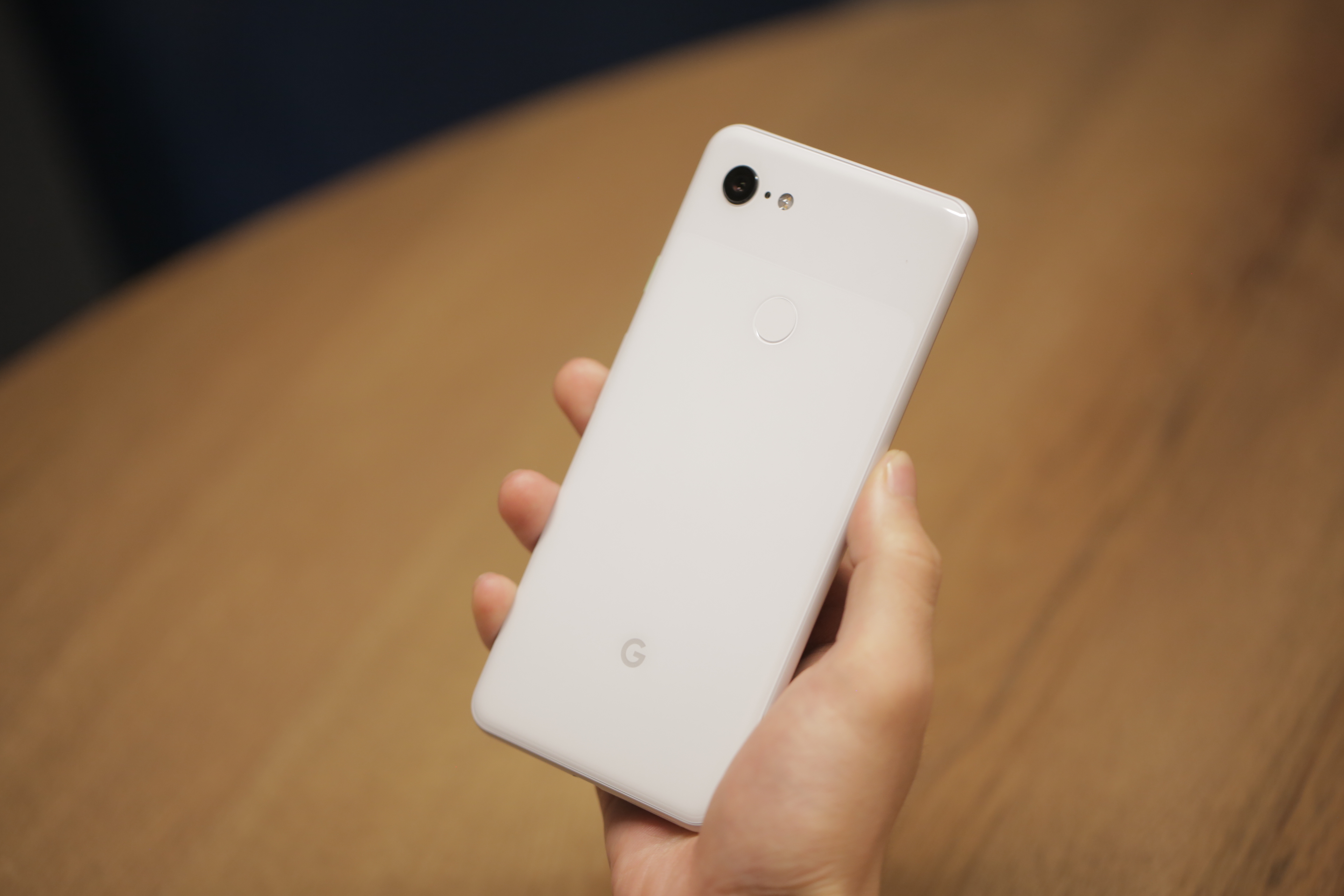
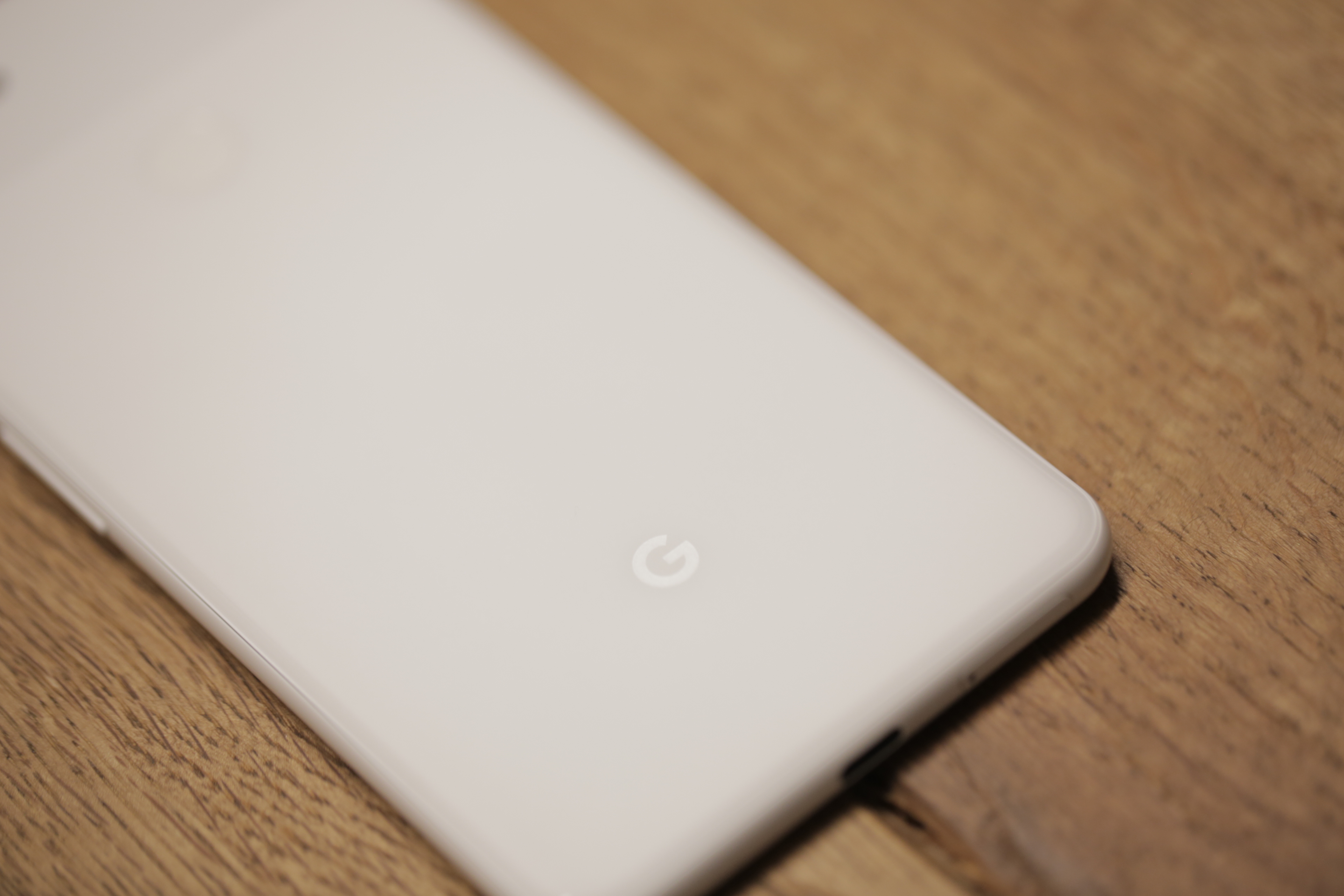
Not much has changed aesthetically changed since the 2. And, indeed, the Pixel’s design language has become iconic in its own way, from the brightly colored power button to the dual-surface rear. The plasticky version found on prior generations has been replaced with a double glass surface — shiny up top and matte on the bottom.
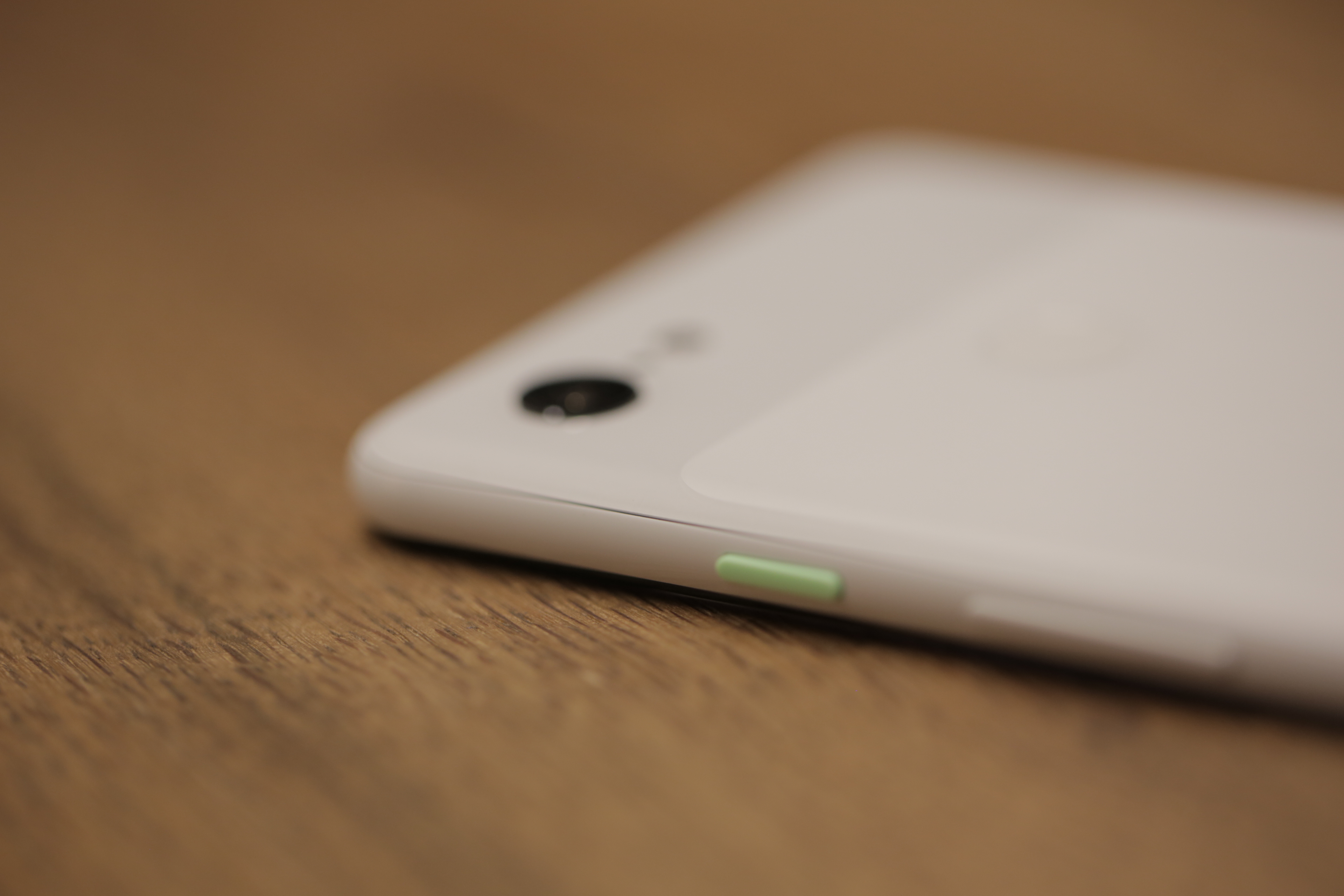
It’s a subtle contrast and should help avoid slippage for those souls brave enough to go without a case. This last bit is a very real issue I’ve run into switching between the iPhone XS and Note 9, of late. Those shiny backs will slip right out of your hand if you’re not paying attention.
Up front, you’ll find that word of the Pixel 3 XL’s notch was, in fact, not exaggerated. It’s the stuff of legend. Turns out this is because of those dual front-facing cameras. Google is really committed to helping users up their selfie game here. At least that’s the immediate impact of that decision.
Dual cameras could have other benefits down the road, including depth sensing for things like augmented reality and, perhaps, face unlock. For now, however, it means taking pictures of yourself and friends at a semi-pro level.
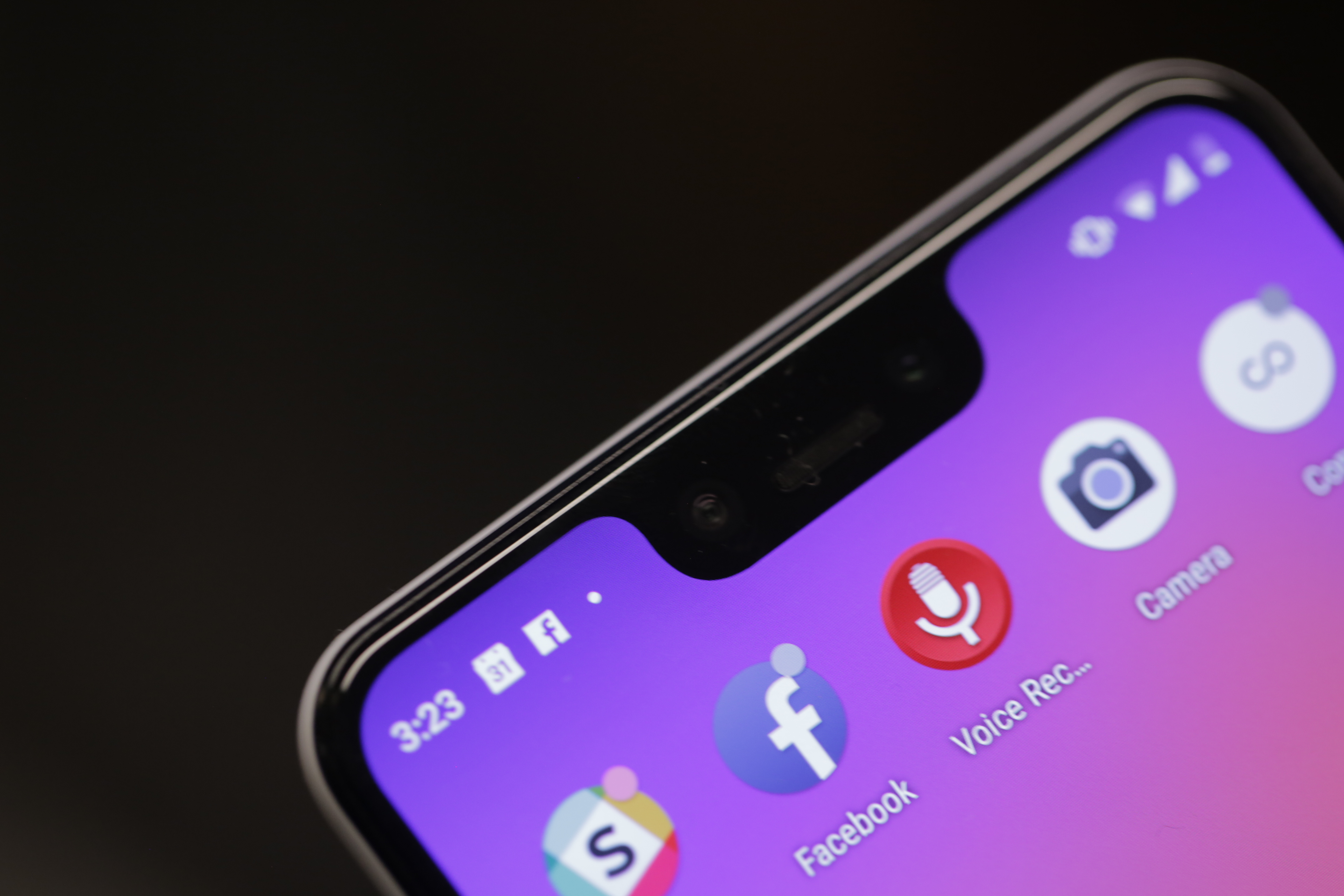
The notch, it turns out, is a key design distinction between the 3 and 3 XL. The reasoning is — as with the rest of what Google’s hardware team did here — a pragmatic one. “With the small one,” VP of Product Management Brian Rakowski told me in an interview last week, “it turns out the space is just too small when you put the wide-angle lens in. It’s a narrower phone, so you have room for an icon or two, whereas on the bigger phone everything you need for the status icons is up there, and it’s a very good use of the space.”
In spite of its software embrace with Android Pie, Google is neither definitively pro or anti-notch. The company is, simply put, notch agnostic. If, however, you have a problem with that admittedly unsightly cutout, there’s a fix for that. Active Edge is back. It’s a feature that’s grown on me a bit since HTC introduced it as Edge Sense back on the U11 in May of last year. With a pinch of the phone’s frame, you can fire up Assistant. It’s one of several ways to invoke Google’s AI, but it definitely beats Samsung’s longtime insistence on including a devoted Bixby button. And besides, Google Assistant is actually, you know, useful.
Google’s generally done a good job listening to user feedback with its software features, and nowhere is that better represented than with the Adaptive mode for its screen color profiles. Last year’s Natural mode was met with some fairly widespread negative feedback for the effect in had in “muddying” the colors — most notably the reds, which ended up somewhere between blood-red and brown.
It was one of those things the company insisted was good for you, but ultimately user irritation won the day. Adaptive splits the difference, saturating colors for things like your Gmail icon, while keeping it in check for things like skin tone. It’s a pretty happy medium, all told, but if you’re not into it, you can always adjust things in settings.
The headphone jack is, of course, still gone. Google drew a line in the sand last year, after making a show keeping it on-board with the first generation. There’s a bit of a mea culpa here, however, in the form of souped up earbuds included in-box. The headphones are very clearly inspired by last year’s Pixel Buds.
That, much like the accessories themselves, is a bit of a mixed bag. The biggest upshot here is that the things plug directly into the USB-C port at the bottom. Sure the box still includes a headphone jack to USB adapter, but including headphones with a standard jack with a phone that doesn’t natively support the tech is downright bizarre.
The looping up top is a nice way to keep the buds in your ears without those bizarrely sharp fins that so many headphone makers rely on. I took the headphones for a run this morning and they didn’t fall out once.
The headphones also offer a number of the Pixel Buds’ software features free of charge, including easy access to Google Assistant and real-time translations through the Google Translate app.
The downside, on the other hand, is a major one. Even as far as free in-box headphones go, the Pixel USB-C earbuds are uncomfortable. This, I will be the first to admit, is a wholly subjective thing and highly dependent on the size and shape of our earholes. But man, the thing hurt to put in and take out, outdoing Apple’s last generation free buds for discomfort levels.
This is a space where companies can learn a lot from Samsung. The earbuds that ship with the Galaxy S9 and Note 9 are fantastic. I’m actually using them right now, plugged into my MacBook, in spite of not having a Samsung device anywhere near my person.
That said, the on-board sound has been improved, courtesy of the addition of front-facing speakers.
Interestingly, battery capacity has been increased for the Pixel 3 (from 2,700 to 2,915mAh), but not the Pixel 3 XL — in fact, it’s actually gone down slightly (from 3,520 to 3,430). That’s no doubt part of why the company was a bit cagey about this particular spec, only really mentioning battery as it pertains to the new charging tech.
As the company told me at the event, the ultimate goal is making sure battery life either stays constant or improves, courtesy of a combination of hardware and software. Battery was a focus for Android Pie, which should help offset some of the mAh loss on the XL. In my own testing, I was able to get just over a full day with standard usage — around 27 hours, all told. Not immaculate, but not bad.
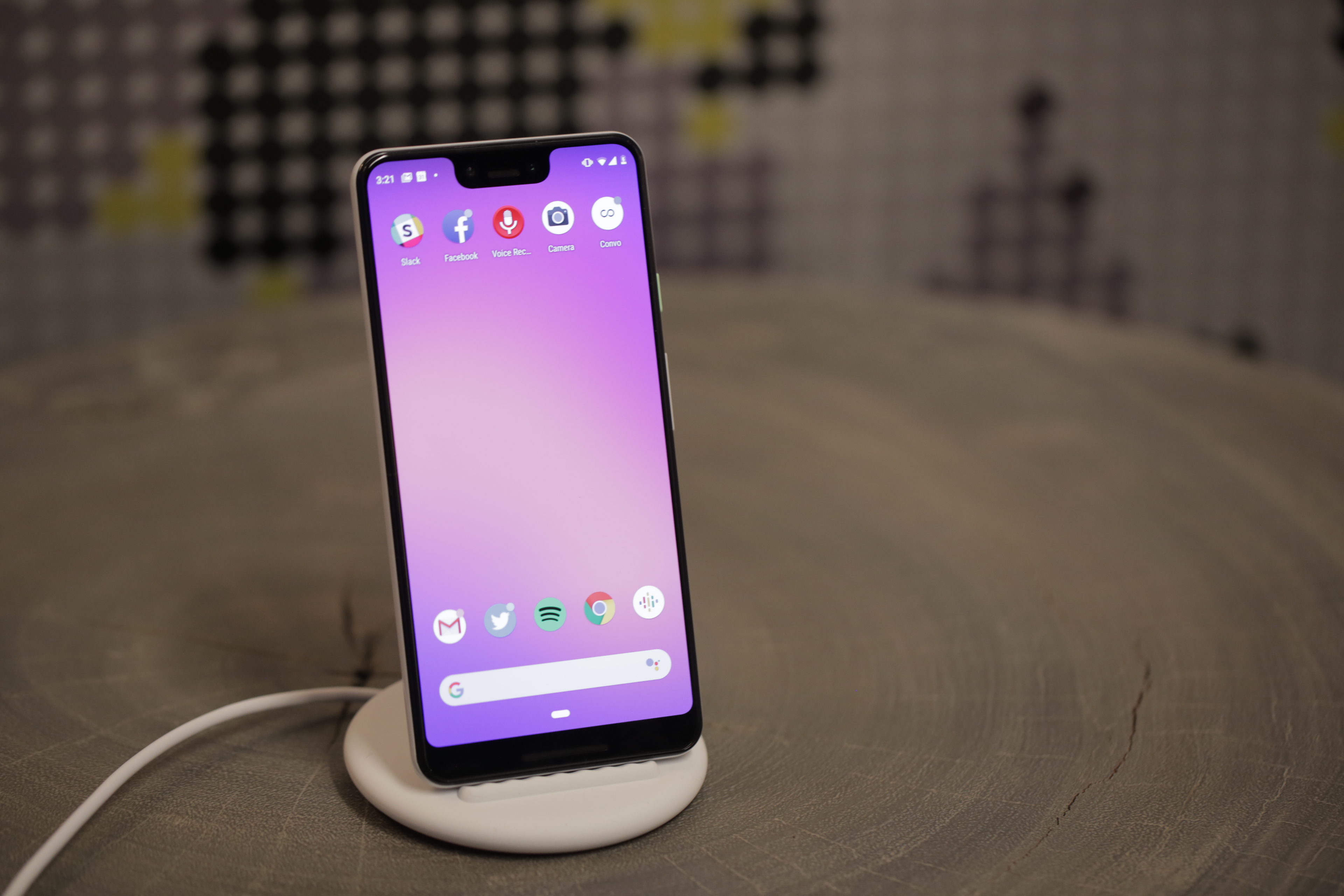
Running the battery down did, however, give me occasion to appreciate the estimates that kick in when you’re critically low on juice. Android estimates when it thinks you’ll be completely SOL, shifting expectations as you change your usage. It’s either a lifesaver or source of anxiety depending on how you absorb such information.
The Pixel Stand, meanwhile, is a smart little accessory. At $79, it’s one I’d consider strongly if picking up the handset. Granted, it lacks the ambition of Apple’s three-product-charging AirPower, but among its other clear advantages is the fact I’ve held it in my hand and can confirm it’s a real thing that actually exists. The accessory takes advantage of that glass back to charge wirelessly via the Qi standard.
The stand is soft and silicon and fairly minimalist, designed to go unseen when not in use. When it is, however, it transforms the Pixel into a makeshift Home Hub, serving up Google Photos and bringing a visual component to Assistant. It’s a clever take of the charging stand — and hopefully a good enough excuse to stop you from falling asleep with your phone every night.
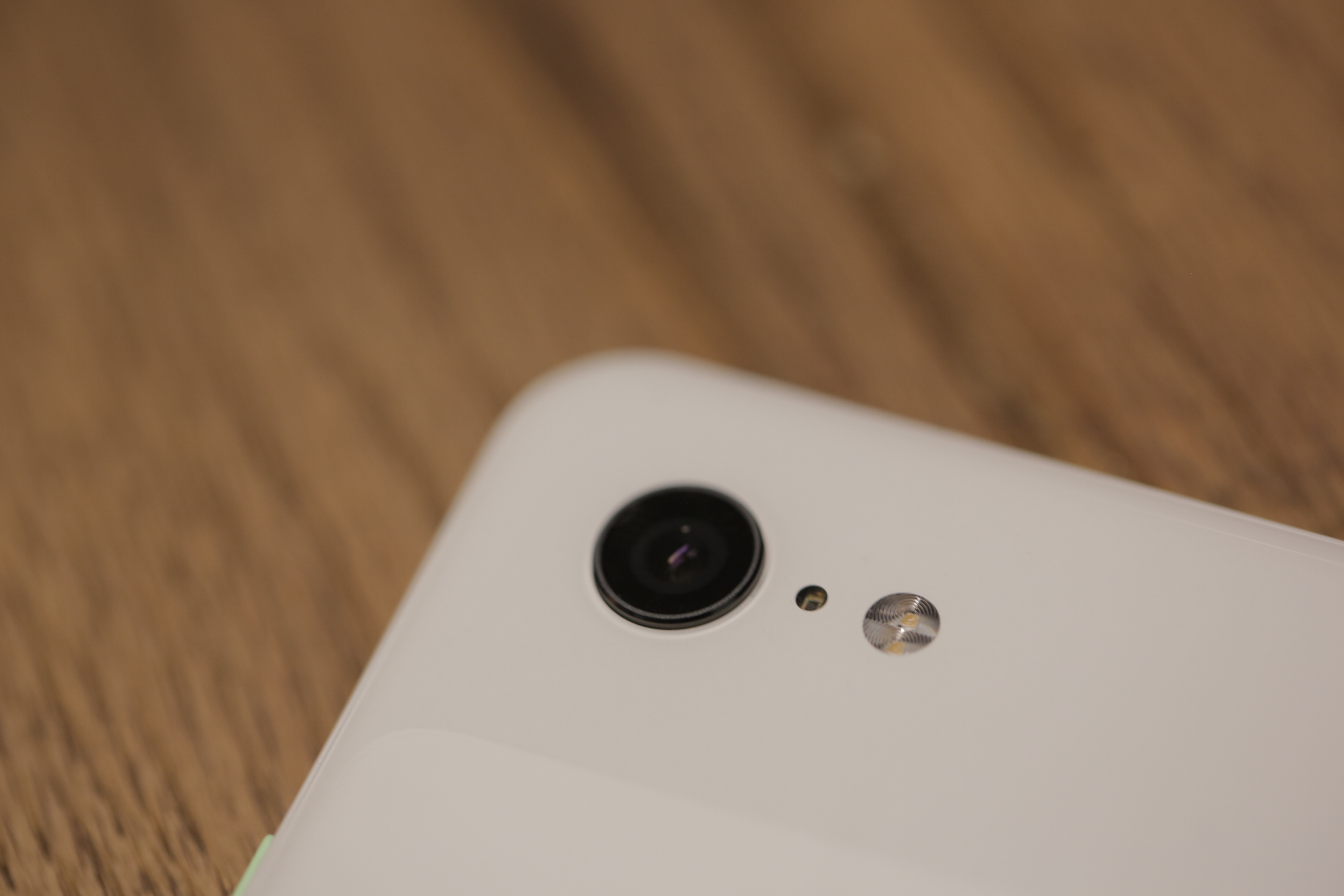
Okay, okay — it’s time to talk about the camera. We’ve got one of our reviewers doing a really in-depth testing on the Pixel camera, which you’ll be able to read as a standalone in the near future. For now, a couple of quick things to note.
The camera situation is a bit counterintuitive. There’s a second front-facing camera, while the back of the device bucks the industry standard of moving to two — or even three — lenses.
Rakowski again, “We look at all of the different configurations we can get. If we would have added another lens, it would have given us no benefit over what we get with one really good lens.”
That means, like the latest iPhone, the upgrades here are more software than hardware. If anyone gets the benefit of the doubt on that front, it’s Google. The company’s been making great strides in imaging, courtesy of silicon and machine learning, all of which were well demonstrated on the Pixel 2.
The Pixel 3 continues that grand tradition with some really impressive strides. Best of all, unlike many of the camera software tricks introduced by competitors in recent years, many of these additions are majorly useful day-to-day applications.
The camera software has HDR+ on by default — a smart move on Google’s part. While many users will buy the new Pixel based on photo performance, an even larger percentage of owners are unfamiliar with photog terms like HDR. I speak from experience, having personally enabled the feature on many friends’ phones.
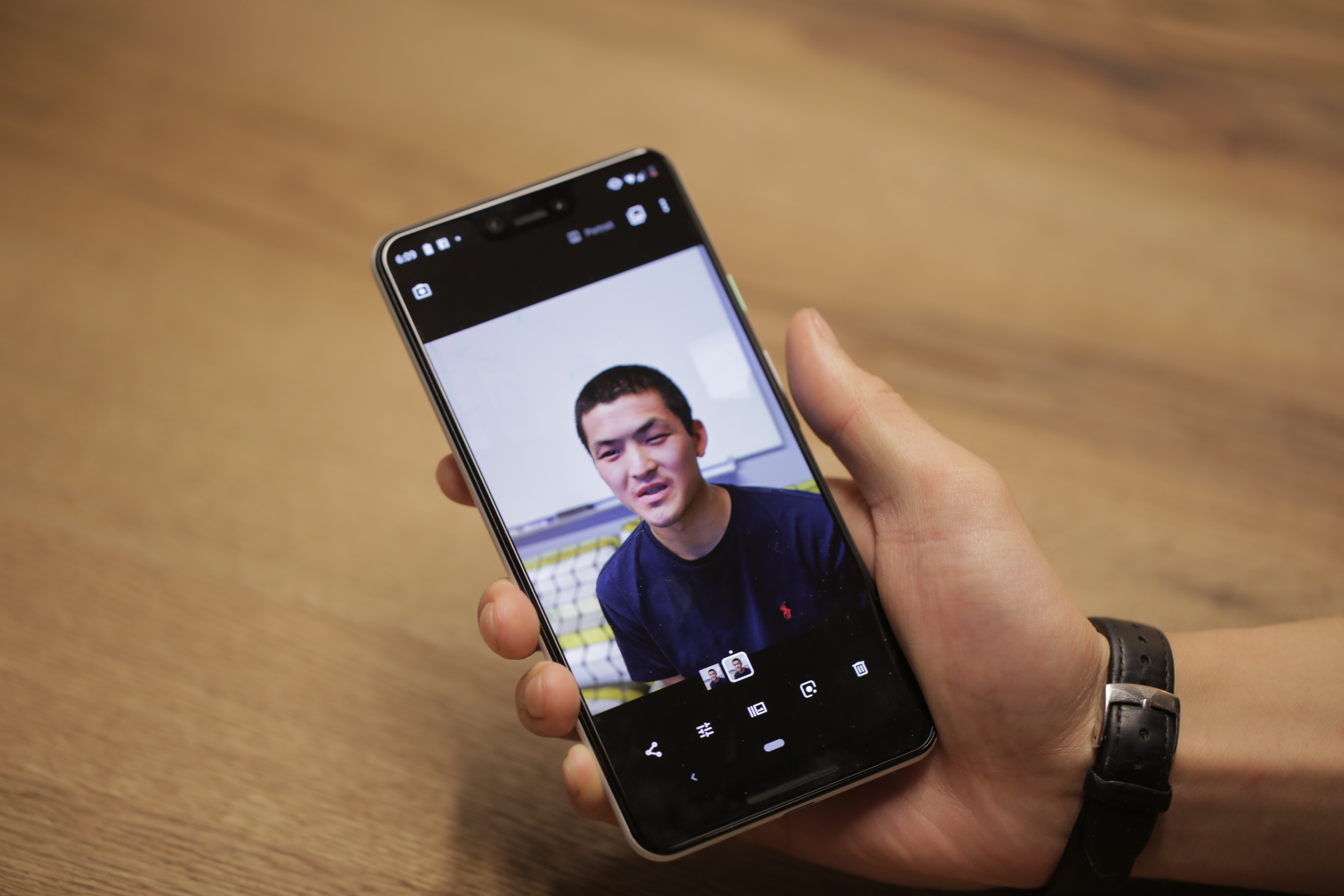
In Google’s application, the feature snaps eight frames more or less instantly, digitally stitching them together in a matter than impressively captures uneven light settings in a single frame. In fact, this kind of burst shooting is the key to many of the Pixel 3’s best features.
Take Top Shot. The feature utilizes the many frames taken when making a Motion Photo. Once the shot is taken, swipe up and you can scroll through the images on a timeline to pick the frame you want. Generally, the AI does a solid job picking the ideal image, but the ability to customize (assuming users can locate the feature) is certainly welcome.

That customization carries over into features like Portrait Mode. The Pixel has long done a solid job with the feature in spite of not having a full two cameras for depth sensing. Instead, the phone uses a dual lens to approximate a depth map. And while camera suppliers would no doubt argue the benefit of including a full second or third camera, it’s hard to quibble with the results here. Once a shot is taken, you can manually adjust the blurred-out bokeh effect behind the subject.

[Standard v Super Res Zoom]
Super Res Zoom also stitches together pieces of a photo to offer up a zoomed-in version. Here the tech actually builds upon your own shaky hands, using algorithmic tech to fill in the holes. It’s still no match for the optical zoom of telephotos like the one found on the new iPhone, but it definitely improves upon stand zoom.

[Left: iPhone XS, Right, Google Pixel 3 XL]
Night Sight, meanwhile, uses multiple shots to improve the color on low-light shots. It’s a clever workaround for a lack of dual-apertures, doing a fine job of brightening up photos. That said, there’s still noticeable noise on photos shot in dark settings.
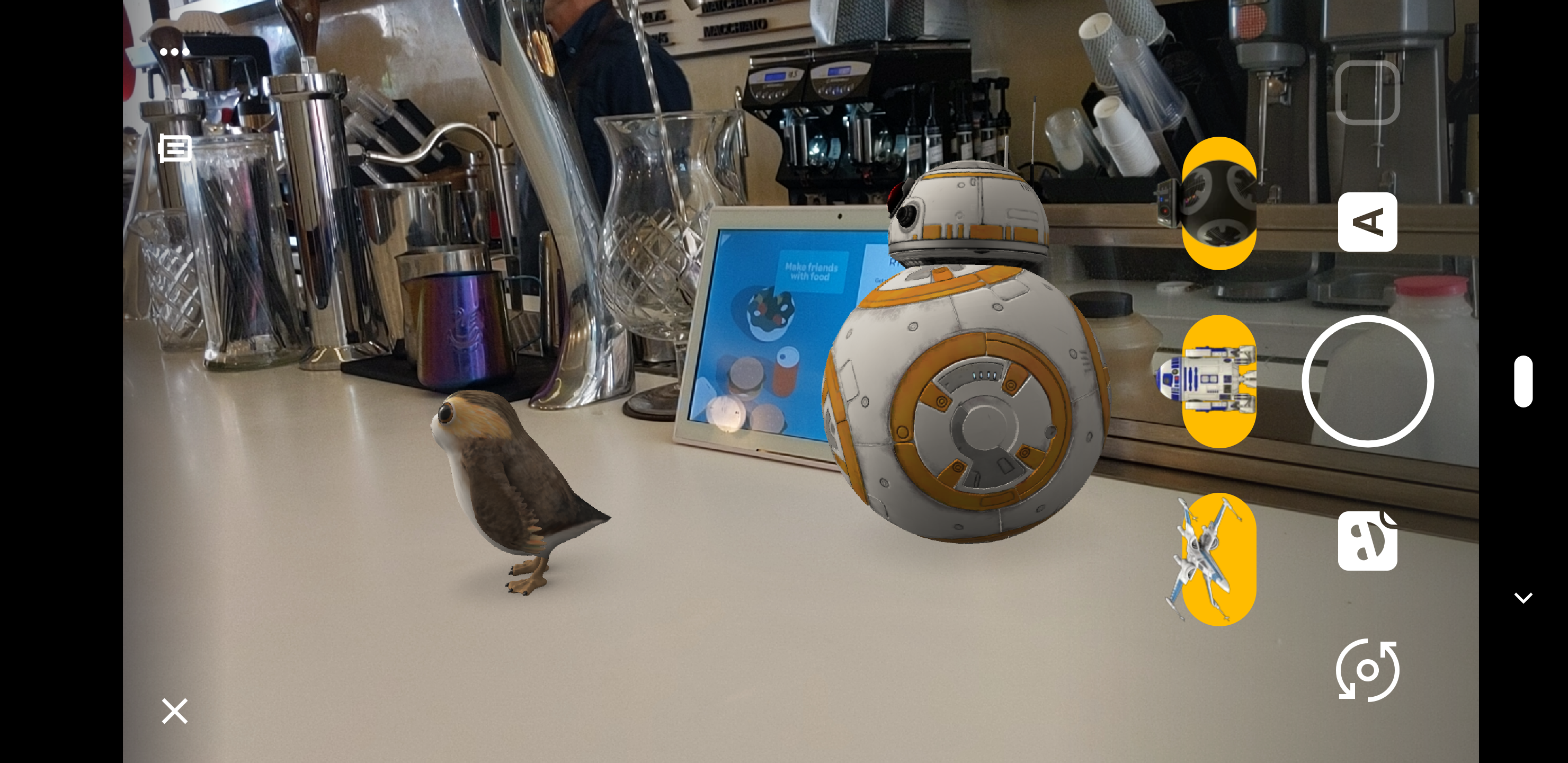
More camera features worth noting:
- Playground is a fun one-stop shop for augmented reality stickers. There are Star Wars and Avengers in there, among others. This is Google’s fun addition to the camera software. There are no Animojis or AR Emojis here, thanks to the lack of face detection, but it’s a fun glimpse at the future of in-camera AR.
- Lots of additional selfie options. The dual front-facing cameras means wide-angle selfies, for cramming in a larger group. The camera software, meanwhile, corrects the standard fish-eye lens distortion.
- Photobooth mode, meanwhile, will snap a shot when you smile.
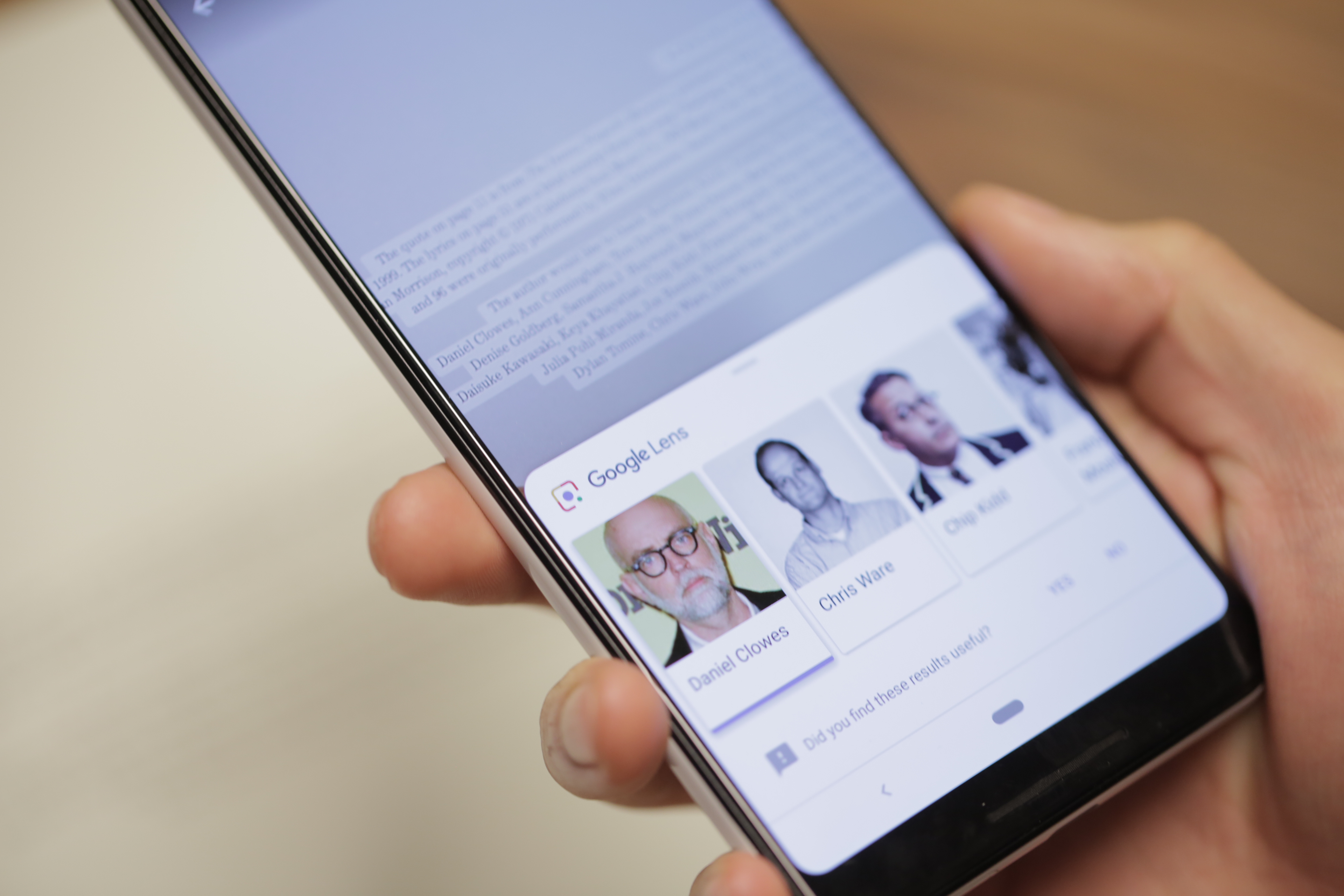
- Lens continues to impress. Check out the above shot of the thank you page from Adrian Tomine’s Killing and Day, which pops up faces and bios for those fellow authors mentioned.
A Google exec recently told me that price wasn’t really a factor when building hardware. In all things, however, the company is pragmatic. Google’s move away from the ongoing spec wars means the company isn’t chasing premium hardware for the sake of itself. That ultimately benefits the user from a pricing perspective.
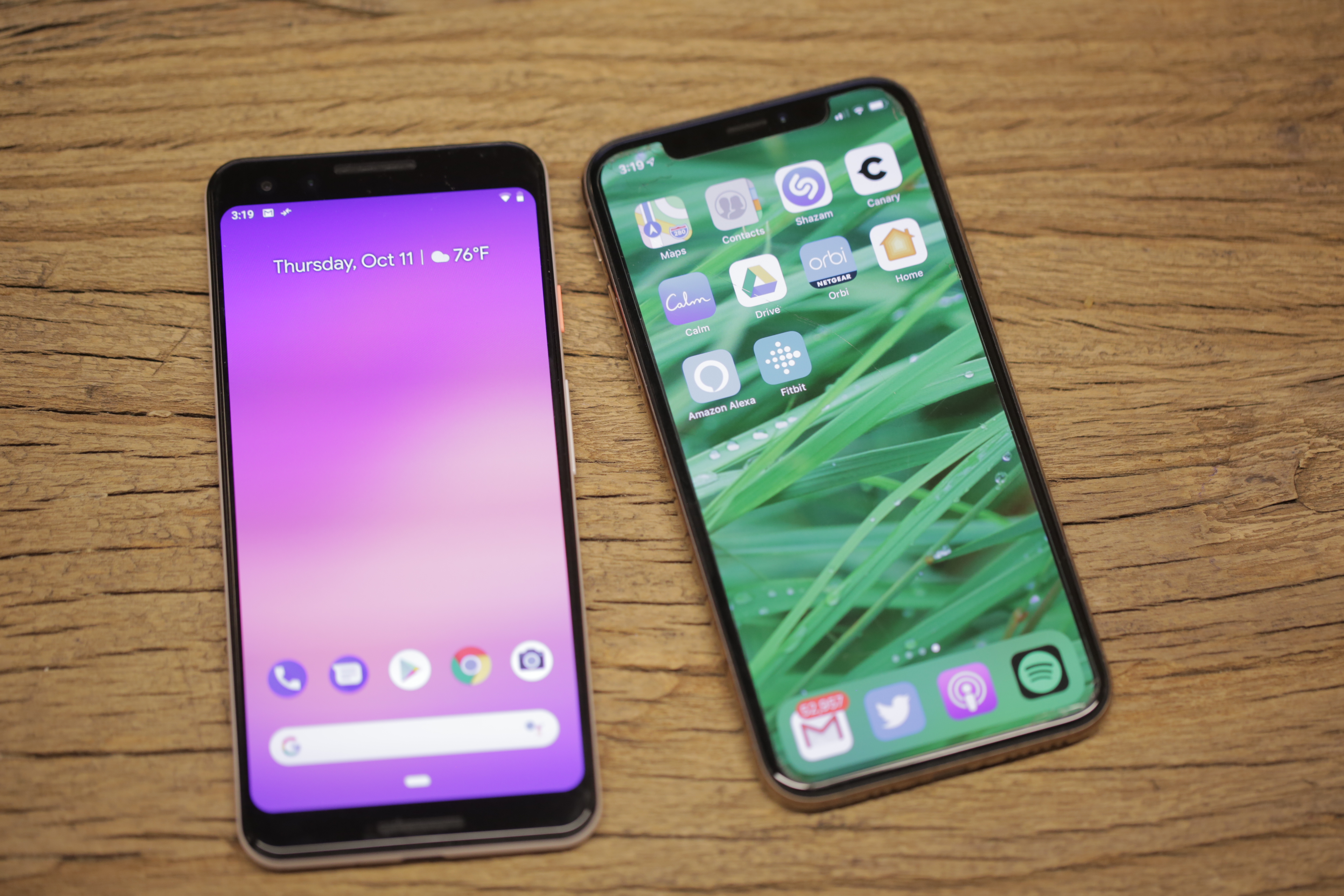
Google doesn’t lead with the fact that the Pixel 3 starts at $799, but in a world full of flagships that start at $200 more, maybe it should. Sure, it’s not exactly cheap, but these days, it feels like a downright steal for a top-tier flagship.
Like its predecessor, the Pixel 3 isn’t about flash. It is, however, another solid showcase for Google’s impressive innovations.

Read Full Article
This robot uses lasers to “listen” to its environment
A new technology from researchers at Carnegie Mellon University will add sound and vibration awareness to create truly context-aware computing. The system, called Ubicoustics, adds additional bits of context to smart device interaction, allowing a smart speaker to know its in a kitchen or a smart sensor to know you’re in a tunnel versus on the open road.
“A smart speaker sitting on a kitchen countertop cannot figure out if it is in a kitchen, let alone know what a person is doing in a kitchen,” said Chris Harrison a researcher at CMU’s Human-Computer Interaction Institute. “But if these devices understood what was happening around them, they could be much more helpful.”
The first implementation of the system uses built-in speakers to create “a sound-based activity recognition.” How they are doing this is quite fascinating.
“The main idea here is to leverage the professional sound-effect libraries typically used in the entertainment industry,” said Gierad Laput, a Ph.D. student. “They are clean, properly labeled, well-segmented and diverse. Plus, we can transform and project them into hundreds of different variations, creating volumes of data perfect for training deep-learning models.”
From the release:
Laput said recognizing sounds and placing them in the correct context is challenging, in part because multiple sounds are often present and can interfere with each other. In their tests, Ubicoustics had an accuracy of about 80 percent — competitive with human accuracy, but not yet good enough to support user applications. Better microphones, higher sampling rates and different model architectures all might increase accuracy with further research.
In a separate paper, HCII Ph.D. student Yang Zhang, along with Laput and Harrison, describe what they call Vibrosight, which can detect vibrations in specific locations in a room using laser vibrometry. It is similar to the light-based devices the KGB once used to detect vibrations on reflective surfaces such as windows, allowing them to listen in on the conversations that generated the vibrations.
This system uses a low-power laser and reflectors to sense whether an object is on or off or whether a chair or table has moved. The sensor can monitor multiple objects at once and the tags attached to the objects use no electricity. This would let a single laser monitor multiple objects around a room or even in different rooms, assuming there is line of sight.
The research is still in its early stages but expect to see robots that can hear when you’re doing the dishes and, depending on their skills, hide or offer to help.

Read Full Article
See Better and Further with Super Res Zoom on the Pixel 3
Digital zoom using algorithms (rather than lenses) has long been the “ugly duckling” of mobile device cameras. As compared to the optical zoom capabilities of DSLR cameras, the quality of digitally zoomed images has not been competitive, and conventional wisdom is that the complex optics and mechanisms of larger cameras can't be replaced with much more compact mobile device cameras and clever algorithms.
With the new Super Res Zoom feature on the Pixel 3, we are challenging that notion.
The Super Res Zoom technology in Pixel 3 is different and better than any previous digital zoom technique based on upscaling a crop of a single image, because we merge many frames directly onto a higher resolution picture. This results in greatly improved detail that is roughly competitive with the 2x optical zoom lenses on many other smartphones. Super Res Zoom means that if you pinch-zoom before pressing the shutter, you’ll get a lot more details in your picture than if you crop afterwards.
 |
| Crops of 2x Zoom: Pixel 2, 2017 vs. Super Res Zoom (Pixel 3, 2018) |
Digital zoom is tough because a good algorithm is expected to start with a lower resolution image and "reconstruct" missing details reliably — with typical digital zoom a small crop of a single image is scaled up to produce a much larger image. Traditionally, this is done by linear interpolation methods, which attempt to recreate information that is not available in the original image, but introduce a blurry- or “plasticy” look that lacks texture and details. In contrast, most modern single-image upscalers use machine learning (including our own earlier work, RAISR). These magnify some specific image features such as straight edges and can even synthesize certain textures, but they cannot recover natural high-resolution details. While we still use RAISR to enhance the visual quality of images, most of the improved resolution provided by Super Res Zoom (at least for modest zoom factors like 2-3x) comes from our multi-frame approach.
Color Filter Arrays and Demosaicing
Reconstructing fine details is especially difficult because digital photographs are already incomplete — they’ve been reconstructed from partial color information through a process called demosaicing. In typical consumer cameras, the camera sensor elements are meant to measure only the intensity of the light, not directly its color. To capture real colors present in the scene, cameras use a color filter array placed in front of the sensor so that each pixel measures only a single color (red, green, or blue). These are arranged in a Bayer pattern as shown in the diagram below.
 |
| A Bayer mosaic color filter. Every 2x2 group of pixels captures light filtered by a specific color — two green pixels (because our eyes are more sensitive to green), one red, and one blue. This pattern is repeated across the whole image. |
 |
| Demosaicing reconstructs missing color information by using neighboring neighboring pixels. |
The situation gets worse if you pinch-zoom on a mobile device; then algorithms are forced to make up even more information, again by interpolation from the nearby pixels. However, not all is lost. This is where burst photography and the fusion of multiple images can be used to allow for super-resolution, even when limited by mobile device optics.
From Burst Photography to Multi-frame Super-resolution
While a single frame doesn't provide enough information to fill in the missing colors , we can get some of this missing information from multiple images taken successively. The process of capturing and combining multiple sequential photographs is known as burst photography. Google’s HDR+ algorithm, successfully used in Nexus and Pixel phones, already uses information from multiple frames to make photos from mobile phones reach the level of quality expected from a much larger sensor; could a similar approach be used to increase image resolution?
It has been known for more than a decade, including in astronomy where the basic concept is known as “drizzle”, that capturing and combining multiple images taken from slightly different positions can yield resolution equivalent to optical zoom, at least at low magnifications like 2x or 3x and in good lighting conditions. In this process, called muti-frame super-resolution, the general idea is to align and merge low-resolution bursts directly onto a grid of the desired (higher) resolution. Here's an example of how an idealized multi-frame super-resolution algorithm might work:
 |
| As compared to the standard demosaicing pipeline that needs to interpolate the missing colors (top), ideally, one could fill some holes from multiple images, each shifted by one pixel horizontally or vertically. |
Over the years, the practical usage of this “super-res” approach to higher resolution imaging remained confined largely to the laboratory, or otherwise controlled settings where the sensor and the subject were aligned and the movement between them was either deliberately controlled or tightly constrained. For instance, in astronomical imaging, a stationary telescope sees a predictably moving sky. But in widely used imaging devices like the modern-day smartphone, the practical usage of super-res for zoom in applications like mobile device cameras has remained mostly out of reach.
This is in part due to the fact that in order for this to work properly, certain conditions need to be satisfied. First, and most important, is that the lens needs to resolve detail better than the sensor used (in contrast, you can imagine a case where the lens is so poorly-designed that adding a better sensor provides no benefit). This property is often observed as an unwanted artifact of digital cameras called aliasing.
Image Aliasing
Aliasing occurs when a camera sensor is unable to faithfully represent all patterns and details present in a scene. A good example of aliasing are Moiré patterns, sometimes seen on TV as a result of an unfortunate choice of wardrobe. Furthermore, the aliasing effect on a physical feature (such as an edge of a table) changes when things move in a scene. You can observe this in the following burst sequence, where slight motions of the camera during the burst sequence create time-varying alias effects:
 |
| Left: High-resolution, single image of a table edge against a high frequency patterned background, Right: Different frames from a burst. Aliasing and Moiré effects are visible between different frames — pixels seem to jump around and produce different colored patterns. |
Practical Super-resolution Using Hand Motion
As noted earlier, some DSLR cameras offer special tripod super-resolution modes that work in a way similar to what we described so far. These approaches rely on the physical movement of the sensors and optics inside the camera, but require a complete stabilization of the camera otherwise, which is impractical in mobile devices, since they are nearly always handheld. This would seem to create a catch-22 for super-resolution imaging on mobile platforms.
However, we turn this difficulty on its head, by using the hand-motion to our advantage. When we capture a burst of photos with a handheld camera or phone, there is always some movement present between the frames. Optical Image Stabilization (OIS) systems compensate for large camera motions - typically 5-20 pixels between successive frames spaced 1/30 second apart - but are unable to completely eliminate faster, lower magnitude, natural hand tremor, which occurs for everyone (even those with “steady hands”). When taking photos using mobile phones with a high resolution sensor, this hand tremor has a magnitude of just a few pixels.
 |
| Effect of hand tremor as seen in a cropped burst, after global alignment. |
When hand motion is not present because the device is completely stabilized (e.g. placed on a tripod), we can still achieve our goal of simulating natural hand motion by intentionally “jiggling” the camera, by forcing the OIS module to move slightly between the shots. This movement is extremely small and chosen such that it doesn’t interfere with normal photos - but you can observe it yourself on Pixel 3 by holding the phone perfectly still, such as by pressing it against a window, and maximally pinch-zooming the viewfinder. Look for a tiny but continuous elliptical motion in distant objects, like that shown below.

The description of the ideal process we gave above sounds simple, but super-resolution is not that easy — there are many reasons why it hasn’t widely been used in consumer products like mobile phones, and requires the development of significant algorithmic innovations. Challenges can include:
- A single image from a burst is noisy, even in good lighting. A practical super-resolution algorithm needs to be aware of this noise and work correctly despite it. We don’t want to get just a higher resolution noisy image - our goal is to both increase the resolution but also produce a much less noisy result.

Left: Single frame frame from a burst taken in good light conditions can still contain a substantial amount of noise due to underexposure. Right: Result of merging multiple frames after burst processing. - Motion between images in a burst is not limited to just the movement of the camera. There can be complex motions in the scene such as wind-blown leaves, ripples moving across the surface of water, cars, people moving or changing their facial expressions, or the flicker of a flame — even some movements that cannot be assigned a single, unique motion estimate because they are transparent or multi-layered, such as smoke or glass. Completely reliable and localized alignment is generally not possible, and therefore a good super-resolution algorithm needs to work even if motion estimation is imperfect.
- Because much of motion is random, even if there is good alignment, the data may be dense in some areas of the image and sparse in others. The crux of super-resolution is a complex interpolation problem, so the irregular spread of data makes it challenging to produce a higher-resolution image in all parts of the grid.


Here’s how we’ve addressed some of these challenges:
- To effectively merge frames in a burst, and to produce a red, green, and blue value for every pixel without the need for demosaicing, we developed a method of integrating information across the frames that takes into account the edges of the image, and adapts accordingly. Specifically, we analyze the input frames and adjust how we combine them together, trading off increase in detail and resolution vs. noise suppression and smoothing. We accomplish this by merging pixels along the direction of apparent edges, rather than across them. The net effect is that our multi-frame method provides the best practical balance between noise reduction and enhancement of details.

Left: Merged image with sub-optimal tradeoff of noise reduction and enhanced resolution. Right: The same merged image with a better tradeoff. - To make the algorithm handle scenes with complex local motion (people, cars, water or tree leaves moving) reliably, we developed a robustness model that detects and mitigates alignment errors. We select one frame as a “reference image”, and merge information from other frames into it only if we’re sure that we have found the correct corresponding feature. In this way, we can avoid artifacts like “ghosting” or motion blur, and wrongly merged parts of the image.

A fast moving bus in a burst of images. Left: Merge without robustness model. Right: Merge with robustness model.


The Portrait mode last year, and the HDR+ pipeline before it, showed how good mobile photography can be. This year, we set out to do the same for zoom. That’s another step in advancing the state of the art in computational photography, while shrinking the quality gap between mobile photography and DSLRs. Here is an album containing full FOV images, followed by Super Res Zoom images. Note that the Super Res Zoom images in this album are not cropped — they are captured directly on-device using pinch-zoom.
 |
| Left: Crop of 7x zoomed image on Pixel 2. Right: Same crop from Super Res Zoom on Pixel 3. |
Super Res Zoom is the result of a collaboration across several teams at Google. The project would not have been possible without the joint efforts of teams managed by Peyman Milanfar, Marc Levoy, and Bill Freeman. The authors would like to thank Marc Levoy and Isaac Reynolds in particular for their assistance in the writing of this blog.
The authors wish to especially acknowledge the following key contributors to the Super Res Zoom project: Ignacio Garcia-Dorado, Haomiao Jiang, Manfred Ernst, Michael Krainin, Daniel Vlasic, Jiawen Chen, Pascal Getreuer, and Chia-Kai Liang. The project also benefited greatly from contributions and feedback by Ce Liu, Damien Kelly, and Dillon Sharlet.
How to get the most out of Super Res Zoom?
Here are some tips on getting the best of Super Res Zoom on a Pixel 3 phone:
- Pinch and zoom, or use the + button to increase zoom by discrete steps.
- Double-tap the preview to quickly toggle between zoomed in and zoomed out.
- Super Res works well at all zoom factors, though for performance reasons, it activates only above 1.2x. That’s about half way between no zoom and the first “click” in the zoom UI.
- There are fundamental limits to the optical resolution of a wide-angle camera. So to get the most out of (any) zoom, keep the magnification factor modest.
- Avoid fast moving objects. Super Res zoom will capture them correctly, but you will not likely get increased resolution.
* It’s worth noting that the situation is similar in some ways to how we see — in human (and other mammalian) eyes, different eye cone cells are sensitive to some specific colors, with the brain filling in the details to reconstruct the full image.↩


The 11 Best Scary Movies on Netflix Full of Frights

While Halloween is the perfect time to watch horror films, scary movies can be enjoyed at any time of the year. With that in mind, we have compiled a list of the best scary movies to watch on Netflix.
Whether it’s spooky ghosts, masked killers, or evil creatures that frighten you the most, this list is for you. So why not close the curtains, dim the lights, and grab a pillow to squeeze when things get tense?
1. The Conjuring (2013)
Horror, Mystery, Thriller | IMDb: 7.5 | RT: 86%
What’s spookier than a ghostly campfire story? The answer is one that is based on actual events. The Conjuring is an extremely scary and suspenseful tale of a family whose home is invaded by something evil. The family seeks the help of a paranormal investigation team played by Patrick Wilson and Vera Farmiga. And what happens next will give you chills.
2. Hush (2016)
Horror, Thriller | IMDb: 6.6 | RT: 94%
When you live alone, there is one thing that can put a scare into you like no other; a masked killer standing outside your window. Hush, starring Kate Siegel, takes you into the life of a deaf writer who lives in solitude. When she discovers she has become prey for a killer, she must fight for her life. If you’re in the mood for a frightening film, watch Hush when you’re home alone.
3. The Babadook (2014)
Drama, Horror | IMDb: 6.8 | RT: 98%
A single mother whose husband died a violent death soon has even more danger to confront. The Babadook rolls the mysterious appearance of a children’s book and an evil presence at every turn into one gripping, terrifying tale. With mystery and monsters, this psychological thriller is one bedtime story that might just give you nightmares.
If that interests you, here are some truly nightmarish movies full of jump scares to check out.
4. Stephen King’s Children of the Corn (1984)
Horror, Thriller | IMDb: 5.6 | RT: 36%
From the master of horror stories, Stephen King, comes Children of the Corn. While the movie may be older than the others on the list, the creep factor hasn’t diminished over time. A young couple ends up in a small town after becoming lost on their travels across country roads. They soon discover that the children have taken over the town and the corn fields hold all the secrets.
If you’re a fan of Stephen King here are some other movies based on Stephen King novels you can stream online.
5. Seven (1995)
Crime, Drama, Mystery | IMDb: 8.6 | RT: 80%
Starring Morgan Freeman and Brad Pitt, Seven is a crime mystery that’s scary in its own way. A serial killer is on the loose and they are the detectives on the case. The killer they hunt is on a disturbing mission to teach lessons to others about the seven deadly sins. What makes this movie frightening isn’t just the horrific scenes left by the killer, but the entire film concept as well. And of course, there is a twist in the tale.
6. The Sixth Sense (1999)
Drama, Mystery, Thriller | IMDb: 8.1 | RT: 85%
In The Sixth Sense, you follow a small child, played by Haley Joel Osment, who can communicate with spirits. His psychologist, played by Bruce Willis, does his best to help the young boy while he tries to uncover the truth behind it all. With ghosts showing up around every corner that only the child can see, this spooky story has a surprise that got it nominated for six Academy Awards. Directed by M. Night Shyamalan, The Sixth Sense is a must-see scary film.
7. Hellraiser (1987)
Horror, Thriller | IMDb: 7.0 | RT: 68%
Demons, dimensions, and the dead are what you will find in the original Hellraiser movie. When a man leaves earth and enters the underworld of an undead dimension, who better to direct that story than horror novelist Clive Barker? Open the puzzle box and prepare to meet the most frightening creatures imaginable, if you dare. And if you survive, check out Hellbound: Hellraiser II on Netflix as well.
8. The Shining (1980)
Classic Movie, Classic Thriller, Cult Movie | IMDb: 8.4 | RT: 88%
Starring Jack Nicholson and Shelley Duvall, The Shining is based on the 1977 Stephen King novel of the same name. When Jack takes a job as a caretaker at the secluded Overlook Hotel in Colorado, it becomes anything but a relaxing winter in the mountains for him and his family. As the hotel’s spirited past and cabin fever set in for the author-turned-caretaker, Jack soon turns homicidal. The Shining is a classic thriller that is sure to give you goosebumps.
9. The Witch (2015)
Horror, Supernatural Horror, Teen Screams | IMDb: 6.7 | RT: 91%
Travel back in time to 1630s New England where witchcraft turns a family paranoid in The Witch. It begins when a young farm boy goes missing and the family places the blame on the oldest daughter who was caring for the boy. The film not only brings a test of love and faith for a family, but chills to the rest of us watching their story unfold.
10. Deep Blue Sea (1999)
Action & Adventure, Action Thriller, Sci-Fi Thriller | IMDb: 5.8 | RT: 57%
It’s not always movies with killers, hauntings, or ghosts that scare people the most. Deep Blue Sea offers up its own type of frights when a group of scientists fight for their lives against hungry sharks. While working as researchers on a remote island, something goes terribly wrong and the sharks begin their attack on the group. starring Samuel L. Jackson, Saffron Burrows, Thomas Jane, and LL Cool J, Deep Blue Sea is one of the best shark movies to watch online.
11. Would You Rather (2012)
Horror | IMDb: 5.7 | RT:57%
How far would you go for enough money to help your fatally ill brother? In Would You Rather, a seemingly innocent dinner party full of strangers soon turns into an insane game of choices. A merciless millionaire is willing to help those who need it, but at costs that are higher than the group can afford. Starring Brittany Snow, this movie is more disturbing than spooky, but still scary to watch.
Netflix Knows What Scares You
While this article is all about the best scary movies on Netflix there are plenty of sites to watch horror movies online for free.
Netflix may not offer streaming for popular slashers like Friday the 13th, extra-terrestrial terrors like Alien, demented flicks like Saw, or demonic classics like The Exorcist. But this list does give you some scary options to explore that might just satisfy your craving for horror and suspense.
And once you have exhausted this list of scary movies, you can then add these scary TV shows perfect for binge-watching to your lineup too.
Read the full article: The 11 Best Scary Movies on Netflix Full of Frights
Read Full Article
Worries linger as Facebook withholds stolen searches & checkins
Hacked Facebook users still don’t know which 15 recent searches and 10 latest checkins were exposed in company’s massive breach it detailed last week. The company merely noted that those were amongst the data sets stolen by the attackers. That creates uncertainty about how sensitive or embarrassing the scraped data is, and whether it could possibly by used to blackmail and stalk them.
Much of the scraped data from the 14 million most-impacted users out of 30 million total people hit by the breach was biographical and therefore relatively static, such as their birth date, religion, or hometown. While still problematic because it could be used for unconsented ad targeting, scams, hacking attempts, or social engineering attacks, at least users likely know what was illicitly grabbed.
Thankfully, some of the most sensitive data fields such as sexual orientation were not accessed, Facebook confirms to me. But the exposure of recent searches and checkins could threaten users in different ways.
Given the attack was so broad and impacted a wide variety of users, unlike say a targeted attack on the Democratic National Convention, there’s no evidence that blackmailing or stalking individual users was the purpose of the hack. For the average user hit by the breach, the likelihood of this kind of follow-up attack may be low.
But given that public figures including Facebook CEO Mark Zuckerberg and COO Sheryl Sandberg were victims of the attack, as well as many reporters (myself included), there remains a risk that the perpetrators paw through the data seeking high-profile people to exploit.
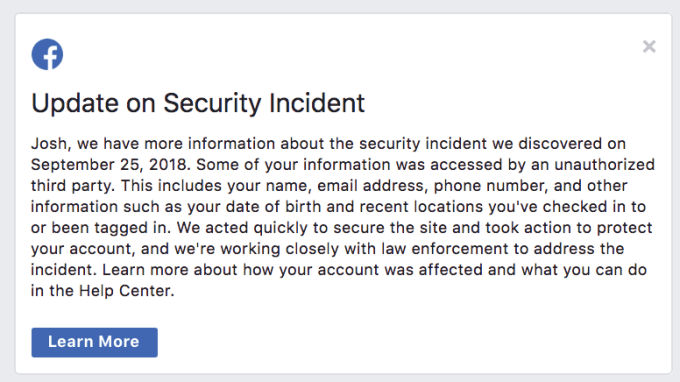
Stolen data on “the 15 most recent searches you’ve entered into the Facebook search bar” could contain embarrassing or controversial topics, competitive business research, or potential infidelity. Many users might be mortified if their searches for racy content, niche political viewpoints, or their ex-lovers were published in association with their real name. Hackers could potentially target victims with blackmail scams threatening to reveal this info to the world, especially since the hack included user contact info including phone numbers and email addresses.
Scraped checkins could power real-world stalking or attacks. Users’ exact GPS coordinates were not accessible to the hackers, but they did grab 14 million people’s “10 most recent locations you’ve checked in to or been tagged in. These locations are determined by the places named in the posts, such as a landmark or restaurant, not location data from a device” Facebook writes. If users checked in to nearby coffee shops, their place of work, or even their home if they’ve given it a cheeky name as some urban millennials do, their history of visiting those locations is now in dangerous hands.
If users at least knew what searches or checkins of theirs were stolen, they could choose if or how they should modify their behavior or better protect themselves. That’s why amongst Facebook’s warnings to users about whether they were hacked and what types of data were accessed, it should also consider giving those users the option to see the specific searches or checkins that were snatched.
When asked by TechCrunch, a Facebook spokesperson declined to comment on its plans here. It understandable that the company might be concerned that disclosing the particular searches and checkins could unnecessarily increase fear and doubt. But as Facebook tries to recover from the breach and regain the trust of its audience of 2.2 billion, it should err on the side of transparency. If hackers know this information, shouldn’t the hacked users too?

Read Full Article
15 October 2018
Winamp returns in 2019 to whip the llama’s ass harder than ever
The charmingly outdated media player Winamp is being reinvented as a platform-agnostic audio mobile app that brings together all your music, podcasts, and streaming services to a single location. It’s an ambitious relaunch, but the company behind it says it’s still all about the millions-strong global Winamp community — and as proof, the original desktop app is getting an official update as well.
For those who don’t remember: Winamp was the MP3 player of choice around the turn of the century, but went through a rocky period during Aol ownership (our former parent company) and failed to counter the likes of iTunes and the onslaught of streaming services, and more or less crumbled over the years. The original app, last updated in 2013, still works, but to say it’s long in the tooth would be something of an understatement (the community has worked hard to keep it updated, however). So it’s with pleasure that I can confirm rumors that substantial updates are on the way.
“There will be a completely new version next year, with the legacy of Winamp but a more complete listening experience,” said Alexandre Saboundjan, CEO of Radionomy, the company that bought Winamp (or what remained of it) in 2014. “You can listen to the MP3s you may have at home, but also to the cloud, to podcasts, to streaming radio stations, to a playlist you perhaps have built.”
“People want one single experience,” he concluded. “I think Winamp is the perfect player to bring that to everybody. And we want people to have it on every device.”
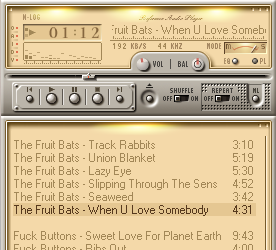
Laugh if you want but I laugh back
Now, I’m a Winamp user myself. And while I’ve been saddened by the drama through which the iconic MP3 player and the team that created it have gone (at the hands of TechCrunch’s former parent company, Aol), I can’t say I’ve been affected by it in any real way. Winamp 2 and 5 have taken me all the way from Windows 98 SE to 10 with nary a hiccup, and the player is docked just to the right of this browser window as I type this. (I use the nucleo_nlog skin.)
And although I bear the burden of my colleagues’ derisive comments for my choice of player, I’m far from alone. Winamp has as many as a hundred million monthly users, most of whom are outside the US. This real, engaged user base could be a powerful foot in the door for a new platform — mobile-first, but with plenty of love for the desktop too.
“Winamp users really are everywhere. It’s a huge number,” said Saboundjan. “We have a really strong and important community. But everybody ‘knows’ that Winamp is dead, that we don’t work on it any more. This is not the case.”
This may not come as a shock Winamp users still plugged into the scene: following years of rumors, an update to the desktop player leaked last month, bringing it from version 5.666 to 5.8. It was a pleasant surprise to users who had encountered compatibility problems with Windows 10 but had taken the “more coming soon” notice on the website with a massive grain of salt.
This kind of thing happens a lot, after all: an old property or app gets bought, promises are made, and after a few years it just sort of fades away. So a free update — in fact, 5.8 eliminates all paid options originally offered in the Pro version — bringing a bucketful of fixes is like Christmas coming early. Or late. At any rate it’s appreciated.

The official non-leaked 5.8 release should come out this week (the 18th, to be precise), and won’t be substantially different from the one we’ve been using for years or the one that leaked. Just bug and compatibility fixes that should keep this relic trucking along for a few years longer.
The update to the desktop app is basically a good faith advance payment to the community: Radionomy showing they aren’t just running away with the property and slapping the brand on some random venture. But the real news is Winamp 6, which Saboundjan says should come out in 2019.
“What I see today is you have to jump from one player to another player or aggregator if you want to listen to a radio station, to a podcast player if you want to listen to a podcast — this, to me, is not the final experience,” he explained. It’s all audio, and it’s all searchable in one fashion or another. So why isn’t it all in one place?

The planned version of Winamp for iOS and Android will be that place, Saboundjan claims. On desktop, “the war is over,” he said, and between the likes of iTunes and web apps, there’s not much room to squeeze in. But mobile audio is fractured and inconvenient.
While Saboundjan declined to get into the specifics of which services would be part of the new Winamp or how the app would plug into, say, your Spotify playlists, your Google Music library, your Podcasts app, Audible, and so on, he seemed confident that it would meet the needs he outlined. There are many conversations underway, he said, but licensing and agreements aren’t the main difficulty, and of course release is still quite a ways out. The team has focused on creating a consistent app across every platform you might want encounter mobile audio. A highly improved search will also play a role — as it ought to, when your media is all lumped into one place.
No word on whether it will retain its trademark intro upon installation — “WINAMP. It really whips the llama’s ass.” I certainly hope so.
This lack of specifics is a bit frustrating, of course, but I’m not worried about vaporware. I’m worried that other services will insist on the fragmented experience they’ve created that serves their interests better than ours. But if Radionomy can navigate these tricky waters and deliver a product even a little like what they’ve described, I’ll be thrilled (and my guess is tens of millions more will be as well). And if not, well, we’ll always have the original.


Read Full Article
How to Protect Your PS4 From This Messaging Bug

There’s a malicious message doing the rounds that, when opened on a PlayStation 4, can cause your console to crash. Thankfully, there’s a way of deleting the message without accessing it on your PS4, and a way of preventing it being sent to you in the first place.
There have been various examples of this over the years. In 2016, there was a video capable of crashing iPhones. And unusual characters in messages aren’t a new phenomenon. However, this malicious messaging bug is the first to hit games consoles.
The PlayStation 4 Malicious Messaging Bug
The message, as first reported on Reddit, looks innocuous enough. However, opening it on your PlayStation 4 will cause your console to slow down to a crawl and eventually crash. A factory reset is then required to get it back up and running.
The PS4 was too busy having games to patch its security bugs pic.twitter.com/kuNyHT95pg
— Mikeyfell (@fatmanfalling) October 14, 2018
Thankfully, this only works if you open the message on your PS4. If you access the message on Sony’s website or the PlayStation Messages app on Android or iOS, you can delete it without any trouble. That is if you’re not using your PS4 at the time.
How to Protect Your PS4 Against Malicious Messages
The best way to avoid being hit with this message is to take preventative measures. Which is as simple as limiting who can message you on PSN. Here’s what to do on your PlayStation 4:
- Open Settings
- Click Account Management
- Click Privacy Settings
- Enter Your Password
- Open Personal Info | Messaging
- Set Messages to “Friends” or “No One”
If you choose Friends then only people you’re friends with on PSN will be able to message you. If you select No One then absolutely nobody will be able to message you, ensuring your safety.
Sony Is Reportedly Working on a Permanent Fix
Sony is reported to be working on a fix, which will likely involve the company releasing a firmware update to patch the problem. Thankfully, now that you’re aware of the situation you should be able to fix the problem yourself, albeit temporarily.
While you’re fiddling with your PlayStation these are the PS4 privacy settings you should change for peace of mind. And if the worst case scenario plays out and you’re forced to buy a new PS4 here is how to transfer data from your old PS4 to a new PS4.
Image Credit: Niklas Hellerstedt/Flickr
Read the full article: How to Protect Your PS4 From This Messaging Bug
Read Full Article