12 May 2020

Reconnecting, reluctantly, with Facebook


Haje Jan Kamps is a founder, photographer and journalist who logged time as a TechCrunch writer years ago and who has since launched a platform for virtual conferences called Konf. In a recent catch-up with him about work and life during COVID-19, we wound up talking at some length about Facebook, which is seeing record use across its social networking, messaging and live-streaming platforms right now and will likely continue to do so throughout this pandemic.

We asked Kamps, who joined Facebook around 2006 — which is when it first expanded beyond its roots on college campuses to enable anyone over age 13 with a valid email address to join — if we could share some of his thoughts as a kind of snapshot. They represent only his views and opinions, but they underscore a broader struggle that many Facebook users around the world — currently isolated from friends and family — are experiencing as their relationship with the tech giant evolves, and its power accordingly grows at an accelerated pace.

Kamps’ comments have been edited lightly for length and clarity.

I take breaks from Facebook from time to time, because it’s a little bit much and occasionally, I think, they change your algorithm, so sometimes it just gets real depressing, [so] I’m just going to vote with my mouse cursor and get the hell out of there for a bit. And then I come back. And then it’s like more friends doing updates and stuff.

I want my friends’ life updates. I don’t necessarily want the weight of the world on my shoulders. I made a conscious choice a while ago to stop reading the news just for my well-being. And if it gets in through the back door through Facebook, I’m like, ‘Look, I don’t want that.’

Just a little vignette from this morning: I woke up, I overslept slightly, and I got on Facebook, and there was a friend who was doing a live stream because she decided to try and cheer people up a little bit. She was playing her ukulele and just singing for 15 minutes. She had, like, 20 of her friends watching and was like, ‘Hope everyone has a great day.’ That didn’t happen before everybody had to go into isolation.

There’ve been a whole bunch of groups that have popped up, as well as some older groups that became reactivated. I actually started one for the Human Awareness Institute, which has this concept of a large group share, where basically people stand up in front of a room of people and share something that is real and heartfelt and pertinent. They’ve had to cancel their workshops, but it turns out the digital version of that is juicy and beautiful and connected. And the outpouring of comments you get on those shares — people leap in with words of support —  is just not something I’ve seen on Facebook in such a long time.

My big realization, which I guess is kind of an obvious realization, is that it’s just a tool, and we get to choose what we use that tool for. And if we choose it to be a place to, to spread joy and share creative projects, and if I feel really good about seeing other people that do that, I might do that, too. 

I have a love-hate relationship with Facebook. I have signed off before for weeks, even months. I am grateful for the internet and the information that is available, but I feel like basic source criticism is something that isn’t taught at all in the U.S., meaning that when you read something on the internet, do you know whether or not it is real? In Norway, where I grew up, you get taught as part of history class to criticize the source itself, to ask: Is this a reliable source? Was this kind of the ‘victor writes the history’? How do you piece together sources to get a good feeling for what really happened?’ 

The fact that fake news has even slightly been able to take hold is terrifying to me. I was in a yoga class the other day, and the yoga teacher had this little spray bottle [to clean her mat] and she said, ‘There are essential oils in here. You can use it on your hands, on your mat, on your face — you can even drink it because it’s edible.’ It’s like, ‘Look, if it’s fucking edible, it’s not gonna do anything to a virus.’ I mean, maybe some essential oils might help get some viruses. I have no idea. But Lysol was invented for a reason.

People allow themselves to get so bubbled and so echo chambered into believing what they want to believe. I mean, the anti-vaxxer movement is one example. There’s a lot of other dumb news out there, to the point that now that if I really want to know what’s happening, I go to the BBC or maybe The New York Times or The Washington Post or any of the other big stalwarts of journalism, because I know they have some sort of process in place to make sure that what is published is actually relatively sensible.

That’s the big challenge with the internet. There’s more information available right now than there ever has been. You can find the best possible information if you want to. You can go to a medical journal and read about coronaviruses. But there is a lot of news that’s absolutely 100% made up and people still believe it. And I’m like, ‘Look, either everybody collectively is really fucking stupid, or we just want to believe.’

I don’t really have an opinion on whether Facebook is meant to police what is real and isn’t real. But the fact that it is so easy to share and spread misinformation is not helping us when there’s a massive pandemic going on. 


Read Full Article

How to Use an Animated GIF as Your Wallpaper in Windows 10


Video wallpapers can be quite extreme. Most of us prefer static high-definition wallpapers and love to download them in bulk. But there’s a third kind of wallpaper: the GIF wallpaper.

It’s easy on smartphones, but Windows doesn’t natively support this, so we must rely on workarounds.

How to Set a GIF Wallpaper on Windows 10

Rainmeter is one of the most popular desktop customization software. While it can be used to set up an animated GIF wallpaper on Windows, the process is complicated for the new user.

So, let’s go with simpler software to do the job for us.

Plastuer

Plastuer can help you set up GIFs, videos, and HTML5 webpages as your wallpaper. It is a no-installation standalone program. Plastuer is also a donationware where you just pay what you want (a minimum of $2 for PayPal fees) and download the 82 MB file.

There is no free trial, so purchase it with any amount you feel like and try it out.

The software uses WebGL and the Open Source Chromium browser to render animation on the desktop.

Unzip the downloaded Plastuer package and click the program icon.

The software supports multiple monitors. On launch, it detects the number of monitors and gives you a choice to select which monitor.

Plastuer multiple monitor selection

You can pick an animated GIF in many ways.

  • Use the URL field to point it to a source for a GIF.
  • You can also add several URLs with the Create Playlist field box.
  • Click on the Select File option to choose a GIF file from your PC.
  • Alternatively, choose Browse Gallery to select a GIF from the official gallery.

Plasteur select GIF wallpaper

Select the monitor to set the wallpaper and click Save to complete the setup.

You can disable the active wallpaper anytime by clicking the Disable Wallpaper button.

You might also want to get into the settings and set the behavior of the wallpaper when a full screen or a maximized application like a movie or a game is on. By default, Plastuer automatically detects full screen and maximized applications to pause animations and conserves your RAM.

Plasteur Settings screen

Download: Plastuer (Donationware)

BioniX Video Wallpaper Animator

BioniX has a bunch of tiny wallpaper management software. The all-in-one software is called BioniX Desktop Wallpaper Changer. The 250 unique features can add a lot of other enhancements to your desktop beyond setting up a GIF or an AVI wallpaper.

For instance, you can also project a webcam feed like a wallpaper.

Instead of downloading the complete package, you can also download one of the individual tools. For a moving GIF wallpaper, we will use the Video Wallpaper Animator.

The developer uses the “GIF Wallpaper Animator” name interchangeably. You don’t need to install the software and it can also run from a USB drive. But the best part of the software is its low RAM and CPU footprint.

Download the self-executable file and run it as an administrator.

BioniX Video Wallpaper Animator

The setup screen will ask you to choose a destination folder. You can choose it to run from a USB drive or any folder in Windows.

Select the Video Wallpaper tab. Browse to the directory where your GIF wallpapers are located. After choosing the folder, it will automatically list all supported files.

Choose the GIF animated file you want to use as a wallpaper from the list of supported files. Click the Start button to play the animated GIF wallpaper on your Windows desktop.

From the same screen, you can check the CPU usage and set the speed of the animation.

It is a simple piece of software with a few limitations. You can use only one GIF at a time and not a carousel of GIF wallpapers that switch at intervals. For that, go to the BioniX Desktop Background Switcher application.

But if you want to keep it simple, then this portable application is ideal.

Download: GIF Wallpaper Animator (Free)

Do You Make Your Own GIF Wallpapers?

One of the easiest ways to make your own animated GIF wallpaper is to start with a video. GIF tools like Giphy’s GIF maker can convert your videos to animated GIFs.

Alternatively, you can download them from sites like:

But do remember that animated wallpapers can eat away at your computer’s CPU to render the graphics. The richer the animation, the more resource-hungry it will be.

But if you have a capable graphics card and adequate system memory (at least 4 GB), then GIF and video wallpapers are a nice enhancement for your desktop. You can then go full throttle with these live wallpapers and animated background software for Windows too.

Read the full article: How to Use an Animated GIF as Your Wallpaper in Windows 10


You Can Now Start a Spotify Group Session With Friends


spotify-party

Spotify has officially launched a new feature called Group Session. A Spotify Group Session lets you listen to music with friends, with everyone able to control what’s being played. Thus preventing one person from controlling all of the song choices.

As good as Spotify is, its usefulness has been limited when listening to music with friends. Like at a party, for example. One person is in charge, choosing what to play and when to play it. However, Group Session means that’s no longer a problem.

How to Start a Spotify Group Session

A Group Session lets multiple people listen to music on Spotify together, with everyone involved in the session able to control what’s being played and when. And to start a Spotify Group Session, all you need to do is share your unique Spotify code:

  1. Open Spotify and play a song.
  2. Tap the Devices Available icon in the bottom-left.
  3. Look for your code under “Start a Group Session”.

To scan someone else’s Spotify code:

  1. Open Spotify and tap the Search button.
  2. Tap the Camera icon in the top-right.
  3. Point your phone at a Spotify code.

Once either you have scanned someone else’s code or someone else has scanned your code, you’ll be connected together in a Group Session. Which means you can all now play, pause, and skip tracks, and add more tracks to the joint play queue.

Group Session has actually been in testing for some time, but is now being rolled out as a beta. Group Session is only available to Spotify Premium users, but that includes Family and Student users. If you can’t start a Group Session, try updating Spotify.

Download: Spotify on Android | iOS

Other Ways to Listen to Music With Friends

Group Session is a great new feature for music lovers who live in the same house. However, the COVID-19 crisis means you may want to cast your net a little wider. Thankfully, there are plenty of ways to listen to music with friends far away.

Read the full article: You Can Now Start a Spotify Group Session With Friends


Read Full Article

The 10 Best Wireless All-in-One Keyboards for Mac and PC


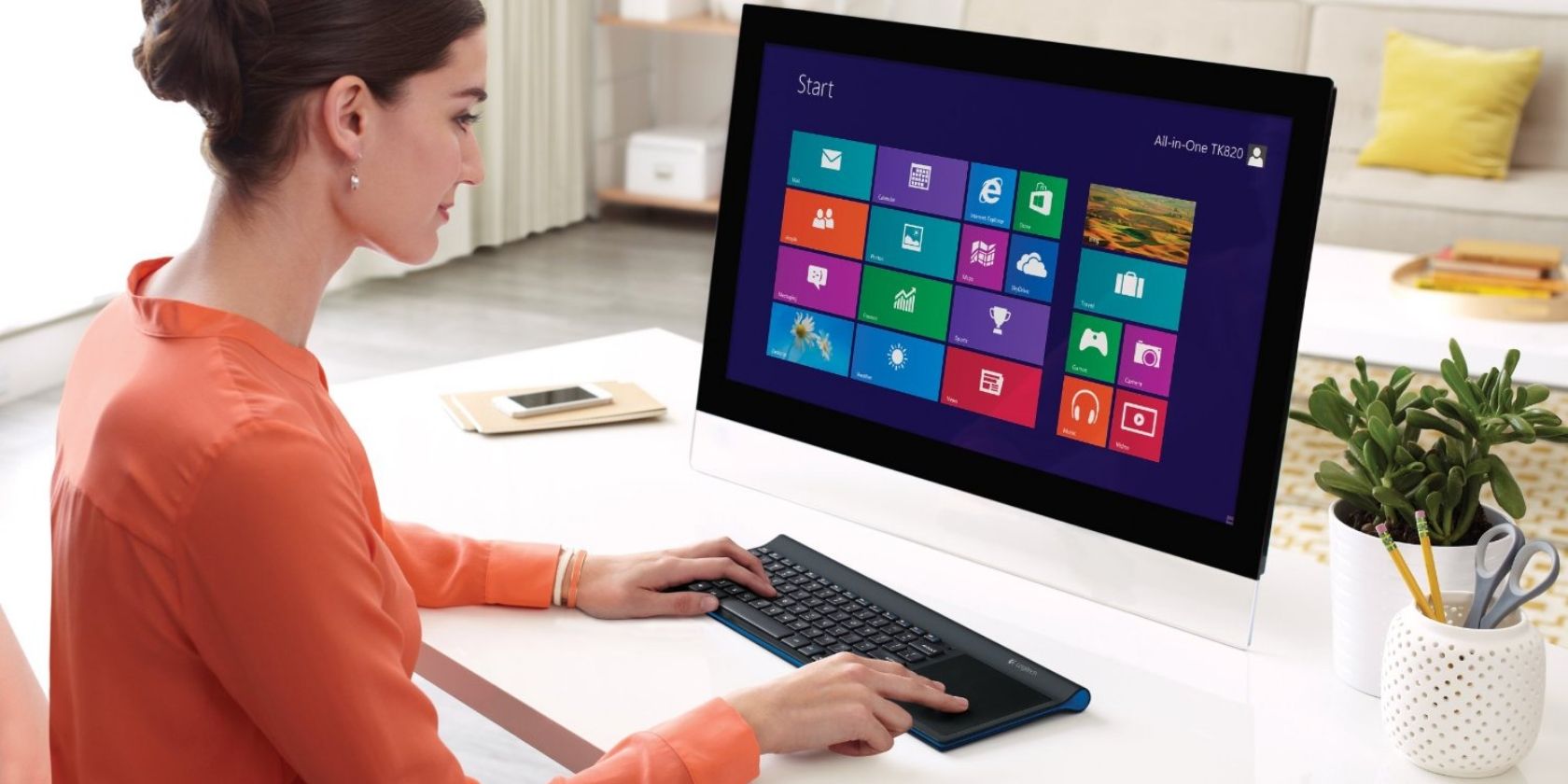
All-in-one keyboards integrate a wireless keyboard with a touchpad, combining two devices into one. They’re the ideal solution for anyone with a living room media center or someone who wants to lean back and use their computer from a distance.

There aren’t too many of these wireless all-in-one keyboards, though, and it’s not always clear which one would suit your needs. So, let’s take a look at the best all-in-one keyboards available today.

1. Microsoft All-In-One Media Keyboard

Microsoft All-In-One Media Keyboard Microsoft All-In-One Media Keyboard Buy Now On Amazon $31.13

The Microsoft All-In-One Media Keyboard is a well-spaced keyboard with a large touchpad where the number pad is usually found. The touchpad supports multi-touch gestures for Windows 10, so you’ll be able to swipe and scroll with ease.

There are two customizable media keys above the touchpad and volume keys on the far left of the keyboard. You’ll need two AAA batteries to power it, which should last up to a month. Connect the USB receiver to your computer, and you’re ready to start using it up to a range of 10 meters.

2. Logitech K600 TV

Logitech K600 TV Logitech K600 TV Buy Now On Amazon $59.99

The Logitech K600 TV is designed for use with smart TVs. You’ll find the familiar, rounded chicklet keys from the current range of Logitech keyboards on the K600 TV. On the left are four buttons for quick access to the home screen, app switcher, search, and the back button.

On the right of the keyboard, there’s a circular touchpad, and above it, a d-pad for navigation. You can easily switch between up to three devices either via Bluetooth or the included USB receiver. The K600 TV is one of the few wireless keyboards with 15 meters range, as the standard is around 10 meters.

3. Huafeliz Mini Wireless Keyboard

Huafeliz Mini Wireless Keyboard Huafeliz Mini Wireless Keyboard Buy Now On Amazon $19.69

The Huafeliz Mini Wireless Keyboard is the perfect option if you need a device to manage your smart TV, streaming box, smartphone, tablet, and laptop. This small unit doesn’t look like a typical keyboard. Instead, the design more closely resembles a remote control. The glossy front of the device combines remote control and media functions via the central set of buttons.

Tap the Air Mouse button, and the controller will enable the six-axis motion sensor, allowing you to control the mouse cursor by moving the keyboard through the air. On the rear of the controller is a compact keyboard, laid out horizontally in QWERTY format. There’s no Bluetooth connection here, though, but you can connect wirelessly to your gadgets using the USB receiver.

4. Logitech K830

Logitech K830 Logitech K830 Buy Now On Amazon $71.78

The Logitech K830 is one of the best wireless all-in-one keyboards on the market right now. One of its most notable features is the backlight. A light sensor on the keyboard automatically adjusts the backlight based on the lighting conditions around you.

The backlight does require power, so the K830 comes equipped with a lithium-ion battery which can be charged via a micro-USB cable. A simple switch lets you flip the keyboard on and off as needed. Connection is a breeze using either the Logitech receiver or Bluetooth.

5. WisFox Wireless Touchpad Keyboard

WisFox Wireless Touchpad Keyboard WisFox Wireless Touchpad Keyboard Buy Now On Amazon $34.99

The WisFox Wireless Touchpad Keyboard is an affordable all-in-one keyboard. The 89-key device has 12 media shortcuts and five dedicated media controls for easy use. As is often the case, the touchpad replaces the number pad at the right of the keyboard.

The company has emphasized the portability and lifespan of its keyboard. It is powered by two AAA batteries but is also supported by two power-saving modes. After 20 seconds of inactivity, it’ll enter a shallow sleep, advancing to deep sleep after 15 minutes. The keyboard has a range of 10 meters from the USB receiver.

6. Fintie Ultrathin Bluetooth Keyboard

Fintie Ultrathin Bluetooth Keyboard Fintie Ultrathin Bluetooth Keyboard Buy Now On Amazon $30.99

Some habits are hard to break. If you’re used a laptop layout, with the touchpad beneath the keyboard, then it’s worth checking out the Fintie Ultrathin Bluetooth Keyboard. Unlike the other options on this list, the primary keyboard sits towards the top while the touchpad sits between the device’s handrest areas.

The unit is just 4mm thick, making it ideal for carrying around while out and about. That’s especially the case when coupled with the keyboard’s Bluetooth connection, allowing you to connect to most computers, tablets, and smartphones.

The Fintie Ultrathin Bluetooth Keyboard uses a rechargeable lithium-ion battery and includes an auto-sleep feature to keep your keyboard powered for longer.

7. AmazonBasics Wireless Keyboard with Touchpad

AmazonBasics Wireless Keyboard with Touchpad AmazonBasics Wireless Keyboard with Touchpad Buy Now On Amazon $23.99

If you’re after a more affordable option, then you’ll want to consider the AmazonBasics Wireless Keyboard with Touchpad. The retailer’s Basics line has gained a reputation for quality at budget prices, and you’ll find the same experience here, too. The keyboard is marketed with Smart TVs in mind, but you could use it for any purpose.

There’s a full QWERTY keyboard, volume keys, and function keys that double as media controls. As you might expect at this price point, there’s no Bluetooth connectivity. So, you’ll need to use the USB receiver to connect to your device instead.

8. Rii i8+

Rii i8+ Rii i8+ Buy Now On Amazon $25.99

If you’re looking for a mini keyboard the size of a gamepad, check out the Rii i8+. It comes with a 92-key QWERTY keyboard, a d-pad, and a small touchpad at the top. The touchpad controls are one click for a left button press, two clicks for right, and two fingers for scrolling.

The i8+ is available in half a dozen different colors to suit your preferences. It comes with a rechargeable internal battery and enters a power-saving mode after three minutes of inactivity. It has a range of 10 meters and supports connections via USB or Bluetooth.

9. iClever BoostType BK08

iClever BoostType BK08 iClever BoostType BK08 Buy Now On Amazon $46.99

If you’re looking for a space-saving, compact all-in-one keyboard, then look no further than the iClever BoostType BK08. The keyboard can connect to up to three devices at once, making it perfect for on-the-go productivity. iClever has designed this keyboard with portability in mind.

When folded closed it is roughly the same size as an iPhone 7 Plus and weighs about the same too. When unfolded, the small Bluetooth device is compatible with most operating systems. Its long battery life is also a plus, offering 60 hours of use on just a two-hour charge.

10. Rii K18

Rii K18 Rii K18 Buy Now On Amazon $28.49

The Rii K18 is a full-sized light-weight keyboard with a large touchpad on the right-hand side. It is equipped with an LED backlight that can switch between red, green, and blue.

The keyboard comes with a rechargeable lithium-ion battery, and it connects to your device via a USB dongle. This is a good option if you’re looking for a full-size keyboard with a large touchpad that is light enough to use on the couch.

The Best All-in-One-Keyboard for You

There are many different all-in-one keyboard options out there, combining a wireless keyboard with a touchpad. Which you choose will depend on your preferences and requirements. Some of these keyboards are suited to particular applications, like the Logitech K600 TV, which is optimized for use with smart TVs.

You may find yourself using a keyboard heavily throughout the day, so you’ll want to make sure the experience is as comfortable as possible. If this is a concern for you, then you’ll want to check out these ergonomic keyboards to improve computer comfort.

Read the full article: The 10 Best Wireless All-in-One Keyboards for Mac and PC


Read Full Article

How to Check Who Follows Who on Twitter


With popular Twitter users boasting hundreds of thousands of followers, it is hard to find out who follows who. Or if a specific user is following another specific user.

If you have too much time on your hands you could scour their list of followers. However, if you have a life and want to do it quickly and easily, check out DoesFollow instead.

Find Out Who Follows Who on Twitter

By just entering a Twitter handle for each user, DoesFollow tells you if the first user follows the second user. The site gives you a simple “yup” or “nope” as an answer. You’ll also see the reverse, if the second user follows the first, right below the answer.

DoesFollow Yup Answer

In order to obtain the results on DoesFollow, you’ll be prompted to log into your Twitter account.

DoesFollow doesn’t have a bunch of additional features, but it does offer a few you might enjoy.

The Latest and Popular Checks

Above the search box, you can click Latest to see a list of the latest checks done on the site and Popular for the most popular ones.

The black arrow indicates if a user is following another and the red line means neither is following each other. You can also click the “Does [user one] follow [user two]?” link to see the answers.

DoesFollow Latest and Popular

How to Use DoesFollow Groups

Another cool DoesFollow feature is that you can create groups. With a group, you can check more than one Twitter user at a time.

  1. On the main DoesFollow page, click Make a New Group.
  2. Add a label for the group and enter the usernames.
  3. Click Submit.

DoesFollow Make Group

On the following page, you’ll see your group and the usernames in it. At the bottom, enter the username you want to check for your group and hit Submit.

DoesFollow Check A Group

You’ll see results just like the Latest and Popular checks with black arrows and red lines as they apply.

DoesFollow Group Results

You can also reuse and create additional groups. Click Make a New Group on the main DoesFollow page and you’ll see those you have created on the left, so you can revisit one, or you can make a new one on the right.

DoesFollow Lets You See Who Follows Who

If you’re curious to see whether Donald Trump follows Chance the Rapper or if Ariana Grande follows Gordon Ramsay, head to DoesFollow for the answer.

And if you want to remove all of your fake Twitter followers or see which Twitter accounts to follow for life hacks, we’ve got you covered.

Read the full article: How to Check Who Follows Who on Twitter


Read Full Article

The Best Cheap Smartwatch: 5 Great Options for All Budgets


best-cheap-smartwatches

Smartwatches are no longer bulky devices taking up room on wrist. Not only has the cost come down, but manufacturers have been adding more useful features, too. However, there are a lot of smartwatches out there, so how do you choose the best one for you?

There are so many configurations and designs out there, it can be hard to know where to start. So, if you are struggling to decide which smartwatch to buy, here’s our guide to the best smartwatches for all budgets.

The Best Smartwatch Overall:
Garmin vivoactive 4S

Garmin vivoactive 4S Garmin vivoactive 4S Buy Now On Amazon $269.99

Garmin may be most well-known for its GPS nouse, but this positions it perfectly to design smartwatches, too. And that’s certainly the case with the Garmin vívoactive 4S. Its experience in producing GPS devices means Garmin can incorporate this know-how into its smartwatch range. This makes them ideal for sports as well as general use.

The compact 40mm screen can display easy-to-follow animated workouts. In addition, it can chart your life in quite some detail, as it can read your energy levels, track your menstrual cycle, measure your pulse, and monitor your respiration. It can even give you a marathon training plan if you really want it to!

Aside from the many sporting benefits, the watch also includes Garmin Pay, so that you can use the watch for contactless payments. The vivoactive 4S safety and tracking features mean that if you are involved in an incident, your watch can alert relevant emergency service. It will even give them an exact GPS location. You can also download music from compatible streaming services, so you can listen on the go without the need of a companion smartphone.

The Best Lifestyle Smartwatch:
Honor Magic Watch 2

Honor Magic Watch 2 Honor Magic Watch 2 Buy Now On Amazon

Honor has always positioned itself as a youthful lifestyle brand. The Honor Magic Watch 2 is a welcome addition to its repertoire, with plenty to draw in a younger crowd. If sleek, stylish looks are just as important to you as functionality and price, then this is the smartwatch for you.

The 35mm customizable face means you can wear a different watch every day. With so many custom faces to choose from, there is plenty to suit almost any style. You will also benefit from a monitor for your heart-rate, sleep pattern, and oxygen intake. Adding to the watch’s fitness credentials, the GPS built-in means you can track your outdoor activities such as cycling or running.

The Honor Magic Watch 2 records anything it is tracking. It then relays all of the information back to the health app on your smartphone, where you can view the data. It’s possible to store music directly on the watch, enabling you to soundtrack your workout. The purse-pleasing price-tag makes this an excellent starter smartwatch.

The Best Smartwatch for Fitness:
Fitbit Versa 2

Fitbit Versa 2 Fitbit Versa 2 Buy Now On Amazon $199.60

If you are into your sports and fitness, then the likelihood is you will have heard of Fitbit. That’s if you don’t already own one. Fitbit is an icon in sports-related wearables, but the Fitbit Versa 2 is among its first dedicated smartwatches. The brand may have had plenty in terms of fitness trackers, but the Versa 2 offers plenty more besides the obvious health benefits.

The watch is capable of syncing up with the Fitbit app—available on iOS and Android. With this, it can track a huge variety of your daily stats. Sleep is one such statistic, and the app will suggest ways to improve your sleep. Obviously, being well-rested before exercise is just as important as the exercise itself. The Versa 2 can help you set and meet your fitness targets, so it is excellent if you sometimes need a bit of a push to put your running shoes on and get sprinting.

Aside from the health and fitness slant, the watch has Alexa is built-in, so you can control other compatible smart devices in the home. If you like some music as you go about your day, you can connect your wireless earbuds to the watch and enjoy music from Spotify, Deezer, and Pandora.

The Best Budget Smartwatch:
Amazfit BIP

Amazfit BIP Amazfit BIP Buy Now On Amazon $79.99

If you’re looking for a device that packs all the features of a sporty smartwatch, without packing the price point to match, then the Amazfit BIP is a great budget choice. It carries lots of the same a sought-after functions as many of its more expensive peers. However, it doesn’t cost a great deal, so if this is your very first foray into the world of smartwatches, this device is ideal.

Surprisingly at this price, the watch boasts a decent battery life. One charge will juice the BIP with enough power to keep it running for an incredible 30 days. That is the perfect amount of time to start getting yourself in shape. The company even promotes the watch in that way with their #30DaysofBIP challenge.

This means the sports features such as the heart-rate monitor and the integrated GPS can be put to plenty of use alongside your new exercise regime. Fortunately, the watch even looks nice! Its rectangular screen can be customized with a wide range of faces, so you can change your watch to match your appearance.

The Best Fashion Smartwatch:
Michael Kors Access Gen 5 Lexington Smartwatch

Michael Kors Access Gen 5 Lexington Smartwatch Michael Kors Access Gen 5 Lexington Smartwatch Buy Now On Amazon $245.00

The likelihood is that if you know Michael Kors, you’ll know it is all about the designer side of fashion. However, alongside luxury handbags and shoes, the brand is taking on the wearables market. Its Access Gen 5 Lexington Smartwatch is available in a number of styles. These range from a matte black color, through to gold-tone—there is even an all-over pave design complete with diamantes.

The watch makes use of the Google Fit app to track your activities, while also packing in a GPS sensor. This is great for runs and walks as you can monitor your exercise route. The watch even boasts a speaker for taking calls and listening to music. If you have a Spotify account (including the free one), then you pair your headphones to the watch and listen to music phone-free, too.

The Best Smart Watch for Your Budget

Smartwatches vary greatly in terms of their functions and their price. The range above should give you a great starting point if you intend to buy a smartwatch. The devices we compiled cover a range of features and designs, which is important for a visible accessory.

Given that, if you like the look of any of the above, why not check out some of the best wireless earbuds to pair up with your watch?

Read the full article: The Best Cheap Smartwatch: 5 Great Options for All Budgets


Read Full Article

How to Use an Animated GIF as Your Wallpaper in Windows 10


Video wallpapers can be quite extreme. Most of us prefer static high-definition wallpapers and love to download them in bulk. But there’s a third kind of wallpaper: the GIF wallpaper.

It’s easy on smartphones, but Windows doesn’t natively support this, so we must rely on workarounds.

How to Set a GIF Wallpaper on Windows 10

Rainmeter is one of the most popular desktop customization software. While it can be used to set up an animated GIF wallpaper on Windows, the process is complicated for the new user.

So, let’s go with simpler software to do the job for us.

Plastuer

Plastuer can help you set up GIFs, videos, and HTML5 webpages as your wallpaper. It is a no-installation standalone program. Plastuer is also a donationware where you just pay what you want (a minimum of $2 for PayPal fees) and download the 82 MB file.

There is no free trial, so purchase it with any amount you feel like and try it out.

The software uses WebGL and the Open Source Chromium browser to render animation on the desktop.

Unzip the downloaded Plastuer package and click the program icon.

The software supports multiple monitors. On launch, it detects the number of monitors and gives you a choice to select which monitor.

Plastuer multiple monitor selection

You can pick an animated GIF in many ways.

  • Use the URL field to point it to a source for a GIF.
  • You can also add several URLs with the Create Playlist field box.
  • Click on the Select File option to choose a GIF file from your PC.
  • Alternatively, choose Browse Gallery to select a GIF from the official gallery.

Plasteur select GIF wallpaper

Select the monitor to set the wallpaper and click Save to complete the setup.

You can disable the active wallpaper anytime by clicking the Disable Wallpaper button.

You might also want to get into the settings and set the behavior of the wallpaper when a full screen or a maximized application like a movie or a game is on. By default, Plastuer automatically detects full screen and maximized applications to pause animations and conserves your RAM.

Plasteur Settings screen

Download: Plastuer (Donationware)

BioniX Video Wallpaper Animator

BioniX has a bunch of tiny wallpaper management software. The all-in-one software is called BioniX Desktop Wallpaper Changer. The 250 unique features can add a lot of other enhancements to your desktop beyond setting up a GIF or an AVI wallpaper.

For instance, you can also project a webcam feed like a wallpaper.

Instead of downloading the complete package, you can also download one of the individual tools. For a moving GIF wallpaper, we will use the Video Wallpaper Animator.

The developer uses the “GIF Wallpaper Animator” name interchangeably. You don’t need to install the software and it can also run from a USB drive. But the best part of the software is its low RAM and CPU footprint.

Download the self-executable file and run it as an administrator.

BioniX Video Wallpaper Animator

The setup screen will ask you to choose a destination folder. You can choose it to run from a USB drive or any folder in Windows.

Select the Video Wallpaper tab. Browse to the directory where your GIF wallpapers are located. After choosing the folder, it will automatically list all supported files.

Choose the GIF animated file you want to use as a wallpaper from the list of supported files. Click the Start button to play the animated GIF wallpaper on your Windows desktop.

From the same screen, you can check the CPU usage and set the speed of the animation.

It is a simple piece of software with a few limitations. You can use only one GIF at a time and not a carousel of GIF wallpapers that switch at intervals. For that, go to the BioniX Desktop Background Switcher application.

But if you want to keep it simple, then this portable application is ideal.

Download: GIF Wallpaper Animator (Free)

Do You Make Your Own GIF Wallpapers?

One of the easiest ways to make your own animated GIF wallpaper is to start with a video. GIF tools like Giphy’s GIF maker can convert your videos to animated GIFs.

Alternatively, you can download them from sites like:

But do remember that animated wallpapers can eat away at your computer’s CPU to render the graphics. The richer the animation, the more resource-hungry it will be.

But if you have a capable graphics card and adequate system memory (at least 4 GB), then GIF and video wallpapers are a nice enhancement for your desktop. You can then go full throttle with these live wallpapers and animated background software for Windows too.

Read the full article: How to Use an Animated GIF as Your Wallpaper in Windows 10


Read Full Article

The Best Budget Smartphone: 5 Great Options in 2020


budget-phones-us

Flagship smartphones have become more experimental to stand out from the competition. Foldable screens, multiple cameras, and improved specifications, unfortunately, also increase the price.

The good news is that formerly premium features are making their way to cheaper phones. There’s a broad range of affordable smartphones that’ll keep you up to date without breaking the bank.

Here are the best budget smartphones available today.

1. Nokia 7.2

Nokia 7.2 Nokia 7.2 Buy Now On Amazon $349.99

HMD Global has been leading Nokia’s revival for several years now. Their Android smartphones pair attractive, high-quality hardware with a bloatware-free software experience. The Nokia 7.2 is among the best budget phones you can buy. The phone is one of few running Android One, a Google-approved edition of Android.

Importantly, this means it is also among a select few that will be guaranteed to receive two years of software updates. The phone originally launched with Android 9 Pie but has since been upgraded to Android 10. The 6.3-inch Full HD+ screen ensures you get a clear viewing experience. This is especially important if you record videos, snap photos, or stream videos.

The Nokia 7.2 comes with dual-SIM support, a 3,500mAh battery, and USB-C charging. The phone is available with either 64GB or 128GB of storage. This can be expanded by 512GB via microSD. Similarly, you can purchase the phone with either 4GB or 6GB of RAM.

The device is equipped with Bluetooth 5.0 and includes a 3.5mm headphone jack. There is a 48MP rear camera supported by a 5MP depth sensor and an 8MP ultra-wide lens. The front-facing camera uses a 20MP lens. The Nokia 7.2 is available in three colors; Charcoal, Cyan Green, and Ice.

2. Apple iPhone SE

Apple iPhone SE Apple iPhone SE Buy Now On Amazon $399.00

While Android smartphones tend to dominate the cheaper end of the market, Apple has an affordable product of their own. The Apple iPhone SE is a reasonably priced entry in its iOS range. The device looks like an older iPhone, but it is packed with some of the latest hardware.

The 4.7-inch Retina HD display is IP67-rated for water and dust resistance. There is a 7MP front-facing camera with Portrait mode. That’s in addition to the 12MP wide-angle rear camera. This can record 4K video, snap in Portrait mode, and comes with depth control, too.

The iPhone SE is equipped with fast-charge support, uses Apple’s A13 Bionic chip. It is available in three colors; black, white, and (PRODUCT)RED. The latter option is a charity collaboration with (RED). If you opt for this color, Apple will donate 100 percent of available proceeds to the Global Fund’s COVID-19 Response Fund.

Apple’s flagship options come with FaceID included, which is a biometric security option. However, the iPhone SE uses the older fingerprint mechanism, Touch ID. That said, it is one of the only major features missing from an otherwise remarkable offering.

If you’ve been holding out for an iPhone, but have never been able to justify the cost, the iPhone SE is the best way to get started with Apple’s iOS ecosystem.

3. DOOGEE X95

DOOG X95 smartphon

The DOOGEE X95 is one of the best value smartphones available today. The sub-$100 device has features and specifications usually only found on mid-range smartphones. This shouldn’t come as a surprise, though; DOOGEE has been producing well-received Android smartphones for many years now.

The X95 runs Android 10, the latest edition of Google’s smartphone operating system. It has a 6.52-inch edge-to-edge display protected with Gorilla Glass. There’s 32GB of onboard storage, coupled with 2GB of RAM. The quad-core MediaTek MT6737 CPU powers the phone along with a Mali T720 MP GPU.

Thanks to this combination, the DOOGEE X95 is capable of running some of the most popular mobile games as well. There’s a triple-lens rear camera consisting of a 13MP primary sensor and two depth-sensing 2MP lenses. These depth sensors mean you can take photos that blur the background.

Although the phone uses the older micro-USB charging port, rather than the now-commonplace USB-C, this is the only deviation from modern design on the X95. The smartphone should even see you through a whole day on a single charge, too, thanks to the 4,350mAh battery.

4. Motorola Moto Z4

Motorola Moto Z4 Motorola Moto Z4 Buy Now On Amazon $499.99

Motorola has been one of the market leaders in affordable Android smartphones. The company’s Moto G range constantly exceeds expectations for cheap devices. However, the Moto Z offerings, while costing slightly more, are worth the additional investment. Such is the case with the Motorola Moto Z4.

The smartphone comes with a 6.4-inch full HD+ OLED display with a 19:9 aspect ratio, so it’s perfect for enjoying videos while on the go. To complement this, there is 128GB of internal storage, expandable up to a phenomenal 2TB via microSD.

If photography is important to you, you’ll be pleased to see a 48MP rear sensor, coupled with a 25MP front-facing lens. You can recharge the device via USB-C and top up the 3,600mAh battery. Like other Motorola phones, you can accessorize your Z4 with Moto Mods. For instance, you can add wireless charging capabilities with the relevant Mod.

This unlocked edition of the Z4 is in partnership with Amazon, so it comes with the retailer’s apps pre-installed. If you use any Amazon services or are a Prime subscriber, this makes it an ideal choice. There’s even access to Alexa built-in, so you always have their virtual assistant within easy reach.

5. Google Pixel 3a

Google Pixel 3a Google Pixel 3a Buy Now On Amazon $361.88

Despite developing the Android operating system, Google rarely ventures into hardware. However, the Pixel lineup is considered the company’s alternative to the iPhone, with prices to match. The Google Pixel 3a, however, is a budget-friendly smartphone with some of the Pixel’s best features.

Unlike the premium metal design of its more expensive siblings, the Pixel 3a’s body is plastic. However, that is the only major concession Google made to bring the price down. The phone ships with Android 9 Pie pre-installed, but is upgradeable to Android 10, the latest edition of the operating system.

The standout feature of the Pixel line is the camera, and the Pixel 3a doesn’t disappoint, either. The rear 12MP sensor is capable of taking wide-angle shots, while the 8MP front-facing camera supports the Pixel’s Portrait Mode. However, compared to the triple-lens setups available elsewhere, the Pixel 3a could seem underwhelming.

The phone comes with 64GB of storage and is coupled with 4GB of RAM. It is powered by a Snapdragon 865 chipset, supported by a 3,000mAh battery. This can be recharged using the USB-C port. There’s even biometric security thanks to the rear-mounted fingerprint reader. The Pixel 3a is available in three colors; Clearly White, Just Black, and Purple-ish.

The Best Budget Smartphone for You

There has never been a better range of affordable smartphones. Just a few years ago, cheap phones were feature-limited. However, the range we’ve looked at above shows that you can now get modern attributes at a reasonable cost, too.

However, if you’re after flagship devices but at lower prices, you could always consider buying a second-hand phone. The terminology used to describe a refurbished or second-hand phone can be confusing. Before committing, be sure to familiarize yourself with the terms used to describe non-new devices.

Read the full article: The Best Budget Smartphone: 5 Great Options in 2020


Read Full Article

The 12 Best Online Pet Shops for Pet Supplies and Food


pet-shops

We shop for ourselves online all the time now. From sporting goods to household needs to clothing and accessories, some shop for online deals daily. Browsing and buying pet supplies should be no different.

Whether you want to get Rover a new bone, buy Fluffy a new collar, or simply find the cheapest pet food delivery option, these 12 online pet stores can give you the selections and deals you need.

Big Name Pet Stores

1. Petsmart

Petsmart Main Page

This is a well-known favorite when it comes to shopping for your furry friend. The online deals and savings can be just as good, if not better, as the in-store ones. Check out the Savings Spotlight right on the main page for deals on items you know you will need.

Petsmart also offers free shipping on select items when your cart totals at least $49 worth of merchandise. Just be sure to check products for the shipping discount message before adding them to your cart.

Petsmart also offers some great online conveniences for in-store pickups of items purchased on the website as well as bookings for their grooming salons.

2. Petco

Petco Main Page

With supplies for dogs and cats as well as birds and reptiles, Petco does have decent promotions on products. When you click to obtain more information on their free shipping for orders of $35 or more, you will get complete details.

Be sure to look through the Sale section before you begin adding items to your cart for great deals. The promotions change frequently, so check back often for discounts, gift cards, and promotional codes to use at checkout.

Petco also offers a Repeat Delivery service where you choose your items and schedule them to be delivered regularly. If you order the same items often, this can amount to terrific savings because you can get up to 35 percent off.

Smaller Online Pet Shops

3. Chewy

Chewy Main Page

Chewy.com is a good option for your dog or cat shopping needs. This store offers free 1- to 2-day shipping on orders over $49 along with AutoShip. This repeated shipping option provides five to 10 percent off on select brands and they often have discounts just for signing up.

The Today’s Deals area is full of products with wonderful savings on everything from toys to treats to grooming supplies. The shop also offers prescription medication, gift cards, and 24/7 customer support.

4. Allivet

Allivet Main Page

A site similar to Chewy.com is Allivet which also offers the AutoShip program giving 5 percent off scheduled products. They too have the free shipping on orders over $49. This store does provide products for more than just dogs or cats, however. You can shop for your fish, birds, livestock, and horse supplies as well.

Allivet does not have a large sales or clearance section like some of the other stores, but they offer some little extras. For example, they have a Refer-A-Friend program where you can win a prize, they provide live customer service Monday through Saturday, and a quick reorder feature.

5. BudgetPetCare

Budget Pet Care Main Page

This pet store is the one for some real savings when it comes to shipping. They offer free shipping on all orders within the United States. They have sections for Homeopathic, Supplements, and Hygiene products to make your search easier.

Their Special Deals section is a bit limited with the number of products offered, but they, like Allivet, also have a few bonuses on their site. BudgetPetCare has an online chat service to answer your questions and a newsletter signup for extra savings to your inbox.

6. Coupaw

Coupaw Main Page

Shop here if you enjoy giving back. Every order placed will provide six meals to rescue animals in need. This might be just enough reason for you to shop and feel good about yourself at the same time.

But if you would like a little more, the site offers free shipping on orders over $49, everyday values, and a Gift of the Month program which delivers a gift to your pet’s door for a low monthly fee and free shipping.

7. Only Natural Pet

Only Natural Pet Main Page

Only Natural Pet is a little different as they sell holistic, natural, and eco-friendly products in their line. They sell dog and cat supplies with quite a variety; from toys and gear to vitamins and supplements to grooming and cleaning supplies. All orders over $49 will be shipped for free and they have a nice weekly deals section.

Only Natural Pet also has a large area full of articles and videos called their Holistic Healthcare Library. So, if you are interested in going a healthier route for your pet, this is one site you should check out.

8. Dog.com

Dog.com Main Page

Do not be fooled by the name and skip this one if you have a cat because Dog.com caters to felines too. There is a nifty little section on the site just for cat supplies and they also link directly to their horse and ferret supply stores. Dog.com offers free shipping on orders over $69 and weighing up to 15 pounds.

Like a couple of others we have seen, this store has an “Auto Ship” program for your convenience where you can receive 20 percent off of select products. They also have a really good clearance section, sorted by category, and with options to filter your results.

Medicine-Specific Pet Stores

9. 1-800-PetMeds

1-800-PetMeds Main Page

For joint enhancers, flea and tick control, arthritis, and more, 1-800-PetMeds is a superb choice. They offer free shipping on orders over $49 and often have promotional banners at the top for extra savings.

1-800-PetMeds also provides some useful information with their Pet Education section and Vet Directory for finding a doctor for Fluffy if you are new in town. The site caters to dog, cat, and horse parents and is much easier to navigate than some of its medicine-specific competitors.

10. VetRXDirect

VetRXDirect Main Page

VetRXDirect is another good spot to shop for Spot’s medicine. Like many others, their free shipping applies to orders over $49 and their prices are competitive with 1-800-PetMeds, depending on the product.

So, it is worth a look to comparison shop and you can also sign up for their newsletter to get additional savings.

You can also check out the VetRXDirect Blog for product reviews, new product details, and other helpful posts.

11. PetCareRX

PetCareRX Main Page

PetCareRX is the third excellent option for medical products for your pet. This site offers free shipping on orders of just $48 or more. Also, PetCareRX offers a terrific savings program called PetPlus.

If you join this membership program, you can pay wholesale prices for your medications plus receive free shipping on those items with no minimum. The cost for PetPlus membership is $99 per year, so depending on the number of pets you have and the frequency with which you purchase their medications, you may save a lot of money.

Other features include discounts on other pet supplies, local pharmacy pick-up, and helpful wellness, medication, and breed guides.

One Final Online Retailer

12. Amazon

Amazon Pet Supplies Main Page

Although this is not a true “pet store” it is worth mentioning if you are a current shopper anyway. Amazon.com does have a large pet supply section and if you happen to be an Amazon Prime Member, that free 2-day shipping does apply to select pet products.

For dogs, cats, fish, birds, horses, and more, Amazon Pet Supplies has lots to offer. Their prices are comparable, and in some cases less expensive, depending on the product. The true savings do come on the Prime products and they have instant discounts per brand if you have a favorite.

Remember that you can buy all sorts of things on Amazon, aside from pet supplies. Wondering how to find the best things to buy on Amazon? We’ve got you covered with these tools:

Compare and Save With Online Pet Stores

With these great suggestions for pet supplies, it is always worth a few extra minutes to compare prices. Medicines for our pets can often cost a lot, so checking the three stores listed here for your specific medical product is your best bet.

For the rest of your pet supplies, the other stores offer good savings depending on what you are looking for. Whether you’re looking for pet food delivery or toys and treats, you can certainly save a few bucks with these online pet retailers.

Want to monitor and interact with your pet when you’re away from home? Take a look at our roundup of the best pet cameras available. If your pet is of the canine variety, you’ll also appreciate access to these free online dog training courses.

Image Credit: Ermolaev Alexander/Shutterstock

Read the full article: The 12 Best Online Pet Shops for Pet Supplies and Food


Read Full Article

The 12 Best Online Pet Shops for Pet Supplies and Food


pet-shops

We shop for ourselves online all the time now. From sporting goods to household needs to clothing and accessories, some shop for online deals daily. Browsing and buying pet supplies should be no different.

Whether you want to get Rover a new bone, buy Fluffy a new collar, or simply find the cheapest pet food delivery option, these 12 online pet stores can give you the selections and deals you need.

Big Name Pet Stores

1. Petsmart

Petsmart Main Page

This is a well-known favorite when it comes to shopping for your furry friend. The online deals and savings can be just as good, if not better, as the in-store ones. Check out the Savings Spotlight right on the main page for deals on items you know you will need.

Petsmart also offers free shipping on select items when your cart totals at least $49 worth of merchandise. Just be sure to check products for the shipping discount message before adding them to your cart.

Petsmart also offers some great online conveniences for in-store pickups of items purchased on the website as well as bookings for their grooming salons.

2. Petco

Petco Main Page

With supplies for dogs and cats as well as birds and reptiles, Petco does have decent promotions on products. When you click to obtain more information on their free shipping for orders of $35 or more, you will get complete details.

Be sure to look through the Sale section before you begin adding items to your cart for great deals. The promotions change frequently, so check back often for discounts, gift cards, and promotional codes to use at checkout.

Petco also offers a Repeat Delivery service where you choose your items and schedule them to be delivered regularly. If you order the same items often, this can amount to terrific savings because you can get up to 35 percent off.

Smaller Online Pet Shops

3. Chewy

Chewy Main Page

Chewy.com is a good option for your dog or cat shopping needs. This store offers free 1- to 2-day shipping on orders over $49 along with AutoShip. This repeated shipping option provides five to 10 percent off on select brands and they often have discounts just for signing up.

The Today’s Deals area is full of products with wonderful savings on everything from toys to treats to grooming supplies. The shop also offers prescription medication, gift cards, and 24/7 customer support.

4. Allivet

Allivet Main Page

A site similar to Chewy.com is Allivet which also offers the AutoShip program giving 5 percent off scheduled products. They too have the free shipping on orders over $49. This store does provide products for more than just dogs or cats, however. You can shop for your fish, birds, livestock, and horse supplies as well.

Allivet does not have a large sales or clearance section like some of the other stores, but they offer some little extras. For example, they have a Refer-A-Friend program where you can win a prize, they provide live customer service Monday through Saturday, and a quick reorder feature.

5. BudgetPetCare

Budget Pet Care Main Page

This pet store is the one for some real savings when it comes to shipping. They offer free shipping on all orders within the United States. They have sections for Homeopathic, Supplements, and Hygiene products to make your search easier.

Their Special Deals section is a bit limited with the number of products offered, but they, like Allivet, also have a few bonuses on their site. BudgetPetCare has an online chat service to answer your questions and a newsletter signup for extra savings to your inbox.

6. Coupaw

Coupaw Main Page

Shop here if you enjoy giving back. Every order placed will provide six meals to rescue animals in need. This might be just enough reason for you to shop and feel good about yourself at the same time.

But if you would like a little more, the site offers free shipping on orders over $49, everyday values, and a Gift of the Month program which delivers a gift to your pet’s door for a low monthly fee and free shipping.

7. Only Natural Pet

Only Natural Pet Main Page

Only Natural Pet is a little different as they sell holistic, natural, and eco-friendly products in their line. They sell dog and cat supplies with quite a variety; from toys and gear to vitamins and supplements to grooming and cleaning supplies. All orders over $49 will be shipped for free and they have a nice weekly deals section.

Only Natural Pet also has a large area full of articles and videos called their Holistic Healthcare Library. So, if you are interested in going a healthier route for your pet, this is one site you should check out.

8. Dog.com

Dog.com Main Page

Do not be fooled by the name and skip this one if you have a cat because Dog.com caters to felines too. There is a nifty little section on the site just for cat supplies and they also link directly to their horse and ferret supply stores. Dog.com offers free shipping on orders over $69 and weighing up to 15 pounds.

Like a couple of others we have seen, this store has an “Auto Ship” program for your convenience where you can receive 20 percent off of select products. They also have a really good clearance section, sorted by category, and with options to filter your results.

Medicine-Specific Pet Stores

9. 1-800-PetMeds

1-800-PetMeds Main Page

For joint enhancers, flea and tick control, arthritis, and more, 1-800-PetMeds is a superb choice. They offer free shipping on orders over $49 and often have promotional banners at the top for extra savings.

1-800-PetMeds also provides some useful information with their Pet Education section and Vet Directory for finding a doctor for Fluffy if you are new in town. The site caters to dog, cat, and horse parents and is much easier to navigate than some of its medicine-specific competitors.

10. VetRXDirect

VetRXDirect Main Page

VetRXDirect is another good spot to shop for Spot’s medicine. Like many others, their free shipping applies to orders over $49 and their prices are competitive with 1-800-PetMeds, depending on the product.

So, it is worth a look to comparison shop and you can also sign up for their newsletter to get additional savings.

You can also check out the VetRXDirect Blog for product reviews, new product details, and other helpful posts.

11. PetCareRX

PetCareRX Main Page

PetCareRX is the third excellent option for medical products for your pet. This site offers free shipping on orders of just $48 or more. Also, PetCareRX offers a terrific savings program called PetPlus.

If you join this membership program, you can pay wholesale prices for your medications plus receive free shipping on those items with no minimum. The cost for PetPlus membership is $99 per year, so depending on the number of pets you have and the frequency with which you purchase their medications, you may save a lot of money.

Other features include discounts on other pet supplies, local pharmacy pick-up, and helpful wellness, medication, and breed guides.

One Final Online Retailer

12. Amazon

Amazon Pet Supplies Main Page

Although this is not a true “pet store” it is worth mentioning if you are a current shopper anyway. Amazon.com does have a large pet supply section and if you happen to be an Amazon Prime Member, that free 2-day shipping does apply to select pet products.

For dogs, cats, fish, birds, horses, and more, Amazon Pet Supplies has lots to offer. Their prices are comparable, and in some cases less expensive, depending on the product. The true savings do come on the Prime products and they have instant discounts per brand if you have a favorite.

Remember that you can buy all sorts of things on Amazon, aside from pet supplies. Wondering how to find the best things to buy on Amazon? We’ve got you covered with these tools:

Compare and Save With Online Pet Stores

With these great suggestions for pet supplies, it is always worth a few extra minutes to compare prices. Medicines for our pets can often cost a lot, so checking the three stores listed here for your specific medical product is your best bet.

For the rest of your pet supplies, the other stores offer good savings depending on what you are looking for. Whether you’re looking for pet food delivery or toys and treats, you can certainly save a few bucks with these online pet retailers.

Want to monitor and interact with your pet when you’re away from home? Take a look at our roundup of the best pet cameras available. If your pet is of the canine variety, you’ll also appreciate access to these free online dog training courses.

Image Credit: Ermolaev Alexander/Shutterstock

Read the full article: The 12 Best Online Pet Shops for Pet Supplies and Food


Instagram Lite shuts down in advance of a relaunch


Instagram Lite, the two-year old version of the Instagram app aimed at emerging markets, has quietly disappeared. The previously highly-ranked app vanished from the Google Play charts on April 13 in the countries where it was active, including Kenya, Mexico, Peru and the Philippines. Existing Instagram Lite users have been directed to the main Instagram app via a message that claimed “Instagram Lite is No Longer Supported.”

Android Police first reported the news of Instagram Lite’s shutdown on Monday. TechCrunch has since confirmed details of the app’s removal with Instagram parent, Facebook.

“We are rolling back the test of the Instagram Lite app, a Facebook spokesperson said. “You can start using the latest version of Instagram instead to connect with the people and things you love,” they noted.

Instagram Lite launched on Google Play in June 2018 without fanfare. Like other “Lite”-branded apps on the market, Instagram Lite’s goal was to offer a smaller download that takes up less space on a mobile device — a feature that specifically caters to users in emerging markets, where storage space is a concern. At launch, the “Lite” version of Instagram was 573 kilobytes, or roughly 1/55th the size of Instagram’s then 32 megabyte application.

Like Instagram, the slimmed-down Instagram Lite app allowed users to filter and post photos to a feed or to Stories and browse the Explore page for more content. However, it lacked the option to post videos or direct message friends upon arrival.

On June 28, 2018, Mexico was the first market to receive Instagram Lite. It also accounted for the majority — 62% — of its total installs. To date, Instagram Lite was downloaded approximately 4.4 million in Mexico, according to data from Sensor Tower, shared with TechCrunch. The second largest market was the Philippines, with 14% of installs. Kenya and Peru trailed, with 12.5% and 12% of installs, respectively.

Due to demand for “Lite” applications in these regions, Instagram Lite was able to climb to the top of Google Play’s charts. The app was ranked No. 8 in Kenya in the “Social” category on Google Play, as well as No. 12 in Peru, No. 15 in Mexico, and No. 22 in the Philippines.

On April 15, it vanished from the charts, indicating a removal in those regions, which the company has now confirmed.

While it’s unusual to pull an app entirely when an update is planned, we understand that’s what Facebook has in store for Instagram Lite.

The company — which has always characterized the app as a “test” —  is planning to take what it’s learned over these past years to develop a new version of Instagram Lite. It’s unclear how far out that launch may be, but the new version is currently being built.

Instagram Lite was one of a few “Lite” apps that Facebook offers, led by the early launch of Facebook Lite in 2015, followed by Messenger Lite in April 2018. A number of major tech companies also offer apps aimed at emerging markets, often dubbed their “Lite” version, including Uber, Tinder, Spotify, Twitter and others. Google does the same under the “Go” brand.

But unlike many of these efforts, Instagram Lite had not yet reached some of the larger emerging markets these apps tend to target, like India, Indonesia, Brazil and others. That could change in the future, however.

In the meantime, Lite users are being directed to the main Instagram app. Alternately, they can use Instagram via the web from their phone.


Read Full Article

The case for student mental health days | Hailey Hardcastle

The case for student mental health days | Hailey Hardcastle

School can be rife with stress, anxiety, panic attacks and even burnout — but there's often no formal policy for students who need to prioritize their well-being. Hailey Hardcastle explains why schools should offer mental health days and allow students time to practice emotional hygiene without stigma. Follow along to learn how she and a team of fellow teens transformed their advocacy into law.

Click the above link to download the TED talk.

When will stock market recover?

When will stock market recover?

Please click on the following link to view full post.

https://intradayguruji.blogspot.com/2020/05/when-will-stock-market-recover.html

Via http://intradayguruji.blogspot.com