02 April 2019

YouTube tightens restrictions on channel of UK far right activist — but no ban


YouTube has placed new restrictions on the channel of a UK far right activist which are intended to make hate speech less easy to discover on its platform.

Restrictions on Stephen Yaxley-Lennon’s YouTube channel include removing certain of his videos from recommendations. YouTube is also taking away his ability to livestream to his now close to 390,000 YouTube channel subscribers.

Yaxley-Lennon, who goes by the name ‘Tommy Robinson’ on social media, was banned from Twitter a year ago.

Buzzfeed first reported the new restrictions. A YouTube spokesperson confirmed the shift in policy, telling us: “After consulting with third party experts, we are applying a tougher treatment to Tommy Robinson’s channel in keeping with our policies on borderline content. The content will be placed behind an interstitial, removed from recommendations, and stripped of key features including livestreaming, comments, suggested videos, and likes.”

Test searches for ‘Tommy Robinson’ on YouTube now return a series of news reports — instead of Yaxley-Lennon’s own channel, as was the case just last month.

YouTube had already demonetized Yaxley-Lennon’s channel back in January for violating its ad policies.

But as we reported last month Google has been under increasing political pressure in the UK to tighten its policies over the far right activist.

The policy shift applies to videos uploaded by Yaxley-Lennon that aren’t illegal or otherwise in breach of YouTube’s community standards (as the company applies them) but which have nonetheless been flagged by users as potential violations of the platform’s policies on hate speech and violent extremism.

In such instances YouTube says it will review the videos and those not in violation of its policies but which nonetheless contain controversial religious or extremist content will be placed behind an interstitial, removed from recommendations, and stripped of key features including comments, suggested videos, and likes.

Such videos will also not be eligible for monetization.

The company says its goal with the stricter approach to Yaxley-Lennon’s content is to strike a balance between upholding free expression and a point of public and historic record, while also keeping hateful content from being spread or recommended to others.

YouTube said it carefully considered Yaxley-Lennon’s case — consulting with external experts and UK academics — before deciding it needed to take tougher treatment.

Affected videos will still remain on YouTube — albeit behind an interstitial. They also won’t be recommended, and will be stripped of the usual social features including comments, suggested videos, and likes.

Of course it remains to be seen how tightly YouTube will apply the new more restrictive policy in this case. And whether Yaxley-Lennon himself will adapt his video strategy to workaround tighter rules on that channel.

The far right is very well versed in using coded language and dog whistle tactics to communicate with its followers and spread racist messages under the mainstream radar.

Yaxley-Lennon has had a presence on multiple social media channels, adapting the content to the different platforms. Though YouTube is the last mainstream channel still available to him after Facebook kicked him off its platform in February. Albeit, he was quickly able to workaround Facebook’s ban simply by using a friend’s Facebook account to livestream himself harassing a journalist at his home late at night.

Police were called out twice in that instance. And in a vlog uploaded to YouTube after the incident Yaxley-Lennon threatened other journalists to “expect a knock at the door”.

Shortly afterwards the deputy leader of the official opposition raised his use of YouTube to livestream harassment in parliament, telling MPs then that: “Every major social media platform other than YouTube has taken down Stephen Yaxley-Lennon’s profile because of his hateful conduct.”

The secretary of state for digital, Jeremy Wright, responded by urging YouTube to “reconsider their judgement” — saying: “We all believe in freedom of speech. But we all believe too that that freedom of speech has limits. And we believe that those who seek to intimidate others, to potentially of course break the law… that is unacceptable. That is beyond the reach of the type of freedom of speech that we believe should be protected.”

YouTube claims it removes videos that violate its hate speech and violent content policies. But in previous instances involving Yaxley-Lennon it has told us that specific videos of his — including the livestreamed harassment that was raised in parliament — do not constitute a breach of its standards.

It’s now essentially admitting that those standards are too weak in instances of weaponized hate.

Yaxley-Lennon, a former member of the neo-nazi British National Party and one of the founders of the far right, Islamophobic English Defence League, has used social media to amplify his message of hate while also soliciting donations to fund individual far right ‘activism’ — under the ‘Tommy Robinson’ moniker.

The new YouTube restrictions could reduce his ability to leverage the breadth of Google’s social platform to reach a wider and more mainstream audience than he otherwise would.

Albeit, it remains trivially easy for anyone who already knows the ‘Tommy Robinson’ ‘brand’ to workaround the YouTube restrictions by using another mainstream Google-owned technology. A simple Google search for “Tommy Robinson YouTube channel” returns direct links to his channel and content at the top of search results. 

Yaxley-Lennon’s followers will also continue to be able to find and share his YouTube content by sharing direct links to it — including on mainstream social platforms.

Though the livestream ban is a significant restriction — if it’s universally applied to the channel — which will make it harder for Yaxley-Lennon to communicate instantly at a distance with followers in his emotive vlogging medium of choice.

He has used the livestreaming medium skilfully to amplify and whip up hate while presenting himself to his followers as a family man afraid for his wife and children. (For the record: Yaxley-Lennon’s criminal record includes convictions for violence, public order offences, drug possession, financial and immigration frauds, among other convictions.)

If Google is hoping to please everyone by applying a ‘third route’ of tighter restrictions for a hate speech weaponizer yet no total ban it will likely just end up pleasing no one and taking flak from both sides.

The company does point out it removes channels of proscribed groups and any individuals formally linked to such groups. And in this case the related far right groups have not been proscribed by the UK government. So the UK government could certainly do much more to check the rise of domestic far right hate.

But YouTube could also step up and take a leadership position by setting robust policies against individuals who seek to weaponize hate.

Instead it continues to fiddle around the edges — trying to fudge the issue by claiming it’s about ‘balancing’ speech and community safety.

In truth hate speech suppresses the speech of those it targets with harassment. So if social networks really want to maximize free speech across their communities they have to be prepared to weed out bad actors who would shrink the speech of minorities by weaponizing hate against them.


Read Full Article

YouTube tightens restrictions on channel of UK far right activist — but no ban


YouTube has placed new restrictions on the channel of a UK far right activist which are intended to make hate speech less easy to discover on its platform.

Restrictions on Stephen Yaxley-Lennon’s YouTube channel include removing certain of his videos from recommendations. YouTube is also taking away his ability to livestream to his now close to 390,000 YouTube channel subscribers.

Yaxley-Lennon, who goes by the name ‘Tommy Robinson’ on social media, was banned from Twitter a year ago.

Buzzfeed first reported the new restrictions. A YouTube spokesperson confirmed the shift in policy, telling us: “After consulting with third party experts, we are applying a tougher treatment to Tommy Robinson’s channel in keeping with our policies on borderline content. The content will be placed behind an interstitial, removed from recommendations, and stripped of key features including livestreaming, comments, suggested videos, and likes.”

Test searches for ‘Tommy Robinson’ on YouTube now return a series of news reports — instead of Yaxley-Lennon’s own channel, as was the case just last month.

YouTube had already demonetized Yaxley-Lennon’s channel back in January for violating its ad policies.

But as we reported last month Google has been under increasing political pressure in the UK to tighten its policies over the far right activist.

The policy shift applies to videos uploaded by Yaxley-Lennon that aren’t illegal or otherwise in breach of YouTube’s community standards (as the company applies them) but which have nonetheless been flagged by users as potential violations of the platform’s policies on hate speech and violent extremism.

In such instances YouTube says it will review the videos and those not in violation of its policies but which nonetheless contain controversial religious or extremist content will be placed behind an interstitial, removed from recommendations, and stripped of key features including comments, suggested videos, and likes.

Such videos will also not be eligible for monetization.

The company says its goal with the stricter approach to Yaxley-Lennon’s content is to strike a balance between upholding free expression and a point of public and historic record, while also keeping hateful content from being spread or recommended to others.

YouTube said it carefully considered Yaxley-Lennon’s case — consulting with external experts and UK academics — before deciding it needed to take tougher treatment.

Affected videos will still remain on YouTube — albeit behind an interstitial. They also won’t be recommended, and will be stripped of the usual social features including comments, suggested videos, and likes.

Of course it remains to be seen how tightly YouTube will apply the new more restrictive policy in this case. And whether Yaxley-Lennon himself will adapt his video strategy to workaround tighter rules on that channel.

The far right is very well versed in using coded language and dog whistle tactics to communicate with its followers and spread racist messages under the mainstream radar.

Yaxley-Lennon has had a presence on multiple social media channels, adapting the content to the different platforms. Though YouTube is the last mainstream channel still available to him after Facebook kicked him off its platform in February. Albeit, he was quickly able to workaround Facebook’s ban simply by using a friend’s Facebook account to livestream himself harassing a journalist at his home late at night.

Police were called out twice in that instance. And in a vlog uploaded to YouTube after the incident Yaxley-Lennon threatened other journalists to “expect a knock at the door”.

Shortly afterwards the deputy leader of the official opposition raised his use of YouTube to livestream harassment in parliament, telling MPs then that: “Every major social media platform other than YouTube has taken down Stephen Yaxley-Lennon’s profile because of his hateful conduct.”

The secretary of state for digital, Jeremy Wright, responded by urging YouTube to “reconsider their judgement” — saying: “We all believe in freedom of speech. But we all believe too that that freedom of speech has limits. And we believe that those who seek to intimidate others, to potentially of course break the law… that is unacceptable. That is beyond the reach of the type of freedom of speech that we believe should be protected.”

YouTube claims it removes videos that violate its hate speech and violent content policies. But in previous instances involving Yaxley-Lennon it has told us that specific videos of his — including the livestreamed harassment that was raised in parliament — do not constitute a breach of its standards.

It’s now essentially admitting that those standards are too weak in instances of weaponized hate.

Yaxley-Lennon, a former member of the neo-nazi British National Party and one of the founders of the far right, Islamophobic English Defence League, has used social media to amplify his message of hate while also soliciting donations to fund individual far right ‘activism’ — under the ‘Tommy Robinson’ moniker.

The new YouTube restrictions could reduce his ability to leverage the breadth of Google’s social platform to reach a wider and more mainstream audience than he otherwise would.

Albeit, it remains trivially easy for anyone who already knows the ‘Tommy Robinson’ ‘brand’ to workaround the YouTube restrictions by using another mainstream Google-owned technology. A simple Google search for “Tommy Robinson YouTube channel” returns direct links to his channel and content at the top of search results. 

Yaxley-Lennon’s followers will also continue to be able to find and share his YouTube content by sharing direct links to it — including on mainstream social platforms.

Though the livestream ban is a significant restriction — if it’s universally applied to the channel — which will make it harder for Yaxley-Lennon to communicate instantly at a distance with followers in his emotive vlogging medium of choice.

He has used the livestreaming medium skilfully to amplify and whip up hate while presenting himself to his followers as a family man afraid for his wife and children. (For the record: Yaxley-Lennon’s criminal record includes convictions for violence, public order offences, drug possession, financial and immigration frauds, among other convictions.)

If Google is hoping to please everyone by applying a ‘third route’ of tighter restrictions for a hate speech weaponizer yet no total ban it will likely just end up pleasing no one and taking flak from both sides.

The company does point out it removes channels of proscribed groups and any individuals formally linked to such groups. And in this case the related far right groups have not been proscribed by the UK government. So the UK government could certainly do much more to check the rise of domestic far right hate.

But YouTube could also step up and take a leadership position by setting robust policies against individuals who seek to weaponize hate.

Instead it continues to fiddle around the edges — trying to fudge the issue by claiming it’s about ‘balancing’ speech and community safety.

In truth hate speech suppresses the speech of those it targets with harassment. So if social networks really want to maximize free speech across their communities they have to be prepared to weed out bad actors who would shrink the speech of minorities by weaponizing hate against them.


Read Full Article

Google reshuffles its leadership in Asia Pacific


There’s a changing of the guard within Google’s Asia Pacific business. In recent weeks, personnel changes within two of its most important roles show the search giant is entering a new era of management for its fast-growing business across the continent.

Scott Beaumont, a British executive who previously ran Google in China and Korea, stepped into the role of Asia-Pacific president following an announcement made on March 18. Following that, Google revealed today that Rajan Anandan, the executive in charge of Google’s business in India and Southeast Asia, would leave the company. VC firm Sequoia India said that Anandan, who has made a number of angel investments, is joining its ranks to oversee Surge, the early stage accelerator program that it announced in January.

A former consultant with McKinsey in the U.S, Anandan worked for Microsoft and Dell before joining Google in 2011. Under his tenure, the company executed a range of initiatives for India under its ‘Next Billion Users’ initiative which included its Tez payments service (now called Google Pay), public WiFi, local apps and a range of more data-friendly versions of apps like Maps and YouTube. Under Anandan, Google’s revenues surpassed $1 billion annually with reports suggesting that India-based income grew some 30 percent year-on-year last year.

Anandan will stay on at Google until the end of April. Vikas Agnihotri, Google India’s head of sales, will step into his role until a replacement is found, Google said.

Beaumont paid tribute in a statement:

We are grateful to Rajan for his huge contribution to Google over the past eight years. His entrepreneurial zeal and leadership has helped grow the overall internet ecosystem in India and Southeast Asia, and we wish him all the best in his new adventures.

Google certainly stands in a more competitive position in India today, but whoever replaces Anandan will need to deliver a strategy in response to Facebook’s phenomenal growth in India — where it is said to be close to $1 billion in annual revenue, with big plans for its hugely popular WhatsApp service — and continue to develop strategies for mobile.

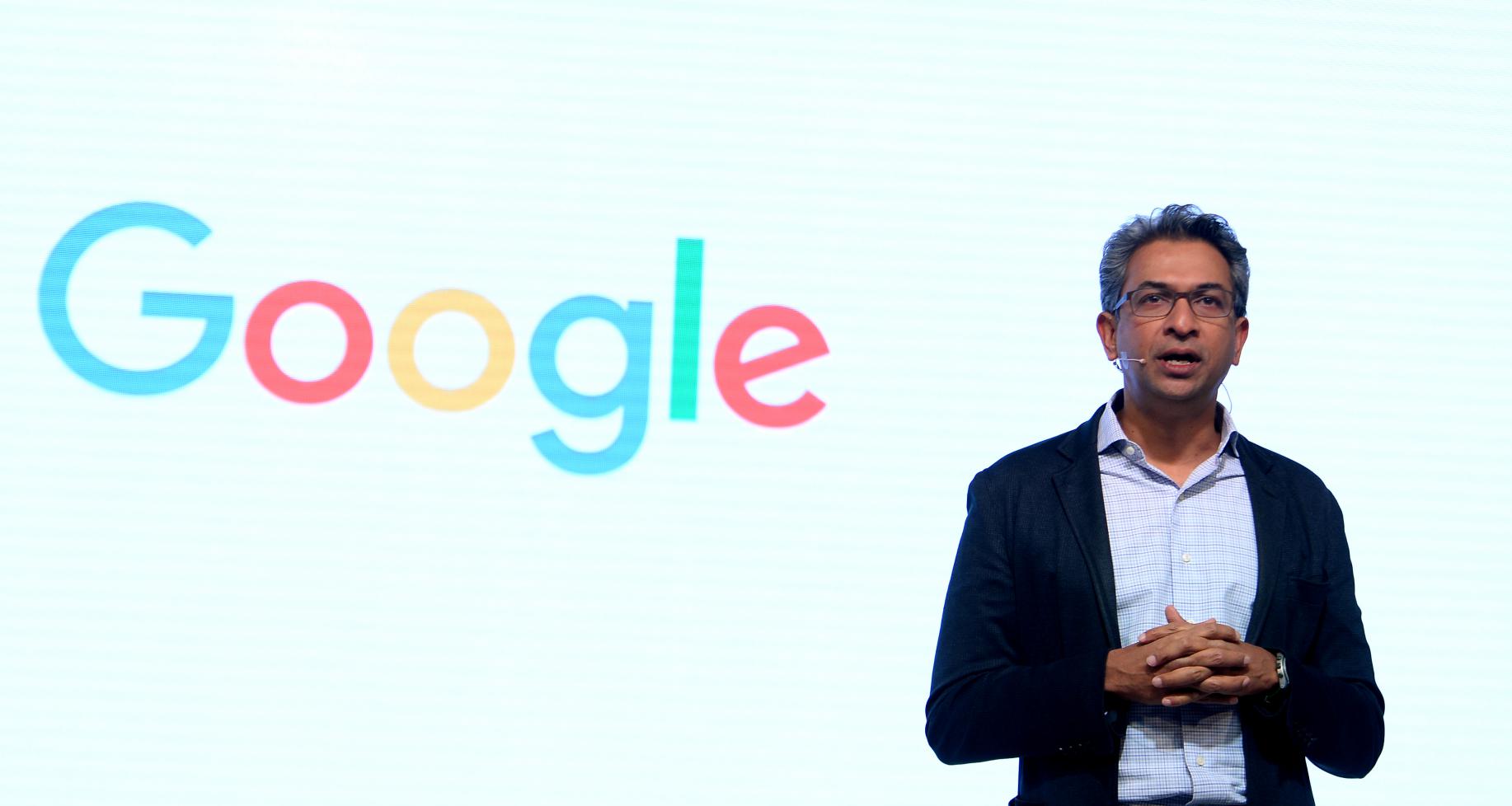
Rajan Anandan, vice president of Google for South East Asia and India, is leaving the search giant to oversee Sequoia’s new early-stage accelerator program (Photo credit: Sajjad Hussain/AFP/Getty Images)

It isn’t clear if Anandan’s departure is related to Beaumont’s recent promotion — you’d imagine that the two were among the main candidates for the top job at Google Asia — but heading to Sequoia is no slack move, particularly given the company’s increased focus on early-stage investing and Surge.

Now some words on Beaumont, who TechCrunch understands from sources is widely-liked within Google. His tenure in China is linked with the development of DragonFly, the secretive project to develop a government-friendly search service in China, but internally his star is rising thanks to Google’s improved business position in China.

DragonFly may (may) have been shuttered, but Beaumont is credited with helping Google build revenue in China through advertising deals, with The Information reporting that China-based revenue surged by more than 60 percent to more than $3 billion last year.

Scott Beaumont, Google’s newly-appointed head of Asia Pacific is widely credited with developing Google’s business in China in recent years, but that also included the controversial work on a proposed censored search service for Mainland China (Photo credit: Sam Yeh/AFP/Getty Images)

Like Twitter and Facebook, that has included dealing with state-backed media and other organizations keen to lean on Western internet pillars to reach a global audience but, as an interesting report from The Information earlier this year showed, Google also set up robust on-the-ground systems to let SMEs and companies selling to the global market access Google services through third-party offices and resellers.

On the strategy side, Beaumont struck investments deals with e-commerce giant JD.com and HTC — which involved the acquisition of a smartphone division, in the case of the latter — inked a patent license with Tencent, put cash into some earlier stage startups and selectively launched some products in China.

It remains to be seen how Google’s China strategy will develop now that Beaumont has taken on more responsibility with a broader job and, indeed, what he will bring to Google’s overall strategy in Asia Pacific. The region accounts for around 15 percent of revenue behind the U.S. and Europe, according to Google parent Alphabet’s latest financials, with 33 percent annual growth second only to Latin America.


Read Full Article

5 Reasons Why Android Is So Much More Popular Than iPhone


android-than-iphone

While Apple was the first company to bring the concept of the modern touchscreen smartphone to consumers, the iPhone’s market share has drastically dropped since its initial introduction.

In 2010, Android overtook iOS in market share, becoming the world’s most popular mobile operating system. It’s a title that Android holds to this day.

And while some may argue over which operating system is better, there’s no denying which is more popular since Android maintains over 80% of the global market share. But why exactly is Android so much bigger than iOS?

We look at five major reasons that contribute to Android’s popularity and widespread adoption.

1. More Smartphone Makers Use Android

A large contributor to Android’s popularity is the fact that many more smartphone and device manufacturers use it as the OS for their devices. In contrast, iOS is limited to Apple-made iPhones and iPads only.

So why do so many manufacturers use Android? In 2007, Google and a number of mobile operators, software companies, and hardware companies launched the Open Handset Alliance (OHA) to compete with the launch of the iPhone. This alliance established Android as the its mobile platform of choice, granting an open-source license to manufacturers.

This alliance meant that when other older feature phone operating systems were phased out, most manufacturers opted to switch to Android. This increased its overall market share significantly.

In addition to this, regional brands and new startup manufacturers also adopted the OS. The boom in the Chinese and Indian markets’ demand for smartphones meant that local companies’ use of Android boosted its global share of the smartphone market.

A few other mobile operating systems continued to try to compete with Android and iOS. However, when these companies were unable to gain a significant foothold in the market, their smartphone brands eventually also moved to Android.

2. Android Devices Span All Price Ranges

Another major reason that Android is more popular than iOS is due to the varied price range of Android devices. This is particularly important for countries with developing economies and a weak dollar exchange rate, where even Apple’s most affordable smartphone is still out of the budget of most people.

In these markets, the exclusivity-based marketing of the iPhone has not been able to compete with the significantly lower prices of budget and mid-range Android smartphones. We’ve looked at great unlocked phones you can get for under $200, for instance.

According to StatCounter Global Stats, in the U.S., iOS holds 57 percent of the mobile market as of February 2019. But the picture in budget-conscious markets contrasts starkly with its appeal on the company’s home ground.

To put it in perspective, iOS has a market share of around 2.8 percent in India, 26 percent in China, 15 percent in South Africa, just under 15 percent in Brazil, and around 5 percent in Nigeria. Considering that India and China alone account for around a third of the entire world’s population, the popularity of Android in these countries puts iOS at a major disadvantage.

3. Android Has Wider Compatibility for Devices

While Apple has opened up the iOS ecosystem to include some third-party devices, it is still a relatively closed mobile platform. However, Android has a much wider ecosystem of peripheral and wearable devices.

This means you can have a Samsung smartwatch, a Google Home speaker, and a Huawei smartphone and the different devices will work together. Furthermore, transferring data and syncing devices is much simpler.

This wider ecosystem attracts users who don’t want to get locked into certain hardware brands. After all, if you change which Android device you use, this doesn’t render all your peripheral devices incompatible. You can also keep many of the same cables and accessories.

But this isn’t the case with the iPhone. The iOS ecosystem simply doesn’t offer the same flexibility.

4. Android’s AI and Software Features Have Caught Up

Android initially lacked some of the software perks of Apple—most notably, a virtual assistant like Siri. However, in recent years Android has caught up in many respects, with Google Assistant and its great voice control features becoming a major success.

Many apps that were once iOS-only have also now launched Android versions, while Google has introduced sophisticated AI to help automate your smart home.

Of course, this doesn’t mean that low-quality apps don’t exist on Android. In fact, the Google Play Store is littered with app clones and shovelware.

However, the official offerings from Google and major app developers have increased the overall quality of Android software considerably. Furthermore, Android has become a more sophisticated OS over time, integrating many sought-after features with each new version and refining the product as a whole.

5. There’s a Greater Variety of Android Devices

More manufacturers using Android as the OS for their devices doesn’t only mean there’s a greater number of Android phones and tablets. It also means that there’s a greater variety of devices to choose from.

Apple has a set number of iPhone and iPad models that it releases each year. On average, we see two to three new iPhones per year and three to four iPads. This means that if an Apple fan doesn’t like a specific year’s releases, they have to wait another year for a new iteration.

But Android devices come in a variety of form factors, have manufacturer-specific features, and are prone to more interesting experimentation. Since Android has an open source license, manufacturers have the freedom to create the hardware they want.

This contrasts with proprietary licenses, such as the one that Microsoft granted Windows Phone and Windows Mobile manufacturers. In this case, the OS came with certain requirements that manufacturers had to stick with when creating hardware.

But an open source license lets manufacturers tailor their product features to their specific target audiences. It also means that they can launch experimental and unconventional products.

Just look at the example of the foldable smartphone trend. Within a month of Samsung’s announcement of the Galaxy Fold, two other competitors announced their own take on foldable devices.

Meanwhile, many Android phones have been created for niche audiences or to accommodate specific tastes. From five-lens cameras to gaming-first smartphones, there’s essentially something for everyone when it comes to Android devices.

This variety in Android devices makes it more likely that consumers will find one that suits their specific tastes.

Android Is More Popular, But Is It Better?

We have taken a look at why Android is the more popular mobile OS. But the debate about which is the superior product continues to rage on.

Android fans point to high iPhone prices and a lack of innovation from Apple. Meanwhile, iPhone fans note the security issues and fragmented update schedule of Android. Whichever you choose, sticking to one ecosystem is definitely a smart idea.

Meanwhile, we’ve also looked at whether iPhone or Android is better for mobile gaming.

Read the full article: 5 Reasons Why Android Is So Much More Popular Than iPhone


Read Full Article

The 10 Best Free PC Games in 2019


free-pc-games

PC gamers have never had it better. Not a day goes by without a new game hitting the market. Sounds expensive, right? But not to worry, as there are some amazing free PC games available.

In fact, there are so many free games to play, it’s difficult figuring out where to spend your time. Here are the best free PC games in 2019—and the “Genre Alternatives” are all free too.

1. Apex Legends

Respawn Entertainment’s free-to-play battle royale game has almost knocked Epic Games’ Fortnite off its perch. While Apex Legends still lags behind in player number, it has surpassed Fortnite in Twitch streaming hours and viewers on multiple occasions since launching in February 2019.

Apex Legends offers a mature take on the battle royale, at least compared to Fortnite. Played on a much smaller map, encounters in Apex Legends are often fast, at close quarters, and usually terminal. That’s not to say you won’t progress to the final few squads. You can hide as the ring closes, but inevitably, the squad that wins has taken others down to acquire the best gear.

Download: Apex Legends for Windows (Free on Origin)

Genre Alternatives: Fortnite Battle Royale | H1Z1 Battle Royale | Darwin Project

2. Dwarf Fortress

Dwarf Fortress is probably the most intriguing, enchanting, and infuriating game ever made. Developers, Bay 12 Games, continue to update Dwarf Fortress for free. So, what is it?

You can play Dwarf Fortress as a roguelike, a management sim, an exploration tale, and more. That’s because the possibilities are endless as you attempt to keep your colony of dwarves alive, happy, fed, and working.

The original graphics set is off-putting. There’s no beating about the bush. It makes the extensive (and sometimes fiddly) controls challenging to get to grips with. However, numerous wonderful community tilesets turn the original Dwarf Fortress into a colorful, more accessible proposition.

Download: Dwarf Fortress for Windows | macOS | Linux (Free)

Genre Alternatives: Brogue | Nethack

3. Path of Exile

Path of Exile is one for fans of Diablo and other dungeon-crawling RPGs. Originally released back in 2013, Path of Exile continues to receive regular updates and is now a top ranking free-to-play game.

The storyline isn’t fantastic, hitting those classic RPG tropes: washed up, lost, clothed in rags, fight to become the ultimate beast slayer. However, Path of Exile does create a unique identity with its extensive skill trees, an incredible range of loot, and the new bosses, game systems, and play styles regularly arriving.

Download: Path of Exile for Windows (Free on Steam)

Genre Alternatives: Path of Diablo | Neverwinter

4. Duelyst

Duelyst is a wonderful collectible-card game that intersects tabletop gaming and chess. Sounds like a lot to take in? Duelyst lets you jump in at any level. You can easily play a few casual games of Duelyst without worrying too much about the tactics and meta of the game. If you find you enjoy it, you can immerse yourself in the decks, playstyles, factions, unlockables, and more.

In Duelyst, you have a deck of cards belonging to one of six factions. You build your deck around a champion, who has a unique skill. Some of the cards in your deck also have special abilities, and you can unlock more powerful and specialized cards the more you play. Once your deck is ready, you take turns to play cards against an opponent, powering up an existing or adding a new minion to the board.

Duelyst looks simple, but it’s often fast-paced, strategically varied, and painful as you snatch defeat from the jaws of victory.

Download: Duelyst for Windows or macOS (Free on Steam)

Genre Alternatives: Hearthstone | Gwent | The Elder Scrolls: Legends

5. StarCraft II

In 2017, Blizzard made StarCraft II free. Which means one of the best real-time strategy (RTS) games of all time is now free-to-play. The free-to-play offering covers the original StarCraft II: Wings of Liberty single player campaign, but not the follow-ups, Heart of the Swarm, Legacy of the Void, or Nova Covert Ops.

The free version of StarCraft II also allows you to access the ranked multiplayer league tables. We’re not sure why you would subject yourself to such a torturous ordeal, but each to their own.

Download: StarCraft II for Windows | macOS (Free on Battle.net)

Genre Alternatives: StarCraft | Total War Battles: Kingdom | OpenRA | Twisted Insurrection

6. Heroes of the Storm

From Blizzard’s all-conquering RTS to the game Blizzard doesn’t classify as a MOBA. If it isn’t a MOBA, Heroes of the Storm sure has all of the core characteristics of one: five-on-five, lanes, a massive array of heroes (taken from other Blizzard titles), and a focus on four specific roles.

Heroes of the Storm is much easier to get into than its more esteemed (or notorious) competitors, League of Legends and Dota 2. The fan-base is seemingly more open, the roles are more comfortable to learn, and the game modes bring variance to each battle to keep it fresh.

Download: Heroes of the Storm for Windows | macOS (Free on Battle.net)

Genre Alternatives: Dota 2 | League of Legends | Smite | Magic Duels

7. Planetside 2

Planetside 2 is an MMOFPS, where you battle to secure different areas across continental maps. With up to 2,000 concurrent players taking part in the battle, Planetside 2 knows a thing or two about epic scale. You can take part in a single fight for hours, log off for a few hours, then log back in to find the same battle waging.

The biggest difference players coming from Battlefield or Call of Duty will find is the time it takes to master and level up weapons and skills. It certainly takes longer to increase those specific skills. However, it isn’t a grind as the battles ebb and flow, and you are not restricted to approaching the battle from a single direction (or vehicle, for that matter).

Download: Planetside 2 (Free on Steam)

Genre Alternative: None. Nothing touches the scale of Planetside 2 without a price tag.

8. Forza Motorsport 6: Apex

To coincide with the Windows 10 Anniversary Update back in 2016, Microsoft brought the sublime cars, circuits, and environments of Forza Motorsport 6: Apex to Windows 10. Forza Motorsport 6 was the first time Forza appeared on desktop PCs. Previously, Forza was an Xbox exclusive.

The Forza series has a strong reputation for sweeping circuit designs and fantastic car models, and Forza Motorsport 6: Apex doesn’t disappoint. There are 63 cars in total to race, across 12 different events.

Download: Forza Motorsport 6: Apex for Windows (Free on Microsoft Store)

Genre Alternatives: Track Mania: Nations Forever

9. Warframe

For a free game, Warframe packs a substantial amount of content. Not least the hoverboard skating mode. But in terms of running and gunning (as compared to Path of Exile’s hacking and slashing), the incredible range of weapons, loadouts, and play styles, there is a lot to take in.

There are massive open world areas to explore, an extensive storyline, and the game receives regular content updates. The volume of content can actually become a little overwhelming, at least to begin with. Learning the numerous game systems takes some time, and figuring out crafting and blueprinting can also feel a bit confusing.

Thankfully, the Warframe community is one of the friendliest around, so don’t be afraid to ask a question. Someone will have asked it before.

Download: Warframe for Windows (Free on Steam)

Genre Alternatives: Double Action: Boogaloo | Brink | Dirty Bomb | Team Fortress 2

10. EverQuest

Head back to one of the oldest MMOs around to build your characters through 110 levels, over 500 zones, and countless questlines. Yes, EverQuest is still going strong, into its 20th year of continuous development.

As a testament to the game, The Burning Lands expansion was the 25th content expansion, introducing new zones, raids, quests, and spells. It hit the market in 2018—19 years after the original game.

The graphics may look a little dated, but EverQuest holds up in so many other areas. You and a group of friends have thousands of hours of questing across Norrath ahead.

Download: EverQuest for Windows (Free on Steam)

Genre Alternatives: EverQuest II | Rift | Guild Wars 2 | Runescape | Maplestory 2

Are These the Best Free PC Games?

This is a substantial list of the best free PC games available to play in 2019. It covers a vast range of genres, and, with the alternatives offered, you have almost 50 games to consider.

We believe these are the best free PC games money can’t buy, but perhaps you want to play something a little older? If so, check out the old PC games still worth playing to this day.

Read the full article: The 10 Best Free PC Games in 2019


Read Full Article

The 7 Best Note-Taking Apps for iPad and iPad Pro


ipad-note-take

Having a reliable note-taking app installed on your iPad is an essential part of staying productive when you’re on-the-go. The best iPad note-taking apps will sync your notes across all your devices and come with a host of useful features.

So if you’re looking for the best note-taking app for your iPad or iPad Pro, keep reading to find out more.

1. GoodNotes

If you prefer to take your notes using handwriting rather than the on-screen keyboard, GoodNotes is a great place to begin. It’s arguably the best note-taking app for an Apple Pencil.

Using a stylus to take notes on your iPad has some notable benefits, especially for certain types of content. For example, if you need to jot down complex equations, formulas, and other scientific characters, using a keyboard is at best arduous and at worst impossible.

Important features in GoodNotes include the ability to annotate PDFs, a way to convert handwritten content into text, and note syncing with the major cloud storage providers.

Download: GoodNotes ($8)

2. Apple Notes

apple notes list of notes

Sometimes the most obvious solution is the best solution. That’s arguably the case with Apple Notes.

The app comes pre-installed on iOS devices and is entirely free to use. A redesign to coincide with the release of iOS 11 in late 2017 brought several improvements; it’s now one of the best note-taking apps for iPads and iPad Pros.

Apple Notes has an impressive array of tools that’ll work with an Apple Pencil. It offers extensive style options, and uses iCloud to sync with all your other Apple devices seamlessly.

We’ve written about how to use Apple Notes if you would like to learn more.

Download: Apple Notes (Free)

3. Notability

Notability is the best note-taking app for iPad if the ability to annotate PDFs is important to you. It’s also a great app if you want to take notes with your Apple Pencil or a stylus.

Some of the app’s most noteworthy features include:

  • Convert handwritten notes into text
  • Multi-note support so you can work on two notes side-by-side
  • PDF annotation
  • A search function that can scan both text and handwritten notes
  • A powerful sketching tool that lets you use custom colors and draw shapes
  • Drag-and-drop support for files, text, photos, GIFs, and web pages

As with the other apps here, Notability is compatible with iCloud so you can sync your notes across all your other iOS and macOS devices.

Finally, Notability also supports audio files. The app will sync your notes with the recording, allowing you to listen to what was said at the time you made the note. The feature is perfect for presentations and lectures.

Download: Notability ($10, in-app purchases available)

4. Notepad+ Pro

notepad+ pro app store screenshot

Notepad+ Pro is the most expensive app on this list—it’ll set you back $20. But it’s the best option for anyone who wants that traditional pen-and-paper feel on their iPad or iPad Pro. There are several ink pens, highlighters, and color tools, all of which aim to replicate the paper approach to note-taking.

The app is primarily geared towards people who own an Apple Pencil (or another iOS-compatible stylus), though it does support keyboard input as well.

If you need to annotate files in a variety of formats, the app is definitely worth checking out. It lets you add notes to PDF files as well as files in the Excel, Keynote, and Numbers formats.

Another of the app’s cool features is its blur tool. You can hide sensitive data on your documents with a single tap before you share it with other users.

Download: Notepad+ Pro ($20)

5. Evernote

Another iPad note-taking app worth considering is Evernote. The app needs no introduction; it’s been one of the best note-taking apps on all major platforms for several years.

Evernote does have a free tier. You can use it to take notes, format them as you desire, record audio, and create to-do lists. More powerful features, such as version history, PDF annotation, integration with cloud providers, and multi-person collaboration require a subscription, however. The free tier is also restricted to two devices.

Two paid subscription plans are available. Premium is $8 per month, while Business costs $15 per month.

Download: Evernote (Free, subscription available)

6. Simplenote

simplenote example note

The best note-taking apps on your iPad or iPad Pro don’t necessarily need to be the most complex. Sometimes, simple is better.

And that’s where Simplenote really shines. As the name suggests, this isn’t an app loaded with endless bells and whistles that you’ll rarely use. Instead, it focuses on letting you take great notes in a clean and straightforward way.

The app doesn’t support styluses, PDF annotation, or other power-user features found in other apps. Quite simply, your list of notes shows in the left-hand panel and your content appears in the right-hand panel.

Simplenote does include note searching so you can easily recall your earlier jottings. It also supports tags.

Download: Simplenote (Free)

7. Bear

bear example note

If an app’s design is important to you, have a look at Bear. It’s one of the most beautiful note-taking apps you’ll find for iPad and iPad Pro.

But Bear is far from an app that’s all style and no substance. Some of its best features include hashtags (so you can easily find connected content), support for the Apple Watch (allowing you to dictate audio notes when you’re on-the-go), and the ability to take notes and make drawings using an Apple Pencil.

Impressively, Bear is also compatible with Siri. You can create notes from any Siri-enabled device using nothing more than your voice. Finally, Bear offers a solid selection of export formats, including HTML, PDF, DOCX, MD, JPG, and EPUB.

Bear is free to download and use, but if you want to sync your notes between devices, you will need to buy a subscription. A plan costs $1.49 per month or $15 per year.

Download: Bear (Free, subscription available)

Other Ways to Stay Productive on an iPad

Using one of the best note-taking apps for your iPad or iPad Pro is only half the battle. You’ll need lots of other apps if you want to stay productive on your iOS device.

To learn more, check out some must-have professional apps for iPads and hidden iOS features that will make you more productive.

Read the full article: The 7 Best Note-Taking Apps for iPad and iPad Pro


Read Full Article

The 6 Best Squarespace Templates to Display Your Photos and Art


display-photos-art

If you’re an artist looking to display your work online, Squarespace is a solid option. It’s a versatile service well suited to artists, and so you’ve purchased your domain and are looking to get started.

However, there are a lot of template options available when you sign up to Squarespace, so how do you pick the best one? In this article we uncover the best Squarespace templates to display your artwork.

How to Narrow Your Search

The Best Squarespace Templates How to Search

The first thing you need to know is that Squarespace is there to make your life easier.

We’ve talked about the differences between Squarespace vs. WordPress, and from a personal perspective I fall into the category of “Squarespace fan”. But if you’re still new to the platform and you’re staring down at that full list of designs, the idea of customizing your portfolio can seem daunting.

To narrow your search, log into your account, click on the icon for your website, then click Design > Template > Install New Template. This will take you to Squarespace’s main template page, where you can click on the Art & Design category. By doing this, you’ll be whittling down your template options to a manageable handful.

1. The Ishimoto Template

The Best Squarespace Templates Ishimoto

Ishimoto is a great template for an art website, and it’s one that I used when I first set up my portfolio.

Sleek, full-screen, and optimized for landscape format, Ishimoto is perfect for anyone who has photographs or illustrations they want to display side-by-side that have a similar theme to one another.

A minor downside to this design is that it doesn’t work as well if you have very different image “styles”, as the difference between them can be distracting. Its website navigation is also not as accessible as some of the other designs on this list.

The Best Squarespace Templates Ishimoto Mobile

Right now we’re using the preview mode for viewing templates, so the screenshots you see are of the demo templates that Squarespace has put together. But Squarespace also lets you preview what these demos will look like on different types of devices.

To do this, click on the device icons in the top left-hand corner of your preview screen. It will show you how each template changes, depending on if it’s viewed with a desktop, tablet, or smartphone.

2. The Wexley Template

The Best Squarespace Templates Wexley

Another great template for displaying your artwork is Wexley. It’s the one I’m currently using for my own website, as you can see by this screenshot of my art.

Wexley is a template that works best for illustrators. The grid is flexible, meaning that it will adjust how many images are on each line depending on their width. The white borders also help each illustration stand out from one another, which is good if you need to display very different images side-by-side.

3. The Flatiron Template

The Best Squarespace Templates Flatiron

Flatiron is an all-purpose template that is equally well-suited for illustrators, designers, and photographers. It makes full use of the space available, and like Wexley it allows you to display your images in a grid.

The big difference between Wexley and Flatiron is that there are no borders between the grid items. Both styles work well, however, and at the end of the day this difference comes down to what you prefer on an aesthetic level.

4. The Lange Template

The Best Squarespace Templates Lange

Lange is a great template for artists who need to display pictures of their physical art installations.

It’s also good for photographers, as it features a linear design where text pops up over each image as you scroll downwards. This keeps extraneous details to a minimum unless they are needed. It also lets the viewer know what they should be focusing on at a given point in time.

5. The Greenwich Template

The Best Squarespace Templates Greenwich

Interior decorating is an aspect of design we haven’t really touched on, but artwork can play into it if you’re designing something in a physical space—a mural would be a good example of this.

Greenwich is Squarespace’s best answer to this issue, with a continuously scrolling, interactive design that allows you to make the most of your website by modelling it after the “virtual walkthrough” in a house tour.

6. The Wells Template

The Best Squarespace Templates Wells

The last template we’re going to cover is one of the most basic that is offered by Squarespace, but it’s incredibly effective if you’re displaying portrait-oriented artwork.

The Wells template features a grid design when you first log into the site, allowing visitors to look at your full catalog of images at a glance. Visitors can also check out your contact links along the left-hand side, and the placement of these links makes sure that the eye will naturally drift towards them.

However, if your visitors want to zoom in on a particular image and they click on it, they are brought to the portrait view.

The Best Squarespace Templates Wells Portrait View

This new format allows viewers to focus on an image in its entirety. The handy Prev/Next controls in the bottom left-hand corner of the screen also allow them to flip through each picture without returning to the main grid.

Get Started on Your Website

As previously mentioned, this is just a small sample of the templates currently available on Squarespace. But by going to Design > Template > Install New Template you can search for a host of other designs.

If you already have an account with Squarespace you can easily get started on customizing your portfolio. You can also upgrade the one you currently have to find a design that betters suit your needs.

Your website isn’t the only thing you’ll need to worry about when you’re setting up your online art business, however. So if you’re wondering what else you’ll need to do, we have a list of the essential tools for illustrators.

Read the full article: The 6 Best Squarespace Templates to Display Your Photos and Art


Read Full Article

5 Mobile Security Risks That Could Spoil Your Fun in 2019


mobie-security-risks

On March 5 2019, Kaspersky Lab published an article discussing the top mobile malware attack methods in 2018. Much to their chagrin, they found the total number of attacks roughly double in the space of a year alone!

Let’s look at the most-used attack methods of 2018 and how to protect yourself from this new wave of digital threats.

1. Trojan Droppers

Trojan droppers are a strange beast, as they themselves don’t do any direct harm. Instead, they’re designed to be a payload for a nastier piece of kit. They masquerade as a beneficial app or program, then slip malware onto your phone after being installed.

Sometimes, they either download or unpack a piece malware, install it, then immediately delete themselves to avoid suspicion. They might also bury themselves deeper, continuing to infect the system after the user has deleted the main malware.

Either way, a Trojan dropper’s main goal is to be the transport for something far nastier. Malware authors like them because they add an extra layer of protection around the malware they want to spread.

How to Fight This Threat

Trojan droppers sound complicated, but they still follow the same rules as most malware; they have to be downloaded onto your system before they can infect anything. As such, the general rules for avoiding file-based malware applies here.

Don’t download any suspicious files from shady sites or emails. Be careful with what free apps you download, even ones from the official app store. Be sure to grab a good mobile antivirus to catch out a Trojan dropper when it tries to deliver its payload.

2. Banking SMS Malware

If a hacker has your bank account details, but you’ve set up an SMS two-factor authentication (2FA) guard on your phone, the hacker won’t be able to get in without the code. That’s why hackers are turning to malware that reads SMS messages on the victim’s phone.

When they go to log into the victim’s bank account, the malware reads the SMS code that is sent to their phone. This gives the hacker all the information they need to log into their account.

In order to do its job, this malware has to get permission to read SMS messages. As a result, they often masquerade as messenger apps like WhatsApp. When they ask for the SMS permissions, the user believes it’s simply part of the messaging services and gives it free rein.

Hackers have since upgraded their attacks to take advantage of the new accessibility services that Android provides. In order to help those who have trouble reading screens, the accessibility service can read out SMS 2FA codes to the user.

As such, malware can target this service and read what is sent. When the user receives a 2FA code, the malware reads the code and sends the information back to the malware author.

We talked about some reasons to ditch SMS 2FA authentication in our guide to why SMS 2FA is not as secure as most people think.

How to Fight This Threat

Be very careful with apps that ask for messaging or accessibility services permissions. Banking malware needs this to read SMS messages, and denying them this should keep your account safe.

When you’re installing a messenger app, always make sure it’s from a legitimate source. Scammers will often upload fake apps to try to catch people out, so always make sure you’re getting the real deal!

3. Malvertising and Adware

Unlike other strains of money-making malware, adware doesn’t target the user’s bank account. It instead tries to harvest advertisement revenue through ad interaction, and is usually delivers via an infected app.

Advertisements don’t pay a lot per click, however, so adware authors have to flood their victims with adverts to turn a good profit! This makes infection very obvious, as the user will have to fight past ads to use their phone.

Unfortunately, if the adware developer has been clever, they’ll ensure ads appear outside of the infected app. This can make it hard for a user to figure out which app is delivering ads to the user.

How to Fight This Threat

Be careful what apps you install and only download apps from official sources. If you do notice stray advertisements popping up on your phone, think back to any apps you’ve installed recently and delete them ASAP. Then, grab an antivirus to clean up anything that remains.

Some strains of adware can wait a bit before displaying advertisements. This is done to take heat off of the app that infected your phone in the first place. As such, it may not always be the most recent app you downloaded that’s infected with adware!

4. Miner Trojans

2018 was a very bad year for avoiding miner Trojans—it saw a five-fold spike in the year alone! This is a symptom of malware authors moving away from malware that simply bricks devices and moving more toward money-machine schemes.

Miner Trojans perform what’s called “cryptojacking,” where a malicious agent hijacks your device’s processor in order to mine cryptocurrency at your expense.

The current rate of development in smartphones makes miner Trojans a good choice for malware developers. Phones are getting increasingly more powerful, which in turn makes a mining attack more profitable.

Given the high adoption rate of phones in modern society, miner Trojan authors also have a swathe of potential zombies for their miner horde.

Fortunately, it’s very easy to spot when a miner Trojan is working away on your phone, as the entire system will slow down. As such, miner Trojan authors are working on making their software more resistant to removal.

How to Fight This Threat

If you notice your phone comes to a crawl when you’re using it, there’s a chance a miner Trojan is sapping your processing power. Be sure to run an antivirus scan to see if you can remove it.

Not all phone slowness is a symptom of a miner Trojan, though! It may be that you’re running too many apps, or your phone is low on memory. If the virus scan comes back clean, perhaps try cleaning up some apps to see if it helps.

5. Riskware

We also saw a rise in Riskware in 2018. Riskware is the odd one out in this collection of culprits, as it’s not specifically designed to be malicious. It’s the name given to apps that perform unsafe, exploitable practices, even if the developers have no intent of harming their users.

In 2018, we saw a rise of riskware that handled in-app purchases. Usually, when a user performs an in-app purchase on an Android or iOS device, the payment is handled by the official store service. This then passes through Google/Apple, who can keep track of every purchase made.

While this official store functionality is great for users, it can be tricky for developers to set up. Novice developers sometimes resort to using a riskware-based system which sends a confirmation SMS message to the developer when a user makes an in-app purchase. This is easier to code, as it skips the need to use the official store service.

Unfortunately, this SMS system means the developer is in total control of the purchase. They may decide against giving the user their paid content, and there’s not much the user can do in response. Google/Apple can’t help, as the purchase didn’t go through their system.

How to Fight This Threat

Be very cautious of software which doesn’t want to do things by the book. If an app doesn’t use the official means of billing you for in-app purchases, stay well away! Always perform purchases through the official channels, which gives you a proof of purchase if the developer fails to provide.

Ransomware Is on the Decline

Despite the fact that banking SMS attacks are on the rise, ransomware is on the decline. This is an odd trend, as ransomware is a good way for a malware author to make money. We talked about how ransomware authors can make a killing in our guide to ransomware-as-a-service.

So, why are malware authors shying away from this lucrative opportunity? It may be due to several reasons.

  • Users are learning about the threat of ransomware and are opting to defeat it without paying. We’ve seen services and advice pop up over the years to help users get out of ransomware without paying the ransom.
  • Infecting people at random means the malware authors will sometimes infect people who can’t pay the demands they ask for.
  • Mobile phones typically store less important data on them, which makes unlocking the phone less of a concern.

Staying Safe From Malware

2018 saw a nasty spike in mobile malware. By keeping safe with your mobile usage, you can help defend yourself against these threats.

Fancy taking the fight to the malware? Read our guide to enhancing your mobile security.

Read the full article: 5 Mobile Security Risks That Could Spoil Your Fun in 2019


Read Full Article

Become a Social Media Marketing Guru with 28 Hours of Training for $29


Most people connect better with brands that show some personality. Perhaps that’s why social media marketing is becoming so important. For any aspiring marketer, the Social Media Marketing Master Class Bundle provides 28 hours of essential training. Through 11 video courses, you learn how to make the most of Facebook, Twitter, YouTube, and other platforms. Right now, the training is just $29 at MakeUseOf Deals.

Social Media Marketing

While email updates and search engine optimization are both important, social media marketing is the new battleground for digital marketers. Many people make a career in this niche, and social media skills are vital in most marketing roles.

This bundle helps you tweet, post and share your way to success. Through concise video tutorials, you first learn how to plan your digital marketing strategy. The training then walks you through every major platform, including Facebook and Facebook Groups, Twitter, LinkedIn, YouTube, Reddit, and Yelp.

Along the way, you learn specific tactics for each network. In addition, the videos help you to beat the algorithms, manage online reviews and construct the perfect online business plan.

This bundle includes lifetime access to the training, so you can revisit the tutorials at any time. You can also claim a certificate of completion at the end of each course.

11 Courses for $29

Order now for just $29 to get all 11 social media marketing courses, worth $969.

Read the full article: Become a Social Media Marketing Guru with 28 Hours of Training for $29


Read Full Article

Who Wants to Win an Xbox One X?


Fancy getting your hands on a brand new Xbox One X? Well, the time could be now, and it won’t cost you a dime!

That’s right. We’re giving away one Xbox One X console bundle, worth $499, to one of our lucky newsletter subscribers! Read on to find out how to enter!

About the Xbox One X

The Xbox One X is a seriously powerful console. And by powerful, we’re talking about:

  • Eight custom x86 cores clocked at 2.3GHz
  • Integrated AMD graphics with 6 teraflops of performance
  • 12GB of RAM
  • 1TB HDD
  • 4K/HDR Blu-ray drive
  • And of course, that all-important 4K and HDR capability.

In other words, gaming is amazing on an Xbox One X. It’s smooth, detailed, interactive, and fast. The games are bigger and better than ever. And it works with all your older Xbox One games and your 1080p TV.

If you want to learn more, read our full Xbox One X review. But if you want to be in with a chance of winning one of these amazing consoles, including a wireless controller and a game, keep reading!

How to Enter

To enter, please subscribe to our newsletter using the form on this page.

Simply enter your name and email address into the form, then click the button to subscribe to our newsletter. Existing subscribers can also enter through the same process. Feel free to complete additional steps for more entries!

[FORM]

The winner will be announced via our newsletter by 15 April 2019, so keep an eye on your inbox!

As a subscriber, you will receive roundups of our most popular articles and occasional third-party offers. For more info read our giveaway rules and our privacy policy.

Read the full article: Who Wants to Win an Xbox One X?


Read Full Article

Facebook Helps You Control Your News Feed


Facebook has launched a new feature designed to make your News Feed more transparent. Called “Why am I seeing this post?”, it should help you understand why your News Feed looks the way it does. And then help you personalize your News Feed.

Facebook Moves to an Algorithmic News Feed

When Facebook first launched, you’d see everything your friends posted. It was simple, effective, and easy to understand. However, as more people joined Facebook, the social network started curating everyone’s News Feeds, whether they liked it or not.

This was good for Facebook, as it allowed the social network to decide what you saw and when. However, many of us have become increasingly frustrated with the algorithmic Facebook News Feed. Especially as it’s almost impossible to understand.

“Why am I seeing this post?” is an attempt to fix that problem.

Why Am I Seeing This Post?

In a post on the Facebook Newsroom, Facebook details the new feature, explaining how it’s designed to “help you better understand and more easily control what you see from friends, Pages and Groups in your News Feed”. Or at least that’s the plan.

As the name suggests, “Why am I seeing this post?” will explain why a particular post is appearing in your News Feed. It will show how your past interactions have led to the post appearing, and provide information on how your actions influence Facebook’s algorithm.

As well as showing you the why, this feature will give you shortcuts to the controls needed to personalize your News Feed. All you need to do is click on the drop down menu in the right-hand corner of a post, and explore to your heart’s content.

Facebook is also updating “Why am I seeing this ad?” This has been available since 2014, and shows you why you’re seeing certain ads. The social network will now provide more details as to exactly what has led advertisers to target you with their wares.

Helping You Control Your Facebook News Feed

Ramya Sethuraman, a Product Manager at Facebook, said, “Both of these updates are part of our ongoing investment in giving people more context and control across Facebook. We will continue to listen to your feedback and evolve these features over time”.

Facebook has endured PR disaster after PR disaster of late. So any effort which allows users to see what’s happening behind the scenes should be welcomed. And if you’re tempted to take the nuclear option, here are some reasons not to delete Facebook.

Read the full article: Facebook Helps You Control Your News Feed


Read Full Article

You Can Now Play Snake in Google Maps


play-snake-google-maps

To celebrate April Fools’ Day 2019, Google has added its own version of Snake to Google Maps. This means you can now play a special travel-related version of Snake in Google Maps. Cue millions of people wasting their time for the next week or so.

How to Access Snake in Google Maps

To access Snake in the Google Maps apps, first, make sure you have the latest version installed. Then, open Google Maps, and click the squiggly snake icon in the top left-hand corner. This will open the Settings menu, where you’ll find a new “Play Snake” option.

If you click “Play Snake” a popup will reveal this is an “April Fools!” and invite you to “navigate different cities around the world in this rendition of the classic arcade game Snake.” Click “Play” and you’ll be whisked to Google Maps’ version of Snake.

Even if you haven’t got Google Maps installed on your phone, you can play Snake on this standalone site. According to Google, Snake will be available on the app until the end of the week, but we assume the standalone site will remain accessible beyond that.

How to Play Snake in Google Maps

To play Snake on Google Maps, click “Start” and then choose a destination. You’ll be able to choose from Cairo, São Paulo, London, Sydney, San Francisco, Tokyo, and the World as a whole. Your snake will be the mode of transport associated with that destination.

All you need to do is use your finger (or the arrow keys on the website) to direct your Snake. The aim is to pick up as many passengers as possible without crashing. You’ll also get bonus points for reaching certain landmarks or items within each map.

You can play Snake in Google Maps as many times as you want. And it is, of course, completely free. Once you have racked up a score you’re happy with, you can boast about it to your friends. Just click the “Share” button and select your bragging platform of choice.

The Perfect Way to Waste a Few Minutes

Google Maps’ version of Snake is a simple, uncomplicated affair that is unlikely to win any gaming awards. However, like these addictive mobile games you can play for five minutes at a time, it will help you waste some time between doing more productive things.

Read the full article: You Can Now Play Snake in Google Maps


Read Full Article

Cloudflare’s Warp is a VPN that might actually make your mobile connection better


Since its launch on our stage way back in 2010, Cloudflare has focused on making the internet faster and more modern — but the mobile internet has until recently been beyond its reach. Today the company introduced a new service called Warp described as “the VPN for people who don’t know what VPN stands for.”

In case you’re one of those people, and there’s no shame in it, a VPN is a virtual private network: something that acts as an intermediary between you and the wider internet, allowing you to customize how you connect in many helpful ways, such as changing your apparent location or avoiding IP-based tracking.

The trouble with these services is that many of them just aren’t very good. Trusting a company you’ve never heard of with all your internet traffic just isn’t generally a good idea, and even the biggest and most most proven VPN providers are far from household names. What’s more, they can introduce latency and performance issues, which on the mobile web are already trouble enough. In the best case they may take configuration and tweaking that casual users aren’t up to.

Warp, according to a blog post by CEO Matthew Prince, will provide many of the benefits of a VPN with none of the drawbacks, speeding up your connection while adding privacy and security.

“We’ve been tinkering with this idea for 3 or 4 years,” Prince told me. Originally there was the idea of making a browser, “but that’s insane,” he said; Apple and Google would crush it. Besides, everything is going app-based and mobile — the real opportunity, they perceived, lay in the layer between those things and the broader internet: “So, a VPN, and it made all the sense in the world for us.”

But they didn’t want to simply compete with a bunch of small providers appealing to a variety of niche power users.

“To be honest, for the vast majority of existing VPN users, this is probably not the right solution for them,” admitted Prince. “If you want to change your country to access Netflix while you’re traveling, there are lots of people that offer that service, but that’s not the market we’re getting into. We wanted something with mass appeal instead of trying to cannibalize what’s out there.”

In order to do become a drawback-free default for millions of users, Cloudflare didn’t so much build something from the ground up as adapt nascent work by developers on the cutting edge of networking. It rewrote the already efficient open source VPN layer created by Wireguard to be even more so, and added in a UDP-based protocol created by Neumob, a company it bought in late 2017. Add to this the large network of Cloudflare servers all around the world and it’s a recipe for a quick, secure service that could very well be both better and faster than your existing connection.

You may remember that at this time last year, Cloudflare debuted its DNS service, 1.1.1.1, both for desktops and mobile (via the 1.1.1.1 app). It’s leveraging this presence to offer Warp as an optional and free upgrade.

So what is it? When your mobile wants to make a connection for a Google search or to get an update for an app or whatever, there’s a whole process of reaching out on the internet, finding the right IP to talk to, establishing a secure connection, and so on. Cloudflare’s Warp VPN (like other VPNs) takes over this process, encrypting where it otherwise might not be, but also accelerating it by passing the requests over its own network using that Neumob protocol.

The technical aspects will no doubt be exposed and inspected in time, but Cloudflare claims that using Warp should improve your connection and make it more secure, while preventing your DNS lookup data (which says exactly which sites you request to connect to) from being collected and sold. Prince said his post lacked direct comparisons to existing VPNs because they don’t think those are relevant for the millions of non-VPN-using people they’re targeting with Warp.

“Will people do comparisons? Yes. Will I retweet those when they make us look good? Yes,” Prince said. “But we don’t expect to take a lot of users from them. We want the market to expand – we want to be the biggest VPN in the world without taking a single user from any other provider.”

Part of that is the lack of some of existing VPNs’ most attractive features, such as blocking ads at the IP level. Prince said he and the others at the company were uncomfortable with the idea of picking and choosing content, not least because many of their customers are ad-supported sites. “There’s just something creepy about when the internet’s underlying pipes start making editorial decisions,” Prince said. “When we start messing with the contents of a page, even if people want us to, it sets a dangerous precedent.”

Warp can be offered for free because the company is planning a more high-end service that it’ll sell for a monthly fee. Later, an enterprise version could be sold to replace the clunky ones currently out there (which many of our readers likely have already had the pleasure of using). Prince says he envisions a day when a kid can walk into the living room at home and say, “Mom, the internet is being slow, can I use your corporate VPN?” Unlikely, but even CEOs of major infrastructure companies have dreams. Be kind.

Until then, like the rest of Cloudflare’s connectivity suite, Warp will be free and come with few if any caveats.

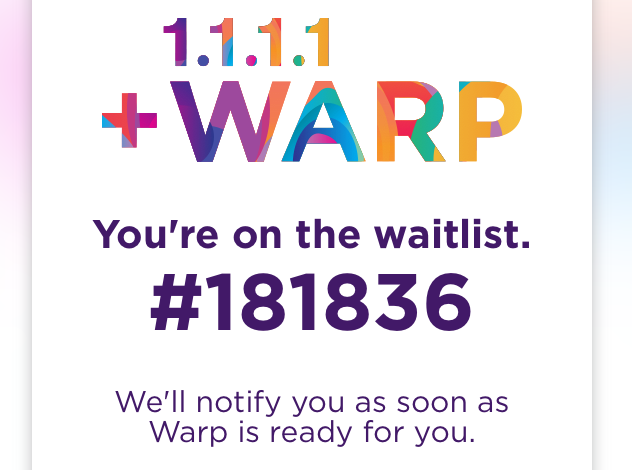
Well, except one — it’s not available yet. They wanted to make the announcement on April 1 because it’s exactly a year since they announced 1.1.1.1 (get it? 4/1?), but they missed the date. (“I wanted to just turn this on for everyone, but our tech operations team was like, ‘No. You’re not allowed to do that. The network would fall over.’ “) So what you can do now is get the 1.1.1.1 app and request a spot in line. Since they just announced it, the wait probably won’t be that long… oh.

Okay.


Read Full Article