10 October 2018

Hands on with Google’s Pixel Slate


Google unveiled a new lineup of devices today, including the Pixel Slate, a tablet that the company described as the next evolution of Chrome OS — but could also be seen as the company’s answer to both Apple’s iPad and Microsoft’s Surface.

After the presentation, I had a chance to try the Pixel Slate out for myself. There wasn’t time to test out everything (a packed room full of journalists isn’t the best place to try out the speakers, and there didn’t seem to be much new with the accompanying Google Pen) but it was enough to get a taste of the main selling points.

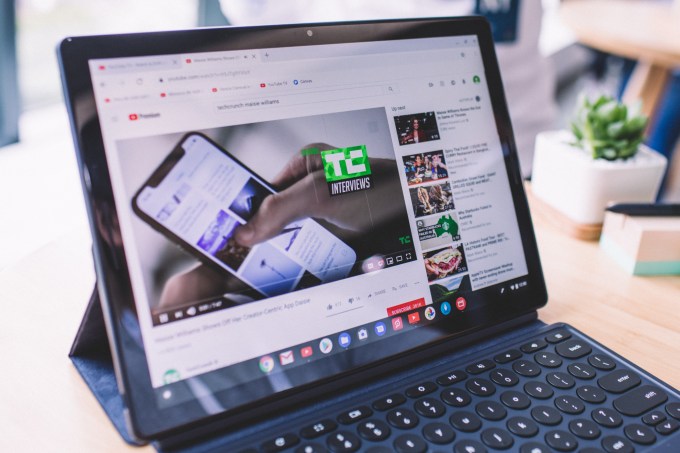
The first thing I noticed was the screen. Google is pitching this as a device that can be used for both work and entertainment, with a particular emphasis on content creators.  The display seems to be up to the task — it’s 12.3 inches in size, with a resolution of 203ppi. The result is that everything from YouTube videos to email composition screens looked sharp and vivid.

There’s also an emphasis on thinness and lightness. The Pixel Slate has an official weight of 1.6 pounds, and it did feel easy to carry, and to adjust the angle to my liking using the case/stand. (The real test, of course, will be seeing how my arms and fingers felt after several hours of Netflix.)

There’s also an optional keyboard. It includes nice touches like rounded keys, but I was most intrigued by the quietness touted by Google’s presenters. Loyal TechCrunch readers will know that I’m a notoriously loud typer, so I couldn’t resist trying to bash away at it.

Turns out it was as quiet as promised. To be honest, I would’ve appreciated a little more noise, but I’m sure everyone in my immediate vicinity felt otherwise. And even with the relative absence of sound, the experience was still satisfyingly tactile — I didn’t hear the keys, but I felt them clacking under my fingers.

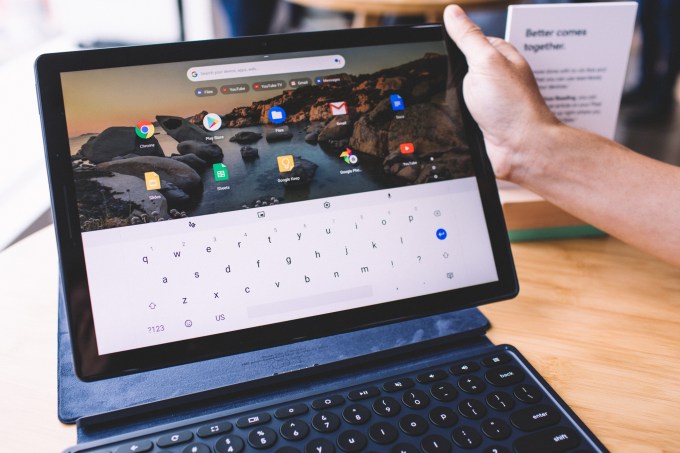
The Slate also appeared to move seamlessly back-and-forth between desktop and tablet modes. As the name suggests, desktop mode looks like a more mouse- and keyboard-oriented interface (with capabilities like snapping two applications side-by-side as a splitscreen), while tablet mode a more standard, touch-friendly interface, along with an on-screen keyboard.

The Slate automatically snaps back-and-forth between the modes — in my demo, you just had to pull it away from the aforementioned keyboard to trigger the switch, though apparently it’s the presence of a trackpad or mouse that really makes the difference.

Other features front- and rear-facing cameras, Google Assistant and a fingerprint reader. Pricing starts at $599, with an additional $199 for the keyboard and $99 for the Pen.

more Google Event 2018 coverage


Read Full Article

Hands on with Google’s Pixel Slate


Google unveiled a new lineup of devices today, including the Pixel Slate, a tablet that the company described as the next evolution of Chrome OS — but could also be seen as the company’s answer to both Apple’s iPad and Microsoft’s Surface.

After the presentation, I had a chance to try the Pixel Slate out for myself. There wasn’t time to test out everything (a packed room full of journalists isn’t the best place to try out the speakers, and there didn’t seem to be much new with the accompanying Google Pen) but it was enough to get a taste of the main selling points.

The first thing I noticed was the screen. Google is pitching this as a device that can be used for both work and entertainment, with a particular emphasis on content creators.  The display seems to be up to the task — it’s 12.3 inches in size, with a resolution of 203ppi. The result is that everything from YouTube videos to email composition screens looked sharp and vivid.

There’s also an emphasis on thinness and lightness. The Pixel Slate has an official weight of 1.6 pounds, and it did feel easy to carry, and to adjust the angle to my liking using the case/stand. (The real test, of course, will be seeing how my arms and fingers felt after several hours of Netflix.)

There’s also an optional keyboard. It includes nice touches like rounded keys, but I was most intrigued by the quietness touted by Google’s presenters. Loyal TechCrunch readers will know that I’m a notoriously loud typer, so I couldn’t resist trying to bash away at it.

Turns out it was as quiet as promised. To be honest, I would’ve appreciated a little more noise, but I’m sure everyone in my immediate vicinity felt otherwise. And even with the relative absence of sound, the experience was still satisfyingly tactile — I didn’t hear the keys, but I felt them clacking under my fingers.

The Slate also appeared to move seamlessly back-and-forth between desktop and tablet modes. As the name suggests, desktop mode looks like a more mouse- and keyboard-oriented interface (with capabilities like snapping two applications side-by-side as a splitscreen), while tablet mode a more standard, touch-friendly interface, along with an on-screen keyboard.

The Slate automatically snaps back-and-forth between the modes — in my demo, you just had to pull it away from the aforementioned keyboard to trigger the switch, though apparently it’s the presence of a trackpad or mouse that really makes the difference.

Other features front- and rear-facing cameras, Google Assistant and a fingerprint reader. Pricing starts at $599, with an additional $199 for the keyboard and $99 for the Pen.

more Google Event 2018 coverage


Read Full Article

Highlights from the Google AI Residency Program


In 2016, we welcomed the inaugural class of the Google Brain Residency, a select group of 27 individuals participating in a 12-month program focused on jump-starting a career in machine learning and deep learning research. Since then, the program has experienced rapid growth, leading to its evolution into the Google AI Residency, which serves to provide residents the opportunity to embed themselves within the broader group of Google AI teams working on machine learning research and its applications.
Some of our 2017 Google AI residents at the 2017 Neural Information Processing Systems Conference, hosted in Long Beach, California.
The accomplishments of the second class of residents are as remarkable as those of the first, publishing multiple works to various top-tier machine learning, robotics and healthcare conferences and journals. Publication topics include:
  • A study on the effect of adversarial examples on human visual perception.
  • An algorithm that enables robots to learn more safely by avoiding states from which they cannot reset.
  • Initialization methods which enable training of neural network with unprecedented depths of 10K+ layers.
  • A method to make training more scalable by using larger mini-batches, which when applied to ResNet-50 on ImageNet reduced training time without compromising test accuracy.
  • And many more...
This experiment demonstrated (for the first time) the susceptibility of human time-limited vision to adversarial examples. For more details, see “Adversarial Examples that Fool both Computer Vision and Time-Limited Humans” accepted at NIPS 2018).
An algorithm for safe reinforcement learning prevents robots from taking actions they cannot undo. For more details, see “Leave no Trace: Learning to Reset for Safe and Autonomous Reinforcement Learning” (accepted at ICLR 2018).
Extremely deep CNNs can be trained without the use of any special tricks simply by using a specially designed (Delta-Orthogonal) initialization. Test (solid) and training (dashed) curves on MNIST (top) and CIFAR10 (bottom). For more details, see “Dynamical Isometry and a Mean Field Theory of CNNs: How to Train 10,000-Layer Vanilla Convolutional Neural Networks” accepted at ICML 2018.
Applying a sequence of simple scaling rules, we increase the SGD batch size and reduce the number of parameter updates required to train our model by an order of magnitude, without sacrificing test set accuracy. This enables us to dramatically reduce model training time. For more details, see “Don’t Decay the Learning Rate, Increase the Batch Size”, accepted at ICLR 2018.
With the 2017 class of Google AI residents graduated and off to pursue the next exciting phase in their careers, their desks were quickly filled in June by the 2018 class. Furthermore, this new class is the first to be embedded in various teams across Google’s global offices, pursuing research in areas such as perception, algorithms and optimization, language, healthcare and much more. We look forward to seeing what they can accomplish and contribute to the broader research community!

If you are interested in joining the fourth class, applications for the 2019 Google AI Residency program are now open! Visit g.co/airesidency/apply for more information on how to apply. Also, check out g.co/airesidency to see more resident profiles, past Resident publications, blog posts and stories. We can’t wait to see where the next year will take us, and hope you’ll collaborate with our research teams across the world!

Turn your Google Home Mini into Google Home Mickey


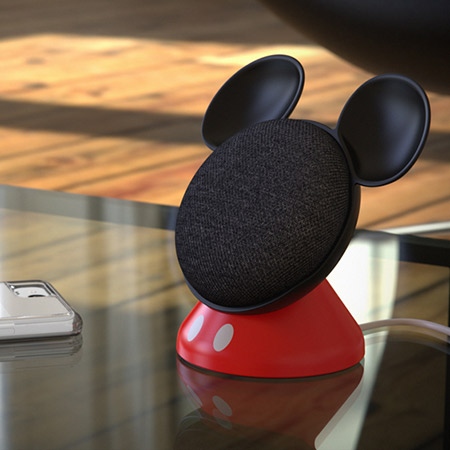
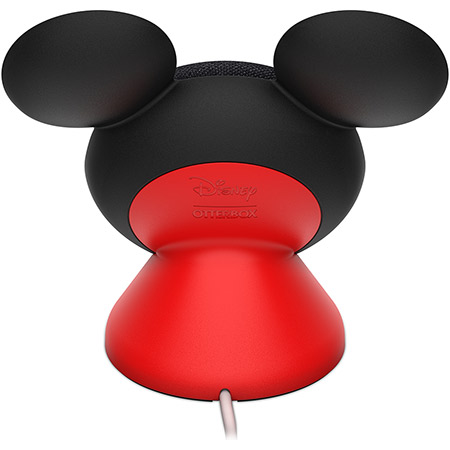
Behold the Google Home Mickey. It’s an official collaboration with Google and Disney that OtterBox is selling for $20. The base props up Google’s best-selling smart speaker and gives it iconic mouse ears and red suspenders in the process. It also helps the Mini project by propping it up at an angle.

Oh, and the power cord happens to double as a tail.

The clunkily named Den Series for Google Home Mini featuring Disney Mickey Mouse will be available through the case maker’s site. No specific availability just yet, and yes, Home Mini is sold separately.

Apparently the product wasn’t able to sneak its way into today’s overly crowded Google hardware keynote. But then, the company didn’t spend much time on the Home line, outside of the new Hub.

No word yet on Donald, Goofy, or, most appropriately of all, a Google Home Minnie.

more Google Event 2018 coverage


Read Full Article

4 Discounted Dell Computers Perfect for Your Business


Need to purchase some new computers for your business? Dell has you covered. Right now, Dell is offering some great clearance sale business PCs so you can upgrade for a low price.

If you’re not sure where to start, we’ve highlighted some of the top deals below. All of these include a subscription to McAfee Small Business Security to keep your business safe and secure.

1. Inspiron 15 5000 (9800P)

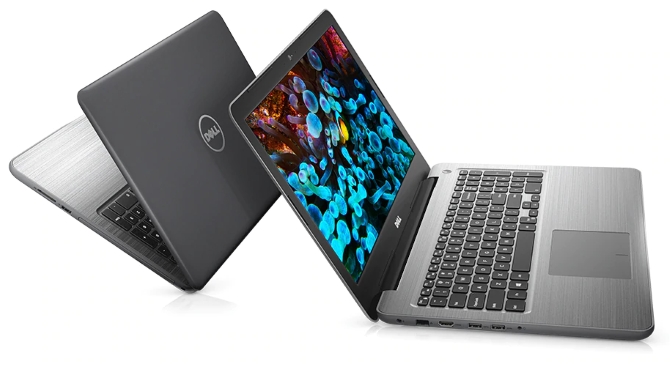
Dell-Inspiron-15-Laptop

Here’s an all-around great laptop that packs a lot of power for the price. You get a 15.6-inch touch screen that’s full HD (1920×1080), plus 16GB of RAM.

It’s powered by AMD devices for both the processor and graphics, with a seventh-generation quad core AMD FX 9800P for the former and a 4GB Radeon R7 M445 graphics card.

It still includes an optical drive for installing software via disc, plus Windows 10 Pro. Top this deal off with 24 months of McAfee Small Business Security included.

2. Inspiron Desktop

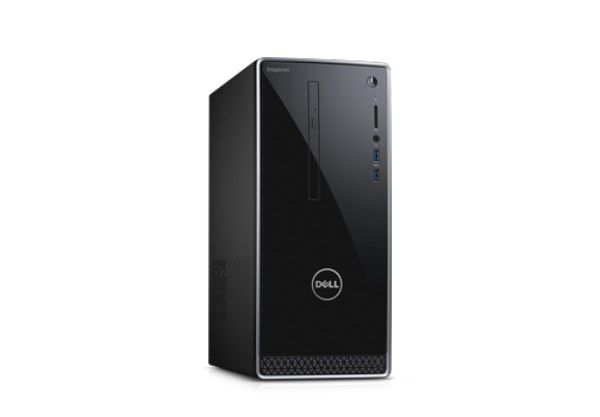
Dell-Inspiron-Desktop-Deal

Need a desktop that can do it all? This is the one for you. It includes an Intel Core i7-7700 processor and 16GB of DDR4 RAM. For graphics intensive tasks, you can rely on the Nvidia GTX 1050 with 2GB of video RAM.

With dual storage consisting of a 128GB SSD and a 1TB HDD, you can enjoy both speed and an abundance of space. And with a McAfee Small Business Security 12 month subscription and Windows 10 Pro, you’ll be all set to integrate this into your company.

3. Inspiron 17 5000

This laptop is a beast. It’s got the Intel i7-8550U processor for powering through intense tasks, plus a big 2TB hard drive for plenty of storage. The 17.3-inch screen means you can see everything clearly without needing an external monitor.

Like the other laptop, it includes a DVD drive. You’ll also find a USB-C port for modern devices. Windows 10 Pro and 12 months of McAfee’s Small Business Security make this an even more attractive package.

4. Inspiron 15 500 (9700P)

On a budget and only interested in the lowest price? Here’s your best option. This is the same overall laptop as the first one we listed, but includes a few less powerful components to bring the price down.

You’ll find an AMD A12-9700P processor here instead of the AMD FX 9800P on the more powerful model. Both are quad-core CPUs, however. This model also features 8GB of RAM instead of 16GB.

This computer’s screen lacks touch capability but is still 1080p. You’ll also have AMD’s integrated graphics instead of a dedicated graphics card, which is suitable for most users.

If you don’t need the extra power, this is an excellent budget option, as you still get 12 months of McAfee Small Business Security.

Jump on These Deals Now

One of these Dell Small Business Specials likely fits a computing need you have at your business just right. If so, don’t wait on it–this sale won’t last forever. Make sure you lock in your purchase soon!

Image Credit: SIphotography/DepositPhotos

Read the full article: 4 Discounted Dell Computers Perfect for Your Business


Read Full Article

The Salto-1P now does amazing targeted jumps


When we last met with Salto the jumping robot it was bopping around like a crazed grasshopper. Now researchers have added targeting systems to the little creature, allowing it to maintain a constant hop while controlling exactly when and where Salto lands.

Called “deadbeat foot placement hopping control” the Salto can now watch a surface for a target and essentially fly over to where it needs to land using built-in propellers.

Researchers Duncan Haldane, Justin Yim and Ronald Fearing created the Salto as part of the Army Research Office and they will be exhibiting the little guy at the 2018 IEEE/RSJ International Conference on Intelligent Robots and Systems.

The team upgraded Salto’s controller to make it far more precise on landing, a feat that was almost impossible using the previous controller system, SLIP. “The robot behaves more or less like a spring-loaded inverted pendulum, a simplified dynamic model that shows up often enough in both biology and robotics that it has its own acronym: SLIP,” wrote Evan Ackerman at IEEE. “Way back in the 1980s, Marc Raibert developed a controller for SLIP-like robots, and people are still using it today, including Salto-1P up until just recently.”


Read Full Article

Google’s latest hardware innovation: Price


With its latest consumer hardware products, Google’s prices are undercutting Apple, Samsung, and Amazon. The search giant just unveiled its latest flagship smartphone, tablet, and smart home device and all available at prices well below their direct competitors. Where Apple and Samsung are pushing prices of its latest products even higher, Google is seemingly happy to keep prices low and this is creating a distinct advantage for the company’s products.

Google, like Amazon and nearly Apple, is a services company that happens to sell hardware. It needs to acquire users through multiple verticals including hardware. Somewhere, deep in the Googleplex, a team of number crunchers decided it made more sense to make its hardware prices dramatically lower than competitors. If Google is taking a loss on the hardware, it is likely making it back through services.

Amazon does this with Kindle devices. Microsoft and Sony do it with game consoles. This is a proven strategy to increase market share where the revenue generated on the backend recovers the revenue lost on selling hardware with slim or negative margins.

Look at the Pixel 3. The base 64GB model is available for $799 while the base 64GB iPhone XS is $999. Want a bigger screen? The 64GB Pixel 3 XL is $899, and the 64GB iPhone XS Max is $1099. Regarding the specs, both phones offer OLED displays and amazing cameras. There are likely pros and cons regarding the speed of the SoC, amount of RAM and wireless capabilities. Will consumers care since the screen and camera are so similar? Probably not.

Google also announced the Home Hub today. Like the Echo Show, it’s designed to be the central part of a smart home. It puts Google Assistant on a fixed screen where users can ask it questions and control a smart home. It’s $149. That’s $80 less than the Echo Show thou the Google version lacks video conferencing and a dedicated smart home hub — the Google Home Hub requires extra hardware for some smart home objects. Still, even with fewer features, the Home Hub is compelling because of its drastically lower price. For just a few dollars more than an Echo Show, a buyer could get a Home Hub and two Home Mini’s.

The Google Pixel Slate is Google’s answer to the iPad Pro. From everything we’ve seen, it appears to lack a lot of the processing power found in Apple’s top tablet. It doesn’t seem as refined or capable of specific tasks. But for view media, creating content and playing games, it feels just fine. It even has a Pixelbook Pen and a great keyboard that shows Google is positioning this against the iPad Pro. And the 12.3-inch Pixel Slate is available for $599 where the 12.9-inch iPad Pro is $799.

The upfront price is just part of the equation. When considering the resale value of these devices, a different conclusion can be reached. Apple products consistently resale for more money than Google products. On Gazelle.com, a company that buys used smartphones, a used iPhone X is worth $425 where a used Pixel 2 is $195. A used iPhone 8, a phone that sold for a price closer to the Pixel 2, is worth $240.

In the end, Google likely doesn’t expect to make money off the hardware it sells. It needs users to buy into its services. The best way to do that is to make the ecosystem competitive though perhaps not investing the capital to make it the best. It needs to be just good enough, and that’s how I would describe these devices. Good enough to be competitive on a spec-to-spec basis while available for much less.

more Google Event 2018 coverage


Read Full Article

Google’s latest hardware innovation: Price


With its latest consumer hardware products, Google’s prices are undercutting Apple, Samsung, and Amazon. The search giant just unveiled its latest flagship smartphone, tablet, and smart home device and all available at prices well below their direct competitors. Where Apple and Samsung are pushing prices of its latest products even higher, Google is seemingly happy to keep prices low and this is creating a distinct advantage for the company’s products.

Google, like Amazon and nearly Apple, is a services company that happens to sell hardware. It needs to acquire users through multiple verticals including hardware. Somewhere, deep in the Googleplex, a team of number crunchers decided it made more sense to make its hardware prices dramatically lower than competitors. If Google is taking a loss on the hardware, it is likely making it back through services.

Amazon does this with Kindle devices. Microsoft and Sony do it with game consoles. This is a proven strategy to increase market share where the revenue generated on the backend recovers the revenue lost on selling hardware with slim or negative margins.

Look at the Pixel 3. The base 64GB model is available for $799 while the base 64GB iPhone XS is $999. Want a bigger screen? The 64GB Pixel 3 XL is $899, and the 64GB iPhone XS Max is $1099. Regarding the specs, both phones offer OLED displays and amazing cameras. There are likely pros and cons regarding the speed of the SoC, amount of RAM and wireless capabilities. Will consumers care since the screen and camera are so similar? Probably not.

Google also announced the Home Hub today. Like the Echo Show, it’s designed to be the central part of a smart home. It puts Google Assistant on a fixed screen where users can ask it questions and control a smart home. It’s $149. That’s $80 less than the Echo Show thou the Google version lacks video conferencing and a dedicated smart home hub — the Google Home Hub requires extra hardware for some smart home objects. Still, even with fewer features, the Home Hub is compelling because of its drastically lower price. For just a few dollars more than an Echo Show, a buyer could get a Home Hub and two Home Mini’s.

The Google Pixel Slate is Google’s answer to the iPad Pro. From everything we’ve seen, it appears to lack a lot of the processing power found in Apple’s top tablet. It doesn’t seem as refined or capable of specific tasks. But for view media, creating content and playing games, it feels just fine. It even has a Pixelbook Pen and a great keyboard that shows Google is positioning this against the iPad Pro. And the 12.3-inch Pixel Slate is available for $599 where the 12.9-inch iPad Pro is $799.

The upfront price is just part of the equation. When considering the resale value of these devices, a different conclusion can be reached. Apple products consistently resale for more money than Google products. On Gazelle.com, a company that buys used smartphones, a used iPhone X is worth $425 where a used Pixel 2 is $195. A used iPhone 8, a phone that sold for a price closer to the Pixel 2, is worth $240.

In the end, Google likely doesn’t expect to make money off the hardware it sells. It needs users to buy into its services. The best way to do that is to make the ecosystem competitive though perhaps not investing the capital to make it the best. It needs to be just good enough, and that’s how I would describe these devices. Good enough to be competitive on a spec-to-spec basis while available for much less.

more Google Event 2018 coverage


Read Full Article

Google Shuts Down Google+ After Data Leak


Google is shutting down Google+, at least for consumers. The company announced the move after reports that a security bug had led to hundreds of thousands of people having their data exposed. And partly as a result of this, Google+ is getting the chop.

Google+ Suffers a Data Leak

As first reported by The Wall Street Journal, Google potentially exposed the data of hundreds of thousands of people with Google+ accounts. And while the number of people actually using Google+ on a regular basis is low, plenty have dormant accounts.

The WSJ further alleges that Google opted not to disclose the issue over “fears that doing so would draw regulatory scrutiny and cause reputational damage”. This is based on an internal memo which mentions Facebook’s Cambridge Analytica scandal.

Google Is Shutting Down Google+

Within minutes of the WSJ story appearing, Google had published an article about Project Strobe on The Keyword. Project Strobe being “a root-and-branch review of third-party developer access to Google account and Android device data”.

Google admits there was “a bug in one of the Google+ People APIs” that meant apps “had access to Profile fields that were shared with the user”. Google patched the bug in March 2018 but “the Profiles of up to 500,000 Google+ accounts were potentially affected.”

Based on this, and the fact that “the consumer version of Google+ currently has low usage and engagement” Google+ will be shut down over the next 10 months, and completely disappear by August 2019. Giving people plenty of time to move to pastures new.

Google+ Lives on for Businesses

While Google is committed to shutting down Google+ for consumers, it has decided to carry on offering it to enterprise customers. So if you’re business currently uses Google+ expect new features coming your way in the not-too-distant future.

Google+ never lived up to its potential, and has ended up as just another in a long line of Google social media fails. Still, there are so many other social media platforms to choose from, will anyone even miss Google+? I’d forgotten it still existed, to be honest.

Image Credit: Yuri Samoilov/Flickr

Read the full article: Google Shuts Down Google+ After Data Leak


Read Full Article

Google’s Pixel 3 vs Apple’s iPhone XS: how do they stack up?


So you need a new phone do ya? Well as is the case each year there are some hot new pieces of metal and glass out there from Apple and Google and to make sense of how they stack up against each other we’ve got some fine comparison details here for you.

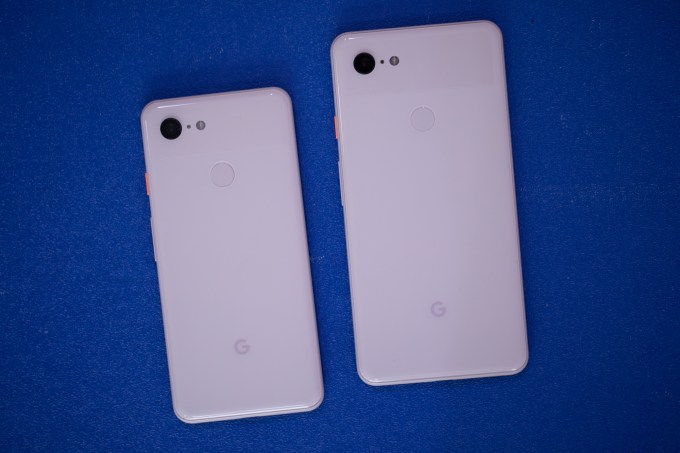
This was an iterative year for both the iPhone and Pixel lines. The most notable upgrade for the iPhone XS was the introduction of the Pixel XS Max which balloons the screen size, but otherwise the main differences come in the computational photography tweaks to the camera which Apple has lagged behind Google in. Google’s new phone had a rather leaky introduction but pulled off an interesting release with some camera features we’ll be tempted to check out in more depth once review units come in.

This isn’t the fairest of fights as we’ve had some flesh and blood time to examine the iPhone XS warts and all while the Pixel 3 is a shiny new enigma that we’re kind of taking Google at their word for until we can stress test the little bugger.

Here’s a bare bones view at the specs you really should be caring abour: display, rear camera and price.

Pixel 3

  • Starts at $799 (64 GB)
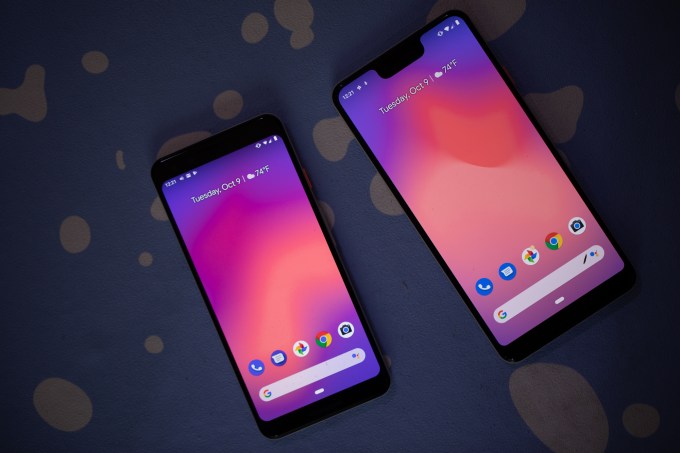
  • 5.5 inch 443 ppi OLED screen
  • 12.2MP “dual-pixel” rear camera

Pixel 3 XL

  • Starts at $899 (64 GB)
  • 6.3 inch 523ppi OLED screen
  • 12.2MP “dual-pixel” rear camera

iPhone XS

  • Starts at $999 (64 GB)
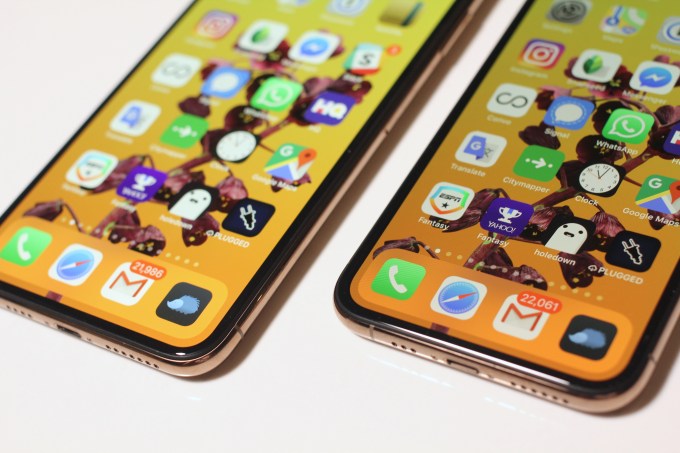
  • 5.8 inch 458ppi OLED screen
  • Dual 12MP wide-angle and telephoto cameras

iPhone XS Max

  • Starts at $1099 (64 GB)
  • 6.5 inch 458ppi OLED screen
  • Dual 12MP wide-angle and telephoto cameras

First off, if you’re strapped for cash or more accurately just want to be more responsible with the cash you do have, the price tags of these devices communicate some loud differences. The Pixel 3 and Pixel 3 XL go for $200 less than the iPhone XS and iPhone XS Max respectively. Paying $1000 for a phone is wild but it’s the world we live in and honestly given the amount of quality time we spend with our phones, it’s some of the more functional coinage you’ll be spending.

In terms of displays, the Pixel 3 is un-notched while the Pixel 3 XL, iPhone XS and iPhone XS Max all have the little bulbous feature. If you hate the notch, you’re probably going to have to adapt and embrace it for at least a generation or two, but the Pixel 3 gives you a chance to kick that can down the road. These are big devices with big displays though in terms of sheer size, the iPhone still hold a much more substantial screen-to-body ratio. While the smaller and larger phones are very comparable in sheer size, the OLED on the iPhone squeezes out the extra fractions of an inch that bring the display right up to the edge.

Based on design, it depends on your preference or whatever, but I definitely think the iPhone XS has the upper-hand here. It’s a premium phone with premium heft because of its more premium price.

It’s again worth reiterating that the Pixel 3 XL and iPhone XS Max are both giant phones but the Pixel 3 XL is a hair smaller by manner of width and nearly an entire ounce lighter. Here’s a dimensions break down of the different devices.

  • Pixel 3
    5.7″ height x 2.7″ width x 0.3″ depth (148 grams)
  • Pixel 3 XL
    6.2″ height x 3.0″. width x 0.3″ depth (184 grams)
  • iPhone XS
    5.65″ height x 2.79″ width x 0.3″ depth (177 grams)
  • iPhone XS Max
    6.2″ height x 3.05″ width x 0.3″ depth (208 grams)

The spec that’s least helpful up above is the camera hardware because Apple and Google are increasingly shifting focus to camera software tweaks as their distinguishing marks. It is fascinating that Google is maintaining the single rear camera solution given the real potential dual lenses open up, including wild features like the iPhone XS depth-of-field adjustments. But the lack of dual lenses on the back of the phone didn’t stop Google from highlighting some of the new camera features they’re opening up including what they’re calling Night Sight which promises extremely good low-light performance strengthened by machine learning. I’m skeptical but given how stellar the Pixel 2’s camera has proven, I’m sure they have something unique there.

More here on the Pixel 3 camera announcements:

And here’s our iPhone XS review for some camera details there:

There a bunch of other specs that you can find on the Pixel 3 and iPhone XS product pages, but when shopping for a phone in 2018, tech specs of flagship phones are telling you less and less about where the major differences actually lie. We’ll have more thoughts on the Pixel 3 and Google’s performance claims when it comes out later next week but if you’re hankering to smash that pre-order button ponder your options and check that bank account.

more Google Event 2018 coverage


Read Full Article

Facebook Workplace adds algorithmic feed, Safety Check and enhanced chat


Workplace, the version of Facebook tailored to enterprises that has over 30,000 organizations as paying customers, is ramping up the service today with a rush of new features to help it competes with the likes of Slack and Microsoft’s Teams.

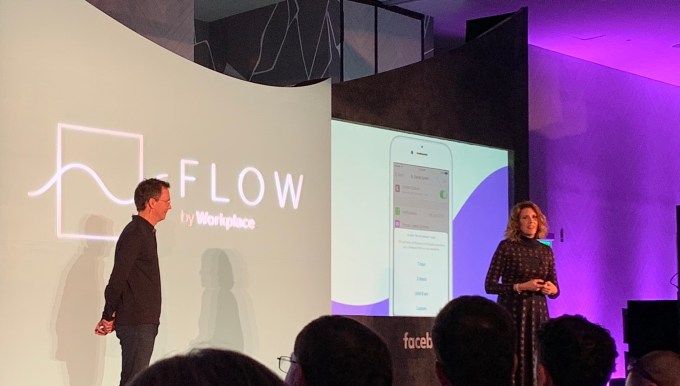
The additions are being announced at a new, standalone conference called Flow — the first time Facebook has built what’s likely to become a recurring event for a specific product, Workplace’s head Julien Codorniou told me in an interview. He described Workplace as “Facebook’s first SaaS startup.” He tells us that for existing clients, the goal of Flow is to show off new features that deepen employee engagement with Workplace so they can’t imagine switching away. And for enterprise software partners Facebook integrates with, it’s to foster an ecosystem surrounding Workplace so it can adapt to any business.
In a big upgrade to the “chat” features of Workplace (conversations that happen outside the news feed, first launched last year), users will now be able to start chats, calls and video conversations either one-to-one or in groups, in the style of WhatsApp or Messenger. Facebook is also making it easier to navigate through high volumes of messages in your channels by adding in replies, do not disturb and pinning features — Facebook’s first move to bring in algorithmic sorting to Workplace. And Facebook is also bringing its Safety Check feature from the main app to Workplace, delivered via Workchat, as a tool that can be controlled by admins to check on the status of employees during a critical incident.

Workplace has picked up 30,000 businesses as customers in the two years since it launched (including some biggies like Walmart, the world’s largest employer); and today it also added a couple of notable large enterprises to the mix: GSK, Astra Zeneca, Chevron, Kantar, Telefonica, Securitas, Clarins UK, Jumia and GRAB.

But Facebook has never revealed how many users (or “seats”, in enterprise parlance) it has on Workplace. As a point of comparison, Slack today has 8 million users across 70,000 organizations, and Facebook hasn’t updated its 30,000 figure in a year.
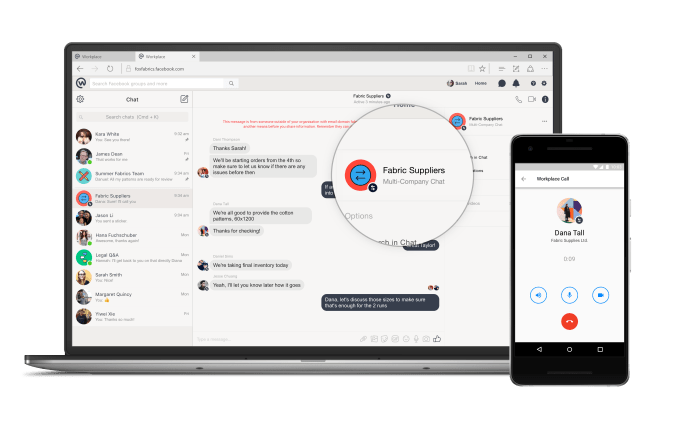
Facebook Workplace multi-company chat

The range of features Facebook is introducing today are notable both for their breadth and for what they are aiming to do. Some help put Workplace more on par with the core Facebook experience in terms of functionality, but ultimately they are all squarely aimed at making Workplace into something that fits more closely with how enterprises already use IT.

The chat features that are being incorporated build on the minimal chat features that were already present in Workplace and essentially create something like WhatsApp or Messenger that sits within the same secure framework as Workplace itself. It’s effectively Facebook’s first step forward into unified communications — a specific branch of enterprise IT that used to be centred around PBXs and other expensive physical equipment, but has more recently become more virtualised with the rise of voice of IP and cloud-based systems that can be used over any internet connection.

Workplace had already had a feature in place for up to 50 companies to converse in multi-organizational conversations on the platform, and now if some members of those groups want to take the conversation to a more direct channel potentially with voice or video calling, they can do that directly from within the app without having to open a separate messaging client (which may or may not be under the control of IT).
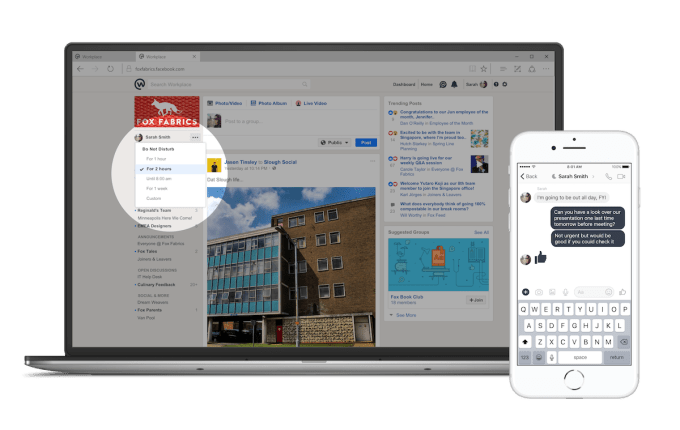
The three features that help you better organise your conversations — do not disturb, replies and pinning important items — will be especially welcome to people who have especially “noisy” channels on Workplace.

Replies, Codorniou said, will work “like on WhatsApp” — where you can select a message and reply to it and it will appear with its mini thread later in the feed.

But they are perhaps most notable of all because they will be the first time that Facebook is introducing “algorithmic” sorting to Workplace. For those who already use normal Facebook, or Twitter, or other social media services, algorithmic sorting is something that is well-known, as it plays with the sequence of posts to show you what is deemed to be more important, versus what’s most recent.

In the case of pinning, Facebook is letting the IT admins, and users, effectively play a part in the algorithmic sorting: Admins can pin “important” posts to the top of a feed, and that will affect what users see and can respond to first. “If the CEO posts a message, this might be more important than something posted an intern,” he said.

Do not disturb, meanwhile, will let users set times when they do not get pinged with messages, but when you “return” again to Workplace, Facebook decides what gets sorted to the top of what you view.

Facebook’s VP of Workplace Julien Codorniou

Codorniou notes that Facebook uses machine learning and AI “to make sure that if you don’t use Workplace for two weeks [as an example] you have the most relevant information on top of the news feed.” Signals that it uses to sort include who you work with, and which groups you are most active in. “It’s algorithmic by default,” he noted, and added that this was something that was requested by Workplace users. “People don’t believe in the chronological feed anymore,” he said. “It’s important to guarantee reach to communications teams.”

The Safety Check also fits into this concept. Here, Facebook will be putting IT managers/Workplace admins into the driver’s seat, “giving them the keys to the feature”, said Codorniou, and letting them control the use and distribution of a feature that in regular Facebook is controlled by Facebook itself.
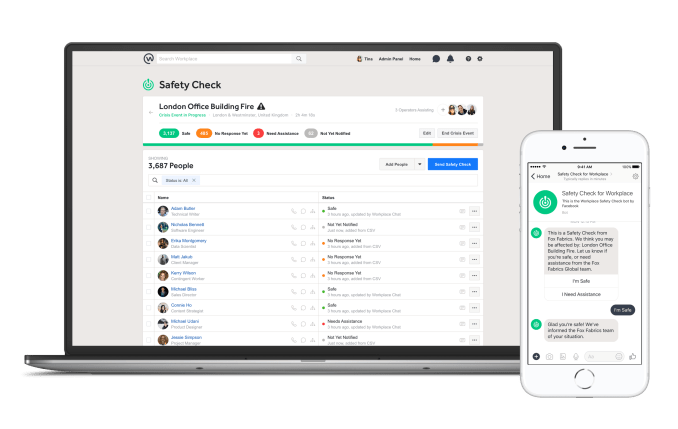
Frederic takes a deeper diver into Safety Check here, but the main idea, as Codorniou described it to me, is that it allows companies “to track and clear who is safe and who is not” when a particular location has been through an emergency or critical incident. There are apps that companies can use to run safety checks, or sometimes they might use SMS, but these tend to work more manually and are harder to execute quickly, he said. Facebook doesn’t reveal how well penetrated their apps are at organizations like Walmart and Starbucks, but this potentially becomes one lever to helping get Workplace distributed more widely.

“Employees are a company’s number-one asset of the company, and this helps make sure you are safe,” he added. “People don’t want to play Candy Crush, but things like Live” — which Workplace launched last year — “and Safety Check are relevant. They help turn companies into communities.”

(Community, of course, is the big theme for Facebook these days.)
All these updates are happening at a time when many people have been scrutinising Facebook for its approach to user privacy and personal data.

The issue was notably highlighted over the Cambridge Analytica scandal many months ago, specifically over how third parties were able to access users’ information; and then more recently Facebook faced criticism two weeks ago, when it emerged that a bug in one of its features exposed user information to malicious hackers. Both of these problems were squarely about Facebook’s core consumer app, but I couldn’t help but wonder what kind of an impact it has had on the company’s enterprise business — given that levels of security in workplace networks typically tend to be higher as they are connected to corporate information.

“We had a few questions of course but we have no reason to believe that Workplace was affected,” Codorniou said. He noted that there had once been a feature to log in to Workplace using a user’s Facebook ID, but that was disabled some time go. “We have been investigating, but most customers are on single sign on,” he noted, which uses services like Okta, One Login and Ping to connect and sign in employees to their Workplace spaces.

Facebook’s scale brings it huge advantages in the enterprise. The consumerization of the office stack means Facebook can easily port over its familiar features. It’s big enough to extensively dogfood Workplace within the company. And it already has advertising relationships with many of the world’s top brands. But being a tech giant comes with the associated scandals and constant criticism. Facebook will have to convince business leaders that its social troubles won’t muddy their suits.


Read Full Article

Google Home Hub up close and hands on


While the rumors and leaks didn’t leave much to the imagination ahead of today’s event, I will admit to being a bit surprised by the shape Google’s Home Hub actually took. The renders didn’t do justice to the actual product.

For starters, the seven inch screen splits the difference between the Echo Show and Spot in an interesting way. It’s not a compact device, per say, but it’s a lot smaller than I’d initially expected, and as such, it should fit in a lot more spots at home than the larger Show.

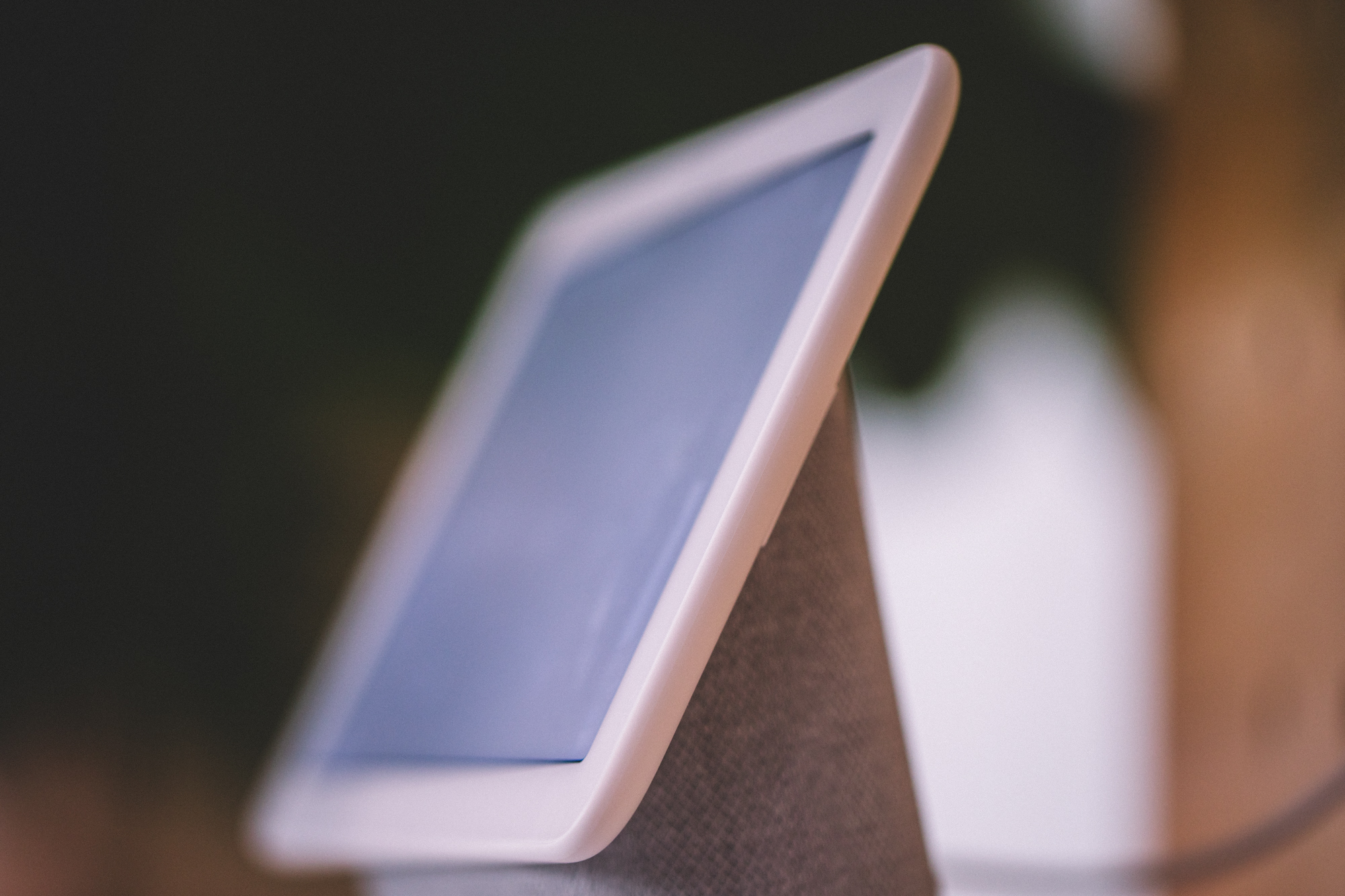
From a design standpoint, the product is best described as a seven-inch tablet resting atop a speaker at ~ a 25 to 30 degree angle. The idea is to give you a screen you can view from the other side of the room. After all, this is a voice first product. While it does have touch functionality enabled, that’s primarily secondary. As such there are certain things you can’t do here like, say, pinch to zoom.

That’s largely a moot point here, given the fact that the product doesn’t have, say, a standard web browser, unlike the new Show. Of course, part of the reason Amazon offers a browser on its own devices is so you can access YouTube. That’s obviously not a problem on a product that very much has native YouTube support.

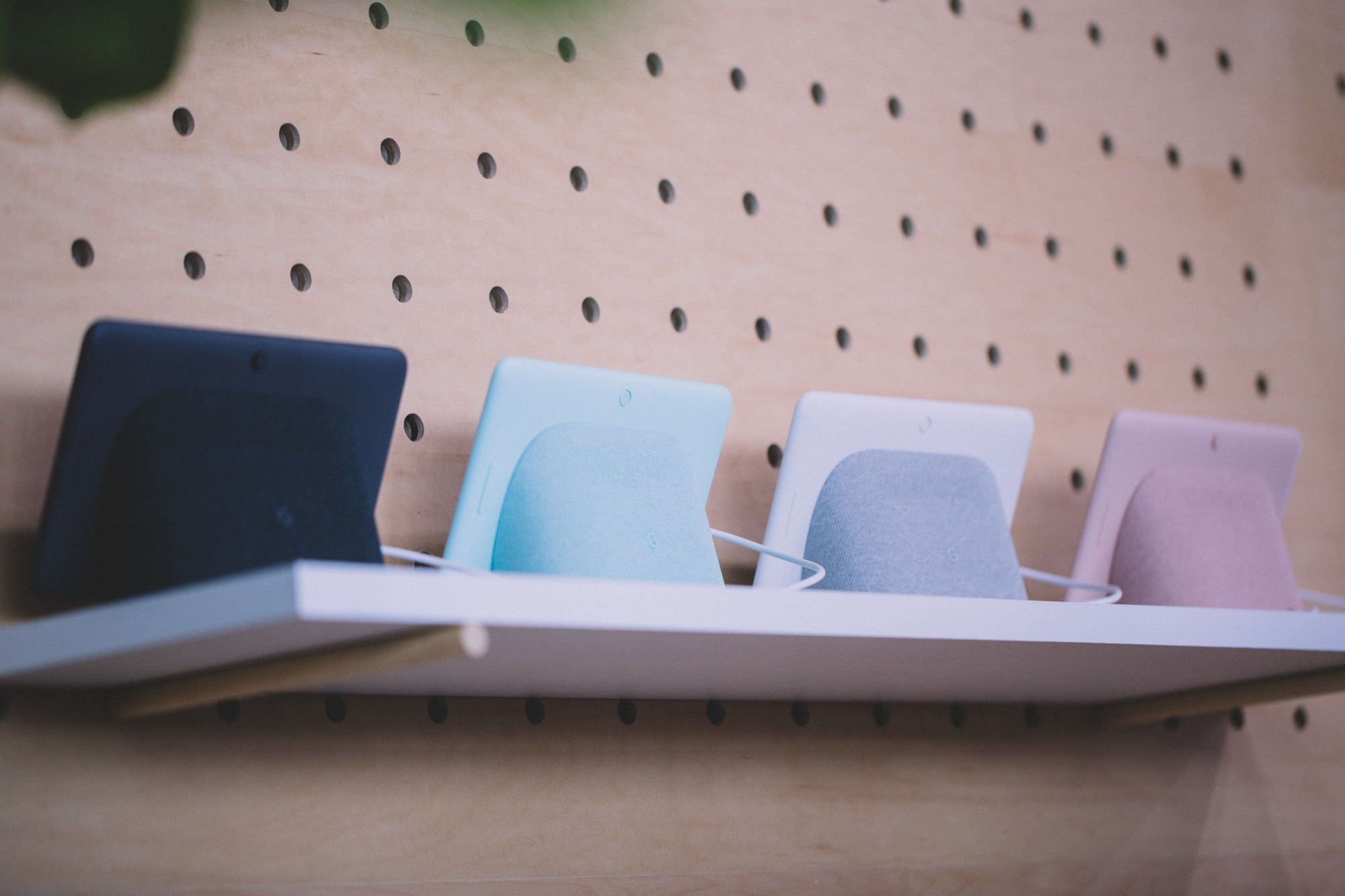
The other thing the peculiar design affords the product is multi-directional sound. Like the Show, the bulk of the fabric-covered speaker faces back, toward the wall. There is, however, an exposed sliver on the bottom, which sends some of that sound toward you.

The sound is decent for a product of this size, but again, I wouldn’t rely on it as any sort of home entertainment system. If you’ve got multiple Home devices at home, however, you can tell Assistant, “extend to my Home Mini,” etc, and the music will follow you into the other room.

Google also notes that this isn’t really an entertainment consuming machine. The Home Hub isn’t designed for watching movies or even TV shows. Rather, if anything, it’s kind of a YouTube delivery device, in much the same way that the Portal is a real world manifestation of Facebook’s video chat. Of course, right out of the gate, this product is going to offer a much fuller experience than Portal — Facebook, after all, is still kind of testing the water to see what users want our of their devices.

That said, Google tells me that the company is still assessing whether users are interested in smart home hub functionality via something like Z Wave. It’s a bit of a glaring omission here, based on both the added focus on connected home features and the fact that the damn thing has hub in its name. That said, Google seems to prefer building that kind of syncing in via bluetooth, much like it did with those newly announced GE lights.

The Hub does fall under Google’s “Smart Display” category, meaning it’s a direct competitor with products from Lenovo, JBL and LG. The company tells me that there was a gap in announcements simply because it took the company longer to build the product from the ground up. The Hub wasn’t built via hardware partner, but rather from the ground up.

One of the upsides there is pricing. $149 certainly makes this a competitive offering versus the Show and Portal.

more Google Event 2018 coverage


Read Full Article