12 April 2018

What Are Popsockets? 6 Reasons Why You Need One


Have you seen one of those weird circular discs slapped on the back of someone’s phone?

Chances are that’s a Popsocket. They’re hugely popular right now, especially with the younger crowd. But what are Popsockets, and what are they used for?

They’re plastic circles that attach themselves to flat phones (or cases) with a sticky, reusable adhesive. They “pop” out twice and look like a small accordion. They’re easy to remove too.

What’s so great about them and why are they so popular? We’re going to dive in and help you figure that out.

1. Get a Grip and Stop Dropping

Popsocket Grip

The most obvious use of a Popsocket is as an additional grip. This is especially useful for larger smartphones. If you have a tendency to drop your phone a lot, or have smaller hands and find it hard to hold the phone comfortably, a Popsocket fixes that.

I have petite hands, so it gets difficult for me to hold my iPhone 8 Plus sometimes, especially with one hand. With a Popsocket, I can hold my device one-handed and browse without issue, plus it’s much more comfortable.

I also tend to drop my phone quite a bit. Since using the Popsocket, though, the number of drops is significantly lower. Often, I prefer carrying my phone around in my hand. The Popsocket allows me wrap two fingers around it, making my phone appear like it’s “floating” in my hand. I get quicker access to my phone this way, and I’m always camera-ready.

2. Picture-Perfect Selfies

Popsocket Selfie

In addition to providing a much better grip on your device, the Popsocket is great for taking selfies—if you’re into that.

Why is this? Since the Popsocket makes it easier to hold your phone with one hand, reaching the shutter button should be effortless. It also provides more freedom with the angle, and the sturdy grip means you no longer need to fumble around as you find the most flattering shot.

Before the Popsocket, I often used two hands when taking selfies, since holding my iPhone 8 Plus is a huge pain with one hand. After purchasing a Popsocket, I find myself taking more selfies because I’m able to hold my phone at more interesting angles without any fuss.

You may also want to invest in a mobile tripod if you’re looking for more smartphone camera tools.

3. Make a Stand and Prop Up Your Phone

If you need to prop your smartphone or tablet up for a better view while watching videos or playing games, the Popsocket has you covered too. There’s no need to make your own stand.

Using a Popsocket as a stand works better when there are two of them attached to your phone or tablet (especially the latter), but a single one works too.

With one Popsocket, just pop it out twice and lean your device in landscape orientation. This works best when the Popsocket is more towards the center of your phone—otherwise it just falls over and isn’t effective. This method might take a few tries to get right.

For larger devices, such as your tablet, it’s best to use two Popsockets, placed slightly off-center at the top and bottom. This way, you can prop your tablet up on a table or hang it in either portrait or landscape mode with the optional Popsocket mounts.

While putting a Popsocket on your smartphone may still work with your existing car mounts, it could become harder to fit, depending on your equipment. For those ready to completely switch over to Popsockets, the optional Popsockets Mount or Vent Mount are an inexpensive but valuable item to have around. Unlike Popsockets though, the adhesive for the regular mount is not reusable.

4. Tangle-Free Earbuds

Not everyone wants to use Bluetooth headphones, or they still might want to take advantage of their existing headphone jack. But with wired earbuds (check out wired Lightning Cable earbuds) come tangled messes. Not with Popsockets, though.

Using the dual Popsocket setup in the video above, you can wrap your wired earbuds around the Popsockets for tangle-free cord storage when they’re not in use. It may look a bit silly, but it’s easier than having to untangle those earbuds each time you dig them out of your pocket.

5. Personalize It

Personalize Popsocket

Popsockets come in a variety of premade designs and you can find them at brick-and-mortar stores like Best Buy and Target. Or you can order Popsockets from Amazon. But the real fun comes from creating your own unique Popsocket, which adds just the right amount of personality to your device.

The only way to create a custom Popsocket is through the Popsocket website. From here, you can upload images (make sure you own them first) from your device, or import something from your Facebook or Instagram. Then add some text, change the typeface and positioning, and even pick the base colors of the button and disc.

The price for custom Popsockets starts at $15. It’s fairly reasonable pricing, and adds a splash of character to your device that’s hard to replicate.

6. Use It Only When You Need It

What’s great about about Popsockets is that you can use them only when you really need them. If the idea of having a slight bulge on the back of your phone all the time bothers you, don’t worry. Popsockets are easy to remove and install or reposition at any time.

If you’re like me and change your phone case as frequently as your socks, what do you do when you only have one Popsocket? Do you need to buy one for every phone case you own? Nope. Popsockets have reusable adhesive so you can remove it and pop it back on as often as you’d like.

To do this, make sure your Popsocket is flattened, then peel it up slowly from the bottom platform base, where the adhesive is. I’d recommend taking your case off first. If it’s a bit flexible, removing the Popsocket should be no issue.

For harder shell cases, or even on the back of the device itself, you may want to try some dental floss. Just slide it underneath the platform and it should lift and separate the adhesive.

The only concern with removing Popsockets is that you can only expose it to air for so long. For the adhesive gel to maintain its stickiness and not dry out, make sure the Popsocket doesn’t get more than 15 minutes of air exposure.

It’s also possible for the adhesive gel to get dirty over time. Cleaning Popsockets just requires a quick rinse of water, and then letting it air dry. Again, make sure it’s drying for no more than 15 minutes.

Popsockets: Simple but Life-Changing

While they may look silly at first, there are many great ways to use Popsockets. It takes time to get used to the Popsocket, but after a while, it becomes an essential smartphone accessory. You’ll find it hard to go back to a phone or tablet without one.


Read Full Article

Covering “Virtual Insanity” in virtual reality


A musician from Raleigh, North Carolina named Chase Holfelder, recorded a cover of Jamiroquai’s “Virtual Insanity,” a stonerific acid jazz anthem that should be familiar to ’90s kids. This version, however, is recorded entirely inside a virtual reality rig with the help of the HTC Vive and VRScout.

Holfelder used the SoundScape VR project to play and sequence the music, allowing him to snap drums with virtual drumsticks and play the piano using the Vive paddles. In all it’s a pretty exciting of Vive’s interactive elements.

There is very little real commercial utility in VR… yet. However, when artists like Holfelder fire up their rigs and make artistic stuff like this they show us the possibilities of the medium and how we might be interacting with complex systems in the future. Sadly, he did not slide across a virtual floor or wear a furry hat in this video, an oversight that sets VR research back by at least a few years.


Read Full Article

Luminar puts its lidar tech into production through acquisitions and smart engineering


When Luminar came out of stealth last year with its built-from-scratch lidar system, it seemed to beat established players like Velodyne at their own game — but at great expense and with no capability to build at scale. After the tech proved itself on the road, however, Luminar got to work making its device better, cheaper, and able to be assembled in minutes rather than hours.

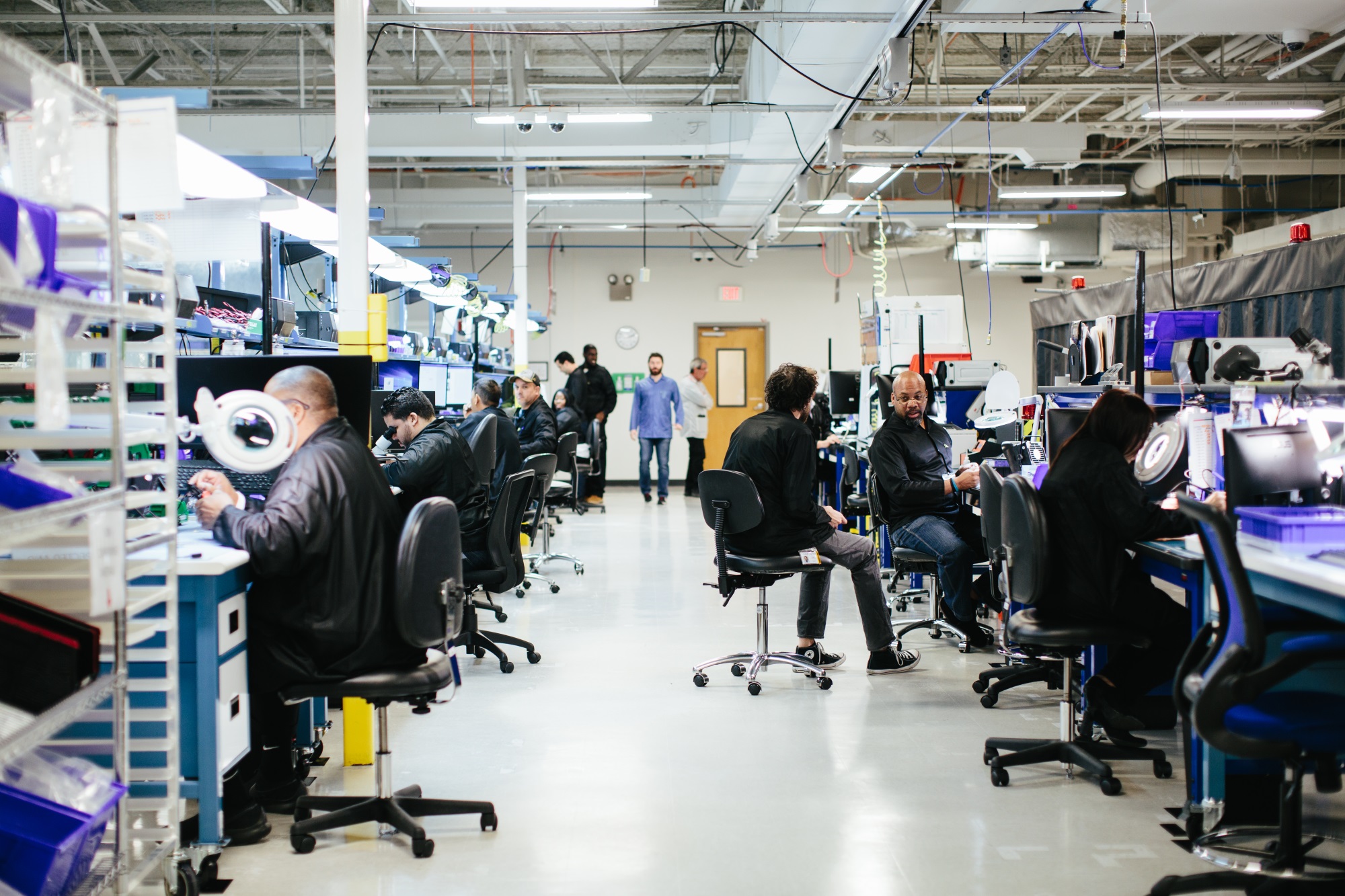
“This year for us is all about scale. Last year it took a whole day to build each unit — they were being hand assembled by optics PhDs,” said Luminar’s wunderkind founder Austin Russell. “Now we’ve got a 136,000 square foot manufacturing center and we’re down to 8 minutes a unit.”

Lest you think the company has sacrificed quality for quantity, be it known that the production unit is about 30 percent lighter and more power efficient, can see a bit further (250 meters vs 200), and detect objects with lower reflectivity (think people wearing black clothes in the dark).

The secret — to just about the whole operation, really — is the sensor. Luminar’s lidar systems, like all others, fire out a beam of light and essentially time its return. That means you need a photosensitive surface that can discern just a handful of photons.

Most photosensors, like those found in digital cameras and in other lidar systems, use a silicon-based photodetector. Silicon is well-understood, cheap, and the fabrication processes are mature.

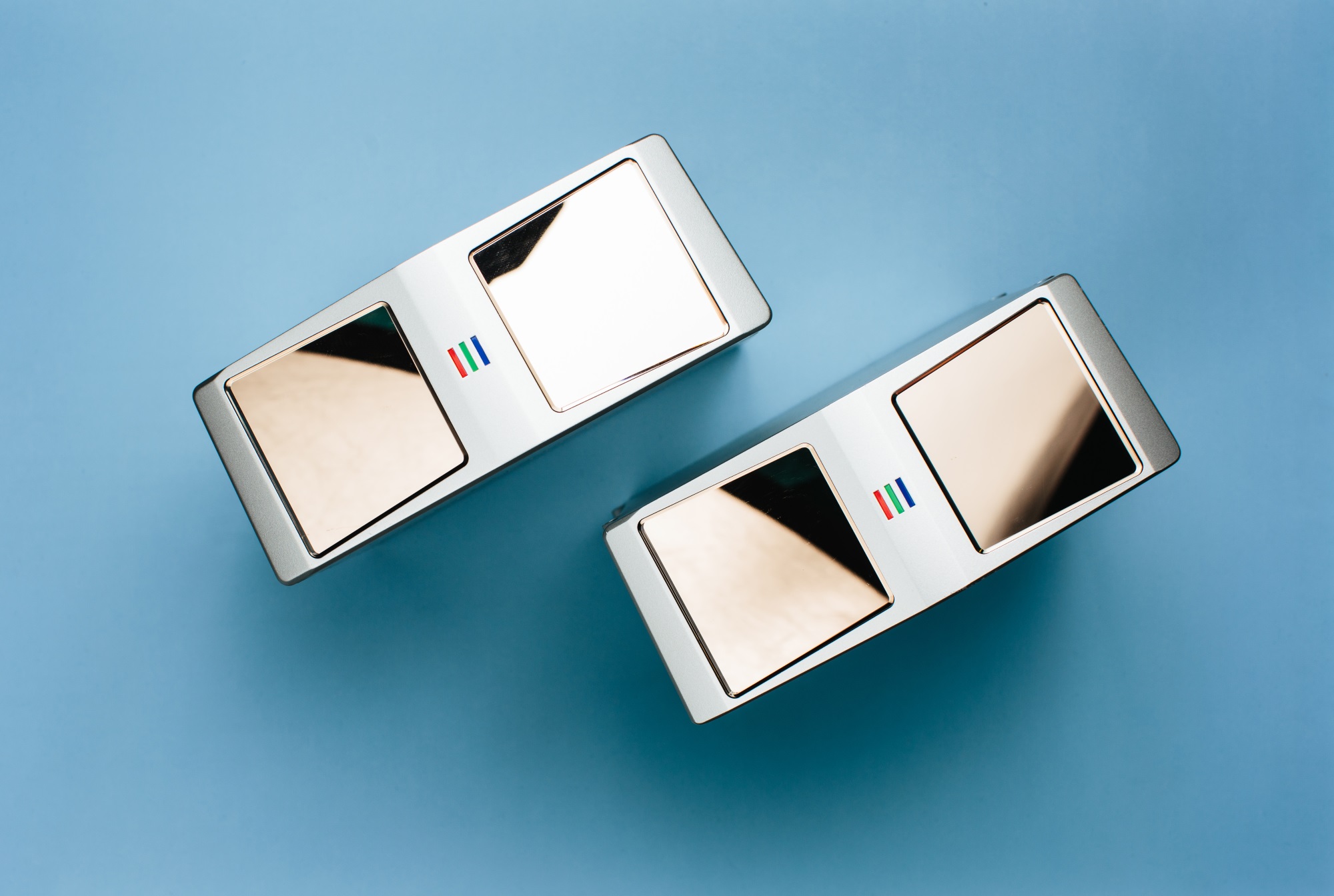
Luminar, however, decided to start from the ground up with its system, using an alloy called indium gallium arsenide, or InGaAs. An InGaAs-based photodetector works at a different frequency of light (1,550nm rather than ~900) and is far more efficient at capturing it. (Some physics here.)
The more light you’ve got, the better your sensor — that’s usually the rule. And so it is here; Luminar’s InGaAs sensor and a single laser emitter produced images tangibly superior to devices of a similar size and power draw, but with fewer moving parts.

The problem is that indium gallium arsenide is like the Dom Perignon of sensor substrates. It’s expensive as hell and designing for it is a highly specialized field. Luminar only got away with it by making a sensor a fraction of the size of a silicon one.

Last year Luminar was working with a company called Black Forest Engingeering to design these chips, and finding their paths inextricably linked (unless someone in the office wanted to volunteer to build InGaAs ASICs), Luminar bought them. The 30 employees at Black Forest, combined with the 200 hired since coming out of stealth, brings the company to 350 total.

By bringing the designers in house and building their own custom versions of not just the photodetector but also the various chips needed to parse and pass on the signals, they brought the cost of the receiver down from tens of thousands of dollars to… three dollars.
“We’ve been able to get rid of these expensive processing chips for timing and stuff,” said Russell. “We build our own ASIC. We only take like a speck of InGaAs and put it onto the chip. And we custom fab the chips.”

“This is something people have assumed there was no way you could ever scale it for production fleets,” he continued. “Well, it turns out it doesn’t actually have to be expensive!”

Sure — all it took was a bunch of geniuses, five years, and a seven-figure budget (and I’d be surprised if the $36M in seed funding was all they had to work with). But let’s not quibble.

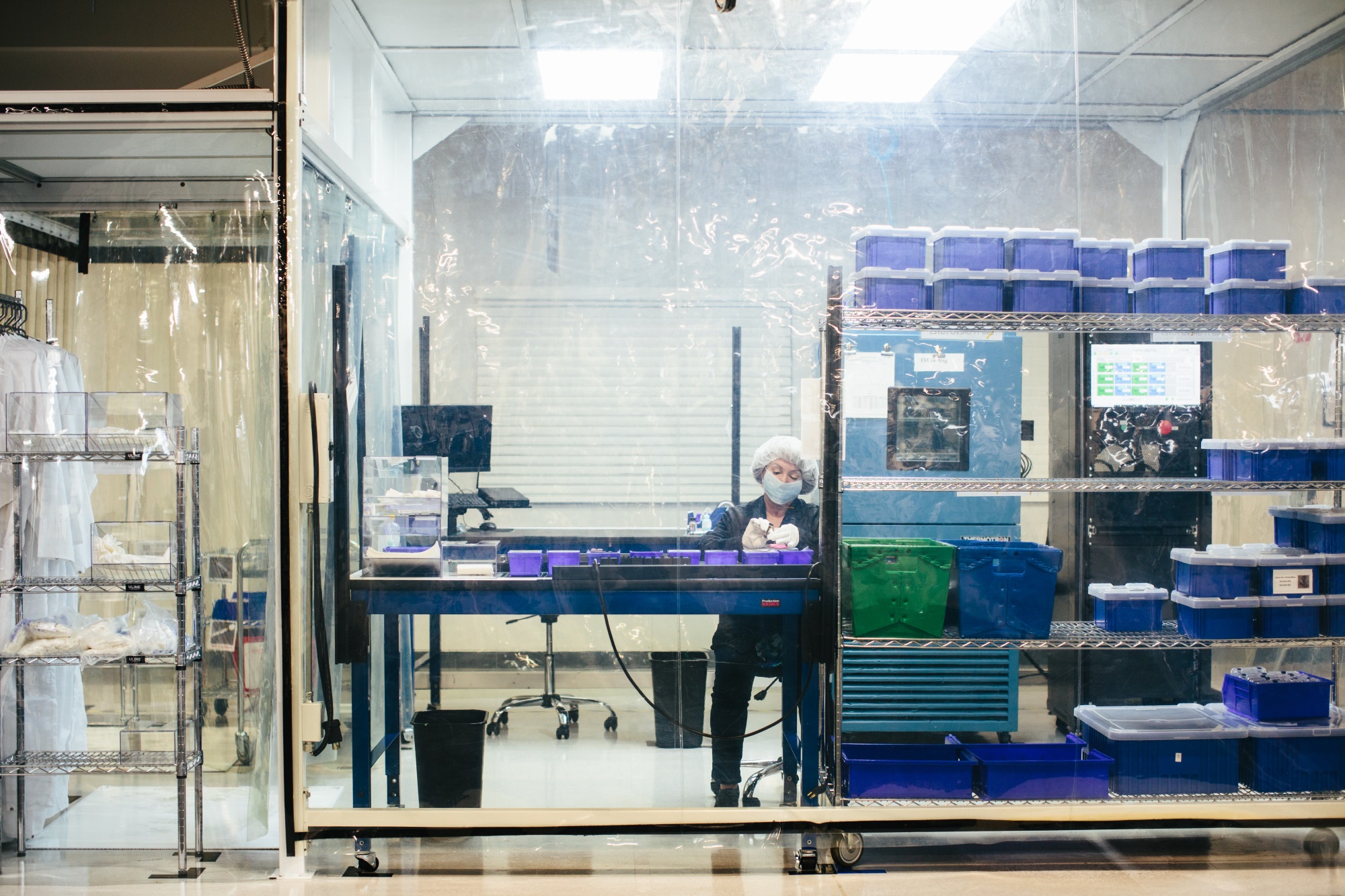
Quality inspection time in the clean room.

It’s all being done with a view to the long road ahead, though. Last year the company demonstrated that its systems not only worked, but worked well, even if there were only a few dozen of them at first. And they could get away with it, since as Russell put it, “What everyone has been building out so far has been essentially an autonomous test fleet. But now everyone is looking into building an actual, solidified hardware platform that can scale to real world deployment.”

Some companies took a leap of faith, like Toyota and a couple other unnamed companies, even though it might have meant temporary setbacks.

“It’s a very high barrier to entry, but also a very high barrier to exit,” Russell pointed out. “Some of our partners, they’ve had to throw out tens of thousands of miles of data and redo a huge portion of their software stack to move over to our sensor. But they knew they had to do it eventually. It’s like ripping off the band-aid.”

We’ll soon see how the industry progresses — with steady improvement but also intense anxiety and scrutiny following the fatal crash of an Uber autonomous car, it’s difficult to speculate on the near future. But Luminar seems to be looking further down the road.


Read Full Article

How to Batch Crop Photos in Adobe Lightroom


There are plenty of apps available for batch cropping and resizing your photos. But if you already use Lightroom to edit your photos, you might as well use Lightroom to quickly crop all your photos down to size.

This can be particularly useful if you’re looking to crop all your photos for posting on Instagram. The catch here is, of course, that you can’t choose which part of your image will be preserved.

How to Batch Crop Photos in Adobe Lightroom

To batch crop photos, open your Lightroom library and find the photos you want to batch crop:

  1. If the photos aren’t already in one folder you can add them to a new collection. Select the images you want to crop and then go to Library > New Collection.
  2. In the window that popups, you can choose a name for your collection and make sure that Include selected photos is checked. If you want to, you can also check Create virtual copies, but because of Lightroom’s nondestructive nature this isn’t entirely necessary. It is useful, however, if you want to make easy comparisons.
  3. The collection will open up. Make sure all the photos are selected, and find the Quick Develop panel on the right. (If it’s not showing go to Window > Panels > Quick Develop.)
  4. Under Saved Preset find the Crop Ratio dropdown menu, select the ratio you want to use. By default you can choose from some popular formats include 1×1, 4×5 / 8×10, and 5×7.
  5. Once you make your selection – all the photos will be instantly cropped to the new ratio. You can easily revert to the original ratio from the same dropdown menu.


Read Full Article

Facebook Predicts Your Political Stance Based on Your Activity


It’s fair to say that Facebook isn’t enjoying a great time at the moment. The company is stumbling from controversy to controversy; it’s gotten flak for everything from fake news to influencing elections.

But although its problems are well-documented, it still has more than two billion users. And many of those people use the service to debate and discuss politics (despite 31 percent of Facebook users saying they’d unfriend someone who talks about politics too much).

Given so many users talk about politics, Facebook’s algorithms can make a reasonable assumption about your political beliefs—which party you vote for, which politicians you support, which ideology you have confidence in, and so on.

So, the million-dollar question: Has Facebook got it right?

How to See What Facebook Thinks of Your Politics

To find out what Facebook thinks about your political beliefs, you need to dig deep into the settings menu. Follow the instructions below.

  1. Log into Facebook.
  2. Click on the small arrow in the upper right-hand corner.
  3. In the dropdown menu, click on Settings.
  4. In the menu on the left-hand side of the screen, select Ads.
  5. Scroll down and expand the Your Information section.
  6. Click on the Your Categories tab.

You’ll probably see lots of tags covering many of your interests, but somewhere in there, you will find a label(s) about your political leaning.

Remember, these are not tags you’ve added yourself. Facebook adds you to the categories based on your online activity. If the tag is wrong, you can fix it. Just click on the cross next to the tag in question.

Finally, keep in mind that there are much better ways to get your political news than via Facebook’s news feed.

Image Credit: Mactrunk/Depositphotos


Read Full Article

How to Fix a Double-Clicking Mouse in Windows


Having your mouse double-click when you don’t want it to is frustrating. It can lead to a whole host of mouse problems when simple actions like clicking to select, dragging files, and more don’t behave like you expect them to. If you’re having this issue, you can run through some quick troubleshooting to see where the problem lies.

1. Check If Single-Clicking Is Enabled

Your issue might be a simple option in Windows that you enabled by mistake. Open a File Explorer window, and on the View tab, click Options. On the General tab, you’ll see a Click items as follows header.

The default behavior is Double-click to open an item (single-click to select). If you have Single-click to open an item selected, you only need to click a folder once to open it.

With this option flipped, you might think your mouse is physically double-clicking when it’s really a software option.

2. Try Another Mouse

If your issue wasn’t the simple fix above, you should see if your mouse itself is faulty. To test this, you can either plug your current mouse into another computer, or plug a different mouse into your current computer.

Should your mouse continue to misbehave on a different computer, that’s a good sign that it’s defective. If you try another mouse on the same computer and it doesn’t have any issues, this is another sign your original mouse is defective.

3. Reinstall Mouse Drivers

It’s worth a try to remove your current mouse driver and let Windows reinstall it. To do this, right-click the Start Button and choose Device Manager. Expand the Mice and other pointing devices category and right-click your mouse. Choose Uninstall device, then restart your PC.

Note that you’ll have to navigate to the restart command without using your mouse after you do this. Tap the Windows Key, then press Tab until it focuses on the left group of icons. Use your arrow keys and Enter to select the power button, then Restart.

When your computer reboots, Windows will automatically reinstall the driver. This is fine for basic mice, but you’ll likely need to manually install the proper driver if you have a high-tech gaming mouse. For more tips, check out how to fix Windows 10 mouse issues.


Read Full Article

LG promises to speed up bringing Android updates to its smartphones


LG is making efforts to improve the user experience on its devices after it opened a “Software Upgrade Center” in its native Korea.

The new lab will be focused on “providing customers worldwide with faster, timelier, smartphone operating system and software updates,” the company explained in a brief statement.

The idea is to help get the latest versions of Android out to more users at a faster pace than it does right now.

That’s a genuine problem for Android OEM who are tasked with bringing the latest flavor of Android to devices that already in the market. Issues they have to deal with include different chipsets, Android customization and carriers.

The issue has been pretty problematic for LG. Android Oreo, for example, announced by Google last September only began rolling out to the first handful of LG devices last month.

The Korean firm said that one of the first priorities for this new center is to get Oreo out to Korea-based owners of the LG G6 — last year’s flagship phone — before the end of this month. After that, it will look to expand the rollout to G6 owners in other parts of the world.

Beyond Android updates, the center will also focus on stability update to make sure that the newest features work on devices without compromising performance.

This move is one of the first major strategies from new LG Mobile CEO Hwang Jeong-hwan, who took the top job last year. He came directly from the company’s R&D division, which suggests that he identified the update issue as a fairly urgent one to address.

His bigger challenge is to stop LG’s mobile division bleeding capital. LG Electronics itself is forecasting record Q1 financial results later this month, but its smartphone unit is likely to post yet another loss that drags the parent down.

We’ll find out more when LG’s next flagship is unveiled next month.


Read Full Article

LG promises to speed up bringing Android updates to its smartphones


LG is making efforts to improve the user experience on its devices after it opened a “Software Upgrade Center” in its native Korea.

The new lab will be focused on “providing customers worldwide with faster, timelier, smartphone operating system and software updates,” the company explained in a brief statement.

The idea is to help get the latest versions of Android out to more users at a faster pace than it does right now.

That’s a genuine problem for Android OEM who are tasked with bringing the latest flavor of Android to devices that already in the market. Issues they have to deal with include different chipsets, Android customization and carriers.

The issue has been pretty problematic for LG. Android Oreo, for example, announced by Google last September only began rolling out to the first handful of LG devices last month.

The Korean firm said that one of the first priorities for this new center is to get Oreo out to Korea-based owners of the LG G6 — last year’s flagship phone — before the end of this month. After that, it will look to expand the rollout to G6 owners in other parts of the world.

Beyond Android updates, the center will also focus on stability update to make sure that the newest features work on devices without compromising performance.

This move is one of the first major strategies from new LG Mobile CEO Hwang Jeong-hwan, who took the top job last year. He came directly from the company’s R&D division, which suggests that he identified the update issue as a fairly urgent one to address.

His bigger challenge is to stop LG’s mobile division bleeding capital. LG Electronics itself is forecasting record Q1 financial results later this month, but its smartphone unit is likely to post yet another loss that drags the parent down.

We’ll find out more when LG’s next flagship is unveiled next month.


Read Full Article

Use PowerPoint’s Summary Zoom for More Dynamic Presentations


The most common Microsoft PowerPoint presentations make a beeline from the first slide to the last. It’s a bit predictable and boring. But great presentations, like great stories, should not be forced to follow a linear slide-by-slide path.

A new feature in PowerPoint 2016 called “Summary Zoom” enables you to jump in and out of different slides and create exciting variations.

How Summary Zoom Works in Microsoft PowerPoint

Summary Zoom in PowerPoint

This is how PowerPoint describes Summary Zoom: the freedom to jump from any slide to any other slide and back again helps you to add more interactivity to your presentations. It’s like the main index from where you can go from one place in your presentation to another in any order you like. Zoom for Microsoft PowerPoint is only available to Office 365 subscribers and only on Windows.

Here’s how you can set it up:

  1. When your slides are ready, go to Ribbon > Insert > Zoom.
  2. From the dropdown, select Summary Zoom.
  3. The Summary Zoom Insert dialog will open and ask you to select the slides you want to include in the zoom.
    Summary Zoom Insert Dialog
  4. Once you have selected the right slides, click the Insert button.
  5. The Summary Zoom slide will be created, and it will appear as a new slide placed just before the first slide you included in your Summary Zoom. Enter a title for this slide and save your presentation.
    Summary Zoom Slide

Go to the Slideshow view and use the Summary Zoom to take your audience through the key parts of the presentation. You can weave a little story with the slides selected in the Summary Zoom. You can ignore the other slides in-between that don’t need to be part of your narrative. The Summary Zoom feature helps you create a smoother slideshow and explain it better.


Read Full Article

DroneShield is keeping hostile UAVs away from NASCAR events


If you were hoping to get some sweet drone footage of a NASCAR race in progress, you may find your quadcopter grounded unceremoniously by a mysterious force: DroneShield is bringing its anti-drone tech to NASCAR events at the Texas Motor Speedway.

The company makes a handful of products, all aimed at detecting and safely intercepting drones that are flying where they shouldn’t. That’s a growing problem, of course, and not just at airports or Area 51. A stray drone at a major sporting event could fall and interrupt the game, or strike someone, or at a race it may even cause a major accident.

Most recently it introduced a new version of its handheld “DroneGun,” which scrambles the UAV’s signal so that it has no choice but to safely put itself down, as these devices are generally programmed to do. You can’t buy one — technically, they’re illegal — but the police sure can.

Recently DroneShield’s tech was deployed at the Commonwealth Games in Brisbane and at the Olympics in PyeongChang, and now the company has announced that it was tapped by a number of Texas authorities for the protection of stock car races.

DroneShield’s systems in place in PyeongChang

“We are proud to be able to assist a high-profile event like this,” said Oleg Vornik, DroneShield’s CEO, in an email announcing the news. “We also believe that this is significant for DroneShield in that this is the first known live operational use of all three of our key products – DroneSentinel, DroneSentry and DroneGun – by U.S. law enforcement.”

It’s a big get for a company that clearly saw an opportunity in the growing drone market (in combating it, really) and executed well on it.


Read Full Article

Who’s a good AI? Dog-based data creates a canine machine learning system


We’ve trained machine learning systems to identify objects, navigate streets, and recognize facial expressions, but as difficult as they may be, they don’t even touch the level of sophistication required to simulate, for example, a dog. Well, this project aims to do just that — in a very limited way, of course. By observing the behavior of A Very Good Girl, this AI learned the rudiments of how to act like a dog.

It’s a collaboration between the University of Washington and the Allen Institute for AI, and the resulting paper will be presented at CVPR in June.

Why do this? Well, although much work has been done to simulate the sub-tasks of perception like identifying an object and picking it up, little has been done in terms of “understanding visual data to the extent that an agent can take actions and perform tasks in the visual world.” In order words, act not as the eye, but as the thing controlling the eye.

And why dogs? Because they’re intelligent agents of sufficient complexity, “yet their goals and motivations are often unknown a priori.” In other words, dogs are clearly smart, but we have no idea what they’re thinking.

As an initial foray into this line of research, the team wanted to see if by monitoring the dog closely and mapping its movements and actions to the environment it sees, they could create a system that accurately predicted those movements.

In order to do so, they loaded up a malamute named Kelp M. Redmon with a basic suite of sensors. There’s a GoPro camera on Kelp’s head, six inertial measurement units (on the legs, tail, and trunk) to tell where everything is, a microphone, and an Arduino that tied the data together.

They recorded many hours of activities — walking in various environments, fetching things, playing at a dog park, eating — syncing the dog’s movements to what it saw. The result is the Dataset of Ego-Centric Actions in a Dog Environment, or DECADE, which they used to train a new AI agent.

This agent, given certain sensory input — say a view of a room or street, or a ball flying past it — was to predict what a dog would do in that situation. Not to any serious level of detail, of course — but even just figuring out how to move its body and where to is a pretty major task.

“It learns how to move the joints to walk, learns how to avoid obstacles when walking or running,” explained Hessam Bagherinezhad, one of the researchers, in an email. “It learns to run for the squirrels, follow the owner, track the flying dog toys (when playing fetch). These are some of the basic AI tasks in both computer vision and robotics that we’ve been trying to solve by collecting separate data for each task (e.g. motion planning, walkable surface, object detection, object tracking, person recognition).”

That can produce some rather complex data: for example, the dog model must know, just as the dog itself does, where it can walk when it needs to get from here to there. It can’t walk on trees, or cars, or (depending on the house) couches. So the model learns that as well, and this can be deployed separately as a computer vision model for finding out where a pet (or small legged robot) can get to in a given image.

This was just an initial experiment, the researchers say, with success but limited results. Others may consider bringing in more senses (smell is an obvious one) or seeing how a model produced from one dog (or many) generalizes to other dogs. They conclude: “We hope this work paves the way towards better understanding of visual intelligence and of the other intelligent beings that inhabit our world.”


Read Full Article

You Can Now Use GIFs in LinkedIn Messages


LinkedIn is primarily used for making connections with people you want to work with in some capacity. Which means everything has to remain quite formal at all times. Despite this, LinkedIn has decided to embrace GIFs, that very informal means of communication.

LinkedIn Finally Embraces the GIF

In a post on the Official LinkedIn Blog, the company explains that, “For the next generation of professionals, visual communication using GIFs and emojis is second nature and a universal language.”

So, with that in mind, LinkedIn has “teamed up with Tenor to integrate GIFs directly into Messaging”. Tenor is a GIF search tool that powers 12 billion GIF searches every month. And it was recently acquired by Google despite its multi-platform approach.

Help Finding the Perfect GIF

Integrating Tenor into Linked Messaging means that you can now search for a GIF and send it on the spot. And that applies whether it’s a GIF of Chuck Norris being Chuck Norris, a Minion babbling incoherently, or Michael Jordan crying.

You can search for a particular GIF, or scroll through a list of trending GIFs in order to find one that fits. Either way, you can then add it to a message to give your communication a little visual flair. Even if LinkedIn doesn’t feel like the right platform for that.

LinkedIn is rolling out GIFs in Messaging gradually over the next few weeks. If you already have access to the feature you should see a GIF button in the message compose field. Hit that, and a whole new world of inappropriate GIFs will open up to you.

GIFs Aren’t Always Appropriate

We’re making light of the inappropriateness of some GIFs, but this is a risk for LinkedIn. Even LinkedIn suggests you “think about your company’s culture, your professional relationship with the person, and the industry you work in” before sending that GIF.

GIFs are everywhere these days, but I must admit I thought LinkedIn would hold out a little longer. Just be super careful when inserting a GIF into a message aimed at a colleague, client, or connection. And if in doubt, leave the GIF out.


Read Full Article

Reddit has banned 944 accounts linked to the IRA Russian troll farm


While much of the tech media has had their eyeballs glued to Facebook CEO Mark Zuckerberg’s testimonies to Congress over the past couple of days, another social media giant has been discussing Russian election interference.

Yesterday, Reddit CEO Steve Huffman published the team’s annual transparency report. Generally, the focus of this report has been to keep Redditors apprised of the current state of requests and approvals by governments and law enforcement for the preservation or production of user data. This year, the announcement was framed a bit differently, as Huffman also took the opportunity to deliver some updates on Russian attempts to infiltrate the platform.

Huffman stated that the company had identified 944 “suspicious” accounts believed to be linked to the Internet Research Agency. These accounts made more than 14,000 posts on the site according to Huffman. He said that “few” of these accounts appeared to have a “visible impact on the site.”

Perhaps more importantly, he revealed that none of the accounts had placed advertisements on Reddit, nor had the company’s investigations found any election-related ads, unlike activity from the IRA on other platforms like Facebook. It’s worth noting that compared to other platforms infiltrated by the Russian troll farm, Reddit’s ad product is very much in its infancy. It only recently began rolling out native ads in its mobile app, for instance.

Huffman noted the specific karma rating scores of the accounts, indicating that the vast majority of the suspicious accounts had received little to no engagement from users:

  • 70 percent (662) had zero karma
  • 1 percent (8) had negative karma
  • 22 percent (203) had 1-999 karma
  • 6 percent (58) had 1,000-9,999 karma
  • 1 percent (13) had a karma score of 10,000+

Interestingly, the site has preserved all of the activity from these accounts for users to peruse. After quick examinations of some of the more successful accounts, it seems as though the IRA had a difficult time cracking into Reddit’s communities. Most of the more successful posts seemed unrelated to political subversion and were more focused on building up karma to increase the visibility and reputation of the accounts. Still, some of the most popular posts focused on the relationship between African-Americans and law enforcement while others focused on negative news stories surrounding Hillary Clinton. The most-posted to subreddit from these accounts was not r/The_Donald, but was, in fact, r/funny, one of the site’s most popular subreddits focused on humor.

Huffman says that most of the active accounts were caught and banned previous to the 2016 election. A big part of this is that as opposed to a site like Twitter, where users have to be reported to the company itself, Reddit users can be banned by moderators, which are unpaid community managers of individual subreddits.


Read Full Article

Twitter replaces its gun emoji with a water gun


Twitter has now followed Apple’s lead in changing its pistol emoji to a harmless, bright green water gun. And in doing so, the company that has struggled to handle the abuse, hate speech and harassment taking place across its platform, has removed one of the means for online abusers to troll their victims.

The change is one of several rolling out now in Twitter’s emoji update, Twemoji 2.6, which impacts Twitter users on the web, mobile web, and on Tweetdeck.

Below: Apple’s water gun

Below: Twitter’s water gun

The decision to replace an emoji of a weapon to a child’s toy was seen as a political statement when Apple in 2016 rolled out its own water gun emoji in iOS 10. The company had also argued against the addition of a rifle emoji, ultimately leading to the Unicode’s decision to remove the gun from its list of new emoji candidates that same year.

With these moves, Apple was effectively telling people that a gun didn’t have a place in the pictorial language people commonly use when messaging on mobile devices.

These sorts of changes matter because of emoji’s ability to influence culture and its function as a globally understood form of communication. That’s why so much attention is given to those emoji updates that go beyond the cosmetic – like updates that offer better representations of human skin tones, show different types of family groupings or relationships, or those give various professions – like a police officer or a scientist – both male and female versions, for example.

In the case of the water pistol, Apple set a certain standard that others in the industry have since followed.

Samsung also later replaced its gun with a water gun, as did WhatsApp. Google, meanwhile, didn’t follow Apple’s lead saying that it believed in cross-platform communication. Many others left their realistic gun emojis alone, too, including Microsoft.

“The main problem with the different appearances of the pistol emoji has been the potential for confusion when one platform displays this as an innocuous toy, and another shows the same emoji as a weapon. This was particularly an issue in 2016 when Apple changed the pistol emoji out of step with every single other vendor at the time,” notes Jeremy Burge, Emojipedia’s founder and Vice Chair on the Unicode Emoji Subcommittee. “Now we’re seeing multiple vendors all changing to a water pistol image all in a similar timeframe with Samsung and Twitter both changing their design this year,” he says.

On Twitter, however, the updated gun emoji very much comes across as a message about where the company stands (or aims to stand) on abuse and violence. A gun – as opposed to a water gun – can be far more frightening when accompanied with a threat of violence in a tweet.

The change also arrives at a time when Twitter is trying – some would say unsuccessfully – to better manage the bad behavior that takes place on its platform. Most recently, it decided to publicize its rules around abuse to see if people would then choose to follow them. It has also updated its guidelines and policies for how it would handle online abusers to mixed results.

In addition, the change feels even more like a political message than the Apple emoji update did given its timing – in the wake of Parkland, the youth-led #NeverAgain movement, the YouTube shooting, and the increased focus on the NRA’s contributions to politicians.

Twitter has confirmed the change in an email with TechCrunch, saying the decision was made for “consistency” with the others who have changed.

However, Emojipedia shows that not all companies have updated to the water gun. Google, Microsoft, Facebook, Messenger, LG, HTC, EmojiOne, emojidex, and Mozilla still offer a realistic pistol, not the green toy.

But Apple and Samsung perhaps hold more weight when it comes to where things are headed.

“I know some users object to what they see as censorship on their emoji keyboard, but I can certainly see why companies today might want to ensure that they aren’t showing a weapon where iPhone and Samsung Galaxy users now have a toy gun,” Burge says. “It’s pretty much the opposite to the issue with Apple being out of step with other vendors in 2016.”


The gun was the most notable change in Twemoji 2.6, but Emojipedia notes that other emoji have been updated as well, including the kitchen knife (which now looks like more of a vegetable slicer than a weapon for stabbing), the Crystal Ball, the Alembic (a glass vessel with water), and the Magnifying Glass, with more minor tweaks to the Coat, Eyes, and emoji faces with horns.

Image credits: Emojipedia; Apple Water Gun: Apple


Read Full Article

How the CLOUD Act Will Damage Your Data Privacy Forever


The massive Facebook and Cambridge Analytica revelations continue to provide shocking news concerning your privacy. But during this Facebook-dominated news cycle, the US government has sneacked through a piece of legislation that drastically abuses privacy around the globe.

The CLOUD Act eliminates any protection for overseas data, allowing government agencies to pick and choose where they take your data from. It also fundamentally alters how the police access data held by private companies, like Facebook, Google, and so on.

So, what is the CLOUD Act and how is it destroying your privacy?

The CLOUD Act Explained

The CLOUD Act passed with little fanfare as legislators tacked it onto the end of the must-pass $1.3 trillion government spending bill. Tacking it onto the end of another enormous bill stopped the CLOUD Act coming under serious debate, meaning a considerable amount of citizens have never even heard of it, let alone understand how it drastically alters data privacy.

The Clarifying Overseas Use of Data (CLOUD) Act is a series of laws allowing US law enforcement to access data stored overseas and vice versa. It is an update to the existing Electronic Communications Privacy Act (ECPA), passed in 1986. The government and many tech companies believe these laws are ill-equipped for modern digital communications. And the ECPA probably was, given that in 1986 there were between 2,000 to 30,000 systems connected to internet precursor ARPANET.

So, why would such a far-reaching change to legislation fly under the radar? Here are some key facts and information for you.

1. It Removes Protection for Overseas Data

Law enforcement can request your data, no matter its storage location. Hosting companies cannot refuse to provide your data on that basis, either.

“A provider of electronic communication service or remote computing service shall comply […] regardless of whether such communication, record, or other information is located within or outside of the United States.”

Up until last week, data requests required a mutual legal-assistance treaty (MLAT) with another government. The MLAT defines data sharing between the two countries, including what types of data and the context for a request. MLATs have to pass through the Senate with two-thirds approval.

The CLOUD Act changes this, allowing the government to enter “executive” relationships with other countries that bypass existing MLAT legislation. The result is that any agency can request any tech company to turn over user data, regardless of location.

In 2013, the US Department of Justice issued a warrant to Microsoft, requesting they hand over the data of a customer suspected of illegal activity. The customer, however, was Irish, living in Ireland, and their data was stored on a server located in… you guessed it, Ireland. Microsoft took the case all the way to the Supreme Court, arguing the DOJ warrant was overreach as their customer wasn’t a US citizen.

The CLOUD Act bypasses this entire situation, allowing the DOJ to request the data, compelling Microsoft to comply. In fact, the DOJ asked the Supreme Court to “moot” the case, citing the introduction of the new law.

2. It Works Both Ways

Just as the CLOUD Act allows US law enforcement to collect foreign data, it enables foreign police forces to do the same. In fact, it muddies the waters even further (given the sweeping data collection under various government agency programs).

Neema Singh Guiliani, legislative council with the ACLU, confirms that the bill allows “countries to wiretap on US soil for the first time, including conversations that foreign targets may have with people in the US, without complying with Wiretap Act requirements.” Those communication targets include Facebook, Google, Snapchat, private email servers, instant messenger conversations, and anything in-between. (Check out our Facebook privacy guide.)

Here’s an example of how it might work (paraphrased from the linked EFF article):

  1. London police want to investigate private Slack messages of a British target suspected of committing bank fraud.
  2. Under the CLOUD Act, the London police could go to Slack and ask for the users’ message history.
  3. Slack would have to comply with the request, without judicial review or requiring the notification of US law enforcement; probable cause warrants are not required.
  4. Slack hand over the British targets message history to the London police; the message log contains private messages with US citizens.
  5. The London police share the details of the Slack messages with US law enforcement; the messages are then used against a US target within the country—all without a single warrant (essentially destroying the Fourth Amendment).

Data Collection Provisions

There are, however, some provisions in the CLOUD Act that aim to stop this sort of data collection. For instance, the following acts are prohibited:

  • The direct targeting of a US citizen’s data by a foreign government using the CLOUD Act.
  • Requesting a country with an executive agreement targets a specific US citizen.
  • Specifically targeting a foreign citizen’s data to simultaneously collect data on a US citizen.
  • The “dissemination of a US persons’ data” unless there is evidence of a serious crime.

Even with these provisions, ensuring the correct use of and enforcing these rules is difficult. A late change to the CLOUD Act forces the US Attorney General to report to Congress justifying the use of an executive agreement, offering another provision.

3. It Reduces the Data Request Process Timeline

While opening up almost anyone to a data request, the CLOUD Act undoubtedly speeds up the data acquisition process. At times, completing an MLAT request can take months. Sometimes the data is outdated or useless by the time the data request processes. A reduction in data processing time could allow police to solve crimes faster, or even stop some taking place.

4. It Has a Narrow Appeal Process

The CLOUD Act also has an extremely narrow appeal window for content and service providers. There are only two provisions in the CLOUD Act allowing for a tech company to appeal a data request.

  1. If the person is not a US citizen and does not reside in the US, and
  2. The data disclosure puts the provider at risk of violating the law in their resident country.

The “and” is pretty significant here. An appeal will need to meet both of these criteria before it even sees the light of day.

The second point is a major issue for tech companies. Data doesn’t always remain on US soil. In many cases, it never enters it. But the tech companies are now caught in the middle of the US government and their foreign host nations. As such, tech companies have provisions in the CLOUD Act to shut down any requests that would compromise them, so long as the company appeals within 14 days.

But even then, the request isn’t dead. The tech company and the US government enter a complex comity process whereby a court balances the data requirements of the government versus the disruption/law breaking criminal act forced upon the tech company.

5. Provisions for Encryption and Civil Liberties

The CLOUD Act allows data collection from a vast range of services. But, in a slight boon for privacy rights, the executive agreements cannot compel any government to decrypt data. In some cases, decrypting data is extremely difficult, and the government would likely not waste time on those data sources (such as WhatsApp or Telegram).

A revision to the wording of the CLOUD Act requires the US Secretary of State and the Attorney General to make sure that any country entering an executive agreement “affords robust substantive and procedural protections for privacy and civil liberties.” This aspect attempts to protect the rights of American citizens from the consequences of the law, including:

  • Protection from arbitrary and unlawful interference with privacy.
  • The right to a fair trial.
  • Freedom of expression, association, and peaceful assembly.
  • Prohibitions on arbitrary arrest and detention.
  • Prohibitions against torture and cruel, inhuman, or degrading treatment or punishment.

However, skeptics will point out that while these provisions “protect” civil liberties, there are already numerous examples of other government agencies (not just in the US) breaking those rules. So, what is to say any of the provisions, in this section or elsewhere, will protect citizens from further data collection? The answer is simple: you have to trust law enforcement and the government to do the right thing.

Tech Company Support

The CLOUD Act has the support of many major tech companies. The law itself creates a clear line between how the US government and foreign governments can access data, both home and on foreign soil.

A letter signed by Apple, Microsoft, Google, Facebook, and Oauth states that the CLOUD Act “encourages diplomatic dialogue, but also gives the technology sector two distinct statutory rights to protect consumers and resolve conflicts of law if they do arise. The legislation provides mechanisms to notify foreign governments when a legal request implicates their residents, and to initiate a direct legal challenge when necessary.”

These companies have long lobbied for clarity enshrined in law, especially given the antiquated laws previously in place. And, if you take a step back from the overbearing privacy issues, that does make sense, for both consumers and tech companies.

The Impact of the CLOUD Act on Your Privacy

Does the CLOUD Act utterly demolish your privacy? Well, that depends what you read. Moreover, it depends who you trust.

The ACLU, EFF, and Freedom of the Press Foundation vocally oppose the CLOUD Act. They argue it is a dangerous, essentially irrevocable step toward permanent data-insecurity. Not only that, both the ACLU and EFF note that despite the global reach of this law, it “was never given the attention it deserved in Congress.”

The CLOUD Act represents a sea change in US data privacy. It was swept along with a spending bill that had to pass lest the country experience yet another government shutdown. And you didn’t even get a look in.


Read Full Article

Instagram will let you download your content after criticism about portability


Yesterday we reported that Instagram lacked data portability, knocking the app for the absence of an equivalent to Facebook’s Download Your Information too. Now an Instagram spokesperson tells me “We are building a new data portability tool. You’ll soon be able to download a copy of what you’ve shared on Instagram, including your photos, videos and messages.”

This tool could make it much easier for users to leave Instagram and go to a competing image social network. And as long as it launches before May 25th, it will help Instagram to comply with upcoming European GDPR privacy law that requires data portability.

Instagram has historically made it very difficult to export your data. You can’t drag, or tap and hold on images to save them. And you can’t download images you’ve already posted. That’s despite Instagram now being almost 8 years old and having over 800 million users. For comparison, Facebook launched its Download Your Information tool in 2010, just six years after launch.

We’re awaiting more info on whether you’ll only be able to download your photos, videos, and messages; or if you’ll also be able to export your following and follower lists, Likes, comments, Stories, and the captions you share with posts. It’s also unclear whether photos and videos will export in the full fidelity that they’re uploaded or displayed in, or whether they’ll be compressed.

If Instagram does offer uncompressed downloads of the same image quality as it shows on its app, the Download Your Information tool could make unofficial third-party export apps like InstaPort obsolete. That would be a win for users since these apps are sometimes run by unscupulous developers who could misuse your content or the Instagram login credentials you need to use them.

Portability could facilitate the rise of legitimate competitors to Instagram, or at least let users back up their content on a image storage app or their own computer. But still, it’s Instagram’s social graph and the data it’s gathered about your interests that help it tune its algorithm to show you the most relevant posts. This personalization moat can leave rivals with similar features unable to provide a similar level of service.

If Instagram wanted to truly level the playing field, it would let you export your social graph in a privacy-safe format that would let users find and follow those same people on a different app. But the announcement of this data portability tool is a much needed first step to unlocking Instagram’s content vault.


Read Full Article

FTC warns companies that void warranties over using 3rd party services


The days of reading the small print to see whether a repair or new part for your ailing laptop will void its warranty may be coming to an end. The FTC has officially warned several companies that their policies of ceasing support when a user attempts “non-approved” repairs or servicing are likely illegal.

It’s the sort of thing where if you buy a device or car from a company, they inform you that unless you use approved, often internally branded parts, you’re voiding the warranty and your item will no longer be supported by the company.

The idea is that a company doesn’t want to be on the hook when a user replaces an old, perfectly good stick of RAM with a new, crappy one and then comes crying to them when the computer won’t boot. Or, in a more dire situation, replaces the brakes with some off-brand ones, which then fail and cause an accident. So there’s a reason these restrictions exist.

Unfortunately, they’ve come to encompass far more than these dangerous cases; perhaps you replace the RAM and then the power supply burns out — that’s not your fault, but because you didn’t use approved RAM the company takes no responsibility for the failure. The result is consumers end up having to buy components or servicing at inflated prices from “licensed” or “approved” dealers.

“Provisions that tie warranty coverage to the use of particular products or services harm both consumers who pay more for them as well as the small businesses who offer competing products and services,” explained Thomas Pahl, from the FTC’s Bureau of Consumer Protection, in the announcement.

The agency gave several examples of offending language in customer agreements, blanking out the names of the companies. Ars Technica was quick to connect these with the major companies they correspond to: Hyundai, Nintendo, and Sony. Here are the statements the FTC didn’t like, with the company names in bold where they were blank before.

  • The use of Hyundai parts is required to keep your . . . manufacturer’s warranties and any extended warranties intact.
  • This warranty shall not apply if this product . . . is used with products not sold or licensed by Nintendo.
  • This warranty does not apply if this product . . . has had the warranty seal on the PS4 altered, defaced, or removed.

It’s one thing to say, don’t overclock your PS4 or we won’t cover it. It’s quite another to say if the warranty seal has been “defaced” then we won’t cover it.

“Such statements generally are prohibited by the Magnuson-Moss Warranty Act,” the FTC announcement reads, and in addition “may be deceptive under the FTC Act.” The companies have 30 days to modify their policies.

This could be a major win for consumers: more repairs and service locations would be allowed under warranty, and modders of game consoles may be able to indulge their hobby without trying to hide it from the manufacturer. That will depend on the new phrasing of the companies’ policies, but this attention from the FTC will at the very least nudge things in the right direction.


Read Full Article

How to Use Google Sheets to Keep Every Part of Your Life Organized


You don’t need shiny new apps and websites if you’re looking to get your life organized. All you need is the trusty spreadsheet. With Google Sheet’s sharing capabilities and some solid, easy-to-use templates, you can stay on top of your budget, schedule, to-do list, and more.

Why Google Sheets?

While you can easily use Microsoft Excel to manage your life, there are several good reasons to use Google Sheets.

You can share and collaborate: By its very nature, Google Drive is all about sharing. Whether you’re using Google Sheets for personal or work purposes, you can easily share everything with your family or colleagues.

You get simultaneous updates: Everything happens in realtime. You can see changes as they are being made.

You avoid duplicates: While you can use cloud sharing to work on one master document, using Google Sheets helps you avoid the confusing mess of duplicate copies.

You can use free templates: Google Sheets has a template gallery, so there’s no need to reinvent the wheel or figure out spreadsheet formulas if that’s not your thing. If you’re striving for simplicity, stick with Google’s templates.

To open the templates, go to Google Drive > Click the blue New button > Hover over the arrow next to Google Sheets > Click From a template.

If you want more choices, you can browse the Vertex gallery online and install the Vertex template gallery Chrome add-on to easily copy the templates to your Google Drive.

organize your entire life using google sheets

You can generate reports: This is also a feature you’ll get with Excel, but nonetheless worth noting. If you’re a visual person or just like to get a general overview of what you’re doing, you can use your Google Sheets data to generate reports, charts, and more.

You save time with automation: Like with Excel, if you have repetitive items that constantly appear in your spreadsheets, you can create dropdown menus for your cells. You can use conditional formatting to automatically change the appearance of cells based on their contents. And of course, you can use formulas to automatically generate data.

Everything in its right place: Radiohead references aside, you can use Google Sheets to keep everything in one place—giving you fewer apps to check, and in the process, saving yourself a lot of time.

There are plenty of reasons you might opt for Google Sheets over Excel, and vice versa. But if you find that Excel is the better fit, you can still use the following ideas in your quest for spreadsheet perfection.

And of course, all of this advice comes with the understanding that you are placing personal information in the cloud and where you may also be granting third parties access to your personal data.

Get Your Expenses Under Control With Google Sheets

Spreadsheets were made for budgets. Whether you’re tracking monthly or yearly expenses, Google Sheets has you covered.

With a few spreadsheet formulas, you can automatically calculate how much you’re earning, how much you’re spending, and understand where your money is going.

If you’re looking for something straightforward and easy to use, stick to Google’s templates: they provide a personal monthly and annual budget spreadsheet, as well as a business budget courtesy of Intuit Quickbooks.

For the monthly budget, there are two sheets: one is a summary that uses formulas to calculate your expenses and income. The other is where you log your incoming and outgoing transactions.

When using this spreadsheet, make sure that you only change cells that are highlighted pink:

  1. Customize your planned expenses and their categories, as well as your planned income and their types.
  2. Add expenses and income on the transaction sheet.
  3. As you add items to the transactions sheet, the other fields in the summary sheet will be automatically filled.

This is a great way to see at a glance if you are going over budget for any given month, and in what category.

At the end of each month you can add your monthly numbers to the annual budget spreadsheet.

  1. The first thing you’ll need to do is enter your starting savings balance in the Setup sheet.
  2. In the Expenses sheet, fill in your monthly expenditure for each category.
  3. In the Income sheet, fill in your monthly income for each type.
  4. The Summary sheet, which shouldn’t be edited, will be automatically populated with your data based on your expenses and income, and includes a line graph to visualize your expenses and income over the year.

If you want something a little more elaborate, you can import Excel spreadsheet templates and use them in Google Sheets. There is no limit to the financial planning spreadsheet templates out there. And if none of these work for you, you can create a budget spreadsheet yourself.

And of course, Vertex’s many budget spreadsheet offerings can be easily copied into Google Sheets using the Chrome gallery add-on.

Manage Your Task List With Google Sheets

There are TONS of ways to keep track of your to-do list – whether it’s with digital apps on your phone or computer or using a bullet journal, or even just a scrap of paper that you somehow manage to not lose.

In an effort to keep everything in one place, you could simply opt for a Google Sheets to-do list.

Google’s template is again a straightforward and easy-to-use option. It consists of only three columns: a column to mark the task as completed (using an x), a date, and information on the task itself.

organize your entire life using google sheets

Completed tasks are automatically crossed out, but you will continue to see them on the list.

You can change the formatting of completed tasks using Google Sheets’ conditional formatting feature. For example, you can change the color of the text or the fill for that cell. And if you find that your to-do list is getting cluttered, you can right-click rows and select Hide Row to dismiss completed items without deleting them.

Given the collaborative nature of Google Sheets, you can also create a column for ownership of the task. That way, members of a team know what everyone else is working on.

Other columns you can add include priority status and a due date.

Get Your Time Back With Google Sheets

This is another one of those things that may be better served with an app, or even another Google offering in Google Calendar.

organize your entire life using google sheets

But again, if you’re trying to wrangle your life into some semblance of organization – reducing the number of apps you have to use and simplifying things could be a good approach.

Google Calendar’s Schedule template offers you an easy way to log your daily appointments and tasks. You could even do away with the to-do list if you want to tie your daily tasks down to specific blocks of time.

You could also use this schedule to do some calendar blocking. Making an effort to understand where each hour of your day goes—including sleep—is a good way to come to terms with whether you’re using your time wisely or not.

Another way you can figure out where your time goes is using a timesheet. Log how many hours you spend on projects, tasks, chores, and more.

The template for a weekly timesheet includes two sheets.

The first sheet: Log the date range and hours spent on each day for a variety of projects. The sheet comes with four projects pre-populated. But, you can insert rows above the Total Hours row if you need more.

organize your entire life using google sheets

The second sheet: This shows a visual summary of how much time you’re spending on each project per week and how many hours you’re working per day.

More Creative Ideas You Can Try

You don’t have to stop there. You can use Google Sheets for one off projects or events, for the mundane tasks you don’t want to do but know have to be done, and so much more:

  • Google Sheets offers a travel planning template with an agenda where you can fill in transport, accommodation, and event plans. Vertex’s Travel Budget Worksheet is another handy template to add to your arsenal.
  • Google Sheets has a mammoth wedding planning spreadsheet. It has just about everything you’ll need to plan your big day: budgets, guest lists, to-dos, and more. If you have a big event coming up, use the wedding planner template and adjust it for your needs.
  • Need to create a pro/con list a la Rory Gilmore? Google has you covered for that too.
  • Trying to be mindful of what you eat? Use Vertex’s Meal Planner or Food Diary. Couple that with a Weight Loss chart if you’re trying to lose a few pounds.
  • Use a Chore Chart to organize your household work.

Look at the list of templates list. You will realize that there’s so much more you could do to get organized. Once you have all the information in Google Sheets, you can use visualizations to understand all the data you’ve saved.


Read Full Article

Instagram will let you download your content after criticism about portability


Yesterday we reported that Instagram lacked data portability, knocking the app for the absence of an equivalent to Facebook’s Download Your Information too. Now an Instagram spokesperson tells me “We are building a new data portability tool. You’ll soon be able to download a copy of what you’ve shared on Instagram, including your photos, videos and messages.”

This tool could make it much easier for users to leave Instagram and go to a competing image social network. And as long as it launches before May 25th, it will help Instagram to comply with upcoming European GDPR privacy law that requires data portability.

Instagram has historically made it very difficult to export your data. You can’t drag, or tap and hold on images to save them. And you can’t download images you’ve already posted. That’s despite Instagram now being almost 8 years old and having over 800 million users. For comparison, Facebook launched its Download Your Information tool in 2010, just six years after launch.

We’re awaiting more info on whether you’ll only be able to download your photos, videos, and messages; or if you’ll also be able to export your following and follower lists, Likes, comments, Stories, and the captions you share with posts. It’s also unclear whether photos and videos will export in the full fidelity that they’re uploaded or displayed in, or whether they’ll be compressed.

If Instagram does offer uncompressed downloads of the same image quality as it shows on its app, the Download Your Information tool could make unofficial third-party export apps like InstaPort obsolete. That would be a win for users since these apps are sometimes run by unscupulous developers who could misuse your content or the Instagram login credentials you need to use them.

Portability could facilitate the rise of legitimate competitors to Instagram, or at least let users back up their content on a image storage app or their own computer. But still, it’s Instagram’s social graph and the data it’s gathered about your interests that help it tune its algorithm to show you the most relevant posts. This personalization moat can leave rivals with similar features unable to provide a similar level of service.

If Instagram wanted to truly level the playing field, it would let you export your social graph in a privacy-safe format that would let users find and follow those same people on a different app. But the announcement of this data portability tool is a much needed first step to unlocking Instagram’s content vault.


Read Full Article

Zuckerberg won’t give a straight answer on data downloads


What does Facebook know about you? Clearly a whole lot more than it’s comfortable letting on.

Today, during testimony in front of the House Energy & Commerce committee, CEO Mark Zuckerberg was pressed by congressman Jerry McNerney on whether Facebook lets users download all their information — and he ended up appearing to contract its own cookies policy, which — if you go and actually read it — states pretty clearly that Facebook harvests users’ browsing data.

See, for e.g.:

We use cookies if you have a Facebook account, use the Facebook Products, including our website and apps, or visit other websites and apps that use the Facebook Products (including the Like button or other Facebook Technologies). Cookies enable Facebook to offer the Facebook Products to you and to understand the information we receive about you, including information about your use of other websites and apps, whether or not you are registered or logged in.

Yet you won’t find your browsing data included in the copy of the information you can request from Facebook. Nor will you find a complete list of all the advertisers that have told Facebook they can target you with ads. Nor will you find lots of other pieces of personal information like images that Facebook knows you’re in but which were uploaded by other users, or a phone number you declined to share with it but which was uploaded anyway because one of your friends synced their contacts with its apps, thereby handing your digits over without your say so.

And that’s just to name a few of the missing pieces of information that Facebook knows and holds about you — won’t tell you about if you ask it for a copy of “your information”.

Here’s the key exchange — which is worth reading in full to see how carefully Zuckerberg worded his replies:

McNerney: “Is there currently a place that I can download all of the Facebook information about me including the websites that I have visited?”

Zuckerberg: “Yes congressman. We have a download your information tool, we’ve had it for years, you can go to it in your settings and download all of the content that you have on Facebook.”

McNerney: “Well my staff, just this morning, downloaded their information and their browsing history is not in it. So are you saying that Facebook does not have browsing history?”

Zuckerberg: “Congressman that would be correct. If we don’t have content in there then that means that you don’t have it on Facebook. Or you haven’t put it there.”

McNerney: “I’m not quite on board with this. Is there any other information that Facebook has obtained about me whether Facebook collected it or obtained it from a third party that would not be included in the download?”

 Zuckerberg: “Congressman, my understanding is that all of your information is included in download your information.”

McNerney: “I’m going to follow up with this afterwards.”

If you read Zuckerberg’s answers carefully you’ll see that each time he reframes the question to only refer to information that Facebook users have themselves put on Facebook.

What he is absolutely not talking about is the much more voluminous — and almost entirely unseen — supermassive blackhole’s worth of data the company itself amasses about users (and indeed, non-users) via a variety of on and offsite tracking mechanisms, including — outside its walled garden — cookies, pixels and social plug-ins embedded on third party websites.

According to pro-privacy search engine DuckDuckGo, Facebook’s trackers are on almost a quarter of the top million websites — meaning that anyone browsing popular websites can have their activity recorded by Facebook, linked to their Facebook identity, and stored by the company in its vast but unseen individual profiling databases.

This background surveillance has got Facebook into legal hot water with multiple European data protection agencies. Albeit it hasn’t — thus far — stopped the company tracking Internet users’ habits.

The key disconnect evident in Zuckerberg’s testimony is that Facebook thinks of this type of information (metadata if you prefer) as belonging to it — rather than to the individuals whose identity is linked to it (linking also conducted by Facebook).

Hence the tool Zuckerberg flagged in front of Congress is very deliberately called “download your information” [emphasis mine].

With that wording Facebook does not promise to give users a copy of any of the information it has pervasively collected on them. (Doing so would clearly be far more expensive, for one thing.)

Although given that McNerney pressed Zuckerberg in his follow up for a specific answer on “any other information that Facebook has obtained about me” — and the CEO still equivocated, it’s hardly a good look.

Transparency and plain dealing from Facebook? Quite the opposite on this front.

Facebook has faced more pressure on its lack of transparency about the information it holds on users in Europe where existing privacy regulations can mandate that organizations must respond to so-called ‘subject access requests’ — by providing individuals who make a request with a copy of the information they hold about them; as well as (if they make a small payment) telling them whether any personal data is being processed; giving them a description of the personal data, the reasons it is being processed, and whether it will be given to any other organizations or people.

So, in other words, subject access requests are a world away from Facebook’s current ‘download your information tool’ — which just shows users only the information they have personally volunteered to give it.

Even so, Facebook has not been meeting the full disclosure obligations set out in EU privacy law — instead pursuing legal avenues to avoid fulsome compliance.

Case in point: Late last month Paul-Olivier Dehaye, the co-founder of PersonalData.IO, told a UK parliamentary committee — which has also been calling for Zuckerberg to testify (so far unsuccessfully) — how he’s spent “years” trying to obtain all his personal information from Facebook.

Because of his efforts he said Facebook built a tool that now shows some information about advertisers. But this still only provides an eight-week snapshot of advertisers on its platform which have told it they have an individual’s consent to process their information. So still a very far cry from what individuals are supposed to be able to request under EU law.

“Facebook is invoking an exception in Irish law in the data protection law — involving, ‘disproportionate effort’. So they’re saying it’s too much of an effort to give me access to this data,” Dehaye told the committee. “I find that quite intriguing because they’re making essentially a technical and a business argument for why I shouldn’t be given access to this data — and in the technical argument they’re in a way shooting themselves in the foot. Because what they’re saying is they’re so big that there’s no way they could provide me with this information. The cost would be too large.”

“They don’t price the cost itself,” he added. “They don’t say it would cost us this much [to comply with the data request]. If they were starting to put a cost on getting your data out of Facebook — you know, every tiny point of data — that would be very interesting to have to compare with smaller companies, smaller social networks. If you think about how antitrust laws work, that’s the starting point for those laws. So it’s kind of mindboggling that they don’t see their argumentation, how it’s going to hurt them at some point.”

With the incoming GDPR update to the bloc’s data protection laws — which beefs up enforcement with a new regime of supersized fines — the legal liabilities of shirking regulatory compliance will step up sharply in just over a month’s time. But it remains to be seen whether Facebook — or indeed any of the other ad-tech giants whose business models rely on pervasive tracking of web users (ehem Google ehem) — will finally reveal all the information held on users, rather than just giving up a few selective snapshots.


Read Full Article