29 July 2020

The 4 Most Secure Phones for Privacy


secure-phones

Recent years have shown us how insecure our smartphones can be. They pose a risk if we misplace them, as all our confidential data is stored on the device, but they also represent an enormous privacy risk.

Google and Apple monitor everything you do on your smartphone, and then manufacturers will add their own invasive software into the mix. The situation can seem bleak for the privacy-enthusiast.

Fortunately, you do have options if you’re after the best phone for privacy.

Choosing the Most Secure Phone

Before diving into the recommendations, it’s important to note the unique considerations of choosing a phone for privacy. The smartphone experience is based on data collection and personalization.

First-party apps like Google Photos or Apple Maps, and third-party options like Instagram and WhatsApp, rely on capturing your personal information. However, they are also integral to the way we’ve come to use our phones.

Opting for a privacy-focused smartphone will mean that you lose out on some of these features and services. Of course, you may be able to work around these app-based restrictions. However, this also applies to the operating system as a whole.

Generally, privacy-friendly smartphones are less intuitive and more complicated thanks to the inclusion of encrypted software, fewer social platforms, and lack of personalization.

This doesn’t mean that they are unusable, though. However, you need to be aware of the significant differences between a regular iPhone or Android device and a secure smartphone going into your purchase.

1. Purism Librem 5

Librem 5 from PurismPurism, a social purpose corporation, has been producing privacy-friendly Linux-based laptops and computers since 2014. The Purism Librem 5 is the company’s first smartphone. The device was launched as a crowd-funded project in 2017, with the first batch of phones shipping in late 2019.

The phone runs PureOS, Purism’s privacy-focused Linux operating system. As such, the software is open-source and comes with free and open-source software (FOSS) pre-installed. As a result, there is no access to the Google Play Store or other mainstream app stores. The default web-browser, Pure Browser, is a modified version of Firefox with DuckDuckGo as the default search engine.

Crucially, the phone also has three hardware-based killswitches that can entirely disable the camera and microphone, remove power from the Wi-Fi and Bluetooth adaptors, and shut down all network connectivity, including GPS. As for the remaining hardware, the Librem 5 has a 3,500mAh removable battery, a 13MP primary camera, and 32GB of onboard storage, expandable up to 2TB via microSD.

Purism has committed to continuous updates for the Librem 5. This is in stark contrast to Google and Apple, who typically only support a phone for two or three years. The phone charges via USB-C, and supports wireless Bluetooth connectivity. Fortunately, there is also a 3.5mm connection known as the Courage Jack for those who still prefer to use the traditional input.

On paper, the Librem 5 makes a convincing case as the best phone for privacy. However, before you hand over your cash, take a look at our review of the Purism Librem 5. The trade-off between privacy and usability is evident here, and the phone has some notable flaws. However, if your primary goal is improved smartphone privacy, then the Librem 5 is still a good option.

2. Fairphone 3

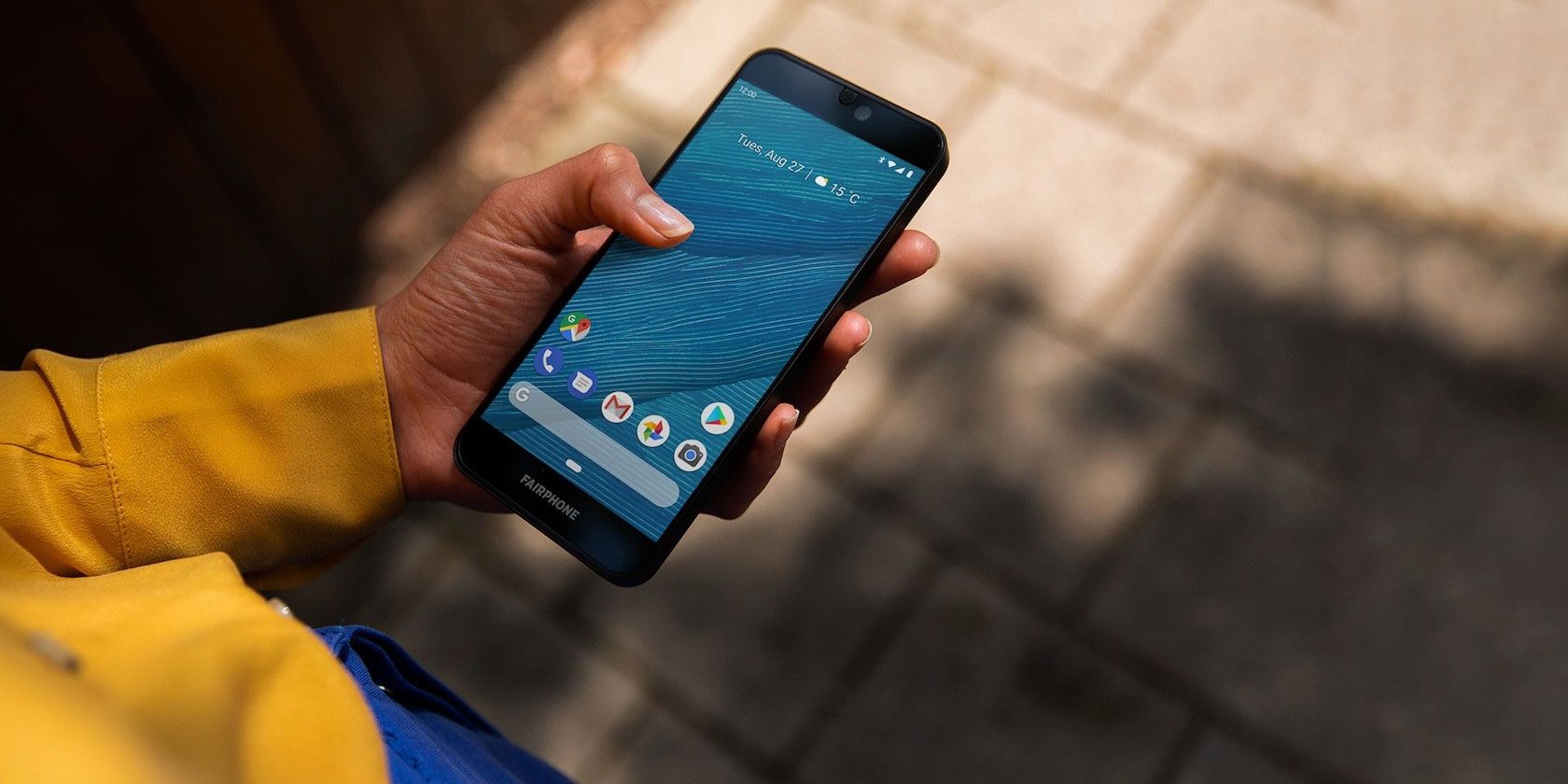
Fairphone 3 front with screen onThe Fairphone 3 is an ethical, sustainable, and repairable Android-based smartphone. The coverage of the device is usually focused on the supply chain and repairability, both important considerations. However, the Fairphone 3 is also a suitable Android smartphone for the privacy-conscious.

In keeping with its ethical stance, Fairphone also understands that many people don’t want a Google-based Android experience. The phone ships with Fairphone OS, a custom edition of Android 9, pre-installed. Thankfully, there is also the option to install alternative operating systems.

Fairphone develops a de-Googled operating system known as Fairphone Open. This was initially released alongside the Fairphone 2 and is currently in early-stage development for the Fairphone 3. You can install Fairphone Open on the Fairphone 3, although the process isn’t straightforward.

If you’d prefer to opt for an easy to install option, you can unlock the Fairphone 3’s bootloader and install your favorite alternative operating system. As the device was launched in 2019, third-party development is still ongoing. If you need a more immediate option and don’t mind using older hardware, there is an active community creating LineageOS and Ubuntu Touch ports for the Fairphone 2.

The Fairphone 3 is powered by a Snapdragon 632 processor, has 4GB of RAM, and 64GB of onboard storage. The 3,000mAh battery is removable and replaceable, and charges via USB-C. The phone supports Bluetooth 5, NFC, and dual SIM operations. There is a 12MP primary camera and an 8MP front-facing lens.

To find out more about the device, check out our review of the Fairphone 3.

3. Pine64 PinePhone

linux-distros-pinephoneThe Pine64 PinePhone is a Linux-based alternative to the Purism Librem 5. However, the PinePhone isn’t specially adapted for increased security and privacy. Instead, it’s strength comes from the fact that the phone runs an open-source operating system and relies solely on open-source software.

The PinePhone is designed to run a variety of Linux operating systems. There are pre-configured variants of the phone available like the PinePhone Community Edition: PostmarketOS available to buy directly from Pine64. However, once you’ve got the physical device in your hands, you can install any of the 17 currently supported operating systems.

The PinePhone uses the Allwinner A64 quad-core system-on-a-chip (SoC), has 2GB of RAM, and 16GB of storage. It is powered by a 3,000mAh removable battery, which can be recharged via USB-C. There is a 5MP primary camera and a 2MP selfie camera, too. There are privacy killswitches for mobile connectivity, Wi-Fi, the microphone, the speaker, and both cameras.

The phone is easily repairable—the components are conveniently accessible with just a screwdriver—and will have a production lifespan of five years, so should be supported until at least 2024. In early 2020, Pine64 announced the PinePhone UBports Community Edition.

4. Apple iPhone 11

The smartphones we’ve listed so far are not mainstream options and many of them appeal only to a small subset of users. However, not everyone has the time or resources to invest in these options. As a result, it is worth considering a readily available option, too.

In a move that some people may find controversial, our final choice for the most secure phone available today is the Apple iPhone 11. Although you may question whether Apple is truly a privacy-friendly company, these devices are regarded as more private than Android smartphones.

The main reason for this is the difference in the business model between Apple and Google. Apple devices are, on the whole, quite expensive and tend to encourage vendor lock-in. So, once you have an iPhone, you’ll consider purchasing a MacBook, Apple Watch, AirPods, and so on. In effect, Apple is a hardware business.

On the other hand, Google provides Android (mostly) for free to manufacturers who then produce a wide variety of smartphones. It recoups its investment by capturing your personal data. This data is used to inform the ads you see across the apps you use, the websites you visit, and wherever you are signed in to a Google account.

However, that’s not to say that Apple is perfect for privacy-enthusiasts. The company still gathers data about you and your habits, but this is used to customize your experience with Apple products, rather than create an advertisement profile. Much of the data is stored locally on your device rather than synced to the cloud.

The iPhone 11 is the latest smartphone from Apple and runs the most recent edition of its iOS mobile operating system. The device features a 6.1-inch Retina display, is IP68-rated for water and dust resistance, and uses Face ID for biometric authentication.

The Best Phone for Privacy

In the wake of the Edward Snowden leaks in 2013, public interest in privacy grew, eventually leading to a new wave of privacy-focused products. While there are sometimes trade-offs, this is inevitable as the mainstream options rely on data collection to function.

We’ve rounded up some of the best smartphones for privacy available today, but many of them run Linux operating systems rather than Android or iOS. If you haven’t made the switch to Linux on desktop, check out the things Ubuntu does better than Windows.

Read the full article: The 4 Most Secure Phones for Privacy


Read Full Article

Microsoft Launches a Family Safety App to Help Parents


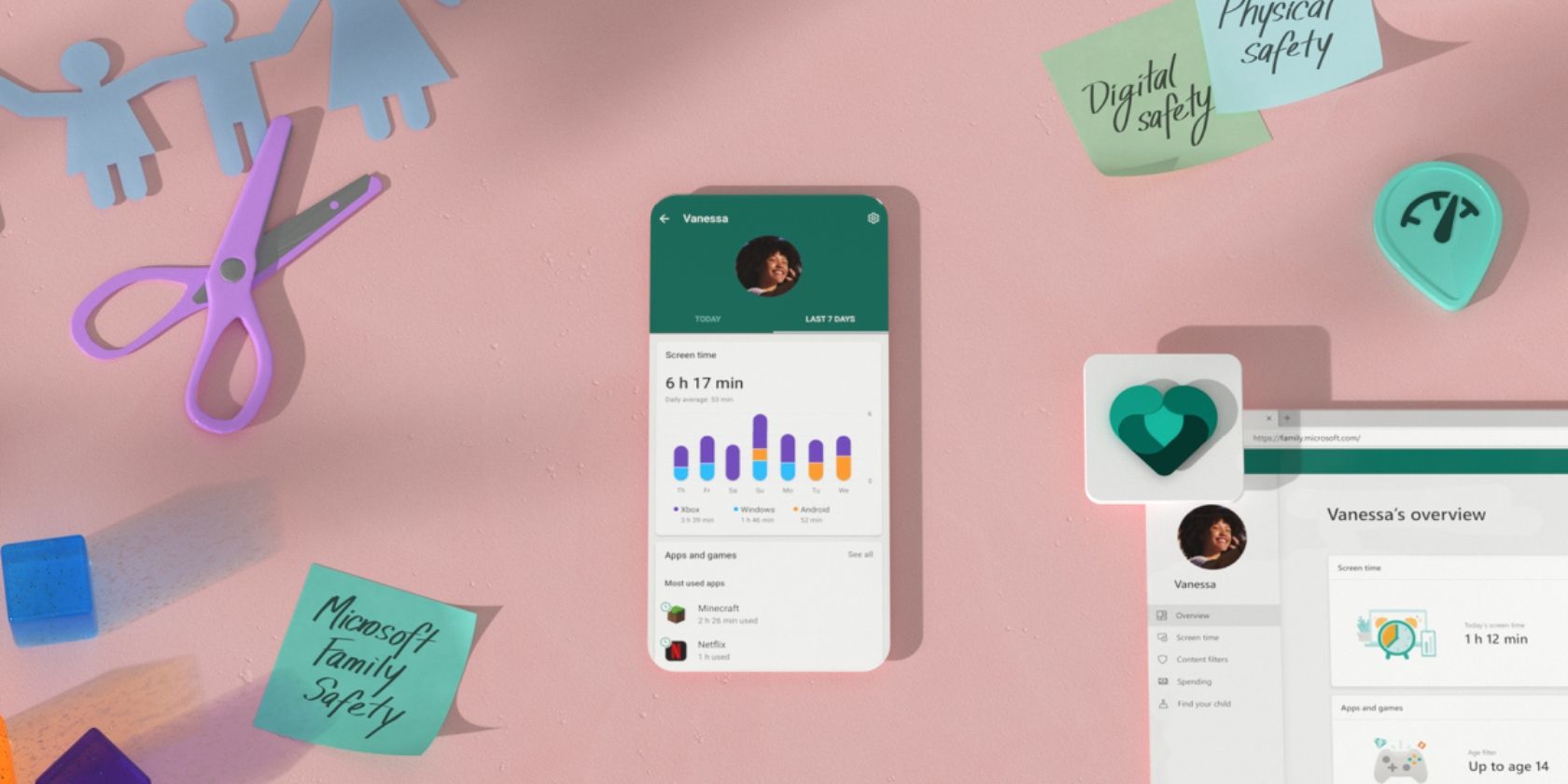
Microsoft has launched a Family Safety app on Android and iOS. Microsoft Family Safety lets you set limits on certain activities, enable internet filters, block certain apps and games, track your loved ones via GPS, and more besides. With the idea being to keep your family safe both online and offline.

Microsoft Wants Families to Stay Safe Online

Parents the world over are concerned about how much time their kids are spending online. Whether they’re playing Fortnite, chatting to mates on social media, or browsing the web. And the situation has likely got worse since the COVID-19 pandemic kicked in, with kids spending even more time at home than usual.

This is why, as announced on the Microsoft 365 Blog, Microsoft has launched its Family Safety app. Which is designed to help parents keep their kids safe. Microsoft has been testing the Family Safety app for several months, but it’s now available on Android and iOS to anyone who wants it.

What Can You Do With Microsoft Family Safety?

Microsoft Family Safety lets you receive activity reports, showing screen time and online usage. You can then use these reports to set limits across Windows, Xbox, and Android.

These can be applied to specific apps and games. Which ensures your children aren’t spending every waking hour playing Minecraft or browsing TikTok. You can also block specific apps and games outright, preventing them from being accessed.

And if they try to buy something from the Microsoft Store, you can choose to receive an email allowing you to approve (or reject) each purchase.

If you use Microsoft Edge as your web browser of choice, you can set up search filters so that your kids can’t access anything inappropriate online. This works across Windows, Xbox, and Android.

Lastly, you can enable location sharing so that you know where every member of your family is at all times. You can even save frequently visited locations so you know exactly where they are at a glance.

Download: Microsoft Family Safety on Android | iOS

Other Parental Control Apps for Windows

If you’re a parent whose family regularly uses Microsoft products such as Windows and Xbox, the Family Safety app could be a Godsend. Allowing you to get a clear picture of who is using what and when, whether any inappropriate websites are being accessed, and where your kids are disappearing to in the afternoons.

For more help parenting in the digital world, check out the best parental control apps for Windows.

Read the full article: Microsoft Launches a Family Safety App to Help Parents


Read Full Article

What’s a Burner Phone and How Do They Work?


whats-burner-phone

For the most part, we purchase phones to keep them as long as possible; however, sometimes people buy “burner phones” for short-term use. So, why are people buying phones with the intent of not using them for long?

Let’s take a look at the concept of burner phones, and how you may use one in the future.

What Is a Burner Phone?

A burner phone, also sometimes called a “burn phone,” is when someone purchases a cellphone that they don’t intend to use for a long period of time. The buyer will typically get a prepaid phone with credit loaded onto it, which they can dispose of whenever they please without worrying about ongoing contracts.

When someone shops for a burner phone, they usually look for the cheapest deal that offers the absolute basics. Phones with 4G and touchscreens are great, but these features tend to hike up the price and offer nothing special to a burner phone.

As a result, burner phones are usually cellphones that look like models from the early 2000s; as long as it can make calls and receive texts, it’s perfect for the job.

5 Honest Reasons to Use a Burner Phone

Usually, burner phones are associated with shady jobs. Criminals buy a burner phone, use it to perform illegal actions, then get rid of it before the police can trace them. However, there are plenty of legal reasons why owning a burner phone is a good idea.

1. Redirect Spam Messages Away From Your Main Phone

If you’re a long-time owner of a smartphone, you’ll know how annoying spam is. Once marketers have your phone number in their database, they begin sending barrages of unwanted texts and robot calls to encourage you to buy everything from new windows to injury compensation.

Fortunately, a burner phone gets around this problem. When you need to supply your phone number to sign up for a service, you can give them your burner phone number. Then, when your burner phone begins ringing off the hook, you can either swap out the SIM card, turn it off until you need it next, or get a new one.

This is also useful if you want people to call you when you’re selling something. For instance, if you’re selling a car or a house, you can give out a burner phone number and get rid of it once the sale is made.

2. Visit Another Country Without Roaming Charges

When you go abroad, it’s a good idea to have a cellphone on you in case of an emergency. Unfortunately, some SIM carriers don’t play ball with other countries, offering either a very high roaming charge or no data whatsoever.

However, you can avoid these problems using a burner phone. Before you travel, grab a cheap phone and load it with a SIM card compatible with a carrier at your destination. You can then use this phone to call businesses and taxi services within the country without racking up a huge bill.

3. Take Your Phone to Dangerous Places

Does the concept of hiking up a mountain with an expensive iPhone or Samsung in your pocket make you feel uneasy? Do you want a phone on your person during your boating trip, but hate to imagine what would happen if you capsized?

Leave your expensive phone at home and grab a cheap burner phone that you can bring along on your adventures. That way, if it does fall down a ravine or end up submerged, you can replace it without denting your bank account.

4. Protect Your Main Phone From Theft or Seizure

A burner phone is a great idea if you think someone might steal, break, or go through your phone. That way, if someone does seize your phone, all you lose is a cheap phone with no information on it.

For example, if you’re planning to go somewhere a little rough, you could use a burner phone. It makes your phone less appealing to steal, and if someone does take it, you lose very little.

Similarly, if you plan to go to a protest, you can never be sure how violent things will get. In the past, protesters have lost phones while trying to record events, either from disapproving members of the public or the police.

The police may also seize the phone to go through its data. If you’re on your burner phone, however, you can happily surrender your phone without worrying about your privacy.

5. Stop Dating Creeps From Contacting You Further

You found someone you like the look of and you want to go a step further, but you’re worried about giving over your phone number. After all, what if this person turns out to be toxic and uses your number to stalk or harass you?

If you’re someone who likes swapping numbers with potential flings, give them a burner phone number. You can still use a burner phone to text and call, although WhatsApp may be off the menu.

Regardless, if they do turn out to not be a perfect match for you, you can ditch the SIM card or the phone while keeping your trusted contacts safe on your main phone.

How to Get a Burner Phone

So you’re interested in getting a burner phone, but the question remains: where do you get a burner phone? It’s easy to find the most expensive, flashy phone that money can buy—just look for the advertisements. Finding a phone around the $30 mark, however, is a little trickier.

Reuse an Old Phone

Before you rush off to buy a new phone, try opening the dreaded “old electronics” drawer. If you’re an avid smartphone user, there’s a good chance that you have an older model you put in there long ago.

Take it out and check if it still turns on. If it does, order a SIM card for it. If the phone is carrier locked, make sure the SIM card matches the network the phone is locked to. Then, use it as you would a regular burner phone to save yourself some money.

Where to Buy a Burner Phone

If you don’t have any old phones sitting around, you can visit your local phone store and browse their range. Some of them carry phones in the ultra-budget range, and they’ll often sell them with some credit preloaded and ready to use.

If you can’t find one, you can try Amazon instead. Amazon has an entire range below $50, At the time of writing, you can purchase a cheap smartphone that’s locked to a carrier, or a regular cellphone that’s unlocked. The former is nice for some additional features, while the latter is handy if you want to keep the phone but swap the SIM out to protect yourself.

Adding Additional Numbers to Your Main Phone

If you don’t want to buy a second phone, you can add an additional number to your main one. Unlike buying a new phone, adding a number won’t protect your main one from damage or theft. However, it’s an easy and cheap way to create and dispose of numbers without changing phones.

If your phone has a dual-SIM setup, you can add another SIM card to it. This gives you a second number that you can freely give out, then throw away when it has done its job.

Alternatively, you can grab a burner phone app. These allow you to create and delete phone numbers quickly and easily without needing to swap phones or SIM cards. If you’re interested in this method, be sure to try the best apps for a temporary burner phone number.

Keeping Your Primary Phone Safe

Whether you’re on the dating scene or climbing a mountain, there are plenty of reasons why you should get a burner phone. Now you know what they are, how to use a burner phone, and where to buy one of your own.

The next time someone you dislike asks for your number, why not give them a prank phone number for bad dates?

Read the full article: What’s a Burner Phone and How Do They Work?


Read Full Article

Pods vs Bubbles


Pods vs Bubbles

Where is voice tech going?


2020 has been all but normal. For businesses and brands. For innovation. For people.

The trajectory of business growth strategies, travel plans and lives have been drastically altered due to the COVID-19 pandemic, a global economic downturn with supply chain and market issues, and a fight for equality in the Black Lives Matter movement — amongst all that complicated lives and businesses already.

One of the biggest stories in emerging technology is the growth of different types of voice assistants:

  • Niche assistants such as Aider that provide back-office support.
  • Branded in-house assistants such as those offered by BBC and Snapchat.
  • White-label solutions such as Houndify that provide lots of capabilities and configurable tool sets.

With so many assistants proliferating globally, voice will become a commodity like a website or an app. And that’s not a bad thing — at least in the name of progress. It will soon (read: over the next couple years) become table stakes for a business to have voice as an interaction channel for a lovable experience that users expect. Consider that feeling you get when you realize a business doesn’t have a website: It makes you question its validity and reputation for quality. Voice isn’t quite there yet, but it’s moving in that direction.

Voice assistant adoption and usage are still on the rise

Adoption of any new technology is key. A key inhibitor of technology is often distribution, but this has not been the case with voice. Apple, Google, and Baidu have reported hundreds of millions of devices using voice, and Amazon has 200 million users. Amazon has a slightly more difficult job since they’re not in the smartphone market, which allows for greater voice assistant distribution for Apple and Google.


Read Full Article

Where is voice tech going?


2020 has been all but normal. For businesses and brands. For innovation. For people.

The trajectory of business growth strategies, travel plans and lives have been drastically altered due to the COVID-19 pandemic, a global economic downturn with supply chain and market issues, and a fight for equality in the Black Lives Matter movement — amongst all that complicated lives and businesses already.

One of the biggest stories in emerging technology is the growth of different types of voice assistants:

  • Niche assistants such as Aider that provide back-office support.
  • Branded in-house assistants such as those offered by BBC and Snapchat.
  • White-label solutions such as Houndify that provide lots of capabilities and configurable tool sets.

With so many assistants proliferating globally, voice will become a commodity like a website or an app. And that’s not a bad thing — at least in the name of progress. It will soon (read: over the next couple years) become table stakes for a business to have voice as an interaction channel for a lovable experience that users expect. Consider that feeling you get when you realize a business doesn’t have a website: It makes you question its validity and reputation for quality. Voice isn’t quite there yet, but it’s moving in that direction.

Voice assistant adoption and usage are still on the rise

Adoption of any new technology is key. A key inhibitor of technology is often distribution, but this has not been the case with voice. Apple, Google, and Baidu have reported hundreds of millions of devices using voice, and Amazon has 200 million users. Amazon has a slightly more difficult job since they’re not in the smartphone market, which allows for greater voice assistant distribution for Apple and Google.


Read Full Article

James Charles Twitter and Instagram Latest Updates


The post James Charles Twitter and Instagram Latest Updates appeared first on ALL TECH BUZZ.


HMK Twitter Update


The post HMK Twitter Update appeared first on ALL TECH BUZZ.


7 Things You Probably Didn’t Know About Steve Jobs


“A visionary who redefined the digital age”, “one of the greatest American innovators”, “ a unique tech pioneer”. These are just a few of the tributes directed at Steve Jobs after the Apple boss lost his battle against cancer in 2011. While the entrepreneur was one of the most famous and successful people on the […]

The post 7 Things You Probably Didn’t Know About Steve Jobs appeared first on ALL TECH BUZZ.


9 Ingenious Marketing Strategies For Shopify Apps


The one sure-fire way your Shopify store will gain customers is if your customers download and use a newer fancier e-commerce mobile app. But how do we make sure that this is happening? How do we make these e-commerce apps more attractive to the general population? To help you overcome this problem we have a […]

The post 9 Ingenious Marketing Strategies For Shopify Apps appeared first on ALL TECH BUZZ.


Zendaya Twitter And Instagram Update


The post Zendaya Twitter And Instagram Update appeared first on ALL TECH BUZZ.


NFL Twitter and Instagram Updates


The post NFL Twitter and Instagram Updates appeared first on ALL TECH BUZZ.


President Trump Twitter and Instagram Updates


The post President Trump Twitter and Instagram Updates appeared first on ALL TECH BUZZ.


2 Ways To Hide Or Remove Start Button In Windows 10


CLICK HERE TO SEE FULL POST

Windows 10 finally brought back the Start menu. The Start menu or Start screen (turned off by default for desktops and laptops) can either be accessed by clicking on the Start button or pressing down the Windows logo key on the keyboard. Most users open the Start menu by clicking on the Start button on […]

The post 2 Ways To Hide Or Remove Start Button In Windows 10 appeared first on Into Windows. Content from IntoWindows website.


Google Tests a New “For Context” Feature in Top Stories


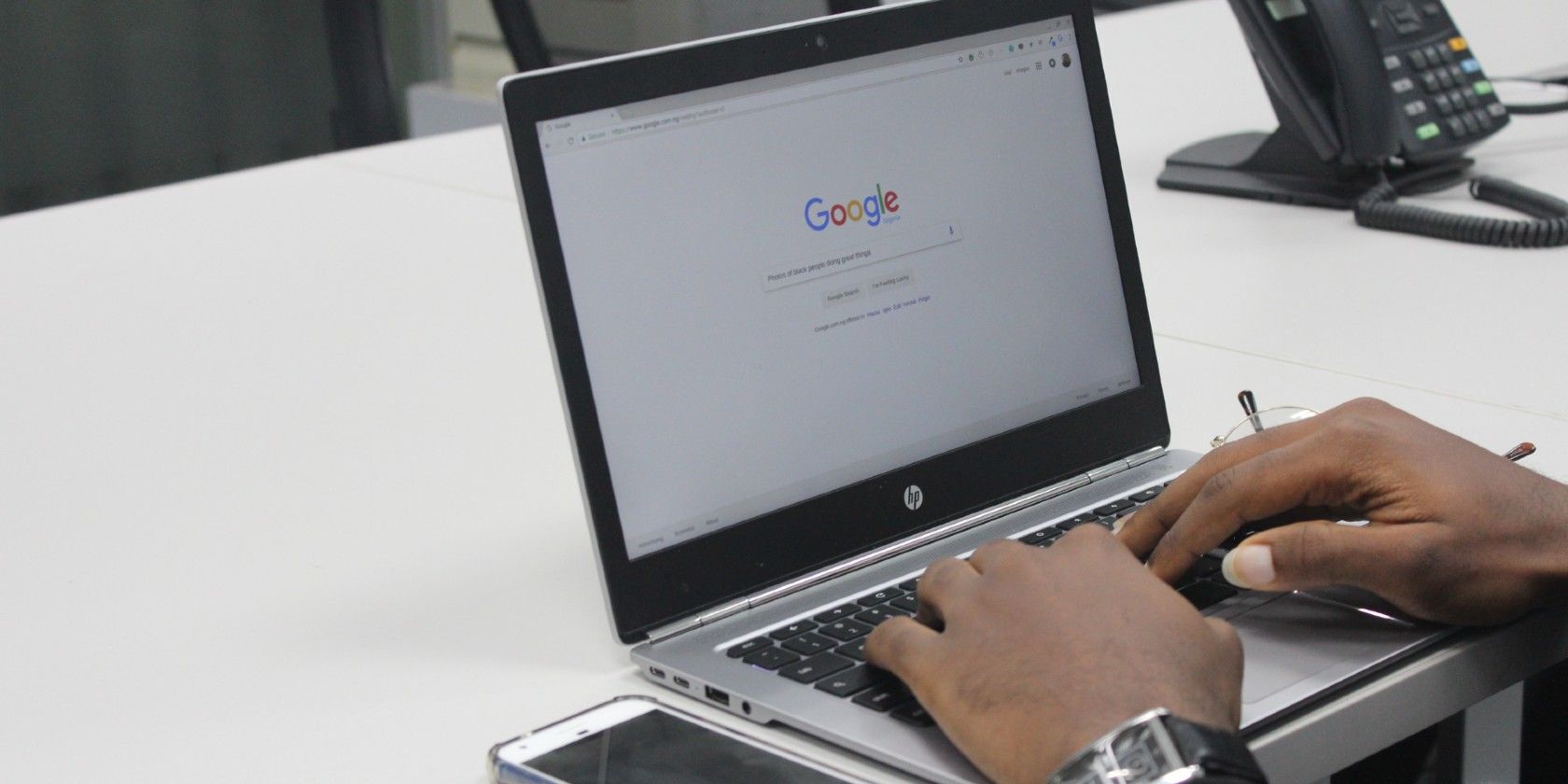
Google on a laptop screen

Google is testing a new “For Context” feature in its Top Stories section that provides a little more information on the news. It does so by providing a second article that gives a little more context to whatever news story you’re reading.

The feature is still being testing. Which means it may be a while before we see it spread across Google search results in a significant way. Still, it’s useful, assuming you can find a news story that takes advantage of the feature.

How to Access Google’s For Context Feature

Since Google hasn’t officially announced the feature, to see the For Context feature in action, you’ll have to find a search term that’s been given the treatment.

SERoundTable first reported the change, and we were able to get it to work with the phrase “senate second stimulus package,” which is a hot search term in the US right now.

google for context feature example

As you can see in the screenshot above, there’s a Forbes article about the stimulus package, and a second article linked below with “For Context” written above it. Essentially, Google’s For Context feature is a way for the company to expand on an article with another that provides more information.

For the time being, it appears to keep the second article from within the same source. As, in the example above, it links to another Forbes article. However, because Google hasn’t officially announced the new feature, we don’t know if that will always be the case.

Another vital thing to note about this new feature is that it’s only being tested on mobile, at least for the time being. We tired a variety of search terms, including “senate second stimulus package” on desktop, and never managed to get the For Context link to show.

How to Avoid Fake News

Google is always testing something new. Sometimes these features become significant parts of the Google experience, and sometimes they’re forgotten just as quickly as they launch. Hopefully, this one sticks around. After all, this is another way Google can make sure accurate information rises to the top.

There was a time when For Context wouldn’t have been needed. But in these days of fake news, adding context has become important.

With that in mind, be sure to check out our article explaining how to avoid fake news during a crisis. It just might save you from some serious stress.

Read the full article: Google Tests a New “For Context” Feature in Top Stories


You Can Now Play Google Stadia Games Using Mobile Data


Google Stadia controllers on a park swing

Google is launching a new Stadia Experiment that will let you to stream your games over a mobile data connection. The company announced the new feature on the Stadia Community Blog.

Adding mobile data is a significant change, as the game streaming service previously only worked when connected to a home internet connection. And being able to play games on the go opens up lots of new options for players.

Stadia may not have set the gaming world on fire in the way Google hoped it would, but that’s not stopping the company from rolling out new experimental features such as this one.

How to Use Google Stadia Over 4G or 5G

While the feature is available to all Stadia users, it’s not something you’ll have access to automatically. Instead, you’ll need to opt-in to the experiment. Fortunately, Google has made it easy enough to do so.

First, you’ll need to click on your avatar in the top-right corner of the screen. On the next screen, tap Experiments. From there, just select Use Mobile Data, and you’ll be able to play your favorite Stadia games using mobile data.

As far as the streaming quality is concerned, 9to5Google estimates that Stadia will use 2.7GB of data per hour, which means it has to be streaming at 360p. If Stadia were streaming at a higher resolution, the data usage would be far greater.

Such a low resolution seems underwhelming for 5G when you consider how fast it is. Perhaps Google is concerned about data usage, but for those with an unlimited mobile data plan, it would be nice to have the option to stream games at a higher resolution.

Unfortunately, you can’t use the Google Stadia controller when playing games over a cellular network. The controller will only work when the device and controller are connected to the same Wi-Fi network. This means you’ll need to stick with the on-screen controls or a third-party controller.

Our Thoughts on Google Stadia

If you can’t decide whether this new way of gaming is for you, check out our Google Stadia review. At the very least it should help you decide whether or not the service is worth your time.

Read the full article: You Can Now Play Google Stadia Games Using Mobile Data


Read Full Article

Google Tests a New “For Context” Feature in Top Stories


Google on a laptop screen

Google is testing a new “For Context” feature in its Top Stories section that provides a little more information on the news. It does so by providing a second article that gives a little more context to whatever news story you’re reading.

The feature is still being testing. Which means it may be a while before we see it spread across Google search results in a significant way. Still, it’s useful, assuming you can find a news story that takes advantage of the feature.

How to Access Google’s For Context Feature

Since Google hasn’t officially announced the feature, to see the For Context feature in action, you’ll have to find a search term that’s been given the treatment.

SERoundTable first reported the change, and we were able to get it to work with the phrase “senate second stimulus package,” which is a hot search term in the US right now.

google for context feature example

As you can see in the screenshot above, there’s a Forbes article about the stimulus package, and a second article linked below with “For Context” written above it. Essentially, Google’s For Context feature is a way for the company to expand on an article with another that provides more information.

For the time being, it appears to keep the second article from within the same source. As, in the example above, it links to another Forbes article. However, because Google hasn’t officially announced the new feature, we don’t know if that will always be the case.

Another vital thing to note about this new feature is that it’s only being tested on mobile, at least for the time being. We tired a variety of search terms, including “senate second stimulus package” on desktop, and never managed to get the For Context link to show.

How to Avoid Fake News

Google is always testing something new. Sometimes these features become significant parts of the Google experience, and sometimes they’re forgotten just as quickly as they launch. Hopefully, this one sticks around. After all, this is another way Google can make sure accurate information rises to the top.

There was a time when For Context wouldn’t have been needed. But in these days of fake news, adding context has become important.

With that in mind, be sure to check out our article explaining how to avoid fake news during a crisis. It just might save you from some serious stress.

Read the full article: Google Tests a New “For Context” Feature in Top Stories


Read Full Article

The 5 Best Roguelikes for iPhone: Survive If You Can!


roguelike-ios-games

Are you itching for a real challenge on your iOS device? Do you like games that leave you on the edge of your seat? What about games that make you feel nostalgic at the same time? If you answered “yes” to all of these questions, perhaps roguelike mobile games are your cup of tea.

If you’re not familiar with the term: roguelikes are a sub-genre of games that originated from a single title in 1980 called Rogue. Rogue was a dungeon-crawling adventure game that gave players a different dungeon layout for each attempt. If you died, it was permanent.

This means that in roguelikes, every move counts, and even the smallest mistake can cost you. As such, this genre of games is often difficult to play, as you fight to survive.

Sounds enjoyable? We’ve rounded up the best roguelikes for iOS that you can find on the app store. All you need to do in download and install them, and then see how long you can survive!

1. Wayward Souls

Wayward Souls iOS Roguelike

Wayward Souls is one of several action-adventure roguelike games for iOS. According to the developer, “It was inspired by Spelunky, Secret of Mana, and our previous game, Mage Gauntlet.”

The game features a retro-inspired aesthetic with a pixel art style for the visuals. The graphics will appeal to anyone who grew up with a SNES. Developer Rocketcat also upped the ante with a spooky soundtrack that is sure to delight.

NB: You can now play SNES games on your Switch.

In Wayward Souls:

  • Players will find different classes they can play as. All classes have a distinctive play style, with strengths and weaknesses. They can also have pets, which are useful in battle.
  • Since Wayward Souls generates a random map every time you play it, you’ll get a completely new experience through each attempt. Each game has different areas full of unique monsters, traps, and rare encounters.

The best part about Wayward Souls is that there is loot, and lots of it. The weapons and gear that your character uses may also change the gameplay entirely, so it’s best to try out everything that you can.

When it comes to gameplay:

  • To move your character, swipe your thumb across the screen.
  • The key to survival in this game is the timing and precision of your attacks.
  • If you consider regular mode too easy, the developers have also developed Gauntlet Mode, designed for quick play sessions. Getting through this one requires a lot of skill, and it’s probably the most challenging task that you’ll face in the game.

Verdict: Wayward Souls is one of the best mobile roguelikes on iOS, and it’s a must-have for any fan’s collection.

Download: Wayward Souls ($6.99)

2. Tiny Tomb: Dungeon Explorer

Tiny Tomb is another roguelike iOS game. Despite the fact that it’s free-to-play, the quality of the game is incredible. The ads that it shows you are minimal, leading to an almost seamless, in-game effect.

The goal of this roguelike, as in Wayward Souls, is fairly simple: you must march your hero through a series of procedurally generated dungeons to retrieve loot and items, all without dying. Every step counts.

The difference here is that each dungeon layer in this game is tiny, and there are a lot of dungeon layers to each level. This, of course, gives the game its name: Tiny Tomb.

Things to note:

  • Tiny Tomb sports a pixelated art style and addictive music.
  • The game controls are simple, with the option to swipe your way across each screen.

Verdict: While this app definitely gets nerve-wracking at parts, it’s not actually fast-paced, meaning it strikes a nice balance between being difficult enough to be interesting, and easy enough to understand for those who are getting into the genre. This makes it one of the best roguelike games for iOS.

Download: Tiny Tomb: Dungeon Explorer (Free, in-app purchases available)

3. Soul Knight

iOS Best Roguelike Soul Knight

Are you looking for a Nuclear Throne clone for iOS? Then your search ends here with Soul Knight, a vintage-styled game with pixelated art that pays homage to the classics.

The main objective in Soul Knight is to get through each dungeon layer by eliminating all the enemies around you. Even though it sports a pixelated aesthetic, Soul Knight packs plenty of dynamic lighting and detailed textures into the game. Plus, the soundtrack is one that all gamers will fall in love with.

In Soul Knight, the gameplay definitely gets chaotic. While there are a variety of classes available in the game, you start off with one and must unlock the rest by earning enough coins to buy them.

For gameplay:

  • There is plenty of loot to discover and equip your character with.
  • As you blast your way through the dungeons, you’ll come across NPCs that you can hire to fight alongside you.
  • The developers designed the controls specifically for touch screens, so it’s easy to pick up and play. There is also an auto-aim function so it’s easier to hit your targets.

Verdict: Whether you’re a casual gamer, or a veteran, having less work to do means more room for enjoyment. Games like Soul Knight are always a win.

Download: Soul Knight (Free, in-app purchases available)

4. Crypt of the NecroDancer

Are you interested in an app that combines a rhythm game with a dungeon-crawling roguelike? Crypt of the Necrodancer fits this bill, and is definitely memorable.

Much like the other iOS roguelikes we’ve mentioned, NecroDancer features fun pixel art that brings a sense of nostalgia. Music is half of the experience for the game, so it’s important that you have your sound turned on. Just watch the trailer to find out why.

For gameplay:

  • Players will find randomly generated dungeons that are full of dangerous monsters. It’s up to you to get rid of them.
  • There’s a ton of loot you can score, too, which will prove useful in battle.

What makes this game stand out from the rest is that you must move in sync to the music, including when you’re executing an attack. As such, NecroDancer involves hand-eye coordination like never before, as you need to keep an eye on the score’s screen (and your health) while tapping to the beat to survive.

Verdict: Because of the unique rhythm mechanic in Crypt of the NecroDancer, it’s a bit more challenging than other roguelikes. However, once you get used to the controls, it’s an incredibly fun and rewarding experience.

Download: Crypt of the NecroDancer ($3.99)

5. Dungelot: Shattered Lands

Do you prefer trying out an iOS roguelike that’s incredibly easy to pick up and play? Unlike most of the games we’ve mentioned, Dungelot: Shattered Lands does not feature a retro art style. Instead, it offers up fun and cartoonish graphics that suit the quirkiness of the game. The soundtrack is also delightful.

In Dungelot, players get to explore three separate acts with increasing difficulty. The twist?

Like Tiny Tomb, each stage takes place on a small 5 x 5 grid. You have to tap on tiles to reveal enemies and items. To get to the next floor, you must find the key to its door, which is locked.

For gameplay:

  • Enemies will block adjacent squares until you defeat them.
  • To engage in battle, just tap on your target, and they’ll take turns exchanging blows.
  • Players can perform basic attacks, with the damage done being dependent on weapons and armor.
  • Despite having a finite number of acts, areas, and dungeons, everything in this game is procedurally generated. This means that the enemies and loot that you find will never be the same.

Verdict: While Dungelot: Shattered Lands looks kind of simple at first glance, there’s a lot of strategy and planning involved. It becomes addictive to play as you keep trying to do better on the next run. However, it should be noted that this game has not received an update in several years.

Download: Dungelot: Shattered Lands ($3.99)

These iOS Roguelikes Will Keep You Entertained

Roguelikes go in and out of fashion depending on the year, but this repeat popularity means that there are always new options and old favorites to try out, available on platforms like iOS.

If the intensity of roguelikes stresses you out, however, here are the most relaxing puzzle games for your iPhone.

Read the full article: The 5 Best Roguelikes for iPhone: Survive If You Can!


Read Full Article

Tired of Tinder? The 10 Best Free Alternative Dating Apps


online-dating

Tinder is one of the most popular apps in the world, let alone one of the biggest dating apps. However, it’s not uncommon to get tired of Tinder. Perhaps you’re bored seeing the same people, getting no matches, or the push to pay for a subscription.

Happily, there are lots of other alternative dating apps to Tinder. We’ve rounded up these free Tinder alternatives. You never know, your true love might be waiting for you.

Why You Should Stop Using Tinder

Since its launch in 2012, Tinder has became one of the most popular online dating apps. Its simplicity has been part of what makes it so attractive.

Using geolocation, the app shows users profiles of their preferred gender and age-range within a set geographical area. You then “swipe right” on people you like, or “swipe left” on those you don’t. You can only exchange messages if you both swipe right, creating a “match”.

However, many online daters have some issues with Tinder’s approach to romance. The focus that Tinder places on appearances has meant that the app has gained a reputation for being a “hook-up” app.

Also, Tinder’s messaging system is far from advanced, the majority of its users are college students, and the app isn’t as secure as you might want something connected to your Facebook account to be.

At first, one of Tinder’s biggest draws was that everything was free. However, it then intro paid membership plans called Tinder Plus and Tinder Gold. These give you access to features like unlimited likes, location changing, super likes, and more.

These memberships are expensive and it’s no secret that you will get more matches by paying. In fact, lots of users noticed that their amount of matches decreased when Tinder introduced its paid membership.

Because of this, and some other reasons besides, you might want to delete your Tinder account completely and try out another dating app. So, with that in mind, here are the best free alternatives to Tinder.

1. Bumble

Bumble was created by an employee of Tinder after she left the company, with an intent to discourage gender issues in online dating.

Bumble includes almost all the same features as Tinder, but has two key differences: women are the only ones who can message a match first, and if they don’t message within 24 hours of matching, the match disappears.

It also offers the ability to have voice and video calls within the app. These functions have made it incredibly popular with women, as women’s experiences with online dating are often quite different from those of men.

Download: Bumble for Android | iOS (Free, subscription available)

2. Hinge

Hinge stands out from other dating apps because it brands itself as “the dating app designed to be deleted”.

Hinge asks you to fill out a detailed profile about yourself. Not only are pictures important, but so are the answers to a variety of fun questions. You then like a specific part of someone’s profile, rather than the entire thing, and your chat can spark from there.

Hinge claims that three out of four members want to go on a second date after meeting up.

Download: Hinge for Android | iOS (Free, subscription available)

3. Plenty of Fish

Plenty of Fish offers a lot of different features. You browse matches through a variety of different algorithms and filters (based on appearance, preferences, and interests), and can choose to view their profiles, send messages, or hit a non-committal “meet them” button.

These features provide you with a lot of different options when choosing how to interact with others online, and with tens of millions of registered users then you should indeed find that fish in the sea.

Download: Plenty of Fish for Android | iOS (Free, subscription available)

4. OkCupid

OkCupid has changed a lot over the years and its algorithms now make it one of the best online dating platforms. In addition to this, OkCupid has a nice streamlined design, while still offering more options for connecting with potential matches than Tinder does.

OkCupid helps you find matches based upon shared interests (like if you both mention dogs in your profile) and your answers to quick and fun questions (is a sense of humor important?). From your list of matches, you are able to browse profiles and send messages to the people that interest you.

Download: OkCupid for Android | iOS (Free, subscription available)

5. Badoo

Badoo functions like Tinder, but offers filters so you can get swiping on people who are more likely to appeal to you. There’s a handy verification process so you know you’re matching with a real person, and it lets you chat via text and video.

One additional feature of Badoo is that it automatically censors explicit features and warns you before you open them—great if you’ve ever been on the receiving end of an unwanted snap.

Download: Badoo for Android | iOS (Free, subscription available)

6. Happn

Happn walks the line between really cool and really creepy.

It shows you the profile of other users of the app that you’ve crossed paths with during your everyday life. You can then see their profile and the rough area that you were in. If you both like each other, it’s a “crush” and you can get chatting.

These features make Happn a really great way to know whether the cute barista that served you is also into you, but do bear in mind the security repercussions.

Download: Happn for Android | iOS (Free, subscription available)

7. Her

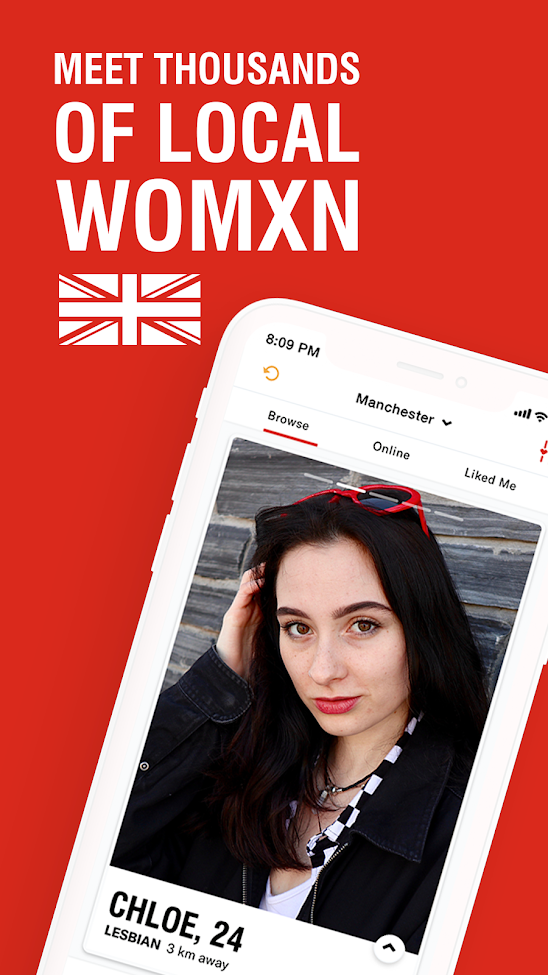
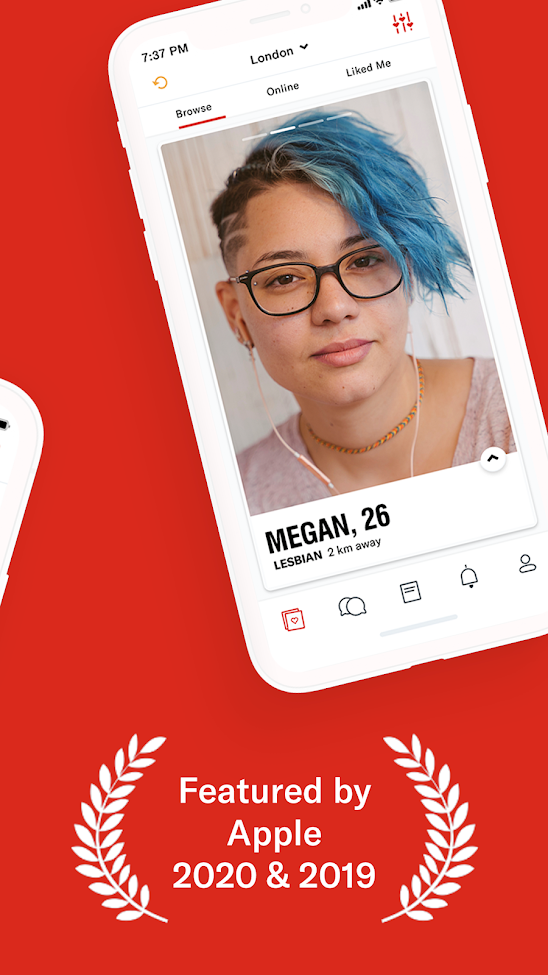
Her is different to most other dating apps because it’s targeted at lesbian, bisexual, and queer people—and it was built by people in those groups too.

It’s designed as an empowering and safe space for the LGBTQ+ community; the service often hosts real-life meet-ups for you to mingle and has small community groups that you can chat in. Whereas Tinder can feel throwaway and vapid, Her aims to offer a positive dating app experience.

Download: Her for Android | iOS (Free, subscription available)

8. Coffee Meets Bagel

Coffee Meets Bagel was created as the antithesis to Tinder.

Rather than focusing on endless swiping through pictures, Coffee Meets Bagel presents you with a selection of matches every day at noon. You can then choose to chat to any of these through text or video. To help you out, each chat offers a prompt from the other person as to what you could talk about.

Download: Coffee Meets Bagel for Android | iOS (Free, subscription available)

9. Facebook Dating

facebook dating

Facebook Dating is only available in certain countries (including the US, Canada, Mexico, and Singapore), but it’s a great choice if you’re already a Facebook user because you don’t need to download another app.

Don’t worry, though, it won’t broadcast that you’re using it, nor will it suggest any of your friends as matches.

Facebook Dating generates your profile from your standard Facebook one, which you can then tweak, and sends you suggested matches which you can pair up with to begin chatting.

Download: Facebook for Android | iOS (Free)

10. Hily

Hily’s name comes from “Hey, I Like You”, which reflects the more casual and young-minded slant of the app.

It uses machine learning to connect people based on interests, mutual likes, and conversation style. You can also use the filters to adjust your search criteria further.

Hily also boasts stories, much like Snapchat or Instagram, for you to share and view short videos with others.

Download: Hily for Android | iOS (Free, subscription available)

The Perfect Online Dating Profile Picture

Your next date could be waiting for you on one of these online dating apps. And because these Tinder alternatives are all free, you’ve got nothing to lose by giving them a try.

If you want to give yourself the best shot at finding a date, here’s how to take the perfect online dating profile picture.

Read the full article: Tired of Tinder? The 10 Best Free Alternative Dating Apps


Read Full Article

Where to Find Beautiful Presentation Templates: The 7 Best Sites


beautiful-presentation-templates

It’s easy to throw together a presentation without slides. However, if you want to make that presentation sound or look good, then you have to approach it with care. Thankfully, beautiful presentation templates can take some of the pressure off, especially if you’re not a designer.

If you need a slideshow to nail your next office meeting or get an A in class, then these seven presentation “go-to” template sites can help.

1. Microsoft Office PowerPoint Templates

Pretty Powerpoint Templates Microsoft Office

Some research by the International Journal of Innovation and Learning, compiled on Ars Technica, has shown that presentation slides may be a distraction to your audience.

Other studies have found the opposite. For example, a 2014 study by the journal Procedia – Social and Behavioural Sciences, found that students that were taught with a slide presentation exhibited better learning comprehension than those that were taught with other methods.

With this last study in mind: If you work in the educational field, and you’re an experienced PowerPoint user, Microsoft Office PowerPoint Templates should be the first stop on your list.

This well-organized destination splits these beautiful PowerPoint presentation templates into numerous categories, ranging from agendas to personal photo albums. As such, it’s pretty simple to find a pretty template that fits one of your needs. The template featured above is Microsoft’s “Badge” template, and you can download it by clicking on the link.

Note: Microsoft templates are free to download after subscribing to Microsoft Office 365. Subscriptions start at $69.99 per year, or $6.99 per month.

2. Behance’s Slide Template Collection

Pretty PowerPoint Templates Behance

The benefits of a slide presentation extend far beyond the classroom. You can use slides to convey information to your coworkers, or as a multimedia tool to explain your product at an industry event.

As a showcase site for hard-working creatives, Behance features an attractive and extremely artistic collection of slide templates. Some have helpful keywords in the title, such as “business presentation” or “infographic.”

Some facts to keep in mind:

  • Not all of these templates are downloadable, but some work with PowerPoint and Keynote.
  • User ratings and filters like the “Most Appreciated” help you find the most popular template options at a glance. It’s also possible to see a presentation’s individual slide designs within a template before downloading it.

The template featured above is called “Duotone,” available for PowerPoint.

Note: Templates on Behance are available for free or at various prices, depending on the design and the creator’s preference.

3. Slides Carnival

Google Slides Carnival Website

Featuring free PowerPoint and Google Slides templates, Slides Carnival is a good option for low-budget projects.

Whether you want to work with an inspirational theme or a playful one, you can sort through the categories by using the menus along the top. You can also browse the most recent themes listed on the site’s landing page.

Additionally, if you’re still not sure templates can help you make a strong impact, the site also has a section on presentation design tips explaining why templates work well, and advice on keeping audiences interested.

The template above is called “Kent.”

4. Slide Model

Slide Model Presentation Templates

The website Slide Model promises to save you hours of work. Featuring more than 20,000 PowerPoint designs, it allows you to grab ready-made presentations for those awkward last-minute situations.

To begin, narrow down your search category by clicking on the dedicated links for the new or featured options. Look through the categories made for specific presentation formats like business, strategy, and marketing.

Although this is a subscription-based site, Slide Model offers a weekly freebie in exchange for your email address. The idea is that by downloading the template, you may become more confident about becoming a full-time subscriber.

You can also download the “Green Duotone Gradient” template featured above with a subscription to the site. Subscription plans range from $24.90 for one day access, to $199.90 for the whole year.

Additionally, if you want a PowerPoint presentation, but can’t afford a subscription, you can check out this list of free PowerPoint alternatives for your presentation needs.

5. Free Google Slides Templates

Free Google Slides Templates

FGST (Free Google Slides Templates) is a good place to go when you need complimentary Google Slides or Google Docs presentation templates.

You can get all of these stylish and royalty-free templates for personal or commercial purposes, so long as you follow the Terms of Use. So bookmark this site, and rely on it when time is short and deadlines are looming.

Additionally, there are also some handy links on FGST’s blog that lead to help pages for both Google Docs and Google Slides. This could be useful if you’re not accustomed to creating a presentation in Google Slides, or you’ve gotten rusty.

The template above is called “Business Plan.” All Google Slide templates are available for free.

6. Ginva’s Google Slides Presentation Themes

Ginva Google Slides Templates to Download

Ginva is a website that has a handy list of over 40 Google Slides themes. The collection is quite diverse when you consider its relatively small number of options.

For example:

  • There are templates that help you make organizational charts for discussing a current or upcoming business structure.
  • There is an arrow diagram template that directs attention to certain portions of the text, and even a template made for start-up businesses.
  • Ginva also features numerous other categories like WordPress themes and desktop wallpapers, all of which are worth checking out.

For example, you can download the “Orange Presentation” template featured above, accessible through Ginva’s list. Other themes are free or paid, depending on a template-by-template basis.

7. Canva

Canva Keynote Presentation Template

Canva has been a mega player in the world of online templates for a few years now, and its Presentations section offers you one of the best ways to find beautiful slideshow templates for any occasion.

To access these presentations, you need to have a free account with Canva. Even outside of needing an account for presentations, we strongly recommend getting one at large. The account can be used to access designs for many other uses.

However, if you’re still not convinced, you should still be able to browse the general Canva Templates section without an account.

Please note:

  • Most of the presentation templates on Canva are free, but any content that is only accessible with a pro subscription will clearly be marked as such.
  • When you log into your account, you may see a link to the Presentations section. You can also search for presentation templates that you can alter by using the search bar, too.

Once you’ve located the Presentations section, you’ll see a Canva “working space” where you can tweak your design, along with template options clustered along the left side of the screen, grouped by categories. To use a design, just click on it. Canva will load the template into your workspace.

The template above is called White and Yellow Simple Technology Keynote Presentation, and it can be accessed by logging into Canva or creating an account.

If you want to know more, read our tutorial on how to create the perfect professional presentation in Canva.

Impress With a Pretty PowerPoint Template

All the sites highlighted above have templates to help you impress colleagues, professors, or students. You’ll also love the wide variety of designs that can suit casual presentations, too. After all, these templates may prove to be so useful that you’ll wonder why you didn’t search them out sooner.

If you want to explore other ways to create a stellar presentation, check out these online tools to give a presentation from anywhere.

Image Credits: Jacob Lund/Shutterstock

Read the full article: Where to Find Beautiful Presentation Templates: The 7 Best Sites


Read Full Article