01 July 2020

The courage to live with radical uncertainty | Shekinah Elmore

The courage to live with radical uncertainty | Shekinah Elmore

When your future is uncertain, how do you keep moving forward? In this courageous talk, oncologist and cancer survivor Shekinah Elmore shares how she embraced life after a rare genetic diagnosis -- and explains why she believes doctors have a duty to help their patients learn to live with radical uncertainty.

Click the above link to download the TED talk.

Location data startup Bluedot raises $9.1M


Bluedot, a geofencing and location data startup used by companies like Dunkin’, KFC and McDonald’s, is announcing that it has raised $9.1 million in Series B funding.

The San Francisco-headquartered company claims that its technology its 20 times more accurate than competing solutions — something that CEO Emil Davityan attributed to its roots in the toll road industry, where it needed to deliver “lane-level” accuracy.

“Since then, we’ve delivered location-based solutions for retail, restaurants and other verticals,” Davityan told me via email. “The focus is on valuable, contactless experiences that prioritize the consumer’s needs.”

The company is extending its capabilities with the launch of a new product called Tempo, which is supposed to incorporate data like traffic patterns — and even the time it takes to get in and out of a car — to deliver real-time alerts when a customer is approaching.

That sounds particularly desirable in the middle of a pandemic, when businesses are increasingly interacting with customers via curbside pickup and drive-through — and presumably want to minimize contact even when the customers are inside the store. It also sounds a little creepy, but Davityan emphasized that the data is encrypted and anonymized.

“We don’t collect personal data, or track, share, or sell location data,” he said. “It’s easy to make claims about being ‘privacy friendly.’ The real challenge is to live and breathe it, to make it central to your business.”

Bluedot says its footprint — as measured by unique monthly users — has increased 2,471% over the past year, and that it’s now powering more than 121 million location events each month.

The startup has now raised a total of $21.9 million. The new funding was led by Autotech Ventures, with participation from previous backer Transurban and new investors Forefront Ventures, IAG Firemark Ventures and Mighty Capital. Autotech’s Alexei Andreev is joining the Bluedot board, with Mighty Capital’s Jennifer Azapian joining as board observer.

“Software that can enable businesses to minimize contact is vital,” Andreev said in a statement. “Moving forward, we see the market favoring contactless solutions and Bluedot is poised to meet this demand. Bluedot’s differentiated offering, focus on consumer experience, and scalability are key factors for any business’s future success, especially as we all rethink mobility and brand interactions.”


Read Full Article

TikTok is engaging with India over ban and already complies with local privacy and security requirements, CEO says


Kevin Mayer, the chief executive of TikTok said on Wednesday that the popular short-form video app complies with “all data privacy and security requirements under Indian law,” two days after New Delhi banned 59 apps including Mayer’s citing security concerns.

Addressing TikTok’s 2000 employees in India on Wednesday, Mayer said ByteDance, the parent firm of the Chinese app, would do “everything in our power to restore the positive experiences and opportunities that they can be proud of.”

With more than 200 million of its users in India, TikTok counts Asia’s third-largest economy as its biggest overseas market.

New Delhi announced late Monday that it was blocking 59 apps that have been developed by Chinese firms. Among the apps that have been blocked include Tencent’s WeChat, and Alibaba Group’s UC Browser and UC News. An Alibaba Group spokesperson in India did not respond to a request for comment.

The Indian government alleged that these apps were “compiling, mining and profiling” users’ data that posed threats to “national security and defence of India.”

In his address today, which TikTok later published on its blog, Mayer said that his firm “places highest importance on user privacy and integrity.” TikTok was working with various stakeholders in India to address their concerns, he said.

Mayer’s address to his employees comes a day after TikTok pulled its app from Google Play Store and Apple’s App Store in India and revoked existing users in the world’s second largest internet market from accessing its service. Visiting TikTok app or mobile website in India currently returns an error that states TikTok is in the process of complying with New Delhi’s order.

“Today, it is a staple and reality for TikTok users even in remote cities, towns and villages across the country. Empowered individual creators have become the most sought-after for digital marketing campaigns. Small and medium enterprises and entrepreneurs have been able to realise their growth ambitions and dreams by reaching out to thousands of potential customers and consumers on a daily basis, through the platform,” said Mayer.

It remains unclear at this point when — and if — India would reverse its ban on TikTok and other apps. TikTok, the most popular app among the 59 apps blocked by India, has been particularly hit by New Delhi’s order.

Google and Apple said Tuesday that the Indian government had asked them to only pull the TikTok app from their stores and that TikTok had voluntarily delisted its app from the nation.

Other apps remain available on Google Play Store and App Store at the time of writing. Though India’s Department of Telecommunications has since ordered Vodafone, Airtel, and Reliance Jio to block access to all the banned apps on their networks with “immediate effect.”

TikTok has been facing backlash in India for several weeks as an anti-China sentiment gains pace in the nation. A skirmish between the two neighboring nations at a disputed Himalayan border site that left 20 Indian soldiers dead last month further escalated that tension.

In May, several users unearthed and shared numerous recent TikTok videos on Twitter that appeared to promote domestic violence, animal cruelty, racism, child abuse and objectification of women. This prompted many in India to leave a poor rating of the TikTok app in the Google Play Store to express their disgust.

“Our partnership efforts with credible national and global organisations such as UN Women, United Nations Development Programme, UNICEF, and CRY have raised awareness and advocated for concerted action to end gender-based, domestic violence and child marriage,” Mayer said today.


Read Full Article

Spotify expands Premium Duo subscription tier aimed at couples to U.S., India, dozens of other markets


Spotify today announced it is expanding Premium Duo, a feature that allows two people who live at the same place — say couples or flatmates — to share one subscription plan while maintaining their own individual accounts, to dozens of new markets.

Premium Duo is a remarkable concept from Spotify, which it first began testing in March last year and expanded to 19 markets months later. Starting Wednesday, Spotify Premium Duo is now available in 55 markets.

The new subscription offering is remarkable mostly because it’s solving a problem that very few people face today. At a glance, it appears that Premium Duo is designed to help people save money and gain access to a shared playlist that represents music they both cherish.

Two people can split the cost by joining Premium Duo, and it would save them a few bucks had they subscribed to the music streaming service individually. The problem is that if you are looking to save money, you can save even more by subscribing to Spotify’s family plan that supports six members in a group.

In the U.S., Premium Duo is priced at $12.99 a month. In India, it’s priced at Rs 149 a month ($2). (In India, subscriptions to Spotify, Apple Music, Apple TV+ and a vast range of services are more affordable generally.)

Spotify says it also creates a special Duo Mix playlist for participating members of a Premium Duo tier that will comprise songs both listeners like. But it offers a similar feature for members of the family plan as well.

I think I have figured out why Premium Duo exists. On its website, Spotify says that “with two separate accounts you can both enjoy your own music without having to take turns.” Couples, Spotify will really appreciate if both of you got your own paid accounts instead of listening to the streaming service from one account.

Alex Norström, who is Spotify’s “Chief Freemium Business Officer” said in a statement that the streaming giant was proud to launch Spotify Premium Duo. “With two individual Premium accounts, you can both listen independently, uninterrupted and get all of your personalized playlists and features tailored just for you. We are thrilled to bring this unique Spotify Premium plan to even more markets around the world.”


Read Full Article

The 6 Best Gadgets for Relaxation


relax-gadgets

Busy lives and hectic schedules can often mean we forget about relaxing. Relaxation is very important for your wellbeing. With this in mind, it is important to keep a balance between hard work and no work. Relaxing should be high on your list of priorities.

So, what are some of the best ways to relax? Well, lying on your back for half an hour can help clear the mind, but there are gadgets available, too.

Let’s take a look at the eight best gadgets to aid relaxation.

1. Human Touch Reflex Swing Pro Leg Massager

Human Touch Reflex Swing Pro Leg Massager Human Touch Reflex Swing Pro Leg Massager Buy Now On Amazon $349.00 ($349.00 / Count)

If you like a good massage, there is no need to leave the house to get one. Human Touch’s Reflex Swing Pro Leg Massager can be just what you need to melt away the day. There are plenty of leg massagers on the market, so what makes this one so good? It is customizable for a start, allowing you to change the leg cuffs’ position to suit your own legs.

It doesn’t just do your calves, though. The unit can massage your whole lower leg and feet. The massager uses figure-of-eight kneading to give your tired muscles a bit of well-deserved bliss. It will even give the soles of your feet a good rub, thanks to the underfoot rollers. These ensure a deep massage that finds the places typically only another person can reach.

2. MUSE S Brain Sensing Headband

MUSE S Brain Sensing Headband MUSE S Brain Sensing Headband Buy Now On Amazon $276.31

You may find that your mind is often overthinking, worrying, or analyzing other anxieties. These kinds of feelings prevent you from relaxing. The MUSE S Brain Sensing Headband allows you to monitor your brain activity and respond to it. The device is billed as a personal meditation assistant. By monitoring your brainwaves and providing real-time feedback, you can calm a busy mind.

The headband syncs to a dedicated mobile app, allowing you to browse and analyze the information. There are also Go to Sleep Journeys included, which help you drift off to sleep. The ten-hour battery life should be more than enough for you to pop the headband on and start relaxing before you go to sleep. When you are asleep, the headband will monitor your brainwaves using EEG and create a detailed sleep report so you can better understand your sleep process and patterns.

3. Dodow Sleep Aid Device

Dodow Sleep Aid Device Dodow Sleep Aid Device Buy Now On Amazon $59.78

If you’ve been having trouble getting some shut-eye, then the Dodow Sleep Aid Device could be just what you need to slip into slumber. It uses a mixture of light and breathing therapy to lull your body into a relaxed state. Perfect for hitting the sack and grabbing those all-important zees. Notably, the device was developed by people who have trouble sleeping.

The Dodow has two time modes; eight minutes and twenty minutes. During this time, it will emit a slow-pulsing light. You can then sync your breath to these pulses. This is a well-known meditative technique—focusing on the breath to clear the mind. It will regulate your breathing so that one breath-cycle (inhale and exhale) takes ten seconds. This encourages your body to slow down, thus encouraging sleep.

4. HoMedics, Shiatsu XL Massage Cushion

Homedics Shiatsu Massage Cushion Homedics Shiatsu Massage Cushion Buy Now On Amazon $152.95

If you work from home, then you probably know the pain of sitting at your desk for hours on end without enforced breaks. One moment you’ll be sat there happily typing away; the next, you’ll have searing pain across your shoulders. Or pressure pain in your coccyx. Or a throbbing lumbar region. Whatever your problem, the HoMedics Shiatsu XL Massage Cushion is here to save the day. Just pop it on your office chair, plug it in, and you’ll ascend to shiatsu heaven.

Because it covers your seat’s headrest and backrest, the massage cushion is ideal for covering all of your back’s pain-points associated with sitting at your desk. There is a cushioned seat to give your buttocks a bit of light relief from your uncomfortable office chair. However, all the magic resides in the backrest, which offers a shiatsu-style kneading motion, as well as a gentle roller that covers the entire length of your spine.

5. Kokoon Sleep Headphones

Kokoon Sleep Headphones Kokoon Sleep Headphones Buy Now On Amazon $349.99

The Kokoon Sleep Headphones are among the best gadgets for relaxation. Like the MUSE S headband, the Kokoon headphones rely on EEG to monitor your brainwaves and assist you to get a better night’s sleep. The company’s app can play relaxing music, sound effects, or even meditation courses designed to aid sleep. With the headphones on, they can record your sleep pattern and offer you a detailed insight into your sleep quality. The headphones also have a low profile, so they’re easier to sleep in than regular cans.

The headphones themselves come in a hard carry case, meaning they can be used for travel. The inclusion of Active Noise Cancellation (ANC) blocks out any external sound to the point where it won’t bother you. This means you won’t be distracted from the task at hand—relaxing or sleeping! Additional smarts mean the headphones can tell when you’ve fallen asleep. Consequently, the Kokoon Sleep Headphones will fade out any music you are listening to and replace it with white noise to prevent any disturbances.

6. AeroGarden Indoor Hydroponic Herb Garden

AeroGarden Indoor Herb Garden AeroGarden Indoor Herb Garden Buy Now On Amazon $298.00

The AeroGarden Indoor Hydroponic Herb Garden is a great way to bring nature indoors and grow ingredients at the same time. The hyproponic systems only uses water to grow the plants, so less mess and more time enjoying the fruits of your labor. Plus, being around plants is known to be beneficial to your mental and physical health. Greenery can also absord CO2, helping clean the air in your room.

The kit uses full-spectrum LED lights rather than sunlight, so can be positioned anywhere in your home. There are nine grow-pods available, allowing you to harvest a range of tasty herbs to use in your cooking. The plants emit desirable smells too, helping stimulate several senses at once. Then there’s the satisfaction of growing herbs and  seeing them grow. As it turns out, gadgets don’t need to be fully electronic to help you relax.

The Best Gadgets to Aid Relaxation

While there are many non-tech ways to find a bit of inner peace, the gadgets we’ve listed here are sure to help you on your way to a more relaxed state of mind and body. Then there’s the AeroGarden Herb Garden, which helps you relax and provide sustenance as well.

If you’d like to rely solely on sound to soothe the senses, then you might want to check out the best headphones for sleeping and relaxing. There are plenty of options available in there that can help you maintain a state of relaxation.

Read the full article: The 6 Best Gadgets for Relaxation


Read Full Article

You Can Now Host Watch Parties on Amazon Prime Video


Amazon has launched Watch Party. This is a new feature that lets you watch movies and TV shows with family and friends online. Amazon describes Watch Parties as “a fun new way to enjoy your favorite shows with your favorite people, wherever you are.”

Helping People Carry on Watching TV Together

With much of the world having spent the last few months locked down due to COVID-19, streaming services have had to react. First, they lowered bitrates to conserve bandwidth. Then, in an effort to help people socialize from home, some have launched new features.

Netflix has Netflix Party, Plex has Watch Together, and now Amazon has Watch Party. Which, as the name suggests, lets you watch movies and TV shows together online with up to 100 friends. You can even chat about what you’re watching together.

How to Host a Watch Party on Amazon Prime Video

To host a Watch Party on Prime Video, first, sign into Amazon on a desktop browser and head to the Prime Video section of the website. Then, find the movie or (individual episode of a) TV show you want to watch and click the Watch Party icon.

Next, enter the name you would like to use in the chat, and click Create Watch Party. Copy the link to your Watch Party and share it with family and friends. Then, once everyone has joined, start your Watch Party. NB: Only the host can control playback.

How to Fix Amazon Prime Video If It Isn’t Working

Watch Parties are currently only available in the US, with no plans to launch the feature elsewhere. As well as being in the US you’ll need to be an Amazon Prime member. Watch Parties are also only available on desktop browsers, with no mobile support.

If you run into any trouble while hosting (or participating in) a Watch Party, here’s how to fix Amazon Prime Video when it isn’t working. We can’t guarantee to fix the problem, but our troubleshooting guide should at least point you in the right direction.

Read the full article: You Can Now Host Watch Parties on Amazon Prime Video


12 Free Online Games You Can Play With Friends Anywhere


two-player-games-onlne

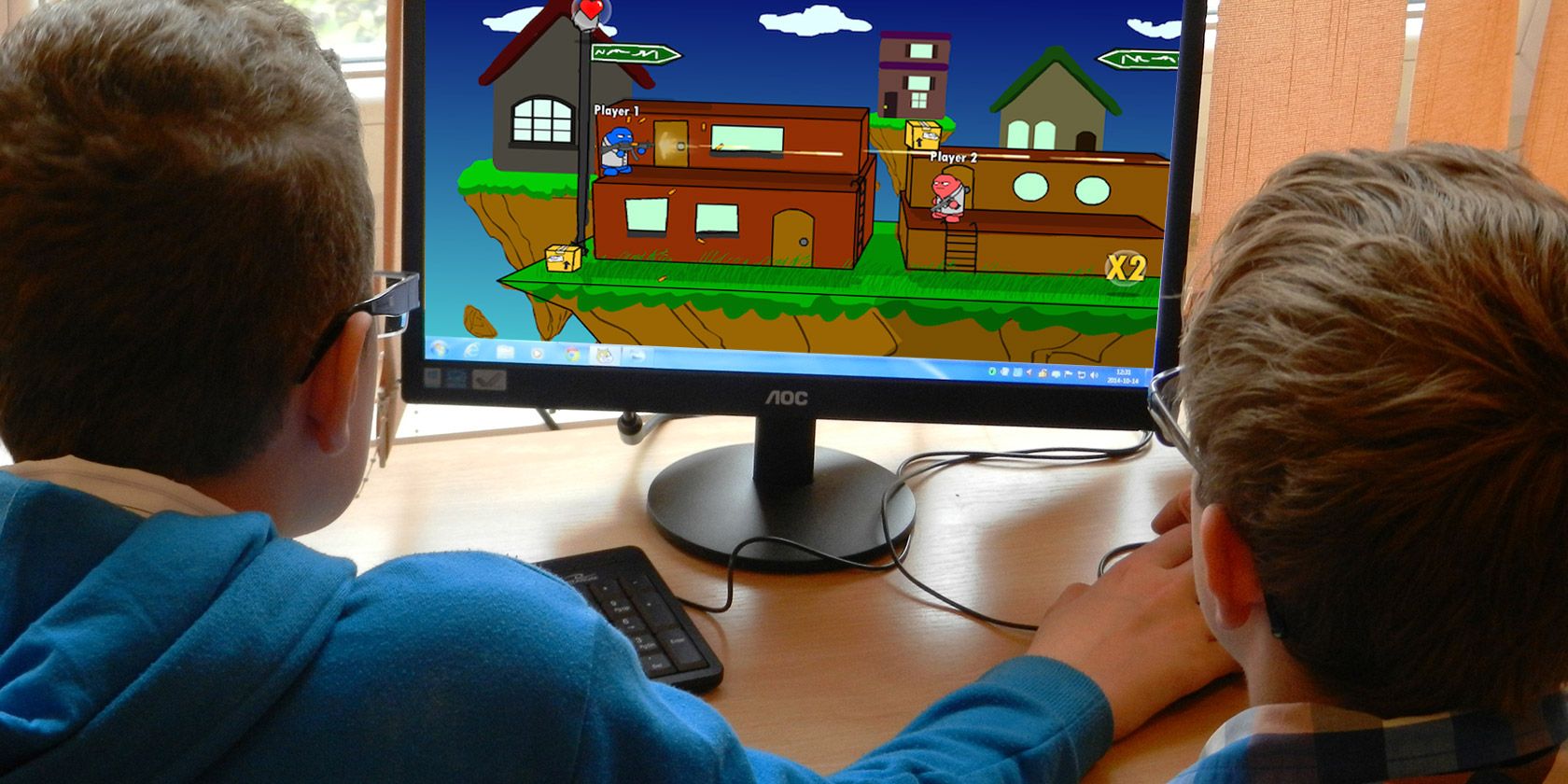
If you’re looking for free online games to play with friends you’ve come to the right place. Whether you want to play locally on the same computer or remotely on different computers. With these online multiplayer games, you can enjoy a little downtime with nothing but a browser window.

Browser games have come a long way in terms of graphics. Whether it’s 1v1 games or multiplayer team-ups, modern browsers can support any of these games. However, since Adobe is killing Flash, the games in this list are based on other technologies such as Unity and HTML5.

Online Games to Play With Friends on the Same Computer

These games see you face off against a friend online while sat at the same computer…

1. 8 Ball Billiards Classic

8 Ball Billiards Classic

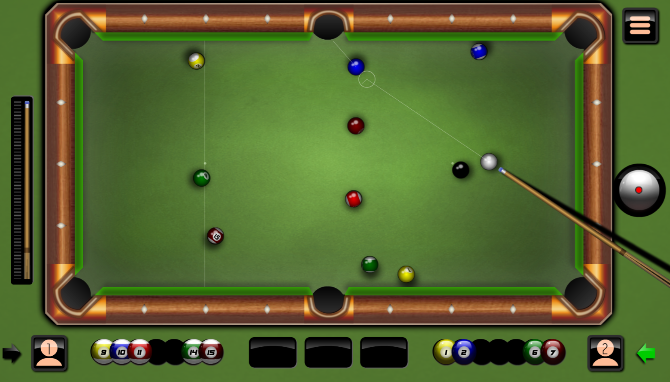
It might be called 8 Ball Billiards Classic (8BBC), but the game is actually good old pool. You play in turns, and have to pocket stripes or solids depending on which type you first sink into a hole. Although it’s a mouse-based game, it’s surprisingly easy to play on a laptop touchpad too.

First, you have to line up the shot using the guideline indicators. Then, move the mouse to the strength meter, and pull back the stick to the desired amount of power you want to hit with. It’s one of the best free pool games to play with friends online.

  • No sign-up necessary
  • A maximum of two players
  • Players play in turns
  • Play with friends online, but on the same PC

2. Gunball!

Gunball

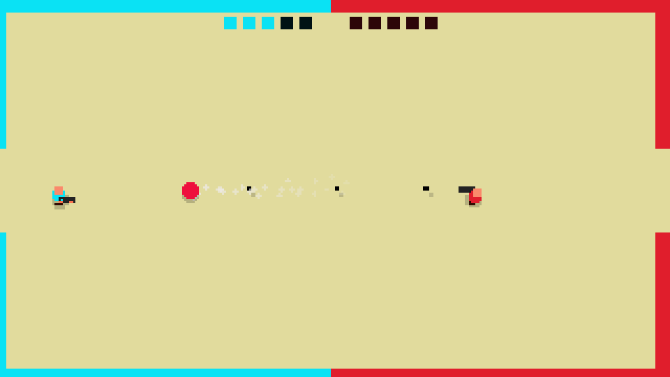
Gunball is like soccer… but with guns! In this pixel-art game, you and your friend control two on-screen characters. Each has a gun and a goal post to protect, and there’s a big red ball in the middle. Shoot the ball into the opponent’s goal to score a point. The first to score five points wins.

This browser game is a great example of how the simplest gameplay mechanics can still be super entertaining. You’ll need to move around the screen rapidly to shoot and defend at the same time, as the keyboard struggles with two people fighting on it.

  • No sign-up necessary
  • A maximum of two players
  • Players play simultaneously
  • Play with friends online, but on the same PC

3. Firefall

Firefall

Comet-like fireballs are falling from the sky. You play as the blue or red square smiley on the ground. Move left and right to avoid being burnt to a crisp. Sounds easy, right? Even when the speed of the fireballs increases, the game is not too difficult to play.

What makes it difficult is the two-player competition. This is because your opponent can’t go beyond you. So use your character to push and/or block your opponent as a fireball rains down upon them. It’s a deliciously evil online game to play with friends.

  • No sign-up necessary
  • A maximum of two players
  • Players play simultaneously
  • Play with friends online, but on the same PC

4. Gravity Shift

Gravity Shift

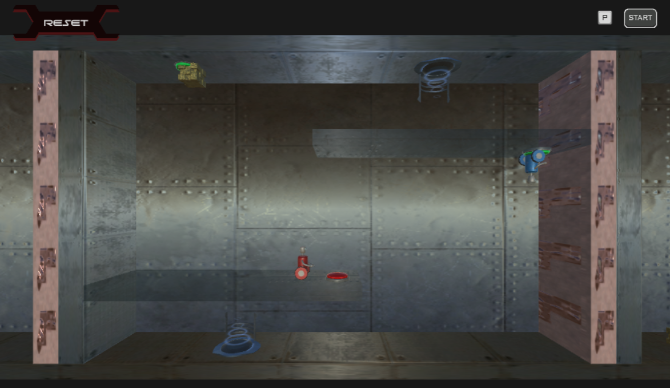
Most two-player online games focus on a 1v1 dynamic. Instead, Gravity Shift makes you team up for a common goal of solving physics-based puzzles. Each player controls an on-screen character, one with the W, S, A, D keys and the other with the arrow keys.

In each level, you need to move the characters so that all buttons are pressed to open the portal to the next level. There are gravity inverting tiles, where you can change your character’s gravity. It’s all about coordination and puzzle-solving as a team.

  • No sign-up necessary
  • A maximum of two players
  • Players play simultaneously
  • Play with friends online, but on the same PC

5. Money Movers

Money Movers

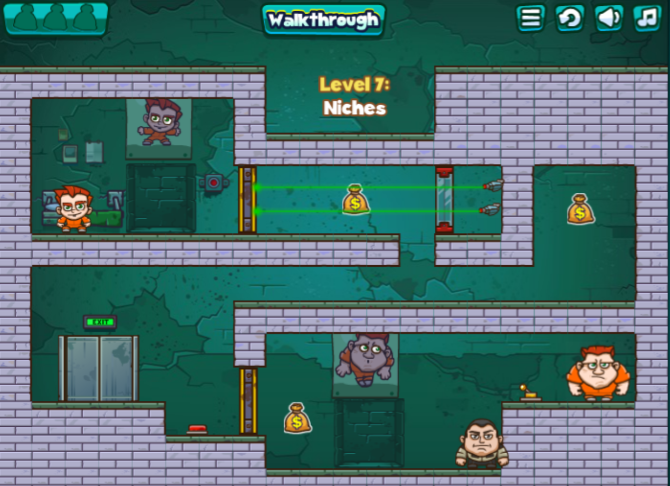
Here’s another online game to play with friends as a team. In Money Movers, you play as two brothers who have to stage a daring jailbreak. Each level takes you further out of prison, as you use the abilities of each brother to solve the puzzle and get to the exit.

The big burly brother can pick up and throw objects, but has limited movement. The little brother has speed and jumps high. Using a combination of their abilities, you need to flip switches, avoid or incapacitate guards, and think of clever ways to get out of a jam.

Some levels are quite tough, and you and your friend will have a great time trying to figure it out. As they say, two heads are better than one.

Plus, once you’re done with the game, there are two sequels to enjoy. Check out Money Movers 2 and Money Movers 3.

  • No sign-up necessary
  • A maximum of two players
  • Players play simultaneously
  • Play with friends online, but on the same PC

6. Pong 2

Pong 2

Pong 2 is an online recreation of the classic game of Pong. Each player controls one paddle on opposite sides of the screen, while the ball zips back and forth in between. Once you load the game, it works offline too through the browser’s cache. Pong 2 is one of the best online Pong games because of how it lets you customize the settings.

You can customize the ball speed and the paddle speed for both players. We recommend 15-20 for the ball speed, and 10 for paddle speed. You can also change the background and the color of the paddles. Set an objective of points to declare the winner, and begin playing. One player controls with the up and down arrow keys, while the other uses W and S.

  • Sign-up not necessary
  • A maximum of two players
  • Players play simultaneously
  • Play with friends online on the same PC

Online Games to Play With Friends on Different Computers

These games let you face off against your friends online while using different computers…

7. Battleship Online

Battleship Online

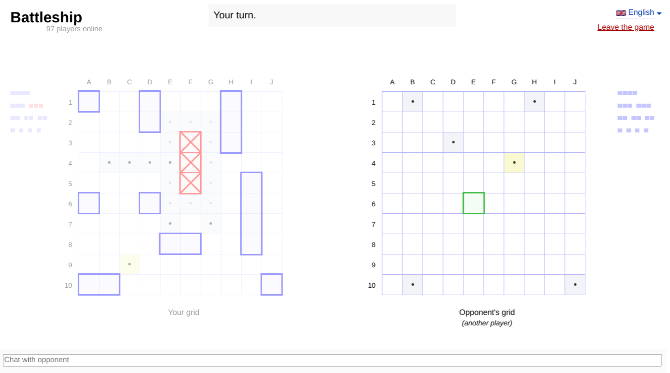
There are plenty of ways to play online Battleship for free, but this one is our favorite. The rules stay the same as always. Invite your friend by sending a link, set up your 10×10 grids with different battleships, say you’re ready, and begin.

Click anywhere on your friend’s grid to try and sink his battleships, and keep playing until one of you is out of ships. If you don’t have a friend online, play a random game with a stranger. There are always people online looking for a quick game.

  • No sign-up necessary
  • A maximum of two players
  • Players play in turns
  • Play with friends online on different computers

8. Lichess

Lichess

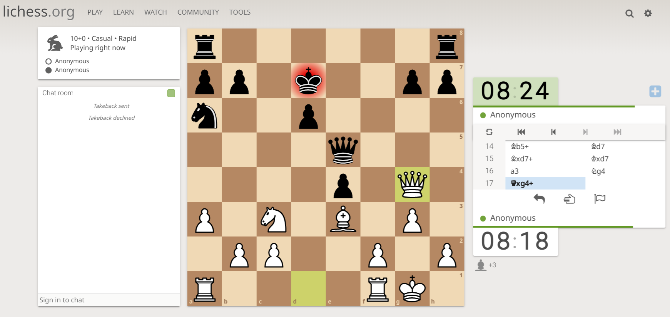
If you want to engage in a battle of wits, there is nothing like a game of chess. Lichess is perhaps the best browser game of chess if you want to quickly jump into a game with a real person without even signing up.

The graphics are pleasing to the eye, and you can try different time intervals. Plus, there’s a chatroom, game modes (like Chess960, Antichess, King of the Hill, etc.), and even an analysis board. Our favorite feature is that you can request to take back a move, which is wonderful when playing a game between friends.

  • No sign-up necessary
  • A maximum of two players
  • Players play in turns
  • Play with friends online on different computers

9. Speed Sudoku

Speed Sudoku

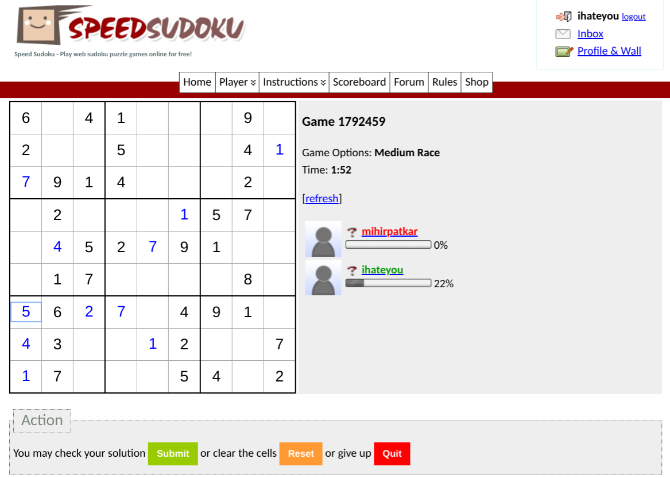
Sudoku is a fun brain-teaser, but you can make it competitive. That’s what Speed Sudoku is all about. Who would have thought that you can play Sudoku with friends online over the internet!

Sign up and create a new game or join an existing one. You can have a maximum of four players, but you can also play between the two of you. Password-protect your game to keep it private. While you’re solving, you will also see the other players’ progress in terms of percentage, which keeps your competitive engine running.

  • Sign-up necessary
  • A maximum of four players
  • Players play simultaneously
  • Play with friends online on different computers

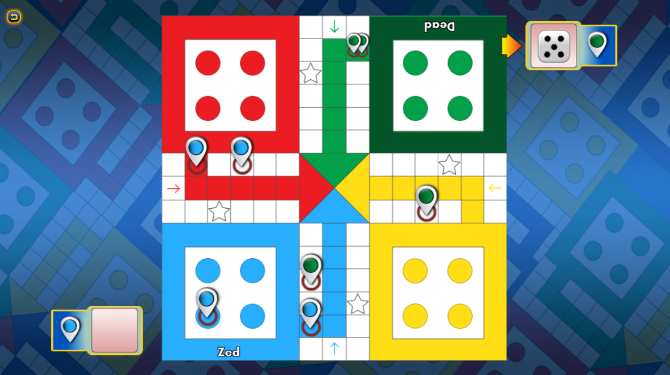
10. Ludo King

Ludo King

The old board game Ludo has turned into an internet phenomenon, and Ludo King is the best app to play it on. It features a number of ways to play with friends. You play locally with friends on the same computer, or play with friends on a different computer or mobile app. Yep, you can be on a browser while your friends use the Ludo King app.

Ludo is a simple dice-based game and you’ll pick up the rules in no time. The objective is to get your four pins from the starting point to your “house.” Along the way, kill friends’ pins by landing on the same square they’re on, and avoid their attempts to get you.

On a browser, you can only play Ludo King through Facebook. So you’ll need a Facebook account, which also lets you find friends on the social network who are playing the game. But you can also invite friends using the app, who aren’t on Facebook.

  • Facebook account necessary
  • A maximum of four players
  • Players play simultaneously
  • Play with friends online on different computers, or play with friends locally

 11. 8Ball Online

8Ball Online

8Ball Online is one of the quickest ways to start a game of pool online, but it’s tricky to play against a friend. You will both need to be using the game at the same time, and hope to get matched. You can log in with your Facebook or Google account, but signing in isn’t necessary.

It’s unclear why 8Ball Online doesn’t have a simple option to select an opponent or invite a friend. Thankfully, there aren’t too many people online, so you should be able to set up a game in a few tries. The game’s physics are fantastic, and there’s a helpful indicator to show where the ball is likely to go.

  • No sign-up necessary
  • A maximum of two players
  • Players play in turns
  • Play with friends online on different computers

12. JigsawPuzzles.io

JigsawPuzzles.io

How about solving a giant jigsaw puzzle online with a friend? JigsawPuzzles.io offers a variety of puzzles to choose from, and it’s easy to set up and use. To start your own private session, you’ll need to log in with your Google, Facebook, or Twitter account. Then you get to choose the type of puzzle (nature, animal, street art, etc.), the size (how many pieces it will have), and who can help you solve it.

Once it’s set up, send the link to your friends and begin. There’s a handy text chat within the game to talk live. Drag-and-drop pieces into the puzzle with your mouse, and you’ll see friends doing it too. JigsawPuzzles.io assigns each player a different color to keep track of the moving hands. The game also automatically saves progress in case you have to stop midway and come back to it later.

We aren’t sure how many people can try to solve the online jigsaw puzzle simultaneously, but in our tests, three friends could smoothly play at the same time.

  • Best with sign-up, but can play without sign-up too
  • At least three players
  • Players play simultaneously
  • Play with friends online on different computers

The Best Free Browser Games to Kill Time

This is a solid list of brilliant multiplayer games you can play online with friends. The problem is that you won’t always have a friend who is free to play games online. In which case you should scour our list of the best free browser games to kill time.

Read the full article: 12 Free Online Games You Can Play With Friends Anywhere


The 6 Best Sites for Hiring Freelance Programmers and Coders


hire-programmer-freelancer

If you’re in search of a freelance programmer, you’re not alone. It’s becoming very common to hire programmers by project instead of full time.

This is great for one-off projects because you only pay for results. It’s also great for freelance programmers since they can work on the projects that interest them. In general, you’ll spend less on hiring costs, get better results,  and you can hire a freelancer for long-term and short-term projects.

Finding coders for hire is easy, but how do you uncover the most qualified freelancers? Try these sites to rent a coder perfect for your project.

1. Toptal

Toptal Hire Freelance Programmer

The freelance market has a poor reputation for being a race to the bottom. Everyone undercuts everyone else, resulting in some workers who will take on a job for unlivable wages. It can be difficult to find competent coders.

Toptal came up with a solution to that dilemma. Instead of allowing anybody to create a profile, Toptal prides itself on its intensive screening process. Only the top 3% of all applicants are accepted. Only freelancers serious enough about their brand as businesses make the cut.

The screening process includes a language and personality interview, an in-depth skill review, a practical exam, and test projects through which applicants demonstrate their professionalism and work ethic.

Toptal features freelance developers, designers, and project managers. You can find freelance coders for Java, PHP, C#, iOS, Python, and WordPress.

Toptal is trusted by AirBNB, DuoLingo, Shopify, Motorola, and Zendesk.

2. Guru

Guru Hire Freelance Programmer

Guru is a global network of over 3 million freelancers, and almost half of them are listed in the fields of IT, web development, and software development. If you want to find a programmer to hire you can look through an extensive database of coders that are available.

Everything is handled through Guru’s platform. You can seek out specific workers or you can put out a listing and have workers apply to you. All communication, agreements, milestones, tasks, and document sharing is done on the site itself. Payments are held in escrow by Guru so that you don’t have to risk losing money for unfinished or unsatisfactory work.

Guru does not charge to post jobs, although there is a small percentage taken from the invoice as a handling fee.

3. Upwork

Upwork Hire Freelance Programmers

Remember Elance and oDesk? In 2015, they both joined forces to become Upwork, which is now the largest online freelancing platform on the web. The sheer volume of freelancers available means you can find quality work at a competitive price.

Much like other freelance apps, you can post a job or search through a database of freelancers.

Payments are handled through Upwork’s escrow system so you never pay unless the job is done. If a problem does present itself, there is a program to resolve disputes through Upwork. Communications, milestones, and time-tracking can all be done through the Upwork platform.

Upwork needs a little more screening if you’re looking for top talent. You may get a lot of applications so be sure to vet your coders properly for best results. Upwork touts clients like Microsoft, Airbnb, Bissell, and G&E.

4. Freelancer

Freelancer Hire Freelance Programmers

Freelancer boasts over 42 million freelancers on-demand for you to screen and hire. Although there are many categories of jobs available to fill, Freelancer caters to programming more than others. You can find web developers, software developers, mobile app developers, website designers, and more.

Just post a job listing and wait for freelancers to make bids. Once you hire the programmer you need, you can use the platform’s built-in chat system, support system, time tracker, and mobile apps to stay on top of the bid. Payments are held in escrow until the work is complete.

Freelancer gives you more specific job categories to narrow down available programmers. Instead of searching for web developers, you can specify HTML5. You can search for a specific language like Python or Java instead of just programmers.

5. Remote.co

Remote.co Hire Freelance Programmers

Remote.co is a website that promotes a remote-working lifestyle. Some of the top companies in the world promote remote working lifestyles, so sites like these gain traction very quickly. So far we’ve covered sites with impressive databases of coders for hire, Remote.co focuses more on listing jobs.

You find freelancers on Remote.co by posting a job to their platform, and an audience of freelancers will apply accordingly. There isn’t an interface to manage payments like a traditional freelancer platform. For this reason, you should feel comfortable taking hiring into your own hands once you find the programmer you’re looking for.

There are remote job boards for developers, designers, project managers, quality assurance, and IT.

There is a fee to post a job to their site, so be aware of the expense and weigh it against your business need.

6. PeoplePerHour

Peopleperhour Hire Freelance Programmers

PeoplePerHour lets you post projects absolutely free and attract freelance coders. The freelancers that sign up are vetted by their moderation team to ensure higher quality freelancers to choose from.

Among the services you can hire for are programming, database programming, data science, software testing, mobile app development, and web development.

PeoplePerHour has a neat feature called “offers”. Freelancers can post fixed-price services that are smaller in scope. You can give freelance coders a trial run before hiring them for full projects.

Hire Better Freelance Programmers

As with most things in life, you get what you pay for with freelance coders. If you want top-notch work you’re going to have to pay healthy wages. In return, you get real programming talent worth their weight in gold.

Thinking like a freelancer can help you find the right places to single out talent. Check these job boards that target remote workers to find qualified help for your next project. Post your job in as many places as possible to boost your chances of discovery by the freelance programmer you’re looking for.

Read the full article: The 6 Best Sites for Hiring Freelance Programmers and Coders


You Can Now Host Watch Parties on Amazon Prime Video


Amazon has launched Watch Party. This is a new feature that lets you watch movies and TV shows with family and friends online. Amazon describes Watch Parties as “a fun new way to enjoy your favorite shows with your favorite people, wherever you are.”

Helping People Carry on Watching TV Together

With much of the world having spent the last few months locked down due to COVID-19, streaming services have had to react. First, they lowered bitrates to conserve bandwidth. Then, in an effort to help people socialize from home, some have launched new features.

Netflix has Netflix Party, Plex has Watch Together, and now Amazon has Watch Party. Which, as the name suggests, lets you watch movies and TV shows together online with up to 100 friends. You can even chat about what you’re watching together.

How to Host a Watch Party on Amazon Prime Video

To host a Watch Party on Prime Video, first, sign into Amazon on a desktop browser and head to the Prime Video section of the website. Then, find the movie or (individual episode of a) TV show you want to watch and click the Watch Party icon.

Next, enter the name you would like to use in the chat, and click Create Watch Party. Copy the link to your Watch Party and share it with family and friends. Then, once everyone has joined, start your Watch Party. NB: Only the host can control playback.

How to Fix Amazon Prime Video If It Isn’t Working

Watch Parties are currently only available in the US, with no plans to launch the feature elsewhere. As well as being in the US you’ll need to be an Amazon Prime member. Watch Parties are also only available on desktop browsers, with no mobile support.

If you run into any trouble while hosting (or participating in) a Watch Party, here’s how to fix Amazon Prime Video when it isn’t working. We can’t guarantee to fix the problem, but our troubleshooting guide should at least point you in the right direction.

Read the full article: You Can Now Host Watch Parties on Amazon Prime Video


Read Full Article

The 9 Best Weather Apps for Android


android-weather-apps

John Ruskin, one of the most famous art critics of Victorian England, once said that there is no such thing as bad weather; only different kinds of good weather. Unfortunately, if you’re stuck waiting for a bus that’s half an hour late on a wet and cold December morning, you’ll probably disagree.

Thankfully, weather forecasting has improved quite a bit over the last 20 years. So whether you’re a first-time weather app user or a fully-fledged weather addict, keep reading. We’ll introduce you to the best weather apps on Android so you’ll never be caught without an umbrella again.

1. 1Weather

1Weather is one of the most popular weather apps for Android. It offers 12-week extended forecasts, 48-hour detailed forecasts, hyper-local severe weather warnings, and other useful information such as the UV index, dew point, humidity, pressure, and visibility.

The app also includes 10 fully customizable widgets, Creative Commons background imagery, and access to live local radar with more than 25 layers. The app is ad-supported but you can pay a few dollars to remove them.

Download: 1Weather (Free, premium version available)

2. WeatherBug

Like Accuweather, WeatherBug is a long-time favorite of Android users. It was one of the first full-featured weather apps available for the platform.

One of its best features is a lightning alert that tells you exactly how far away a storm is and if you or your property is in danger of getting hit. It also has a home energy meter that calculates how much your heating or air conditioning bill is likely to be, which helps keep you comfortable during extreme conditions.

You also have access to a layered map that lets let you add information such as radar, humidity, pressure, wind speed, high/low forecast, and satellite imaging. Rounding out its feature set is access to traffic cameras that give you an immediate view of real-time weather in any given location.

Download: WeatherBug (Free, in-app purchases available)

3. Accuweather

Accuweather is another of the best weather apps on Android. Although most people only associate the brand with the smartphone app and website, the company has actually been in existence since 1962 when it started out offering weather forecasting services to private companies.

All the features you’d expect are present. You can get local and global weather forecasts, minute-by-minute live weather updates, and severe weather warnings.

Make sure you also check out the app’s real-feel feature. It analyzes several contributing factors to tell you what the temperature feels like outside, even if that’s different from the thermometer reading.

Download: Accuweather (Free, in-app purchases available)

4. The Weather Channel

Unsurprisingly, The Weather Channel app is a popular source for Android weather. It’s the official offering from the US weather TV network of the same name.

The app offers the standard fare of hourly, 36-hour, and 10-day forecasts, along with the temperature, humidity, dew points, sunrise and sunset times, wind speeds, UV indexes, visibility, and barometric pressures. It really comes into its own, however, with some of the additional features.

They include pollen indexes, a “running index” so you know whether it’s a good time to go for a jog, a hurricane hub, rain alerts, and a full-featured radar.

Download: The Weather Channel (Free, in-app purchases available)

5. Yahoo Weather

Yahoo Weather is one of the few Android weather apps that doesn’t offer in-app purchases to unlock all its features—it is completely free to use.

It offers 10-day and 24-hour temperature forecasts, interactive live radars, satellite maps, wind maps, heat maps, the UV index, pressure readings, and severe weather alerts.

Along with 1Weather, Yahoo Weather has some of the best Android weather widgets; they’re great for people who like to monitor the weather conditions directly from their device’s home screen.

Another popular feature is the awesome photos that appear throughout the app. They match your location, time of day, and current weather.

Download: Yahoo Weather (Free)

6. Hurricane Tracker

Hurricanes are an annual reality for a large amount of the world’s population. And sadly, those who live in cities such as Tampa, Miami, Houston, and New Orleans are some of the most at-risk people on the planet.

Hurricane Tracker is the best hurricane-focused app in the Google Play Store. It offers real-time updates from the National Hurricane Center during major storms, impact potential maps, access to more than 65 tracking tools and radar overlays, satellite images, and written articles from the company’s team of hurricane experts.

The app only covers hurricanes in the Atlantic and Eastern Pacific basins. If you live in Asia or Australia, you’ll need to use other resources.

Download: Hurricane Tracker ($3.99, in-app purchases available)

7. Today Weather

If you’re a weather affocionado, chances are that you’be heard about the demise of the once-popular Dark Sky weather app on Android. In mid-2020, Apple bought it; the app was subsequently delisted from the Google Play Store.

What’s perhaps less well-known is that a lot of weather apps rely on Dark Sky’s API for their forecasts. The API will stop working in mid-2021, and its shuttering threatens to shake up the market.

If you want to future-proof yourself, check out Today Weather. Not only is the app packed with useful features, but it draws on more than 10 APIs for its data, including the Australian Bureau of Meteorology, National Weather Service, Accuweather, and Open Weather Map.

Dark Sky is still currently one of the 10. But all the backups mean you won’t notice a difference when Apple eventually turns off the API.

Download: Today Weather (Free, in-app purchases available)

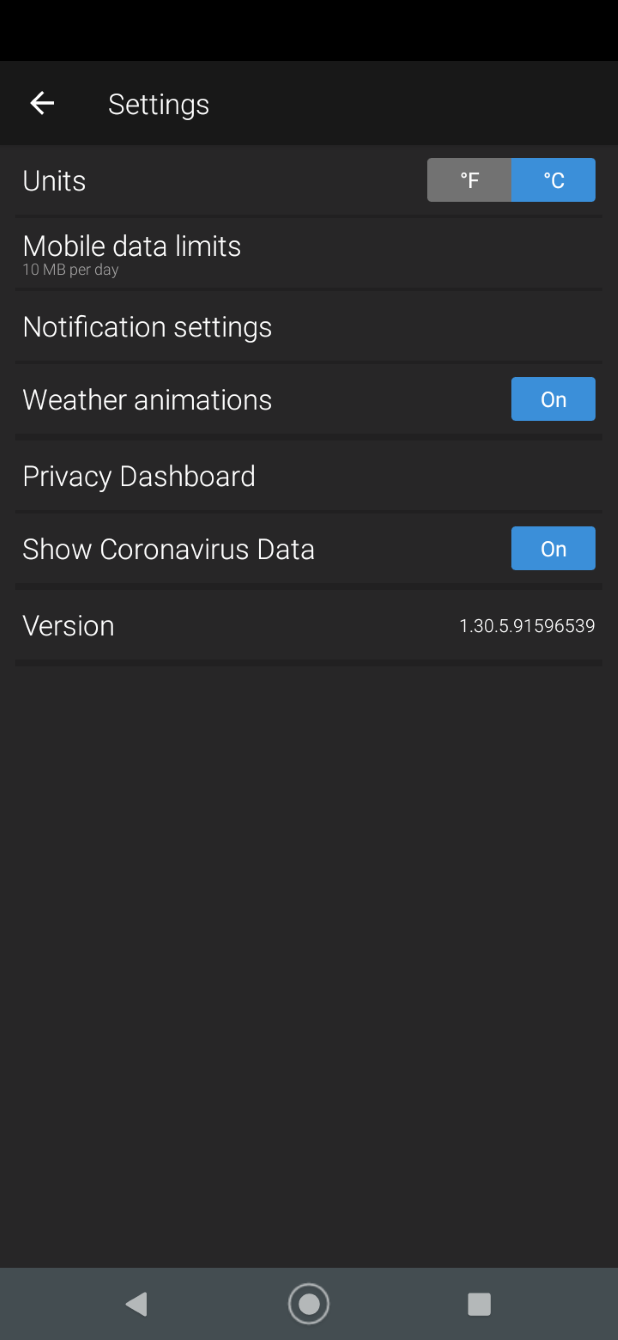
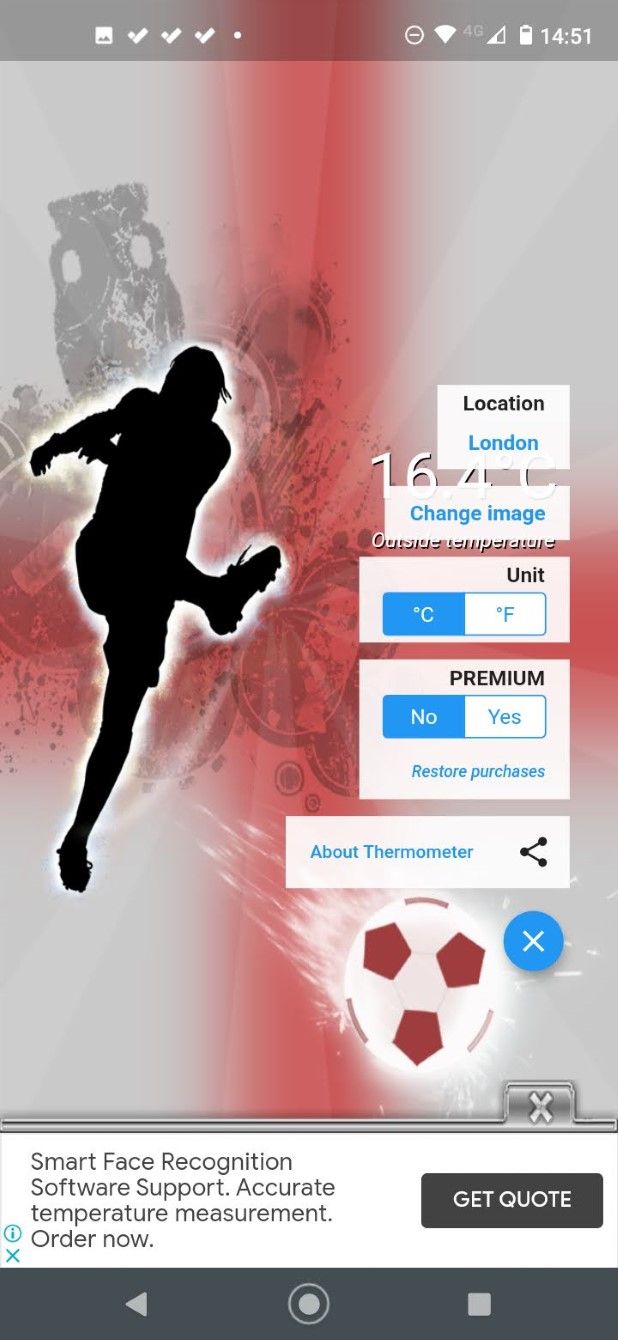
8. Thermometer

Thermometer, obviously, doesn’t function as an actual thermometer. But it is the only Android weather app that pinpoints your exact location and delivers a temperature reading accurate to the nearest tenth degree. These temperature readings aren’t cached and they aren’t hours old—they’re current at the time you see them.

If all you care about is the temperature, Thermometer is the perfect app for you. The in-app purchases let you remove ads, provide faster readings, offer more themes, and give access to customer support.

Download: Thermometer (Free, in-app purchases available)

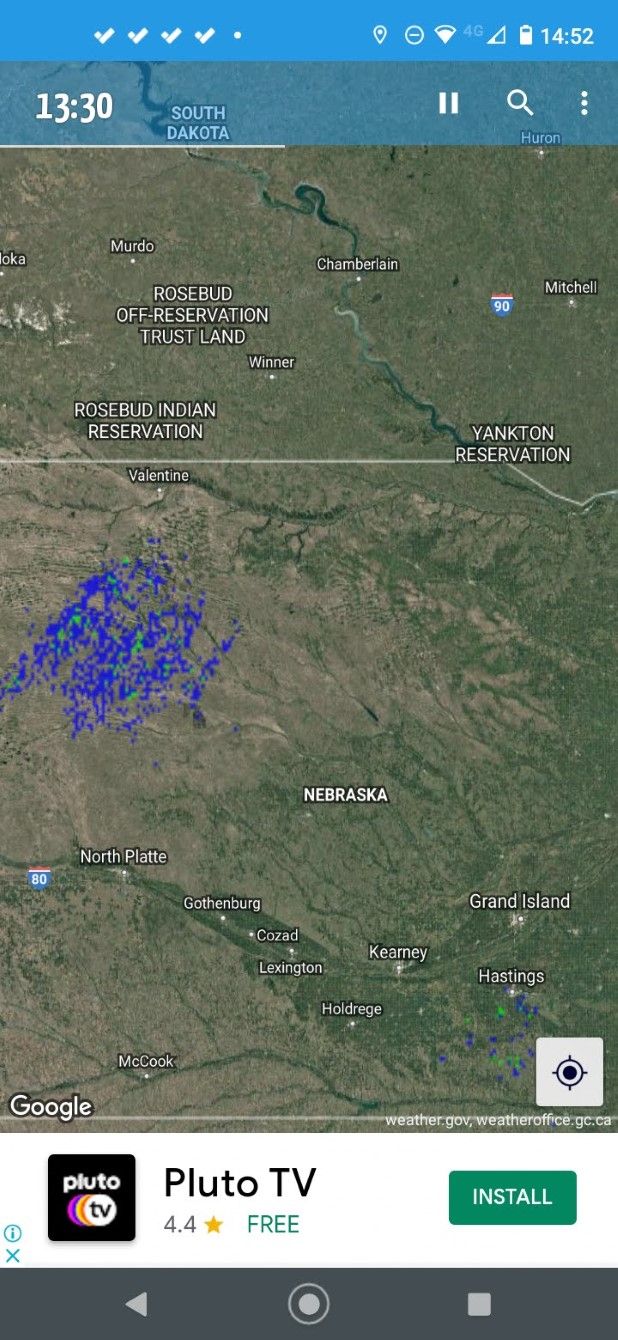
9. Rainy Days

Rainy Days is different from most Android weather apps in that it focuses specifically on the radar map. It doesn’t interpret the data for you or lay out forecasts and predictions. Instead, it shows you as much accurate radar data as it can, then lets you interpret it for yourself.

It pulls data from multiple sources and combines the data with Google Maps, providing you with a powerful system for navigating and interacting with the radar data. The app only supports Europe, the US, Africa, and Australia.

Download: Rainy Days (Free, in-app purchases available)

Does Weather Have to Be So Serious?

While all the apps we’ve recommended are feature-rich and well-presented, they are all fairly analogous. They have far more similarities than differences.

If you’d like to try something different, why not check out some of the best funny weather apps? They make even the worst weather forecast seem far more entertaining.

Read the full article: The 9 Best Weather Apps for Android


Read Full Article

12 Free Online Games You Can Play With Friends Anywhere


two-player-games-onlne

If you’re looking for free online games to play with friends you’ve come to the right place. Whether you want to play locally on the same computer or remotely on different computers. With these online multiplayer games, you can enjoy a little downtime with nothing but a browser window.
Browser games have come a long way in terms of graphics. Whether it’s 1v1 games or multiplayer team-ups, modern browsers can support any of these games. However, since Adobe is killing Flash, the games in this list are based on other technologies such as Unity and HTML5.

Online Games to Play With Friends on the Same Computer

These games see you face off against a friend online while sat at the same computer…

1. 8 Ball Billiards Classic

8 Ball Billiards Classic

It might be called 8 Ball Billiards Classic (8BBC), but the game is actually good old pool. You play in turns, and have to pocket stripes or solids depending on which type you first sink into a hole. Although it’s a mouse-based game, it’s surprisingly easy to play on a laptop touchpad too.

First, you have to line up the shot using the guideline indicators. Then, move the mouse to the strength meter, and pull back the stick to the desired amount of power you want to hit with. It’s one of the best free pool games to play with friends online.

  • No sign-up necessary
  • A maximum of two players
  • Players play in turns
  • Play with friends online, but on the same PC

2. Gunball!

Gunball

Gunball is like soccer… but with guns! In this pixel-art game, you and your friend control two on-screen characters. Each has a gun and a goal post to protect, and there’s a big red ball in the middle. Shoot the ball into the opponent’s goal to score a point. The first to score five points wins.

This browser game is a great example of how the simplest gameplay mechanics can still be super entertaining. You’ll need to move around the screen rapidly to shoot and defend at the same time, as the keyboard struggles with two people fighting on it.

  • No sign-up necessary
  • A maximum of two players
  • Players play simultaneously
  • Play with friends online, but on the same PC

3. Firefall

Firefall

Comet-like fireballs are falling from the sky. You play as the blue or red square smiley on the ground. Move left and right to avoid being burnt to a crisp. Sounds easy, right? Even when the speed of the fireballs increases, the game is not too difficult to play.

What makes it difficult is the two-player competition. This is because your opponent can’t go beyond you. So use your character to push and/or block your opponent as a fireball rains down upon them. It’s a deliciously evil online game to play with friends.

  • No sign-up necessary
  • A maximum of two players
  • Players play simultaneously
  • Play with friends online, but on the same PC

4. Gravity Shift

Gravity Shift

Most two-player online games focus on a 1v1 dynamic. Instead, Gravity Shift makes you team up for a common goal of solving physics-based puzzles. Each player controls an on-screen character, one with the W, S, A, D keys and the other with the arrow keys.

In each level, you need to move the characters so that all buttons are pressed to open the portal to the next level. There are gravity inverting tiles, where you can change your character’s gravity. It’s all about coordination and puzzle-solving as a team.

  • No sign-up necessary
  • A maximum of two players
  • Players play simultaneously
  • Play with friends online, but on the same PC

5. Money Movers

Money Movers

Here’s another online game to play with friends as a team. In Money Movers, you play as two brothers who have to stage a daring jailbreak. Each level takes you further out of prison, as you use the abilities of each brother to solve the puzzle and get to the exit.

The big burly brother can pick up and throw objects, but has limited movement. The little brother has speed and jumps high. Using a combination of their abilities, you need to flip switches, avoid or incapacitate guards, and think of clever ways to get out of a jam.

Some levels are quite tough, and you and your friend will have a great time trying to figure it out. As they say, two heads are better than one.

Plus, once you’re done with the game, there are two sequels to enjoy. Check out Money Movers 2 and Money Movers 3.

  • No sign-up necessary
  • A maximum of two players
  • Players play simultaneously
  • Play with friends online, but on the same PC

6. Pong 2

Pong 2

Pong 2 is an online recreation of the classic game of Pong. Each player controls one paddle on opposite sides of the screen, while the ball zips back and forth in between. Once you load the game, it works offline too through the browser’s cache. Pong 2 is one of the best online Pong games because of how it lets you customize the settings.

You can customize the ball speed and the paddle speed for both players. We recommend 15-20 for the ball speed, and 10 for paddle speed. You can also change the background and the color of the paddles. Set an objective of points to declare the winner, and begin playing. One player controls with the up and down arrow keys, while the other uses W and S.

  • Sign-up not necessary
  • A maximum of two players
  • Players play simultaneously
  • Play with friends online on the same PC

Online Games to Play With Friends on Different Computers

These games let you face off against your friends online while using different computers…

7. Battleship Online

Battleship Online

There are plenty of ways to play online Battleship for free, but this one is our favorite. The rules stay the same as always. Invite your friend by sending a link, set up your 10×10 grids with different battleships, say you’re ready, and begin.

Click anywhere on your friend’s grid to try and sink his battleships, and keep playing until one of you is out of ships. If you don’t have a friend online, play a random game with a stranger. There are always people online looking for a quick game.

  • No sign-up necessary
  • A maximum of two players
  • Players play in turns
  • Play with friends online on different computers

8. Lichess

Lichess

If you want to engage in a battle of wits, there is nothing like a game of chess. Lichess is perhaps the best browser game of chess if you want to quickly jump into a game with a real person without even signing up.

The graphics are pleasing to the eye, and you can try different time intervals. Plus, there’s a chatroom, game modes (like Chess960, Antichess, King of the Hill, etc.), and even an analysis board. Our favorite feature is that you can request to take back a move, which is wonderful when playing a game between friends.

  • No sign-up necessary
  • A maximum of two players
  • Players play in turns
  • Play with friends online on different computers

9. Speed Sudoku

Speed Sudoku

Sudoku is a fun brain-teaser, but you can make it competitive. That’s what Speed Sudoku is all about. Who would have thought that you can play Sudoku with friends online over the internet!

Sign up and create a new game or join an existing one. You can have a maximum of four players, but you can also play between the two of you. Password-protect your game to keep it private. While you’re solving, you will also see the other players’ progress in terms of percentage, which keeps your competitive engine running.

  • Sign-up necessary
  • A maximum of four players
  • Players play simultaneously
  • Play with friends online on different computers

10. Ludo King

Ludo King

The old board game Ludo has turned into an internet phenomenon, and Ludo King is the best app to play it on. It features a number of ways to play with friends. You play locally with friends on the same computer, or play with friends on a different computer or mobile app. Yep, you can be on a browser while your friends use the Ludo King app.

Ludo is a simple dice-based game and you’ll pick up the rules in no time. The objective is to get your four pins from the starting point to your “house.” Along the way, kill friends’ pins by landing on the same square they’re on, and avoid their attempts to get you.

On a browser, you can only play Ludo King through Facebook. So you’ll need a Facebook account, which also lets you find friends on the social network who are playing the game. But you can also invite friends using the app, who aren’t on Facebook.

  • Facebook account necessary
  • A maximum of four players
  • Players play simultaneously
  • Play with friends online on different computers, or play with friends locally

 11. 8Ball Online

8Ball Online

8Ball Online is one of the quickest ways to start a game of pool online, but it’s tricky to play against a friend. You will both need to be using the game at the same time, and hope to get matched. You can log in with your Facebook or Google account, but signing in isn’t necessary.

It’s unclear why 8Ball Online doesn’t have a simple option to select an opponent or invite a friend. Thankfully, there aren’t too many people online, so you should be able to set up a game in a few tries. The game’s physics are fantastic, and there’s a helpful indicator to show where the ball is likely to go.

  • No sign-up necessary
  • A maximum of two players
  • Players play in turns
  • Play with friends online on different computers

12. JigsawPuzzles.io

JigsawPuzzles.io

How about solving a giant jigsaw puzzle online with a friend? JigsawPuzzles.io offers a variety of puzzles to choose from, and it’s easy to set up and use. To start your own private session, you’ll need to log in with your Google, Facebook, or Twitter account. Then you get to choose the type of puzzle (nature, animal, street art, etc.), the size (how many pieces it will have), and who can help you solve it.

Once it’s set up, send the link to your friends and begin. There’s a handy text chat within the game to talk live. Drag-and-drop pieces into the puzzle with your mouse, and you’ll see friends doing it too. JigsawPuzzles.io assigns each player a different color to keep track of the moving hands. The game also automatically saves progress in case you have to stop midway and come back to it later.

We aren’t sure how many people can try to solve the online jigsaw puzzle simultaneously, but in our tests, three friends could smoothly play at the same time.

  • Best with sign-up, but can play without sign-up too
  • At least three players
  • Players play simultaneously
  • Play with friends online on different computers

The Best Free Browser Games to Kill Time

This is a solid list of brilliant multiplayer games you can play online with friends. The problem is that you won’t always have a friend who is free to play games online. In which case you should scour our list of the best free browser games to kill time.

Read the full article: 12 Free Online Games You Can Play With Friends Anywhere


Read Full Article