Planet 13 is the world’s largest cannabis dispensary. Located in Las Vegas, blocks off the Strip, the facility is the size of a small Walmart. By design, it’s hard to miss. Planet 13 is upending the dispensary model. It’s big, loud and visitors are encouraged to photograph everything.
As part of the cannabis industry, Planet 13 is heavily restricted on the type of content it can publish on Instagram, Facebook and other social media platforms. It’s not allowed to post pictures of buds or vapes on some sites. It can’t talk about pricing or product selection on others.
Instead, Planet 13 encourages its thousands of visitors to take photos and videos. Starting with the entrance, the facility is full of surprises tailored for the ‘gram. As a business, Planet 13’s social media content is heavily restricted and monitored, but individual users have a lot more wiggle room.
Social media is a challenge for a lot of so-called vicetech companies. Social media companies often use a heavy hand when it comes to policy enforcement, and ancillary sectors suffer. When Instagram banned vaporizer companies, businesses in the medicinal and recreational fields were also removed.
Flexibits, the company behind popular calendar app Fantastical, is releasing Fantastical 3.0 on all platforms today — macOS, iOS, iPadOS and watchOS. New features include event proposals, interesting calendars, new calendar views and weather forecasts.
I’ve been using the app on my Mac, iPhone and iPad for a week. The main difference with Fantastical 2 is that the app is now exactly the same across all platforms. You’ll find the same feature set, the same interface and the same calendar syncing engine in all those apps.
“Think about it as one app and one platform that's called Fantastical,” Flexibits co-founder Michael Simmons told me.
Now that Fantastical is a unified platform, Flexibits is also switching to a unified pricing model. All apps are free with basic features and you have to subscribe to unlock everything. The free version doesn’t support adding tasks, adding events using the natural language parsing engine, etc.
The Mac app used to cost $49.99, the iPhone app used to cost $9.99 and the iPhone app used to cost $4.99. Now, you can subscribe for $4.99 per month or $39.99 per year to unlock apps on all platforms.
If you’ve been using Fantastical 2 in the past, you’ll keep all Fantastical 2 features with a few additions. You still have to subscribe to unlock the full feature set.
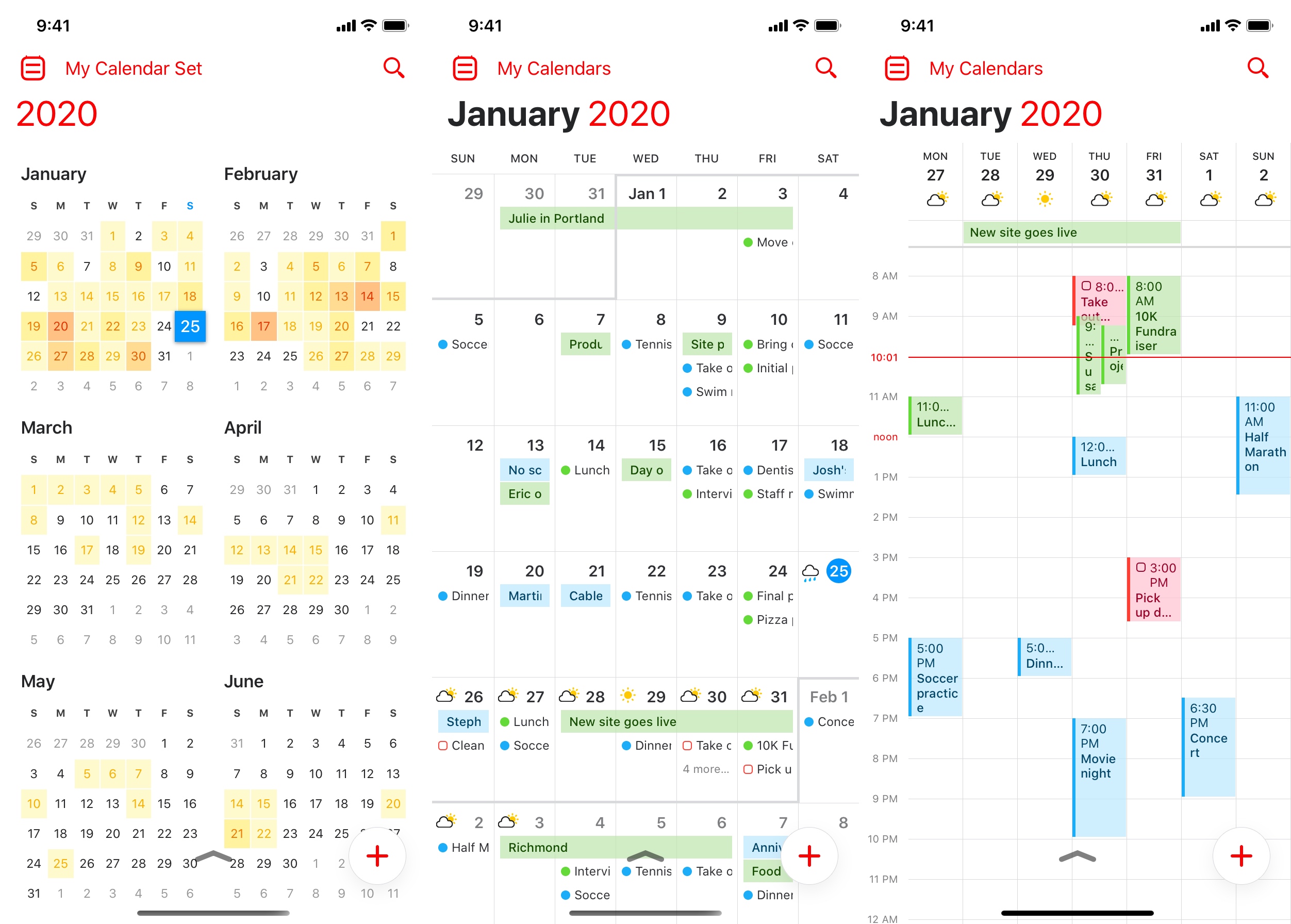
While the interface of the Mac app hasn’t changed much, the iPhone app is getting a nice design update. In addition to dark mode, you can now swipe up and down on the top area to switch from the default DayTicker view to a month view and to a full-screen vertical view.
That full-screen vertical view is a great addition. For instance, you can see a week view without having to rotate your phone to landscape, a month view with events details and a year view to quickly jump to another date.
I customized the full-screen week view to display the next four days so that I get larger columns and I can more easily see the details of my events. That view reminds me of Sunrise’s week view, a well-designed calendar app that shut down four years ago.
In the week and day view, you can also zoom in and out by pinching the screen. It’s a great way to see more details or see more hours. Overall, it’s a fluid user experience and I’m sure power users are going to love swiping their fingers across the screen.
Scheduling and a renewed focus on tasks
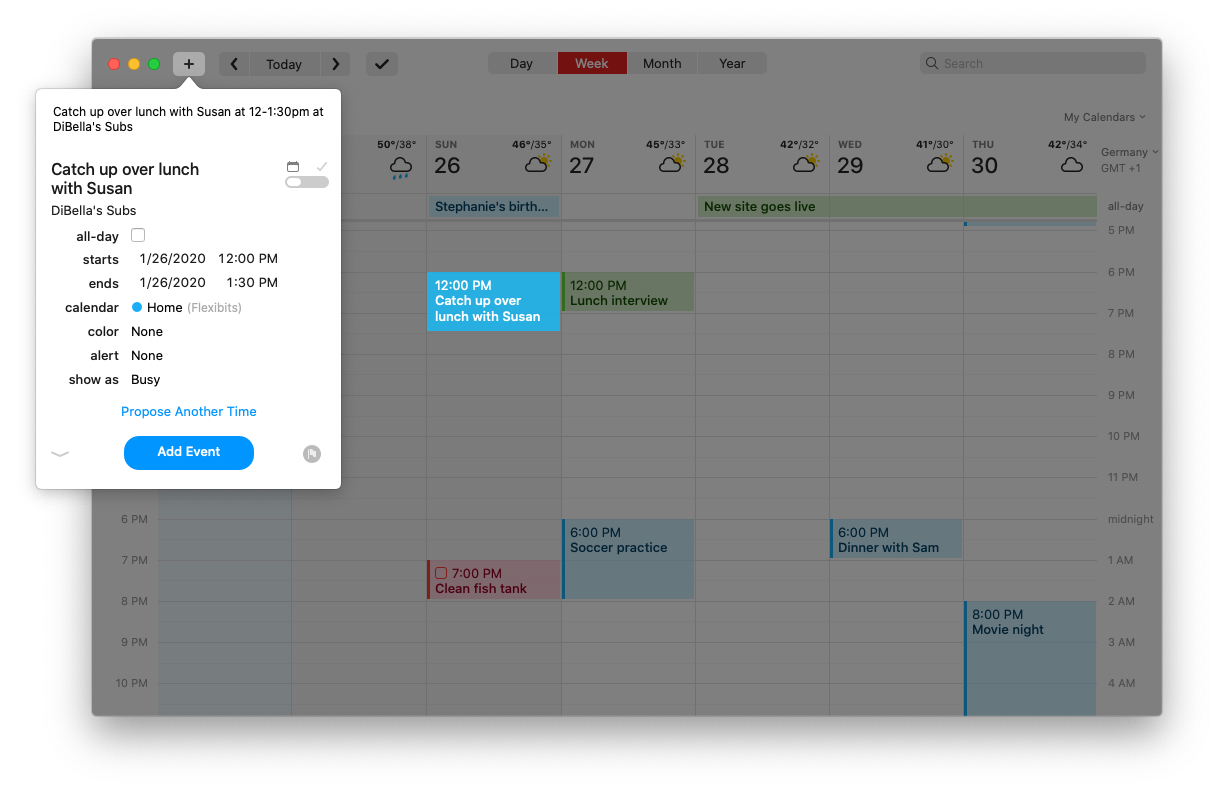
When it comes to new features, Fantastical now has a built-in meeting proposal feature. When you create an event, you can add other options if you haven’t decided on a specific time just yet. You can see all proposed events in your calendar with a “Proposed” label and your invitee receives an email with event details. When they select a date and time, your proposed events are replaced by a single event.
This feature works with a server back end. And Flexibits didn’t stop there with server-side features. For instance, one of the key features of Fantastical is calendar sets. That feature lets you toggle multiple calendars and task lists and save those settings as a specific view. Your calendar sets now sync across all your devices.
Task management has also been improved. In addition to iCloud Reminders support, Fantastical now also supports task lists in Todoist and Google Tasks.
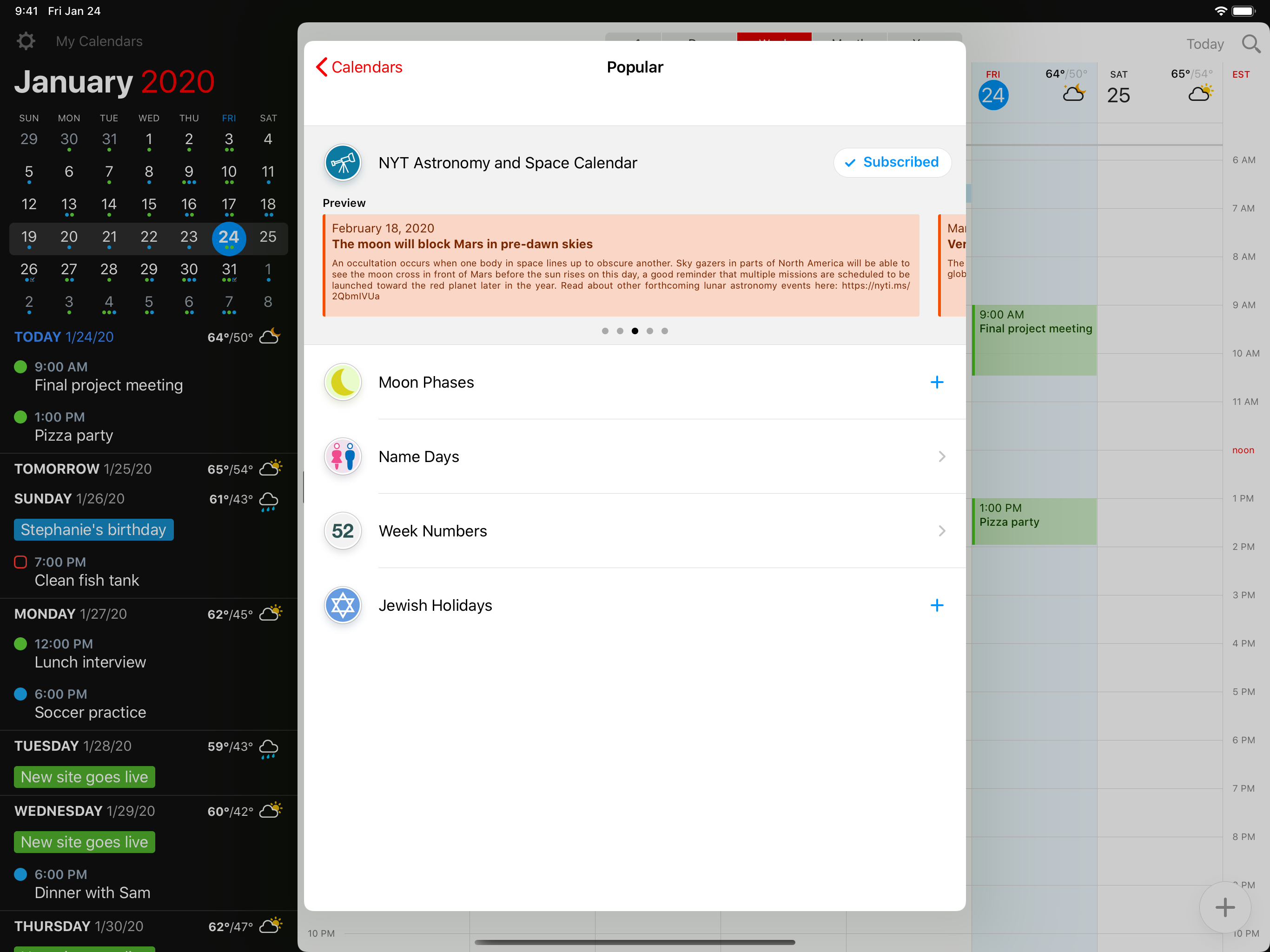
There’s a new feature called interesting calendars. Google Calendar users are familiar with that feature — it lets you add calendars for holidays, sports, TV, quarterly earnings, etc. The company has partnered with SchedJoules for those calendars.
Finally, you can enable weather forecasts in Fantastical. You can click on weather icons in the DayTicker or week view to check the weather in the coming days. If you’re traveling, you can also open an event to see the weather in that location at the time of your event. The company has partnered with AccuWeather for that feature.
Refining existing features
Flexibits is also using this opportunity to improve some of its most popular features. For instance, the natural language parsing engine has been updated. That feature lets you create events by typing a sentence. For instance, you can say “Team meeting tomorrow at 3pm” to create an event for tomorrow at 3pm called “Team meeting.”
Fantastical now automatically looks up names in your address book to add attendees. For instance, if you type “Lunch with Sarah on Monday at 1pm”, you get a dropdown menu and you can select Sarah in your contacts. She’ll be added as an attendee and receive a calendar invitation. Fantastical also tries to guess locations using the same system.
The natural language parsing engine also supports recurring events, selecting a specific calendar and adding alerts to your events. You can also create tasks by writing “todo Buy baguette tomorrow” for instance.
Another feature that is a nice quality-of-life improvement is Google Hangouts Meet and Zoom support. When you create an event, you can generate a Google Hangouts Meet or Zoom link to create a video-conferencing room associated to your event.
Behind the scene, the iPhone and iPad apps have received a huge upgrade as they now fetch your calendar data directly. They don’t rely on Apple’s calendar engine. Fantastical has a built-in calendar engine, just like the Mac app, which means the iOS app is no longer constrained by Apple’s API.
A new foundation
Switching to a subscription model is a risky move for Fantastical. The app now features live content with weather data and interesting calendars. And Flexibits has to pay those data partners to get this information.
But the main reason why a subscription makes sense is that the old paid app model doesn’t work anymore. Flexibits wants to ship updates more regularly instead of waiting 2 or 3 years in order to release a paid update with a ton of new features at once.
Fantastical 3.0 looks like a great foundation to build upon. Sure, subscribing for a calendar isn’t for everyone. But a ton of iPhone users looking for a free calendar app are going to download Fantastical now that it’s a free download.
And people who rely heavily on their calendar will subscribe. As a subscriber, you get a well-designed app that works so much better than Apple’s calendar app, Google Calendar or Microsoft Outlook.
GoDaddy has reached an agreement to acquire Over, the startup behind an app that helps businesses create the photos and videos they need for social media.
Justin Tsai, GoDaddy’s vice president of growth and product, said this acquisition is about acknowledging “a world of entrepreneurs who may never have a website.”
He told me, “Over’s capabilities really target those set of people, who may have an Instagram profile where they need to post visually engaging content but have never gone to GoDaddy.”
This follows GoDaddy’s relaunch of its website-building tools last fall under the new name Websites+Marketing, with additional features around email marketing, search engine optimization and maintaining a presence beyond your website, whether that’s on Facebook or Yelp.
Tsai said Websites+Marketing now has 1 million paying customers, but as more business started using it, “We started noticing users really had trouble creating great content as they go to those platforms. They didn’t know what to post or how to make that post really sing.”
That’s where Over comes in, offering a variety of customizable templates and layouts that should make it faster and easier to create eye-catching visual content. The goal, according to co-founder and CEO Matt Winn, is to “build guitars, not violins” — in the same way that someone can pick up a guitar and “strum a few cords,” they should be able to download Over and quickly “start creating really great content.”
In fact, the startup says it has more than 1 million active users of its own, who are using it to create more than 220,000 projects every day.
Tsai said GoDaddy and Over were initially discussing a partnership, but as it became clear that there was an opportunity to integrate the products more deeply, those discussions led to acquisition talks.
Over will continue to operate as a standalone app, and he said the team will continue to develop new features for the app. At the same time, they’ll be building integrations with Websites+Marketing, for example by taking Over and connecting it “into our insights tool to understand how different elements of [online] presence layer in together, to look at templates and how those actually help different types of small business owners.”
The financial terms of the acquisition were not disclosed. Winn said Over had previously raised funding from True Ventures and angel investors, and that the entire 76-person team will be joining GoDaddy. Over will continue to operate out of its Cape Town, South Africa headquarters.
Less than six months after it announced $40 million in funding, Attentive has raised another $70 million, this time in Series C funding.
The new round was led by Sequoia and IVP, two firms that were already part of the Series B. Previous investors Eniac Ventures and NextView Ventures also participated.
CEO Brian Long (who, along with his Attentive co-founder Andrew Jones, sold his previous startup TapCommerce to Twitter) told me that he wasn’t planning to raise money again so soon, but things were going even better than expected, with a client list has grown to more than 750 businesses, including Coach, Urban Outfitters, CB2, PacSun, Party City and Jack in the Box.
Long noted that it’s always smarter to raise money when things are going swimmingly, rather than dealing with the “not-so-fun process” of trying to raise “when you really need it.”
He added, “When you see that you’re doing that well, you think, ‘Hey, we should hire a lot more people to support this growth.’ And then the other piece is just being able to move faster into new areas.”
Long attributed the success Attentive has had thus far to the growing importance of text messages as a channel for businesses to reach consumers, particularly as those consumers are less inclined to open marketing emails or download retailers’ mobile apps. And in contrast to broader messaging platforms, Long said Attentive is “focused on just doing this channel right.”
He said the platform is designed to solve the main problems faced by retailers trying to build a mobile messaging strategy — first, by helping them create a text subscriber list in a way that complies with regulations, then by offering “the ability to send messages that frankly aren’t going to piss people off.”
“We want the messages to be relevant for the consumer, we want to send them things that they care about,” Long said.”The package is on the way, real-time customer service, a product that you were looking at recently is on-sale … There’s a lot of data that you can put to work in order to do it at scale.”
Looking ahead, he hopes to expand beyond the United States and Canada, and to move into industries beyond e-commerce — for example, into more traditional retail, and also to start working with colleges that are looking to attract more applicants.
“Attentive’s growth is a clear indication that people want to interact with brands in new ways, and brands are embracing messaging as an effective way to reach consumers,” said Sequoia partner Pat Grady in a statement. “We are thrilled to double down on our partnership with Attentive so they can continue to deliver fantastic results for their customers and valuable experiences for consumers.”
As we spend more and more time on our phones, working busier and busier jobs, and leading more and more overwhelming lives, personal connection with others is harder and harder to come by. HeyMama wants to change that.
The premium social network is aimed squarely at working mothers, looking to give them a space to connect, communicate, and learn from each other. The company has today announced the close of a $2 million in seed funding, with investors that include Rebecca Minkoff, Kori Estrada, Kathryn Moos, Janna Meyrowitz Tuner, Divya Gugnani, Alison Wyatt, Sari Azout, Kymberly Marciano, and Karen Cahn, who were HeyMama members pre-investment. Keith Billing also invested in the round.
HeyMama has several moving pieces, but the biggest and most important is the platform itself. The premium network gives members the chance to post to forums, as well as join and communicate with groups like “Tech Moms”, “Single Moms,” and “Moms Who Are Fundraising.” Perhaps most importantly, all members get access to the full HeyMama membership database, giving them the ability to learn more about other members and even email them directly.
Interestingly, HeyMama is a bit of a hybrid in terms of the value proposition. Moms can come in and ask about baby food recommendations and hunt for an engineer to join their company all in the same session. Founders Katya Libin and Amri Kibbler say that many members are looking for recommendations, whether they’re for professional or personal purposes.
Another piece of the business is HeyMama events. The company holds events in 11 cities across the country and earns revenue via brand partnerships. For example, Lincoln Motor Company is a sponsor for the 2020 mentorship event series.
Libin said that the offline component is a huge reason why many moms join, as there is no substitution for face-to-face connection.
As an added bonus, HeyMama negotiates membership perks for users, giving them a discount on interesting products and services.
The company says that 85 percent of its members come via word-of-mouth referrals to the network. When new users do submit an application, those applications are vetted by humans. The founders said that the acceptance rate is about 85 percent, with HeyMama primarily focused on bringing on new members that can also offer help, not just ask for it.
HeyMama membership costs $35/month or $349/year.
The company did not disclose specific numbers around membership, but did say that it has ‘thousands’ of members on the platform.
HeyMama actually came onto the scene in 2014 in the form of a social media account and online magazine. After realizing that working moms weren’t being served in the best way possible, the company pivoted to a premium social network in 2017 and the rest is history.
“This community is for ambitious women who are coming together to support each other,” said Kibbler. “These women are so incredibly busy, and on HeyMama they can give and get vetted recommendations on everything and know that the responses are coming from women that are like them.”
Y Combinator graduate OpenPhone is raising a $2 million funding round led by Slow Ventures. The company is working on an app that lets you seamlessly get a business phone number without a second phone or a second SIM card.
Y Combinator, Kindred Ventures, Garage Capital, 122WEST Ventures and others are also participating in today’s funding round.
Compared to Aircall and other enterprise solutions, OpenPhone targets small and medium companies who want a mobile-first, easy-to-use solution to take advantage of a second phone number.
For instance, if you’re a freelancer and you hate handing out your personal phone number, OpenPhone lets you separate your personal and professional life more easily.
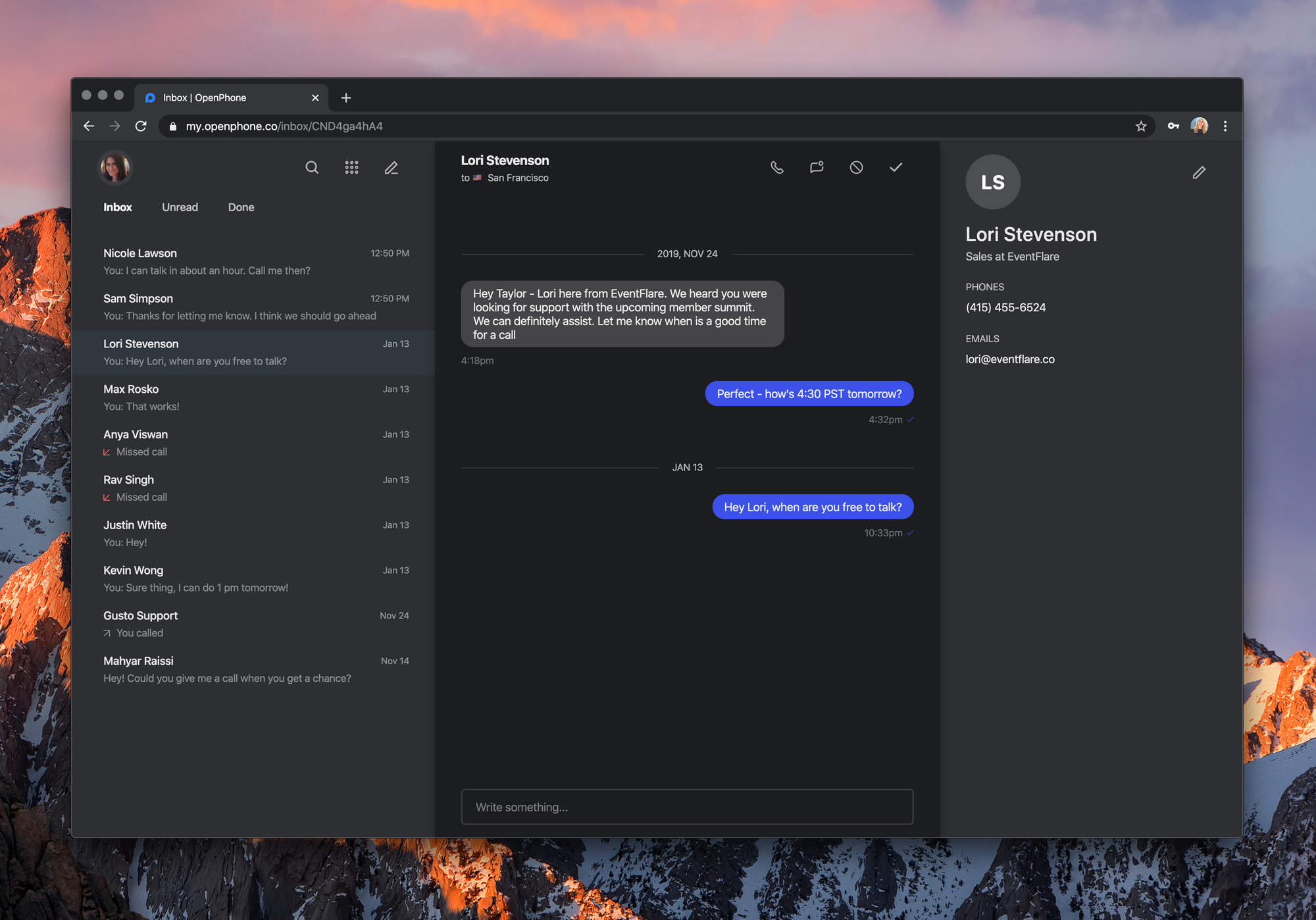
OpenPhone works on iPhone, iPad and Android. You can also use a web interface to interact with the app from your computer. It currently costs $10 per month per user. For that price, you get a local number, a toll-free number or you can port an existing phone number. 5,000 people are using OpenPhone right now.
You can then use that number for unlimited calls and texts in the U.S. and Canada. Behind the scene, OpenPhone uses your internet connection to establish voice-over-IP calls.
The startup has been working on collaborative features so that you can use OpenPhone with multiple users. For instance, you can share a phone number with other users so that your team can answer text messages faster and pick up the phone more often. The company has also launched a Slack integration that lets you receive a notification when somebody calls or texts your phone number.
Pinterest has launched a new feature called Try On. This uses augmented reality (AR) technology to let you virtually try on makeup before you buy it. Which should enable you to try different brands and shades before you spend your hard-earned money.
Millions of people use Pinterest for inspiration, and many go onto buy products through the social media site. The problem, as is the case with all online shopping sites, is that there’s no capacity to try things on before you buy them. Until now.
How Pinterest’s Augmented Reality Feature Works
Pinterest announced Try On in a post on the Pinterest Newsroom. According to Pinterest, Try On is designed to “help Pinners explore their style and shop on Pinterest.” And it does this by using augmented reality technology to let you try on makeup. Virtually.
Our new Try on feature is live!
Search "lipstick" on Pinterest today to…
?Try different lipsticks from different brands
?See shades that work with all skin tones
?Shop from top brands
Try On lets you try on different makeup, and then either “save for later shopping, or buy through the retailer’s site.” To use Try On, open the Pinterest camera while in Search, and then click “Try on”. A “Try on” button will also appear on selected products.
You can swipe up to shop from specific brands, including Estée Lauder, Sephora, Neutrogena, and L’Oreal. There are different shades available for all skin tones, and Pinterest won’t be using filters to smooth your skin or alter your appearance in any way.
How to Use Pinterest and Virtual Makeover Apps
Try On is available in the US on the Pinterest app for Android and iOS. It initially only lets you try on lipstick, but different types of makeup are coming soon. Try On will also become available in other countries and on different platforms later.
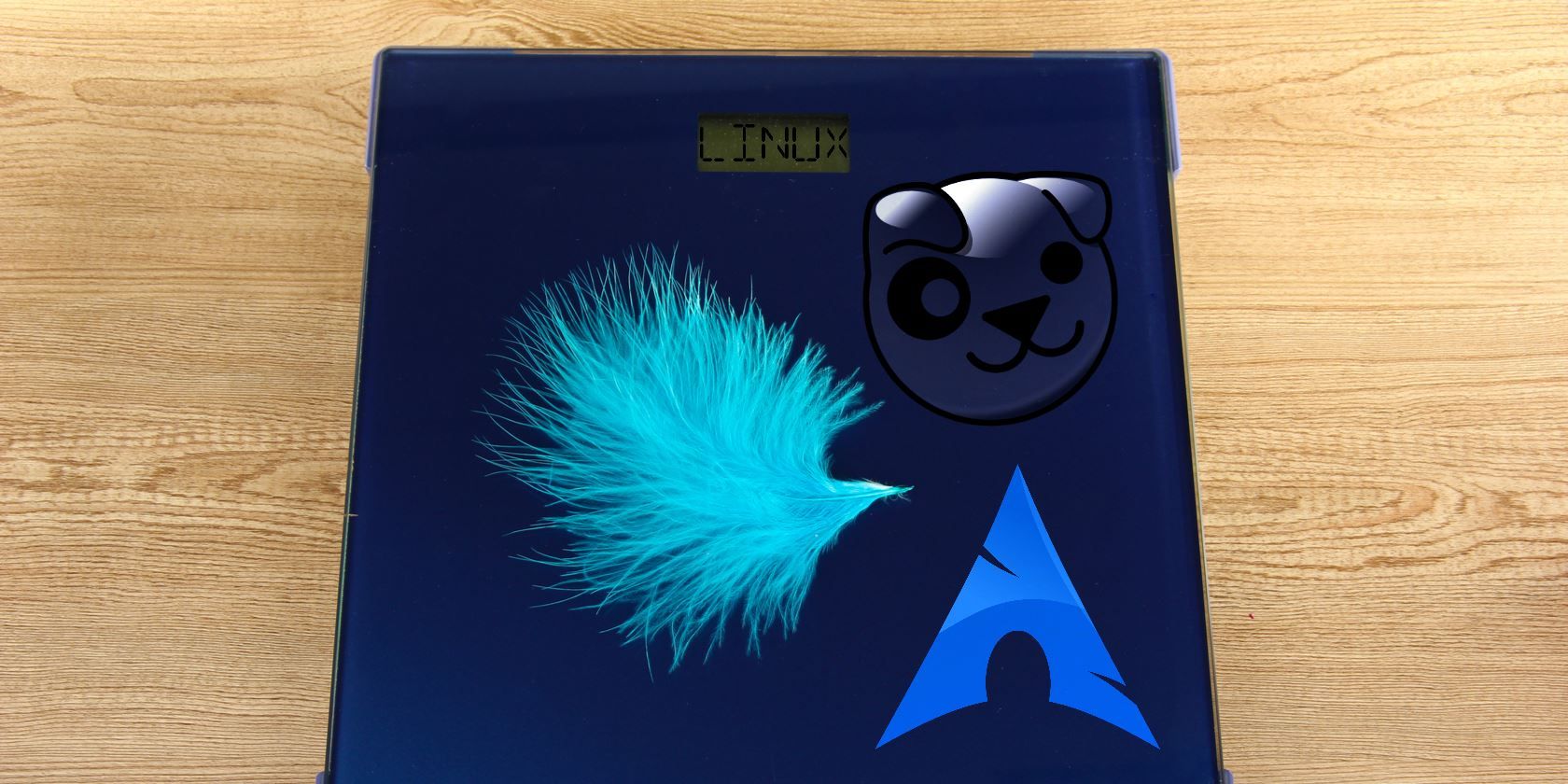
Old PCs can’t cope with the demands of modern operating systems and software. While upgrading hardware such as memory can help, the better solution is a lightweight operating system.
Many Linux distros are designed to be lightweight, with versions of Linux under 500MB and even under 100MB available.
If you’re looking for a lightweight operating system for your PC, try these compact, resource-light Linux distros.
Linux Distros Under 1GB
Most PCs currently ship with 4G of RAM or higher. If you need an operating system for an older machine, these Linux distros run on computers with less than 1GB.
Xubuntu is an Ubuntu derivative which uses the Xfce desktop environment. While Xubuntu may not boast the eye candy of GNOME, it does offer a snappy experience. To try Xubuntu, you only need 512MB of memory. With the Minimal CD, just 128MB is needed, making this the first Linux distro under 1GB to consider.
Meanwhile, a full install requires at least 1GB of memory.
As a branch of Ubuntu, Xubuntu therefore has access to the entirety of the Canonical repositories. It’s a fantastic distro that offers great features and applications with low system resource consumption.
Lubuntu aptly describes itself as “lightweight, fast, easier.” As the name suggests, Lubuntu is an Ubuntu derivative and like Xubuntu it allows access to the full Canonical repositories. Whereas Xubuntu utilizes the Xfce desktop, Lubuntu opts for the LXDE/LXQT desktop.
The Lubuntu website recommends 1GB of RAM for web services like YouTube and Facebook. If you’re merely browsing and using programs like LibreOffice, 512MB of RAM is enough.
The minimum specs for a CPU running Lubuntu is a Pentium M or 4, or AMD K8. That means support for many older computers. Additionally, Lubuntu comes packed with loads of apps including the LXTask system monitor, GNOME disk utility, MTPaint and much more.
Linux Lite is unsurprisingly a light Linux distro. Based on Ubuntu LTS and described as “simple, fast, and free,” Linux Lite has low memory requirements. Bundled apps include LibreOffice and VLC; Linux Lite may be light on system resources but it’s heavy on included features.
The minimum system spec for Linux Lite is a PC with a 1GHz CPU, 768MB of RAM, and 8GB of storage. Better performance can be enjoyed with a 1.5GHz CPU, 1GB of RAM and 20GB of space.
With its balance of function and efficiency, Linux Lite is a slimline distro that’s usable out of the box.
Zorin OS aims to make PCs faster while improving security and performance. Zorin OS Lite takes this a step further, reducing the already slimline system requirements of the main operating system.
You can install Zorin OS Lite on a system running a modest 700MHz single core processor, 32-bit, or 64-bit. The computer will need 512MB of RAM and 8GB of storage too. Zorin OS Lite can be run satisfactorily on a display with just 640×480 pixel resolution.
If you’re looking for something that performs well and has a Windows-like feel for your old PC, Zorin OS Lite is ideal.
Arch Linux abides by the KISS mantra: keep it simple, stupid. Available in i686 and x86-64 varieties, Arch Linux is lightweight and easy to use. You’ll need a PC with at least 512MB of RAM, with 800MB of disk space. A Pentium 4 or later is recommended, although some older CPUs can run Arch Linux.
Notable Arch Linux derivatives include BBQLinux and Arch Linux ARM which can be installed on the Raspberry Pi.
While your PC hardware may be old, Arch Linux operates on a rolling-release system for current, continuous updates.
Linux Operating Systems Under 500MB
If you’re running a PC from the 2000s, it like has inadequate RAM installed for a modern OS. Try one of these operating systems for a machine with less than 500MB of RAM.
Released as a community-driven continuation of the famously low-spec CrunchBang Linux distro, Helium is based on Debian 9.
Employing the Openbox window manager and conky system monitor, Helium features an assortment of GTK2.3 themes and conky configurations. This lets you customize how the desktop looks, creating a unique environment.
Helium is available for 32-bit, 64-bit, and ARM architectures. Your PC should have at least 256MB of RAM, and a 10GB hard disk drive. Note that different installation options result in slightly differing disk usage—installation from the live ISO uses 2.1GB, for example. Similarly, adding different applications at installation will result in a different storage footprint.
As with the Debian system requirements, the lowest spec CPU you can use is a Pentium 4 1GHz chip.
Porteus is a Linux distro optimized for use as a live CD, to boot from a flash drive or CD. You can also install Porteus on a hard drive.
With 32-bit and 64-bit options, Porteus is one of the best Linux distros for aging PC hardware. Capable of booting up in just 15 seconds, Porteus takes up just 300MB of storage space.
Porteus can even be loaded into RAM and run purely from the system memory. Because Porteus is Portable and modular, it can be used on a variety of computer types.
Dubbed the Enlightened Linux Distribution, Bodhi Linux derives from Ubuntu LTS. Its main design principles revolve around minimalism and the Moksha desktop. The default application array requires a measly 10MB of space.
The minimum system requirements are 256MB of RAM, 5GB of hard drive space, and a 500MHz processor. Even the recommended specs (512MB RAM, 10GB of drive space, a 1GHz processor) are rather forgiving.
Trisquel is an Ubuntu LTS derivative. The GNU distro uses Ubuntu packages with a GNOME 3 Flashback-based desktop environment. Trisquel Mini is an alternate iteration specifically crafted for netbooks and under-powered PCs.
The LXDE desktop environment, X Window System, and GTK+ graphical displays ensure that Trisquel runs well even on older hardware.
While Trisquel Mini may be small, it’s packed with Linux apps including AbiWord, GNOME MPlayer, and Transmission.
Any PC built since 1999 should run Trisquel Mini. It requires just 128MB of RAM for the 32-bit version (256MB for 64-bit) and 3GB of storage. AMD K6 and Intel Pentium II processor architectures are the earliest supported.
Linux Distros Under 100MB
Need to use an old, modest computer, perhaps from the last century? Try one of these amazing Linux distros intended for systems with less than 100MB of RAM.
Looking for a fast, easy to use distro? Puppy Linux is a perfect lightweight OS for an old laptop or PC. Boasting a minuscule footprint, Puppy Linux may be booted straight from a flash drive or CD. Further, Puppy Linux can even live in-memory.
Boot up typically takes less than a minute, even on older hardware. The default ISO is about 100MB, and with OpenOffice installed Puppy Linux is still under 300MB (around 256MB).
Puppy Linux is great as a full install, or simply as a live CD to use on guest PCs. There’s even a version of Puppy Linux for the Raspberry Pi, called Raspup.
Another version of Puppy Linux, Macpup boasts a similarly tiny footprint and is even small enough to run in RAM. However, despite its small footprint, Macpup Linux is a full-fledged distro. A nice selection of office, multimedia, and graphics apps transform your old PC hardware into a new computer.
The name “Macpup” derives from the use of a macOS-like dock across the foot of the desktop. Other desktop elements are less Mac-like.
Macpup Linux is binary compatible with Ubuntu Precise packages. Additionally, Macpup Linux contains the same apps as Precise Puppy, along with Firefox.
If you’re seeking to rejuvenate that old PC and stay secure, check out the uncompromising SLiTaz. While this Linux distro is lightweight, it is also high performance, suited as much for running from a live CD as from a disk drive.
Install SliTaz on aging PCs, servers, and even tiny ARM devices like the Raspberry Pi. You can even roll your own version.
The root filesystem is a mere 100MB, and the ISO image is less than 40MB. Neat features include an FTP/web server powered by Busybox, Dropbear SSH client, SQLite, and the Openbox desktop running on Xvesa/Xorg.
The long-running Slackware distro is the basis for this simplified approach to Linux, capable of running on most hardware. Absolute Linux bundles Kodi, Inkscape, GIMP, and other popular applications into the installer, with a minimalist approach to the desktop.
This distro is “version-compatible” with Slackware, which means software packages for Slackware should run on Absolute Linux.
Like Slackware, Absolute Linux can run on 32-bit and 64-bit systems, with support for Pentium 486 CPUs. 64MB of RAM is supported (1GB recommended) with 5GB of HDD space free for installation.
This makes Absolute Linux ideal for older hardware, although for the best results on ancient PCs, rely on pure Slackware.
The Core Project is a Linux project offering a barebones experience to which you can add your own elements.
Ideal for desktop users, the TinyCore distribution features the basic Core system, X/GUI extensions for a desktop environment, and network support.
TinyCore is just 10MB and can be stored on, installed from, or simply run on, a USB stick, embedded devices, or a CD with very little space left. Additionally, it can run with just 48MB of RAM. From this modest starting point, you can add the software you need to get your old PC up and running.
While smaller versions of Core are available, TinyCore is ideal for desktop and laptop computers.
Amazing Lightweight Linux Operating Systems!
While these may be the top Linux distros to breathe new life into your old PC, there’s no shortage of alternatives.
To recap, the best lightweight Linux distros for an old PC are:
Linux Distros Under 1GB
Xubuntu
Lubuntu
Linux Lite
Zorin OS Lite
Arch Linux
Linux OS Under 500MB
Helium
Porteus
Bodhi Linux
Trisquel Mini
Linux Distros Under 100MB
Puppy Linux
Macpup Linux
SliTaz
Absolute Linux
Tiny Core Linux
Whichever distro you decide to install, don’t forget to protect it with solid antivirus software. Here are the best free antivirus programs for Linux to choose from.
Of the many different ways to root an Android phone, Magisk is arguably the best. It’s a systemless method, meaning it doesn’t actually change Android’s system partition. Because of this, you can unroot in an instant.
It also supports Magisk modules. These tiny apps tweak, enhance, and add functionality to your device. You can use them for everything from improving battery life to installing iOS emojis on your Android phone.
In this guide we’ll show you the best Magisk modules and how to set them up.
How to Intall and Use Magisk Modules on Android
If you aren’t already set up, follow our in-depth guide on how to root with Magisk. If your phone is already rooted with the older SuperSU method, you can unroot and then reroot with Magisk.
There are two ways to install Magisk modules, depending on where you source them. Both use the Magisk Manager app and are straightforward.
Installing Magisk Modules: Method One
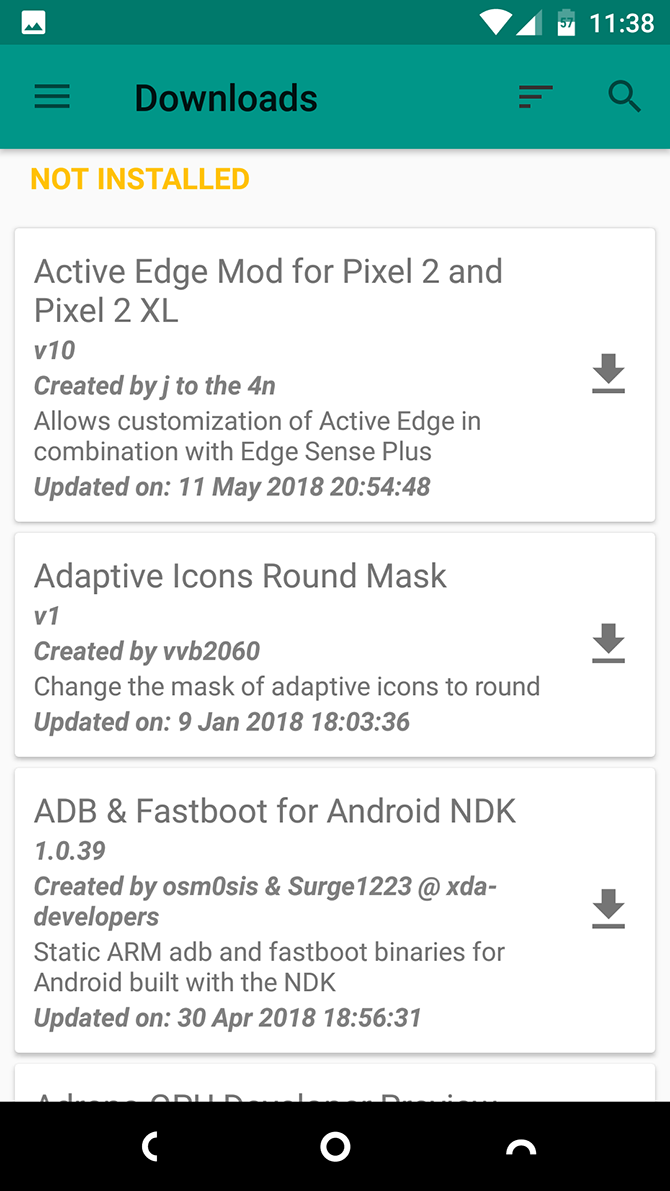
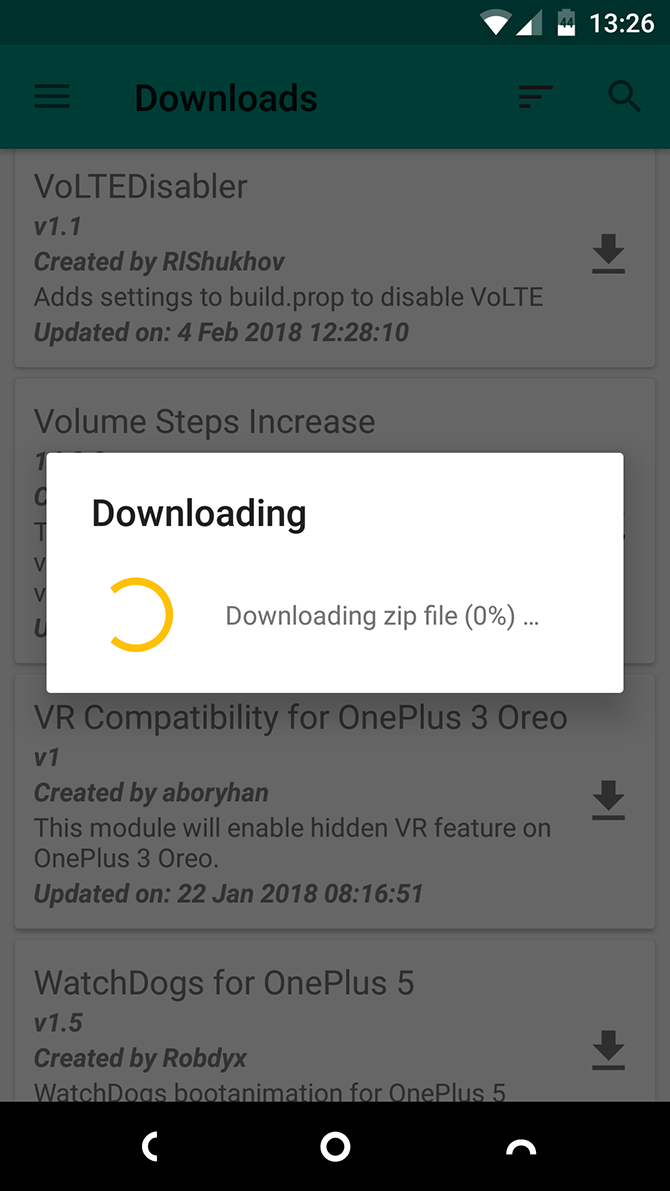
Open Magisk Manager. Slide open the sidebar from the left edge of the screen and select Downloads.
You’ll now see a list of available Magisk modules to download. Tap one to read more information, including any additional instructions on how to install or use it.
To install a module, tap the download icon. From the available choices you’re given, Download saves the module to your phone’s storage, while Install downloads and installs it in one step.
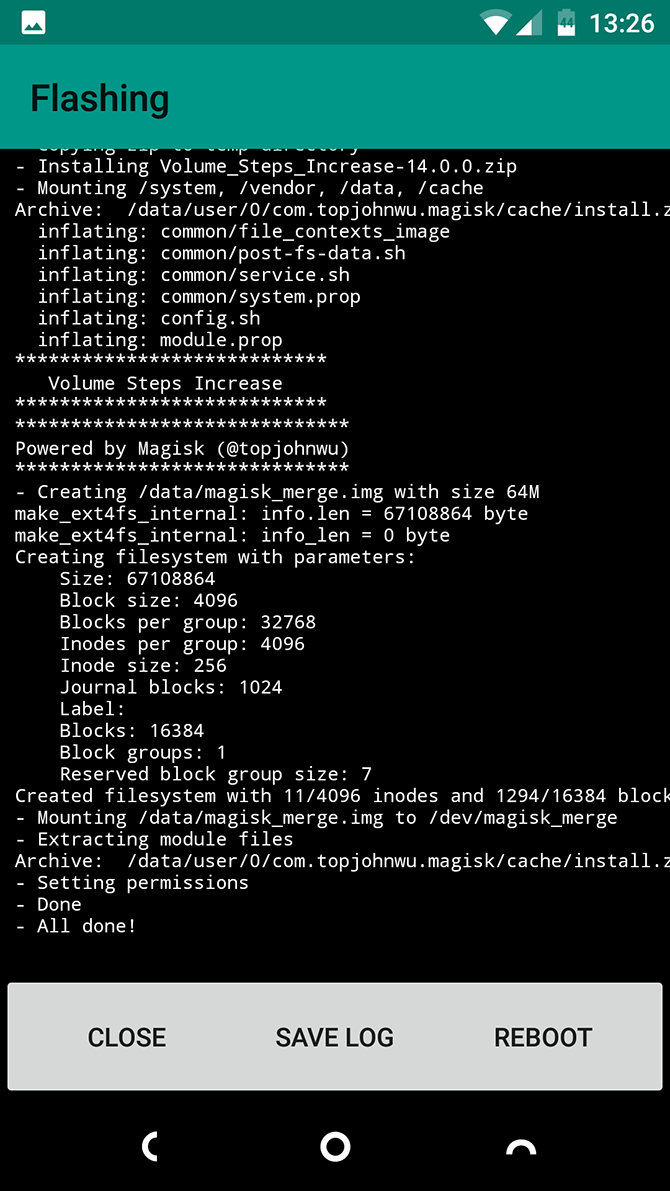
Select Install. The process doesn’t take too long, although it depends on the size of the module.
Tap Reboot when prompted, and your phone will restart with the module in place.
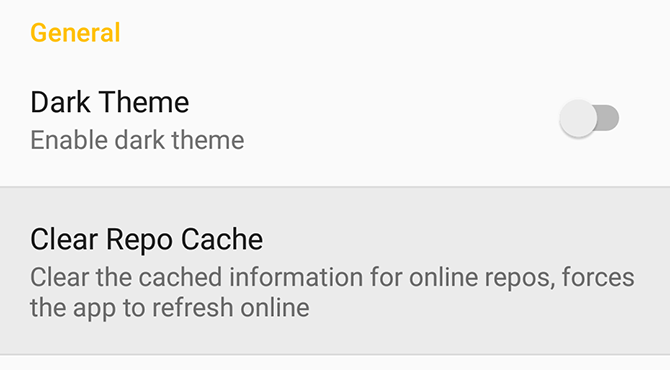
Sometimes the Downloads list will fail to display anything. If this happens, go to Settings > Clear Repo Cache and try again.
Installing Magisk Modules: Method Two
You need to use this second method if you’re downloading modules manually. You can find a lot of these in the Magisk GitHub repo, or on the XDA Developers forums.
Download the module to your phone’s storage.
In Magisk Manager, open the sidebar and select Modules.
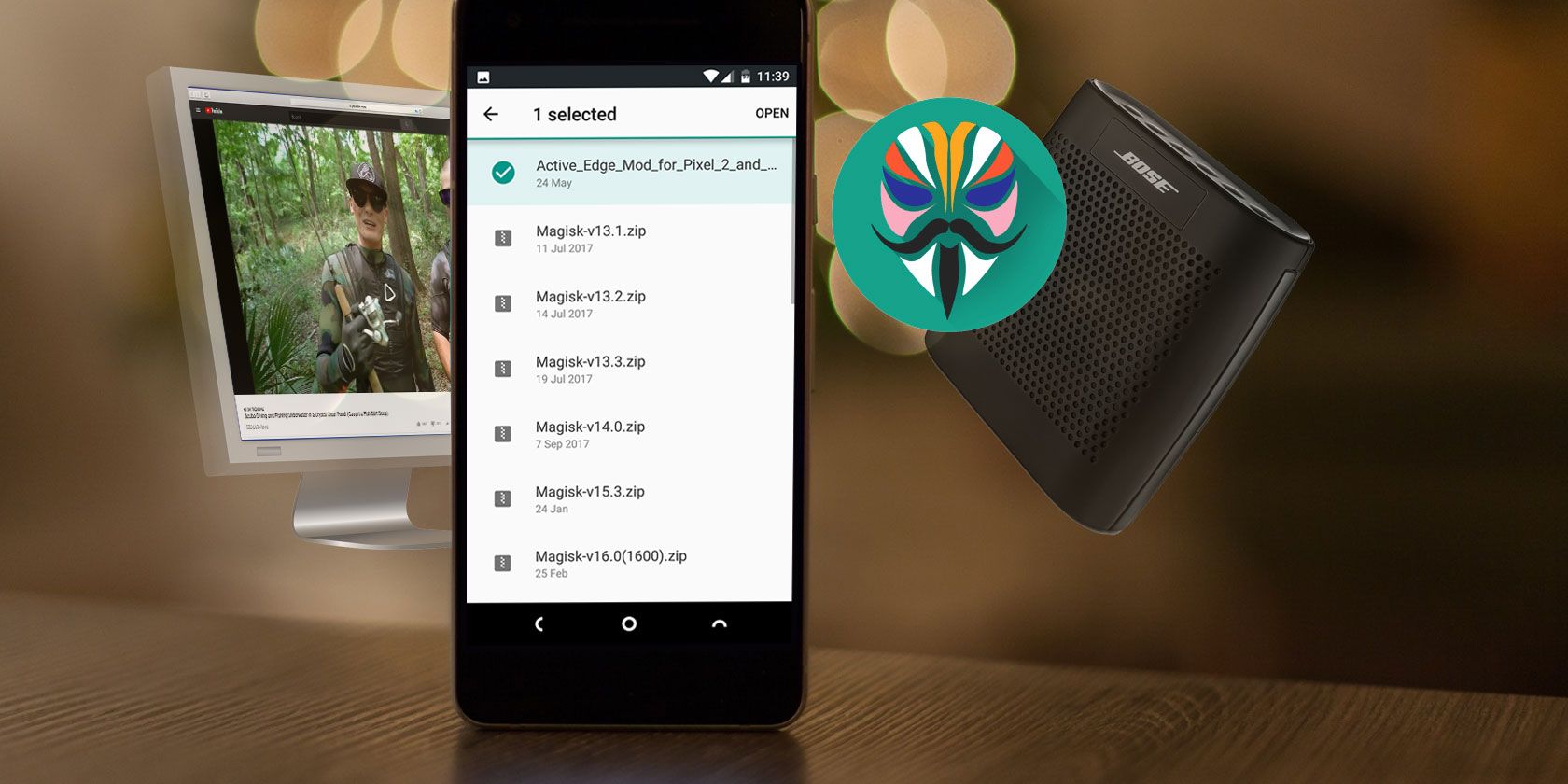
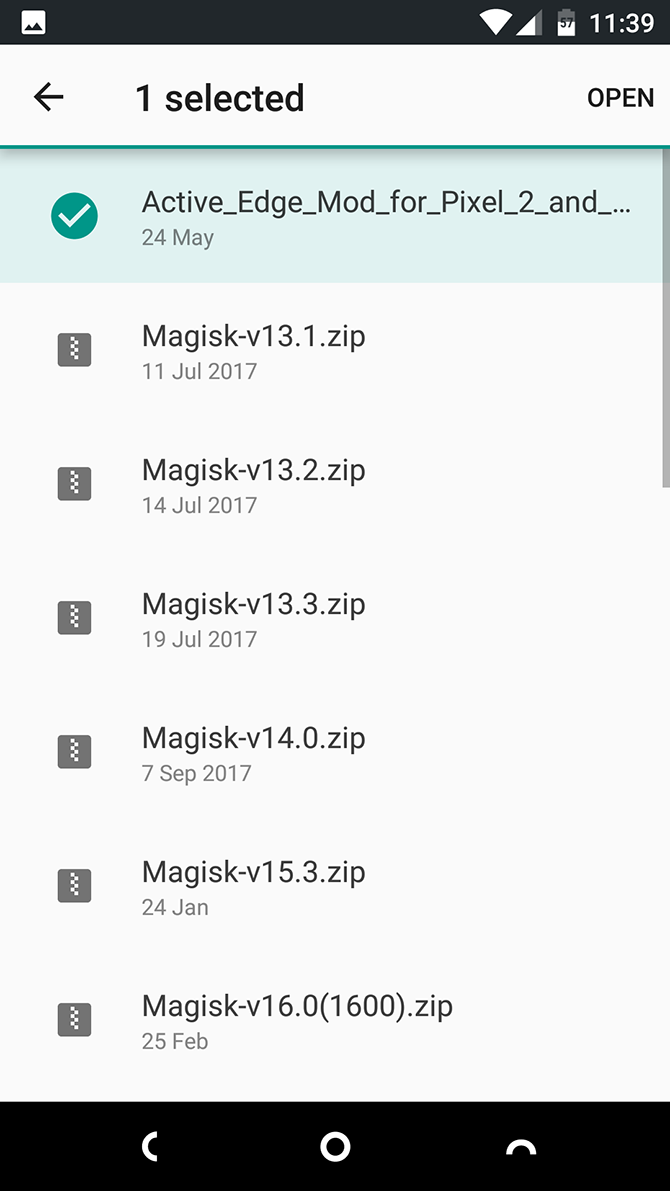
Hit the Plus icon, then locate your downloaded module.
Long press on the module and select Open. It will begin installing right away.
Reboot your phone when prompted.
How to Uninstall Magisk Modules on Android
To deal with problematic modules, install the Magisk Manager for Recovery Mode module. This allows you to remove any modules you’d like while in Recovery mode.
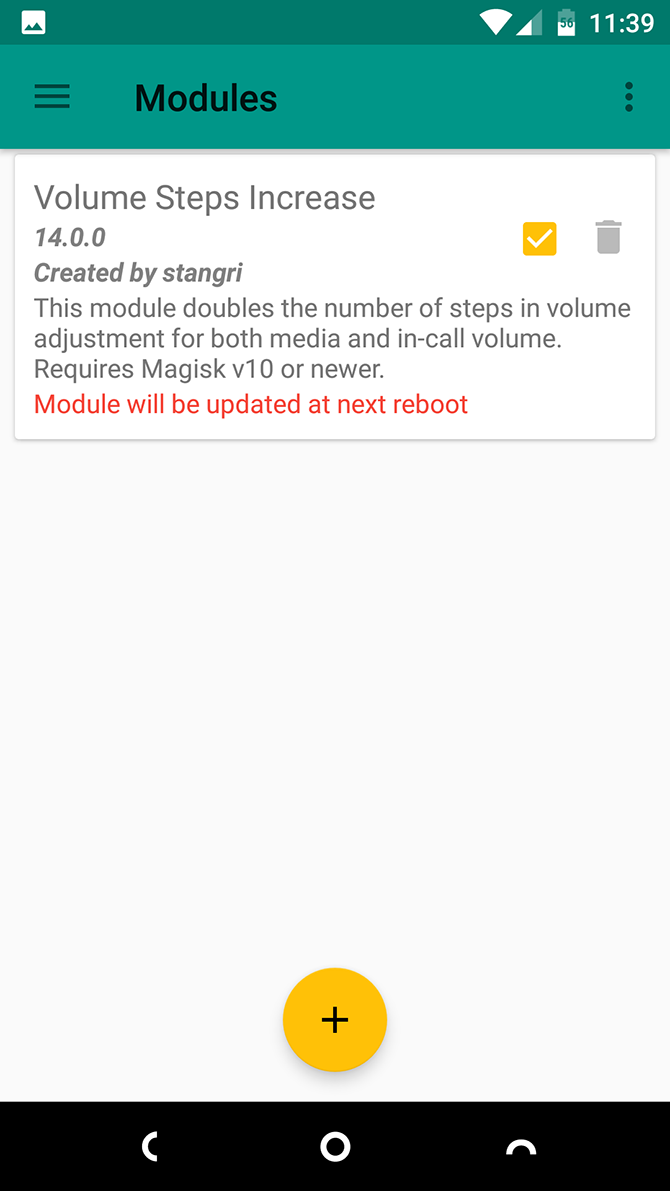
To uninstall or disable modules, go to Modules in the Magisk Manager app. From there:
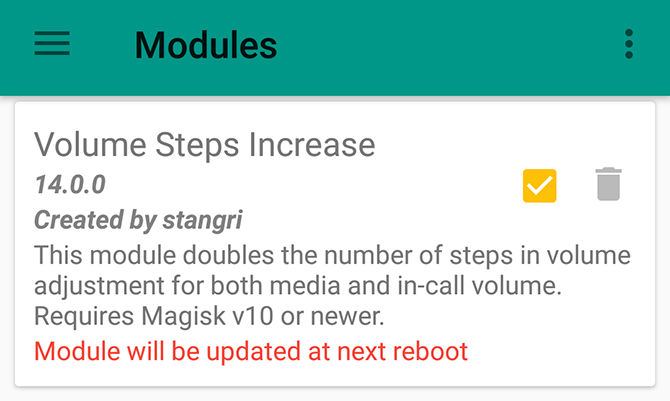
Uncheck the box alongside a module to disable it. Then reboot.
Tap the trash can icon to remove a module completely. Reboot to complete the process.
The Best Magisk Modules
Now that you know how to use them, here are 10 top Magisk modules to get you started. Simply search for them in the Downloads menu to install them.
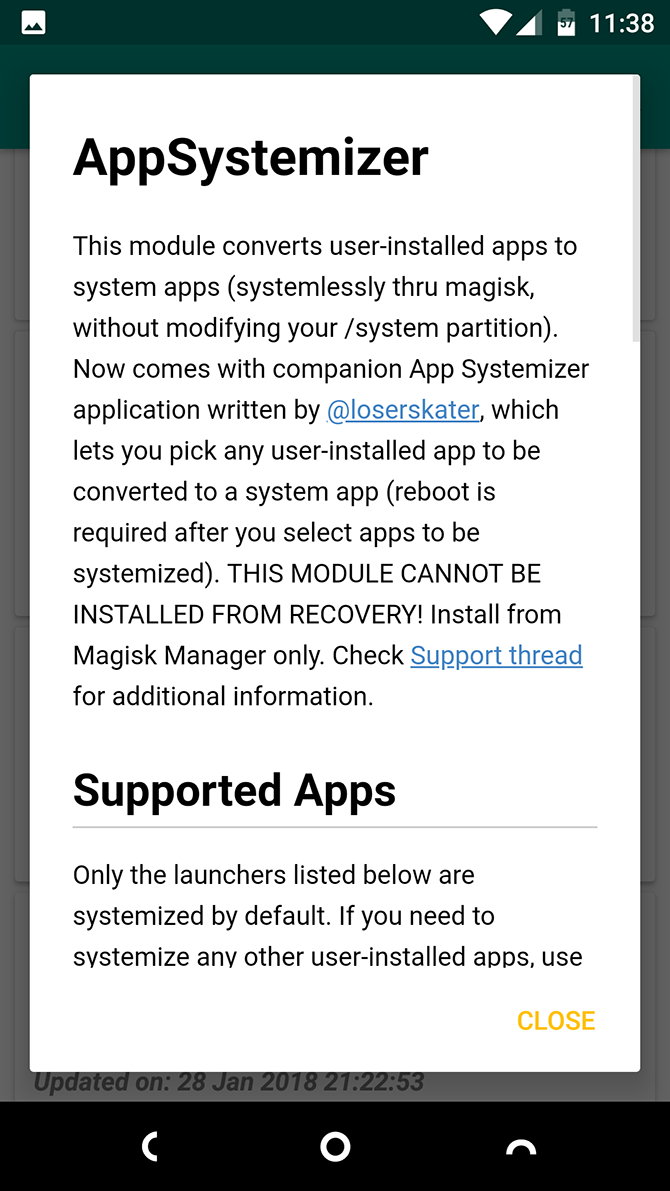
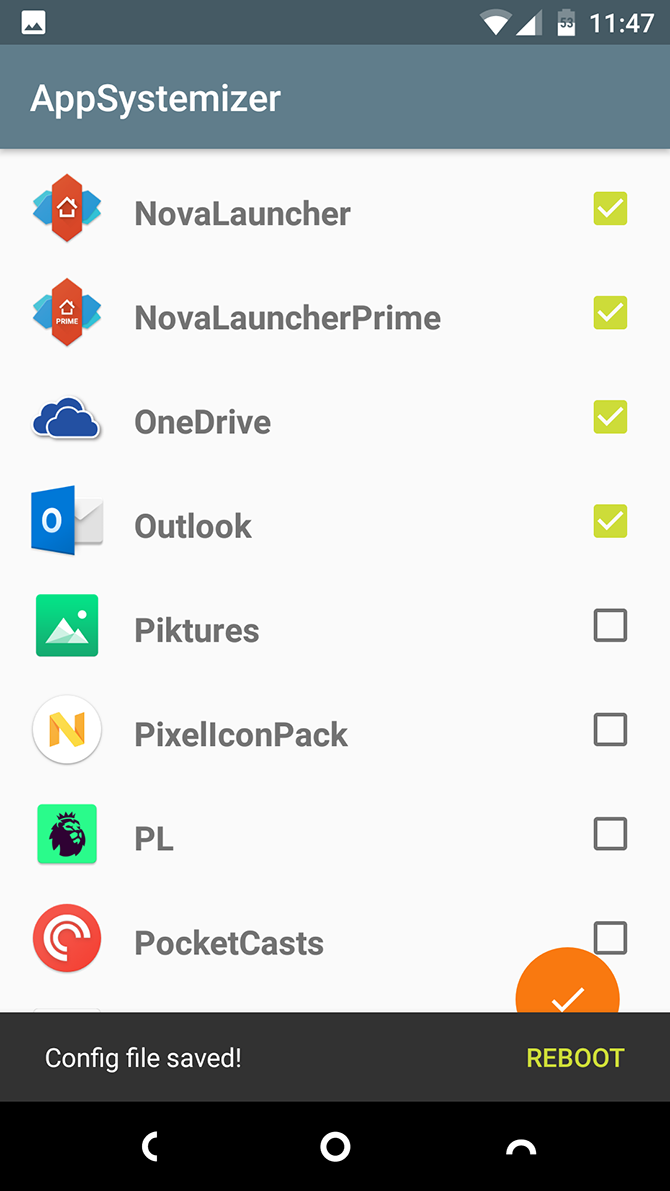
1. App Systemizer
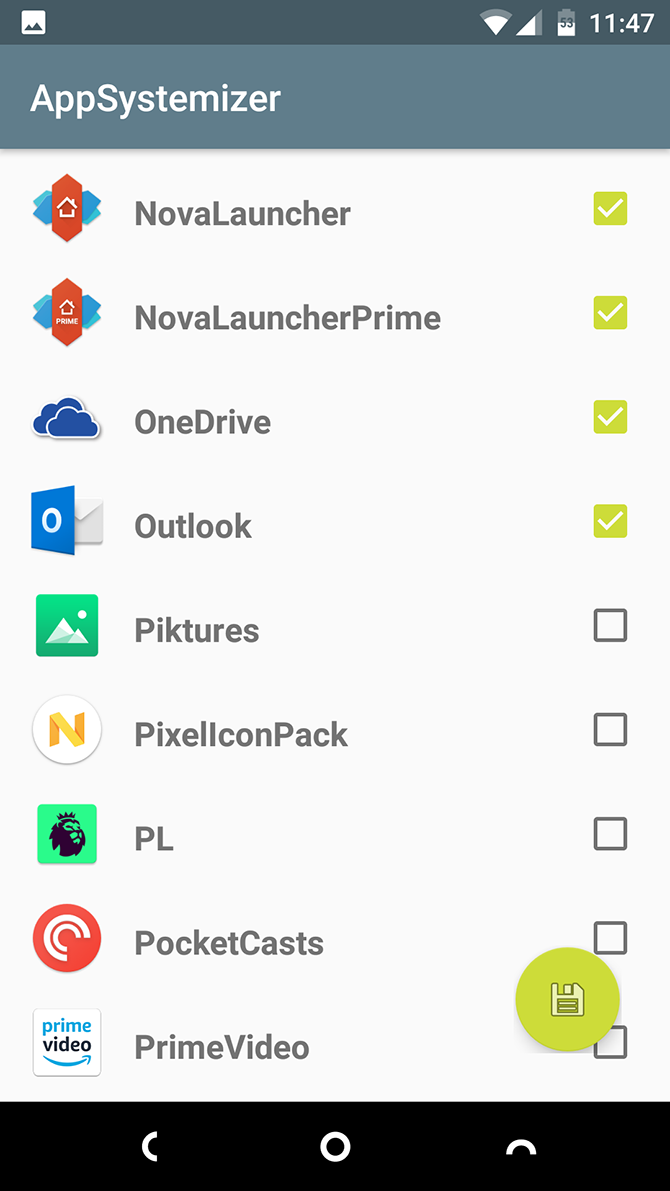
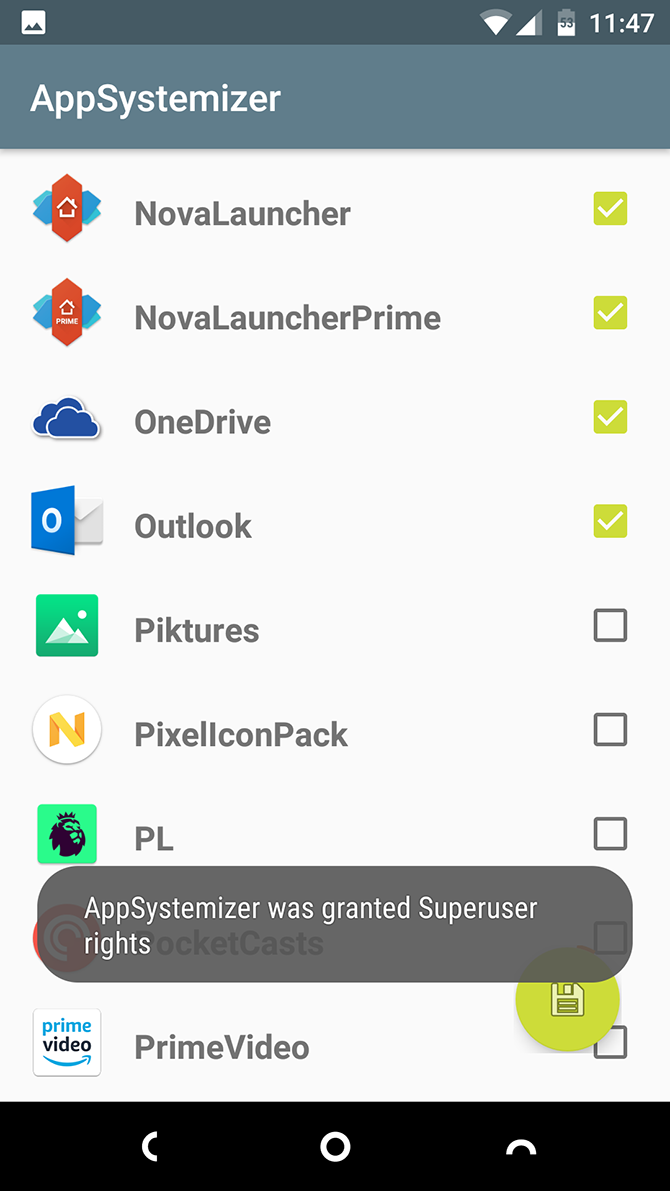
App Systemizer lets you install certain apps as system apps. Why would you do this? There are a few reasons.
System apps cannot be easily uninstalled, so you get an extra layer of protection for security apps. Some utilities, like battery optimizers, work better with the extra privileges afforded to system apps. And it also works well for apps that run all the time, like a third-party launcher.
App Systemizer doesn’t modify the system partition, so you cannot use it to save space in your phone’s internal storage. Apps will update automatically through the Play Store, as usual.
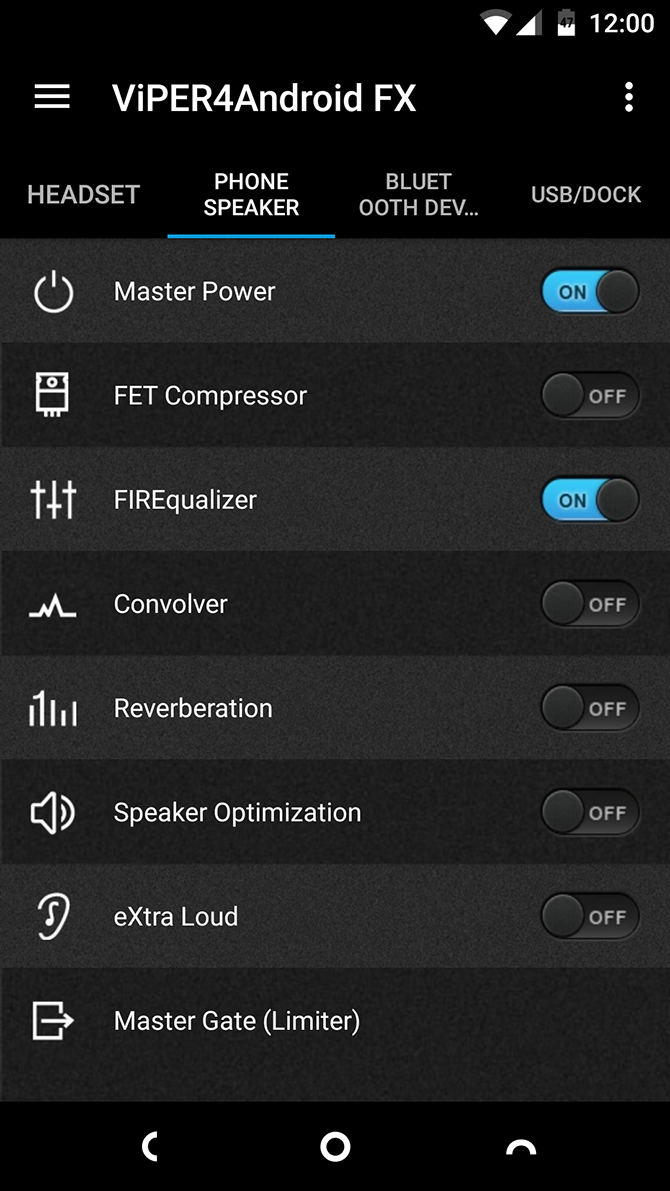
2. Viper4Android FX
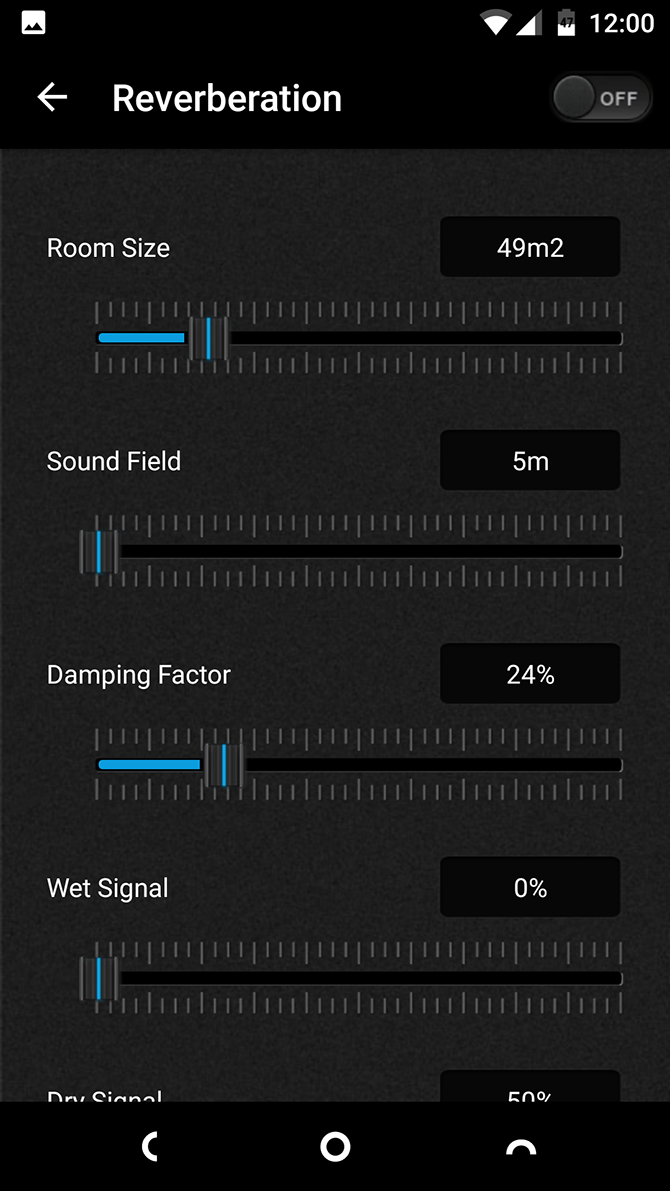
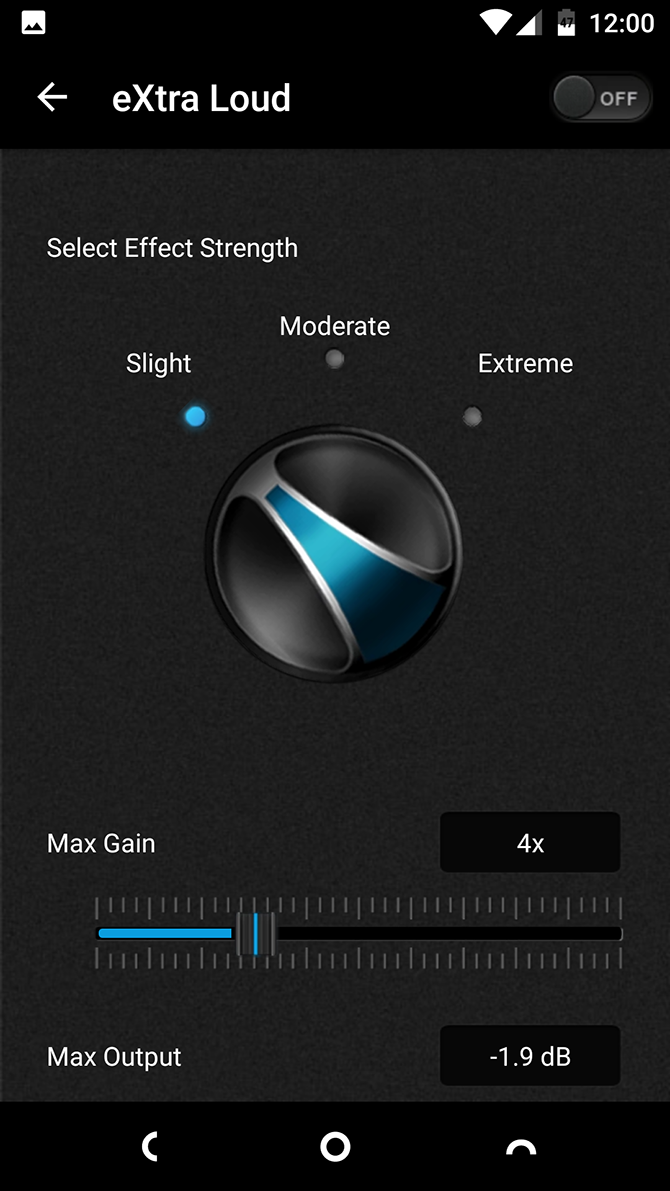
Viper4Android is the best sound equalizer app for your Android phone. It lets you boost the bass, tone down the treble, or increase your phone’s maximum volume while minimizing distortion. And that’s only for starters. It’s an incredibly powerful tool if you invest some time in it.
The best part about Viper4Android is that it lets you create sound profiles for different output devices. What works best for your phone’s internal speakers is unlikely to sound right for your expensive headphones or in-car audio system. That no longer matters with this app—just create a profile for each one and tune the settings separately.
3. Pix3lify
The Pix3lify module brings a host of features from Google’s own Pixel devices to every other Android phone.
The additions range from the new Product Sans system font, new alarms, and fresh wallpapers to more advanced tools like the Camera2 API to allow RAW shooting, plus VR support. You also get access to Google’s neat Call Screening service.
4. Bixby Button Remapper
Bixby is Samsung’s somewhat controversial attempt at building a smart assistant. It’s controversial because even though it’s not as good as Google Assistant—which is already available on every Android phone—it has its own dedicated hardware button on the side of Galaxy devices.
If you don’t want to use Bixby but would like to use that button for something useful, the Bixby Button Remapper module will help. You can set it to any of 15 different functions, including camera, music player, or screenshot grabber.
5. ARCore/Playground Patcher
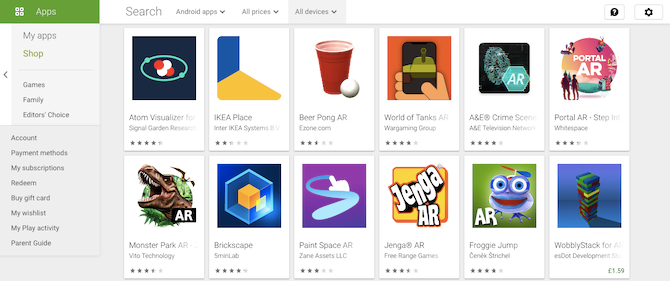
Google’s augmented reality platform ARCore, or Google Play Services for AR as it’s officially known, is only compatible with a set number of devices running Android 7 and above. ARCore/Playground Patcher brings full support to older and non-supported phones.
Once installed, it enables the use of the best AR apps in the Play Store. They include travel, art, and shopping experiences, helping turn your smartphone into a truly futuristic device.
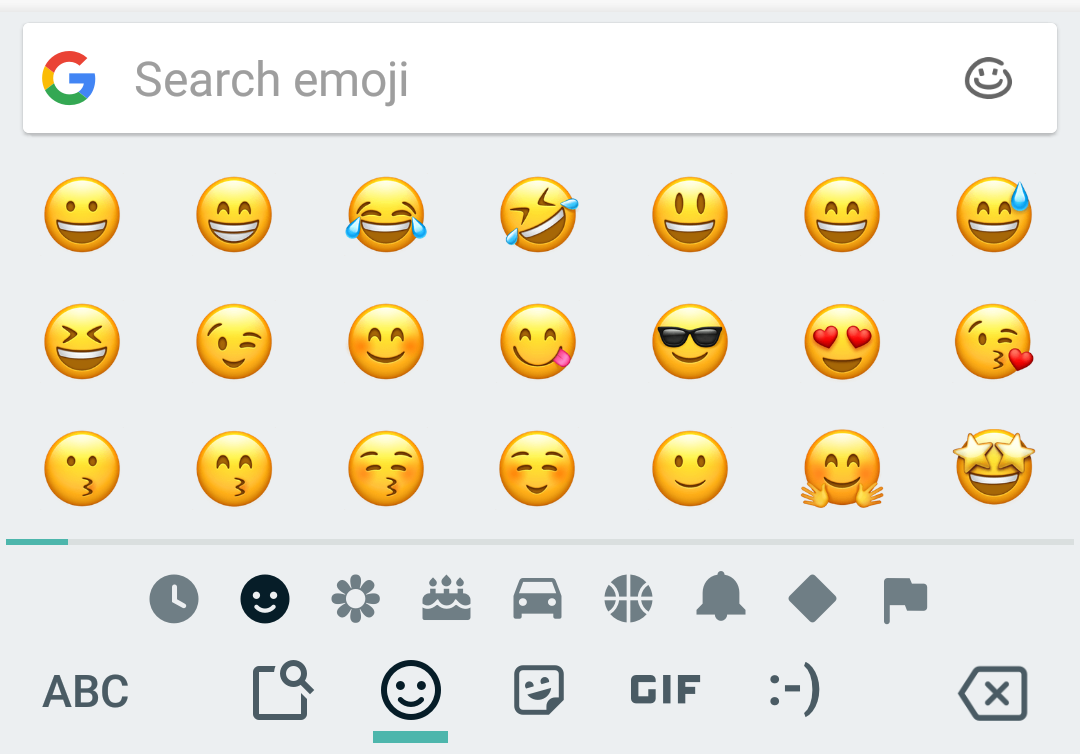
6. iOS12.1 Emoji
Want to get the latest iOS emojis on Android? The iOS12.1 Emoji module for Magisk is both the quickest and easiest way to do it.
Just install it through the Magisk Manager app, and upon a reboot you’ll be free of Google’s emojis. And if you ever want to revert back to your original emojis, just uninstall it.
Keep an eye on the available modules for updates—the latest characters from newer versions of iOS are added regularly.
7. YouTube Vanced
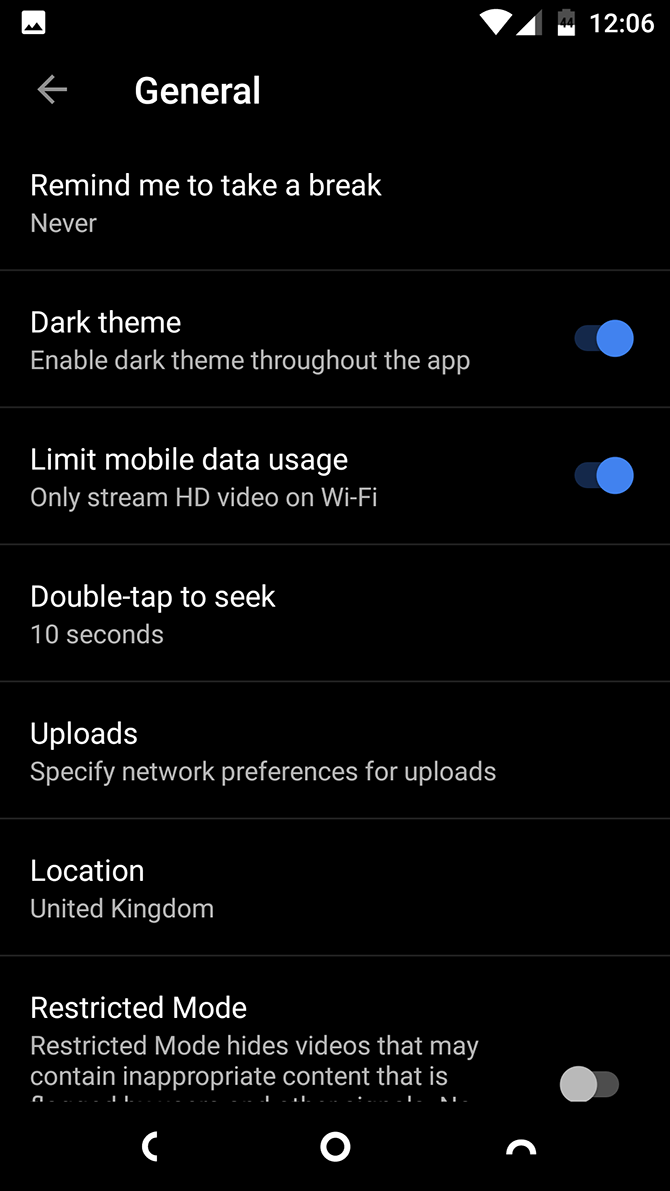
This modded version of the YouTube app offers lots of commonly requested features, including support for background play. You can also override video resolution limits, use the pinch-to-zoom gesture, and automatically play videos on repeat.
The app is available in standard and dark-themed versions.
There’s an official Cloudflare app, but it sets itself up as a local VPN, which isn’t always convenient. It’s far easier to install the CloudflareDNS4Magisk module. It directs all your mobile data and Wi-Fi traffic through the free Cloudflare service.
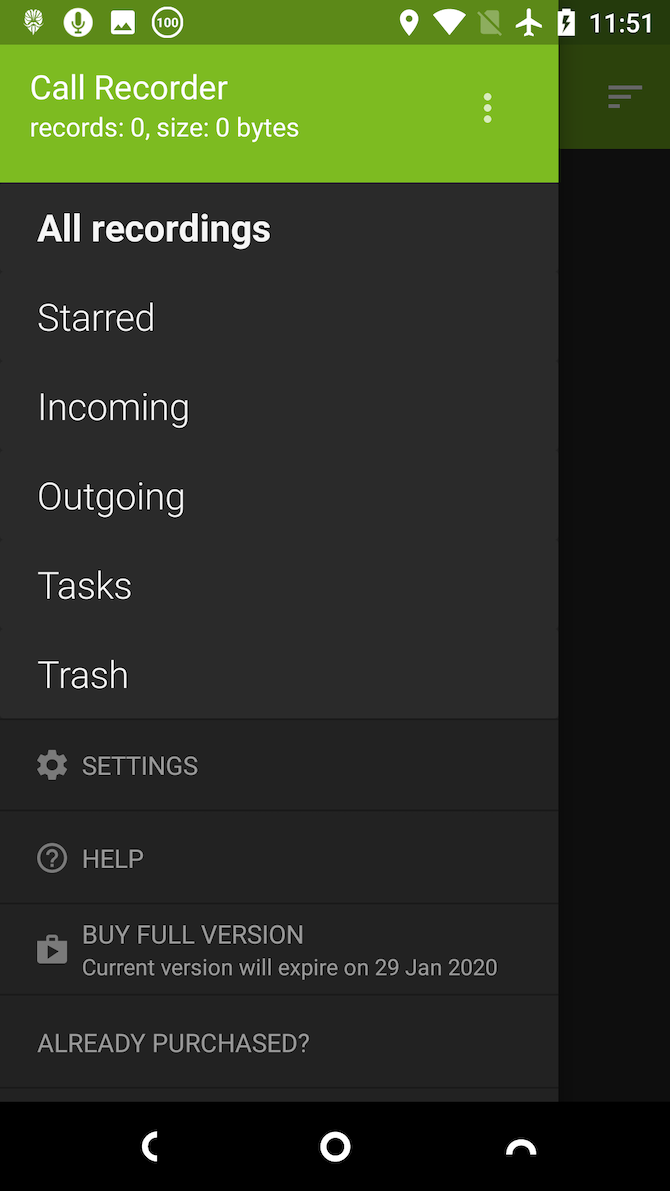
9. Call Recorder
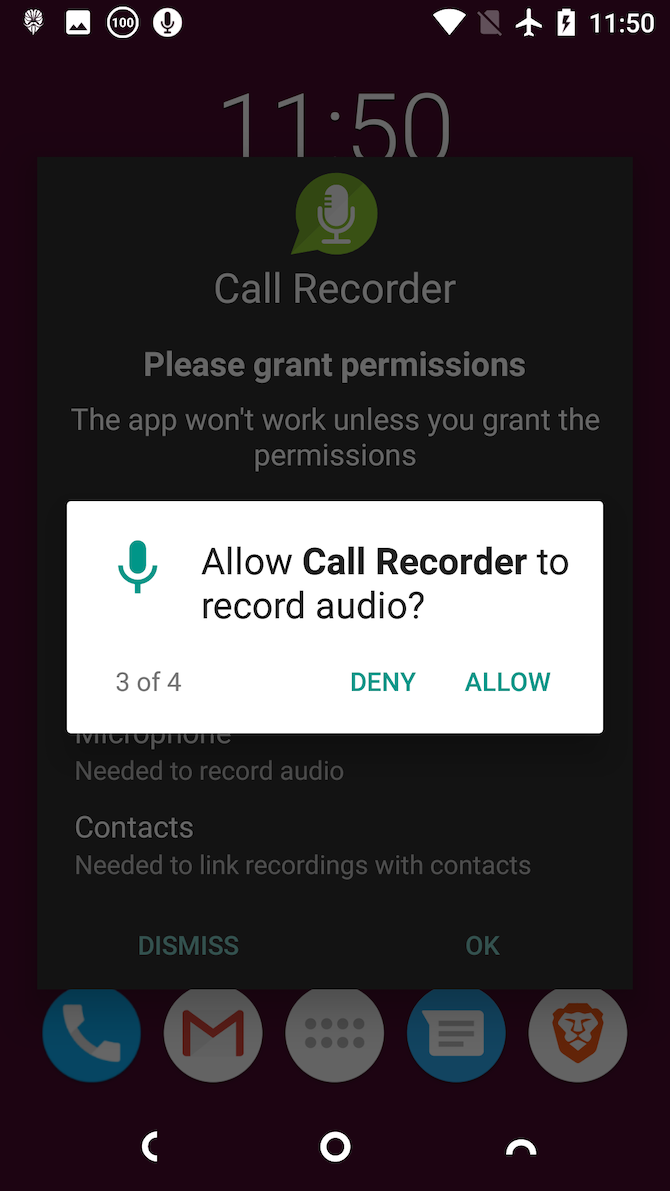
If you use your phone a lot for work, there are probably times when you want to record a call. Android doesn’t let you do it normally, but with the Call Recorder module you can.
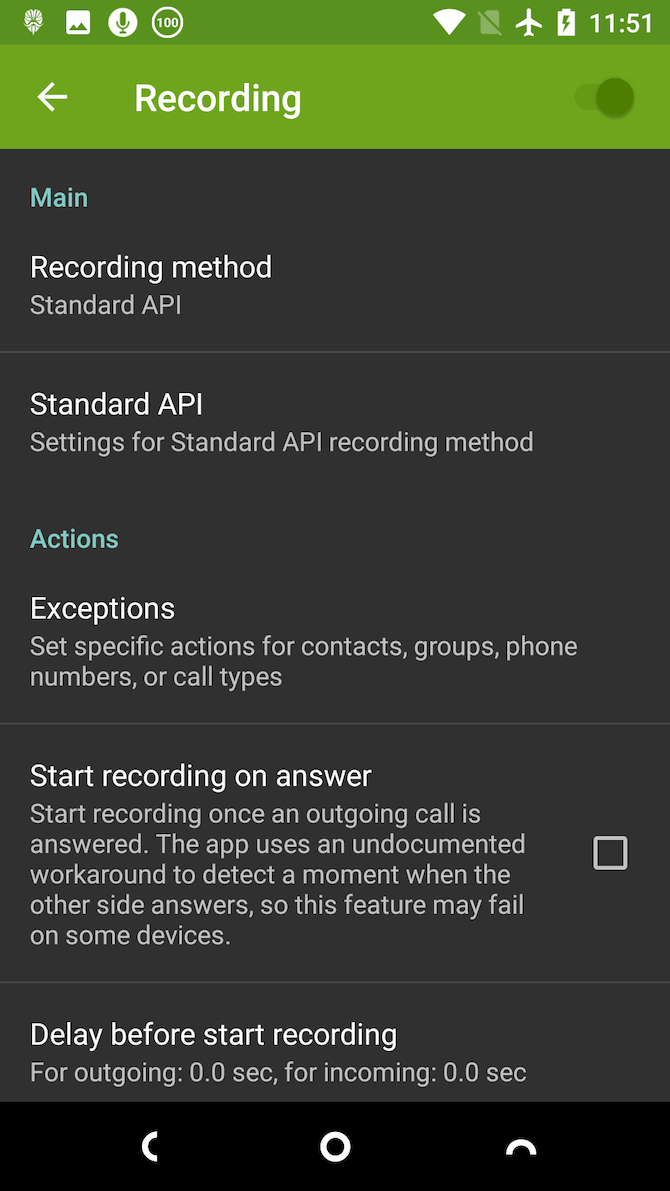
It’s simple to use. Just install and activate the module, and it will sit quietly in background waiting for you to make or receive a call. There are settings if you need them, including the ability to exclude certain numbers so they never record.
10. Xposed Framework
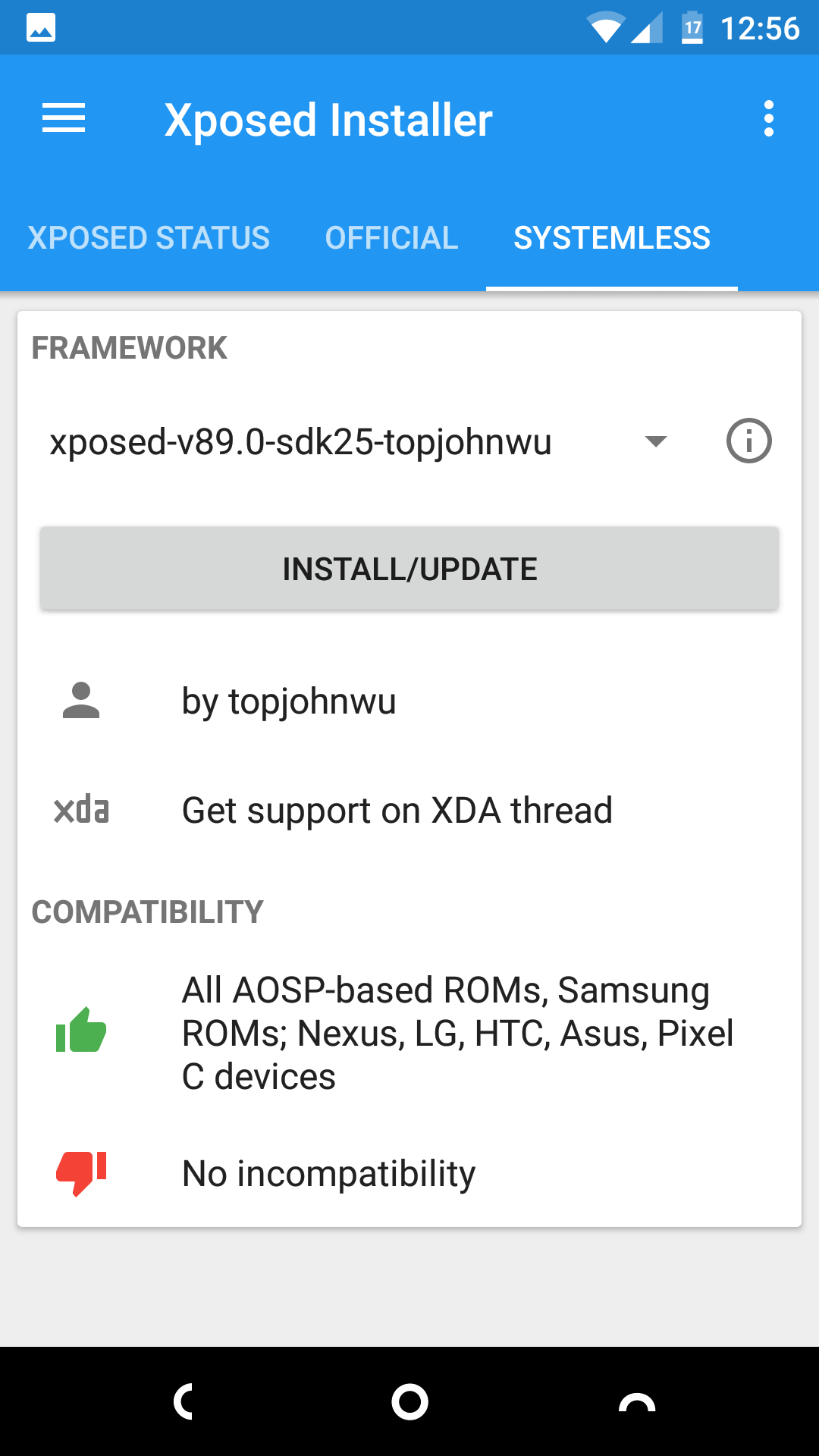
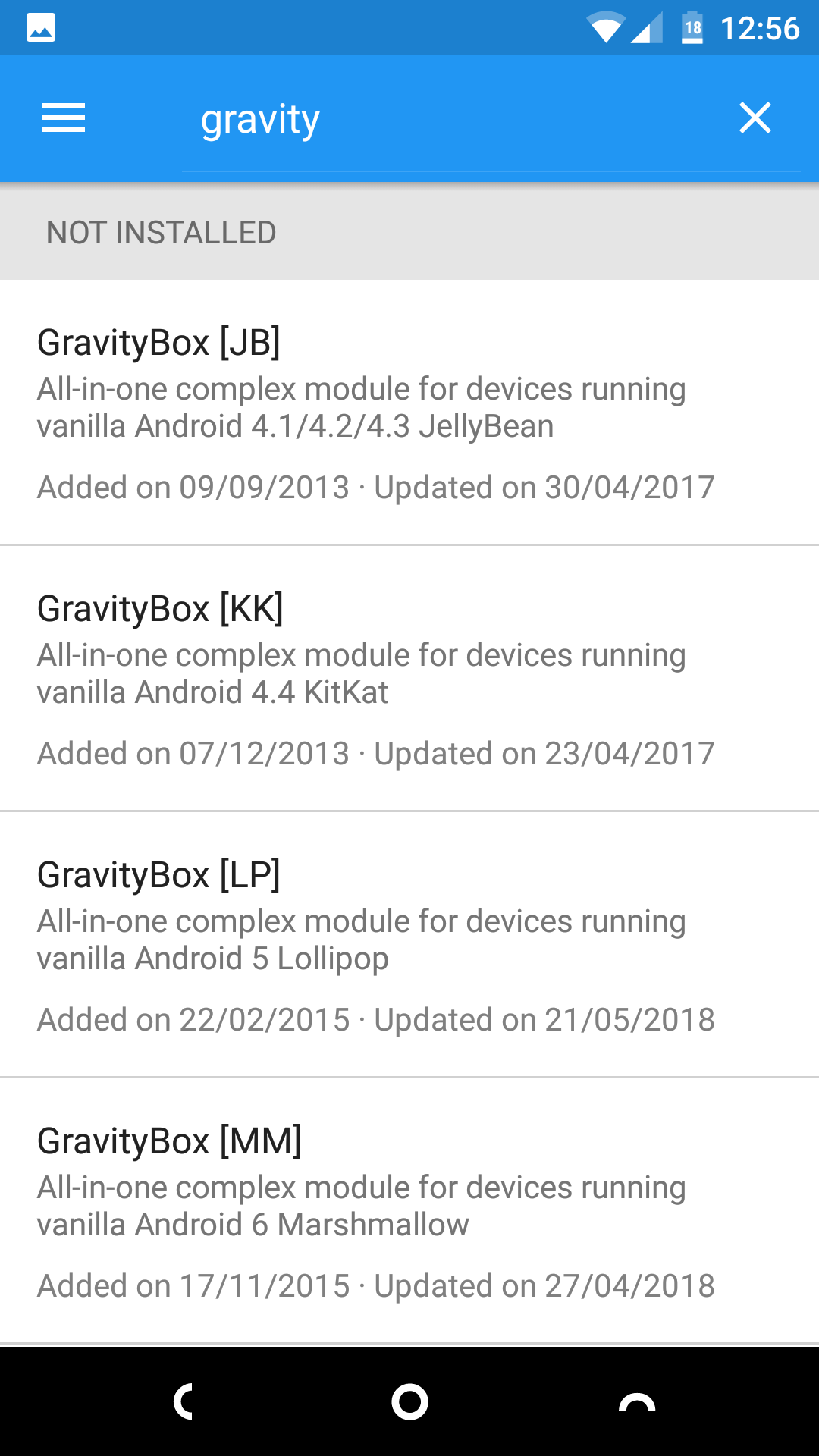
Before Magisk, the common way to run modules on your phone was through the Xposed Framework. It was one of the best reasons to root your phone, and enabled you to run the peerless GravityBox mod, which housed hundreds of system tweaks in a single app.
Fortunately, there’s an Xposed module for Magisk, and in some ways it’s better than the original. It’s systemless, so it’s not as intrusive of an app. It’s less likely to cause problems, and shouldn’t block Android operating system updates, either.
Unlock Even More Android Modules With Magisk
Magisk is a fantastic way to root your phone. It’s quick and safe, and it doesn’t interfere with security-reliant apps. And the existence of modules gives you immediate benefits to rooting.
If you decide to use the Xposed module for Magisk, you’ll have even more fun tweaks available to experiment with. To help you along the way, check out our guide to the best Xposed modules for Android.
 SF Blogger (@bayareabeautyblogger)