21 October 2019

Can dogs sniff out malaria? | James Logan

Can dogs sniff out malaria? | James Logan

What if we could diagnose some of the world's deadliest diseases by the smells our bodies give off? In a fascinating talk and live demo, biologist James Logan introduces Freya, a malaria-sniffing dog, to show how we can harness the awesome powers of animal scent to detect chemical signatures associated with infection -- and change the way we diagnose disease.

Click the above link to download the TED talk.

EU contracts with Microsoft raising “serious” data concerns, says watchdog


Europe’s chief data protection watchdog has raised concerns over contractual arrangements between Microsoft and the European Union institutions which are making use of its software products and services.

The European Data Protection Supervisor (EDPS) opened an enquiry into the contractual arrangements between EU institutions and the tech giant this April, following changes to rules governing EU outsourcing.

Today it writes [with emphasis]: “Though the investigation is still ongoing, preliminary results reveal serious concerns over the compliance of the relevant contractual terms with data protection rules and the role of Microsoft as a processor for EU institutions using its products and services.”

We’ve reached out to Microsoft for comment.

A spokesperson for the company told Reuters: “We are committed to helping our customers comply with GDPR [General Data Protection Regulation], Regulation 2018/1725 and other applicable laws. We are in discussions with our customers in the EU institutions and will soon announce contractual changes that will address concerns such as those raised by the EDPS.”

The preliminary finding follows risk assessments carried out by the Dutch Ministry of Justice and Security, published this summer, which also found similar issues, per the EDPS.

At issue is whether contractual terms are compatible with EU data protection laws intended to protect individual rights across the region.

“Amended contractual terms, technical safeguards and settings agreed between the Dutch Ministry of Justice and Security and Microsoft to better protect the rights of individuals shows that there is significant scope for improvement in the development of contracts between public administration and the most powerful software developers and online service outsourcers,” the watchdog writes today.

“The EDPS is of the opinion that such solutions should be extended not only to all public and private bodies in the EU, which is our short-term expectation, but also to individuals.”

A conference, jointly organized by the EDPS and the Dutch Ministry, which was held in August, brought together EU customers of cloud giants to work on a joint response to tackle regulatory risks related to cloud software provision. The event agenda included a debate on what was billed as “Strategic Vendor Management with respect to hyperscalers such as Microsoft, Amazon Web Services and Google”.

The EDPS says the idea for The Hague Forum — as it’s been named — is to develop a common strategy to “take back control” over IT services and products sold to the public sector by cloud giants.

Such as by creating standard contracts with fair terms for public administration, instead of the EU’s various public bodies feeling forced into accepting T&Cs as written by the same few powerful providers.

Commenting in a statement today, assistant EDPS, Wojciech Wiewiórowski, said: “We expect that the creation of The Hague Forum and the results of our investigation will help improve the data protection compliance of all EU institutions, but we are also committed to driving positive change outside the EU institutions, in order to ensure maximum benefit for as many people as possible. The agreement reached between the Dutch Ministry of Justice and Security and Microsoft on appropriate contractual and technical safeguards and measures to mitigate risks to individuals is a positive step forward. Through The Hague Forum and by reinforcing regulatory cooperation, we aim to ensure that these safeguards and measures apply to all consumers and public authorities living and operating in the EEA.”

EU data protection law means data controllers who make use of third parties to process personal data on their behalf remain accountable for what’s done with the data — meaning EU public institutions have a responsibility to assess risks around cloud provision, and have appropriate contractual and technical safeguards in place to mitigate risks. So there’s a legal imperative to dial up scrutiny of cloud contracts.

In parallel, the EDPS has been pushing for greater transparency in consumer agreements too.

On the latter front Microsoft’s arrangements with consumers using its desktop OS remain under scrutiny in the EU. Earlier this year the Dutch data protection agency referred privacy concerns about how Windows 10 gathers user data to the company’s lead regulator in Europe.

While this summer the company made changes to its privacy policy for its VoIP product Skype and AI assistant Cortana after media reports revealed it employed contractors who could listen in to audio snippets to improve automated translation and inferences.

The French government, meanwhile, has been loudly pursuing a strategy of digital sovereignty to reduce the state’s reliance on foreign tech providers. Though kicking the cloud giant habit may prove harder than ditching Google search.


Read Full Article

Pixel 4 review: Google ups its camera game


Google’s first-party hardware has always been a drop in the bucket of global smartphone sales. Pixel devices have managed to crack the top five in the U.S. and Western Europe, but otherwise represent less than 1% of the overall market. It’s true, of course, that the company got a late start, largely watching on the sidelines as companies like Samsung and Huawei shipped millions of Android devices.

Earlier this year, Google admitted that it was feeling the squeeze of slowing smartphone sales along with the rest of the industry. During Alphabet’s Q1 earnings call, CEO Sundar Pichai noted that poor hardware numbers were a reflection of “pressure in the premium smartphone industry.”

Introduced at I/O, the Pixel 3a was an attempt to augment disappointing sales numbers with the introduction of a budget-tier device. With a starting price of $399, the device seemingly went over as intended. The 3a, coupled with more carrier partners, helped effectively double year over year growth for the line. Given all of this, it seems like a pretty safe bet that the six-month Pixel/Pixela cycle will continue, going forward.

Of course, the addition of a mid-range device adds more onus for the company to differentiate the flagship. With a starting price of $799, the Pixel 4 certainly isn’t expensive by modern flagship standards. But Google certainly needs to present enough distinguishing features to justify a $400 price gulf between devices — especially as the company disclosed software upgrades introduced on flagship devices will soon make their way onto their cheaper counterparts.

Indeed, the much-rumored and oft-leaked devices bring some key changes to the line. The company has finally given in and added a dual-camera setup to both premium models, along with an upgraded 90Hz display, face unlock, radar-based gestures and a whole bunch of additional software features.

The truth is that the Pixel has always occupied a strange place in the smartphone world. As the successor to Google’s Nexus partnerships, the product can be regarded as a showcase for Android’s most compelling features. But gone are the days of leading the pack with the latest version of the operating system. The fact that OnePlus devices already have Android 10 means Google’s going head to head against another reasonably price manufacturer of quality handsets.
google pixel 4 009

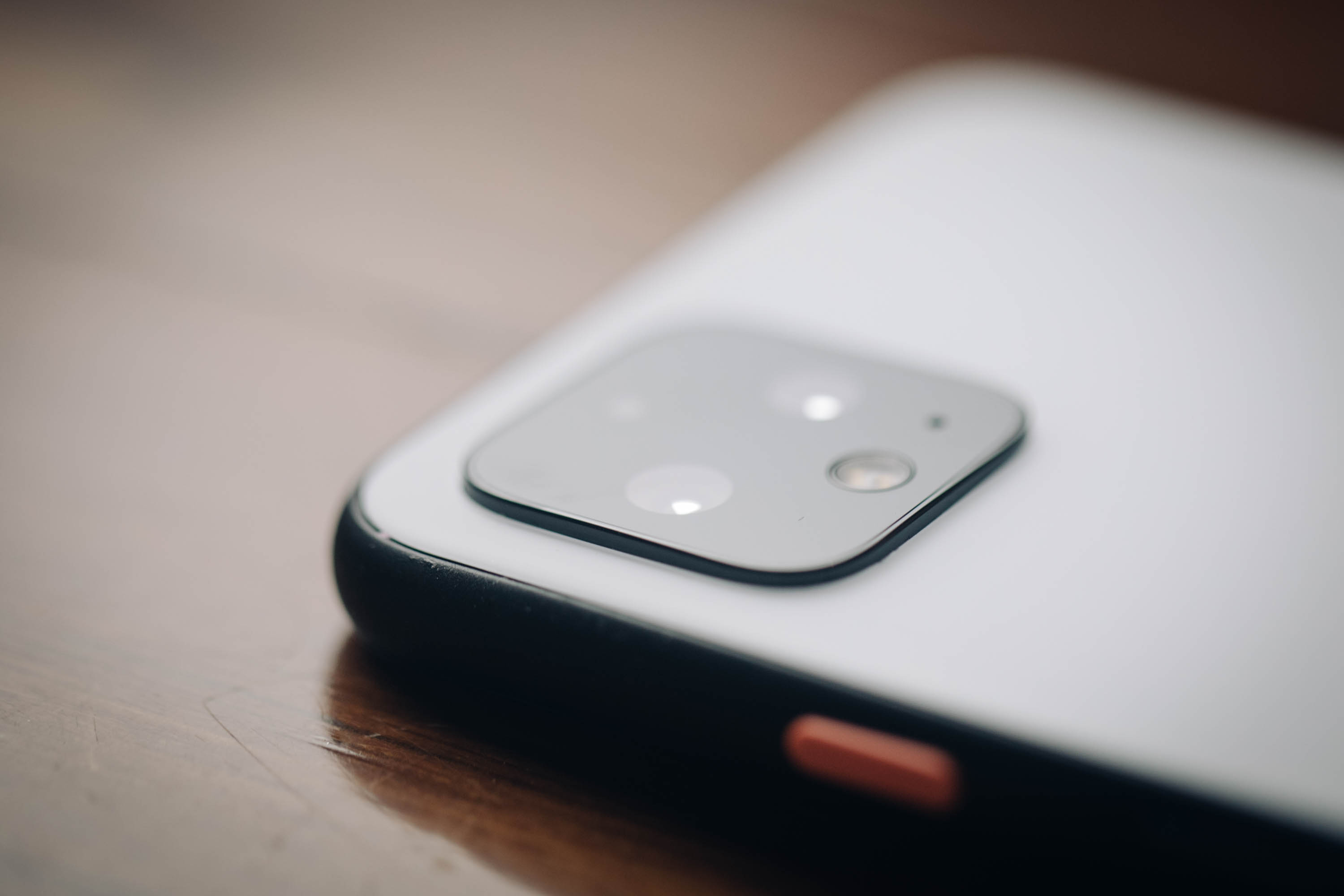
The Pixel line steps up a bit on the design side to distinguish the product from the “a” line. Google’s phones have never been as flashy as Samsung’s or Apple’s, and that’s still the case here, but a new dual-sided glass design (Gorilla Glass 5 on both), coupled with a metal band, does step up the premium feel a bit. The product is also a bit heavier and thicker than the 3, lending some heft to the device.

There are three colors now: black, white and a poppy “Oh So Orange,” which is available in limited quantities here in the U.S. The color power button continues to be a nice touch, lending a little character to the staid black and white devices. While the screen gets a nice update to 90Hz OLED, Google still has no interest in the world of notches or hole punches. Rather, it’s keeping pretty sizable bezels on the top and bottom.

The Pixel 4 gets a bit of a screen size boost from 5.5 to 5.7 inches, with an increase of a single pixel per inch, while the Pixel 4 XL stays put at 6.4 inches (with a PPI increase of 522 to 537). The dual front-facing camera has been ditched this time out, instead opting for the single eight megapixel, similar to what you’ll find on the 3a.

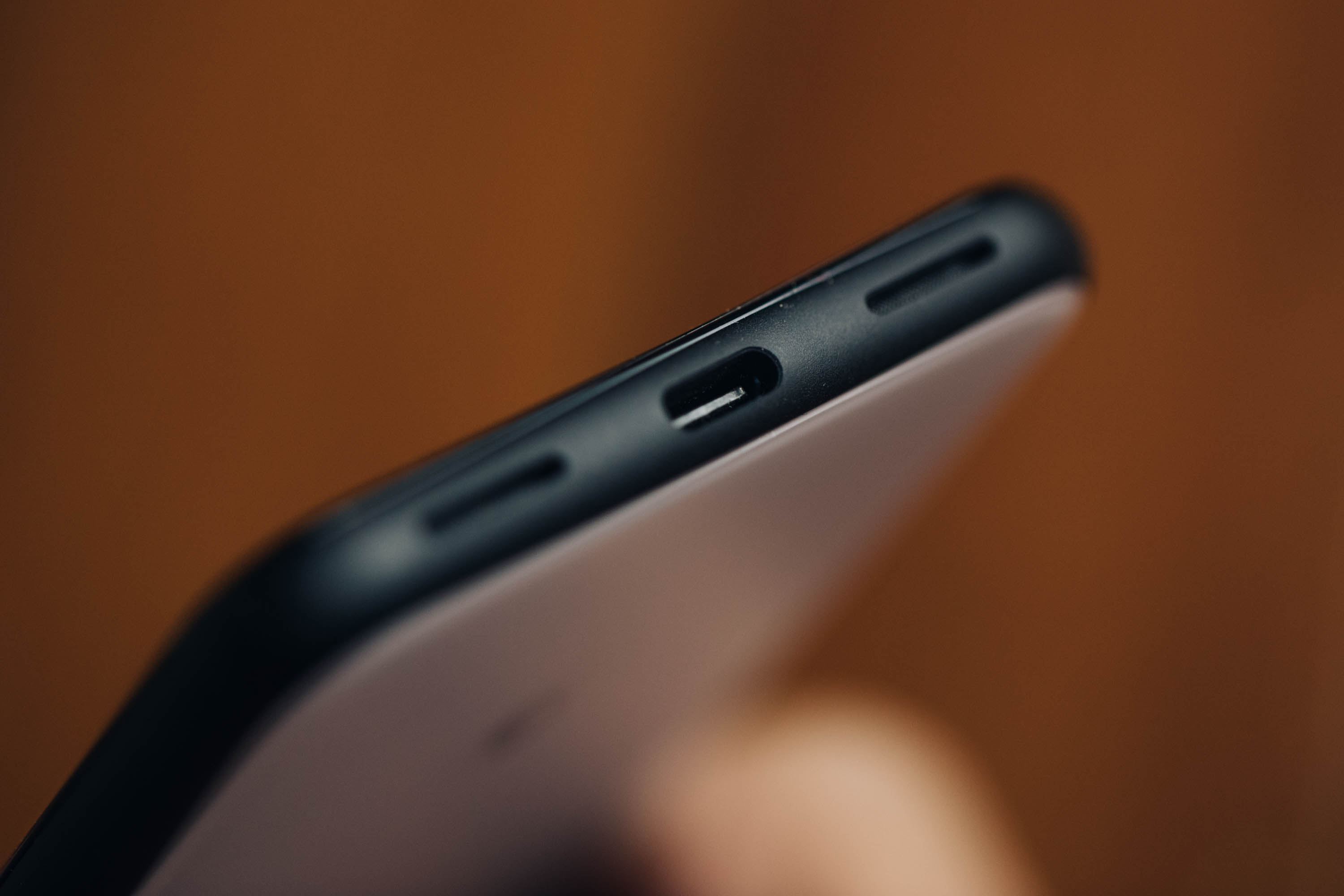
Storage hasn’t changed, with both 64 and 128GB options for both models; RAM has been bumped up to a default 6GB from 4GB last time out. The processor, too, is the latest and greatest from Qualcomm, bumping from a Snapdragon 845 to an 855. Interestingly, however, the batteries have actually been downgraded.
google pixel 4 013

The 4 and 4 XL sport a 2,800 and 3,700mAh, respectively. That should be augmented a bit by new battery-saving features introduced in Android 10, but even still, that’s not the direction you want to see these things going.

The camera is, in a word, great. Truth be told, I’ve been using it to shoot photos for the site since I got the phone last week. This Google Nest Mini review, Amazon Echo review and Virgin Galactic space suit news were all shot on the Pixel 4. The phone isn’t yet a “leave your DSLR at home” proposition, of course, but damn if it can’t take a fantastic photo in less than ideal and mixed light with minimal futzing around.

There’s no doubt that this represents a small but important shift in philosophy for Google. After multiple generations of suggesting that software solutions could do more than enough heavy lifting on image processing, the company’s finally bit the bullet and embraced a second camera. Sometimes forward progress means abandoning past stances. Remember when the company dug its heels in on keeping the headphone jack, only to drop it the following year?
google pixel 4 010

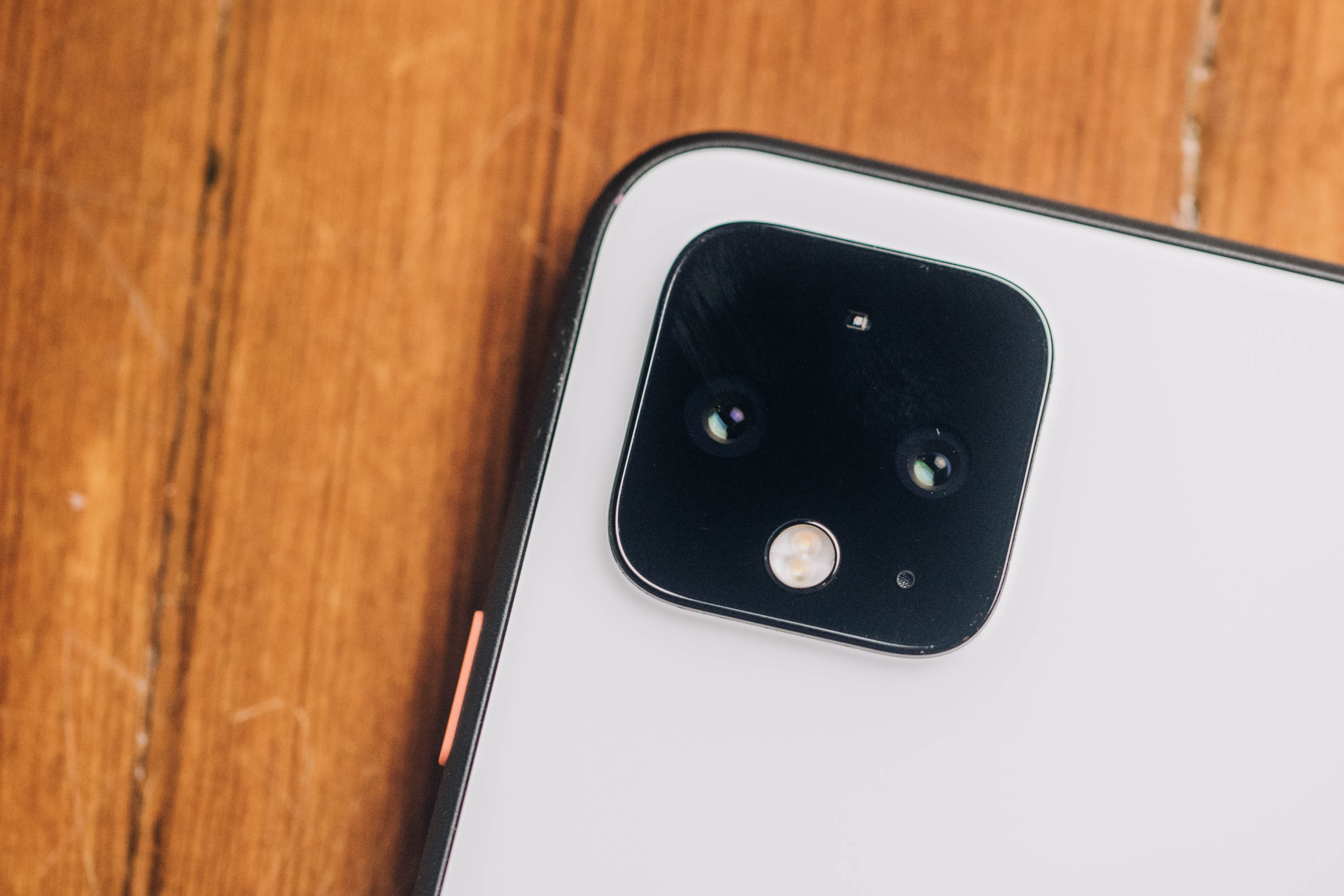
The addition of a second camera isn’t subtle, either. In fact, it’s hard to miss. Google’s adopted a familiar square configuration on the rear of the device. That’s just how phones look now, I suppose. Honestly, it’s fine once you conquer a bit of trypophobia, with a pair of lenses aligned horizontally and a sensor up top and flash on bottom — as one of last week’s presenters half joked, “we hope you’ll use it as a flash light.”
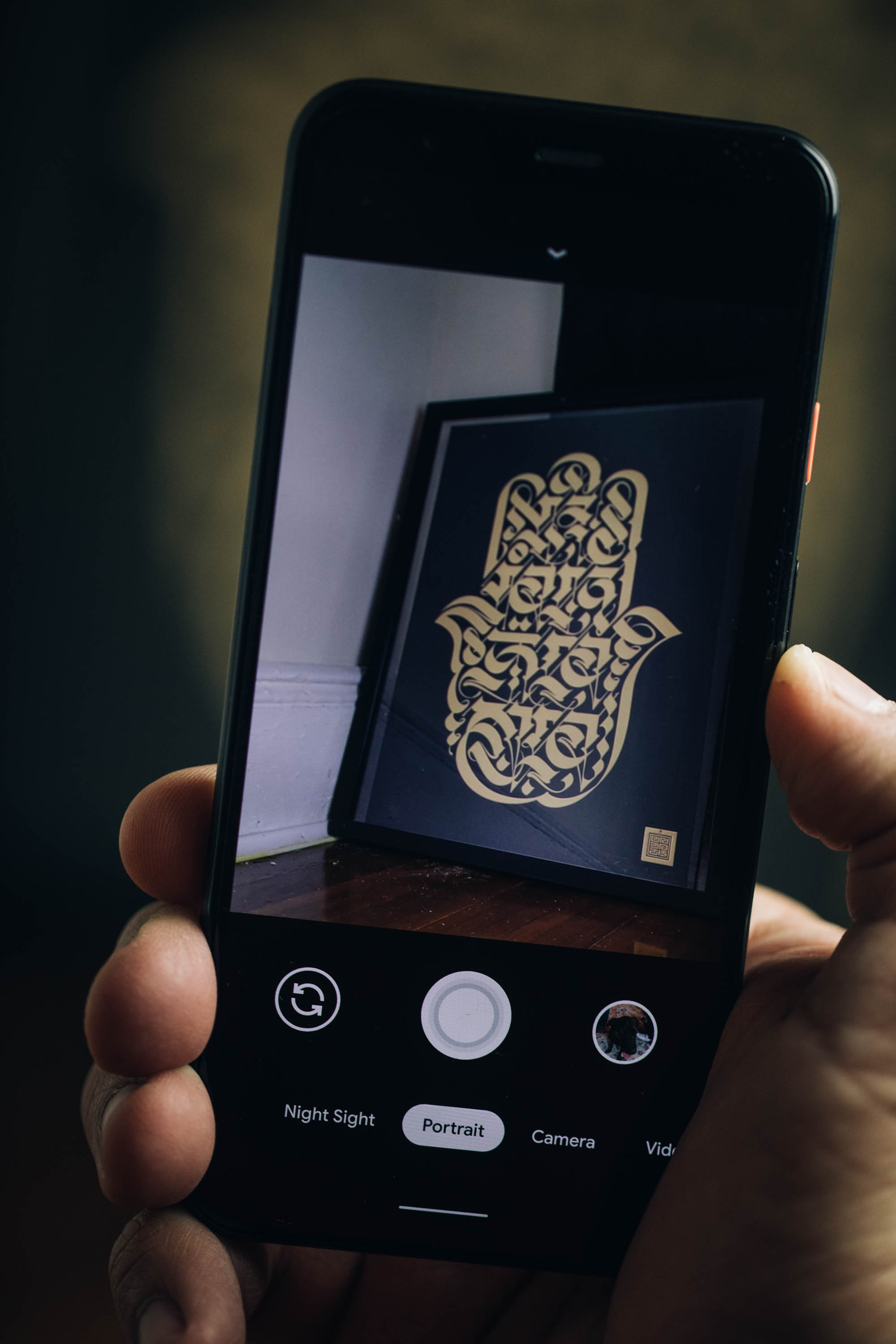
google pixel 4 008

That, of course, is a reference to the Pixel’s stellar low-light capabilities. It’s been a welcome feature, in an age where most smartphone users continue to overuse their flashes, completely throwing off the photo in the process. Perhaps the continued improvements will finally break that impulse in people — though I’m not really getting my hopes up on that front. Old habits, etc.

The 4 and 4 XL have the same camera set up, adopting the 12.2-megapixel (wide angle) lens from their predecessors and adding a 16-megapixel (telephoto) into the mix. I noted some excitement about the setup in my write-up. That’s not because the two-camera setup presents anything remarkable — certainly not in this area of three, four and five-camera flagships. It’s more about the groundwork that Google has laid out in the generations leading up to this device.

00100trPORTRAIT 00100 BURST20191016105119747 COVER 1

Essentially it comes down to this: Look at what the company has been able to accomplish using software and machine learning with a single camera setup. Now add a second telephoto camera into the mix. See, Super High Res Zoom is pretty impressive, all told. But if you really want a tighter shot without degrading the image in the process, optical zoom is still very much the way to go.

There’s a strong case to be made that the Pixel 4’s camera is the best in class. The pictures speak for themselves. The aforementioned TechCrunch shots were done with little or no manual adjustments or post-processing. Google offers on-screen adjustments, like the new dual-exposure control, which lets you manually adjust brightness and shadow brightness on the fly. Honestly, though, I find the best way to test these cameras is to use them the way most buyers will: by pointing and shooting.

[gallery ids="1900084,1900086,1900087,1900088,1900090,1900091,1900092"]

The fact is that a majority of people who buy these handsets won’t be doing much fiddling with the settings. As such, it’s very much on handset makers to ensure that users get the best photograph by default, regardless of conditions. Once again, software is doing much of the heavy lifting. Super Res Zoom works well in tandem with the new lens, while Live HDR+ does a better job approximating how the image will ultimately look once fully processed. Portrait mode shots look great, and the device is capable of capturing them at variable depths, meaning you don’t have to stand a specific distance from the subject to take advantage of the well-done artificial bokeh.

Our video producer, Veanne, who is admittedly a far better photographer than I can ever hope to be, tested out the camera for the weekend. 

[gallery ids="1900045,1900046,1900047,1900048,1900049,1900050,1900051,1900052"]

Although Veanne was mostly impressed by the Pixel 4’s camera and photo editing capabilities, here are three major gripes.

“Digital zoom is garbage.”

Google Pixel 4 digital zoom is garbage


“In low lighting situations, you lose ambiance. Saturday evening’s intimate, warmly lit dinner looked like a cafeteria meal.”

Pixel 4 camera sample


“Bright images in low lighting gives you the impression that the moving objects would be in focus as well. That is not the case.”


Other additions round out the experience, including “Frequent Faces,” which learns the faces of subjects you frequently photograph. Once again, the company is quick to point out that the feature is both off by default and all of the processing happens on the device. Turning it off also deletes all of the saved information. Social features have been improved, as well, with quick access to third-party platforms like Snapchat and Instagram.

Google keeps pushing out improvements to Lens, as well. This time out, language translation, document scanning and text copy and pasting can be performed with a quick tap. Currently the language translation is still a bit limited, with only support for English, Spanish, German, Hindi and Japanese. More will be “rolling out soon,” per the company.
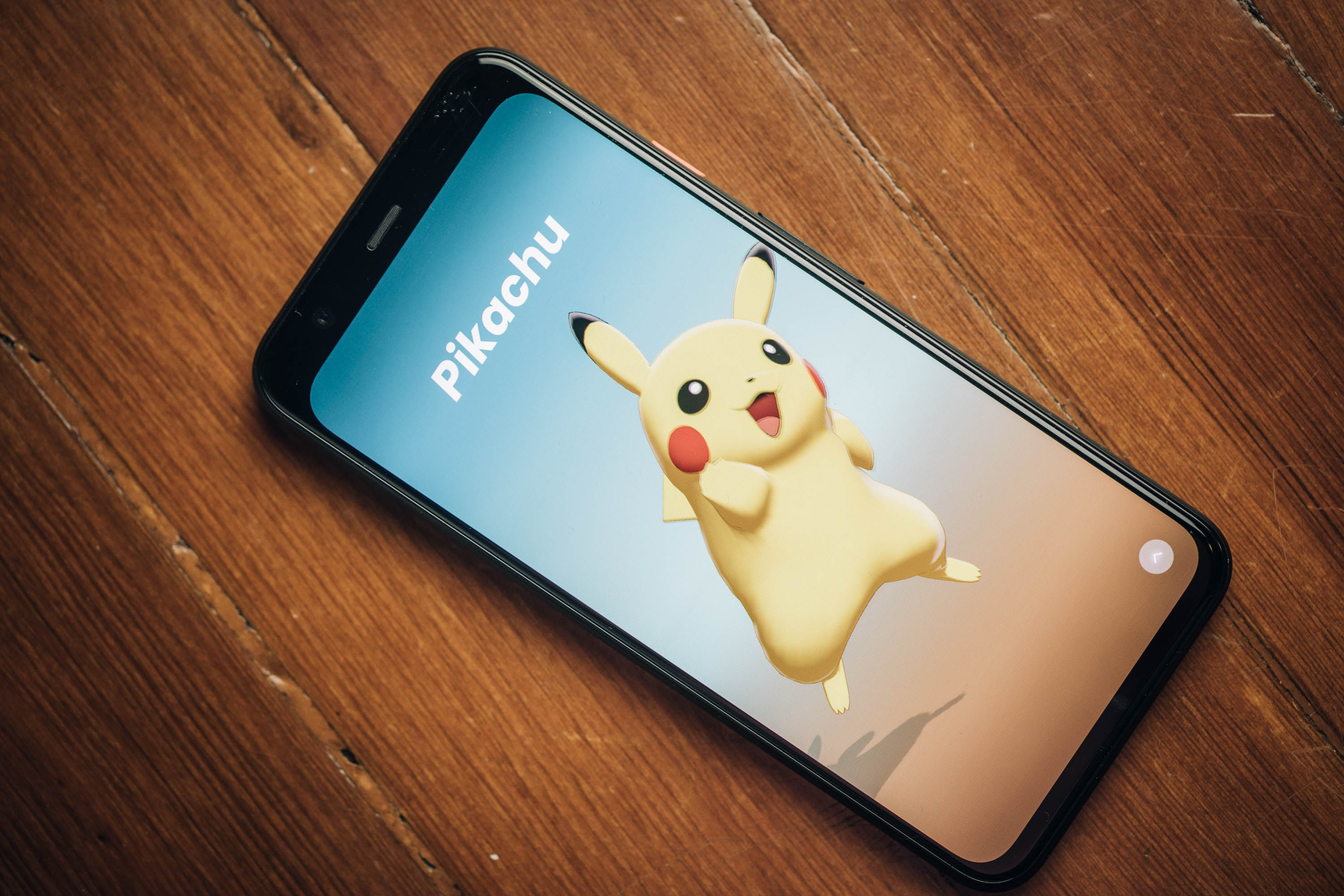
google pixel 4 003

Gestures is a strange one. I’m far from the first to note that Google is far from the first to attempt the feature. The LG G8 ThinQ is probably the most recent prominent example of a company attempting to use gestures as a way to differentiate themselves. To date, I’ve not seen a good implementation of the technology — certainly not one I could ever see myself actually using day to day.

The truth is, no matter how interesting or innovative a feature is, people aren’t going to adopt it if it doesn’t work as advertised. LG’s implementation was a pretty big disappointment.

Simply put, the Pixel’s gestures are not that. They’re better in that, well, they work, pretty much as advertised. This is because the underlying technology is different. Rather than relying on cameras like other systems, the handset uses Project Soli, a long-promised system that utilizes a miniature radar chip to detect far more precise movement.

Soli does, indeed work, but the precision is going to vary a good deal from user to user. The thing is, simply detecting movement isn’t enough. Soli also needs to distinguish intention. That means the system is designed to weed out accidental gestures of the manner we’re likely making all the time around our phones. That means the system appears to be calibrated to bigger, intentional movements.
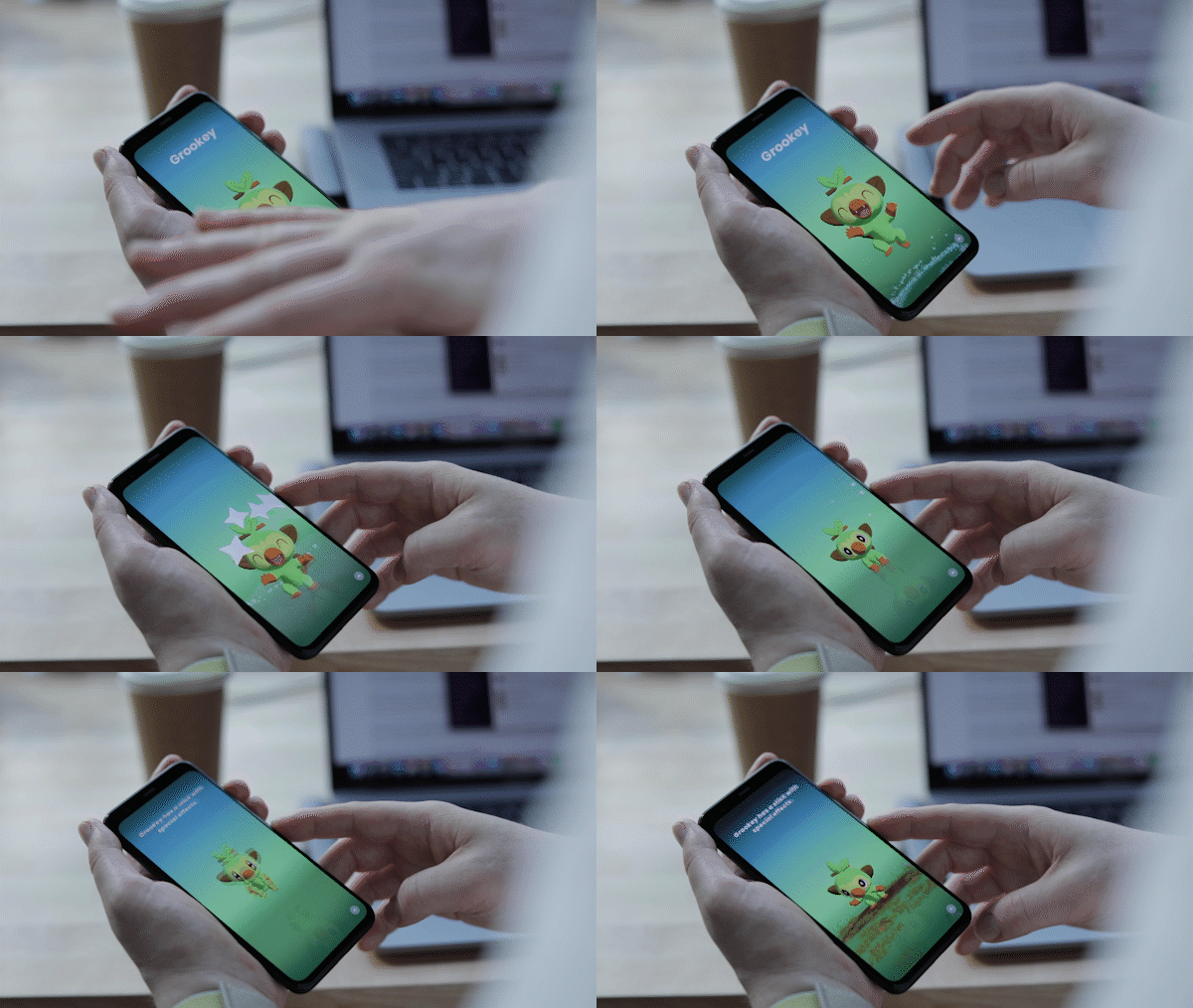
picka 2

That can be a little annoying for things like advancing tracks. I don’t think there are all that many instances where waving one’s hands across a device Obi-Wan Kenobi-style is really saving all that much time or effort versus touching a screen. If, however, Google was able to customize the experience to the individual over time using machine learning, it could be a legitimately handy feature.

That brings us to the next important point: functionality. So you’ve got this neat new piece of tiny radar that you’re sticking inside your phone. You say it’s low energy and more private than a camera. Awesome! So, how do you suggest I, you know, use it?

There are three key ways, at the moment:

  • Music playback
  • Alarm Silencing
  • Waving at Pokémon

The first two are reasonably useful. The primary use case I can think of are when, say, your phone is sitting in front of you at your desk. Like mine is, with me, right now. Swiping my hand left to right a few inches above the device advances the track. Right to left goes a track back. The movements need to be deliberate, from one end of the device to the other.

And then there’s the phenomenon of “Pokémon Wave Hello.” It’s not really correct to call the title a game, exactly. It’s little more than a way of showcasing Motion Sense — albeit an extremely delightful way.

You might have caught a glimpse of it at the keynote the other day. It came and went pretty quickly. Suddenly Pikachu was waving at the audience, appearing out of nowhere like so many wild Snorlaxes. Just as quickly, he was gone.

[gallery ids="1900104,1900106,1900107,1900108,1900109,1900110,1900111,1900112,1900113,1900114,1900115,1900116,1900117"]

More than anything, it’s a showcase title for the technology. A series of five Pokémon, beginning with Pikachu, appear demanding you interact with them through a series of waves. It’s simple, it’s silly and you’ll finish the whole thing in about three minutes. That’s not really the point, though. Pokémon Wave Hello exists to:

  1. Get you used to gestures.
  2. Demonstrate functionality beyond simple features. Gaming, AR — down the road, these things could ultimately find fun and innovative ways to integrate Soli.

For now, however, use is extremely limited. There are some fun little bits, including dynamic wallpaper that reacts to movement. The screen also glows subtly when detecting you — a nice little touch (there’s a similar effect for Assistant, as well).

Perhaps most practical, however, is the fact that the phone can detect when you’re reaching for it and begin the unlocking process. That makes the already fast new Face Unlock feature ever faster. Google ditched the fingerprint reader this time around, opting for neither a physical sensor nor in-screen reader. Probably for the best on the latter front, given the pretty glaring security woes Samsung experienced last week when a British woman accidentally spoofed the reader with a $3 screen protector. Yeeesh.

There are some nice security precautions on here. Chief among them is the fact that the unlock is done entirely on-device. All of the info is saved and processed on the phone’s Titan M chip, meaning it doesn’t get sent up to the cloud. That both makes it a speedier process and means Google won’t be sharing your face data with its other services — a fact Google felt necessary to point out, for obvious reasons.

For a select few of us, at least, Recorder feels like a legitimate game changer. And its ease of use and efficacy should be leaving startups like Otter.ai quaking at its potential, especially if/when Google opts to bring it to other Android handsets and iOS.

I was initially unimpressed by the app upon trying it out at last week’s launch event. It struggles to isolate audio in noisy environments — likely as much of a hardware as software constraint. One on one and it’s far better, though attempting to, say, record audio from a computer can still use some work.
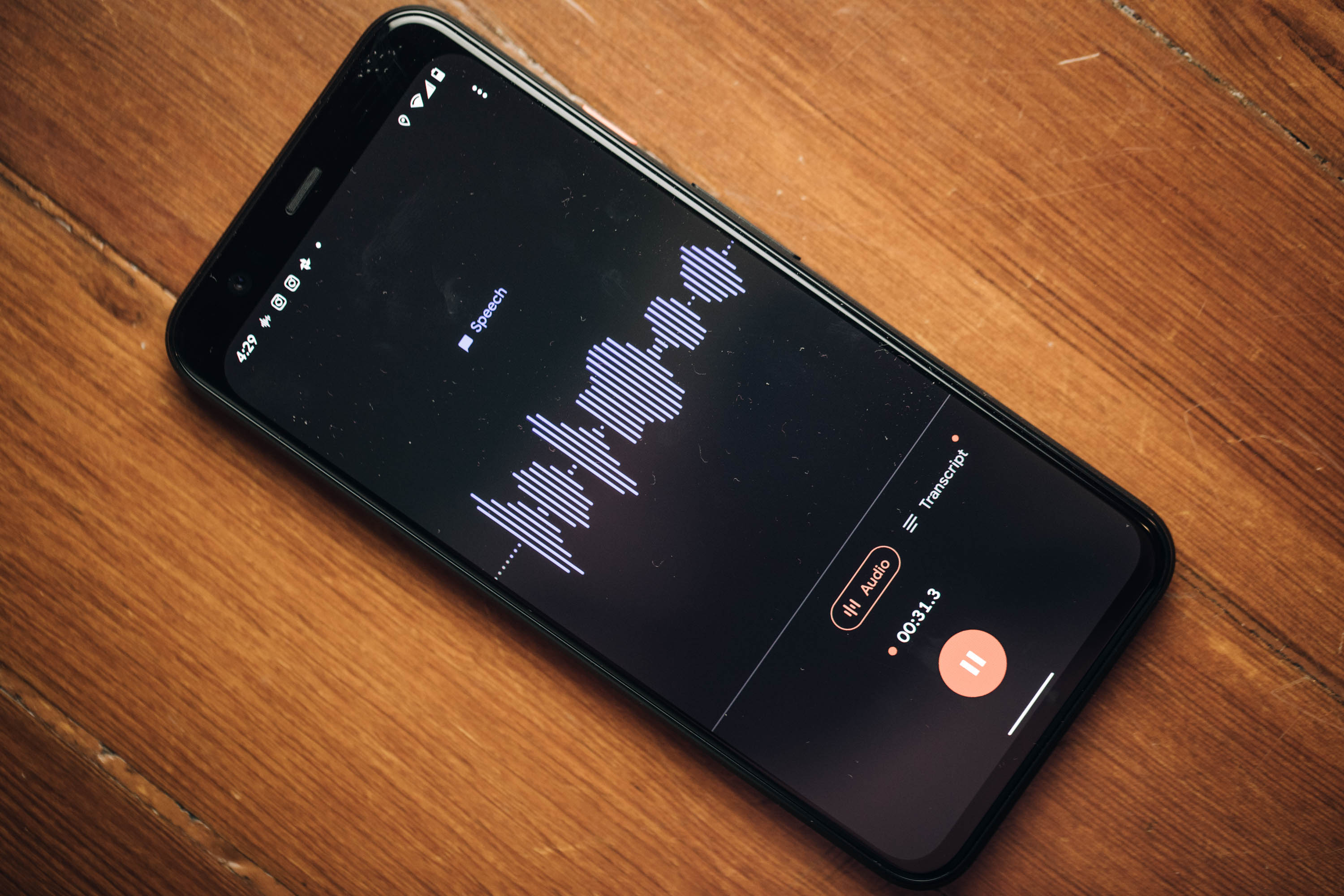
google pixel 4 004

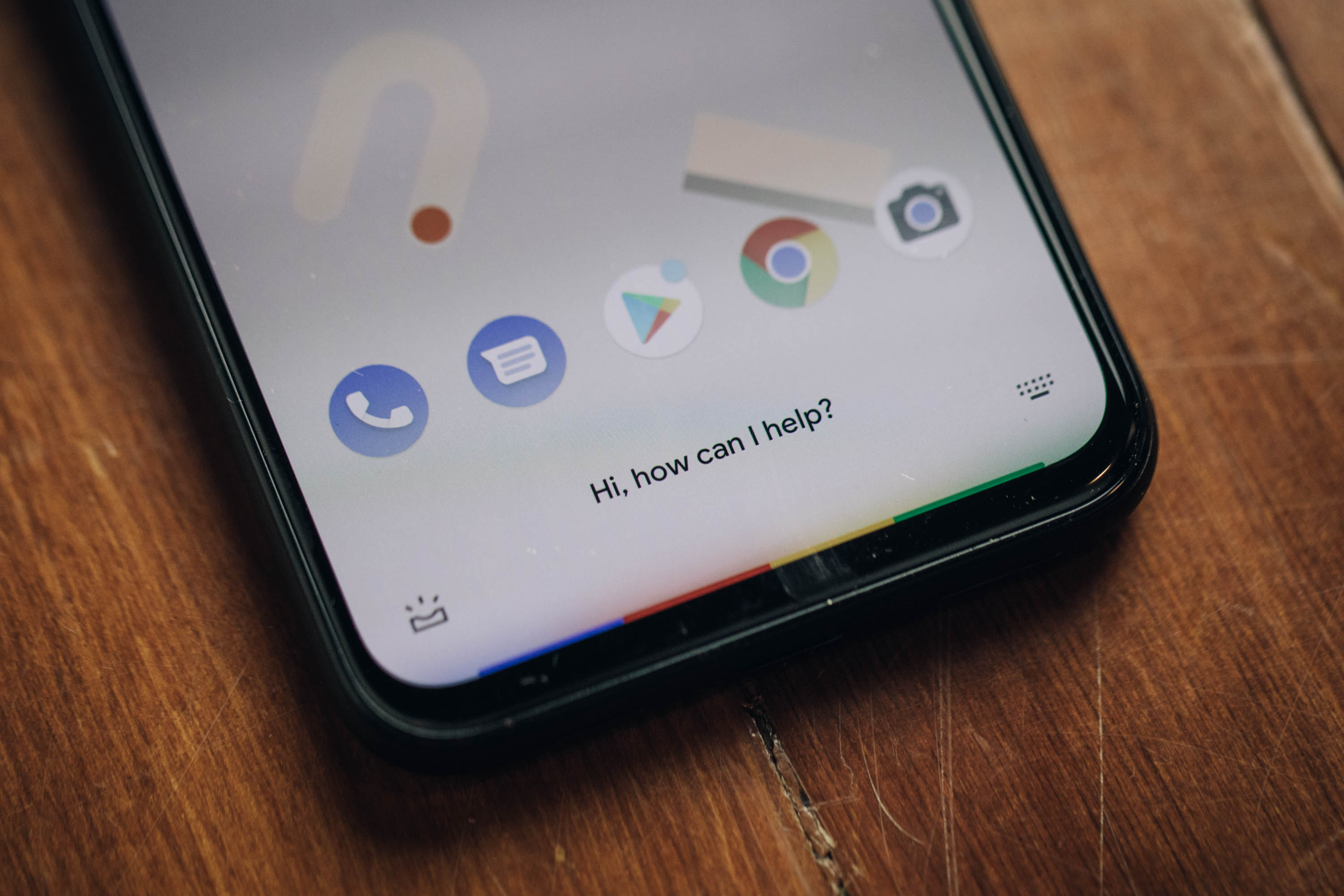
Open the app and hit record and you’ll see a waveform pop up. The line is blue when detecting speech and gray when hearing other sounds. Tap the Transcript button and you’ll see the speech populate the page in real time. From there you can save it with a title and tag the location.

The app will automatically tag keywords and make everything else searchable for easy access. In its first version, it already completely blows Apple’s Voice Memos out of the water. There’s no comparison, really. It’s in a different league. Ditto for other apps I’ve used over the years, like Voice Record.

Speaking to the product, the recording was still a little hit or miss. It’s not perfect — no AI I’ve encountered is. But it’s pretty good. I’d certainly recommend going back over the text before doing anything with it. Like Otter and other voice apps, you can play back the audio as it highlights words, karaoke-style.

The text can be saved to Google Drive, but can’t be edited in app yet. Audio can be exported, but not as a combined file. The punctuation leaves something to be desired and Recorder is not yet able to distinguish individual voices. These are all things a number of standalone services offer, along with a web-based platform. That means that none of them are out of business yet, but if I was running any of them, I’d be pretty nervous right about now.

As someone who does interviews for a living, however, I’m pretty excited by the potential here. I can definitely see Recorder become one of my most used work apps, especially after some of the aforementioned kinks get ironed out in the next version. As for those who don’t do this for a living, usefulness is probably a bit limited, though there are plenty of other potential uses, like school lecturers.
google pixel 4 005

The Pixel continues to distinguish itself through software updates and camera features. There are nice additions throughout that set it apart from the six-month-old 3a, as well, including a more premium design and new 90Hz display. At $799, the price is definitely a vast improvement over competitors like Samsung and Apple, while retaining flagship specs.

The Pixel 4 doesn’t exactly address what Google wants the Pixel to be, going forward. The Pixel 3a was confirmation that users were looking for a far cheaper barrier of entry. The Pixel 4, on the other hand, is priced above OnePlus’s excellent devices. Nor is the product truly premium from a design perspective.

It’s unclear what the future will look like as Google works to address the shifting smartphone landscape. In the meantime, however, the future looks bright for camera imaging, and Google remains a driving force on that front.


Read Full Article

Pixel 4 review: Google ups its camera game


Google’s first-party hardware has always been a drop in the bucket of global smartphone sales. Pixel devices have managed to crack the top five in the U.S. and Western Europe, but otherwise represent less than 1% of the overall market. It’s true, of course, that the company got a late start, largely watching on the sidelines as companies like Samsung and Huawei shipped millions of Android devices.

Earlier this year, Google admitted that it was feeling the squeeze of slowing smartphone sales along with the rest of the industry. During Alphabet’s Q1 earnings call, CEO Sundar Pichai noted that poor hardware numbers were a reflection of “pressure in the premium smartphone industry.”

Introduced at I/O, the Pixel 3a was an attempt to augment disappointing sales numbers with the introduction of a budget-tier device. With a starting price of $399, the device seemingly went over as intended. The 3a, coupled with more carrier partners, helped effectively double year over year growth for the line. Given all of this, it seems like a pretty safe bet that the six-month Pixel/Pixela cycle will continue, going forward.

Of course, the addition of a mid-range device adds more onus for the company to differentiate the flagship. With a starting price of $799, the Pixel 4 certainly isn’t expensive by modern flagship standards. But Google certainly needs to present enough distinguishing features to justify a $400 price gulf between devices — especially as the company disclosed software upgrades introduced on flagship devices will soon make their way onto their cheaper counterparts.

Indeed, the much-rumored and oft-leaked devices bring some key changes to the line. The company has finally given in and added a dual-camera setup to both premium models, along with an upgraded 90Hz display, face unlock, radar-based gestures and a whole bunch of additional software features.

The truth is that the Pixel has always occupied a strange place in the smartphone world. As the successor to Google’s Nexus partnerships, the product can be regarded as a showcase for Android’s most compelling features. But gone are the days of leading the pack with the latest version of the operating system. The fact that OnePlus devices already have Android 10 means Google’s going head to head against another reasonably price manufacturer of quality handsets.

google pixel 4 009

The Pixel line steps up a bit on the design side to distinguish the product from the “a” line. Google’s phones have never been as flashy as Samsung’s or Apple’s, and that’s still the case here, but a new dual-sided glass design (Gorilla Glass 5 on both), coupled with a metal band, does step up the premium feel a bit. The product is also a bit heavier and thicker than the 3, lending some heft to the device.

There are three colors now: black, white and a poppy “Oh So Orange,” which is available in limited quantities here in the U.S. The color power button continues to be a nice touch, lending a little character to the staid black and white devices. While the screen gets a nice update to 90Hz OLED, Google still has no interest in the world of notches or hole punches. Rather, it’s keeping pretty sizable bezels on the top and bottom.

The Pixel 4 gets a bit of a screen size boost from 5.5 to 5.7 inches, with an increase of a single pixel per inch, while the Pixel 4 XL stays put at 6.4 inches (with a PPI increase of 522 to 537). The dual front-facing camera has been ditched this time out, instead opting for the single eight megapixel, similar to what you’ll find on the 3a.

Storage hasn’t changed, with both 64 and 128GB options for both models; RAM has been bumped up to a default 6GB from 4GB last time out. The processor, too, is the latest and greatest from Qualcomm, bumping from a Snapdragon 845 to an 855. Interestingly, however, the batteries have actually been downgraded.

google pixel 4 013

The 4 and 4 XL sport a 2,800 and 3,700mAh, respectively. That should be augmented a bit by new battery-saving features introduced in Android 10, but even still, that’s not the direction you want to see these things going.

The camera is, in a word, great. Truth be told, I’ve been using it to shoot photos for the site since I got the phone last week. This Google Nest Mini review, Amazon Echo review and Virgin Galactic space suit news were all shot on the Pixel 4. The phone isn’t yet a “leave your DSLR at home” proposition, of course, but damn if it can’t take a fantastic photo in less than ideal and mixed light with minimal futzing around.

There’s no doubt that this represents a small but important shift in philosophy for Google. After multiple generations of suggesting that software solutions could do more than enough heavy lifting on image processing, the company’s finally bit the bullet and embraced a second camera. Sometimes forward progress means abandoning past stances. Remember when the company dug its heels in on keeping the headphone jack, only to drop it the following year?

google pixel 4 010

The addition of a second camera isn’t subtle, either. In fact, it’s hard to miss. Google’s adopted a familiar square configuration on the rear of the device. That’s just how phones look now, I suppose. Honestly, it’s fine once you conquer a bit of trypophobia, with a pair of lenses aligned horizontally and a sensor up top and flash on bottom — as one of last week’s presenters half joked, “we hope you’ll use it as a flash light.”

google pixel 4 008

That, of course, is a reference to the Pixel’s stellar low-light capabilities. It’s been a welcome feature, in an age where most smartphone users continue to overuse their flashes, completely throwing off the photo in the process. Perhaps the continued improvements will finally break that impulse in people — though I’m not really getting my hopes up on that front. Old habits, etc.

The 4 and 4 XL have the same camera set up, adopting the 12.2-megapixel (wide angle) lens from their predecessors and adding a 16-megapixel (telephoto) into the mix. I noted some excitement about the setup in my write-up. That’s not because the two-camera setup presents anything remarkable — certainly not in this area of three, four and five-camera flagships. It’s more about the groundwork that Google has laid out in the generations leading up to this device.

00100trPORTRAIT 00100 BURST20191016105119747 COVER 1

Essentially it comes down to this: Look at what the company has been able to accomplish using software and machine learning with a single camera setup. Now add a second telephoto camera into the mix. See, Super High Res Zoom is pretty impressive, all told. But if you really want a tighter shot without degrading the image in the process, optical zoom is still very much the way to go.

There’s a strong case to be made that the Pixel 4’s camera is the best in class. The pictures speak for themselves. The aforementioned TechCrunch shots were done with little or no manual adjustments or post-processing. Google offers on-screen adjustments, like the new dual-exposure control, which lets you manually adjust brightness and shadow brightness on the fly. Honestly, though, I find the best way to test these cameras is to use them the way most buyers will: by pointing and shooting.

[gallery ids="1900084,1900086,1900087,1900088,1900090,1900091,1900092"]

The fact is that a majority of people who buy these handsets won’t be doing much fiddling with the settings. As such, it’s very much on handset makers to ensure that users get the best photograph by default, regardless of conditions. Once again, software is doing much of the heavy lifting. Super Res Zoom works well in tandem with the new lens, while Live HDR+ does a better job approximating how the image will ultimately look once fully processed. Portrait mode shots look great, and the device is capable of capturing them at variable depths, meaning you don’t have to stand a specific distance from the subject to take advantage of the well-done artificial bokeh.

Our video producer, Veanne, who is admittedly a far better photographer than I can ever hope to be, tested out the camera for the weekend. 

[gallery ids="1900045,1900046,1900047,1900048,1900049,1900050,1900051,1900052"]

Although Veanne was mostly impressed by the Pixel 4’s camera and photo editing capabilities, here are three major gripes.

“Digital zoom is garbage.”

Google Pixel 4 digital zoom is garbage


“In low lighting situations, you lose ambiance. Saturday evening’s intimate, warmly lit dinner looked like a cafeteria meal.”

Pixel 4 camera sample


“Bright images in low lighting gives you the impression that the moving objects would be in focus as well. That is not the case.”

Other additions round out the experience, including “Frequent Faces,” which learns the faces of subjects you frequently photograph. Once again, the company is quick to point out that the feature is both off by default and all of the processing happens on the device. Turning it off also deletes all of the saved information. Social features have been improved, as well, with quick access to third-party platforms like Snapchat and Instagram.

Google keeps pushing out improvements to Lens, as well. This time out, language translation, document scanning and text copy and pasting can be performed with a quick tap. Currently the language translation is still a bit limited, with only support for English, Spanish, German, Hindi and Japanese. More will be “rolling out soon,” per the company.

google pixel 4 003

Gestures is a strange one. I’m far from the first to note that Google is far from the first to attempt the feature. The LG G8 ThinQ is probably the most recent prominent example of a company attempting to use gestures as a way to differentiate themselves. To date, I’ve not seen a good implementation of the technology — certainly not one I could ever see myself actually using day to day.

The truth is, no matter how interesting or innovative a feature is, people aren’t going to adopt it if it doesn’t work as advertised. LG’s implementation was a pretty big disappointment.

Simply put, the Pixel’s gestures are not that. They’re better in that, well, they work, pretty much as advertised. This is because the underlying technology is different. Rather than relying on cameras like other systems, the handset uses Project Soli, a long-promised system that utilizes a miniature radar chip to detect far more precise movement.

Soli does, indeed work, but the precision is going to vary a good deal from user to user. The thing is, simply detecting movement isn’t enough. Soli also needs to distinguish intention. That means the system is designed to weed out accidental gestures of the manner we’re likely making all the time around our phones. That means the system appears to be calibrated to bigger, intentional movements.

picka 2

That can be a little annoying for things like advancing tracks. I don’t think there are all that many instances where waving one’s hands across a device Obi-Wan Kenobi-style is really saving all that much time or effort versus touching a screen. If, however, Google was able to customize the experience to the individual over time using machine learning, it could be a legitimately handy feature.

That brings us to the next important point: functionality. So you’ve got this neat new piece of tiny radar that you’re sticking inside your phone. You say it’s low energy and more private than a camera. Awesome! So, how do you suggest I, you know, use it?

There are three key ways, at the moment:

  • Music playback
  • Alarm Silencing
  • Waving at Pokémon

The first two are reasonably useful. The primary use case I can think of are when, say, your phone is sitting in front of you at your desk. Like mine is, with me, right now. Swiping my hand left to right a few inches above the device advances the track. Right to left goes a track back. The movements need to be deliberate, from one end of the device to the other.

And then there’s the phenomenon of “Pokémon Wave Hello.” It’s not really correct to call the title a game, exactly. It’s little more than a way of showcasing Motion Sense — albeit an extremely delightful way.

You might have caught a glimpse of it at the keynote the other day. It came and went pretty quickly. Suddenly Pikachu was waving at the audience, appearing out of nowhere like so many wild Snorlaxes. Just as quickly, he was gone.

[gallery ids="1900104,1900106,1900107,1900108,1900109,1900110,1900111,1900112,1900113,1900114,1900115,1900116,1900117"]

More than anything, it’s a showcase title for the technology. A series of five Pokémon, beginning with Pikachu, appear demanding you interact with them through a series of waves. It’s simple, it’s silly and you’ll finish the whole thing in about three minutes. That’s not really the point, though. Pokémon Wave Hello exists to:

  1. Get you used to gestures.
  2. Demonstrate functionality beyond simple features. Gaming, AR — down the road, these things could ultimately find fun and innovative ways to integrate Soli.

For now, however, use is extremely limited. There are some fun little bits, including dynamic wallpaper that reacts to movement. The screen also glows subtly when detecting you — a nice little touch (there’s a similar effect for Assistant, as well).

Perhaps most practical, however, is the fact that the phone can detect when you’re reaching for it and begin the unlocking process. That makes the already fast new Face Unlock feature ever faster. Google ditched the fingerprint reader this time around, opting for neither a physical sensor nor in-screen reader. Probably for the best on the latter front, given the pretty glaring security woes Samsung experienced last week when a British woman accidentally spoofed the reader with a $3 screen protector. Yeeesh.

There are some nice security precautions on here. Chief among them is the fact that the unlock is done entirely on-device. All of the info is saved and processed on the phone’s Titan M chip, meaning it doesn’t get sent up to the cloud. That both makes it a speedier process and means Google won’t be sharing your face data with its other services — a fact Google felt necessary to point out, for obvious reasons.

For a select few of us, at least, Recorder feels like a legitimate game changer. And its ease of use and efficacy should be leaving startups like Otter.ai quaking at its potential, especially if/when Google opts to bring it to other Android handsets and iOS.

I was initially unimpressed by the app upon trying it out at last week’s launch event. It struggles to isolate audio in noisy environments — likely as much of a hardware as software constraint. One on one and it’s far better, though attempting to, say, record audio from a computer can still use some work.

google pixel 4 004

Open the app and hit record and you’ll see a waveform pop up. The line is blue when detecting speech and gray when hearing other sounds. Tap the Transcript button and you’ll see the speech populate the page in real time. From there you can save it with a title and tag the location.

The app will automatically tag keywords and make everything else searchable for easy access. In its first version, it already completely blows Apple’s Voice Memos out of the water. There’s no comparison, really. It’s in a different league. Ditto for other apps I’ve used over the years, like Voice Record.

Speaking to the product, the recording was still a little hit or miss. It’s not perfect — no AI I’ve encountered is. But it’s pretty good. I’d certainly recommend going back over the text before doing anything with it. Like Otter and other voice apps, you can play back the audio as it highlights words, karaoke-style.

The text can be saved to Google Drive, but can’t be edited in app yet. Audio can be exported, but not as a combined file. The punctuation leaves something to be desired and Recorder is not yet able to distinguish individual voices. These are all things a number of standalone services offer, along with a web-based platform. That means that none of them are out of business yet, but if I was running any of them, I’d be pretty nervous right about now.

As someone who does interviews for a living, however, I’m pretty excited by the potential here. I can definitely see Recorder become one of my most used work apps, especially after some of the aforementioned kinks get ironed out in the next version. As for those who don’t do this for a living, usefulness is probably a bit limited, though there are plenty of other potential uses, like school lecturers.

google pixel 4 005

The Pixel continues to distinguish itself through software updates and camera features. There are nice additions throughout that set it apart from the six-month-old 3a, as well, including a more premium design and new 90Hz display. At $799, the price is definitely a vast improvement over competitors like Samsung and Apple, while retaining flagship specs.

The Pixel 4 doesn’t exactly address what Google wants the Pixel to be, going forward. The Pixel 3a was confirmation that users were looking for a far cheaper barrier of entry. The Pixel 4, on the other hand, is priced above OnePlus’s excellent devices. Nor is the product truly premium from a design perspective.

It’s unclear what the future will look like as Google works to address the shifting smartphone landscape. In the meantime, however, the future looks bright for camera imaging, and Google remains a driving force on that front.


Read Full Article

20 October 2019

Giphy Arcade Lets You Create and Play Mini Games


Giphy has launched Giphy Arcade, which lets you create, play, and share your own mini-games. Giphy is best known as a search engine for GIFs, and Giphy Arcade is an attempt to bring the thinking behind GIFs to gaming. And it kinda works.

How to Create and Play Giphy Arcade Games

Giphy Arcade is essentially a database of mini-games you can play online. There are a limited number of styles of game available, but beyond that every element is customizable. So while the gameplay will feel familiar, the art style and music may not.

Giphy Arcade has three different components. At its core, it lets you play mini-games quickly and easily on the web regardless of the device you’re using. However, you can also remix the games to your own liking, and share them online with a single link.

To create a game from scratch you first choose a game template. Game styles include Floppy Bard, Runner, Blast ‘Em Up, and Brick Buster. Then, you choose your hero and other graphical components, plus your soundtrack. Finally, give it a title, and it’s ready.

You can also remix any game you play on Giphy Arcade, customizing it with your own characters and components. Either way, your game will be given a simple URL which you can share with family, friends, and/or everyone online as easily as you would share a GIF.

Giphy Arcade Could Turn Everyone Into Gamers

The games on Giphy Arcade aren’t going to win any awards. They’re simple twists on old-skool genres we’ve all seen before. However, they’re fun to play, and the ability to create your own web-based mini-game is rather compelling. See my effort, Chuck Norris Rulez.

Giphy Arcade could help turn more people into gamers too. Because even your gran could get the hang of these simple efforts. And once your gran has become a gamer, she should check out our list of addictive mobile games you can play for five minutes at a time.

Read the full article: Giphy Arcade Lets You Create and Play Mini Games


Read Full Article

The Essential CSS3 Properties Cheat Sheet


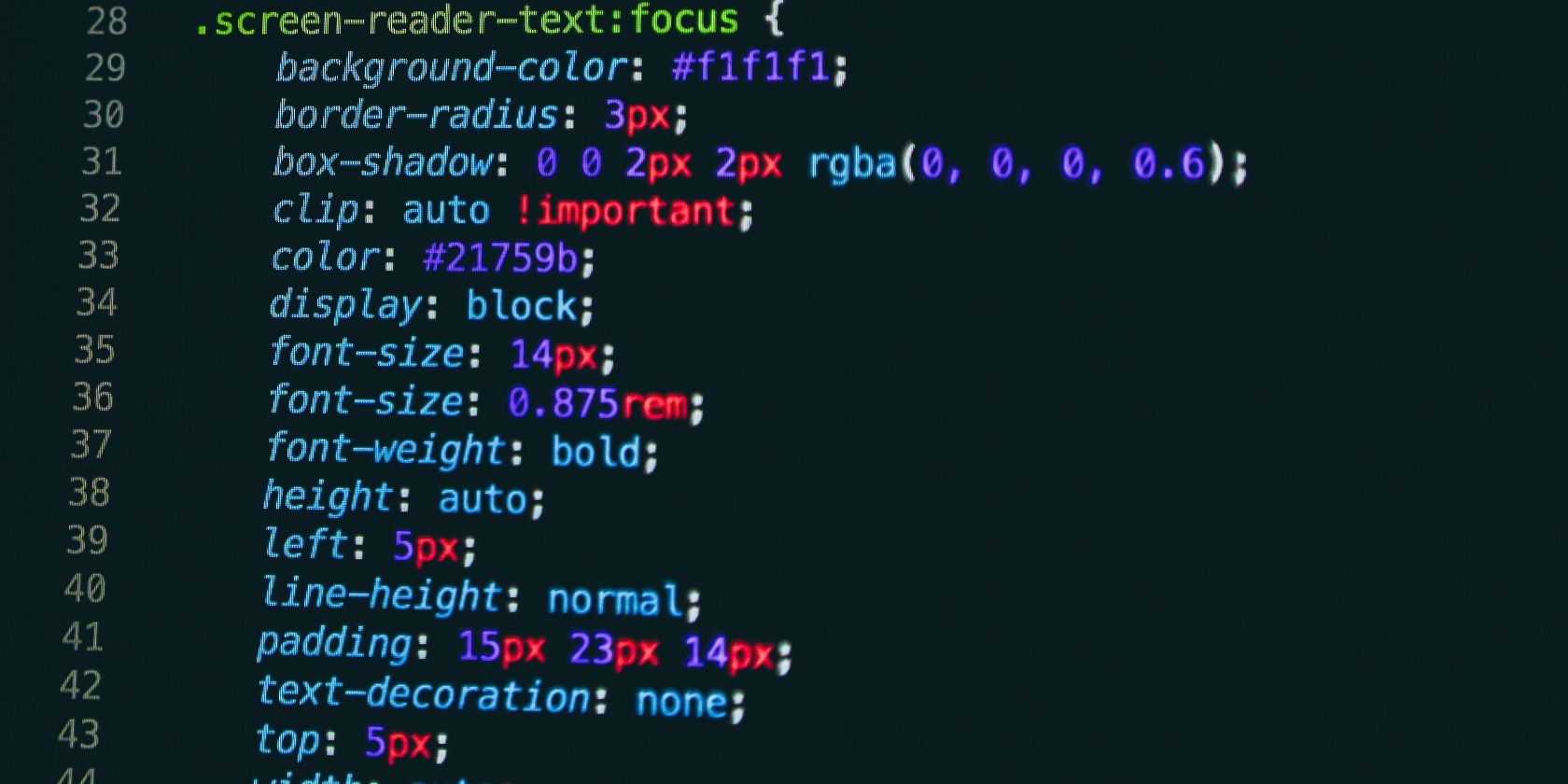
Screenshot of sample CSS properties used in a code snippet

Cascading Style Sheets or CSS define the look and feel of the web as we know it. While HTML and JavaScript focus on the functional side of the web, CSS deals with the visual aspects of it.

Need help navigating the world that is CSS3? Download our "Essential CSS3 Properties Cheat Sheet" today!

After you’ve learned how to build static webpages with HTML, it’s time to discover how to style them and make them presentable with CSS. And our CSS3 properties cheat sheet below can help you with that! It covers the essential syntax you need to know about in CSS3, which is the latest version of CSS.

A working knowledge of CSS helps you customize colors, fonts, borders, backgrounds, layouts, and much more on webpages in a streamlined manner. What’s more, it comes in handy while designing web and mobile applications too.

FREE DOWNLOAD: This cheat sheet is available as a downloadable PDF from our distribution partner, TradePub. You will have to complete a short form to access it for the first time only. Download Essential CSS3 Properties Cheat Sheet.

The Essential CSS3 Properties Cheat Sheet

Shortcut Action
Background Properties
background Defines a variety of background properties within one declaration.
background-attachment Specifies whether the background image is fixed or scrolls with the webpage.
background-color Defines the background color of an element on the webpage.
background-image Defines an element’s background image.
background-clip Specifies how far the background images or color extends for an element.
background-origin Specifies the positioning area of the background images.
background-position Defines the origin of a background image.
background-repeat Specifies how the background image is tiled.
background-size Specifies the size of the background images.
Border Properties
border Sets the border width, style, and color for all four sides of an element.
border-bottom Sets the width, style, and color for the bottom border of an element.
border-bottom-color Sets the color of the bottom border of an element.
border-bottom-left-radius Defines the shape of the bottom-left border corner of an element.
border-bottom-right-radius Defines the shape of the bottom-right border corner of an element.
border-bottom-style Sets the style of the bottom border of an element.
border-bottom-width Sets the width of the bottom border of an element.
border-color Sets the color of the border on all the four sides of an element.
border-image Specifies how an image is to be used in place of the border styles.
border-image-outset Specifies the amount by which the border image area extends beyond the border box.
border-image-repeat Specifies how the border image is tiled.
border-image-slice Specifies the inward offsets of the image-border.
border-image-source Specifies the location of the image to be used as a border.
border-image-width Specifies the width of the image-border.
border-left Sets the width, style, and color of the left border of an element.
border-left-color Sets the color of the left border of an element.
border-left-style Sets the style of the left border of an element.
border-left-width Sets the width of the left border of an element.
border-radius Defines the shape of the border corners of an element.
border-right Sets the width, style, and color of the right border of an element.
border-right-color Sets the color of the right border of an element.
border-right-style Sets the style of the right border of an element.
border-right-width Sets the width of the right border of an element.
border-style Sets the style of the border on all the four sides of an element.
border-top Sets the width, style, and color of the top border of an element.
border-top-color Sets the color of the top border of an element.
border-top-left-radius Defines the shape of the top-left border corner of an element.
border-top-right-radius Defines the shape of the top-right border corner of an element.
border-top-style Sets the style of the top border of an element.
border-top-width Sets the width of the top border of an element.
border-width Sets the width of the border on all the four sides of an element.
Color Properties
color Defines and sets the color for text.
opacity Defines the transparency of an element.
Dimension Properties
height Defines the height of an element.
max-height Defines the maximum height of an element.
max-width Defines the maximum width of an element.
min-height Defines the minimum height of an element.
min-width Defines the minimum width of an element.
width Specify the width of an element.
Generated Content Properties
content Inserts generated content.
quotes Specifies quotation marks for embedded quotations.
counter-reset Creates or resets one or more counters.
counter-increment Increments one or more counter values.
Flexible Box Layout
align-content Specifies the alignment of flexible container's items.
align-items Specifies the default alignment for items.
align-self Specifies the alignment for selected items.
flex Specifies the components of a flexible length.
flex-basis Specifies the initial main size of the flex item.
flex-direction Specifies the direction of the flexible items.
flex-flow A shorthand property for the flex-direction and the flex-wrap properties.
flex-grow Specifies how the flex item will grow relative to the other items inside the flex container.
flex-shrink Specifies how the flex item will shrink relative to the other items inside the flex container.
flex-wrap Specifies whether the flexible items should wrap or not.
justify-content Specifies how flex items are aligned along the main axis of the flex container after any flexible lengths and auto margins have been resolved.
order Specifies the order in which a flex items are displayed and laid out within a flex container.
Font Properties
font Defines a variety of font properties within one declaration like the font-style, font-variant, font-weight, font-size/line-height, and the font-family.
font-family Defines a list of fonts for element.
font-size Defines the font size for the text.
font-size-adjust Preserves the readability of text when font fallback occurs.
font-stretch Selects a normal, condensed, or expanded face from a font.
font-style Defines the font style for the text.
font-variant Specifies the font variant.
font-weight Specifies the font weight of the text.
List Properties
list-style Defines the display style for a list and list elements.
list-style-image Specifies the image to be used as a list-item marker.
list-style-position Specifies the position of the list-item marker.
list-style-type Specifies the marker style for a list-item.
Margin Properties
margin Sets the margin on all four sides of the element.
margin-bottom Sets the bottom margin of the element.
margin-left Sets the left margin of the element.
margin-right Sets the right margin of the element.
margin-top Sets the top margin of the element.
Multi-Column Layout Properties
column-count Specifies the number of columns in a multi-column element.
column-fill Specifies how columns will be filled.
column-gap Specifies the gap between the columns in a multi-column element.
column-rule Specifies a straight line, or "rule", to be drawn between each column in a multi-column element.
column-rule-color Specifies the color of the rules drawn between columns in a multi-column layout.
column-rule-style Specifies the style of the rule drawn between the columns in a multi-column layout.
column-rule-width Specifies the width of the rule drawn between the columns in a multi-column layout.
column-span Specifies how many columns an element spans across in a multi-column layout.
column-width Specifies the optimal width of the columns in a multi-column element.
columns A shorthand property for setting column-width and column-count properties.
column-count Specifies the number of columns in a multi-column element.
Outline Properties
outline Sets the width, style, and color for all four sides of an element's outline.
outline-color Sets the color of the outline.
outline-offset Set the space between an outline and the border edge of an element.
outline-style Sets a style for an outline.
outline-width Sets the width of the outline.
Padding Properties
padding Sets the padding on all four sides of the element.
padding-bottom Sets the padding to the bottom side of an element.
padding-left Sets the padding to the left side of an element.
padding-right Sets the padding to the right side of an element.
padding-top Sets the padding to the top side of an element.
Print Properties
page-break-after Inserts a page break after an element.
page-break-before Inserts a page break before an element.
page-break-inside Inserts a page break inside an element.
Table Properties
border-collapse Specifies whether table cell borders are connected or separated.
border-spacing Sets the spacing between the borders of adjacent table cells.
caption-side Specifies the position of table's caption.
empty-cells Shows or hides borders and backgrounds of empty table cells.
table-layout Specifies a table layout algorithm.
border-collapse Specifies whether table cell borders are connected or separated.
Text Properties
direction Defines the text direction/writing direction.
tab-size Specifies the length of the tab character.
text-align Sets the horizontal alignment of inline content.
text-align-last Specifies how the last line of a block or a line right before a forced line break is aligned when text-align is justify.
text-decoration Specifies the decoration added to text.
text-decoration-color Specifies the color of the text-decoration-line.
text-decoration-line Specifies what kind of line decorations are added to the element.
text-decoration-style Specifies the style of the lines specified by the text-decoration-line property
text-indent Indents the first line of text.
text-justify Specifies the justification method to use when the text-align property is set to justify.
text-overflow Specifies how the text content will be displayed, when it overflows the block containers.
text-shadow Applies one or more shadows to the text content of an element.
text-transform Transforms the case of the text.
line-height Sets the height between lines of text.
vertical-align Sets the vertical positioning of an element relative to the current text baseline.
letter-spacing Sets the extra spacing between letters.
word-spacing Sets the spacing between words.
white-space Specifies how white space inside the element is handled.
word-break Specifies how to break lines within words.
word-wrap Specifies whether to break words when the content overflows the boundaries of its container.
Transform Properties
backface-visibility Specifies whether or not the "back" side of a transformed element is visible when facing the user.
perspective Defines the perspective from which all child elements of the object are viewed.
perspective-origin Defines the origin (the vanishing point for the 3D space) for the perspective property.
transform Applies a 2D or 3D transformation to an element.
transform-origin Defines the origin of transformation for an element.
transform-style Specifies how nested elements are rendered in 3D space.
Transition Properties
transition Defines the transition between two states of an element.
transition-delay Specifies when the transition effect will start.
transition-duration Specifies the number of seconds or milliseconds a transition effect should take to complete.
transition-property Specifies the names of the CSS properties to which a transition effect should be applied.
transition-timing-function Specifies the speed curve of the transition effect.
Visual Formatting Properties
display Specifies how an element is displayed onscreen.
position Specifies how an element is positioned.
top Specifies the location of the top edge of the positioned element.
right Specifies the location of the right edge of the positioned element.
bottom Specifies the location of the bottom edge of the positioned element.
left Specifies the location of the left edge of the positioned element.
float Specifies whether or not a box should float.
clear Specifies the placement of an element in relation to floating elements.
z-index Specifies a layering or stacking order for positioned elements.
overflow Specifies the treatment of content that overflows the element's box.
overflow-x Specifies how to manage the content when it overflows the width of the element's content area.
overflow-y Specifies how to manage the content when it overflows the height of the element's content area.
resize Specifies whether or not an element is resizable by the user.
clip Defines the clipping region.
visibility Specifies whether or not an element is visible.
cursor Specifies the type of cursor.
box-shadow Applies one or more drop-shadows to the element's box.
box-sizing Alters the default CSS box model.
Animation Properties
animation Specifies the behavior of all animations.
animation-delay Specifies when the animation will start with a delay.
animation-direction Specifies whether the animation should play forward, backward, or in alternate cycles.
animation-duration Specifies the number of seconds or milliseconds an animation should take to complete one cycle.
animation-fill-mode Specifies how a CSS animation should apply styles to its target before and after it is executing.
animation-iteration-count Specifies the number of times an animation cycle should be played before stopping.
animation-name Specifies the name of @keyframes defined animations that should be applied to the selected element.
animation-play-state Specifies whether the animation is running or paused.
animation-timing-function Specifies how a CSS animation should progress over the duration of each cycle.

Go Beyond the Basics of CSS

Once you’ve mastered the building blocks of CSS, we recommend upgrading your CSS skills and learning JavaScript to take your webpages to a new level of stunning.

Image Credit: Nick Karvounis on Unsplash

Read the full article: The Essential CSS3 Properties Cheat Sheet


Read Full Article