13 September 2019

Using Deep Learning to Inform Differential Diagnoses of Skin Diseases


An estimated 1.9 billion people worldwide suffer from a skin condition at any given time, and due to a shortage of dermatologists, many cases are seen by general practitioners instead. In the United States alone, up to 37% of patients seen in the clinic have at least one skin complaint and more than half of those patients are seen by non-dermatologists. However, studies demonstrate a significant gap in the accuracy of skin condition diagnoses between general practitioners and dermatologists, with the accuracy of general practitioners between 24% and 70%, compared to 77-96% for dermatologists. This can lead to suboptimal referrals, delays in care, and errors in diagnosis and treatment.

Existing strategies for non-dermatologists to improve diagnostic accuracy include the use of reference textbooks, online resources, and consultation with a colleague. Machine learning tools have also been developed with the aim of helping to improve diagnostic accuracy. Previous research has largely focused on early screening of skin cancer, in particular, whether a lesion is malignant or benign, or whether a lesion is melanoma. However, upwards of 90% of skin problems are not malignant, and addressing these more common conditions is also important to reduce the global burden of skin disease.

In “A Deep Learning System for Differential Diagnosis of Skin Diseases,” we developed a deep learning system (DLS) to address the most common skin conditions seen in primary care. Our results showed that a DLS can achieve an accuracy across 26 skin conditions that is on par with U.S. board-certified dermatologists, when presented with identical information about a patient case (images and metadata). This study highlights the potential of the DLS to augment the ability of general practitioners who did not have additional specialty training to accurately diagnose skin conditions.

DLS Design
Clinicians often face ambiguous cases for which there is no clear cut answer. For example, is this patient’s rash stasis dermatitis or cellulitis, or perhaps both superimposed? Rather than giving just one diagnosis, clinicians generate a differential diagnosis, which is a ranked list of possible diagnoses. A differential diagnosis frames the problem so that additional workup (laboratory tests, imaging, procedures, consultations) and treatments can be systematically applied until a diagnosis is confirmed. As such, a deep learning system (DLS) that produces a ranked list of possible skin conditions for a skin complaint closely mimics how clinicians think and is key to prompt triage, diagnosis and treatment for patients.

To render this prediction, the DLS processes inputs, including one or more clinical images of the skin abnormality and up to 45 types of metadata (self-reported components of the medical history such as age, sex, symptoms, etc.). For each case, multiple images were processed using the Inception-v4 neural network architecture and combined with feature-transformed metadata, for use in the classification layer. In our study, we developed and evaluated the DLS with 17,777 de-identified cases that were primarily referred from primary care clinics to a teledermatology service. Data from 2010-2017 were used for training and data from 2017-2018 for evaluation. During model training, the DLS leveraged over 50,000 differential diagnoses provided by over 40 dermatologists.

To evaluate the DLS’s accuracy, we compared it to a rigorous reference standard based on the diagnoses from three U.S. board-certified dermatologists. In total, dermatologists provided differential diagnoses for 3,756 cases (“Validation set A”), and these diagnoses were aggregated via a voting process to derive the ground truth labels. The DLS’s ranked list of skin conditions was compared with this dermatologist-derived differential diagnosis, achieving 71% and 93% top-1 and top-3 accuracies, respectively.
Schematic of the DLS and how the reference standard (ground truth) was derived via the voting of three board-certified dermatologists for each case in the validation set.
Comparison to Professional Evaluations
In this study, we also compared the accuracy of the DLS to that of three categories of clinicians on a subset of the validation A dataset (“Validation set B”): dermatologists, primary care physicians (PCPs), and nurse practitioners (NPs) — all chosen randomly and representing a range of experience, training, and diagnostic accuracy. Because typical differential diagnoses provided by clinicians only contain up to three diagnoses, we compared only the top three predictions by the DLS with the clinicians. The DLS achieved a top-3 diagnostic accuracy of 90% on the validation B dataset, which was comparable to dermatologists and substantially higher than primary care physicians (PCPs) and nurse practitioners (NPs)—75%, 60%, and 55%, respectively, for the 6 clinicians in each group. This high top-3 accuracy suggests that the DLS may help prompt clinicians (including dermatologists) to consider possibilities that were not originally in their differential diagnoses, thus improving diagnostic accuracy and condition management.
The DLS’s leading (top-1) differential diagnosis is substantially higher than PCPs and NPs, and on par with dermatologists. This accuracy increases substantially when we look at the DLS’s top-3 accuracy, suggesting that in the majority of cases the DLS’s ranked list of diagnoses contains the correct ground truth answer for the case.
Assessing Demographic Performance
Skin type, in particular, is highly relevant to dermatology, where visual assessment of the skin itself is crucial to diagnosis. To evaluate potential bias towards skin type, we examined DLS performance based on the Fitzpatrick skin type, which is a scale that ranges from Type I (“pale white, always burns, never tans”) to Type VI (“darkest brown, never burns”). To ensure sufficient numbers of cases on which to draw convincing conclusions, we focused on skin types that represented at least 5% of the data — Fitzpatrick skin types II through IV. On these categories, the DLS’s accuracy was similar, with a top-1 accuracy ranging from 69-72%, and the top-3 accuracy from 91-94%. Encouragingly, the DLS also remained accurate in patient subgroups for which significant numbers (at least 5%) were present in the dataset based on other self-reported demographic information: age, sex, and race/ethnicities. As further qualitative analysis, we assessed via saliency (explanation) techniques that the DLS was reassuringly “focusing” on the abnormalities instead of on skin tone.
Left: An example of a case with hair loss that was challenging for non-specialists to arrive at the specific diagnosis, which is necessary for determining appropriate treatment. Right: An image with regions highlighted in green showing the areas that the DLS identified as important and used to make its prediction. Center: The combined image, which indicates that the DLS mostly focused on the area with hair loss to make this prediction, instead of on forehead skin color, for example, which may indicate potential bias.
Incorporating Multiple Data Types
We also studied the effect of different types of input data on the DLS performance. Much like how having images from several angles can help a teledermatologist more accurately diagnose a skin condition, the accuracy of the DLS improves with increasing number of images. If metadata (e.g., the medical history) is missing, the model does not perform as well. This accuracy gap, which may occur in scenarios where no medical history is available, can be partially mitigated by training the DLS with only images. Nevertheless, this data suggests that providing the answers to a few questions about the skin condition can substantially improve the DLS accuracy.
The DLS performance improves when more images (blue line) or metadata (blue compared with red line) are present. In the absence of metadata as input, training a separate DLS using images alone leads to a marginal improvement compared to the current DLS (green line).
Future Work and Applications
Though these results are very promising, much work remains ahead. First, as reflective of real-world practice, the relative rarity of skin cancer such as melanoma in our dataset hindered our ability to train an accurate system to detect cancer. Related to this, the skin cancer labels in our dataset were not biopsy-proven, limiting the quality of the ground truth in this regard. Second, while our dataset did contain a variety of Fitzpatrick skin types, some skin types were too rare in this dataset to allow meaningful training or analysis. Finally, the validation dataset was from one teledermatology service. Though 17 primary care locations across two states were included, additional validation on cases from a wider geographical region will be critical. We believe these limitations can be addressed by including more cases of biopsy-proven skin cancers in the training and validation sets, and including cases representative of additional Fitzpatrick skin types and from other clinical centers.

The success of deep learning to inform the differential diagnosis of skin disease is highly encouraging of such a tool’s potential to assist clinicians. For example, such a DLS could help triage cases to guide prioritization for clinical care or could help non-dermatologists initiate dermatologic care more accurately and potentially improve access. Though significant work remains, we are excited for future efforts in examining the usefulness of such a system for clinicians. For research collaboration inquiries, please contact dermatology-research@google.com.

Acknowledgements
This work involved the efforts of a multidisciplinary team of software engineers, researchers, clinicians and cross functional contributors. Key contributors to this project include Yuan Liu, Ayush Jain, Clara Eng, David H. Way, Kang Lee, Peggy Bui, Kimberly Kanada, Guilherme de Oliveira Marinho, Jessica Gallegos, Sara Gabriele, Vishakha Gupta, Nalini Singh, Vivek Natarajan, Rainer Hofmann-Wellenhof, Greg S. Corrado, Lily H. Peng, Dale R. Webster, Dennis Ai, Susan Huang, Yun Liu, R. Carter Dunn and David Coz. The authors would like to acknowledge William Chen, Jessica Yoshimi, Xiang Ji and Quang Duong for software infrastructure support for data collection. Thanks also go to Genevieve Foti, Ken Su, T Saensuksopa, Devon Wang, Yi Gao and Linh Tran. Last but not least, this work would not have been possible without the participation of the dermatologists, primary care physicians, nurse practitioners who reviewed cases for this study, Sabina Bis who helped to establish the skin condition mapping and Amy Paller who provided feedback on the manuscript.

The Best Plex Apps to Make Plex Even Better


best-plex-apps

Plex is a fantastic app. Even if you do little more than customize the interface to suit your own media libraries, it’s head-and-shoulders above other similar apps. However, the best Plex apps can make Plex even better.

The best Plex apps are third-party apps that add extra features to Plex. We’re not talking about plugins or sideloaded channels here. We mean standalone apps that run independently from your Plex Media Server software.

In this article we direct you to the best Plex apps, which, once installed, will make Plex even better.

1. Tautulli

tautulli graph

Tautulli is a web application that monitors your Plex server. It’s probably the best-known third-party Plex app.

As we’ll see in a moment, Tautulli is a must-have app if you’re the administrator of a Plex server that you share with family or friends.

Tautulli offers a mountain of useful monitoring features, including:

  • The ability to see who’s watching which videos in real-time.
  • A complete watch history log for all users.
  • A statistical breakdown of your Plex library.
  • Graphs and charts of streaming trends on your server.

You can also use the app to track when people add new content to the server, create newsletters for other users about your recently added media, and set up customized notifications for specific events.

Finally, there’s a Tautulli remote available on Android. At the time of writing it’s still in beta and reviews are mixed.

Download: Tautulli (Free)

2. PlexWatch

If you don’t need all the functionality that Tautulli offers, there are a couple of alternative Plex Server monitoring tools that are worth checking out. Our favorite alternative is PlexWatch.

PlexWatch specializes in issuing real-time notifications when certain actions occur on your Plex Server app. You can choose to receive an alert when a user starts/stops/pauses/resumes watching a video, or when new content is added to your Plex Server.

Importantly for an alert service, a wide variety of notification services are supported. They include email, Twitter, Pushbullet, macOS’s Growl, iOS’s Prowl, and Pushover.

You can also grab data such as the number of current users, stream type, video type and resolution, and even IP addresses.

The app has a separately available frontend.

Download: PlexWatch (Free)

3. Ombi

ombi homepage

Ombi is a web application. It allows other users on your Plex Server to request new content that they want to watch or listen to.

They can do so by heading to the Ombi website, entering the username you’ve provided, then performing a search for the movie or TV shows they want to watch. Ombi will inform the person if the show is already available on Plex or will provide a “Request” button if it’s not.

You can cycle through the Movies, TV Shows, and Music tabs at the top of the page to request different types of media. Shows are pulled from IMDb and TheMovieDB.

Download: Ombi (Free)

4. Kitana

kitana options

Kitana was launched in 2018 as a response to Plex’s decision to remove plugins from the frontend of its Server and Media Player apps.

Of course, you can still sideload Plex plugins, but the process is a little fiddly and involves diving down into Plex’s file structure.

Kitana aims to provide a solution by offering a responsive, web-based frontend for installing, managing, and deleting Plex plugins.

Remember, Plex has only confirmed that the ability to sideload Plugins will exist for the “foreseeable future,” so support may stop at any time. If support does stop, Kitana will no longer work.

(NB: We’ve written about some of the best Plex plugins if you would like to learn more.)

Download: Kitana (Free)

5. FileBot

FileBot is an agnostic tool, so it wasn’t specifically designed for Plex. However, if you have a disorganized media library and want Plex do a better job of recognizing metadata and downloading artwork, it’s a lifesaver.

The app is the best service you’ll find for organizing and renaming your movies and TV shows. And as an added bonus, it can also download subtitles for your media (although you can also download subtitles for Plex from directly within the app).

Some other noteworthy features include customizable episode naming schemes, advanced logic for finding perfect subtitle matches, and an integrated subtitle viewer for SRT, ASS, and SUB files.

Download: Filebot ($6/year or $48/lifetime)

6. Bazarr

bazarr downloads

If you use Sonarr and Radarr to download movies and TV shows, Bazarr is the perfect companion for downloading subtitles. It can monitor the shows you’ve added to both apps and find new subtitles as needed.

The app supports more than 25 different subtitle providers, and will continually monitor all of them for subtitle files you’re missing. It can also download a new subtitle file if a better match becomes available, and can handle subtitles in multiple languages.

Even if you don’t use Sonarr or Radarr, Bazarr is still a great app. It can scan your Plex library to find all of the internal and external subtitle files on your system, and then download any missing files.

If you previously used Sub-Zero to download subtitles, Bazarr is the natural successor. The developer of Sub-Zero confirmed he would move to Bazarr after Plex made its decision to kill plugins.

Download: Bazarr (Free)

7. PlexUpdate

PlexUpdate is for anyone who’s running their Plex Media Server on a Linux installation. It is a Bash script which runs daily checks for new versions. If allowed, it will also install them. Plex Pass subscribers can even use PlexUpdate to download the beta releases.

Officially, the app only supports Ubuntu, Fedora, and CentOS. However, the developer is confident that PlexUpdate “should work on any modern Linux distribution.”

Some tweaks you can make include forcing the app to download the latest public version of the server (rather than the Plex Pass version) and automatically deleting the package after a successful installation.

Download: PlexUpdate (Free)

What Are the Best Plex Apps You Use?

The nature of third-party apps means that new services are popping up all the time. However, development might stop on a service you’re using without warning. So, we’d love you to reach out and let us know which other Plex apps you would add to our list.

And remember, if you’d like to learn even more about getting Plex to work exactly the way you want it to work, be sure to read our articles on the best unofficial Plex channels and the best devices to use as a Plex media server.

Read the full article: The Best Plex Apps to Make Plex Even Better


Read Full Article

Pimax 5K Plus Ultrawide VR Headset Offers a Glimpse Into the Future

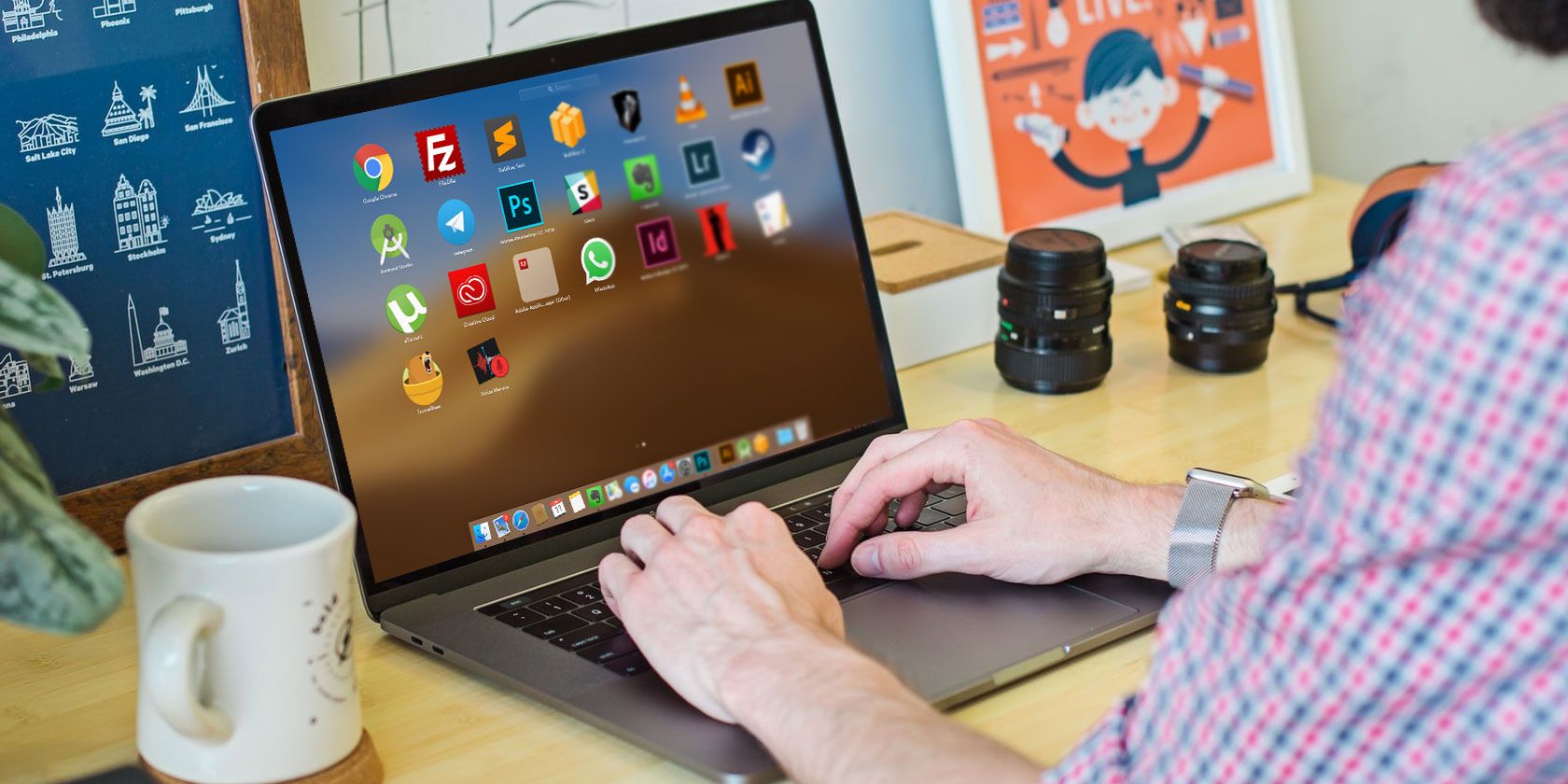
5 Ways to Run Multiple Copies of an App on Your Mac


multiple-copies-app

You might keep more than one account for certain apps in order to separate your personal and professional lives. But macOS still can’t run multiple copies of the same app, which means you have to constantly sign in and out to switch profiles.

Until Apple brings this functionality natively, there are a few third-party methods you can rely on. Here’s how you can launch more than one instances of the same app on macOS.

Why You May Want to Run Multiple Instances of an App

There are several scenarios where you may feel the need to run more than one session of an app.

You can do this to use your work and personal accounts side-by-side in different windows. Since you don’t have to create a new user on your computer, you can easily multitask between your two profiles.

In addition, these methods are not necessarily for handling several accounts at once. They can also come in handy when you want to, for instance, simultaneously operate on numerous sections or files on an app. In these scenarios, you can log in twice with the same profile and have as many windows of an app open as you’d like.

Options for Casual Purposes

If you’re looking for a quick way to manage your accounts, you might not need to go through the full steps to produce multiple instances of an app. Before diving into the more advanced solutions, have a look at these basic methods first.

1. Use Apps’ Built-in Multi-User Features

Manage multiple accounts on Google Chrome

To cater to people who juggle multiple accounts, some apps have begun to include multi-user features. Without any external tools, you have the option to add multiple accounts and access them in a common or separate window.

On Google Chrome, you can set up a new user by clicking your profile picture at the top-right corner. Similarly, Slack lets you jump between workspaces. Click the Add button on the left menu to configure a second account.

Another nifty app that has a multi-user facility is Franz. Franz allows you to manage all your instant messaging services like Telegram, WhatsApp, and even Gmail in one place. Further, you have the ability to add multiple accounts for each service.

2. Enable Fast User Switching on Mac

Enable fast user switching mac

macOS has a handy feature for people looking for a more efficient way to jump between their accounts. Called Fast User Switching, it speeds up the process of switching accounts on your Mac. While this method won’t let you create additional instances of an app, using it barely requires any configuration from you.

To get started, all you need is another user on your Mac. You can create a new one from Settings > Users & Groups if needed.

Once you’ve done that, visit the Users & Groups page again. There, click Login Options and enable the Show Fast User Switching Menu option.

Now, you can click your username on the top menu bar and select a different user to instantly swap to it. When you return, your current windows and active apps will remain as they were when you left them.

3. Take Advantage of the Service’s Web App

web and native apps macOS

Web apps are often powerful enough to replace their native counterparts, offering similar functionality to the desktop versions. You can take advantage of this to effectively open multiple instances of the same app.

To install a web app from Google Chrome, go to the app’s URL and log in. Click the three-dot menu at the top-right corner and under More Tools, choose Create Shortcut. In the resulting menu, you can check the Open As Window option so that the web app opens in a dedicated window instead of a new tab.

Options for Advanced Use

The above options are geared for average users purposes and don’t technically let you run multiple copies of a Mac app. If none of those got the job done for you, read on for more advanced methods.

4. (Actually) Run Multiple Copies of an App

run multiple copies of an app on mac

The only way you can actually run multiple copies of an app on macOS is through a custom script. In spite of how that sounds, the process doesn’t demand any technical knowledge and is largely straightforward.

First, open the pre-installed Script Editor program on your Mac. This is easiest to find by opening Spotlight with Cmd + Space and searching directly for it.

When you launch Script Editor, you’ll see an empty document-like editing window. Here, you’ll need to first copy and paste the following line:

do shell script "open -n"

Next, locate the app you’d like to clone in the Applications folder. Drag and drop its icon right before the second quotation mark. For instance, if you picked Simplenote, you should have the following:

do shell script "open -n /Applications/Simplenote.app"

Script editor macos

Press Cmd + K to compile the script, which should take a second or two. Lastly, hit Cmd + S to save the file. Give it a name, set its location, and most importantly, select Application in the File Format dropdown. Click Save and you’re all set.

Navigate to the directory where you saved the file. When you double-click the icon, it will initiate a new instance of the associated app. You can repeat the action depending on how many copies you want.

Since these copies are instances, they won’t be available among other apps. You’ll have to do this from the start every time you want to use your second account.

5. Install a Virtual Machine

The last and the most in-depth method is to install a virtual machine on your Mac. Virtual machines allow you to run another operating system inside a desktop app. They’re primarily for professionals and developers, but you can use them for separating your personal and work accounts too.

Parallels is a popular option, but it’s not free. Give VirtualBox a try if you want to do this without paying. Either choice lets you to easily run Windows programs on macOS.

Mastering App Instances on Your Mac

Until Apple brings an official option to launch multiple instances of the same app, these methods should do the trick for you. But unless you’re comfortable setting up a virtual machine, unfortunately none of them are ideal solutions.

For even more Mac productivity, check out some great apps that create unified workspaces from the services you use every day.

Read the full article: 5 Ways to Run Multiple Copies of an App on Your Mac


Read Full Article

Community-powered criminal justice reform | Raj Jayadev

Community-powered criminal justice reform | Raj Jayadev

Community organizer Raj Jayadev wants to transform the US court system through "participatory defense" -- a growing movement that empowers families and community members to impact their loved ones' court cases. He shares the remarkable results of their work -- including more than 4,000 years of "time saved" from incarceration -- and shows how this new model could shift the landscape of power in the courts.

Click the above link to download the TED talk.

12 September 2019

Nintendo shows off exercise-powered RPG for Switch, Ring Fit Adventure


Nintendo has been at the crossroads of video games and fitness since the famous Power Pad for the NES, and the Switch is the latest to receive a game powered by physical activity: Ring Fit Adventure. And it actually looks fun!

In the game, you’ll jog in place to advance your character, and perform various movements and exercises to avoid obstacles and defeat enemies. Your quest is to defeat an “evil body-building dragon” who has disrupted the peaceful, apparently very fit world of the protagonist. Sure.

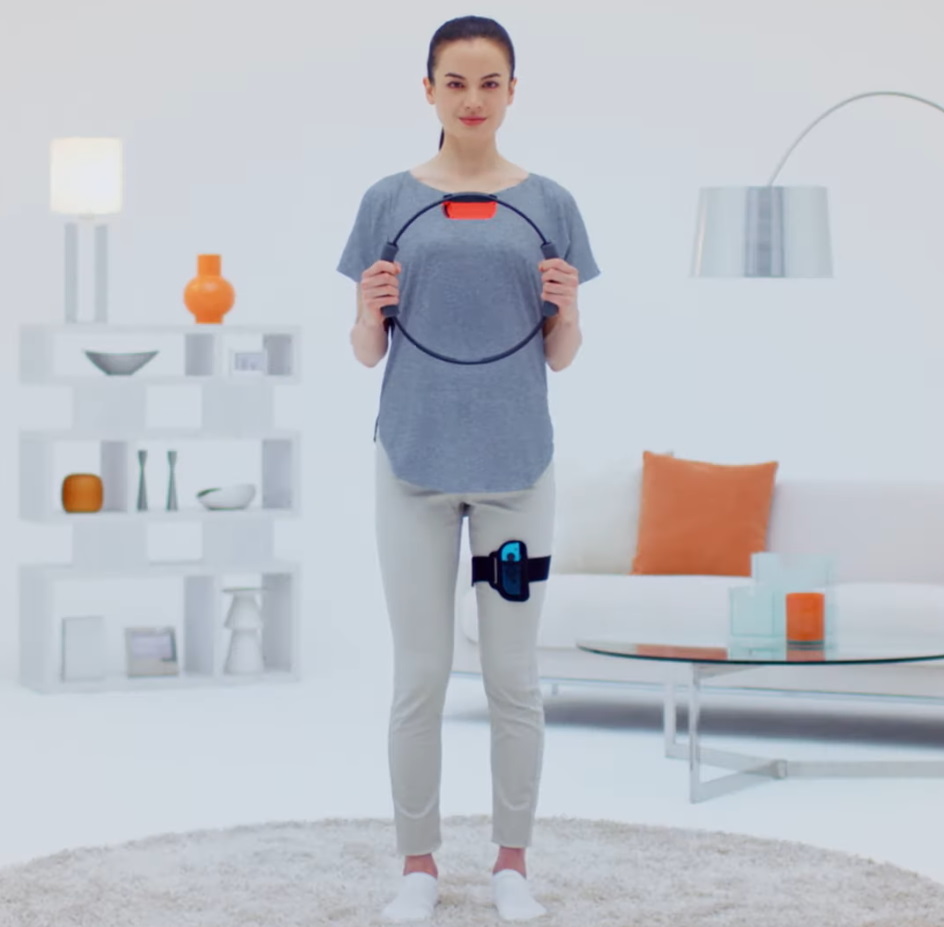
The game comes with a pair of accessories: a ring and leg strap, each of which you slot a Joy-Con into. The two controllers work together to get a picture of your whole body movement, meaning it can be sure you’re keeping your arms out in front of you when you do a squat, and not phoning it in during leg raises.

ringfit1

The ring itself is flexible and can tell how hard you’re squeezing or pulling it— but don’t worry, it can be calibrated for your strength level.

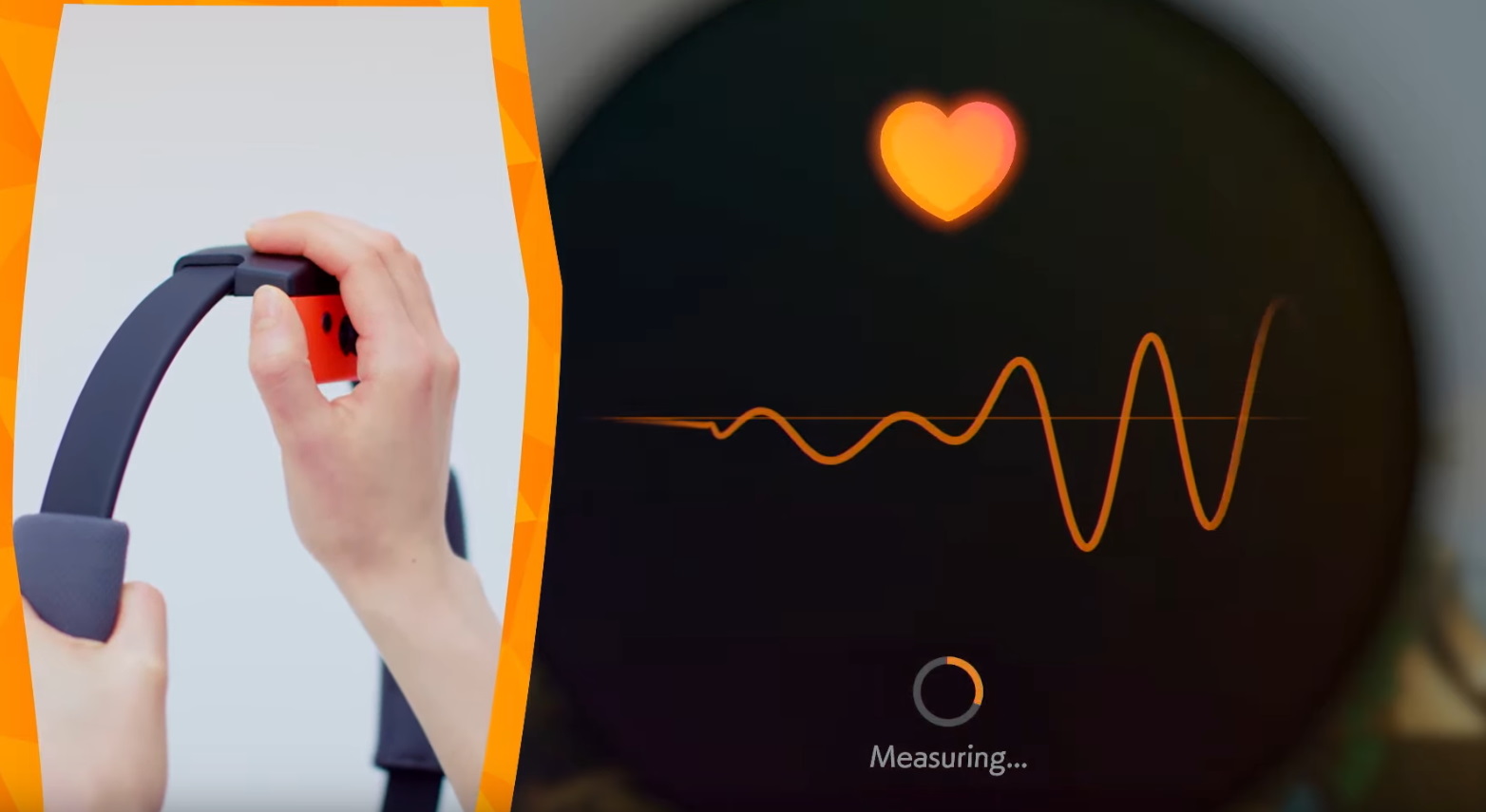
Interestingly, the top button of the controller appears to be able to be used as a heart rate monitor. That kind of came out of left field, but I like it. Just one more way Nintendo is making its hardware do interesting new things.

ringfit2

There look to be a ton of different movements you’ll be required to do, focusing on different areas of the body: upper, lower, core, and some sort of whole-body ones inspired by yoga positions. Ingeniously, some enemies are weak to one or another, and you’ll need to use different ones for other scenarios, so you’re getting a varied workout whether you like it or not.

Meanwhile your character levels up and unlocks new, more advanced moves — think a lunge instead of a squat, or adding an arm movement to a leg one — and you can get closer to the goal.

ringfit3

There are also minigames and straight-up workouts you can select, which you can do at any time if you don’t feel like playing the actual game, and contribute to your character’s level anyway.

The idea of gamifying fitness has been around for quite a while, and some titles, like Wii Fit, actually got pretty popular. But this one seems like the most in-depth actual game to use fitness as its main mechanic, and critically it is simple and easy enough that even the most slothful among us can get in a session now and then at their own pace.

Ring Fit Adventure will be available October 18 — no pricing yet, but you can probably expect it to be a little above an ordinary Switch game.

You can watch the full-length walkthrough of the game below, but beware — the acting is a little off-putting.


Read Full Article

Patreon sells product curation site Kit to GeniusLink


Patreon, the platform for independent content creators to operate membership businesses for their core fans, announced it is selling the assets of Kit.com to localized affiliate link service GeniusLink.

Founded in 2015, Kit is a social-shopping platform where influencers curate bundles of products (“kits”) they recommend. When their fans buy products they featured in a kit, the influencer earns an affiliate fee commission. Kit has 2.3 million monthly web visitors, according to SimilarWeb.

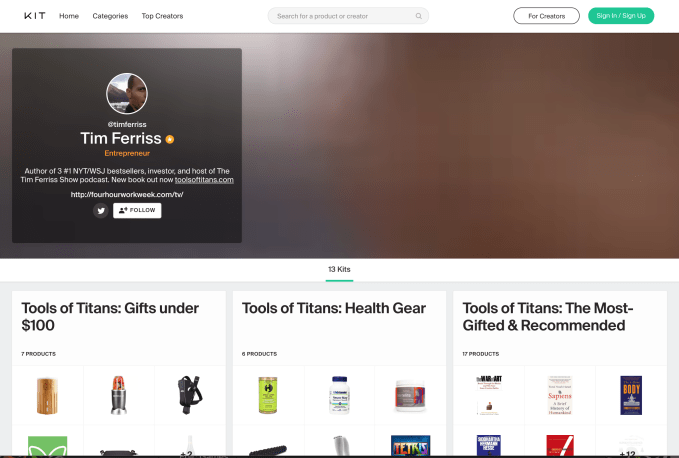
Among the most notable content creators on Kit, YouTuber Casey Neistat curated a kit featuring his favorite camera gear and author Tim Ferriss curated kits featuring his favorite podcasting equipment and the health products recommended by interviewees in his Tools for Titans book.

Screen Shot 2019 09 12 at 8.40.53 AM

Screenshot of Kit.com’s profile site for Tim Ferriss

Patreon acquired Kit in June 2018 in what Patreon’s SVP Product Wyatt Jenkins described to me during my in-depth series on the company as “close to an acqui-hire,” adding that “although Kit is a good revenue source for a lot of creators — so it’s not a shut-down of Kit — we’re maintaining it but not iterating on it.” 

Kit had previously raised $2.5 million in venture capital from backers like Social Capital, #Angels, Precursor Ventures, Expa, and Ellen Pao. While the Kit site remained active, the team behind it was reassigned to lead product development for Patreon’s merch offering

It is unsurprising that Patreon found a new home for the asset. While Kit is a tool for creators to monetize, it doesn’t enhance paid memberships for fans and that’s Patreon’s exclusive focus right now. Even Patreon’s merch product is only for offering merch as a benefit for membership tiers, not for managing an e-commerce store with one-time transactions.

In a blog post today announcing the acquisition, GeniusLink wrote that “The first order of business for Geniuslink is to migrate Kit to the Geniuslink infrastructure and work to improve speed and reliability while our operations team dives into user support. We look forward to adding additional functionality for creators to monetize their kits in the coming months.”

GeniusLink launched in 2009, originally branded as GeoRiot. The bootstrapped company has 13 employees headquartered in Seattle.

Social commerce is a popular trend right now, with other social platforms testing e-commerce integrations for users (particularly influencers) to feature products. YouTube now has a built-in merch section for a creator to sell products under their videos and Instagram lets influencers sell products directly in the app. These have the advantage of providing influencer-curated shopping experiences right where influencers and their fans already are.

Those features assume an influencer is selling their own products, however, or at least the products of a brand they’ve formally partnered with. For Kit and its affiliate link model, the focus is on influencers as trusted curators for their fans. The influencer can feature a much wider variety of products and do so immediately, without negotiating a deal with each brand. 

That’s also why the model likely doesn’t make sense for many popular influencers — they want more money for their endorsement of a product than a standard affiliate link fee, and recommending lots of products they don’t have formal deals to promote may undercut them in their negotiations with brands.

As GeniusLink adds more monetization features to Kit, perhaps it will make it a more lucrative business activity for small and large influencers alike. 


Read Full Article

Google says it will do more to prioritize original reporting in search


Google says it’s taking new steps to ensure that original reporting gets prioritized in its search results.

In other words, articles that kick off a major news cycle should have a prominent in search results for a longer time, rather than getting buried under more recent coverage (some of which may just summarize the original story).

“While we typically show the latest and most comprehensive version of a story in news results, we’ve made changes to our products globally to highlight articles that we identify as significant original reporting,” Google’s Vice President of News Richard Gingras wrote in a blog post. “Such articles may stay in a highly visible position longer. This prominence allows users to view the original reporting while also looking at more recent articles alongside it.”

But original reporting can be a tricky concept. On the one hand, you’ve got major scoops, and on the other stories that do no reporting at all. In between, you’ve got stories with real reporting that don’t exactly break major ground. And there are publications (like TechCrunch!) and even individual articles that can combine original reporting with news broken elsewhere.

How can you teach an algorithm to understand all these distinctions? Gingras said Google is doing so through its Quality Raters, a global network of more than 10,000 individuals who offer feedback on Google’s search results, which in turn is used to improve the company’s search algorithms.

Specifically, Google has changed its guidelines so that articles providing “information that would not otherwise have been known had the article not revealed it” are rated as highly as possible. The guidelines also ask raters to take into account a publication’s general reputation (based on “prestigious awards, such as the Pulitzer Prize award, or a history of high quality original reporting”).

Gingras added that we can expect these efforts to “constantly evolve as we work to understand the life cycle of a story.”

This is part of a broader effort at Google to find new ways to work with the news industry, most notably with a $300 million News Initiative announced last year.


Read Full Article

Google Photos adds a time-traveling version of Stories, plus more sharing and printing options


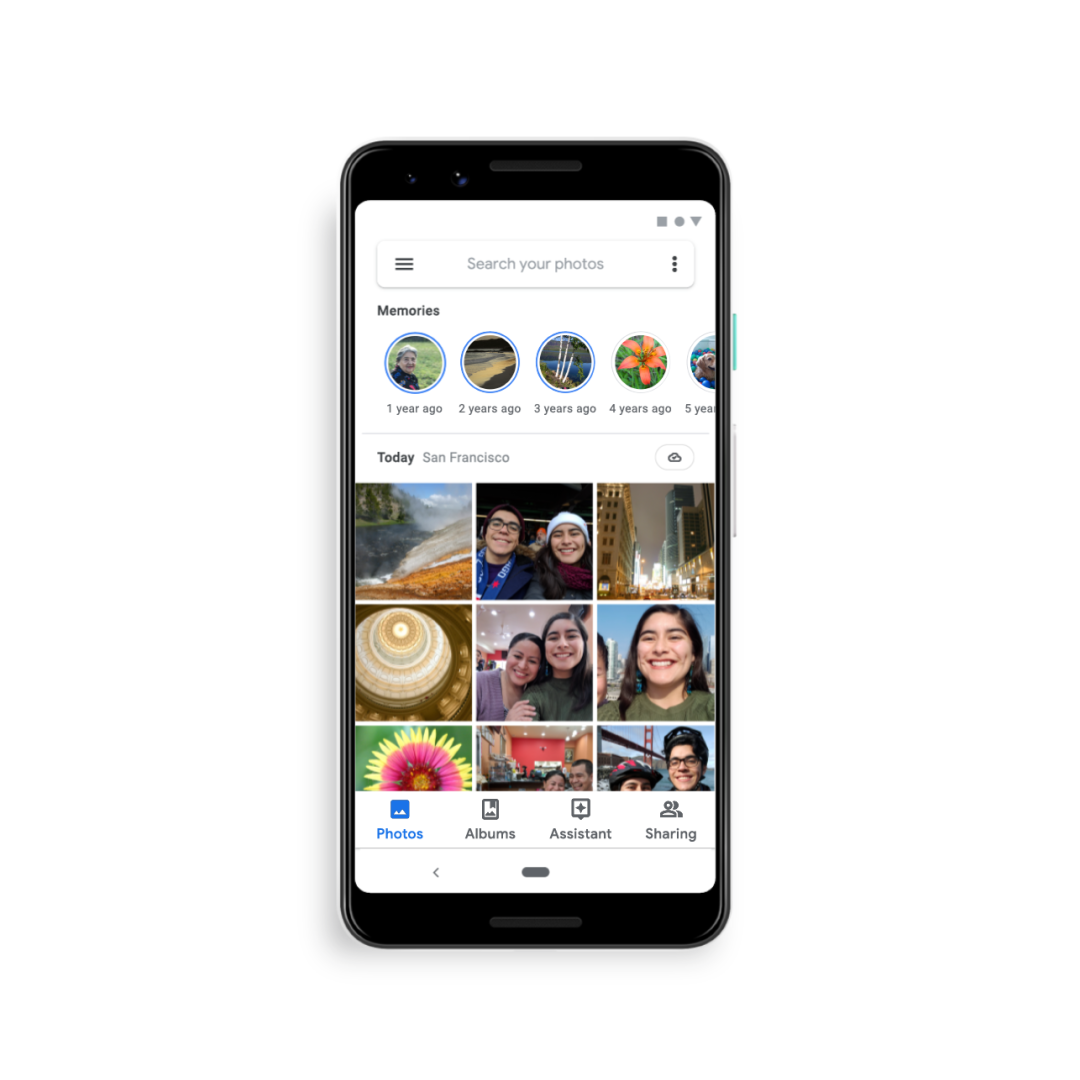
Google Photos is getting its own version of Stories. But instead of focusing on what you’re doing now, as Stories on other platforms like Instagram and Snapchat offer, Google Photos is adopting the format to help you take a trip down memory lane. The feature is one of several updates coming to the photo-sharing service that focuses on helping you reconnect with your old photos that often get forgotten after upload.

Its unique take on Stories is, perhaps, the most interesting update, as it’s the first time we’ve seen the format used as a way to rewind time.

In Google Photos, the feature is more appropriately called “Memories,” as is designed to help users relive their life in a more meaningful way.

Memories

The company said it came up with the idea by watching user behavior on its app.

“We see users browse their photos and scroll all the way down to look at pictures from five years ago,” explained Google Photos Lead, Shimrit Ben-Yair. “We see them searching for moments and having a good experience with that. But we thought, how can we make that even easier?”

The Memories feature, she continued, is meant to accomplish that by helping users “better reminisce digitally.”

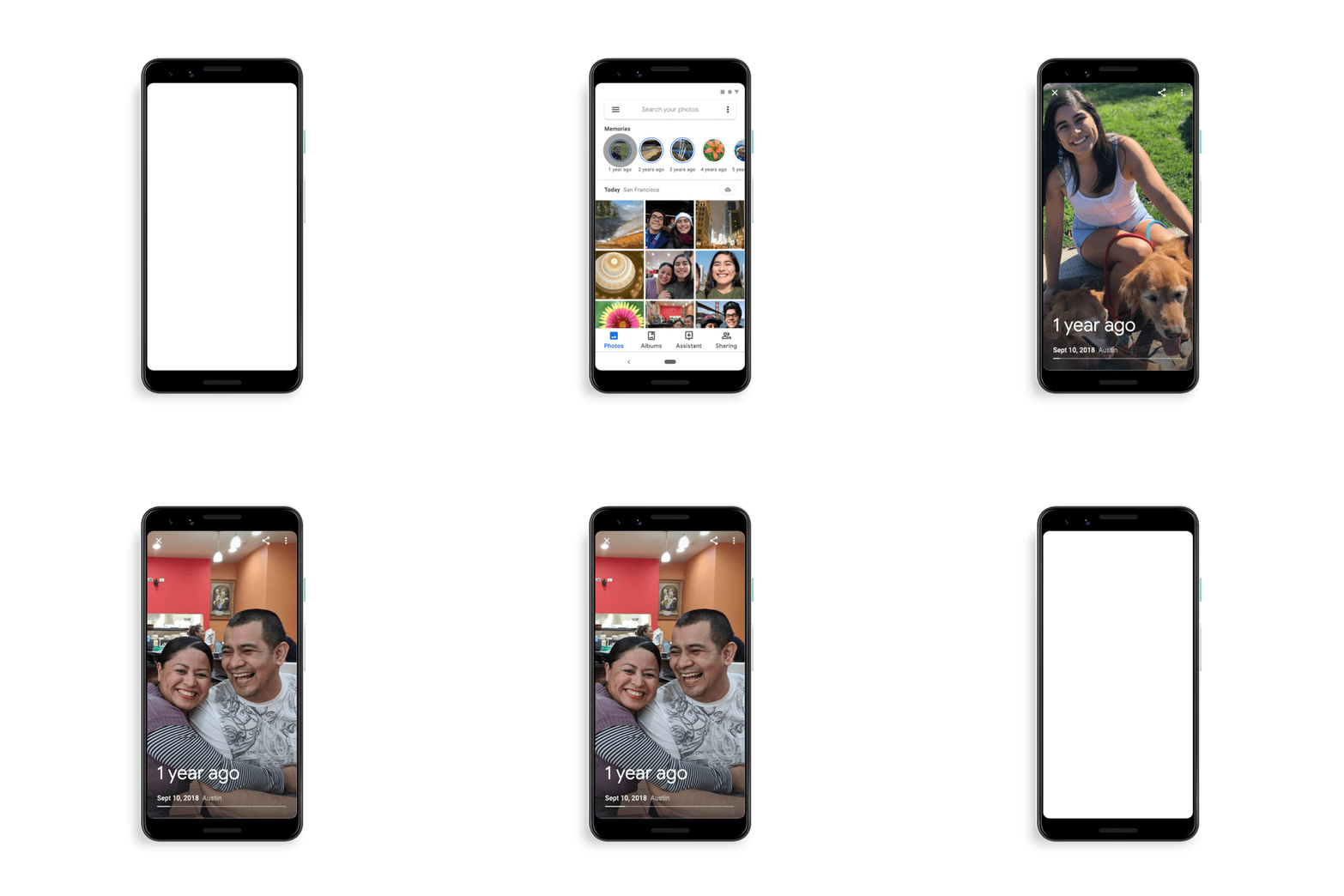
Most users will already know how to use Google Photos Memories, given the broad adoption of Stories across various platforms, including Instagram, Snapchat, Facebook, Messenger, YouTube, and even surprising places like Netflix. As with some other implementations, the feature places small, rounded icons at the top of the Google Photos gallery, which you can tap to launch and advance through.

Except, in this case, each Story circle is taking you back in time — for example, a year ago, two years ago, three, and so on.

Memories


However, the feature isn’t just a variation on “Rediscover this Day,” because it’s not as tightly tied to a particular date. It’s more like a showcase of what you were doing around the same time as in years prior — like around the same week. It lets you look back without having to swipe through the badly shot photos and duplicates.

To help users from reliving more sensitive memories — like deaths they’re still grieving or breakups they’d rather forget, for example — you’ll also be able to block certain people or places from showing up in the Memories feature, to better personalize your highlight reel.

Another key difference is that Google Photos’ Memories are not put on public display.

“Even though it is the Stories format — which we lean into because we feel it creates a more immersive experience for reliving your life — this is only your library. It’s your private content,” noted Google Photos Engineering Lead, James Gallagher, when demoing the feature, pre-launch, to TechCrunch.

In a few months’ time, however, Google Photos plans to let you share these old photos — or any others you come across in your library  — in a more direct and more personal way. Through an enhancement to the sharing feature, you’ll be able to send a photo directly to friends or family, where it’s then adding to an ongoing and private conversation that will eventually become a stream of all your chats and shares.

Photo prints

And Google Photos is expanding its options for getting photos off your phone and into the real world.

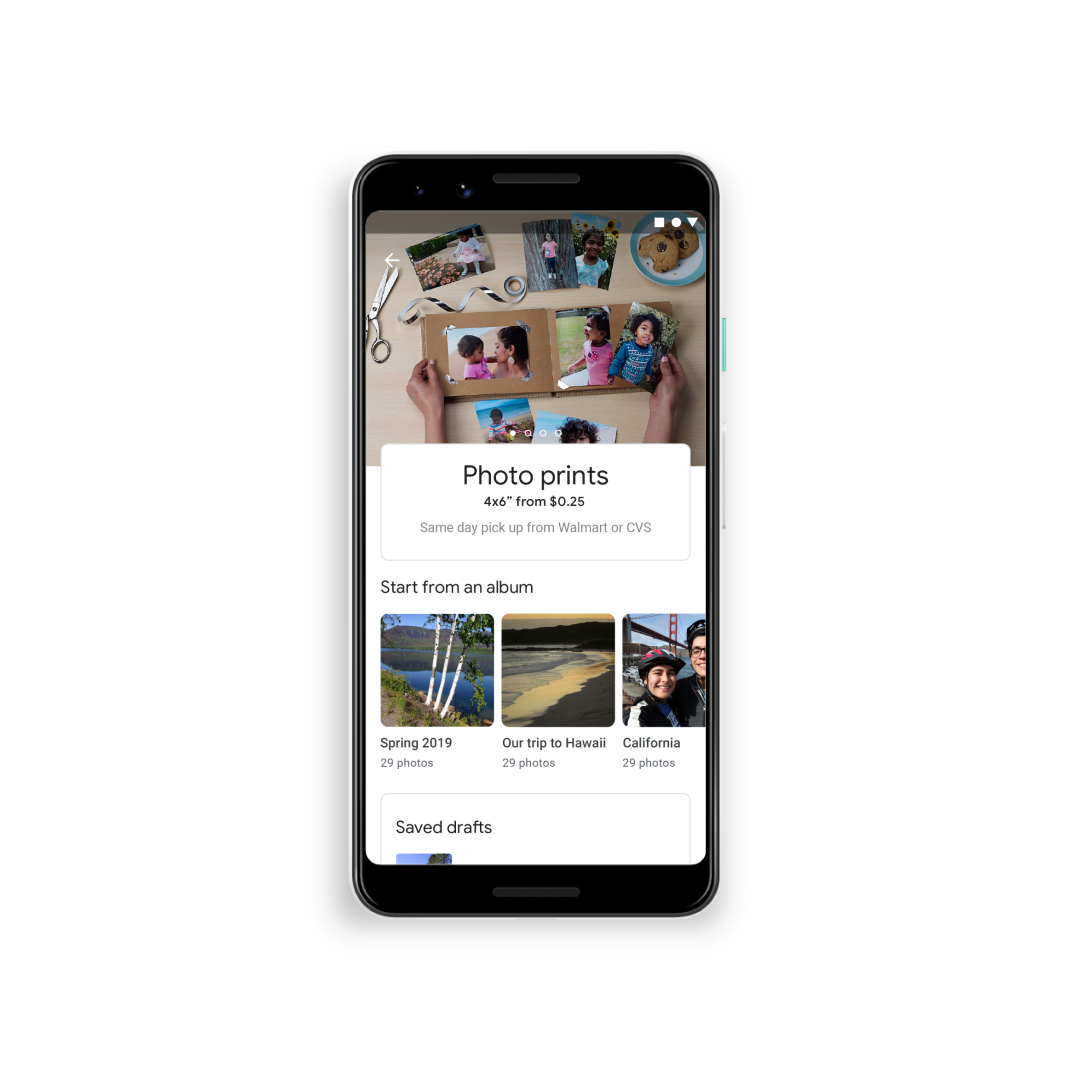
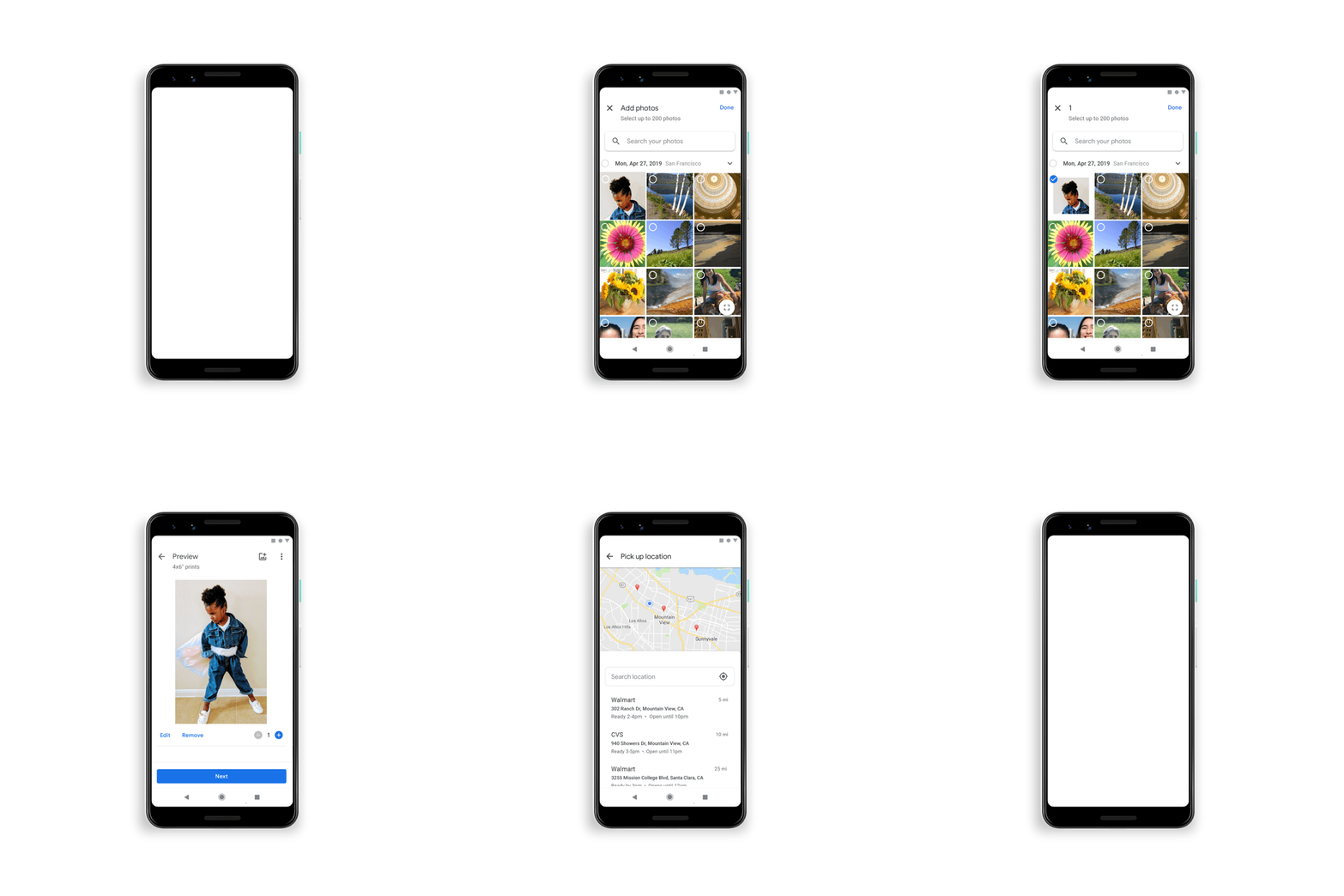
It’s partnering with Walmart and CVS for 4×6 photo prints that can be picked up in about an hour at over 11,000 U.S. locations. These prints will cost the same as if you ordered through the retailers directly at $0.25 from Walmart and $0.33 from CVS. You’ll also be able to turn photos into wall art of various sizes, in the U.S. This follows Flickr’s recent expansion into the area of prints and wall art, which rolled out last month.

Photo prints

In Google Photos’ case, you’ll be able to select canvas prints in three different sizes, 8×8 ($19.99), 11×14 ($29.99), and 16×20 ($44.99), which can be customized with either black, white, or photo wrap borders. The canvases also come with a wire hanger on the back to make mounting easier.

This feature will generate revenue, though Google outsources the actual work to a network of printing partners across the U.S. It joins an existing feature that lets users turn photos into photo books in just a few steps.

Canvas prints

One final feature, though not necessarily related to reminiscing, is an improvement to search that will now help you find photos or screenshots with text — like a recipe.

This feature, prints, and the Memories feature are rolling out now. Direct sharing is coming in a few months.

The additions are part of many enhancements to Google Photos since its spin-out from Google+ just over four years ago. The company has rapidly improved its photo-hosting and sharing service with A.I. functionality to clean up users’ vast photo libraries and automatically create photo edits and mini-movies, among other things. And it continues to improve with features like support for Lens’ visual search and an expanded array of A.I.-powered photo fixes, for example.

Thanks to these features and its integration with the Android operating system, Google Photos now has over a billion monthly users.


Read Full Article

Google Photos adds a time-traveling version of Stories, plus more sharing and printing options


Google Photos is getting its own version of Stories. But instead of focusing on what you’re doing now, as Stories on other platforms like Instagram and Snapchat offer, Google Photos is adopting the format to help you take a trip down memory lane. The feature is one of several updates coming to the photo-sharing service that focuses on helping you reconnect with your old photos that often get forgotten after upload.

Its unique take on Stories is, perhaps, the most interesting update, as it’s the first time we’ve seen the format used as a way to rewind time.

In Google Photos, the feature is more appropriately called “Memories,” as is designed to help users relive their life in a more meaningful way.

Memories

The company said it came up with the idea by watching user behavior on its app.

“We see users browse their photos and scroll all the way down to look at pictures from five years ago,” explained Google Photos Lead, Shimrit Ben-Yair. “We see them searching for moments and having a good experience with that. But we thought, how can we make that even easier?”

The Memories feature, she continued, is meant to accomplish that by helping users “better reminisce digitally.”

Most users will already know how to use Google Photos Memories, given the broad adoption of Stories across various platforms, including Instagram, Snapchat, Facebook, Messenger, YouTube, and even surprising places like Netflix. As with some other implementations, the feature places small, rounded icons at the top of the Google Photos gallery, which you can tap to launch and advance through.

Except, in this case, each Story circle is taking you back in time — for example, a year ago, two years ago, three, and so on.

Memories


However, the feature isn’t just a variation on “Rediscover this Day,” because it’s not as tightly tied to a particular date. It’s more like a showcase of what you were doing around the same time as in years prior — like around the same week. It lets you look back without having to swipe through the badly shot photos and duplicates.

To help users from reliving more sensitive memories — like deaths they’re still grieving or breakups they’d rather forget, for example — you’ll also be able to block certain people or places from showing up in the Memories feature, to better personalize your highlight reel.

Another key difference is that Google Photos’ Memories are not put on public display.

“Even though it is the Stories format — which we lean into because we feel it creates a more immersive experience for reliving your life — this is only your library. It’s your private content,” noted Google Photos Engineering Lead, James Gallagher, when demoing the feature, pre-launch, to TechCrunch.

In a few months’ time, however, Google Photos plans to let you share these old photos — or any others you come across in your library  — in a more direct and more personal way. Through an enhancement to the sharing feature, you’ll be able to send a photo directly to friends or family, where it’s then adding to an ongoing and private conversation that will eventually become a stream of all your chats and shares.

Photo prints

And Google Photos is expanding its options for getting photos off your phone and into the real world.

It’s partnering with Walmart and CVS for 4×6 photo prints that can be picked up in about an hour at over 11,000 U.S. locations. These prints will cost the same as if you ordered through the retailers directly at $0.25 from Walmart and $0.33 from CVS. You’ll also be able to turn photos into wall art of various sizes, in the U.S. This follows Flickr’s recent expansion into the area of prints and wall art, which rolled out last month.

Photo prints

In Google Photos’ case, you’ll be able to select canvas prints in three different sizes, 8×8 ($19.99), 11×14 ($29.99), and 16×20 ($44.99), which can be customized with either black, white, or photo wrap borders. The canvases also come with a wire hanger on the back to make mounting easier.

This feature will generate revenue, though Google outsources the actual work to a network of printing partners across the U.S. It joins an existing feature that lets users turn photos into photo books in just a few steps.

Canvas prints

One final feature, though not necessarily related to reminiscing, is an improvement to search that will now help you find photos or screenshots with text — like a recipe.

This feature, prints, and the Memories feature are rolling out now. Direct sharing is coming in a few months.

The additions are part of many enhancements to Google Photos since its spin-out from Google+ just over four years ago. The company has rapidly improved its photo-hosting and sharing service with A.I. functionality to clean up users’ vast photo libraries and automatically create photo edits and mini-movies, among other things. And it continues to improve with features like support for Lens’ visual search and an expanded array of A.I.-powered photo fixes, for example.

Thanks to these features and its integration with the Android operating system, Google Photos now has over a billion monthly users.


Read Full Article

Google Photos adds a time-traveling version of Stories, plus more sharing and printing options


Google Photos is getting its own version of Stories. But instead of focusing on what you’re doing now, as Stories on other platforms like Instagram and Snapchat offer, Google Photos is adopting the format to help you take a trip down memory lane. The feature is one of several updates coming to the photo-sharing service that focuses on helping you reconnect with your old photos that often get forgotten after upload.

Its unique take on Stories is, perhaps, the most interesting update, as it’s the first time we’ve seen the format used as a way to rewind time.

In Google Photos, the feature is more appropriately called “Memories,” as is designed to help users relive their life in a more meaningful way.

Memories

The company said it came up with the idea by watching user behavior on its app.

“We see users browse their photos and scroll all the way down to look at pictures from five years ago,” explained Google Photos Lead, Shimrit Ben-Yair. “We see them searching for moments and having a good experience with that. But we thought, how can we make that even easier?”

The Memories feature, she continued, is meant to accomplish that by helping users “better reminisce digitally.”

Most users will already know how to use Google Photos Memories, given the broad adoption of Stories across various platforms, including Instagram, Snapchat, Facebook, Messenger, YouTube, and even surprising places like Netflix. As with some other implementations, the feature places small, rounded icons at the top of the Google Photos gallery, which you can tap to launch and advance through.

Except, in this case, each Story circle is taking you back in time — for example, a year ago, two years ago, three, and so on.

Memories


However, the feature isn’t just a variation on “Rediscover this Day,” because it’s not as tightly tied to a particular date. It’s more like a showcase of what you were doing around the same time as in years prior — like around the same week. It lets you look back without having to swipe through the badly shot photos and duplicates.

To help users from reliving more sensitive memories — like deaths they’re still grieving or breakups they’d rather forget, for example — you’ll also be able to block certain people or places from showing up in the Memories feature, to better personalize your highlight reel.

Another key difference is that Google Photos’ Memories are not put on public display.

“Even though it is the Stories format — which we lean into because we feel it creates a more immersive experience for reliving your life — this is only your library. It’s your private content,” noted Google Photos Engineering Lead, James Gallagher, when demoing the feature, pre-launch, to TechCrunch.

In a few months’ time, however, Google Photos plans to let you share these old photos — or any others you come across in your library  — in a more direct and more personal way. Through an enhancement to the sharing feature, you’ll be able to send a photo directly to friends or family, where it’s then adding to an ongoing and private conversation that will eventually become a stream of all your chats and shares.

Photo prints

And Google Photos is expanding its options for getting photos off your phone and into the real world.

It’s partnering with Walmart and CVS for 4×6 photo prints that can be picked up in about an hour at over 11,000 U.S. locations. These prints will cost the same as if you ordered through the retailers directly at $0.25 from Walmart and $0.33 from CVS. You’ll also be able to turn photos into wall art of various sizes, in the U.S. This follows Flickr’s recent expansion into the area of prints and wall art, which rolled out last month.

Photo prints

In Google Photos’ case, you’ll be able to select canvas prints in three different sizes, 8×8 ($19.99), 11×14 ($29.99), and 16×20 ($44.99), which can be customized with either black, white, or photo wrap borders. The canvases also come with a wire hanger on the back to make mounting easier.

This feature will generate revenue, though Google outsources the actual work to a network of printing partners across the U.S. It joins an existing feature that lets users turn photos into photo books in just a few steps.

Canvas prints

One final feature, though not necessarily related to reminiscing, is an improvement to search that will now help you find photos or screenshots with text — like a recipe.

This feature, prints, and the Memories feature are rolling out now. Direct sharing is coming in a few months.

The additions are part of many enhancements to Google Photos since its spin-out from Google+ just over four years ago. The company has rapidly improved its photo-hosting and sharing service with A.I. functionality to clean up users’ vast photo libraries and automatically create photo edits and mini-movies, among other things. And it continues to improve with features like support for Lens’ visual search and an expanded array of A.I.-powered photo fixes, for example.

Thanks to these features and its integration with the Android operating system, Google Photos now has over a billion monthly users.


Read Full Article

Google to pay $549 million fine and $510 million in back taxes in France


After years of back and forth with tax authorities in France, Google has settled a fiscal fraud probe, as the financial prosecutor’s office told Reuters and AFP. Overall, Google will pay a $549 million fine as well as $510 million in back taxes (€500 million and €465 million respectively).

This is a settlement, which means that French authorities are dropping charges against Google in France. It covers activities from 2005 to 2018.

According to previous reports, the company owed around $1.3 billion in taxes. In 2014, Google started putting aside some money for a potential fine.

This is a classic story of corporate tax optimization in Europe. For multiple years, Google allegedly issued advertising contracts from its European headquarters in Ireland. Profits generated from those contracts would be taxed in Ireland.

Separately, France has been working on a tax on tech giants. In order to avoid tax optimization schemes, big tech companies that generate significant revenue in France are taxed on their revenue generated in France.

If you’re running a marketplace or advertising company that generates more than €750 million in global revenue and €25 million in France, you have to pay 3% of your French revenue in taxes.

It has generated some drama with the U.S. — President Donald Trump first said that the U.S. would be placing tariffs on French wines.

France and the U.S. eventually reached an agreement at the Group of Seven summit. The French government now hopes that the OECD finds a way to properly tax tech companies in countries where they operate in order to scrap the French tax.


Read Full Article

Apple tweaks App Store rule changes for children’s apps and sign in services


Originally announced in June, changes to Apple’s App Store policies on its Sign in with Apple service and the rules around children’s app categories are being tweaked. New apps must comply right away with the tweaked terms, but existing apps will have until early 2020 to comply with the new rules.

The changes announced at Apple’s developer conference in the summer were significant, and raised concerns among developers that the rules could handicap their ability to do business in a universe that, frankly, offers tough alternatives to ad-based revenue for children’s apps.

In a short interview with TechCrunch, Apple’s Phil Schiller said that they had spent time with developers, analytics companies and advertising services to hear what they had to say about the proposals and have made some updates.

The changes are garnering some strong statements of support from advocacy groups and advertising providers for children’s apps that were pre-briefed on the tweaks. The changes will show up as of this morning in Apple’s developer guidelines.

“As we got closer to implementation we spent more time with developers, analytics companies and advertising companies,” said Schiller. “Some of them are really forward thinking and have good ideas and are trying to be leaders in this space too.”

With their feedback, Schiller said, they’ve updated the guidelines to allow them to be more applicable to a broader number of scenarios. The goal, he said, was to make the guidelines easy enough for developers to adopt while being supportive of sensible policies that parents could buy into. These additional guidelines, especially around the Kids app category, says Schiller, outline scenarios that may not be addressed by the Children’s Online Privacy Protection Act (COPPA) or GDPR regulations.

There are two main updates.

Kids changes

The first area that is getting further tweaking is the Kids terms. Rule sections 1.3 and 5.1.4 specifically are being adjusted after Apple spoke with developers and providers of ad and analytics services about their concerns over the past few months.

Both of those rules are being updated to add more nuance to their language around third-party services like ads and analytics. In June, Apple announced a very hard-line version of these rule updates that essentially outlawed any third-party ads or analytics software and prohibited any data transmission to third-parties. The new rules offer some opportunities for developers to continue to integrate these into their apps, but also sets out explicit constraints for them.

The big changes come in section 1.3 surrounding data safety in the Kids category. Apple has removed the explicit restriction on including any third-party advertising or analytics. This was the huge hammer that developers saw heading towards their business models.

Instead, Apple has laid out a much more nuanced proposal for app developers. Specifically, it says these apps should not include analytics or ads from third parties, which implicitly acknowledging that there are ways to provide these services while also practicing data safety on the App Store.

Apple says that in limited cases, third-party analytics may be permitted as long as apps in the Kids category do not send personal identifiable information or any device fingerprinting information to third parties. This includes transmitting the IDFA (the device ID for advertisers), name, date of birth, email address, location or any other personally identifiable information.

Third-party contextual ads may be allowed but only if those companies providing the ads have publicly documented practices and policies and also offer human review of ad creatives. That certainly limits the options, including most offerings from programmatic services.

Rule 5.1.4 centers on data handling in kids apps. In addition to complying with COPPA, GDPR and other local regulations, Apple sets out some explicit guard rails.

First, the language on third-party ads and analytics has been changed from may not to should not. Apple is discouraging their use, but acknowledges that “in limited cases” third-party analytics and advertising may be permitted if it adheres to the new rules set out in guideline 1.3.

The explicit prohibition on transmitting any data to third parties from apps in the Kids category has been removed. Once again, this was the big bad bullet that every children’s app maker was paying attention to.

An additional clause reminds developers not to use terms like “for kids” and “for children” in app metadata for apps outside of the Kids category on the App Store.

SuperAwesome is a company that provides services like safe ad serving to kids apps. CEO Dylan Collins was initially critical of Apple’s proposed changes, noting that killing off all third-party apps could decimate the kids app category.

“Apple are clearly very serious about setting the standard for kids apps and digital services,” Collins said in a statement to TechCrunch after reviewing the new rules Apple is publishing. “They’ve spent a lot of time working with developers and kidtech providers to ensure that policies and tools are set to create great kids digital experiences while also ensuring their digital privacy and safety. This is the model for all other technology platforms to follow.”

All new apps must adhere to the guidelines. Existing apps have been given an additional six months to live in their current form but must comply by March 3, 2020.

“We commend Apple for taking real steps to protect children’s privacy and ensure that kids will not be targets for data-driven, personalized marketing,” said Josh Golin, Executive Director of Campaign for Commercial-Free Childhood. “Apple rightly recognizes that a child’s personal identifiable information should never be shared with marketers or other third parties. We also appreciate that Apple made these changes on its own accord, without being dragged to the table by regulators.”

The CCFC had a major win recently when the FTC announced a $170M fine against YouTube for violations of COPPA.

Sign in with Apple

The second set of updates has to do with Apple’s Sign in with Apple service.

Sign in with Apple is a sign-in service that can be offered by an app developer to instantly create an account that is handled by Apple with additional privacy for the user. We’ve gone over the offering extensively here, but there are some clarifications and policy additions in the new guidelines.

Sign in with Apple is being required to be offered by Apple if your app exclusively offers third-party or social log ins like those from Twitter, Google, LinkedIn, Amazon or Facebook. It is not required if users sign in with a unique account created in the app, with say an email and password.

But some additional clarifications have been added for additional scenarios. Sign in with Apple will not be required in the following conditions:

  • Your app exclusively uses your company’s own account setup and sign-in systems.
  • Your app is an education, enterprise or business app that requires the user to sign in with an existing education or enterprise account.
  • Your app uses a government or industry-backed citizen identification system or electronic ID to authenticate users.
  • Your app is a client for specific third-party service and users are required to sign in to their mail, social media or other third-party account directly to access their content.

Most of these were sort of assumed to be true but were not initially clear in June. The last one, especially, was one that I was interested in seeing play out. This scenario applies to, for instance, the Gmail app for iOS, as well as apps like Tweetbot, which log in via Twitter because all they do is display Twitter.

Starting today, new apps submitted to the store that don’t meet any of the above requirements must offer Sign in with Apple to users. Current apps and app updates have until April 2020 to comply.

Both of these tweaks come after developers and other app makers expressed concern and reports noted the abruptness and strictness of the changes in the context of the ever-swirling anti-trust debate surrounding big tech. Apple continues to walk a tightrope with the App Store where they flex muscles in an effort to enhance data protections for users while simultaneously trying to appear as egalitarian as possible in order to avoid regulatory scrutiny.


Read Full Article

What reading slowly taught me about writing | Jacqueline Woodson

What reading slowly taught me about writing | Jacqueline Woodson

Reading slowly -- with her finger running beneath the words, even when she was taught not to -- has led Jacqueline Woodson to a life of writing books to be savored. In a lyrical talk, she invites us to slow down and appreciate stories that take us places we never thought we'd go and introduce us to people we never thought we'd meet. "Isn't that what this is all about -- finding a way, at the end of the day, to not feel alone in this world, and a way to feel like we've changed it before we leave?" she asks.

Click the above link to download the TED talk.