09 January 2019

Huawei MateBook 13: A Sleek 13-Inch Ultrabook in a 12-Inch Body


Huawei MateBook 13 at CES 2019

We rounded out the first day at CES 2019 with a trip to Huawei’s booth. The Chinese company had announced the new MateBook 13 less than 24 hours earlier, and we wanted to check it out.

The first thing struck us was how gorgeous the device looked. With a sleek and stylish sandblasted cover, the laptop won’t look out of place in offices, dorms, or in your own living room.

It’s also small. With its tiny bezels, the rep we chatted to said that the company had tried to fit a 13-inch screen into a 12-inch body. It’s fair to say it was successful.

Two Models, Two Spec Sheets

Huawei MateBook 13 at CES 2019

Two models are available. They are broadly the same, though there are a few key differences.

The most significant difference is the processor. The cheaper $999 product comes with an Intel i5 processor. If you’re prepared to shell out $1,199, you can get the more powerful i7 processor. Both price points are significantly cheaper than the MateBook X Pro which will set you back $1,499.

Secondly, the i5 model has a 256 GB SSD hard drive while the i7 has a 512 GB hard drive.

The only other difference is the color. The i5 version is available in “mystic silver” whereas the i7 model comes in “space gray.”

And the Similarities?

Huawei MateBook 13 at CES 2019

Despite the differences, there are some similarities between the two versions.

Both ship with 8 GB of RAM, both have a power button which doubles as a fingerprint reader, and both offer a 3:2 aspect ratio.

We also loved the giant trackpad that’s available on both models. We didn’t measure it, but it looked to be at least five inches wide.

The MateBook 13’s battery life is also impressive. Supposedly, it will last for 12 hours of continuous video.

Finally, it’s worth mentioning the laptop’s weight—it’s just 2.82 pounds (1.2 kgs). As such, it’s a perfect choice for people who spend a lot of time on the road.

The MateBook 13 is available for pre-order now. It will ship on January 29.

Read the full article: Huawei MateBook 13: A Sleek 13-Inch Ultrabook in a 12-Inch Body


Read Full Article

The Upgraded Lenovo Yoga C730 Features a 15-inch AMOLED Screen


Lenovo Yoga C730 at CES 2019

Not to be outdone by Dell—who released a new XPS 13 and Latitude 2-in-1—Lenovo also took the covers off some new laptops at CES 2019 in Las Vegas.

A New Yoga C730

Lenovo Yoga C730 at CES 2019

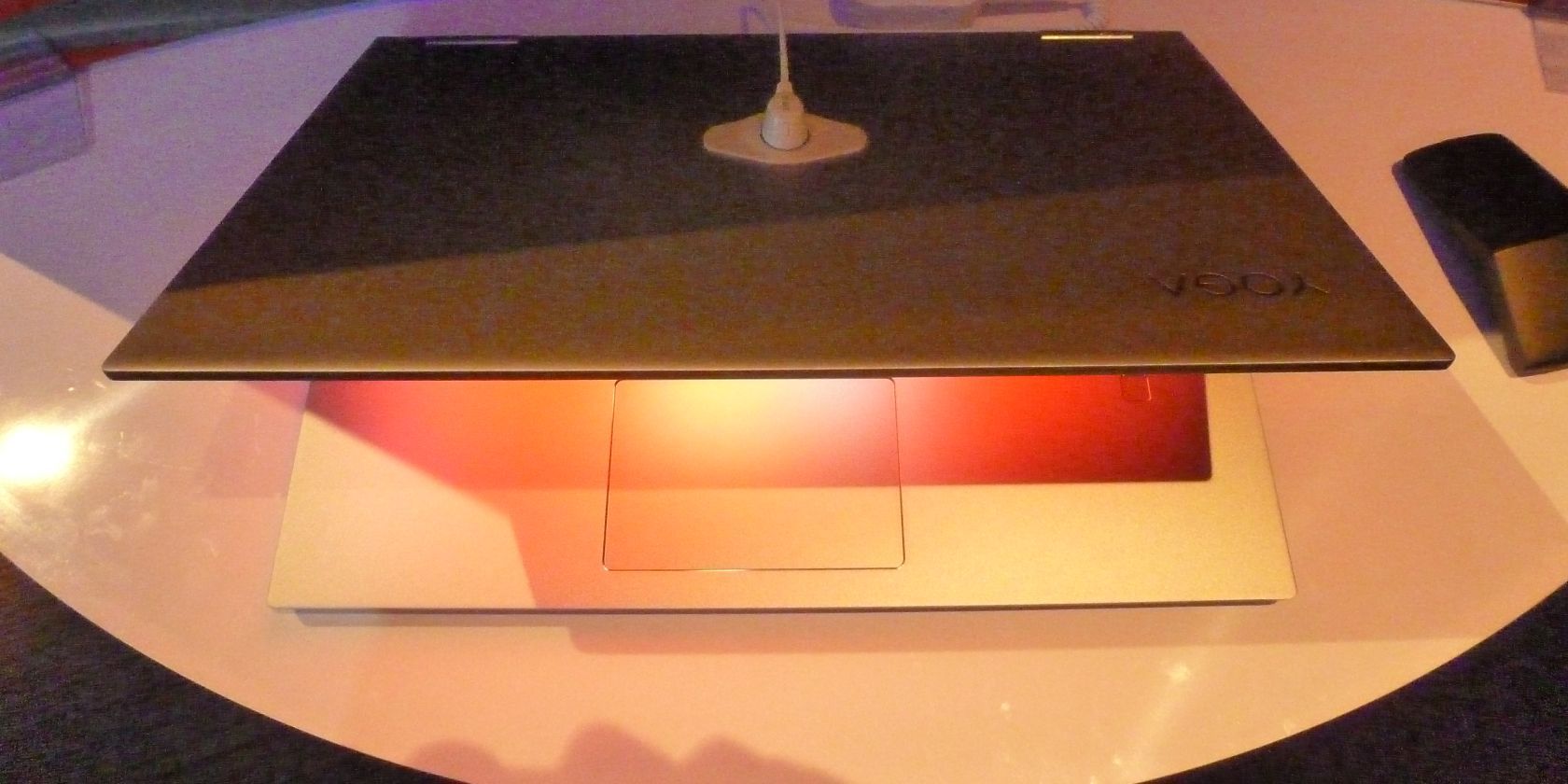
The upgraded 2-in-1 Yoga C730 caught our eye. The laptop has already won a loyal following for its 360-degree folding screen, but the updates should help it amass even more users.

Grabbing the headlines is the new 15-inch AMOLED screen. According to Lenovo, it can produce 3.4 million colors. That’s a huge upgrade on the LCD screen from the old model; it barely produced half that number.

Under the hood, the laptop offers an eighth-generation Intel Whiskey Lake processor, a 512GB SSD hard drive, and 16GB of DDR4 RAM. It not earth-shattering, but it’s more than enough for most regular users.

Audio is produced by JBL speakers. If you listen via headphones, you can enjoy Dolby Atmos. The battery should last for around eight hours.

The Yoga C730 ships with Windows 10 Home. It is Windows Ink- and Windows Hello-enabled. It also includes a fingerprint sensor.

Lenovo Yoga C730 at CES 2019

From a design perspective, the outer chassis is constructed out of premium aluminum. Only one color is available—“Iron Grey.”

Perhaps the biggest downside of the new Yoga C730 is its weight. Coming in at just a shade under 4.2 pounds, this is not a laptop for people who spend a lot of time on the road. The Intel Integrated graphics are also a touch underwhelming.

Bottom line: The Yoga C730 is an excellent laptop for people who watch a lot of videos, but people who need high-end graphics might find that it doesn’t meet their needs.

The device will start shipping in April 2019 with a price of $1,650. Supposedly, the laptop will include a free Lenovo Active Pen 2, though there remains some confusion over whether the pen will be included with models sold in the United States.

Read the full article: The Upgraded Lenovo Yoga C730 Features a 15-inch AMOLED Screen


Read Full Article

Yoon Three-D Desk: An Ergonomic Sitting and Standing Desk


Yoon Three-D Desk for standing and ergonomic work

We spend an ever-increasing amount of time sat at our computers, so it comes as no surprise to find a growing number of companies offering standing and ergonomic desks.

A few such companies were present at CES 2019 in Las Vegas, so we dropped into Yoon’s booth to see its latest product.

Three-D Desk

The South Korean company unveiled its new ergonomic desk, called the Three-D Desk W-Q340. Yoon has been in the business for more than 20 years, so you know you’re going to see a solid product.

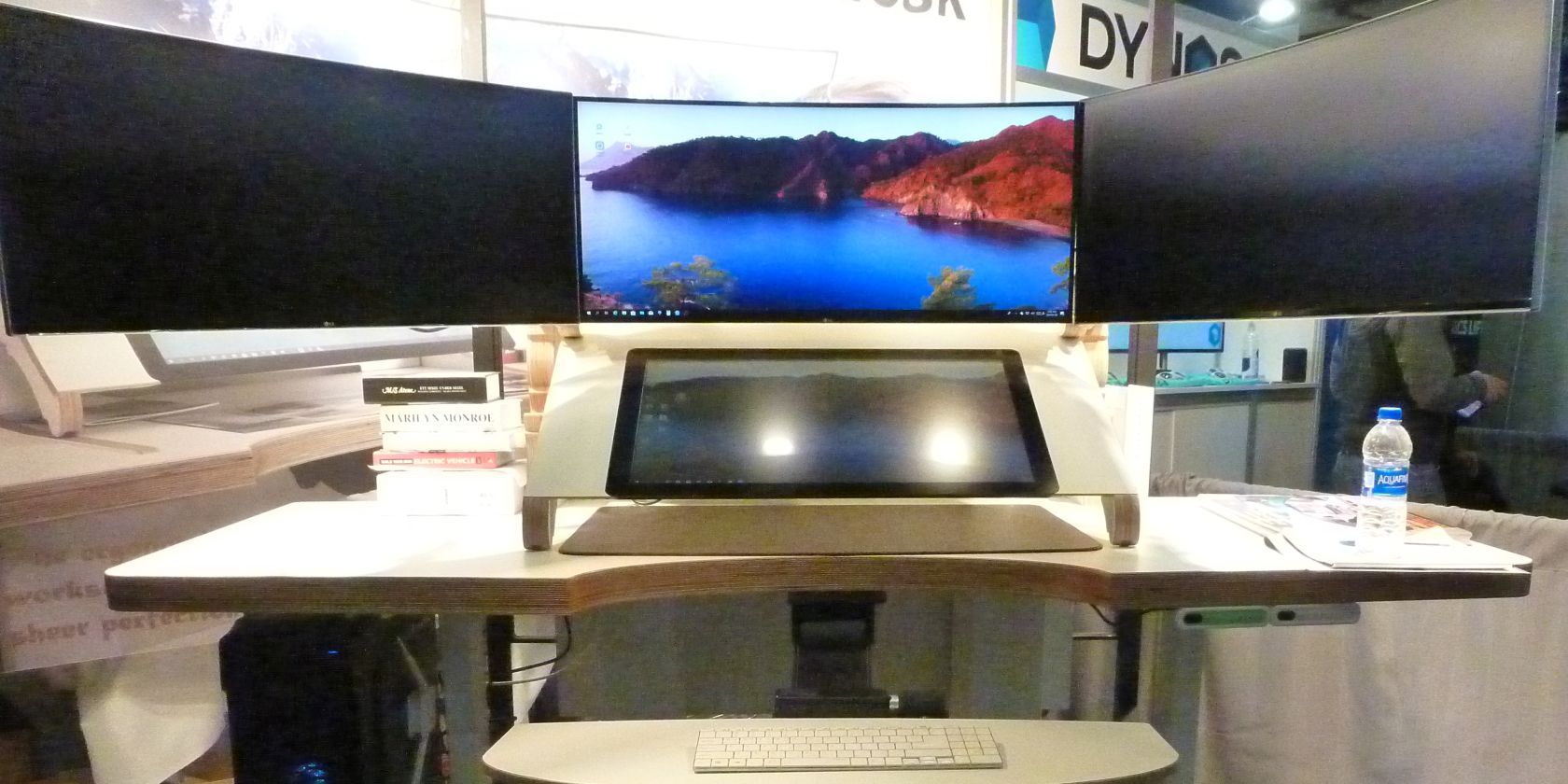
The desk ships with three 34-inch LG monitors in a panoramic display, as well as a fourth 27-inch touchscreen monitor with a 1920 x 1080 resolution in the center of the unit. There is a separate keyboard and mouse shelf which slides out from under the fourth monitor.

Users can adjust the tilt angle of the 27-inch monitor along with the overall height of the desk using a set of controls in the lower right-hand corner. You can control the height and angle incrementally as well as program four customized presets. The fourth monitor can tilt between five and 60 degrees.

Yoon Three-D Desk at CES 2019

The desk itself is made from birch wood. The company claims it has a 100-year lifespan.

We played around with the controls and sat at the desk using a number of different configurations. We were impressed with both how high and how low the counter could go. Tall people would have no problem using it in a standing configuration, while people who want to relax and sit closer to the floor—perhaps to watch a movie—will also be satisfied.

On the downside, there are certainly better-looking ergonomic desks on the market. Yes, Yoon’s product is effective and certainly delivers on its pain-relieving promises, but its design doesn’t look as classy as some of its competitors. The off-white coating on the surfaces feels a touch cheap; it would have looked better if the wood was polished and left exposed.

Yoon’s ergonomic Three-D Desk is on sale now for $9,900.

Read the full article: Yoon Three-D Desk: An Ergonomic Sitting and Standing Desk


Read Full Article

Nuvision’s Tablet Update for 2019: Possible Super Cheap 2-in-1 Tablets


Photograph of Nuvision Supreme 1100 two in one Windows tablet at CES 2019

Cheap two-in-one tablets may one day replace vanilla tablets. At Consumer Electronics Show (CES) 2019, that day just got closer.

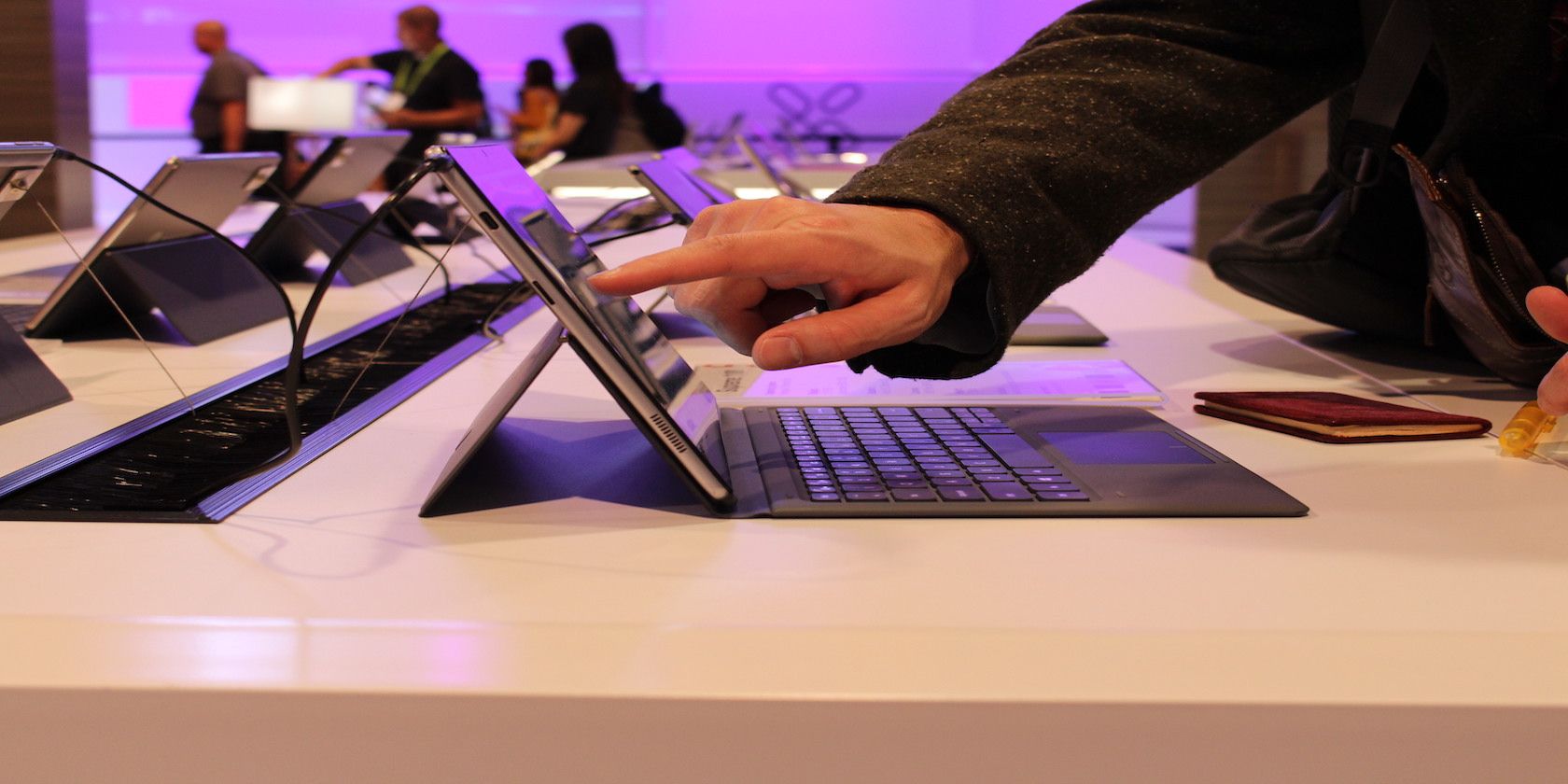
Nuvision, a leader in the budget segment, teased a probable upgrade to its 2-in-1 lineup for 2019. The Supreme 1100 (a working name for just one of many possible models) offers a uniform upgrade over the older Split 11.

Photograph of the Nuvision Supreme 1100 in tablet mode at CES 2019

The Supreme 1100 possesses the same chassis as the original Split except with a massively improved keyboard and an entirely new processor. The new processor (probably a N3450 “Atom” Goldmont processor/system-on-a-chip) should offer a 30% improvement in performance compared to the Atom processor found in some of Nuvision’s older products.

Photograph of the Nuvision Supreme 1100 rear-side at CES 2019

Compared to the Intel N3350 inside of the Split 11, the Supreme 1100’s N3450 doubles the number of processing cores from two to four. While the Supreme’s processor is based on the same Goldmont architecture as its predecessor, the Split 11 is only a dual-core model. And the speed differential is very visible. While the Split 11 seemed snappy enough for running basic software, the Supreme 1100 feels more like a full computer, possibly because of its four core performance. Apps open faster than before, despite a marginally lowered burst speed.

Photograph of the Nuvision Supreme 1100 at CES 2019

The magnetic keyboard on the Supreme 1100 seems like the biggest upgrade. While most 2-in-1 tablets more-or-less staple on flimsy keyboards, the Supreme 1100’s keyboard feels astoundingly good under the fingertips. Overall, it feels like a winning design.

Nuvision Tablets? Nuvision Sells Onda Tablets

Nuvision isn’t a manufacturer. Rather than running production lines, they adapt devices from the manufacturer Onda to the US market. Their most well-known product might be the low-cost Nuvision Solo eight-inch tablet, which came with Microsoft Windows 10 Signature Edition, a bloat-ware free version of Windows. The eight-inch tablet is no longer in production, but during its two-year run, it ranked at the top of the Windows 10-equipped eight-inch tablets. In the US, there is no better Windows 10 tablet smaller than 8 inches.

The aforementioned Switch 11 debuted in 2017 for around $250, but it hit a sale price of around $150, making it the least expensive 2-in-1 sold in the US for a brief period.

What’s the Future of the Nuvision Eight Tablet?

For those curious about Nuvision’s popular 2016 eight-inch tablet, the future is grim. Unfortunately, the Nuvision Eight won’t remain in production due to its declining cost effectiveness. Nuvision hasn’t announced a successor to the Nuvision Solo although it did tease the possibility that an Android version with Android 9.0 Pie installed as a possible replacement candidate. The Android tablet appeared to include a MediaTek processor, similar to that inside of the Amazon Kindle Fire 8.

Read the full article: Nuvision’s Tablet Update for 2019: Possible Super Cheap 2-in-1 Tablets


Read Full Article

Ultrahaptics Presents Mid-Air Haptic Feedback Technology


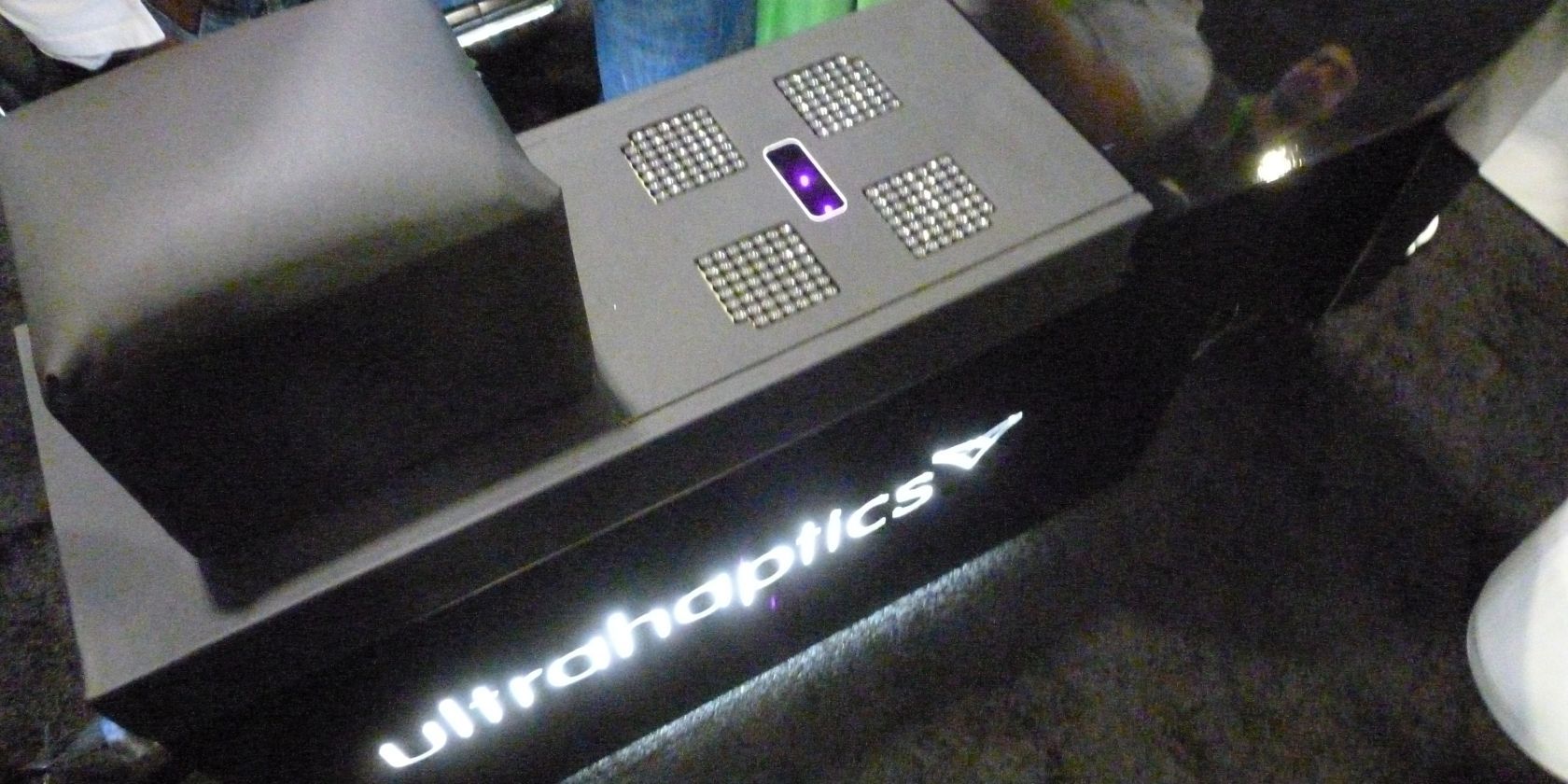
Ultrahaptics at CES 2019

Ultrahaptics has once again wowed guests at CES with its demonstration of the latest mid-air haptics technology.

For those who don’t know, mid-air haptics refers to the process of using ultrasound to create invisible “floating” 3D shapes and textures which people can feel and interact with.

The company uses commercial-grade transducers to create the ultrasonic waves, then applies its own intellectual property which enables the transducers to produce the rapid-fire output needed to generate the floating shapes in both space and time. The technology is hardware and operating system-agnostic.

Ultrahaptics transducers at CES 2019

Ultrahaptics was keen to stress how the technology could benefit several key areas, and we played with a couple of their demo machines on the show floor.

A Touch Screen Replacement?

The first demonstration used mid-haptics to control a menu on a screen. Ultrahaptics hopes this implementation can ultimately replace touchscreens, especially in public areas. Public touchscreens are notorious for being hard to keep fingerprint- and germ-free.

A secondary benefit over traditional touchscreens is feedback. When using touchscreens, it’s hard to know whether your input was correctly entered and understood. With haptic technology, the user can feel a vibration or other sensory alert so they know whether their action was a success or failure.

In-Car Controls

Ultrahaptic supersonic feedback at CES 2019

The second demo we played with was a virtual car. The transducers were located in a position equivalent to where you would find the gear stick. They sent their ultrasonic beams upwards, enabling users to control the music volume, fans, temperature, and sat nav using a combination of finger, pinch, and “mic drop” gestures.

Because Ultrahaptics’ technology works so quickly, it can marry the haptic sensations with on-screen images and other displays. In the context of driving a car, it means drivers can see a HUD of their inputs on their windshield. It’s less distracting than having to look down to control knobs, dials, and other typical in-car controls.

Before leaving, we spoke with the company’s Director of Commercialization, Saurabh Gupta. He insisted that mid-air haptics would change the way we interact with all our devices and surrounds. Based on today’s demonstration, we are inclined to believe him.

Read the full article: Ultrahaptics Presents Mid-Air Haptic Feedback Technology


Read Full Article

Dell Fixed the XPS 13 Camera and Launched a New Latitude 7400 2-in-1


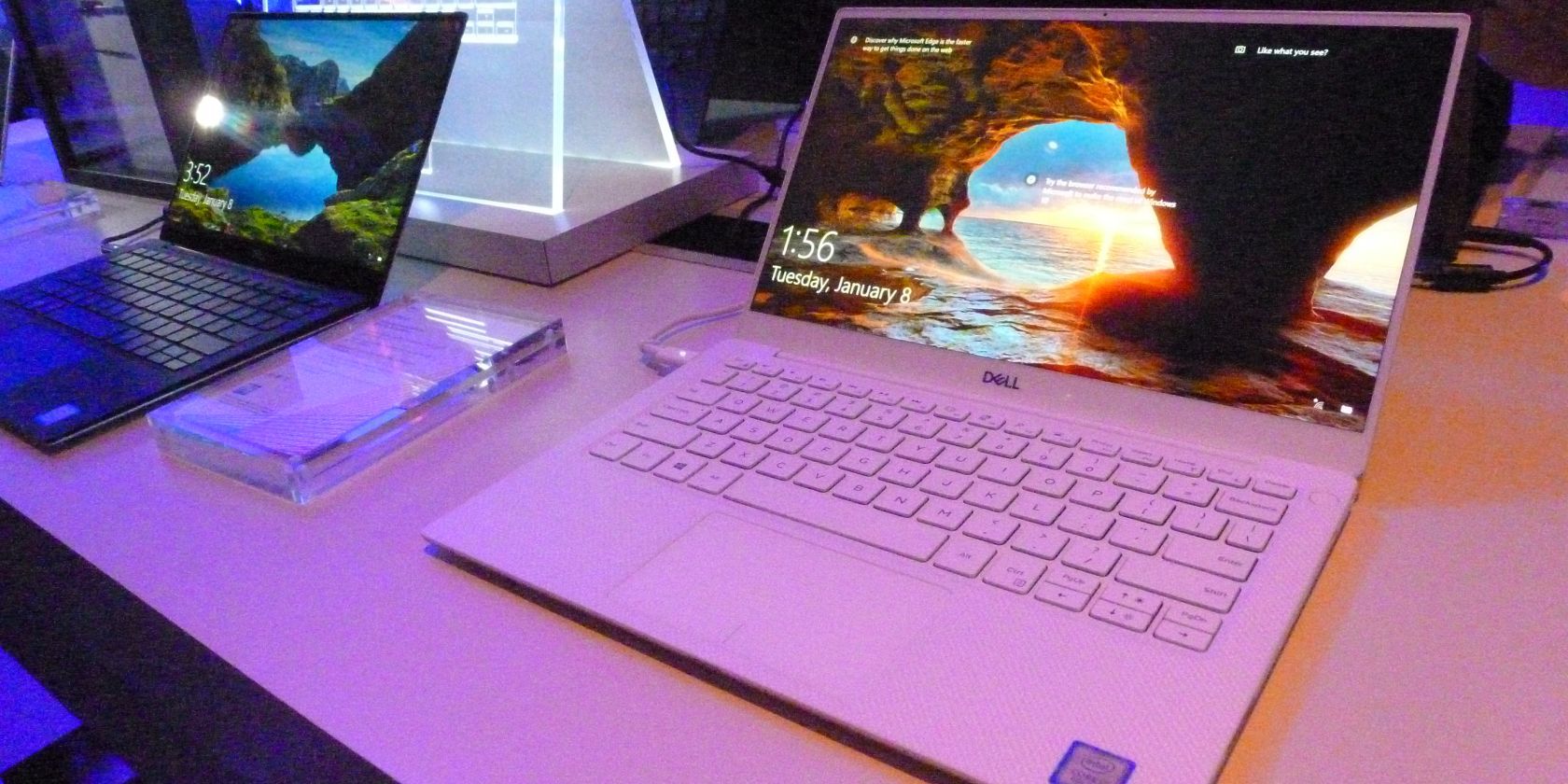
Dell XPS 13 CES 2019

Amidst the predictable deluge of new laptops unveiled at CES 2019, two models captured our attention—the completely redesigned Dell Latitude 7400 2-in-1 and the Dell XPS 13.

Dell XPS 13

Dell XPS13 CES 2019

The headline feature of the XPS 13 is the relocated webcam. On the old model, the camera was below the screen, leading to odd viewing angles and the birth of “nostril cam.” The new release sees the camera move back to a more natural spot above the screen.

Dell has also reduced the size of the bezels. They are now just 2.25 mm, making them the company’s smallest to date.

Performance-wise, the XPS 13 ships with the eighth-generation quad-core Intel processor and a 4K touch-sensitive screen. You’ll also get the Dell Power Management tool with can toggle between your performance needs and extended battery life. The laptop comes in first place for its class in the Cinebench R15 (Multi-Core) CPU benchmark test.

Lastly, there’s a new ”frost” external color scheme along with a brighter interior chassis. The old model’s colors are all still available.

Dell Latitude 7400 2-in-1

Dell Latitude 7400 2-in-1 CES 2019

The second laptop—the Dell Latitude 7400 2-in-1—is firmly aimed at younger professionals; it comes with a range of features that’ll appeal to employees who spend a lot of time on-the-go.

Those features include a battery that’ll recharge to 80 percent in just one hour, 24 hours of MobileMark ’14 run time, and Cat16 Gigabit LTE connectivity. Gigabit LTE is three times faster than the previous WWAN technology.

Perhaps most importantly for people who carry their laptops with them all day, it weighs a mere 2.99 lbs (1.35 kg).

Dell has also added its new ExpressSign-in technology to the machine. The demo at CES impressed us; the laptop could detect your presence, wake the system, and log you into Windows in just one second.

Other features include an optional SmartCard reader (which is becoming increasingly rarer on other pro-level machines), an NFC reader, Dell’s ControlVault 3 (for multi-factor authentication). The laptop even comes with VMware’s Workspace ONE.

Only one color is available (“Titan Gray”), but it looks slick. The bottom of the laptop is covered in soft-touch paint, so the device also feels great.

Both laptops come with Dolby Vision. It provides blacks that are 10 times darker and colors which are 40 percent brighter. Once again, the demo models were seriously impressive; the technology undoubtedly helps bring the most out of HDR screens.

The Dell Latitude 7400 2-in-1 laptop will become available in March 2019. It will cost $1,599. The XPS 13 is available from today and will start at $1,000.

Read the full article: Dell Fixed the XPS 13 Camera and Launched a New Latitude 7400 2-in-1


Read Full Article

Google Launches Doodle for Google 2019


Google has launched its Doodle for Google contest for 2019. The theme for Doodle for Google 2019 is, “When I grow up, I hope…”, with kids across the United States invited to take part. The ultimate prize being pride of place on the Google homepage.

A Brief History of Doodle for Google

Doodles have been a part of Google since 1998, when Google founders Larry Page and Sergey Brin customized the official logo when they attended the Burning Man festival. Since then, illustrators have created thousands of doodles to sit on the Google homepage.

For the past 10 years Google has held an annual Doodle for Google contest. K-12 students are invited to submit doodles based around a theme, with winners chosen for each age group and every state. One Google doodle is then chosen as the ultimate winner.

When I Grow Up, I Hope…

For the 2019 Doodle for Google contest, Google wants children to create doodles based around, “When I grow up, I hope…” Google suggests “sky cities, teleporters, cleaner water, pizza trees, time machines, edible clouds, and Earth-cooling fans” for inspiration.

The rules are pretty simple. To enter, you must be a K-12 student in the United States or its territories. If that’s you, go to doodle4google.com, and complete the entry form. Once it has been signed by a parent or guardian and submitted, you’re in.

As for the doodles themselves, they must be original works that don’t contain logos or anything else inappropriate. Each doodle will be scored based on artistic skills, originality, creativity, and how well it communicates the theme of this year’s contest.

The Prizes for Doodle for Google 2019

The 2019 Doodle for Google contest is set to be judged by Mandy Manning, the 2018 National Teacher of the Year, Jimmy Fallon, the host of The Tonight Show, and Kermit the Frog, star of The Muppets and all-round good guy. The contest closes on March 18, 2019.

There are some amazing prizes up for grabs, including the chance to have your doodle featured on the Google homepage, a $30,000 college scholarship, a trip to San Francisco, and a Chromebook. And before you dismiss that last prize, Chromebooks are awesome.

Read the full article: Google Launches Doodle for Google 2019


Read Full Article

Clutch Chairz Launches Adjustable Gaming Desks for PC Gamers


Clutch Chairz, known for its PC gaming chairs, has shown off some new gaming desk options at CES 2019.

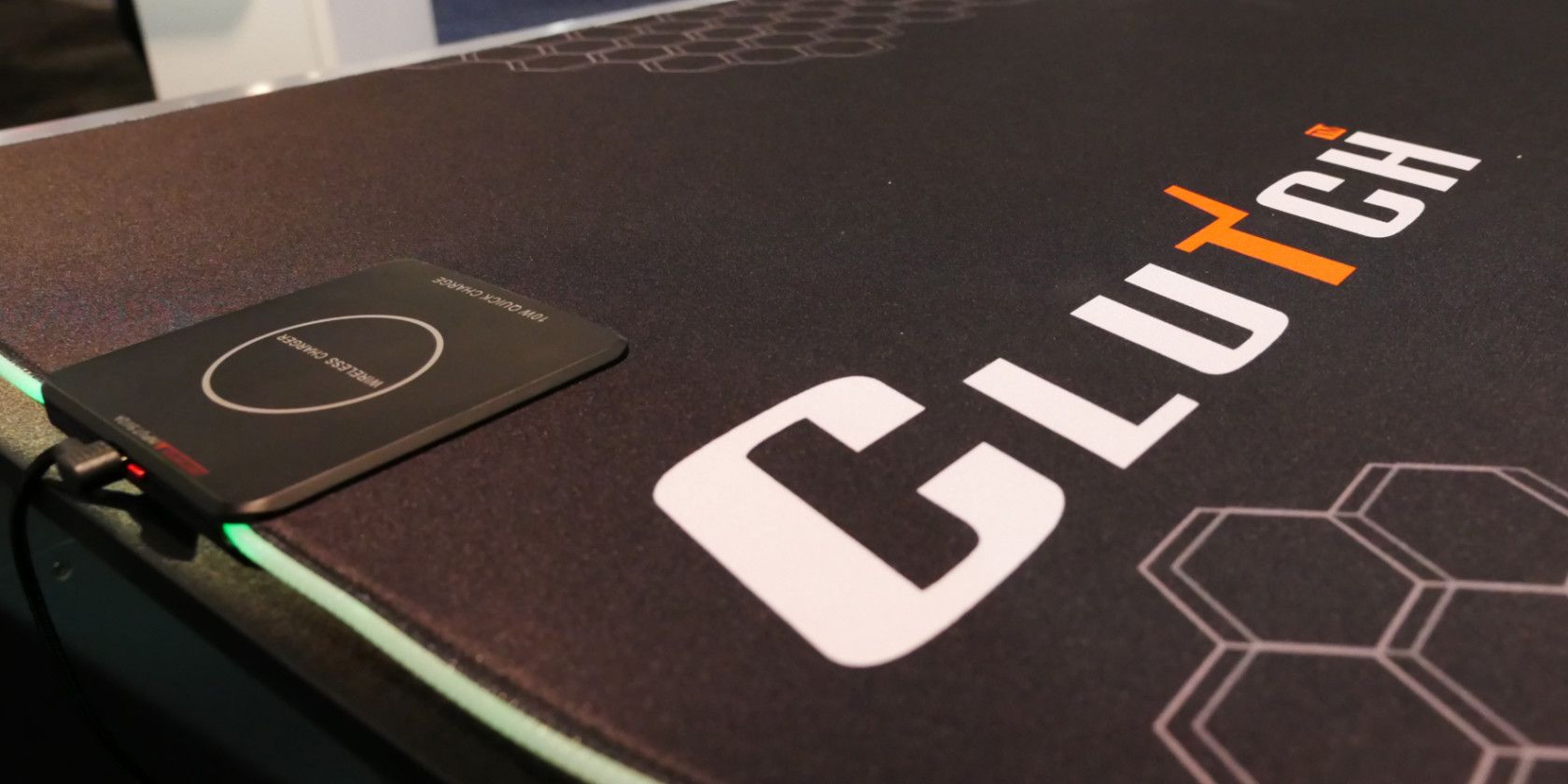
The most exciting product is an adjustable gaming desk. The entire surface is covered in mousepad, making it easy to play at whatever angle and with whatever setup you like. Like most desks for this purpose, it also includes a gap at the back for funneling cables through.

With a minimum height of 28 inches and maximum of 48 inches, everyone will be able to find a setting that works for them. The desk also includes a wireless charger so you can keep your phone or other compatible accessories charged up.

Clutch Chairz released this desk in the past few weeks, and it will be available on Amazon soon. It retails for $599, which is several hundred dollars cheaper than assembling a similar setup on your own.

Adjustable desks are great for giving yourself options, which PC gamers are all about. If you don’t want to worry about where your mouse goes during play, the full-coverage mousepad is ideal. Thus, for those looking into building a custom station for gaming, this is definitely worth taking a look at.

Clutch showed off another desk option at CES. This L-shaped desk is covered in mousepad, like the above, but offers a larger surface for more monitors or accessories.

The standalone desk is 66 inches, with a 48-inch attachment piece forming the “L” shape. If you like, you can also purchase an additional piece of the desk to form a full U-shape. You’ll find the straight edge of the desk useful, as it lets you easily attach peripherals.

The U-shaped desk retails for $600. If you’re upping your gaming setup and looking to replace an old desk, these are some solid choices. Casual gamers need not apply due to the higher cost, but if you want to gain a competitive edge, give them a look.

After all, customizing your play space is just as important as your mouse, keyboard, and other accessories!

Read the full article: Clutch Chairz Launches Adjustable Gaming Desks for PC Gamers


Read Full Article

My Arcade’s Retro Mini Arcade Players Are Full of Nostalgia

How to Wipe Cache Partition and Clear Data on Android


android-screenshots

If you’ve ever peeked in your Android app drawer, you’ve noticed that every app has two actions: Clear Cache and Clear Data. There’s also something called the “cache partition,” which isn’t the same thing as the individual app caches.

Why do these all exist? What are the differences? And most importantly, is it possible to clear them when you need to free up space on your Android device? Keep reading to learn everything you need to know about Android app data, Android app cache, and Android system cache partition.

What Is App Data on Android?

When you install an app, either from the Google Play Store or by sideloading a third-party APK, the executable app file along with any necessary runtime library files are stored in the system’s /data/app directory. This directory is inaccessible by file explorer, unless you root your device.

Each installed app also gets its own directory for private data, located in the system’s /data/data directory. This directory is also inaccessible except by rooting your device.

As you use your various Android apps, certain settings and inputs get stored between sessions. For example, logging into an app and checking “Remember me” will store your details to private data. Data also stores things like account settings, app preferences, etc.

Some apps (like Spotify) may store offline audio data, while others (like Maps) may store offline map data. This can take up a LOT more storage space than you were expecting, so it can be useful to know how to wipe app data in case your storage space runs low.

How to Clear App Data on Android Phones

When you clear app data, you’re essentially clearing all of the private data it has ever stored since you installed it and used it. In other words, clearing app data “resets” an app back to how it would be when first installed.

To clear app data for a specific Android app:

  1. Open Settings.
  2. Navigate to Apps.
  3. Tap on the app you want to clear.
  4. Tap on Clear Data.

What Is App Cache on Android?

Generally speaking, a cache is a special kind of storage that holds frequently accessed files and data. The purpose of cache is to make future access to those files and data faster, because cache storage is optimized for quick loading. The downside is that cache storage is limited and takes up space on your device.

As you use an Android app, you may need to periodically pull data from the internet—for example, images. Instead of downloading a specific image every time it needs to be displayed on the screen, an app might store that image in the app’s cache. It’s immediately available the next time you need to display it, plus you save on bandwidth.

Note: App cache isn’t the same thing as the system cache partition on Android. Keep reading to learn more about that below.

How to Clear App Cache on Android Phones

Sometimes cached data can fall out of sync with what the data should actually be, which can lead to out-of-date information. Other times, the cache may fill up with too much data, which can slow down app performance. When this happens, it can help to clear an app’s cache.

Cached data is meant to be temporary, so there’s no harm or risk in clearing an app’s cached data. To clear the cache for a specific Android app:

  1. Open Settings.
  2. Navigate to Apps.
  3. Tap on the app you want to clear.
  4. Tap on Clear Cache.

What Is System Cache Partition on Android?

On Android, the system cache partition is where temporary system files are stored. The system cache partition is located in the /cache directory, which is separate from individual app caches and remains inaccessible without rooting your Android device.

What kind of data is stored in the system cache partition? Mainly, system updates.

Prior to Android 7.0 Nougat, system updates were downloaded and stored in the system cache, then applied upon reboot. Starting with Android 7.0 Nougat, a new seamless update system was introduced that no longer uses the system cache for system updates. However, only newer Android devices are capable of using the seamless update system. If your device didn’t launch with the seamless update system in place, it won’t ever be able to use it—even if you eventually update to Android 7.0 Nougat or later.

How to Wipe Cache Partition on Android Phones

For all Android devices that still use the system cache for applying system updates, it’s typically a good idea to wipe the system cache partition after a successful system update. This ensures that your system updates never use outdated files or data. There is no harm in wiping the system cache partition.

To wipe the system cache partition on Android devices:

  1. Turn your Android device off.
  2. Simultaneously press and hold the Volume Up + Volume Down + Power buttons to boot into Recovery Mode.
  3. Use the volume buttons to navigate the Recovery Mode menu
  4. Use the power button to select Wipe Cache Partition.
  5. Wait for the system cache partition to clear.
  6. Select the Reboot option to return to normal device usage.

Want to learn more about becoming an Android master? Check out these essential Android tips and tricks! And don’t forget about these proven tips for extending Android battery life.

Read the full article: How to Wipe Cache Partition and Clear Data on Android


Read Full Article

Facebook and PayPal pull pages of far right British activist filmed intimidating public figures


Facebook has confirmed it has removed the pages and profiles of a far right political activist in the UK after concerns were raised in parliament about aggressive intimidation of politicians and journalists trying to go about their business in and around Westminster.

PayPal has also closed an account that was being used to solicit donations for “political activism”.

The intimidation is being conducted by a small group of extreme Brexit supporters who have — ironically enough — lifted the ‘yellow vest’ dress code from French anti-government protestors, and are also making use of mainstream social media and crowdfunding platforms to fund and amplify attacks on public figures in an attempt to squash debate and drive an extreme ‘no deal’ Brexit. (Context: The clock is ticking down to March 29; the date when the UK is due to leave the European Union, with or without a withdrawal deal.)

In incidents widely shared on social media this week, individuals from the group were filmed live streaming harassment of Remain supporting Conservative MP Anna Soubry who was mobbed and shouted at as she walked down the street to return to parliament after being interviewed live on TV in front of the Palace of Westminster where the group heckled her with repeat chants of “nazi”.

Members of the same group were also filmed with fisted smartphones, chasing and hurling abuse at left-wing commentator Owen Jones as he walked down a London street.

In another video one of the individuals leading the verbal attacks, who has been identified in the press and online as a man called James Goddard, can be seen swearing viciously at Met Police officers and threatening to bring “war”.

The speaker of the House of Commons said today that he had written to the head of the Met Police to urge action against the “aggressive, threatening and intimidating behaviour towards MPs and journalists” around Westminster.

The Guardian reports that at least 115 MPs have written to police requesting extra protection.

Contacted today about Goddard’s presence on its platform, Facebook later confirmed to us that it had pulled the plug. “We have removed James Goddard’s Facebook Pages and Groups for violating our policies on hate speech,” a spokesperson told us. “We will not tolerate hate speech on Facebook which creates an environment of intimidation and which may provoke real-world violence.”

Earlier today one of his pages was still live on Facebook, and in a post from December 14 Goddard can be seen soliciting donations via PayPal so he can continue “confronting” people.
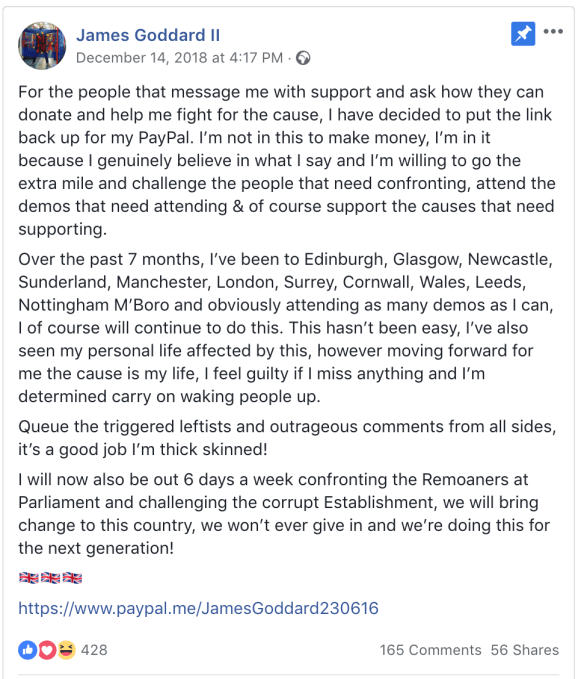
We also asked PayPal about Goddard’s use of its tools, pointing to the company’s terms of use which prohibit the use of the platform for promoting “hate, violence, racial and other forms of intolerance that is discriminatory”.

PayPal declined to comment on “any specific customer’s account”, citing its privacy policy but a spokesperson told us: “We do review accounts that have been flagged to us for possible breaches of our policies, and we will take action if appropriate.”

A few hours later PayPal also appeared to have pulled the plug on Goddard’s account.

A Patreon page he had seemingly been using to solicit donations for “political content, activism” is also now listed as ‘under review’ at the time of writing.

But Goddard remains on Twitter, where he is (currently) complaining about being de-platformed by Facebook and PayPal to his ~4k followers, and calling other people “fascists”.

How should mainstream tech platforms respond to people who use their tools for targeted harassment? If you read companies’ terms and conditions most prohibit abusive and intimidating conduct. Though in practice plenty flows until flagged and reviewed. (And even then takedowns frequently fail to follow.)

For all the claims from platforms that they’re getting better about enforcing their claimed community standards there are countless of examples of continued and very abject failure.

Facebook’s 2.2BN+ users especially make for an awful lot of content to wrangle. But none of these platforms is renowned for being proactive about weeding out violent types of speech they claim to forbid. And when intimidation is dressed up as political speech, and public figures are involved, they appear especially paralyzed.

Social media-savvy Far Right groups grokked this loophole long ago (see: Gamergate for a rough start date); and are continuing to exploit default inaction to get on with the violent business of megaphoning hate in the meanwhile.

You could say platforms are being gamed but the money they make off of accelerated outrage makes them rather more complicit in the problem.

The irony is it’s free speech that suffers in such a thuggish and febrile atmosphere. Yet platforms remain complicit in its undoing; doing nothing to stop hate mongers turning hugely powerful high tech soapboxes into abuse funnels.

They do this by choosing to allow groups with fascist ideologies to operate freely until enough reports are filed and/or high level political attention frowns down on particular individuals that they’ll step in and act.

Facebook’s community standards claim it aims to prevent “real-world harm”. But with such a narrow prescription it’s failing spectacularly to prevent deliberate, malicious and co-ordinated harassment campaigns that are designed to sew social division and upend constructive conversation, replacing the hard won social convention of robust political debate with mindless jeering and threats. This is not progress.

There’s nothing healthy for society or speech if mainstream platforms sit on their hands while abusive users bludgeon, bully and bend public debate into a peculiarly intolerant shape.

But we’re still waiting for the tech giants to have that revelation. And in the meanwhile they’re happy to let you watch a live streamed glimpse of mob rule.


Read Full Article

Google Assistant lock screen access is coming to more Android devices


Here’s a quick tidbit buried beneath today’s deluge of Google Assistant news (not to mention the bizarre waking nightmare that is the CES Small World ride). The company announced today that the smart assistant will be accessible on more Android phone lock screens.

The feature was first announced back at Google’s hardware event in October, though at the time, it was limited to the company’s new Pixel 3 handset. For security reasons, it’s available through opt-in, meaning you’ve got to tick the box in settings.

Certainly adding that kind of access to the lock screen can open your handset (and by extension you) to malicious parties. Though once set up, it will only respond to your own voice (unless, of course, someone with access to your handset can do a really good impression of you).

Once enabled, you can get restaurant recommendations, turn off alarms and schedule reminders, among other features, all without having to unlock the handset. No word yet on when it will be arriving on specific models. 


Read Full Article
The best and worst of CES 2019: Monster displays, VR in cars and crazy personal gadgets


CES 2019 is here and there have been a lot of technology announced at the show. From the latest autonomous vehicle technology to the coolest personal gadgets, here’s a round up of the best from the show so far.

Autos

Smart Home

Personal Gadgets

The Worst


Read Full Article

See you tomorrow in Las Vegas


We will be holding a small event during CES in Las Vegas and we want to see you! We’re looking to meet some cool hardware and crypto startups, so the good folks at Work In Progress have opened up their space to us and 200 of you all to hold a meetup and pitch-off.

We’ll have some pizza and beer and we can hit a bar after the event for some one on one time with the TC folks.

The event will be held at Work In Progress, 317 South 6th Street on Wednesday, January 9, 2019 between 6:00 PM – 9:00 PM PST.

The meetup is sold out but please attend if you’ve picked up a ticket. Thanks!

See you in Vegas!


Read Full Article

This strange cedar egg wants to help you breathe deep and calm down


In moments of stress and anxiety, there are those of us who find it difficult to breathe — and paradoxically, many reach for a cigarette or vape as a way to manage that. But what if instead of nicotine or smoke, the device you grabbed put fresh air in your lungs and helped you calm down? That’s the idea behind the Kitoki.

Looking a bit like an oversized bean with a sippy cup tip on the end, the Kitoki is a striking but not immediately attractive device. It’s not really clear what it’s supposed to do. And indeed after trying it, I’m still not entirely sure. But I like it anyway.

The idea is this: when you need to calm down, you grab the Kitoki. Its rounded shape and smooth cedar make it a pleasant thing to hold in the first place. Then you put your fingers on the little buttons and take a deep breath through the mouthpiece. A tiny LED lights up when the device senses that you have taken a deep enough breath. The idea here is to prevent hyperventilation and promote calmness, and sometimes a cue can be helpful for that.

[gallery ids="1766902,1766904,1766901,1766903"]

While and after you’re taking this breath, your galvanic skin response (an electrical measurement affected by sweat) is measured via the little metal dots. This is supposed to be a general indicator of stress (take all these claims with a grain of salt, naturally) and the device monitors it and, the company claims, de-noises the signal and finds something worthwhile in it. If it decides you’ve calmed down while you’ve been using the device, it gives you a little buzz. If not, take another breath.

The air I breathed when I tried the device seemed different, but I don’t think there’s any kind of scent module in there. It might just be that it is drawn through channels in the cedar and given a fresh sort of taste. If anything it might just be some tiny bit of essential oil — no nicotine or e-juice or anything like that.

The Kitoki isn’t going to change the world, but I like the design and the intent behind it. It’s a friendly little device, simple and well made, and it’s about calmness and mindfulness rather than productivity and speed. We could all stand to stop and take a deep breath once in a while.


Read Full Article

These baby concrete speakers aren’t as heavy as they look


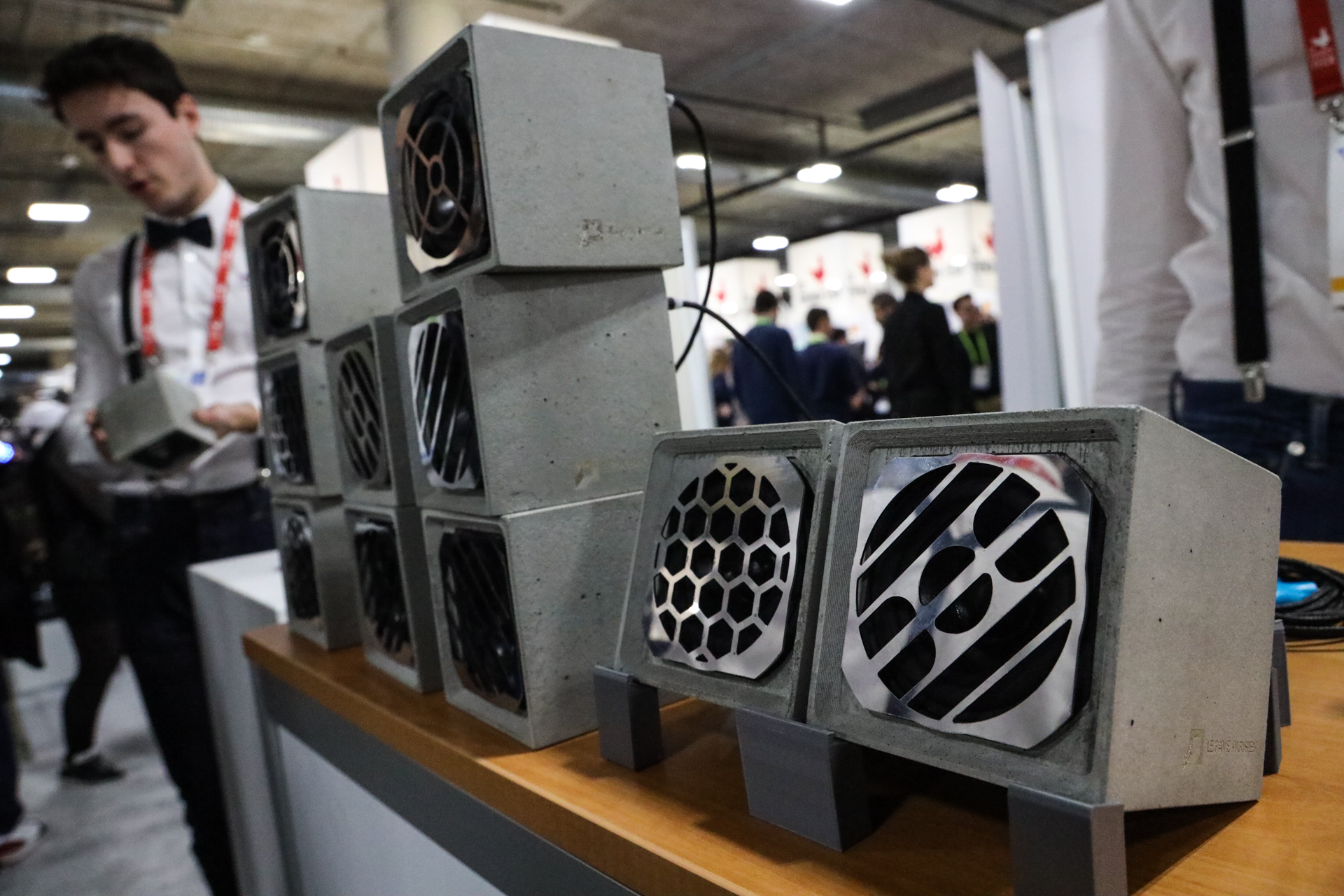
To paraphrase P. T. Barnum, “there’s a Bluetooth speaker born every minute.” At no time of year is that more true than at CES in Las Vegas, where they are bountiful beyond belief. But very few — nay, only one that I found — are made of concrete. And it’s French!

The speakers immediately attracted my attention because of their simplicity and of course material. I’m generally repelled, like water, from the plastic and silicone that most speakers are made out of these days. If it’s going to be visible in my house, shouldn’t it be wood or ceramic or steel? (That’s why I like Joey Roth’s stuff so much).

And why not concrete? It’s hard-wearing, cool-looking, tactile — and like ceramic actually has good qualities as far as using it for audio purposes. So the honest folks at Le Pavé Parisien tell me.

The speaker itself is single-channel, meaning it will mix down your music to mono (like many such speakers), but you can easily daisy chain a couple together for stereo or wire a bunch for a concrete wall of sound like they had on display.

I won’t speculate on the audio quality (it was extremely loud in the hall) but they’re marketing it as a high-end device, so it’s probably not bad. 60-20,000 Hz means you’ll miss out on the low end somewhat, but that’s kind of expected with small speakers.

[gallery ids="1766869,1766870,1766865,1766867,1766868,1766864,1766873,1766866"]

One of the company’s engineers, Aurelien Bertini, explained that concrete is actually also more eco-friendly, since it can be recycled by being pounded into dust and recast. Sounds labor-intensive, but that’s how recycling is.

Bertini noted that concrete also can easily be customized — laser etched, dyed, etc. The magnetic grilles on the front are easily swapped out as well. They’re really not as heavy as they look, either: about 3 pounds. It’s mostly air in there.

More importantly, the device is designed to be repaired; you pop the grille off and there are only four screws holding the guts in; take it out, replace a piece, fit something back in place that fell off, that sort of thing.

You’ll want to repair yours, too, since Le Pavé Parisien is currently selling for $400, rather higher than the average Bluetooth speaker. If you simply must have them, they’re on sale now (following a successful recent crowdfunding campaign) and expected to ship next month.


Read Full Article

Zuckerberg’s 2019 challenge is to hold public talks on tech & society


Rather than just focus on Facebook’s problems like his 2018 challenge, this year Mark Zuckerberg wants to give transparency to his deliberations and invite the views of others. Today he announced his 2019 challenge will be “to host a series of public discussions about the future of technology in society — the opportunities, the challenges, the hopes, and the anxieties.” He plans to hold the talks with different leaders, experts, and community members in a variety of formats and venues, though they’ll all be publicly viewable from his Facebook and Instagram accounts or traditional media.

This isn’t the first time Zuckerberg has held a series of public talks. He ran community Q&A sessions in 2014 and 2015 to take questions directly from his users. The idea for Facebook Reactions for expressing emotions beyond “Likes” first emerged during those talks.

From his initial framing of the 2019 challenge, though, it already sounds like Zuckerberg sees more Facebook as the answer to many of the issues facing society. He asks “There are so many big questions about the world we want to live in and technology’s place in it. Do we want technology to keep giving more people a voice, or will traditional gatekeepers control what ideas can be expressed? Should we decentralize authority through encryption or other means to put more power in people’s hands? In a world where many physical communities are weakening, what role can the internet play in strengthening our social fabric?”

The implied answers there are “people should have a voice through Facebook”, “people should use Facebook’s encrypted chat app WhatsApp”, and “people should collaborate through Facebook Groups”. Hopefully the talks will also address how too much social media can impact polarization, self-image, and focus. And given Zuckerberg is prone to sticking to his talking points, the public would benefit from talks held by moderators who don’t give the CEO all the questions ahead of time.

Hearing Zuckerberg’s candid thoughts on the inherent trade-offs of “bringing the world closer together” or “making the world more open and connected” could help users determine whose interests he has at heart.

Zuckerberg’s past challenges have been:

2009 – Wear a neck tie every day

2010 – Learn Mandarin Chinese

2011 – Only eat animals he killed himself

2012 – Write code every day

2013 – Meet a new person who isn’t a Facebook employee every day

2014 – Write a thank-you note every day

2015 – Read a new book every two weeks

2016 – Build an artificial intelligence home assistant like Iron Man’s Jarvis

2017 – Visit all 50 states he hadn’t already to meet and talk to people

2018 – Fix Facebook’s problems


Read Full Article

Great Wall Motors look to integrate Mobileye’s L0-L2+ self-driving solutions


Chinese automaker Great Wall Motors is exploring strategic collaboration with Mobileye. Through this deal, GWM hopes to integrate Mobileye’s solutions into its vehicles. Starting with L0-L2+ within the next three to five years, the companies are also exploring opportunities for Mobileye’s Level 3 products.

The word comes CES 2019 where Intel-owned Mobileye has a big presence alongside a large number of automotive technology companies.

GWM’s domestic market offers unique challenges for self-driving technology. Mobileye’s L0-L2 feature set focuses on driver safety and includes forward-collision warning, automatic emergency breaking and lane assist. Its L2+ is a bit more complex and features driver assist features that utilize Mobileye’s road mapping data, adaptive cruise control.

Initially the auto maker plans to build-in L0-L2+ technologies within domestic vehicles in the next three to five years. Eventually, though, GWM sees building some of the systems into vehicles headed for international markets.

CES 2019 coverage - TechCrunch


Read Full Article

Here’s everything Google announced at CES 2019


Google made a flurry of announcements at CES this week, many of them coming rapid fire this morning.

Don’t have time to dig through it all? That’s ok. Here’s the condensed version:

  • Google says that Assistant, its voice-powered AI, will be on 1 billion devices around the world by the end of this month
  • Meanwhile, Google is also rolling out an update today that brings Google Assistant into Google Maps on both iOS and Android. It’s a bit more powerful on the latter as Google has more flexibility on their own platform, but it’s a very useful addition on both.
  • Google says that Assistant will soon be able to control Sonos speakers. They’ve been promising that for over a year now, but it should be coming sooner than later. It’ll land on Sonos speakers with built-in mics first (Sonos One and Sonos Beam) but you’ll also be able to use Google Home devices to control mic-lacking Sonos speakers (like the Play:one or many of the older speakers) down the road.
  • 2019 Samsung TVs will get Google Assistant compatibility later this year. If you have a Google Home or something similar, you’ll be able to link it up with your Samsung TV, allowing you to turn it on/off, adjust the volume, change the channel, and switch inputs with your voice.
  • Dish is adding Google Assistant to its Hopper set-top boxes, allowing you to speak to Assistant through your Dish voice remote.
  • Google Assistant will soon be able to check you into flights (United only at first, with other airlines on the way) when you say “Hey Google, check into my flight”. It can also now book hotels for you.
  • Lenovo is building an $80 Google Assistant-powered smart clock meant for your night stand.
  • Assistant’s new “Interpreter Mode” can translate conversations on the fly in 27 different languages.
  • Google is previewing a new initiative called Assistant Connect, allowing manufacturers to make simple devices that tap your existing Google Home gear to do any required heavy lifting. Their example is an e-ink display that can show weather/calendar information — it doesn’t actually connect to the Internet by itself but has a connected Google Home handle it and pass that info on to the display.
  • Google worked with both Anker and JBL to build accessories that pop into your car’s 12v outlet (that thing once known as the cigarette lighter, back when that seemed like a totally normal and not super weird thing) and make Assistant work a bit better in the car. Both can connect over either Bluetooth or AUX. They’ve got built-in echo/noise cancellation tuned for road noise, and are built to let you use Assistant without having to unlock your phone.

As you can probably tell, Google went all in on Assistant at CES this year; effectively every single one of their news items has to do with Assistant in one way or another. They built a two story building right outside the convention center, entirely dedicated to demonstrating Assistant. Google has made it pretty clear at this point that it sees Assistant as the next evolution of Google searches, so expect Assistant to play a role in almost everything consumer-facing the company does moving forward.


Read Full Article

Lenovo is building an $80 Google Assistant clock for your nightstand


If you like the idea of Amazon’s Echo Spot — that is, a tiny voice-powered assistant on your nightstand, complete with a full-color display — but are more into Google Assistant than Alexa, your options have thus far been a bit limited.

You could put your phone on a dock, but that’s not quite the same. There’s Google Home Hub, but it’s a bit big for a nightstand with limited space.

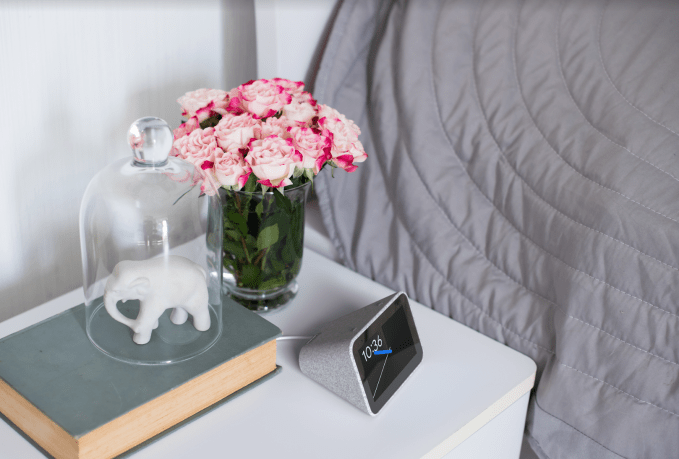
With that in mind, Lenovo is building Smart Clock — an $80 Google Assistant-powered device built for the bedside.

It’s got a four-inch 480×800 touchscreen on the face, which can show stuff like the weather when it’s not acting as a clock. If you sync it up with your Google Calendar, it’ll also try to give you a heads up when you need to shift your normal alarm wake-up time. It’s got one small built-in speaker for tunes, and a rear USB port for charging other devices. They wrapped the whole thing in a soft grey fabric, which in addition to making it fit right in with any Google Home devices you might have, looks pretty dang snazzy for an $80 device. And with Google Assistant at the core, of course, it can handle everything you might otherwise use something like Google Home for — voice-powered automation, controlling your TV, etc.

Unlike the Echo Spot, Lenovo’s clock has no built-in camera — which, given that it’s meant to live in the bedroom, is probably a fine decision.

Google says this one should ship sometime this spring.

CES 2019 coverage - TechCrunch


Read Full Article