25 June 2020

How to Use Google Forms to Get Updates From Your Remote Team


google-forms-updates-team

Google Forms is a terrific and intuitive tool for gathering information from clients, customers, and employees. You can easily create and customize a form, share it in a few different ways, and then analyze the answers.

If you’re in a work situation where you have a remote team, Google Forms can be an effective method for obtaining updates. You can use it for a specific project or simple work updates that you request daily or weekly.

Start a New Form

Google Forms offers a nice selection of templates that can help you get started. Click the Template gallery at the top to review templates for Work, Personal, and Education. If you see one that has the basics you need, such as the questions types, click it to use it.

If not, you can start from scratch by clicking the Blank option under Start a new form. This is what we’ll be using for this tutorial.

The first thing you should do when you create a new form is to name it. Since Google Forms saves your work as you go, you’ll always know which is the correct form if you name it upfront. Optionally, you can also add a description.

Google Forms Name and Description

If you enter the name on the form itself, that name will pop into the spot on the top left by default. But you can change that name as well as select a location for it within Google Drive if you like.

Google Forms Name and Location

Add Your Form Questions

Google Forms gives you several question types that should cover any situation. From short answers and paragraphs to multiple choice, checkboxes, and dropdowns, you have all the flexibility you want.

Basic Details

The most sensible questions to begin a team update form with are name, date, and optionally time. Whether you use a template or the blank form, you’ll have a question already there to get you started. So you can simply change that question type if necessary and then click the plus sign to add more questions.

Google Forms Basic Detail Questions

For your team member’s name, select Short answer as the question type. Then add the name of the question and turn on the toggle for Required.

For the date your team member is completing the form, click the plus sign to add a question, and pick Date in the dropdown box for the question type. Then add the question name, such as Date, and make the question required.

If you’d like your team member to enter the time they’re completing the form, click the plus sign to add a question and select Time for the type. Don’t forget to add the question name and make it required if you like.

Multiple Choice or Dropdown for Department or Area

If you are sending the update form to many people, you may want to add questions for things like department or area. Multiple choice and dropdown question types work perfectly for these types of questions. Plus, you can have the responder move automatically to other questions based on their answers.

Google Forms Department Multiple Choice

For department or area, you can use the Multiple choice question type if there are only a few answers to pick from and the Dropdown type to conserve some space if there are many possible answers. Choose your question type and then add each answer. We’ll use Multiple choice.

Now, depending on the answer the responder picks, we want to move them to a certain section with specific questions. This is a very handy feature in Google Forms because you can eliminate the need for the responders to skip questions that don’t apply to them and go directly to the ones that do.

On the bottom right of the question, click the More button (three dots) and mark Go to section based on answer. You’ll then see the question update with a spot to add the section next to each answer.

Google Forms Go To Section

If you already have your sections created, you can select each using the dropdown boxes. If not, continue below to create a section and then come back to complete this part.

Google Forms Go To Section List

Use Separate Sections for Each Department or Area

To create a section, click the bottom button in the floating toolbar for Add section. You’ll see the section appear and can give it its own name and description. In this how-to, we’re going to create a section for those who select Information Technology for their department.

Google Forms New Section

We’ll add a question for the current project(s). This allows us to see which projects the responder is currently working on and checkboxes allow them to pick more than one. So, you can pick Checkboxes for the type, or you can take this question a step further.

Maybe for each project they select, you want to know their progress for it. This is where the Checkbox grid type is ideal. You can enter each phase in the Rows section and each project in the Columns section (or vice versa).

If you do lay the answers out as we describe, you can then click the More button and pick Limit to one response per column. This way, the responder can only pick one phase per project, which would make sense.

Google Forms Checkbox Grid Limit

So, this allows the responder to not only tell you which projects they are working on, but which phase they are on for each; all with one checkbox grid question.

Google Forms Checkbox Grid

You can then create additional sections and the questions the same way.

Another type of question you may want to add is a Paragraph for feedback. This lets the responder type in any issues, questions, or other feedback they have with plenty of space.

Google Forms Paragraph Feedback

Check Your Responses

Viewing the responses from your form couldn’t be easier. Just open your form on Google Forms and hit the Responses tab at the top. You’ll see a summary, can view responses by question, or look at individual answers.

Google Forms gives you text responses as well as colorful graphs and charts for your forms. And you can export the responses for offline viewing.

For additional information on viewing responses or creating forms in general, check out our extensive guide to Google Forms.

Send Email Reminders

If you enable the option to collect email addresses for your form, you can then send reminders to those who don’t complete the form. This is extremely convenient; however, there are a few things to do and keep in mind for it to work correctly.

First, set up your form to collect the addresses. Click the Settings button (gear icon) on the top right and pick General in the popup window. Check the first box for Collect email addresses and hit Save.

Google Forms Collect Emails

An email address question will automatically pop onto your form which you cannot remove, and it is a required question.

Google Forms Email Question

Next, you must send your form to the participants via email. Click Send and use the Email tab. Enter the addresses of those you want to complete the form, separated by commas, and hit Send.

Now that Google Forms knows who you sent the form to, it can determine if responses are received from those responders. To send email reminders to those who haven’t responded, follow these steps.

  1. Open your form and click the Responses tab at the top.
  2. You’ll see sections for Who has responded? and Waiting for X responses.
  3. In the latter, click Send email reminder.

Google Forms Send Email Reminder

The same window you saw when you initially sent the form will display, prepopulated with those email addresses you are waiting for responses from. This lets you send them a polite reminder to complete your update form.

Copy and Reuse Your Form

If you plan to send your team update form regularly with minor changes to project names or work duties, as examples, you can simply copy your form and adjust it as needed.

Open your form and click More (three dots) on the top right. Pick Make a copy, give your copied form a name, and click OK to save it. You’ll also notice you have the option to share it with the same people, which is handy. You can then make your adjustments and send it.

Google Forms Copy Form

Consistent Updates Are Easy With Google Forms

It might seem like a bit of work to create a team update form using Google Forms at first. But if you do, you’ll get the updates and information you actually need because they’re answering questions you create. Plus, you can easily copy and reuse the form over and over.

For more, take a look at how to create a free website contact form with Google Forms or other ways you can use Google Forms for your business.

Read the full article: How to Use Google Forms to Get Updates From Your Remote Team


Read Full Article

Get Lifetime Access to 25 Million Stock Images and Graphics With JumpStory for $99.99


Visual content is pretty important nowadays. Facebook posts with images get 2.3 times more engagement, and blogs with frequent images get double the social media shares. Finding good photos can be tricky, but not with JumpStory. This stock photography site gives you unlimited access to over 25 million high-quality images, graphics, and videos, plus useful editing tools. You can get a lifetime subscription now for just $99.99 at MakeUseOf Deals.

Authentic Stock Photography

The stock library of JumpStory is pretty impressive. It contains 20 million pro-quality photos, 500,000 videos, 500,000 illustrations, 100,000 vectors, and 50,000 icons. Later this year, fonts and audio will be added.

However, this site isn’t just about quantity. The library covers a vast range of subjects, and the quality is superb throughout. Curated collections and advanced search help you find what you need, and the images come with commercial licenses.

But JumpStory is more than a stock library. The site has a built-in editor, which lets you crop images, adjust contrast, insert your own logo, and more. You can also remove backgrounds in seconds, and use the AI HighJumper tool to gauge which image will have the greatest impact.

Lifetime Access for $99.99

Worth $2,340, lifetime access to JumpStory is now just $99.99 with future additions included.

Read the full article: Get Lifetime Access to 25 Million Stock Images and Graphics With JumpStory for $99.99


Read Full Article

Privacy not a blocker for “meaningful” research access to platform data, says report


European lawmakers are eyeing binding transparency requirements for Internet platforms in a Digital Services Act (DSA) due to be drafted by the end of the year. But the question of how to create governance structures that provide regulators and researchers with meaningful access to data so platforms can be held accountable for the content they’re amplifying is a complex one.

Platforms’ own efforts to open up their data troves to outside eyes have been chequered to say the least. Back in 2018, Facebook announced the Social Science One initiative, saying it would provide a select group of academics with access to about a petabyte’s worth of sharing data and metadata. But it took almost two years before researchers got access to any data.

“This was the most frustrating thing I’ve been involved in, in my life,” one told Protocol earlier this year, after spending some 20 months negotiating with Facebook over exactly what it would release.

Facebook’s political Ad Archive API has similarly frustrated researchers. “Facebook makes it impossible to get a complete picture of all of the ads running on their platform (which is exactly the opposite of what they claim to be doing),” said Mozilla last year, accusing the tech giant of transparency-washing.

The tech giant points to European data protection regulations and privacy requirements attached to its business following interventions by the US’ FTC to justify painstaking progress around data access. But critics argue this is just a cynical shield against transparency and accountability. Plus of course none of these regulations stopped Facebook grabbing people’s data in the first place.

In January, Europe’s lead data protection regulator penned a preliminary opinion on data protection and research which warned against such shielding.

“Data protection obligations should not be misappropriated as a means for powerful players to escape transparency and accountability,” wrote EDPS Wojciech Wiewiorówski. “Researchers operating within ethical governance frameworks should therefore be able to access necessary API and other data, with a valid legal basis and subject to the principle of proportionality and appropriate safeguards.”

Nor is Facebook the sole offender here, of course. Google brands itself a ‘privacy champion’ on account of how tight a grip it keeps on access to user data, heavily mediating data it releases in areas where it claims ‘transparency’. While, for years, Twitter routinely disparaged third party studies which sought to understand how content flows across its platform — saying its API didn’t provide full access to all platform data and metadata so the research didn’t show the full picture. Another convenient shield to eschew accountability.

More recently the company has made some encouraging noises to researchers, updating its dev policy to clarify rules, and offering up a COVID-related dataset — though the included tweets remains self selected. So Twitter’s mediating hand remains on the research tiller.

A new report by AlgorithmWatch seeks to grapple with the knotty problem of platforms evading accountability by mediating data access — suggesting some concrete steps to deliver transparency and bolster research, including by taking inspiration from how access to medical data is mediated, among other discussed governance structures.

The goal: “Meaningful” research access to platform data. (Or as the report title puts it: Operationalizing Research Access in Platform Governance: What to Learn from Other Industries?

“We have strict transparency rules to enable accountability and the public good in so many other sectors (food, transportation, consumer goods, finance, etc). We definitely need it for online platforms — especially in COVID-19 times, where we’re even more dependent on them for work, education, social interaction, news and media consumption,” co-author Jef Ausloos tells TechCrunch.

The report, which the authors are aiming at European Commission lawmakers as they ponder how to shape an effective platform governance framework, proposes mandatory data sharing frameworks with an independent EU-institution acting as an intermediary between disclosing corporations and data recipients.

“Such an institution would maintain relevant access infrastructures including virtual secure operating environments, public databases, websites and forums. It would also play an important role in verifying and pre-processing corporate data in order to ensure it is suitable for disclosure,” they write in a report summary.

Discussing the approach further, Ausloos argues it’s important to move away from “binary thinking” to break the current ‘data access’ trust deadlock. “Rather than this binary thinking of disclosure vs opaqueness/obfuscation, we need a more nuanced and layered approach with varying degrees of data access/transparency,” he says. “Such a layered approach can hinge on types of actors requesting data, and their purposes.”

A market research purpose might only get access to very high level data, he suggests. Whereas medical research by academic institutions could be given more granular access — subject, of course, to strict requirements (such as a research plan, ethical board review approval and so on).

“An independent institution intermediating might be vital in order to facilitate this and generate the necessary trust. We think it is vital that that regulator’s mandate is detached from specific policy agendas,” says Ausloos. “It should be focused on being a transparency/disclosure facilitator — creating the necessary technical and legal environment for data exchange. This can then be used by media/competition/data protection/etc authorities for their potential enforcement actions.”

Ausloos says many discussions on setting up an independent regulator for online platforms have proposed too many mandates or competencies — making it impossible to achieve political consensus. Whereas a leaner entity with a narrow transparency/disclosure remit should be able to cut through noisy objections, is the theory.

The infamous example of Cambridge Analytica does certainly loom large over the ‘data for research’ space — aka, the disgraced data company which paid a Cambridge University academic to use an app to harvest and process Facebook user data for political ad targeting. And Facebook has thought nothing of turning this massive platform data misuse scandal into a stick to beat back regulatory proposals aiming to crack open its data troves.

But Cambridge Analytica was a direct consequence of a lack of transparency, accountability and platform oversight. It was also, of course, a massive ethical failure — given that consent for political targeting was not sought from people whose data was acquired. So it doesn’t seem a good argument against regulating access to platform data. On the contrary.

With such ‘blunt instrument’ tech talking points being lobbied into the governance debate by self-interested platform giants, the AlgorithmWatch report brings both welcome nuance and solid suggestions on how to create effective governance structures for modern data giants.

On the layered access point, the report suggests the most granular access to platform data would be the most highly controlled, along the lines of a medical data model. “Granular access can also only be enabled within a closed virtual environment, controlled by an independent body — as is currently done by Findata [Finland’s medical data institution],” notes Ausloos.

Another governance structure discussed in the report — as a case study from which to draw learnings on how to incentivize transparency and thereby enable accountability — is the European Pollutant Release and Transfer Register (E-PRTR). This regulates pollutant emissions reporting across the EU, and results in emissions data being freely available to the public via a dedicated web-platform and as a standalone dataset.

“Credibility is achieved by assuring that the reported data is authentic, transparent and reliable and comparable, because of consistent reporting. Operators are advised to use the best available reporting techniques to achieve these standards of completeness, consistency and credibility,” the report says on the E-PRTR.

“Through this form of transparency, the E-PRTR aims to impose accountability on operators of industrial facilities in Europe towards to the public, NGOs, scientists, politicians, governments and supervisory authorities.”

While EU lawmakers have signalled an intent to place legally binding transparency requirements on platforms — at least in some less contentious areas, such as illegal hate speech, as a means of obtaining accountability on some specific content problems — they have simultaneously set out a sweeping plan to fire up Europe’s digital economy by boosting the reuse of (non-personal) data.

Leveraging industrial data to support R&D and innovation is a key plank of the Commission’s tech-fuelled policy priorities for the next five+ years, as part of an ambitious digital transformation agenda.

This suggests that any regional move to open up platform data is likely to go beyond accountability — given EU lawmakers are pushing for the broader goal of creating a foundational digital support structure to enable research through data reuse. So if privacy-respecting data sharing frameworks can be baked in, a platform governance structure that’s designed to enable regulated data exchange almost by default starts to look very possible within the European context.

“Enabling accountability is important, which we tackle in the pollution case study; but enabling research is at least as important,” argues Ausloos, who does postdoc research at the University of Amsterdam’s Institute for Information Law. “Especially considering these platforms constitute the infrastructure of modern society, we need data disclosure to understand society.”

“When we think about what transparency measures should look like for the DSA we don’t need to reinvent the wheel,” adds Mackenzie Nelson, project lead for AlgorithmWatch’s Governing Platforms Project, in a statement. “The report provides concrete recommendations for how the Commission can design frameworks that safeguard user privacy while still enabling critical research access to dominant platforms’ data.”


Read Full Article

Google to offer loans to merchants in India


Google said on Thursday it plans to offer credit to millions of merchants in India through its Google Pay app starting later this year as the American technology group looks to help small businesses in the country steer through the pandemic and also find a business model for its mobile payments service.

The company said it is working with financial institutions to offer loans to merchants from within Google Pay for Business app. The Google Pay’s business app, which the Android giant launched late last year, has already amassed 3 million merchants, it said.

Google’s announcement today comes as part of its effort to share its broader initiatives for small and micro-businesses in India.

The company said Google My Business, an app it launched in India in the second half of 2017 to help mom and pop stores and other small merchants build online presence, has been used by more than 26 million businesses in the country to list themselves on Google search and Maps. India has about 60 million small and micro-sized businesses in the nation, according to government estimates.

“Every month we drive over 150 million direct connections between these businesses and customers including calls, online reservations and direction requests,” company executives said.

New Delhi ordered a nationwide lockdown in late March in a bid to contain the spread of Covid-19. The move forced most businesses to suspend their operations. In recent weeks, the Indian government has rushed to relax some of its restrictions and many stores have resumed their businesses.

Last year Google launched Spot feature in India that allows businesses to easily create their own branded commercial fronts that are accessible to customers through Google Pay app.

In May, Google introduced Nearby Stores as a Spot feature on Google Pay app that allowed local businesses in select part of the country get discovered by customers in their neighborhood. The company said it is expanding this offering across India starting today.

Thursday’s announcement also outlines the grip Google assumes on small businesses in India, and how its scale — and resources — could pose additional challenges for scores of local startups that are already attempting to serve businesses.

SoftBank-backed Paytm, Walmart’s PhonePe, and New Delhi-based BharatPe have in recent years onboarded millions of merchants and offer them a range of services including loans.

Paytm, which works with over 16 million merchants, earlier this year launched a range of gadgets, including a device that displays QR check-out codes that comes with a calculator and USB charger, a jukebox that provides voice confirmations of transactions and services to streamline inventory management for merchants.

For some of these players, Google’s increasingly growing interest in targeting merchants means that they will be facing off the search giant on two fronts. TechCrunch reported earlier this month that Google Pay had about 75 million transacting users in India, more than any of its competitors. But despite the scale, Google Pay, and most other payments services in India are struggling to find a business model for their services.

Facebook, Google’s global rival, has courted more than 1 million merchants in India on its WhatsApp’s business app. WhatsApp, which is the most popular app in India, is informally used by countless of additional merchants in the country.


Read Full Article

How To Safely Uninstall Adobe Flash Player From Windows 10


CLICK HERE TO SEE FULL POST

Adobe has announced that December 31, 2020, is the end-of-life (EOL) for its Adobe Flash Player. This means that it will stop updating and supporting Adobe Flash Player after December 31, 2020. This also means that Adobe Flash Player will not be officially available for download after the end-of-life. While Adobe plans to release updates […]

The post How To Safely Uninstall Adobe Flash Player From Windows 10 appeared first on Into Windows. Content from IntoWindows website.


Opera Integrates Twitter Into its Desktop Browser


Twitter is now built directly into Opera. So you can scroll through your feed and send tweets straight from the Opera sidebar. This makes Opera a much more appealing choice of desktop browser for anyone who is constantly checking their Twitter feed.

Differentiating Opera From the Competition

Opera is constantly looking for ways to differentiate its web browser from the competition. Which is crucial if it hopes to compete with Chrome and Safari. The company’s latest wheeze is integrating social media platforms directly into the browser.

In April, Opera 68 arrived with Instagram built into the sidebar. And now, Opera 69 has added Twitter to the mix. Which, once enabled in the sidebar, means you can use Twitter directly in Opera, whether scrolling through your feed or sending DMs.

How to Use Twitter in the Opera Sidebar

To use Twitter in the sidebar of the Opera browser, you first have to enable it. To do so, first, click the three dots at the bottom of the sidebar and click Sidebar Setup. Or right-click the sidebar and tick “Twitter” in the Messengers section.

Once the Twitter icon appears in the Opera sidebar, you can log into your Twitter account. So just enter your username and password for the account you want to access. After that you should be able to access Twitter in the Opera sidebar whenever you want.

While you can access Twitter in other web browsers by having a tab open on Twitter.com, that isn’t as quick or convenient as having it accessible in the sidebar. Especially if you’re the type of person who keeps dozens of tabs open at once.

Opera’s Maciej Kocemba said, “Having Twitter in the sidebar is perfect for people who use it very actively. Twitter users think it should be easier to access Twitter on their PCs and we agree: we have tweaked Opera to make it the perfect browser for them.”

Download: Opera on Windows, macOS, and Linux

Reasons Why Gamers Should Try Opera GX

While the latest version of Opera should appeal to social media addicts, Opera also offers Opera GX. Which is a web browser designed specifically for gamers. So if you enjoy playing PC games in your spare time, check out the Opera GX features all gamers will love.

Read the full article: Opera Integrates Twitter Into its Desktop Browser


Read Full Article

Old Days 2


Old Days 2

How to support and celebrate living artists | Swizz Beatz

How to support and celebrate living artists | Swizz Beatz

Legendary hip-hop producer Swizz Beatz is on a mission to revolutionize the way artists do business. In this glorious talk, he shares some of the ways he's helping fellow creatives thrive, including a roving art fair that gives artists 100 percent of their sales, a new commission system for galleries to fund living visual artists and Verzuz, online musical celebrations that bring joy to fans -- and sales to musicians. "If we're not protecting the arts, we're not protecting our future," he says.

Click the above link to download the TED talk.

How to Watch Classic Movies: The 10 Best Apps and Sites


flimstruck-classic-movies

Forget about modern Hollywood blockbusters. For real satisfaction, you need to dig into some classic movies—we’re thinking films from your childhood, early cinematic masterpieces, and notable older movies from other countries.
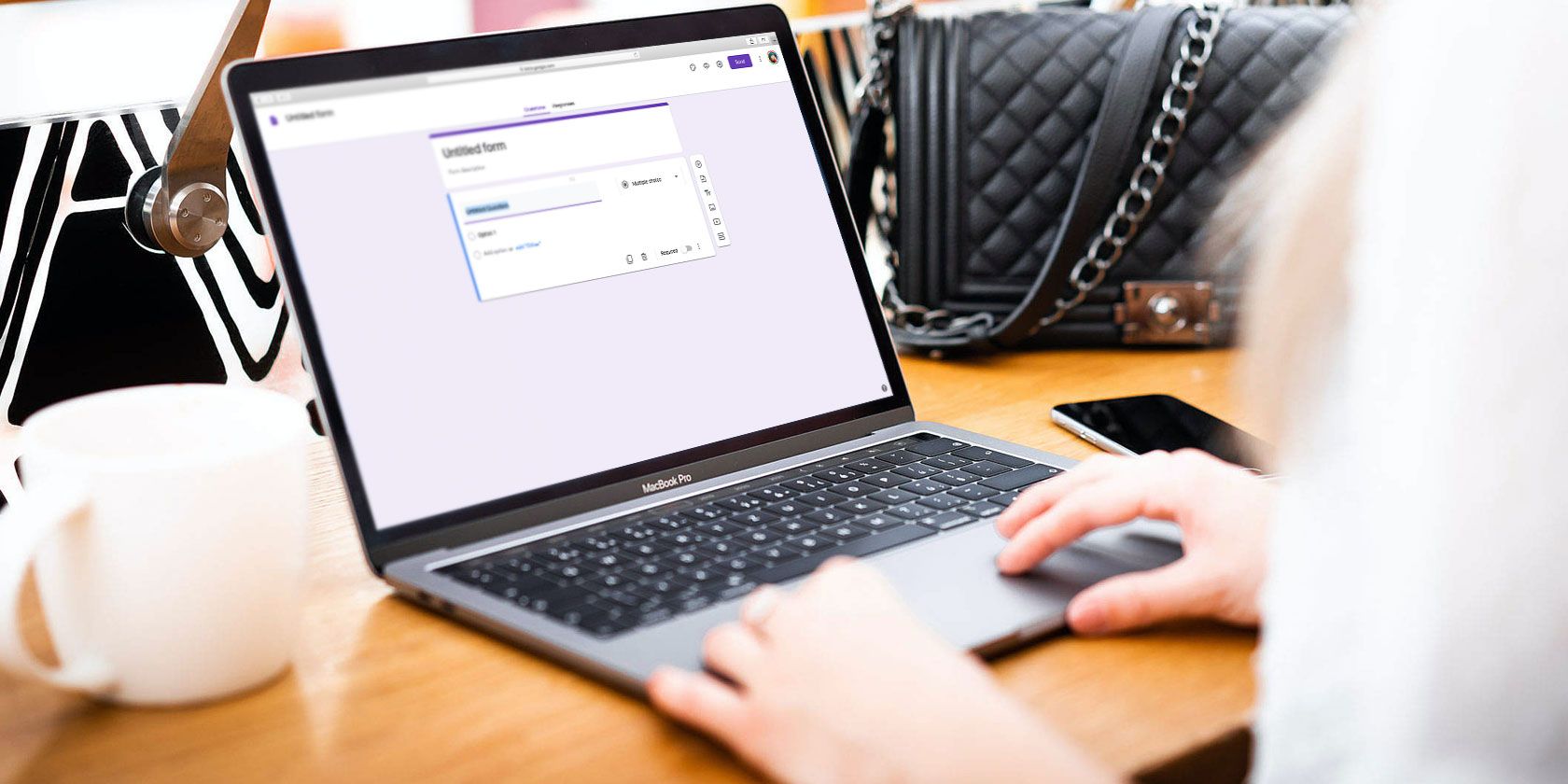
But what’s the best way to watch classic movies? In this article, we list the apps and sites you need to know about. They’re packed with old movies worth watching.

1. Turner Classic Movies

turner classic movies

Turner Classic Movies—better known as TCM—is a US TV channel with spinoff networks in the UK, Latin America, Germany, Asia, and Scandinavia.

The content is sourced from the Turner Entertainment film library. It holds the distribution rights to pre-1950 Warner Bros. films and pre-1986 Metro-Goldwyn-Mayer movies, as well as a North American license for movies from RKO Pictures.

If you live in the US and have a cable TV plan, you can sign in to Watch TCM for free and watch whatever is currently airing. There’s also an app available on Android and iOS.

The site also has a shop where you can buy classic movies and download them. Prices typically fall between $10 and $25.

2. Pluto TV

pluto

Pluto TV is most commonly associated with providing free live TV for cord-cutters. Did you know, however, that the service doubles as an excellent app for watching classic movies? It boasts several channels packed full of old movies.

Some of the classic movie channels worth checking out on Pluto include Paramount Movie Channel, CMT Westerns, Classic Movies Channel, and 80s Rewind.

3. Shout Factory

shout factory

Shout Factory is the home of cult movies, classic films, B-side movies, and even some TV shows, animation, and live music concerts.

The app has licensing agreements in place with several large networks and studios, including NBCUniversal, MGM, Warner Bros., Sony Pictures, and Fox.

4. The Criterion Channel

criterion channel

The Criterion Channel is a US network that specializes in licensing “important classic and contemporary films.” Collectively, the movies for which they hold the rights to are called The Criterion Collection.

Today, the Collection consists of more than 1,000 classic movies. You can watch them all on the app and site, along with a continually rotating mix of Hollywood, international, art-house, and independent films from well-known studios and independent filmmakers. You will also find stacks of supplementary content, such as interviews and discussions.

The service is not free. You’ll need to pay $10.99/month or $99 for 12 months of access.

5. Library of Congress: National Streaming Room

congress library films

The Library of Congress’ National Screening Room is a collection of historically or culturally significant movies that are available to watch for free. The collection includes both copyrighted and public domain content.

Some of the videos in the collection include 1903’s The Forbidden City, Pekin, Ghosts from 1915, and The Lost Battalion from World War I.

In total, more than 360 classic movies are available on the site. Fair warning, some of the videos reflect beliefs and attitudes from a different era. Against a modern backdrop, some viewers might find parts of the content offensive. However, if anything, that only underscores the importance of the collection’s place in history.

6. Netflix

netflix

Netflix’s catalog might have been slowly shrinking in the last few years, but the streaming service still boasts an impressively large collection of old movies and classic films.

The best way to see what classic movies are available on Netflix in your region is to use the secret genre codes. Just add them to the end of the Netflix URL, like so:

  • https://www.netflix.com/browse/genre/[CODE]

Here’s the complete list of classic movie genre codes that you can explore:

  • Classic Action and Adventure: 46576
  • Classic Comedies: 31694
  • Classic Dramas: 29809
  • Classic Musical Comedy: 32392
  • Classic Romantic Movies: 31273
  • Classic Sci-Fi and Fantasy: 47147
  • Classic Thrillers: 46588
  • Classic War Movies: 48744
  • Classic TV Shows: 46553
  • Classic Westerns: 47465
  • Film Noir: 7687
  • Epics: 52858
  • Silent Movies: 53310

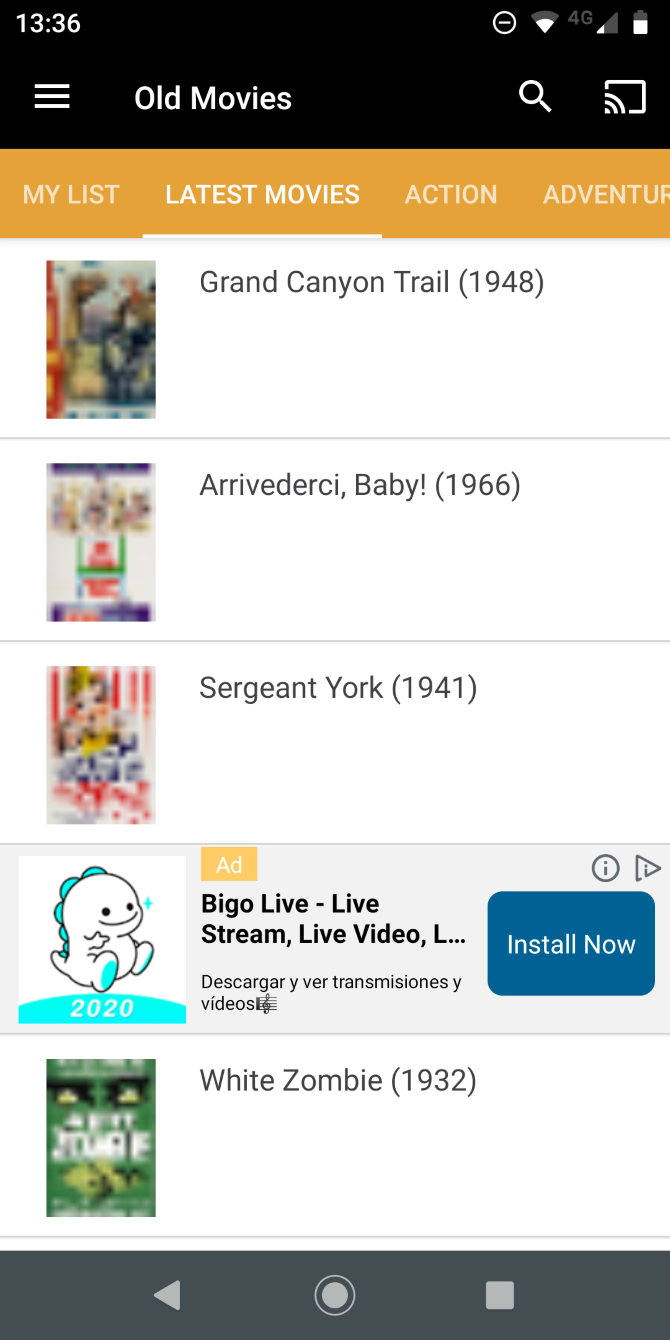
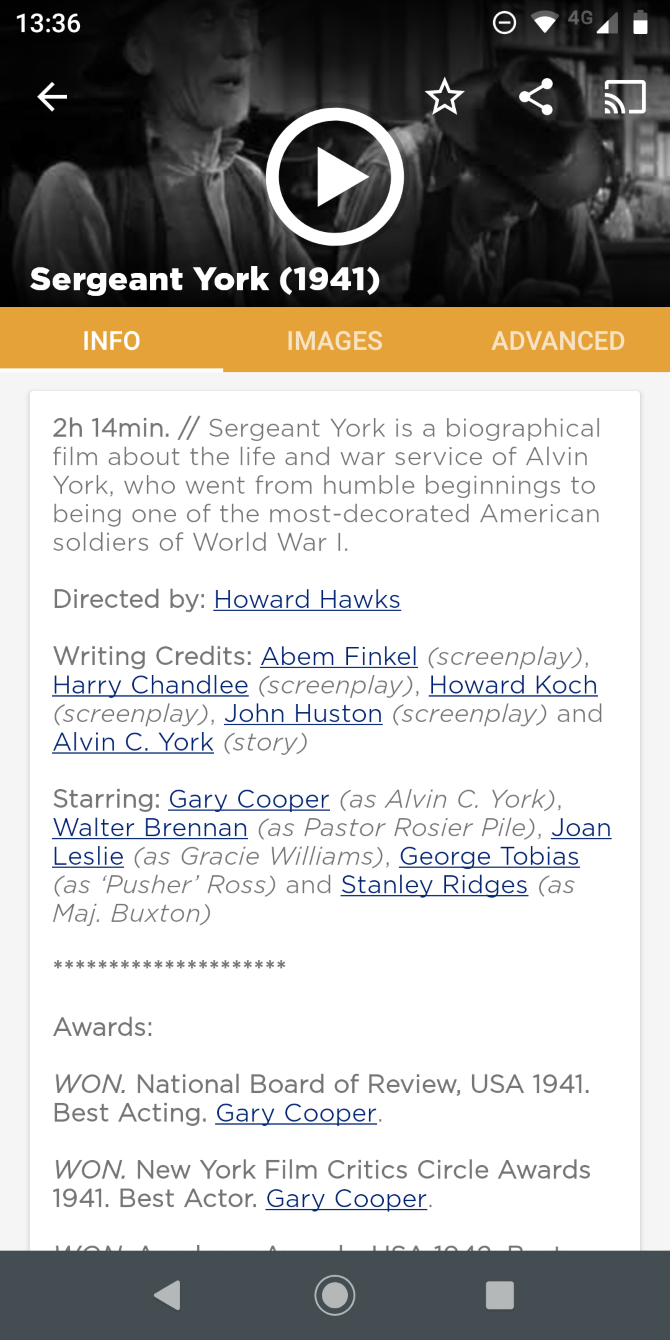
7. Old Movies—Oldies but Goldies

Old Movies—Oldies but Goldies is a free classic movies app for Android.

It has hundreds of free films from the “classic Hollywood cinema era,” loosely described as 1910-1969. That means you can watch many of the old-time actors that your grandparents used to talk about, including the best works from legends such as Charlie Chaplin, Marlon Brando, John Wayne, and Alfred Hitchcock.

The app is ad-supported.

Download: Old Movies—Oldies but Goldies on Android (Free)

8. The Film Detective

film detective

The Film Detective is another website where you can watch old movies. Almost all of the films available on the platform were made before the dawn of the color era.

You can watch movies such as the original The Fast and the Furious from 1954, The Pied Piper of Hamelin from 1957, 1976’s James Dean, and The Borrowers from 1973.

You can use the platform for free on the web and across all of the major streaming devices as long as you’re content to watch some ads. Alternatively, you can pay $3.99/month if you want to remove the ads.

9. Fandor

fandor

Fandor is a classic film site for movie geeks. It offers handpicked movies to its members, each of which has the underlying aim of “the advancement and preservation of film art and culture.” As part of its strategy, the company gives 50 percent of all revenues to the films’ rights holders.

The service has a large selection of independent movies from years gone by, as well as a healthy dose of foreign content.

It total, more than 4,000 movies are available. You’ll need to pay $5.99/month or $49.99/year to watch them.

10. Kanopy

kanopy

Kanopy provides a way for anyone in the US to watch free classic movies, as long as they hold a library card from a participating establishment. Many colleges and universities also have agreements in place.

You will find a mix of critically-acclaimed classic content, newer releases from indie filmmakers, and foreign films. The Kanopy service is available on Apple TV, Roku, Android TV, Fire TV, and some smart TVs.

The Best Apps and Sites for Old Movies

No single service offers all of the classic films ever made, and nor is every service available on every platform. So, in order to gain access to a wide range of classic movies, we recommend trying a few of the apps and sites listed above.

And if you need even more films to watch, check out our articles explaining how to find out which movies are available to stream and our list of the best free movie streaming sites.

Read the full article: How to Watch Classic Movies: The 10 Best Apps and Sites


Sensing Force-Based Gestures on the Pixel 4


Touch input has traditionally focussed on two-dimensional finger pointing. Beyond tapping and swiping gestures, long pressing has been the main alternative path for interaction. However, a long press is sensed with a time-based threshold where a user’s finger must remain stationary for 400–500 ms. By its nature, a time-based threshold has negative effects for usability and discoverability as the lack of immediate feedback disconnects the user’s action from the system’s response. Fortunately, fingers are dynamic input devices that can express more than just location: when a user touches a surface, their finger can also express some level of force, which can be used as an alternative to a time-based threshold.

While a variety of force-based interactions have been pursued, sensing touch force requires dedicated hardware sensors that are expensive to design and integrate. Further, research indicates that touch force is difficult for people to control, and so most practical force-based interactions focus on discrete levels of force (e.g., a soft vs. firm touch) — which do not require the full capabilities of a hardware force sensor.

For a recent update to the Pixel 4, we developed a method for sensing force gestures that allowed us to deliver a more expressive touch interaction experience By studying how the human finger interacts with touch sensors, we designed the experience to complement and support the long-press interactions that apps already have, but with a more natural gesture. In this post we describe the core principles of touch sensing and finger interaction, how we designed a machine learning algorithm to recognise press gestures from touch sensor data, and how we integrated it into the user experience for Pixel devices.

Touch Sensor Technology and Finger Biomechanics
A capacitive touch sensor is constructed from two conductive electrodes (a drive electrode and a sense electrode) that are separated by a non-conductive dielectric (e.g., glass). The two electrodes form a tiny capacitor (a cell) that can hold some charge. When a finger (or another conductive object) approaches this cell, it ‘steals’ some of the charge, which can be measured as a drop in capacitance. Importantly, the finger doesn’t have to come into contact with the electrodes (which are protected under another layer of glass) as the amount of charge stolen is inversely proportional to the distance between the finger and the electrodes.
Left: A finger interacts with a touch sensor cell by ‘stealing’ charge from the projected field around two electrodes. Right: A capacitive touch sensor is constructed from rows and columns of electrodes, separated by a dielectric. The electrodes overlap at cells, where capacitance is measured.
The cells are arranged as a matrix over the display of a device, but with a much lower density than the display pixels. For instance, the Pixel 4 has a 2280 × 1080 pixel display, but a 32 × 15 cell touch sensor. When scanned at a high resolution (at least 120 Hz), readings from these cells form a video of the finger’s interaction.
Slowed touch sensor recordings of a user tapping (left), pressing (middle), and scrolling (right).
Capacitive touch sensors don’t respond to changes in force per se, but are tuned to be highly sensitive to changes in distance within a couple of millimeters above the display. That is, a finger contact on the display glass should saturate the sensor near its centre, but will retain a high dynamic range around the perimeter of the finger’s contact (where the finger curls up).

When a user’s finger presses against a surface, its soft tissue deforms and spreads out. The nature of this spread depends on the size and shape of the user’s finger, and its angle to the screen. At a high level, we can observe a couple of key features in this spread (shown in the figures): it is asymmetric around the initial contact point, and the overall centre of mass shifts along the axis of the finger. This is also a dynamic change that occurs over some period of time, which differentiates it from contacts that have a long duration or a large area.
Touch sensor signals are saturated around the centre of the finger’s contact, but fall off at the edges. This allows us to sense small deformations in the finger’s contact shape caused by changes in the finger’s force.
However, the differences between users (and fingers) makes it difficult to encode these observations with heuristic rules. We therefore designed a machine learning solution that would allow us to learn these features and their variances directly from user interaction samples.

Machine Learning for Touch Interaction
We approached the analysis of these touch signals as a gesture classification problem. That is, rather than trying to predict an abstract parameter, such as force or contact spread, we wanted to sense a press gesture — as if engaging a button or a switch. This allowed us to connect the classification to a well-defined user experience, and allowed users to perform the gesture during training at a comfortable force and posture.

Any classification model we designed had to operate within users’ high expectations for touch experiences. In particular, touch interaction is extremely latency-sensitive and demands real-time feedback. Users expect applications to be responsive to their finger movements as they make them, and application developers expect the system to deliver timely information about the gestures a user is performing. This means that classification of a press gesture needs to occur in real-time, and be able to trigger an interaction at the moment the finger’s force reaches its apex.

We therefore designed a neural network that combined convolutional (CNN) and recurrent (RNN) components. The CNN could attend to the spatial features we observed in the signal, while the RNN could attend to their temporal development. The RNN also helps provide a consistent runtime experience: each frame is processed by the network as it is received from the touch sensor, and the RNN state vectors are preserved between frames (rather than processing them in batches). The network was intentionally kept simple to minimise on-device inference costs when running concurrently with other applications (taking approximately 50 µs of processing per frame and less than 1 MB of memory using TensorFlow Lite).
An overview of the classification model’s architecture.
The model was trained on a dataset of press gestures and other common touch interactions (tapping, scrolling, dragging, and long-pressing without force). As the model would be evaluated after each frame, we designed a loss function that temporally shaped the label probability distribution of each sample, and applied a time-increasing weight to errors. This ensured that the output probabilities were temporally smooth and converged towards the correct gesture classification.

User Experience Integration
Our UX research found that it was hard for users to discover force-based interactions, and that users frequently confused a force press with a long press because of the difficulty in coordinating the amount of force they were applying with the duration of their contact. Rather than creating a new interaction modality based on force, we therefore focussed on improving the user experience of long press interactions by accelerating them with force in a unified press gesture. A press gesture has the same outcome as a long press gesture, whose time threshold remains effective, but provides a stronger connection between the outcome and the user’s action when force is used.
A user long pressing (left) and firmly pressing (right) on a launcher icon.
This also means that users can take advantage of this gesture without developers needing to update their apps. Applications that use Android’s GestureDetector or View APIs will automatically get these press signals through their existing long-press handlers. Developers that implement custom long-press detection logic can receive these press signals through the MotionEvent classification API introduced in Android Q.

Through this integration of machine-learning algorithms and careful interaction design, we were able to deliver a more expressive touch experience for Pixel users. We plan to continue researching and developing these capabilities to refine the touch experience on Pixel, and explore new forms of touch interaction.

Acknowledgements
This project is a collaborative effort between the Android UX, Pixel software, and Android framework teams.

How to Convert the MOD Camcorder Video Format to MPG


video-converters-mac

Recording videos these days is so easy. There’s no need to carry a camcorder around when you have a smartphone video camera. Clips can be easily edited and shared online. It’s rare to come across a file format you can’t view or convert.

Whether you’re still using an old camcorder, or you’ve been tasked with copying and converting the footage, there’s a chance you’ll come across MOD files. These media files are difficult to read which means they need converting—but how do you convert MOD to MPG video formats?

What Is a MOD File?

You’ve probably never heard of a MOD video file, but if you have you’ve probably had the misfortune of using one.

It’s not that it is a bad file format. It is just that the MOD file is rarely encountered. In fact, the MOD file extension often appears in other places such as video game modifications. That’s not the MOD file we’re talking about here, however.

So: How do MOD files play? Why is this format used?

MOD and TOD files (the high definition equivalent) can be found on tapeless camcorders. These are the type of device that use memory cards rather than tape. MOD files are no longer used and only found on old camcorder hardware. If you have a reliable handheld video camera that you still use, you probably encounter the MOD file extension regularly.

Can you convert MOD files in Windows
Image credit: Mikus/Wikipedia

Therefore, this file extension becomes frustrating. MOD files cannot be easily read. Converting to MP4 format is bad enough—it’s tricky to convert MOD files to write them to DVD or Blu-ray. Most burning tools don’t recognize MOD files.

Another problem with MOD files is that you would assume from the name and the lack of support that it is a proprietary format. However, this isn’t the case. JVC and other well-known brands simply renamed a standard video file format.

MOD files are in fact standard MPEG2 audio/video files. As such, they should be simple to convert and watch.

What Devices Record in the MOD File Format?

Numerous camcorders record video in the MOD file format. They’re produced by JVC, Panasonic, and Canon, and were sold between 2004 and 2011. They range between using built-in media storage to removable SD cards, as well as compact hard disk drives (HDDs).

Where the storage is not removable, a USB Mini port can be used to transfer data to your computer.

But how can you view MOD and TOD files on a PC? Is there a MOD file converter?

How Do You Convert MOD Files?

If you have MOD video files that you need to convert you have three options:

  1. For older files, simply rename the file extension
  2. View in VLC media player
  3. Convert using FFmpeg

Let’s check those in turn.

1. Convert MOD Files to MPG by Renaming the Extension

To clarify the first option, older camcorders that save video as MOD files simply rename an existing format. The solution is to just rename the file. So, a file called movie.MOD, can be renamed to movie.MPG.

You should be able to see the MOD file extension on your video clip. If not, you’ll need to force Windows to show it.

Start by opening Windows Explorer and browsing to the location where the MOD file is stored. Open File > Change folder and search options and select View.

Here, clear the check against Hide extensions for known file types. Click OK to confirm.

Next, right-click the MOD file and change the file extension from .mod to .mpg. Tap Enter, then click OK when prompted to proceed. That’s all there is to it.

As alluded above, this probably will not work on the later devices using MOD files. In which case…

2. View MOD Files in VLC Media Player

VLC media player can convert media files

VLC media player is the Swiss army knife of media player software. It will play almost any media file, even some that other players declare corrupt. VLC can even play partially downloaded files.

MOD and TOD files can be played in VLC media player. Simply download the tool, install, then double click the file concerned to watch it play. Alternatively, in VLC select Media > Open File and browse the file and click OK to view the MOD file.

Download: VLC media player (Free)

3. Use FFmpeg to Conver MOD Files to MPG

Don’t want to use VLC media player? It’s one of the top must-have apps for Windows 10, but if you prefer an alternative, MOD and TOD files can be converted to MPG using FFmpeg. This is a command line tool that can be instructed to convert MOD files.

Download: FFmpeg (Free)

Once installed, FFmpeg is accessed in Windows PowerShell. You’ll need to know and enter the file path of the MOD file on your computer. Otherwise, open Windows Explorer then File > Open Windows PowerShell from the MOD file location.

In PowerShell, use the FFmpeg command to call the program, then use the conversion command:

ffmpeg -f mpeg -i originalClip.MOD -vcodec copy -acodec mp2 -ab 192k copyClip.mpg

Note that changing the file type will not improve the quality of the video file.

For high definition TOD files, convert using

ffmpeg -i myClip.TOD -vcodec copy -acodec copy myClip.mpg

With MOD files converted they should playback in any player. If you run into trouble, use VLC.

Play MOD Files on Your PC

Now you know what a MOD file is, and you know how to play them. The VLC media player is the answer to so many playback issues—it should be everyone’s default media player.

It’s important to maintain personal archive material, whether video, audio, or other data. CDs are as susceptible to decay as magnetic tape and vinyl, just in different ways.

Once you’re done backing up old MOD file video data, it’s time to convert your classic audio media to MP3.

Read the full article: How to Convert the MOD Camcorder Video Format to MPG


How to Download IE6 and Other Old Versions of Internet Explorer


ie-6-download

Chances are that you haven’t used Internet Explorer for a long time. And if you have, it almost certainly wasn’t an ancient version like Internet Explorer 6 or Internet Explorer 8.

However, in the rare case that you need to download an old version of Internet Explorer, you have a few options. Let’s take a look at why you might want to do this and where you can download the browser.

Why Would You Need Old Internet Explorer Today?

IE6 showing Google

If you’ve ever used Internet Explorer 6 or other old versions, you probably wonder why people would willingly use those browsers. IE6 is notorious for its security issues and lack of compliance with web standards, and later versions were better but not exactly outstanding.

Today, most people who use Internet Explorer do so because of legacy enterprise software. Many companies built internal web apps decades ago that were designed to only work with IE. Internet Explorer was the dominant browser at that time, so it made sense to create tools that conformed to its standards.

If you’re still forced to use one of these ancient web tools for business use, it won’t work in modern browsers. In these cases, you’ll need to get your hands on an old copy of Internet Explorer.

Windows 10 still includes Internet Explorer 11 (the final version) for compatibility reasons. This should suffice for some web apps, but for more outdated tools, it might not cut it.

How to Download Old Versions of Internet Explorer

If you need to install IE6, IE8, or another old version on your computer, what are your options? Let’s take a look.

1. Use Compatibility View in IE11

Did you know that IE11 has a built-in mode that’s designed to help fix sites designed for older versions? It’s a good first step to try if you need to open a website formatted for an old version of IE, as it only takes a second to try.

To use Compatibility View, click the Tools button (which looks like a gear) at the top-right of the browser and choose Compatibility View settings. This will open a new dialog box with the name of your current page in the Add this website box. Click Add to put the website in Compatibility View, then hit Close and reload it.

IE Compatibility View

This only helps with display issues, not entire version incompatibilities. If you need a full copy of an old browser, try one of the methods below.

2. Download IE6 From the Internet Archive

Microsoft used to offer IE6 on its website but has since removed it. Thankfully, the Internet Archive, which is dedicated to preserving internet history, has a copy of IE6 with Service Pack 1 available to download.

It’s available as either a torrent download or ZIP file, weighing in around 78MB. This is the simplest option to grab a copy of IE6 if you need it since the Internet Archive is a trustworthy source.

3. Grab IE8 or Other Versions From OldApps.com

Internet Explorer Old Apps Download

Since IE8 was the browser shipped with Windows 7, some legacy apps require that version instead of IE6. And as it’s a little newer, you can find IE8 from more sources than IE6.

For instance, Microsoft still offers downloads of IE8 on its website. You can find IE8 for Windows Vista or Windows Server 2008 as well as IE8 for Windows Server 2003.

Since you probably don’t use either of these OSes, though, you’re better off grabbing a copy from OldApps.com. As the name suggests, this resource offers downloads of old software. From retro gaming to old audio apps to unsupported system utilities, it offers pretty much everything.

Head to the Internet Explorer page on OldApps to download the version you need. You’ll find versions going all the way back to Internet Explorer 3. Keep an eye on the supported platforms for each version, though. You can’t run anything lower than IE11 natively on Windows 10, so you’ll need a virtual machine (as we discuss below).

Keep in mind that this isn’t an official source. Thus, you should treat each file you download from here with caution. Check it with an online virus scanner before running the installer.

4. Access Old IE Versions Using a Virtual Machine

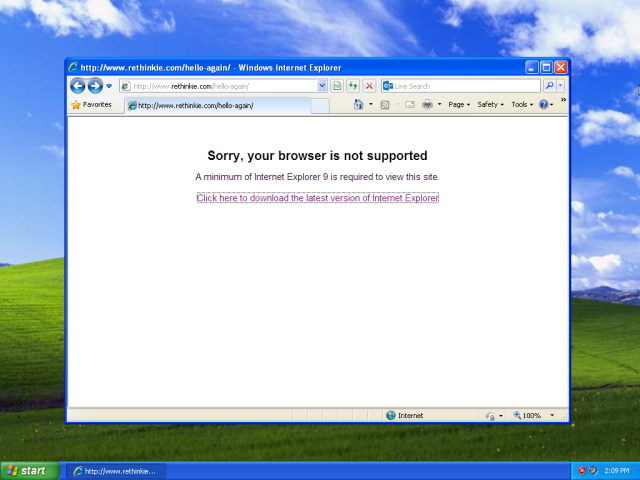
internet explorer 8 not supported

If you can’t install the older version of IE that you need on a real computer, virtual machines are a viable option. These allow you to run another operating system inside an app on your current computer.

This is more secure, as it lets you isolate the old browser from your actual system. In addition, when you install an older operating system, it will come with the original version of Internet Explorer.

Follow our full guide to VirtualBox to learn how to get started with it. If you’re interested in Windows XP, we’ve shown how to easily install Windows XP in a VM.

When you install Windows XP, you’ll have access to IE6 out of the box. Windows 7, meanwhile, comes with IE8. Just make sure you don’t install OS updates if you want to keep those old versions installed.

5. Try Browser Testing Tools

Browserling Testing IE

Because old versions of Internet Explorer like IE6 and IE8 are so old and no longer receive security updates, it’s a good idea to run them in an isolated and secure environment. If you’re not comfortable with or are unable to install IE on a real computer, you can use a testing solution in your browser.

Sites like BrowserStack and Browserling allow you to test websites using a variety of browsers while remaining in your own browser. You don’t need to download an app or set up remote access, so the work on your end is simple.

They work by leveraging hundreds of virtual machines, each configured to run different versions of various operating systems. Each of these services supports a broad range of browsers, including most versions of Internet Explorer.

Unfortunately, because these are professionals tools designed for testing, they aren’t free. BrowserStack offers a limited free trial, while Browserling restricts you to a few categories unless you subscribe. This means that you’ll likely need to pay to access IE6 or IE8 in this way.

6. Purchase IE Tab

If you need to open sites in ancient versions of Internet Explorer often but none of the above work for you, IE Tab is a good solution. This is a Chrome extension that allows you to render specific pages as if they’re running in IE.

Handy features include the option to choose which version of IE’s standards you want to apply, as well as creating a list of sites that always run in IE mode. Using this, you can open IE-only sites without ever leaving Chrome.

Since this tool is intended for business use, it’s not free. A lifetime license costs $19, which isn’t terrible compared to the time invested in some of the other solutions.

Keep in mind that this is not simply changing your browser agent to IE. Doing that only pretends that you’re using Internet Explorer, while this actually uses the proper rendering agent.

Only Use Internet Explorer If You Have To

We’ve shown you how to access ancient versions of Internet Explorer today. But it’s important to know that these should be used as compatibility solutions only. Running decades-old browsers on unsupported operating systems is a workaround that hopefully few people will have to experience.

There’s no reason to use Internet Explorer as your primary browser these days. Unless you need it to access a specific site, you’re better off with anything else. If you do have to use IE, see our Internet Explorer troubleshooting tips in case you run into trouble. Otherwise, consider a Chromium-based browser if you’re looking for something different.

Read the full article: How to Download IE6 and Other Old Versions of Internet Explorer


Instagram expands its TikTok clone ‘Reels’ to new markets


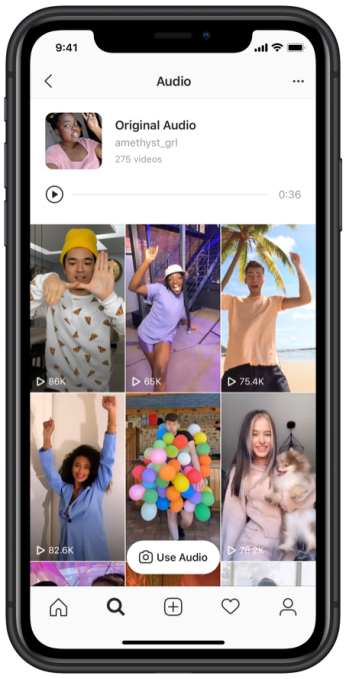
Instagram is expanding its TikTok competitor known as “Reels” to new markets, following its launch last year in Brazil. Starting today, Instagram is rolling out further access to Reels in France and Germany, allowing users to record short, 15-second video clips set to music or other audio, then share them on the platform where they have the potential to go viral.

The Reels feature is similar to TikTok in that it presents a set of editing tools that make it easier to film creative videos. At launch, for example, Reels offered a countdown timer, the ability to adjust the video’s speed, and other effects.

The company learned from its early tests in Brazil and has since rethought key aspects to the Reels experience.

Before, Reels were meant to be shared only within Instagram Stories. But the Instagram community said they wanted the ability to share Reels with followers and friends in a more permanent way, and also have the opportunity to expand that distribution more broadly if desired.

In addition, the community said they wanted a dedicated space where they could easily compile Reels and watch other people’s Reels.

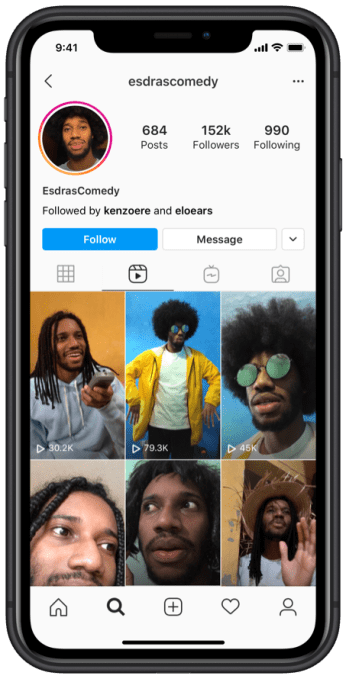
With the expansion in Germany and France, Instagram has moved Reels to a dedicated space on the user Profile and in Explore — the latter for public accounts — so people can share with a new audience and share on their Instagram Feed, a company spokesperson tells TechCrunch.

These changes offer the chance for more exposure for both Reels and their creators, as Reels becomes more of a destination in the app — like the Stories row is today, for instance.

Reels are not Facebook’s first attempt at challenging TikTok’s growing popularity.

The Instagram parent company had previously launched short-form video app Lasso, but it has so far failed to gain significant traction. With Reels, however, Instagram is able to tap into its existing base of creators and leverage users’ familiarity with its video editing tools.

The challenge for Reels is in getting Instagram users to create a different type of content than they do today in Feed posts and in Stories. Those video tend to be more personal in nature — like clips from someone’s day or a vlog, for example. Meanwhile, more professional creator content has been relocated to IGTV.

TikTok videos, on the other hand, tend to be rehearsed and choreographed. Users learn a dance, perform a trick, make jokes, lip-sync to songs or audio, or replicate a popular meme in their own way. These videos are not typically off-the-cuff, as on Instagram. Encouraging this content requires a different editing tool set and workflow, which is what Reels offers.

Instagram didn’t say when it plans to roll out Reels globally or when it expects to bring the product to the U.S., but says the further expansion will allow the company to continue to build on the existing experience and evolve the product.


Read Full Article