27 April 2020

Shine adds invoice insurance to its freelancer bank account


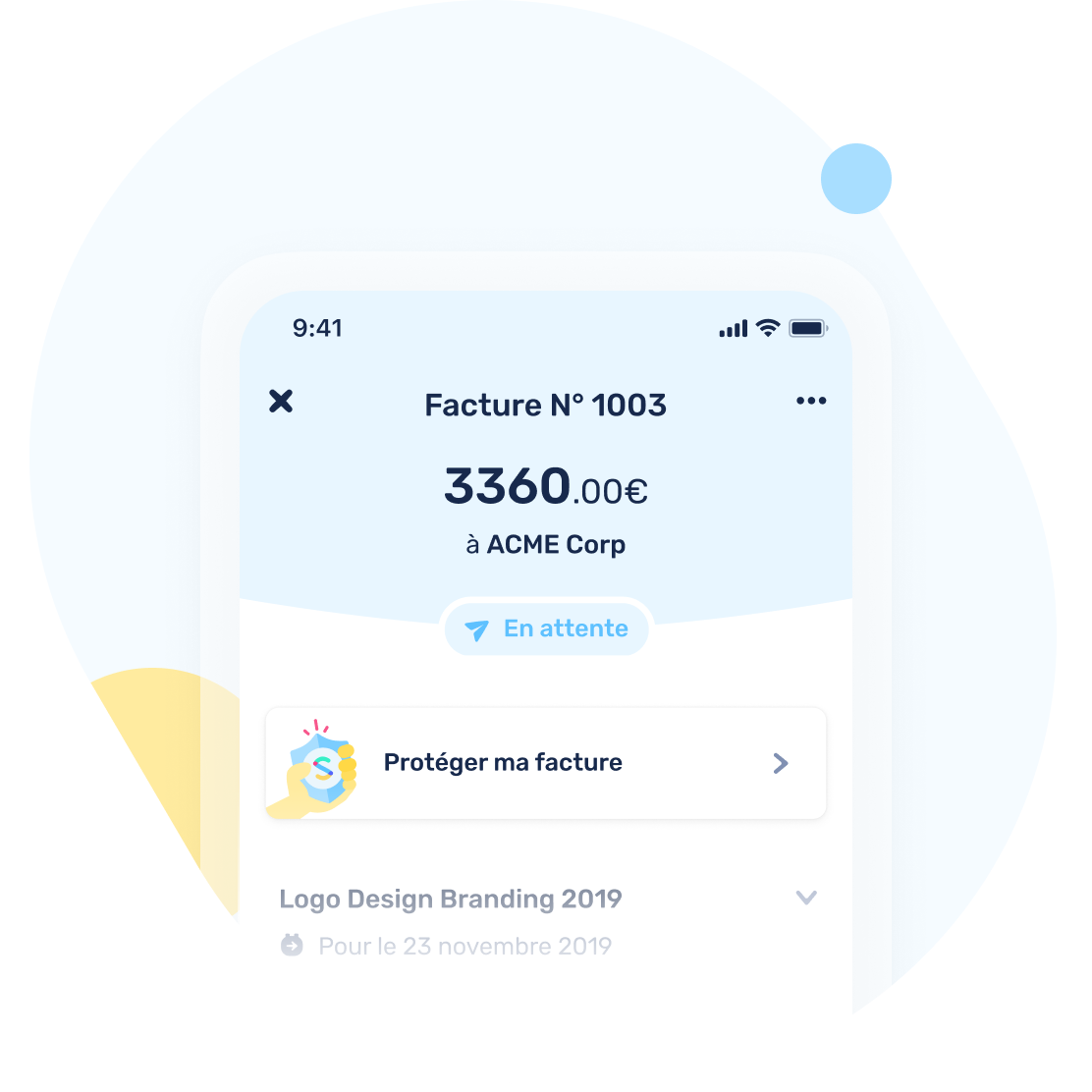
French startup Shine is adding a new option today. If you think there’s a chance that a client is not going to pay your next invoice, you can insure that invoice to avoid any bad surprise.

Shine is building a challenger bank for freelancers and small companies. It lets you send and receive money in a separate business account, pay with a MasterCard, create invoices and stay on top of administrative tasks.

It also helps you get started as the startup can fill out all administrative paperwork to register yourself as a freelancer. You also get notifications to remind you that you should pay your taxes and more. Starting accepting freelancing jobs can be confusing and Shine can help you with that.

Shine has a built-in invoicing tool. It lets you add a client and generate an invoice directly in the mobile app. After that, you can send a link to your client. You get a notification when your client opens the invoice. They can download a PDF and get your bank details to pay you.

And yet, many clients often wait until the last minute to pay an invoice. It can be a month or two after finishing a job, which means that they also forget about outstanding invoices.

In a few weeks, Shine users will be able to create an invoice and insure it before sending it. It costs you 2% of your total amount on your invoice. There’s no subscription fee, it’s a one-off process.

If your client hasn’t paid you after the due date, Shine will reach out to your client again to try to get the payment. If that doesn’t work, you can file a claim with the partner insurance company.

In that case, if the company is still operating, you get paid 100% of your invoice. If the company has collapsed, you get 90% back. (Of course, that’s without taking into account the 2% fees you already paid.)


Read Full Article

Google at ICLR 2020


This week marks the beginning of the 8th International Conference on Learning Representations (ICLR 2020), a fully virtual conference focused on how one can learn meaningful and useful representations of data for machine learning. ICLR offers conference and workshop tracks, both of which include invited talks along with oral and poster presentations of some of the latest research on deep learning, metric learning, kernel learning, compositional models, non-linear structured prediction and issues regarding non-convex optimization.

As a Diamond Sponsor of ICLR 2020, Google will have a strong virtual presence with over 80 publications accepted, in addition to participating on organizing committees and in workshops. If you have registered for ICLR 20202, we hope you'll watch our talks and learn about the projects and opportunities at Google that go into solving interesting problems for billions of people. You can also learn more about our research being presented at ICLR 2020 in the list below (Googlers highlighted in blue).

Officers and Board Members
Includes: Hugo LaRochelle, Samy Bengio, Tara Sainath

Organizing Committee
Includes: Kevin Swersky, Timnit Gebru

Area Chairs
Includes: Balaji Lakshminarayanan, Been Kim, Chelsea Finn, Dale Schuurmans, George Tucker, Honglak Lee, Hossein Mobahi, Jasper Snoek, Justin Gilmer, Katherine Heller, Manaal Faruqui, Michael Ryoo, Nicolas Le Roux, Sanmi Koyejo, Sergey Levine, Tara Sainath, Yann Dauphin, Anders Søgaard, David Duvenaud, Jamie Morgenstern, Qiang Liu

Publications
SEED RL: Scalable and Efficient Deep-RL with Accelerated Central Inference (see the blog post)
Lasse Espeholt, Raphaël Marinier, Piotr Stanczyk, Ke Wang, Marcin Michalski‎

Differentiable Reasoning Over a Virtual Knowledge Base
Bhuwan Dhingra, Manzil Zaheer, Vidhisha Balachandran, Graham Neubig, Ruslan Salakhutdinov, William W. Cohen

Dynamics-Aware Unsupervised Discovery of Skills
Archit Sharma, Shixiang Gu, Sergey Levine, Vikash Kumar, Karol Hausman

GenDICE: Generalized Offline Estimation of Stationary Values
Ruiyi Zhang, Bo Dai, Lihong Li, Dale Schuurmans

Mathematical Reasoning in Latent Space
Dennis Lee, Christian Szegedy, Markus N. Rabe, Kshitij Bansal, Sarah M. Loos

Your Classifier is Secretly an Energy Based Model and You Should Treat it Like One
Will Grathwohl, Kuan-Chieh Wang, Jorn-Henrik Jacobsen, David Duvenaud, Kevin Swersky, Mohammad Norouzi

Adjustable Real-time Style Transfer
Mohammad Babaeizadeh, Golnaz Ghiasi

Are Transformers Universal Approximators of Sequence-to-sequence Functions?
Chulhee Yun, Srinadh Bhojanapalli, Ankit Singh Rawat, Sashankc J. Reddi, Sanjiv Kumar

AssembleNet: Searching for Multi-Stream Neural Connectivity in Video Architectures
Michael S. Ryoo, AJ Piergiovanni, Mingxing Tan, Anelia Angelova

AugMix: A Simple Data Processing Method to Improve Robustness and Uncertainty
Dan Hendrycks, Norman Mu, Ekin D. Cubuk, Barret Zoph, Justin Gilmer, Balaji Lakshminarayanan

BatchEnsemble: an Alternative Approach to Efficient Ensemble and Lifelong Learning
Yeming Wen, Dustin Tran, Jimmy Ba

Black-box Off-policy Estimation for Infinite-Horizon Reinforcement Learning (see the blog post)
Ali Mousavi, Lihong Li, Qiang Liu, Dengyong Zhou

Can Gradient Clipping Mitigate Label Noise?
Aditya Krishna Menon, Ankit Singh Rawat, Sashank J. Reddi, Sanjiv Kumar

CAQL: Continuous Action Q-Learning
Moonkyung Ryu, Yinlam Chow, Ross Anderson, Christian Tjandraatmadja, Craig Boutilier

Chameleon: Adaptive Code Optimization for Expedited Deep Neural Network Compilation
Byung Hoon Ahn, Prannoy Pilligundla, Amir Yazdanbakhsh, Hadi Esmaeilzadeh

Coherent Gradients: An Approach to Understanding Generalization in Gradient Descent-based Optimization
Satrajit Chatterjee

Consistency Regularization for Generative Adversarial Networks
Han Zhang, Zizhao Zhang, Augustus Odena, Honglak Lee

Contrastive Representation Distillation
Yonglong Tian, Dilip Krishnan, Phillip Isola

Deep Audio Priors Emerge from Harmonic Convolutional Networks
Zhoutong Zhang, Yunyun Wang, Chuang Gan, Jiajun Wu, Joshua B. Tenenbaum, Antonio Torralba, William T. Freeman

Detecting and Diagnosing Adversarial Images with Class-Conditional Capsule Reconstructions
Yao Qin, Nicholas Frosst, Sara Sabour, Colin Raffel, Garrison Cottrell, Geoffrey Hinton

Detecting Extrapolation with Local Ensembles
David Madras, James Atwood, Alexander D'Amour

Disentangling Factors of Variations Using Few Labels
Francesco Locatello, Michael Tschannen, Stefan Bauer, Gunnar Rätsch, Bernhard Schölkopf, Olivier Bachem

Distance-Based Learning from Errors for Confidence Calibration
Chen Xing, Sercan Ö. Arik, Zizhao Zhang, Tomas Pfister

ELECTRA: Pre-training Text Encoders as Discriminators Rather Than Generators (see the blog post)
Kevin Clark, Minh-Thang Luong, Quoc V. Le, Christopher D. Manning

ES-MAML: Simple Hessian-Free Meta Learning (see the blog post)
Xingyou Song, Yuxiang Yang, Krzysztof Choromanski, Aldo Pacchiano, Wenbo Gao, Yunhao Tang

Exploration in Reinforcement Learning with Deep Covering Options
Yuu Jinnai, Jee Won Park, Marlos C. Machado, George Konidaris

Extreme Tensoring for Low-Memory Preconditioning
Xinyi Chen, Naman Agarwal, Elad Hazan, Cyril Zhang, Yi Zhang

Fantastic Generalization Measures and Where to Find Them
Yiding Jiang, Behnam Neyshabur, Hossein Mobahi, Dilip Krishnan, Samy Bengio

Generalization Bounds for Deep Convolutional Neural Networks
Philip M. Long, Hanie Sedghi

Generalized Convolutional Forest Networks for Domain Generalization and Visual Recognition
Jongbin Ryu, GiTaek Kwon, Ming-Hsuan Yang, Jongwoo Lim

Generative Models for Effective ML on Private, Decentralized Datasets
Sean Augenstein, H. Brendan McMahan, Daniel Ramage, Swaroop Ramaswamy, Peter Kairouz, Mingqing Chen, Rajiv Mathews, Blaise Aguera y Arcas

Generative Ratio Matching Networks
Akash Srivastava, Kai Xu, Michael U. Gutmann, Charles Sutton

Global Relational Models of Source Code
Vincent J. Hellendoorn, Petros Maniatis, Rishabh Singh, Charles Sutton, David Bieber

Hierarchical Foresight: Self-Supervised Learning of Long-Horizon Tasks via Visual Subgoal Generation
Suraj Nair, Chelsea Finn

Identity Crisis: Memorization and Generalization Under Extreme Overparameterization
Chiyuan Zhang, Samy Bengio, Moritz Hardt, Michael C. Mozer, Yoram Singer

Imitation Learning via Off-Policy Distribution Matching
Ilya Kostrikov, Ofir Nachum, Jonathan Tompson

Language GANs Falling Short
Massimo Caccia, Lucas Caccia, William Fedus, Hugo Larochelle, Joëlle Pineau, Laurent Charlin

Large Batch Optimization for Deep Learning: Training BERT in 76 Minutes
Yang You, Jing Li, Sashank Reddi, Jonathan Hseu, Sanjiv Kumar, Srinadh Bhojanapalli, Xiaodan Song, James Demmel, Kurt Keutzer, Cho-Jui Hsieh

Learning Execution through Neural Code Fusion
Zhan Shi, Kevin Swersky, Daniel Tarlow, Parthasarathy Ranganathan, Milad Hashemi

Learning Heuristics for Quantified Boolean Formulas through Reinforcement Learning
Gil Lederman, Markus N. Rabe, Edward A. Lee, Sanjit A. Seshia

Learning to Learn by Zeroth-Order Oracle
Yangjun Ruan, Yuanhao Xiong, Sashank Reddi, Sanjiv Kumar, Cho-Jui Hsieh

Learning to Represent Programs with Property Signatures
Augustus Odena, Charles Sutton

MACER: Attack-free and Scalable Robust Training via Maximizing Certified Radius
Runtian Zhai, Chen Dan, Di He, Huan Zhang, Boqing Gong, Pradeep Ravikumar, Cho-Jui Hsieh, Liwei Wang

Measuring Compositional Generalization: A Comprehensive Method on Realistic Data
Daniel Keysers, Nathanael Schärli, Nathan Scales, Hylke Buisman, Daniel Furrer, Sergii Kashubin, Nikola Momchev, Danila Sinopalnikov, Lukasz Stafiniak, Tibor Tihon, Dmitry Tsarkov, Xiao Wang, Marc van Zee, Olivier Bousquet

Meta Reinforcement Learning with Autonomous Inference of Subtask Dependencies
Sungryull Sohn, Hyunjae Woo, Jongwook Choi, Honglak Lee

Meta-Dataset: A Dataset of Datasets for Learning to Learn from Few Examples
Eleni Triantafillou, Tyler Zhu, Vincent Dumoulin, Pascal Lamblin, Utku Evci, Kelvin Xu, Ross Goroshin, Carles Gelada, Kevin Swersky, Pierre-Antoine Manzagol, Hugo Larochelle

Model-based Reinforcement Learning for Biological Sequence Design
Christof Angermueller, David Dohan, David Belanger, Ramya Deshpande, Kevin Murphy, Lucy Colwell

Network Randomization: A Simple Technique for Generalization in Deep Reinforcement Learning
Kimin Lee, Kibok Lee, Jinwoo Shin, Honglak Lee

Observational Overfitting in Reinforcement Learning
Xingyou Song, Yiding Jiang, Stephen Tu, Behnam Neyshabur, Yilun Du

On Bonus-based Exploration Methods In The Arcade Learning Environment
Adrien Ali Taiga, William Fedus, Marlos C. Machado, Aaron Courville, Marc G. Bellemare

On Identifiability in Transformers
Gino Brunner, Yang Liu, Damian Pascual, Oliver Richter, Massimiliano Ciaramita, Roger Wattenhofer

On Mutual Information Maximization for Representation Learning
Michael Tschannen, Josip Djolonga, Paul K. Rubenstein, Sylvain Gelly, Mario Lucic

On the Global Convergence of Training Deep Linear ResNets
Difan Zou, Philip M. Long, Quanquan Gu

Phase Transitions for the Information Bottleneck in Representation Learning
Tailin Wu, Ian Fischer

Pre-training Tasks for Embedding-based Large-scale Retrieval
Wei-Cheng Chang, Felix X. Yu, Yin-Wen Chang, Yiming Yang, Sanjiv Kumar

Prediction, Consistency, Curvature: Representation Learning for Locally-Linear Control
Nir Levine, Yinlam Chow, Rui Shu, Ang Li, Mohammad Ghavamzadeh, Hung Bui

Provable Benefit of Orthogonal Initialization in Optimizing Deep Linear Networks
Wei Hu, Lechao Xiao, Jeffrey Pennington

Rapid Learning or Feature Reuse? Towards Understanding the Effectiveness of MAML
Aniruddh Raghu, Maithra Raghu, Samy Bengio, Oriol Vinyals

Reinforced Genetic Algorithm Learning for Optimizing Computation Graphs
Aditya Paliwal, Felix Gimeno, Vinod Nair, Yujia Li, Miles Lubin, Pushmeet Kohli, Oriol Vinyals

ReMixMatch: Semi-Supervised Learning with Distribution Alignment and Augmentation Anchoring
David Berthelot, Nicholas Carlini, Ekin D. Cubuk, Alex Kurakin, Han Zhang, Colin Raffel, Kihyuk Sohn

Scalable Model Compression by Entropy Penalized Reparameterization
Deniz Oktay, Johannes Ballé, Saurabh Singh, Abhinav Shrivastava

Scalable Neural Methods for Reasoning With a Symbolic Knowledge Base
William W. Cohen, Haitian Sun, R. Alex Hofer, Matthew Siegler

Semi-Supervised Generative Modeling for Controllable Speech Synthesis
Raza Habib, Soroosh Mariooryad, Matt Shannon, Eric Battenberg, RJ Skerry-Ryan, Daisy Stanton, David Kao, Tom Bagby

Span Recovery for Deep Neural Networks with Applications to Input Obfuscation
Rajesh Jayaram, David Woodruff, Qiuyi Zhang

Thieves on Sesame Street! Model Extraction of BERT-based APIs
Kalpesh Krishna, Gaurav Singh Tomar, Ankur P. Parikh, Nicolas Papernot, Mohit Iyyer

Thinking While Moving: Deep Reinforcement Learning with Concurrent Control
Ted Xiao, Eric Jang, Dmitry Kalashnikov, Sergey Levine, Julian Ibarz, Karol Hausman, Alexander Herzog

VideoFlow: A Conditional Flow-Based Model for Stochastic Video Generation
Manoj Kumar, Mohammad Babaeizadeh, Dumitru Erhan, Chelsea Finn, Sergey Levine, Laurent Dinh, Durk Kingma

Watch, Try, Learn: Meta-Learning from Demonstrations and Rewards
Allan Zhou, Eric Jang, Daniel Kappler, Alex Herzog, Mohi Khansari, Paul Wohlhart, Yunfei Bai, Mrinal Kalakrishnan, Sergey Levine, Chelsea Finn

Weakly Supervised Disentanglement with Guarantees
Rui Shu, Yining Chen, Abhishek Kumar, Stefano Ermon, Ben Poole

You Only Train Once: Loss-Conditional Training of Deep Networks
Alexey Dosovitskiy, Josip Djolonga

A Mutual Information Maximization Perspective of Language Representation Learning
Lingpeng Kong, Cyprien de Masson d’Autume, Wang Ling, Lei Yu, Zihang Dai, Dani Yogatama

ALBERT: A Lite BERT for Self-supervised Learning of Language Representations (see the blog post)
Zhenzhong Lan, Mingda Chen, Sebastian Goodman, Kevin Gimpel, Piyush Sharma, Radu Soricut

Asymptotics of Wide Networks from Feynman Diagrams
Ethan Dyer, Guy Gur-Ari

DDSP: Differentiable Digital Signal Processing
Jesse Engel, Lamtharn Hantrakul, Chenjie Gu, Adam Roberts

Doubly Robust Bias Reduction in Infinite Horizon Off-Policy Estimation
Ziyang Tang, Yihao Feng, Lihong Li, Dengyong Zhou, Qiang Liu

Dream to Control: Learning Behaviors by Latent Imagination (see the blog post)
Danijar Hafner, Timothy Lillicrap, Jimmy Ba, Mohammad Norouzi

Emergent Tool Use From Multi-Agent Autocurricula
Bowen Baker, Ingmar Kanitscheider, Todor Markov, Yi Wu, Glenn Powell, Bob McGrew, Igor Mordatch

Gradientless Descent: High-Dimensional Zeroth-Order Optimization
Daniel Golovin, John Karro, Greg Kochanski, Chansoo Lee, Xingyou Song, Qiuyi (Richard) Zhang

HOPPITY: Learning Graph Transformations to Detect and Fix Bugs in Programs
Elizabeth Dinella, Hanjun Dai, Ziyang Li, Mayur Naik, Le Song, Ke Wang

Learning to Plan in High Dimensions via Neural Exploration-Exploitation Trees
Binghong Chen, Bo Dai, Qinjie Lin, Guo Ye, Han Liu, Le Song

Model Based Reinforcement Learning for Atari (see the blog post)
Łukasz Kaiser, Mohammad Babaeizadeh, Piotr Miłos, Błazej Osinski, Roy H. Campbell, Konrad Czechowski, Dumitru Erhan, Chelsea Finn, Piotr Kozakowski, Sergey Levine, Afroz Mohiuddin, Ryan Sepassi, George Tucker, Henryk Michalewski

Neural Symbolic Reader: Scalable Integration of Distributed and Symbolic Representations for Reading Comprehension
Xinyun Chen, Chen Liang, Adams Wei Yu, Denny Zhou, Dawn Song, Quoc V. Le

SUMO: Unbiased Estimation of Log Marginal Probability for Latent Variable Models
Yucen Luo, Alex Beatson, Mohammad Norouzi, Jun Zhu, David Duvenaud, Ryan P. Adams, Ricky T. Q. Chen

Measuring the Reliability of Reinforcement Learning Algorithms
Stephanie C.Y. Chan, Samuel Fishman, John Canny, Anoop Korattikara, Sergio Guadarrama

Meta-Learning without Memorization
Mingzhang Yin, George Tucker, Mingyuan Zhou, Sergey Levine, Chelsea Finn

Neural Tangents: Fast and Easy Infinite Neural Networks in Python (see the blog post)
Roman Novak, Lechao Xiao, Jiri Hron, Jaehoon Lee, Alexander A. Alemi, Jascha Sohl-Dickstein, Samuel S. Schoenholz

Scaling Autoregressive Video Models
Dirk Weissenborn, Oscar Täckström, Jakob Uszkoreit

The Intriguing Role of Module Criticality in the Generalization of Deep Networks
Niladri Chatterji, Behnam Neyshabur, Hanie Sedghi

Reformer: The Efficient Transformer (see the blog post)
Nikita Kitaev, Łukasz Kaiser, Anselm Levskaya

Workshops
Computer Vision for Global Challenges
Organizing Committee: Ernest Mwebaze
Advisory Committee: Timnit Gebru, John Quinn

Practical ML for Developing Countries: Learning under limited/low resource scenarios
Organizing Committee: Nyalleng Moorosi, Timnit Gebru
Program Committee: Pablo Samuel Castro, Samy Bengio
Keynote Speaker: Karmel Allison

Tackling Climate Change with Machine Learning
Organizing Committee: Moustapha Cisse
Co-Organizer: Natasha Jaques
Program Committee: John C. Platt, Kevin McCloskey, Natasha Jaques
Advisor and Panel: John C. Platt

Towards Trustworthy ML: Rethinking Security and Privacy for ML
Organizing Committee: Nicholas Carlini, Nicolas Papernot
Program Committee: Shuang Song


26 April 2020

The Most Useful Mac Keyboard Shortcuts to Know


If a Mac is your go-to device for working online, it’s a good idea to learn a few of its keyboard shortcuts for managing your desktop. To help you discover and memorize the most essential macOS shortcuts, we’ve compiled them into a cheat sheet below.

The cheat sheet contains key combinations for taking screenshots, managing boot modes and shutdown routines, and working with Finder. You’ll also find shortcuts for managing windows, force-quitting apps, emptying the Trash folder, and more.

FREE DOWNLOAD: This cheat sheet is available as a downloadable PDF from our distribution partner, TradePub. You will have to complete a short form to access it for the first time only. Download Essential Keyboard Shortcuts for Mac.

Essential Keyboard Shortcuts for Mac

Shortcut Action
Startup Shortcuts
D Boot to Apple Diagnostics
N Boot from a network server
T Boot in Target Disk Mode
Shift Boot in Safe Mode
Cmd + R Boot to macOS Recovery
Option + Cmd + R Boot to macOS Recovery over the internet
Cmd + S Boot in Single-User Mode
Cmd + V Boot in Verbose Mode
Option Boot to Startup Manager, to pick other startup disks if available
Cmd + Option + P + R Reset NVRAM or PRAM
F12 Eject removable media
Global Shortcuts
Shift + Cmd + 3 Take screenshot of entire screen
Shift + Cmd + 4 Take screenshot of selected area
Shift + Cmd + 4, then Space Take screenshot of selected window
Cmd + A Select all
Cmd + F Find
Cmd + H Hide current window
Option + Cmd + H Hide all other windows
Cmd + M Minimize current window
Option + Cmd + M Minimize all windows
Cmd + W Close current window
Option + Cmd + W Close all windows
Cmd + O Open
Cmd + P Print
Cmd + S Save
Cmd + C Copy
Cmd + V Paste (copy)
Option + Cmd + V Paste (cut) i.e. move copied item to current location
Shift + Option + Cmd + V Paste and match style
Cmd + Z Undo
Cmd + ? Help
Cmd + , (Comma) Open Preferences for current app
Cmd + Space Open Spotlight search
Cmd + Tab Switch to the next open app
Cmd + ~ (Tilde) Switch to the next window in the current app
Control + Cmd + Q Lock the screen
Shift + Cmd + Q Log out
Option + Shift + Cmd + Q Log out instantly
Cmd + Option + Esc Force quit
Cmd + Option + Eject Activate Sleep mode
Shift + Control + Eject Put display(s) to sleep
Cmd + Control + Eject Quit all apps and restart
Control + Eject Choose from Sleep, Restart, and Shutdown options
Finder Shortcuts
Enter Rename selected file or folder
Space Open preview of selected file
Option + Space Open preview of selected file in fullscreen mode
Shift + Cmd + G Go to folder...
Shift + Cmd + N Create new folder
Shift + Cmd + Delete Empty the Trash folder
Option + Shift + Cmd + Delete Empty the Trash folder immediately
Cmd + 1 Icon View
Cmd + 2 List View
Cmd + 3 Column View
Cmd + D Duplicate selected file or folder
Cmd + I Get info
Cmd + J View options
Cmd + N Open new Finder window
Cmd + T Open new Finder tab
Cmd + [ Back
Cmd + ] Forward
Cmd + Delete Move selected item(s) to Trash
Cmd + Up Move up one folder
Cmd + Down Move down one folder
Cmd + Option + I Show Attributes Inspector
Cmd + Control + N With files selected, create a new folder and immediately move selected files into that folder

More Ways to Boost Your macOS Workflow

We also have another cheat sheet specifically for Mac Finder shortcuts and how to smartly navigate Mac with Magic Mouse. If you use Microsoft Office, we’ve rounded up a ton of Microsoft Office for Mac shortcuts too. Looking for even more ways to be productive on your computer? Check out how to replicate Siri shortcuts on your Mac.

Read the full article: The Most Useful Mac Keyboard Shortcuts to Know


Read Full Article

Our love of the cloud is making a green energy future impossible


An epic number of citizens are video-conferencing to work in these lockdown times. But as they trade in a gas-burning commute for digital connectivity, their personal energy use for each two hours of video is greater than the share of fuel they would have consumed on a four-mile train ride. Add to this, millions of students ‘driving’ to class on the internet instead of walking.

Meanwhile in other corners of the digital universe, scientists furiously deploy algorithms to accelerate research. Yet, the pattern-learning phase for a single artificial intelligence application can consume more compute energy than 10,000 cars do in a day.

This grand ‘experiment’ in shifting societal energy use is visible, at least indirectly, in one high-level fact set. By the first week of April, U.S. gasoline use had collapsed by 30 percent, but overall electric demand was down less than seven percent. That dynamic is in fact indicative of an underlying trend for the future. While transportation fuel use will eventually rebound, real economic growth is tied to our electrically fueled digital future.

The COVID-19 crisis highlights just how much more sophisticated and robust the 2020 internet is from what existed as recently as 2008 when the economy last collapsed, an internet ‘century’ ago. If a national lockdown had occurred back then, most of the tens of millions who now telecommute would have joined the nearly 20 million who got laid off. Nor would it have been nearly as practical for universities and schools to have tens of millions of students learning from home.

Analysts have widely documented massive increases in internet traffic from all manner of stay-at-home activities. Digital traffic measures have spiked for everything from online groceries to video games and movie streaming. So far, the system has ably handled it all, and the cloud has been continuously available, minus the occasional hiccup.

There’s more to the cloud’s role during the COVID-19 crisis than one-click teleconferencing and video chatting. Telemedicine has finally been unleashed. And we’ve seen, for example, apps quickly emerge to help self-evaluate symptoms and AI tools put to work to enhance X-ray diagnoses and to help with contact tracing. The cloud has also allowed researchers to rapidly create “data lakes” of clinical information to fuel the astronomical capacities of today’s supercomputers deployed in pursuit of therapeutics and vaccines. 

The future of AI and the cloud will bring us a lot more of the above, along with practical home diagnostics and useful VR-based telemedicine, not to mention hyper-accelerated clinical trials for new therapies. And this says nothing about what the cloud will yet enable in the 80 percent of the economy that’s not part of healthcare.

For all of the excitement that these new capabilities offer us though, the bedrock behind all of that cloud computing will remain consistent — and consistently increasing — demand for energy. Far from saving energy, our AI-enabled workplace future uses more energy than ever before, a challenge the tech industry rapidly needs to assess and consider in the years ahead.

The new information infrastructure

The cloud is vital infrastructure. That will and should reshape many priorities. Only a couple of months ago, tech titans were elbowing each other aside to issue pledges about reducing energy usage and promoting ‘green’ energy for their operations. Doubtlessly, such issues will remain important. But reliability and resilience — in short, availability — will now move to the top priority.

As Fatih Birol, Executive Director of the International Energy Agency (IEA) last month reminded his constituency, in a diplomatic understatement, about the future of wind and solar: “Today, we’re witnessing a society that has an even greater reliance on digital technology” which “highlights the need for policy makers to carefully assess the potential availability of flexibility resources under extreme conditions.” In the economically stressed times that will follow the COVID-19 crisis, the price society must pay to ensure “availability” will matter far more.

It is still prohibitively expensive to provide high reliability electricity with solar and wind technologies. Those that claim solar/wind are at “grid parity” aren’t looking at reality. The data show that overall costs of grid kilowatt-hours are roughly 200 to 300 percent higher in Europe where the share of power from wind/solar is far greater than in the U.S. It bears noting that big industrial electricity users, including tech companies, generally enjoy deep discounts from the grid average, which leaves consumers burdened with higher costs.

Put in somewhat simplistic terms: this means that consumers are paying more to power their homes so that big tech companies can pay less for power to keep smartphones lit with data. (We will see how tolerant citizens are of this asymmetry in the post-crisis climate.)

Many such realities are, in effect, hidden by the fact that the cloud’s energy dynamic is the inverse of that for personal transportation. For the latter, consumers literally see where 90 percent of energy is spent when filling up their car’s gas tank. When it comes to a “connected” smartphone though, 99 percent of energy dependencies are remote and hidden in the cloud’s sprawling but largely invisible infrastructure. 

For the uninitiated, the voracious digital engines that power the cloud are located in the thousands of out-of-sight, nondescript warehouse-scale data centers where thousands of refrigerator-sized racks of silicon machines power our applications and where the exploding volumes of data are stored. Even many of the digital cognoscenti are surprised to learn that each such rack burns more electricity annually than 50 Teslas. On top of that, these data centers are connected to markets with even more power-burning hardware that propel bytes along roughly one billion miles of information highways comprised of glass cables and through 4 million cell towers forging an even vaster invisible virtual highway system.

Thus the global information infrastructure — counting all its constituent features from networks and data centers to the astonishingly energy-intensive fabrication processes — has grown from a non-existent system several decades ago to one that now uses roughly 2,000 terawatt-hours of electricity a year. That’s over 100 times more electricity than all the world’s five million electric cars use each year.

Put in individual terms: this means the pro rata, average electricity used by each smartphone is greater than the annual energy used by a typical home refrigerator. And all such estimates are based on the state of affairs of a few years ago.

A more digital future will inevitable use more energy

Some analysts now claim that even as digital traffic has soared in recent years, efficiency gains have now muted or even flattened growth in data-centric energy use. Such claims face recent countervailing factual trends. Since 2016, there’s been a dramatic acceleration in data center spending on hardware and buildings along with a huge jump in the power density of that hardware.

Regardless of whether digital energy demand growth may or may not have slowed in recent years, a far faster expansion of the cloud is coming. Whether cloud energy demand grows commensurately will depend in large measure in just how fast data use rises, and in particular what the cloud is used for. Any significant increases in energy demand will make far more difficult the engineering and economic challenges of meeting the cloud’s central operational metric: always available.

More square feet of data centers have been built in the past five years than during the entire prior decade. There is even a new category of “hyperscale” data centers: silicon-filled buildings each of which covers over one million square feet. Think of these in real-estate terms as the equivalent to the dawn of skyscrapers a century ago. But while there are fewer than 50 hyper-tall buildings the size of the Empire State Building in the world today, there are already some 500 hyperscale data centers across the planet. And the latter have a collective energy appetite greater than 6,000 skyscrapers.

We don’t have to guess what’s propelling growth in cloud traffic. The big drivers at the top of the list are AI, more video and especially data-intense virtual reality, as well as the expansion of micro data centers on the “edge” of networks.

Until recently, most news about AI has focused on its potential as a job-killer. The truth is that AI is the latest in a long line of productivity-driving tools that will replicate what productivity growth has always done over the course of history: create net growth in employment and more wealth for more people. We will need a lot more of both for the COVID-19 recovery. But that’s a story for another time. For now, it’s already clear that AI has a role to play in everything from personal health analysis and drug delivery to medical research and job hunting. The odds are that AI will ultimately be seen as a net “good.”

In energy terms though, AI is the most data hungry and power intensive use of silicon yet created — and the world wants to use billions of such AI chips. In general, the compute power devoted to machine learning has been doubling every several months, a kind of hyper version of Moore’s Law. Last year, Facebook, for example, pointed to AI as a key reason for its data center power use doubling annually.

In our near future we should also expect that, after weeks of lockdowns experiencing the deficiencies of video conferencing on small planar screens, consumers are ready for the age of VR-based video. VR entails as much as a 1000x increase in image density and will drive data traffic up roughly 20-fold. Despite fits and starts, the technology is ready, and the coming wave of high-speed 5G networks have the capacity to handle all those extra pixels. It requires repeating though: since all bits are electrons, this means more virtual reality leads to more power demands than are in today’s forecasts.

Add to all this the recent trend of building micro-data centers closer to customers on “the edge.” Light speed is too slow to deliver AI-driven intelligence from remote data centers to real-time applications such as VR for conferences and games, autonomous vehicles, automated manufacturing, or “smart” physical infrastructures, including smart hospitals and diagnostic systems. (The digital and energy intensity of healthcare is itself already high and rising: a square foot of a hospital already uses some five-fold more energy than a square foot in other commercial buildings.)

Edge data centers are now forecast to add 100,000 MW of power demand before a decade is out. For perspective, that’s far more than the power capacity of the entire California electric grid. Again, none of this was on any energy forecaster’s roadmap in recent years.

Will digital energy priorities shift?

Which brings us to a related question: Will cloud companies in the post-coronavirus era continue to focus spending on energy indulgences or on availability? By indulgences, I mean those corporate investments made in wind/solar generation somewhere else (including overseas) other than to directly power one’s own facility. Those remote investments are ‘credited’ to a local facility to claim it is green powered, even though it doesn’t actually power the facility.

Nothing prevents any green-seeking firm from physically disconnecting from the conventional grid and building their own local wind/solar generation – except that to do so and ensure 24/7 availability would result in a roughly 400 percent increase in that facility’s electricity costs.

As it stands today regarding the prospects for purchased indulgences, it’s useful to know that the global information infrastructure already consumes more electricity than is produced by all of the world’s solar and wind farms combined. Thus there isn’t enough wind/solar power on the planet for tech companies — much less anyone else — to buy as ‘credits’ to offset all digital energy use.

The handful of researchers who are studying digital energy trends expect that cloud fuel use could rise at least 300 percent in the coming decade, and that was before our global pandemic. Meanwhile, the International Energy Agency forecasts a ‘mere’ doubling in global renewable electricity over that timeframe. That forecast was also made in the pre-coronavirus economy. The IEA now worries that the recession will drain fiscal enthusiasm for expensive green plans.

Regardless of the issues and debates around the technologies used to make electricity, the priority for operators of the information infrastructure will increasingly, and necessarily, shift to its availability. That’s because the cloud is rapidly becoming even more inextricably linked to our economic health, as well as our mental and physical health.

All this should make us optimistic about what comes on the other side of the recovery from the pandemic and unprecedented shutdown of our economy. Credit Microsoft, in its pre-COVID 19 energy manifesto, for observing that “advances in human prosperity … are inextricably tied to the use of energy.” Our cloud-centric 21st century infrastructure will be no different. And that will turn out to be a good thing.


Read Full Article

25 April 2020

How to Send Reminder Emails Based on Dates in Google Sheets


John Q Public runs a travel agency and they have thousands of clients across the globe. Other than managing tickets and travel itineraries, the agency also keeps a record of passports and visas of their clients to ensure that customers have valid documents at the time of travel.

Most countries require that a foreigner’s passport must be valid for at least six months from the date of entry. The US government, therefore, recommends that you renew your passport at least nine months before it expires.

Send Automatic Emails with Google Sheets

John’s agency is looking for a reminder system that will automatically send an email notification to their customers when their passports have expired or are due for renewal in the next few months. Let’s see how they can build such a workflow in 10 minutes with the help of Mail Merge for Gmail.

The idea is simple.

We have the customer data in a Google Sheet or a Microsoft Excel spreadsheet. The “Expiry Date” column in the spreadsheet contains the date when the passport is set to expire. We setup a cron job that runs in the background and monitors the expiry date. If any date in the sheet is less than, say, 12 months from today, an automatic email reminder is sent to the customer.

Create the Reminder Email Workflow

To get started, install the Mail Merge for Gmail add-on for Google Sheets. If you have never used the merge add-on earlier, please watch the Mail Merge tutorial for a quick overview.

Email Reminders Sheet

Next, create a new Google Sheet and choose Addons > Mail Merge with Attachments > Create Merge Template. If you have your customer data in an Excel sheet, you can easily import the records into this Google sheet using the File > Import menu.

Next, we’ll use the Array Formulas to populate the Scheduled Date column based on the date in the Expiry Date column. Go to row #2 of the scheduled date column and paste this formula:

=ArrayFormula(IF(ISBLANK(E2:E),"",E2:E-365))

The date in the Scheduled Date column will automatically be filled with a date that is 12 months before the date in the Expiry Date column. Thus if the passport expiration date is set to July 12, 2021, the follow-up reminder email would be sent exactly a year earlier on July 12, 2020.

Reminder Dates

Open the Gmail website, compose a new email message that will be the reminder template and save it in your drafts folder. The email body and subject can include column titles, enclosed inside double-curly braces and these will be replaced with actual values from the Google Sheet when the email is sent.

Auto Expiry Reminder Email

Here’s how are sample reminder email template looks like. You can also include emojis, images, and file attachments in your email drafts.

Automatic Email Reminder

Now that our customer data is ready to be merged, go to the Addons menu in the sheet and choose Configure Mail Merge.

Here follow the step-by-step wizard to add your sender’s name and also specify addresses that you wish to CC/BCC in every merged message.

In the Create Email Template section, choose “Use a Gmail Draft” and select the draft template that you’ve created in the previous step.

Send Date-based Reminder Emails

Expand the “Send Email Campaign” section and choose “Send a Test Email” to preview your message before it gets sent to external users. If all looks good, choose “Run Mail Merge” and hit “Go”.

That’s it. Mail Merge will setup a background task that will continuously run in the background and whenever a passport is due to expire, an email reminder is automatically sent to the client based on the date in the Scheduled Date column.

Send Reminder Emails

You can check the “Mail Merge Logs” sheet to track progress and a copy of all emails will also be saved in your Gmail Sent Items folder.

The reminder emails are sent based on the timezone of your spreadsheet. If you would like to send emails in a different timezone, go to the File menu inside Google Sheet, choose Spreadsheet Settings and update the timezone.

You can also make use of Filters in Google Sheets to send automatic emails to rows that meet specific criteria - when the country is “India” or when a cell value contains “Follow-up” and so on.

The same date-based workflow can be utilized to automate email sending in multiple scenarios like sending personalized wishes on birthdays and anniversaries, domain renewal reminders, fee payment reminders, appointments and more.

See the Mail Merge section for help.


How to Suspend a Google Script to Avoid Limits


Google Script imposes quotas around different services. If your script exceeds the specified quota, it throws an exception and terminates execution until the quota is reset.

For instance, a Google Script can read 20,000 email messages from Gmail per 24 hours before it throws an exception like Service invoked too many times.

The Save Gmail addon downloads email messages from Gmail and writes them as PDF files to your Google Drive. It uses a time-based trigger to run the script in the background or a user can manually run the app to download emails.

If a user’s Gmail account has a large number of emails and they try to run the script too frequently, it could exceed the quota and the trigger may fail. It thus help to have some sort of checks in the script that will temporarily pause the script execution if a known exception if thrown.

const suspend = (timeInMinutes = 60) => {
  CacheService.getScriptCache().put('SUSPEND', Date.now(), timeInMinutes * 60);
};

const isSuspended = () => {
  return CacheService.getScriptCache().get('SUSPEND');
};

We are using the CacheService of Google Script to track if a script has been suspended.

The expiry time is set to 60 minutes so the script will automatically resume execution once the cache value has expired.

In the main app, we add a try catch block that parses the exception message. It the message matches one of the known errors - like Service using too much computer time for one day or Service invoked too many times - we pause the script for 60 minutes.

const app = () => {
  try {
    // download emails
  } catch ({ message }) {
    if (/Service invoked too many times/.test(message)) {
      suspend(60);
    }
  }
};

const hourlyTrigger = () => {
  if (!isSuspended()) {
    app();
  }
};

The next time our hourlyTrigger is invoked, it will run the main app only if the Google Script is not in suspended state. As we are using the Cache Service here, the suspended state is automatically reset when the cache expires.


Samson Satellite USB Microphone: No Standout Features, But a Solid Bargain


samson satellite usb desk mic
Our verdict of the Samson Satellite:
The Samson Satellite doesn't bring anything new to the desktop USB microphone. That said, it provides useful features at a lower price than its competitors.
710

When you think of portable USB microphones, a few names probably come to mind. Rode and Blue are both popular options, while Samson may not ring a bell. But it turns out that Samson has been manufacturing audio products since the 1980s.

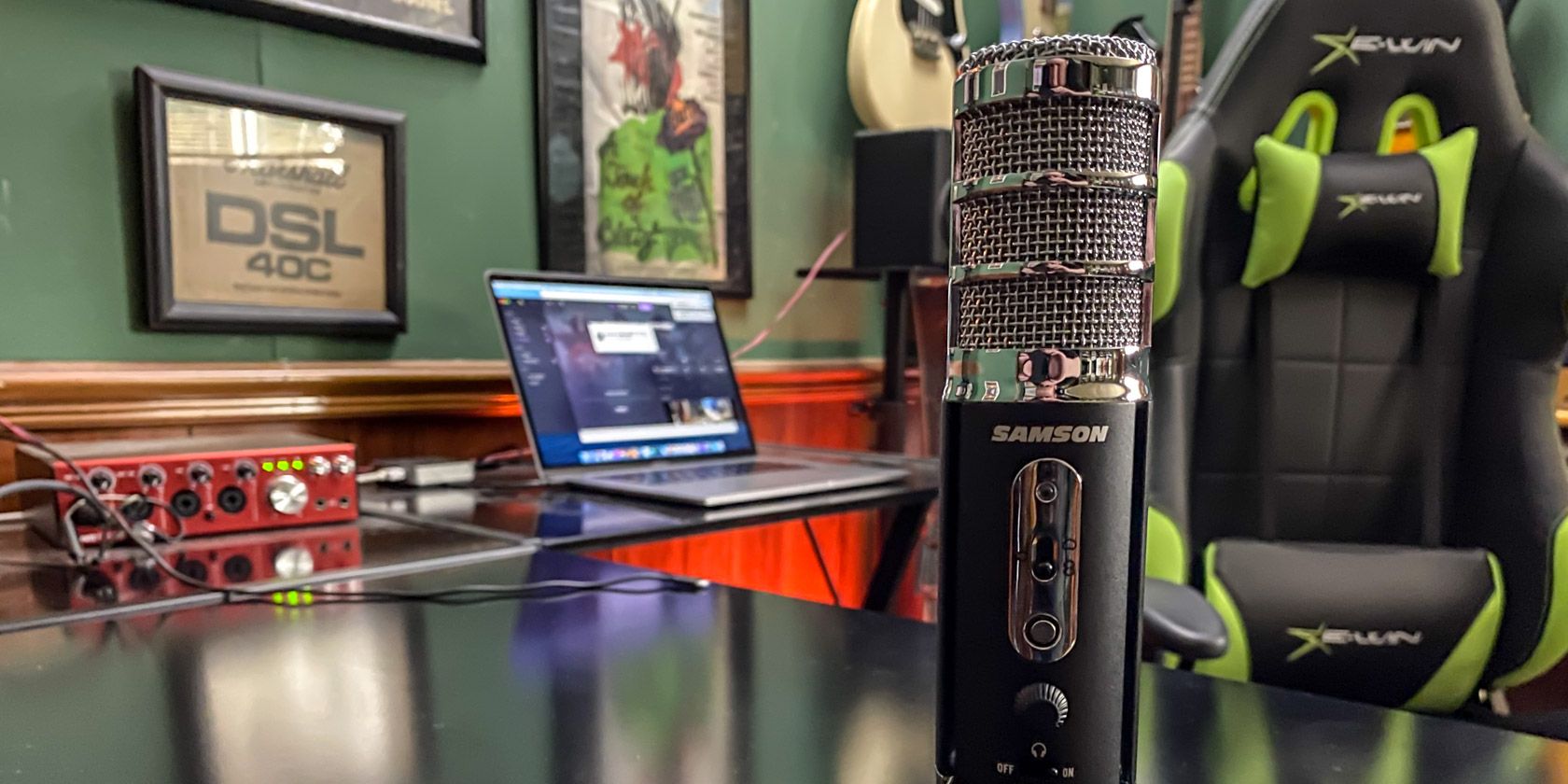
The Samson Satellite is the company’s latest portable USB microphone, aimed at streamers, podcasters, and other digital broadcasters. It has a lot in common with some of its competitors’ offerings, but it also packs a few of their tricks up its sleeve at a lower price. These may just make it your new go-to choice for recording on the run.

What’s in the Box?

Samson Satellite box and contents

Opening up the Samson Satellite, you’re not going to find much you wouldn’t expect. The microphone itself occupies the majority of the box, but it’s not the only thing inside. You also get a small manual as well as a few accessories.

The Satellite includes not one but two cables. One is a standard micro USB cable with a standard-sized USB connector on the other end for plugging into a computer. The other cable has the micro USB on one end and a Lightning connector on the other for connecting to an iPhone or iPad.

Specifications

Samson Satellite USB/iOS Broadcast Microphone for Recording, Podcasting and Streaming (SASAT) Samson Satellite USB/iOS Broadcast Microphone for Recording, Podcasting and Streaming (SASAT) Buy Now On Amazon $99.99
  • Element Type: Electret condenser
  • Polar Patterns: Cardioid, Bidirectional (Figure-8), Omnidirectional
  • Frequency Range: 20Hz–20kHz
  • Max. SPL: 135dB SPL at 200Hz
  • Bit Depth/Sample Rate: 24-bit/up to 96kHz
  • Digital Output: USB
  • Headphone Output/Impedance: 1/8″ (3.5mm)/32?
  • Headphone Power Output: Minimum 38mW @ 32?
  • Controls: Polar Pattern, Mute, Headphone Volume, Monitor On/Off
  • LED: 3-color Power/Clip/Mute
  • Dimensions: 8.6″ (218mm) x 4.3″ (108mm) x 1.7″ diameter (45mm diameter)
  • Weight: 0.75lb (0.34kg)

Features

The Satellite's built-in stand

One of the main features that the Samson Satellite boasts that you’ll normally only find in more expensive microphones is multiple polar pickup patterns. The microphone has a standard directional mode, known as cardioid, that works as most microphones do: it picks up what is directly in front of it. The two other modes are where things get more interesting.

One of the Satellite’s other two modes is the figure-8 or bidirectional pattern. If you’re directly in front of the mic, it will pick your voice up the same way, but it will also pick up sound in the opposite direction. This is great for a two-person recording with each of you sitting on the opposite sides of a table, for example.

The final pickup pattern is omnidirectional. As the name implies, this picks up sound all around the microphone. If you’re recording more than two people, this is the ideal way to make sure everyone is heard.

No matter which pickup pattern you’re using, you can monitor the input using the built-in headphone jack. This is important because it enables zero-latency monitoring. You could monitor through your Digital Audio Workstation (DAW) or however you’re recording, but this often adds latency, which can make listening difficult. The only other button is a touch-based mute control, letting you easily cut the audio.

Finally, as you may have guessed from the inclusion of a Lightning cable, the Satellite supports iOS devices. The microphone is fully USB Class Compliant, so it will work with any recording software or DAW on your iPad or iPhone.

Who is the Samson Satellite For?

The Satellite in use

Despite its multiple pickup patterns, the Samson Satellite isn’t a microphone aimed at musicians. The lack of a traditional XLR connector for interfacing with audio gear like mixers and mic preamps is your first clue. Can you use it for recording vocals and instruments? Sure, but you might not get the results you expect.

As Samson indicates on its website, the Satellite is meant more for the spoken word. If you’re looking for a microphone to record a podcast, this is the ideal mic for you. While Samson also mentions streamers, you might find you need a longer cable than the included model if you’re looking to attach the microphone to a desk-mounted boom arm as many streamers use.

The multiple pickup patterns make this ideal for multi-person podcasts with just one mic. We’ll look at the quality later, but it’s nice to have this as an option for recording a group with just one mic.

Build Quality and Design

The Satellite in use

Cheaper microphones usually mean cheaper materials and as a result, cheaper look and feel. That isn’t the case for the Samson Satellite. Constructed out of solid metal, the Samson feels like it can easily stand up to the rigors of regular use. The metal build also means it’s heavier, which makes it far less likely to fall over.

Of course, using the built-in stand, the mic wouldn’t be that likely to fall over in the first place. Three legs fold into the body when not in use, allowing you to attach the microphone to a proper mic stand. Once extended, these legs feel quite sturdy. I can’t speak to how they’ll hold up over time, but they never started to slip during my testing.

This sturdy feel extends to the knob and switch as well. Again, I can’t speak to how well they’ll work in five years, but I’ve felt far flimsier switches and knobs on microphones that cost twice the price. You certainly don’t have to worry about accidentally switching polar patterns when reaching for the volume knob.

While everything I’ve talked about so far has been about how the mic functions, it actually looks quite nice as well. It looks like a professional piece of equipment, which is something I can’t say about some of this mic’s closest competitors.

Using the Samson Satellite

Micro USB on the Samson Satellite

Most people will likely use the Samson Satellite with a computer, so it’s fortunate that this is an easy process. Whether you’re using a Windows PC or a Mac, all you need to do is plug it in. There are no drivers or other software to install.

In your DAW or audio app of choice, select the Samson Satellite as your desired input device. If your audio app doesn’t support this (though the vast majority of them do), you’ll need to set it as the default microphone in your computer settings.

Using the Samson Satellite with iOS is even easier. For my testing, I used the microphone plugged into a Lightning-equipped iPad Pro and used the Ferrite app for test recording. I didn’t even have to select the microphone, as the app recognized the microphone and defaulted to using it.

No matter what you’re using the microphone with, the headphone jack for zero-latency monitoring is useful. If you’re not getting a signal in an app, you can use this to make sure that the microphone itself is picking up the audio. You can also use it to make sure it’s picking up everyone’s voice before you hit record.

Audio Quality

Headphone jack on the Satellite

The Samson Satellite uses 16mm condenser capsules. In cardioid mode, only one of these is enabled, while the microphone engages both in the bidirectional and omnidirectional modes. To get the sound into your computer or iOS device, the microphone has a built-in 24bit/96kHz audio interface.

In cardioid mode, the Samson Satellite sounds roughly as good as most other condenser microphones in its price range. This means that it covers bass and midrange fairly well, while the high-end is somewhat prone toward emphasizing sibilance in some situations. Compared to dynamic microphones, there is less of a tendency toward proximity effect–an increase in low end as you get closer to the mic.

Speaking of which, no matter which mode you’re using, you won’t want to get too close to the mic. Unless you’re using a windscreen or pop filter between you and the mic, you’re likely to get audible pops from P and B consonants. A small pop filter included in the box would have been nice, but these are relatively cheap, so buying your own won’t be a problem.

Because of the need for a pop filter, this isn’t the best microphone for video. It will work in a pinch, but you’ll need a longer cable because the built-in stand is less than ideal. For most video purposes, you might be better off looking at a wireless lavalier mic.

The bidirectional mode sounds similar to cardioid mode, while omnidirectional sounds less focused. This is true even if you’re using it alone, as the mic picks up significantly more room tone in omni mode than it does in cardioid mode.

Is the Samson Satellite Worth the Price?

Samson Satellite USB/iOS Broadcast Microphone for Recording, Podcasting and Streaming (SASAT) Samson Satellite USB/iOS Broadcast Microphone for Recording, Podcasting and Streaming (SASAT) Buy Now On Amazon $99.99

The Samson Satellite packs more features into a USB microphone than most of its competitors’ reserve for higher-priced models. The question is whether or not these features are important to you. If you frequently do interviews or field recordings, having multiple pickup patterns in a mic you can fit in your bag or (in a pinch) even your pocket is key. If your only computer on the road is an iPhone or iPad, then the Satellite is perfect for you.

It would have been nice to see a pop filter or windscreen included, but this will likely be a minor issue for most people. Other handy features like the built-in stand and ability to mount on a traditional mic stand or boom arm are nice to have. If you’re buying this as your first or only microphone, the multitude of options means it can grow with you, and you’ll likely always find a use for it.

Enter the Competition!

Samson Satellite USB Microphone

Read the full article: Samson Satellite USB Microphone: No Standout Features, But a Solid Bargain


Read Full Article

Boost Your Productivity With This FREE Ebook Worth $10!


productivity-new-year

If you want to discover how to get more done with less stress, this free copy of Productivity: Get Motivated, Get Organised and Get Things Done, from Wiley, is for you.

Throughout this book, you will learn to find your own rhythm in order to maximize your productivity, no matter what situation you’re in.

This isn’t about squeezing productivity out of every waking second, though. You’re not a machine. Instead, it’s about working smarter. It’s about getting organized so you can tackle your important tasks efficiently and effectively.

Download This Ebook For Free

Free Productivity Ebook

Whether you want to get more done, fit more in, or achieve more by doing less, this ebook will steer you in the right direction.

Inside, you will learn how to:

  • Develop a personal productivity mindset.
  • Identify your optimum times of day.
  • Plan your time purposefully.
  • Manage difficulties and setbacks.
  • And more.

Interested? Simply click here to download this free ebook (worth $10) from TradePub. You will have to complete a short form to access the ebook, but it’s well worth it!

Note: This free offer expires 1 May 2020

Read the full article: Boost Your Productivity With This FREE Ebook Worth $10!


Read Full Article