19 April 2020

Adobe Photoshop Keyboard Shortcuts 101


You can always tell an Adobe Photoshop professional by how little they touch their mouse. You may know everything there is to know about Photoshop’s UI. Yet, if you’re not at least a little familiar with the hundreds of Photoshop keyboard commands sitting just beyond your fingertips, you’ll always fall short.

The following is a list of Photoshop keyboard commands you absolutely have to know. No one’s saying you have to memorize all of the Photoshop hotkeys, mind you. Practice regularly and you’ll learn them faster. And bookmark this page so you can always come back quickly when you need a refresher.

What follows are the Adobe Photoshop keyboard shortcuts you need to know.

Note: You can download these keyboard shortcuts as a PDF below.

Basic Command Shortcuts for Adobe Photoshop

essential adobe photoshop keyboard shortcuts

Basic commands allow users to fix simple mistakes quickly.

To undo a single action within your project:

  • Ctrl + Z (Windows)
  • Cmd + Z (macOS)

essential adobe photoshop keyboard shortcuts

To undo multiple actions within your project:

  • Ctrl + Alt + Z (Windows)
  • Cmd + Z repeatedly (macOS)

Z: Access the Zoom tool by using the Photoshop Zoom shortcut.

To deselect a Photoshop selection:

  • Ctrl + D (Windows)
  • Cmd + D (macOS)

UI Command Shortcuts for Adobe Photoshop

essential adobe photoshop keyboard shortcuts

User interface (UI) commands affect Photoshop’s interface and window listing. To remove all dialog boxes from your Photoshop window:

  • Tab (Windows)
  • Tab (macOS)

You can also toggle between different screen sizes by pressing the F key on both macOS and Windows.

Right-click [workspace background]: This changes the default workspace background on both macOS and Windows. Right-click the background and select one of the options that follow (Dark Gray is the default).

essential adobe photoshop keyboard shortcuts

In a dialog window, holding down Alt will change your Cancel option to a Reset option on Windows. On macOS, holding down Option will do the same thing.

Click on the Reset option to reset any changes you made within the window.

essential adobe photoshop keyboard shortcuts

To quickly select an item from a tool submenu on your toolbar (i.e. Eraser vs. Background Eraser), hold Shift and press a tool’s hotkey on either Windows or macOS.

essential adobe photoshop keyboard shortcuts

To scroll left on your art board:

  • Hold down Ctrl + Scroll Up [mouse wheel] for Windows.
  • Hold down Cmd + Scroll Up [mouse wheel] for macOS.

To scroll right on your art board:

  • Hold down Ctrl + Scroll Down [mouse wheel] for Windows.
  • Hold down Cmd + Scroll Down [mouse wheel] for macOS.

essential adobe photoshop keyboard shortcuts

Ctrl + Tab: This command cycles through tabs from left to right for both Windows or macOS.

essential adobe photoshop keyboard shortcuts

To cycle right-to-left, press Ctrl + Shift + Tab on either Windows or macOS. It’s just like moving between tabs in your browser.

Brush Command Shortcuts for Adobe Photoshop

essential adobe photoshop keyboard shortcuts

Brush commands allow users to modify various brush aspects quickly. Don’t forget that you can create your own Photoshop brushes too, for maximum customizability.

[ or ]: Shrinks or enlarges brush size with the brush size shortcut (Windows or macOS).

essential adobe photoshop keyboard shortcuts

{ or }: Increases or decreases brush hardness for both Windows or macOS.

essential adobe photoshop keyboard shortcuts

Caps Lock: Using this command on Windows or macOS will change your brush’s cursor from a brush preview to a crosshair.

Color Command Shortcuts for Adobe Photoshop

essential adobe photoshop keyboard shortcuts

Color commands allow users to implement colors into their artwork using their keyboards.

D: Sets the foreground and background colors to default (black and white) on either Windows or macOS.

essential adobe photoshop keyboard shortcuts

To fill selections or a layer with a foreground color:

  • Alt + Backspace (Windows)
  • Option + Delete (macOS)

essential adobe photoshop keyboard shortcuts

To fill selections or a layer with a background color:

  • Ctrl + Backspace (Windows)
  • Cmd + Delete (macOS)

essential adobe photoshop keyboard shortcuts

X (Windows or macOS): Switches between foreground and background colors.

Layer Command Shortcuts for Adobe Photoshop

essential adobe photoshop keyboard shortcuts

Layering is one of the most important—if not the most important—aspect of Photoshop. Which is why these Photoshop keyboard shortcuts are some of the most useful.

Number keys (1, 2, 3…): Selecting a particular layer and pressing a number button (either on Windows or macOS) will automatically adjust the opacity of that layer. So “1” = 10% opacity, “2” = 20%, “3” = 30%, and so on.

Quickly selecting two numbers will change a layer’s opacity to the percentage pressed (3 and 4 will give you an opacity of 34%).

Shift + Click [Layers panel]: To select multiple layers in your Layers panel (either on Windows or macOS), select a single layer, hold the Shift key, and select another layer.

This “select all command” will select every layer in between the first and second layers selected.

essential adobe photoshop keyboard shortcuts

To select more than one layer in your Layers panel, but not all of them:

  • Press and hold the Ctrl key while clicking individual layers on Windows.
  • Press and hold the Cmd key while clicking individual layers on macOS.

essential adobe photoshop keyboard shortcuts

To duplicate a layer in your Layers panel:

  • Select the layer and press Ctrl + J on your keyboard for Windows.
  • Select the layer and press Cmd + J on your keyboard for macOS.

essential adobe photoshop keyboard shortcuts

To add a new layer in Photoshop underneath the currently selected layer:

  • Hold Ctrl and click on your New Layer button on Windows.
  • Hold Cmd and click on your New Layer button on macOS.

essential adobe photoshop keyboard shortcuts

To add a new layer above the currently selected layer, hold Shift and click on your New Layer button on both macOS and Windows.

essential adobe photoshop keyboard shortcuts

To copy and paste all visible elements on your art board into a new layer:

  • Ctrl + Shift + Alt + E (Windows)
  • Cmd + Shift + Option + E (macOS)

essential adobe photoshop keyboard shortcuts

To select a layer’s borders automatically:

  • Hold Ctrl and click on a layer’s thumbnail in your Layers panel on Windows.
  • Hold Cmd and click on a layer’s thumbnail in your Layers panel on macOS.

essential adobe photoshop keyboard shortcuts

Shift + “+” or “-” [Layers Panel]: This toggles through blending modes in your Layers Panel for both Windows and macOS.

Transform Command Shortcuts for Adobe Photoshop

essential adobe photoshop keyboard shortcuts

The transform tool allows users to resize and skew layers at will.

To select your layer image and allow you to resize your image:

  • Ctrl + T on Windows.
  • Cmd + T on macOS.

To distort instead of resize, hold down Ctrl (Windows) or Cmd (macOS) after your image has been selected. Drag the encircling square markers.

essential adobe photoshop keyboard shortcuts

To resize an image while centered:

  • Alt + Shift + Drag (Windows)
  • Option + Shift + Drag (macOS)

essential adobe photoshop keyboard shortcuts

To resize an image with preserved size ratio:

  • Shift + Drag [Transform tool] on Windows.
  • Option + Drag [Transform tool] on macOS.

FREE DOWNLOAD: This cheat sheet is available as a downloadable PDF from our distribution partner, TradePub. You will have to complete a short form to access it for the first time only. Download The Adobe Photoshop Keyboard Shortcuts Cheat Sheet.

The Adobe Photoshop Keyboard Shortcuts Cheat Sheet

Shortcut (Mac) Shortcut (Windows) Action
Basic Command Shortcuts
Cmd + Z Ctrl + Z Undo a single action within your project
Cmd + Z (repeatedly) Ctrl + Alt + Z Undo multiple actions within your project
Z Z Zoom tool
Cmd + "+" Ctrl + "+" Zoom in
Cmd + "-" Ctrl + "-" Zoom out
Cmd + D Ctrl + D Deselect a Photoshop selection
H H Hand tool
S S Color Sampler tool
C C Crop tool
G G Graduated Filter tool
T T Text Tool
UI Command Shortcuts
Tab Tab Remove all dialog boxes from your Photoshop window
F F Toggle between screen sizes
Right-click on workspace background Right-click on workspace background Change the default workspace background
Option Alt Reset in a Dialogue Window
Shift + Tool hotkey Shift + Tool hotkey Select an item from a tool submenu in your toolbar
Cmd + Scroll Up Ctrl + Scroll Up Scroll left on artboard
Cmd + Scroll Down Cmd + Scroll Down Scroll right on artboard
Ctrl + Tab Ctrl + Tab Cycle through tabs
Ctrl + Shift + Tab Ctrl + Shift + Tab Cycle right-to-left through tabs
Brush Command Shortcuts
[ [ Shrink brush
] ] Enlarge brush
{ or } { or } Increase or decrease brush hardness
Caps Lock Caps Lock Change brush preview to crosshair
Eyedropper tool + Option + Click Eyedropper tool + Alt + Click Select Background color
Shift + Option + R Shift + Alt + R Clear brush tool
Option + Click brush Alt + Click brush Delete brush
Double-click brush name Double-click brush name Rename brush
Color Command Shortcuts
D D Set foreground and background colors to default
Option + Delete Alt + Backspace Fill selections or a layer with a foreground color
Cmd + Delete Ctrl + Backspace Fill selections or a layer with a background color
X X Switch between foreground and background colors
Control + Click Color Bar Right-click Color Bar Display Color Bar
Layer Command Shortcuts
Select a layer and press a number key (1-9) Select a layer and press a number key (1-9) Adjust the opacity of a layer
Shift + Click in Layers panel Shift + Click in Layers panel Select multiple layers in your Layers panel within a set range
Press and hold Cmd key while clicking individual layers Press and hold Ctrl key while clicking individual layers Select multiple, individual layers within your layers panel
Cmd + J Ctrl + J Duplicate a layer
Hold Cmd and click on your New Layer button Hold Cmd and click on your New Layer button Add a new layer underneath the currently selected layer
Hold Shift and click on your New Layer button Hold Shift and click on your New Layer button Add new layer above currently selected layer
Cmd + Shift + Option + E Ctrl + Shift + Alt + E Copy and paste all visible elements into a new layer
Hold Cmd and click on thumbnail in Layers Panel Hold Ctrl and click on thumbnail in Layers Panel Selects a layer's borders automatically
Shift + "+" or "-" in Layers panel Shift + "+" or "-" in Layers panel Toggle through blending modes in Layers panel
Cmd + Shift + N Ctrl + Shift + N New layer
Cmd + G Ctrl + G Group layers
Cmd + Shift + G Ctrl + Shift + G Ungroup layers
Cmd + Option + A Ctrl + Option + A Select all layers
Cmd + Shift + E Ctrl + Shift + E Merge visible layers
Transform Command Shortcuts
Cmd + T Ctrl + T Select a layer image to resize it
Hold Cmd and drag square markers Hold Ctrl and drag square markers Distort an image instead of resizing it after the image has been selected
Option + Shift + Drag Alt + Shift + Drag Resize an image while centered
Option + Drag Shift + Drag Resize an image while preserving size ratio

Photoshop Keyboard Shortcuts Give You the Power

Practice these Photoshop keyboard shortcuts once, then again, then again. That’s the only way you’ll remember them all (and start to understand the basics of Photoshop). This is just a small selection of the available shortcuts—check the official Adobe Photoshop keyboard shortcuts if you don’t believe us.

The best thing about working through these Photoshop keyboard shortcuts though is that because Adobe software works in tandem with one another, you’ll be able to use most of these keyboard commands (where they apply) with other Adobe software.

There’s almost no limit to what you can do with Photoshop. Even if you’ve mastered multiple tutorials, learning Photoshop’s keyboard shortcuts will save you time. Better yet, it’ll save you from having to find your way around Photoshop’s cavernous UI. Try these out, and give your mouse a break.

Image Credit: Yaruta/Depositphotos

Read the full article: Adobe Photoshop Keyboard Shortcuts 101


Read Full Article

Facebook Wants You to Get the Facts on Coronavirus


Facebook has promised to do more to stop the spread of misinformation about COVID-19. Because, despite its previous efforts, people are still sharing absolute nonsense about the cause of, and possible cures for, COVID-19 on the social network.

Facebook Hopes to Dispel COVID-19 Myths

The social network announced its new efforts in a post on the Facebook Newsroom. There are essentially two components; one aimed at informing users who may have been guilty of spreading misinformation, and the other aimed at providing accurate information.

The first element is a new section of the COVID-19 Information Center called Get the Facts. This features fact-checked articles that debunk misinformation about the coronavirus. The articles are curated by human checkers, and updated every week.

I want to share an update on the work we're doing to connect people with accurate information and limit the spread of…

Posted by Mark Zuckerberg on Thursday, April 16, 2020

The second element is designed to inform people who have already interacted with harmful misinformation about COVID-19. So, if you have liked, reacted, or commented on a post that Facebook has since removed, Facebook will tell you about it.

You’ll see a message in News Feed informing you that the post you interacted with was removed. The message will point you to a list of myths debunked by the World Health Organization (WHO). The hope being that you’ll stop amplifying untruths in the future.

Reliable Sources for Coronavirus Information

Whatever you may think of the WHO and its lax attitude to China, it’s still the best option we have for fighting the coronavirus pandemic. And its website is packed with useful help and advice, including the aforementioned page busting the myths about COVID-19.

And the WHO is far from the only trustworthy source for news on the coronavirus. In fact there are so many that we have compiled a list of sites you can trust for reliable information about COVID-19. So there’s no need to spread lies and misinformation.

Image Credit: Cat Branchman/Flickr

Read the full article: Facebook Wants You to Get the Facts on Coronavirus


Read Full Article

18 April 2020

This Week in Apps: Layoffs at VSCO, Google Play’s new guidelines, TikTok rolls out parental controls


Welcome back to This Week in Apps, the Extra Crunch series that recaps the latest OS news, the applications they support and the money that flows through it all.

The app industry is as hot as ever, with a record 204 billion downloads in 2019 and $120 billion in consumer spending in 2019, according to App Annie’s “State of Mobile” annual report. People are now spending 3 hours and 40 minutes per day using apps, rivaling TV. Apps aren’t just a way to pass idle hours — they’re a big business. In 2019, mobile-first companies had a combined $544 billion valuation, 6.5x higher than those without a mobile focus.

In this Extra Crunch series, we help you keep up with the latest news from the world of apps, delivered on a weekly basis.

This week we’re continuing to look at how the coronavirus outbreak is impacting the world of mobile applications, including a dig into Houseparty’s big surge, layoffs at VSCO, Google’s launch of a “Teacher Reviewed” tag, Bumble’s virtual dating, plus changes to Instagram in support of small business and live streaming, among other things. Also this week, Google changed its Play Store guidelines, TikTok launched parental controls, a report suggested Apple may be expanding its Search Ads and more.

Coronavirus Special Coverage

Instagram adds features for supporting small businesses during pandemic


Read Full Article

What is contact tracing?


One of the best tools we have to slow the spread of the coronavirus is, as you have no doubt heard by now, contact tracing. But what exactly is contact tracing, who does it and how, and do you need to worry about it?

In short, contact tracing helps prevent the spread of a virus by proactively finding people at higher risk than others due to potential exposure, notifying them if possible, and quarantining them if necessary. It’s a proven technique, and smartphones could help make it even more effective — but only if privacy and other concerns can be overcome.

Contact tracing, from memory to RAM

Contact tracing has been done in some form or another as long as the medical establishment has understood the nature of contagious diseases. When a person is diagnosed with an infectious disease, they are asked whom they have been in contact with over the previous weeks, both in order to determine who may have been infected by them and perhaps where they themselves were infected.

Until very recently, however, the process has relied heavily on the recall of people who are in a highly stressful situation and, until prompted, were probably not paying special attention to their movements and interactions.

This results in a list of contacts that is far from complete, though still very helpful. If those people can be contacted and their contacts likewise traced, a network of potential infections can be built up without a single swab or blood drop, and lives can be saved or important resources better allocated.

You might think that has all changed now what with modern technology and all, but in fact contact tracing being done at hospitals right now is almost all still of the memory-based kind — the same we might have used a hundred years ago.

It certainly seems as if the enormous digital surveillance apparatus that has been assembled around us over the last decade should be able to accomplish this kind of contact tracing easily, but in fact it’s surprisingly useless for anything but tracking what you are likely to click on or buy.

While it would be nice to be able to piece together a contagious person’s week from a hundred cameras spread throughout the city and background location data collected by social media, the potential for abuse of such a system should make us thankful it is not so easy as that. In other, less dire circumstances the ability to track the exact movements and interactions of a person from their digital record would be considered creepy at best, and perhaps even criminal.

But it’s one thing when an unscrupulous data aggregator uses your movements and interests to target you with ads without your knowledge or consent — and quite another when people choose to use the forbidden capabilities of everyday technology in an informed and limited way to turn the tide of a global pandemic. And that’s what modern digital contact tracing is intended to do.

Bluetooth beacons

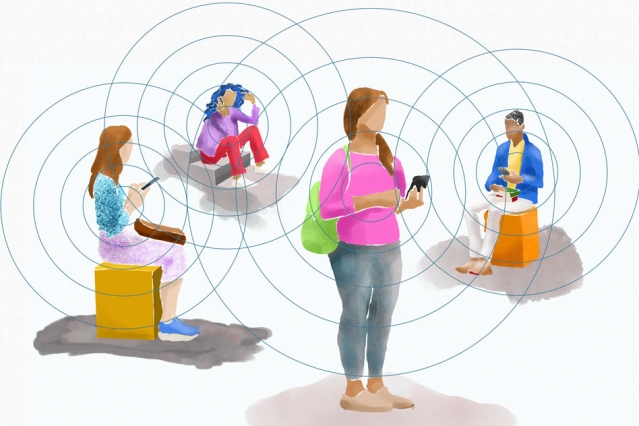
All modern mobile phones use wireless radios to exchange data with cell towers, Wi-Fi routers, and each other. On their own, these transmissions aren’t a very good way to tell where someone is or who they’re near — a Wi-Fi signal can travel 100 to 200 feet reliably, and a cell signal can go miles. Bluetooth, on the other hand, has a short range by design, less than 30 feet for good reception and with a swiftly attenuating signal that makes it unlikely to catch a stray contact from much further out than that.

We all know Bluetooth as the way our wireless earbuds receive music from our phones, and that’s a big part of its job. But Bluetooth, by design, is constantly reaching out and touching other Bluetooth-enabled devices — it’s how your car knows you’ve gotten into it, or how your phone detects a smart home device nearby.

Bluetooth chips also make brief contact without your knowledge with other phones and devices you pass nearby, and if they aren’t recognized, they delete each other from their respective memories as soon as possible. But what if they didn’t?

The type of contact tracing being tested and deployed around the world now uses Bluetooth signals very similar to the ones your phone already transmits and receives constantly. The difference is it just doesn’t automatically forget the other devices it comes into contact with.

Assuming the system is working correctly, what would happen when a person presents at the hospital with COVID-19 is basically just a digitally enhanced version of manual contact tracing. Instead of querying the person’s fallible memory, they query the phone’s much more reliable one, which has dutifully recorded all the other phones it has recently been close enough to connect to. (Anonymously, as we’ll see.)

Those devices — and it’s important to note that it’s devices, not people — would be alerted within seconds that they had recently been in contact with someone who has now been diagnosed with COVID-19. The notification they receive will contain information on what the affected person can do next: Download an app or call a number for screening, for instance, or find a nearby location for testing.

The ease, quickness, and comprehensiveness of this contact tracing method make it an excellent opportunity to help stem the spread of the virus. So why aren’t we all using it already?

Successes and potential worries

In fact digital contact tracing using the above method (or something very like it) has already been implemented with millions of users, apparently to good effect, in east Asia, which of course was hit by the virus earlier than the U.S. and Europe.

In Singapore the TraceTogether app was promoted by the government as the official means for contact tracing. South Korea saw the voluntary adoption of a handful of apps that tracked people known to be diagnosed. Taiwan was able to compare data from its highly centralized healthcare system to a contact tracing system it began work on during the SARS outbreak years ago. And mainland China has implemented a variety of tracking procedures through mega-popular services like WeChat and Alipay.

While it would be premature to make conclusions on the efficacy of these programs while they’re still underway, it seems at least anecdotally to have improved the response and potentially limited the spread of the virus.

But east Asia is a very different place from the U.S.; we can’t just take Taiwan’s playbook and apply it here (or in Europe, or Africa, etc.), for myriad reasons. There are also valid questions of privacy, security, and other matters that need to be answered before people, who for good reason are skeptical of the intentions of both the government and the private sector, will submit to this kind of tracking.

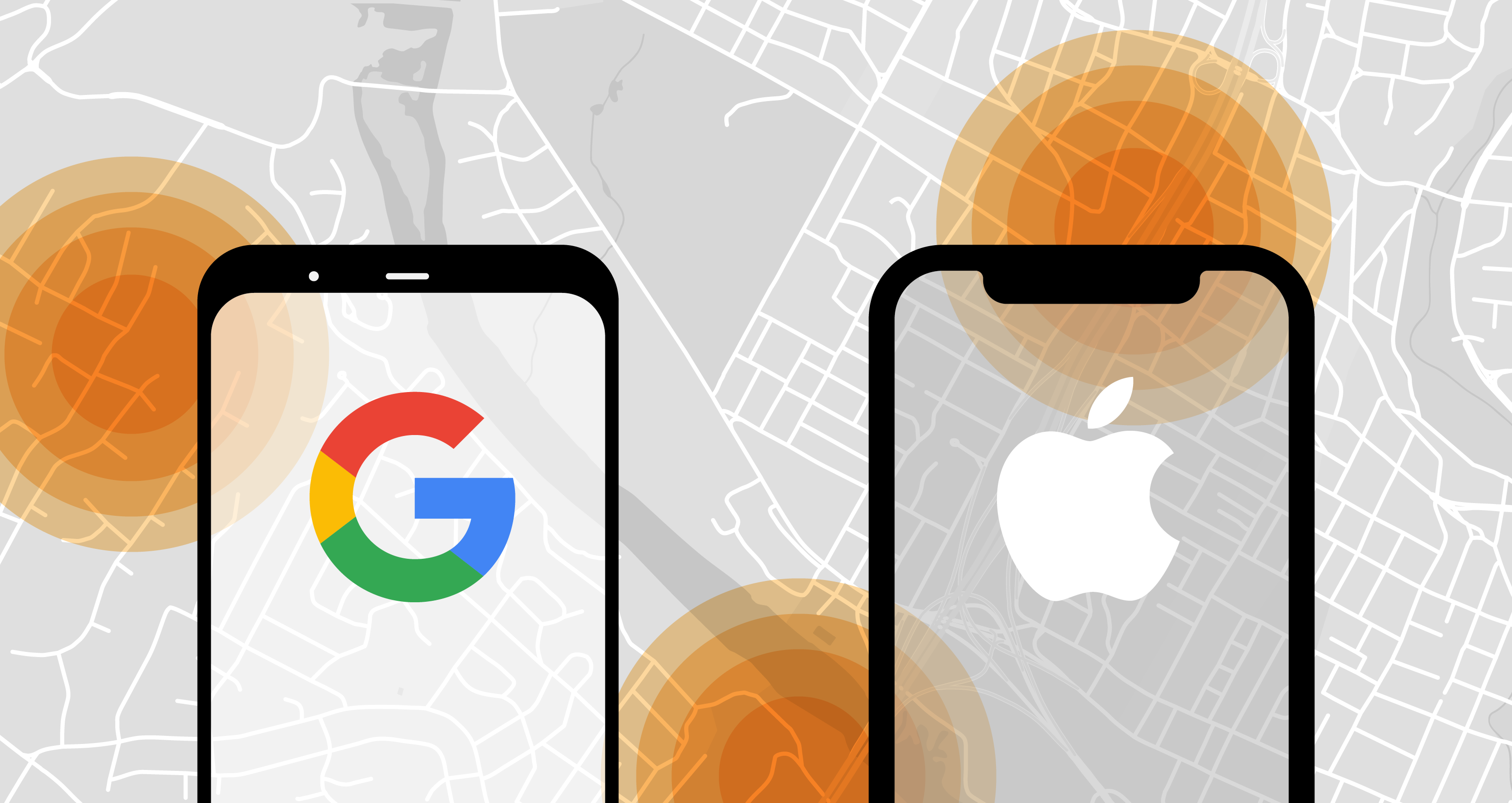
Right now there are a handful of efforts being made in the U.S., the largest profile by far being the collaboration between arch-rivals Apple and Google, which have proposed a cross-platform contact tracing method that can be added to phones at the operating system.

The system they have suggested uses Bluetooth as described above, but importantly does not tie it to a person’s identity in any way. A phone would have a temporary ID number of its own, and as it made contact with other devices, it exchanges numbers. These lists of ID numbers are collected and stored locally, not synced with the cloud or anything. And the numbers also change frequently so no single one can be connected to your device or location.

If and only if a person is determined to be infected with the virus, a hospital (not the person) is authorized to activate the contact tracing app, which will send a notification to all the ID numbers stored in the person’s phone. The notification will say that they were recently near a person now diagnosed with COVID-19 — again, these are only ID numbers generated by a phone and are not connected with any personal information. As discussed earlier, the people notified can then take whatever action seems warranted.

MIT has developed a system that works in a very similar way, and which some states are reportedly beginning to promote among their residents.

Naturally even this straightforward, decentralized, and seemingly secure system has its flaws; this article at the Markup gives a good overview, and I’ve summarized them below:

  • It’s opt-in. This is a plus and a minus, of course, but means that many people may choose not to take part, limiting how comprehensive the list of recent contacts really is.
  • It’s vulnerable to malicious interference. Bluetooth isn’t particularly secure, which means there are several ways this method could be taken advantage of, should there be any attacker depraved enough to do so. Bluetooth signals could be harvested and imitated, for instance, or a phone driven through the city to “expose” it to thousands of others.
  • It could lead to false positives or negatives. In order to maintain privacy, the notifications sent to others would contain a minimum of information, leading them to wonder when and how they might have been exposed. There will be no details like “you stood next to this person in line 4 days ago for about 5 minutes” or “you jogged past this person on Broadway.” This lack of detail may lead to people panicking and running to the ER for no reason, or ignoring the alert altogether.
  • It’s pretty anonymous, but nothing is truly anonymous. Although the systems seem to work with a bare minimum of data, that data could still be used for nefarious purposes if someone got their hands on it. De-anonymizing large sets of data is practically an entire domain of study in data science now and it’s possible that these records, however anonymous they appear, could be cross-referenced with other data to out infected persons or otherwise invade one’s privacy.
  • It’s not clear what happens to the data. Will this data be given to health authorities later? Will it be sold to advertisers? Will researcher be able to access it, and how will they be vetted? Questions like these could very well be answered satisfactorily, but right now it’s a bit of a mystery.

Contact tracing is an important part of the effort to curb the spread of the coronavirus, and whatever method or platform is decided on in your area — it may be different state to state or even between cities — it is important that as many people as possible take part in order to make it as effective as possible.

There are risks, yes, but the risks are relatively minor and the benefits would appear to outweigh them by orders of magnitude. When the time comes to opt in, it is out of consideration for the community at large that one should make the decision to do so.


Read Full Article

This Week in Apps: Layoffs at VSCO, Google Play’s new guidelines, TikTok rolls out parental controls


Welcome back to This Week in Apps, the Extra Crunch series that recaps the latest OS news, the applications they support and the money that flows through it all.

The app industry is as hot as ever, with a record 204 billion downloads in 2019 and $120 billion in consumer spending in 2019, according to App Annie’s “State of Mobile” annual report. People are now spending 3 hours and 40 minutes per day using apps, rivaling TV. Apps aren’t just a way to pass idle hours — they’re a big business. In 2019, mobile-first companies had a combined $544 billion valuation, 6.5x higher than those without a mobile focus.

In this Extra Crunch series, we help you keep up with the latest news from the world of apps, delivered on a weekly basis.

This week we’re continuing to look at how the coronavirus outbreak is impacting the world of mobile applications, including a dig into Houseparty’s big surge, layoffs at VSCO, Google’s launch of a “Teacher Reviewed” tag, Bumble’s virtual dating, plus changes to Instagram in support of small business and live streaming, among other things. Also this week, Google changed its Play Store guidelines, TikTok launched parental controls, a report suggested Apple may be expanding its Search Ads and more.

Coronavirus Special Coverage

Instagram adds features for supporting small businesses during pandemic


Read Full Article

What is contact tracing?


One of the best tools we have to slow the spread of the coronavirus is, as you have no doubt heard by now, contact tracing. But what exactly is contact tracing, who does it and how, and do you need to worry about it?

In short, contact tracing helps prevent the spread of a virus by proactively finding people at higher risk than others due to potential exposure, notifying them if possible, and quarantining them if necessary. It’s a proven technique, and smartphones could help make it even more effective — but only if privacy and other concerns can be overcome.

Contact tracing, from memory to RAM

Contact tracing has been done in some form or another as long as the medical establishment has understood the nature of contagious diseases. When a person is diagnosed with an infectious disease, they are asked whom they have been in contact with over the previous weeks, both in order to determine who may have been infected by them and perhaps where they themselves were infected.

Until very recently, however, the process has relied heavily on the recall of people who are in a highly stressful situation and, until prompted, were probably not paying special attention to their movements and interactions.

This results in a list of contacts that is far from complete, though still very helpful. If those people can be contacted and their contacts likewise traced, a network of potential infections can be built up without a single swab or blood drop, and lives can be saved or important resources better allocated.

You might think that has all changed now what with modern technology and all, but in fact contact tracing being done at hospitals right now is almost all still of the memory-based kind — the same we might have used a hundred years ago.

It certainly seems as if the enormous digital surveillance apparatus that has been assembled around us over the last decade should be able to accomplish this kind of contact tracing easily, but in fact it’s surprisingly useless for anything but tracking what you are likely to click on or buy.

While it would be nice to be able to piece together a contagious person’s week from a hundred cameras spread throughout the city and background location data collected by social media, the potential for abuse of such a system should make us thankful it is not so easy as that. In other, less dire circumstances the ability to track the exact movements and interactions of a person from their digital record would be considered creepy at best, and perhaps even criminal.

But it’s one thing when an unscrupulous data aggregator uses your movements and interests to target you with ads without your knowledge or consent — and quite another when people choose to use the forbidden capabilities of everyday technology in an informed and limited way to turn the tide of a global pandemic. And that’s what modern digital contact tracing is intended to do.

Bluetooth beacons

All modern mobile phones use wireless radios to exchange data with cell towers, Wi-Fi routers, and each other. On their own, these transmissions aren’t a very good way to tell where someone is or who they’re near — a Wi-Fi signal can travel 100 to 200 feet reliably, and a cell signal can go miles. Bluetooth, on the other hand, has a short range by design, less than 30 feet for good reception and with a swiftly attenuating signal that makes it unlikely to catch a stray contact from much further out than that.

We all know Bluetooth as the way our wireless earbuds receive music from our phones, and that’s a big part of its job. But Bluetooth, by design, is constantly reaching out and touching other Bluetooth-enabled devices — it’s how your car knows you’ve gotten into it, or how your phone detects a smart home device nearby.

Bluetooth chips also make brief contact without your knowledge with other phones and devices you pass nearby, and if they aren’t recognized, they delete each other from their respective memories as soon as possible. But what if they didn’t?

The type of contact tracing being tested and deployed around the world now uses Bluetooth signals very similar to the ones your phone already transmits and receives constantly. The difference is it just doesn’t automatically forget the other devices it comes into contact with.

Assuming the system is working correctly, what would happen when a person presents at the hospital with COVID-19 is basically just a digitally enhanced version of manual contact tracing. Instead of querying the person’s fallible memory, they query the phone’s much more reliable one, which has dutifully recorded all the other phones it has recently been close enough to connect to. (Anonymously, as we’ll see.)

Those devices — and it’s important to note that it’s devices, not people — would be alerted within seconds that they had recently been in contact with someone who has now been diagnosed with COVID-19. The notification they receive will contain information on what the affected person can do next: Download an app or call a number for screening, for instance, or find a nearby location for testing.

The ease, quickness, and comprehensiveness of this contact tracing method make it an excellent opportunity to help stem the spread of the virus. So why aren’t we all using it already?

Successes and potential worries

In fact digital contact tracing using the above method (or something very like it) has already been implemented with millions of users, apparently to good effect, in east Asia, which of course was hit by the virus earlier than the U.S. and Europe.

In Singapore the TraceTogether app was promoted by the government as the official means for contact tracing. South Korea saw the voluntary adoption of a handful of apps that tracked people known to be diagnosed. Taiwan was able to compare data from its highly centralized healthcare system to a contact tracing system it began work on during the SARS outbreak years ago. And mainland China has implemented a variety of tracking procedures through mega-popular services like WeChat and Alipay.

While it would be premature to make conclusions on the efficacy of these programs while they’re still underway, it seems at least anecdotally to have improved the response and potentially limited the spread of the virus.

But east Asia is a very different place from the U.S.; we can’t just take Taiwan’s playbook and apply it here (or in Europe, or Africa, etc.), for myriad reasons. There are also valid questions of privacy, security, and other matters that need to be answered before people, who for good reason are skeptical of the intentions of both the government and the private sector, will submit to this kind of tracking.

Right now there are a handful of efforts being made in the U.S., the largest profile by far being the collaboration between arch-rivals Apple and Google, which have proposed a cross-platform contact tracing method that can be added to phones at the operating system.

The system they have suggested uses Bluetooth as described above, but importantly does not tie it to a person’s identity in any way. A phone would have a temporary ID number of its own, and as it made contact with other devices, it exchanges numbers. These lists of ID numbers are collected and stored locally, not synced with the cloud or anything. And the numbers also change frequently so no single one can be connected to your device or location.

If and only if a person is determined to be infected with the virus, a hospital (not the person) is authorized to activate the contact tracing app, which will send a notification to all the ID numbers stored in the person’s phone. The notification will say that they were recently near a person now diagnosed with COVID-19 — again, these are only ID numbers generated by a phone and are not connected with any personal information. As discussed earlier, the people notified can then take whatever action seems warranted.

MIT has developed a system that works in a very similar way, and which some states are reportedly beginning to promote among their residents.

Naturally even this straightforward, decentralized, and seemingly secure system has its flaws; this article at the Markup gives a good overview, and I’ve summarized them below:

  • It’s opt-in. This is a plus and a minus, of course, but means that many people may choose not to take part, limiting how comprehensive the list of recent contacts really is.
  • It’s vulnerable to malicious interference. Bluetooth isn’t particularly secure, which means there are several ways this method could be taken advantage of, should there be any attacker depraved enough to do so. Bluetooth signals could be harvested and imitated, for instance, or a phone driven through the city to “expose” it to thousands of others.
  • It could lead to false positives or negatives. In order to maintain privacy, the notifications sent to others would contain a minimum of information, leading them to wonder when and how they might have been exposed. There will be no details like “you stood next to this person in line 4 days ago for about 5 minutes” or “you jogged past this person on Broadway.” This lack of detail may lead to people panicking and running to the ER for no reason, or ignoring the alert altogether.
  • It’s pretty anonymous, but nothing is truly anonymous. Although the systems seem to work with a bare minimum of data, that data could still be used for nefarious purposes if someone got their hands on it. De-anonymizing large sets of data is practically an entire domain of study in data science now and it’s possible that these records, however anonymous they appear, could be cross-referenced with other data to out infected persons or otherwise invade one’s privacy.
  • It’s not clear what happens to the data. Will this data be given to health authorities later? Will it be sold to advertisers? Will researcher be able to access it, and how will they be vetted? Questions like these could very well be answered satisfactorily, but right now it’s a bit of a mystery.

Contact tracing is an important part of the effort to curb the spread of the coronavirus, and whatever method or platform is decided on in your area — it may be different state to state or even between cities — it is important that as many people as possible take part in order to make it as effective as possible.

There are risks, yes, but the risks are relatively minor and the benefits would appear to outweigh them by orders of magnitude. When the time comes to opt in, it is out of consideration for the community at large that one should make the decision to do so.


Read Full Article

5 Job Boards to Find Work From Home Gigs and Remote Jobs


Job search for work from home opportunities

The COVID-19 pandemic is doing a number on the world’s economy. If you are facing job cuts, layoffs, or have a similar reason to look for new work, these new websites are helping ease COVID-affected unemployment.

Businesses both big and small have to cut costs in this economic climate. But working from home, remote jobs, and even part-time gigs can smoothen the bumps. While it’s a tough situation, don’t wait for things to get worse. Be proactive from today.

These free websites will help you handle layoffs and find current job boards. You can also search Twitter for job postings and learn how to get into one of the longest-lasting “work online” job types—transcription.

1. Candor (Web): Layoff Hiring List and a Guide to Handle Layoffs

Candor tells you how to handle layoffs and lets recruiters find you

Before making another move, check Candor’s guide to company layoffs. You’ll learn what you can expect, the legal aspects, your final pay and severance check, and other details that HR might not tell you. All of this is part of Candor’s larger goals to help people get paid what they should be.

Then register on Candor’s Layoffs List. It asks for basic details like your name, location, role, past companies, a short bio, and a photo. Add a resume as an attachment or link to your LinkedIn page. Candor becomes a job board for recruiters looking to do their bit by hiring someone affected by the global economic downturn.

Finally, check out Candor’s Hiring Freezes List. It hosts a regularly updated spreadsheet of companies, their current status about whether they’re hiring, have frozen hiring, or have layoffs. You’ll also find user-contributed notes and a link to their job profile pages.

2. Levels.FYI Still Hiring (Web): World Map With Verified Checks of Who’s Hiring

Check Levels.FYI's map of companies still hiring during the covid-19 pandemic

Salary comparison engine Levels.FYI has also curated a list of companies that are still hiring. In a heartening move, the team behind it is checking regularly with companies on it to ensure the list is up-to-date. Outdated listings are a common problem and this is an excellent effort to avoid wasted time for applicants.

In one glance at the list, you can see the company, the roles it is hiring for, and the locations. Each company has a “last updated” timestamp so you know when the team has checked in. You’ll find a direct application link as well. You can sort the list by roles, or use the powerful search function to find keywords.

Interestingly, Levels.FYI has a world map showing where these roles are available. While work-from-home is a necessity right now, in the near future, you should be able to go back to the office when required. This map shows you opportunities by their location, for both remote and non-remote jobs.

3. WFH Pad (Web): Entry Level Jobs for Work-From-Home Applicants

WFH Pad lists short-term gigs and long-term jobs for entry-level remote workers

Entry-level jobs are difficult to come by, especially those that let you work from home. If there’s one positive to this forced isolation, it’s that people and companies are realizing they don’t need an office. WFH Pad rounds up work-from-home opportunities in entry-level positions.

WFH Pad divides its boards into two types of jobs. “Always Hiring Gigs” lists opportunities for short-term work to tide you over during the pandemic, or earn a side-income in tough times. Short-term gigs are best if you don’t live in the USA, as you will find a wider variety of “work from anywhere” positions.

“Long-Term Jobs” is for those who want to shift completely to online or remote working, but are still new in their chosen profession. Usually, these positions are available for US or Canadian citizens, but there are a few exceptions.

4. Find Me Gigs (Web): Automated Twitter Search for Job Postings

Find Me Gigs automatically searches for job postings on Twitter and sends you an email with the top 5 options every day

Not every recruiter or company posts jobs online. A lot of bosses look at the unfolding situation and tweet about their requirements. You must have come across these #hiring posts from time to time, but there must be so many that you’re missing. Find Me Gigs is here to save the day.

This smart web app sends you a daily newsletter with jobs you’re interested in. While signing up, you’ll have to add search terms for jobs that you’d like to check out. You can restrict them to remote jobs or be open to local gigs. Go through the tips for search terms before you start to add the right keywords for your interests.

Every day, Find Me Gigs will send an email with tweets about jobs that match your criteria. The tweet excerpt is in the email, but it’s always a good idea to visit it to see the replies. Job posters often clarify further needs as people interact and ask questions.

The basic plan is free and gives you five jobs a day. You can pay for 100 job listings per day in the unlimited or job seeker packages.

5. Transcription Essentials Forum (Web): Leads for Transcription Jobs and How-Tos

Transcription Essentials tells you how to get into online transcription work and offers job boards too

One of the most common work-from-home jobs on the internet is transcription. This includes audio and video transcription, as well as subtitling work for YouTube creators and other content makers. Before you jump into it, register at the Transcription Essentials Forum and heed their advice.

The forum has a number of how-to guides, recommended tools, tips and tricks, and job postings. Whether you’re starting with a catch-all mass transcription website like Rev or looking for a specific field, you should know what you’re getting into. The community is helpful, but do read the sticky and essential posts before asking new questions.

Transcription services are ideal for anyone with a grasp of legal or medical experience. These two fields form a large percentage of online transcription services, and you’ll get more assignments if you’re making fewer mistakes. Needless to say, you also need to be able to research new terms and proof-read what you write.

The Best Companies and Boards for Remote Jobs

Sure, there are new websites to help you tackle the uncertain job market during this global pandemic, but you can also rely on the classics. Job boards like Remote.co and We Work Remotely have been listing work-from-home opportunities for years now.

In fact, a lot of leading companies across the world also hire remote workers. This includes big names like Apple, Wikimedia, GitHub, DuckDuckGo and others. Check out this list of the best companies that offer remote working jobs to find your next gig.

Read the full article: 5 Job Boards to Find Work From Home Gigs and Remote Jobs


Read Full Article