27 February 2020

The 15 Best Games for the Apple Watch


apple-watch-games

The Apple Watch might not sound like the most likely gaming platform, but many game developers have used it to great effect. From interactive fiction to brainteasers, RPGs, and arcade classics, it’s amazing how much fun you can have staring at your wrist.

Unlock the free "iPhone and iPad Shortcuts" cheat sheet now!

This will sign you up to our newsletter

Enter your Email

It should come as no surprise that these games are primarily aimed at short bursts of gameplay. Some of them require an Apple Watch, while you can play others on both the wearable and iPhone. Let’s take a look at the best games for Apple Watch.

1. Pocket Bandit
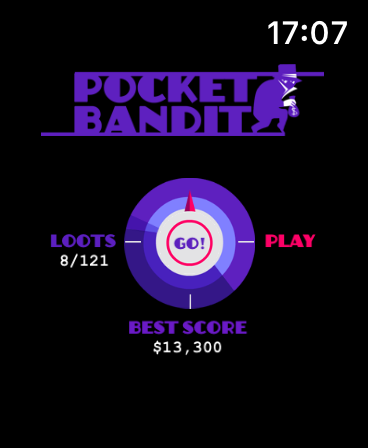
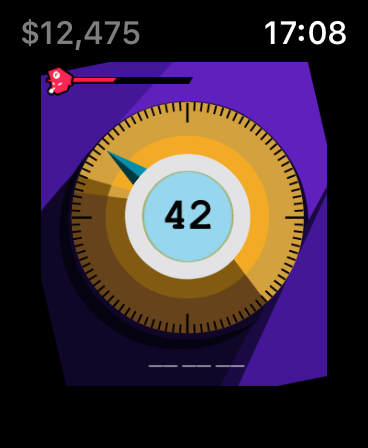
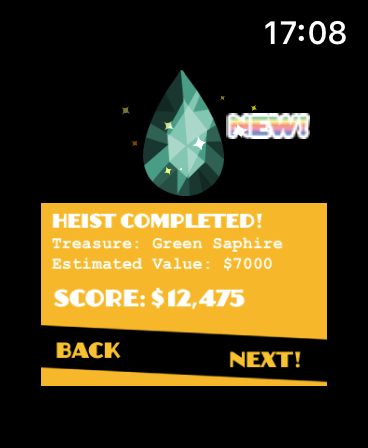
Pocket Bandit is a solid time-waster that makes excellent use of the Digital Crown. In it, you take on the role of a safe-cracking thief. The game uses haptic feedback to let you know when you’re close to cracking the code, at which point you tap on the screen and do it all over again.

You’ll have to work quickly against the clock if you don’t want to get caught. As you move from level to level, you’ll encounter difficulty spikes. If you’re caught you’ll lose some of your ill-gotten gains, so stay out of trouble if you want to set a new high score.

Download: Pocket Bandit ($0.99)

2. Trivia Crack
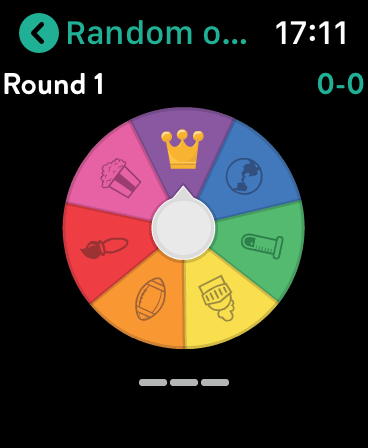
Trivia Crack needs no introduction. Just like Trivial Pursuit, the game fires questions at you from a range of categories, which you must answer using multiple-choice answers. Trivia Crack for Apple Watch simply puts the action on your wrist, so you can play anywhere at any time.

Spin the wheel, read the question, and answer directly on your Apple Watch.

Download: Trivia Crack (Free, in-app purchases available)

3. Elevate

Elevate is a brain training program for iPhone, with an Apple Watch companion app. It feels right at home on the Watch whenever you want to pass a few minutes and test your wits.

It features over 35 different brain teasers designed to tax your focus, memory, number skills, comprehension, and more. If you fall in love with Elevate, you can subscribe to the premium plan for $5 per month, or grab a year’s subscription for $40.

Download: Elevate (Free, subscription available)

4. Runeblade
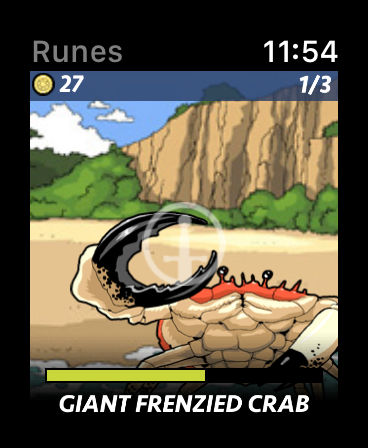
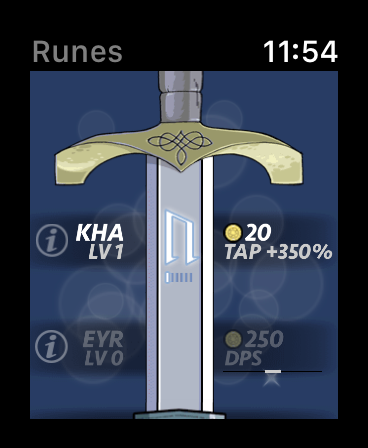
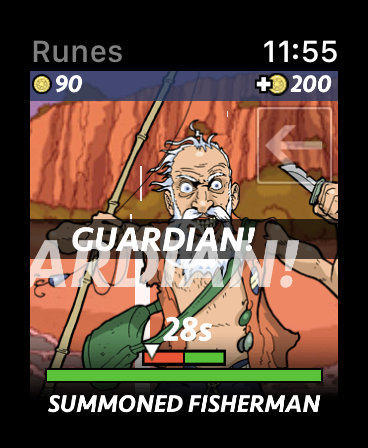
An entire RPG on your wrist may sound unlikely, but that’s exactly what Runeblade goes for. The free-to-play fantasy adventure was tailor-made for Apple’s wearable by developer Everywear Games.

Gameplay starts out simple, but develops more depth over the 2,000 or so included levels. You’ll use spells, runes, and magical artifacts on your quest. It’s a casual role-playing experience with the optional in-app purchases we’ve come to expect from similar freemium titles.

Download: Runeblade (Free, in-app purchases available)

5. Twisty Color
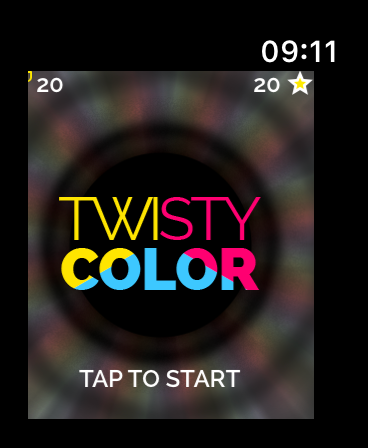
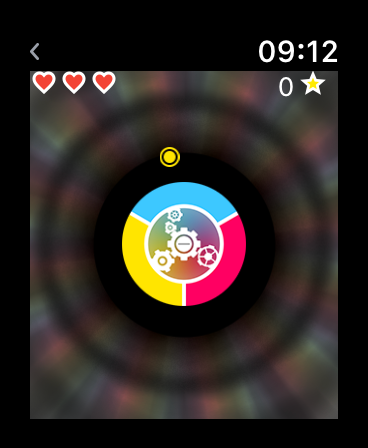
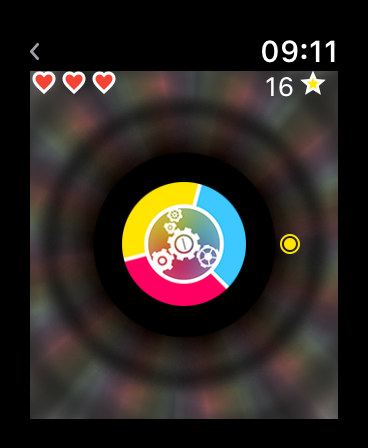
Twisty Color introduces another interesting way of putting the Digital Crown to use. The game requires you to collect as many balls as possible by turning the Twister to match the corresponding color.

If it sounds straightforward, that’s because it is. It’s proof that you don’t need a complex concept to create a fun and addictive game. This is the sort of title that’s perfect for a five-minute blast while waiting for your train.

Download: Twisty Color ($0.99)

6. Wordie

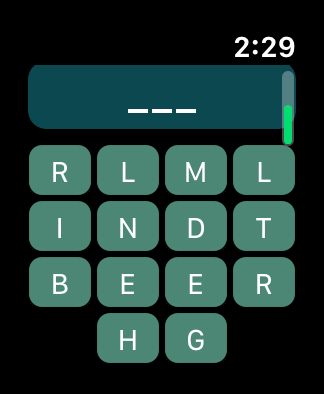
If you like word games based on pictures, check out Wordie for Apple Watch. You’ll see four photos on the screen. Below the photos are slots showing the number of letters in the word, which you must guess based on the photos.

Enter the letters from the choices you’re given and see if your guess is correct. It’s fun, it’s free—it’s Wordie on your wrist!

Download: Wordie (Free, in-app purchases available)

7. KOMRAD

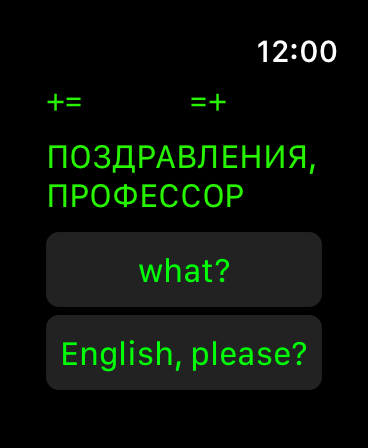
KOMRAD isn’t just an Apple Watch game, since you can also play it on your iPhone. Fortunately, this example of interactive fiction works particularly well on the Apple Watch. It provides not only a good example of Apple Watch gaming, but also one of the best text adventure experiences on iOS.

The game has you talking to a Soviet AI from 1985, which hasn’t been informed that the Cold War is over. The computer has been training in the dark for 30 years, and may be connected to deadly nuclear missiles. You’ll decide the fate of the world by responding to KOMRAD from your wrist.

Download: KOMRAD ($0.99)

8. Tiny Armies

Tiny Armies is both an Apple Watch and iPhone game. The wearable version lets you undertake epic (if simplified) battles from the comfort of your wrist, as you swipe the screen to conquer enemies, navigate lakes, and traverse mountains and forests.

You can play solo or jump on iMessage to challenge your friends. It’s a tactical game that’s perfect for short bursts of gameplay, and comes at a bargain price.

Download: Tiny Armies ($0.99)

9. A Tiny Game of Pong

Who doesn’t want to play Pong on their wrist? Turn the Digital Crown into a precise paddle controller with this wrist-sized version of the original arcade and console classic.

There’s really not much else to say here: it’s Pong, on your wrist. Play as a standalone game on the Apple Watch or with your paired iPhone additional functionality.

Download: A Tiny Game of Pong ($1.99, in-app purchase available)

10. Lateres

Lateres is Breakout for your Apple Watch. Just like Pong, Lateres allows you to use the Digital Crown to control the paddle for precise brick-breaking action. Lateres also works on your iPhone, which gives you two ways to play.

The game is a nice little value, providing 20 levels for a dollar.

Download: Lateres ($0.99)

11. Lifeline 2

What started as one journey has turned into another with Lifeline 2. This type of narrative game depends on the choices that you make. Start on your iPhone, continue on your Apple Watch, and jump back again.

In Lifeline 2, you play as a young woman on a mission to rescue her long-lost brother. You must stay alive against fatal forces that put all of humanity in danger. Will you make the right decisions? The fast of the world depends on it.

If you enjoyed the original Lifeline, you’ll like this one too. And be sure to check out some of the others in the series, like Lifeline: Whiteout and Lifeline: Silent Night.

Download: Lifeline 2 ($1.99)

12. Rules!

All you have to do is follow the rules to win in this brainy puzzler. You’ll test your memory, perception, and even your reflexes as you play through the challenging levels.

After you solve one puzzle, move onto the next level with the rule from the previous puzzle in mind. Do your best to keep the rules straight in this fast-paced brain test. The game offers three modes; beginner, expert, and timeless.

Rules! is a fun challenge to explore on your Apple Watch for your next break between classes or in the office.

Download: Rules! ($2.99)

13. Bubblegum Hero

Go back to the days of being a kid and blowing the biggest bubble you can in Bubblegum Hero. In this simple game, you tap the screen to start blowing a bubble with your big wad of gum. Release your finger from the screen while the bubble is within the dotted lines.

See how many successful bubbles you can make before splattering the sticky gum on your face. And do your best to make the perfect bubble. For a cute game on Apple Watch that’s ideal for a quick fix, this is worth checking out.

Download: Bubblegum Hero (Free, in-app purchases available)

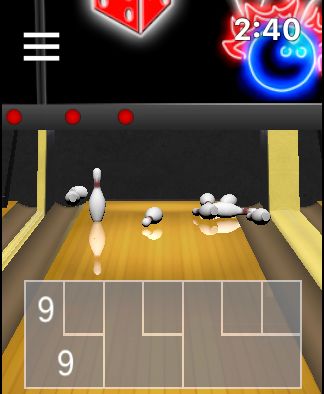
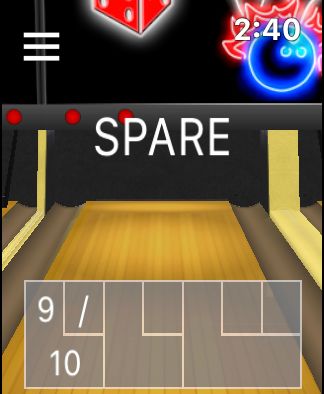
14. Vegas Bowling Lite Watch

What game list would be complete without a sports challenge? It’s not baseball or football—it’s bowling in Vegas Bowling Lite Watch.

Slide on the screen left or right to aim, then pull back to toss that bowling ball down to the pins. This lite version gives you a three-frame game, making it perfect for those times when you’re standing in line at the store.

If you’ve got skills, you can upgrade the app for 10-frame games and really have some fun. When you can’t make it to the local bowling alley, take Vegas Bowling Lite for a spin on your Apple Watch.

Download: Vegas Bowling Lite Watch (Free) | Vegas Bowling Watch ($4.99)

15. Brainess

For another cool brain challenge on your wrist, take a look at Brainess. You’ll be tested on your memory, math skills, and matching abilities.

There are seven different games to pick from including Dice, Signs, Numbers, and Colors. Stimulate your brain on the train while on your way to work to start your day sharp with Brainess.

Download: Brainess ($0.99)

Enjoy Fun Apple Watch Games

With all these unique experiences available for Apple’s wearable, you’d be forgiven for forgetting that it’s also a timepiece.

If you’ve had your fill of wrist-based gaming for now, don’t forget to check our full list of must-have Apple Watch apps or these music streaming apps for the Apple Watch.

Read the full article: The 15 Best Games for the Apple Watch


Read Full Article

TangoTab is a Cheap Android Tablet with a Plethora of Ports


simbans tangotab in stylish case featured
Our verdict of the Simbans TangoTab:
If you don't want to spend much on a tablet and your phone is always dying, this is a solution to both of your problems. For everyone else, there are better options.
510

Android tablets haven’t really taken off the way that it once seemed they might. Yes, Amazon’s Fire tablets do quite well, but most Android enthusiasts and even casual tech users don’t really think of those as Android devices.

But you shouldn’t rule out Android tablets entirely. While Apple’s iPads might get the lion’s share of attention in the tablet world, they’re prohibitively expensive for most people. Affordable Android tablets like the Simbans TangoTab are plentiful. The problem is, most of them aren’t very good. What makes the TangoTab different?

What’s in The Box?

The first thing you’ll see when you open the box is, appropriately, the tablet itself. Everything else is packed either beneath the tablet or off to the side. Underneath, you’ll the included faux-leather case as well as the manual.

Open up the box on the side and you’ll find the power supply, as well as adapters to plug it into different countries’ power outlets. Two cables are included: one for powering the tablet and another for using the tablet to charge other devices.

Simbans TangoTab box

Specifications

You’ll find a number of affordable tablets that share roughly the same hardware specifications as the TangoTab. Since the overall quality and power of parts has been rising over the years, this isn’t as much of an instant negative as it would have been at one time.

  • CPU: 1.5GHz Quad-Core MTK8163
  • RAM: 3GB DDR3
  • Screen: 10.1-inch at 1200×800 pixels (roughly 142 ppi.)
  • Storage: 64GB, expandable with micro SD card
  • Battery: 6,000 mAh
  • Operating System: Android 9.0 Pie
  • Camera: 5.0 Megapixel front-facing, 2.0 Megapixel rear
  • Connectivity: Dual-band 802.11ac Wi-Fi, Bluetooth

Normally, the various ports would be listed above, but there are so many that in this case, we’ve expanded them to their own section.

Build & Design

There are a few things you know not to expect in a tablet at this price point, one of which is any sort of metal or glass in the build. The Simbans TangoTab is plastic, front to back. This has benefits—making the tablet lighter in weight, for example—but it also means you’ll need to be careful with it.

The plastic on the back of the tablet is rubberized, giving it a slightly soft, grippy feel. This makes the tablet feel better in your hands as you’re using it, and certainly helps to prevent the cheap plastic feel you get in many tablets. Sadly, the screen is also plastic, so it’s easily scratched.

TangoTab buttons

Simbans has tried to address this, as the TangoTab comes with a pre-applied screen protector. Since it is applied at the factory, this alleviates many of the problems with screen protectors like bubbles and not being properly aligned. Of course, as with any screen protector, you’ll have to replace it eventually if you want to keep your screen safe.

As another way of keeping the tablet protected, Simbans also includes a folio-style case. Like the tablet, this is plastic, though it has a faux-leather appearance, which looks nicer than if they had simply left the plastic as-is. The case is bulky, which helps to protect the tablet, but does make it on the unwieldy side to handle.

This isn’t the only way that Simbans sells the TangoTab. A kids version comes with an extra bulky case, while a version with an included folio keyboard is available for those looking to use it more as a work accessory.

Ports, Ports, and More Ports

So far, aside from the included case, the Simbans TangoTab hasn’t been all that different from any number of cheaper tablets. Where it does differ is in the ports included. While your average tablet has a charging port and maybe a micro SD card slot, the TangoTab as a selection of ports that would be right at home on a laptop.

One thing to note is that the TangoTab charges through a DC charging port, not over micro USB or USB-C as you might expect. The charging cable itself plugs into a standard USB adaptor, but where it meets the tablet is a DC socket. This leaves the micro USB port free, even when charging, which is nice as it can function as a USB OTG host.

TangoTab ports

That’s far from the only port you’ll find, though. A mini-HDMI port lets you plug the TangoTab into an external display or TV, while the micro SD card allows you to expand storage. Then you can plug in headphones or external speakers to the 3.5mm audio port, too.

We’re not finished yet: there’s also a full-size USB-A port, which is rare on a tablet. You can use this for additional connectivity (though don’t expect any miracles—devices that don’t work over micro USB likely still won’t work here) but that’s not all. The full-size USB port means you can charge other devices using the TangoTab. Yes, this will drain your battery faster, but considering the 6,000 mAh capacity, you can essentially use the TangoTab as a battery pack that also happens to be a tablet.

Operating System and User Interface

The Simbans TangoTab runs Android 9.0 Pie, the last dessert-themed version of the OS. The user interface is mostly stock, in the same way that most manufacturer’s interfaces are largely representative of base Android.

The good news is that, unlike a Fire HD 10 for example, you have access to the Google Play Store, which means you can install any launcher you prefer. If you’re not happy with the overall look and feel of the user interface, you can change it as much as you’d like.

Display and Sound

The TangoTab features a 10.1-inch diagonal, 16:9 screen, with a resolution of 1200×800. That’s less than HD, so you’re not looking at the sharpest screen around. Most smartphones have resolutions greater than the TangoTab, so it’s not going to look great in comparison.

TangoTab in case

On the other hand, the colors are vivid, which isn’t always a given with cheap tablets. I’ve seen plenty of tablets with higher price tags suffering from washed-out colors, so it’s nice that this isn’t the case with the Simbans TangoTab.

Sound is as you’d expect. You hear the sounds you need to hear, but nothing sounds particularly large or impressive. The speakers are tinny and thin-sounding, but that’s par for the course with most tablets, let alone those selling for below $200. That said, this doesn’t sound nearly as good or look nearly as sharp as the Amazon Fire HD 10, which only costs slightly more.

Performance

To benchmark the Simbans TangoTab, I reached for AnTuTu, which has long been the de facto standard benchmarking tool for Android. The TangoTab received an overall score of 56551, with a CPU score of 24421, a memory score of 18682, and a user interface score of 13448. That’s not especially impressive, but it does beat the ultra budget Vankyo Matrixpad we reviewed in 2019.

AnTuTu Benchmarks on TangoTab

Geekbench numbers were on the low side as well. The single-core score was 124, while the multi-core score was just 383. This was running Geekbench 5.1.0.

Using the Simbans TangoTab

Performance numbers are one thing, but the actual user experience is another and arguably more important. I can’t think of a tablet I’ve tried, no matter the operating system, that was slower to wake up than the TangoTab. On numerous occasions, I thought that I’d either turned the TangoTab off or it had run out of battery because I tapped the power button but the display didn’t turn on.

A second or two later, it would finally turn on. This may not sound like much, but in practice, it felt sluggish. I’d encounter the same thing launching apps, searching the Google Play Store, or clicking links on a web page. Everything worked, eventually–it just took a while to get there.

TangoTab accessories

That sounds bad, and it is, but it’s not all doom and gloom. I found streaming movies and TV shows from Netflix and other apps worked fine. Yes, the display and audio issues I mentioned above are still present, and you’re not going to forget you’re not in a movie theater, but if you’re just looking for something to watch Netflix on the go, this will get the job done.

If you’re looking for a tablet for games, image editing, or other work that’s going to push the CPU, you might want to opt for something else.

Should You Buy the Simbans TangoTab?

You shouldn’t buy the TangoTab expecting it to be as handy for work as an iPad. You shouldn’t really expect that of any Android tablet. Really, that speaks to the lack of emphasis on tablet user interfaces from Android developers, not the quality of the tablets themselves.

A more realistic comparison would be the Amazon Fire HD 10, which we called the best value tablet around when we reviewed it. Compared to that, the TangoTab is cheaper, less locked down, and even includes a handy case. And all those lovely ports. But the screen isn’t as sharp and performance isn’t quite as good.

If you’re looking for an affordable tablet with a multitude of connectivity options, the Simbans TangoTab is worth a look, just know what you’re buying.

Enter the Competition!

Simbans TangoTab Giveaway

Read the full article: TangoTab is a Cheap Android Tablet with a Plethora of Ports


Read Full Article

A Newbie’s Guide to Uber’s Different Ride Types and Options


Uber is one of the world’s largest ride-hailing apps, but it wasn’t always this way. When it first started, the company only offered a single type of ride. As it has grown, so, too, has the Uber offering.

Now, when you open the app, you’re presented with several different ride options. So, let’s look at the different Uber rides available for the next time you open the app.

Note: Uber operates in cities around the world, and not all rides are available in each destination. To see the Uber options available in your area, open the app, and enter a destination.

Economy Rides

UberX service information

Uber’s standard offering is usually more affordable than other local services. Although, there are no fixed prices for Uber rides, so your fare will vary. That said, Uber offers a range of economy rides, so you should find something to suit your budget here.

UberX

UberX is the company’s most common Uber ride option. It is available in most destinations globally and is what many people picture when they consider calling an Uber. The service most closely resembles a standard taxi; you call the ride, and the driver will take you and your party of up to three others to your chosen destination. If each passenger has a different port of call, you can add multiple stops to your Uber ride, too.

UberXL

While the UberX service can only accommodate four people, UberXL allows you to transport up to six passengers. To fit the additional riders, the car is slightly larger—usually an SUV or people carrier—and will also cost marginally more, too. However, if splitting the fare between passengers, it often works out to a similar per-rider cost.

Uber Select

If you’re after a little more comfort from your Uber ride, then Uber Select may be the right choice for you. The service, also known as Uber Plus in some locations, offers cars that are a step up from UberX options. With this ride, expect to be picked up in an Audi, BMW, Mercedes, or similar class of vehicle, with support for up to four riders. Select is more expensive than UberX, but still more affordable than the company’s premium offerings.

Uber Pool

Uber Pool is the among the most affordable type of Uber ride. It combines the ease and door-to-door service of UberX, but you share the car with up to three other riders. Uber Pool sits somewhere between a taxi and a bus, giving you a direct route to your destination, but at a lower cost than a typical Uber journey.

Uber Express Pool

In select US destinations, Uber has rolled out the Express Pool service. This is similar to Uber Pool—you share the ride with up to three others—but you have to make your way to a specified pick-up point. You also won’t be transported to your destination directly, with only select drop-off points available. As such, the service is significantly cheaper than other Uber rides and makes choosing an Uber Express Pool ride just like taking a bus.

Uber Comfort

Most states in the US require that UberX cars be no more than 10 years old. However, if you’d like to guarantee a newer vehicle with additional legroom, and don’t mind spending a little extra, then you should select Uber Comfort. This ride type can support up to four passengers.

Premium Rides

Uber Black service information

As the company has expanded, it has also bolstered its luxury options, too. If you want to take your ride in comfort, with the same sense of privacy and service of a professional chauffeur, then Uber’s premium options will suit you best.

Uber Black

Traditionally, there have been two types of ride; jumping in a taxi or hiring a chauffeur. If UberX is the app-based equivalent of a cab, then Uber Black is the company’s answer to a professional driver. If you book this service, you can expect all the comforts of having your own driver, as well as a more luxurious car. Of course, Uber Black adds an additional premium to your fare, too.

Uber Black SUV

Just as UberX can be upgraded to UberXL for additional passengers, so, too, can Uber Black. If you choose to book an Uber Black SUV, you can expect the same level of comfort and service, but with enough space to accommodate up to six riders. Both Uber Black services afford you additional options like Quiet Mode, Temperature Control, and Help With Luggage.

Additional Uber Ride Types

UberWAV service information

Many of your journeys just require a car to take you from one place to another, and Uber has many options available for those rides. However, sometimes you’ll need a little extra support or other amenities, and this is where Uber’s additional ride types come in handy.

UberWAV

If you use a wheelchair, you’ll know that transport options around the world are not only limited but very rarely set up to accommodate your needs. Most Uber cars are not suitable for wheelchairs or mobility scooters. So, if you need to take a ride with your wheelchair, then UberWAV is your best bet. According to Uber, all UberWAV drivers are certified by a third-party for driving and assisting those with disabilities.

Uber Car Seat

Traveling with a young one can be a stressful experience, not least because you’ll likely need to strap them into a car seat. Most Uber ride types don’t offer car seats, and their vehicles may not even support attaching one, either. If you find yourself in need of a safe ride with your child, then one of your best options is Uber Car Seat.

Uber Ski

As anyone who’s been skiing can confirm, skis are awkward to transport. Most buses and public transport at ski resorts even have specialized storage for your skis or snowboard. If you need to hail a ride, but also want to take your skis with you, Uber Ski is your best option.

Uber Pet

As the name suggests, Uber Pet is the most suitable Uber ride type for those with pets. Although you could call a standard UberX, most drivers would refuse your pet entry to their vehicle, and they aren’t obligated to allow you to ride with them. So, for a reliable, hassle-free journey with your beloved pet, select the Uber Pet option where available.

The Best Types of Uber Ride for Your Journey

Although the Uber app is a relatively straightforward affair, the company doesn’t offer much guidance to the different Uber rides available to you. Each available service is shown, but without the information to help you decide which type of Uber is right for your journey.

As there are no fixed fees for Uber rides, the cost may vary significantly depending on where you are and what time of day it is. If you’re after another option, consider whether Uber or Lyft is cheaper for your journey.

Read the full article: A Newbie’s Guide to Uber’s Different Ride Types and Options


Read Full Article

6 Ways to Build Your Own DIY HDTV Antenna for Cheap


You’ve heard it’s possible to build your own HDTV antenna to receive digital terrestrial (DVB-T) signals. It sounds like a good idea, and a big saving. You’re planning on cutting the cord, and this sounds ideal. But is it possible?

Yes, it is! Here are six ways you can build your own HDTV antenna using household items.

Reasons to Build a DIY HDTV Antenna

So, why might you opt for a DIY antenna for your digital TV reception? Couldn’t you just buy one of the best TV antennas? Use cable or satellite instead?

Well, several reasons spring to mind:

  • Over the air TV is cheaper than cable, and you want to cut the cord (but first consider these cord-cutting pitfalls).
  • You can’t afford a factory-built antenna.
  • Your antenna has blown down in a storm and you need a replacement fast.
  • You just like making your own gear.

Whatever is motivating you to build your own HDTV antenna, you have several options. Each of these follows a slightly different design, and they can all be constructed using household items.

It doesn’t matter how low your budget is. If you want to receive digital TV signals over the air, these four antenna builds are ideal.

Once you’re done, you should be able to receive the usual OTA TV channels. If you’re “cutting the cord” you should pair these free TV channels up with a low-cost media streamer, such as an Amazon Fire TV Stick or a Raspberry Pi running Kodi.

1. A Homemade TV Antenna From a Paperclip

Amazingly, it’s possible to receive pictures over the air with just a paperclip as a DIY TV antenna!

This will depend on signal strength, distance to the transmitter, and weather conditions, but

With favorable signal strength, transmitter distance, and weather conditions, you could be watching TV using a piece of common stationery!

As explained in the video, all that you need to do is unfold the paperclip into an L shape. Plug the shorter end into a coaxial cable, which is then connected to your TV.

Admittedly, that’s the easy bit. For this to work, you need a long cable to achieve roof-height elevation. In the video, YouTuber LaneVids hangs his cable in the attic, and takes the viewer down to his main TV. The picture is clear, if occasionally jerky—but this homemade TV antenna is only a few inches long!

It’s worth adding here that in some (albeit rare) cases, the paperclip may not even be required. Again, this depends on weather conditions, but some users have reported digital TV signals being received with only a cable.

While it must be pointed in the right direction, this might be all you need to receive a HDTV signal.

2. Card and Foil DIY TV Antenna

A slightly more elaborate option, this version of the DIY HDTV antenna should set you back less than $5. With over a million views, we reckon quite a few people are using this DIY TV antenna.

This build requires:

  • 4 x pieces of cardboard or foamcore board (two at 8 x 11 inches, two at 8 x 8 inches)
  • 1 x sheet of aluminum foil
  • This printable template

You’ll also need some PVA glue, a stapler, and some hot glue.

When you’re done, you should have a lightweight, box-like antenna ready to receive TV shows.

(While the $5 total is probably the bare minimum. If you already have most of the materials, you shouldn’t need to spend more than $10.)

3. “Fractal” Homemade Antenna

A visually stunning antenna for HDTV reception, this DIY build is probably the most aesthetically pleasing version of this project.

It requires:

  • Sheet of aluminum foil
  • 1 x balun converter
  • 2 x short wires
  • 1 x sheet of clear, flexible plastic

The build requires two printed copies of the template, each glued to a sheet of foil and cut out. In turn these should be glued to each side of the plastic sheet, making sure to line them up.

With the wires stapled or glued to the “legs” of the fractal design, connect the balun to the antenna. and your usual coaxial cable plugged in.

Head to Hackaday to get the template and full steps for this build.

4. The Coat Hanger DIY TV Antenna

Finally, here’s one of our own HDTV antenna projects. Although bigger and uglier than the other projects, this DIY antenna is also the most durable. I built this in 2015 and it still works.

The key components of this build are:

  • A short length of 3×1 wood
  • 8 x metal coat hangers
  • 2 x disposable barbecue grills
  • 18 x screws and 18 x matching washers
  • Some wire

It’s worth noting that this version of the antenna is more complicated than the others.

As befits a project that is bigger and sturdier, this will take longer to put together than the other builds. However, once tested and mounted, you will be able to receive reliable over the air digital TV.

In the video above, I’m testing it downstairs and the signal is good enough. However, since moving it to the roof space, the results are perfect.

Read our HDTV antenna tutorial for the full instructions.

5. Big Bertha: DIY Antenna for Long Distance Reception

Built back in 2009, as of 2018 this homemade digital TV antenna remained in use. Hardy and constructed for longevity, “Big Bertha” is also huge.

The reason for this is that it is designed to receive HDTV signals broadcast over longer distances. While the other builds on this list are ideal for city and suburban use, Big Bertha is for the countryside.

Essentially, Big Bertha is the coat hanger TV antenna, doubled up, and mounted on an aluminum post. The finished build is huge, while the results are impressive.

Learn hoe to make this homemade TV antenna by following the detailed Instructables guide.

6. DIY Super Long Range TV Antenna

If Big Bertha isn’t enough for you to watch TV in remote rural areas, try this.

Described as a “Super Long Range Axial/Helical “Rural” Antenna,” it is genuinely huge. Via the video above you can check the concept and evolution of this DIY TV antenna project. Although a longer video, the highlights are compiled at the beginning.

A long piece of wood, plenty of wire, and a round BBQ grille come in very useful for this project.

While detailed plans for this remarkable build are not available, you can gather enough information from the video to build your own.

DIY HDTV Antennas Made Easy and Cheap

Although we’ve listed them here in order of difficulty, each of these homemade antenna projects is a comparatively simple build. Once made, you’ll need to spend some time fine-tuning; make sure you know where the nearest transmitter is.

As long as the antenna is correctly lined up (and at the best elevation), good TV pictures should be received.

We’ve shown you how to build six DIY antenna projects:

  1. An antenna using just a paperclip
  2. The card and foil antenna
  3. A fractal antenna
  4. The coat hanger antenna
  5. Big Bertha
  6. A super long-range DIY TV antenna

Remember, these antennas are designed for use with digital television. If you’re aiming to receive analog signals, you’ll need a different solution.

Also, if your TV doesn’t have a digital decoder built in, you’ll need to get hold of one. The coaxial cable from the antenna should be connected to this.

If you’re new to DIY technology hacks, try some basic DIY fixes first to prepare yourself before proceeding.

Read the full article: 6 Ways to Build Your Own DIY HDTV Antenna for Cheap


Read Full Article

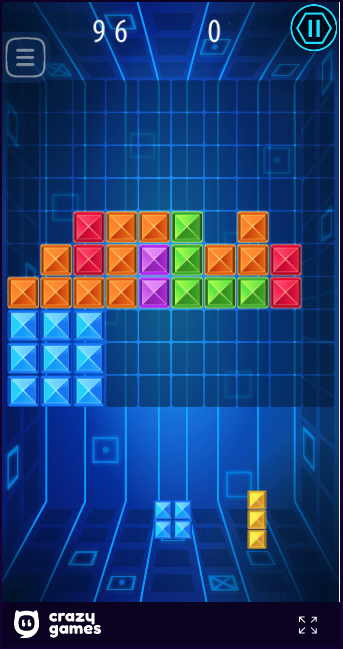
10 Games Like Tetris You Can Play Online for Free


Many people consider Tetris to be the perfect video game. A version of the game is available for nearly every games console, handheld, and operating system in existence, plus other devices like calculators.

There are also plenty of other games like Tetris, with developers taking the successful formula and attempting to make it their own. And a lot of these Tetris games can be played online in your web browser.

So, here are the best games like Tetris you can play for free online…

1. Tetris.com

Tetris.com Official

What better place to start than the official online home of Tetris? This version, hosted by The Tetris Company, offers a clean and simple version of Tetris. You can control it using a keyboard or mouse, and the game offers customizable controls and a few options to personalize your experience.

It’s nothing fancy, but it’s nice to know you’re playing the genuine version instead of a Tetris knockoff.

2. Tetris Gems

Tetris Gems

The official Tetris site also has a variant on the classic game available. In Tetris Gems, you start with a few layers of rock at the bottom of the board. When you clear a line, instead of the entire row disappearing at once, it turns into 10 individual blocks and drops down.

These pieces can clear more lines below, creating huge combos. As you clear through the rock, you’ll unearth gems that provide you with useful bonuses. It’s just different enough to give Tetris fans something fresh to enjoy without killing the spirit of the original.

3. Tetris N-BLOX

Tetris N-BLOX

This version offers a similar experience to the official Tetris site, with a few small differences. It doesn’t support mouse controls, you can’t hold a piece, and you can only see one upcoming tetromino instead of three.

In addition, piece “lockdown” occurs almost instantly, so you can’t juggle a block when it reaches the stack. All of these differences make it more akin to classic Tetris, such the NES version, than more modern variants.

4. First-Person Tetris

First-Person Tetris

So far, we’ve looked at relatively normal Tetris games, but this Tetris-like game adds an additional layer of challenge. It puts your view in front of a TV playing Tetris, but the twist is that when you rotate a block, the entire screen rotates with it.

It’s tough to keep track of where you block will end up with your view spinning around. If you want to make it even more challenge, enable Light Out on the menu to make everything but the blocks dark. In Crisis will zoom in on your block, making it hard to see anything else.

5. Tetris 3D

Tetris 3D

Another Tetris-like puzzle game, Tetris 3D changes up the rules a little. Instead of a 2D board, you’ll need to navigate pieces around a circle. Once you fill a complete line of 15 blocks, it will disappear just like in regular Tetris. Unlike most Tetris games, this also starts you with some blocks already on the field.

You can choose from Classic, Time Track, and Leveller modes. While it’s not much to look at, you’ll definitely have some fun here.

6. Mario Tetris

Mario Tetris

If Super Mario Bros. was turned into a Tetris-type game, this would be the result. In it, you switch between controlling Mario in standard platformer fashion and using Lakitu to drop blocks in a Tetris-like setup.

You’ll need to use blocks wisely, both to clear walls from Mario’s path and create platforms for him to use. Be aware, though, because enemies can still hit Mario when you’re playing Tetris!

Unfortunately, Mario Tetris is a Flash game. Since Flash is disappearing, you should learn how to download Flash games to play offline. Allowing you to keep titles such as this one around after it has gone.

7. TenTrix

If you like the idea of Tetris but prefer something slower-paced, this off-brand Tetris offering is for you. Instead of pieces dropping automatically, you must drag blocks that appear in groups of three onto a 10×10 board.

A complete row will disappear once filled, but if you can’t place a block anywhere then it’s game over. TenTrix features some pieces that are different from the standard tetrominoes, so you’ll need to work wisely to avoid boxing yourself out.

8. Jstris

Jstris Multiplayer

This site has a lot to offer for Tetris fans. In particular, it’s one of the best ways to play multiplayer Tetris online for free. When you first visit the site, it throws you into a live game with other players. Since there’s no ranking system, you could be up against beginners or hardcore experts.

This multiplayer match allows you to send garbage to your opponents by clearing multiple lines at once. If you want to play a different mode, Jstris has lots to offer in both single-player and multiplayer flavors. Have a look at the Jstris Guide for an explanation of what’s on offer here.

9. Blockout

Blockout Tetris Game

Blockout is a classic game like Tetris that plays in three dimensions. You’ll need to direct pieces and rotate them along all three axes as they drop from the top of the screen. A layer will disappear when completely filled in.

If you feel you’ve mastered regular Tetris and want to add another dimension, this is a great way to challenge yourself. The DOS version is available to emulate online, as well as an authorized remake titled Blockout II that’s free to download.

10. Worldwide Combos

Worldwide Combos Tetris

Looking for a more competitive Tetris experience? This Tetris clone tasks you with going on-on-one against an opponent. Your goal is to knock out your opponent (by stacking their blocks to the top) more times than they do to you.

It’s newer than Jstris so there aren’t as many players, but it also features a ranking system to ensure you play against people who are close to your skill level. You’ll need to create a free account to make the most of it, but it’s worth it if you’re looking to improve at Tetris.

What’s Your Favorite Tetris Game?

In this article we’ve looked at several free online versions of Tetris, some traditional and some quite different. Unfortunately, the once-popular Tetris Friends is no longer around, and many Tetris-type games require Flash, which is on its way out. However, these games like Tetris should keep fans of the classic puzzler happy.

For more like this, check out our list of the best puzzle games to play in your browser.

Read the full article: 10 Games Like Tetris You Can Play Online for Free


Read Full Article

How bumble bees inspired a network of tiny museums | Amanda Schochet

How bumble bees inspired a network of tiny museums | Amanda Schochet

Sometimes, small things make a huge impact. After studying how bees in urban environments can survive by navigating small land patches, ecologist Amanda Schochet was inspired to build MICRO, a network of portable science museums the size of vending machines. Learn how these tiny museums are being deployed in libraries, community centers, transit hubs and elsewhere to increase public access to science.

Click the above link to download the TED talk.

The Raspberry Pi 4 gets more RAM for $35


The Raspberry Pi Foundation has updated its flagship model, the Raspberry Pi 4. It’s still the same awesome tiny single-board computer with a lot of connectors. But the entry level now comes with 2GB of RAM instead of 1GB of RAM for the same price of $35.

The foundation says that RAM prices have been dropping lately, so it has become cheaper to build Raspberry Pi devices with more RAM. If you want more RAM, you can still buy a 4GB model for $55 — the price hasn’t changed.

If you’re using a ton of 1GB models for your industrial projects, you can still buy the old 1GB model for $35. This way, it doesn’t create compatibility issues or you don’t have to split your fleet of Raspberry Pi devices between 1GB models and 2GB models. But makers and hobbyists should definitely buy the 2GB over the 1GB model from now on as it’s the same price.

As the Raspberry Pi Foundation is approaching its eight birthday, it is looking back at the evolution of the Raspberry Pi. The original Raspberry Pi already cost $35, but it is drastically more powerful today.

In eight years, you get a 40x CPU performance increase, 8x memory increase, 10x input/output bandwidth increase and there’s a Wi-Fi chip. This isn’t just a tiny computer to play around with. You can now do a ton of stuff with a Raspberry Pi and even replace your desktop computer if you mainly use it for web browsing and basic tasks. The Raspberry Pi Foundation has sold 30 million devices so far.


Read Full Article

Blueprints Helps You Build Websites Faster With Over 500 Ready-Made Blocks


When you have an idea for a profitable business or personal project, taking swift action is important. The sooner you make progress, the less likely you are to lose motivation or get distracted. If your idea involves creating an online presence, Blueprints Website Builder for Mac can help you act quickly. With 500 ready-made blocks, this platform helps you build a powerful website in minutes — no coding skills required. You can get a lifetime subscription now for $39 at MakeUseOf Deals.

Get Online Faster

In contrast with many solutions, Blueprints was built for speed.

Based on the popular Bootstrap framework, this platform provides a true WYSIWYG experience. Just as importantly, you don’t always have to start from scratch. Blueprints has more than 200 templates to choose from, and over 500 blocks to work with.

All the templates and blocks are responsive, so they will work perfectly on desktop and mobile devices. In addition, Blueprints sites are really fast. This makes your website attractive to Google and other search engines, meaning you should rise up the rankings.

The platform exports clean code in a flat HTML file, which you can host anywhere. With a lifetime subscription, you can create as many sites as you like.

Unlimited Building for $39

Lifetime access to Blueprints is worth $149, but you can pick up your subscription now for just $39.

Read the full article: Blueprints Helps You Build Websites Faster With Over 500 Ready-Made Blocks


Read Full Article

GOG Now Offers Refunds On Games You’ve Already Played


most-influential-pc-games

GOG has updated its refund policy, and the change is great news for consumers. GOG’s updated refund policy means you can get your money back on a game, even if you have already started playing it. As long as you do so within 30 days of purchase.

What Is GOG’s Updated Refund Policy?

GOG previously only offered refunds on games until you downloaded them. At which point GOG considered your purchase to be final. However, in a post on GOG News, GOG has announced a change to its refund policy, along with a FAQ for anyone who needs details.

GOG will now give you a full refund on your game within the first 30 days. And this stands even if you have downloaded it, launched it, and played it. You could technically play a game through in full before claiming a refund, but that would be mildly immoral.

GOG is keen to stress that it’s monitoring refunds “to make sure no one is using this policy to hurt the developers that put their time and heart into making great games”. The FAQ also state that GOG “may refuse refunds in such individual cases”.

GOG Beats Steam and Epic on Refunds

This is a fantastic move from GOG. It means consumers can buy a game safe in the knowledge that they can return it for a full refund within 30 days. Which essentially means you can try a game out for several hours to see whether it’s for you.

For the sake of comparison, Valve and Epic Games both currently offer refunds up to 14 days after purchase. However, if you have played the game for more than two hours you’re probably not going to get your money back. Thus, GOG has given itself a competitive edge.

On that note, you should check out our article pitting Steam vs. the Epic Games Store.

Read the full article: GOG Now Offers Refunds On Games You’ve Already Played


Read Full Article

6 WordPress Plugins to Secure Your Website From Hackers


wordpress-security

You’ve got your own site and need to make it secure. But how do you start implementing solid security measures? Plugins are basic add-ons to your WordPress website, giving you extra functionality.

Some customize the look of your posts. Some boast search engine optimization features. And there are some great plugins to make sure your website is safe from hackers, bots, and malware.

Here are some of the best WordPress plugins you should need to protect your site from cyberattacks.

1. Wordfence

wordpress plugin offers endpoint firewall on your server

As its name implies, Wordfence Security is designed chiefly for WordPress. It’s also one of the most popular plugins, boasting over 150 million downloads. That’s because even its free version includes all the main things you need to protect your website. It’s also very easy to use, with a pleasing layout that lets you simply assess and block main threats.

Its firewall runs on the endpoint, i.e. your server, which, unlike cloud services, doesn’t break end-to-end encryption. In theory, the downside is that it could slow down your site. However, there’s no noticeable lag and its positives completely outweigh the negatives.

It’s a comprehensive approach to security, allowing you to manually block suspicious IP addresses and countries known for cyberattacks which aren’t your target audience. You get access to live stats, to identify attempted hacks, Google crawlers, and malicious bots.

Wordfence is free to use on multiple WordPress sites, but there is a premium option which offers faster updates. These are rolled out to free users 30 days later.

Especially impressive is the additional service Wordfence offers: if you’ve been hacked, the developers will clean your site, secure it again, and give you a year’s subscription to premium (worth $99) for just $179.

2. All in One WP Security & Firewall

All in One WP Security & Firewall recognizes that not everyone knows what happens behind the scenes online. They just want to run a website for a specific purpose without having to learn programming.

This plugin is designed for different levels of expertise: Basic, Intermediate, and Advanced. All in One WP Security & Firewall is a great plugin, no matter if you’re inexperienced or a developer.

First, it fairly grades your site’s security and suggests how to make it safer. It will implement the latest security tips from WordPress’ parent companion, Automattic. And you can create a blacklist of certain requirements in order to block a user. That means, if you notice a particular malicious trend affecting your blog, you can counter it.

This is all completely free too!

All in One WP Security & Firewall automatically takes backups of your site, so nothing is lost in the event of a hack. However, be careful: some hosts like Kinsta don’t let you take your own backups and will block this plugin. Research this before adding All in One WP Security & Firewall to your plugin list.

3. Login LockDown

secure wordpress plugin stops failed login attempts

Brute force attacks work by bombarding login pages with information. Hackers can gain access to a site this way—especially if using obvious username and passwords, like “1234” or “password”. We advise against it, but nonetheless, many users still use basic login details. Brute force attacks are not only dangerous for your site: they also slow it down for genuine visitors.

Login LockDown works by recording the IP addresses and timestamps of every login. If there are more than three failed login attempts in five minutes, the plugin locks those IPs out from the login page for an hour.

You might be worried about this if you have numerous contributors to your site; after all, you don’t want them locked out if they forget their password. Fortunately, admins can release locked IP addresses in Login LockDown’s options panel.

Here, you can also customize the number of failed login attempts before restrictions are implemented.

4. Jetpack

jetpack wordpress plugin price security comparison chart

Most WordPress users have Jetpack, but not solely for its security features.

Created by Automattic, Jetpack offers accurate stats, theme customization, and an SEO tool. That’s in addition to security features like spam filters and protection against brute force attacks.

While its free version isn’t the best available, its dual functions—security and site optimization—make it a fantastic option for newcomers and seasoned developers. It does slow websites down, but it’s not a considerable lag.

Jetpack Premium (from $99 per year) further offers VaultPress, which automatically backs up your site. This happens on their own servers, so your site doesn’t experience any lags. The backup is then scanned for malware and suggests patches. Jetpack’s Professional version will fix these security problems for you too.

VaultPress can be bought on its own, but works in conjunction with Jetpack if you’ve installed that already.

5. Google Authenticator

2FA two-factor authentification wordpress plugin screencap

Some plugins offer two-factor authentication on login, but many don’t. And yet it’s essential for keeping your site secure. That’s where Google Authenticator comes in.

Two-factor authentication means anyone logging in has to use multiple methods to get into your site.

If someone’s found out your password, for instance, they can’t gain access without a second factor. If you’re accessing it via your smartphone, this might be your fingerprint or Face ID. Alternatively, an authentication code can be sent to a registered device when the relevant password is used on a PC or laptop. Google Authenticator lets you choose the right method for you.

The basic free model is perfect for this. The Standard package is available at a small increment, starting at just $5 a year (catering for up to two users), and includes security questions as an added measure. The Premium upgrade has numerous further features including greater customization.

Each package boasts add-ons for short-codes and personalization. But for most, the free version is ideal.

6. BulletProof Security

BulletProof Security offers a free version or a one-off lifetime payment of $69.95—both are great for most websites. Don’t be put off by BulletProof Security’s simplistic aesthetics: it’s a decent plugin that offers a firewall, backups, and typical malware scanning.

Beyond those basic functions, it also has idle session logout. If anyone’s logged into your site then left that tab open, BulletProof Security will sign out after a little time. It means no strangers can gain access through open sessions.

The interface isn’t the easiest here. Fortunately, it comes with a free set-up wizard so you can implement the basics without giving yourself a headache. It’s particularly good for developers, though, with exclusive intruder detection features.

It includes a Maintenance Mode feature, which locks people out of your site until you deactivate it. True, your stats will be affected by the loss of traffic, but this gives you time to apply updates, take backups, and could be used for promotion purposes.

You don’t want clients visiting a half-finished website, so Maintenance Mode generates hype by telling them when to return.

Your WordPress Site Is Secured—What Next?

Now you’ve secured your website, there are many other further plugins available to make it exactly how you envision it. Many increase your site’s performance; others add social functionalities like Disqus and social media sharing buttons.

With your WordPress site secure, it’s time to make it more popular.

Read the full article: 6 WordPress Plugins to Secure Your Website From Hackers


Read Full Article

Oculus Go vs. Quest vs. Rift: Which VR Headset Do You Need?


which-vr-headset

While not the only VR headset manufacturer on the market, Oculus leads with a selection of affordable devices to suit every niche. Each of these is served by an integrated software store. Let’s briefly look at the defining characteristics of each, before helping you decide which is right for you.

Oculus Go

The Oculus Go is the oldest and cheapest headset Oculus has to offer. It’s an all-in-one device that doesn’t need to be tethered to a computer (and cannot, even if you wanted to, unlike the Quest). The 32GB version costs $150; or the larger 64GB model is $200.

Oculus Standalone VR Headset Oculus Standalone VR Headset Buy Now On Amazon $168.95

The Oculus Go runs at a resolution of 1280x1440px per eye, at 60 or 72Hz (analogous to frames per second or FPS). It only tracks the rotational movement of your head; this called 3DOF, or 3 degrees of freedom. You can tilt and rotate your head to look around the virtual environment, but not move around.

Crucially, moving your head forward or backward may cause motion sickness as the movement isn’t replicated visually. It’s designed to be used while sitting in one place.

The package includes a single basic controller, but it’s best considered as a virtual pointing device rather than an equivalent to the immersive fully tracked controllers included with the Rift S and Quest.

In terms of comfort, the Oculus Go ships with a fabric head strap. It’s not comfortable for longer sessions or active gaming, but it should be fine for relaxing and watching a movie.

oculus go in use

When originally reviewed, we hailed the Oculus VR as the best mobile VR yet, but that was nearly two years ago. At this point in time, we don’t recommend the Oculus Go to anyone. There’s very little software being actively developed for it, as attention from both users and therefore developers has shifted over to the Oculus Quest.

Oculus Rift S

The Rift S is a tethered headset, which means it requires a wired connection to a PC in order to function. It costs $400, but doesn’t contain its own internal processing or storage; it is purely a display peripheral. As such, the graphical capabilities depend on the computer you connect it to.

The minimum requirements are a GTX960/1050Ti, an i3-6100 CPU, 8GB of RAM and Windows 10; though you will not be able to comfortably play the most graphically advanced games on it. Unlike regular screen gaming, VR games are more demanding and must be rendered twice (once for each eye). So even if your machine seems powerful enough for regular gaming, you may find it’s substandard for VR.

Oculus Rift PC Powered Gaming Headset Oculus Rift PC Powered Gaming Headset Buy Now On Amazon $560.00

Like the Oculus Go, the Rift S also runs at 1280x1440px, but with a higher refresh of 80Hz. The perceived resolution can be improved by the use of supersampling if your PC is powerful enough.

oculus rift s

Both the Rift S and Quest provide full 6DOF positional tracking through the use of on-headset cameras, meaning that no external sensors or other tracking equipment are required. You can move around your room and two included controllers will be fully tracked. The Rift S is easier to set up than some other PC VR headsets but does require a well-lit room. You can alternatively use an infra-red floodlight for night time use.

The Rift S is equipped with five tracking cameras, while the Quest has four, but this makes little difference to the tracking capabilities.

The Rift S uses a unique “halo” style rigid head strap, similar to the PSVR. It can be easily tightened via a ratcheting dial, and shifts the weight of headset away from your face, making it the most comfortable of Oculus headsets for longer sessions.

Oculus Quest

The Oculus Quest is a hybrid mobile headset, meaning it can function both as a standalone wireless all-in-one mobile headset, or as a tethered headset with a PC via a USB-C cable. When used as a tethered headset, you gain access to the full Oculus desktop library of games, as well as Steam VR.

The headset itself offers a per-eye resolution of 1440x1600px, the highest of any Oculus headset; and runs at 72Hz. Like the Rift S, when connected to a PC, the perceived resolution can be increased through the use of supersampling. However, running over limited USB-C bandwidth means some compression artifacts can be seen in the periphery.

Even as a standalone headset, it offers what would be described as a full VR experience, unlike any other mobile headset. It’ll track your motion as you move around your room, and includes two fully tracked motion controllers for immersive VR gaming and interactions. This is mobile VR as you’ve never seen it before–our Oculus Quest review declared it “incredible.”

The Quest software library is vast, and some titles are available as “crossbuy”, meaning that a single purchase will entitle you to both the mobile and desktop versions. Beat Saber fans will be pleased to know that custom songs can be downloaded via SideQuest.

Like the Rift S, Quest also uses on-headset cameras to provide positional tracking (four of them), but in addition, it features a dark mode for cinematic movie viewing. When no light is available for the camera-based tracking to operate fully in 6DOF mode, the Quest will fall back to a 3DOF rotational tracking, the same as the Oculus Go.

This is ideal for media consumption, as you won’t need to move around or use controllers.

No Controllers? Use Your Hands

That’s not all though: Oculus has also recently added native hand tracking, albeit as a beta feature for now. If the headset can’t see your controllers, it’ll attempt to track your hands instead, allowing for basic menu interactions through the use of hand gestures only.

While not suitable for action gaming, in future you can expect media and other casual apps to make use of this feature. This is a free upgrade and requires no additional hardware or software.

The Oculus Quest will also be the first headset to get access to Facebook’s new social VR environment. Horizon is slated to launch early 2020.

The 64GB Oculus Quest costs $400, while a 128GB version is also available for $500, however, both are frequently out of stock due to popularity. If you plan on using it connected to a PC, you’ll also need to purchase a USB-C cable capable of data transmission.

Oculus Quest All Gaming Headset Oculus Quest All Gaming Headset Buy Now On Amazon $535.00

What About Audio Quality?

We haven’t mentioned audio as it’s similar across all the current Oculus headsets, and is perhaps their greatest failing. Audio is produced in the main body of the headset and piped along the strap; there are no headphones. It’s best compared to audio from a phone, albeit in stereo. There’s very little bass, and worst of all: everyone around can hear you!

Of course, you can plug in your own headphones or earbuds, or even print an adaptor for the Oculus Quest that lets you replace the standard head strap with a Vive Deluxe Strap for the ultimate mobile solution.

oculus quest strap

Best Headset For PC VR: Oculus Quest vs Rift

The best overall Oculus headset for anyone is the Oculus Quest, offering an incredible mobile VR and good enough tethered experience. Since the Quest tethers using a USB-C to your PC rather than HDMI or DisplayPort, some compression artifacts occur around the periphery of your vision, but it’s still incredible by any definition.

Even if you think you aren’t interested in mobile VR (which is quite understandable given the bad taste Google Cardboard left in everyone’s mouth), it’s still worth getting the Quest purely for the freedom of experiencing “true VR” without cables. There are plenty of Oculus mobile apps that are as good as their PC counterparts, and it would be a shame to tie yourself to a PC.

I’ve been an ardent VR fan since the early days of the first Oculus Development Kit, and despite owning a Valve Index and powerful gaming PC, the truth is that most of my VR time is spent on the Quest. The freedom to play anywhere makes it a much more sociable experience, and it’s simply the quickest to pick up and play for short gaming sessions.

The fact that Facebook Horizon is coming to the Quest first, and new features are being added above and beyond what’s available to the Rift S, strongly indicates that’s where Facebook is pushing resources towards. Facebook sees mobile VR as the future, not desktop.

So if you’re on the fence about a Rift S or Quest, we’d heartily recommend the Oculus Quest. They both cost $400, and we’d argue that the additional features offered outweigh the downside of a slightly worse image.

oculus quest - playing outside
The Oculus Quest can work outside for ultimate freedom (but only after the sun has gone down).

Best Headset For Mobile VR: Oculus Go vs Quest

If you’re sure you want a mobile VR headset, your choice is between Oculus Go and Quest. The Oculus Quest has the option to also tether to a PC, but we’ll assume you’re not interested in that.

As a portable device purely for watching videos, the Oculus Go is a good ultra-low-budget option, but at this point in time should be considered outdated. Don’t expect truly immersive and fully-featured VR experiences, nor new software. At $150 for the 32GB version, the price is the only reason you’d opt for an Oculus Go rather than a Quest.

The Oculus Quest offers a full VR experience, but starts at $400 for the smallest 64GB option. If you can afford it, the Quest is definitely a better option both for breadth and quality of software offered. With a larger install base, more features, and easier accessibility, developers are increasingly creating games as either Quest exclusives or for both Quest and PC; not for the Oculus Go.

Oculus = Facebook

There’s one last but significant factor to consider: Oculus is wholly owned by Facebook. Worse still, if you want to make use of any social features of an Oculus headset, you must link a Facebook account. So if you plan on playing VR games with friends, you will need to accept whatever loss of privacy you believe that entails.

VR Alternatives to the Oculus Quest

We’re sorry to say that there is no worthwhile mobile alternative to the Oculus Quest. The Lenovo Mirage Solo is the closest competitor, but it runs Google Daydream, which is now effectively abandoned.

On the PC side, there’s no doubt that the best overall headset available today is the Valve Index, which we can wholeheartedly recommend as the best Rift S alternative. It offers a wider field of view, up to 144Hz refresh rate, and resolution of 1440x1600px. The only downside is that it costs $1000. Those on a budget of around $500 might look at the Samsung Oddysey+, a Windows Mixed Reality headset that offers a similar resolution but lower refresh rate.

We don’t recommend it, however. The controllers are nasty, only two tracking cameras provide an inferior experience, and the Windows Mixed Reality system is not as widely supported by SteamVR games.

The truth is that Oculus offers the best budget VR devices for everyone. But if you still aren’t sure, we think checking this list of  the best free VR games for Oculus will help make up your mind.

Read the full article: Oculus Go vs. Quest vs. Rift: Which VR Headset Do You Need?


Read Full Article
Facebook’s Libra Association adds crypto prime broker Tagomi


$28 million-funded crypto startup Tagomi will be the newest member of the Libra Association that governs the Facebook-backed Libra stablecoin, TechCrunch has learned. A formal announcement of Tagomi joining was slated for Friday or next week.

Tagomi offers a platform that helps large traders and funds easily access cryptocurrency markets. The news comes days after Libra added Shopify, a reversal of dwindling membership after major partners like Visa, PayPal, and Stripe dropped out late last year.

We’ve reached out to the Libra Association and have been promised a response by Facebook’s communications team.

Joinin Libra means Tagomi will be expected to contribute at least $10 million towards developing the cryptocurrency, with that investment eligible to reap dividends from interest earned on money kept in the Libra Reserve. Tagomi will also operate a node that validates transactions coming through the Libra blockchain.

Tagomi was founded by Jennifer Campbell, a former investor at Union Square Ventures which is also a Libra Association Member. The company has 25 employees across 5 offices. Tagomi will be the 22nd member of the Libra Association, according to information from the startup’s press representative who was apparently supposed to hold this news until later. “Tagomi is joining the Libra Foundation and Jennifer will be the newest member” they emailed TechCrunch. We’ll update this story following our interview with Campbell tomorrow.

Campbell and Tagomi will offer technical and policy support to Libra in an effort to make the cryptocurrency more safe and compliant with international law. That will be critical for the Libra Association to get the greenlight from regulators for a launch in 2020 like it originally planned. Lawmakers in the US and EU have slammed Libra in hearings and the press over its potential to facilitate money laundering, harm privacy, and destabilize the global financial system.

The full membership of the Libra Association is now:

Current Members:

Facebook’s Calibra, Tagomi, Shopify, PayU, Farfetch, Lyft, Spotify, Uber, Illiad SA, Anchorage, Bison Trails, Coinbase, Xapo, Andreessen Horowitz, Union Square Ventures, Breakthrough Initiatives, Ribbit Capital, Thrive Capital, Creative Destruction Lab, Kiva, Mercy Corps, Women’s World Banking.

Former Members:

Vodafone, Visa, Mastercard, Stripe, PayPal, Mercado Pago, Bookings Holdings, eBay.


Read Full Article

Twitter opens its ‘Hide Replies’ feature to developers


Last November, Twitter rolled out its Hide Replies feature to all users worldwide. The feature, largely designed to lessen the power of online trolls to disrupt conversations, lets users decide which replies to their tweets are placed behind an extra click. Today, Twitter is making Hide Replies available to its developer community, allowing for the creation of tools that help people hide the replies to their tweets faster and more efficiently, says Twitter.

These sorts of tools will be of particular interest to businesses and brands who maintain a Twitter presence, but whose accounts often get too many replies to tweets to properly manage on an individual basis. With Hide Replies now available as a new API endpoint, developers can create tools that automatically hide disruptive tweets based on factors important to their customers — like tweets that include certain prohibited keywords or those that score high for being toxic, for example.

Ahead of today’s launch, Twitter worked with a small number of developers who are now releasing tools that take advantage of the added functionality.

Jigsaw, an Alphabet-owned company tackling the worst of the web, has integrated Twitter’s new endpoint with its Perspective API, which uses A.I. to score tweets based on their toxicity. The integration will automatically hide replies that exceed a certain toxic threshold (.94), freeing up the time it would otherwise take to comb through replies manually.

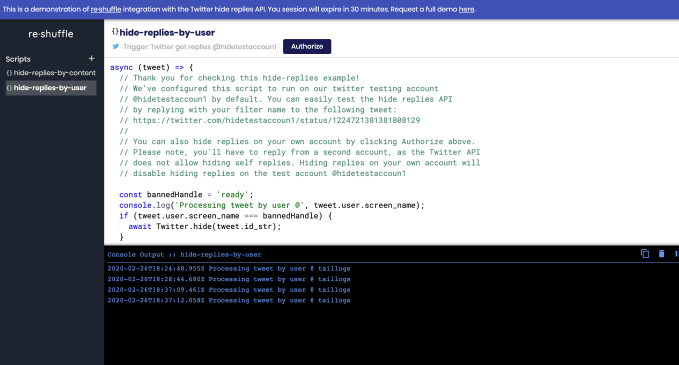
A scripting platform for business workflows, reshuffle, has used the endpoint to develop scripts that detect and hide replies based on keywords or even by user.

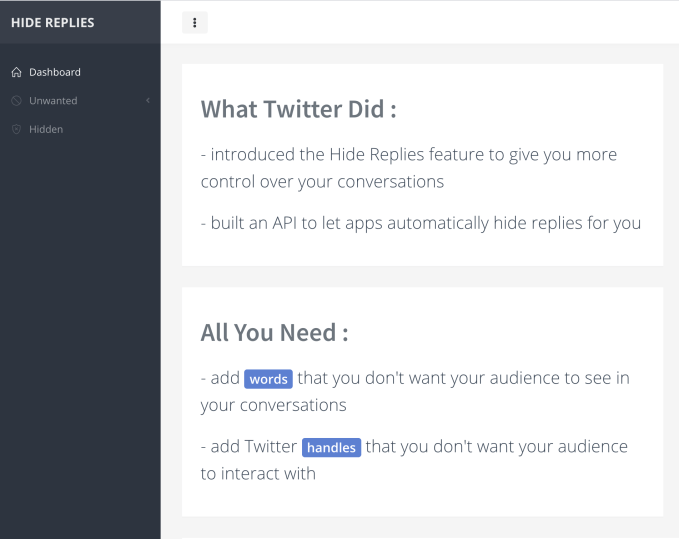
Dara Oladosu, the creator of the popular app QuotedReplies, also used the endpoint to build a new app called Hide Unwanted Replies. The app today automatically hides replies by keywords or Twitter handles. Soon, it will add support for hiding replies from likely troll or bot accounts — including tweets from user accounts created too recently or from accounts with few followers.

Hide Replies has been one of Twitter’s more controversial launches to date, as it could potentially allow users to silence critics or stifle dissent even when warranted — such as in the case of refuting misinformation or propaganda, for example. Others argue it’s not really helping address online abuse; the abuse still occurs, but in the shadows. One organization even recently leveraged Hidden Replies for a clever online campaign about how domestic violence goes unseen which further illustrates this problem.

Nevertheless, adoption of Hide Replies is growing, with organizations like the CIA even leveraging it on some tweets.

The new Twitter API endpoint for Hide Replies is available today to all developers in a production-ready form, Twitter says, initially through Twitter Developer Labs. This program launched last year to serve as a way for developers to try out Twitter’s latest APIs ahead of their wider release and offer feedback. Participation in Twitter Developer Labs is free, but interested developers have to sign up using an approved developer account. Twitter is also inviting developers building with the new endpoint to collaborate with the company by way of the community forums.

Based on early feedback from the first testers, Twitter says it’s already making a few changes to the endpoint including support to unhide replies via the endpoint, a higher rate limit to support high-volume use cases, and a way to retrieve a list of replies that indicate if they’re hidden or not.


Read Full Article

Bird is testing Bird Pay, which lets users purchase items from local businesses using its main app


Another on-demand transport app is making a move into payments to expand the existing relationship with its customers (and subsequent margins that it makes from serving them). Bird today announced the launch of Bird Pay, a service that will let people use its app to purchase items from local participating businesses alongside renting scooters. The service is being tested first in Los Angeles and Santa Monica, the company said.

Bird Pay will work by way of a QR code, which can be read via your app at the point of sale at participating businesses to make cashless purchases. (After scanning the code, you enter the amount you are charging and swipe up to complete the purchase.)

The company said that Bird Pay was created directly in response to requests from businesses themselves — who will be using the app to promote deals near to where Bird users pick up or drop off scooters. The link between local businesses and scooter rides is a strong one: Bird says it found that 58% of all the rides through its app start or end at a local business, and claims that businesses in all of its areas of operation — it’s now live in some 100 cities — say that the presence of Bird scooters outside their establishments have increased footfall.

“An early insight that emerged shortly after introducing Bird in Santa Monica was that it had the potential to not only allow people to avoid the chore of circling a block to find parking resulting in congestion and frustration, but it could also foster a more direct connection between people and local businesses,” said Travis VanderZanden, CEO and founder, Bird, in a statement. “Store owners in the community often tell me, ‘Birds outside bring business inside.’ This phenomenon paired with our commitment to community resulted in Bird Pay which helps drive even more customers to local businesses.”

Adding in payments to on-demand transport apps has become something of a tested and successful formula. In Asia, companies like Grab have built rather extensive payments operations on top of their transportation apps — businesses big enough to be raising hundreds of millions of dollars in their own right to expand. And several months ago, Uber also started to test the waters in this area with the launch of Uber Money.

Of course, services like Grab’s have a slightly bigger greenfield when it comes to winning business: in many of the regions where Grab operates, cash is often still king; therefore, having a relationship with a user, where a mobile app is already being identified with “virtual money” (with money either being preloaded into an app or linked to a payment card), gives the app publisher an easy opening to expanding that relationship, such as payments for local goods and services.

The challenge in the U.S., where Bird is based and operates primarily, is somewhat different: people are already used to plastic cards, and their phones may already have one or more payments apps active already. Both Apple Pay and Google’s Android-based offering have had strong take-up, as have alternatives from Samsung, PayPal and many others. That means a much more crowded playing field for Bird or any other new entrant.

On the other hand, we are creatures of convenience, and if we already have the Bird app open to open or close off a ride, that could just be the lower friction we need to use it to buy something. Time will tell if this particular bird will, indeed, fly.

Bird last October raised some $275 million at a $2.5 billion valuation.


Read Full Article