20 January 2020

You Can Still Upgrade to Windows 10 for Free! Here’s How


Microsoft finally ended support for consumer copies of Windows 7 in January 2020. If you’re one of the many holdouts, the end is finally nigh. You’re faced with a choice of upgrading to Windows 10 or leaving your computer increasingly vulnerable to an endless list of cyberthreats.

Unlock the FREE "Ultimate Windows Keyboard Shortcuts" cheat sheet now!

This will sign you up to our newsletter

Enter your Email

Thankfully, you’re in luck—for now. It is still possible to upgrade to Windows 10 for free by using a method that was officially axed in 2018.

Upgrade to Windows 10 for Free

windows 10 media creation tool

Follow the instructions below to learn how to upgrade to Windows 10 for free:

  1. Head to the official Windows download website.
  2. Look for Create Windows 10 installation media > Download tool now.
  3. Click on Run.
  4. Select Upgrade this PC now (or Create installation media for another PC if you want to install Windows 10 on a different machine).
  5. Follow the remain on-screen installation prompts.

Despite being a loophole, there is nothing wrong with upgrading to Windows 10 using this method. You will receive a full and legal Windows 10 license. It will b connected to your Microsoft Account profile.

But remember, we cannot guarantee how long this loophole will remain open. Microsoft could pull the plug at any moment. If you’d rather save yourself some cash, you need to move quickly.

How to Pay For Windows 10 Upgrade

windows 10 upgrade

Even if Microsoft does close the loophole to upgrade from Windows 7 to Windows 10 for free, it will always be possible to upgrade to Windows 10 via the Microsoft website. A Windows 10 license costs a one-off fee $139.

If you want to upgrade to Windows 10 Pro, the cost is $199. Windows 10 Pro gives you some extra features, including remote desktop, BitLocker, the ability to create and run virtual machines with Hyper-V, and Azure Active Directory.

Regardless of which package you choose, you can choose to download the installer for your new copy of Windows for either the desktop or a USB stick. Make your choice directly on the Microsoft website. Once the installation app is running, just follow the on-screen instructions.

Lastly, you could hit the shops and upgrade your laptop at the same time. A mid-spec Windows 10 laptop is very reasonably priced. To learn more, check out our list of the best Windows laptops.

Read the full article: You Can Still Upgrade to Windows 10 for Free! Here’s How


Read Full Article

The 5 Best Farming Games on Android and iOS


farming-simulators-mobile

Here at MakeUseOf, we love gaming. We like lots of different genres, including farming games. There’s something intensely relaxing about raising livestock and watering crops without having to do any of the hard work. Hence our appreciation of farming sims.

While there are tons of farming games that you can play on PC, there are also plenty of free-to-play farming games available to play on mobile. So, after playing a bunch to sort the wheat from the chaff, here are the best farming games for your smartphone.

1. Tiny Sheep

farming games - Tiny Sheep

Tiny Sheep is exactly what it sounds like—a mobile farming game that allows you to raise sheep on a rustic piece of land.

The main goal of this game? Buy sheep, feed the sheep, and sell their wool for new supplies to make your farm more efficient.

It’s like a cross between a pet game and a farming simulator. With absolutely adorable graphics and a very simple setup, Tiny Sheep ends up being really simple to use.

Right from the get-go, this farming sim guides you along your path to wooly dominance with handy visual instructions. There are both in-app purchases and in-game ads, but found that these didn’t spoil our fun.

Is Tiny Sheep the flashiest, most addictive game on our list? No, but it’s very entertaining.

Download: Tiny Sheep for Android | iOS (Free, in-app purchases available)

2. Hay Day

farming games - Hay Day

Hay Day was a farming simulation game that we honestly did not expect to enjoy as much as we did. On the surface it looks very similar to Farmville, which was definitely not a mark in its favor.

To our pleasant surprise, however, this game turned out to be fun and incredibly engaging. Hay Day strikes the right level between automation and customization. The goal of it is to raise livestock and plant crops to turn a profit. You can then use that profit to upgrade your farm.

Your farm will run on its own while you’re not actively playing the game. When you are actively playing it you can upgrade and buy new items, animals, or tools.

You can also move these items, animals, or tools around on your map to make your farm look exactly the way that you want.

Outside of this clever balance between automation and customization:

  • The levelling-up system in Hay Day is simple to follow.
  • The rewards are paced at an even speed so that the game doesn’t get boring, but you don’t run out of reasons to come back for more.

In fact, the game played so smoothly for us that we even changed our mind about the art style and the idea that it was “Farmville-esque.”

The best thing of all? While Hay Day uses in-app purchases, the game is still functional without them. You also don’t have to see so many ads that they interfere with the game itself.

Download: Hay Day for Android | iOS (Free, in-app purchases available)

3. Egg, Inc.

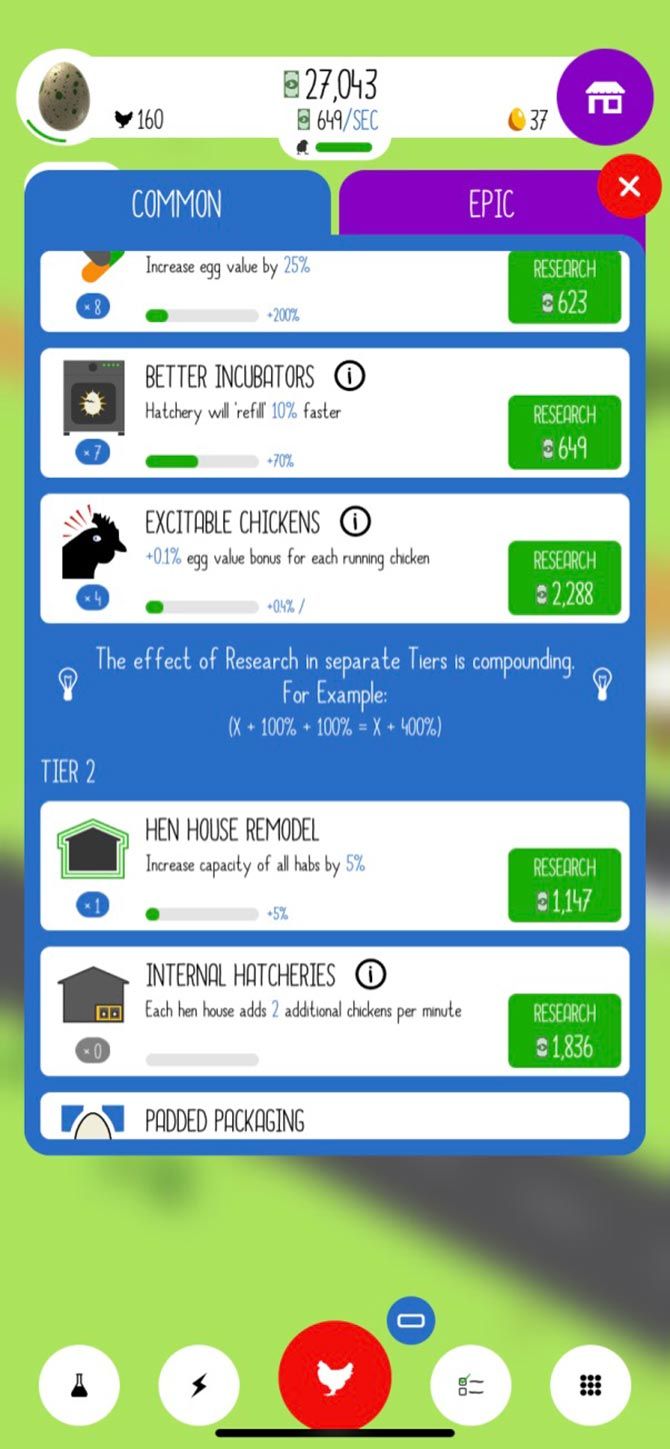
Egg, Inc. is a farming game that I’ve personally been playing for over a year, mostly because I’m a huge fan of its in-game aesthetic. If you open it up, you’ll see that the game goes for bright, quirky, and colorful, with a sort of “indie” look.

As an almost entirely automated tapping game that runs in the background, the goal of Egg, Inc. is to build up a poultry farm and turn it into a massive, profit-making machine.

The ways that you can increase your profits are by:

  • Tapping the screen to lay more eggs.
  • Researching new chicken-raising technologies.
  • Upgrading your farm building or supplies.

While this game does have a nice look, it’s unfortunately one of those extremely simple apps that only needs to be played for 10 minutes a night. There is basically no free choice left for the gamer, due to everything being automated. So anything more than 10 minutes and you’ll get bored.

Download: Egg, Inc. for Android | iOS (Free, in-app purchases available)

4. Blocky Farm

farming games - Blocky Farm

Looking for a game that is almost identical to Hay Day in terms of game mechanics, but which has a distinctly different look?

Try Blocky Farm, a free-to-play farming simulator available for both Android and iOS. When we say the two games are nearly identical, by the way, we mean literally.

The gameplay between these two apps mirrors each other.

  • Both Hay Day and Blocky Farm have a similar level of in-game purchases, and the same level of ads.
  • Both of them give you easy-to-understand instructions, and help you work towards your goal of building up a profitable farm.
  • In both games, the way to turn a profit is through raising livestock and planting crops.

The only major difference is that Blocky Farm mimics an older style of pixelated graphics. You also get to buy, raise, and play with your own pets early on in the game, unrelated to the farm itself.

Choosing which game you want to engage with really depends on what kind of graphics you like, as they’re both so similar. If you love anything with a retro aesthetic, here’s an additional list of free retro mobile games for nostalgia junkies.

Download: Blocky Farm for Android | iOS (Free, in-app purchases available)

5. Farm Heroes Saga

Last on our list is Farm Heroes Saga, a tapping puzzle game with a distinct farming sim appeal.

Like Tiny Sheep, Farm Heroes Saga is kind of a cross-genre blend. The main goal of the game is to match different fruits and veggies on a checkered playing board.

  • When you match three or more veggies of the same type in a row, they are cleared from the map.
  • The points gained from these matches go towards your overall score, which needs to pass a certain threshold in order for you to level up.
  • Through the points that you gain on each level, you also get to move your player across a larger playing board in Farm Heroes Saga—similar to the winding path that you see in My Tamagotchi Forever, another free-to-play mobile game.
  • As you reach the higher levels, you can gain different animals, objects and power-ups to help you around the farm.

While this game is absolutely not a simulator in the traditional sense—it definitely leans more on the puzzle side—Farm Heroes Saga is a good alternative for people who want to play something farming-related for a few minutes each night.

Download: Farm Heroes Saga for Android | iOS (Free, in-app purchases available)

The Best Farming Games to Scratch That Itch

Perhaps the reason why mobile farming games are so popular has to do less with farming itself and more with the “idea” of it. After all, farming is a labor-intensive career, but it’s fun to imagine growing your own food with almost no hard work involved.

Looking for some other simulator games to play? Then here is a list of the best virtual pet games for your mobile.

Read the full article: The 5 Best Farming Games on Android and iOS


Read Full Article

Google’s Sundar Pichai doesn’t want you to be clear-eyed about AI’s dangers


Alphabet and Google CEO, Sundar Pichai, is the latest tech giant kingpin to make a public call for AI to be regulated while simultaneously encouraging lawmakers towards a dilute enabling framework that does not put any hard limits on what can be done with AI technologies.

In an op-ed published in today’s Financial Times, Pichai makes a headline-grabbing call for artificial intelligence to be regulated. But his pitch injects a suggestive undercurrent that puffs up the risk for humanity of not letting technologists get on with business as usual and apply AI at population-scale — with the Google chief claiming: “AI has the potential to improve billions of lives, and the biggest risk may be failing to do so” — thereby seeking to frame ‘no hard limits’ as actually the safest option for humanity.

Simultaneously the pitch downplays any negatives that might cloud the greater good that Pichai implies AI will unlock — presenting “potential negative consequences” as simply the inevitable and necessary price of technological progress.

It’s all about managing the level of risk, is the leading suggestion, rather than questioning outright whether the use of a hugely risk-laden technology such as facial recognition should actually be viable in a democratic society.

“Internal combustion engines allowed people to travel beyond their own areas but also caused more accidents,” Pichai writes, raiding history for a self-serving example while ignoring the vast climate costs of combustion engines (and the resulting threat now posed to the survival of countless species on Earth).

“The internet made it possible to connect with anyone and get information from anywhere, but also easier for misinformation to spread,” he goes on. “These lessons teach us that we need to be clear-eyed about what could go wrong.”

For “clear-eyed” read: Accepting of the technology-industry’s interpretation of ‘collateral damage’. (Which, in the case of misinformation and Facebook, appears to run to feeding democracy itself into the ad-targeting meat-grinder.)

Meanwhile, not at all mentioned in Pichai’s discussion of AI risks: The concentration of monopoly power that artificial intelligence appears to be very good at supercharging.

Funny that.

Of course it’s hardly surprising a tech giant that, in recent years, rebranded an entire research division to ‘Google AI’ — and has previously been called out by some of its own workforce over a project involving applying AI to military weapons technology — should be lobbying lawmakers to set AI ‘limits’ that are as dilute and abstract as possible.

The only thing that’s better than zero regulation are laws made by useful idiots who’ve fallen hook, line and sinker for industry-expounded false dichotomies — such as those claiming it’s ‘innovation or privacy’.

Pichai’s intervention also comes at a strategic moment, with US lawmakers eyeing AI regulation and the White House seemingly throwing itself into alignment with tech giants’ desires for ‘innovation-friendly’ rules which make their business easier. (To wit: This month White House CTO Michael Kratsios warned in a Bloomberg op-ed against “preemptive, burdensome or duplicative rules that would needlessly hamper AI innovation and growth”.)

The new European Commission, meanwhile, has been sounding a firmer line on both AI and big tech.

It has made tech-driven change a key policy priority, with president Ursula von der Leyen making public noises about reining in tech giants. She has also committed to publish “a coordinated European approach on the human and ethical implications of Artificial Intelligence” within her first 100 days in office. (She took up the post on December 1, 2019 so the clock is ticking.)

Last week a leaked draft of the Commission proposals for pan-EU AI regulation suggest it’s leaning towards a relatively light touch approach (albeit, the European version of light touch is considerably more involved and interventionist than anything born in a Trump White House, clearly) — although the paper does float the idea of a temporary ban on the use of facial recognition technology in public places.

The paper notes that such a ban would “safeguard the rights of individuals, in particular against any possible abuse of the technology” — before arguing against such a “far-reaching measure that might hamper the development and uptake of this technology”, in favor of relying on provisions in existing EU law (such as the EU data protection framework, GDPR), in addition to relevant tweaks to current product safety and liability laws.

While it’s not yet clear which way the Commission will jump on regulating AI, even the lightish-touch version its considering would likely be a lot more onerous than Pichai would like.

In the op-ed he calls for what he couches as “sensible regulation” — aka taking a “proportionate approach, balancing potential harms, especially in high-risk areas, with social opportunities”.

For “social opportunities” read: The plentiful ‘business opportunities’ Google is spying — assuming the hoped for vast additional revenue scale it can get by supercharging expansion of AI-powered services into all sorts of industries and sectors (from health to transportation to everywhere else in between) isn’t derailed by hard legal limits on where AI can actually be applied.

“Regulation can provide broad guidance while allowing for tailored implementation in different sectors,” Pichai urges, setting out a preference for enabling “principles” and post-application “reviews”, to keep the AI spice flowing.

The op-ed only touches very briefly on facial recognition — despite the FT editors choosing to illustrate it with an image of the tech. Here Pichai again seeks to reframe the debate around what is, by nature, an extremely rights-hostile technology — talking only in passing of “nefarious uses” of facial recognition.

Of course this wilfully obfuscates the inherent risks of letting blackbox machines make algorithmic guesses at identity every time a face happens to pass through a public space.

You can’t hope to protect people’s privacy in such a scenario. Many other rights are also at risk, depending on what else the technology is being used for. So, really, any use of facial recognition is laden with individual and societal risk.

But Pichai is seeking to put blinkers on lawmakers. He doesn’t want them to see inherent risks baked into such a potent and powerful technology — pushing them towards only a narrow, ill-intended subset of “nefarious” and “negative” AI uses and “consequences” as being worthy of “real concerns”. 

And so he returns to banging the drum for “a principled and regulated approach to applying AI” [emphasis ours] — putting the emphasis on regulation that, above all, gives the green light for AI to be applied.

What technologists fear most here is rules that tell them when artificial intelligence absolutely cannot apply.

Ethics and principles are, to a degree, mutable concepts — and ones which the tech giants have become very practiced at claiming as their own, for PR purposes, including by attaching self-styled ‘guard-rails’ to their own AI operations. (But of course there’s no actual legal binds there.)

At the same time data-mining giants like Google are very smooth operators when it comes to gaming existing EU rules around data protection, such as by infesting their user-interfaces with confusing dark patterns that push people to click or swipe their rights away.

But a ban on applying certain types of AI would change the rules of the game. Because it would put society in the driving seat.

Laws that contained at least a moratorium on certain “dangerous” applications of AI — such as facial recognition technology, or autonomous weapons like the drone-based system Google was previously working on — have been called for by some far-sighted regulators.

And a ban would be far harder for platform giants to simply bend to their will.


Read Full Article

Google takes on AWS and Azure in India with Airtel cloud deal


Google has inked a deal with India’s third-largest telecom operator as the American giant looks to grow its cloud customer base in the key overseas market that is increasingly emerging as a new cloud battleground for AWS and Microsoft.

Google Cloud announced on Monday that the new partnership, effective starting today, enables Airtel to offer G Suite to small and medium-sized businesses as part of the telco’s ICT portfolio.

Airtel, which has amassed over 325 million subscribers in India, said it currently serves 2,500 large businesses and over 500,000 small and medium-sized businesses and startups in the country. The companies did not share details of their financial arrangement.

In a statement, Thomas Kurian, chief executive of Google Cloud, said, “the combination of G Suite’s collaboration and productivity tools with Airtel’s digital business offerings will help accelerate digital innovations for thousands of Indian businesses.”

The move follows Reliance Jio, India’s largest telecom operator, striking a similar deal with Microsoft to sell cloud services to small businesses. The two announced a 10-year partnership to “serve millions of customers.”

AWS, which leads the cloud market, interestingly does not maintain any similar deals with a telecom operator — though it did in the past. Deals with carriers, which were very common a decade ago as tech giants looked to acquire new users in India, illustrates the phase of the cloud adoption in the nation.

Nearly half a billion people in India came online last decade. And slowly, small businesses and merchants are also beginning to use digital tools, storage services, and accept online payments. According to a report by lobby group Nasscom, India’s cloud market is estimated to be worth more than $7 billion in three years.

Like in many other markets, Amazon, Microsoft, and Google are locked in an intense battle to win cloud customers in India. All of them offer near identical features and are often willing to pay out a potential client’s remainder credit to the rival to convince them to switch, industry executives have told TechCrunch.

The three companies have also launched a range of tools and conducted training in India in recent years to help mom-and-pop stores easily build presence on the web. Last week, Amazon announced it was investing $1 billion into its India operations to help about 10 million merchants come online.


Read Full Article

Unsubscribe Message


Unsubscribe Message

Samsung invests $500M to set up a smartphone display plant in India


Samsung, which once led India’s smartphone market, is investing $500 million in its India operations to set up a manufacturing plant at the outskirts of New Delhi to produce displays.

The company disclosed the investment and its plan in a filing to the local regulator earlier this month. The South Korean giant said the plant would produce displays for smartphones as well as a wide-range of other electronics devices.

In the filing, the company disclosed that it has allocated some land area from its existing factory in Noida for the new plant.

In 2018, Samsung opened a factory in Noida that it claimed was the world’s largest mobile manufacturing plant. For that factory, the company had committed to spend about $700 million.

The new plant should help Samsung further increase its capacity to produce smartphone components locally and access a range of tax benefits that New Delhi offers.

Those benefits would come in handy to the company as it faces off Xiaomi, the Chinese smartphone vendor that put an end to Samsung’s lead in India.

Samsung is now the second largest smartphone player in India, which is the world’s second largest market with nearly 500 million smartphone users. The company in recent months has also lost market share to Chinese brand Realme, which is poised to take over the South Korean giant in the quarter that ended in December last year, according to some analysts.

TechCrunch has reached out to Samsung for comment.


Read Full Article

Samsung invests $500M to set up a smartphone display plant in India


Samsung, which once led India’s smartphone market, is investing $500 million in its India operations to set up a manufacturing plant at the outskirts of New Delhi to produce displays.

The company disclosed the investment and its plan in a filing to the local regulator earlier this month. The South Korean giant said the plant would produce displays for smartphones as well as a wide-range of other electronics devices.

In the filing, the company disclosed that it has allocated some land area from its existing factory in Noida for the new plant.

In 2018, Samsung opened a factory in Noida that it claimed was the world’s largest mobile manufacturing plant. For that factory, the company had committed to spend about $700 million.

The new plant should help Samsung further increase its capacity to produce smartphone components locally and access a range of tax benefits that New Delhi offers.

Those benefits would come in handy to the company as it faces off Xiaomi, the Chinese smartphone vendor that put an end to Samsung’s lead in India.

Samsung is now the second largest smartphone player in India, which is the world’s second largest market with nearly 500 million smartphone users. The company in recent months has also lost market share to Chinese brand Realme, which is poised to take over the South Korean giant in the quarter that ended in December last year, according to some analysts.

TechCrunch has reached out to Samsung for comment.


Read Full Article

19 January 2020

TechCrunch’s Top 10 investigative reports from 2019


Facebook spying on teens, Twitter accounts hijacked by terrorists, and sexual abuse imagery found on Bing and Giphy were amongst the ugly truths revealed by TechCrunch’s investigating reporting in 2019. The tech industry needs more watchdogs than ever as its size enlargens the impact of safety failures and the abuse of power. Whether through malice, naivety, or greed, there was plenty of wrongdoing to sniff out.

Led by our security expert Zack Whittaker, TechCrunch undertook more long-form investigations this year to tackle these growing issues. Our coverage of fundraises, product launches, and glamorous exits only tell half the story. As perhaps the biggest and longest running news outlet dedicated to startups (and the giants they become), we’re responsible for keeping these companies honest and pushing for a more ethical and transparent approach to technology.

If you have a tip potentially worthy of an investigation, contact TechCrunch at tips@techcrunch.com or by using our anonymous tip line’s form.

Image: Bryce Durbin/TechCrunch

Here are our top 10 investigations from 2019, and their impact:

Facebook pays teens to spy on their data

Josh Constine’s landmark investigation discovered that Facebook was paying teens and adults $20 in gift cards per month to install a VPN that sent Facebook all their sensitive mobile data for market research purposes. The laundry list of problems with Facebook Research included not informing 187,000 users the data would go to Facebook until they signed up for “Project Atlas”, not receiving proper parental consent for over 4300 minors, and threatening legal action if a user spoke publicly about the program. The program also abused Apple’s enterprise certificate program designed only for distribution of employee-only apps within companies to avoid the App Store review process.

The fallout was enormous. Lawmakers wrote angry letters to Facebook. TechCrunch soon discovered a similar market research program from Google called Screenwise Meter that the company promptly shut down. Apple punished both Google and Facebook by shutting down all their employee-only apps for a day, causing office disruptions since Facebookers couldn’t access their shuttle schedule or lunch menu. Facebook tried to claim the program was above board, but finally succumbed to the backlash and shut down Facebook Research and all paid data collection programs for users under 18. Most importantly, the investigation led Facebook to shut down its Onavo app, which offered a VPN but in reality sucked in tons of mobile usage data to figure out which competitors to copy. Onavo helped Facebook realize it should acquire messaging rival WhatsApp for $19 billion, and it’s now at the center of anti-trust investigations into the company. TechCrunch’s reporting weakened Facebook’s exploitative market surveillance, pitted tech’s giants against each other, and raised the bar for transparency and ethics in data collection.

Protecting The WannaCry Kill Switch

Zack Whittaker’s profile of the heroes who helped save the internet from the fast-spreading WannaCry ransomware reveals the precarious nature of cybersecurity. The gripping tale documenting Marcus Hutchins’ benevolent work establishing the WannaCry kill switch may have contributed to a judge’s decision to sentence him to just one year of supervised release instead of 10 years in prison for an unrelated charge of creating malware as a teenager.

The dangers of Elon Musk’s tunnel

TechCrunch contributor Mark Harris’ investigation discovered inadequate emergency exits and more problems with Elon Musk’s plan for his Boring Company to build a Washington D.C.-to-Baltimore tunnel. Consulting fire safety and tunnel engineering experts, Harris build a strong case for why state and local governments should be suspicious of technology disrupters cutting corners in public infrastructure.

Bing image search is full of child abuse

Josh Constine’s investigation exposed how Bing’s image search results both showed child sexual abuse imagery, but also suggested search terms to innocent users that would surface this illegal material. A tip led Constine to commission a report by anti-abuse startup AntiToxin (now L1ght), forcing Microsoft to commit to UK regulators that it would make significant changes to stop this from happening. However, a follow-up investigation by the New York Times citing TechCrunch’s report revealed Bing had made little progress.

Expelled despite exculpatory data

Zack Whittaker’s investigation surfaced contradictory evidence in a case of alleged grade tampering by Tufts student Tiffany Filler who was questionably expelled. The article casts significant doubt on the accusations, and that could help the student get a fair shot at future academic or professional endeavors.

Burned by an educational laptop

Natasha Lomas’ chronicle of troubles at educational computer hardware startup pi-top, including a device malfunction that injured a U.S. student. An internal email revealed the student had suffered a “a very nasty finger burn” from a pi-top 3 laptop designed to be disassembled. Reliability issues swelled and layoffs ensued. The report highlights how startups operating in the physical world, especially around sensitive populations like students, must make safety a top priority.

Giphy fails to block child abuse imagery

Sarah Perez and Zack Whittaker teamed up with child protection startup L1ght to expose Giphy’s negligence in blocking sexual abuse imagery. The report revealed how criminals used the site to share illegal imagery, which was then accidentally indexed by search engines. TechCrunch’s investigation demonstrated that it’s not just public tech giants who need to be more vigilant about their content.

Airbnb’s weakness on anti-discrimination

Megan Rose Dickey explored a botched case of discrimination policy enforcement by Airbnb when a blind and deaf traveler’s reservation was cancelled because they have a guide dog. Airbnb tried to just “educate” the host who was accused of discrimination instead of levying any real punishment until Dickey’s reporting pushed it to suspend them for a month. The investigation reveals the lengths Airbnb goes to in order to protect its money-generating hosts, and how policy problems could mar its IPO.

Expired emails let terrorists tweet propaganda

Zack Whittaker discovered that Islamic State propaganda was being spread through hijacked Twitter accounts. His investigation revealed that if the email address associated with a Twitter account expired, attackers could re-register it to gain access and then receive password resets sent from Twitter. The article revealed the savvy but not necessarily sophisticated ways terrorist groups are exploiting big tech’s security shortcomings, and identified a dangerous loophole for all sites to close.

Porn & gambling apps slip past Apple

Josh Constine found dozens of pornography and real-money gambling apps had broken Apple’s rules but avoided App Store review by abusing its enterprise certificate program — many based in China. The report revealed the weak and easily defrauded requirements to receive an enterprise certificate. Seven months later, Apple revealed a spike in porn and gambling app takedown requests from China. The investigation could push Apple to tighten its enterprise certificate policies, and proved the company has plenty of its own problems to handle despite CEO Tim Cook’s frequent jabs at the policies of other tech giants.

Bonus: HQ Trivia employees fired for trying to remove CEO

This Game Of Thrones-worthy tale was too intriguing to leave out, even if the impact was more of a warning to all startup executives. Josh Constine’s look inside gaming startup HQ Trivia revealed a saga of employee revolt in response to its CEO’s ineptitude and inaction as the company nose-dived. Employees who organized a petition to the board to remove the CEO were fired, leading to further talent departures and stagnation. The investigation served to remind startup executives that they are responsible to their employees, who can exert power through collective action or their exodus.

If you have a tip for Josh Constine, you can reach him via encrypted Signal or text at (585)750-5674, joshc at TechCrunch dot com, or through Twitter DMs


Read Full Article

TechCrunch’s Top 10 investigative reports from 2019


Facebook spying on teens, Twitter accounts hijacked by terrorists, and sexual abuse imagery found on Bing and Giphy were amongst the ugly truths revealed by TechCrunch’s investigating reporting in 2019. The tech industry needs more watchdogs than ever as its size enlargens the impact of safety failures and the abuse of power. Whether through malice, naivety, or greed, there was plenty of wrongdoing to sniff out.

Led by our security expert Zack Whittaker, TechCrunch undertook more long-form investigations this year to tackle these growing issues. Our coverage of fundraises, product launches, and glamorous exits only tell half the story. As perhaps the biggest and longest running news outlet dedicated to startups (and the giants they become), we’re responsible for keeping these companies honest and pushing for a more ethical and transparent approach to technology.

If you have a tip potentially worthy of an investigation, contact TechCrunch at tips@techcrunch.com or by using our anonymous tip line’s form.

Image: Bryce Durbin/TechCrunch

Here are our top 10 investigations from 2019, and their impact:

Facebook pays teens to spy on their data

Josh Constine’s landmark investigation discovered that Facebook was paying teens and adults $20 in gift cards per month to install a VPN that sent Facebook all their sensitive mobile data for market research purposes. The laundry list of problems with Facebook Research included not informing 187,000 users the data would go to Facebook until they signed up for “Project Atlas”, not receiving proper parental consent for over 4300 minors, and threatening legal action if a user spoke publicly about the program. The program also abused Apple’s enterprise certificate program designed only for distribution of employee-only apps within companies to avoid the App Store review process.

The fallout was enormous. Lawmakers wrote angry letters to Facebook. TechCrunch soon discovered a similar market research program from Google called Screenwise Meter that the company promptly shut down. Apple punished both Google and Facebook by shutting down all their employee-only apps for a day, causing office disruptions since Facebookers couldn’t access their shuttle schedule or lunch menu. Facebook tried to claim the program was above board, but finally succumbed to the backlash and shut down Facebook Research and all paid data collection programs for users under 18. Most importantly, the investigation led Facebook to shut down its Onavo app, which offered a VPN but in reality sucked in tons of mobile usage data to figure out which competitors to copy. Onavo helped Facebook realize it should acquire messaging rival WhatsApp for $19 billion, and it’s now at the center of anti-trust investigations into the company. TechCrunch’s reporting weakened Facebook’s exploitative market surveillance, pitted tech’s giants against each other, and raised the bar for transparency and ethics in data collection.

Protecting The WannaCry Kill Switch

Zack Whittaker’s profile of the heroes who helped save the internet from the fast-spreading WannaCry ransomware reveals the precarious nature of cybersecurity. The gripping tale documenting Marcus Hutchins’ benevolent work establishing the WannaCry kill switch may have contributed to a judge’s decision to sentence him to just one year of supervised release instead of 10 years in prison for an unrelated charge of creating malware as a teenager.

The dangers of Elon Musk’s tunnel

TechCrunch contributor Mark Harris’ investigation discovered inadequate emergency exits and more problems with Elon Musk’s plan for his Boring Company to build a Washington D.C.-to-Baltimore tunnel. Consulting fire safety and tunnel engineering experts, Harris build a strong case for why state and local governments should be suspicious of technology disrupters cutting corners in public infrastructure.

Bing image search is full of child abuse

Josh Constine’s investigation exposed how Bing’s image search results both showed child sexual abuse imagery, but also suggested search terms to innocent users that would surface this illegal material. A tip led Constine to commission a report by anti-abuse startup AntiToxin (now L1ght), forcing Microsoft to commit to UK regulators that it would make significant changes to stop this from happening. However, a follow-up investigation by the New York Times citing TechCrunch’s report revealed Bing had made little progress.

Expelled despite exculpatory data

Zack Whittaker’s investigation surfaced contradictory evidence in a case of alleged grade tampering by Tufts student Tiffany Filler who was questionably expelled. The article casts significant doubt on the accusations, and that could help the student get a fair shot at future academic or professional endeavors.

Burned by an educational laptop

Natasha Lomas’ chronicle of troubles at educational computer hardware startup pi-top, including a device malfunction that injured a U.S. student. An internal email revealed the student had suffered a “a very nasty finger burn” from a pi-top 3 laptop designed to be disassembled. Reliability issues swelled and layoffs ensued. The report highlights how startups operating in the physical world, especially around sensitive populations like students, must make safety a top priority.

Giphy fails to block child abuse imagery

Sarah Perez and Zack Whittaker teamed up with child protection startup L1ght to expose Giphy’s negligence in blocking sexual abuse imagery. The report revealed how criminals used the site to share illegal imagery, which was then accidentally indexed by search engines. TechCrunch’s investigation demonstrated that it’s not just public tech giants who need to be more vigilant about their content.

Airbnb’s weakness on anti-discrimination

Megan Rose Dickey explored a botched case of discrimination policy enforcement by Airbnb when a blind and deaf traveler’s reservation was cancelled because they have a guide dog. Airbnb tried to just “educate” the host who was accused of discrimination instead of levying any real punishment until Dickey’s reporting pushed it to suspend them for a month. The investigation reveals the lengths Airbnb goes to in order to protect its money-generating hosts, and how policy problems could mar its IPO.

Expired emails let terrorists tweet propaganda

Zack Whittaker discovered that Islamic State propaganda was being spread through hijacked Twitter accounts. His investigation revealed that if the email address associated with a Twitter account expired, attackers could re-register it to gain access and then receive password resets sent from Twitter. The article revealed the savvy but not necessarily sophisticated ways terrorist groups are exploiting big tech’s security shortcomings, and identified a dangerous loophole for all sites to close.

Porn & gambling apps slip past Apple

Josh Constine found dozens of pornography and real-money gambling apps had broken Apple’s rules but avoided App Store review by abusing its enterprise certificate program — many based in China. The report revealed the weak and easily defrauded requirements to receive an enterprise certificate. Seven months later, Apple revealed a spike in porn and gambling app takedown requests from China. The investigation could push Apple to tighten its enterprise certificate policies, and proved the company has plenty of its own problems to handle despite CEO Tim Cook’s frequent jabs at the policies of other tech giants.

Bonus: HQ Trivia employees fired for trying to remove CEO

This Game Of Thrones-worthy tale was too intriguing to leave out, even if the impact was more of a warning to all startup executives. Josh Constine’s look inside gaming startup HQ Trivia revealed a saga of employee revolt in response to its CEO’s ineptitude and inaction as the company nose-dived. Employees who organized a petition to the board to remove the CEO were fired, leading to further talent departures and stagnation. The investigation served to remind startup executives that they are responsible to their employees, who can exert power through collective action or their exodus.

If you have a tip for Josh Constine, you can reach him via encrypted Signal or text at (585)750-5674, joshc at TechCrunch dot com, or through Twitter DMs


Read Full Article

The Scrivener Keyboard Shortcuts Cheat Sheet for Mac


Person typing on a MacBook

Scrivener is one of the best environments for long-form writing. You can rely on its solid organizational features to manage research papers, novels,  manuals, plays, scripts, and more. Whether you want to dig into a specific snippet of writing or get a bird’s-eye view of everything you’ve written, Scrivener has the right set of tools to make your job easier.

If you use Scrivener on your MacBook or plan to do so, we suggest adding keyboard shortcuts to your workflow. Given that Scrivener is quite complex, learning how to navigate it with shortcuts alone can transform how you use the app.

There’s a long list of Scrivener keyboard shortcuts to pick from and you can discover the best of them in our cheat sheet below. The cheat sheet contents are applicable to Scrivener 3, the latest version of the app.

FREE DOWNLOAD: This cheat sheet is available as a downloadable PDF from our distribution partner, TradePub. You will have to complete a short form to access it for the first time only. Download The Scrivener Keyboard Shortcuts Cheat Sheet for Mac.

The Scrivener Keyboard Shortcuts Cheat Sheet for Mac

Shortcut Action
General Shortcuts
Command + , Preferences
Command + H Hide Scrivener
Option + Command + H Hide Others
Command + Q Quit Scrivener
File
Shift + Command + N New Project
Command + O Open…
Shift + Command + W Close Project
Option + Shift + Command + W Close Project and Clear Interface Settings
Command + W Close Window
Command + S Save
Option + Command + S Save and Rebuild Search Indexes
Shift + Command + S Save As…
Shift + Command + I Import > Files…
Option + Command + W Import > Web Page…
Shift + Command + E Export > Files…
Shift + Command + P Page Setup…
Command + P Print Current Document…
Option + Command + E Compile Draft…
Edit
Command + Z Undo
Shift + Command + Z Redo
Command + X Cut
Command + C Copy
Option + Shift + Command + C Copy Special > Copy without Comments and Footnotes
Command + V Paste
Option + Shift + Command + V Paste and Match Style
Command + A Select All
Option + Command + A Select Current Text
Option + Esc Complete
Control + Esc Complete Document Title
Option + Command + Return Insert > Line Break
Shift + Command + B Insert > Bookmark Annotation
Option + Shift + Command + D Insert > Current Date & Time
Command + L Scrivener Link > New Link…
Command + F Find > Find…
Command + G Find > Find Next
Shift + Command + G Find > Find Previous
Command + E Find > Use Selection for Find
Command + J Find > Jump to Selection
Control + Option + F Find > Project Search
Control + Option + Command + F Find > Find by Formatting…
Option + Shift + Command + G Find > Find Next Formatting
Control + Option + Command + G Find > Find Previous Formatting
Command + Spelling and Grammar > Show Spelling and Grammar
Command + ; Spelling and Grammar > Check Document Now
Command + \ Spelling and Grammar > Check Spelling While Typing
Option + Command + T Special Characters
View
Command + 1 Document/Scrivenings
Command + 2 Corkboard
Command + 3 Outline
Shift + Command + > Zoom > Zoom In
Shift + Command + < Zoom > Zoom Out
Option + Command + ↑ Go To > Previous Document
Option + Command + ↓ Go To > Next Document
Control + Command + R Go To > Enclosing Group
Command + 4 Go To > Editor Selection
Option + Command + B Layout > Show/Hide Binder
Option + Command + I Layout > Show/Hide Inspector
Option + Command + = Layout > Split Horizontally
Command + ” Layout > Split Vertically
Shift + Command + ) Layout > Show Layouts
Option + Command + L Editor > Lock in Place
Command + ] Editor > Forward in Document History
Command + [ Editor > Backward in Document History
Option + Command + [ Editor > Other Editor > Backward in History
Control + Option + Command + ↑ Editor > Other Editor > Scroll Up
Control + Option + Command + ↓ Editor > Other Editor > Scroll Down
Command + Return Media > Play Media File
Option + Command + } Media > Fast Forward
Option + Command + { Media > Rewind
Option + Shift + Command + P Page View > Show/Hide Page View
Control + Command + P Corkboard > Show Pins
Control + Command + S Corkboard > Show Stamps
Control + Command + K Corkboard > Show Keyword Colors
Control + ⇥ Move Focus To > (Next Pane)
Control + Option + Command + B Move Focus To > Binder
Control + Option + Command + E Move Focus To > (Left/Bottom) Editor
Control + Option + Command + R Move Focus To > Right/Top/Supporting Editor
Control + Option + Command + I Inspect > Synopsis
Control + Option + Command + H Inspect > Notes
Control + Option + Command + N Inspect > References
Control + Option + Command + J Inspect > Keywords
Control + Option + Command + M Inspect > Custom Meta-Data
Control + Option + Command + M Inspect > Snapshots
Control + Option + Command + K Inspect > Comments and Footnotes
Command + 9 Outline > Expand All
Command + 0 Outline > Collapse All
Control + Option + ↑ Outline > Previous Container
Control + Option + ↓ Outline > Next Container
Option + Command + R Reveal in Binder
Control + Command + F Enter/Exit Full Screen
Option + Command + F Enter/Exit Composition Mode
Project
Command + N New Text
Option + Command + N New Folder
Option + Shift + Command + N New From Template > (First Template Document)
Shift + Command + T Show/Hide Project Targets
Control + Option + Command + S Text Statistics
Option + Shift + Command + S Project Statistics
Option + Command + P Project Notes
Option + Shift + Command + H Show/Hide Project Keywords
Option + Command + , Meta-Data Settings…
Documents
Option + Command + O Open > in (Left/Bottom) Editor
Shift + Command + O Open > in Right/Top/Other Editor
Option + Shift + Command + O Open > With All Subdocuments > On Editor Corkboard
Control + Command + O Open > in External Editor
Command + 5 Snapshots > Take Snapshot
Shift + Command + % Snapshots > Take Snapshot With Title
Control + Command + ] Snapshots > Show Changes > Next Change
Control + Command + [ Snapshots > Show Changes > Previous Change
Command + D Duplicate > with Subdocuments and Unique Title
Shift + Command + D Duplicate > without Subdocuments
Option + Shift + Command + T Set Selection as Title
Command + Delete Move to Trash
Command + K Split > at Selection
Option + Command + K Split > with Selection as Title
Shift + Command + M Merge
Option + Command + G Group
Option + Command + U Ungroup
Control + Command + ← Move > Left
Control + Command + → Move > Right
Control + Command + ↑ Move > Up
Control + Command + ↓ Move > Down
Format
Command + T Font > Show Fonts
Command + B Font > Bold
Command + I Font > Italic
Command + U Font > Underline > Single
Shift + Command + _ Font > Strikethrough
Command + + Font > Bigger
Command + - Font > Smaller
Shift + Command + C Font > Show Colors
Option + Command + C Font > Copy Font
Option + Command + V Font > Paste Font
Command + { Text > Align Left
Command + | Text > Center
Option + Command + | Text > Justify
Command + } Text > Align Right
Control + Command + C Text > Copy Ruler
Control + Command + V Text > Paste Ruler
Option + Command + → Lists > Next List Style
Option + Command + ← Lists > Previous List Style
Control + Option + Command + C Formatting > Copy Formatting
Control + Option + Command + P Formatting > Paste Formatting
Command + 8 Scriptwriting > Script Mode
Shift + Command + Y Scriptwriting > Show Script Elements Menu
Command + R Show/Hide Ruler
Shift + Command + R Show/Hide Format Bar
Shift + Command + H Highlight > Highlight
Shift + Command + * Comment
Control + Command + 8 Footnote
Shift + Command + A Inline Annotation
Shift + Command + F Inline Footnote
Control + Command + T Options > Typewriter Scrolling
Command + Y Bibliography/Citations…
Window
Command + M Minimize
Option + Command + M Minimize All
Control + Command + - Zoom
Control + Option + Command + - Zoom All
Control + Command + = Zoom to Fit Screen
Shift + Command + ) Layouts > Manage Layouts
Control + Command + Q Float QuickReference Panels
Miscellaneous
Shift + Command + ? Help
Shift + Command + Return Open/Close Scratch Pad
Inspector
Command + 6 Document/Project Notes
Command + 6 Document/Project References

Is Scrivener Available on Windows and Linux?

Scrivener is one of the best programs for creative writers not only on macOS, but also on Windows. However, if you use a Linux distro, Scrivener is not an option. But the good news is that you’ll find nice long-form writing apps for Linux too!

Read the full article: The Scrivener Keyboard Shortcuts Cheat Sheet for Mac


Read Full Article