03 December 2019

The 6 Best Sites to Download High-Quality CD Cover Art


Music streaming services automatically display album art, but you’re on your own with local music collections. Besides being cool to look at, having proper CD covers help you easily identify tracks and make your collection feel complete.

Below, we round up some of the best sites to download high-quality CD album cover art. You can use them to perfect your MP3 collection or just collect your favorite CD cover designs.

1. Album Art Exchange

Album Art Exchange

Album Art Exchange is a site wholly devoted to high-quality images of album covers, making it a great resource for anyone interested in album art.

On its About page, the founder mentions that he started the site because so much of the CD cover art online was of terrible quality. These images are often plagued with JPEG compression, poor contrast, scratches, and even scans where someone didn’t bother to take the CD insert out of the case.

As a result, you’ll find excellent album cover images here for over 500,000 albums. Just search for a specific album (or an artist) to find what you’re looking for. Each one displays the image size, dimensions, and user rating, so you can pick the best one for your needs.

Click the Advanced button on the search page to change sorting options. You can also use the Change Layout option at the top to display more albums per page.

If you’re not logged in, you’ll see a watermark on your downloads. Register for a free account using the button at the top-right first to get unmarked images.

2. Discogs

Discogs Album Page

Discogs is one of the go-to resources for music data online. It’s a huge database that collects information about artists, albums, record companies, and much more. It’s no surprise, then, that Discogs collects album art images as well.

Get started by searching for your chosen album or artist using the box at the top. After you select an album, you’ll see the chosen image for it at the top-left of the page. Select More images to see other pictures related to that album, such as the CD’s back cover, inserts, special editions, and regional variants.

Overall, the images on Discogs aren’t as high-quality as Album Art Exchange. However, the site has images for singles, compilations, and rarities as well. If you’re interested in those as well as images aside from the main album art, there’s something here for you.

3. MusicBrainz

MusicBrainz Screenshot

Discogs has a lot of information, but MusicBrainz might surpass it. It’s like an IMDb for music, as it allows you to see every place that a song has appeared, track music by tags and categories, find a band’s internet presence, and much more. We listed it in our roundup of the best websites for audiophiles.

This information can be overwhelming at first, but finding album art with MusicBrainz is pretty straightforward. Search for an artist or album name using the bar at the top-right and you’ll see plenty of results for it. Select the album you’re looking for, and it will likely bring up several versions from different regions of the world.

You can select a regional release if you like, but this typically isn’t necessary. Instead, you can access a high-quality version of the cover art on the right side of the root album page.

4. Amazon

Amazon Album Art

The above sites should take care of CD cover art needs most of the time. But in case you’re looking for something more accessible or can’t find what you want on them, you do have other options.

One of the best is right under your nose. Amazon sells tons of music, and typically features high-quality artwork on each album page. Simply search for the album that you’re looking for and you can access its art easily. You’ll need to right-click and choose Open image in new tab for a copy of the image that’s available to save.

However, there’s a little trick to making sure that you get the highest-quality image when doing this.

Make sure to select the Streaming or MP3 formats from the list, as they provide the highest-quality images. When you open the album art in a new tab, you’ll get a URL like this:

https://ift.tt/2rJlgSn

The SS500 part of the link means that it displays the album artwork at 500×500 pixels, which is good but not great. If you change the value after SS, you can adjust the image resolution, in pixels. For example, replace SS500 with SS1400 to get this link, which displays a 1400×1400 image:

https://ift.tt/2DCDtU7

We tested a few albums and found that around 1425 is the highest you can go before adding a white box around the image. This may differ per album, so give it a try to find the highest-quality version possible.

5. Google Images

Google Images Album Art

Still can’t find the CD cover art you’re looking for? Try turning to the world’s largest image search platform. Chances are that you can find the art for pretty much anything, since Google Images searches the whole web.

You’ll have to be a bit particular when looking on Google Images, as you’re likely to find poor-quality images. You may want to set the Size option under Tools to Large to avoid tiny versions of the files.

Google Images may find the photos from the above sites, so it’s up to you which search interface you prefer.

6. Desktop Music Tools

If you only want to grab a few album covers, the above methods work well. But they’re too slow for downloading dozens or hundreds of CD covers for your collection. When you need to add art to a lot of tracks, you should use a desktop tool dedicated to the task.

One of the best tools for this is MP3tag, which makes it easy to edit music metadata, including album art. See our full guide to MP3tag for how to use it.

There are plenty of other choices for CD cover downloads, though. Have a look at MusicBrainz Picard or Album Art Downloader if MP3tag doesn’t do the job for you.

It’s Easy to Find Quality CD Album Covers

This list of resources makes it easy to find CD cover art for any song in your collection. Whether you’re looking to add proper art for a rare release or just want to find high-quality versions of your favorite album art, these sites will deliver what you need.

For more like this, take a look at how to design artwork for your Spotify playlists.

Read the full article: The 6 Best Sites to Download High-Quality CD Cover Art


Read Full Article

How to Use the Linux Command Line on Android With Termux


Android is a capable operating system, as it offers many apps that approach desktop class. Yet sometimes, it takes a fair bit of effort to accomplish something on Android that would be a snap on a desktop.

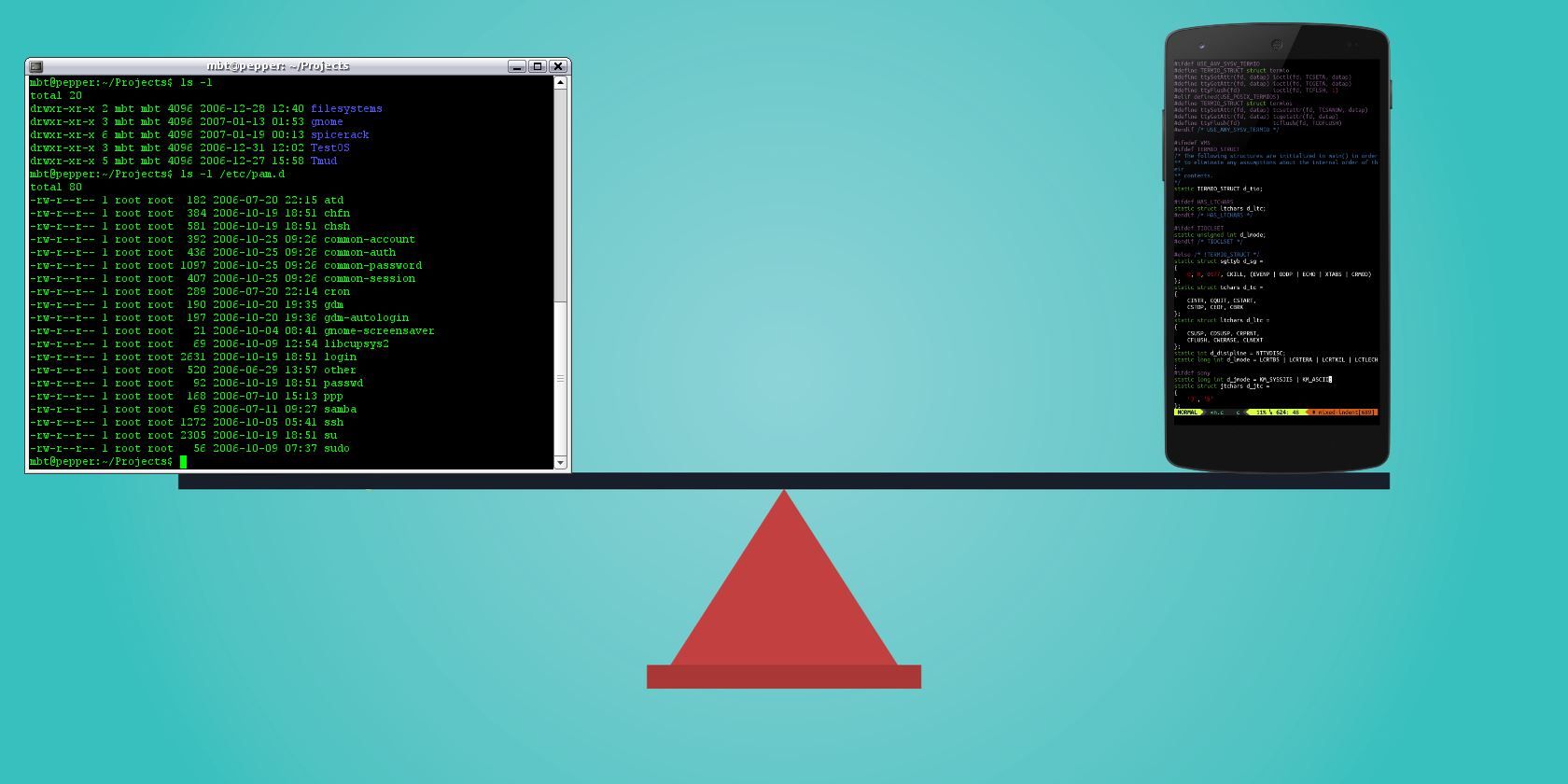
One solution is to take advantage of Android’s hidden Linux infrastructure. The Termux app provides a command line environment and allows you to install honest-to-goodness Linux apps on your Android device. Here’s how to use the Termux app.

Why Use Termux?

There are already some apps in the Play Store that are Android ports of Linux applications. These differ from Termux in that they replicate those Linux apps, but they’re made in an “Android way.”

In contrast, Termux is a self-contained Linux environment. Its programs are (for all intents and purposes) the same as their Linux counterparts. This conveys some advantages over the ported applications:

  • Consistency: Linux apps that have been ported to Android require a user interface of some kind. The user experience on Android largely depends on how much effort the developer puts into it. Conversely, Termux apps are the same as the Linux versions, from keyboard shortcuts to how you install them.
  • Compactness: The addition of Android code can cause some slim applications to become heavy. For example, an Android SSH client might be anywhere from 2MB to 12MB in size. Compare this to Dropbear, available in Termux, which weighs in at 396KB (that’s kilobytes) installed. And it provides an SSH server too.

Get a Linux command line on Android with Termux

  • Timeliness: When an application receives an update, you remain at the mercy of the Android app’s developer for an upgrade. In contrast, Termux applications are standard Linux packages that require less maintenance. They may even be created automatically alongside the desktop versions. You’re likely to get access to new features more quickly with Termux.
  • Price: There is a chance any app you purchase from the Play Store will have a charge associated with it. All the apps in Termux are free (and open source), as is Termux itself.

How to Use Termux

Before diving in, understand that Termux is primarily a command line environment. There’s no fancy user interface with shiny buttons here. This goes not only for the base Termux package, but its apps as well. You won’t get the newest version of LibreOffice with this method.

Most importantly, you must be comfortable with the command line in order to install and use these programs on Termux. To develop some familiarity, check our list of the most-used Linux Terminal commands.

When you’re ready, grab your phone or tablet and install Termux.

Download: Termux (Free)

Basic Termux Commands You Should Know

Launching Termux will drop you straight into a command line environment. From here, you can install new tools. Termux uses the same package installer as found in Debian, Ubuntu, and related Linux distros.

Advanced Packaging Tools (more commonly referred to as APT) is used to find, install, and remove software in Termux. Start off by updating packages and upgrading with these commands:

apt update

apt upgrade

Update packages in the Termux command line

Next, find out what apps are available:

apt list

To find out more about one of these packages, use

apt show [package name]

This will display the name, maintainer, file size, dependencies, and other useful details. To install an app, simply use:

apt install [package name]

Our guide to using APT will tell you more about this tool, such as how to upgrade packages. You can run an installed tool by entering its name at the Terminal prompt in the Termux command line.

In addition to apt, this list of built-in commands works in Termux on Android:

  • cp lets you copy a file
  • mv will move a file
  • ls lists the contents of a directory
  • rm deletes (removes) data
  • ln creates a symbolic link (for example, ln /data/data/com.termux/files/home/documents to /sdcard/Documents)

With these built-in tools, you reduce the need for an Android file manager. They also save you from having to root your phone to enjoy such functionality.

Linux Apps You Can Install With the Termux Command Line

Using apt with Termux, you can install several useful Linux apps on Android. These fall into several categories—let’s look at some of the highlights.

Text Editors

Termux provides recent versions of both popular Linux text editors: VIM and Emacs. Other editors, such as the minimalist nano, are also available.

Of course, Android has a lot of text editors already. So what do Emacs and Vim bring to the platform? Well, if you like to work in Markdown, both support it well. Into the “distraction-free” mindset? It doesn’t get much more distraction-free than VIM.

Need something to take notes and provide to-dos? Org-mode in Emacs has you covered. You can even use Emacs as your file manager, screenwriting app, Trello client, music player, or to play Minesweeper.

Why switch? Android text editors tend to focus on one standout feature. For example, one may focus on distraction-free drafting, another can preview Markdown and other formatting, and still others might be built on keeping notes (though they’re really just text editors at their core).

Terminal-based editors can fulfill these needs in a single program, while also being available on desktop platforms.

Termux Command Line Utilities

Termux packages include several useful Linux command line utilities:

  • gnuplot: A mathematical graphing program
  • ImageMagick: An image manipulation and conversion toolkit
  • p7zip: An archiving utility for the 7-Zip compression scheme
  • UnRAR: A different archive tool for the RAR format
  • Wget: A program to fetch files over the internet via HTTP or FTP

Why switch? These are dedicated programs with a lot to offer.

Install Servers in Termux

We’ve already shown how you can turn your Android device into a web server with specific apps. Termux similarly provides genuine Linux web servers like Apache, nginx, and Lighttpd.

But why would you want to run a web server on your Android device?

In addition to programming, bear in mind that many of today’s best applications are web apps. For example, you could install nginx, the PostgreSQL database, and Python, then use the Taiga project management platform. This is a lot of utility, all without having to sign up for any third-party services or hosting.

Termux also includes Dropbear, which provides an SSH server (and client) to log into your phone/tablet and transfer files. This is useful in situations where you want to exchange a few files but don’t want to use cloud services. Simply start up the Dropbear server, use an SSH client to grab what you need, and shut it down.

Why switch? Apps like Tiny Web Server allow you to spin up a web server. But what’s more intriguing than having a lightweight server you can start from the command line?

Development Apps in the Termux Command Line

While many Android apps (listed as “code editors”) provide the ability to write code, they may not provide the languages themselves. With Termux, you can test your code on your phone or tablet.

Install Python development tools in the Termux command line

It offers standard distributions of programming languages such as:

  • BASH shell (the default available out of the box, and a great way to get started hacking around)
  • Python (both v2 and v3 are available)
  • PHP
  • Ruby

Source control systems git and Subversion are also available, which have their uses beyond just development. If you like being in control of your own data, source control lets you stash your files wherever you want. You also control when you send updates to other devices, and can use “tags” to label versions.

Why switch? There are some programming language packages for Android, such QPython. But these provide their own bulky UIs. They may also require additional apps to be fully useful.

Android-based apps are available for both git and svn. However, you need to have a separate app for each source control type. Termux provides both in the same package for free. By going with source control, you can also cut down on clients for cloud syncing services such as Dropbox.

Add Linux to Android With Termux Commands

Termux is a super-compact offering that opens a lot of functionality for your Android device. The command line is one of the most powerful features of Linux, and Termux builds on your device’s Linux kernel to make you more efficient on the go.

And who knows, maybe dabbling with these apps will convince you to try Linux on the desktop as well. Check out our Linux commands cheat sheet for some help giving it a try.

Read the full article: How to Use the Linux Command Line on Android With Termux


Read Full Article
The 8 Best Binaural Beats Apps for Android


Binaural beats are a kind of sound wave therapy that its advocates say can help you sleep, improve your mood, make you more creative, and much more. If that sounds like something you could benefit from, you can try it out on your smartphone today.

But with so many apps to choose from, what is the best binaural beats app for Android? Let’s take a look.

What Are Binaural Beats?

The idea behind binaural beats is that you play two tones with slightly different frequencies into each ear (through headphones, ideally), and your brain perceives it as a single sound. Depending on the frequencies used, it’s said that this can change your mental state.

Does it work? The research is inconclusive, but the science world is certainly taking binaural beats seriously. There are studies into their effect on everything, from depression to dental anxiety. And there are many users who swear by them.

The suggested benefits are in line with those you’ll get from a white noise generator or one of the best meditation apps. If you wish you could sleep better or stay more focused, why not give one of these binaural beats apps a download to see if it works for you?

1. Atmosphere

Atmosphere is one of the most attractively designed sound therapy apps. It combines a load of different ideas into a single tool, making it the perfect binaural app for beginners.

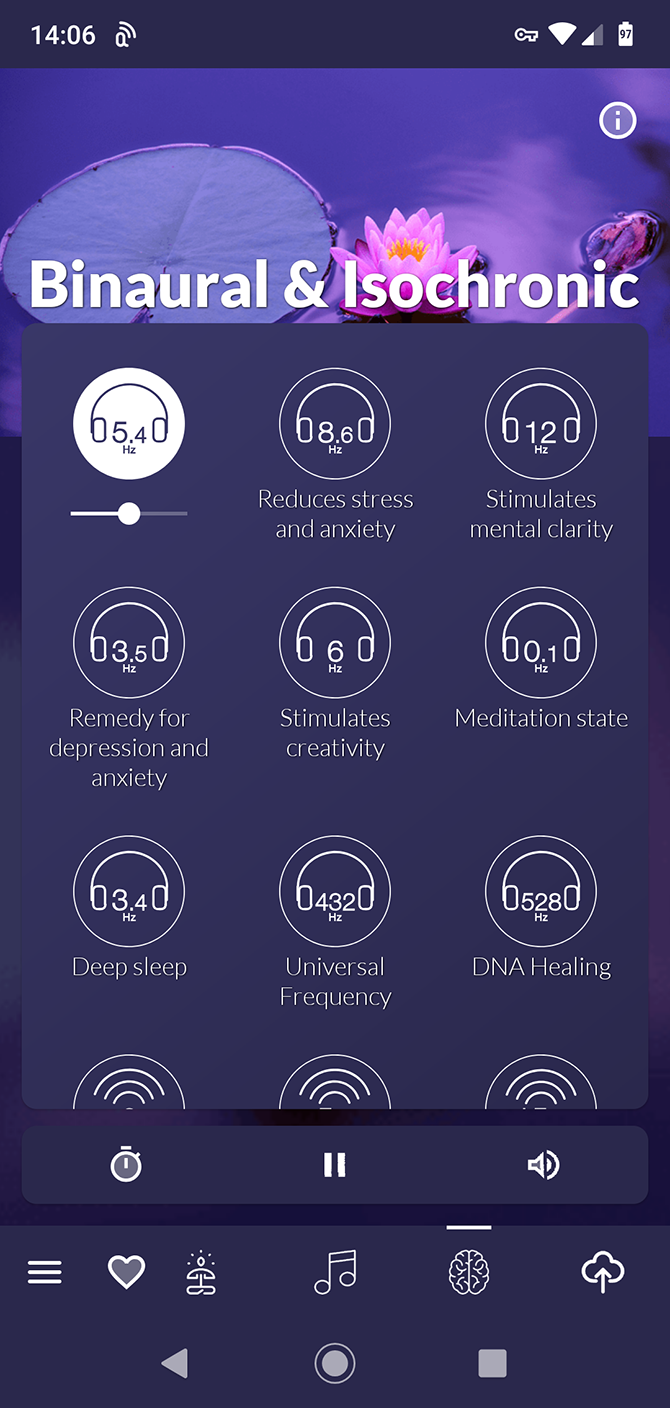
You get the binaural beats, of course, covering 18 categories. Among them are frequencies for anxiety and depression, to help you sleep, or even relieve a headache.

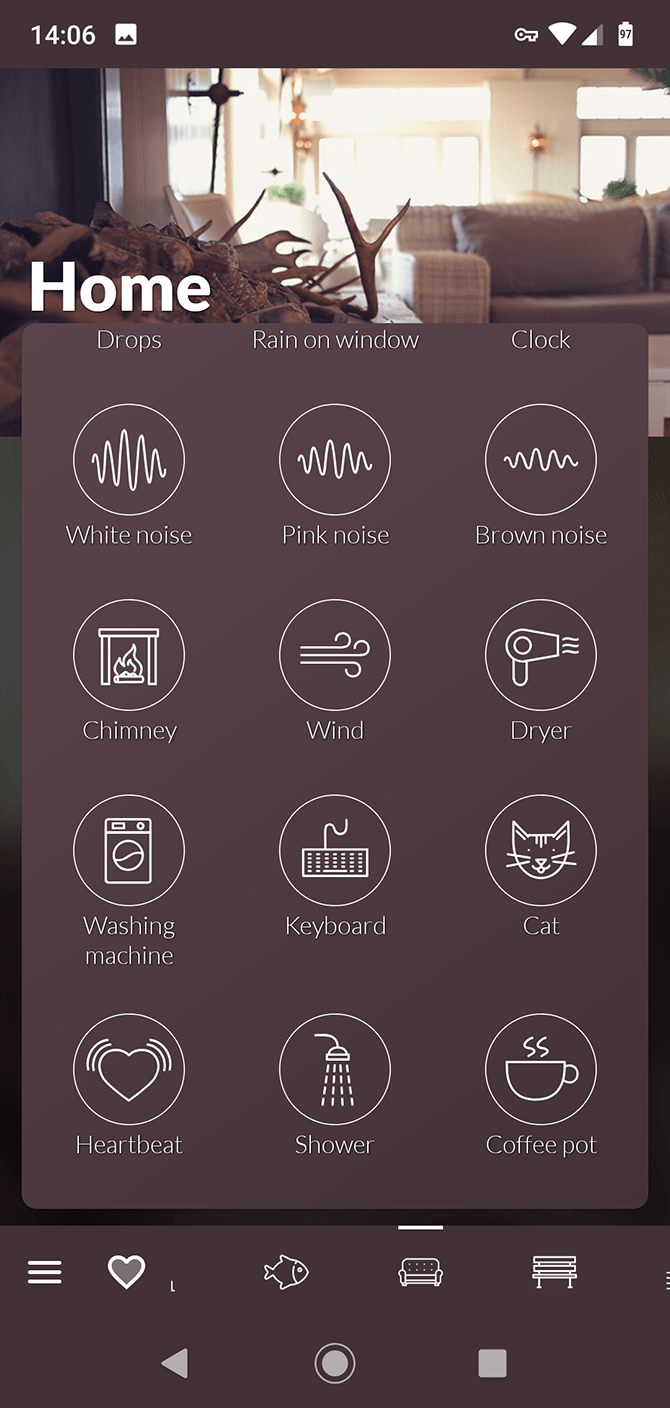
On top of that, there are white, brown, and pink noise options, along with a huge number of relaxing background sounds and music. You can mix them together, too, enabling you to create your own unique sound recipe.

Download: Atmosphere (Free, in-app purchases available)

2. Brain Waves

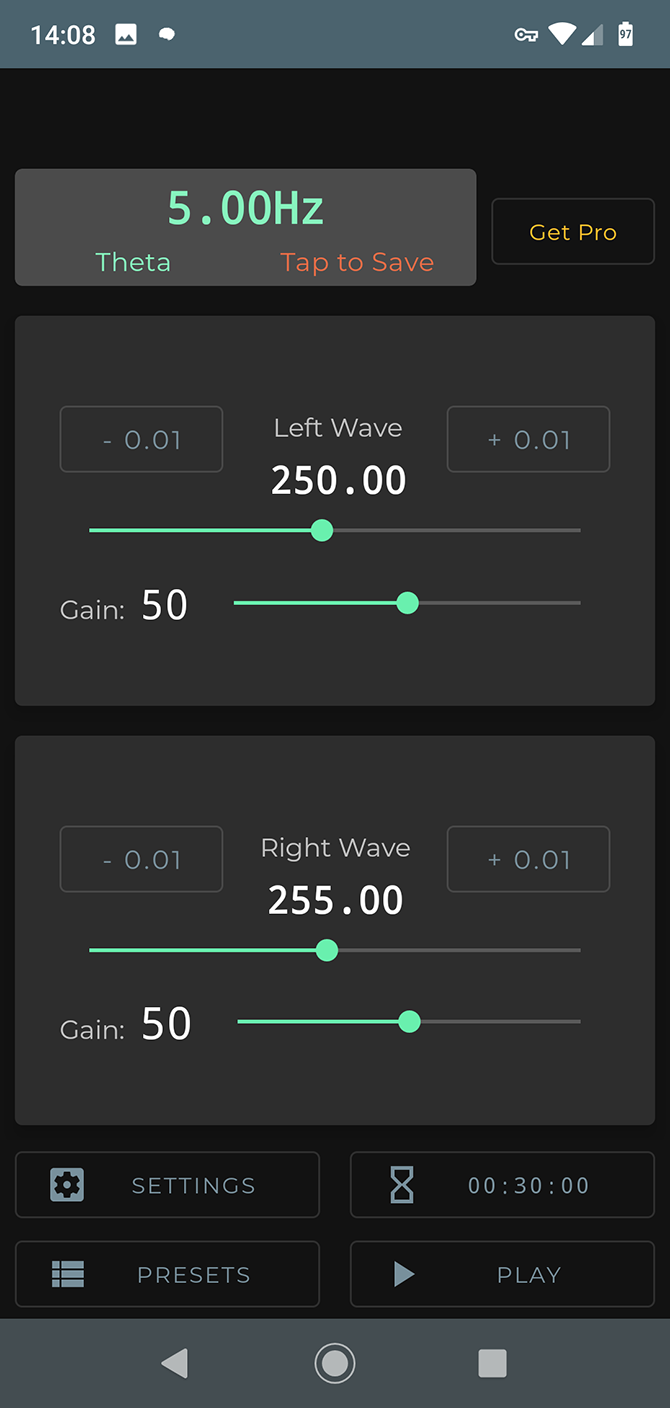
Brain Waves is aimed more at users who want to experiment with what binaural beats can do. At the heart of the app is the ability to mix your own beats. You can choose a precise frequency for the left and right ears, along with a volume level for each, and then save your preset.

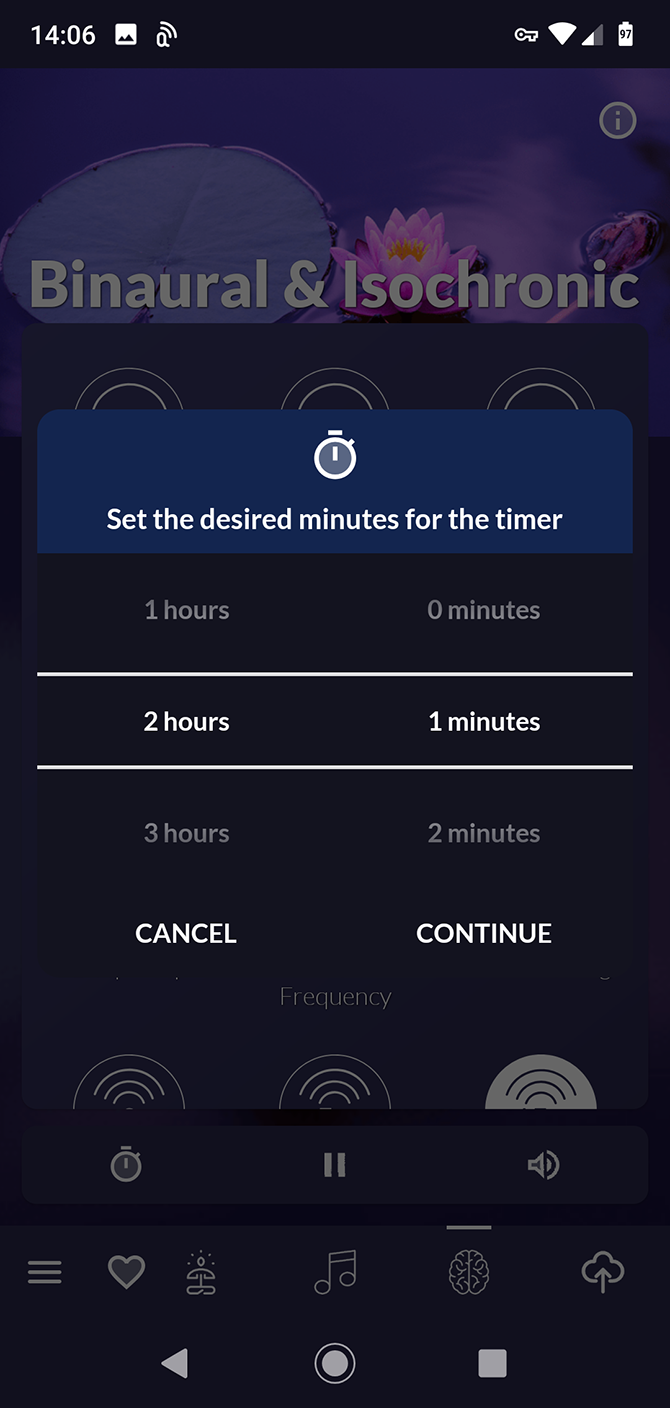
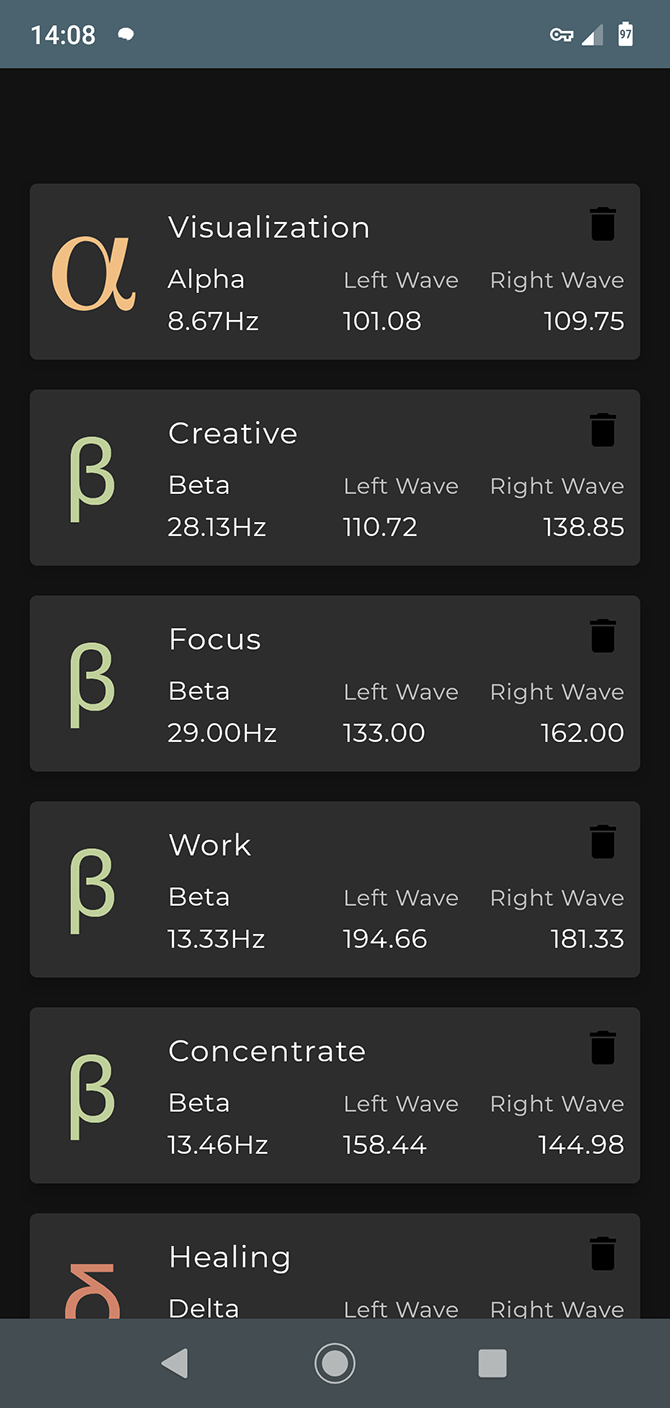
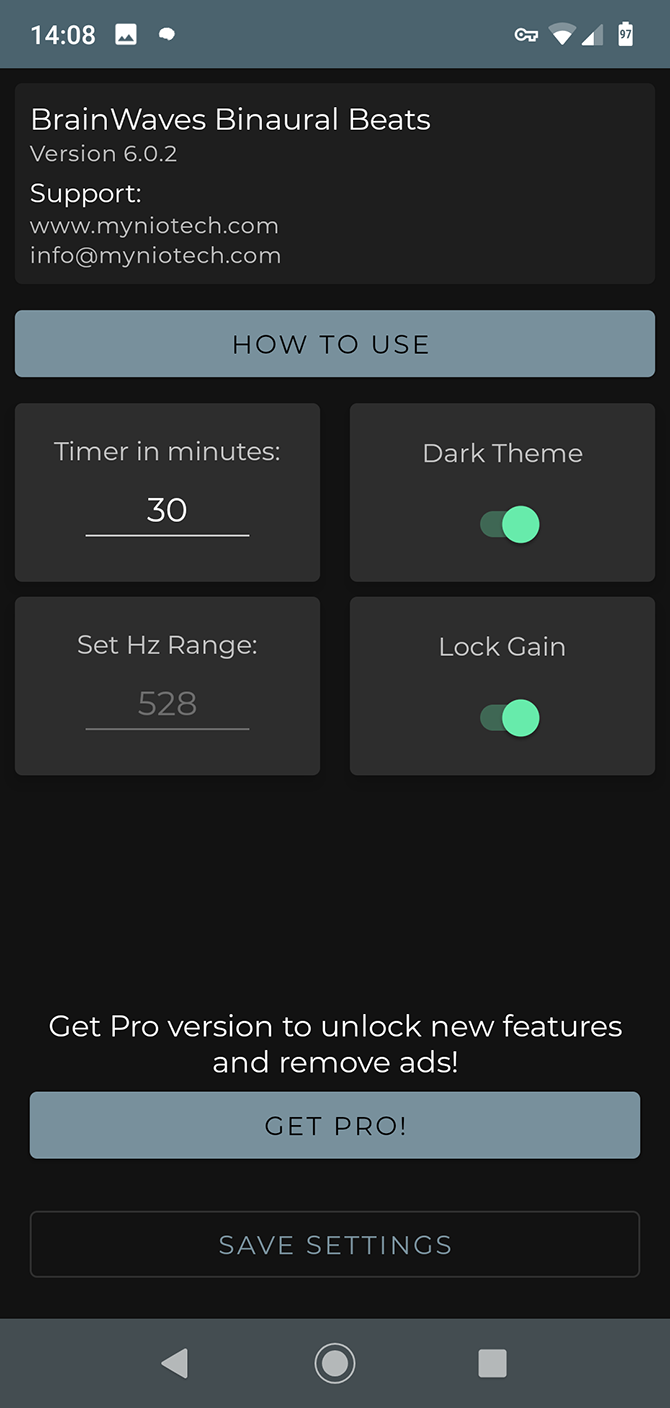
There isn’t much guidance for what does and doesn’t work, so the app offers 10 preset sound combinations to get you started. These cover generic points of emphasis like focus and relaxation, and you can use either a 30 minute timer or enable endless play.

Download: Brain Waves (Free)

3. Binaural Beats Therapy

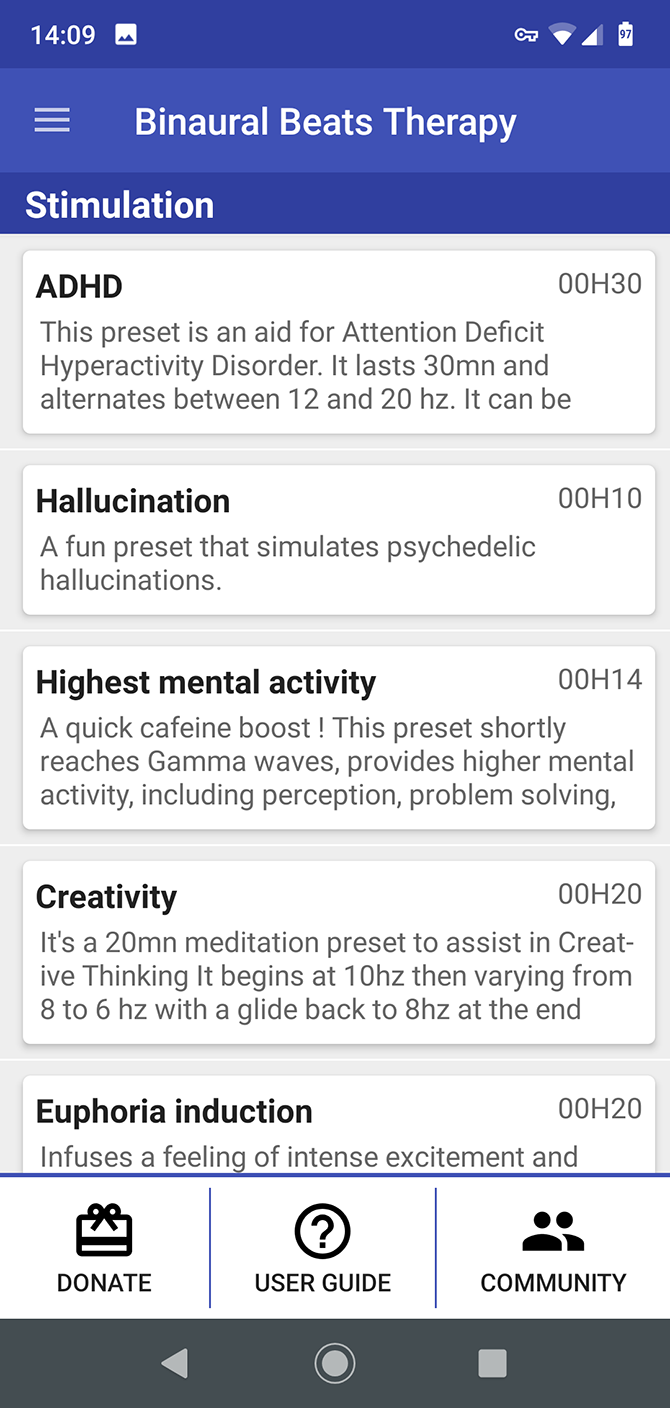
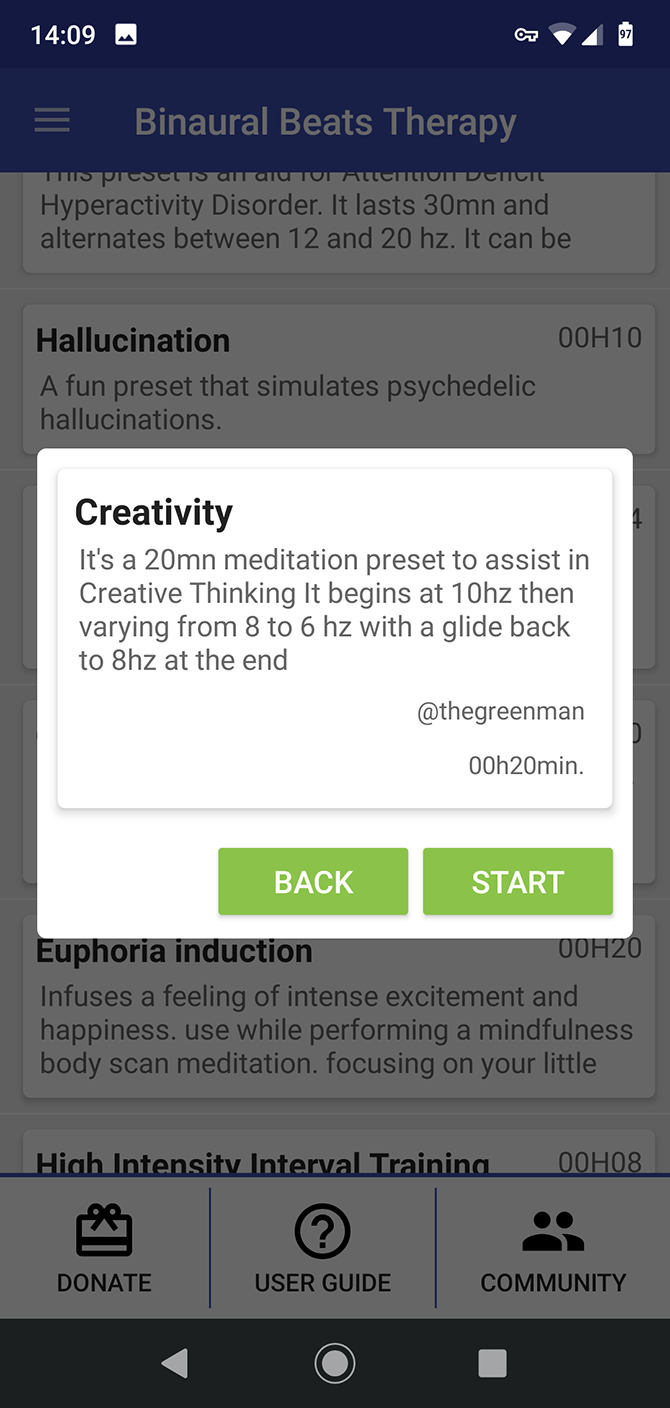
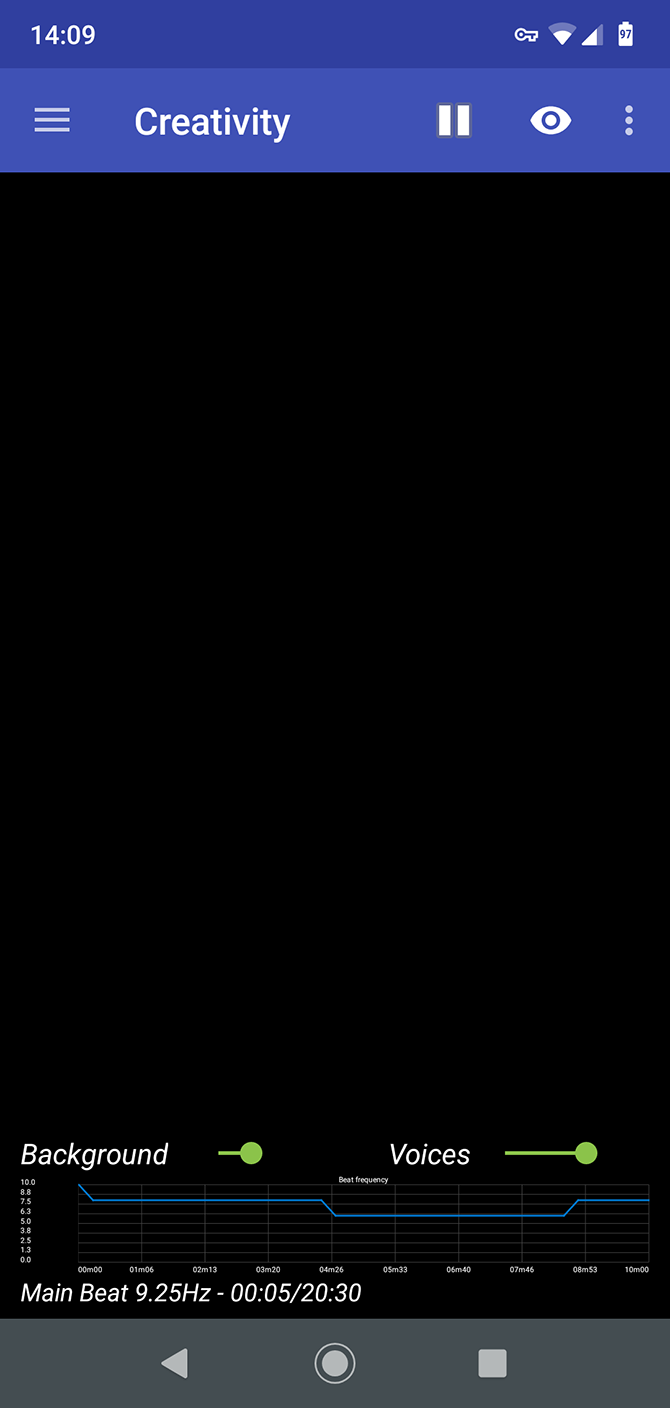
Binaural Beats Therapy is one of the oldest apps in its class. Its presets are split into seven categories, with 20 sound combos in total. Many have names that promise great benefits, like Euphoria Induction, Lucid Dreams, or Astral Projection.

The basics of sleep, pain relief, and concentration are also covered. And there are some very specific practical beats that make perfect choices for skeptics to try. Who doesn’t need an Airplane Travel Aid, after all?

Download: Binaural Beats Therapy (Free, in-app purchases available)

4. myNoise

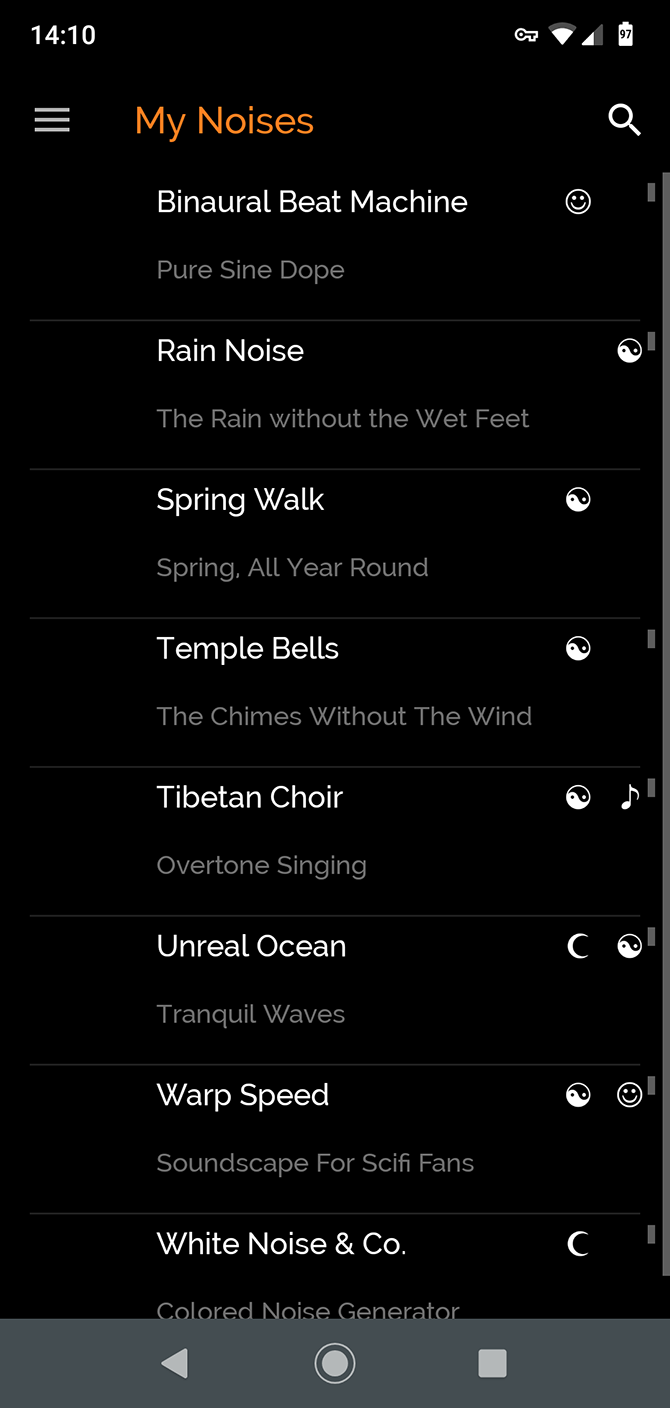
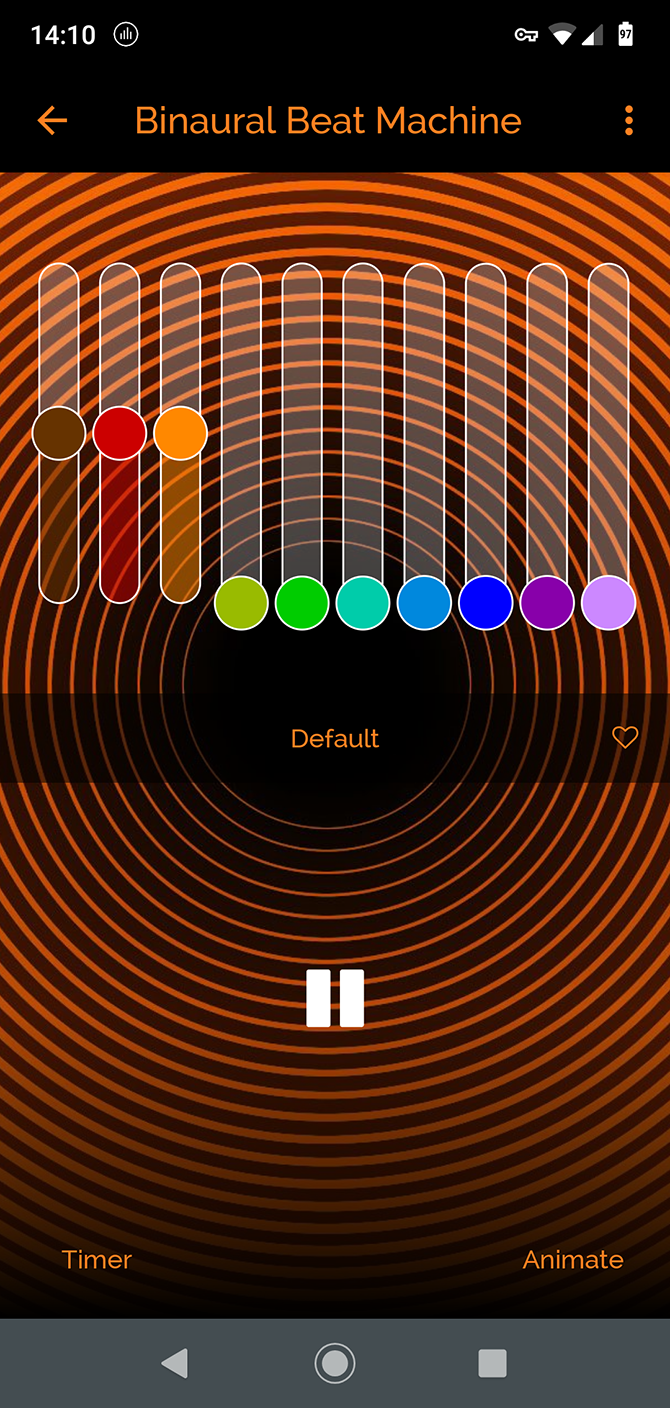
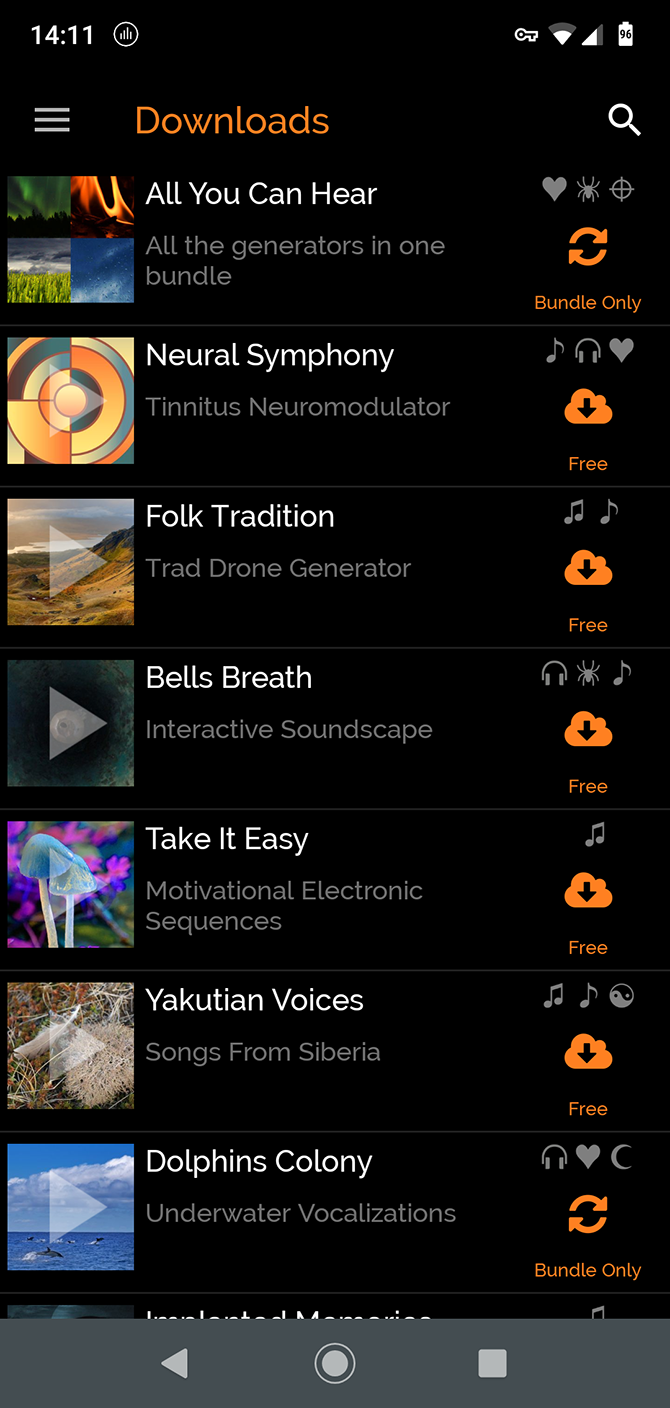
Easily one of the best binaural beats apps, myNoise is both attractively designed and truly comprehensive. It’s an all-purpose noise machine app, so you get white noise, rain, and a fun sci-fi inspired Warp Speed mode as well. All the presets are customizable.

If the built-in choices aren’t enough, you’ve got over a hundred more to choose from. Some are available individually, while others come as part of a bundle. Among them is a tinnitus reliever, which some people will definitely appreciate.

Download: myNoise (Free, in-app purchases available)

5. Binaural Beats Generator

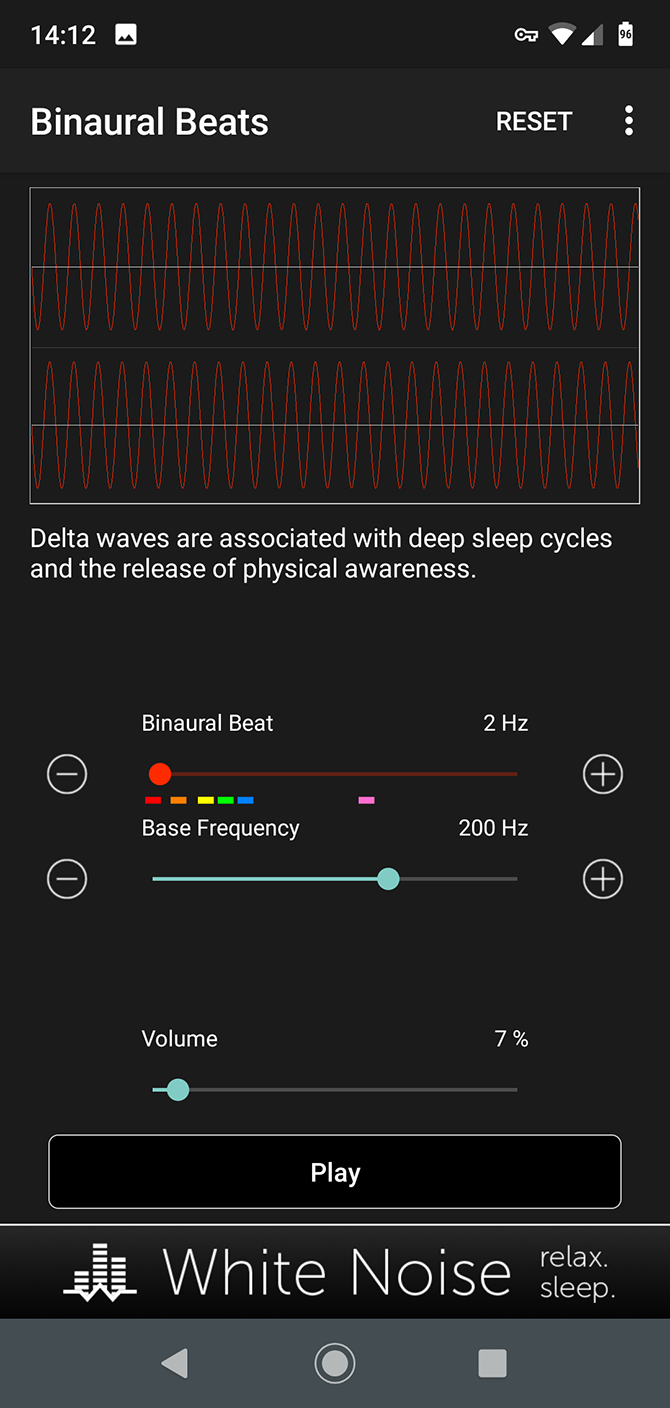
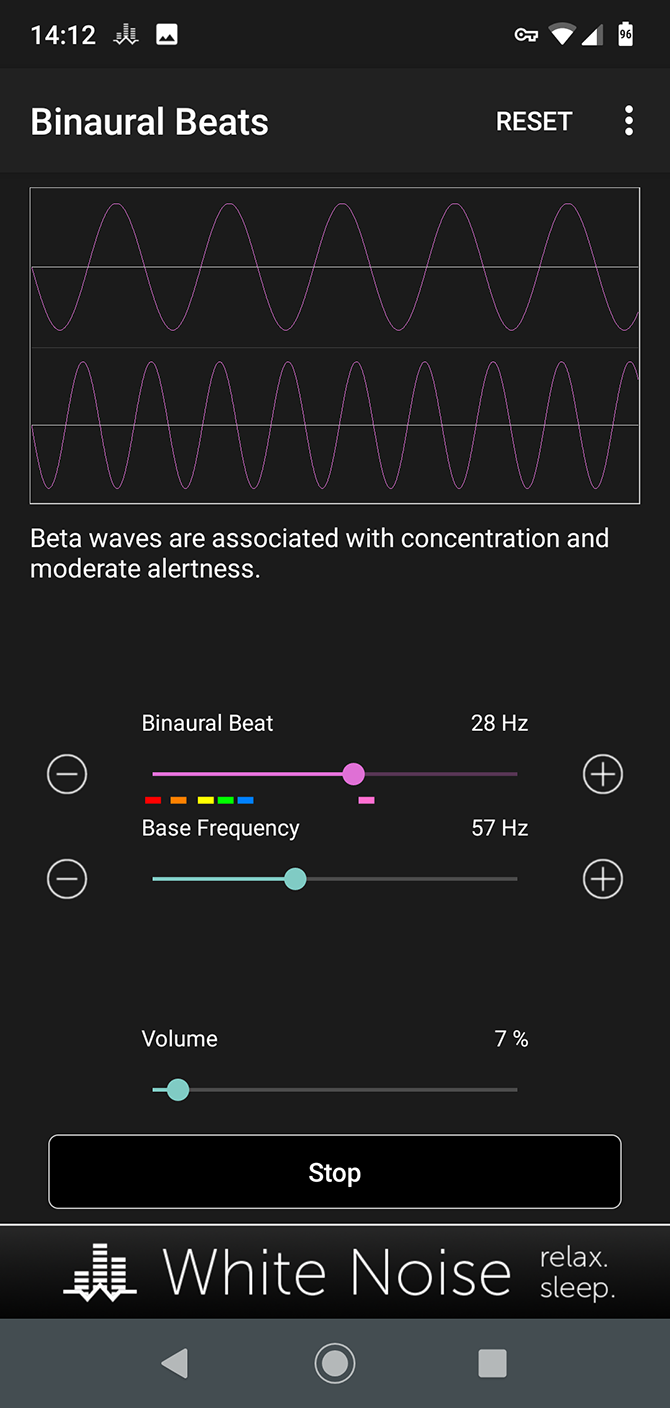
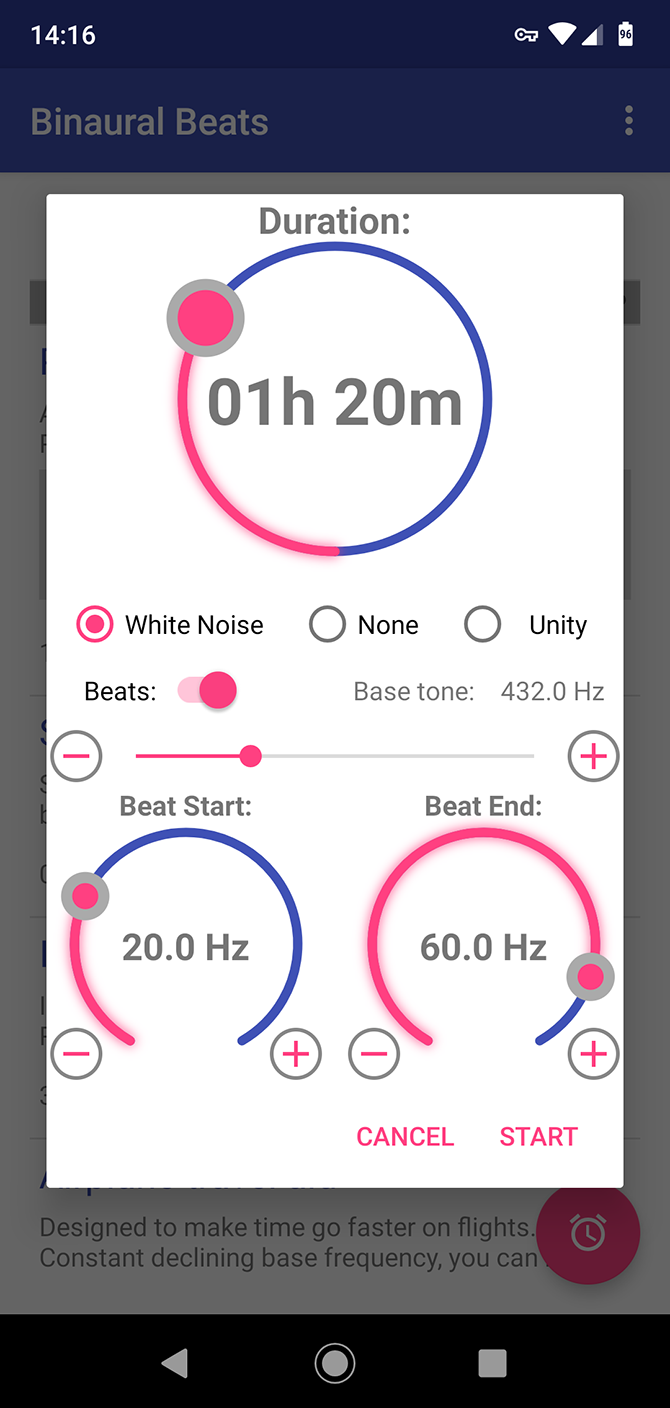
As the name suggests, Binaural Beats Generator is a roll-your-own beats app. It’s quite simple to use. You’ve got three sliders: one for the binaural beat, one for the bass frequency, and one for the volume. There’s a little guidance along the way to show the effect your chosen frequency might have.

While the app is limited in some respects—there are no presets and you can’t save your own—good sound quality, ease of use, and the fact that it’s completely free make it a winner.

Download: Binaural Beats Generator (Free)

6. Brain Waver

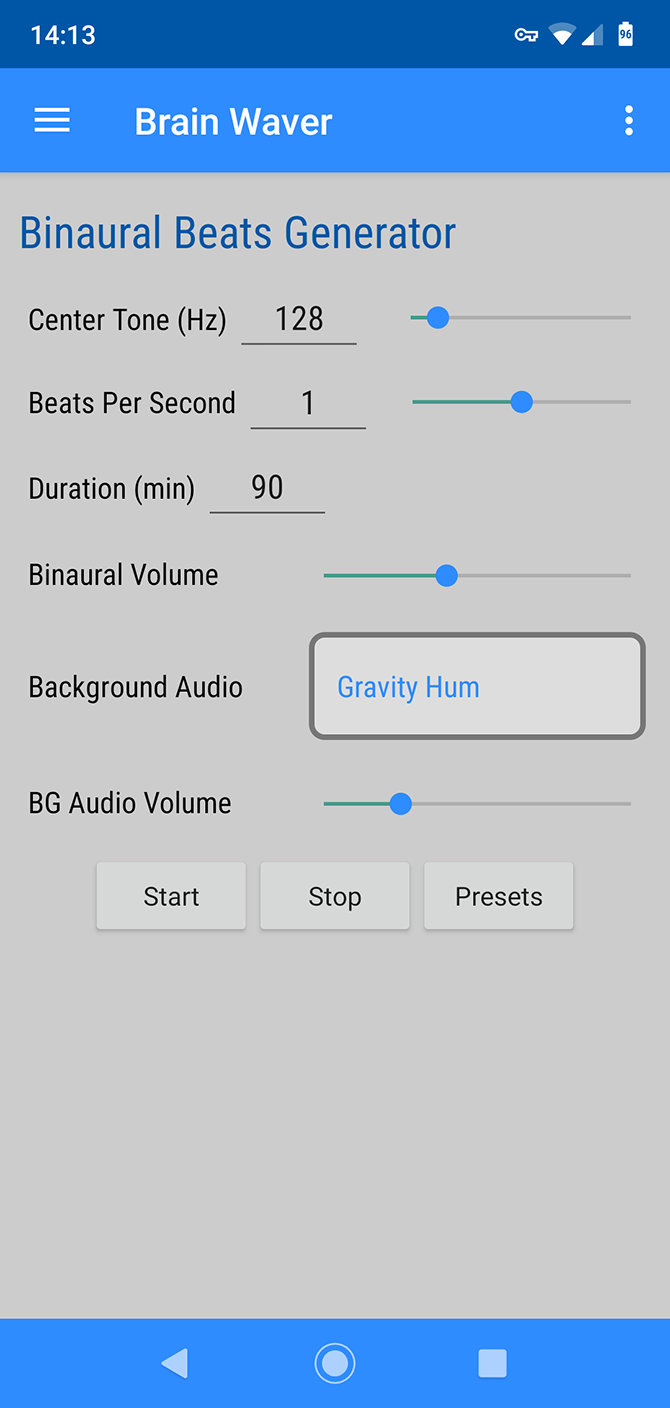
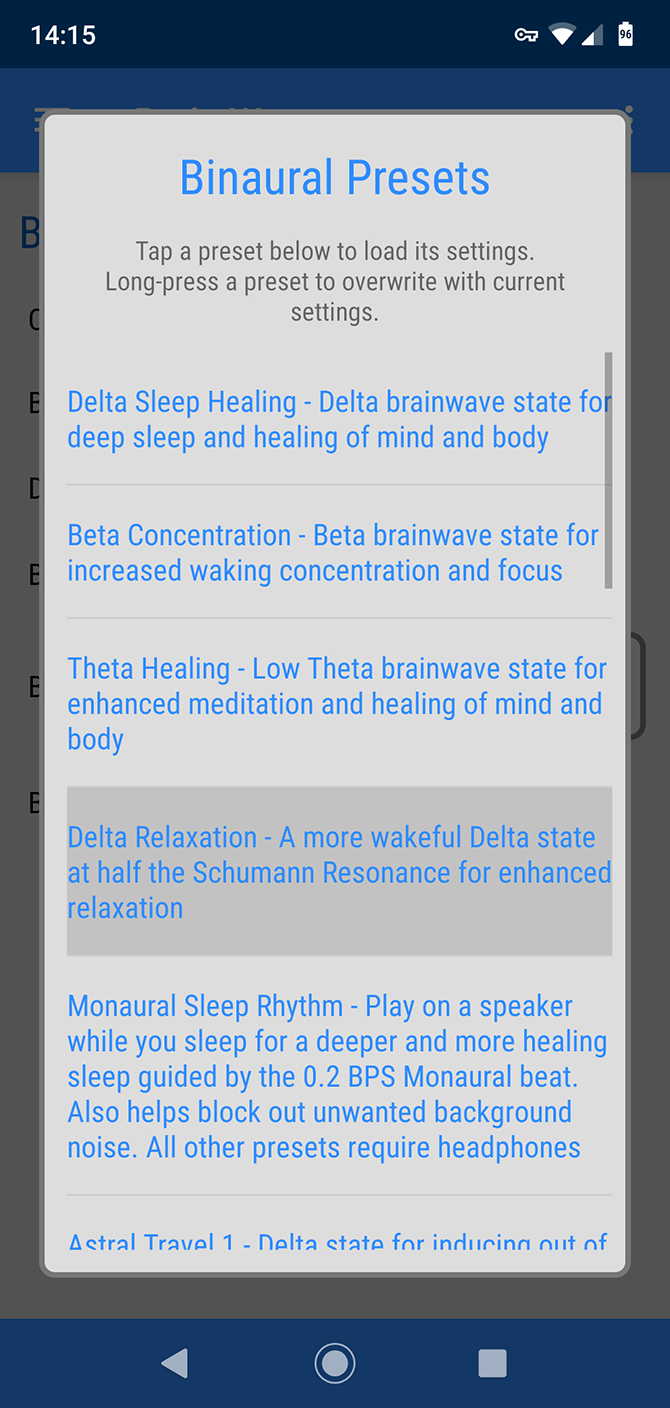
Brain Waver comes with 20 presets, although only nine have descriptions. They cover the usual topics such as sleep and relaxation, along with more exciting focuses like out of body experiences. Your mileage may vary on this.

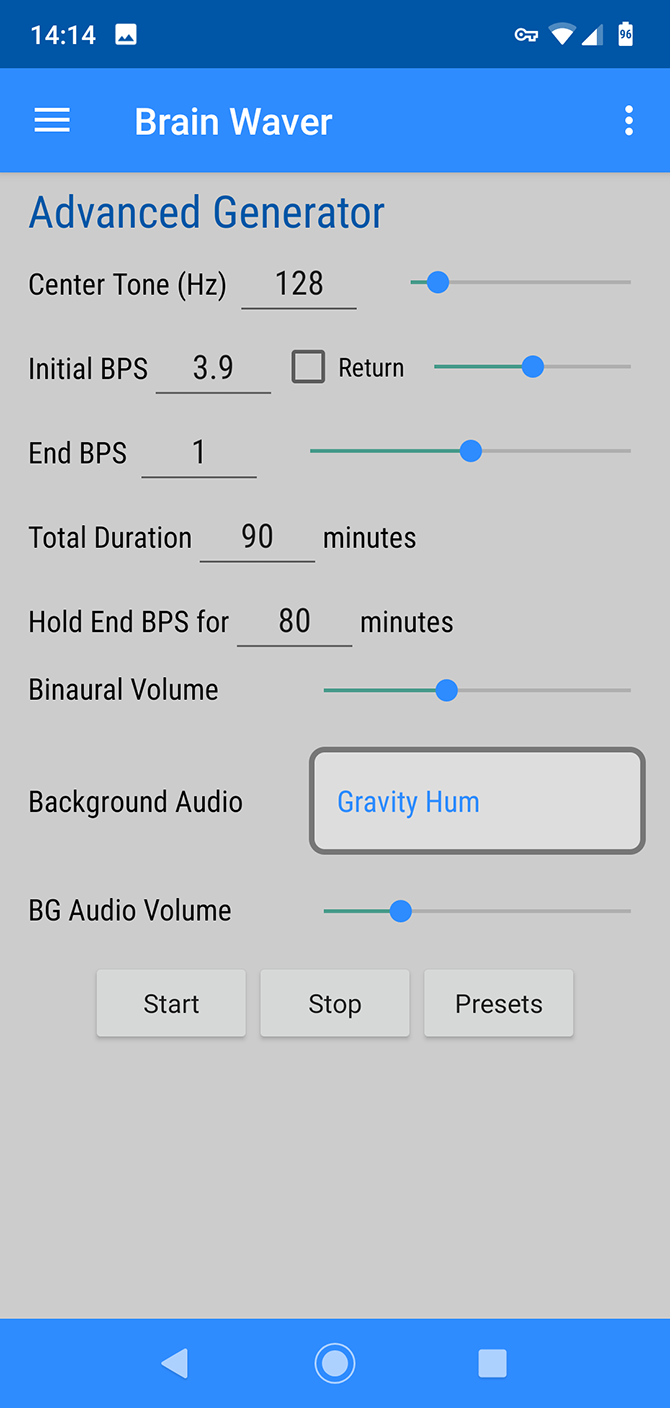
The app has two generator tools. The main one lets you tweak the presets and add background sounds as you listen. The advanced option is for anyone who really gets into the science of binaural beats.

One interesting extra is that you can use the app as a white noise generator by setting the binaural volume to zero and choosing any of the background sounds. If you like this feature, take at our guide to the best white noise machines for a possible upgrade.

Download: Brain Waver (Free)

7. Binaural Beats

One of the best free binaural beats apps is simply called Binaural Beats. Not only is it free with no in-app purchases, there are no ads and it’s open source.

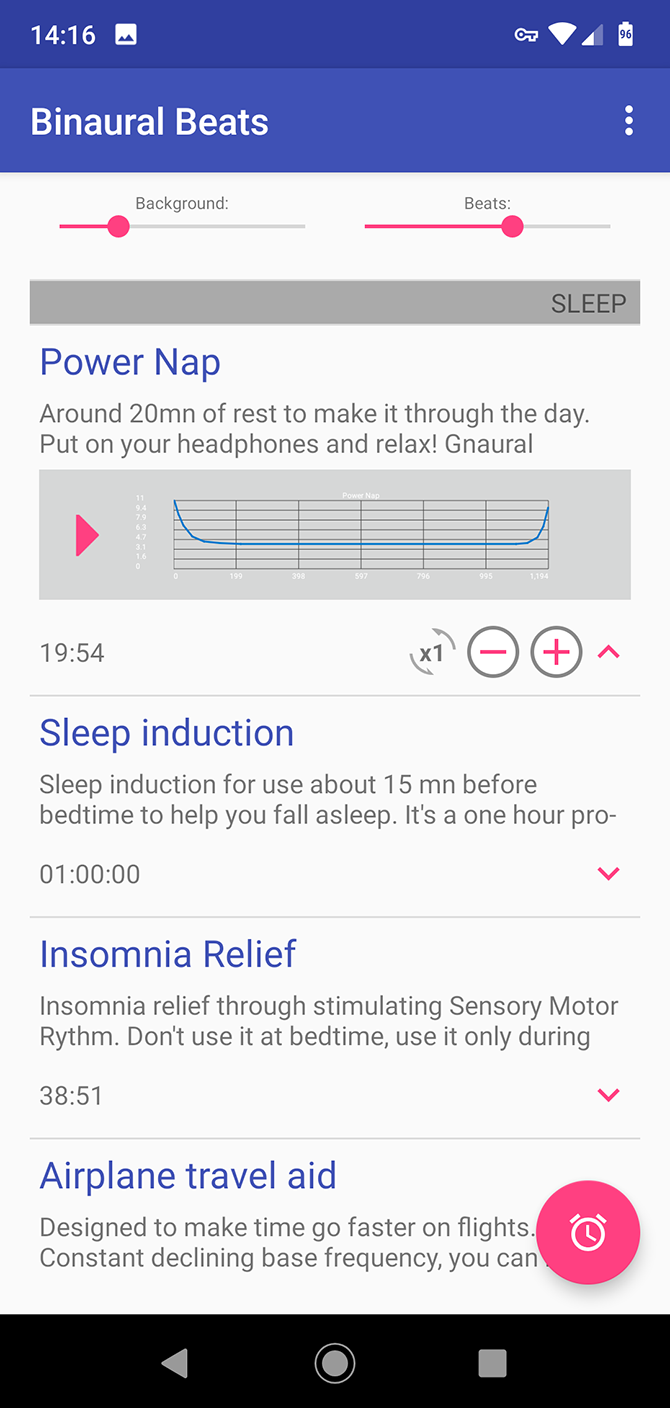
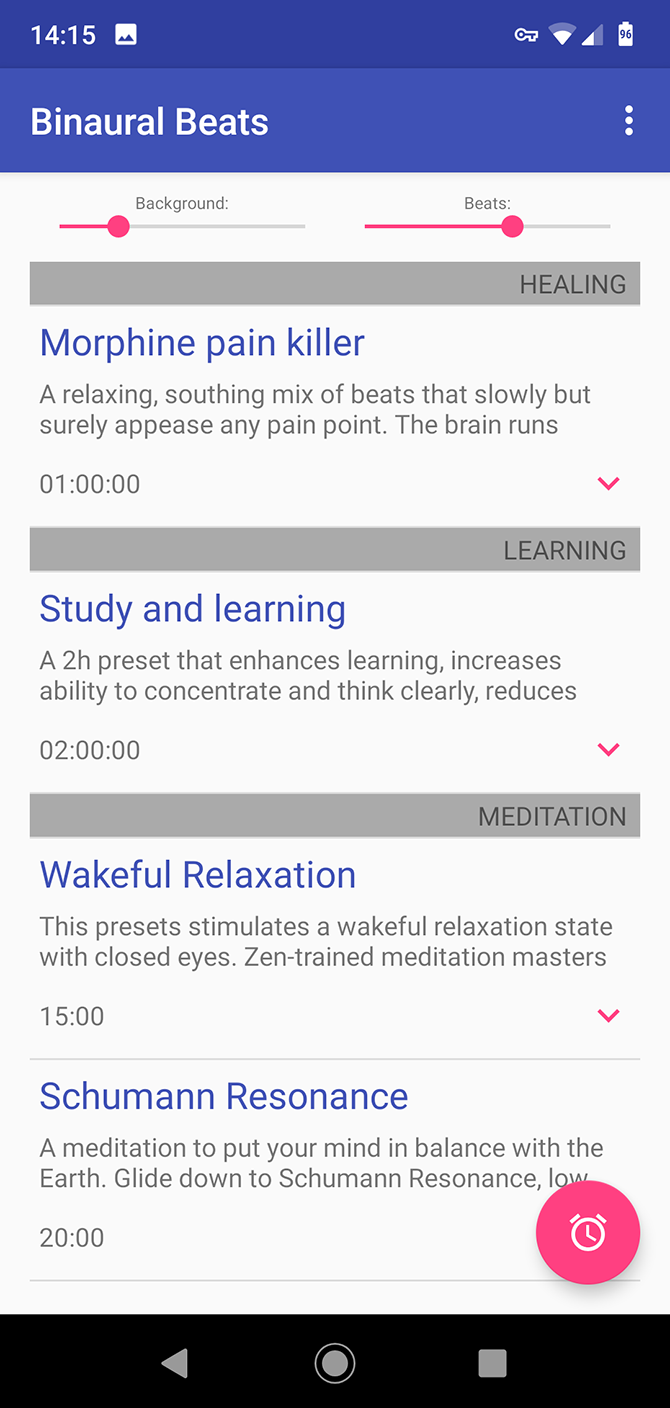
It also doesn’t compromise on features. There are 19 preset beats for study, sleep, creativity, and so on, plus you can create your own (although you can’t save them). Even better, you can import more binaural beats created in the Gnaural desktop program.

The app integrates with your phone well. It’ll pause the sounds when you get an incoming call. Or if you prefer, it can automatically put your phone into silent mode so you don’t get interrupted.

Download: Binaural Beats (Free)

8. BrainAural

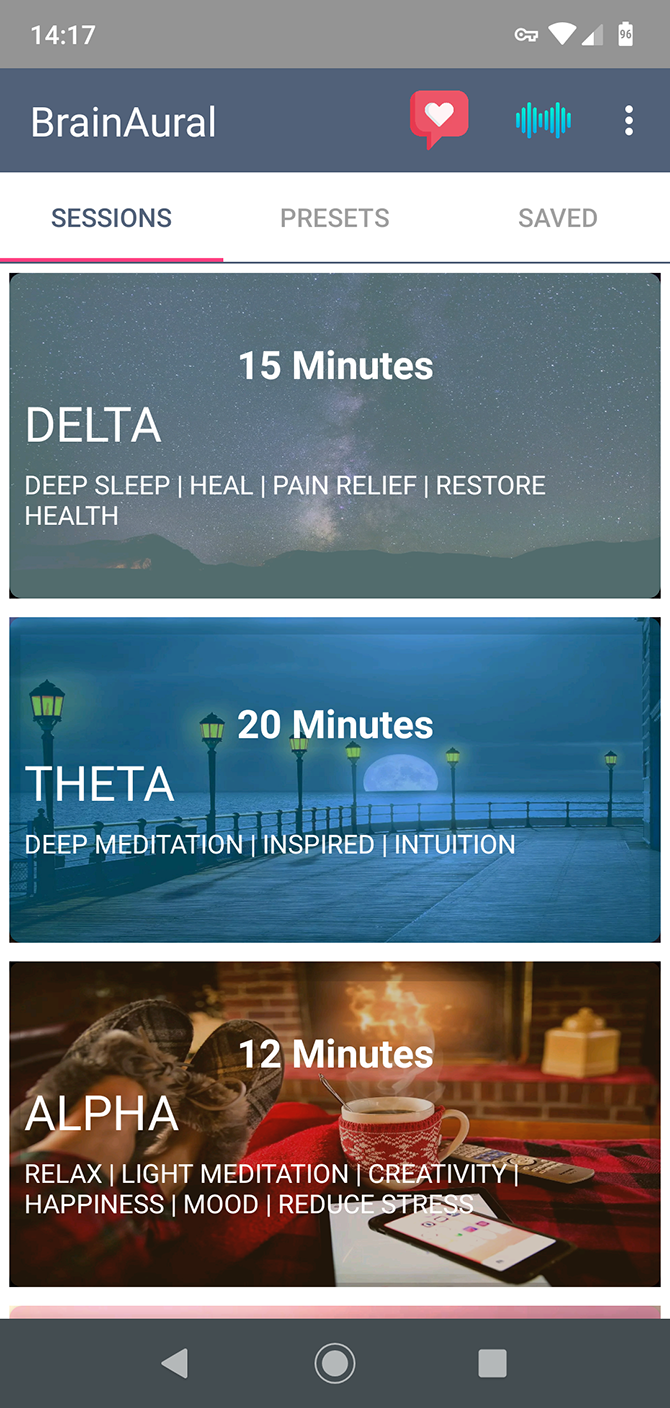
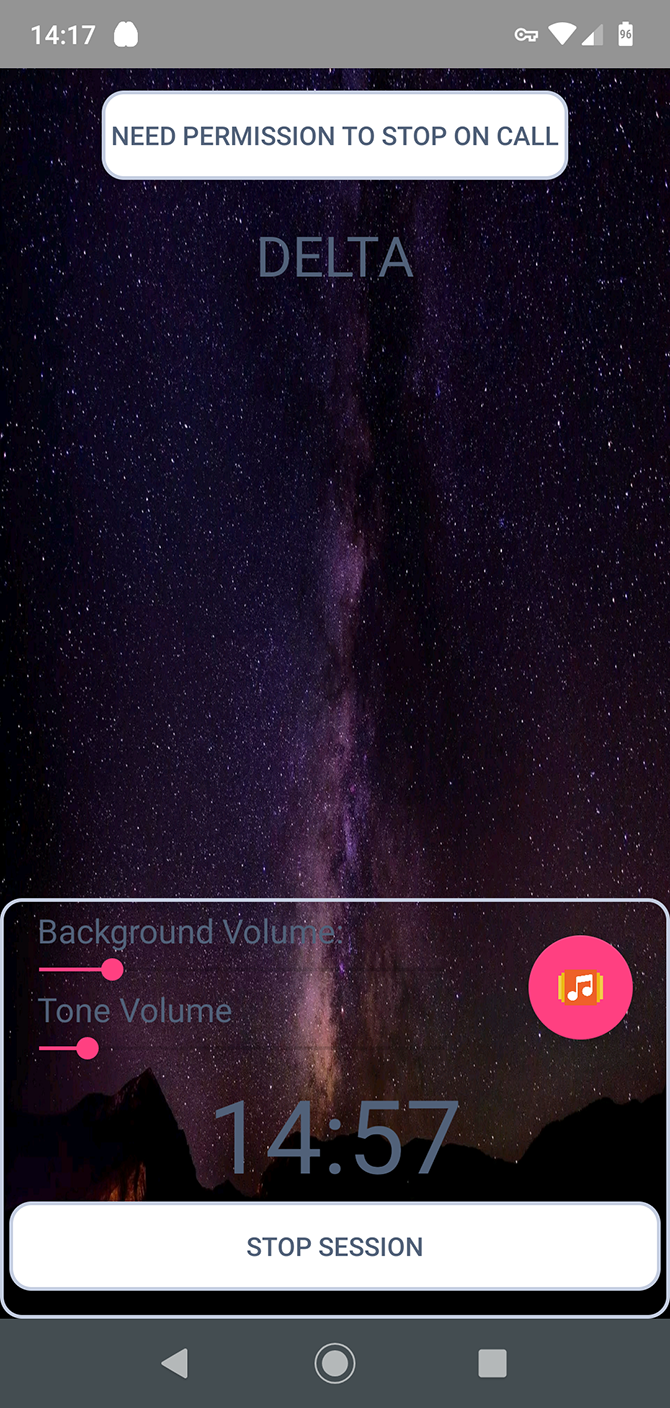
Our final binaural app recommendation is BrainAural. It’s free—you can remove the ads through an in-app purchase—and works fully offline. It’s a good option if you’re on a limited data plan.

The app offers four “sessions” for general use, based on the four main audio frequencies binaural beats use. Along with this, it has a further 14 presets tuned to more specific goals like anti-aging and problem solving.

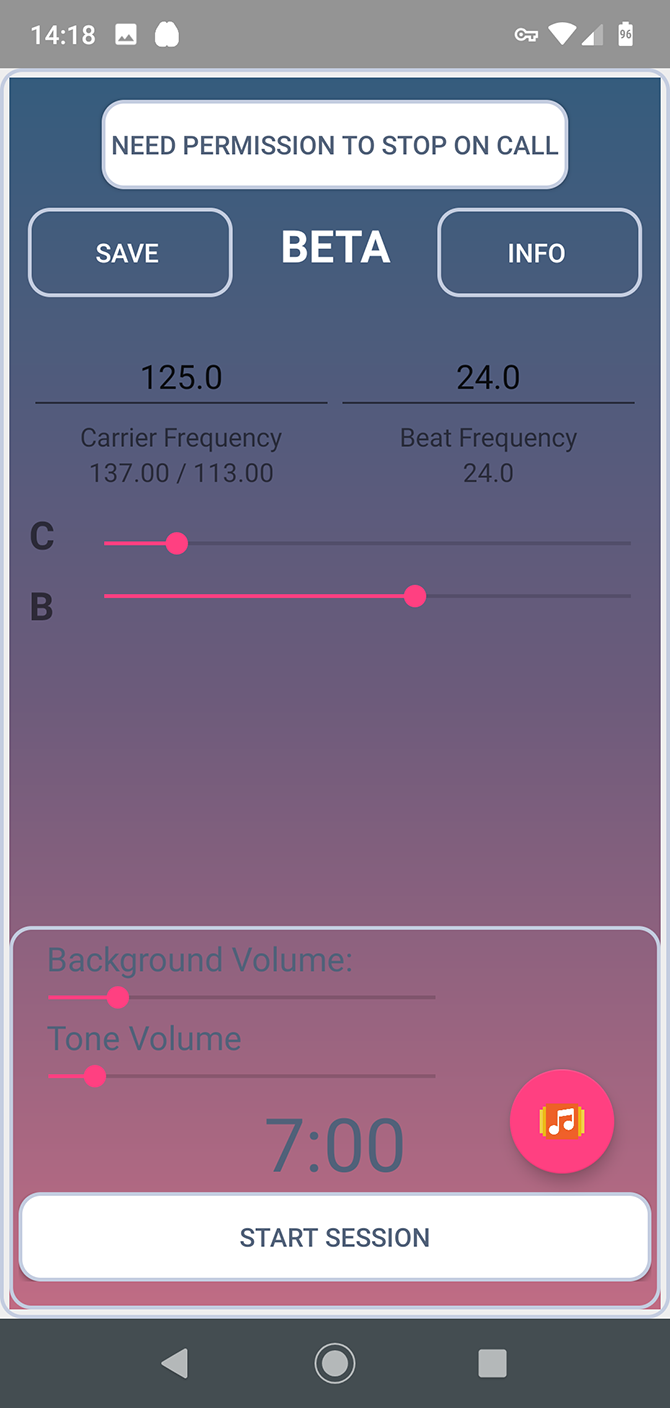
There’s also a generator tool so you can craft your own, with instructions on which frequencies to choose. You can save these for future use.

Download: BrainAural (Free, in-app purchases available)

More Apps to Help You Focus

Pick the best app for binaural beats and you’ll have something that can potentially help you sleep better, improve your mood, and become more focused.

If constant distractions are a big problem for you, there are other solutions you can try. Our guide covering the best Android apps to help you focus is a good starting point.

Read the full article: The 8 Best Binaural Beats Apps for Android


Read Full Article
LCD vs. LED Monitors: What’s the Difference?


gaming-monitors-blackfriday

Modern technology is incredible—a marvel of ingenuity, creativity, and talent. The technological revolution of the past century continues to change the world, mostly for the better. Alongside technological innovation, a new vocabulary exists to describe technological advances.

Nowhere is this clearer than in the television market. Understanding terminology is critical to getting the best quality at a reasonable price when upgrading your TV.

So, what exactly is the difference between an LED and an LCD panel?

What Is an LCD Monitor?

A Liquid Crystal Display (LCD) is one of the most enduring and fundamental technologies found in monitors, televisions, tablets, and smartphones. TVs and monitors once used cathode ray tubes (CRTs) to provide the image on your screen. But CRTs were bulky and contained dangerous chemicals. Once LCDs became affordable, they replaced CRTs.

An LCD features a panel of liquid crystal molecules. The molecules can be induced using an electrical current to take certain patterns which either block or allow light to pass through. An LCD TV or monitor has a light source at the rear of the display, which lights up the crystals. LCDs commonly use Cold Cathode Fluorescent Lamps (CCFL) to provide the TV or monitor backlight.

To provide a color image on your screen, the LCD has red, green, and blue sub-pixels in each screen pixel. Transistors within the display control the direction of light each pixel emits, which then passes through either a red, green, or blue filter.

What Is an LED Monitor?

Light Emitting Diodes (LEDs) are small semiconductors that emit visible light when an electrical current passes through them. LEDs are typically more efficient and longer-lasting than traditional lighting.

While manufacturers often use “LED” in place of “LCD,” an LED TV is also a type of LCD. Instead of CCFL tubes to provide the LCDs backlight, rows of LEDs provide the backlight. The LEDs give better control of the light, as well as greater efficiency as it is possible to control individual LEDs.

LCD vs. LED Monitor

For accuracy, a TV or monitor description should read “LED-Backlit LCD Monitor.” But that is a) a mouthful and b) doesn’t allow for the creation of a separate marketable product. That’s not to say there aren’t differences between the two.

For clarity, when you read product descriptions, consider that:

  • An LED monitor is a liquid crystal display backlit with LEDs,
  • Whereas an LCD monitor is a liquid crystal display backlit with fluorescent lamps.

That is the easiest way to figure out and remember the difference between an LED and LCD TV.

However, both LED and LCD monitors have different technologies that make certain panels more appealing to gamers, film buffs, designers, and so on. You should also note that on older screens, the difference between an LCD and LED TV or monitor is more pronounced, due to the relative age of the two lighting options.

What Types of LED Monitors Are There?

There are several different types of LED and LCD monitors. When you’re trying to buy a new TV or monitor, understanding the differences and the terminology will help you bag a better deal. Here are some of the most common variations of the LED and LCD panels.

Edge-Lit LED

An Edge-Lit LED TV or monitor has its LEDs arranged around the rim of the display, behind the LCD panels facing the screen. The Edge-Lit option allows for slimmer designs, uses fewer LEDs, and can bring the cost of a new screen down. Light reflects across the screen uniformly to create the image.

One downside to an Edge-Lit screen is the dark contrast. Because the Edge-Lit LED display is brightest closer to the edges, color uniformity and black levels can become an issue, with some areas appearing darker than others.

Full-Array LED

A Full-Array LED display uses a grid of LED lights behind the LCD. The LEDs shine outwards directly towards the LCD, creating a bright and uniform picture. Full-Array LED panels enjoy the efficiency benefits of LEDs.

For the best image reproduction, a Full-Array LED display may include local dimming. Local dimming means that groups of LEDs can switch on and off as required to provide better overall control of the brightness level.

RGB LED

LEDs are often referred to as emitting white light. Actually, LEDs produce light closer to yellow than a pure white. That difference can create a color shift in the image you see on your screen. To improve on this issue, some manufacturers replace white LEDs with groupings of red, green, and blue (RGB) LEDs.

The RGB LED color combination creates a pure white, which in turn provides clearer and truer colors across the spectrum.

The display uses advanced electronics and programming to control the RGB LEDs accurately, along with more LEDs. The combination increases the cost of an RGB LED screen significantly for what most viewers would consider a marginal improvement. RGB LED displays never became mainstream because of their higher cost.

That said, some manufacturers do produce RGB LED screens, such as the Dell Studio XPS 16 laptop.

OLED

Organic Light-Emitting Diodes (OLED) are an advanced form of LED lighting found in some LED monitors. Each pixel of an OLED TV can glow or dim independently, resulting in much better black levels, extremely sharp colors, and better contrast ratios. The majority of OLED TVs and monitors have excellent viewing angles and color quality.

OLED monitors and TVs can also make use of High Dynamic Range (HDR) programming due to the higher level of brightness and color accuracy.

Without a doubt, OLED TVs and monitors (and even smartphone screens) have incredible color depth. But that does come at a cost. The latest generation of flagship smartphones all feature OLED screens, and it is a contributing factor to their massive cost. Another consideration is power. An OLED screen consumes more power than other LED-backlit screens and standard LCD screens.

QLED

The acronyms continue with QLED, which stands for Quantum Dot LED. Samsung’s QLED improves color accuracy as much as 90-percent from a regular LED TV or monitor and can hit the high levels of brightness and color depth that HDR requires.

So, what is a quantum dot monitor? In short, quantum dots are semiconductor nanocrystals that absorb light at one wavelength and output it at a different wavelength. The LEDs in a QLED emit all of the blue shades the picture requires. But a blue picture isn’t what consumers want. The quantum dots refract the blue LED light into the green and red shades needed to complete the picture.

A single quantum dot monitor or TV contains billions of semiconductor nanocrystals. Those nanocrystals give QLED screens outstanding black range and color depth, as well as excellent color saturation and contrast.

If you’re wondering where the “quantum” aspect comes into it, I’m sorry. There isn’t anything quantum taking place. It is just Samsung’s exciting marketing name.

What Types of LCD Monitors Are There?

Just as there are types of LED monitor technology, so is there LCD monitor and TV technology, too. The type of LCD tech powering your screen makes a difference to the final picture. Here’s what you need to look out for.

TN Panels

Twisted nematic (TN) was one of the first LCD panel types, dating back to the 1980s. TN panels have fast response time. Most of the fastest gaming monitors use a TN LCD panel to offer exceptionally fast refresh rates, up to 240Hz. That level of refresh isn’t necessary for most people, but it can make a difference for top-level gamers (for instance, in reducing motion blur and image transition smoothness).

VA Panels

Vertical alignment (VA) panels originated in the 1990s. The liquid crystals in a VA panel are aligned vertically, as the name suggests. The vertical alignment structure allows VA panels to produce much deeper blacks and more vibrant array of other colors in comparison to a TN panel. A VA panel usually has better contrast, too.

While a VA LCD panel has a better color range than a TN panel, they also have a slower refresh rate. They also usually cost more and, as such, are rarely marketed toward gamers. Between TN panels and IPS panels (read below), VA is the least popular LCD panel technology.

IPS Panels

In-Plane Switching (IPS) panels are considered the best LCD panel technology for a variety of reasons. An IPS panel offers very wide viewing angles with very fast refresh rates. They’re not as fast as a TN panel, but IPS panels are widely available at 144Hz. At the time of writing, the first few 240Hz IPS LCD panels are hitting the market, although they are extremely expensive for a marginal gain.

Color-wise, IPS panels are excellent. High-quality IPS LCD panel prices continue to fall. However, there are several reasons why you shouldn’t buy a ridiculously cheap IPS gaming monitor.

What Is the Best LCD Panel for TVs and Gaming?

The type of LCD panel you need depends on its use. Gamers want fast response times and rich depth of color, which is why IPS panels are a great option. If you’re more concerned about picture quality for your favorite films, an OLED panel will perform extremely well.

The price points for each technology type vary massively, so that is another major consideration.

Still, now you know the terminology behind LCD panels and the pros and cons to each type, you can make an informed decision for your TV or monitor upgrade. But wait, the type of LCD or LED panel isn’t the only thing to consider. Take a moment to learn about the differences between 4K, Ultra HD, and 8K screens.

Read the full article: LCD vs. LED Monitors: What’s the Difference?


Read Full Article
Twitter launches a Privacy Center to centralize its data protection efforts


Twitter today is launching a new resource that aims to serve as the central place for everything related to the company’s efforts around privacy and data protection, the Twitter Privacy Center. The new site will host information about Twitter’s initiatives, announcements, new privacy products, and other communication about security incidents.

The company says it wanted to create a centralized resource so it would be easier to find all the information about Twitter’s work in this area. However, the impacts of Europe’s data protection regulation, GDPR, likely also spurred Twitter’s efforts on this front, along with other data laws.

For its own purposes, Twitter now needs to have a more organized approach to consumer data privacy. As a result, it makes sense to put Twitter’s work and announcements onto a consumer-facing site that’s easy to navigate and use.

The new Twitter Privacy Center splits information between what’s aimed users and what’s for partners. On the latter front, it has dedicated pages for GDPR, CCPA (California Consumer Privacy Act), and Global DPA (Data Processing Addendum), for example.

The users’ section, meanwhile, directs visitors to Twitter’s Terms, Privacy Policy, Account Settings, Service Providers, and more.

In its newly updated policies, Twitter says the entity serving the E.U. or European Economic Area, is Twitter International Company, not Twitter. This change gives Twitter the ability to test features and settings and provide users with a different set of controls outside of its main product.

For example, Twitter says it may test additional opt-in or opt-out preferences, prompts or other requirements for advertisements. Some of this work may make its way back to Twitter eventually.

Twitter’s new Terms also clarify that its intellectual property license says that the content users provide may be curated, transformed, and translated by Twitter.

Plus, Twitter’s Privacy Policy has been modified with clarifications around how Twitter processes data, how tweets are shared with developers, and other changes.

In its announcement, Twitter spins its history a bit by saying how privacy has been its focus since the service’s creation in 2006. That’s a funny stance, given its product has been that of a public social media platform, not a private one — a sort of public SMS, in fact.

Twitter notes how users are able to be anonymous on its platform, a feature it says was built with privacy in mind. In reality, Twitter’s creation was inspired by SMS but Twitter remained an ambiguous product for years, until its user base grew and figured out what they wanted Twitter to be. Much of what Twitter is today — even its conventions like the @ mention and the retweet — grew organically, not by design.

The company’s announcement today also states its privacy and data protection work going forward will be focused on three key areas: 1) to fix Twitter’s technical debt — meaning upgrading older systems to support their current uses; 2) to build privacy into all new products it launches; and 3) accountability.

Products now go through reviews by Twitter’s Information Security, Product and Privacy Counsel teams, and its independent Office of Data Protection, ahead of launch. In addition, Twitter’s Data Protection Officer, Damien Kieran, will provide an independent assessment of all privacy and data protection-related work to Twitter’s board of directors every quarter to ensure Twitter remains on track.

“It’s so common to hear tech companies say: ‘Privacy is not a privilege; it is a fundamental right’ that those words have become a cliche. People have become desensitized to hearing companies say, ‘we value your privacy,’ and are worn out from being asked to accept privacy policies that they rarely, if ever, even read,” read Twitter’s announcement about the launch of the new Twitter Privacy Center, jointly authored by both Kieran and Twitter Product Lead, Kayvon Beykpour.

“Many companies make these declarations without even showing people what actions they are taking to protect their privacy. And let’s be honest, we have room for improvement, too,” it stated.


Read Full Article
02 December 2019

Cellphone plans get up to 40% costlier in India


India has long been a wonderland for cellphone users. At a time when most telecom operators across the globe charge anywhere between $5 to $10 for a gigabyte of mobile data, telcos in India deliver that for just a few cents.

Spare another $2 to the same telecom operator and you get a gigabyte of mobile data everyday for a month and all your nationwide calls become free.

How is that possible, you ask? In 2016, India’s richest man launched Reliance Jio, a telecom network that undercut the local competition by offering unlimited voice calls and the bulk of 4G mobile data at industry-low prices. Vodafone and Airtel — two of the top three carriers in India — dramatically moved to revise their tariffs to aggressively compete with Jio, but in doing so they began to bleed a lot of money.

So now they are making some changes that suddenly make cellphone plans in the country less attractive — but fret not, these plans are still miles ahead of comparable offerings in most other markets.

Vodafone Idea, Bharti Airtel and Reliance Jio — three telecom operators that command over 90% of India’s mobile subscriber base of more than 1.1 billion users — have hiked their tariffs by up to 42% for their prepaid customers. (In India, unlike many other markets, the vast majority of people prefer to pay as they go instead of signing up for a monthly subscription.)

The revised plans from Vodafone start from 26 cents for daily usage and go up to $33.4 for a year-long commitment — that is about 42% costlier compared to the previous offerings. The operator’s new tariffs will go into effect starting Tuesday.

Bharti Airtel’s new tariffs are priced similarly, though the operator says it will offer “generous data and calling benefits” to make up for the hike.

The changes are a direct result to make up for the massive losses Airtel and Vodafone reported last month. In the quarter that ended in September, Airtel lost more than $3.2 billion, while Vodafone posted a loss of $7.1 billion.

While these losses reflect the competition heat that both the networks have been facing from Reliance Jio, which now leads the market with over 350 million subscribers, they largely address a one-time potential outstanding payment these companies owe to the government related to a court dispute surrounding 14-year-old adjusted gross revenue.

Last month, chief executives of both the telecom networks requested the Indian government give them more time to pay the fine. Vodafone’s chief executive added that if the government did not budge, the British firm’s India business might just collapse.

The Indian government budged and offered a small bailout after it postponed certain payments.

Over the weekend, Reliance Jio said it would be introducing new plans, too, that will be “priced up to 40% higher” in a move to “strengthen the telecom sector” and strangely “keep consumers at the center of everything.” Its revised plans would go into effect this Friday.

Its announcement follows a two-month-old decision to hike the prices after other telecom operators floated the idea that they would continue to levy what they call an “interconnect fee.”

When a call from one network is placed to a phone on another network, the former carrier has to pay an “interconnect fee” to the latter. Prior to 2017, the interconnect fee in the country was set at about 14 paise (roughly 1.8 cents) for each minute of the call. In 2017, the Indian telecom regulator cut the interconnect charge to 6 paise per minute, adding that in January 2020, the interconnect fee would no longer be valid. In recent months, Airtel and Vodafone, among other networks (but obviously not Reliance Jio), have been exploring ways to extend this deadline.

At any rate, some industry executives say these tariff hikes were inevitable. Rajan Mathews, who heads the trade group Cellular Operators Association of India, said in a recent interview that the old prices were simply unsustainable for these businesses and carriers needed to address the price war more maturely.


Read Full Article
Top Israeli VC talks cybersecurity, diversity and ‘no go’ investments


It’s no secret that Israel is second only to the U.S. for its leading cybersecurity acumen, talent, startups and successful exits.

Israel is a powerhouse in both offensive and defensive cyber operations, with cybersecurity giants CyberArk, Check Point, Radware, and Illusive Networks all founded in the country in recent years. For more than two decades behind the scenes and powering some of the country’s largest cybersecurity startups was Jerusalem Venture Partners (JVP), a major venture capital firm in the region with more than $1.4 billion raised to date.

Now, the firm is pushing further into the early stage cybersecurity space. With a $220 million fund dedicated to early stage and pre-seed companies, the venture capital firm has expanded to New York.

Erel Margalit, JVP’s founder and executive chairman, spoke to Extra Crunch about why New York is a prime location for early-stage cybersecurity startups and how Israel became an incubator for some of the world’s biggest cybersecurity companies.

We also discussed why diversity is critical to his firm, how he separates fact from fiction in the security world, ethical investing, and which kinds of companies he would never invest in.

This interview has been edited for clarity and length.

TechCrunch: Tell me a little about your firm and your current work on early-stage investments.

Erel Margalit: I established JVP 25 years ago. A lot of what we were doing in the beginning was taking defense-related technologies, like wireless and fiber optics and large data systems, and transforming them through the communications world into the commercial world. Now we have 14 companies — some of which have been very successful. We’re now at a different stage where we’ve partnered with New York City to create the biggest hub in the city for the next generation of companies — the sorts that are scaling up with solutions that are not necessarily the big solution today,

Israel as a cybersecurity powerhouse

You’ve seen three or four really successful exits in the last few years from former startups you’ve helped to build out. What does the formula look like that results in these successful exits?

One of the things that we’re trying to do with second-generation entrepreneurs is we’re saying, instead of building a company to be sold for $250 million, why don’t we build a sales organization that would reach $250 million in a few years and instead build a very significant robust sales and marketing organization?

Israel has big ideas, but we’re small country. That’s why North America — especially the U.S. — is a key first go-to market. But it’s not always easy to get it right when you’re trying to get into the U.S. and scale in a big way. However, if you are successful, a lot of Israeli companies are also able to sell into European countries and Asian countries. And so what you get is what I call a “mini-multinational,” which is a small organization that’s able to get its first customers in a bunch of places around the world. So — go forward, and then build a sales and marketing organization that is just as strong as your research and your development organization.

Israel has a conscripted military — one that invests heavily in both cybersecurity and offensive cyber capabilities. That’s one way Israel got a considerable amount of cyber talent in one place. But what else contributes to Israel’s ability to create so many strong cybersecurity startups?

Israel needs to be as strong as the seven countries around it. And the only way to do it was through technology. Cybersecurity today is one of the main means of technologically understanding what’s going on. There are state-backed cyberattacks happening all the time — they’re attacking utilities, they’re attacking the banks, but what’s going on now is they’re also attacking democracy and the individual’s rights for something that’s becoming a national issue. The British didn’t have a fair election on Brexit. The same thing happened in the United States.

I think that a lot of us understand that from just protecting large organizations and countries. Now we’re moving to protecting individual democracies and our free way of living. Everything is online. Everything now is penetrable. And if you don’t have the next-generation of strategies, you’re not going to not going to be able to continue to operate.

On the New York hub

The cybersecurity hub in New York clearly means a lot to you. Why did you choose to build a hub in New York and not somewhere else in North America?


Read Full Article
T-Mobile opens pre-orders on two 5G phones as low-band network goes live


The 5G question has long been carts and horses. The next-generation wireless network has always been an inevitability, of course, but the rollout has always felt a bit piecemeal. T-Mobile, to its credit, is looking to flip the switch all at once (kind of), launching a “nationwide” deployment of 5G to a coverage area it says will reach 200 million of the U.S.’s 327 million residents.

The 600MHz low-band network goes live today, fulfilling the promise of 5G in 2019 with nearly a month to spare. That coincides with the pre-order of two 5G-enabled handsets, from OnePlus and Samsung. The OnePlus 7T Pro 5G McLaren Edition, at least, is a T-Mobile exclusive here in the States.

It’s a premium as far as OnePlus goes, but still arrives at the (relatively) low price of $900. Compare that to the $1,300 Galaxy Note 10 Plus 5G. Both are officially going on sale on Friday, and should be able to connect to the new network at launch.

T-Mobile’s clearly being more deliberate in its roll out here, fighting the urge to plant its flag. Instead, the carrier’s network will be available in wider swaths of land versus the competition’s neighborhood to neighborhood approach. And while the network isn’t expected to be as fast as other solutions, it should reach indoors better — a pretty key differentiator.

As CNET notes, it’s still fairly piecemeal in certain respects — the existing millimeter 5G wave network won’t work with the new devices. Nor will older devices work with the new network. Much of this move appears to be in anticipation of T-Mobile’s merger with Sprint.

The ability to compete with AT&T and Verizon on the 5G front has always been the key selling point of such a merger. Though reducing the field from four players down to three to increase competition has always seemed a dubious claim, at best.


Read Full Article
How I use art to tackle plastic pollution in our oceans | Alejandro Durán

How I use art to tackle plastic pollution in our oceans | Alejandro Durán

Alejandro Durán uses art to spotlight the ongoing destruction of our oceans' ecosystems. In this breathtaking talk, he shows how he meticulously organizes and reuses plastic waste from around the world that washes up on shores -- everything from water bottles to prosthetic legs -- to create vivid, environmental artworks that may leave you mesmerized and shocked.

Click the above link to download the TED talk.

Reinventing the relationship between workers and tech


A young father and kitchen worker in Pittsburgh was thrilled to get a job with a big restaurant chain that paid $15 an hour — much more than he had been making in fast food.

Soon after starting, however, he learned that his schedule was set through an algorithm that crunches a range of data — from weather forecasts to past sales — to predict customer traffic, optimize shifts, and, ultimately, maximize profits. As a result, his hours were extremely unpredictable and sometimes his shifts were cancelled minutes before they were set to start. A job he believed would provide security now barely gave him enough hours to make rent and provide for his family. And it was all because of how his employer used technology.

The Pittsburgh worker’s story is not unique; the average American worker hasn’t gotten a meaningful raise in over 40 years, which has been made worse by meager benefits packages, volatile schedules and pay, and barriers to worker voice. While technology didn’t cause these longstanding challenges, the industry has failed to disrupt them — and at times even scaled and amplified them — as new technologies proliferate the workplace. This is one of the reasons there is a growing backlash against the tech industry, from the Uber and Lyft protests that grounded New York traffic to a halt to Google walkouts to the customer uproar that spurred DoorDash to change its tipping practices. And legal action abounds. Just last week, New Jersey fined Uber $649 million, while Washington D.C. sued DoorDash.

But the future doesn’t have to be this way. New and emerging technologies have the power to improve the lives of workers and make jobs more stable, fair, and dignified, while still delivering value and profit. The first step is making sure workers have a seat at the table — and a voice — to shape every aspect of technology, from design and development, investment and adoption, and policymaking and governance. Several new initiatives led by business, government, and workers are embracing this approach and, in the process, offer models for how to create a new, win-win relationship between tech and workers.

Workers and industry are beginning to partner to develop new technologies. The Partnership on Artificial Intelligence (PAI) is a coalition of major tech companies, from Apple to Google, created with the mission of sharing the benefits of artificial intelligence. PAI recently launched an effort focused on workers and labor, engaging directly with workers and their representatives to develop a set of actionable recommendations about how to integrate AI into the workplace in a way that creates greater opportunity and security for workers. MIT, which is prolific in developing innovative technologies often in partnership with industry, is exploring inviting in groups of workers to advise their labs, an idea that emerged from the labor leaders who are involved with the University’s Work of the Future Taskforce. Tech companies should consider adopting and even deepening these practices of partnering directly with workers and worker groups and inviting them in to shape the development of new tech and business practices around tech adoption.

Government is bringing together business and workers to create policy. Government at all levels has been caught off guard by how quickly new technologies have transformed entire industries and struggled to develop the policies and programs needed to ensure that communities and workers benefit from the changes. To address this, California Governor Gavin Newsom recently launched a commission on the future of work. The president of the Service Employees International Union co-chairs the commission, and members include representatives of domestic workers and restaurant workers serving alongside leaders in business, government, and tech.

Having workers at the table for future of work conversations is all too rare, and it is already making an impact: the commission is not defaulting to only the typical solutions — guaranteed basic income and retraining — and is also exploring a range of ideas, from how workers might earn value from their data to the business case for improving job quality.  A number of cities and states are considering launching similar commissions, and New Jersey already has one in place.

When all else fails, workers are becoming the tech developers and investors they need. Many worker organizations are hopeful about the promise of technology, but they take issue with how tech is is too often used to amplify and scale business practices that hurt workers. Palak Shah, Director of National Domestic Worker Alliance’s innovation lab, is one of several, innovative leaders who is not waiting on the tech industry to develop what workers need and is instead building the tech herself. “Silicon Valley is great at optimizing for convenience… but we wanted to optimize for dignity and equity,” she said.

Over the past few years, Shah and a diverse team of organizers, developers, and domestic workers have launched a new fintech product to extend paid time off to house cleaners for the first time ever, a digital tool to help more nannies access contracts rather than work under the table, and even launched an investment fund that puts domestic workers in the investor role, directing capital to where they believe it would most improve their lives. This stands alongside a handful of other impactful efforts launched in the past few years, such as the Worker’s Lab and Employment Tech Fund, that fund a number of technologies designed for and by workers, as well as startups founded by former low-wage workers and worker organizers, such as Driver’s Seat, which supports ride-hail drivers in aggregating and capturing value from their data.

From city hall to the boardroom to protests in the streets, society is asking who tech should serve. The answer is clear: technology can and must work to disrupt the structural inequities in our workplace and economy. This starts by ensuring that workers have a seat at the table to shape how new technologies are developed, applied, and governed.


Read Full Article
Facebook launches a photo portability tool, starting in Ireland


It’s not friend portability, but Facebook has announced the launch today of a photo transfer tool to enable users of its social network to port their photos directly to Google’s photo storage service, via encrypted transfer.

The photo portability feature is initially being offered to Facebook users in Ireland, where the company’s international HQ is based. Facebook says it is still testing and tweaking the feature based on feedback but slates “worldwide availability” as coming in the first half of 2020.

It also suggests porting to other photo storage services will be supported in the future, in addition to Google Photos — which specifying which services it may seek to add.

Facebook says the tool is based on code developed via its participation in the Data Transfer Project — a collaborative effort started last year that’s currently backed by five tech giants (Apple, Facebook, Google, Microsoft and Twitter) who have committed to build “a common framework with open-source code that can connect any two online service providers, enabling a seamless, direct, user initiated portability of data between the two platforms”.

Facebook also points to a white paper it published in September — where it advocates for “clear rules” to govern the types of data that should be portable and “who is responsible for protecting that data as it moves to different providers”.

Behind all these moves is of course the looming threat of antitrust regulation, with legislators and agencies on both sides of the Atlantic now closely eyeing platforms’ grip on markets, eyeballs and data.

Hence Facebook’s white paper couching portability tools as “helping keep competition vibrant among online services”. (Albeit, if the ‘choice’ being offered is to pick another tech giant to get your data that’s not exactly going to reboot the competitive landscape.)

It’s certainly true that portability of user uploaded data can be helpful in encouraging people to feel they can move from a dominant service.

However it is also something of a smokescreen — especially when A) the platform in question is a social network like Facebook (because it’s people who keep other people stuck to these types of services); and B) the value derived from the data is retained by the platform regardless of whether the photos themselves travel elsewhere.

Facebook processes user uploaded data such as photos to gain personal insights to profile users for ad targeting purposes. So even if you send your photos elsewhere that doesn’t diminish what Facebook has already learned about you, having processed your selfies, groupies, baby photos, pet shots and so on. (It has also designed the portability tool to send a copy of the data; ergo, Facebook still retains your photos unless you take additional action — such as deleting your account.)

The company does not offer users any controls (portability tools or access rights) over the inferences it makes based on personal data such as photos.

Or indeed control over insights it gleans from its analysis of people’s usage of its platform or wider browsing of the Internet (Facebook tracks both users and non users across the web via tools like social plug-ins and tracking pixels).

Given its targeted ads business is powered by a vast outgrowth of tracking (aka personal data processing), there’s little risk to Facebook to offer a portability feature buried in a sub-menu somewhere that lets a few in-the-know users click to send a copy of their photos to another tech giant.

Indeed, it may hope to benefit from similar incoming ports from other platforms in future.

“We hope this product can help advance conversations on the privacy questions we identified in our white paper,” Facebook writes. “We know we can’t do this alone, so we encourage other companies to join the Data Transfer Project to expand options for people and continue to push data portability innovation forward.”

Competition regulators looking to reboot digital markets will need to dig beneath the surface of such self-serving initiatives if they are to alight on a meaningful method of reining in platform power.


Read Full Article

Facebook launches a photo portability tool, starting in Ireland


It’s not friend portability, but Facebook has announced the launch today of a photo transfer tool to enable users of its social network to port their photos directly to Google’s photo storage service, via encrypted transfer.

The photo portability feature is initially being offered to Facebook users in Ireland, where the company’s international HQ is based. Facebook says it is still testing and tweaking the feature based on feedback but slates “worldwide availability” as coming in the first half of 2020.

It also suggests porting to other photo storage services will be supported in the future, in addition to Google Photos — which specifying which services it may seek to add.

Facebook says the tool is based on code developed via its participation in the Data Transfer Project — a collaborative effort started last year that’s currently backed by five tech giants (Apple, Facebook, Google, Microsoft and Twitter) who have committed to build “a common framework with open-source code that can connect any two online service providers, enabling a seamless, direct, user initiated portability of data between the two platforms”.

Facebook also points to a white paper it published in September — where it advocates for “clear rules” to govern the types of data that should be portable and “who is responsible for protecting that data as it moves to different providers”.

Behind all these moves is of course the looming threat of antitrust regulation, with legislators and agencies on both sides of the Atlantic now closely eyeing platforms’ grip on markets, eyeballs and data.

Hence Facebook’s white paper couching portability tools as “helping keep competition vibrant among online services”. (Albeit, if the ‘choice’ being offered is to pick another tech giant to get your data that’s not exactly going to reboot the competitive landscape.)

It’s certainly true that portability of user uploaded data can be helpful in encouraging people to feel they can move from a dominant service.

However it is also something of a smokescreen — especially when A) the platform in question is a social network like Facebook (because it’s people who keep other people stuck to these types of services); and B) the value derived from the data is retained by the platform regardless of whether the photos themselves travel elsewhere.

Facebook processes user uploaded data such as photos to gain personal insights to profile users for ad targeting purposes. So even if you send your photos elsewhere that doesn’t diminish what Facebook has already learned about you, having processed your selfies, groupies, baby photos, pet shots and so on. (It has also designed the portability tool to send a copy of the data; ergo, Facebook still retains your photos unless you take additional action — such as deleting your account.)

The company does not offer users any controls (portability tools or access rights) over the inferences it makes based on personal data such as photos.

Or indeed control over insights it gleans from its analysis of people’s usage of its platform or wider browsing of the Internet (Facebook tracks both users and non users across the web via tools like social plug-ins and tracking pixels).

Given its targeted ads business is powered by a vast outgrowth of tracking (aka personal data processing), there’s little risk to Facebook to offer a portability feature buried in a sub-menu somewhere that lets a few in-the-know users click to send a copy of their photos to another tech giant.

Indeed, it may hope to benefit from similar incoming ports from other platforms in future.

“We hope this product can help advance conversations on the privacy questions we identified in our white paper,” Facebook writes. “We know we can’t do this alone, so we encourage other companies to join the Data Transfer Project to expand options for people and continue to push data portability innovation forward.”

Competition regulators looking to reboot digital markets will need to dig beneath the surface of such self-serving initiatives if they are to alight on a meaningful method of reining in platform power.


Read Full Article

Now even the FBI is warning about your smart TV’s security


If you just bought a smart TV on Black Friday or plan to buy one for Cyber Monday tomorrow, the FBI wants you to know a few things.

Smart TVs are like regular television sets but with an internet connection. With the advent and growth of Netflix, Hulu and other streaming services, most saw internet-connected televisions as a cord-cutter’s dream. But like anything that connects to the internet, it opens up smart TVs to security vulnerabilities and hackers. Not only that, many smart TVs come with a camera and a microphone. But as is the case with most other internet-connected devices, manufacturers often don’t put security as a priority.

That’s the key takeaway from the FBI’s Portland field office, which just ahead of some of the biggest shopping days of the year posted a warning on its website about the risks that smart TVs pose.

“Beyond the risk that your TV manufacturer and app developers may be listening and watching you, that television can also be a gateway for hackers to come into your home. A bad cyber actor may not be able to access your locked-down computer directly, but it is possible that your unsecured TV can give him or her an easy way in the backdoor through your router,” wrote the FBI.

The FBI warned that hackers can take control of your unsecured smart TV and in worst cases, take control of the camera and microphone to watch and listen in.

Active attacks and exploits against smart TVs are rare, but not unheard of. Because every smart TV comes with their manufacturer’s own software and are at the mercy of their often unreliable and irregular security patching schedule, some devices are more vulnerable than others. Earlier this year, hackers showed it was possible to hijack Google’s Chromecast streaming stick and broadcast random videos to thousands of victims.

In fact, some of the biggest exploits targeting smart TVs in recent years were developed by the Central Intelligence Agency, but were stolen and published online by WikiLeaks two years ago.

But as much as the FBI’s warning is responding to genuine fears, arguably one of the bigger issues that should cause as much if not greater concerns are how much tracking data is collected on smart TV owners.

The Washington Post earlier this year found that some of the most popular smart TV makers — including Samsung and LG — collect tons of information about what users are watching in order to help advertisers better target ads against their viewers and to suggest what to watch next, for example. The TV tracking problem became so problematic a few years ago that smart TV maker Vizio had to pay $2.2 million in fines after it was caught secretly collecting customer viewing data. Earlier this year, a separate class action suit related to the tracking again Vizio was allowed to go ahead.

The FBI recommends placing black tape over an unused smart TV camera, keeping your smart TV up-to-date with the latest patches and fixes, and to read the privacy policy to better understand what your smart TV is capable of.

As convenient as it might be, the most secure smart TV might be one that isn’t connected to the internet at all.


Read Full Article