23 November 2019

What Is Stock Android? 5 Reasons to Use It on Your Next Phone


stock-android

While Android is the most-used operating system in the mobile market, many people don’t know the difference between stock Android and other versions of the OS. As a result, you may miss out on the multiple benefits of using stock Android.

So what is stock Android? And why should you consider using it on your next device? Here’s an overview of what stock Android is and what it offers.

What Is Stock Android?
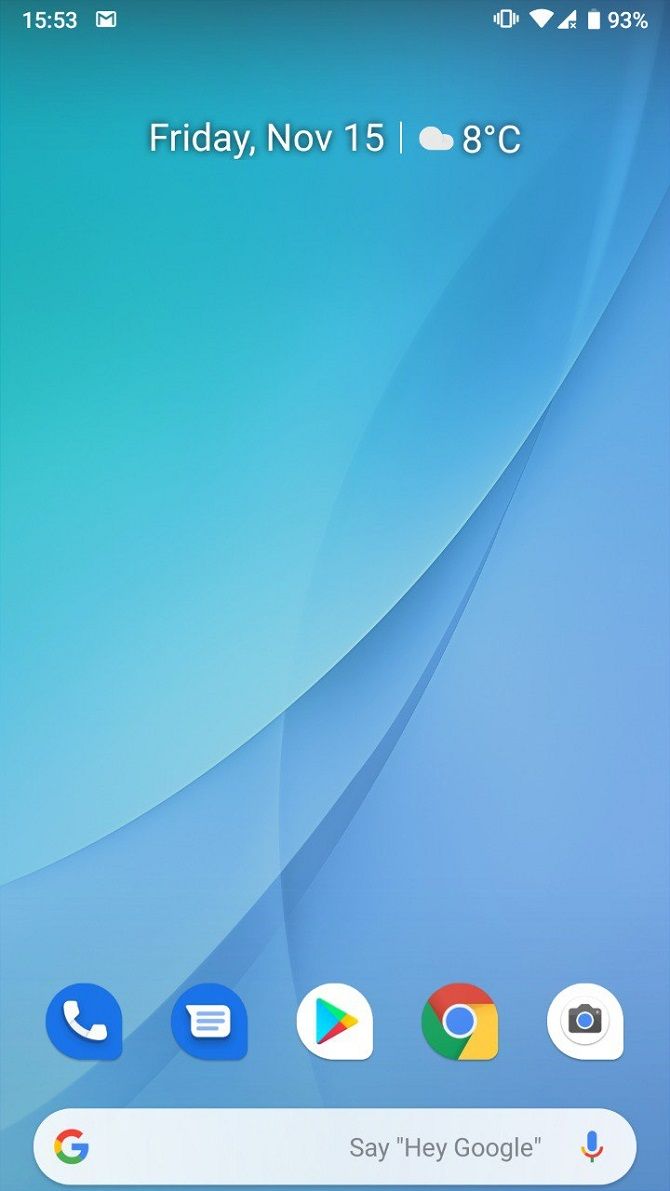
Stock Android, also known as pure Android, is the version of the mobile operating system as shipped or released by Google. It has no alterations or changes by smartphone manufacturers. This contrasts with original equipment manufacturer (OEM) skins or custom versions of Android, which usually include changes or proprietary apps made by smartphone manufacturers.

For example, Samsung’s Galaxy S10 and Note 10 smartphones carry a custom operating system called One UI. While this OS is based on Android, it contains drivers, apps, and other software that is not shipped with stock Android. As another example, Huawei uses its own custom Android-based OS called EMUI.

As of 2019, the majority of Android device manufacturers still use custom versions of the OS. However, more brands are releasing devices with stock or pure Android. Meanwhile, the Android One line of devices use a near-stock version of Android with the stock Android UI.

If your phone didn’t come with stock Android, you can still get or approximate it. This is possible either by rooting your device or using apps that provide a stock Android experience.

Is Stock Android Better? Reasons to Choose Stock Android

Many Android enthusiasts will argue that pure Android is the best Android experience. However, this isn’t simply about preference. There are some real, tangible benefits to using stock Android.

Here are a few of the major benefits of using stock Android over modified OEM versions of the OS.

1. Security Benefits of Stock Android

One of the biggest criticisms facing Android, especially from iOS fans, is the potential for security issues and malware. And while the platform isn’t exactly a hotbed for malware, it’s true that multiple security flaws have been found in Android over the years.

While Google is quick to develop patches for these flaws, these updates take longer to roll out on devices with brand-specific versions of Android. Manufacturers need to customize updates based on their specific iteration of the operating system to make sure everything is compatible. This delay increases security risks for affected users. After all, you should always keep Android up-to-date for security reasons.

Google has taken steps in recent years to improve the rollout of security patches. However, the best way to get the latest security updates on time is to have a pure version of Android.

2. Latest Versions of Android and Google Apps

Another issue with branded versions of Android is that manufacturers are notoriously slow at rolling out new versions of the operating system. Many customers spend years on the same version of Android, despite new ones becoming available.

Sometimes the only way to get the newest version of Android from specific manufacturers is buying their latest device. Of course, with the pace of development, you’ll soon find yourself in the same situation again.

Stock Android devices, on the other hand, tend to receive updates soon after Google releases them. Like security updates, manufacturers don’t need to customize new versions of Android for their phones if they run the stock OS. This makes the update process much quicker for users.

In a sense, stock Android future-proofs your device. With the latest operating system also comes the latest versions of Google apps, like Google Assistant and its newest features. There are also UI and performance improvements included in new Android patches, which many miss out on due to device manufacturers.

3. Less Duplication and Bloatware

nokia pure android less clutter

Phone manufacturers change pure Android in various ways to create their custom skins. A notable example is the inclusion of manufacturer-branded apps. The problem is that these various apps are also accompanied by the pre-installed Google apps.

As a result, you end up with a significant amount of app duplication. Google gives you Chrome, while your manufacturer gives you their own internet browser. Gmail is usually accompanied by the phone manufacturer’s own email client app, while Google Play is often accompanied by the brand’s own app store (like the Galaxy Store for Samsung devices).

This creates a lot of unnecessary clutter. You’re not likely to use many of these duplicate apps and there’s no way to uninstall them.

4. Better Performance and More Storage

Bloatware can impact the battery life and performance of your device, especially if those apps run in the background. Google has recently made strides to improve Android’s performance, including battery optimization.

But bloatware can obstruct these enhancements and end up slowing down your device. One of the most annoying consequences of a heavily-branded version of Android is that the operating system will take up extra storage space. And because it’s not possible to uninstall the bloatware apps in most cases, you’ll have to find workarounds to free up extra space.

If you have a phone without expandable storage, you’re more likely to miss those extra few gigabytes of space. A severe lack of storage can also slow down your device, creating a vicious cycle of bad performance.

5. Superior User Choice

Many consumers want the power of choice, without apps and skins forced onto their devices. One of the benefits of stock Android is that the core apps are far fewer in number, so you choose which apps you want to install on your device.

In the past, stock Android has been criticized for not having quite the same functionality as other versions of the operating system. But Android is becoming increasingly advanced, with useful shortcuts and various optimization options appearing throughout its many revisions.

Now that a lack of features isn’t as much of a problem with stock Android, many people have called manufacturers to give them the pure Android experience on their devices.

What Stock Android Phones Are Available?

android one stock android smartphones

So if you want to buy a phone with stock Android already installed, which manufacturers provide this option? In recent years, more smartphone makers have moved to pure Android or near-stock Android.

A few smartphone brands that consistently use pure Android, or near-stock Android, include:

  • HMD Global: Nokia smartphones
  • Google: Pixel smartphones
  • Lenovo: Motorola Razr and Motorola One

Any phones that are part of the Android One program also use near-stock Android. Manufacturers create these phones in partnership with Google, with an agreement to not alter the OS. You can see a full list of Android One phones on the program’s website.

A few notable Android One smartphones include the Xiaomi Mi A devices, the LG G7 One, and the Nokia 9 PureView.

Ways to Improve Your Android Phone With Updates

One of stock Android’s best benefits is certainly timely updates. This is largely because of the major role updates can play in improving device performance, not to mention the fun features that yearly upgrades of Android bring.

But in fact, you can make solid upgrades to your Android phone without buying a new one. Find out more about improving your Android phone’s performance, camera, and storage without shelling out for a new device in our guide.

Read the full article: What Is Stock Android? 5 Reasons to Use It on Your Next Phone


Read Full Article

How to Comply With YouTube’s New COPPA Rules for Children


youtube-coppa

YouTube is making changes to its platform in 2020. These changes revolve around how children are using YouTube, with YouTube trying to comply with the COPPA law in the US. The new YouTube rules are designed to protect children, but they’ll have serious implications for YouTubers.

This article is designed to help YouTubers comply with the new YouTube rules. We’ll explain what COPPA is and why YouTube is making these changes. We’ll also explain how you, as someone who uploads content to YouTube, can comply with the new YouTube rules protecting children.

What Is COPPA?

COPPA, which is an acronym for the Children’s Online Privacy Protection Act, is a US law passed in 1998 and put into place in 2000. Its main purpose is to define rules about how online entities can collect data about children (which the law defines as those under the age of 13). While it’s a US law, it applies to US-based companies no matter where their users are located.

The law has several requirements and restrictions, which are too detailed to review in-depth here. For the purposes of this discussion, the most important part of COPPA is that it requires explicit parental permission for companies to collect and use data about kids.

It’s easy to see this law in practice around the web. For example, most social media sites require their users to be at least 13 years old to sign up. They could obtain parental permission to comply with this law, but it’s not worth it due to the hassle.

YouTube’s COPPA Violation

In September 2019, the Federal Trade Commission (FTC), which is responsible for enforcing COPPA, brought a $170 million fine against YouTube for COPPA violations. This is by far the largest fine ever paid for breaking this law.

The company’s primary offense was knowingly using the viewing history of children under 13 to show them targeted advertisements on videos. Because YouTube did not obtain parental permission to track this data, it was breaking the rules of COPPA.

In addition to the monetary penalty, the FTC’s settlement with Google requires the company to set up a new system on its platform. It must allow content creators to mark their videos as child-directed or not, so that YouTube can comply with the COPPA rules.

YouTube has now released details about this system, as the burden will fall on individual content creators. Let’s look at these new rules and explain what they means for your channel.

Marking Videos as “Made for Kids”

In November 2019, YouTube rolled out its new measures to comply with COPPA. These rules go into effect on January 1, 2020.

YouTube channels will now need to specify every video as Made for kids or Not made for kids. You can choose a setting for your entire channel, which will automatically apply it to all of your videos, but you’ll still need to confirm it every time you upload a new video.

What Constitutes “Made For Kids”?

Unfortunately, the line on what “for kids” means is vague. The FTC uses the term “child-directed” (the equivalent of YouTube’s “made for kids”) to describe videos where “children are the primary audience” or “children are not the primary audience, but the video is still directed to children” based on several factors. These include:

  • Whether the video revolves around educational content for young kids
  • If the video includes child actors
  • Whether your video “includes characters, celebrities, or toys that appeal to children”
  • If the language the video uses “is intended for children to understand”

Some types of content are clearly for kids, like educational lessons and preschool songs. Other kinds of videos are obviously not for kids, such as political essays and adult-oriented comedy. The confusion is mainly due to the gray areas, where your content might not be “kid-directed” but is still “kid-attractive”. This is the case for channels dedicated to gaming, toys, and vlogging.

Check the YouTube help page on determining your video audience and the FTC’s FAQs about COPPA for more information.

Reduced Functionality on Videos Made for Kids

To comply with COPPA, YouTube will significantly reduce the data it collects on children going forward. YouTube’s help page on video audiences details that videos marked as “made for kids” won’t have many major YouTube features available, including:

  • Personalized ads
  • Appearing in search and recommended videos
  • Comments
  • End screens
  • The notification bell
  • Users’ ability to save the video to playlists, including Watch Later

In addition to the above, if you set your entire channel as “made for kids,” you will lose the following functions:

  • Stories on YouTube
  • The entire Community tab on your channel page
  • Channel memberships

This has enormous implications for content creators.

What This Means for Your Channel

Now that we’ve looked at YouTube’s upcoming changes based on COPPA and what they require from you, let’s see how the new YouTube rules may affect your channel.

Notably, while YouTube could take action against you for improperly labeling your videos, you are liable for COPPA violations with the FTC itself. The FTC has stated that breaking these rules (such as uploading a video made for children but not tagging it as such) could result in a fine of up to $42,000 per video.

If You Only Upload Videos Made for Kids

Those who specifically create videos for kids and mark their channels as such will see all of the above features removed from their channels. This will make it much more difficult to engage with your audience because you won’t have comments. It’s also next to impossible to bring in new viewers without search or recommended traffic.

The worst blow to these creators is the lack of personalized advertising. The vast majority of ad revenue (about 90 percent) comes from personalized ads, so you can expect to see a huge drop in revenue from your videos.

We recommend taking a look at our alternative ways of making money on YouTube so you can continue to profit from your content.

If You Upload Videos That Kids May Enjoy

While creators who upload videos aimed directly at children are hit the hardest by these rules, those who upload a mix of content have confusing guidelines to sort through. As we’ve explained above, COPPA’s guidelines are both vague and out-of-date for the modern web.

Say you create a video focusing on a video game that kids find appealing, like Minecraft or Fortnite. If that video contains excessive swearing, you’d naturally think to mark the video as “not for kids”.

However, the FTC may look at the thumbnail of the video, see cartoon graphics that appeal to kids, and decide that your video actually is made for kids. Without watching the video, they won’t realize that you used strong language in it. In this case, you would be in violation of COPPA and potentially have to pay a life-altering fee.

This is a major catch-22. On one hand, marking your videos as “for kids” is basically a death sentence for your channel financially. However, if you mark your content as “not for kids” and the FTC decides it is for kids, you could be in trouble.

If you upload general-audience videos about toys, cartoons, or other kid-appealing content, we recommend you seek legal counsel in order to protect yourself.

If You Only Upload Videos for Adult Audiences

Those who upload content that nobody would reasonably think is “made for kids” will have the fewest problems from these new rules.

If you can confidently mark your videos as such and are sure that even someone who’s not familiar with internet pop culture from the FTC would agree, you are most likely safe to continue as usual.

How to Set the Audience for Your YouTube Videos

To change these settings for your own channel, head to YouTube Studio, which you can access by clicking your profile picture in the top-right of any YouTube page and hitting YouTube Studio. Select Settings from the left sidebar, then go to Channel > Advanced settings.

Under Audience, you can specify whether your channel always uploads content that’s made for kids, never does so, or choose to review the setting on every video. You’ll also see a button for this each time you upload, pre-selected with what you chose here.

YouTube Audience Setting

To change the audience on an individual video, select it in YouTube Studio. On the Details tab, you’ll see an Audience section.

YouTube has noted that it will also perform automated reviews of content. If it decides that a video is directed at children, it may override your setting and set it as made for kids anyway. You cannot change this once YouTube sets it, though you can use the Send feedback button on the video to let the company know you disagree.

For Kids vs. Age Restriction

As a final note, you should know that this new “not for kids” designation is different than YouTube’s age restriction designation. A video becomes age-restricted either voluntarily by the channel owner or automatically by YouTube after review.

Videos with strong language, sexually suggestive content, violence, or dangerous activities will often be age-restricted. When this happens, users under 18, people who aren’t logged into YouTube, and those in Restricted Mode won’t see the video. Age-restricted videos are also not eligible for monetization.

Just because a video is “not for kids” doesn’t mean it’s age-restricted.

Understanding COPPA and YouTube

You should now have a basic understanding of how the new YouTube rules will affect you. We hope this article helps, but unfortunately we cannot provide legal advice.

So, if you’re concerned about how these new YouTube rules will affect you, we recommend you talk to a lawyer.

We guarantee that the YouTubers who make serious money will be taking these new rules seriously, so we recommend you do the same.

Read the full article: How to Comply With YouTube’s New COPPA Rules for Children


Read Full Article
5 Reasons to Set Up a Guest Network on Your Router


router-guest-network

Your router is a gateway to the internet. It’s also an entry point for hackers looking to exploit vulnerabilities. Do you trust your router to protect your network?

One way to increase Wi-Fi security is to set up a guest network on your router. Here’s how to do that, and five reasons why a guest wireless network improves network security.

How to Set Up a Guest Network on Your Router

A guest network is a network that runs parallel to the standard network on your router. Both originate with the same router, but they have different SSIDs (Service Set Identifier, the broadcast name of the router).

It’s easy to set up a guest network on a router.

That is, assuming your router has a Guest Network option. Because wireless routers are so different from manufacturer to manufacturer, specific instructions for this are tough to explain.

So, in very general terms, you have two options to set up a guest network:

  • Check the documentation, find the Guest Network option, enable it
  • Create a guest network manually

Whether your router supports guest networks will determine if you can use it or not. If the router has no guest network option, you might consider installing DD-WRT or some other custom router firmware.

But why do you really need a guest network setting up on your router? These five points should convince you.

1. Stay Secure from Hackers

Hackers want your data. They want to control your devices, force you to pay for release, sniff around for interesting data, steal your identity, that kind of thing.

You can take steps against this by securing your router.

For the best results, ensure you have changed the default password on your router. Also, take the time to change (or even hide) the SSID for the main network.

Then create a guest network to obfuscate the “real” network. Unless you’re being specifically targeted by hackers, they’re unlikely to spend time looking for a possible secondary network. They’re more likely to take the easy option.

2. Keep Your Smart Home Devices Separate

google home smart devices lock

Smart home technology and Internet of Things (IoT) devices are not known for their inherent security. While the situation is no-doubt improving, many devices (smart cameras, lights, locks) have been sold with security flaws.

These flaws allow hackers to access the devices remotely. There’s potential there for further access to other devices on your network, particularly hardware running apps to control the smart home gear.

By using a guest network for smart home and IoT devices, you protect other hardware. Laptops, PCs, tablets, and phones, NAS devices, consoles—they’re safely connected to your main network. It makes sense for devices with less robust security to be kept remote from those storing your vital data.

3. No Need to Share Your Router’s Main Password

You have guests. Perhaps it’s party night, or simply a babysitter. The guest(s) wants access to your Wi-Fi network. Do you give them the passkey?

While suggesting they use their own mobile internet connection is tempting, the better option is to allow guest access.

Now, many routers ship with a feature called WPS. Wi-Fi Protected Setup was intended to make it easier for devices to connect to wireless routers. However, it offered an opportunity for hackers to exploit, and as such is discouraged from use.

In fact, WPS should be disabled on your wireless router. If it’s not, disable it right away.

Instead of WPS, you can simply suggest visitors use your guest network. Keep your router’s main password secret.

4. Manage Access to Your Router

router ethernet ports

Another advantage of using a guest network is that you can manage access to your router. So, keep your TV, console, PC, etc. connected to the main network. Save the guest network for visitors, kids, smart home devices, and so on.

That way, you know that hardware you rely on is connected securely, safe from intrusion from other devices.

It might be worth taking the time to check who has access to your network from time to time. You can do this by signing into the router’s admin screen. Alternatively, employ an app like Fing, a network tool available for Android and iPhone. It displays all devices on a chosen network.

It’s a useful way to see what connections have been made and which devices you might like to eject from your network.

5. Disable the Guest Network to Limit Access

Finally, you can disable the guest network without losing connectivity for other hardware. Why might you do this?

First, there may be an issue with your IoT or smart home tech. Keeping it separate from your main network is clearly wise. Disabling the hardware’s internet connection while keep your other more reliable tech online is wise. After all, you might need to research the issue.

Second, you might want to simply deactivate access to the guest network. Perhaps a visitor has outstayed their welcome, or a child is watching kids shows on Prime Video.

While parental control software is a better option for managing child access to the internet, this works too. Just remember to re-enable the guest network when it is required again.

If Your Router Supports Guest Networks, Enable It!

Setting up a guest network on supported routers is simple. Enabling the feature improves security, keeping your activity private and secure. It helps to prevent unauthorized access and intrusion on your network, protecting the data you send and receive.

Using a guest network on your router:

  • Keeps you secure from hackers
  • Allows you to separate smart home devices from PCs and smartphones
  • Avoids having to share the password with visitors
  • Allows easy access management
  • Can be disabled at any time

Want more security on your home network? Check our guide to the best VPN routers for the ultimate in online privacy.

Read the full article: 5 Reasons to Set Up a Guest Network on Your Router


Read Full Article
Front-End vs. Back-End Web Development: Which Path Is Right for You?


font-end-backend

Web development is soaring in popularity, both as a career choice and an added skill for computer scientists. The term “web development” is very broad—it can cover many different styles of development.

Typically, these are separated into two categories: front-end development and back-end development. Figuring out which kind of development to learn is a very common question asked by developers when they start out. Let’s take a look at the differences and see which one is right for you.

Front-End vs. Back-End

Let’s break down the specific differences between these two forms of development. Before getting specific the two styles really boil down to this:

Front-end development is coding to build the side we interact with on websites and web apps we use every day. Front-end developers decide how they’re designed, how they’re styled; how they actually work when people use them.

Back-end development is coding to build the server-side of websites and web apps. Back-end developers create the technology that stores information on servers and loads information onto web apps.

Front-End Development

The Basics

The “front end” of a website or application is the layout and design you see when you view it. Take a look at the presentation of this article, the buttons, menus, colors, fonts, and navigation. Everything was programmed to create the finished product you see.

This is front-end development, using code to create website structure and layout.

Front-end developers typically have a sharp eye for design and User Experience (UX). Not necessarily to the mastery of a web designer, but those who have a passion for both coding and design will find a nice middle ground.

Languages and Tools

Front-end coders should be experts in modern HTML, CSS, and JavaScript.

HTML is the backbone of all web development so developers of both front-end and back-end should be comfortable with it. You can get off the ground pretty quickly understanding basic HTML code.

CSS is critical in creating the design of a website, so naturally, front-end developers are constantly using and improving their skills with CSS. JavaScript controls dynamic elements on a web page or application, contributing to an interactive experience.

Frameworks exist which make working with these languages even easier, but they only really work when you have a fundamental understanding of the base language. Some examples would be SASS for CSS or React for JavaScript.

Typically, front-end developers use text editors to program. They may also use browser consoles to test layout and UX, or a free UI/UX design tool like Adobe XD.

Helpful Skills

Aside from programming, front-end developers can benefit from branching out to learning other skills. Search Engine Optimization (SEO), Content Management Systems (CMS) like WordPress, code testing tools, static website builders, and even some back-end knowledge can improve overall abilities.

Back-End Development

The Basics

Think about your banking apps, social media, or a news website. Every time you log in or visit these apps, you’re given current information.

For example, your banking app always loads your current balance when you log in and can be refreshed in real-time. You might come back to this post in a month and see new comments that a reader typed up. Programmers aren’t typing up new code for every piece of information, so where does it come from?

This information comes from servers that load information from a database into a web app. Back-end developers create the logic that allows this to happen in real-time, whenever a change happens.

Back-end programmers are tuned in to the logic of apps, comfortable with databases and delivering information from web servers.

Languages and Tools

While front-end developers typically work in the same three languages, back-end developers have a little more flexibility in choosing a web programming language.

Many high-level languages can be used to work with servers. Ruby, PHP, Scala, Python, and C# (.NET) are examples of languages you can use to code the back-end. If you’re comfortable with a language already, you’ll find a nice entry into coding techniques.

Back-end developers don’t just work with servers, they work with databases as well. Databases hold the information that servers send to websites, and are coded with a database language. Languages such as SQL, SQLite, MongoDB, and PostgreSQL.

Working with full-scale languages is easier on an integrated development environment (IDE) like Visual Studio or XCode.

Helpful Skills

Back-end developers should have a strong understanding of software architecture. This becomes important as projects become larger. Coding a small blog is simpler than coding an app for an international banking service with millions of customers.

Strong working knowledge of databases is important, some developers choose to work exclusively with databases.

Many developers are choosing to learn cloud programming, which is becoming just as popular as traditional server-side programming.

Which Is Best for You?

As you’ve read through the breakdown you may have already decided which path sounds more appealing. Maybe the thought of grand colorful designs and smooth layouts gets you excited to code. On the other side, you may be inclined to engineer server code and leave the UX to the designers.

There are plenty of career options available in both fields.

The front-end path will take you through jobs such as:

  • Front-End Developer
  • UX Designer
  • JavaScript Developer
  • Web Designer
  • Freelance Developer

Meanwhile, the back-end path gives you options as well:

  • Back-End Developer
  • Database Administrator
  • CMS Engineer
  • Cloud Engineer
  • QA Tester
  • Freelance Developer

If you’re feeling like both fields appeal to you, you’re not alone. Some developers elect to dabble in both, either for the experience or career advancement. The term for developers who are knowledgable in both is full-stack developer.

Your Next Steps in Web Development

Now that you’re learning about web development, keep the momentum up! Learn all about JavaScript and how it works, JavaScript is prominent in both front-end and back-end. After that, decide your chosen path and study hard.

Read the full article: Front-End vs. Back-End Web Development: Which Path Is Right for You?


Read Full Article

Can You Really Break the Internet?


break-internet

When people talk about breaking the internet, they are probably referring to a viral social media post or news story. However, it does make you wonder if it would be possible for the internet to really break. After all, websites and even our networks go down all the time.

So, what does breaking the internet really mean, and is it even possible? Let’s take a look.

What Does It Mean to Break the Internet?

Urban Dictionary, defines breaking the internet as “causing a large commotion on the world wide web with many social networks and news outlets discussing the same thing.” That is what most people think of when they hear the phrase.

In recent years, the term has entered the popular language and has often been used as soundbite by publications covering internet regulation. For example, it was mentioned frequently by those trying to understand the EU’s Article 13 in early 2019. The concept was even central to the plot of Disney’s 2018 film; Ralph Breaks The internet.

However, according to Know Your Meme, it can actually be traced back to the early 1990s, when there was a widespread misconception that the internet was a single machine that could be broken. This mainly developed because the internet as we know it was still on the fringes of society, and a gadget reserved purely for techie folks.

What Is the Internet?

Cityscape at night with visual Wi-Fi indicators
Image Credit: jamesteohart/DepositPhotos

We first have to separate two terms that are used interchangeably, but mean different things; the internet and the world wide web. The internet is a global network of computers. These can range from private networks, like your home Wi-Fi, to business networks, and then networks of networks, too. The US government first developed the internet in the 1960s.

The World Wide Web is a system that allows you to connect to and view resources on the internet by using a web browser. This is through the use of a Uniform Resource Location (URL). The URL, more commonly referred to as a website address, converts a numerical IP address into a memorable one in the form www.makeuseof.com, for example.

Without the invention of the world wide web in the early 1990s, the internet probably would have remained a governmental or business tool. However, the ability to instantly access any document or page on the internet through a standardized URL and easy-to-use web browser opened the internet up to billions of people around the world.

How Does the Internet Work?

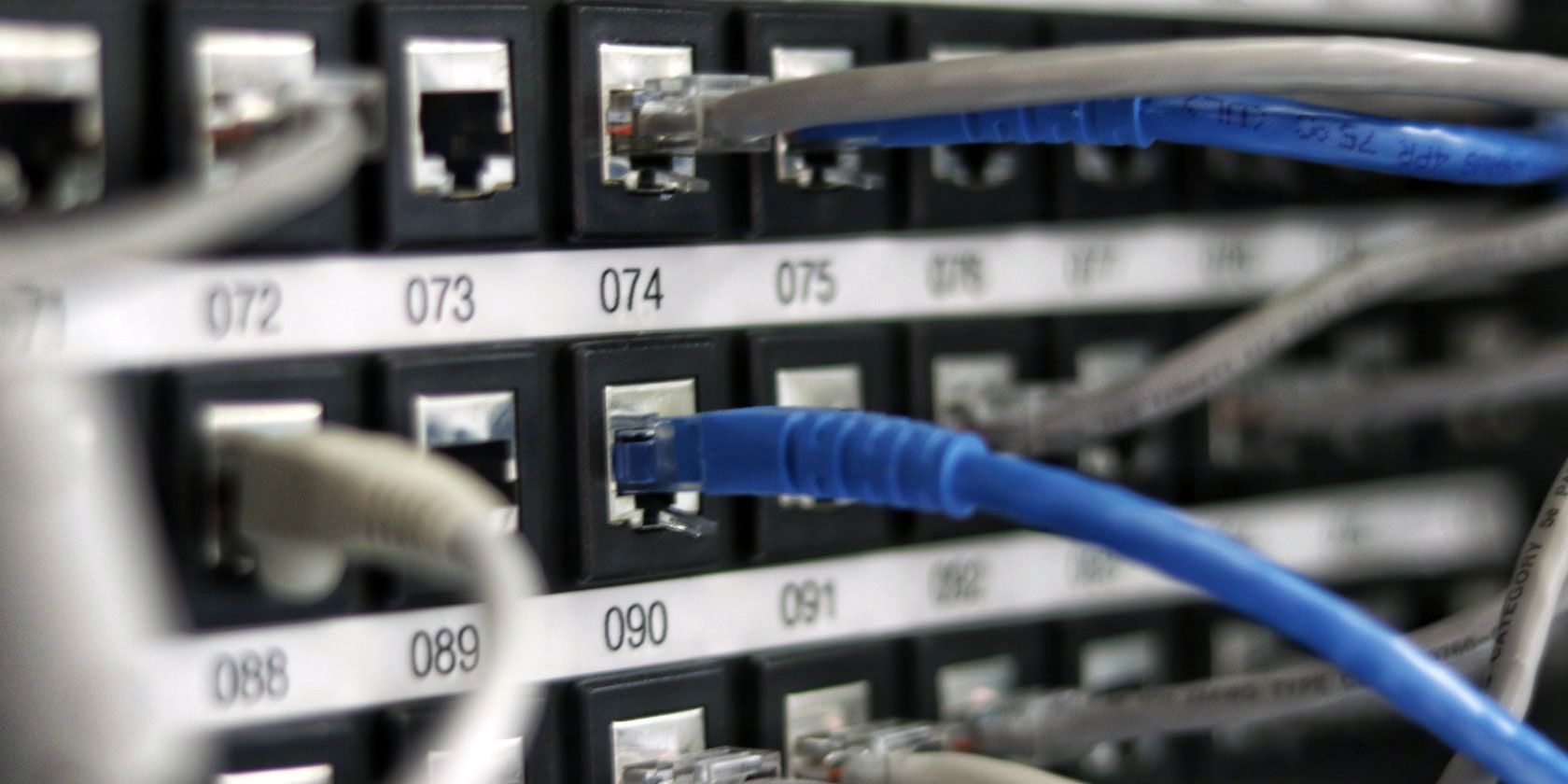
Network cables connecting servers in a data center
Image Credit: vschlichting/DepositPhotos

The internet is a collection of networked computers. So, in its simplest form, you could imagine it to be a handful of physical computers in a single room all connected to one another. This network is then, in turn, connected to another similar collection of computers somewhere else.

Each computer on the network can share data with another, whether they are on the same local network or not.

Compared to pre-internet days, this allows for information to be shared far quicker over vast geographical distances. However, it would need you to connect to each device to share this data manually. The world wide web—or the web—enables each of these computers to talk to one another as if they were already connected. All you need is the URL.

Entering the URL into your web browser doesn’t immediately take you to the site, though. The URL is converted to an IP address, which gives the physical server location where the information is held. This is made possible through the use of the Domain Name System (DNS).

The DNS is like a digital phone book that receives the URL and looks up the corresponding IP address.

The Role of Your Router

Just like in the real world, though, the path to that address isn’t straightforward. The request has to travel through many different networks to reach its destination. It would be unworkable and incredibly slow were it not for routing tables. Your routing table is a map of how computers are connected to one another.

Just as when you use Google Maps to find the most efficient route to drive, routing tables do the same for digital data. You can find your router map on your router. While they are critical to the proper functioning of the internet, they aren’t the only piece of the puzzle.

Your router’s network address translation (NAT) table converts internal, private IP addresses to public IP addresses. Interestingly, your NAT table may be the reason for your slow router, too.

Can You Really Break the Internet?

We’ve looked at how the internet works at quite a high-level; there are many more technical details that underpin the internet. However, there are a lot of failure points. Your internal network needs to be operating well, and your router’s routing and NAT tables must be up-to-date.

Externally, the DNS network must be functional, and the host server responsive. If any of these systems fail, then the internet, or at least, your connection to it, may break, too. The internet has become increasingly centralized as well, leaving only a handful of companies to operate the most critical infrastructure.

Fortunately, blockchain could make a decentralized internet possible again.

Your Internet Service Provider (ISP) usually operates the physical infrastructure to carry data to your network. Then there are Content Delivery Networks (CDN). These CDNs have multiple data centers all around the world where they mirror content.

This is how, for example, you can access the same YouTube video from anywhere in the world without having to wait five minutes for it to buffer.

The 2019 Cloudflare Outage

The most prominent CDN is Cloudflare, which hosts data for the majority of the internet’s most popular websites. Not only is Cloudflare a CDN, but they also offer security and DNS services too. In July 2019, these websites were inaccessible for almost 30 minutes. This included, ironically, Down Detector—a tool used to check if a website is down.

The outage was caused by an update to the Cloudflare firewall, which accidentally consumed all of the company’s CPU power, rendering HTTP and HTTPS services unavailable.

While the outage was only temporary, it is an example of how you really can break the internet. It also highlighted the problem with centralization, as a issue with a single operator can cause widespread outages.

The Future of the Internet

You’ve probably heard breaking the internet as a way to describe viral social media posts. However, there is an element of truth to the statement. While the internet, and the world wide web, seem simple to us as users, there’s a lot that can wrong; everything needs to work correctly.

As soon as something goes awry, it is possible to break the internet.

The Cloudflare outage, in particular, shows how catastrophic the centralization of the internet can truly be. Although the internet has seemingly become more centralized over the past decade, it may not always be this way.

Some technologies could return the internet to its decentralized roots. In the future, we may not need HTTPS, as IPFS could give us a faster, safer internet.

Read the full article: Can You Really Break the Internet?


Read Full Article

You Can Now Listen to Spotify Free on Smart Speakers


Since 2016, you’ve been able to listen to Spotify on your Amazon Echo. However, this has only been available to Premium users willing to pay to stream music. Now, Spotify Free users are being invited to the party, through Echo, Sonos, and Bose speakers.

Millions of people now pay to stream music. And the number of streaming music services is growing all of the time. However, not everyone can afford the $10/month asking price, and want to stream music for free instead. And that’s now available on more devices.

How to Listen to Spotify on Your Smart Speaker

For the first time ever, Spotify Free users can now stream music through their Echo, Sonos, or Bose smart speakers. While you can’t stream individual tracks on Spotify’s free tier, users in the US, Australia, and New Zealand can at least listen to playlists.

In a post on For the Record, Spotify explains that, “Incorporating Spotify into these devices is all part of our goal to create a truly frictionless experience for our users.” Meaning you can switch from your phone to your smart speaker to your car. Seamlessly.

To start listening to Spotify on your Amazon Echo, open the Alexa app and go to Settings. Then, select Music, and click Link New Service. Tap Spotify, and enter your username and password. You can even set Spotify as your default service for music.

To start listening to Spotify on your Sonos or Bose speaker, use Spotify Connect. First, update your speaker to the latest firmware. Then, open the Spotify app, play a song, and select the devices icon in the bottom-left. Finally, select your speaker from the list.

Making It Easier to Stream Music for Free

The option to stream Spotify Free through smart speakers comes in the same week that Amazon Music landed on smartphones. This is obviously great news for people who want to stream music for free, as long as you can resist the continuous prods to upgrade.

Either way, this news could prompt more people to start using Spotify, and more people to buy an Echo, Sonos, or Bose smart speaker. If you do decide to start using Spotify based on this news, we recommend reading our unofficial guide to Spotify.

Read the full article: You Can Now Listen to Spotify Free on Smart Speakers


Read Full Article

FCC bans spending on Huawei, ZTE and other ‘national security threats’


The FCC has finally put the seal of approval on its plan to cut funding going to equipment from companies it deems a “national security threat,” currently an exclusive club of two: Huawei and ZTE.

No money from the FCC’s $8.5 billion Universal Service Fund, used to subsidize purchases to support the rollout of communications infrastructure, will be spent on equipment from these companies.

“We take these actions based on evidence in the record as well as longstanding concerns from the executive and legislative branches,” said FCC Chairman Ajit Pai in a statement. “Both companies have close ties to China’s Communist government and military apparatus. Both companies are subject to Chinese laws broadly obligating them to cooperate with any request from the country’s intelligence services and to keep those requests secret. Both companies have engaged in conduct like intellectual property theft, bribery, and corruption.”

The Chinese companies have faced federal scrutiny for years and vague suspicions of selling compromised hardware that the government there could take advantage of, but it was only at the beginning of 2019 that things began to heat up with the controversial arrest of Huawei CFO Meng Wanzhou. The companies, it hardly needs mentioning, have vehemently denied all allegations.

Increasingly complicated relations between China and the U.S. generally compounded the difficulty of ZTE and Huawei operating in the States, as well as selling to or purchasing from American companies.

The FCC’s new rule was actually proposed well before things escalated, a fact that Commissioner Jessica Rosenworcel, though she supported the measure, emphasized.

“This is not hard,” she wrote in a statement accompanying the new rule. “It should not have taken us eighteen months to reach the conclusion that federal funds should not be used to purchase equipment that undermines national security.”

Working out the details may have been difficult, however, given the generally chaotic state of the federal government right now. For instance, one month this summer it was going to be illegal for U.S. firms to sell their products to Huawei — and then it wasn’t. Just yesterday several Senators wrote to protest the Department of Commerce issuing licenses to firms doing business with Huawei.

Furthermore, it may be a financial burden for smaller carriers to comply with these rules. There’s a plan for that, though, as Chairman Pai explained: “To mitigate the financial impact of this requirement, particularly on small, rural carriers, we propose to establish a reimbursement program to help offset the cost of transitioning to more trusted vendors.”

Another, earlier proposal, to make communications companies actively remove hardware purchased from those companies, was not considered at November’s open FCC meeting. I’ve asked the agency about this and will update if I hear back.


Read Full Article

22 November 2019

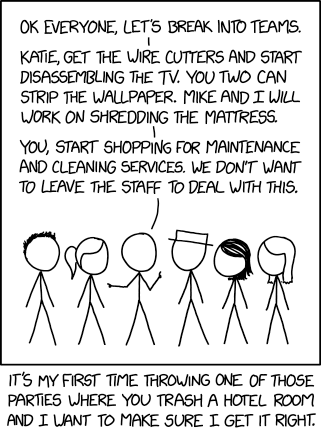
Hotel Room Party


Hotel Room Party

The search for our solar system's ninth planet | Mike Brown

The search for our solar system's ninth planet | Mike Brown

Could the strange orbits of small, distant objects in our solar system lead us to a big discovery? Planetary astronomer Mike Brown proposes the existence of a new, giant planet lurking in the far reaches of our solar system -- and shows us how traces of its presence might already be staring us in the face.

Click the above link to download the TED talk.

Watch Sacha Baron Cohen skewer Zuckerberg’s “twisted logic” on hate speech and fakes


Comedian Sacha Baron Cohen has waded into the debate about social media regulation.

In an award-acceptance speech to the Anti Defamation League yesterday the creator of Ali G and Borat delivered a precision takedown of what he called Facebook founder Mark Zuckerberg’s “bullshit” arguments against regulating his platform.

The speech is well worth watching in full as Cohen articulates, with a comic’s truth-telling clarity, the problem with “the greatest propaganda machine in history” (aka social media platform giants) and how to fix it: Broadcast-style regulation that sets basic standards and practices of what content isn’t acceptable for them to amplify to billions.

“There is such a thing as objective truth,” said Cohen. “Facts do exist. And if these Internet companies really want to make a difference they should hire enough monitors to actually monitor, work closely with groups like the ADL and the NAACP, insist on facts and purge these lies and conspiracies from their platforms.”

Attacking social media platforms for promulgating “a sewer of bigotry and vile conspiracy theories that threaten our democracy and to some degree our planet”, he pointed out that freedom of speech is not the same as freedom of reach.

“This can’t possibly be what the creators of the Internet had in mind,” he said. “I believe that’s it’s time for a fundamental rethink of social media and how it spreads hate, conspiracies and lies.”

“Voltaire was right. Those who can make you believe absurdities can make you commit atrocities — and social media lets authoritarians push absurdities to billions of people,” he added.

Cohen also rubbished Zuckerberg’s recent speech at Georgetown University in which the Facebook founder sought to appropriate the mantle of ‘free speech’ to argue against social media regulation.

“This is not about limiting anyone’s free speech. This is about giving people — including some of the most reprehensible people in history — the biggest platform in history to reach a third of the planet.”

“We are not asking these companies to determine the boundaries of free speech across society, we just want them to be responsible on their platforms,” Cohen added.

On Facebook’s decision to stick by its morally bankrupt position of allowing politicians to pay it to spread lying, hatefully propaganda, Cohen also had this to say: “Under this twisted logic if Facebook were around in the 1930s it would have allowed Hitler to post 30-second ads on his solution to the ‘Jewish problem’.”

Ouch.

YouTube also came in for criticism during the speech, including for its engagement-driven algorithmic recommendation engine which Cohen pointed out had singlehandedly recommended videos by conspiracist Alex Jones “billions of times”.

Just six people decide what information “so much of the world sees”, he noted, name-checking the “silicon six” — as he called Facebook’s Zuckerberg, Google’s Sundar Pichai, Alphabet’s Larry Page and Sergey Brin, YouTube’s Susan Wojcicki, and Twitter’s Jack Dorsey.

“All billionaires, all Americans, who care more about boosting their share price than about protecting democracy. This is ideological imperialism,” he went on. “Six unelected individuals in Silicon Valley imposing their vision on the rest of the world, unaccountable to any government and acting like they’re above the reach of law.

“It’s like we’re living in the Roman Empire and Mark Zuckerberg is Caesar. At least that would explain his haircut.”

Cohen ended the speech with an appeal for societies to “prioritize truth over lies, tolerance over prejudice, empathy over indifference, and experts over ignoramuses” and thereby save democracy from the greed of “high tech robber barons”.


Read Full Article
Watch Sacha Baron Cohen skewer Zuckerberg’s “twisted logic” on hate speech and fakes


Comedian Sacha Baron Cohen has waded into the debate about social media regulation.

In an award-acceptance speech to the Anti Defamation League yesterday the creator of Ali G and Borat delivered a precision takedown of what he called Facebook founder Mark Zuckerberg’s “bullshit” arguments against regulating his platform.

The speech is well worth watching in full as Cohen articulates, with a comic’s truth-telling clarity, the problem with “the greatest propaganda machine in history” (aka social media platform giants) and how to fix it: Broadcast-style regulation that sets basic standards and practices of what content isn’t acceptable for them to amplify to billions.

“There is such a thing as objective truth,” said Cohen. “Facts do exist. And if these Internet companies really want to make a difference they should hire enough monitors to actually monitor, work closely with groups like the ADL and the NAACP, insist on facts and purge these lies and conspiracies from their platforms.”

Attacking social media platforms for promulgating “a sewer of bigotry and vile conspiracy theories that threaten our democracy and to some degree our planet”, he pointed out that freedom of speech is not the same as freedom of reach.

“This can’t possibly be what the creators of the Internet had in mind,” he said. “I believe that’s it’s time for a fundamental rethink of social media and how it spreads hate, conspiracies and lies.”

“Voltaire was right. Those who can make you believe absurdities can make you commit atrocities — and social media lets authoritarians push absurdities to billions of people,” he added.

Cohen also rubbished Zuckerberg’s recent speech at Georgetown University in which the Facebook founder sought to appropriate the mantle of ‘free speech’ to argue against social media regulation.

“This is not about limiting anyone’s free speech. This is about giving people — including some of the most reprehensible people in history — the biggest platform in history to reach a third of the planet.”

“We are not asking these companies to determine the boundaries of free speech across society, we just want them to be responsible on their platforms,” Cohen added.

On Facebook’s decision to stick by its morally bankrupt position of allowing politicians to pay it to spread lying, hatefully propaganda, Cohen also had this to say: “Under this twisted logic if Facebook were around in the 1930s it would have allowed Hitler to post 30-second ads on his solution to the ‘Jewish problem’.”

Ouch.

YouTube also came in for criticism during the speech, including for its engagement-driven algorithmic recommendation engine which Cohen pointed out had singlehandedly recommended videos by conspiracist Alex Jones “billions of times”.

Just six people decide what information “so much of the world sees”, he noted, name-checking the “silicon six” — as he called Facebook’s Zuckerberg, Google’s Sundar Pichai, Alphabet’s Larry Page and Sergey Brin, YouTube’s Susan Wojcicki, and Twitter’s Jack Dorsey.

“All billionaires, all Americans, who care more about boosting their share price than about protecting democracy. This is ideological imperialism,” he went on. “Six unelected individuals in Silicon Valley imposing their vision on the rest of the world, unaccountable to any government and acting like they’re above the reach of law.

“It’s like we’re living in the Roman Empire and Mark Zuckerberg is Caesar. At least that would explain his haircut.”

Cohen ended the speech with an appeal for societies to “prioritize truth over lies, tolerance over prejudice, empathy over indifference, and experts over ignoramuses” and thereby save democracy from the greed of “high tech robber barons”.


Read Full Article

The Flux beamo is a $1,500 laser cutter with simple but powerful software


Laser cutters are in a fun place right now. Gone are the days when the cheapest machines were tens of thousands of dollars, and when the “compact” models were roughly the size of a freezer. They’ve gotten affordable enough, and small enough, that a DIY home hobbyist can add it to their toolset without taking out a second mortgage or needing much more than some desk space… but they’re still a rare enough machine that saying “I’ve got a laser cutter!” makes people look at you like you’re a friggin’ wizard.

One of the latest entries into this space is beamo, a compact, 30W laser cutter and engraver built by Flux — a Taiwan-based team you might remember for raising $1.6 million on Kickstarter with its Flux Delta 3D printer/scanner/engraver back in 2014.

As with Delta, Flux is turning to Kickstarter for the launch of beamo. They sprinted past their goal of $25,000 pretty quickly, currently sitting at roughly $350,000 raised with a little over a week to go. The early-bird models are going for $849, with the company pinning the final MSRP at $1,500. Shipping/taxes aren’t included in those prices, and can cost a couple hundred bucks, so factor that in to any purchasing decisions.

While I tend to be a bit hesitant when it comes to crowdfunded hardware (having been burned too many times by products that either never arrived or did arrive only to be total garbage), Flux has been down this road before; in addition to Delta, it also crowdfunded and shipped Beambox (a slightly bigger, pricier, but more powerful laser cutter) just a few months back. In the case of beamo, it seems like the Kickstarter is primarily meant to help get the word out, rather than literally “kickstarting” the process. Production is already underway, and units are already rolling off the line.

Flux sent me one of those early units to check out for a few weeks. I haven’t had it long enough to do what I’d call a “review”; with things like laser cutters with their myriad moving parts and… you know, lasers, new issues can pop up months after you open the box, as components wear and maintenance is required. So consider this more of a “first impressions” kind of thing.

My first impressions, though, are good.

For reference, I’d classify myself laser experience as… moderate. More than most people you’d randomly ask, I’d wager, but less than if it were my job. I’ve put a hundred hours or so into training/creating with those aforementioned freezer-sized pro lasers, making everything from custom etched pint glasses, to bespoke Christmas ornaments, to personalized rubber stamps over the years. I tend to look for excuses to shoot lasers at things.

Getting it running

My beamo unit came ready to go right out of the box, mirrors aligned, moving parts all lubed up. I plugged it in, set up some basic ventilation, ran through about 10 minutes of software installation and configuration and started firing away. It all just worked on the first shot.

Speaking of ventilation: you’ll need it. Laser cutting is basically a tiny, super controlled fire… and that means smoke. Depending on what you’re cutting, that smoke can be super noxious. Cutting wood? It won’t smell too bad, but it’s still not something you want in your lungs on the regular. Etching a logo into felt? It’ll smell like you’re burning a trash can full of hair. Beamo uses a 200CFM exhaust fan to pull smoky air out of the machine, dumping it out through a 4″ exhaust hose that you’ll need to run through a window (or, if you’re feeling extra fancy, a dryer exhaust-style vent through a wall.) Expect to need about 8″ of clearance between the machine and any wall behind it for the exhaust hose and its bends, unless the path to the window is a straight shot.

The exhaust system is decent, but you’ll probably need to fiddle with how the hose runs to get it just right. If you’re venting through a window, you’ll want to figure out a way of sealing up the open gaps around the hose to limit any fumes that might float back into the room. Put time into getting it right. If the room still smells smokey hours after you’ve cut, you’ll want to keep working on your ventilation. You don’t want to breath that stuff in, especially if you’re running the laser more than occasionally.

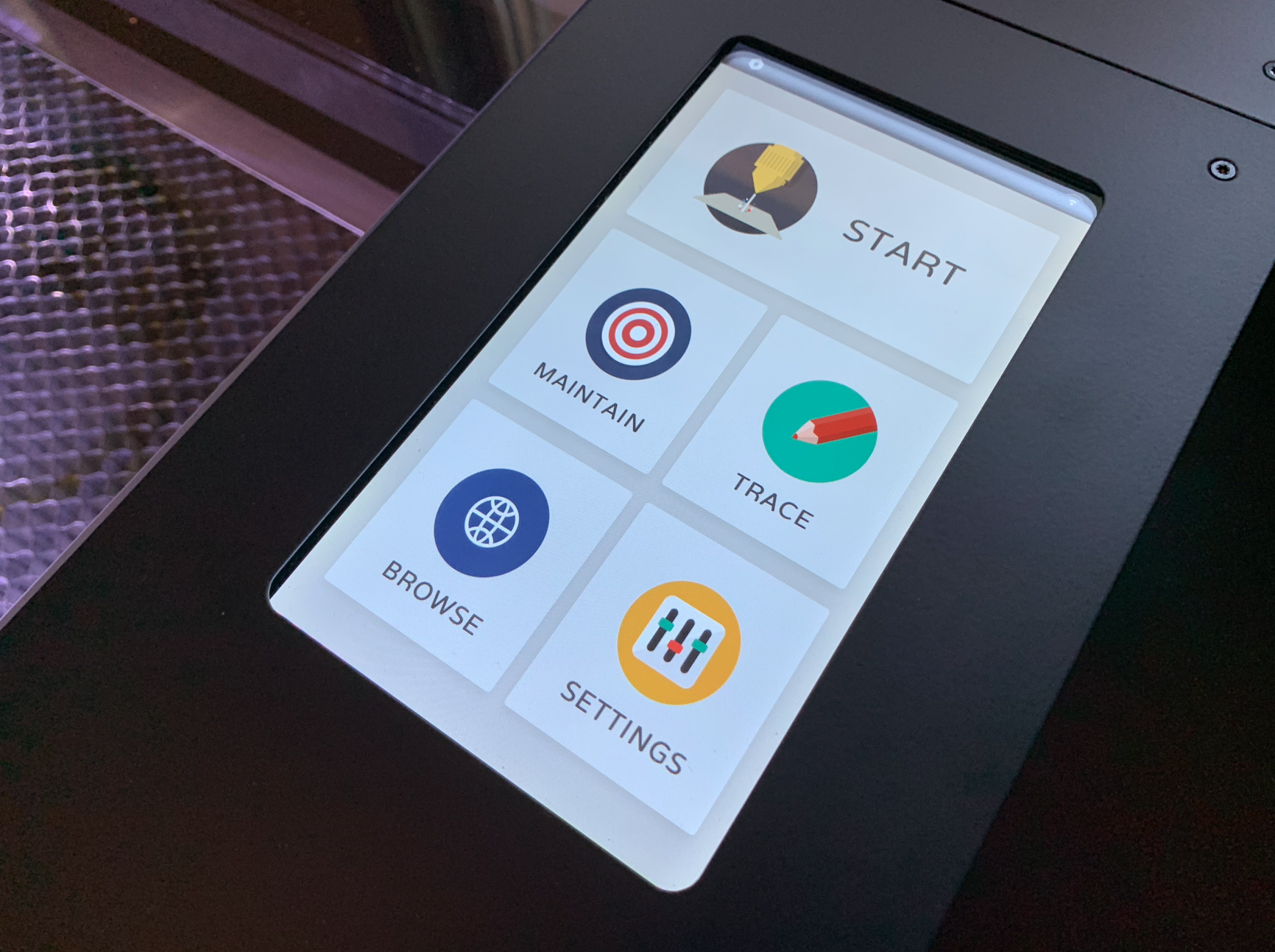
Beamo’s built-in touchscreen. You’ll mostly control it over Wi-Fi, but you can access some basic functionality and monitor job progress here.

If you’re new to laser cutting, you should also put the time into learning what you shouldn’t put in these machines. Some materials are safe to laser cut, but tend to catch on fire easily. Some materials will just melt and screw up your machine. Other things (PVC!) will straight up emit chlorine gas when you hit them with a laser. If you’re moving beyond the basics of cutting thin wood/acrylic/cardboard or engraving glass, research it.

So what SHOULD you cut? Woods are a good go-to (though you’ll want to limit it to less oily stuff — because, again, fire). Cardboard is fun to cut for things like spray paint stencils. Leather is good, with practice, and you can do all sorts of really neat stuff with acrylic. You can’t cut glass, but you can engrave it; same goes for rubber, though that’s one you’ll want to source from a place that sells materials known to be laser safe.

The thickness of the material you can cut tends to be limited by a laser’s wattage, while height/width is generally limited by the size of the work area. At 30W, beamo’s laser can slice its way through wood about 1/8″ thick; its work area, meanwhile, comes in at 11.81″ x 8.27″. You can make a lot of cool stuff within those bounds, but be aware of them — buying a bunch of material only to get it home and realize you’re a few watts short of a complete cut is a bummer. If you foresee needing deeper cuts or bigger pieces, beefier lasers exist without too massive a leap in price. As examples: Flux’s other laser cutter, the $2,500 Beambox, bumps the laser up to 40W and the work area up to 15.7″ x 14.7″; the $2,500 base model from competitor Glowforge comes in at 40W with a work area of roughly 11″ x 19.5″.

(One potential advantage of beamo over the company’s previously released Beambox: whereas Beambox requires you to regularly fill up a water cooling reservoir to keep it running, beamo’s water cooling is closed-loop, so the same water just keeps circulating. I’m interested to see how this holds up over time.)

Fire the lasers!

Got everything plugged in, ventilation set up and your materials purchased? Time to cut! Well, almost.

You’ll mostly be controlling beamo through Beam Studio, a free piece of software provided by Flux for Windows, macOS and Ubuntu. As far as laser cutting software goes, I’m really quite pleased with it so far.

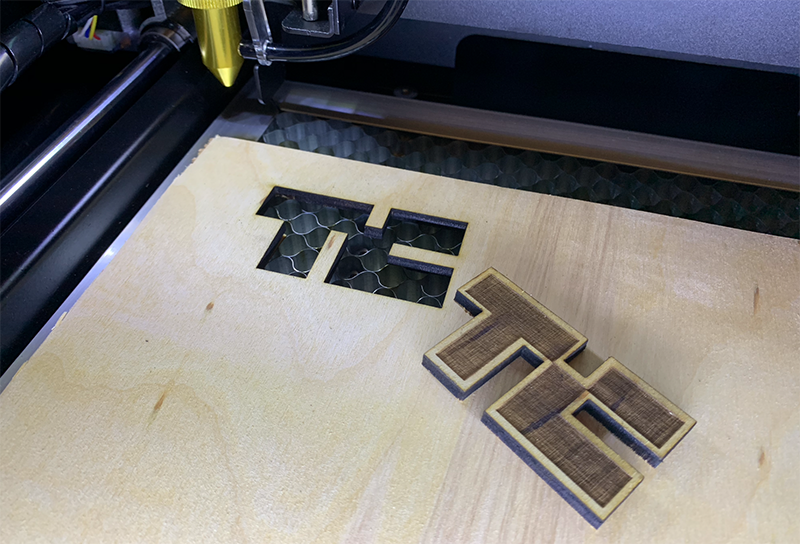
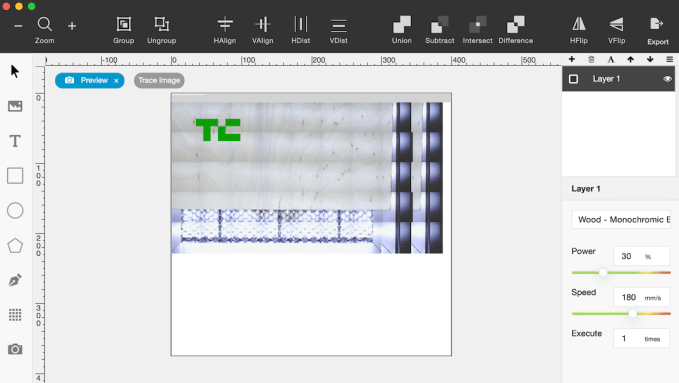
Beam Studio is super straightforward, but darn powerful for a free companion app. If you’re looking to cut out basic shapes, etch text or lay down some bezier curves, it can do it. Want to etch a picture of your dog into some wood to make a keychain? Just drop an image onto the work area, scale as desired, then move a slider to tweak the black/white threshold until it looks right. You can work in layers, setting up a raster layer to be etched and then a vector layer to cut it out immediately after.

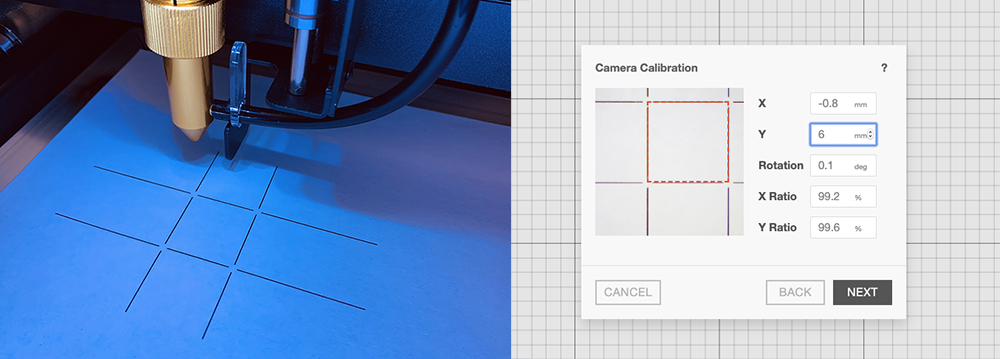
Beamo has a built-in camera system, allowing you to quickly scan the work bed before dragging and dropping your designs wherever you want them. The first time you connect to beamo, you’ll be asked to calibrate the camera — a process that was considerably simpler than I expected. Put a piece of paper on the work bed, and beamo will fire a quick test pattern into it. Beam Studio will then snap a picture of what it just etched, projecting an overlay of where it thinks the test pattern is versus its scan. Nudge the overlay around until everything is perfectly stacked, and you’re set. You’ll want to re-run this alignment process every once in a while (it’s quick) if you need precise placement.

The camera system here really is incredibly useful. After about 30 minutes with beamo, I was doing things that are at best annoying on camera-less cutters — things like etching a design, cutting it out, then immediately flipping the cut piece and etching on the other side without worrying about precarious placement. I just rescanned the work bed, dragged the image where I wanted it on the freshly cut side B, and fired away.

The camera is quick, but not instant. Scanning the entire work area takes about 60 seconds. If you only need a certain area scanned (like, say, the top half of the work area, or the rough area around something you’ve already cut), fortunately, that’s an option. Just drag the scanning boundary box accordingly.

If you need to do something beyond what the free software can handle (or if you just prefer working in apps like CorelDraw or Illustrator), Beam Studio can import JPGs, PNGs and SVGs.

While more capable than I expected, the software isn’t without its quirks. Beam Studio will try to keep you updated with a progress ticker, but don’t rely on it too much for predicting timing. I’ve had projects shoot up to 40% in the first 30 seconds, only to take five minutes for the rest to complete. There was an occasion or two where the software threw out an error in Mandarin that I didn’t want to dismiss without a quick pass through Google Translate… but for the most part, it was solid, stable and fun to use.

In its base configuration, beamo’s laser is manually focused, meaning you’ll need to focus things by hand each time you place new material inside the machine. Fortunately, focusing it is super straightforward: put material in, rotate a piece of acrylic attached to the laser head, lower the laser head until the acrylic is just barely touching the material, then lock the laser head back in place and lift the acrylic out of the way.

Flux says that it’ll ship a $250 add-on module that introduces autofocus to the mix, but I didn’t get to test that. They’re also working on a $499 rotary add-on that will let you etch designs onto cylindrical items (think shot/pint glasses), but out of the box, it’s flat stuff only.

As with every single laser I’ve ever worked with, working with a new material — or even, sometimes, the same material from a different source — requires some fiddling. You’ll be tweaking the speed at which the laser moves, the power of the laser and how many passes it makes over the same path; you want to keep the power low enough to minimize scorching and maximize the life of the laser, while making sure you’ve done enough repeat passes to cut completely through. Beam Studio comes with a bunch of presets for different materials that can get you pretty close (and you can save your own favorites, once you’ve found them), but expect to experiment a little when you’re working with a new material for the first time. Buy extra material.

As for noise: operating with fans running full force, it’s not what I’d call “quiet,” but it’s not so loud that it’s uncomfortable to sit next to. The company’s specs pin it at around 65 db — louder than your average conversation, but a bit quieter than, say, a vacuum. The fans do whir endlessly when the machine is idling, so you’ll probably want to cut the power between cutting sessions.

If for some reason you need to open the lid while the laser is operating, beamo’s built-in automatic kill switch will cut power to the laser to protect your eyes. Close the lid again and the job can be resumed right from where you left off. While the company says that the acrylic lid provides sufficient eye protection for beamo’s 30W Class 1 laser (though they note that you shouldn’t stare right at the laser beam, lid or not), I absolutely recommend picking up and wearing a pair of CO2 laser safety goggles, especially when it comes time to pop the machine open and do any maintenance. Speaking of…

Foreseeable maintenance

Maintenance is an inevitable part of owning a laser cutter. As noted, I’ve only had the laser set up for a few weeks and everything came well configured, so I haven’t had to go digging under the hood yet. If something suddenly breaks on me during my time with the cutter, I’ll update this post accordingly. But either way, maintenance will be part of the process for owners.

Even if nothing breaks unexpectedly, some of the parts involved are “consumable” and thus expected to wear down with use. The lens, mirror and laser tube, for example, are expected to last about a year with regular use, according to the company’s estimates. The team says those parts should cost about $19, $9 and $139 to replace, respectively, and you’ll be able to buy them through their online store. Plan ahead for those recurring costs, and make sure you’re comfortable with the idea of eventually tearing the machine apart before you dive in.

You’ll also need to keep things clean to keep them operating well. Burning stuff dirties the optics, and dirty optics lead to weaker cuts and faster wear. You’ll want to pop the work bed out regularly to get rid of any debris, and keep all the moving bits lubed. There’s more to keeping a laser cutter working well than say, an inkjet printer.

Overall, though, so far so good. The machine looks pretty great on a table; it’s not quite as shiny and Apple-y as a Glowforge, but it should blend into a home office or studio pretty easily. It’s light enough to be easily moved by two people, and took me all of a few minutes to get up and running. If you don’t mind the occasional software hiccup, can figure out sufficient ventilation, are mostly working on projects that fit within beamo’s wattage/work area capabilities and are down to get under the hood for maintenance, beamo seems like a solid machine so far.


Read Full Article

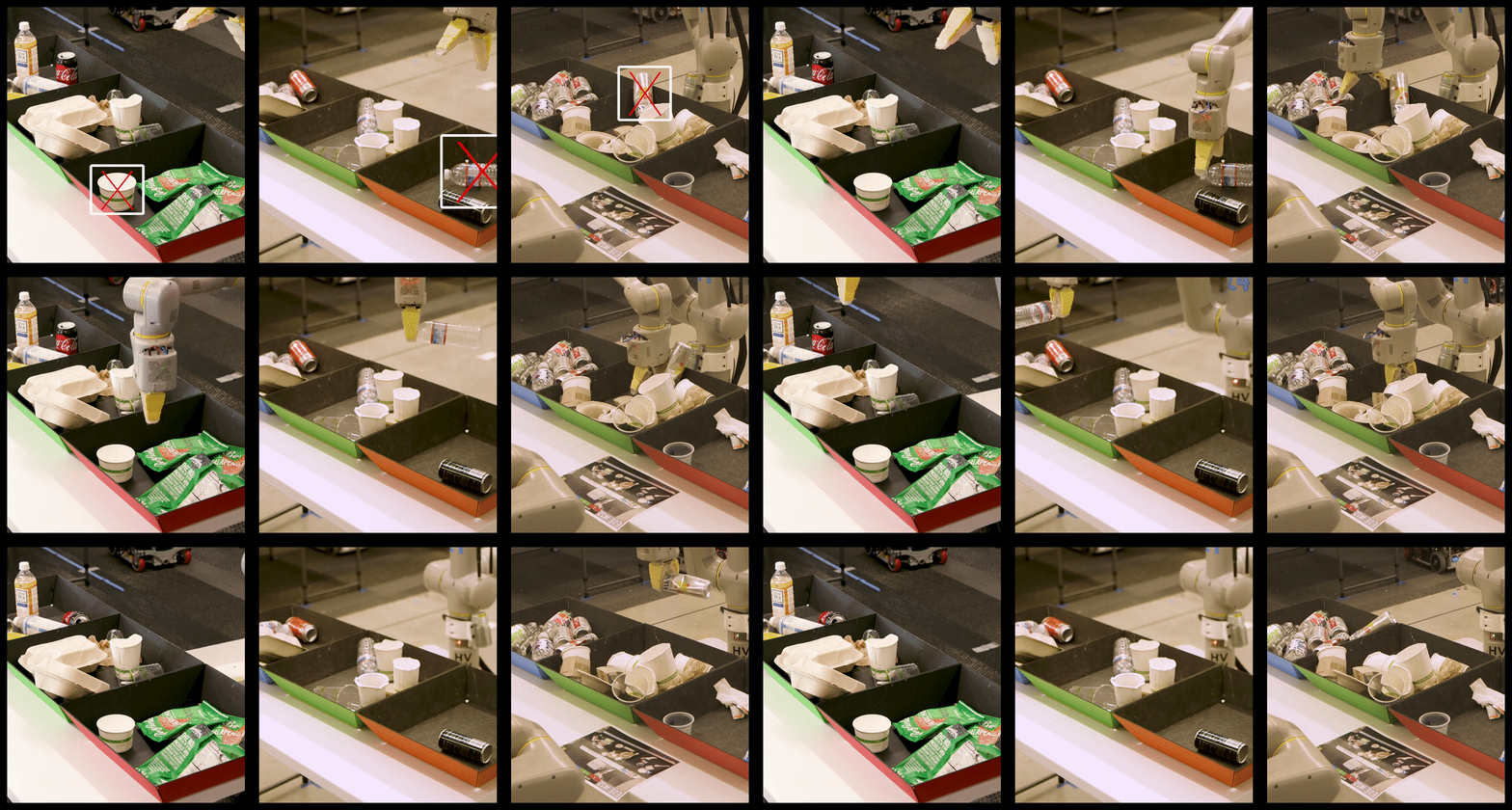
Alphabet’s X details a garbage-sorting bot that’s part of its plan to make robots an everyday thing


Alphabet subsidiary X, which is the former Google X and which focuses exclusively on ambitious ‘moonshots,’ or applications of tech you might expect are science fiction, not a real product in development. Like a robot that can sort through office trash.

X does a lot of its work more quietly than other Alphabet companies – until it’s ready to share some of it progress. It’s reached that point with the ‘Everyday Robot Project,’ an ongoing effort that X has been working on for “the past couple of years,” according to project lead Hans Peter Brondmo, who shed some light on what the project is and what it does in a Medium post today.

Brondo compares robotics today to computing in the 1950s and 60s – it’s a working reality, but it’s happening in dedicated spaces and the only people interacting with them on the regular are specially trained computer operators, using them for professional purposes. The challenge, then is to usher in an era of robotics akin to the era of consumer computing – in other words, how do we get to a world where ordinary people live and interact with robots every day?

The challenges are both more mundane and more complex than you might imagine: They have everything to do with stuff we take for granted every day, like other people walking around, trash bins that are out at the curb one day and gone the next, furniture that moves around, different weather conditions and just about anything you can think of that’s a pretty normal part of everyday life but hard to predict exactly day-to-day. Robots work best with specificity and exactness, especially when it comes to programming.

The Everyday Robot Project knew this, and quickly determined that to create robots that are genuinely useful to actual people going about their lives, the key was to ‘teach’ rather than ‘program,’ according to Brondmo. That meant working with the team at Google AI, first in a lab setting, and then out in the world. That’s where it arrived at the robot it’s detailing today: One it successfully taught to sort through garbage at X’s own offices.

The robot, trained via simulation and reinforcement learning, among other techniques, managed to actually reduce the level of waste contamination (putting the wrong garage in the wrong place and causing the whole contents of that bin to go to the landfill instead of being recycled, for instance) from around 20 percent to under 5. If you’ve ever worked in a building that is certified as green by some kind of officially recognized standard, then you might know how impressive this actually in in terms of overall impact.

Aside from actually making a significant dent in the amount of unneeded waste heading to a landfill from a sizeable office, this development helps X prove out some of the feasibility of its ultimate goal of making robots everyday affairs for most people. There’s still a long ways to go before robots are commonplace companions – the smartphones we carry around everywhere, in the general computing analogy – but this is a step in that direction.


Read Full Article

Google employees will rally in protest of alleged worker retaliation


Google is under fire again for its treatment of employees. Tomorrow, a group of Google employees are holding a rally and press conference to speak out against the company’s decision to place two employees on indefinite administrative leave.

Earlier this month, Google fired one employee and put two, Laurence Berland and Rebecca Rivers, on leave for allegedly violating company policies. At the time, Google said one had searched for and shared confidential documents that were not pertinent to their job, and one had looked at the individual calendars of some staffers. Both Berland and Rivers are set to speak tomorrow at the rally.

This news was reported earlier by Forbes’ Jillian D’Onfro.

“The company is claiming that it is for looking up calendars and documents, which is something we all do  but we know that it is punishment for speaking up for themselves and others,” workers organizing at Google said in a press release. “We are demanding that Google bring these workers back to work immediately.”

They went on to say that the “attack” on Rivers and Berland “is an attack on all people who care about transparency and accountability for tech.” Organizers pointed to how Rivers helped create the petition to demand Google end its contract with U.S. Customs and Border Protection, and how Berland has participated in a number of worker-organized campaigns, including the one resisting YouTube’s role in facilitating hate speech.

“It’s a brute force intimidation attempt to silence workers and make it harder for us to fight back on issues of systemic racism, sexual harassment, harmful technologies, hate speech on our platforms, and business relationships with organizations that engage in human rights abuses,” organizers said.

Since the massive employee-led walkout last November, organizers say Google has tried to undermine further attempts to organize. In July, walkout co-organizer Meredith Whittaker left the company following reports of retaliation in April. Organizers of tomorrow’s rally also say Google has implemented new policies, like accessing need-to-know data a fireable offense. Organizers of the rally say both Rivers and Berland were put on leave for “simply looking at openly shared internal information.”

The rally will start at 11 a.m. at Google’s San Francisco office at 345 Spear Street. I’ve reached out to Google and will update this story if I hear back.


Read Full Article

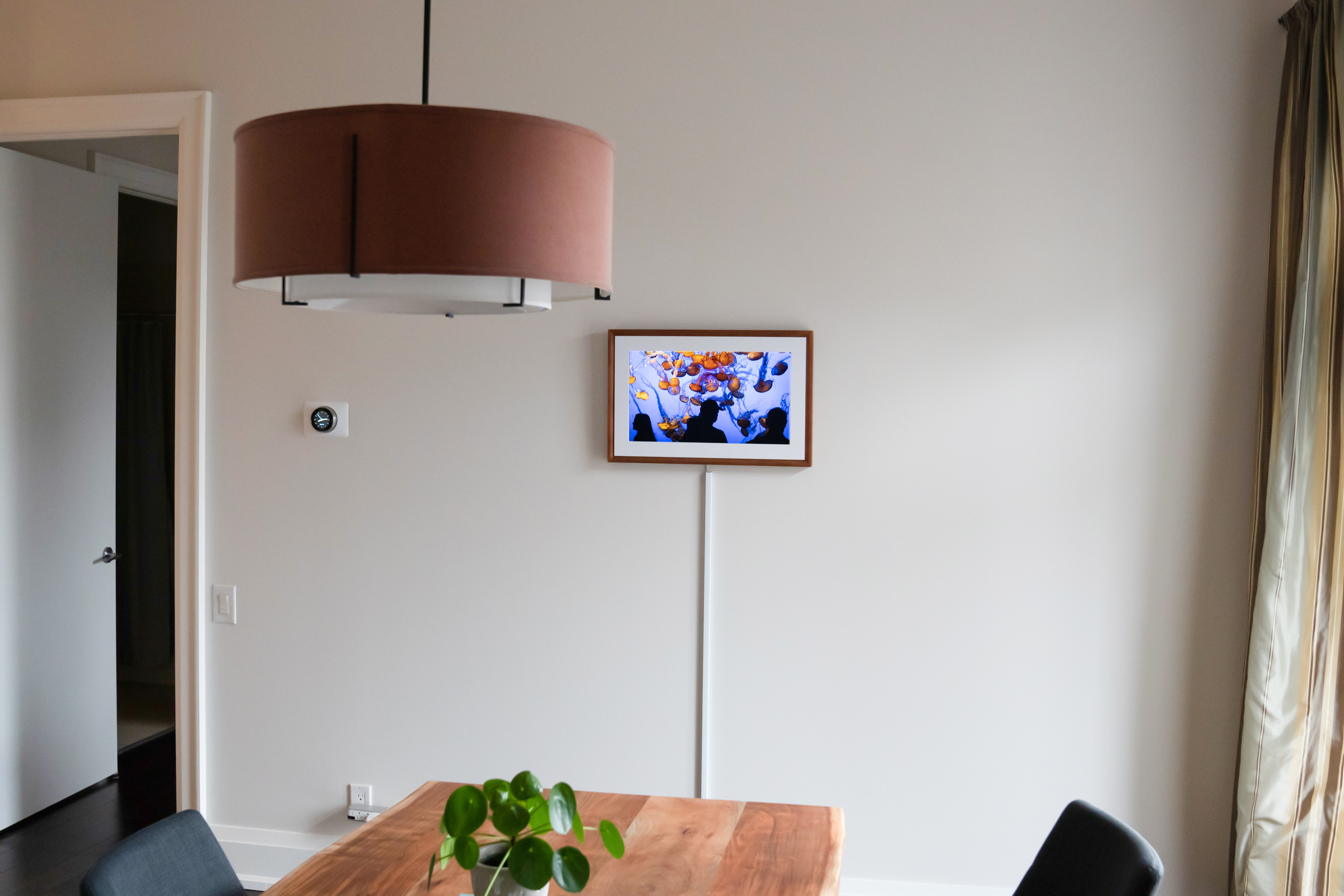
Netgear’s Meural Canvas II is a better version of the best home gadget for photographers


Netgear has released the first updated Canvas digital art from from Meural since acquiring the company last September, and the next-generation connected frame comes with some decent quality-of-life improvements as well as a new, additional size. It’s not a dramatic change from the original Meural Canvas, but it means that a product that was already great is now even better.

The Meural Canvas II from Netgear comes in two sizes, including a smaller 16×24 frame that provides a 21.5-inch diagonal picture (starting at $399.95), and a 19×29-inch frame with a 27-inch diagonal display (starting at $599.95). Both screens are 1080P full HD resolution, and both feature ambient light sensors (which are relocated to a better location under the mat that surrounds the screen for improved light detection) that will automatically adjust the brightness of your image to make it appear more natural and less like a screen.

The Canvas II features built-in Wi-Fi, which is also upgraded with this generation (Netgear, which makes routers and other Wi-Fi products, seem to have brought their expertise to bear here) and they offer new Ethernet connectivity, as well as full-size SD ports. They can also hang either vertically or horizontally, and a new accessory mount for this generation (sold separately) allows for even easier switching between the two orientations via simple rotation.

For the virtual art collector

Meural is controlled primarily from the Meural companion app, though you can also access a web interface to accomplish much of the same thing from a desktop browser. The app features curated collections of artwork, which is available both via a paid monthly subscription, and via direct, one-time purchases. One of the changes that the Meural service has undergone is that the subscription membership now gets you some, but not all of the art available – some premium content is still and additional charge on top of that. It’s definitely not as good from the user’s perspective as when everything was free once you’d paid the subscription fee, but paying monthly still nets you 20GB of cloud storage for uploading your own art, discounts on the stuff that is available for purchase, and access to a much larger library than you get without any membership.

Subscriptions go for either $8.95 per month, or $69.95 per year, and they’re probably plenty to satisfy most casual art lovers who just want some recognizable or interesting works to adorn their walls, and want to be able to change that on a fairly regular basis. And when you use the art provided through Meural’s various collections, you can take a look at credits and descriptions right on the display – available quickly via a motion control swipe up gesture made possibly by the sensors built into the frame.

A note on those motion controls – they allow you to navigate between artwork, and even change playlists and access a menu of other options related to the frame. Basically you wave your hand near the bottom of the Meural to make this work, and it’s great when it does work, but it definitely takes some learning to figure out how and where to swipe to make it reliably respond. It’s convenient that it’s an option, but controlling the display with the iOS or Android app is a lot more pleasant generally speaking.

The built-in library that Meural provides is definitely a selling point, and Meural is regularly adding new art collections, both for paid purchases and to build out the library of those works available included in the subscription. It just added a bunch through a new partnership with Marvel, in fact, including movie posters from a long list of their cinematic universe releases.

For the amateur/enthusiast/pro photographer

The primary reason I think the Meural Canvas II is a fantastic product has very little to do with its subscription-based art collection, however. Instead, it’s all about the flexibility and convenience that the Canvas provides when it comes to displaying your own photos. It’s incredibly easy to upload your photos from your mobile device or your desktop, and you can organize them in playlists, add descriptions and titles, and crop them manually or have the frame crop them automatically to display in its 16×9 aspect ratio.

As a display for your own photos, the Meural Canvas II is hard to beat: It’s a lot more flexible and cost effective than getting high quality prints made, since you can rotate them out as often as you feel like, and the display’s color rendering and matte finish, while obviously not as good as a professional photo print, is nonetheless very pleasing to the eye. When you take as many photos as we collectively do now, but seldom have anywhere to show them off, the Canvas provides the perfect opportunity to ensure they have a great place to shine at home.

The included SD card reader means it’s easy to load up images and put them on the Canvas locally, but I also found that uploading from whatever WiFi-connected device I had access to around the house was easy and fast (again, seems like Netgear’s core expertise came into play here). The ability to quickly change the orientation, which is fast and simple even without the rotation mount accessory, is another big plus for your own photos since it means you can show off both portraits and landscapes.

Oh, and the ability to load your own artwork isn’t limited to just your photography, of course – any image in a standard format, including animated GIFs, can work on the Meural, which means it’s really only limited by the scope of what’s available on the internet.

Bottom line

Between the frame options, which you can swap out for different color options eventually when they’re sold separately, and the ability to upload your own content to the Canvas, it’s easily the most customizable piece of home decor you can find right now. For some, opting to move up to something like Samsung’s The Frame TV might be a better option, but that’s much larger, much more expensive, much heavier for mounting and not as flexible when it comes to playlists and your own curation of art to display.

The Meural Canvas II provides largely the same visual experience as the generation it replaces, but the other improvements make this a much better product overall, with faster, more reliable WiFi connectivity, improved motion controls, more flexible on-device storage and new mounting options. If you like some variety in your wall art, or you’ve just been trying to figure out to do something interesting with all those pictures you take, the Meural Canvas II is a great option.


Read Full Article
Google will now pay up to $1.5 million for very specific Android exploits


When Google first introduced its bug bounty program for Android, the biggest reward you could get for finding and reporting a potential exploit was $38,000.

The cap grew over time, as Android grew in popularity, more security researchers got on board and more vulnerabilities were unearthed. This morning, Google is bumping up its top reward to $1.5 million dollars.

They’re not going to pay out a million+ for just any bug, of course.

For this new reward category, Google is looking for “full chain remote code execution exploit with persistence which compromises the Titan M secure element on Pixel devices.” In other words, they’re looking for an exploit that, without the attacker having physical access to the device, can execute code even after a device is reset and breaks into the dedicated security chip built into the Pixels.

Reporting an exploit that fits that bill will get researchers up to $1 million. If they can do it on “specific developer preview versions” of Android, meanwhile, there’s a 50% bonus reward, bumping up the maximum prize up to $1.5 million.

Google first introduced the Titan M security chip with the Pixel 3. As Google outlines here, the chip’s job is essentially to supervise; it double-checks boot conditions, verifies firmware signatures, handles lock screen passcodes and tries to keep malicious apps from forcing your device to roll back to “older, potentially vulnerable” builds of Android. The same chip can be found in the Pixel 4 lineup.

Indeed, $1.5 million for a single exploit sounds like a lot… and it is. It’s roughly what Google paid out for all bug bounties in the last 12 months. The top reward this year, the company says, was $161,337 for a “1-click remote code execution exploit chain on the Pixel 3 device.” The average payout, meanwhile, was about $3,800 per finding. Given the potential severity of persistently busting through the security chip on what’s meant to be the flagship form of Android, though, a wild payout makes sense.


Read Full Article