29 October 2019

What’s Google Up To? 9 New Google Apps and Tools You Need to Know About


google-new-apps-tools

Google releases so many new software and updates that it’s difficult to keep track. Not all of it is awesome or useful either. So here’s a quick list of the best Google apps, tools, and updates that you can make use of.

Naturally, the internet giant focuses more on Android apps and websites, but there are a few cross-platform tools too. There are cultural experiments, items that focus on health and well-being, and even some quirky and artsy programs.

1. Digital Well-Being for Families (Web): Navigating Technology as a Family

The Family Conversation Guide from Google's Digital Well-Being tells families how to have a healthy digital lifestyle

Google created a mini-portal guide for families to figure out how to interact with technology in a healthy way, as part of its Digital Well-Being initiative. The Family Conversation Guide has six elements, each primed to ensure technology doesn’t disrupt your happy home.

  1. Decide when and how to use devices: As a family, this will ensure family time is kept separate, with also a special family-time box.
  2. Find positive content: In a world of bad news and negativity, work as a collective to find, discuss, and enact on the good stuff.
  3. Determine when your kids are ready for a device: Have the tough-but-fair conversation with your children, and make them present their case too.
  4. Use social media meaningfully and responsibly: While kids will obviously benefit from this, so will the parents.
  5. Make gaming a positive experience: Video games are great and inevitable, and they could be better if you discussed their harmful sides and positive aspects.
  6. Balance offline and online activities: This is a tough act for any family, but Google has a few ideas on making it happen.

The Family Conversation Guide is a great tool to learn more about how to balance digital and personal lives. If you’re looking for apps to fight smartphone addiction, Google has also created a few Digital Well-Being Experiments for Android.

2. Unlock Clock (Android): How Often Do You Look at Your Phone?

Unlock Clock is a Live Wallpaper app for Android phones. Every time you unlock the phone from a screen-off phase, it will update the counter. It’s big, it’s in-your-face, and after that number gets too high, Google is hoping you’ll start feeling guilty.

The clock resets every day. It also has the current date and weather information, as well as the Google Assistant bar for quick search.

Download: Unlock Clock for Android (Free)

3. We Flip (Android): Be More Social When Meeting Friends
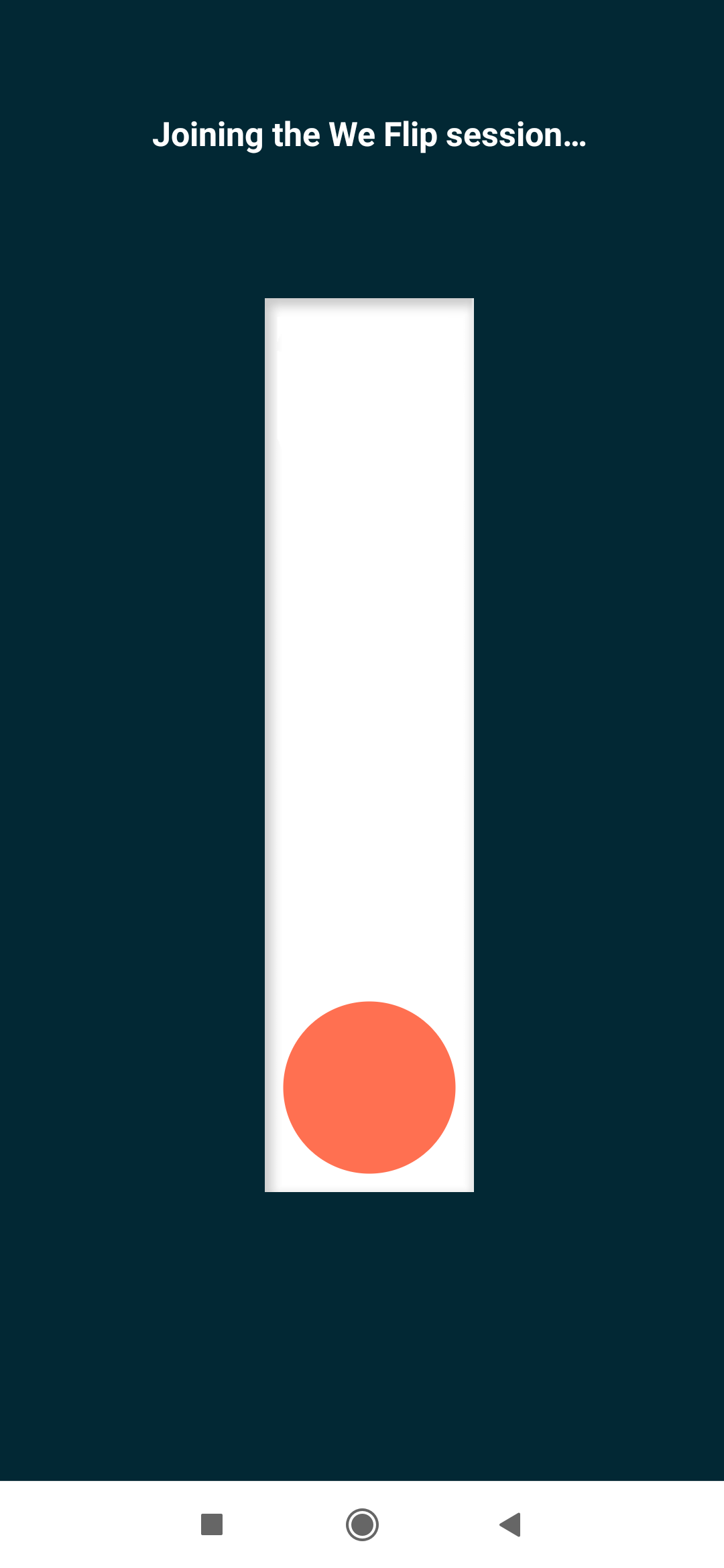
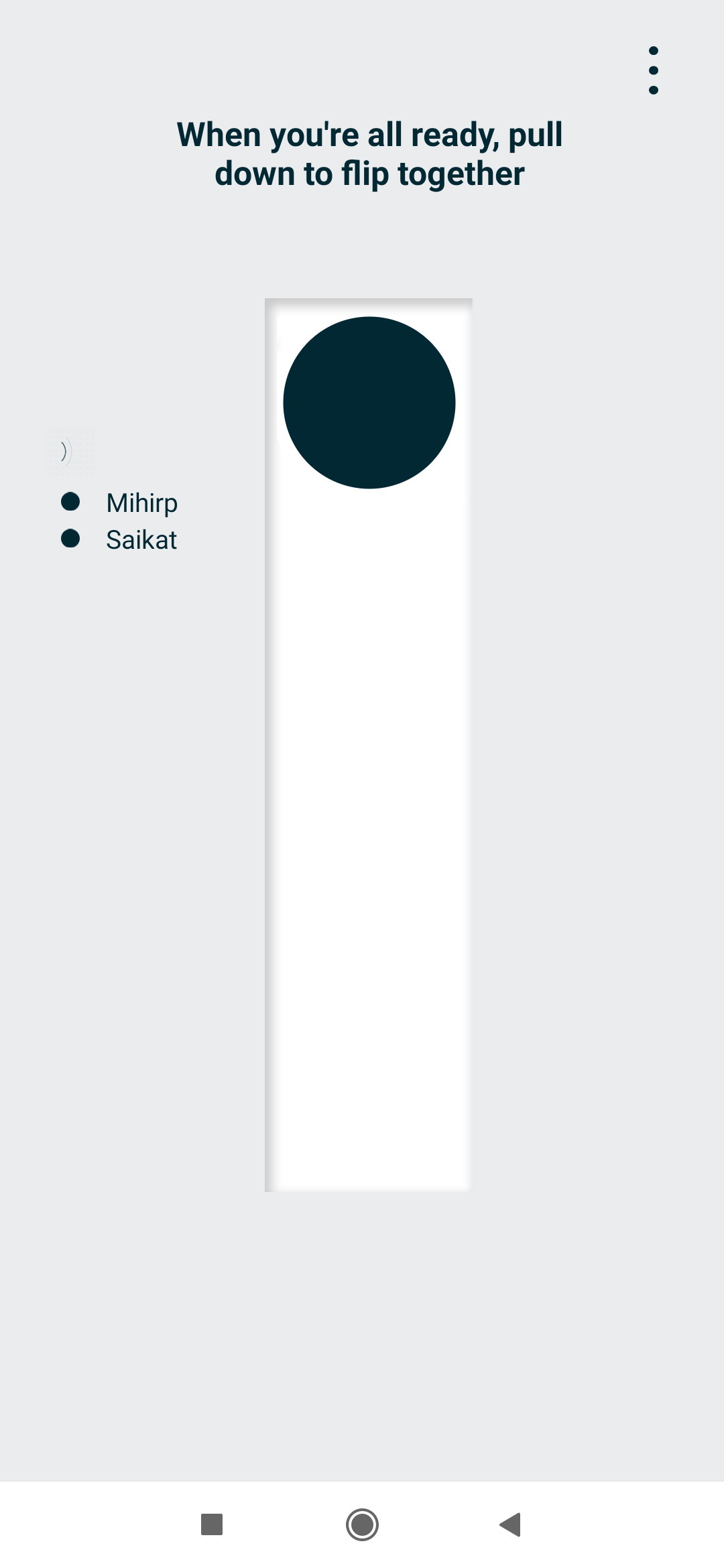
Do you or your friends spend too much time on their phones when meeting together? Try the We Flip game to find out who is the worst smartphone addict among you.

When you meet, switch on We Flip on all your phones and “flip the switch” to begin a session. When someone unlocks their phone, the session ends. We Flip also knows whenever a person’s screen was active without unlocking, counting those as peeks.

At the end of your meeting, switch off the flip and see how you did. Psst, make the worst addict pay the bill!

Download: We Flip for Android (Free)

4. Post Box (Android): Delayed Notifications in Batches
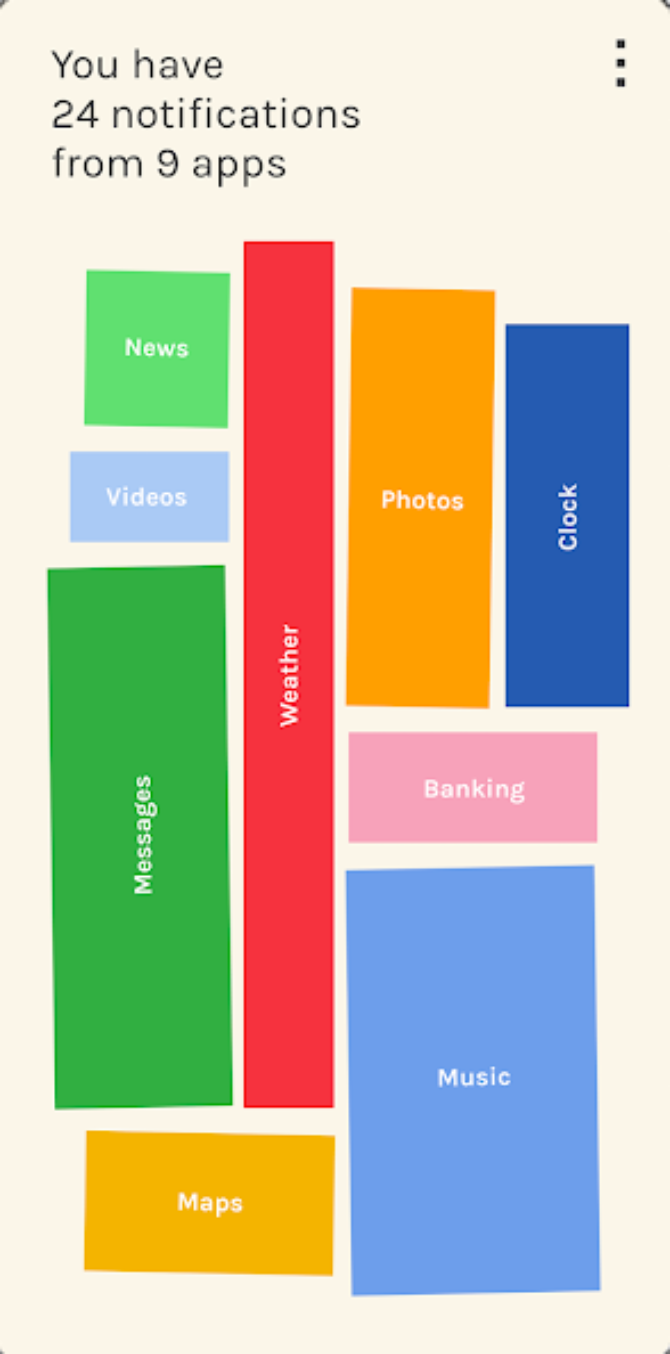
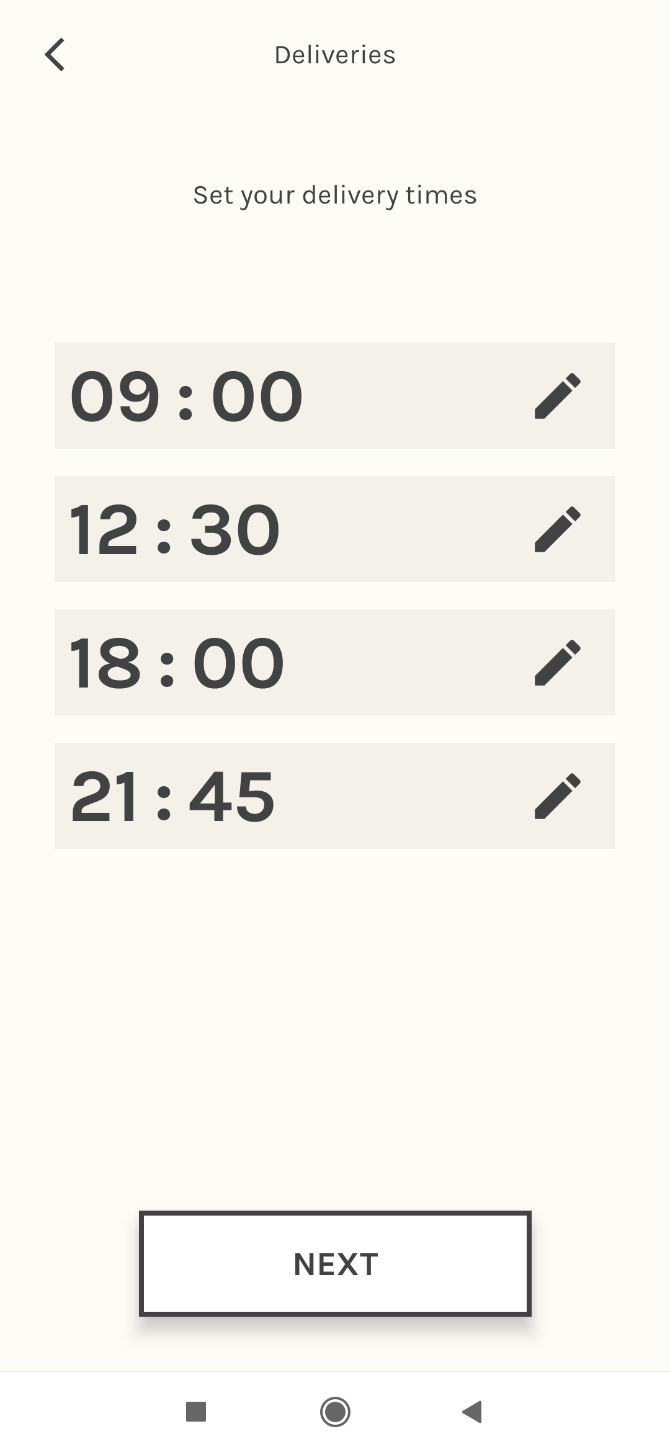
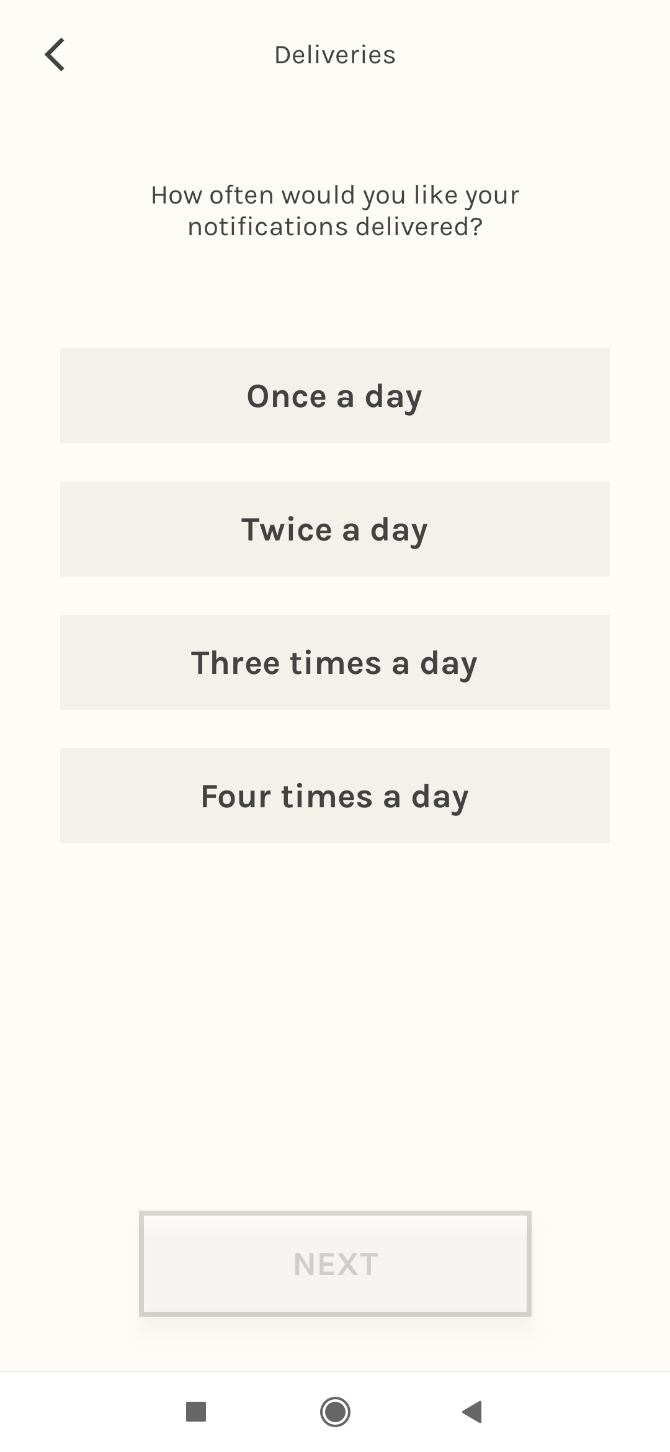
Out of all the new Digital Well-Being experiments by Google, Post Box shows the most potential. We have talked about how notifications can be major distractions and disrupt productivity. Instead of instant notifications, Post Box sends them all at once in batches.

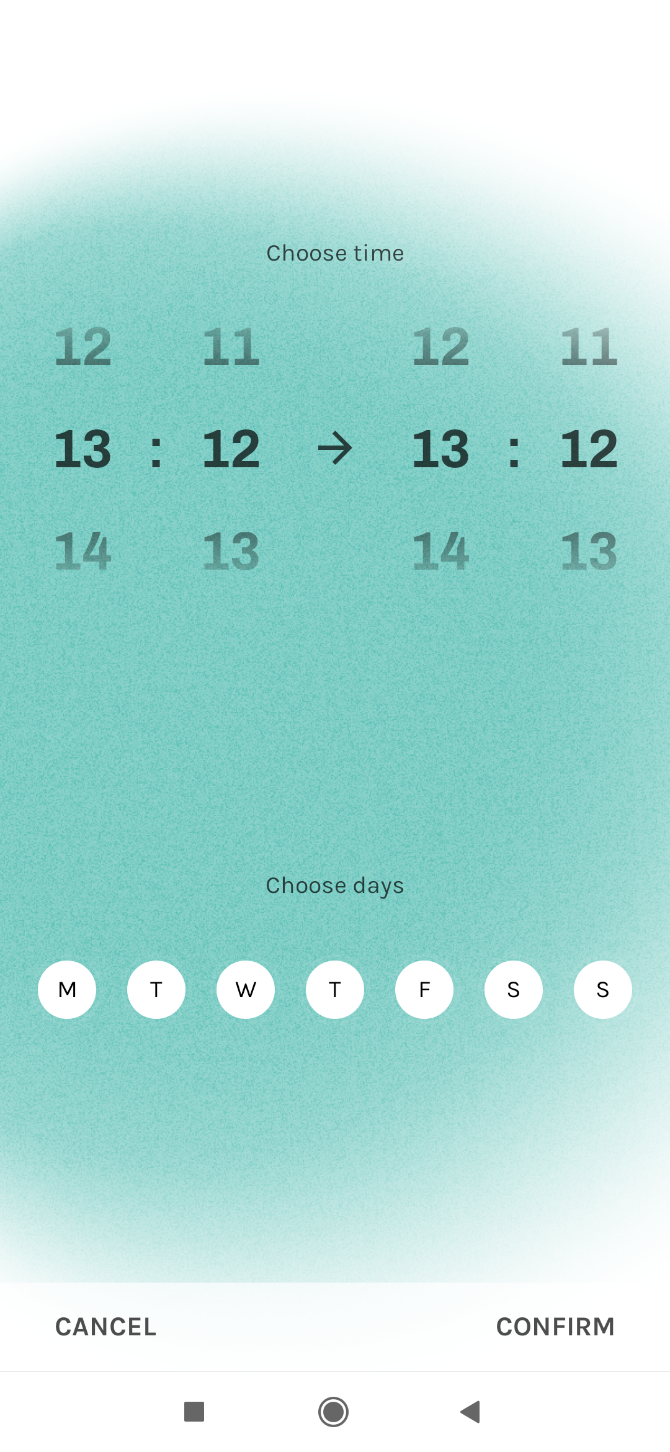
It works exactly as you’d expect it to, but there is one significant problem. Right now, you can choose only four predetermined time slots in a day. Hopefully in a future update, Post Box will let you delay notifications to 15-minute or half-hour updates, which would make it tremendously useful.

Download: Post Box for Android (Free)

5. Morph (Android): Get Apps Based on What You’re Doing
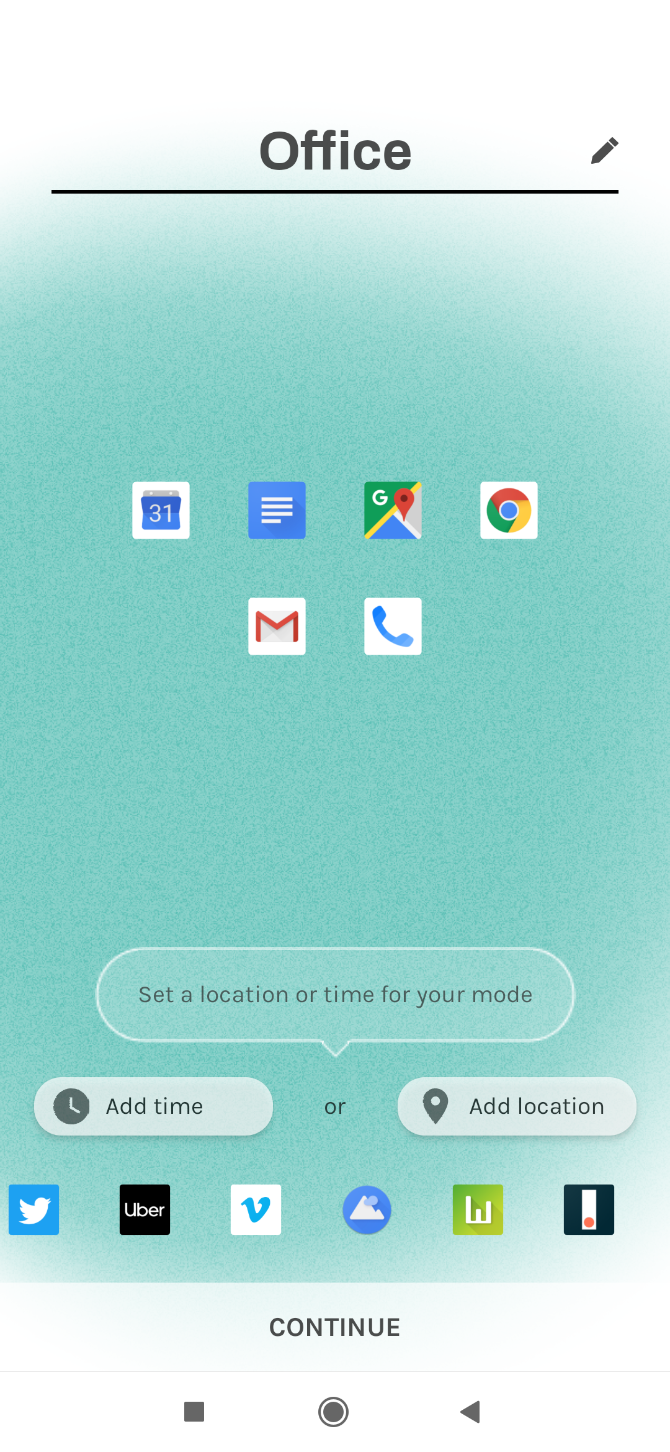
Morph is a fancy version of creating profiles for your phone. In each profile, you set a few apps that are useful. You also add either a time slot or a GPS location for each profile.

When you reach that place or the clock strikes, Morph will then automatically give you only those apps you set in your profile. That way, you avoid distractions like checking social media at work.

Download: Morph for Android (Free)

6. Desert Island (Android): A Personal Challenge for Smartphone Addicts

You claim you aren’t addicted to your phone, but you’ll be surprised how much time you are wasting on it. Don’t believe us? Try the Desert Island challenge for smartphone addicts.

The app forces you to choose only seven essential apps and locks everything else away for 24 hours. Those apps will be on your home screen. You can still access other apps if needed, but it’s an honor-based personal challenge. You get to decide if you failed or succeeded. Are you brave enough?

Download: Desert Island for Android (Free)

7. Rivet (Android, iOS) and Bolo (Android): Help Kids Learn to Read

Google is building two new apps to help teach children how to read better. Google’s experimental team at Area 120 is developing Rivet, while Bolo focuses on Indian children, but should work for anyone.

Both apps feature a large library of illustrated books with built-in speech recognition. If the kid is stuck at any point, they can tap the word to hear it aloud. Plus the apps work offline and don’t show any ads.

These are among the best Google apps to play and learn for young children.

Download: Rivet for Android | iOS (Free)

Download: Bolo for Android (Free)

8. Touring Bird (Web): New Sightseeing and Tourism App for City Guides

Google's Touring Bird is a new sight-seeing and tourism app for detailed city guides

Many users were disappointed when Google shut down Google Trips. While that’s a done deal, there is still some hope for those who love to travel. Check out Touring Bird, the new venture from Area 120 that is now moving to Google full-time.

Touring Bird is a city guide that tells a tourist anything and everything they’d want to know. There is a price comparison for tours, tickets, and activities, which usually takes a lot of planning and research. The guide also includes off-beat activities and curated recommendations from writers and experts.

It currently has information for the most popular travel destinations in the world. Over time, Google hopes to add more, making this a comprehensive one-stop resource when you are visiting any of these major cities.

9. You Asked, Art Answered (Web): Google and BBC Answer Life’s Greatest Questions

In You Asked, Art Answered, Google and BBC get artists and creative thinkers to answer most-asked common search questions on google

Google’s Arts & Culture Lab is always doing something cool and quirky. This time, they teamed up with BBC to get artists and creative thinkers to answer some of the most Googled questions by everyday people. Naturally, the answers are a bit different than what you’d expect.

For example, choreographer Jamiel Lawrence tackles the question, “Do I have free will?” Artist Andy Holden’s cartoon ponders the eternal question “What is love?” through popular music. And if you’re from jolly old England, you’re going to love Sarah Maple’s “What does it mean to be British?”

Get the New Google Apps and Tools

On one hand, Google is doing great things at the cutting edge of innovation. On the other, it continues to promote quirky new apps and tools that are pure fun or useful for everyday tasks. They come in so frequently, that’s you can miss stuff. For instance, how many of these fun Google-made apps have you tried so far?

Read the full article: What’s Google Up To? 9 New Google Apps and Tools You Need to Know About


Read Full Article

Facebook is failing to prevent another human rights tragedy playing out on its platform, report warns


A report by campaign group Avaaz examining how Facebook’s platform is being used to spread hate speech in the Assam region of North East India suggests the company is once again failing to prevent its platform from being turned into a weapon to fuel ethnic violence.

Assam has a long-standing Muslim minority population but ethnic minorities in the state look increasingly vulnerable after India’s Hindu nationalist government pushed forward with a National Register of Citizens (NRC), which has resulted in the exclusion from that list of nearly 1.9 million people — mostly Muslims — putting them at risk of statelessness.

In July the United Nations expressed grave concern over the NRC process, saying there’s a risk of arbitrary expulsion and detention, with those those excluded being referred to Foreigners’ Tribunals where they have to prove they are not “irregular”.

At the same time, the UN warned of the rise of hate speech in Assam being spread via social media — saying this is contributing to increasing instability and uncertainty for millions in the region. “This process may exacerbate the xenophobic climate while fuelling religious intolerance and discrimination in the country,” it wrote.

There’s an awful sense of deja-vu about these warnings. In March 2018 the UN criticized Facebook for failing to prevent its platform being used to fuel ethnic violence against the Rohingya people in the neighboring country of Myanmar — saying the service had played a “determining role” in that crisis.

Facebook’s response to devastating criticism from the UN looks like wafer-thin crisis PR to paper over the ethical cracks in its ad business, given the same sorts of alarm bells are being sounded again, just over a year later. (If we measure the company by the lofty goals it attached to a director of human rights policy job last year — when Facebook wrote that the responsibilities included “conflict prevention” and “peace-building” — it’s surely been an abject failure.)

Avaaz’s report on hate speech in Assam takes direct aim at Facebook’s platform, saying it’s being used as a conduit for whipping up anti-Muslim hatred.

In the report, entitled Megaphone for Hate: Disinformation and Hate Speech on Facebook During Assam’s Citizenship Count, the group says it analysed 800 Facebook posts and comments relating to Assam and the NRC, using keywords from the immigration discourse in Assamese, assessing them against the three tiers of prohibited hate speech set out in Facebook’s Community Standards.

Avaaz found that at least 26.5% of the posts and comments constituted hate speech. These posts had been shared on Facebook more than 99,650 times — adding up to at least 5.4 million views for violent hate speech targeting religious and ethnic minorities, according to its analysis.

Bengali Muslims are a particular target on Facebook in Assam, per the report, which found comments referring to them as “criminals,” “rapists,” “terrorists,” “pigs,” and “dogs”, among other dehumanizing terms.

In further disturbing comments there were calls for people to “poison” daughters, and legalise female foeticide, as well as several posts urging “Indian” women to be protected from “rape-obsessed foreigners”.

Avaaz suggests its findings are just a drop in the ocean of hate speech that it says is drowning Assam via Facebook and other social media. But it accuses Facebook directly of failing to provide adequate human resource to police hate speech spread on its dominant platform.

Commenting in a statement, Alaphia Zoyab, senior campaigner, said: “Facebook is being used as a megaphone for hate, pointed directly at vulnerable minorities in Assam, many of whom could be made stateless within months. Despite the clear and present danger faced by these people, Facebook is refusing to dedicate the resources required to keep them safe. Through its inaction, Facebook is complicit in the persecution of some of the world’s most vulnerable people.”

Its key complaint is that Facebook continues to rely on AI to detect hate speech which has not been reported to it by human users — using its limited pool of (human) content moderator staff to review pre-flagged content, rather than proactively detect it.

Facebook founder Mark Zuckerberg has previously said AI has a very long way to go to reliably detect hate speech. Indeed, he’s suggested it may never be able to do that.

In April 2018 he told US lawmakers it might take five to ten years to develop “AI tools that can get into some of the linguistic nuances of different types of content to be more accurate, to be flagging things to our systems”, while admitting: “Today we’re just not there on that.”

That sums to an admission that in regions such as Assam — where inter-ethnic tensions are being whipped up in a politically charged atmosphere that’s also encouraging violence — Facebook is essentially asleep on the job. The job of enforcing its own ‘Community Standards’ and preventing its platform being weaponized to amplify hate and harass the vulnerable, to be clear.

Avaaz says it flagged 213 of “the clearest examples” of hate speech which it found directly to Facebook — including posts from an elected official and pages of a member of an Assamese rebel group banned by the Indian Government. The company removed 96 of these posts following its report.

It argues there are similarities in the type of hate speech being directed at ethnic minorities in Assam via Facebook and that which targeted at Rohingya people in Myanmar, also on Facebook, while noting that the context is different. But it did also find hateful content on Facebook targeting Rohingya people in India.

It is calling on Facebook to do more to protect vulnerable minorities in Assam, arguing it should not rely solely on automated tools for detecting hate speech — and should instead apply a “human-led ‘zero tolerance’ policy” against hate speech, starting by beefing up moderators’ expertise in local languages.

It also recommends Facebook launch an early warning system within its Strategic Response team, again based on human content moderation — and do so for all regions where the UN has warned of the rise of hate speech on social media.

“This system should act preventatively to avert human rights crises, not just reactively to respond to offline harm that has already occurred,” it writes.

Other recommendations include that Facebook should correct the record on false news and disinformation by notifying and providing corrections from fact-checkers to each and every user who has seen content deemed to have been false or purposefully misleading, including if the disinformation came from a politician; that it should be transparent about all page and post takedowns by publishing its rational on the Facebook Newsroom so the issue of hate speech is given proportionate prominence and publicity to the size of the problem on Facebook; and it should agree to an independent audit of hate speech and human rights on its platform in India.

“Facebook has signed up to comply with the UN Guiding Principles on Business and Human Rights,” Avaaz notes. “Which require it to conduct human rights due diligence such as identifying its impact on vulnerable groups like women, children, linguistic, ethnic and religious minorities and others, particularly when deploying AI tools to identify hate speech, and take steps to subsequently avoid or mitigate such harm.”

We reached out to Facebook with a series of questions about Avaaz’s report and also how it has progressed its approach to policing inter-ethnic hate speech since the Myanmar crisis — including asking for details of the number of people it employs to monitor content in the region.

Facebook did not provide responses to our specific questions. It just said it does have content reviewers who are Assamese and who review content in the language, as well as reviewers who have knowledge of the majority of official languages in India, including Assamese, Hindi, Tamil, Telugu, Kannada, Punjabi, Urdu, Bengali and Marathi.

In 2017 India overtook the US as the country with the largest “potential audience” for Facebook ads, with 241M active users, per figures it reports the advertisers.

Facebook also sent us this statement, attributed to a spokesperson:

We want Facebook to be a safe place for all people to connect and express themselves, and we seek to protect the rights of minorities and marginalized communities around the world, including in India. We have clear rules against hate speech, which we define as attacks against people on the basis of things like caste, nationality, ethnicity and religion, and which reflect input we received from experts in India. We take this extremely seriously and remove content that violates these policies as soon as we become aware of it. To do this we have invested in dedicated content reviewers, who have local language expertise and an understanding of the India’s longstanding historical and social tensions. We’ve also made significant progress in proactively detecting hate speech on our services, which helps us get to potentially harmful content faster.

But these tools aren’t perfect yet, and reports from our community are still extremely important. That’s why we’re so grateful to Avaaz for sharing their findings with us. We have carefully reviewed the content they’ve flagged, and removed everything that violated our policies. We will continue to work to prevent the spread of hate speech on our services, both in India and around the world.

Facebook did not tell us exactly how many people it employs to police content for an Indian state with a population of more than 30 million people.

Globally the company maintains it has around 35,000 people working on trust and safety, less than half of whom (~15,000) are dedicated content reviewers. But with such a tiny content reviewer workforce for a global platform with 2.2BN+ users posting night and day all around the world there’s no plausible no way for it to stay on top of its hate speech problem.

Certainly not in every market it operates in. Which is why Facebook leans so heavily on AI — shrinking the cost to its business but piling content-related risk onto everyone else.

Facebook claims its automated tools for detecting hate speech have got better, saying that in Q1 this year it increased the proactive detection rate for hate speech to 65.4% — up from 58.8% in Q4 2017 and 38% in Q2 2017.

However it also says it only removed 4 million pieces of hate speech globally in Q1. Which sounds incredibly tiny vs the size of Facebook’s platform and the volume of content that will be generated daily by its millions and millions of active users.

Without tools for independent researchers to query the substance and spread of content on Facebook’s platform it’s simply not possible to know how many pieces of hate speech are going undetected. But — to be clear — this unregulated company still gets to mark its own homework. 

In just one example of how Facebook is able to shrink perception of the volume of problematic content it’s fencing, of the 213 pieces of content related to Assam and the NCR that Avaaz judged to be hate speech and reported to Facebook it removed less than half (96).

Yet Facebook also told us it takes down all content that violates its community standards — suggesting it is applying a far more dilute definition of hate speech than Avaaz. Unsurprising for a US company whose nascent crisis PR content review board‘s charter includes the phrase “free expression is paramount”. But for a company that also claims to want to prevent conflict and peace-build it’s rather conflicted, to say the least. 

As things stand, Facebook’s self-reported hate speech performance metrics are meaningless. It’s impossible for anyone outside the company to quantify or benchmark platform data. Because no one except Facebook has the full picture — and it’s not opening its platform for ethnical audit. Even as the impacts of harmful, hateful stuff spread on Facebook continue to bleed out and damage lives around the world. 


Read Full Article
Microsoft Relaunches Xbox All Access for $20/Month


Microsoft has relaunched its Xbox All Access subscription offering. Xbox All Access lets you buy an Xbox One console in increments over the course of two years. And while you’re paying it off you’ll also have access to Xbox Pass Ultimate.

In August 2018, Microsoft launched Xbox All Access. This enabled gamers who didn’t have the necessary funds to buy an Xbox One outright the chance to purchase one in instalments. Now, Xbox All Access is back, and with a next-gen sweetener added.

What Do You Get With Xbox All Access?

Microsoft revealed the new-look Xbox All Access in a post on Xbox Wire. Xbox All Access gets you an Xbox One console, an Xbox Wireless Controller, and a 24-month membership to Xbox Pass Ultimate (which combines Xbox Live Gold and Xbox Game Pass).

You pay over the course of two years, with the cost depending on which flavor of Xbox One you choose and which country you’re in. In the US, Xbox All Access starts at $19.99/month for the Xbox One S. The program is also available in the UK and Australia.

Microsoft has relaunched Xbox All Access at a time when most people have one eye on the next generation of consoles. Which is why the company has included the option to upgrade to Project Scarlett once it launches in Holiday 2020.

You can join the program by visiting a participating retailer. Which in the US is exclusively Amazon. If you’re approved for the financing you’re good to go. Xbox All Access is available from Oct. 29 (Australia), Nov. 5 (UK), and Nov. 18 (US).

Looking Forward to Project Scarlett

If you run the numbers then this is a pretty sweet deal. You’ll actually save money compared to buying a console outright and paying for Xbox Pass Ultimate for the next two years. And you’ll have the chance to upgrade to Project Scarlett.

At the time of writing we don’t know much about Project Scarlett. Except that it’s Microsoft’s next-gen console launching in Holiday 2020. However, Sony has shown its hand earlier, and here’s everything you need to know about the PlayStation 5.

Read the full article: Microsoft Relaunches Xbox All Access for $20/Month


Read Full Article

How Credit Card Fraud Works and How to Stay Safe


credit-card-fraud

It’s common knowledge to keep your credit card safe from fraud, but how does it work? How do hackers get your card details in the first place?

Let’s explore how scammers do credit card frauds, and how you can stay safe.

How Hackers Get Your Credit Card Number

For a scammer to do credit card frauds, they first need all the necessary details. There are several ways they can get these details, and they range from the very basic to the more technologically complex.

Getting Details via Phishing

Phishing is an old strategy that is still effective today. The scammer gets in touch with you via phone or email, usually posing as your credit card issuer. From here, they can talk you into giving them your credit card information.

It sounds like something you’d be able to spot right away, but some phishers are very skilled. This is very similar to the tactic that was used in the British phone-hacking scandal a couple of years ago. Thankfully, you can learn how to spot a phishing email, so be sure to study up before you become a victim!

Gleaning Details From Database Leaks

Scammers also get credit card details from online data breaches.  Hackers have successfully breached big-names like Target, Home Depot, and the PlayStation Network in the past. These companies tend to have saved payment information listed under each customer, which scammers can use for fraud.

The numbers stolen from those sites often end up on “carding” shops, where people go to buy stolen credit card numbers for use online. ZDNet mentions how some accounts sell for as little as $5 on the dark web. This makes it easy for thieves to buy hundreds of cards at a time, potentially including yours.

Monitoring Your Inputs With Keyloggers

If a hacker manages to get a keylogger or another type of malware installed on your computer, they could quickly steal your credit card information when you use it for online shopping. The silent nature of keyloggers makes them particularly nasty, so be sure to protect yourself against keyloggers as much as possible.

Forging Payments Using NFC Skimming

Someone paying for goods using the NFC on a credit card.
Image Credit: AllaSerebrina/DepositPhotos

These days, credit cards have NFC scanning built-in. NFC is also known as “contactless,” and it’s when you place the card up against the payment terminal to buy something.

Scammers can use devices that act like these payment terminals. When they pass close by to someone with a credit card in their pocket, the skimmer makes a fraudulent payment to the card. The victim may not even realize this has happened until they notice odd fees on their statement.

How Scammers Use Your Credit Card

Once a thief has your credit card, the hardest part is complete. Now all they need to do is use it or sell it on. The credit fraud they choose depends on their ulterior motive behind why they stole the details in the first place.

Making Contactless Payments

Contactless payments with cards don’t require PINs or signatures, so they’re perfect for credit card thieves. Even though the limits for contactless payments are rather small, they add up quickly. Online payments don’t require PINs or signatures ether, so going on an Amazon shopping spree with a stolen card is remarkably easy.

Fortunately, there are constraints for the scammer. The upper limit of a credit card will stop them from spending too much. On top of this, credit cards typically allow a set amount of contactless payments before it asks for a PIN. These restrictions mean the scammer can perform only a small shopping spree before they’re locked out without a PIN.

Selling the Card Online

If the hacker doesn’t want to “dirty their hands” with a stolen credit card, they sell the details online. These credit card markets thrive on the dark web, where all kinds of identifying information is up for sale. Sellers need to keep their practices under wraps to protect their business from law enforcement, and the dark web gives them the protection they need to operate.

Buying and Flipping Goods

A range of different gift cards.
Image Credit: dennizn/DepositPhotos

If the hacker has enough information to make large purchases with the cards, they can buy goods and sell them on the black market. This is safer for them, as it hides their tracks better than if they transferred money directly into their bank account.

Scammers will typically buy gift cards. They can then sell these cards on the black market for less than face value. For instance, a $100 gift card will sell for $60. This makes them highly desirable for buyers and gives the scammer a way to wash their hands of the evidence.

How to Protect Yourself From Credit Card Fraud

There’s a lot a scammer can do with a credit card. As such, it’s important to keep yours secure. By following a few guidelines, you can decrease the chances you’ll encounter credit card fraud.

Don’t Share Credit Card Information Freely

First, don’t share your card information over the phone or in an email. Credit card companies, banks, and stores won’t randomly ask for your credit card information. If someone asks for them out of the blue, exercise extreme caution. If you need to share your information over the phone, be sure that no one is around to overhear you.

Keep Track of Data Breaches

Second, pay attention to online security news. If a service you use suffers a database breach and leaks payment information, contact your bank immediately.

You could wait to see if you get any suspicious charges on your account before alerting your bank, but this is risky. For example, ABC News reported on how the Bank of America fraud department can be hard to convince that a scam occurred in the first place. Waiting for fraud to happen may result in lost money that you have to wrestle back.

Protect Your Card’s RFID

Third, consider buying an RFID-blocking wallet, so your card is protected while it’s in your pocket. By blocking RFID signals, the wallet prevents any device from reading the information on your card until you take it out to use it.

Double-Check Payment Points

Fourth, be careful with where you insert your credit card.  Scammers can operate at ATMs, pay-at-the-pump gas stations, small stores, and restaurants. If the payment terminal looks weird somehow, use another method to pay. Make cash withdrawals from within your bank, pay at the counter when you buy gas, and don’t let your card out of your sight.

Keep Tabs on Your Records

Finally, make sure to monitor your credit card statements, bank statements, and credit reports. The earlier you catch a potentially fraudulent transaction, the better. These days, you can get a credit report for free without harming your score. This makes it easier to spot any weird purchases and quickly report them.

Staying Safe With Payment Cards

Credit cards are a hot commodity for scammers. From small NFC skims to large-scale gift card selling, there are multiple ways they can make use of your details. Keep them safe to avoid headaches in the future!

You now know not to trust a phishing call, but can you trust your browser with your credit card information?

Read the full article: How Credit Card Fraud Works and How to Stay Safe


Read Full Article

Spider eyes inspire a new kind of depth-sensing camera


As robots and gadgets continue to pervade our everyday lives, they increasingly need to see in 3D — but as evidenced by the notch in your iPhone, depth-sensing cameras are still pretty bulky. A new approach inspired by how some spiders sense the distance to their prey could change that.

Jumping spiders don’t have room in their tiny, hairy heads for structured light projectors and all that kind of thing. Yet they have to see where they’re going and what they’re grabbing in order to be effective predators. How do they do it? As is usually the case with arthropods, in a super weird but interesting way.

Instead of having multiple eyes capturing a slightly different image and taking stereo cues from that, as we do, each of the spider’s eyes is in itself a depth-sensing system. Each eye is multi-layered, with transparent retinas seeing the image with different amounts of blur depending on distance. The differing blurs from different eyes and layers are compared in the spider’s small nervous system and produce an accurate distance measurement — using incredibly little in the way of “hardware.”

Researchers at Harvard have created a high-tech lens system that uses a similar approach, producing the ability to sense depth without traditional optical elements.

cover1

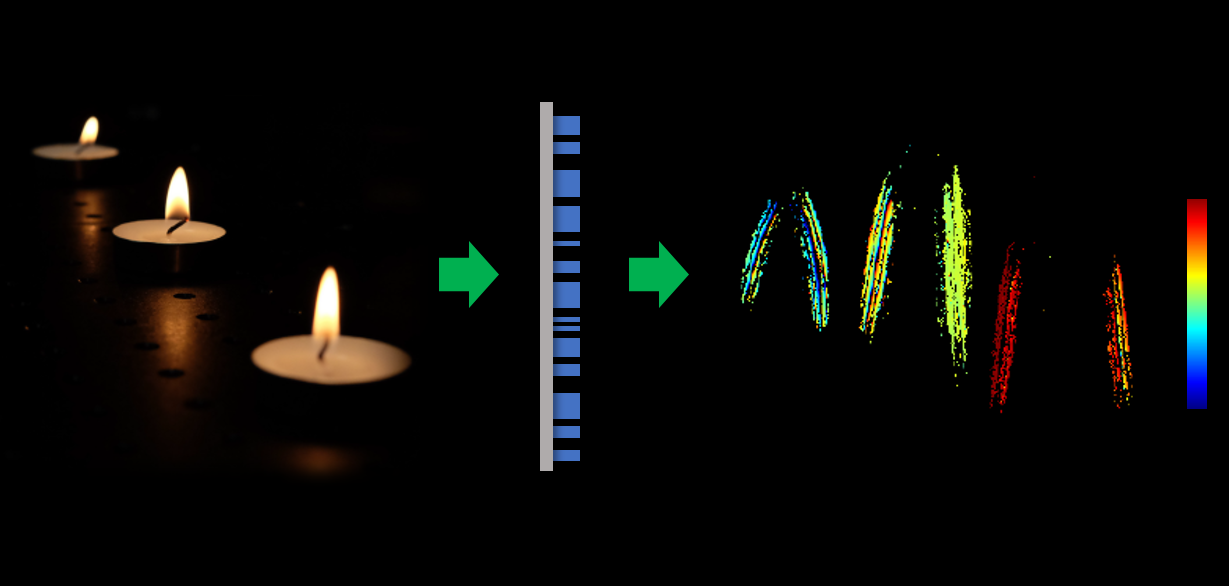
The “metalens” created by electrical engineering professor Federico Capasso and his team detects an incoming image as two similar ones with different amounts of blur, like the spider’s eye does. These images compared using an algorithm also like the spider’s — at least in that it is very quick and efficient — and the result is a lovely little real-time, whole-image depth calculation.

FlyGif

The process is not only efficient, meaning it can be done with very little computing hardware and power, but it can be extremely compact: the one used for this experiment was only 3 millimeters across.

This means it could be included not just on self-driving cars and industrial robots but on small gadgets, smart home items, and of course phones — probably won’t replace Face ID, but it’s a start.

The paper describing the metalens system will be published today in the Proceedings of the National Academy of Sciences.


Read Full Article

Facebook staff demand Zuckerberg limit lies in politcal ads


Submit campaign ads to fact checking, limit microtargeting, cap spending, observe silence periods, or at least warn users. These are the solutions Facebook employees put forward in an open letter pleading with CEO Mark Zuckerberg and company leadership to address misinformation in political ads.

The letter, obtained by the New York Times’ Mike Isaac, insists that “Free speech and paid speech are not the same thing . . . Our current policies on fact checking people in political office, or those running for office, are a threat to what FB stands for.” The letter was posted to Facebook’s internal collaboration forum a few weeks ago.

The sentiments echo what I called for in a TechCrunch opinion piece on October 13th calling on Facebook to ban political ads. Unfettered misinformation in political ads on Facebook lets politicians and their supporters spread inflammatory and inaccurate claims about their views and their rivals while racking up donations to buy more of these ads.

The social network can still offer freedom of expression to political campaigns on their own Facebook Pages while limiting the ability of the richest and most dishonest to pay to make their lies the loudest. We suggested that if Facebook won’t drop political ads, they should be fact checked and/or use an array of generic “vote for me” or “donate here” ad units that don’t allow accusations. We also criticized how microtargeting of communities vulnerable to misinformation and instant donation links make Facebook ads more dangerous than equivalent TV or radio spots.

Mark Zuckerberg Hearing In Congress

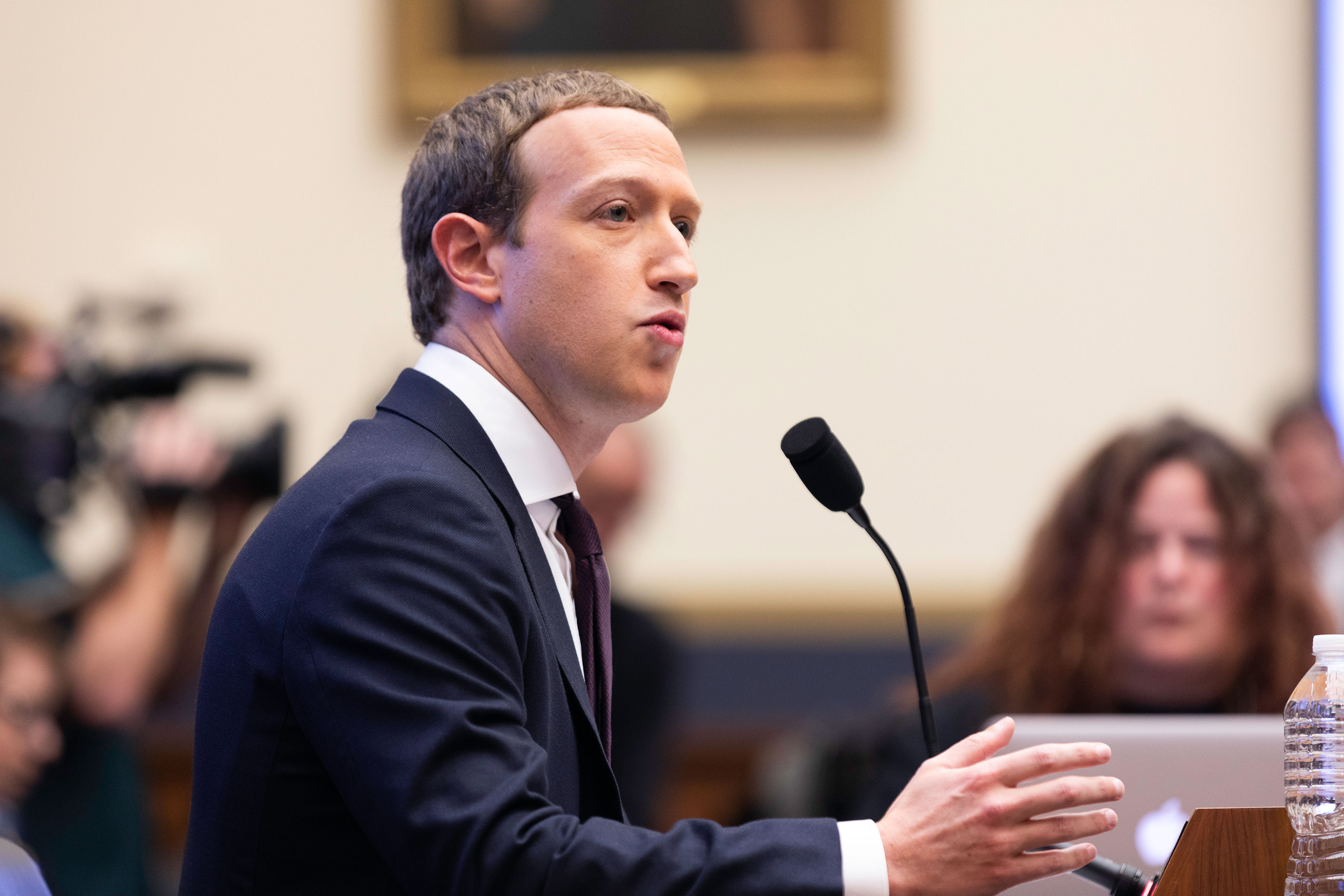
The Facebook CEO, Mark Zuckerberg, testified before the House Financial Services Committee on Wednesday October 23, 2019 Washington, D.C. (Photo by Aurora Samperio/NurPhoto via Getty Images)

Over 250 employees of Facebook’s 35,000 staffers have signed the letter, that declares “We strongly object to this policy as it stands. It doesn’t protect voices, but instead allows politicians to weaponize our platform by targeting people who believe that content posted by political figures is trustworthy.” It suggests the current policy undermines Facebook’s election integrity work, confuses users about where misinformation is allowed, and signals Facebook is happy to profit from lies.

The solutions suggested include:

  1. Don’t accept political ads unless they’re subject to third-party fact checks
  2. Use visual design to more strongly differentiate between political ads and organic non-ad posts
  3. Restrict microtargeting for political ads including the use of Custom Audiences since microtargeted hides ads from as much public scrutiny that Facebook claims keeps politicians honest
  4. Observe pre-election silence periods for political ads to limit the impact and scale of misinformation
  5. Limit ad spending per politician or candidate, with spending by them and their supporting political action committees combined
  6. Make it more visually clear to users that political ads aren’t fact-checked

A combination of these approaches could let Facebook stop short of banning political ads without allowing rampant misinformation or having to police individual claims.

Zuckerberg Elections 1

Zuckerberg had stood resolute on the policy despite backlash from the press and lawmakers including Representative Alexandria Ocasio-Cortez (D-NY). She left him tongue-tied during a congressional testimony when she asked exactly what kinds of misinfo were allowed in ads.

But then Friday Facebook blocked an ad designed to test its limits by claiming Republican Lindsey Graham had voted for Ocasio-Cortez’s Green Deal he actually opposes. Facebook told Reuters it will fact-check PAC ads

One sensible approach for politicians’ ads would be for Facebook to ramp up fact-checking, starting with Presidential candidates until it has the resources to scan more. Those fact-checked as false should receive an interstitial warning blocking their content rather than just a “false” label. That could be paired with giving political ads a bigger disclaimer without making them too prominent looking in general and only allowing targeting by state.

Deciding on potential spending limits and silent periods would be more messy. Low limits could even the playing field and broad silent periods especially during voting periods could prevent voter suppression. Perhaps these specifics should be left to Facebook’s upcoming independent Oversight Board that acts as a supreme court for moderation decisions and policies.

fb arbiter of truth

Zuckerberg’s core argument for the policy is that over time, history bends towards more speech, not censorship. But that succumbs to utopic fallacy that assumes technology evenly advantages the honest and dishonest. In reality, sensational misinformation spreads much further and faster than level-headed truth. Microtargeted ads with thousands of variants undercut and overwhelm the democratic apparatus designed to punish liars, while partisan news outlets counter attempts to call them out.

Zuckerberg wants to avoid Facebook becoming the truth police. But as we and employees have put forward, there a progressive approaches to limiting misinformation if he’s willing to step back from his philosophical orthodoxy.

The full text of the letter from Facebook employees to leadership about political ads can be found below, via the New York Times:

We are proud to work here.

Facebook stands for people expressing their voice. Creating a place where we can debate, share different opinions, and express our views is what makes our app and technologies meaningful for people all over the world.

We are proud to work for a place that enables that expression, and we believe it is imperative to evolve as societies change. As Chris Cox said, “We know the effects of social media are not neutral, and its history has not yet been written.”

This is our company.

We’re reaching out to you, the leaders of this company, because we’re worried we’re on track to undo the great strides our product teams have made in integrity over the last two years. We work here because we care, because we know that even our smallest choices impact communities at an astounding scale. We want to raise our concerns before it’s too late.

Free speech and paid speech are not the same thing.

Misinformation affects us all. Our current policies on fact checking people in political office, or those running for office, are a threat to what FB stands for. We strongly object to this policy as it stands. It doesn’t protect voices, but instead allows politicians to weaponize our platform by targeting people who believe that content posted by political figures is trustworthy.

Allowing paid civic misinformation to run on the platform in its current state has the potential to:

— Increase distrust in our platform by allowing similar paid and organic content to sit side-by-side — some with third-party fact-checking and some without. Additionally, it communicates that we are OK profiting from deliberate misinformation campaigns by those in or seeking positions of power.

— Undo integrity product work. Currently, integrity teams are working hard to give users more context on the content they see, demote violating content, and more. For the Election 2020 Lockdown, these teams made hard choices on what to support and what not to support, and this policy will undo much of that work by undermining trust in the platform. And after the 2020 Lockdown, this policy has the potential to continue to cause harm in coming elections around the world.

Proposals for improvement

Our goal is to bring awareness to our leadership that a large part of the employee body does not agree with this policy. We want to work with our leadership to develop better solutions that both protect our business and the people who use our products. We know this work is nuanced, but there are many things we can do short of eliminating political ads altogether.

These suggestions are all focused on ad-related content, not organic.

1. Hold political ads to the same standard as other ads.

a. Misinformation shared by political advertisers has an outsized detrimental impact on our community. We should not accept money for political ads without applying the standards that our other ads have to follow.

2. Stronger visual design treatment for political ads.

a. People have trouble distinguishing political ads from organic posts. We should apply a stronger design treatment to political ads that makes it easier for people to establish context.

3. Restrict targeting for political ads.

a. Currently, politicians and political campaigns can use our advanced targeting tools, such as Custom Audiences. It is common for political advertisers to upload voter rolls (which are publicly available in order to reach voters) and then use behavioral tracking tools (such as the FB pixel) and ad engagement to refine ads further. The risk with allowing this is that it’s hard for people in the electorate to participate in the “public scrutiny” that we’re saying comes along with political speech. These ads are often so micro-targeted that the conversations on our platforms are much more siloed than on other platforms. Currently we restrict targeting for housing and education and credit verticals due to a history of discrimination. We should extend similar restrictions to political advertising.

4. Broader observance of the election silence periods

a. Observe election silence in compliance with local laws and regulations. Explore a self-imposed election silence for all elections around the world to act in good faith and as good citizens.

5. Spend caps for individual politicians, regardless of source

a. FB has stated that one of the benefits of running political ads is to help more voices get heard. However, high-profile politicians can out-spend new voices and drown out the competition. To solve for this, if you have a PAC and a politician both running ads, there would be a limit that would apply to both together, rather than to each advertiser individually.

6. Clearer policies for political ads

a. If FB does not change the policies for political ads, we need to update the way they are displayed. For consumers and advertisers, it’s not immediately clear that political ads are exempt from the fact-checking that other ads go through. It should be easily understood by anyone that our advertising policies about misinformation don’t apply to original political content or ads, especially since political misinformation is more destructive than other types of misinformation.

Therefore, the section of the policies should be moved from “prohibited content” (which is not allowed at all) to “restricted content” (which is allowed with restrictions).

We want to have this conversation in an open dialog because we want to see actual change.

We are proud of the work that the integrity teams have done, and we don’t want to see that undermined by policy. Over the coming months, we’ll continue this conversation, and we look forward to working towards solutions together.

This is still our company.


Read Full Article

Facebook staff demand Zuckerberg limit lies in politcal ads


Submit campaign ads to fact checking, limit microtargeting, cap spending, observe silence periods, or at least warn users. These are the solutions Facebook employees put forward in an open letter pleading with CEO Mark Zuckerberg and company leadership to address misinformation in political ads.

The letter, obtained by the New York Times’ Mike Isaac, insists that “Free speech and paid speech are not the same thing . . . Our current policies on fact checking people in political office, or those running for office, are a threat to what FB stands for.” The letter was posted to Facebook’s internal collaboration forum a few weeks ago.

The sentiments echo what I called for in a TechCrunch opinion piece on October 13th calling on Facebook to ban political ads. Unfettered misinformation in political ads on Facebook lets politicians and their supporters spread inflammatory and inaccurate claims about their views and their rivals while racking up donations to buy more of these ads.

The social network can still offer freedom of expression to political campaigns on their own Facebook Pages while limiting the ability of the richest and most dishonest to pay to make their lies the loudest. We suggested that if Facebook won’t drop political ads, they should be fact checked and/or use an array of generic “vote for me” or “donate here” ad units that don’t allow accusations. We also criticized how microtargeting of communities vulnerable to misinformation and instant donation links make Facebook ads more dangerous than equivalent TV or radio spots.

Mark Zuckerberg Hearing In Congress

The Facebook CEO, Mark Zuckerberg, testified before the House Financial Services Committee on Wednesday October 23, 2019 Washington, D.C. (Photo by Aurora Samperio/NurPhoto via Getty Images)

Over 250 employees of Facebook’s 35,000 staffers have signed the letter, that declares “We strongly object to this policy as it stands. It doesn’t protect voices, but instead allows politicians to weaponize our platform by targeting people who believe that content posted by political figures is trustworthy.” It suggests the current policy undermines Facebook’s election integrity work, confuses users about where misinformation is allowed, and signals Facebook is happy to profit from lies.

The solutions suggested include:

  1. Don’t accept political ads unless they’re subject to third-party fact checks
  2. Use visual design to more strongly differentiate between political ads and organic non-ad posts
  3. Restrict microtargeting for political ads including the use of Custom Audiences since microtargeted hides ads from as much public scrutiny that Facebook claims keeps politicians honest
  4. Observe pre-election silence periods for political ads to limit the impact and scale of misinformation
  5. Limit ad spending per politician or candidate, with spending by them and their supporting political action committees combined
  6. Make it more visually clear to users that political ads aren’t fact-checked

A combination of these approaches could let Facebook stop short of banning political ads without allowing rampant misinformation or having to police individual claims.

Zuckerberg Elections 1

Zuckerberg had stood resolute on the policy despite backlash from the press and lawmakers including Representative Alexandria Ocasio-Cortez (D-NY). She left him tongue-tied during a congressional testimony when she asked exactly what kinds of misinfo were allowed in ads.

But then Friday Facebook blocked an ad designed to test its limits by claiming Republican Lindsey Graham had voted for Ocasio-Cortez’s Green Deal he actually opposes. Facebook told Reuters it will fact-check PAC ads

One sensible approach for politicians’ ads would be for Facebook to ramp up fact-checking, starting with Presidential candidates until it has the resources to scan more. Those fact-checked as false should receive an interstitial warning blocking their content rather than just a “false” label. That could be paired with giving political ads a bigger disclaimer without making them too prominent looking in general and only allowing targeting by state.

Deciding on potential spending limits and silent periods would be more messy. Low limits could even the playing field and broad silent periods especially during voting periods could prevent voter suppression. Perhaps these specifics should be left to Facebook’s upcoming independent Oversight Board that acts as a supreme court for moderation decisions and policies.

fb arbiter of truth

Zuckerberg’s core argument for the policy is that over time, history bends towards more speech, not censorship. But that succumbs to utopic fallacy that assumes technology evenly advantages the honest and dishonest. In reality, sensational misinformation spreads much further and faster than level-headed truth. Microtargeted ads with thousands of variants undercut and overwhelm the democratic apparatus designed to punish liars, while partisan news outlets counter attempts to call them out.

Zuckerberg wants to avoid Facebook becoming the truth police. But as we and employees have put forward, there a progressive approaches to limiting misinformation if he’s willing to step back from his philosophical orthodoxy.

The full text of the letter from Facebook employees to leadership about political ads can be found below, via the New York Times:

We are proud to work here.

Facebook stands for people expressing their voice. Creating a place where we can debate, share different opinions, and express our views is what makes our app and technologies meaningful for people all over the world.

We are proud to work for a place that enables that expression, and we believe it is imperative to evolve as societies change. As Chris Cox said, “We know the effects of social media are not neutral, and its history has not yet been written.”

This is our company.

We’re reaching out to you, the leaders of this company, because we’re worried we’re on track to undo the great strides our product teams have made in integrity over the last two years. We work here because we care, because we know that even our smallest choices impact communities at an astounding scale. We want to raise our concerns before it’s too late.

Free speech and paid speech are not the same thing.

Misinformation affects us all. Our current policies on fact checking people in political office, or those running for office, are a threat to what FB stands for. We strongly object to this policy as it stands. It doesn’t protect voices, but instead allows politicians to weaponize our platform by targeting people who believe that content posted by political figures is trustworthy.

Allowing paid civic misinformation to run on the platform in its current state has the potential to:

— Increase distrust in our platform by allowing similar paid and organic content to sit side-by-side — some with third-party fact-checking and some without. Additionally, it communicates that we are OK profiting from deliberate misinformation campaigns by those in or seeking positions of power.

— Undo integrity product work. Currently, integrity teams are working hard to give users more context on the content they see, demote violating content, and more. For the Election 2020 Lockdown, these teams made hard choices on what to support and what not to support, and this policy will undo much of that work by undermining trust in the platform. And after the 2020 Lockdown, this policy has the potential to continue to cause harm in coming elections around the world.

Proposals for improvement

Our goal is to bring awareness to our leadership that a large part of the employee body does not agree with this policy. We want to work with our leadership to develop better solutions that both protect our business and the people who use our products. We know this work is nuanced, but there are many things we can do short of eliminating political ads altogether.

These suggestions are all focused on ad-related content, not organic.

1. Hold political ads to the same standard as other ads.

a. Misinformation shared by political advertisers has an outsized detrimental impact on our community. We should not accept money for political ads without applying the standards that our other ads have to follow.

2. Stronger visual design treatment for political ads.

a. People have trouble distinguishing political ads from organic posts. We should apply a stronger design treatment to political ads that makes it easier for people to establish context.

3. Restrict targeting for political ads.

a. Currently, politicians and political campaigns can use our advanced targeting tools, such as Custom Audiences. It is common for political advertisers to upload voter rolls (which are publicly available in order to reach voters) and then use behavioral tracking tools (such as the FB pixel) and ad engagement to refine ads further. The risk with allowing this is that it’s hard for people in the electorate to participate in the “public scrutiny” that we’re saying comes along with political speech. These ads are often so micro-targeted that the conversations on our platforms are much more siloed than on other platforms. Currently we restrict targeting for housing and education and credit verticals due to a history of discrimination. We should extend similar restrictions to political advertising.

4. Broader observance of the election silence periods

a. Observe election silence in compliance with local laws and regulations. Explore a self-imposed election silence for all elections around the world to act in good faith and as good citizens.

5. Spend caps for individual politicians, regardless of source

a. FB has stated that one of the benefits of running political ads is to help more voices get heard. However, high-profile politicians can out-spend new voices and drown out the competition. To solve for this, if you have a PAC and a politician both running ads, there would be a limit that would apply to both together, rather than to each advertiser individually.

6. Clearer policies for political ads

a. If FB does not change the policies for political ads, we need to update the way they are displayed. For consumers and advertisers, it’s not immediately clear that political ads are exempt from the fact-checking that other ads go through. It should be easily understood by anyone that our advertising policies about misinformation don’t apply to original political content or ads, especially since political misinformation is more destructive than other types of misinformation.

Therefore, the section of the policies should be moved from “prohibited content” (which is not allowed at all) to “restricted content” (which is allowed with restrictions).

We want to have this conversation in an open dialog because we want to see actual change.

We are proud of the work that the integrity teams have done, and we don’t want to see that undermined by policy. Over the coming months, we’ll continue this conversation, and we look forward to working towards solutions together.

This is still our company.


Read Full Article

Here’s what the Uber Eats delivery drone looks like


Uber has unveiled more details about its plans for Eats delivery via drones. If all goes according to Uber’s plan, it will start flying its first drone model before the end of the year.

Uber’s design, which it unveiled at the Forbes 30 under 30 Summit today, is made to carry up to one meal for two people. Featuring rotating wings with six rotors, the vehicle can vertically take-off and land, and travel a maximum of eight minutes, including loading and unloading. The total flight range is 18 miles, with a round-trip delivery range of 12 miles.

As Uber previously said, the plan is not to use the drones for full delivery, but rather a portion of it. Once a customer orders food, the restaurant will prepare the meal and then load it onto a drone. That drone will then take off, fly and land at a pre-determined drop-off location.

Behind the scenes, Uber’s Elevate Cloud Systems will track and guide the drone, as well as notify an Eats delivery driver when and where to pick up their food. Down the road, Uber envisions landing the drones on top of parked Uber vehicles located near the delivery locations. From there, the Eats delivery driver will complete the last mile to hand-deliver the food to the customer.

Beginning next summer, Uber wants to use this drone for meal deliveries in San Diego. That would come after Uber first tests deliveries in partnership with drone operators and manufacturers.


Read Full Article

28 October 2019

Instagram Bans Memes About Suicide and Self-Harm


Instagram is expanding its ban on content related to suicide and self-harm. Instagram will no longer allow drawings or memes about suicide and self-harm on its platform. And the accounts posting this content will have their reach severely limited.

Hundreds of thousands of people take their own lives each year. And suicide is one of the leading causes of death amongst young adults. There are a myriad of different reasons for this, but the internet and social media certainly play a part.

The Death of Holly Russell

The role social media plays in this problem was felt most keenly when Molly Russell took her own life in 2017. The British teenager was found to have viewed graphic material concerning suicide and self-harm online in the run-up to her death.

In the aftermath of her passing, Molly’s father Ian told BBC News that he holds Instagram partly responsible for her death. Instagram has since upped its efforts to remove content depicting suicide and self-harm, and it’s now doing even more.

Instagram Bans More Suicidal Content

In a post on the Instagram Info Center, Adam Mosseri, the head of Instagram, explains what the social media platform is doing to keep its users safe. Especially with regards to young people, some of whom are “influenced in a negative way by what they see online.”

After assuring users that Instagram doesn’t let people “share content that encourages or promotes self-harm or suicide,” Mosseri says Instagram will “no longer allow fictional depictions of self-harm or suicide on Instagram, such as drawings or memes.”

What’s more, “accounts sharing this type of content will also not be recommended in search or in our discovery surfaces, like Explore.” Lastly, Instagram will be sending more people more “resources with localized helplines like the Samaritans.”

As Mosseri points out, this is a complex issue that “no single company or set of policies and practices alone can solve.” So, Instagram has sought “expert advice from academics and mental health organisations like the […] National Suicide Prevention Line”.

Report Worrying Social Media Posts

Sadly, this isn’t going to stop people from taking their own lives. However, Instagram is clearly doing what it can to prevent any more youngsters such as Molly Russell being influenced by what they see online. Let’s hope other social media platforms follow suit.

If you’re worried about someone, here’s how to help suicidal friends on social media.

Read the full article: Instagram Bans Memes About Suicide and Self-Harm


Read Full Article
3 Audacity Tips to Enhance Your Recorded Interviews


As a writer, blogger, and podcaster, I’ve conducted many interviews. Producing high-quality, interesting conversations with fascinating people is one thing, but you’ve got to get the audio right.

Whether sharing the interview on a podcast or playing it back to transcribe, clear, audible speech is vital. For this, you’ll need a digital audio workstation (DAW) such as Audacity (other DAWs are available).

While audio enthusiasts will find the edits below simple, for those with little audio editing experience, they’re critical. Use these tricks to enhance voice recordings in Audacity.

Why Use Audacity for Interviews?

I use the Audacity audio recording software to record and edit all my interviews.

My recording setup is nothing unusual. For PC recording, a Bluetooth headset, and a Blue Snowball desktop microphone. If I’m using Skype, then I’ll rely on the Skype call recording feature that is part of the service.

For mobile recording, I tend to double up, using my smartphone as a backup for a Sony portable voice recorder.

Both work well and produce high-quality conversations. However, as with anything, there are flaws in the setup that produce less than optimum conditions.

Use Audacity to enhance your audio tracks

The beauty of Audacity (besides it being free to use) is that you have the capability to “fix” those flaws. Voice recordings are prone to three common problems:

  1. Background noise
  2. Quiet voice
  3. Distortion and call drop-out

Below you’ll learn how to fix these issues and even enhance the Audacity production with some music.

1. How to Enhance Quiet Voices in Audacity

Boosting quiet voices is simple. The volume of the voice is equivalent to “amplitude,” so just use Audacity’s Amplify tool to enhance the voice.

First, highlight the section of the audio track with a quiet voice. Next, select Amplify from the Effect menu option.

In the amplify tool, select an amplification level to increase the voice volume to match the other person speaking. It may take some trial and error the first time. Don’t worry—just undo the change and try a new value until you get it right.

Use the Amplify tool to fix vocal tracks in Audacity

In my case, I found that an increase of 5 dB does the trick. Once you know the right value, the only tedious part of this fix is that you’ll need to find every place in the track where the quiet voice shows up, and do the highlight/amplify routine to fix it.

2. How to Remove Background Noise With Audacity

The second most common flaw in an interview audio file is background noise. Maybe you left a fan on in the other room, or cars are passing an open window? PC fans can also cause a problem, as can nearby industry, humming refrigerators, and washing machines.

The problem is, you never realize until you listen to the audio that the sound quality is terrible.

To remove background noise, identify an area in your file that features only the background noise. When you find it, highlight that section of the audio track.

Next, open Effects > Noise Reduction.

Reduce background noise for enhanced audio in Audacity

In the toolbox, click Get Noise Profile. Doing this captures a snapshot of the background noise itself. The software uses this to “erase” that sound profile from a section (or all) of the audio file.

The next step is just to highlight the area where you want to remove the noise. Usually, this is the entire track, so left-click the track header (on the left side of the screen).

Finally, return to Effects > Noise Reduction and this time click OK.

Use noise reduction to enhance Audacity audio

A few moments later, the background noise will be removed or at least reduced.

There is one caveat, and it is this—carefully gauge the amount of noise that you want to remove. Removing too little won’t do much good; removing too much will make the audio sound over-digitized or artificially quiet.

In most cases, the default option should be enough. Otherwise, the middle to lower-middle setting is usually ideal.

3. Remove Distortion in Audacity

A key problem with recording phone calls on Skype and other voice chat services is distortion. It can occur as stuttered audio, robotic distortion, or even call “drop out”. This is where the person at the other end of the call appears to have gone for a few moments.

The best way to fix these problems is Clip Fix.

Start off by looking for the distortion. Open View > Show Clipping.

This will reveal the problem areas. Simply select these (as a whole, or one at a time) then Effects > Clip Fix. Again, rely on the default option to start with, changing only if the initial attempt doesn’t fix the distortion enough.

Enhance audio in Audacity by fixing distortion with Clip Fix

Use the Preview option to get an idea of how it sounds, then OK to fix the distortion. You may need to undo (Ctrl + Z) and re-do the fix with a slightly higher amplitude to increase the volume.

Integrating a Musical or Voice Introduction

Many great podcasts feature a great musical introduction. Believe it or not, it isn’t difficult to add one yourself in Audacity with just a few simple steps.

The first step, obviously, is finding the music that you would like to use and avoid infringing on any licenses. If you’re not composing your own tune, try one of the best royalty-free music sites to find something suitable.

Next, import the music into Audacity (right-click the downloaded file and choose Audacity) so it is ready to use. The file will appear in a new Audacity window.

In the main audio file, click Tracks > Add New > Stereo and create a new track. This is where you’ll drop the music.

Switch to the Audacity window with the music track. Select the music (or a portion of it) then click Copy. Then place the cursor at the start of your primary audio file and select Paste. The copied music clip will be inserted into your track.

If there is an overlay, use the Time Shift tool (a double-headed arrow icon) to arrange the audio files as needed. At the point you want to taper off the intro music, left click and select Effect > Fade Out.

Use the fade out tool to enhance your Audacity audio productions

You’ll see the amplitude of the music clip taper off as it approaches the end of the clip. If done right, this will create a nice fade into the interview itself.

Enhance Your Audacity Audio Project Today

With these simple tips, you can equalize voice volume, remove background noise, and fix distortion.

You can even embed a professional music introduction into your audio interview. With just these few simple changes, you’ll transform amateur sounding interviews into well produced, professional sounding conversations. The results are great—in fact, you’ve created a podcast.

But what do you do next? Make sure people hear it! Here’s how to promote your podcast to make sure that happens.

Read the full article: 3 Audacity Tips to Enhance Your Recorded Interviews


Read Full Article
How to Cancel App Subscriptions on Your iPhone or iPad


which-ipad

Nearly every app and service available today wants you to sign up for a subscription. While this spreads out costs over time instead of charging you all at once, it’s easy to lose track of your subscriptions. If you typically enroll using your mobile device, you might wonder how to cancel subscriptions on an iPhone or iPad.
We’ll show you how to view all subscriptions you’ve signed up for on your iPhone and help you get these under control.

How to Find All Subscriptions on Your iPhone

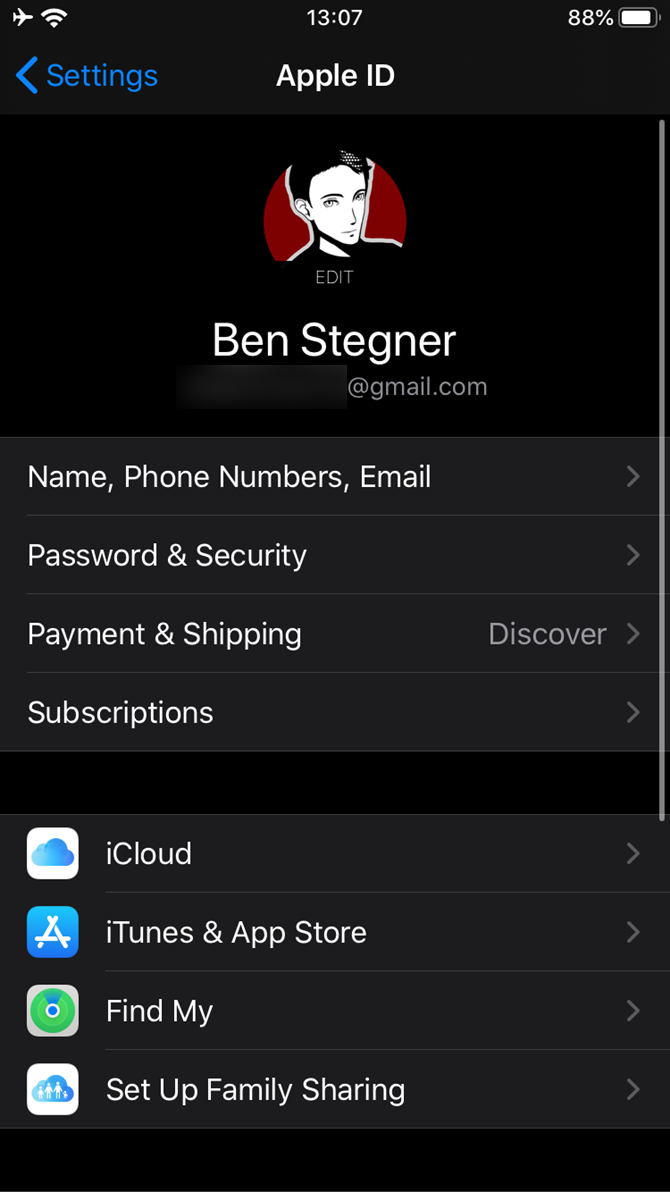
Apple makes it easy to review all subscriptions you currently have active through your Apple ID. Here’s where to find subscriptions on your iPhone:

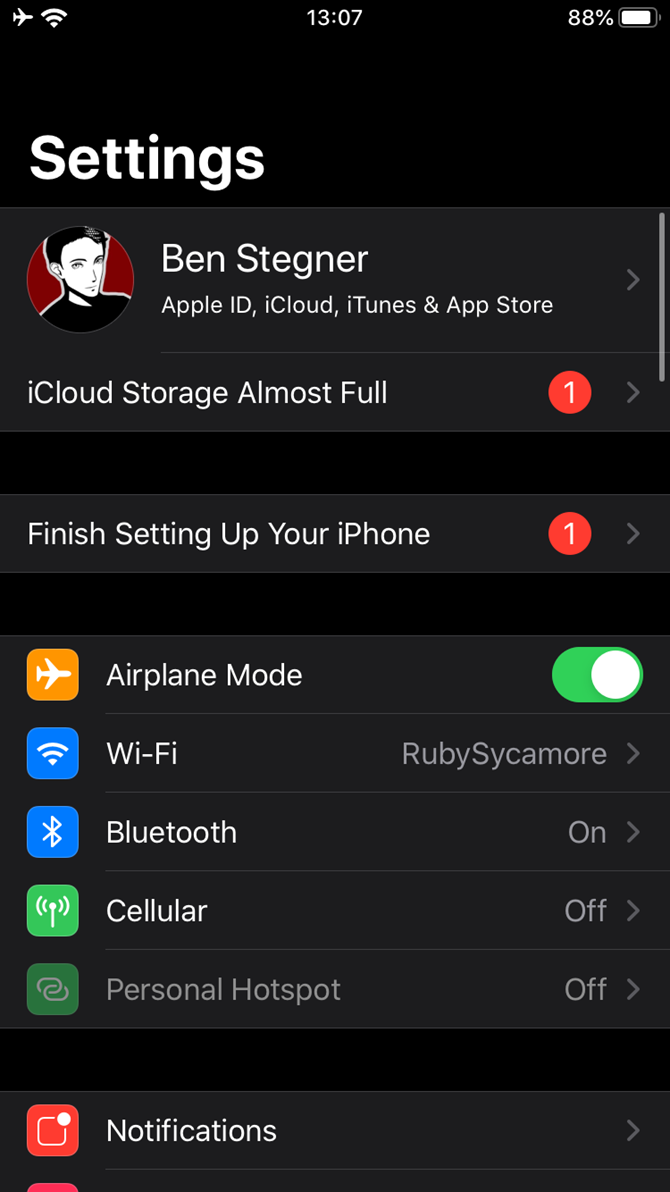
  1. Open the Settings app on your iPhone or iPad.
  2. Tap your name at the top of the list.
  3. On the resulting page, tap Subscriptions.

In addition to app subscriptions, this page is also how you cancel magazine subscriptions on your iPhone. Next, we’ll look at managing them.

How to Cancel Subscriptions on iPhone

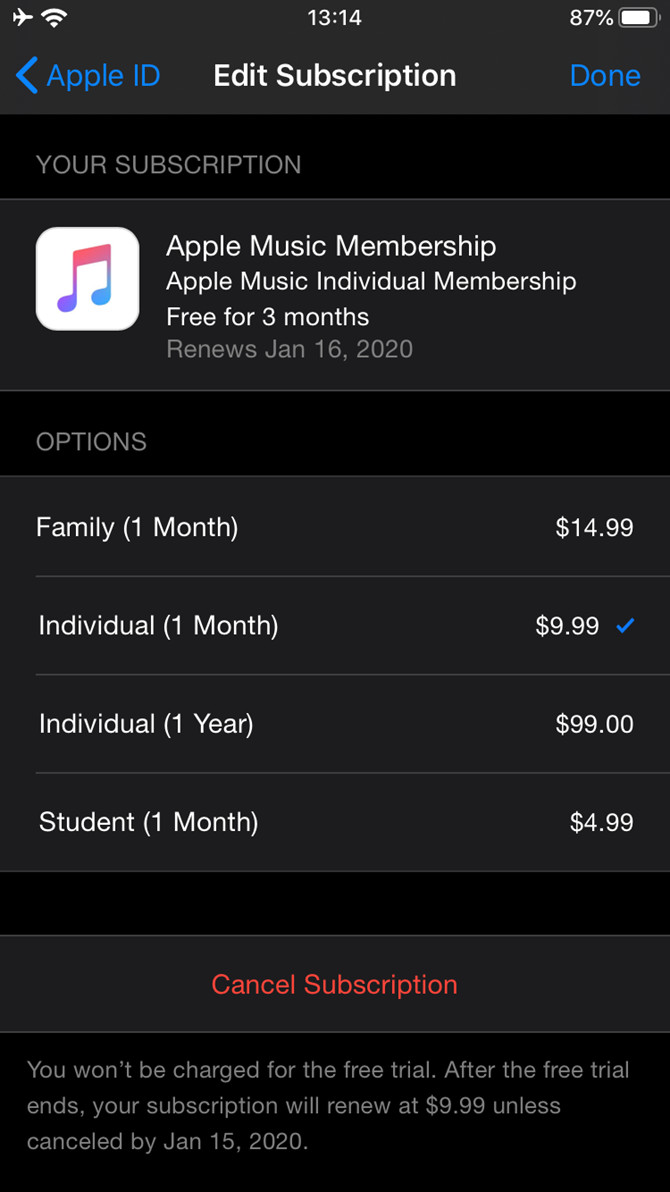
Follow the above steps to access the Subscriptions page for your Apple ID. Here you’ll see all subscriptions that are billed through your Apple account. Tap the subscription you want to unsubscribe from or change. If you only have one subscription, this page will take you right to it.

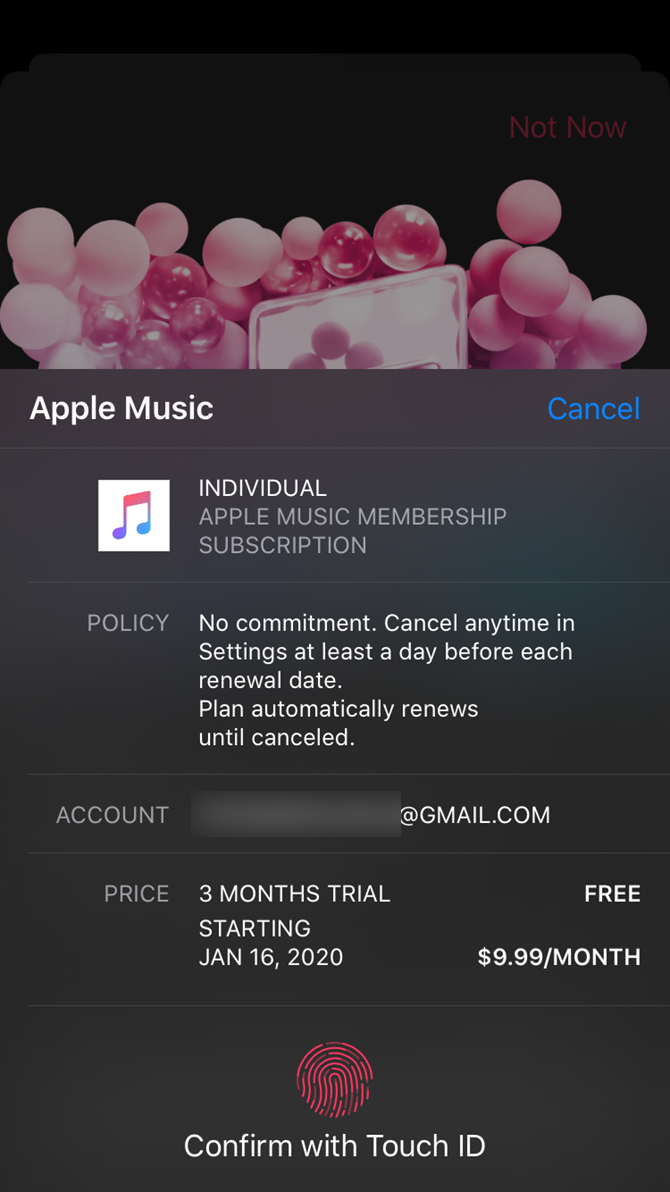
In the below example, you can see how to cancel Apple Music. Tap Apple Music Membership to see details and change the subscription if you want. It shows you what kind of plan you have, when the subscription renews, and your other options for subscribing.

You’ll see the Cancel Subscription (or Cancel Free Trial if you’re still in the trial period) button below. Tap this and confirm it to unsubscribe from the app’s service.

When you cancel an app, most services allow you to continue using them until your subscription period ends. This isn’t the case for some free trials, though. For instance, if you cancel the Apple Music trial, you’ll immediately lose access to the premium service.

Thus, if you want to utilize the entire free trial but don’t want to get charged when it’s over, we recommend setting a reminder to cancel the app subscription a few days before it ends.

How to Cancel Apple Subscriptions on Your Mac

If you’d prefer, you can also cancel an app subscription on your Mac. Because Apple has split iTunes on macOS into several distinct apps, this functionality is now located in the App Store.

Open the App Store on your Mac and click your name and profile icon in the bottom-left corner. Next, select View Information at the top-right. You may need to confirm your Apple ID password to proceed.

Mac View Account Info

Once you see the Account Information page, scroll down to the Manage section. You’ll see a Subscriptions entry with the number of subscriptions currently on your account; click Manage to the right of this.

From here, you’ll see a very similar panel to that on iPhone and iPad. This lets you change or unsubscribe from an Apple or third-party app, as long as you’re signed in with the same Apple ID.

Mac Manage Subscriptions

How to Cancel iTunes Subscriptions on Windows

If you use a Windows PC, you’ll still manage your Apple subscriptions through the iTunes subscriptions page. Open iTunes and head to Account > View My Account. This will bring you to a panel similar to the App Store’s Account Information above.

Scroll to the bottom and in the Settings section, you’ll see a Subscriptions line. Click Manage next to this. Then you can edit or cancel your subscriptions.

iTunes Windows Manage Subscriptions

Managing Other Subscriptions on Your iPhone

Didn’t find the subscription you were looking for using the above methods? You’ll need to unsubscribe in a different way. The above subscription management only applies to apps that you’ve subscribed to through your Apple ID. It won’t show subscriptions you made through other devices.

For example, you might have signed up for Spotify Premium through the Google Play Store on an Android device, or joined Netflix on the company’s website. While you can enjoy these accounts by signing into the apps on your iPhone, Apple has nothing to do with your subscription.

You’ll need to deal with the service directly to manage your subscription. A quick Google search should bring you to the appropriate website so you can log in and manage your subscription.

Spotify Premium Subscription

If you have trouble tracking down where a subscription comes from, check your credit card statement to see who you’ve made payments to. Vendors like “Apple” or “App Store” signify a subscription through your Apple ID, while the company name will likely appear for direct subscriptions. You might have also subscribed using a service like PayPal or Amazon Pay.

Otherwise, if you use Apple’s Family Sharing, one of your family members might have signed up for a subscription on their own. You can’t manage this from your Apple ID, so you’ll need to use one of their devices to manage that subscription. You may also pay someone else for a shareable subscription and need to talk with them.

Finally, make sure you didn’t subscribe with a different Apple ID than the one you’re currently using.

How to Manage Your iCloud Storage Plan

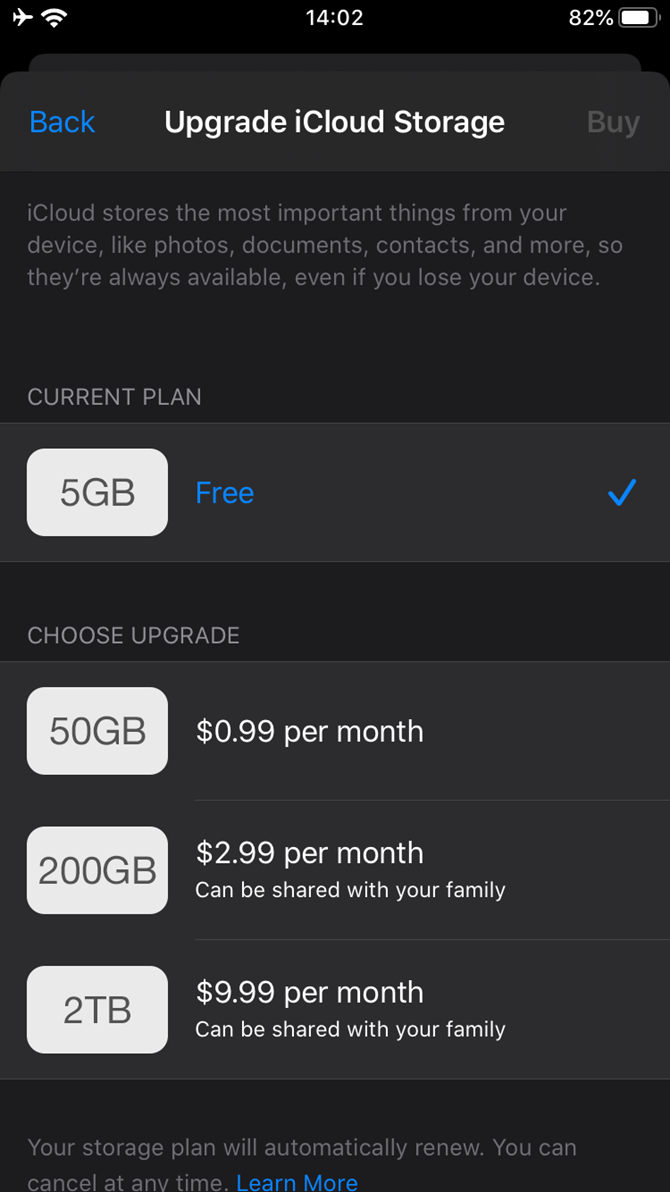
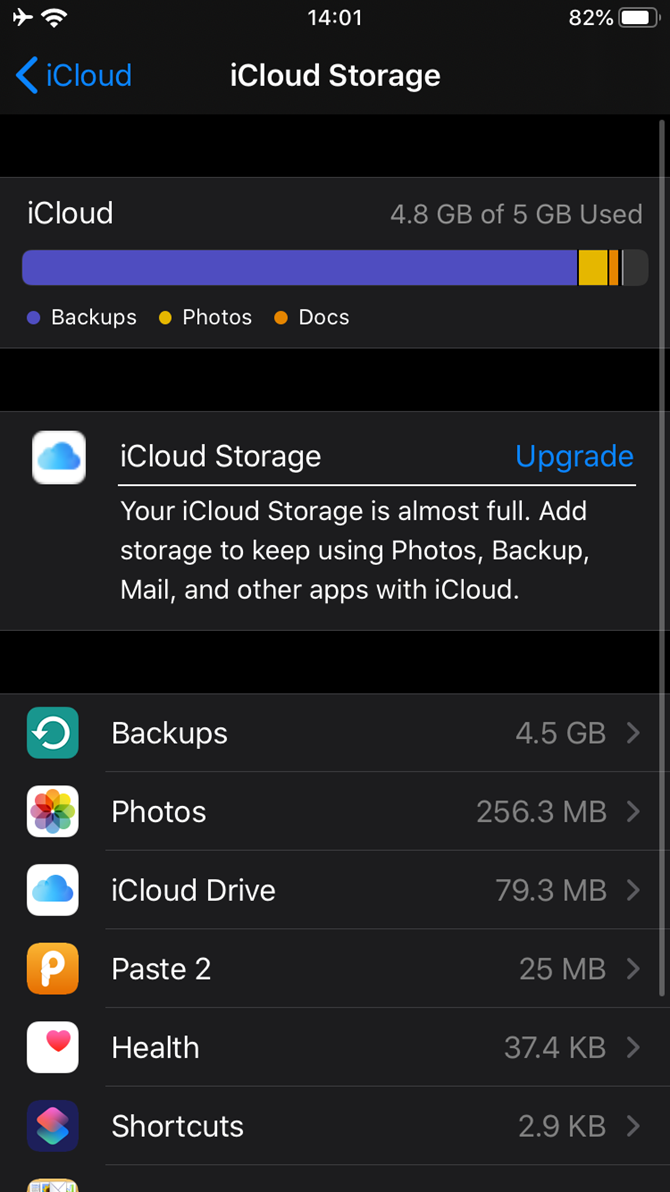
There’s one notable exception when wondering how to unsubscribe from an Apple app: iCloud storage. Apple will bill you for iCloud plans that include more storage than the 5GB default, but this doesn’t appear in the above locations.

Instead, to unsubscribe from iCloud plans on your iPhone, you’ll need to visit Settings > [Your name] > iCloud > Manage Storage. Here, tap Change Storage Plan, then Downgrade Options to go back to the free plan.

A Note on Subscribing Through Apple

We’ve covered how to unsubscribe from plans on your iPhone, so you’re all set to take control of your recurring charges.

Before we wrap up, you should be aware that subscribing to services through Apple often results in paying a higher price. This is because Apple takes a 30% cut of all purchases made through the App Store, resulting in developers charging more to offset that cost.

For example, Spotify Premium costs $9.99 per month normally. However, if you sign up through the iPhone app, you’ll end up paying $12.99 per month instead. There’s no reason to do this, as you get an identical service either way.

If you have any subscriptions through Apple, we recommend checking the applicable company’s website to see if you can get it for a lower cost.

Cancel Subscriptions and Save Some Money

Subscriptions are a convenient way to access services you use month-to-month, but they can easily get out of hand. It’s wise to take a few minutes to review the subscriptions you’re currently paying for to make sure you aren’t wasting money.

For more tools to help with this, see our guide to managing your online subscriptions.

Read the full article: How to Cancel App Subscriptions on Your iPhone or iPad


Read Full Article