17 October 2019

Snapchat goes after retailers and DTC brands with new Dynamic Ads


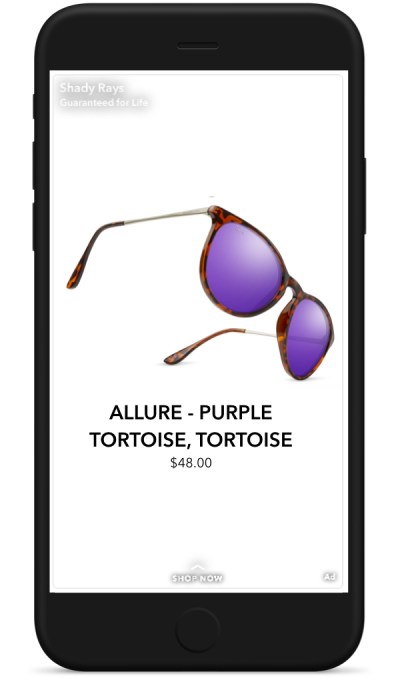
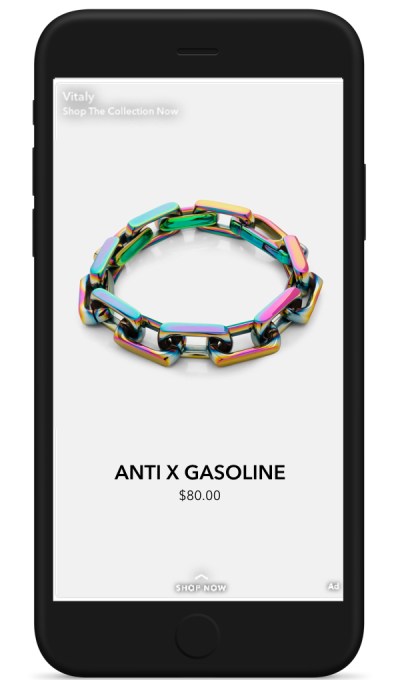
Snap today is announcing a new kind of advertising product, Dynamic Ads, that will help it to better attract ad dollars from retail, e-commerce, and other direct-to-consumer brands — a group that today thrives on Instagram. With Dynamic Ads, advertisers can now automatically create ads in real-time based on extensive product catalogs that may contain hundreds of thousands of products. These ads are then served to Snapchat users based on their interests using a variety of templates provided by Snap.

These templates have been designed for mobile, Snap says, and will help the advertiser save time as they won’t have to manually create their ads. Instead, they just sync their product catalog and allow Snap’s system to build the ad in real-time. As product availability or prices change, the ads will also adjust.

The move to better serve advertisers in the retail and direct-to-consumer (DTC) space comes at a time when many DTC brands have been increasingly turning to Snapchat as Instagram has grown too crowded. Advertisers have complained about saturation and higher ad prices there. Snap, meanwhile, targeted this category of advertisers with a growing number of tools. The result, according to some DTC brands were ads that were 8 times cheaper than Instagram.
ShadyRays DPA 2

The Dynamic Ads are the latest in a long line of new ad products and tools. Since Snap launched its Ads Manager two years ago, it has rolled out new ad types, integrations, buying types, and more, including Snap Pixel, Product Ads, advanced optimization, reach & frequency buying, quick Instant Create ads, Shopify integrations, and others aimed at video marketers. like the premium Snap Select program, the non-skip, six-second video Commercials.

More recently, it’s been focused on making ad creation easier. In July, Snap launched an “instant” tool called Instant Create that would help advertisers who were not used to creating ads for the smartphone-friendly vertical format. This ad tool would generate an ad from a brand’s existing assets, like an e-commerce storefront, in just three steps.
Vitaly DPA 2

The new Dynamic Ads will be even simpler, in a way, as advertisers will be able to build “always-on” campaigns that don’t need constant updating.

That being said, the ads risk being a little more generic. Once these templated ads spread across Snapchat, it may be harder for the products being sold to stand out from others. After all, Instagram DTC ads often succeed because of the creative ad collateral involved, or the storytelling, which goes beyond just showcasing product photos. Instagram also allows brands to connect with a wide variety of influencers to promote the products.

Snap has clearly thought about this issue, though, as its Dynamic Ads can use the same product image across five different template styles.
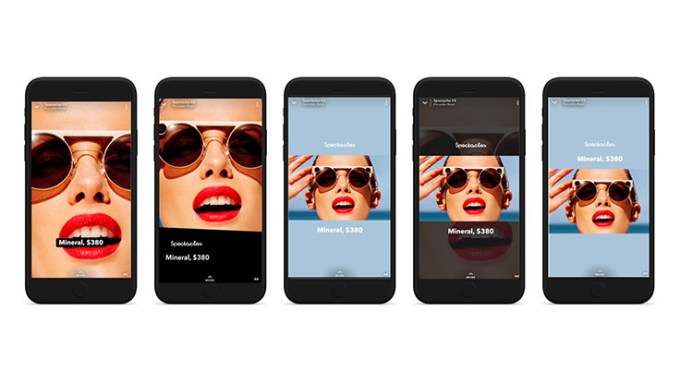
Snap DAB BlogPostBlog Asset v1

Snapchat believes it can do well in this space, because it can better deliver the millennial audience. The company claims that 38% of Snapchat users 16 and up can’t be reached on Instagram daily, followed by 49% on Facebook. Snapchat, meanwhile, reaches over 90% of 13 to 24-year olds in the U.S. And its user base is highly engaged with the app, which gives advertisers more opportunity to reach them.
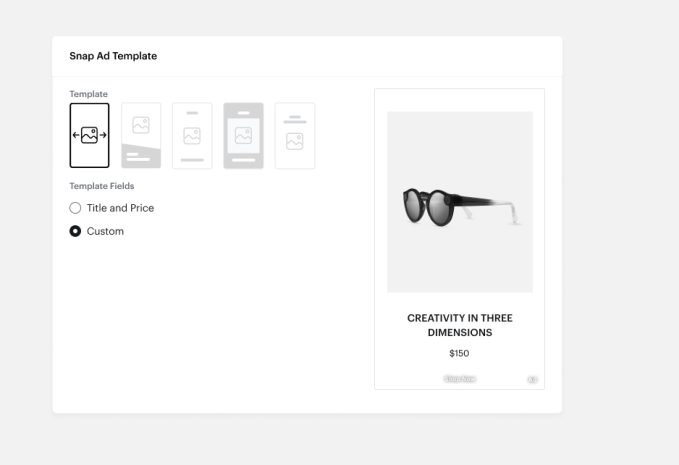
DPA Template example

“Snapchat has become a go-to destination to reach the largest and most economically influential generations in history, Millennials and Gen Z. Snapchat Dynamic Ads now allow brands to create real-time optimized mobile ads quickly and at scale, with products showcased in visually-appealing templates that feel native to the app,” said Snap’s Kathleen Gambarelli, Group Product Marketing Manager, Direct Response, in a statement.

“More than 75% of the 13-34-year-old U.S. population is active on Snapchat, and daily Snapchat users open the app over 20 times each day, offering brands major opportunities to reach the right person with the right message at the right time,” she added.

Interested advertisers will be able to start setting up their campaigns today in an open beta test, and these will begin running in one or two weeks’ time. Dynamic Ads will be available worldwide for all Snapchat advertisers, but campaigns will only reach U.S. users to start. Snap says global markets will begin in the coming months.

[gallery ids="1898904,1898902,1898901,1898938,1898903,1898899,1898905,1898939,1898900"]


Read Full Article

Microsoft accessibility grants go out to companies aiming to improve tech for the disabled


The tech world has a lot to offer those with disabilities, but it can be hard to get investors excited about the accessibility space. That’s why Microsoft’s AI for Accessibility grants are so welcome: equity-free Azure credits and cash for companies looking to adapt AI to the needs of those with disabilities. The company just announced ten more, including education for the blind startup ObjectiveEd.

The grant program was started a while back with a $5 million, 5-year mission to pump a little money into deserving startups and projects — and get them familiar with Microsoft’s cloud infrastructure, of course.

Applications are perennially accepted, and “anybody who wants to explore the value of AI and machine learning for people with disabilities is welcome to apply,” said Microsoft’s Mary Bellard. As long as they have “great ideas and roots in the disability community.”

Among the grantees this time around is ObjectiveEd, which I wrote about earlier this year. The company is working on an iPad-based elementary school curriculum for blind and low-vision students that’s also accessible to sighted kids and easy for teachers to deploy.

Part of that, as you might guess, is braille. But there aren’t nearly enough teachers capable of teaching braille as students who need to learn it, and the most common technique is very hands-on: a student reads braille (on a hardware braille display) out loud and a teacher corrects them. Depending on whether a student has access to the expensive braille display and a suitable tutor at home, that can mean as little as an hour a week dedicated to these crucial lessons.

ObjectiveEd 2

A refreshable braille display for use with apps like ObjectiveEd’s.

“We thought, wouldn’t it be cool if we could send a sentence to the braille display, have the student speak the words out loud, then have Microsoft’s Azure Services translate that to text and compare that to the braille display, then correct the student if necessary and move on. All within the context of a game, to make it fun,” said ObjectiveEd founder Marty Schultz.

And that’s just what the company’s next app does. Speech-to-text accuracy is high enough now that it can be used for a variety of educational and accessibility purposes, so all it will take for a student to get some extra time in on their braille lessons is an iPad and braille display — admittedly more than a thousand dollars worth of hardware, but no ever one said being blind was cheap.

Braille literacy is dropping, and, I suggested, no surprise there: With pervasive and effective audio interfaces, audio books, and screen readers, there are fewer times when blind and low-vision people truly need braille. But as Schulz and Bellard both pointed out, it’s great to be able to rely on audio for media consumption, but for serious engagement with the written word and many educational purposes, braille is either necessary or a very useful alternative to speech.

Both Schultz and Bellard noted that they are not trying to replace teachers at all — “Teachers teach, we help kids practice,” Schultz said. “We’re not experts in teaching, but we can follow their advice to make these tools useful to students.”

There are ten other grantees in this round of Microsoft’s program, covering a wide variety of approaches and technologies. I like the SmartEar, for instance, which listens for things like doorbells or alarms and alerts deaf people of them via their smartphone.

And City University of London has a great idea in personalizing object recognition. It’s pretty straightforward for a computer vision system to recognize a mug or keychain on a table. But for a blind person it’s more useful if a system can identify their mug or keychain, and then perhaps say, it’s on the brown table left of the door, or what have you.

Here are the ten grantees besides ObjectiveEd (descriptions provided by Microsoft, as I wasn’t able to investigate each one, but may in the future):

  • AbiliTrek : A platform for the disability community to rate and review the accessibility of any establishment, with the ability to tailor search results to the specific needs of any individual.
  • Azur Tech Concept – SmartEar : A service that actively listens for environmental sounds (i.e. doorbell, fire alarm, phone call) and retransmits them in colored flashes on small portable boxes or a smart phone to support the deaf community.
  • Balance for Autism – Financial Accessibility: An interactive program which provides information and activities designed to better match people with programs and services
  • City University of London – The ORBIT : Developing a data set to train AI systems for personalizing object recognition, which is becoming increasingly important for tools used by the blind community.
  • Communote – BeatCaps : A new form of transcription that uses beat tracking to generate subtitles that visualize the rhythm of music. These visualizations allow the hard of hearing to experience music.
  • Filmgsindl GmbH – EVE: A system that recognizes speech and generates automatic live subtitles for people with a hearing disability.
  • Humanistic Co-Design : A cooperative of individuals, organizations and institutions working together to increase awareness about how designers, makers, and engineers can apply their skills in collaboration with people who have disabilities.
  • iMerciv –  MapinHood : A Toronto-based startup developing a navigation app for pedestrians who are blind or have low vision and want to choose the routes they take if they’re walking to work, or to any other destination.
  • inABLE and I-Stem – I-Assistant: A serves that uses text-to-speech, speech recognition, and AI to give students a more interactive and conversational alternative to in-person testing in the classroom.
  • Open University – ADMINS : A chatbot that provides administrative support for people with disabilities who have difficulty filling out online academic forms.

The grants will take the form of Azure credits and/or cash for immediate needs like user studies and keeping the lights on. If you’re working on something you think might be a good match for this program, you can apply for it right here.


Read Full Article

How Artificial Intelligence Will Shape the Future of Malware


ai-shape-malware

As we move into the future, the prospect of AI-driven systems becomes more appealing. Artificial Intelligence will help us make decisions, power our smart cities, and—unfortunately—infect our computers with nasty strains of malware.

Let’s explore what the future of AI means for malware.

What Is AI in Malware?

When we use the term “AI-driven malware,” it’s easy to imagine a Terminator-style case of an AI “gone rogue” and causing havoc. In reality, a malicious AI-controlled program wouldn’t be sending robots back through time; it would be sneakier than that.

AI-driven malware is conventional malware altered via Artificial Intelligence to make it more effective. AI-driven malware can use its intelligence to infect computers faster or make attacks more efficient. Instead of being a “dumb” program that follows pre-set code, AI-driven malware can think for itself—to an extent.

How Does AI Enhance Malware?

There are several ways that Artificial Intelligence can enhance malware. Some of these methods are figurative, while some are tangible within the real world in some way.

Targeted Ransomware Demonstrated by DeepLocker

One of the scariest AI-driven malware examples is Deeplocker. Thankfully, IBM Research developed the malware as a proof-of-concept so you won’t find it in the wild.

The concept of DeepLocker was to demonstrate how AI can smuggle ransomware into a target device. Malware developers can do a “shotgun spread blast” against a company with ransomware, but there’s a high chance they won’t manage to infect the essential computers. As such, the alert may go up too soon for the malware to reach the most prominent targets.

DeepLocker was teleconferencing software that smuggled in a unique strain of WannaCry. It didn’t activate the payload, though; instead, it would merely perform its duties as a teleconferencing program.

As it did its job, it would scan the faces of the people that used it. Its goal was to infect a specific person’s computer, so it monitored everyone as they used the software. When it detected the target’s face, it would activate the payload and cause the PC to be locked down by WannaCry.

Adaptive Worms That Learn From Detection

One theoretical use of AI in malware is a worm that “remembers” every time an antivirus detects it. Once it knows what actions cause an antivirus to spot it, it then stops performing that action and finds another way to infect the PC.

This is particularly dangerous, as modern-day antivirus tends to run off of strict rules and definitions. That means all a worm needs to do is find a way in that doesn’t trip the alarm. Once it does, it can inform the other strains about the hole in the defense, so they can infect other PCs easier.

Independence From the Developer

Modern-day malware is quite “dumb;” it can’t think by itself or make decisions. It performs a series of tasks that the developer gave it before the infection happened. If the developer wants the software to do something new, they have to broadcast the next list of instructions to their malware.

This center of communication is called a “command and control” (C&C) server, and it has to be hidden very well. If the server is discovered, it could lead back to the hacker, often ending with arrests.

If the malware can think for itself, however, there is no need for a C&C server. The developer unleashes the malware and sits back as the malware does all the work. This means the developer doesn’t need to risk outing themselves while giving commands; they can just “set and forget” their malware.

Monitoring User Voices for Sensitive Information

If an AI-driven malware gets control over a target’s microphone, it can listen in and record what people are saying nearby. The AI then pieces through what it heard, transcribes it into text, then sends the text back to the developer. This makes life easier for the developer, who doesn’t have to sit through hours of audio recording to find trade secrets.

How Can a Computer “Learn?”

Malware can learn from its actions through what’s called “machine learning.” This is a specific area of AI, related to how computers can learn from their efforts. Machine learning is useful for AI developers because they don’t need to code for every scenario. They let the AI know what’s right and what’s not, then let it learn through trial and error.

When AI trained by machine-learning faces an obstacle, it tries different methods to overcome it. At first, it will do a poor job at passing the challenge, but the computer will note what went wrong and what can be improved. Over the course of several iterations of learning and trying, it eventually gets a good idea of what the “correct” answer is.

You can see an example of this progress in the video above. The video shows an AI learning how to make different creatures walk properly. The first few generations walk as if they are drunk, but the later ones hold their posture. This is because the AI learned from the previous failures and did a better job on the later models.

Malware developers use this power of machine learning to figure out how to correctly attack a system. If something goes wrong, the system logs this error and notes what they did that caused that problem. In the future, the malware will adapt its attack patterns for better results.

How Can We Defend Against Malware-Driven AI?

The big problem with machine-learning AI is that they exploit the current way that antiviruses work. An antivirus likes to work via straightforward rules; if a program fits a specific niche that an antivirus knows is malicious, it blocks it.

AI-driven malware, however, won’t work via hard and set rules. It will continuously prod at the defenses, trying to find a way through. Once it has made its way in, it can perform its job without hindrance until the antivirus receives updates specific to the threat.

So, what’s the best way to fight off this “smart” malware? Sometimes you need to fight fire with fire, and the best way to do that is to introduce AI-driven antivirus programs. These don’t use static rules to catch malware, like our current models. Instead, they analyze what a program is doing and stops it if it’s acting maliciously, according to the antivirus’s opinion.

A Future Defined by Artificial Intelligence

Basic rules and simple instructions won’t define malware attacks in the future. Instead, they’ll use machine learning to adapt and shape themselves to counter whatever security they meet. It may not be as exciting as how Hollywood depicts malicious AI, but the threat is very much real.

If you’d like to see some less-scary examples of Artificial Intelligence, check these AI-powered websites.

Image Credit: sdecoret/Depositphotos

Read the full article: How Artificial Intelligence Will Shape the Future of Malware


Read Full Article

How to Politely Ignore Someone on Facebook


politely-ignore-facebook

Facebook is a good way to connect with family and friends. But sometimes you might want to disconnect with someone because their posts have become downright annoying or you want to hide your activities from them.

Whatever reason you may have for unfriending someone, it’s not really easy, especially if they are your family or close friends.

Instead of unfriending, which might be considered rude, there are many tactful ways to disconnect from others on Facebook.

Turn On Tag Review

Turning on the Tag Review feature will not allow your family members or relatives to tag you in family photos. Thus you can keep away from unwanted inclusion in the family scene on social media.

To turn it on, follow these steps:

Click on the down arrow on the top right corner of Facebook.

facebook dropdown settings

Select Settings. From the left panel, click on Timeline and Tagging.

facebook timeline settings

On the right panel, you will see the Review section. Go to “Review posts you’re tagged in before the posts appear on your timeline” and click on Edit. Then select Enabled.

facebook enable tag review

Do the same for “Review tags that people add to your posts before the tags appear on your Facebook.”

Now your friends will see your tagged photos only if you approve the tag.

Unfollow Them

If you want a relative to vanish from your Facebook feed, you can use the Unfollow feature. You will still be friends on Facebook, but you will never see their posts again. This is a polite way to “delete” someone from your Facebook.

To unfollow them, follow these steps:

Visit their profile and click on the arrow next to the button that says Following.

facebook unfollow

Click on the Unfollow option and you won’t get any updates from them.

Put Them in the Restricted List

If you put them on the restricted list, they won’t be able to see the posts that are visible to your other friends, so they are practically “unfriended.” Keep in mind that if you make a post public, they’ll be able to see it.

To put them in the restricted list:

Visit their profile and click on the Friends button. It will open a drop down list.

facebook restricted list setting

Click on Add to another list and then click on Restricted from the list.

If they confront you over why they are not able to see your posts but a common friend can, you can always blame Facebook glitches.

Change the Visibility Setting of Each Post

If you don’t want them to see specific posts, instead of unfriending them, you can change the visibility settings of each individual post.

When you post anything on Facebook, you see the option of posting it to either the News Feed or Your Story. It also shows the visibility of the post (Public, Friends, Only Me, etc).

To change the visibility settings of a post:

Click on the visibility icon (lock icon in this case) and you’ll see a menu.

facebook post privacy setting

Click on Friends Except. It will show you a list of your friends.

facebook-friends except privacy setting

Select the friend from whom you want to hide your posts and click on Save Changes.

Now, that post and all future posts will be hidden from that friend unless you change the settings again.

Add Them to the Acquaintance List

If you want to hide your posts from multiple persons, you can put them in a separate group so you don’t have to select them individually for each post.

This can be done by adding them to the Acquaintance list. Now whenever you want to post something, change the visibility of the post to Friends except Acquaintances. This will hide that post from everyone you added to the Acquaintance list.

To add someone to the Acquaintance list:

Visit their profile.

Click on Friends.

facebook acquaintance list

On the drop down menu, click on Acquaintances.

Make a New Facebook Profile

While having multiple personal accounts is against Facebook Community Standards, many people create an alternate account with their nickname. This can help you share some posts with close friends and other posts with work friends and family members.

When you want to post photos from the booze fest last night, you can use the new account and keep the original one for more appropriate and family-friendly posts and photos.

Unfriend Them

Unfriending them should be the last resort. Since they are family, there’s no easy way to do it. Unfriending one specific person will make it look like you had something personal against them. You can delete them all and send them a personal group message that you had to unfriend everyone due to professional reasons.

Tell them you had to turn your profile professional and you’ll stay in touch with them using messages, emails, and phone calls. Mention that you’re sure they’ll understand and you wish all the best for them.

To unfriend, visit their profile and click on Friends button and then on Unfriend.

Go Dead on Facebook

If you don’t want to try any options mentioned above, you can take a break from Facebook. If their posts or comments disturb you, this can be a respite. And once you cool down, you can decide if you want to continue being their friend or not.

Take a Deep Breath and Scroll Past

Are you planning to unfriend Aunt Peggy because she commented “It was undercooked and smelled bad” on the beef and vegetable casserole pics you posted on Facebook? There could be many reasons you might want to delete Facebook friends.

While sometimes friends and family can come across as rude, it’s best to cool off and not let it affect you so much. If you often meet them and they are generally helpful, it’s totally okay to let go of small things. Keep scrolling if you see an objectionable post or comment on Facebook.

Have you been unfriended by someone? It can be hurtful. Here’s what you can do if you discover someone has deleted you on Facebook.

Read the full article: How to Politely Ignore Someone on Facebook


Read Full Article

8 Obscure Social Media Apps for When You Get Bored


obscure-social-media-apps

After a while, mainstream social media apps like Instagram or Snapchat can get a little boring. So wouldn’t it be nice to try something new?

As always, we’re here to help. That’s why we’ve found the best obscure social media apps that you can use to meet new people in new ways.

1. Plato

Are you looking for somewhere to relax? Plato’s got your back. It’s an awesome place to loosen up and have some fun. No sign up, phone number, or email needed.

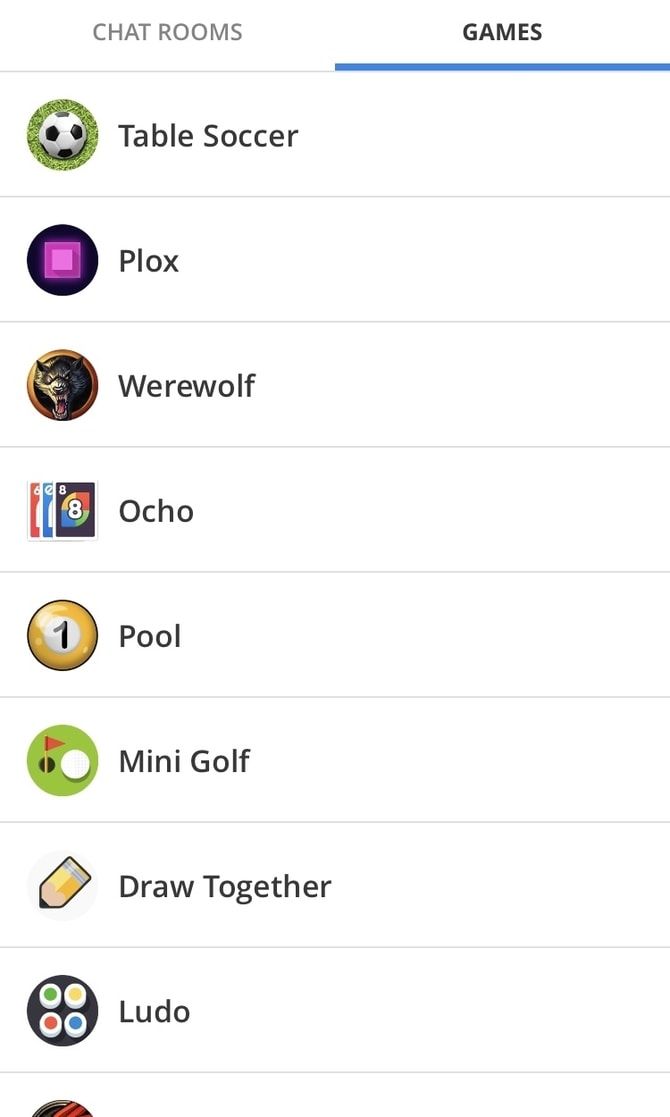
Just download the app, set a nickname, and you’re in! You can start playing a variety of games, like Table Soccer, Draw Together, and Dungeon Tables, all while chatting with people from around the world.

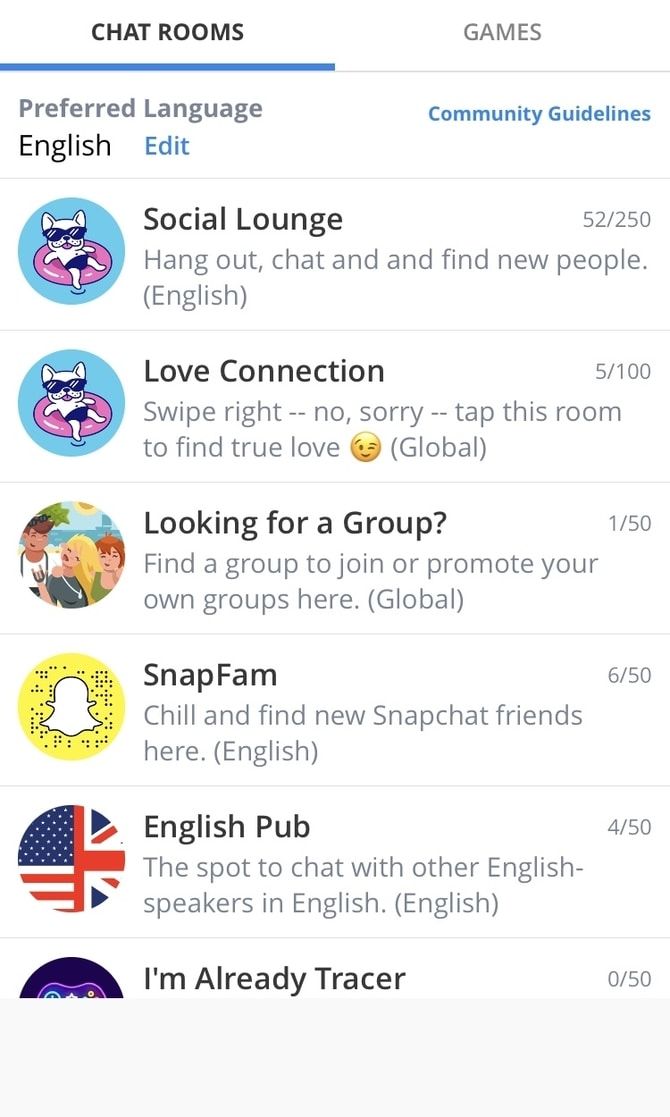
You can also join traditional chat rooms and start sending friend requests to people you like. And outside of chat rooms, nobody will be able to message you until you accept their friend request.

It’s a very unique, fun, and simple concept, and reminds us of the carefree chat rooms of old.

Download: Plato for iOS | Android (Free, in-app purchases)

2. 7 Cups

When you’re feeling anxious or sad, talking to a caring soul can really help. 7 Cups is a platform where you can get 1-on-1 support from professional listeners.

It’s completely anonymous and free, so no need to schedule an appointment with costly therapists. With 7 Cups, you’re able to join chat rooms and support communities to discuss issues, build new relationships, and overall boost your well-being.

Later on, you can even become a volunteer listener and help those in need. Making 7 Cups one of the most wholesome obscure social media apps.

Download: 7 Cups for iOS | Android (Free, subscription available)

3. Happn

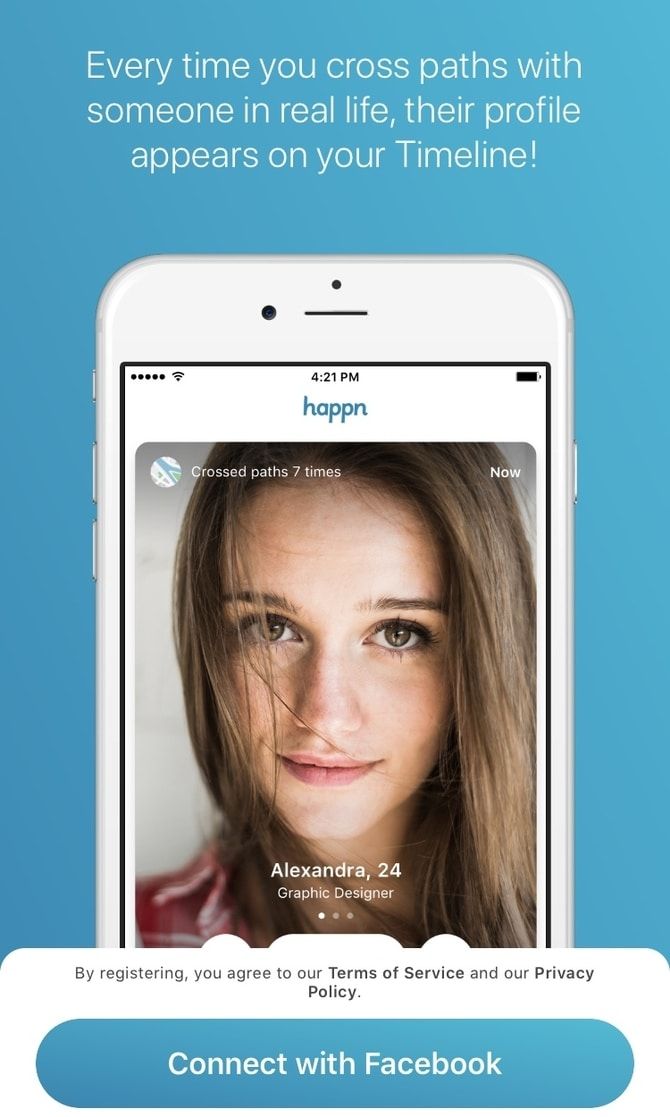
Happn is an awesome dating app that’s totally different from the others. It helps you find people who you’ve crossed paths with in public, and if you both like each other, you’ll be able start a chat. How exciting is that?

It’s all confidential, too. Your exact location won’t ever be given out to others. You’ll only see an approximate time and place that corresponds to when you and the other person were close.

And even if you’re single and not ready to mingle, this app could still be an awesome way to meet new friends in your local area.

Download: Happn for iOS | Android (Free, in-app purchases)

4. IMVU

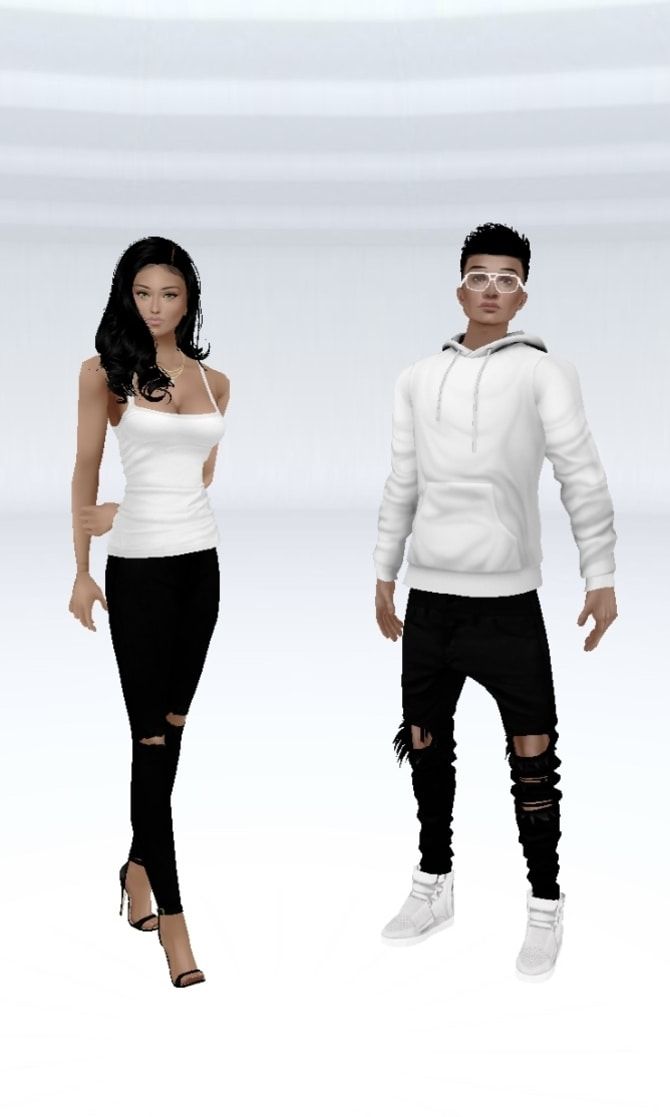
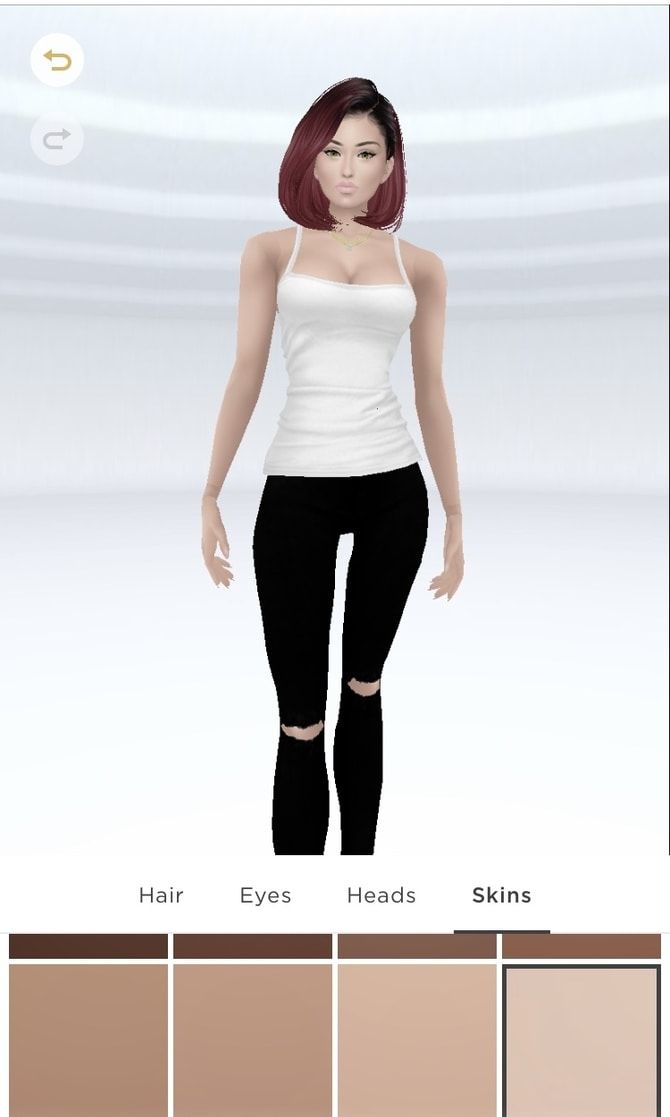
IMVU is more than a social media platform—it’s a virtual world where you can be a rockstar. It lets you create a 3D avatar and express yourself like never before.

There are tons of customization options for your avatar, like snazzy hairstyles, flashy kicks, and many more. And once you’ve finished your look, there are hundreds of different 3D chat rooms you can plunge into. Some are modeled after real world locations, while others are pure fantasy realms. They’re filled with global users, each represented by their own unique virtual-selves.

In summary, IMVU is an outstanding way to temporarily escape reality and it’s definitely worth installing.

Download: IMVU for iOS | Android (Free, in-app purchases)

5. Hoop

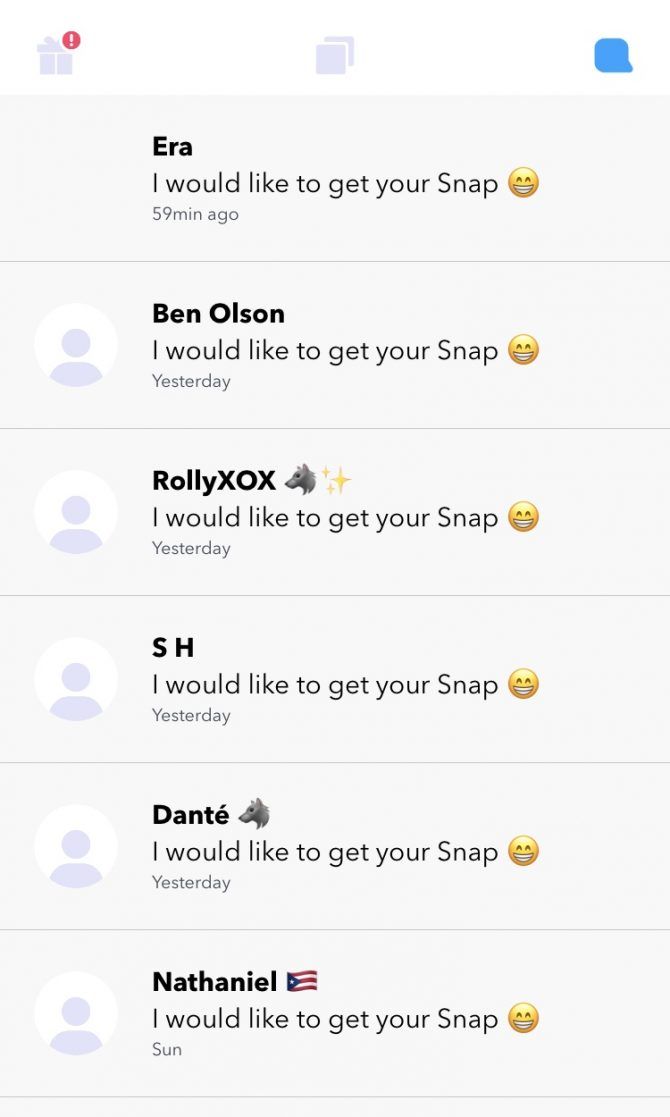
If you’re not bored with Snapchat, but are still itching to make new connections, Hoop is for you. Hoop is like the Tinder for Snapchat users.

It’ll aid you in finding new Snap friends who share the same interests and passions as you. Just give Hoop some quick info, and it’ll bring you the profiles of others that you can approve and disapprove.

What’s also neat is that your Snap remains private, so only those who you match with will be able to receive it. This means no unwanted messages or harassment from random people.

Download: Hoop for iOS | Android (Free, in-app purchases)

6. Quack

Have you ever heard the saying, “The enemy of my enemy is my friend?” Well, Quack’s version of this is, “The friend of my friend is my friend.”

To put it simply, Quack allows you to meet your friends’ friends. By doing so, you’ll establish new connections and safely expand your social circle with people you can trust. After making a profile, just import your contacts, and you’ll start seeing every Quack user associated with the numbers in your contacts list.

And what’s awesome is that Quack never shares anybody’s phone number, so your privacy always remains intact.

Download: Quack for iOS | Android (Free)

7. Wakie

Wakie is a place where you’re free to have thoughtful conversations without the fear of feeling judged. It boasts a large and diverse global community of people who just want to talk.

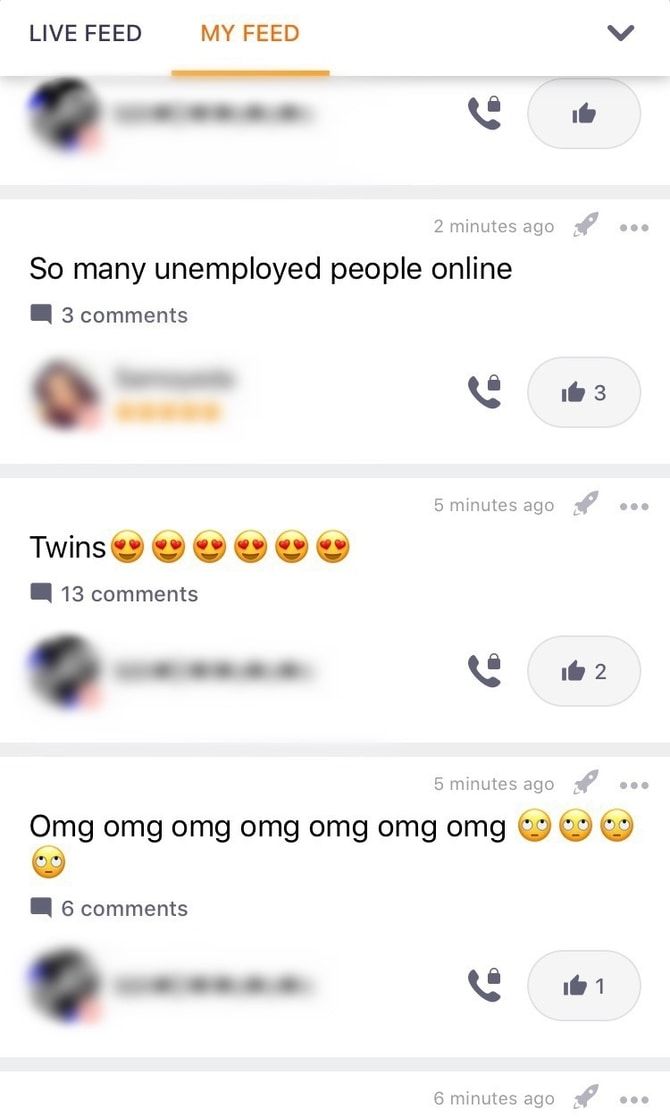
After making an account, you’ll see a live, neverending feed of topics from people all over the world. By pressing the call button on a topic, you can discuss its subject matter via voice call if your call request is accepted. And after finishing a call, you can rate a person based on how much you enjoyed the conversation.

Thanks to all of this, you can make new friends and have deep conversations, all while practicing new languages along the way.

Download: Wakie for iOS | Android (Free, in-app purchases)

8. HOLLA

HOLLA is an app that randomly matches you with strangers through two ways; voice and video chat. What sets it apart from other roulette apps is that when voice chatting, you and the other caller will both need to accept each other’s calls to proceed.

Likewise, when video calling, the chat will be blurred until a face is detected to prevent unwanted content from appearing on-screen. This creates a barrier of safety.

Also, while video calling, you can set up lots of fun filters. And once you’ve finished, you can send friend requests to keep the conversation going later on.

In essence, HOLLA is a fun way of chatting to strangers, and the best option if you want to chat with new faces and voices.

Download: HOLLA for iOS (Free, in-app purchases)

Why Not Try a Social Media Detox?

While these obscure social media apps offer alternatives to the norm, sometimes, the best alternative to social media is, well… no social media at all.

Social media is often very stressful, and we frequently find ourselves pulling our hair out at some of the content we see, read, and publish. That’s why it can be really healthy and relieving to take a break from your phone once in a while. So why not go out, get some fresh air, and explore nature?

For more on this, be sure to read our tutorial explaining how to enjoy a social media detox.

Read the full article: 8 Obscure Social Media Apps for When You Get Bored


Read Full Article

How to Reclaim Control Over Your Email Inbox


In the digital age, we’re receiving emails almost constantly, and at a certain point you just can’t keep up with deleting them all. Eventually, there’s a little red circle saying “1,506” over your email app icon and the thought of even beginning to clean your inbox is daunting. Fortunately, you don’t have to do it manually.

Clean Email is a web-based client that lets you effectively and efficiently clean your inbox using easily defined rules and filters. With its tool, you can segment your emails into groups so you can separate work from personal emails, sort specific project emails, or organize emails from different teams.

If you’re not even sure where to begin, Clean Email gives you smart views of your email inbox. You can quickly apply bulk actions like deleting automated emails or sorting everything from specific senders. With defined types, you can isolate important emails and distill them further into “Teammates” or “Friends and Family” lists so you know where to find everything. Clean Email even provides you tools to help you mass-unsubscribe from promotional emails you no longer want and block additional messages.

Get back control of your email inbox. A lifetime subscription to Clean Email is on sale today for just $29.99.

Read the full article: How to Reclaim Control Over Your Email Inbox


Read Full Article

Write Your Name Graffiti Style Using the Graffiti Creator


Graffiti is something most people don’t have firsthand experience with. But it still looks cool, and who hasn’t imagined their name being written out in slick graffiti art?

Using some online graffiti generators, you can create graffiti of your name easily. Whether you want to create cool art without committing a crime or just write your name in style, you can do it with these graffiti creators.

1. Graffiti Creator

Graffiti Creator Site

This long-time graffiti maker bills itself as “the original” on its site. To get started, pick from one of the several graffiti styles, including Kodiak, Bubbles, Wavy, and Flava.

The site still uses Adobe Flash, so you’ll need to allow it to run in your browser. Enter your text in the bottom-left corner and click Create to get a template. Adjust the letter-spacing below this and pick a color from the wheel or RGB sliders.

At the bottom-right, you can apply graphical styles to your graffiti to further customize it. If you want to customize letters individually, click and drag them on the canvas. Above the styles box, you can also select individual letters to apply effects to.

That’s all there is to this graffiti name generator; get as creative as you’d like. There’s no built-in option to save or export your creation, so you’ll need to right-click the canvas and choose Print to save it as a PDF or similar. Alternatively, you can take a screenshot of your art.

The creator of this page is a full-time graffiti artist and illustrator whose work has been featured in many products. If you’re looking for more professional graffiti of your name, you can reach out to him for a commission at CustomGraffiti.net.

Note that Adobe plans to discontinue Flash after 2020, so this app won’t work after that unless it receives an update to use modern technology.

2. Download or Copy Graffiti Fonts

Font Meme Graffiti Font

If you don’t want to use a dedicated graffiti creator app, you can download some free graffiti fonts manually and use them in your own projects. You’re sure to find plenty of graffiti-related options on the best free font sites.

One example is the Graffiti Fonts collection on Font Meme. This collects dozens of fonts from around the site in one easy page. Plus, if you don’t want to download and install a font, you can quickly generate any text you like and copy it.

To do this, enter some text in the first box, then select a font from the dropdown below it. After choosing the font size, you can apply one of the many effects if you want to. To finish up, just pick a color and hit the Generate button when ready.

You’ll see a preview of the text appear below. Confirm it looks right, then right-click it and choose Save image as to keep a copy of it. Alternatively, right-click and select Copy to paste it into an image editor. The Embed button provides links to add your creation to your website or link to the image.

Didn’t find what you were looking for here? Check out graffiti fonts on DaFont, UrbanFonts, and 1001 Fonts for more options.

3. GraffWriter

GraffWriter Graffiti

Here’s an alternate graffiti name maker that’s also easy to use. Enter your text in the top-left corner of the maker, then adjust the size, color, and gradient on the left side. You can even add a background image if you like.

To go deeper, use the controls along the top of the editor. Effects lets you add outlines, shadows, blurs, and similar effects. If you’re not feeling too creative, use Presets to apply a pre-made theme. Check the available Fonts if you don’t like what you’re using.

The major downside of this service is that it doesn’t update your graffiti name in real-time. You’ll need to click the Submit button to apply your changes each time. It will also display an error if your item is too large.

When you’re satisfied with your creation, click the Host this image button to generate an embed code and image download link. You can save or copy this image wherever you want to use it.

4. Graffiter

Graffiter Drawing Site

Thus far, we’ve looked at tools mainly intended as graffiti name generators. But what if you want to create virtual graffiti for the fun of drawing? That’s where Graffiter comes in.

This site lets you pick from a variety of walls to tag. Once you’ve selected one, you can use different drawing tools at the top for certain looks, like smeared or clean. Choose your drawing colors, and even zoom in if you need to.

After you’ve completed your masterpiece, the service lets you upload it to Graffiter.com for other people to see. You can peruse what others have added to get ideas for your own creations.

Graffiter is a fun way to live out drawing on a wall without fear of getting arrested. You’ll be able to make more impressive art if you have a touchscreen device, of course.

How Will You Graffiti Your Name?

These graffiti creators for names are a perfect way to create a fancy logo for yourself. Whether you want to add them to a website or just mess around for fun, they’re easy to use and paste into other image editors.

If you’re ready to go beyond these basic graffiti tools, have a look at sites that will teach you to draw on your own. We’ve also covered the fundamentals of digital coloring in Photoshop.

Read the full article: Write Your Name Graffiti Style Using the Graffiti Creator


Read Full Article

The 6 Best Free Mind Map Tools (And How to Best Use Them)


mind-maps-use

Mind maps are one of the best known logical organization tools. It’s a graphic representation of connections between concepts and ideas. The idea starts from a central topic, and we gradually connect them with different branches and label it with notes, symbols, pictures, links, and more.

When you create a map, you elaborate on existing knowledge structure and their relation to new concepts. Gradually, you’ll start connecting the dots and also recall information quickly. Let’s look at the top free or inexpensive mind map apps that give you great value for your money.

How to Pick a Mind Map Tool

Choosing a mind map software depends a lot on your needs. With so many apps available in the market, it’s not an easy task. These factors shown on a mind map will help you decide

how to pick a mind map app

1. Coggle

Coggle is an online tool for creating, sharing mind maps and flow charts. The app lets you and your team collaborate on notes, brainstorming sessions, and plans to complete your projects efficiently. Every mind map starts with a single central topic.

Click the Plus (+) button to add a branch and enter your text in the box. You can also format your text, insert links, add images, and icons to elaborate on your key points. Continue adding branches as much as you want. Right-click on any item to explore more features.

With a free account, you can create three private diagrams, collaborate in real-time, and upload unlimited images. The export options include TXT, PDF, and JPEG. Check out the pricing page to explore premium features.

Unique Features

  • Add multiple central nodes in a single workspace. The app also supports keyboard shortcuts to create mind maps quickly.
  • View the entire version history of the mind map. You can check who last edited the map along with the date.
  • Message team members, leave notes, and chat in real-time to develop ideas.
  • Create loops and branches to connect other mind maps and see relationships.

2. GitMind

gitmind free mind map tool

GitMind is a free, online mind map tool. It lets you visualize complicated concepts, generate new ideas, make lists with task priorities, and prepare for a presentation. To get started, type in the topic name, right-click and choose Insert node. Then type your text in the box.

With GitMind, you can assign a task priority and progress meter with symbols. Also, add images and comments without cluttering the node.

Choose Insert subnode to create sub-branches. Then click the Relation line to show the relationship between specific ideas. You can export a finished mind map as text, PNG, JPEG, PDF, or SVG.

Unique Features

  • Intuitive with a well-designed toolbar. Keyboard shortcuts help you quickly create a mind map.
  • Day and night themes are available. Modify mind maps with custom lines, border color, transparency, shape, and thickness.
  • Arrange the mind map in five different layouts and reset them at any time.
  • Share the mind map you created with a link or collaborate with other people in real-time.

3. Canva

colorful hexagon mind map with Canva

Canva is a web-based graphic design app that makes it easy to create mind maps. Equipped with ready-to-use templates and toolset, you can create beautiful mind maps without any effort.

Enter the term “mind map” in the search field, and within a few seconds, you’ll see many different templates. The built-in tools allow you to edit photos, customize text, background, and more in your mind map. The export options include PNG, JPEG, and PDF.

The free account gives you 1GB of free storage space, access to 8,000 templates, image uploads, and collaboration with ten members. Check out the Canva’s pricing page for more details.

Unique Features

  • Powerful drag and drop editor with a vast selection of tools and templates.
  • Embed the mind map and share it on social media or email it right from the app. You can also collaborate in real-time.
  • Insert pictures, embed videos from YouTube, TED, links from the web or Twitter, and GIF from Giphy.
  • Use symbols, color codes, speech bubbles, and icons for informative presentations.

Download: Canva for AndroidiOS (Free, Pro)

4. InfoRapid KnowledgeBase Builder

Traditional mind mapping tools are hierarchical. When you start creating complex linkages, they quickly get confusing and unusable. But with this app, you can join multiple ideas, and yet it adjusts your map dynamically to an elegant layout. You click a topic, and everything re-arranges around it automatically.

The app lets you build a mind map from scratch. You can import notes, links, images, and attach it to any item or a relation. There is also an option to integrate it with a data source to automatically create a mind map from text files, Wikipedia articles, and Twitter tweets.

To get started, type in the topic name and click New Item. For each topic, type a name and add a description. You can add descriptive linking phrases on relationship lines and select colors, dotted or solid lines. Or even customize the style of the ends, with or without arrows.

Unique Features

  • Insert multiple items, edit or delete them, and use drag-and-drop for moving relations.
  • Toggle between a 2D and 3D displaying mode and also show or hide cross-connections.
  • Build a map from MediaWiki, including all the sister Wikipedia sites. You can also import outlines, CSV, RDF, XSD, and more.
  • Generate flashcards to memorize items practice with quiz sessions.

Download: InfoRapid KnowledgeBase Builder for Windows 10 ($10)

Download: InfoRapid KnowledgeBase Builder for Mac ($9)

Download: InfoRapid KnowledgeBase Builder for Android ($11) | iOS ($9)

5. Sketchboard

sketchboard whiteboard app

Sketchboard is an online digital whiteboard app that allows you to mind map with sketches. The board comes with a wide variety of pre-designed icons for use in software diagrams, mind maps, roadmaps, and more. Drag and drop the icons from the shape gallery and type in the topic name.

To create a connection, hold the Shift key and double-click to create a sibling. Double-click the empty area to create sub-branches.

Then use the toolbar to change size, color, or add text. With a free account, you can create three private boards with up to five members. Check out the Sketchboard pricing page for more details.

Unique Features

  • The drawing board has an unlimited canvas; drag the canvas area to get more space for mind mapping.
  • Mix and match ideas with shapes, freehand drawings, notes, and roadmap.
  • Do a live chat group discussion to share your design, add-on board comments, and share links. If you’re a Slack user, you can create visual messages right inside Slack.
  • Export board as SVG, PNG, and PDF.

6. MindMaster

Edraw MindMaster is a cross-platform and multi-functional mind mapping software. The app offers an interface similar to Microsoft Office. On the ribbon, you’ll find all the key mind map elements. You can insert topics, pictures or clip art, draw relationship lines, add notes, and more.

The left panel is your canvas, and in the right sidebar, you’ll find options to adjust the content, change the appearance of your diagrams, add a background, tasks, view and export outlines, and more. There’s a handy color strip below the canvas to set the line and fill color.

Unique Features

  • The app offers a vast library of ready-made templates, vector diagrams, and clip art to infuse creativity.
  • Automatically create slides by disassembling your mind map into separate branches. Add notes, background, design to the slides, and export them as PPT or PDF.
  • Store files in Edraw cloud storage for access and collaboration on the move
  • Use a handy Gantt Chart mode to visualize and track progress on any project.

Download: Edraw MindMaster for Windows | macOS | Linux (Free, Premium)

Make a Mind Map in Microsoft Word

Picking the right mind map before you adapt to its workflow is not easy. The apps discussed above are a starting point if you want to jump into the benefits of mind maps. Most of these apps are free (or relatively inexpensive) and do not have a steep learning curve.

Also, did you know that you can use Microsoft Word to draw quick mind maps? There are some simple rules to follow, but once you get the idea, you don’t need a complicated app for basic mind maps.

Read the full article: The 6 Best Free Mind Map Tools (And How to Best Use Them)


Read Full Article

Every angle of Volvo’s first electric vehicle, the XC40 Recharge


Volvo Cars introduced Wednesday the XC40 Recharge, an all-electric vehicle that CTO Henrik Green described as “a car of firsts and a car of the future.”

The XC40 Recharge is hardly the first electric vehicle on the market. But for Volvo the XC40 is a “car of firsts.” This is the company’s first all-electric vehicle. It’s also the first Volvo to have an infotainment system powered by Google’s Android operating system as well as have the ability to make over-the-air software updates.

Before we move on to the photos, here are some of the specs.

The XC40 Recharge is equipped with an all-wheel drive powertrain and a 78 kilowatt-hour battery that can travel more than 400 kilometers (248 miles) on a single charge, in accordance with WLTP. The WLTP, or Worldwide Harmonised Light Vehicle Test Procedure, is the European standard to measure energy consumption and emissions, and tends to be more generous than the U.S. EPA estimates. The EPA estimates are not yet available, but it’s likely the XC40 Recharge will hit around the 200-mile range.

That would put the range of the Volvo XC40 Recharge below the Tesla Model 3, Chevy Bolt EV, Kia Niro and Hyundai Kona.

The vehicle’s electric motor produces the equivalent of 408 horsepower and 442 pound-feet of torque that allows the vehicle to go from zero to 60 mph in 4.8 seconds. The battery charges to 80% of its capacity in 40 minutes on a fast-charger system.

The XC40 Recharge is expected to go on sale in the U.S. late 2020.

Here’s what this car of “many firsts” looks like.

[gallery ids="1898424,1898427,1898434,1898428,1898429,1898431,1898432,1898435,1898436,1898426,1898437"]


Read Full Article

A circular economy for salt that keeps our rivers clean | Tina Arrowood

A circular economy for salt that keeps our rivers clean | Tina Arrowood

During the winter of 2018-2019, one million tons of salt were applied to icy roads in the state of Pennsylvania alone. The salt from industrial uses like this often ends up in freshwater rivers, making their water undrinkable and contributing to a growing global crisis. How can we better protect these precious natural resources? Physical organic chemist Tina Arrowood shares a three-step plan to keep salt out of rivers -- and create a circular salt economy that turns industrial byproducts into valuable resources.

Click the above link to download the TED talk.

YouTube partners with Merchbar to sell music artists’ swag underneath videos


YouTube is partnering with Merchbar on a new integration that will allow artists to sell their official merchandise to their worldwide fans from a shelf just below the video.  The addition is the latest deal focused on helping video creators make more money from their videos, beyond the revenue brought in through advertisements and subscriptions.

Last year, YouTube announced a series of enhancements to the platform which focused on revenue generation, including channel memberships, premieres, merchandise, and more.

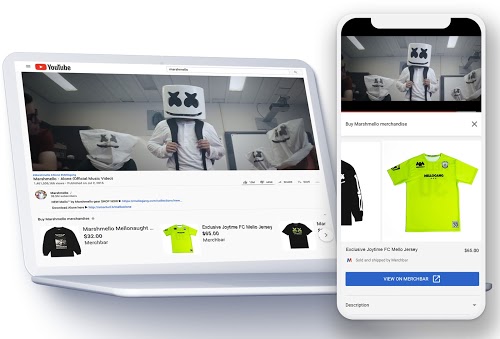
The merchandise feature was one of the more notable additions, as it lets creators put a shelf beneath their video where they can sell directly to fans. For example, they could sell their branded apparel like shirts and hats and other items.

At launch, YouTube had partnered with custom t-shirt maker Teespring on the effort. Earlier this year, the Merch shelf gained several more partners, including CrowdmadeDFTBAFanjoyRepresent and Rooster Teeth.

The company claimed at the time that “thousands” of channels had more than doubled their revenue as a result of Merch shelf and other integrations, like Super Chat and Channel Memberships.

youtube merchbar

With this new Merchbar partnership, YouTube is now focused on serving its artist community.

Merchbar today carries over 1 million items from 35,000 artists, making it one of the largest music merchandise aggregators worldwide. Now, YouTube artists who have an Official Artist Channel on the platform will be able to promote their merchandise right beneath their music videos. (Marshmello, never one to shy away from a marketing opportunity, made a soccer jersey exclusively for Merchbar and YouTube.)

As with prior merchandise integrations, the new Merchbar shelf will sit directly under videos on both desktop and web. Users can also click through from the shelf to the artist’s Merchbar website. In prior merchandise partnerships, YouTube took a small cut of transactions on items sold through its site. It didn’t say what sort of deal it has with Merchbar, however.

The launch comes at a time when Google is more heavily invested in its YouTube Music service, a Spotify and Apple Music rival designed to offer both music and videos, including content not found elsewhere like live performances or remixes. The company recently made the YouTube Music app the default music app on Android, which should boost its adoption.

Eligible artists who have a Merchbar store offering U.S. fulfillment can sign up for the new merch shelf from YouTube Studio.

The feature is launching first in the U.S., and will later expand internationally.


Read Full Article