11 October 2019

8 Sites to Find Closeout Stores and Going Out of Business Sales


Nobody likes to see business liquidation sales. It’s often a sign of a struggling local economy, meaning a loss of jobs and livelihoods for residents.

But if there’s one upside, it’s the great bargains you can find. Businesses are desperate to shift every last bit of merchandise in their stock before they shut down for good.

If you want to find liquidation stores, going out of business sales, and closeout sales near your home, keep reading. We’re going to round up eight of the best sites to help you hunt them down.

1. Quicklotz

quicklotz liquidation stores

Quicklotz specializes in liquidation sales and liquidation goods.

Lots are available in multiple sizes; you can buy entire trucks of products, as well as cases, pallets, and single smaller lots. As such, Quicklotz is suitable for both individual buyers and businesses that want to buy wholesale.

Closeout merchandise is available across six categories:

  • Appliances, Kitchen, and Housewares
  • Electronics and Computers
  • Furniture and Home Decor
  • Sporting Goods, Toys, and Baby items
  • Gadgets, Tools, and Auto
  • Apparel and Shoes for Men, Women, and Children

2. Direct Liquidation

direct liquidation liquidation sales

Sometimes, a major retailer in your area will shut down its local store. Direct Liquidation is a great way to find those nearby closeout sales and pick up the discounted products.

The featured liquidators on the site include Walmart, Target, and Lowe’s. There are also listings from Amazon Liquidators; it means you can use Direct Liquidation to find merchandise from online stores going out of business.

By digging around in the various listings, you’ll find products from global brands such as Sony, Apple, Samsung, LG, Black and Decker, Lenovo, and HP.

3. Department Store Liquidations

department store liquidations closing sales

Traditional department stores have suffered more than most from the growth of online shopping. Recent years have seen formerly revered names such as Sears and Macy’s shut down dozens of stores around the US. It’s a similar story in other countries.

Department Store Liquidations specializes in out of business sales from such shops. You’ll find products from liquidations, closeouts, overstocks, and shelf-pulls. You can either purchase by the truckload, container, pallet, or single item.

Department Store Liquidations is based in the United States but ships around the world.

4. Source

source liquidation store

Source is one of the best sites for business liquidation auctions. It offers inventory from some of the largest retailers in the world. You’ll also find hundreds of local wholesale and closeout suppliers listing their products.

Not all the products on Source come from liquidation sales. There’s also overstock listings and damaged/returned goods. You can gain some insight into the condition of the inventory you’re bidding on by using the quality filter. Five filters are available. They are Brand New, Like New/Shelf-Pulls, Used, Customer Returns, and Mixed.

Before you hit the Bid button, make sure you’re familiar with Source’s strict rules for unpaid auctions penalties. You only have 48 hours to pay. If you miss the deadline, you will be charged $50. The second time it happens, the fine will jump to $100. If it happens a third time, you will be permanently banned from the site.

5. Liquidation.com

liquidation.com store

Liquidation.com is an online marketplace for liquidation sales, closeout sales, and going out of business sales. Like its competitors, you can buy inventory by the truckload, pallet, or small package.

The site offers business liquidation sales across six primary categories: Clothing and Accessories, Jewelry and Watches, Consumer Electronics, Computers and Networking, Housewares and Lighting, and Tools and Machinery.

Liquidation.com also lets you filter your search results so you can find closeout sales near your home. The available locations are Northeast, Midwest, West, South, Plainfield IN, Garland TX, Las Vegas NV, Brampton ON, North Wilkesboro NC, and Florence KY. There’s also an Available for Export section in case you’re an international buyer.

6. TopTenWholesale

toptenwholesale closeout sales

Like Direct Liquidation, TopTenWholesale helps you find liquidation sales from large retail chains. Liquidation stock, overstock, and shelf-pulls are available from companies such as GameStop, Macy’s, Home Depot, Lowe’s, Sears, and Walgreens. You can also find truckloads and pallets from nearby Walmart liquidations.

The site has dozens of categories, but the most popular sections—and the categories with the most stock—are Apparel, Handbags, Jewelry, Consumer Electronics, and CBD Products.

TopTenWholesale is also one of the few online business liquidation sites with a global presence. Although the headquarters are in Los Angeles, TopTenWholesale also has physical representation in China, India, Colombia, Mexico, Bangladesh, the Philippines, and Vietnam.

7. Discount Wholesalers

discount wholesalers near me

Discount Wholesalers is one of the most established names in the industry. It offers closeout sales, overstock inventory, customer returns, factory seconds, and out-of-season goods.

The four main types of liquidation stores you’ll find on the site fall into either the Health and Beauty, Cosmetic, Apparel, Baby, or Household categories.

You can also sign up for its Department Store Programs. They are all manifested and sold as a percentage of the wholesale or retail value. With warehouses across the US, you can be sure to find discounted merchandise from liquidation sales near your house.

8. Bstock

bstock liquidation sales

Bstock claims to be the world’s leading liquidation platform for going out of business sales and closeout sales.

The company boasts direct relationships with some of the biggest retailers in the US, including Amazon, Best Buy, GameStop, Lowe’s, Macy’s, OfficeMax, Walmart, Seats, and JC Penney. When those retailers have liquidated stock from returns or excess inventory, they often list it on Bstock’s shop.

When you shop on Bstock, you can use the filters at the top of the page to locate the retailer you want to buy liquidated stock from. You can also browse by country. Majority of listings are in the US, Canada, and Germany, but you will see some availability in places as diverse as the UK, Hong Kong, and Slovakia.

Learn More About Liquidation Sales

If you browse the extensive listings on the liquidation sites we’ve introduced you to, you’ll be such to find incredible bargains in a near-limitless number of categories.

If you would like to learn more about how to save money online, make sure you check out our other articles on the best discounts you can get with a .EDU email address and the best auction sites for incredible bargains.

Image Credit: Vadim Vasenin/DepositPhotos

Read the full article: 8 Sites to Find Closeout Stores and Going Out of Business Sales


Read Full Article

6 Great Interactive Fiction Games to Play Online Right Now


While there have been many advances in technology and gaming, some people still appreciate the old-school challenges such as text-based games. These interactive fiction games still exist, and there are plenty of ways to play them online.

Whether you are a current fan of the genre or simply intrigued by it, here are the best interactive story games you can play online today.

Interactive Fiction Games to Play Online

Text adventures, online stories, or whatever you call them, interactive fiction games are plentiful online. But what are the best?

We have compiled a list of what we consider to be the best interactive fiction games…

  1. The Hobbit
  2. Photopia
  3. Lost Pig
  4. The Hitchhiker’s Guide to the Galaxy
  5. Whom the Telling Changed
  6. For a Change

Let’s look at each game in turn, then find out where you can find more games once you’ve completed them.

1. The Hobbit by JRR Tolkien

Interactive fiction version of The Hobbit

Perhaps the most famous text adventure of all time, The Hobbit is based on the legendary book.

However, it is not necessary to read JRR Tolkien’s Lord of the Rings prequel to complete the game. Instead, simply embrace those staples of the text adventure: look, examine, and use. It shouldn’t take long before you’re guiding Bilbo Baggins on his way, collecting keys and a certain ring, and outwitting spiders and a dragon on your way to discovering lost treasure.

2. Photopia by Adam Cadre

Less a game than a story, Photopia is considered by many to be the most influential piece of interactive fiction in the post-Infocom era.

It has quite a unique opening. One moment you’re waking up in the car from a night of partying as your friend speeds down the road. The next, you are suddenly a girl, the first on the red planet.

Going any further into the plot will give too much away, which is what makes this such an intriguing game. Photopia really is beautiful, although there has always been controversy surrounding it, so decide for yourself.

To start playing Photopia or just look at more game details, you can head to the Interactive Fiction Database site.

3. Lost Pig by Grunk

Lost Pig is an unusual text-based game

Pig lost! Boss say that it Grunk fault. Say Grunk forget about closing gate. Maybe boss right. Grunk not remember forgetting, but maybe Grunk just forget. Boss say Grunk go find pig, bring it back. Him say, if Grunk not bring back pig, not bring back Grunk either. Grunk like working at pig farm, so now Grunk need find pig.

So begins this less-than-epic quest, in which our hero attempts to find a pig.

No, really: that’s the plot. And it is amazing.

This short game’s narrative voice is deceptively simple and will have you laughing more and more as you play. It also features some pretty good adventure-game-style puzzles, but don’t give up too quickly. You should be able to solve them easily, making this a great game for beginners.

You can find more information about Lost Pig (and Place Under Ground) on the game’s website or start playing it on the Interactive Fiction Database.

4. The Hitchhiker’s Guide to the Galaxy by Douglas Adams

Play Douglas Adams' Hitchhiker's Guide to the Galaxy as an online text adventure

As the story begins bulldozers are waiting to reduce your house to rubble to make way for a motorway bypass. Playing as Arthur Dent, your rather strange friend Ford Prefect then drops by with bad news. Earth is about to be demolished to make way for an interstellar bypass!

The Hitchhiker’s Guide to the Galaxy is available across multiple mediums. So whether you have heard the radio series, read the book, or watched the movie, don’t miss H2G2. The Hitchhiker’s Guide to the Galaxy is a remarkable interactive fiction game that you’ll remember for a long time.

And, if you are familiar with the story already, you will be in for some twists and turns in this online adaptation of the tale.

The real charm of this game is its narrative voice—the text was written by Douglas Adams himself. This game is not easy and includes no hint system. But, devotees of Adams’ work should struggle through—it’s worth it just for the laughs.

5. Whom the Telling Changed by Aaron A. Reed

The heat of the fire and the glow in the storyteller’s eyes made the past present, and the path to the future clear. The power in the telling was immense, subtle, divine. What man would dare subvert it?

As your village in ancient Mesopotamia decides whether to go to war the legendary story of Gilgamesh is told. Your role is to, by asking the right questions, manipulate public opinion toward fighting or not fighting.

This game is great if you have a working knowledge of the Gilgamesh epic (read it free here) and even better for repeat playing, as there are multiple possible endings.

Review more information about Whom The Telling Changed or begin the game on the Interactive Fiction Database site.

6. For A Change by Dan Schmidt

Play the online story game For a Change

The sun has gone. It must be brought. You have a rock.

If you think that reads more like poetry than it does a game you’re probably right. This is a game as well as a poem, and a good one at that.

A surrealistic adventure featuring an invented vocabulary provides an experience no other medium possibly could and makes a strong case for the continued existence of text games. Prepare to really use your imagination, envision what is taking place, and then check this one out.

Interactive Fiction Game Resources

The example games above are just the tip of the iceberg of what online story games are available. If you want to explore further, check out these libraries of text-based games.

1. Infocom Games

If you are wondering where Zork is, the answer is that it is hard to say. Technically, Activision owns the rights to the Zork trilogy and the rest of the (amazing) Infocom library, which fueled the 80s text game craze.

You’ll find the Zork games (and others) on this Infocom games archive site. Note that you will need to install a browser applet to play them in your browser. As such, you may prefer to find these games in other locations, some of which are listed below.

2. Playfic

For discovery of new games and even for those interested in creating their own, Playfic is a great resource. This online community site lets you write, share, and play games created by others. You can check out the newest, most popular, or featured challenges.

3. Text Adventures

Play online text adventures

Text Adventures is another community of interactive fiction game creators and players. And, it also happens to boast Zork I. Check out the featured games or select a category like puzzle or fantasy.

4. The Interactive Fiction Database

The Interactive Fiction Database serves as an online catalog of the many free games available, including those mentioned here. You will also find downloading instructions for any interactive fiction game there.

This is worth doing as playing in the browser can be frustrating at times, with a lot of scrolling required.

5. My Abandonware

The Hobbit is a story game you can play online

Games that have been abandoned by developers and publishers can be found online, available to play legally. These can often be played in your web browser. With so many classic text adventures across many home computer platforms during the 1970s, 80s, and 90s, you’ll find a wealth of options at My Abandonware.

For example, an older version of The Hobbit was released in 1983, and while it looks a little dated it still plays well. Play it at My Abandonware as a live DOSBox session in your browser.

Play the Best Interactive Fiction Games Online

This is just a small number of the interactive fiction games you can play online. Searching the interactive fiction libraries, you’ll find text games that you’ll remember for years to come. For the best results, download the games where possible to play without the limitations of a browser.

Do you want to enjoy more games from the past? Check out how to play retro games on any platform with DOSBox.

Read the full article: 6 Great Interactive Fiction Games to Play Online Right Now


Read Full Article

How to Connect Your Nintendo Wii Console to the Internet


The Nintendo Wii is one of Nintendo’s most successful offerings of all time. Boasting innovative (for the time) motion controls, backwards compatibility with GameCube games, and tons of family-friendly games, it’s no wonder the Wii console was a smash hit.

Notably, the Wii was also Nintendo’s first home console with full online support. In this article, we’ll show you how to connect your Wii to the internet and what you can still do with the console online.

Does the Wii Have Wi-Fi?

Before we start, you might wonder if the Wii console can connect to Wi-Fi. The answer is Yes, the Wii has Wi-Fi support. The only exception is the Wii Mini, a smaller revision that Nintendo released in 2012-2013. This model does not have any online capabilities.

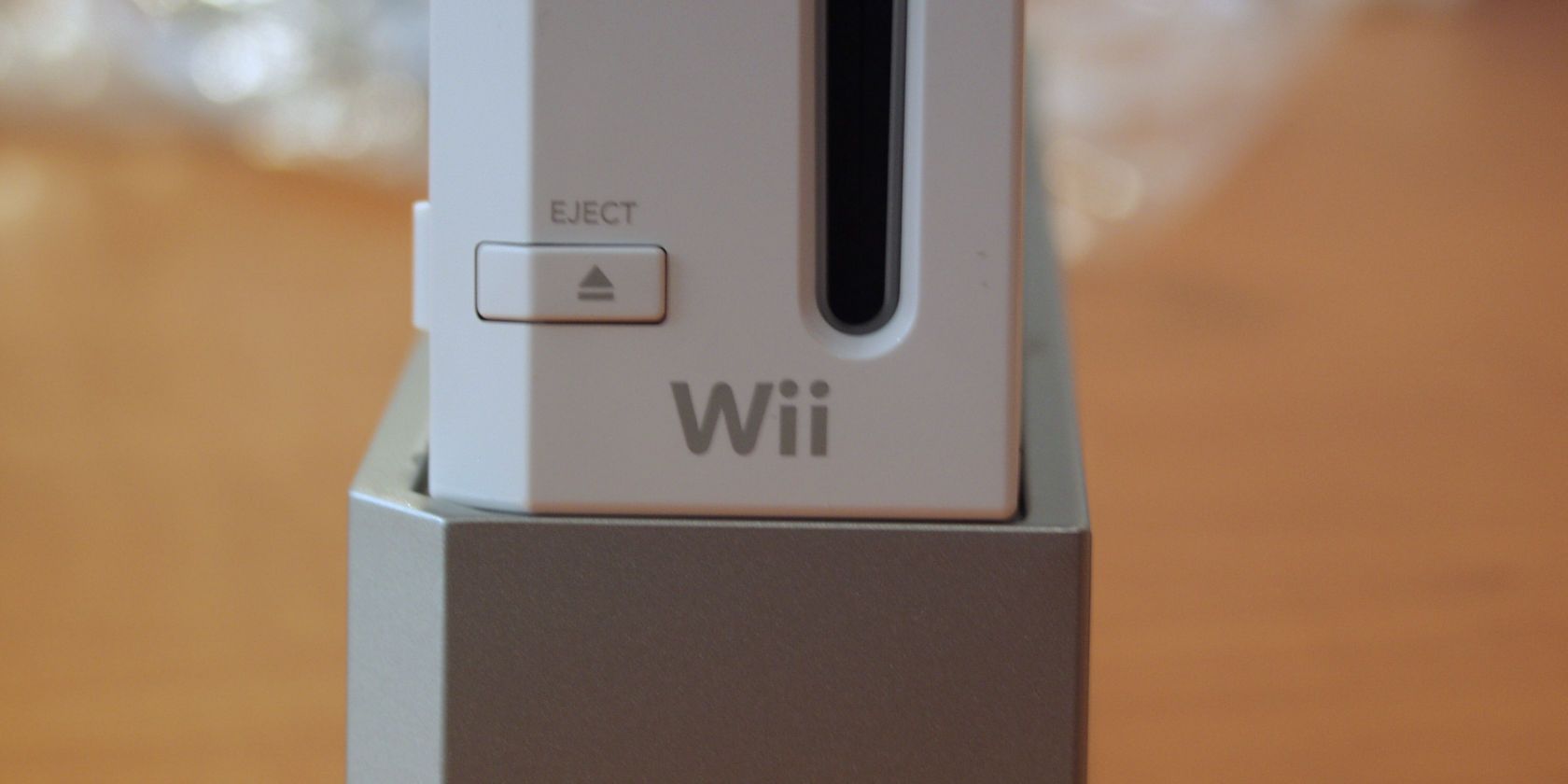
Check the below image to see if you have a Wii Mini; compared to the original model, it’s both much smaller and loads discs via the top.

Wii Mini Console

While you can connect the Wii to the internet, don’t forget that the console is more than a decade old. Because of this, its online functionality is quite limited.

The Wii once had many online functions, including sending messages to friends, playing games with others, and downloading from the Wii Shop Channel. Unfortunately, Nintendo has retired most of these services. So while you can connect the Wii to Wi-Fi, what this enables is fairly underwhelming nowadays.

Nonetheless, let’s take a look at how to connect your Wii to Wi-Fi. We’ll look at what features are no longer available afterwards.

How to Connect Your Wii Console to the Internet

The processing of connecting a Wii to Wi-Fi is simple, and should be familiar to anyone who’s connected a laptop, phone, or other device to Wi-Fi before.

Start by turning on your Wii. If you haven’t turned on your console in a while, you might need to review the ways to connect your Wii to a TV first.

On the Wii Menu, select the Wii button in the lower-left corner of the screen.

Wii Menu

Choose Wii Settings from the resulting menu.

Wii Settings

Click the arrow on the right side of the screen to move to the second page of options. Here, choose Internet.

Wii Internet Settings

On the resulting page, select Connection Settings.

Connection Settings

You’ll see three connections here labeled Connection 1, Connection 2, and Connection 3. If you’ve never utilized the Wii’s internet connection features before, these will all say None. Select one to set up a new connection.

Wii Connection List

If you already have three connections set up, choose one and select Clear settings to erase it.

Connecting Your Wii via Ethernet

Wii Network Connection Type

Next, you’ll need to decide if you want to connect your Wii to the internet using Wi-Fi or a wired connection. If you want to use a wired connection, connect an Ethernet cable, then select Wired Connection and the test should complete successfully.

The Wii doesn’t have an Ethernet port built-in, so you’ll need to buy the Wii LAN adapter if you want to use a wired connection.

This device connects to the Wii via its USB port, allowing you to connect your console to your router via an Ethernet cable. You’ll find many cheap USB Ethernet adapters on the market, but Nintendo states that third-party units might not work with the Wii.

You’ll probably have the best luck looking for a used official Wii LAN adapter on eBay or similar site if you want to use a wired connection to get your Wii online.

Connecting Your Wii via Wi-Fi

To continue with a wireless connection instead, choose Wireless Connection. Next, select Search for an Access Point to look for nearby Wi-Fi networks.

Wii Search Access Point

After the scan completes, select OK to show all wireless networks.

Wii List Networks

Select your network from the list. You’ll next need to enter your Wi-Fi password so you can get your Wii console online. Additionally, be sure that the security type in the top-left corner is the same as what your router has. If it’s not the same, choose Change Security Settings and pick the right one.

Wii Enter Security Key

Not sure? Then take a look at our guide to network security types to find out.

Once this is done, select OK several times to save your settings and test the connection. If you see The connection test was successful, you’re done connecting your Wii to Wi-Fi. Error codes 51330 and 52130 mean that your password was incorrect, so make sure you typed it correctly.

Other Wii Connection Methods

In addition to the above, Nintendo also once offered a device called the Nintendo Wi-Fi USB Connector. This plugged into your computer via USB, and by wirelessly connecting your Wii to it, you could use your computer’s internet connection to get online. Nintendo discontinued this and a successor device, the Nintendo Wi-Fi Network Adapter, years ago.

They were intended for users who had an internet connection for their computer, but didn’t have a wireless router. That applies to very few people nowadays, since Wi-Fi is near-ubiquitous. In addition, drivers aren’t available for Windows 7 or newer, so there’s no reason to purchase one of these.

The Wii’s Graveyard of Online Features

Wii Forecast Discontinued

Now that your Wii is online, you might be excited to see everything it can do with the power of the internet. But as mentioned earlier, there’s not much left to see. Nintendo has shuttered most of the Wii’s online functionality, including the following:

  • Nintendo Wi-Fi Connection: This was Nintendo’s online play service that let you play games like Mario Kart Wii and Super Smash Bros. Brawl with others online. It was shut down in 2014, meaning you can’t play games online at all.
  • WiiConnect24: An always-online service that let you receive content updates even when your system was in standby mode. Because it was discontinued in 2013, you can no longer access content like the News Channel, Forecast Channel, and Everybody Votes Channel.
  • Video streaming: TV streaming apps for the Wii, including Netflix and Hulu, no longer work.
  • Wii Shop Channel: The last vestige of online support for the Wii lived in the Wii Shop Channel. However, in January 2019, Nintendo finally pulled the plug on the Wii’s digital storefront. This means you can no longer download Virtual Console titles, WiiWare games, and Wii channels.

If you’ve previously purchased games or downloaded channels from the Wii Shop Channel, you can redownload them for the time being.

What Can the Wii Do Online?

Because of the Wii’s age, there’s unfortunately not much left to do online. At this point, the only real benefit in connecting your Wii to Wi-Fi is so you can update the console if you haven’t already.

You’ll likely see a prompt to do this when you first connect to the internet. If not, head to the Wii Settings menu again and scroll over the third page. Choose Wii System Update here and accept the message.

Wii System Update

This won’t add any new exciting features as the last system update was in 2012, but it’s worth doing since you took the time to get online.

If you downloaded the Internet Channel in the past, you can continue to use this to browse the internet. However, this browser is extremely outdated, so you’re better off accessing the web from another device.

Wii Internet Channel

Aside from this, you’ll still find two channels available on the Wii Shop Channel. One fixes a game-breaking glitch in The Legend of Zelda: Skyward Sword. The other is a transfer tool that allows you to transfer your Wii data to a Wii U.

Modding Your Wii for Continued Access

If you’re disappointed that there’s nothing more to do with your Wii online, you can consider getting into the homebrew scene. This involves modding your Wii so it can run software and act in ways Nintendo didn’t intend. For instance, modding gives you access to emulators on your Wii.

It’s a bit advanced, so casual gamers should probably steer clear. But if you’re a Wii enthusiast, check out fan services RiiConnect24 and Wiimmfi. The former is a replacement for WiiConnect24 that restores access to several of the aforementioned channels, while the latter allows you to play games online again.

Connecting Your Wii to Wi-Fi: Is It Worth It?

We’ve walked through the process of connecting your Wii to the internet. As long as you have Wi-Fi at home, it’s as simple as connecting your phone or laptop.

It’s a shame that Nintendo no longer supports almost all Wii online functions, but don’t forget that the Wii did launch all the way back in 2006. Thankfully, there are still plenty of great Wii titles to enjoy offline.

Meanwhile, the Nintendo Switch is a smash hit of its own. Check out the best Nintendo Switch local multiplayer games for some great titles to play with friends.

Image Credit: Carlos Gutierrez/Flickr

Read the full article: How to Connect Your Nintendo Wii Console to the Internet


Read Full Article

10 Lesser-Known Simplenote Tips and Tricks for Better Notetaking


simplenote-tips-tricks

Simplenote has always positioned itself as a no-frills note-taking service. Its apps reflect that theme and let you quickly take notes on every desktop or mobile platform.

But Simplenote’s minimal approach doesn’t mean it’s limited in any form. There are plenty of features hidden underneath Simplenote’s easy interface.

Here are several tips and tricks to sweeten your Simplenote experience.

1. Version Tracking

View a note's history on Simplenote

Simplenote preserves a changelog of your notes and houses a version tracking tool. This allows you to browse all the updates you’ve made to a note since the first time you created it. You can easily revert to an older copy of a note whenever you wish to. The version tracker functions both for existing and deleted notes.

To access the feature, open a note and click the little clock icon at the top. The app will pull up a slider. You can drag it to edit the period. Simplenote will show the edit history in real-time in the note’s window.

Tap Cancel to retain the latest copy and Restore to restore the one you’re reading at the moment. When you go with the latter, Simplenote will push back the most recent version in the queue. So even if you overwrite it, you won’t lose it permanently.

2. Markdown Support

Markdown support on Simplenote

Simplenote barely has any formatting options and you can’t directly bold or italicize the text. But fortunately, it does support the markup language, Markdown.

You can take advantage of that to format your notes and add elements such as subheadings. The syntax doesn’t have a steep learning curve and only takes a minute or two to master.

You will have to enable Markdown for each note as there’s no common setting. You’ll find the Markdown option inside the little info button at the top of a note.

When you switch to Markdown for a note, Simplenote adds a new button called Preview on the toolbar. Using that you can view how the note looks like with all the Markdown formatting applied.

3. Publish a Note

Publish Simplenote notes

On Simplenote, you can also publish notes with public links and share them with individuals or large audiences. Simplenote offers a simple switch to instantly turn off public access. Plus, Simplenote keeps the Markdown edits in the web view. Therefore, you can structure your notes as regular blog posts.

To publish a note, click the Publish to Web option under the Share button. Simplenote will generate a unique public link.

Simplenote updates the online note in real-time. Hence, the public link will immediately reflect your new edits and additions.

4. Collaborate on a Note

What’s more, you can collaborate with another Simplenote user on a note. Once you share access, the recipient will be able to make changes to the note. In addition, they’ll have admin rights. Hence, they have the ability to bring in more collaborators and publish it.

For adding a collaborator, click the Share button and select Collaborate. Now, attach the collaborator’s email address as a tag to the note.

5. Pin Notes

Pin notes on Simplenote

In case your important items often get buried under your random thoughts, you need Simplenote’s pinning feature.

Simplenote allows you to anchor notes at the top of the list. No matter how many new notes you file, you won’t ever lose track of the pinned ones.

Tap the info icon and select “Pin to Top” to pin a note. On the mobile app, you can also do the same by long-pressing a note on the home screen and tapping the circle beside the trash button.

6. Dark Theme

For those late-night jotting sessions, there’s a dark mode on Simplenote too. It’s available across all the apps and can automatically activate based on the time or your device’s global theme.

You can find the themes option under Settings > Appearance on the mobile apps. For toggling a dark background on the desktop or web clients, go to the Menu Bar > View > Theme.

7. Fingerprint Lock

Simplenote also has a built-in lock feature to protect your data. You can authenticate yourself either by entering a four-digit PIN or through the fingerprint sensor. However, this facility is only present on Simplenote’s Android and iOS apps.

The setting is available at Settings > PIN Lock.

Your phone’s fingerprint sensor can do a lot more than just unlock your phone. Check out these unique ways to use a fingerprint sensor on Android.

8. Focus Mode

enable focus mode on Simplenote

Simplenote’s desktop apps house a dedicated mode for when you’re trying to focus. Called Focus Mode, the setting toggles a distraction-free layout which hides both the sidebars and expands the editor to its full width.

You can turn it on from View > Focus Mode or by hitting the Shift + Cmd/Ctrl + F keyboard shortcut.

If you’re typing on a large screen and don’t want the sentences to match the window’s width in Focus Mode, you can adjust the line length. You can do that from View > Note Editor > Line Length.

9. Checklists

add checklists on simplenote

For writing notes such as shopping and to-do lists, you can add checklists on Simplenote. The mobile apps have a direct button at the top of a note for inserting checklists. To do the same on your computer, head into the Format menu or execute the Alt/Option + Cmd/Ctrl + C shortcut.

On top of that, checklists on Simplenote can be nested for sub-tasks. But you can’t do this by simply tapping the Checklist button twice. You will have to leave some space at the beginning of a line and then insert a new checklist.

10. Import and Export Notes

import and export notes on simplenote

Simplenote lets you easily export and import notes. You can upload regular text files and import them from another Simplenote or Evernote account. When you export notes, Simplenote extracts them in both TXT and JSON formats.

Plus, the archive also contains all the files you’ve trashed in the past. Therefore, you can use this functionality to back up your old records on a different local or cloud drive.

The import/export options are only accessible from Simplenote’s web app. Once you sign in, head over to Settings > Tools.

Find the Perfect Note-Taking App For You

Simplenote is clearly not as basic as it seems and with these handy features, you can make the most out of it.

However, Simplenote still lacks a bunch of note-taking features found on its competitors like media attachments and handwriting input. If those matter to you and you’re looking to switch, here’s how to find the perfect note-taking app for your needs.

Read the full article: 10 Lesser-Known Simplenote Tips and Tricks for Better Notetaking


Read Full Article

The 5 Best Electric Toothbrushes for a Brighter Smile


best-electric-toothbrushes

The daily grind of brushing your teeth is a hassle. Most of us see it as a necessary evil, but that doesn’t mean we enjoy it.

Manual toothbrushes get the job done, but an electric toothbrush is more effective. They also have ways to motivate you to pass that two-minute mark and leave you with cleaner, fresher teeth.

To minimize trips to the dentist, you’ll want one of the best electric toothbrushes available today.

1. Philips Sonicare DiamondClean HX9352/10

Philips Sonicare DiamondClean HX9352/10 Philips Sonicare DiamondClean HX9352/10 Buy Now On Amazon $233.00

Philips is one of the market leaders in electric toothbrushes, and the Sonicare DiamondClean HX9352/10 makes it clear why. The original Sonicare toothbrush was released by GEMTech back in 1992, with Philips acquiring the company in 2000. The DiamondClean series is the top-of-the-range edition, with the HX9352/10 currently sitting atop the pile.

The brush comes with five modes; Clean, White, Sensitive, Gum Care, and Deep Clean. It has two internal timers to keep you on track too. The Smartimer alerts you when the recommended two minutes have elapsed, or three minutes if you’re using the Deep Clean setting. The Quadpacer beeps every 30-seconds to help you cover all four quadrants of your mouth. The official replacement heads are reasonably expensive, costing around $10 per head depending on where you buy them.

Fortunately, Sonicare toothbrushes all use the same fittings, and there are third-party options available at a significant discount. Notably, the device has a three week projected battery life. That far outstrips many brushes on the market, but, given the price, you’d expect it to. To charge it, all you need to do is place it into the charging glass. If you’re traveling, there’s a carry case too with a built-in charging battery. If you need a top-up, simply plug the travel case into any micro-USB charger.

2. Oral-B White Pro 1000

Oral-B White Pro 1000 Oral-B White Pro 1000 Buy Now On Amazon $39.99

If you’re after a more affordable electric toothbrush, then you may want to take a look at the Oral-B White Pro 1000. It is one of the best selling toothbrushes for a good reason. It’s reasonably priced, but still offers all the benefits of electric brushing. Sure, there aren’t premium features here, but if you’re after a dependable toothbrush that won’t break the bank, this is it.

In contrast to premium brushes, the White Pro 1000 has just a single mode, Daily Clean. This mode fulfills the dentist-recommended two minutes of brushing. Brushing too hard, or applying too much pressure, can be bad for your gums. This electric toothbrush has a built-in pressure sensor that stops the brush if you push too hard. It is compatible with eight variants of Oral-B’s replacement heads so that you can customize your brush to your needs. The battery should last up to 10 days and takes 22 hours to recharge fully.

Oral-B claims that the White Pro 1000 is 300 percent more effective at removing plaque than a manual toothbrush. Marketing material for most electric toothbrushes will say that their benefits are clinically proven. For the most part, you can ignore this. Trials, if they’ve been conducted, will be on tiny sample sizes and are often manipulated to draw the most outlandish conclusions and claims. That’s not to say they don’t work, but you shouldn’t base your purchasing decision solely on these claims.

3. Quip Electric Toothbrush

Quip Electric Toothbrush Quip Electric Toothbrush Buy Now On Amazon $47.99

Devices from Oral-B and Philips dominate the market for electric toothbrushes. The Quip Electric Toothbrush is an all-new subscription toothbrush service. Much like the men’s razor company Harry’s, Quip’s initial costs are quite low. The unusual, but well-designed Quip toothbrush is cheap, making it a great first-time electric toothbrush.

The brush head looks more like a traditional manual toothbrush than the small circular designs found elsewhere. The 1,200 bristles are soft for a comfortable brush. The Quip has a built-in vibrating two-minute timer and pulses every 30 seconds too. The electric motor operates at 15,000 brush strokes per minute, which is about standard for electric toothbrushes.

The thing that makes Quip different from most other electric toothbrushes is their subscription service. You can buy the brush and choose not to take out the subscription, but you won’t get the most use out of it. The Quip’s power is supplied by a single, rechargeable AAA battery, which lasts three months. The brush head also lasts three months. For $5 per refill, Quip will deliver you a new brush head and battery every three months.

4. Oral-B Genius 9600

Oral-B Genius 9600 Oral-B Genius 9600 Buy Now On Amazon $199.93

Not to be outdone by Philips, Oral-B also has a top-of-the-range electric toothbrush, the Genius 9600. The brush is one of only a handful that incorporates smart features alongside the standard brushing modes. The most notable feature here is the inclusion of Oral-B’s Gum Protection Technology.

When you connect your toothbrush to the Oral-B app via Bluetooth, the software uses AI (another dubious marketing term) to analyze your brushing habits. It uses this data to generate an eight-week gum protection brushing routine. This same data is also used to help optimize your regular brushing, so you cover every area. There’s also the chance to use the app’s facial recognition to gather more data on your brushing habits.

Of course, these features are great, but only so long as it performs basic tasks well too. Fortunately, the Genius 9600 is probably the best electric toothbrush you can buy today. The Lithium-Ion battery provides up to 14 days use and can be charged using the included dock. It also comes with a travel case which supports USB charging. The SmartRing around the top of the brush uses colored LEDs to give you visual feedback on your brushing too.

If, like Macaulay Culkin in Home Alone, you’re curious if the American Dental Association accepts the Genius 9600, you’ll be pleased to hear that, yes, it does.

5. Fairywill FW508

Fairywill FW508 Fairywill FW508 Buy Now On Amazon $22.95

Additional smart features can improve your brushing habits, but not everyone needs or wants a smart toothbrush. If you want the benefits of electric brushing, but without the extra clutter, and at an affordable price, try the Fairywill FW508. This toothbrush is visually very similar to the Philips Sonicare range, while also only costing a fraction of the price.

Instead of oscillating like the Oral-B brushes, the Fairywill FW508 uses sonic vibrations which deliver the equivalent of 40,000 brush strokes per minute. There are three cleaning modes here, too; Daily Cleaning, Sensitive, and Gum Massage. This is in contrast to the Oral-B White Pro 1000, which only offers a single mode at twice the price.

The brush can last up to 30 days on a single charge and only takes four hours to recharge via USB. As it doesn’t rely on a charging dock, you don’t need to worry about power requirements in other countries. Just plug it into your USB charger alongside your other electronics.

The Best Electric Toothbrush for You

When it comes to choosing the best electric toothbrush, there’s a lot of choices out there. While Philips and Oral-B dominate the market, there are alternatives too. Affordable options like Fairywill are a great entry point, especially if you don’t want to break the bank. Then there’s Quip, the toothbrush subscription service hoping to shake up the industry, and bring costs down.

Once you’ve chosen your favored electric toothbrush, you may get the urge to add more smarts to your bathroom. Before you spend money on a smart mirror, check out these Raspberry Pi smart mirror projects first.

Image Credit: AndreyPopov/Depositphotos

Read the full article: The 5 Best Electric Toothbrushes for a Brighter Smile


Read Full Article

The 5 Best AirPod Accessories That Protect Against Damage


airpods-accessories

Apple AirPods are expensive. It follows, therefore, that you’ll want to do everything you can to protect them from getting damaged.

Luckily, you can buy lots of great AirPod accessories for precisely that purpose. Here are our top five best Apple AirPods accessories to help keep them in perfect condition.

1. Best AirPod Case:
CaseSack Travel Protection and Storage Case

CaseSack Travel Protection and Storage Case CaseSack Travel Protection and Storage Case Buy Now On Amazon $14.88

If left unprotected, your AirPods are arguably most vulnerable to damage when you’re traveling. There’s a temptation to sling them into your bag, especially if you’re simultaneously wrestling with passports, security checks, and the other realities of moving around the world.

The CaseSack Travel Protection and Storage Case could be the AirPod accessory you need. Not only does it provide protection for the earbuds themselves, but there’s also space to keep your wall charger and cables nice and snug as well. The pouch is matte black and is finished with a silicone overlay.

Better yet, it’s not an AirPod-specific accessory. You can also use the case to carry other headphone brands such as Powerbeats, BeatsX, VAVA MOOV, and JayBird Freedom F5s.

2. Best AirPods Skins:
AirPod Skins Protective Wraps

AirPod Skins Protective Wraps AirPod Skins Protective Wraps Buy Now On Amazon $8.78

We all know that owning an AirPod case is only half the battle. We’re lazy; there will inevitably still be times when you throw your earbuds onto a tabletop or into a bag without a second thought—even if your fancy protective case is within reaching distance.

As such, another of the must-have Apple AirPod accessories for keeping the buds damage-free is a protective skin. You apply the skins directly onto the earbuds themselves; they will help to keep them clear of scratches, stains, and other blemishes.

Some of the best AirPod skins are the AirPod Skins Protective Wraps. They only cost a few bucks—a fraction of what you paid for your AirPods in the first place. There are 17 different colors so you can personalize your look too. They don’t interfere with charging or other AirPod accessories like ear hooks, straps, and ear tips either.

You get two pairs in the box in case you have trouble on your first attempt applying them.

3. Best AirPod Ear Hooks:
EarBuddyz Ear Hooks

EarBuddyz Ear Hooks EarBuddyz Ear Hooks Buy Now On Amazon $11.95

The nature of AirPods means they are liable to become dislodged from your ears occasionally, especially during sport or other vigorous activities. It goes without saying that dislodged AirPods are a recipe for disaster. If they fall to the floor, they risk being scratched or trodden on. They might even stop working due to the impact.

Ear hooks are the solution. They connect to your pods and loop over the top of your ears, preventing your headphones from working loose and falling out. There is no shortage of products available, but the EarBuddyz Ear Hooks are probably the best AirPod ear hooks. They strike a good balance between price and functionality.

The hooks themselves are made out of silicone. They’re easy to install, comfortable to wear, and the manufacturer even claims that they can help to improve ambient noise isolation. The only significant downside is that they will not fit in your Apple-supplied AirPods case. They will, however, fit in the CaseSack Travel Protection and Storage Case that we discussed earlier.

4. Best AirPods Ear Tips:
AhaStyle AirPods Ear Tips

AhaStyle AirPods Ear Tips AhaStyle AirPods Ear Tips Buy Now On Amazon $10.99

Although AirPod ear hooks are effective, it is also fair to say that they’re not the slickest AirPod accessories from an aesthetic standpoint. They go against the AirPods’ minimalist design.

Thankfully, there are few AirPod accessories you could consider that achieve the same outcome; keeping your AirPods safely lodged in your ears, so they don’t fall out and get damaged. One alternative you could consider is a set of ear tips. These are like the tips you’d find on a regular set of earphones.

Some of the best AirPod ear tips are the AhaStyle AirPods Ear Tips. They’re made of silicone and attach to the audio-output part of your AirPods. Connecting them is easy, just slide them over the top of the part that goes in your ear. They are available in black and white and in either a small or large size.

Once again, however, there’s a downside; you can’t charge your AirPods while the ear tips are connected. And like the EarBuddyz Ear Hooks, they also won’t fit in Apple’s AirPods case.

5. Best AirPod Straps:
iAbler AirPods Magnetic Strap

AhaStyle AirPods Ear Tips AhaStyle AirPods Ear Tips Buy Now On Amazon $7.88

The last of our must-have AirPod accessories to prevent damage is the iAbler AirPods Magnetic Strap. Like the AhaStyle AirPods Ear Tips and the EarBuddyz Ear Hooks, the iAbler product aims to prevent damage by stopping your AirPods from falling out of your ears while you’re on-the-go. It achieves this by utilizes a behind-the-neck strap. If you’re familiar with headphones like the Sennheiser HD1 and BeatsX, you’ll know what to expect.

The neck strap is flexible and made out of silicone. At each end of the strap, there’s a small hole into which you need to slot your AirPods. And you don’t need to worry about the buds working loose from their holder, the inside of each slot is magnetic and will hold each individual AirPod firmly in place.

There’s a significant benefit of a neck strap compared to AirPod ear hooks or ear tips. That is, you can remove the buds from your ear and keep them close to hand when not in use. Without a strap, you’d need to place them on a surface or in a bag where they become more prone to damage or loss.

The counterargument for using a neck strap is that it kills the wireless aesthetics. If you want a neck strap, you’d arguably be better off buying a model that has a strap built into the design.

The Best AirPod Accessories for You

Yes, there are lots of AirPod accessories on the market that will help prevent them from getting damaged, but there’s always a trade-off from a usability or a design standpoint. Nonetheless, if you’re keen to protect your $150 earphones, it’s easy to argue that you should at least consider buying a couple of the products we’ve discussed.

While Apple’s AirPods are some of the best headphones for iPhone users, you may be interested in the best AirPods alternatives.

Read the full article: The 5 Best AirPod Accessories That Protect Against Damage


Read Full Article

The Top 13 Twitter Pick-Up Lines to Try When Sliding Into DMs


twitter-pickup-lines

Like most social media applications, Twitter has a way of connecting strangers from different parts of the globe. It isn’t odd to hear about how some people went from being strangers to life partners just from sending one DM with a Twitter pick-up line.

“How did they do it?” you ask. Well, for starters, it was probably an innovative pick-up line and not your generic “Hey! Can I know you better?” opener.

So, if you have someone on your Twitter timeline that you would love to kick up a romance with by sending a DM, then you have a lot to learn about Twitter pick-up lines from these examples.

Making Use of Twitter Pick-up Lines

Three times out of 10, Twitter pick-up lines—not unlike Tinder pick-up lines—can be likely to get you a date with someone you fancy.

However, there are a few mistakes that could impact your chances of success, including:

  • Use of awkward lines
  • Saying inappropriate words
  • Making a confusing delivery

Most times, individuals carve their pick-up lines around the appearance of the receiving party. It usually leads to the receiver finding the line offensive and closing the gates of possible conversation.

To think of a good pick-up line, you need to learn how to look beyond the obvious and place emphasis on context.

  • Be intriguing
  • Grasp the attention of your audience
  • Leave an opening for a conversation

Doing the above can get you a chat or hangout invite like the ones below:

Twitter Pick-Up Lines That Worked

DMs offer you with the opportunity to have a private conversation with a follower or someone you have an interest in.

However, if you are going to use this approach,  you need to make the conversation opener worth responding to. Examples are below:

1. Math Tutor

Starting the conversation with something random, but purpose-driven enhances the curiosity of the party receiving the DM. As a result, they cannot help but respond.

The follow-up to that response is what determines if you can go on to have a meaningful conversation.

2. Can You Help?

A significant percentage of humans let their empathy lead their actions. Therefore, when formulating a Twitter pick-up line, you can try the angle of needing help.

However, doing this can go two ways, either they find it funny or not.

3. Food Puns

@lilwhitegirl/Twitter

Show your wit and humorous side, but ensure you keep it clean.

You can check out Laff Gaff for more classic food puns in case you need the inspiration.

4. Lost, but Found

@i95_og_rico/Twitter

This opener is so out of there that it is hilarious. Being a little original with your pick-up lines shows how creative you are. It also tells the receiving party that you care enough to try to impress them.

5. Find a Unifier

Unknown/Twitter

Before laying down your Twitter pick-up line, how about you do some research on the person you intend to send it to? The timeline of your crush is an excellent way to tell what their interests are.

6. Be Creative

Twitter pick-up lines
@kaylaalford95-/Twitter

One thing we can say about humor and creativity is that ten times out of 10, you are likely to elicit a response.

7. Know Your Alphabets

Being politically correct about everything may not get you your crush. But, giving them an opening to correct what you may have “gotten wrong” just might.

8. Be Corny

You can be corny when typing out your Twitter pick-up line. But, always ensure your delivery is smooth like the guy above.

9. Start With a Compliment

Most times, it is the simplest things that get you the best results. Paying a compliment to your crush lets them know that you have been paying attention. Their response to that compliment also serves as an indicator of their receptiveness to more conversation.

10. Go for the Kill

Why beat around the bush when you can just make your point clear immediately? Who knows, you might end up with a positive outcome. However, it is important to note that responses to that approach will differ based on personality.

11. Discuss Their Tweet

You know how Twitter was built on the ideology of people sharing their thoughts? Well, how about using the shared thoughts or actions of your crush to start a conversation?

This is another avenue to let your crush know that you actually pay attention to what they share.

12. Location = Future Baecation?

Thinking of how to approach your crush? Well, asking for their location should not hurt. There are various ways to turn such a simple question to an avenue for future hangouts or a discussion about living areas.

13. Have We Met Before?

Playing the “I think I know” you card is another great way to get your crush to open up. It does not necessarily have to be a lie, but at the same time it may not be the truth. However, in love and war, anything goes.

After Your Twitter Pick-Up Line Works

Having sent a Twitter pick-up line to the DM of your crush, you got a positive response. But, then what?

The Twitter DMs may be the low-pressure alternative to have more private conversations as opposed to the timeline. However, this does not mean it is without its pitfalls.

Therefore, for a pick-up line to be deemed successful, you need to take the conversation offline as soon as you can.

The fact that you are using a pick-up line to attract the attention of another individual means there is a subtext involved. It is the same subtext you would assume when making use of Match, OkCupid, or Tinder. That is, you are willing to start something with the other party. Grasp hold of the next opportunity you get in the conversation to either get their phone number or suggest an outing.

Twitter Pick-Up Lines: Final Thoughts

Forget what you might have heard about social media ruining romance and instead focus on the positive impact social media has made on society. A lot of individuals have met their significant others through the use of social media applications such as Twitter.

Read the full article: The Top 13 Twitter Pick-Up Lines to Try When Sliding Into DMs


Read Full Article

Daily Crunch: Apple pulls Hong Kong app


The Daily Crunch is TechCrunch’s roundup of our biggest and most important stories. If you’d like to get this delivered to your inbox every day at around 9am Pacific, you can subscribe here.

1. Apple pulls HKmap from App Store, the day after Chinese state media criticized its ‘unwise and reckless decision’ to approve it

Less than a day after Apple was criticized by Chinese state media for allowing HKmap in the App Store, the crowdsourced map app said it had been delisted.

This is Apple’s second reversal on the issue, which it explained with a statement claiming it learned that the app “has been used in ways that endanger law enforcement and residents in Hong Kong.”

2. Grammarly raises $90M at over $1B+ valuation for its AI-based grammar and writing tools

Grammarly provides a toolkit used today by 20 million people to correct their written grammar, suggest better ways to write things and moderate their tone depending on who will be doing the reading.

3. Okta wants to make every user a security ally

Okta is giving end users information about suspicious activity involving their login, while letting them share information with the company’s security apparatus.

4. Waymo to customers: ‘Completely driverless Waymo cars are on the way’

Waymo’s existing programs all use a human safety driver behind the wheel. Now the Alphabet-owned company is getting ready for completely driverless rides.

5. Calm and Room made a $4,000 branded ‘meditation booth’

From the looks of it, the Calm Booth by Room is little more than a standard Room booth, with frosted glass, softer lighting and “a soothing misty forest interior.” But it’s a pretty smart partnership between two white-hot startups.

6. Creators of modern rechargeable batteries share Nobel prize

The prize this year honors M. Stanley Whittingham, John Goodenough and Akira Yoshino, all of whom contributed to the development of what is today the most common form of portable power.

7. Silicon Valley’s competing philosophies on tech ethics with The New Yorker’s Andrew Marantz

Marantz has in recent years trained his attention on the tech world and its contribution to social unrest in the United States and beyond. And he has just published a new book, “Antisocial: Online Extremists, Techno-Utopians, and the Hijacking of the American Conversation.” (Extra Crunch membership required.)


Read Full Article