04 April 2019

Tonal raises $45 million to bring strength training to more living rooms


Tonal is today announcing its series C financing that it hopes will allow the company to bring its at-home gym to even more homes. The funding round shows investors’ excitement around the new generation of personal exercise equipment that combines on-demand training with smart features. Tonal, like Peloton, offer features previously unavailable outside of gyms and with this injection of capital, the company expects to build new personal features and invest in marketing and retail experiences.

L Catterton’s Growth Fund led the $45 million series C round and included investments from Evolution Media, Shasta Ventures, Mayfield, Sapphire Sport, and others also participated. This financing round brings the total amount raised to $90 million.

Tonal is based out of San Francisco, CA and was founded by Aly Orady in 2015. The company launched its strength-training product in 2018. The wall-mounted Tonal uses electromagnetism to simulate and control weight, allowing the slender device to replicate (and replace) a lot of weight-lifting machines.

The Tonal machine costs $2,995, and for $49 a month, Tonal offers members access to personal training sessions, recommended programs and workouts. Since launching, CEO Orady tells TechCrunch there have been virtually no returns. He says their customer care teams proactively work with members to ensure a good experience.

Orady is excited to have L Catterton participating in this financing round, saying their deep network and unparalleled experience building premium fitness brands globally is an incredibly exciting new resource for the company. The Connecticut-based investment firm helped fund in Peloton, ThirdLove, ClassPass, and The Honest Company.

“As the fitness landscape continues to evolve, we have seen a clear shift toward personalized, content-driven, at-home workout experiences,” said Scott Dahnke, Global Co-CEO of L Catterton said in a released statement. “Tonal is the first connected fitness brand focused on strength training and represents an opportunity to invest behind an innovative concept with tremendous growth potential. We look forward to leveraging our deep knowledge of consumer behavior and significant experience in the connected fitness space to bring Tonal’s dynamic technology and content platform to more homes across the country.”

Tonal shares a market with Peloton, and Orady says a significant amount of Tonal owners also own Peloton equipment. Yet, feature-by-feature, Peloton, and Tonal are different. While they’re both in-home devices that offer on-demand instructors, Peloton targets cardiovascular exercises while Tonal is a strength-training machine. Orady states his customers find the two companies offer complementary experiences.

“The common thread with our members is that they understand the value of investing in their fitness and overall health,” said Aly Orady, “All of our members are looking to take their fitness to the next level with strength training. Tonal offers the ability to strength train at home by providing a comprehensive, challenging full body workout without having to sacrifice quality for convenience.”

This is an enormous market he says the company can rely on for years to come. The majority of Tonal’s customers are between 30 and 55 years old and live in, or adjacent to, the top 10 major metro US markets. There’s an even split, he says, between male and female members.

Tonal is similar to Mirror, another at-home, wall-mounted exercise device that costs $1,495. While Tonal focuses on strength training through resistance, Mirror offers yoga, boxing, Pilates and other exercises and activities with on-demand instruction and real-time stats. Mirror also launched in 2018 and the company has raised $40 million.

Going forward Tonal expects to expand its software to provide new personalization features to its members. The hope is to build experiences that motivate users while serving up real-time feedback. This includes building new workout categories and additional fitness experiences even when users traveling and do not have access to their Tonal machine.

The company sees it expanding its retail and marketing presence. Right now, just eight months after the product’s debut, customers have very limited access to try the Tonal machine. It’s only on display at Tonal’s flagship San Francisco store and is coming to a pop-up store in Newport Beach, California.

Orady tells TechCrunch the company needs new talent to help the company achieve its mission. Tonal is hiring and looking to hire in hardware, software, design, video production, and marketing.

At-home exercise equipment is a massive market and Tonal offers a unique set of features and advantages that should allow it to stand apart from competitors. This isn’t just another treadmill. Tonal is a strength-training super machine the size of a thick HDTV. Challenges abound but the company seemingly has a solid plan to utilize its latest round of financing that should allow it to reach more customers and show them why the Tonal machine is worth the cost.


Read Full Article

What Is Airbnb and How Does It Work?


whats-airbnb

If you’re an avid traveler and you haven’t heard of Airbnb before, you’re missing out on one of the best travel accommodation sites out there. Airbnb can be a great financial benefit, whether you’re saving money on your next trip or earning some with your own property!

Let’s take a look at how Airbnb works and how you can save (or make) money with it.

What Is Airbnb?

Airbnb aims to match two kinds of people together; those who have empty beds or houses that aren’t being used, and those who need a place to stay while on holiday.

Airbnb isn’t really designed for people who want a bed for a night—while it can accommodate those kinds of people, you may find a hotel will suit you better. What Airbnb does offer, however, is a place to stay if you’re looking to stay for several days or weeks in a row.

At the same time, if you have some extra space in your home (or even an entire home) that you’re not using right now, you can loan it out to people who need somewhere to stay for a few nights.

That’s not to say Airbnb is the only website that offers this service. We’ve covered plenty more websites on our guide to high-quality alternatives to Airbnb.

What Is Airbnb Plus?

Airbnb Plus is the luxury option for travelers. Homeowners with a very high reputation on Airbnb can apply to have their residence marked as an Airbnb Plus. This is an extra level of authenticity that lets travelers know that these accommodations are of a very high standard.

How Airbnb Can Be Better Than a Hotel

While Airbnbs are not always better than hotels, there are practical reasons why you’d want to use one over the other.

For starters, Airbnb allows you to personalize your location. Why stay at a soulless hotel when you can rent a home at your destination? By living like the locals do, you can experience how it feels to live in the country.

It also means you can explore the local shops and food stores while you’re on your trip. Why settle for a hotel breakfast when you can hit up the local cafe for an authentic start to the day? Being in an Airbnb gives you plenty of opportunities to mingle more with the local scene.

Airbnb also has a larger selection on offer. Not all of them will be strictly cheaper than a hotel, but with the variety of places to stay, you’re more likely to find a home that suits your budget level compared to a hotel. This makes it the perfect choice for someone who wants to save some extra cash for spending on the local shops!

We’ve compared Airbnb to several other homestay services in the past, including hotels. If you want to know more, try our guide to Airbnb versus the most popular options out there.

Can You Make Money With Airbnb?

For property owners, Airbnb can be a great way to rent out unused space temporarily. If you have a vacant property, a holiday home, or just a spare bedroom, you can talk to travelers and do short-term rentals to accommodate them during their trip.

The best part is, you get to set the price for your lodgings per night. This means you can set a price that you deem fair for your accommodation, and be matched with people who want to pay you that much to stay at your residence.

If you want to make money hiring out cars and boats instead, you may be out of luck with Airbnb. Thankfully, there are Airbnb clones that list cars, boats, and even office space too.

The Problem With Airbnb’s Legality

There are some cities and countries cracking down on Airbnb usage. This is because the service Airbnb provides is technically short-term renting, and with it comes its own web of legal issues.

As such, it’s worth double-checking if the destination you’re going to is okay with Airbnb before renting. Some unfortunate homeowners have met legal trouble after they unknowingly let out their properties without realizing it’s illegal in their city to do so.

How to Book a Place With Airbnb

Getting a place is very easy. Simply head over to the main site at airbnb.com, then enter the location, date of stay, and amount of people on the trip. Airbnb will then show you a list of every residence that’s available for that time.

When you find a place you like, click on it to see more details. Here, you can see all the charges that come with the residence, the amenities that come with it, and reviews of previous tenants. You can use all this information to gauge whether the residence is right for you or not.

Once you’ve found a place, you can get in contact with the owner. You can then arrange the details of booking the place to stay on your arrival.

How to Host Your Place on Airbnb

Listing a place is a little more complex than booking one, but it isn’t too tricky. When you’re on the main site, click the Host a home text at the top right. Then, log into the site to begin the listing process.

The site will ask you questions about the property, so it’s a good idea to prepare the details beforehand. It will ask you what the property type is (house, flat, etc), the address, the number of bedrooms and bathrooms in it, if it’s a dedicated guest house or if you own belongings there, and other details. You should also get photos ready so that your potential guests know what the location looks like.

You can set your schedule. This allows you to dictate when people are allowed in your residence. For example, if you only want to let it on weekdays, or you have family using the residence for a specific week, you can forgo it on the calendar. That way, if people look for properties for a period that crosses over your forbidden dates, your property won’t appear in their search.

Is Airbnb Safe?

This is the big question for first time renters and travelers. Airbnb is an aggregator, so experiences around the world vary. But in general, Airbnb comes with several benefits.

Airbnb Safety for Renters

Before you rent a home on Airbnb, you should ask yourself one question; are you totally fine with living in a strangers house for a few days? If the answer is no, or you feel unsure, Airbnb is not for you!

Airbnb is a great way to pair up travelers with strangers who have places to stay, but that’s just who they are; strangers. You may find you’re staying in a spare room owned by someone you don’t trust.

When you feel like that, getting a place in a hotel can be safer. You have doors which you can lock yourself and you’re not obligated to meet anyone past the receptionist.

Even if you rent a house where the owner is out (such as an out-of-season holiday home), the house itself may not abide by safety regulations. Problems such as mold and mildew could be lurking without your knowledge.

Airbnb Safety for Homeowners

At the same time, Airbnb isn’t perfectly safe for homeowners either. It takes one bad egg to enter your home and cause serious property damage. Though, Airbnb does provide Host Protection Insurance against unexpected damages.

But it’s a good idea to not let out any home you can’t really afford to maintain. While Airbnb can be a great income maker, your property can also drain your finances as you keep the place running.

From accidental breakages to deliberate theft, there’s a lot that can happen while someone is staying in your property. It’s up to you to decide how often you’ll let guests stay and for how long.

Get Smart With Your Travel Plans

If you want a more personal and cheaper residence to stay at while you travel, Airbnb is a good choice. Of course, it’s not perfect, so be sure to exercise your own diligence when using the service!

For any kind of trip, it’s always better to plan before you travel with all the tools available on the web.

Read the full article: What Is Airbnb and How Does It Work?


Read Full Article

The 7 Best Recipe Management Apps to Replace Your Cookbooks

5 Reasons Why unRAID Is the Ultimate Home NAS Solution


unraid-nas-solution

unRAID is one of the operating systems that is used by some of the biggest names in the tech YouTube industry such as MKBHD and LinusTechTips. But what makes it so special?

In this article, we’ll cover unRAID’s unique way of storing data and why it’s so efficient. We’ll also cover some of the other core features that make it the best home NAS and media server.

1. unRAID Keeps Your Data Safe

RAID-5

unRAID is unlike traditional RAID for a few reasons. In most RAID cases when you write a file to a RAID array more than one disk will spin up, and data is striped across several drives. So even a single file could exist on more than one drive.

Because RAID uses more than one drive in the reading and writing of data, there is a performance benefit. RAID also offers a degree of safety. RAID5 can sustain the loss of a single drive, with RAID6 being able to cope with the loss of two drives.

RAID is still susceptible to catastrophic failure. If you were to lose two drives in a RAID5 array, you might not be able to get any of your data back. This is because the entirety of the data is dependent on the other disks. If you took out a single drive from a RAID5 array and plugged it into a computer, you won’t be able to see anything meaningful because the data is striped.

Another consideration with RAID is that the smallest drive limits the size of the array. This can limit how you can upgrade the size of a RAID array. Additionally, it may not be possible to add a single drive and increase the size of the array.

unRAID’s Storage Method

A network share in unRAID can span multiple disks, but it manages the data quite differently compared to traditional RAID. unRAID can be configured to have up to two parity drives. Similar to traditional RAID this will prevent data loss if up to two drives die keeping your data safe.

unraid-storage

When you write a file to a share in unRAID, only a single disk spins up along with the parity disks to write the data. So a single file will always only exist on a single drive. Because the data isn’t striped across multiple drives, you can take a single drive that was in an unRAID array, plug it into a computer and see what was on that drive.

There is a trade-off with storing the data in this method in that the performance for reading and writing data is limited to the speed of a single drive. However, unRAID mitigates against this by allowing you to use an SSD as a cache drive.

In unRAID if one of your disks had to die, you could plug in another drive, and it will rebuild the data that was on that drive. However, if you were to lose more than one drive, you could still plug the remaining drives into a computer to retrieve what’s there.

This gives unRAID the edge for keeping your data safe.

2. unRAID Is Efficient

unraid-usage

unRAID may not be as performant as traditional RAID, but it’s far more efficient. There is a huge reduction in power consumption because all the drives aren’t spinning to read and write data.

unRAID is also efficient in how you can expand the size of the array. You can add a drive of any size, and it will increase the size of the array by that size, even if it doesn’t match the size of the other disks. As long as you make sure that your parity drive is equal to or larger than the biggest drive in your array, your data will be safe.

unRAID’s base configuration requires only 2GB of RAM and a 1GHz processor. At idle, barely any RAM or CPU are used. The above image shows resource usage on a server with an Intel i7-4770 processor and 16GB of RAM.

Under regular usage, like a video playing and a file being written simultaneously, unRAID still barely bats an eye. This shows how efficient unRAID is at managing its resources.

3. Virtual Machine Support

You may have found yourself in a situation where you need a PC and a NAS but just have the budget for one of them. Well, unRAID allows you to have your cake and eat it!

Fortunately, unRAID has native support for virtualization so any remaining resources your computer has can be used to run a virtual machine. unRAID also has native support for IOMMU groups.

These allow you to give a virtual machine direct access to a device connected to unRAID such as a GPU. This means you could create a virtual machine used for hardcore gaming and have near bare-metal performance as if it were running directly on your hardware. unRAID makes it possible to start your home lab or get into gaming using a single machine.

4. unRAID Has Excellent Application Support

unraid-apps

unRAID has been built from the group up with Docker support. In a nutshell, Docker is a container platform which allows applications to run in a secure environment of their own. It’s currently the most widely adopted container platform by millions of developers globally, and it provides unRAID with access to thousands of apps.

Fortunately, many vendors provide Docker versions for their apps. This is important because it means you won’t have to rely on an independent developer to provide updates to future versions of the software as the companies themselves will maintain them.

Having Docker support also means you’re not locked into any proprietary applications. Many popular apps are already available such as:

  • Plex
  • Emby
  • OpenVPN
  • Owncloud

You’re able to turn your NAS into a powerful media server, private cloud-based storage, or file sharing downloader with just a few clicks. Docker on unRAID works seamlessly and provides an unparalleled level of versatility.

5. Your Hardware, Your Budget

unraid-vms

One of the most significant advantages with unRAID is that it runs on regular PC hardware. This means that there’s no limit to how powerful you’d like to make your build as long as you’ve got the budget to match. If you require a NAS without virtualization or resource intensive apps, you may even be able to repurpose an older computer that you own.

Off the shelf NAS systems like QNAP and Synology can be difficult to upgrade or source replacement parts for. This is another advantage of using regular PC parts, as they’re more widely available.

You can even build a custom machine with used parts to squeeze a more powerful NAS out of your budget. Just be sure to check unRAID’s hardware requirements and compatibility before making your purchases.

Not Sold on unRAID? Check Out FreeNAS

There is one aspect that puts people off unRAID; there is a cost attached to it. But it is excellent value for money, and there is a 30-day trial you can use to try it for yourself. unRAID has an excellent community forum that you can use for both support and advice for your build.

If you’re still not sold on unRAID but still require NAS capabilities, you can create a RAID array natively on Linux. If you’re looking for a more business-oriented NAS solution, you should also check out FreeNAS.

Read the full article: 5 Reasons Why unRAID Is the Ultimate Home NAS Solution


Read Full Article

The 7 Best Domain Name Registrars to Start Your Website


best-domain-registrars

You’ve thought of an idea, decided on a name, and you’re ready to get your site online. But first, you need to buy a domain name.

The problem? There are hundreds of domain registration companies out there. Which one should you choose?

If you want to know where to buy a domain name, keep reading. We’re going to look at some of the best domain name registrars on the web.

How to Buy a Domain Name

If you’re new to the process, the whole thing can sound a little scary. Domain names? Hosting Providers?

It’s easy to buy a domain name. Firstly, decide which of the best domain name registrars you’re going to use, then head to their site, create an account, enter the domain name you want.

Often, you will receive a discount if you purchase a multi-year registration. And make sure you keep an eye out for discount coupons. You can find coupons for many well-known domain registrars with a quick Google search.

After you’ve registered a domain, you’ll need to purchase hosting if you want to get your site online. Two options worth checking out are InMotion Hosting and Bluehost.

1. GoDaddy

godaddy search

After its founding way back in 1997, GoDaddy has become the most recognizable brand in the sector.

GoDaddy offers one of the widest selections of top-level domains among the mainstream providers (for example, .com, .org, or .gov). Currently, 484 are available, including more than 150 country codes.

The availability of lots of country codes shouldn’t be underestimated—I’ve personally struggled to find domain registrars that accept .mx in the past.

GoDaddy also makes it easy to find the domain you want. There’s a bulk search service (allowing you to search for up to 500 domains at once) and a domain broker. The domain broker lets you make bids for domains owned by other people.

Even if you don’t want to create a website, GoDaddy lets you create an email address at your domain for an extra fee.

2. 101domain

101domain search

While GoDaddy’s 484 top-level domains might compare favorably with many of its mainstream competitors, it doesn’t come close to the amount on offer at 101domain.com.

If you register your domain with the company, you can choose from an incredible 1,830 different TLDs. That gives the company one of the largest selections in the world and means 101domain is definitely one of the best domain name registrars.

You can choose from city domains (.barcelona, .vegas, or.sydney), regional domains (.asia, .kiwi, etc.) religious domains, sports domains, employment domains, and a whole lot more.

Like GoDaddy, 101domains offers a bulk search tool.

3. Bluehost

Lots of people decide to register a new domain with the same company that they use for their hosting—especially if they’re only operating a single site.

The main benefit of this approach is the convenience factor. You have fewer accounts to manage, and billing is more straightforward.

Bluehost is one of the best hosting providers, so you could consider registering your domain there too. Some of Bluehost’s hosting plans will even let you register a new domain for one year for free.

On the downside, Bluehost’s domain services aren’t as feature-rich as other companies; there’s no bulk search or brokerage.

4. InMotion Hosting

Another of the most highly-recommended hosting providers is InMotion. And like Bluehost, the company gives you a free domain name or free domain name transfer if you sign up for any of its 12- or 24-month hosting plans.

Hosting plans start at around $6 per month.

We’ve written a complete review of InMotion if you want more information.

5. Namecheap

You might be wondering why we haven’t spent too long talking about price.

In truth, there’s not a great deal of difference between the different providers. The amount you pay for a specific domain name is going to be fairly similar everywhere (though many domain registrars offer frequent discounts, especially for new customers).

Instead, you need to base your decision on factors such as ease-of-use, support, and TLD choice.

With that in mind, Namecheap is also a great place to buy a domain name. Only a couple of hundred TLDs are available, but there’s a domain name marketplace where you can purchase domains from other people, as well as integrated Whois Lookup so you can find the name of the person who owns any given site.

6. Netim

netim dan price search

Netim is another site which offers a vast number of TLDs; more than 800 are available.

The company is notably smaller than the giants like GoDaddy and Namecheap. It only has around 100,000 domain numbers under its management compared with the millions you will find with other companies.

We’ve included it in our list due to its cost. Although we just said the price isn’t a major consideration, if you really want to save a few cents, Netim is a service worth checking out. It frequently offers cheaper domain name renewals than you will find elsewhere.

Netim is also one of the few domain name registrars that accept Western Union payments, in case that’s a service you require.

7. HostGator

HostGator is our final pick. Again, it’s a solid option if you want to register your domain and buy your hosting with the same company.

The company offers very competitive packages for newcomers, especially if you’re happy with an entry-level site that doesn’t have significant traffic. Some packages—which include hosting, email, and a domain name—are available for as little as $3.

There’s also an easy-to-use tool that lets you transfer a domain from another registrar. If you want HostGator to handle the transfer, it will cost $7.95.

Check out our comparison of Bluehost and HostGator to learn more.

Where to Buy a Domain Name

The seven companies we have discussed in this article are all among the best domain name registrars on the web. Make sure you leave your favorite domain registrars in the comments.

And remember, once you’ve made your decision, registered a domain, and bought your hosting, it’s finally time to build your site. There are enough tutorials available that can guide you through this.

Read the full article: The 7 Best Domain Name Registrars to Start Your Website


Read Full Article

8 Ways to Make Traveling With Your Mac Secure and Simple

Android Notifications Not Showing Up? 10 Fixes to Try

10 Essential Ways to Customize Your Samsung Phone

Break into Data Science with 37 Hours of Training for $35


There are many well-paid and exciting careers in technology. The fastest growing niche is data science, with Linkedin reporting 150,000 unfilled roles in the US last year. If you want to break into this lucrative niche, the Complete Big Data Master Class Bundle should be your starting point. This learning library includes nine in-depth courses and over 37.5 hours of video tutorials. You can get the bundle now for just $35 at MakeUseOf Deals.

Data Science Education

In simple terms, data science is the practice of turning raw data into meaningful insights. Many well-paid jobs in finance and marketing now require data skills, and specialists earn six figures.

This bundle helps you master the fundamentals of data science, with tutorials starting from scratch. The concise video lessons are easy to follow, and they cover all the most popular frameworks. You learn by example, with numerous projects to work on.

Along the way, you will get started with Python programming and Hadoop, the most popular data science platform. Separate courses introduce visualization tools, including Plotly, Matplotlib, Bokeh, and Seaborn. You also get a crash course in data crunching with NumPy, Pandas and Hive.

The bundle includes lifetime access to all the courses, plus certificates of completion.

35.7 Hours for $35

Order now for $35 to get this complete data science education, worth $891.

Read the full article: Break into Data Science with 37 Hours of Training for $35


Read Full Article

RØDE Reveals World’s Smallest Wireless Microphone System


RØDE, one of the largest companies in the world of high-end microphones, has just revealed the smallest digital wireless microphone and receiver on the market.

The device, which is called Wireless Go, will be on display at NAB 2019 in Las Vegas. However, we have some information available on the microphone now, and it looks quite exciting for anyone who creates content.

RØDE Wireless Go Features

The company has revealed a pretty exciting set of features for the new wireless microphone and receivers.

RØDE specifically cites filmmakers, vloggers, newsgatherers, on-camera presenters, and content creators of all disciplines as people who will enjoy the microphone. The key

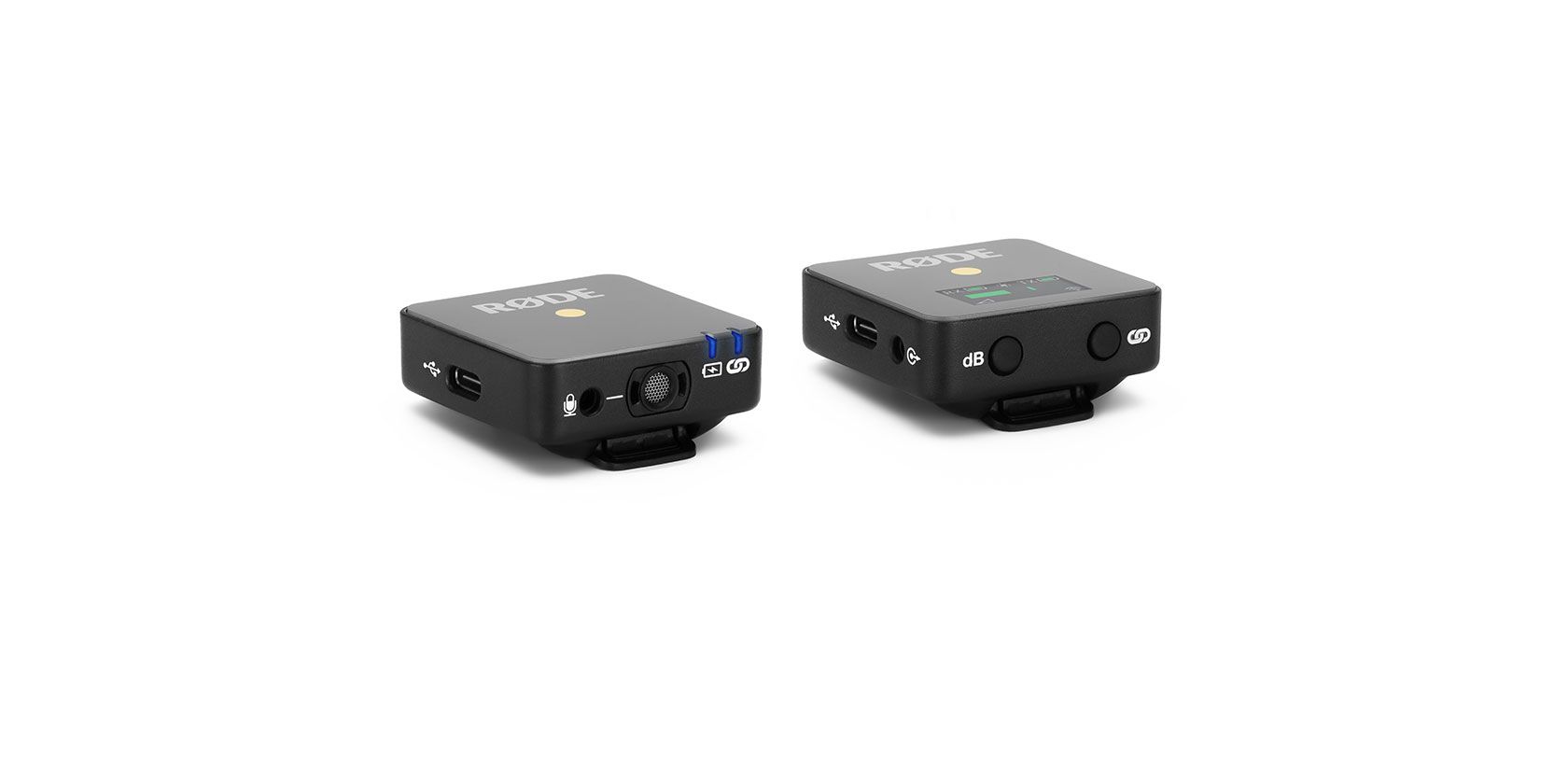
According to RØDE, the system comes in two parts. First, there’s the receiver, which it calls RX. Then, there’s the transmitter, which it calls TX. The two parts work together to create tons of quality sound in a package that’s super tiny.

The receiver is incredibly tiny, measuring only 44mm x 45.3mm x 18.5mm and weighing just 31g. The transmitter is similar in size, coming in with dimensions of 44mm x 46.4mm x 18.5mm and weighing just 31g.

It can serve as a quick and easy clip-on microphone with its built-in omnidirectional condenser capsule, or it can act as a tiny wireless transmitter for a lavalier microphone.

The transmitter is meant to be easy to carry around since it’s so tiny. When compared to most other transmitters on the market, it’s absolutely tiny. It’s designed to sit on a camera’s shoe mount or clip onto an article of clothing, which makes it quite versatile for a wide range of shooting situations.

Other features:

  • 3-stage output pad: 0, -6dB and -12dB
  • Series III 2.4GHz digital wireless transmission with 128-bit encryption
  • Up to 70m range (line-of-sight)
  • TX and RX have built-in rechargeable batteries, charged via USB-C
  • Up to 7 hours on a full charge

RØDE Wireless Go Price and Release Date

The company plans to ship the device in April, though it hasn’t revealed pricing information just yet. RØDE did cite “unmatched price accessibility,” though, which means it should be reasonable for content creators to get their hands on a set.

Read the full article: RØDE Reveals World’s Smallest Wireless Microphone System


Read Full Article

You Can Now Make Google Assistant Sound Like John Legend


If you’re tired of hearing the standard Google Assistant voice you can now make Google Assistant sound like John Legend. If you’re now wondering who John Legend is you may want to click away to another article right about now. But everyone else should read on…

How to Enable John Legend’s Voice in Google Assistant

At Google I/O 2018, Google Assistant gained the ability to converse more naturally with users. Google also announced that Google Assistant was getting six new voices, including John Legend. It has taken longer than expected, but Legend’s voice is finally available.

Google is referring to John Legend’s voice as “a cameo”. This is because he hasn’t recorded every single response you might elicit from Google Assistant. Instead, he’ll answer certain questions, with the standard voice still doing the donkey work.

These questions include, “Are you John Legend?”, “What’s your favorite type of music?”, “Who is Chrissy Teigen?”, “What’s the temperature outside?”, and “Why is the sky blue?”. You can also ask, “Are we just ordinary people?” and instruct him to “Serenade me”.

According to The Keyword, you can enable John Legend’s voice in Google Assistant in two different ways. Either say, “Hey Google, talk like a Legend” or go to Settings > Assistant Voice, and select John Legend. This is currently only available in English in the U.S.

What Celebrities Should Google Ask Next?

Fans of John Legend will obviously lap this up. And everyone else can rest assured that Google is very likely to be adding more celebrity voices in the future. This may be a novelty, but it’s a novelty most people will appreciate to some degree.

If you’re just a little bit obsessed with celebrity but not a fan of John Legend, why not learn how to beat bullies by seeing how celebrities react to mean tweets. Or maybe you would prefer to see how your favorite celebrities can infect you with malware.

Read the full article: You Can Now Make Google Assistant Sound Like John Legend


Read Full Article

You Can Now Stop People Adding You to WhatsApp Groups


WhatsApp has launched a new feature that prevents people adding you to group chats without your permission. Previously, anyone could add you to a group unless you blocked the group’s admin. Now, however, WhatsApp has put the power back in your hands.

In countries such as India and Brazil, WhatsApp has been used to spread misinformation quickly and easily. So, in response, in January 2019, WhatsApp placed limits on message forwarding. And now it is rolling out new privacy settings for groups.

The New Privacy Settings for WhatsApp Groups

According to the WhatsApp Blog, users have been asking for new ways to control their WhatsApp experience. And WhatsApp has listened. So from now on you’ll be able to choose one of three options with regards to privacy settings for groups.

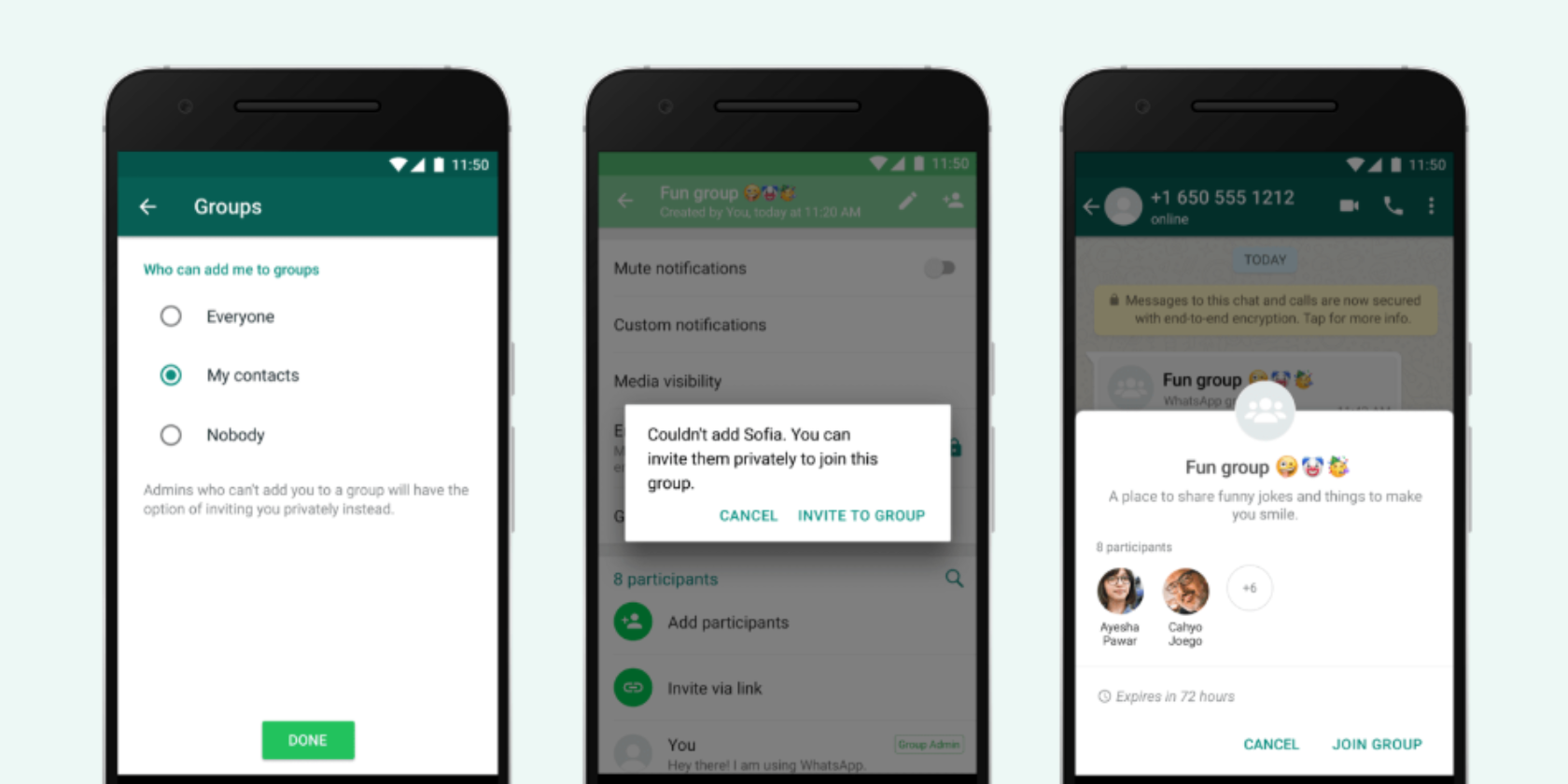
These three options are “Nobody,” “My Contacts,” and “Everyone”. To enable this feature, update WhatsApp to the latest version, then go to Settings. Next, click Account > Privacy > Groups, and select which one of the three options suits you best.

“Everyone” keeps things as they are at the moment, with anyone able to add you to a group. “Nobody” means you’ll have to approve joining any group to which you’re invited. And “My Contacts” limits it to users you have in your address book.

These privacy controls aren’t particularly granular. WhatsApp could, for example, have let you choose particular contacts rather than lumping them all in together. However, this still represents an improvement over the former system where it was a free-for-all.

WhatsApp Fights Back Against Fake News

The ability to control who adds you to groups is the latest in a line of new WhatsApp features to combat fake news. And it’s unlikely to be the last. Fake news is causing real problems in the real world, so any attempt to fight it should be applauded.

Read the full article: You Can Now Stop People Adding You to WhatsApp Groups


Read Full Article

5 Reasons Why You Don’t Actually Need a Plex Pass


If you have lots of locally saved media on your computer, Plex is a must-have piece of software. Unlike Kodi, it’s easy for beginners to set up and has apps available for every major operating system and media streaming device.

The other significant difference between Plex and Kodi is pricing. While Kodi is entirely free, Plex offers a paid tier. Called the Plex Pass, this paid tier introduces several additional features.

But do you actually need a Plex Pass? Is a Plex Pass worth it?

What Is a Plex Pass?

The basic Plex app is free on every platform, whereas the Plex Pass has three price tiers. You can pay $4.99/month, $39.99/year, or $149.99 for a lifetime subscription.

As you’d expect, there are numerous Plex Pass benefits that are unavailable on the free version of the app.

The most useful additions are arguably the Plex live TV and DVR offerings. If you add an antenna and tuner to your setup, you can watch and record any over-the-air channels in your area through the Plex app.

The Plex Pass also includes mobile syncing for offline viewing, support for multiple users, parental controls, movie trailers, and music features such as “mood mixes” and lyrics.

Clearly, these are all great features. However, for most users, they’re totally unnecessary. In fact, there’s a lot of misinformation out there. Many people believe you need a Plex Pass to perform certain tasks when the reality is different.

Do You Need a Plex Pass Subscription?

Here are five complex tasks you can perform without a Plex Pass.

1. Remote Streaming

plex remote access screen

One of Plex’s best attributes is its remote streaming function. It allows you to view all your media from anywhere in the world as long as you have the Plex app installed on the device you want to watch on.

This is especially useful for keeping the kids entertained when you’re away from home or if you spend a lot of time bouncing around hotels as part of your job. After all, there’s only so long you can watch MTV and international news channels before you start pulling your hair out.

However, the perception is that you need a Plex Pass to watch remotely. It’s not true. All users can stream remotely providing you’ve configured your Plex Server correctly. Head to Settings > Remote Access > Enable Remote Access to set it up.

In this regard, the Plex Pass is only useful if you’re going to be in a place with no internet—it lets you save content directly onto your device.

2. Use Plex on Mobile

If you want to access remote streaming on mobile rather than on a laptop, you’ll need to install the appropriate Plex app.

The app is free but has some restrictions. Each video and music file is limited to one minute of playback, and your photos will have a watermark added.

To remove the restrictions, you’ll be asked to pay a one-time fee of $4.99. It’s a fraction of the cost of a full Plex Pass. Of course, you don’t get access to any Plex Pass features, but if you just want to watch content on a tablet a few times per year, it’s more than adequate.

You can also access your Plex server using your mobile device’s web browser if you don’t want to pay the fee for the app.

3. Share Media Libraries

share plex settings

Are you the tech guru in your household? If you are, there’s a good chance you’ll want to share the benefits of Plex with the rest of your family.

But setting up Plex on lots of different devices is time-consuming. And, unless you’re willing to continually add new media to other people’s computers, it’s almost impossible to keep everyone updated.

Luckily, Plex lets you share your library with anyone. They don’t even have to be on the same network as you. Best of all, the feature doesn’t require a Plex Pass—all the other person needs is a free Plex account.

To share your library with friends and family, open your Plex Server app and make sure you are signed in, then go to Settings > Family and Friends> Sharing > Invite Friend. Fill in the person’s Plex credentials, and they will receive an invite in their email inbox.

4. Sync Content on Mobile

There’s an ongoing misconception about how mobile syncing works. As mentioned earlier, you need a Plex Pass if you want to download content onto your mobile device for offline viewing. That’s clear.

However, if you have a Plex Pass, anyone who you have shared your server with does not need a Plex Pass. As long as the server is registered against your account, they can download content for offline viewing. The upshot is that you probably only need a single Plex Pass per household (or even per family).

There’s just one catch. The other user will need to pay the aforementioned one-time fee of $4.99.

To allow other users to sync your content onto their device, open the Plex Server and navigate to Settings > Users > My Home > [Username] > Restrictions > Allow Sync.

5. Non-Mobile Plex Apps

plex roku app

All non-mobile Plex apps are entirely free to download and use. That includes the native apps for Amazon Fire TV, Android TV, Apple TV, Chromecast, Roku, Xbox, PlayStation, and where applicable, smart TVs.

If you’re using the app on your local network or if you want to use a streaming dongle while you’re traveling, you don’t need a Plex Pass to access the benefits.

You can also access your Plex server from any Plex media player app without charge.

A Plex Pass Supports the Developers

You don’t need a Plex Pass to access any of the five features discussed above. However, if you love Plex, use it every day, and share your library with lots of other people, you should consider buying a Plex Pass anyway.

In addition to the extra functionality we discussed at the start of the article, you’re also helping to support the developers and fund the app’s long-term future. Remember, even the free version of Plex doesn’t include any ads; the Plex Pass is the company’s only form of income.

If you would like to learn more about Plex, check out our articles detailing how to record live TV with Plex DVR and our list of the Plex channels you should install right now.

Read the full article: 5 Reasons Why You Don’t Actually Need a Plex Pass


Read Full Article

The 3 Best Self-Hosted Dropbox Alternatives, Tested and Compared


For years, Dropbox has been the mostly undisputed king of cloud storage. Unless you’re heavily invested in another ecosystem, Dropbox’s free storage offers more than enough for most people. Slowly but surely, however, the company’s free offering is becoming less attractive.

In March of 2019, Dropbox quietly introduced a limit on how many devices you can use with a free account. Whereas before there was no limit, now you only use three devices on a free account. For many people, this may not matter, but for others, it’s a sign that it’s time to look at other services.

What Does Self-Hosted Mean?

To put it simply, you can download and install any of the services on this list on your own server. If you’re concerned with privacy, hosting your own Dropbox alternative is a major bonus. It’s also important if you want to be certain that your data won’t disappear without warning someday. Your own experience might tell you that self-hosting apps can save you money in the long run too.

Of course, there are downsides to this. If you install one of these on your own server, you’re responsible for all the maintenance. You’ve also only got yourself to blame if your data does missing.

1. ownCloud

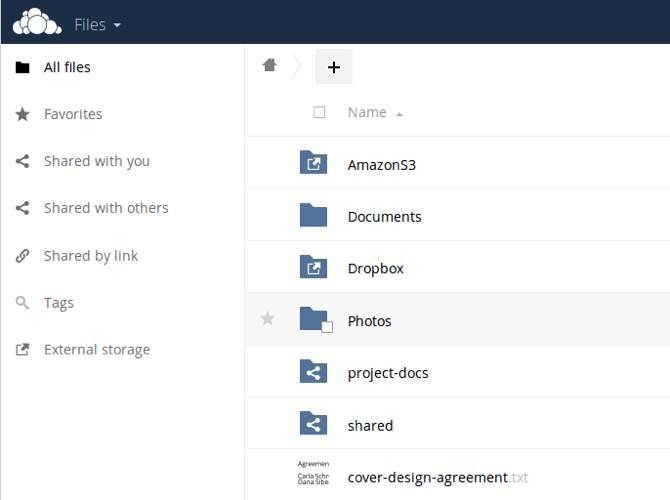
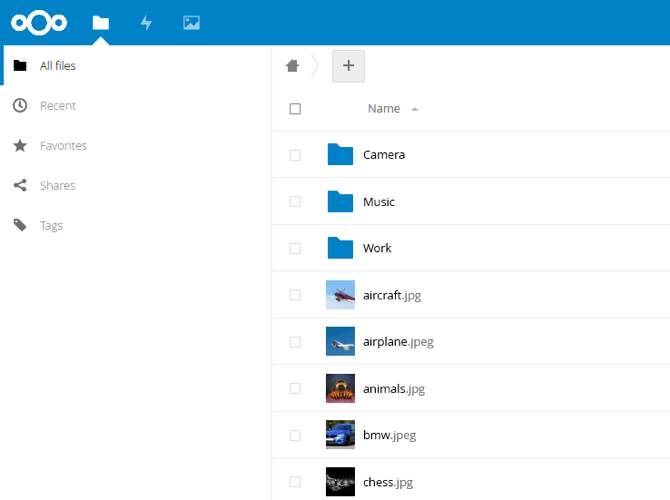
ownCloud user interface

ownCloud launched in 2010 and was one of the first self-hosted Dropbox alternatives to really take off. While the service initially focused solely on cloud storage, it has scaled up its offerings dramatically in recent years.

From cloud storage to synchronization, ownCloud can do pretty much anything Dropbox can. It supports large files, automatic folder synchronization, and file access control. If you’re concerned about privacy, ownCloud also features support for end-to-end encryption.

It doesn’t matter whether you use Windows, macOS, or Linux, as ownCloud is fully cross-platform. This means it has a client available for Android and iOS devices as well. Unlike desktop clients, this isn’t free. No matter whether you use Android or iOS, you’ll pay $0.99 for the ownCloud app.

What Else Does ownCloud Offer?

Cloud storage and sync is just the beginning. With ownCloud you also get the Collabora online office suite. If you’re looking for an alternative to Google Docs, this isn’t as full-featured, but it might be all you need.

There’s also a marketplace with a variety of add-ons for ownCloud. These include a basic text file viewer, blood pressure tracker, an ebook reader, and more.

Will ownCloud Stick Around?

In addition to the free, open source version that ownCloud offers to individuals, it also features a version for enterprise users. This gives ownCloud an income stream to keep work going.

Does this guarantee that ownCloud will be around forever? No, but it certainly doesn’t hurt to use it right now.

2. Nextcloud

Nextcloud user interface

Nextcloud is a fork of ownCloud with many of the same features, plus plenty of its own. One key difference is that while ownCloud has a commercial offering, Nextcloud is an open source project. If you want to ensure that your free cloud storage stays free, that’s an important distinction.

While Nextcloud is fully open source, that doesn’t mean it doesn’t have an enterprise option. The service offers a subscription-based enterprise product that makes migration easier and grants priority access to security updates. It also includes support and assistance to make using the service easier.

Like ownCloud, Nextcloud offers clients for any platform you may use. This includes Windows, macOS, Linux, Android, and iOS. Unlike Nextcloud, the mobile versions are available free of charge.

Since Nextcloud is based on ownCloud, many of the third-party apps for ownCloud also work with Nextcloud. This includes software like CloudNotes, a notetaking app for iOS. You can’t count on this working in all cases, but it can be useful.

What Else Does Nextcloud Offer?

Like ownCloud, Nextcloud features an office suite. By default, this is Collabora, but you can use other options as well. If, for example, you want to use OnlyOffice instead, that’s entirely possible. NextCloud also offers its own App Store that lets you add all sorts of different functionality.

If you don’t want to run your own server, Nextcloud makes finding a free Nextcloud host easy. The amount of free storage space varies from provider to provider, but many of them offer more than the 2 GB of free space Dropbox offers.

Will Nextcloud Stick Around?

Nextcloud has an enterprise option, just as ownCloud does. It also has a very active community. This alone has kept plenty of projects going in the past, so it’s likely that Nextcloud will be around a while.

3. Seafile

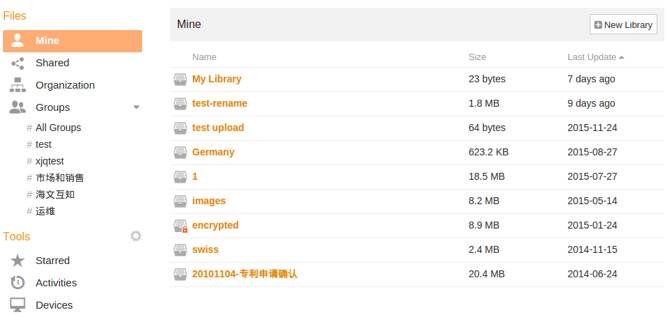
Seafile user interface

Seafile is actually older than ownCloud and by extension Nextcloud, but it never seemed to gain the same level of popularity. As it focuses mainly on storage, it’s the least full-featured option on this list, but it makes up for that in speed.

Over the years, Seafile has actually gained a reputation for being faster than ownCloud or Nextcloud. This is going to vary wildly based on your server and other factors, but if you frequently sync large files, it’s worth keeping in mind.

Like ownCloud, Seafile offers a free option and a paid option. With the paid option of Seafile, you’re mainly getting support. Clients are available for Windows, macOS, Linux, Raspberry Pi, Android, and iOS. All of them are free.

What Else Does Seafile Offer?

As mentioned above, Seafile focuses on storage alone, so you won’t find an office suite. What you do get is advanced file versioning and snapshots. You also get client-side end-to-end encryption if you want it, which is nice if you value privacy.

Will Seafile Stick Around?

Seafile is already a long-running project, and it doesn’t seem that the developers intend to change this any time soon. As it is fully open source, the project should remain viable as long as there are developers to maintain it.

Which Is the Best Self-Hosted Dropbox Alternative?

All of these services offer compelling reasons to use them. Even so, Nextcloud should be the first option you consider. Not only does it offer the most features, but with free hosts available, you can easily try it out before you commit.

It can be difficult choosing the cloud storage company responsible for your data. While you can set up your own server to host one of the above services, it’s not for everyone.

That said, it’s nice to know that if something goes wrong, you can fix it if you have the knowledge. If you are interested, take a look at our list of the best web hosting companies.

If you’d rather stick with a big name but want to look at options other than Dropbox, that works too. Curious about your options? We’ve got a comparison that shows how Dropbox stacks up against Google Drive and Microsoft’s OneDrive.

Read the full article: The 3 Best Self-Hosted Dropbox Alternatives, Tested and Compared


Read Full Article

The 8 Best Free Video Editors for Mac


color-correction-premiere

Apple computers have long been aimed at the creative professional, particularly when it comes to photo and video editing. Unfortunately, industry-leading packages like Adobe Premiere, After Effects, and Apple’s own Final Cut Pro aren’t cheap.

Fortunately, there’s a selection of capable free video editing apps for Mac to sink your teeth into. Some are made for beginners, while others will satisfy seasoned video editors with their impressive feature sets.

These are our favorite free video editors for Mac.

1. iMovie

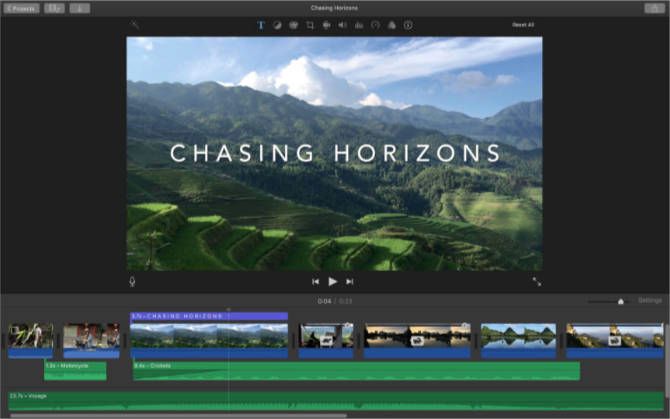
iMovie for Mac

Summary: A free, consumer-grade video editor. It’s well-optimized for Apple hardware and suitable for most personal projects.

iMovie is free for anyone who owns a Mac. Plus, the iOS version is free to all iPhone and iPad owners. The software is aimed at consumers who want to quickly create videos with footage stored in their Photos library. To facilitate this, iMovie uses a simplified timeline editor that doesn’t allow for multitrack editing.

Despite the linear editing and basic UI, iMovie is a highly optimized piece of software that can handle 4K video and green screen compositing. It also supports picture-in-picture video and slow-motion/fast-forward visual effects. iMovie can generate titles, drag-and-drop transitions, and motion graphics like 3D globes and travel maps.

The app comes with built-in music and sound effects that are ready to go. It can generate Hollywood-style trailers using footage that you supply. Additionally, the app allows you to export directly to YouTube and Vimeo at up to 4K resolution.

Download: iMovie (Free)

2. DaVinci Resolve

Summary: A powerful, professional-grade video editor that lacks the color grading tools the developers are famous for.

The Studio version of DaVinci Resolve costs nearly $1,000, but the basic version is completely free. Better still, it includes the same high-quality image processing abilities as the pricier version. You get a powerful video editor, some of the best color correction capabilities around, and even support for external hardware panels to enable faster editing.

There are limitations, of course. The main one is that Resolve can only output in SD, HD and Ultra HD, which is likely more than enough for most users. Also, the app places limits on some of the advanced grading and tracking tools. However, these restrictions are mainly in place to convince professional users to upgrade.

The app might have quite a learning curve, but DaVinci Resolve is one of the most powerful video editing suites on the planet and you get a lot for free.

Download: Da Vinci Resolve (Free)

3. OpenShot

Summary: A free and open source video editor with an impressive list of features. However, the interface is outdated and may put some users off.

OpenShot is a cross-platform open source tool that’s been around since 2008. It’s built with the aim of providing a stable, free, and accessible video editor. The project receives several major updates per year, in line with the expectations for an open source project with a small team.

OpenShot’s feature list has grown over the years to include great support for a variety of formats, keyframes for animation, and unlimited video/audio tracks. It also packs in transition and compositing support, titles, and a heap of extra features you’d expect from a modern video editor.

Past criticisms have panned OpenShot’s reliability, but it’s still worth a shot for free.

Download: OpenShot (Free)

4. Shotcut

Summary: A capable open source editor with an interface that’s superior to OpenShot.

Here’s another free, open source, cross-platform video editor. Shotcut’s feature list is just as impressive as OpenShot, but Shotcut features a great-looking interface. It more closely resembles a pro-tier application than a free one.

The app supports a wide range of video files and formats, including 4K, ProRes, and DNxHD. Shotcut also includes great support for working with audio, an impressive list of video effects (including compositing and transitions), and a flexible UI.

Of note are support for advanced features like 5.1 surround sound, three-way color correction, and a huge number of video and audio filters. There’s even a full set of official Shotcut video tutorials you can watch to get you up to speed with the editor.

Download: Shotcut (Free)

5. Blender

blender_video

Summary: Not a purpose-built video editor, but it’s a powerful tool for free.

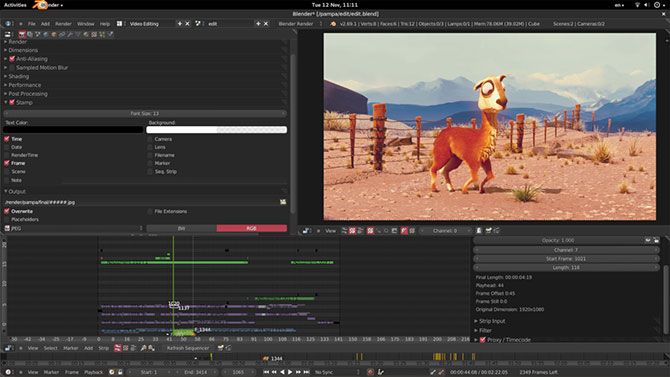
Blender is a free 3D modeling and compositing app used in some high-profile productions. Yet many don’t realize Blender is also a capable non-linear video editor, provided you’re willing to take the time to learn.

You can use Blender to cut and splice video, mix and sync audio, or apply adjustment layers, transitions, and filters. You probably won’t edit a whole film together in Blender, but for basic editing tasks it might suffice.

Blender isn’t the easiest system to learn, but underneath the hood is a powerful non-linear video editor. Check out Daniel Pocock’s quick guide to editing video in Blender and the official Blender video sequencer manual to learn more.

Download: Blender (Free)

6. Lightworks

Summary: A powerful editor with plenty of features, but some seriously restrictive output options make the free version feel more like a trial.

Lightworks is one of the most powerful apps on this list. I’d happily recommend it above all other packages if it wasn’t so restrictive for the free user. The free version includes video effects, multicam editing, and titling, as well as the usual multi-layered timeline approach you’d expect from a comprehensive editor.

Unfortunately, rendering (exporting your project) is limited to 1080p output on Vimeo, and 720p output to YouTube. You can also render to Lightworks Archives, but you lose H.264, MP4, or even DVD export options.

So while the toolkit is vast, Lightworks isn’t a very appealing free editor unless you’d like to thoroughly try it out for free and upgrade at a later time.

Download: Lightworks (Free, premium version available)

7. Avidemux

Avidemux for macOS

Summary: A capable freebie, but lacking in polish and features.

Avidemux made our list of the best Linux video editors. Though it’s basic in nature, it works well for simple editing tasks. The app supports a wide variety of input and output formats. The project undergoes several updates a year, with development continuing at a steady pace.

Thankfully, the team maintains parity among all three major versions, so you won’t miss out on any features if you opt for the Mac package.

Avidemux is best reserved for simple tasks like cutting a video down to size, applying video or audio filters, and transcoding. If you’re willing to dig a little deeper, you’ll find a highly capable script editor to automate many of these common tasks.

Be sure to check out the Avidemux wiki for learning materials, and the Avidemux forum can help in case you get stuck.

Download: Avidemux (Free)

Mac Video Editing on a Budget

So which is the best video editor for you? iMovie is probably the best all-rounder. It’s free, easy to use, and carefully optimized for Apple hardware. There are plenty of features in it to satisfy beginners and mid-tier users. However, it lacks the raw power to compete with Final Cut or Premiere Pro.

Da Vinci Resolve, on the other hand, is surprisingly-feature rich. It offers multi-track editing and a huge number of professional-tier features to play with. Blender is open source and powerful, but is bogged down by complexity. Shotcut and Openshot are pretty evenly matched, so why not test drive them both?

If you need to edit images as well as video, check out our list of free Mac photo editors too.

Image credit: Gustavo Devito/Flickr

Read the full article: The 8 Best Free Video Editors for Mac


Read Full Article

How to Watch BBC iPlayer With a VPN or UK Proxy


These days, watching TV on your computer is a cinch. It is so easy that many people eschew a regular TV altogether and exclusively use online services. Sadly, geo-restrictions limit some of the best content to certain countries.

BBC iPlayer is one such service. The BBC’s video streaming service is only available to viewers in the UK. Attempting to access BBC iPlayer from outside the UK displays an error message. However, there are ways to circumvent these location-based restrictions.

Here’s how you can watch BBC iPlayer with a VPN or UK proxy.

1. Watch BBC iPlayer Using a VPN

Your first option is using a virtual private network (VPN). You can use a VPN to make your web traffic appear as if it originates in the UK. Thus, when you attempt to access BBC iPlayer from another country, the service will show the content.

The BBC is no stranger to VPNs. At times, some VPNs struggle to maintain their connections to BBC iPlayer as the BBC blacklists known VPN server addresses. However, all is not lost; there are several excellent VPN providers that keep ahead of the blacklisting.

Are you new to the idea of VPNs? Then first read our explanation of what a VPN is and how a VPN works.

There are three VPN providers you should check out:

In our experience, these three VPNs consistently allow you access to the BBC iPlayer streaming service from another country. While traveling, I use ExpressVPN to make sure I don’t miss my favorite programs. You can grab a special MakeUseOf discount on an ExpressVPN subscription using this link!

Once you subscribe to a VPN provider, download and install the VPN software. Open the VPN software, input your user credentials, and then select a UK-based VPN server. After the connection establishes, you can watch BBC iPlayer.

2. Watch BBC iPlayer Using a Browser Extension

bbc iplayer geo restriction

Unfortunately, the number of free UK proxy services able to access BBC iPlayer has fallen dramatically since the BBC stepped up enforcement against known proxy servers. It is a similar situation to the VPN services above, and the Tor exit nodes in the section below.

The BBC actively monitors known proxy server addresses for incoming data, and as such, it makes using a free UK proxy to watch BBC iPlayer incredibly difficult. Difficult, but not impossible.

Beebs

One of the best proxy options at the time of writing is a Chrome extension called Beebs. Beebs is a simple proxy extension for Google Chrome that allows you to access BBC iPlayer, as well as ITV Player and 4oD (two other UK broadcast channels with similar geo-restrictions). You will achieve the best results using Beebs with a single browser window open.

Download: Beebs for Google Chrome (Free)

Wachee

Another handy UK proxy option is Wachee. Wachee is also a Google Chrome browser extension that allows you to watch BBC iPlayer. Furthermore, Wachee enables you to view Netflix and Hulu, depending on your country of origin.

Download: Wachee for Google Chrome (Free)

3. Set Your Browser to Use a UK Proxy Server

Of course, you don’t have to rely on a browser extension. You can tell your browser to use a UK proxy server at all times. Sending all of your traffic through a UK proxy will allow you to watch BBC iPlayer. But if you are in a different country, any services and apps that rely on your location will cease to work.

That’s where a proxy switcher comes into play. With a proxy switcher installed, you can load up several different proxy servers to cycle through until you find one that works. After you finish watching your BBC iPlayer program, turn the proxy switcher off, and your settings return to normal.

Download: Proxy Switcher and Manager for Google Chrome (Free) | Opera (Free)
Download: FoxyProxy Standard for Mozilla Firefox (Free)

Then head to Xroxy and check out their massive list of UK proxy servers. You can copy and paste the details of the proxies into your proxy switcher of choice, then access BBC iPlayer.

4. Use a UK Tor Exit Node to Watch BBC iPlayer

As you can see above, the availability of free UK proxy services to watch BBC iPlayer is low. There is an alternative to a UK proxy server, though. You can attempt to use the Tor browser and the Tor network to access BBC iPlayer.

Please note that connections through Tor are slow. It isn’t like the regular internet, and as such, there is a strong chance you will struggle to watch a live stream.

Tor works by bouncing your data through different nodes around the globe. The process makes your data untraceable. If someone were to trace your data, they would find the IP address of the Tor network exit node, not your originating IP address. An exit node is where Tor network data re-joins the regular internet.

Here’s our unofficial guide to Tor. Read through it and set your Tor browser up.

Most of the time, you should leave your Tor settings well alone. A poorly configured Tor browser can expose your data. However, you can specify the exit node country. In this case, changing it to the UK (or, GB, as you will see) gives you a chance of watching BBC iPlayer.

After you first open and configure the Tor browser, it creates the “torrc” file. The torrc file contains configuration information, and you find it in the Tor installation folder. For instance, my torrc file is found at: “C:\Users\Gavin\Tor Browser\Browser\TorBrowser\Data\Tor.” You can edit the torrc file using a text editor, like Notepad or Notepad++. Right-click the torrc file and select Open with > Notepad. (Or your text editor of choice; I’m using Notepad++, but the process is the same.)

Now, you need to add the following lines to the torrc file:

  • EntryNodes {your country code} StrictNodes 1
  • ExitNodes {gb},{uk} StrictNodes 1

tor torrc exit node configuration

You can find your country entry code using the Tor country codes list.

Save the file, overwriting the existing file. When you open Tor, your exit node preferences will update, and you should be able to access BBC iPlayer.

Yes, You Can Watch BBC iPlayer in the US!

As you can see, you can watch the fantastic range of programming from the BBC from wherever you are in the world, including the US.

The BBC is making it increasingly difficult to watch iPlayer, with geo-restrictions, limitations on programming, and known proxy and VPN server blocks standing in your way. However, by using one of the methods outlined above you will be able to unlock BBC iPlayer.

It isn’t just BBC iPlayer that comes loaded with geo-restrictions, mind. Netflix, Hulu, Amazon Prime Video, and a heap of other video-on-demand services struggle with geo-licensing restrictions. In all honesty, a VPN is the best option to skirt those restrictions.

With that in mind, here is our guide to the best VPN services to get you started.

Read the full article: How to Watch BBC iPlayer With a VPN or UK Proxy


Read Full Article

MIT’s ‘cyber-agriculture’ optimizes basil flavors


The days when you could simply grow a basil plant from a seed by placing it on your windowsill and watering it regularly are gone — there’s no point now that machine learning-optimized hydroponic “cyber-agriculture” has produced a superior plant with more robust flavors. The future of pesto is here.

This research didn’t come out of a desire to improve sauces, however. It’s a study from MIT’s Media Lab and the University of Texas at Austin aimed at understanding how to both improve and automate farming.

In the study, published today in PLoS One, the question being asked was whether a growing environment could find and execute a growing strategy that resulted in a given goal — in this case, basil with stronger flavors.

Such a task is one with numerous variables to modify — soil type, plant characteristics, watering frequency and volume, lighting, and so on — and a measurable outcome: concentration of flavor-producing molecules. That means it’s a natural fit for a machine learning model, which from that variety of inputs can make a prediction as to which will produce the best output.

“We’re really interested in building networked tools that can take a plant’s experience, its phenotype, the set of stresses it encounters, and its genetics, and digitize that to allow us to understand the plant-environment interaction,” explained MIT’s Caleb Harper in a news release. The better you understand those interactions, the better you can design the plant’s lifecycle, perhaps increasing yield, improving flavor, or reducing waste.

In this case the team limited the machine learning model to analyzing and switching up the type and duration of light experienced by the plants, with the goal of increasing flavor concentration.

A first round of nine plants had light regimens designed by hand based on prior knowledge of what basil generally likes. The plants were harvested and analyzed. Then a simple model was used to make similar but slightly tweaked regimens that took the results of the first round into account. Then a third, more sophisticated model was created from the data and given significantly more leeway in its ability to recommend changes to the environment.

To the researchers’ surprise, the model recommended a highly extreme measure: Keep the plant’s UV lights on 24/7.

Naturally this isn’t how basil grows in the wild, since, as you may know, there are few places where the sun shines all day long and all night strong. And the arctic and antarctic, while fascinating ecosystems, aren’t known for their flavorful herbs and spices.

Nevertheless the “recipe” of keeping the lights on was followed (it was an experiment, after all), and incredibly, this produced a massive increase in flavor molecules, doubling the amount found in control plants.

“You couldn’t have discovered this any other way,” said co-author John de la Parra. “Unless you’re in Antarctica, there isn’t a 24-hour photoperiod to test in the real world. You had to have artificial circumstances in order to discover that.”

But while a more flavorful basil is a welcome result, it’s not really the point. The team is more happy that the method yielded good data, validating the platform and software they used.

“You can see this paper as the opening shot for many different things that can be applied, and it’s an exhibition of the power of the tools that we’ve built so far,” said de la Parra. “With systems like ours, we can vastly increase the amount of knowledge that can be gained much more quickly.”

If we’re going to feed the world, it’s not going to be done with amber waves of grain, i.e. with traditional farming methods. Vertical, hydroponic, computer-optimized — we’ll need all these advances and more to bring food production into the 21st century.


Read Full Article

Capturing Special Video Moments with Google Photos


Recording video of memorable moments to share with friends and loved ones has become commonplace. But as anyone with a sizable video library can tell you, it's a time consuming task to go through all that raw footage searching for the perfect clips to relive or share with family and friends. Google Photos makes this easier by automatically finding magical moments in your videos—like when your child blows out the candle or when your friend jumps into a pool—and creating animations from them that you can easily share with friends and family.

In "Rethinking the Faster R-CNN Architecture for Temporal Action Localization", we address some of the challenges behind automating this task, which are due to the complexity of identifying and categorizing actions from a highly variable array of input data, by introducing an improved method to identify the exact location within a video where a given action occurs. Our temporal action localization network (TALNet) draws inspiration from advances in region-based object detection methods such as the Faster R-CNN network. TALNet enables identification of moments with large variation in duration, achieving state-of-the-art performance compared to other methods, allowing Google Photos to recommend the best part of a video for you to share with friends and family.
An example of the detected action "blowing out candles"
Identifying Actions for Model Training
The first step in identifying magic moments in videos is to assemble a list of actions that people might wish to highlight. Some examples of actions include "blow out birthday candles", "strike (bowling)", "cat wags tail", etc. We then crowdsourced the annotation of segments within a collection of public videos where these specific actions occurred, in order to create a large training dataset. We asked the raters to find and label all moments, accommodating videos that might have several moments. This final annotated dataset was then used to train our model so that it could identify the desired actions in new, unknown videos.

Comparison to Object Detection
The challenge of recognizing these actions belongs to the field of computer vision known as temporal action localization, which, like the more familiar object detection, falls under the umbrella of visual detection problems. Given a long, untrimmed video as input, temporal action localization aims to identify the start and end times, as well as the action label (like "blowing out candles"), for each action instance in the full video. While object detection aims to produce spatial bounding boxes around an object in a 2D image, temporal action localization aims to produce temporal segments including an action in a 1D sequence of video frames.

Our approach to TALNet is inspired by the faster R-CNN object detection framework for 2D images. So, to understand TALNet, it is useful to first understand faster R-CNN. The figure below demonstrates how the faster R-CNN architecture is used for object detection. The first step is to generate a set of object proposals, regions of the image that can be used for classification. To do this, an input image is first converted into a 2D feature map by a convolutional neural network (CNN). The region proposal network then generates bounding boxes around candidate objects. These boxes are generated at multiple scales in order to capture the large variability in objects' sizes in natural images. With the object proposals now defined, the subjects in the bounding boxes are then classified by a deep neural network (DNN) into specific objects, such as "person", "bike", etc.
Faster R-CNN architecture for object detection
Temporal Action Localization
Temporal action localization is accomplished in a fashion similar to that used by R-CNN. A sequence of input frames from a video are first converted into a sequence of 1D feature maps that encode scene context. This map is passed to a segment proposal network that generates candidate segments, each defined by start and end times. A DNN then applies the representations learned from the training dataset to classify the actions in the proposed video segments (e.g., "slam dunk", "pass", etc.). The actions identified in each segment are given weights according to their learned representations, with the top scoring moment selected to share with the user.
Architecture for temporal action localization
Special Considerations for Temporal Action Localization
While temporal action localization can be viewed as the 1D counterpart of the object detection problem, care must be taken to address a number of issues unique to action localization. In particular, we address three specific issues in order to apply the Faster R-CNN approach to the action localization domain, and redesign the architecture to specifically address them.
  1. Actions have much larger variations in durations
    The temporal extent of actions varies dramatically—from a fraction of a second to minutes. For long actions, it is not important to understand each and every frame of the action. Instead, we can get a better handle on the action by skimming quickly through the video, using dilated temporal convolutions. This approach allows TALNet to search the video for temporal patterns, while skipping over alternate frames based on a given dilation rate. Analysing the video with several different rates that are selected automatically according to the anchor segment's length enables efficient identification of actions as large as the entire video or as short as a second.
  2. The context before and after an action are important
    The moments preceding and following an action instance contain critical information for localization and classification, arguably more so than the spatial context of an object. Therefore, we explicitly encode the temporal context by extending the length of proposal segments on both the left and right by a fixed percentage of the segment's length in both the proposal generation stage and the classification stage.
  3. Actions require multi-modal input
    Actions are defined by appearance, motion and sometimes even audio information. Therefore, it is important to consider multiple modalities of features for the best results. We use a late fusion scheme for both the proposal generation network and the classification network, in which each modality has a separate proposal generation network whose outputs are combined together to obtain the final set of proposals. These proposals are classified using separate classification networks for each modality, which are then averaged to obtain the final predictions.
TALNet in Action
As a consequence of these improvements, TALNet achieves state-of-the-art performance for both action proposal and action localization tasks on the THUMOS'14 detection benchmark and competitive performance on the ActivityNet challenge. Now, whenever people save videos to Google Photos, our model identifies these moments and creates animations to share. Here are a few examples shared by our initial testers.
An example of the detected action "sliding down a slide"
An example of the detected actions "jump into the pool" (left), "twirl in a dress" (center) and "feed baby a spoonful" (right).
Next steps
We are continuing work to improve the precision and recall of action localization using more data, features and models. Improvements in temporal action localization can drive progress on a large number of important topics ranging from video highlights, video summarization, search and more. We hope to continue improving the state-of-the-art in this domain and at the same time provide more ways for people to reminisce on their memories, big and small.

Acknowledgements
Special thanks Tim Novikoff and Yu-Wei Chao, as well as Bryan Seybold, Lily Kharevych, Siyu Gu, Tracy Gu, Tracy Utley, Yael Marzan, Jingyu Cui, Balakrishnan Varadarajan, Paul Natsev for their critical contributions to this project.