19 March 2019

MoviePass brings back its unlimited movie plan, with a limited time price of $9.95


MoviePass is bringing back a version of the plan that made it so popular in the first place — a subscription where you pay a monthly fee and get an unlimited number of 2D movie tickets.

MoviePass Uncapped will have a regular price of $19.95 per month, but the company is offering cheaper deals for what it says is a limited time. If you’re willing to pay for a full year (via ACH payment), it will cost the same as that original unlimited plan, namely $9.95 per month. If you don’t want to make a full-year commitment, it will cost $14.95 per month.

Now, you may be thinking that this kind of deal is exactly what got MoviePass into so much trouble last year, to the point where it nearly ran out of money and began announcing new pricing plans and restrictions on a seemingly constant basis.

However, the company’s announcement today includes multiple references to its ability to “combat violations” of MoviePass’ terms of use. And those terms do say that “MoviePass has the right to limit the selection of movies and/or the times of available movies should your individual use adversely impact MoviePass’s system-wide capacity or the availability of the Service for other subscribers.”

So if you’re a heavy MoviePass user, the plan may not be truly unlimited.

In addition, you’ll only be able to reserve tickets three hours before showtime, and you’ll need to check in to the theater between 10 and 30 minutes before the movie starts.

This new plan replaces the ones announced in December. If you’ve already signed up, you can stick to those subscriptions, but new users won’t have that option.

In a statement, Ted Farnsworth, CEO of MoviePass parent company Helios and Matheson Analytics, said:

We are – and have been – listening to our subscribers every day, and we understand that an uncapped subscription plan at the $9.95 price point is the most appealing option to our subscribers. While we’ve had to modify our service a number of times in order to continue delivering a movie-going experience to our subscribers, with this new offering we are doing everything we can to bring people a version of the service that originally won their hearts.


Read Full Article

Xiaomi Q4 sees strong growth in overseas shipment and internet services

The 10 Best Email Apps for Android, Compared

What Is Instagram and How Does It Work?

How to Secure Fortnite.com With 2FA (Two Factor Authentication)


fortnite-two-factor

Fortnite took the world by storm. The 100-player “battle royale” has players of all ages, spread around the globe. At its 2018 height, Fortnite developers Epic Games were pulling in $350 million per week through in-game transactions.

Over time, Fortnite accounts have become an attractive proposition for hackers and other fraudsters. Stolen accounts with high-tier loot can be resold, with a willing market waiting to buy.

With that in mind, you need to secure your (and your children’s) Fortnite account. Here’s how to enable two-factor authentication (2FA) on your Fortnite account.

Do You Need 2FA on Your Fortnite Account?

In December 2018, the BBC interviewed one Slovenian teenager making an astonishing amount of money. The young chap in question was cracking Fortnite account passwords in the hope of finding an account full of premium skins and other loot. The cracker put his earnings at around $20,000 for seven months of work.

“It’s lucky dip basically, you either get a good account or you don’t. People like the rarity of the ‘skins’ and it’s about the look of them and showing off to friends.”

But that is just one example. The Epic Games Fortnite forum is full of threads about stolen accounts, lost skins, fraudulent V-Bucks transactions (V-Bucks is Fortnite’s internal currency), and more. Some Fortnite items are very rare. So rare, that they’re worth hundreds of dollars in the real world.

Epic Games is acutely aware of the issue, too. The vast majority of Fortnite’s userbase is young. Many have no idea about turning on 2FA, let alone how to practice secure password hygiene. The combination of these two factors means that crackers are using basic credential stuffing tools to blast through Fortnite accounts.

In short: You need to turn on 2FA security on every account you own, including your kids’ accounts. (Your kids are playing Fortnite: here’s what you need to know!) Epic Games will even give you the Boogiedown Emote if you turn it on, plus 50 Armory Slots, 10 Backpack Slots, and 1 Legendary Troll Stash Llama in Save the World mode.

How to Enable 2FA on Your Fortnite Account

Whether you understand the urgency or you like the look of the free loot, here is how you enable 2FA on your Fortnite account.

fortnite 2fa choose verification type

Before starting the process, consider what type of 2FA you are most comfortable using. Epic Games offers two options:

Authenticator app: An authenticator app is a 2FA app you keep on your smartphone (tablets, too). When you want to login to your Fortnite account, it will ask you for a six-digit code that will appear in the authenticator app. There are several authenticator apps available. I would strongly suggest using Authy or Google Authenticator.

Download: Authy for Android | iOS (Free)
Download: Authenticator for Android | iOS (Free)

Email authentication: Email authentication works by sending you a single-use 2FA security code to the email address associated with your Fortnite account.

Once you know which 2FA method you’re going to use, move onto securing your account. That is, if you’re using an authenticator app, make sure you install it on your smartphone before continuing.

Now, for Authenticator Apps:

  1. Head to your Epic Games account in a web browser.
  2. Under Password & Security, scroll down to Two-Factor Authentication.
  3. Select Enable Authenticator App.
  4. Open the authenticator app on your smartphone, then scan the QR code to add your Fortnite account.
  5. Type the six-digit security code into the verification box, and complete the process.
  6. On the next screen, you can generate a series of backup codes for your account locked with an authenticator app. Copy these to somewhere safe. You can only use each backup code once!

fortnite 2fa authenticator app verification

Now, for Email Authentication:

  1. Head to your Epic Games account in a web browser.
  2. Under Password & Security, scroll down to Two-Factor Authentication.
  3. Select Enable Email Authentication.
  4. Head to the email address associated with your Fortnite account and check for a verification email.
  5. Copy the six-digit security code from the email into the Enable Email Verification box and press Continue.

fortnite 2fa email verification

That’s it. You have secured your Fortnite account with two-factor authentication.

Watch Out for Fortnite Scams

If the threat of Fortnite account crackers wasn’t enough, there are also scammers out there looking to trick unsuspecting users. Most of the scams center around free V-Bucks.

Scammers make flashy videos full of Fortnite imagery with alluring titles such as “How to Get Free V-Bucks” or “Check Out This Free V-Bucks Fortnite Glitch.” Most of the time, the videos invite users to a specific fraudulent website where you input a code from your Fortnite account.

In some cases, scammers can access the Fortnite account and use it to steal the existing V-Bucks, or lock the account for resale.

fortnite prevent v-buck scam

Other examples send users to websites full of malware that instantly begins downloading. And others still act as phishing portals, waiting for the user to input their Fortnite credentials before having their account stolen, locked, and resold.

Another route for scammers is through the Google Play Store. The Google Play Store is full of apps claiming to gift the user tens of thousands of V-Bucks for nothing. At best, they’re just terrible guides detailing fake methods of acquiring V-Bucks. At worst, they ask for Fortnite account login details to steal your account.

Enable Fortnite 2FA for Free Loot!

Epic Games understand there is a problem. That’s why they’re giving away some free loot to every account that turns 2FA on.

You don’t have to become a statistic though; it only takes a moment to secure your account. Similarly, as the Fortnite loading screen declares, “Only you can stop V-Buck scams.”

2FA is a great way to add additional security to all of your online accounts, not just Fortnite, and Epic Games. Here’s how to add 2FA to your Gmail, Facebook, Twitter, Instagram, and many other accounts.

Read the full article: How to Secure Fortnite.com With 2FA (Two Factor Authentication)


Read Full Article

The 7 Best Android TV Launcher Apps


android-tv-launchers

The home screen of your Android TV device is where your apps, recommended videos, and menus live. This is also known as the launcher. The most recent redesign of the native Android TV launcher (in 2018) was widely criticized by the community.

However, it’s possible to replace the Android TV launcher on your device. It’s easy to download an alternative option with different menus, fonts, layouts, and more. And with that in mind, here are the best Android TV launcher apps to consider using.

1. Ugoos TV

The most popular launcher for Android TV is arguably Ugoos TV.

The user interface marks a significant break from the Android TV launcher that you’re used to using. On the left-hand side of the screen, you will see a scrolling wheel that lets you browse through broad categories (for example, All Apps, Internet, Games, Options, and so on.).

There are nine categories in total. Any apps that fall under the highlighted category will appear on the right-hand side of the screen for you to select and open.

Ugoos TV has nine different themes and supports customizable backgrounds, customizable icons, and adaptive remote controls.

Download: Ugoos TV (Free)

2. TvHome Launcher

tvhome launcher android tv

If you have a smart TV from Samsung or LG that runs either TizenOS or webOS, the layout of TvHome Launcher will be instantly familiar. Indeed, if you want to recreate the smart TV experience, TvHome is one the best Android TV launchers you’ll find.

All of your apps are displayed along the bottom of the screen in a minimalist single line. You can scroll through the list using the left and right buttons on your Android TV remote control. The background image is customizable.

TvHome Launcher is also notable for its minimal drain on your system’s resources. If you have a cheaper, underpowered Android TV box, this launcher is definitely worth checking out.

Download: TvHome Launcher (Free)

3. Simple TV Launcher

simple launcher

Simple TV is another minimalist Android TV launcher.

There are six spaces for apps on the main screen. You can choose the apps that appear in the slots. If you need to access your complete list of apps, click on the corresponding icon in the upper left-hand corner.

In the lower right-hand corner, you’ll find an icon that lets you jump directly into your Android TV’s settings menu.

Simple TV Launcher is open source—you can find the source code on GitHub. If you have sufficient time and knowledge, you can use the launcher as the basis for your own creation.

Download: Simple TV Launcher (Free)

4. HALauncher

halauncher

In the introduction, we mentioned that the current version of the native Android TV launcher has irked many users. It’s not as easy to use use or as aesthetically pleasing as the previous iteration.

Alas, if you would like to roll back to the older visuals, you’re in luck. The HALauncher app closely mimics the previous design; you’ll find your apps in one row and your games in another.

HALauncher also has one massive benefit over the official launcher: it supports sideloaded apps on its home screen. That means you won’t need to use a fiddly workaround to access sideloaded apps on your Android TV box.

Lastly, like many of the other launchers on this list, HALauncher lets you add your own background image.

Download: HALauncher (Free)

5. UNICA TV Launcher

unica tv launcher

UNICA TV Launcher introduces its own design and visuals, but that’s not the main reason you should install it.

This launcher is especially worth trying if you typically use a remote with a D-pad to control your Android TV box. UNICA TV has D-pad-optimized navigation.

You will see your Android TV apps displayed in four columns. For easier navigation, you can add apps to custom categories. The categories are accessible via the shortcuts on the bottom of the screen.

There’s also a most-used apps section for quick access to your favorite content, as well as custom wallpapers.

UNICA TV Launcher is free for 14 days. However, after that you will need to purchase a full license for a few dollars if you want to customize categories and remove the nag screen.

Download: UNICA TV Launcher (Free)

6. Top TV Launcher 2

top tv launcher

If you want to enjoy complete control over the way your home screen looks, we think Top TV Launcher 2 is the best Android TV launcher for your needs.

It has a built-in layout editor; you can use it to place apps anywhere on the screen, as well as adding widgets and tiles. You can even create your own tiles using the built-in tile editor, or by adding an ICO file or an image.

There’s also the option to add multiple apps to a single tile for a folder-esque experience, support for PIN-protected apps, and custom wallpaper options.

Top TV Launcher 2 is ad-free.

Download: Top TV Launcher 2 (Free)

7. Android TV Launcher

android tv launcher

We end with the official Android TV Launcher by Google. Depending on the Android TV box you own, there’s a chance that the official Google launcher is not already pre-loaded.

There have been numerous complaints about the launcher from a design and usability perspective, but we know from experience that some manufacturer-made launchers are infinitely worse.

And besides, there’s always something to be said for running stock Android in any form. Doing so means you can be confident that it will work as expected, and it’s unlikely to crash.

Android TV Launcher is free to download.

Download: Android TV Launcher (Free)

How to Sideload Apps on Android TV

Some Android TV boxes don’t come with Google Play installed. If that’s the case, you might struggle to install the launchers we have discussed onto your device. Instead, you will need to sideload them.

Typically, there are three ways to sideload apps on Android TV:

  • Use the web version of the Google Play Store and select your device from the dropdown list.
  • Download the APK using a browser on Android TV.
  • Transfer the APK to your device using a USB stick.

If you want to learn more, check out how to access sideloaded apps on Android TV. And remember, there are some essential Android TV apps you need to sideload. So learning how to do it is a valuable lesson.

Read the full article: The 7 Best Android TV Launcher Apps


Read Full Article

8 iPhone Apps You Can Lock With Touch ID or Face ID

How to Enable Flash in Chrome in 5 Easy Steps


enable-flash-chrome

Of the many reasons to abandon Flash as soon as possible, the vast number of security vulnerabilities is the most important one. And HTML5 is better in almost every way!

That’s why, even though Google Chrome comes with Flash built-in, Flash is disabled by default on Google Chrome. This has pretty much made Flash obsolete on the web—but plenty of sites are lagging behind, and maybe you need to access one of those sites.

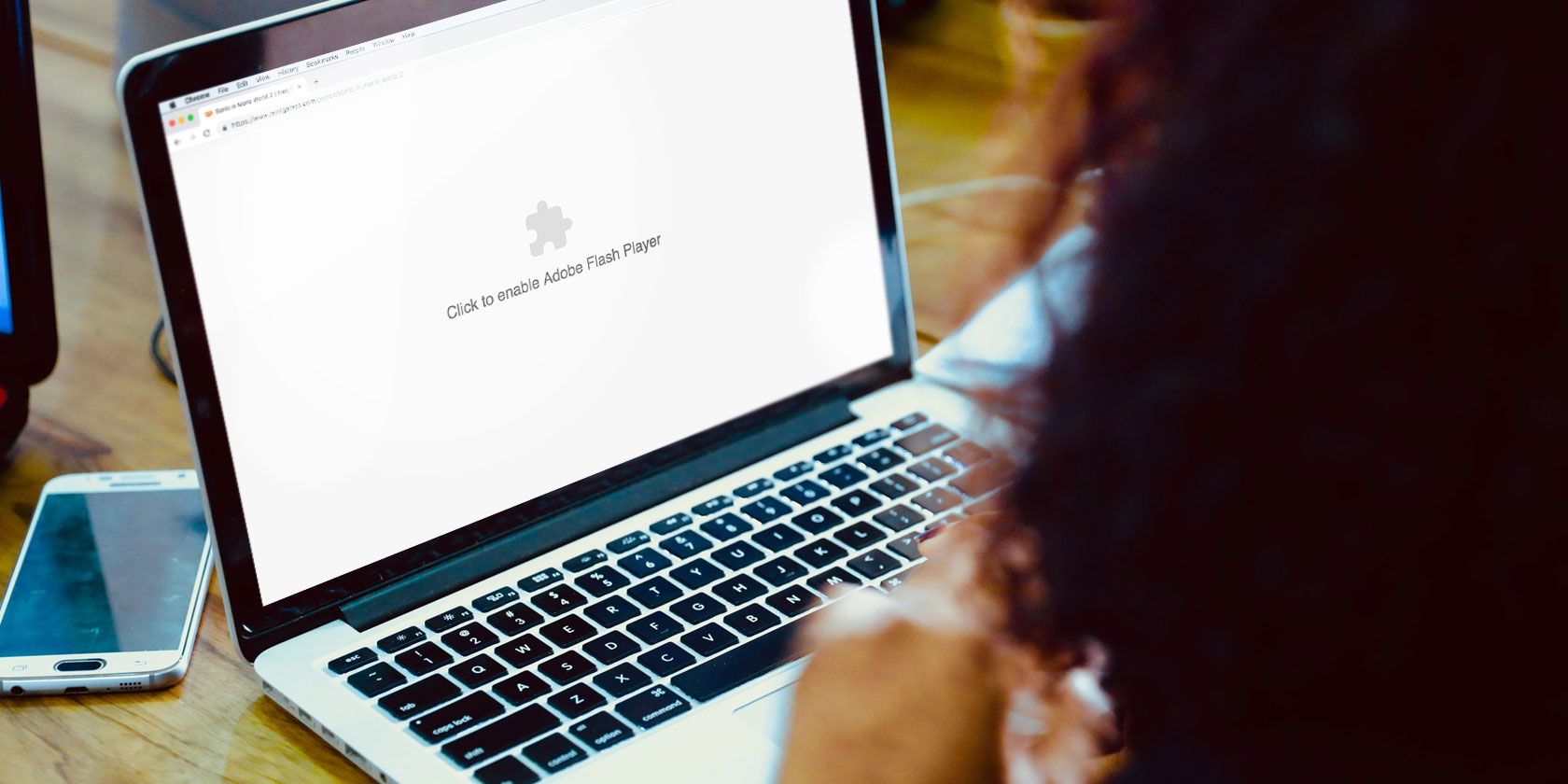
Here’s how you can enable Adobe Flash Player in Chrome, and better yet, how to keep Flash disabled until you click on it to play. This prevents Flash from autoplaying when websites load, reducing the chance of malicious code executing before you can stop it.

How to Enable Flash Player in Google Chrome

enable flash in google chrome settings tab

Here’s how to enable Flash Player in Chrome:

  1. Open the three-dot menu and select Settings.
  2. Scroll to the bottom and click Advanced.
  3. Under Privacy and Security, click Site Settings.
  4. Under Permissions, click Flash.
  5. Enable the setting so the label reads Ask first (recommended).
  6. Close the settings tab. You’re done!

How to Play Flash Content in Google Chrome

click to play flash content in google chrome

With Flash enabled in Chrome, whenever you visit a webpage with Flash content, you’ll need to click on the Flash player for it to start. This could be a nuisance if you have to deal with tons of Flash media every day, but otherwise, it’s a safe step to take—if you trust the site!

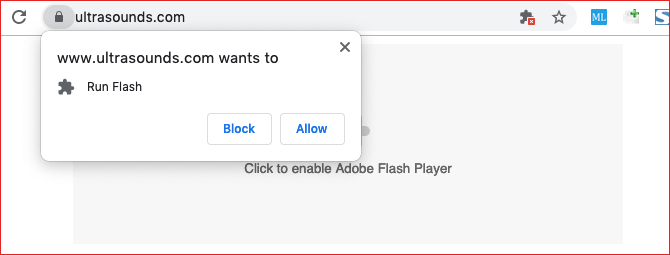
When you click, you’ll get a notification asking if you want to allow or block Flash for the current site. To run it, click Allow. The page will refresh and the Flash content will start as it should.

How to Change Flash Permissions in Google Chrome

Let’s say you accidentally blocked Flash content on a certain site, or worse, you accidentally allowed Flash content when you meant to block it! There are two ways to revoke or change Flash permissions for a site in Chrome.

Method 1: Use the Padlock

change flash permissions in google chrome padlock

Here’s how to change Flash permissions for a single site:

  1. Visit the site with Flash content.
  2. Click the padlock to the left of the address bar.
  3. Click the dropdown menu for Flash.
  4. Select the permission you want for the site.
  5. Click Reload to refresh the site.

Method 2: Use the Settings Tab

change flash permissions in google chrome settings

Here’s how to change Flash permissions using the Chrome Settings tab:

  1. Open the three-dot menu and select Settings.
  2. Scroll to the bottom and click Advanced.
  3. Under Privacy and Security, click Site Settings.
  4. Under Permissions, click Flash.
  5. Under the Block or Allow sections, find the site you want to change Flash permissions for, then click the trash icon to remove it from the list.
  6. Close the settings tab. You’re done!

Even More Security for Google Chrome

Flash isn’t the only security risk on the web. On top of malware and hackers, you also have to worry about password protection and data privacy. Check out our articles on essential Google Chrome privacy settings and best security extensions for Google Chrome.

Read the full article: How to Enable Flash in Chrome in 5 Easy Steps


Read Full Article

The Best Legal IPTV Service Providers in 2019


best-legal-iptv

There are dozens of IPTV services available, some providing illegal content, and others providing legal content. As tempting as it may be, you should avoid IPTV services that cross the line, and instead focus on those which stay firmly on the right side of the law.

Thankfully, there are plenty of legal IPTV service providers available. Some of which are free, and others that require a paid subscription. In this article, we find the best legal IPTV services that won’t get you in trouble with the law.

1. Hulu + Live TV

hulu sports channels

If you want a reliable IPTV service, you should consider Hulu. The company offers three streaming plans, but only the most expensive $44.99/month subscription provides access to live TV channels.

Networks in the Hulu + Live TV package include ABC, CBS, NBC, FOX Sports, ESPN, MSNBC, HGTV, Telemundo, and CNN. In total, more than 50 channels are available. Sports lovers can enjoy coverage of the NBA, NHL, NFL, NCAA, and the English Premier League.

Note: While Hulu may be one of the best IPTV services in the US, it isn’t available in other countries. European users will need to look elsewhere.

2. Sling TV

Another of the best IPTV providers in the US is Sling TV. It was the first IPTV provider to offer multi-channel live TV over the web after it went live in 2015.

Sling is also an IPTV subscription service. Two plans are available: Sling Orange and Sling Blue. Both cost $25/month.

The two plans offer different channels. Sling Orange includes channels from ESPN and Disney, but not FOX or NBC. Sling Blue is the opposite; you can watch content from FOX and NBC, but not ESPN or Disney.

If you want access to all the channels, you need to subscribe to both IPTV plans for $40/month (a 20 percent saving).

3. Pluto TV

pluto tv

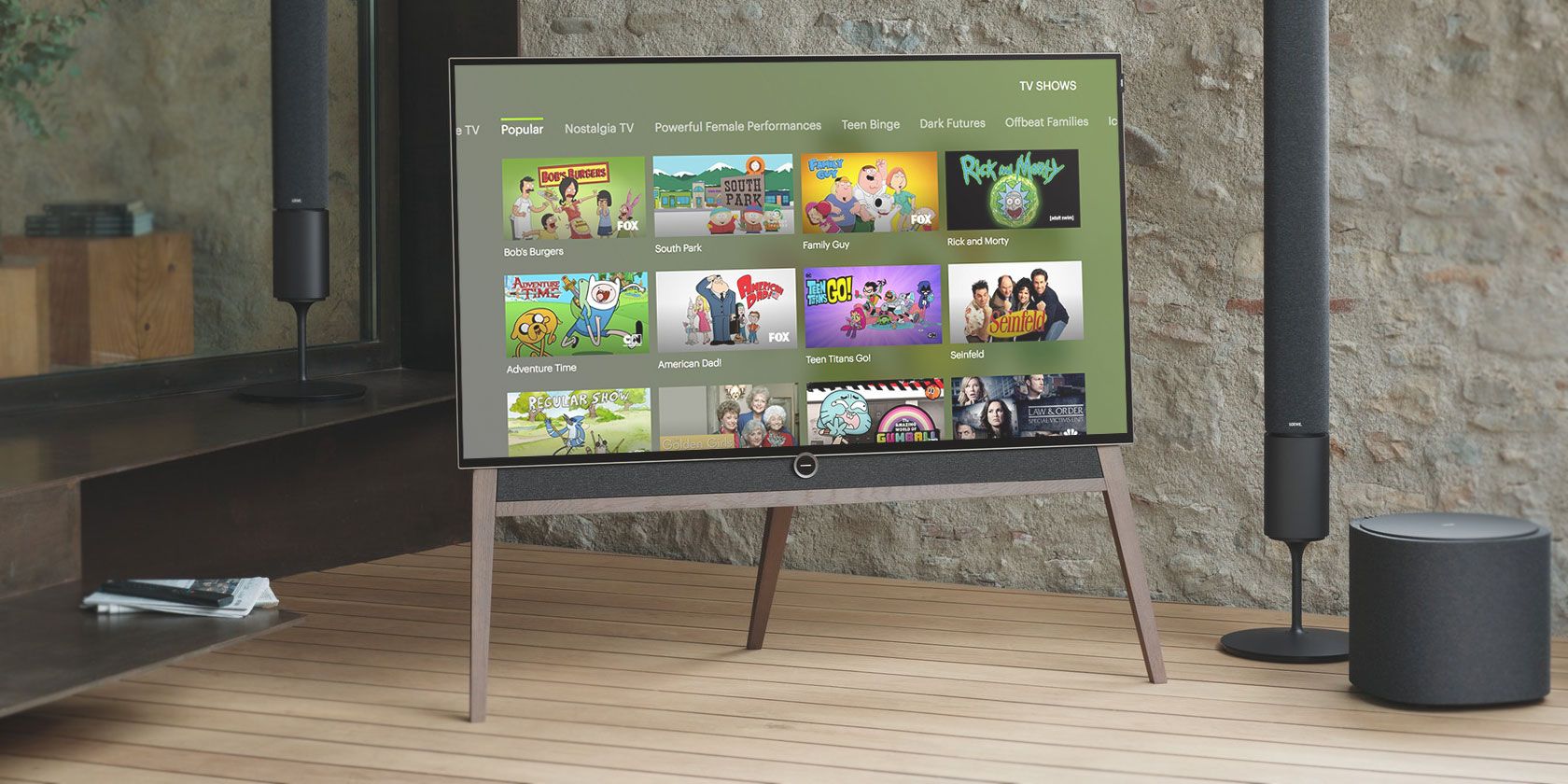
If you want the best free IPTV provider, check out Pluto. It works on all the major cord cutting devices, including Android TV, Roku, Apple TV, Amazon Fire TV, Chromecast, and several smart TVs. It’s also one of the best IPTV add-ons for Kodi.

A few premium channels are available. They include Sky News, Bloomberg, RT, and, depending on where you live, FOX Sports News.

Pluto also offers several of its own IPTV channels. They focus on particular genres of movies and TV shows. The Pluto app is available around the world.

4. DirecTV Now

Other IPTV providers in the US include PlayStation Vue and YouTube TV, but first, let’s talk about DirecTV Now.

DirecTV Now is a subsidiary of AT&T. The company offers six different IPTV subscriptions. The cheapest is the Select package. It costs $35/month and provides access to 155 channels. The most expensive plan is Premier. It will set you back $110/month but includes 330 channels.

Only the Premier subscription includes HBO, Showtime, Starz, and Cinemax. If you want ESPN and FOX Sports, you’ll need to pay $40/month.

If you sign up for DirecTV Now, you won’t be tied into a long IPTV subscription; you can cancel at any time without penalty.

5. USTVnow

ustvnow

Some of the options we’ve looked at so far are among the best IPTV services inside the US, but what if you’re not on American soil?

An excellent app to consider is USTVnow. It provides US expats and military members with access to five free IPTV channels. They are ABC, CBS, The CW, PBS, and MyTV9.

If you pay the $19/month IPTV subscription fee, you’ll also be able to watch AMC, FOX, Animal Planet, The Weather Channel, USA Network, ESPN, and more.

6. PlayStation Vue

Like many of the IPTV providers we’ve looked at so far, PlayStation Vue is only available in the United States.

Four IPTV plans are available through PlayStation Vue. They are Access ($44.99/month), Core ($49.99/month), Elite ($59.99/month), and Ultra ($79.99/month).

Disney and ESPN are available in the basic plan. Core adds ESPN News and the NFL Network. If you want HBO and Showtime, you need the Ultra subscription.

And don’t let the name confuse you; PlayStation Vue is available on multiple platforms—including Roku, Amazon Fire TV, Apple TV, and Android TV. There’s also a web app.

7. BBC iPlayer

Most of the main over-the-air TV networks in the UK provide their own streaming service. You can use them to watch live British TV and to catch up with old series and episodes on demand.

The BBC iPlayer service is the most well-known of the TV apps from the UK. To access it, you need to live in Britain. Non-British residents may have some success with a VPN or a smart DNS.

BBC iPlayer is also one of the best ways to watch IPTV on Kodi. There is a third-party BBC iPlayer add-on in the official Kodi repo.

8. YouTube TV

The last of the “big five” IPTV subscription providers in the US is YouTube TV.

There is only one plan available; it costs a flat $40/month and provides access to more than 60 IPTV channels, including ABC, FOX, CNN, NBA TV, FOX Sports, Comet, E!, and TNT.

Some additional add-on channels are available. Starz is an extra $9/month, Showtime is $7/month, AMC Premier is $5/month, and FOX Soccer Plus is $15/month.

YouTube TV is not yet available in all metro areas. Check directly on YouTube TV’s site to find out whether it’s available in your town.

9. TVPlayer

tvplayer

TVPlayer is a free IPTV provider in the UK.

You’ll get access to BBC One, BBC Two, ITV, Channel Four, Channel Five, Dave, More4, CBBC, BBC News, Food Network, Fashion TV, Travel Channel, and more.

If you want to watch ITV 2, 3, or 4, Comedy Central, E!, Eurosport, The History Channel, or National Geographic, you need to subscribe to a £9.99/month no-contract plan.

10. Zattoo

Zattoo is Europe’s best IPTV provider. It offers more than 200 free IPTV channels from countries across the continent, including the UK, Ireland, France, Germany, Spain, Portugal, Turkey, and more.

A premium subscription plan is available. In addition to the 200+ free channels, you’ll also receive more than 70 high-definition channels.

Zattoo costs roughly $10/month, depending on the exchange rate.

Choose the Best IPTV Service for You

We’ve listed the IPTV services that should meet your needs, no matter where in the world you live or what type of content you want to watch. Now you just need to choose the one that best suits you.

If you would like to learn more, be sure to read our articles listing the best IPTV apps on Android and detailing how to watch live TV on Kodi.

Read the full article: The Best Legal IPTV Service Providers in 2019


Read Full Article

The 7 Best Affiliate Programs to Make Money on Instagram


instagram-affiliate-programs

With billions of users and a large, captive audience, Instagram and affiliate marketing are a natural match. And, you don’t necessarily need a ton of followers to start making money.

In fact, many brands target Instagram users with between 2,000 and 15,000 followers, not the Kylie Jenners or Instagram Eggs of the world. Rather, they want “real” people with engaged audiences.

If you’re looking to make money on Instagram, here are the best affiliate programs to look into.

1. Amazon Associates

Amazon Associate Home

Amazon Associates is a well-known source of passive income for bloggers, but Instagrammers can leverage the platform too. Amazon is unique in the sense that you don’t need to have a website to get started.

Amazon’s guidelines state that affiliates have at least 500 organic followers and a public account. Instagram, Facebook, Twitter, YouTube, or a traditional blog all fit the bill.

Once you’ve signed up, your account will be approved for 180 days. During that period, you need to make at least one sale or Amazon will close your account.

How Much Do Amazon Associates Earn?

It depends. The retail giant has divided commissions by category. Special programs like Amazon Wedding Registry, Kindle, or Amazon Fresh offer a flat-rate payout, with most averaging around $3/sale. Others, like Kindle Unlimited, offer $10.

Product categories offer a certain percent commission. Beauty and fashion offer a 10 percent payout, while video games offer a measly 1 percent. Anytime someone uses your link you earn a commission, even if they navigate elsewhere and buy a different product.

Success on Amazon depends on a tightly focused niche social account (read: lots of traffic) or an established blog with a loyal audience.

Amazon Associates could be a good place to start “practicing” your affiliate marketing skills, as it’s easy to get the initial “in”. That said, if you don’t sell anything within your first 180 days, Amazon will kick you off the platform. Be sure to review Amazon’s operating agreement before diving in.

2. Rakuten

Rakuten affiliate dashboard

Rakuten is a Tokyo-based online retailer that allows affiliates to promote goods from 1000+ merchants.

Unfortunately, they don’t accept just anyone as Amazon does. Small or beginner affiliates likely won’t make the cut unless they have higher than average engagement rates.

Rakuten’s platform looks pretty slick—and it certainly makes the idea of being an affiliate look like this sort of cool, tech-forward opportunity. Publishers receive access to a suite of analytics tools, so they can hone in on what’s working and what’s not.

The process is a lot like Amazon’s. You’ll choose from a dizzying array of products and can track your progress through a selection of analytics tools.

The site doesn’t tell you how much you can earn. Its help section says that the “amount of revenue can vary widely.” Which we assume means that commissions depend on the brand and the amount of traffic you drive, rather than the category as you’ll see with Amazon.

3. CJ Affiliate

CJ affiliate

Formerly known as Commission Junction, CJ Affiliate gives publishers a central hub where they can connect with thousands of brands. CJ appears to be more focused on traditional blogger affiliates, but this could work for social channels as well.

The benefit of working with CJ is that its 15+ years in the affiliate game means its partner network is deep. With 3,000+ brands, including big names like Apple, TurboTax, and Home Depot, there’s a lot to choose from. The application process is a two-stage affair.

First, you’ll need to apply with a link to your website. CJ will review your site—looking at content, traffic, and optimization.

Once you’re in, you’ll still need to apply to each of the brands you’d like to work with separately. Brands will individually review your website, which means it may be held to a higher standard than you’ll find with something like Amazon Associates.

Unfortunately, some users have reported that rates are lower on average than other affiliate platforms. You’ll also need to make more than $50 in commissions to get your monthly payout.

4. Skimlinks

skimlinks simulation

What’s nice about Skimlinks is that the application process covers all of your bases. For example, once you’re in with Skimlinks, you’re in with the 20,000 merchants it works with.

You can also embed a snippet of Javascript on your site, and any existing links will be converted to affiliate links.

Skimlinks is geared mainly toward those with content sites. Instagram can definitely drive traffic and increase sales, but this works best for bloggers with a lot of outbound links on their website.

Skimlinks is pretty vague when it comes to sharing details about the payout. The FAQ section on the site says that several factors could affect pay, from product seasonality to how much traffic you drive.

They also take a 25 percent cut from your earned commissions, but there’s no charge to use the platform. Unfortunately, it could take a while to get paid. Commissions must be approved by retailers, and sometimes take up to 60 days to clear.

5. ShareASale

shareasale brands

ShareASale is a large affiliate network that connects you with around 4,500 merchants.

At a glance, the site looks a bit old. But, the company works with a long list of popular brands: allbirds, ModCloth, Wayfair, Warby Parker, and Reebok. Brands span a wide range of categories and commissions vary by product and advertiser.

Aspiring affiliates must have a website to get approved and share their promotional methods in their application.

The platform isn’t super selective, but the company does its due diligence to ensure your content sticks to a specific theme.

Publishers must enter their payment info to get started and must keep a $50 minimum balance in their account at all times. Fail to meet that minimum and ShareASale will charge you $25 to keep your account going. While not a huge expense, you’ll want to ensure that you’re ready to drive traffic as soon as your account is approved.

6. Clickbank

Clickbank brand examples

ClickBank is an affiliate platform that doesn’t offer much in the way of screening requirements, which makes it easy for anyone to sign up as a publisher.

ClickBank works a bit differently than the other options on this list. For one, the platform is used for digital products only, not physical goods. As you can see above, some of the products look a little iffy. Keep that in mind as you consider how numerology readings will fit into your Instagram feed.

What’s unique about ClickBank is that you get to choose the products you promote based on how much the company is willing to pay. So, while it wasn’t especially clear what the payout breakdown might look like, publishers do have some control over who they work with.

One of the biggest benefits is that ClickBank offers some pretty high commissions, in some cases up to 50-75 percent.

7. ShopStyle Collective

shopstyle collective sign up

ShopStyle Collective is all about helping people monetize their social accounts. It even offers a feature called “Looks” where you can create shoppable images, a major step up from directing followers to an external website. The sign-up process is relatively easy.

After you choose your username and password, you’ll fill out a series of short forms that ask how many followers you have, what platforms you use, and so on.

I filled out the form (using fake info, of course) and received a message that it would take 1-2 weeks to review my application.

Unlike Amazon, which basically lets anyone into the fold, ShopStyle does a little digging to ensure that you’re an actual influencer.

The company doesn’t outright say it, but it’s clear that the barrier to entry is much higher than the other platforms we’ve looked at. It’s probably not the best option for the absolute beginner.

According to a ShopStyle, influencers earn a percentage of every sale based on the platform’s Cost per Acquisition program. Commissions vary based on retailer.

Affiliate Marketing Isn’t Exactly Passive Income

Aspiring Instagram affiliates need to understand that there’s far more to making money on Instagram than hashtagging brands.

So, you’ll want to choose a platform that works for your experience and your audience. Rakuten and ShopStyle Collective are more selective about their affiliate publishers than Amazon or ClickBank.

With Instagram, it’s important to strike a balance between authentic content and product placement. Don’t sign up for a platform that doesn’t work with brands that you and your audience believe in.

Do you need some tips for connecting with your audience? Then take a cue from these brands killing it on Instagram.

Read the full article: The 7 Best Affiliate Programs to Make Money on Instagram


Read Full Article

How to Make GIFs From Your Burst Photos on iPhone

Measuring the Limits of Data Parallel Training for Neural Networks


Over the past decade, neural networks have achieved state-of-the-art results in a wide variety of prediction tasks, including image classification, machine translation, and speech recognition. These successes have been driven, at least in part, by hardware and software improvements that have significantly accelerated neural network training. Faster training has directly resulted in dramatic improvements to model quality, both by allowing more training data to be processed and by allowing researchers to try new ideas and configurations more rapidly. Today, hardware developments like Cloud TPU Pods are rapidly increasing the amount of computation available for neural network training, which raises the possibility of harnessing additional computation to make neural networks train even faster and facilitate even greater improvements to model quality. But how exactly should we harness this unprecedented amount of computation, and should we always expect more computation to facilitate faster training?

The most common way to utilize massive compute power is to distribute computations between different processors and perform those computations simultaneously. When training neural networks, the primary ways to achieve this are model parallelism, which involves distributing the neural network across different processors, and data parallelism, which involves distributing training examples across different processors and computing updates to the neural network in parallel. While model parallelism makes it possible to train neural networks that are larger than a single processor can support, it usually requires tailoring the model architecture to the available hardware. In contrast, data parallelism is model agnostic and applicable to any neural network architecture – it is the simplest and most widely used technique for parallelizing neural network training. For the most common neural network training algorithms (synchronous stochastic gradient descent and its variants), the scale of data parallelism corresponds to the batch size, the number of training examples used to compute each update to the neural network. But what are the limits of this type of parallelization, and when should we expect to see large speedups?

In "Measuring the Effects of Data Parallelism in Neural Network Training", we investigate the relationship between batch size and training time by running experiments on six different types of neural network across seven different datasets using three different optimization algorithms ("optimizers"). In total, we trained over 100K individual models across ~450 workloads, and observed a seemingly universal relationship between batch size and training time across all workloads we tested. We also study how this relationship varies with the dataset, neural network architecture, and optimizer, and found extremely large variation between workloads. Additionally, we are excited to share our raw data for further analysis by the research community. The data includes over 71M model evaluations to make up the training curves of all 100K+ individual models we trained, and can be used to reproduce all 24 plots in our paper.

Universal Relationship Between Batch Size and Training Time
In an idealized data parallel system that spends negligible time synchronizing between processors, training time can be measured in the number of training steps (updates to the neural network's parameters). Under this assumption, we observed three distinct scaling regimes in the relationship between batch size and training time: a "perfect scaling" regime where doubling the batch size halves the number of training steps required to reach a target out-of-sample error, followed by a regime of "diminishing returns", and finally a "maximal data parallelism" regime where further increasing the batch size does not reduce training time, even assuming idealized hardware.

For all workloads we tested, we observed a universal relationship between batch size and training speed with three distinct regimes: perfect scaling (following the dashed line), diminishing returns (diverging from the dashed line), and maximal data parallelism (where the trend plateaus). The transition points between the regimes vary dramatically between different workloads.
Although the basic relationship between batch size and training time appears to be universal, we found that the transition points between the different scaling regimes vary dramatically across neural network architectures and datasets. This means that while simple data parallelism can provide large speedups for some workloads at the limits of today's hardware (e.g. Cloud TPU Pods), and perhaps beyond, some workloads require moving beyond simple data parallelism in order to benefit from the largest scale hardware that exists today, let alone hardware that has yet to be built. For example, in the plot above, ResNet-8 on CIFAR-10 cannot benefit from batch sizes larger than 1,024, whereas ResNet-50 on ImageNet continues to benefit from increasing the batch size up to at least 65,536.

Optimizing Workloads
If one could predict which workloads benefit most from data parallel training, then one could tailor their workloads to make maximal use of the available hardware. However, our results suggest that this will often not be straightforward, because the maximum useful batch size depends, at least somewhat, on every aspect of the workload: the neural network architecture, the dataset, and the optimizer. For example, some neural network architectures can benefit from much larger batch sizes than others, even when trained on the same dataset with the same optimizer. Although this effect sometimes depends on the width and depth of the network, it is inconsistent between different types of network and some networks do not even have obvious notions of "width" and "depth". And while we found that some datasets can benefit from much larger batch sizes than others, these differences are not always explained by the size of the dataset—sometimes smaller datasets benefit more from larger batch sizes than larger datasets.

Left: A transformer neural network scales to much larger batch sizes than an LSTM neural network on the LM1B dataset. Right: The Common Crawl dataset does not benefit from larger batch sizes than the LM1B dataset, even though it is 1,000 times the size.
Perhaps our most promising finding is that even small changes to the optimization algorithm, such as allowing momentum in stochastic gradient descent, can dramatically improve how well training scales with increasing batch size. This raises the possibility of designing new optimizers, or testing the scaling properties of optimizers that we did not consider, to find optimizers that can make maximal use of increased data parallelism.

Future Work
Utilizing additional data parallelism by increasing the batch size is a simple way to produce valuable speedups across a range of workloads, but, for all the workloads we tried, the benefits diminished within the limits of state-of-the-art hardware. However, our results suggest that some optimization algorithms may be able to consistently extend the perfect scaling regime across many models and data sets. Future work could perform the same measurements with other optimizers, beyond the few closely-related ones we tried, to see if any existing optimizer extends perfect scaling across many problems.

Acknowledgements
The authors of this study were Chris Shallue, Jaehoon Lee, Joe Antognini, Jascha Sohl-Dickstein, Roy Frostig and George Dahl (Chris and Jaehoon contributed equally). Many researchers have done work in this area that we have built on, so please see our paper for a full discussion of related work.

Apple updates iMac Pro options


While Apple refreshed the iMac lineup this morning, the default iMac pro that you can buy for $4,999 remains the same. But Joe Rossignol from MacRumors spotted some changes in the configure-to-order options.

You can now buy an iMac Pro with 256GB of 2,666MHz DDR4 ECC memory — not storage, RAM. But that will cost you a small fortune as you need to spend an extra $5,200 to jump from 32GB of RAM to 256GB of RAM.

But if you don’t need that much RAM, the good news is that other RAM options are now cheaper than before. For instance, upgrading from 32GB to 64GB of RAM now costs $400 instead of $800. Given that you can’t easily replace the memory on the iMac Pro, this is a nice change for people planning to buy an iMac Pro.

When it comes to GPU, Apple has added a new top tier GPU — the AMD Radeon Pro Vega 64X with 16GB of HBM2 memory. It’s unclear whether the Vega 64X is much faster than the Vega 64 GPU. But once again, Apple is lowering the price of the Vega 64 upgrade, from $600 to $550. It costs $700 to get the Vega 64X.

Finally, SSD upgrades are now a bit cheaper as well. Upgrading from 1TB to 2TB now costs $600 instead of $800. And upgrading from 1TB to 4TB now costs $2,400 instead of $2,800.

The iMac Pro targets a specific market — people who need an incredibly powerful and stable computer when it comes to CPU, GPU, memory and connectivity. If you know you need a bottomless pit of performance, it’ll cost you a lot of money. But it’s good to see that there are now more options and more ways to configure the iMac Pro to your needs.


Read Full Article
Instagram launches shopping checkout, charging sellers a fee


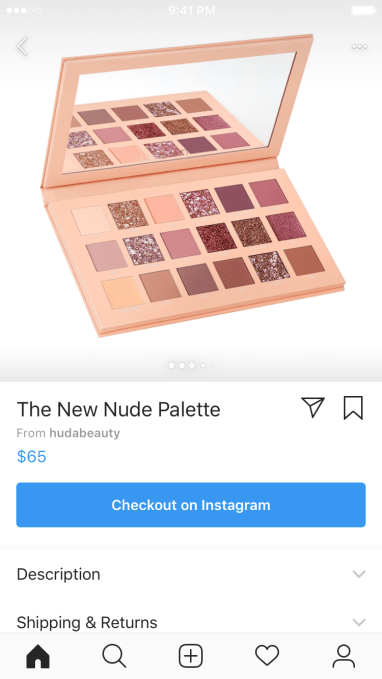
Instagram is opening a whole new revenue stream. Now the 130 million people who tap Instagram’s product tags on shopping posts will be able to buy those items without leaving the app thanks to stored payment info. “Checkout with Instagram” launches today in the US with more than 20 top brands including Adidas, Kylie Cosmetics, and Warby Parker who’ll no longer have to direct customers to their website to make a purchase..

An Instagram spokesperson confirms to TechCrunch “We will introduce a selling fee to help to fund programs and products that help make checkout possible, as well as offset transaction-related expenses.” When we asked how much the ‘selling fee’ would charge merchants, the spokesperson told us “We aren’t sharing the specific number right now. We are testing a selling fee with businesses during the closed beta. It will not change the price of the items for consumers.” That indicates Instagram wants merchants to cough up the fee in exchange for higher purchase conversion rates rather than forcing users to pay a convenience fee for buying through the app.

Instagram’s ad business could also get a boost as Checkout could convince brands that the social network produces better return on investment since there are fewer steps before purchase. For now, only organic posts from the launch partner merchants will feature Checkout buttons, and ads aren’t eligible. But Checkout-equipped ads could be a gold mine for Instagram just as Facebook’s News Feed ad business looks shaky and CEO Mark Zuckerberg declares commerce as a fixture of the 2019 roadmap.

Checkout tags will appear on feed posts, Stories, and Explore content from the brands in the closed beta that Instagram plans to eventually open to more businesses. When users tap the post to reveal product tags and open one, they’ll see a Checkout with Instagram button instead of the old “View on Website” button.

Their first time through they’ll enter their payment information that’s stored for future purchases. “With their protected payment information in one place, they can shop their favorite brands without needing to log in and enter their information multiple times” Instagram explains. Saving merchants from abandoned shopping carts left by users frustrated with having to sign up with each different brand is the key value offering here. TechCrunch recently reported Instagram is prototyping a Fundraiser sticker for Stories that similarly saves payment info — a database Instagram clearly wants to build up.

After users buy something within Instagram, they’ll be able to track it from a new “Orders” section of their profile that shows the status of an order plus options to cancel, initiate a return, or contact the merchant. They’ll also get a notification from Instagram when the order ships. Interestingly, Instagram isn’t mixing receipts into its messaging product like Facebook does with Messenger.

Merchants will only get the details necessary to fulfill an order, including contact info and address, but not your actual payment info. Users will see an opt-in option to share their email address with the seller for marketing purposes. Checkout with Instagram could leave merchants with a little less data than if the purchase happened on their website. But Instagram says it will provide info on which sales it generates for a merchant.

Users can pay with PayPal, Visa, Mastercard, American Express, or Discover. Instagram plans to allow merchants to integrate their Shopify, BigCommerce, ChannelAdvisor, CommerceHub, and other tools with the Checkout feature. Meanwhile, Instagram confirms that interacting with Checkout will be used as a signal for ranking what content you see. Payments are processed by PayPal — an area of business Facebook has been content not to invade, and PayPal’s fees will likely be covered by Facebook’s selling fee.

“We started using product tags to make shopping more convenient for our customers” writes Warby Parker co-founder and co-CEO Neil Blumenthal. “Checkout takes this experience one step further, making it even more intuitive and seamless for people who have discovered products they want to purchase instantaneously.” Here’s the full list of launch partner brands: Adidas, Anastasia Beverly Hills, Balmain, Burberry, ColourPop, Dior, Huda Beauty, H&M, KKW Beauty, Kylie Cosmetics, MAC Cosmetics, Michael Kors, NARS, Nike, NYX Cosmetics, Oscar de la Renta, Outdoor Voices, Ouai Hair, Prada, Revolve, Uniqlo, Warby Parker and Zara.

There’s still no sign of an Instagram standalone shopping app that was reportedly in the works. Instead, it launched a dedicated Shopping channel in Explore and tags for Stories six months ago. We recently spotted Instagram prototyping a Pinterest-style feature that would let users make their private Collections of Saved posts publicly visible. That would be a great way for commerce influencers to recommend Checkout-equipped products. Facebook has spent five years experimenting with different Buy buttons, but now it finally has them in a place they feel natural.

Instagram has fiercely protected the right to link out of its app in order to keep you steadily consuming its content. Now with over one billion users, Instagram has trapped people’s attention inside, and it’s finally ready to sell the right to sell there.


Read Full Article

Xiaomi outs Redmi Go, a $65 entry-level smartphone for India


Chinese smartphone maker Xiaomi has announced a new entry level smartphone at an event in Delhi.

The entry-level smartphone is targeted at the Indian market and looks intended to woo feature phone owners to upgrade from a more basic mobile.

It runs Google’s flavor of Android optimized for low-powered smartphones (Android Go) which supports lightweight versions of apps.

Under the hood the dual-SIM handset has a Qualcomm Snapdragon 425 chipset, 1GB RAM and 8GB of storage (though there’s a slot for expanding storage capacity up to 128GB).

Also on board: 4G cellular connectivity and a 3000mAh battery.

Up front there’s a 5 inch HD display with a 16:9 aspect ration, and 5MP selfie camera. An 8MP camera brings up the rear, with support for 1080p video recording.

At the time of writing the Redmi Go is being priced at 4,499 rupee (~$65). Albeit a mark-down graphic on the company’s website suggests the initial price may be a temporary discount on a full RRP of 5,999 rupees (~85). We’ve asked Xiaomi for confirmation.

Xiaomi’s website lists it as available to buy at 12PM March 22.

While Xiaomi is squeezing its entry level smartphone price-tag here, the Redmi Go’s cost to consumers in India still represents a sizeable bump on local feature phone prices.

For example the Nokia 150 Dual SIM candybar can cost as little as 1,500 rupees (~20). Though there’s clearly a big difference between a candybar keypad mobile and a full-screen smartphone. Yet 3x more expensive represents an immovable barrier for many consumers in the market.

The Redmi Go also looks intended to respond to local carrier Reliance Jio’s 4G feature phones, which are positioned — price and feature wise — as a transitionary device, sitting between a dumber feature phone and full-fat smartphone.

The JioPhone 2 launched last year with a price tag of 2,999 rupees (~40). So the Redmi Go looks intended to close the price gap — and thus try to make a transitionary handset with a smaller screen less attractive than a full screen Android-powered smartphone experience.

That said, the JioPhone handsets run a fork of Firefox OS, called KaiOS, which can also run lightweight versions of apps like Facebook, Twitter and Google.

So, again, many India consumers may not see the need (or be able) to shell out ~1,500 rupees more for a lightweight mobile computing experience when they can get something similar for cheaper elsewhere. And indeed plenty of the early responses to Xiaomi’s tweet announcing the Redmi Go brand it “overpriced”.


Read Full Article

In big tech’s future expansion plans, public good should be the corporate incentive


The cancellation of Amazon’s planned expansion in New York exposes the truth about its HQ2 promises. In the end, the company seemed mainly interested in tax incentives and being allowed to make a corner of NYC once set aside for public housing and schools its own.

Meanwhile, Arlington county officials are revisiting plans to deliver locally-funded financial incentives to Amazon in exchange for the development of DC-adjacent “National Landing.”

Increasingly, communities are demanding that tech companies bring more to the table than they take. Locals want them to stimulate the local economy and fortify startup ecosystems rather than hire away people and raise housing prices. After all, talent is the most precious resource in the digital economy, and if cities nourish it, the tech firms will come naturally.

There’s plenty to dislike about the way Amazon approached its HQ2 search. Encouraging cities to throw sweeteners at a multinational run by the world’s richest man was spectacularly tone deaf at a time of growing anxiety about inequality. But there is an upside: the HQ2 experiment can still serve as a watershed moment that brings into focus the need for greater corporate responsibility with big tech expansions.

Toronto was one of only two HQ2 bid “finalists” – along with Austin, Texas – that did not offer any tax incentives to Amazon leading up to the reveal. The reasoning by the city’s bid leader, Toronto Global CEO Toby Lennox, was simple: Toronto should win Amazon’s presence, job creation potential and global connectivity thanks to the city’s well-educated and culturally diverse workforce, connected economy and excellent quality of life.

Perhaps it’s no surprise that the HQ2 bid was not widely embraced by Toronto’s ecosystem. Subsidies aside, startup CEOs worried that the presence of Amazon might come at the expense of local companies already fighting for top engineers. Amazon offered little in return to the community – upskilling and expanding the talent pool was not part of its playbook.

It’s notable that in Virginia, where the other half of Amazon’s HQ2 has faced less controversy than New York, the state’s incentive package included investing $1.1 billion in its higher education system to build its talent pipeline. That creates benefits for everyone, not just Amazon.

Amazon’s move will, I suspect, come to be seen as the high-water mark for Big Tech hubris. There are enormous benefits to a city in attracting major tech firms – the name-recognition alone acts as a signal to investors and engineers that interesting things are happening there. But, in the future, I believe we will see far fewer attempts to create vast corporate campuses with helipads, and more effort to integrate into the existing ecosystem.

Apple iPad event

Apple and Google are both expanding in New York without a similar backlash because their plans are smaller scale and seen to complement the city rather than ignore it.

Last fall, when Uber CEO Dara Khosrowshahi announced plans to build a new engineering center in Toronto, he stressed the importance of ramping up operations responsibly. He underscored that the company will pace its hiring and staff relocation to avoid stifling the ecosystem of artificial intelligence startups and researchers that had attracted Uber to the city in the first place.

Investments in local economies – like Microsoft’s recent $500 million promise to deliver more affordable housing in Seattle – are also going to become increasingly important for Big Tech companies if they want to retain public support.

There are lessons here for both civic leaders and tech executives. It’s easy to see why cities jump at the chance of bringing in tens of thousands of jobs, but that has to be balanced against the interests of the city’s homegrown tech companies and existing communities.

Tech companies need to accept that their social license to operate is being called into question as never before and that they need to put more emphasis on public engagement, job creation for local people and infrastructure improvements in their future plans. The aim should be for new players to grow local economies that benefit every stakeholder – not arrive with a splash that destabilizes the communities we need to build.

Amazon and its fellow tech giants must embrace that public good is the best corporate incentive.


Read Full Article