19 July 2018

How to Save Images That Are in Microsoft Word and Google Doc Files


google-docs-microsoft-word

We’ve all been there: Someone sends you a document with images and you need to save one of the images. You right-click an image, but there’s no way to save it to your computer.

Luckily, whether you’re using Microsoft Office or Google Docs, there’s actually a nifty workaround that you can use to save any image in any document to your computer.

How to Save Images From a Google Document

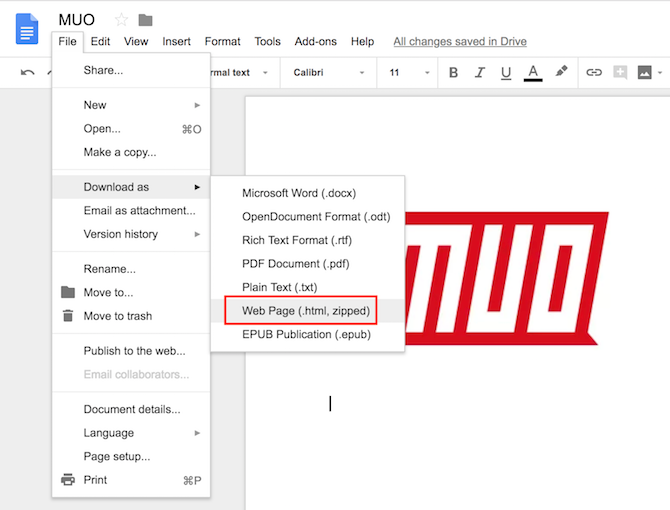
So if you’ve tried the obvious: right-clicking on the image, you already know that doesn’t work. Instead, if you want to save an image in a Google Doc, here’s what you need to do:

  1. Go to File > Download as > Web Page (HTML).
  2. Open the ZIP file that has been saved to your computer.
  3. Inside that ZIP file, you’ll find a folder called Images, inside which you’ll find all the images that were inserted into that Google document.

How to Save Images From a Microsoft Word Document

In some version of Microsoft Word you can just right click an image and save it to your machine. If that’s not the case for the version you use, you can use a similar trick to extract images from a Word document.

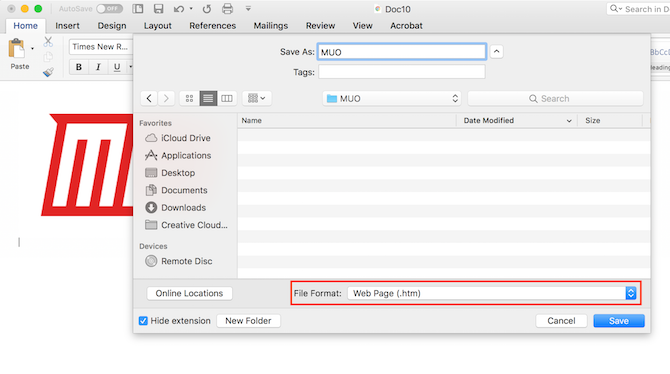
  1. Open the document and go to File > Save as.
  2. From the dropdown menu for File Format, select Web page (.htm).
  3. Navigate to where you saved your file, and double-click to open it. It will open in your default browser.
  4. You can now right-click images in the document, and from the context menu select Save image as and save the image in the location of your choice.

This is just one of plenty of productivity tips for Microsoft Word and productivity tips for Google Docs that will make your life much easier.

Read the full article: How to Save Images That Are in Microsoft Word and Google Doc Files


Read Full Article

How to Generate Dummy Placeholder Text in Microsoft Word Documents


Microsoft Word has lots of layout settings. Indeed, a power user can use the app to make a document that’s unrecognizable from the typical view that most people are used to.

But if you’ve spent ages perfecting your layout, you probably want to test it with dummy text before you start typing for real. You don’t want to run into any unexpected formatting issues when you’re mid-flow. The solution is to use Lorem Ipsum text.

What Is Lorem Ipsum?

Lorem Ipsum is placeholder text. It’s also referred to as greeked text, blind text, dummy text, and filler text.

To the uncultured eye, it looks like Latin. And while that’s partially true, the text itself doesn’t make sense. Typically, it’s a scrambled version of Cicero’s famous 1st-century BC work, De finibus bonorum et malorum, with a few extra words thrown in.

It’s been used in printers and typesetters since the 1500s but became commonplace in the 1960s.

How to Generate Dummy Text in Microsoft Word

You can easily add Lorem Ipsum text on Word, just follow the instructions below.

  1. Open Microsoft Word.
  2. Place the cursor where you want to add the text.
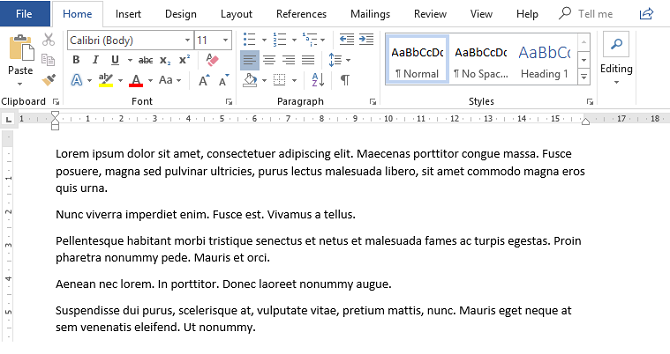
  3. Type =lorem().
  4. Press Enter.

By default, the code will add three paragraphs consisting of three lines each. You can change those values by adding numbers between the brackets.

The first number refers to the paragraphs; the second number refers to the lines. For example, =lorem(6,8) would create six paragraphs of eight lines each, while =lorem(2,10) would create two paragraphs of 10 lines each.

You can edit and format the Lorem Ipsum text after you’ve added it by using the same tools and shortcuts as you use to edit regular text.

If you’d like to learn more about Microsoft Word layouts, make sure you check out our article on Microsoft Word formatting tricks you should know.

Image Credit: dennizn/Depositphotos

Read the full article: How to Generate Dummy Placeholder Text in Microsoft Word Documents


Read Full Article

How to Enable or Disable 24-Hour Time on Android and iPhone

How to Pay What You Want for 156 Hours of Coding Tutorials


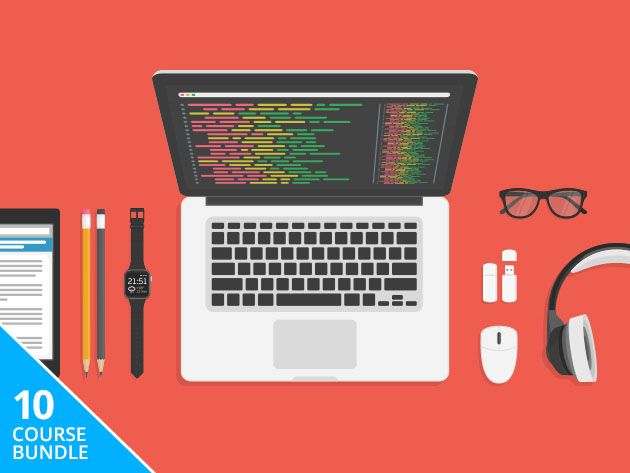
Whether you want to become a pro developer or simply earn a promotion, there are many reasons why you should learn to code. Whatever your motivation, the Learn to Code 2017 Bundle can help you achieve your goals. This mammoth 10-course learning library includes 156 hours of video tutorials, covering the most popular languages and frameworks. Right now, you can pay what you like for the bundle (worth $1,573) at MakeUseOf Deals.

An Affordable Education

Some people pay thousands of dollars for a college education in code. This bundle proves that you can become a great programmer without a mountain of debt.

The lineup includes 51 hours of instruction on web development, covering HTML5, CSS3, Bootstrap, JavaScript, jQuery, PHP, MySQL, and more. These skills allow you to create custom websites from scratch, and get paid handsomely for the task. You can then extend your knowledge with separate courses on JavaScript programming and the Angular 2 framework.

How to Make a Freaking iPhone App shows you how to code with Swift and make your fortune on the App Store. You also learn the basics of Python, Ruby and Java through fun projects, along with Google Go, Scala, and Git version control.

Name Your Price

The deal works like this: you can pay whatever you want for one course (JavaScript Programming Complete). Simply beat the average price paid to get lifetime access to all 10 courses, worth $1,537.

Read the full article: How to Pay What You Want for 156 Hours of Coding Tutorials


Read Full Article

And now, here’s a ‘Trumpy Cat’ augmented reality app from George Takei


Anyone who follows George Takei on Twitter can tell you that Star Trek‘s original Sulu is not a fan of President Donald Trump. But he’s found a new way to express that criticism — not just in tweets, interviews and op-eds, but also in an augmented reality app called House of Cats.

The app was built in partnership with Montreal-based development company BMAD, and it allows users to interact animated animal characters like Trumpy Cat, Meowlania, Vladdy Putin and Lil’ Rocket Pug. They can add their own voice recordings, superimpose the animals on real environments and take photos with them — Takei suggested including Trumpy Cat in photos of real-world protests.

When I asked where the idea came from, Takei had a simple explanation : “The Internet loves the combination of politics and cats.”

While the app looks pretty silly, Takei made the by-now-commonplace observation that satire is having a hard time keeping up with the daily news.

We spoke shortly after Trump had his press conference with Vladimir Putin — setting off this week’s cycle of criticism, denial and missing double negatives — and Takei told me, “No augmented reality could have created the true reality of what we saw this morning: Donald Trump standing shoulder-to-shoulder with Vladimir Putin … his denial of the attack on the core activity of our democratic system.”

Takei added that humor is a key ingredient in getting a serious message out into the world. He’s pointed to his embrace of memes (particularly Grumpy Cat) as one of the main drivers of his popularity on social media, which in turn gives him a bigger platform for his political views.

“I’m a political activist — I have been since I was a teenager, largely because of my childhood incarceration behind American barbed wire fences,” Takei said. He said his social media presence is meant to be an extension of that activism, but, “I notice that if I’m documenting the truth, people are nodding off. [So] I try to kind of inject a little humor into it.”

The app costs 99 cents, and there are plans for subscription content as well. It might seem strange to pay money for a satirical cat app, but keep in mind that some of the profits will go to Refugees International.

“Making a mockery of this particular person is going to be a very effective tool,” Takei said. “We’ll have fun while we also accomplish our mission to make this a better America.”


Read Full Article

Announcing Cirq: An Open Source Framework for NISQ Algorithms


Over the past few years, quantum computing has experienced a growth not only in the construction of quantum hardware, but also in the development of quantum algorithms. With the availability of Noisy Intermediate Scale Quantum (NISQ) computers (devices with ~50 - 100 qubits and high fidelity quantum gates), the development of algorithms to understand the power of these machines is of increasing importance. However, a common problem when designing a quantum algorithm on a NISQ processor is how to take full advantage of these limited quantum devices—using resources to solve the hardest part of the problem rather than on overheads from poor mappings between the algorithm and hardware. Furthermore some quantum processors have complex geometric constraints and other nuances, and ignoring these will either result in faulty quantum computation, or a computation that is modified and sub-optimal.*

Today at the First International Workshop on Quantum Software and Quantum Machine Learning (QSML), the Google AI Quantum team announced the public alpha of Cirq, an open source framework for NISQ computers. Cirq is focused on near-term questions and helping researchers understand whether NISQ quantum computers are capable of solving computational problems of practical importance. Cirq is licensed under Apache 2, and is free to be modified or embedded in any commercial or open source package.
Once installed, Cirq enables researchers to write quantum algorithms for specific quantum processors. Cirq gives users fine tuned control over quantum circuits, specifying gate behavior using native gates, placing these gates appropriately on the device, and scheduling the timing of these gates within the constraints of the quantum hardware. Data structures are optimized for writing and compiling these quantum circuits to allow users to get the most out of NISQ architectures. Cirq supports running these algorithms locally on a simulator, and is designed to easily integrate with future quantum hardware or larger simulators via the cloud.
We are also announcing the release of OpenFermion-Cirq, an example of a Cirq based application enabling near-term algorithms. OpenFermion is a platform for developing quantum algorithms for chemistry problems, and OpenFermion-Cirq is an open source library which compiles quantum simulation algorithms to Cirq. The new library uses the latest advances in building low depth quantum algorithms for quantum chemistry problems to enable users to go from the details of a chemical problem to highly optimized quantum circuits customized to run on particular hardware. For example, this library can be used to easily build quantum variational algorithms for simulating properties of molecules and complex materials.

Quantum computing will require strong cross-industry and academic collaborations if it is going to realize its full potential. In building Cirq, we worked with early testers to gain feedback and insight into algorithm design for NISQ computers. Below are some examples of Cirq work resulting from these early adopters:
To learn more about how Cirq is helping enable NISQ algorithms, please visit the links above where many of the adopters have provided example source code for their implementations.

Today, the Google AI Quantum team is using Cirq to create circuits that run on Google’s Bristlecone processor. In the future, we plan to make this processor available in the cloud, and Cirq will be the interface in which users write programs for this processor. In the meantime, we hope Cirq will improve the productivity of NISQ algorithm developers and researchers everywhere. Please check out the GitHub repositories for Cirq and OpenFermion-Cirq — pull requests welcome!

Acknowledgements
We would like to thank Craig Gidney for leading the development of Cirq, Ryan Babbush and Kevin Sung for building OpenFermion-Cirq and a whole host of code contributors to both frameworks.


* An analogous situation is how early classical programmers needed to run complex programs in very small memory spaces by paying careful attention to the lowest level details of the hardware.


‘Underwater Pokéball’ snatches up soft-bodied deep dwellers


Creatures that live in the depths of the oceans are often extremely fragile, making their collection a difficult affair. A new polyhedral sample collection mechanism acts like an “underwater Pokéball,” allowing scientists to catch ’em all without destroying their soft, squishy bodies in the process.

The ball is technically a dodecahedron that closes softly around the creature in front of it. It’s not exactly revolutionary except in that it is extremely simple mechanically — at depths of thousands of feet, the importance of this can’t be overstated — and non-destructive.

Sampling is often done via a tube with moving caps on both ends into which the creature must be guided and trapped, or a vacuum tube that sucks it in, which as you can imagine is at best unpleasant for the target and at worst, lethal.

The rotary actuated dodecahedron, or RAD, has five 3D-printed “petals” with a complex-looking but mechanically simple framework that allows them to close up simultaneously from force applied at a single point near the rear panel.

“I was building microrobots by hand in graduate school, which was very painstaking and tedious work,” explained creator Zhi Ern Teoh, of Harvard’s Wyss Institute, “and I wondered if there was a way to fold a flat surface into a three-dimensional shape using a motor instead.”

The answer is yes, obviously, since he made it; the details are published in Science Robotics. Inspired by origami and papercraft, Teoh and his colleagues applied their design knowledge to creating not just a fold-up polyhedron (you can cut one out of any sheet of paper) but a mechanism that would perform that folding process in one smooth movement. The result is the network of hinged arms around the polyhedron tuned to push lightly and evenly and seal it up.

In testing, the RAD successfully captured some moon jellies in a pool, then at around 2,000 feet below the ocean surface was able to snag squid, octopus, and wild jellies and release them again with no harm done. They didn’t capture the octopus on camera, but apparently it was curious about the device.

Because of the RAD’s design, it would work just as well miles below the surface, the researchers said, though they haven’t had a chance to test that yet.

“The RAD sampler design is perfect for the difficult environment of the deep ocean because its controls are very simple, so there are fewer elements that can break,” Teoh said.

There’s also no barrier to building a larger one, or a similar device that would work in space, he pointed out. As for current applications like sampling of ocean creatures, the setup could easily be enhanced with cameras and other tools or sensors.

“In the future, we can capture an animal, collect lots of data about it like its size, material properties, and even its genome, and then let it go,” said co-author David Gruber, from CUNY. “Almost like an underwater alien abduction.”


Read Full Article

The Galaxy Note 9 is leaking out all over the place


The Galaxy Note 9 won’t be announced until August. You wouldn’t know it by reading the internet, however. Every nook and cranny of the upcoming phablet has been bared for the world, in a series of leaks over the past several weeks.

Sure, not all of them will pan out, but plenty have come from leakers with established track records, and enough of the details line up so as to paint a wholly believable portrait of the phone we’ll finally get an official look at early next month.

And then there’s this:

That’s a picture of Samsung CEO DJ Koh using what appears to be the Note 9 at a media event. The differences are subtle, but they’re there in the camera housing, which is among a few small visible changes to the upcoming device. Like, good on DJ Koh for using the company’s products, S Pen and all, but even by Samsung’s traditionally leaky standards, that’s a little silly.

Maybe Samsung doesn’t mind. Maybe it’s just happy to have everyone talking about the Note 9, while it’s hard at work on that folding phone we’ve heard so much about.

The above camera housing is in line with another recent post from perennial leaker, EVLeaks, which shows off a full front and back render of the upcoming handset:

There’s also an S Pen, with a yellow coat of paint that’s in line with the image the company sent out with the invite to the August event. The fingerprint sensor has been moved below the camera there, rather than next to it as it was on the Note 8. That was a clear mistake, and Samsung fixed it for the S9. Logic follows that they would do the same on the new Note.

That, in turn, appears to confirm this photo of an actual unit from Slashleaks, which bears an extremely effective “No photo allowed/Do not leak info” sticker. At least Samsung tried, I guess.

More (but not that much more, from the looks of it) will be revealed on August 9.


Read Full Article

Facebook can now sync your Instagram contacts to Messenger


Facebook wants to expand your Messenger contact list with a little help from Instagram. The company has launched a feature in Messenger that pulls in your contacts from Instagram, if you opt to connect your account. The option appears in Messenger’s “People” tab, alongside the existing option to sync your phone’s contacts with Messenger.

The feature was first spotted by Jane Manchun Wong, who posted a screenshot to Twitter.

Others outside the U.S. noticed the option as well.

We also found the option enabled in our own Messenger app, and have now confirmed with Facebook it’s a full public launch.

When you tap on “Connect Instagram,” Messenger adds contacts from Instagram automatically. In addition, your Instagram username and account also then becomes visible to other people on Messenger.

The result is an expanded social graph of sorts — one that combines the friends and family you know from Facebook, with those you know from Instagram.

Not everyone is thrilled with the feature, however.

As one Twitter user pointed out, it’s not clear that pushing “Connect Instagram” (the button’s title that appeared to some), means Messenger will automatically add your Instagram contacts to Messenger. It seems that you should be given a choice here as to if you want to add them, but that’s not the case.

In December 2017, TechCrunch spotted a very similar option to sync Instagram contacts to Messenger in the same People section. However, the option never launched to the public and later disappeared. But the recent re-emergence of the feature is not a continued test — it’s now rolled out, Facebook says.

This is not the first time Facebook has added integrations between its apps.

For example, in 2016 it gave businesses access to a unified inbox of conversations from across its platforms, including Facebook, Instagram and Messenger. Last year, it also tested a cross-app notification feature. There’s even an option to launch Facebook right in Instagram itself, via an icon on your Instagram profile page.

The timing of the launch is notable, given that Instagram’s own Direct Messaging service has become a popular communications service of its own.

Instagram Direct as of April 2017 had 375 million users, and was spun off into its own standalone app last year in select countries outside the U.S. With so many users now messaging through Facebook-owned Instagram, it’s clear that Facebook wants to capitalize on that activity to grow its own Messenger app, too.


Read Full Article

The 6 Best Ebook Subscription Services for Unlimited Reading


Internet subscription services are the future. For TV and movies, you’ve got Netflix. For music, you’ve got Spotify. They offer unlimited streaming of media for a flat monthly rate, offering some of the best entertainment value around.

If there was an internet subscription for literature, that’d complete the trifecta, wouldn’t it? Well, there is! Ebook subscription services have been around for a while now, and if you’re an avid reader, you’re missing out if you aren’t taking part.

These ebook subscription services can unlock an entire world of literature to be downloaded and read on demand. They’re convenient, they’re affordable, and they can save you a lot of money. Should you subscribe? If so, which site is best?

Are Ebook Subscriptions Worth It?

Some scoff at the idea of paying a monthly fee to… read books. Sure, if you aren’t a big book reader to begin with, then you probably won’t benefit much from subbing to one of these sites.

The three most important questions to ask are:

  1. How many books do you read per month?
  2. Which genres do you prefer to read?
  3. Which ebook devices do you have available?

If you rarely read, you probably won’t justify the monthly fees. But if you read too much, it’s possible to outgrow your subscription and run out of content. If you read in obscure genres, you may not find anything interesting. And depending on which devices you have, you may not even be able to use some of these sites.

Regardless, you should always check your local public library first. Most libraries offer free ebook rentals, which is best for one-off readers. Obscure genre readers and readers who prefer new releases are often better off making straight ebook purchases.

But for those who fall somewhere in the middle, ebook subscriptions can be extremely worthwhile. Here are the best ebook subscription services that are worth checking out.

1. Scribd

Scribd was originally launched as a service for publishing academic papers. It exploded in popularity in 2009, when Scribd first inked a deal to sell ebooks. Since then, Scribd has been one of the best places to purchase user-submitted papers and retail books.

In 2013, Scribd launched their subscription service which granted users access to Scribd’s entire library for a monthly fee.

  • Price: $8.99/month for unlimited reading
  • Free Trial: Yes, 30-day free trial
  • Selection: Over 1 million ebooks and audiobooks
  • Platforms: Web, Android, iOS, Kindle Fire, Nook devices
  • Regions: Worldwide, though some ebooks are unavailable in some regions

2. Kindle Unlimited

Kindle Unlimited offers the largest selection of ebooks for a moderate price, but also comes with a complimentary Audible membership for downloading audiobooks. You can seamlessly swap between reading ebooks and listening to audiobooks.

Unfortunately, the “Big Five” publishing houses (Penguin Random House, Macmillan, HarperCollins, Hachette, and Simon & Schuster) have all declined to participate, meaning you may not be able to find some of the ebooks you want to read, even if they’re popular and mainstream.

  • Price: $9.99/month for unlimited reading
  • Free Trial: Yes, 30-day free trial
  • Selection: Over 1 million ebooks and audiobooks
  • Platforms: Web, Windows, Mac, Android, iOS
  • Regions: United States

3. Bookmate

Bookmate is a mobile reading app with an accompanying ebook reading subscription. Since its launch in 2010, Bookmate has seen tremendous success in Russia and the CIS, so much so that they’ve expanded to Scandinavia, Singapore, Indonesia, and parts of Latin America.

Two unique aspects of Bookmate include its social element (follow friends to see their feeds and bookshelves) and the fact that you can upload your own EPUBs and FB2 ebooks and sync them across all of your devices.

  • Price: $9.99/mo for unlimited reading
  • Free Trial: No, but 3-month trial for $0.99
  • Selection: Over 850,000 ebooks
  • Platforms: Web, Android, iOS, Windows Store
  • Regions: N/A

4. 24symbols

24symbols is the only service on this list that offers a discounted rate for a one-year-at-a-time subscription, essentially making it the cheapest option by a significant amount. If you’re looking for value, you’ll find it here.

  • Price: $8.99/mo or $90/year for unlimited reading
  • Free Trial: No
  • Selection: Over 800,000 ebooks and audiobooks
  • Platforms: Web, Android, iOS, Kindle Fire, BlackBerry
  • Regions: N/A

5. Playster

Unlike every other service on this list, Playster actually offers a lot more than just ebooks and audiobooks. The full Bundle plan grants unlimited music, movies, games, ebooks, and audiobooks for just $34.95/mo. If you don’t want the whole thing, you can opt for individual aspects, such as the ebooks-only plan.

6. Kobo Plus

Awesome would it be if all Kobo owners could take advantage of this ebook subscription service, but Kobo Plus is actually a joint endeavor between Kobo and bol.com, an online retailer that operates in Belgium and the Netherlands.

As such, Kobo Plus, which launched back in 2017, is limited to those two regions only. However, the service has seen resounding success, so if you live in either country, it may be the best option for you—especially if you like reading in Dutch.

  • Price: $9.99/mo for unlimited reading
  • Free Trial: Yes, 30-day free trial
  • Selection: Over 50,000 ebooks and audiobooks
  • Platforms: Web, Android, iOS, Kobo devices
  • Regions: Belgium and the Netherlands

The Best Ebook Subscription Services: Which One?

Scribd is the all-around best option. It’s the cheapest service (tied with 24symbols) but offers the widest selection, isn’t boycotted by the “Big Five” publishers, and is available worldwide with partial restrictions for some regions.

Bookmate and Kindle Unlimited are also solid options if you don’t like Scribd. They’re both priced the same, and while Kindle Unlimited has the larger selection, it’s only available in the United States. 24symbols is a strong runner-up to Bookmate.

Playster is only worth it if you sign up for the full Bundle plan—the individual plans are too pricey for the subpar selection. And while Kobo Plus shows promise, its regional restriction makes it all but useless for most of the world.

Read the full article: The 6 Best Ebook Subscription Services for Unlimited Reading


Read Full Article

Reddit expands chat rooms to more subreddits


If you’d rather spend time chatting with strangers who share a hyper-specific interest rather than keeping up with your coworkers’ stale memes on Slack, Reddit is ready for you. The platform has quietly been working on a chat room feature for months now and today it expands beyond its early days as a very limited closed beta.

Plenty of subreddits already make use of a chat room feature, but these live outside of Reddit, usually on Slack or Discord. Given that, it makes sense for Reddit to lure those users back into the engaging on Reddit itself by offering its own chat feature.

I spent a little time hanging out in the /r/bjj (brazilian jiu jitsu) chat as well as the a psychedelics chat affiliated with r/weed to see how things went across the spectrum and it was pretty chill — mostly people asking for general advice or seeking answers to specific questions. In a Reddit chat linked to the r/community_chat subreddit — the hub for the new chat feature — redditors discussed if the rooms would lead to more or less harassment and if the team should add upvotes, downvotes and karma to chat to make it more like Reddit’s normal threads. Of course, what I saw is probably a far cry from what chat will look like if and when some of its more inflammatory subreddits get their hands on the new feature. We’ve reached out to Reddit with questions about if it will allow all subreddits, even the ones hidden behind content warnings, will be offered the new chat functionality.

Chat rooms are meant as a supplement to already active subreddits, not a standalone community, so it’s basically like watching a Reddit thread unfold in realtime. On the Reddit blog, u/thunderemoji writes about why Reddit is optimistic that chat rooms won’t just be another trolling tool:

“I was initially afraid that most people would bring out the pitchforks and… unkind words. I was pleasantly surprised to find that most people are actually quite nice. The nature of real-time, direct chat seems to be especially disarming. Even when people initially lash out in frustration or to troll, I found that if you talk to them and show them you’re a regular human like them, they almost always chill out.

“Beyond just chilling out, people who are initially harsh or skeptical of new things will actually often change their minds. Sometimes they get so excited that they start to show up in unexpected places defending the thing they once strongly opposed in a way that feels more authentic than anything I could say.”

While a few qualitative experiences can only go so far to allay fears, Reddit’s chat does have a few things going for it. For one, moderators add chat rooms. If a subreddit’s mods don’t they don’t think they can handle the additional moderation, they don’t have to activate the feature. (A Wired piece on the thinking behind chat explores some of these issues in more depth.)

In the same post, u/thunderemoji adds that Reddit “made moderation features a major priority for our roadmap early in the process” so that mods would have plenty of tools at their disposal. Those tools include an opt-in process, auto-banning users from chat who are banned from a subreddit, “kick” tools that suspend a user for 1 minutes, 1 hour, 1 day or 3 days, the ability to lock a room and freeze all activity, rate limits and more.

To sign up for chat rooms (mods can add as many as they’d like once approved), a subreddit’s moderators can add their name to a list that lives here. To find chat rooms to explore, you can check for a link on subreddits you already visit, poke around the sidebar in this post by Reddit’s product team or check out /r/SubChats, a dedicated new subreddit collecting active chat rooms that accompany interest and community-specific subreddits.


Read Full Article

These 10 Tips Will Help You Get Noticed on Instagram

8 Trello Browser Extensions You’ll Love and Can’t Live Without


trello-browser-extensions

We won’t tell you how awesome Trello is because you probably know it already. Instead, we’ll move right on and introduce you to eight browser extensions that take Trello’s functionality a notch or two higher.

A Word About Extensions Integrated Into Trello

You don’t always need extensions and bookmarklets to make Trello more powerful. You can add more features to Trello with its third-party integrations called Power-Ups.

Once you learn how to add a Power-Up to a board, try these:

  • Card Numbers by Reenhanced, to show card numbers on every Trello card.
  • Card Repeater, to duplicate cards at set intervals
  • Card Snooze, to archive cards temporarily
  • Card Aging, to fade inactive cards for easy identification

Now, let’s move on to those browser extensions for Trello. We’ll lead with Chrome extensions and then mention cross-browser alternatives.

1. Original Card Counter for Trello

card-counter-trello-chrome

If you want a card counter for Trello, this extension is here to do the job. It tallies the number of cards per list and board. The results are easy to spot. Of course, if you install the Ultimello extension we mention below, you don’t need this one.

Original Card Counter for Trello replaces the CardCounter for Trello extension, which is no longer being maintained. If you spot the latter extension on the Chrome Web Store, give it a miss.

Firefox users, you can try Trello Card Counter to add card counting to Trello lists. It’s a pity that there doesn’t seem to be a dedicated card counter extension for Safari.

Download: Original Card Counter for Trello

2. Multiselect for Trello

This time-saving extension lets you modify multiple cards in a go. Select individual cards or even an entire list to work on. You can move, copy, archive, and delete cards. Assigning due dates, labels, and members is also possible.

Download: Multiselect for Trello

3. Ultimello

ultimello-for-trello-chrome

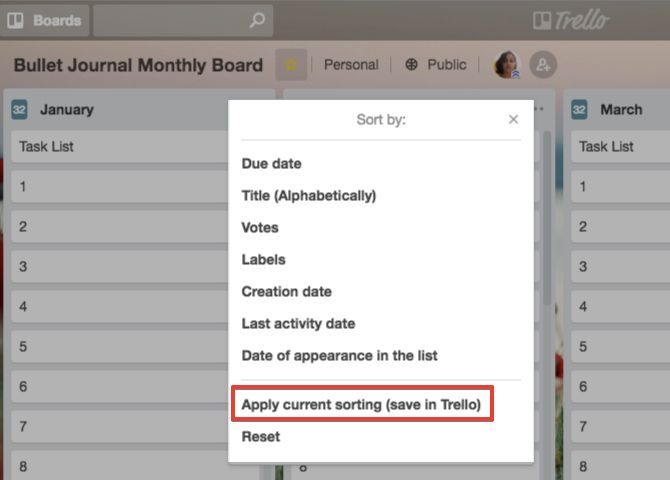
If the basic Trello sort options aren’t enough for you, get Ultimello. It allows you to sort cards by due date, title, labels, and more.

The sorting is only for visual clarity in the interface; only you can see it. It’s also temporary, which means that you don’t have to worry that you’ll mess up the card arrangement accidentally. If you would like to save the new sort order, you can do that with the Apply current sorting (save in Trello) option.

The extension also brings two other features to Trello: the card count for each list and card connections.

On Firefox and Safari, you don’t have even a passable alternative to Ultimello. But, you can still add advanced sort options if you get the Booklet by Vince Power-Up.

With this Power-Up, you can also export card data to Excel and act on cards in bulk. That comes in handy since there isn’t a Firefox/Safari alternative for the Multiselect extension above of the TrelloExport extension below.

Download: Ultimello

4. TrelloExport

trello-export-chrome

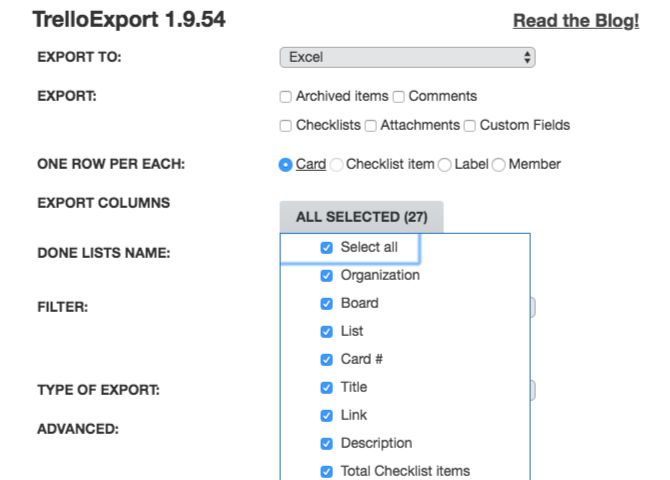
If you’re a Trello Business Class user, you can export your data to a spreadsheet in CSV format. If you aren’t, give TrelloExport a shot. It allows you to export to Excel, HTML, OPML, and Markdown.

Once you install the extension, you’ll find the export option in the sidebar. It appears as TrelloExport below the default export options in the sidebar under More > Print and Export.

Download: TrelloExport

5. Next Step for Trello

Try this checklist extension if you don’t want the hassle of opening the card back to mark tasks as done. It displays checklist items on the front of the card itself. You get to choose how many of them should show up.

Download: Next Step for Trello

6. List Layouts for Trello

list-layouts-trello-chrome

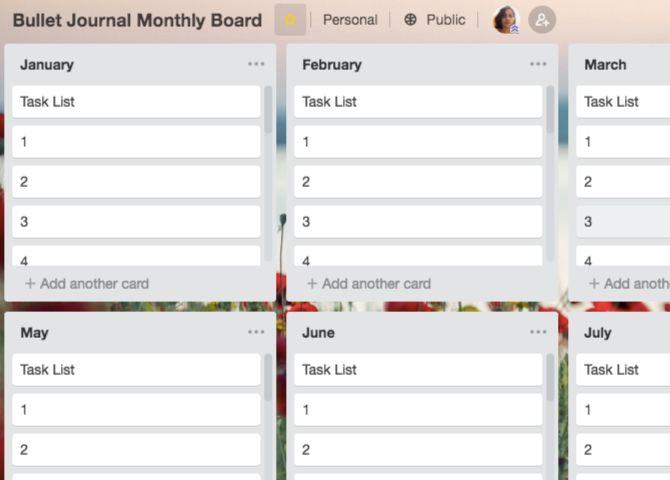
Want to stack lists vertically? With List Layouts you can. Use the extension’s toolbar button to switch back and forth between the default horizontal layout and the new vertical one.

On Firefox, you can try Swimlanes for Trello, which uses the concept of swim lanes to arrange lists into horizontal swim lanes stacked one below the other.

Download: List Layouts for Trello

7. Scrum for Trello

Trello mimics the Scrum task board in many ways, which makes it a good fit for managing Scrum projects online.

But what about missing Scrum elements like story points and estimates? How do you integrate those with Trello? Scrum for Trello answers that question by bringing some useful Scrum functionality to your Trello boards. You’ll find it on Chrome, Firefox, and Safari.

Download: Scrum for Trello for Chrome | Firefox | Safari

8. Pro for Trello

pro-for-trello-chrome

Pro for Trello is like several extensions rolled into one. For starters, it adds card numbers, priority levels, time entries, label sizes, and hashtags to your boards. The extension allows you to display list stats and add custom CSS as well.

The extension adds a few visual and functional enhancements to Trello, including a list resizing option and a card counter. It also displays card numbers for easy card identification. Plus you get a “compact” mode to help you hide distracting visual elements.

On Firefox, you can opt for the Trello Super Powers add-on. Trello Improvements is another nice add-on similar to Trello Super Powers.

Download: Pro for Trello

More Awesome Trello Tools

Here a few other Trello tools that you might want to get:

Trello Extension Trellists

Note: Browser updates can sometimes throw an extension out of whack. If that happens, disable the extension, re-enable it, and refresh the browser to get everything working again. It’s not a sure fix, but it often works.

For Opera Users, Too!

You can add the Chrome extensions on our list to your browser once you install the Install Chrome Extensions add-on for Opera.

Trello is already a great tool, but the extensions above make it way better. Of course, using the right extensions won’t fix any flaws in your project management strategy itself. To plan and manage multiple projects well, start with a foolproof project management system.

Read the full article: 8 Trello Browser Extensions You’ll Love and Can’t Live Without


Read Full Article

The best Amazon Prime Day deals you can still grab


Editor’s note: This post was done in partnership with Wirecutter. When readers choose to buy Wirecutter’s independently chosen editorial picks, Wirecutter and TechCrunch may earn affiliate commissions. Read Wirecutter’s continuously updated list of deals here.

Amazon Prime Day this year, despite its slow start, broke records and boosted the fortunes of its competitors. And now that it’s over, we found some deals you can still take advantage of.

Asus ROG Swift PG279Q 27 Inch

Street Price: $740; Deal Price: $690

A new low price on our gaming monitor pick for Nvidia graphics card users. While it only beats our previous low by a few bucks, this monitor has been stubborn about sticking to $740.

The Asus ROG Swift PG279Q 27 Inch is our G-Sync pick in our guide to the best gaming monitors. David Murphy wrote, “Our pick had the best contrast ratio and lowest measured black levels among our finalists, which helps bring out detail in movies and games; it has all the input connections you need, as well as a built-in USB 3.0 hub; and it’s incredibly adjustable.”
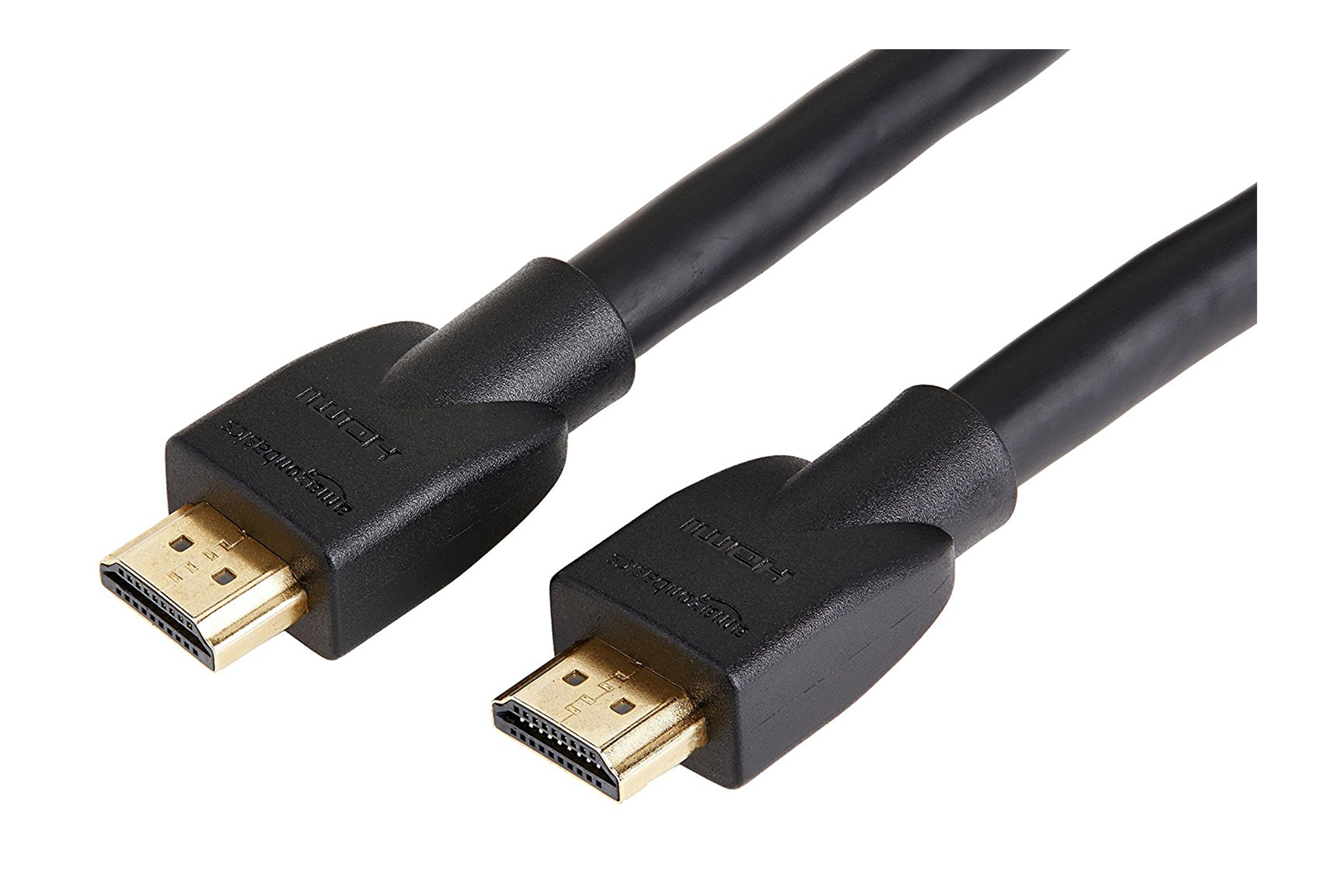
AmazonBasics High-Speed HDMI Cable (15 foot)

Street Price: $11; Deal Price: $7

At $7 for a 15 foot cable, this is a new low price. We haven’t seen any discount for this particular size since 2017 and the street price typically sticks to $11.

The AmazonBasics High-Speed HDMI Cable is the top pick in our guide to cheap, great HDMI cables. “The AmazonBasics High-Speed HDMI Cable is a no-frills HDMI cable, but with HDMI, frills aren’t necessary,” Geoffrey Morrison wrote. “The cable is sturdily built and works with any video signal of today (and probably ones into the near future). Both the 3- and 15-foot lengths passed all our tests, including HDR tests.”

DJI Spark Fly More Combo

Street Price: $550; Deal Price: $500

Down to $500 in all available colors, this is a solid drop from a typical price of $550 for the DJI Spark Fly More Combo, a bundle that includes the Spark, controller, extra battery and other accessories.

The DJI Spark is our entry-level pick for drone photography in our guide to the best drones. “If all you want is something to capture aerial footage on occasion for personal use and social-media sharing, you can save several hundred dollars by getting the DJI Spark,” Mike Perlman wrote. “Despite weighing half as much as the Mavic and folding up to about the size of your hand, it has all the important features you need from a video drone: 1080p video recording, image and flight stabilization, collision-avoidance technology and an included controller, and smart-flight modes like ActiveTrack (tracks and follows a subject) and gesture controls all come standard.”

Lutron Caséta (2 of our top in-wall wireless light switch and dimmer pick + control hub + 2 remotes)

Street Price: $160; Deal Price: $120

If you’re looking for a Lutron Caséta starter kit this is a good deal on one that includes two switches, one bridge and two remotes. Usually priced at $160, the price drops to $120 at checkout, this matches the lowest price we’ve seen.

The Lutron Caséta Wireless In-Wall Dimmer and the Lutron Caséta Smart Bridge are the top picks in our guide to the best in-wall wireless light switch and dimmer. Rachel Cericola wrote, “After spending more than 30 hours swapping out switches, flipping switches, programming timers, and talking to experts, we’ve decided that the Lutron Caséta Wireless In-Wall Dimmer is the best wireless in-wall dimmer switch for most people. It’s phase-adaptive, so it can work with any lighting load; it’s the easiest to physically install; and like the other eight units we tested, it features straightforward remote control and scheduling.”

Philips Hue White A19 4-Pack 60W

Street Price: $50; Deal Price: $40

For those of you who want a set of smart LED light bulbs but don’t want or need the added price for color, a 4-pack of 60W Philips Hue bulbs is an excellent deal matching the previous lowest price on the white variant of our top pick for best smart LED light bulbs.

“Setting up Hue lights requires a few simple steps, much like any other smart-home device. The gateway connects to your home router or network switch via a wired Ethernet port,” Grant Clauser wrote. “This connects the system to your network and allows you to control the lights with a smartphone or tablet connected wirelessly to the same network.”
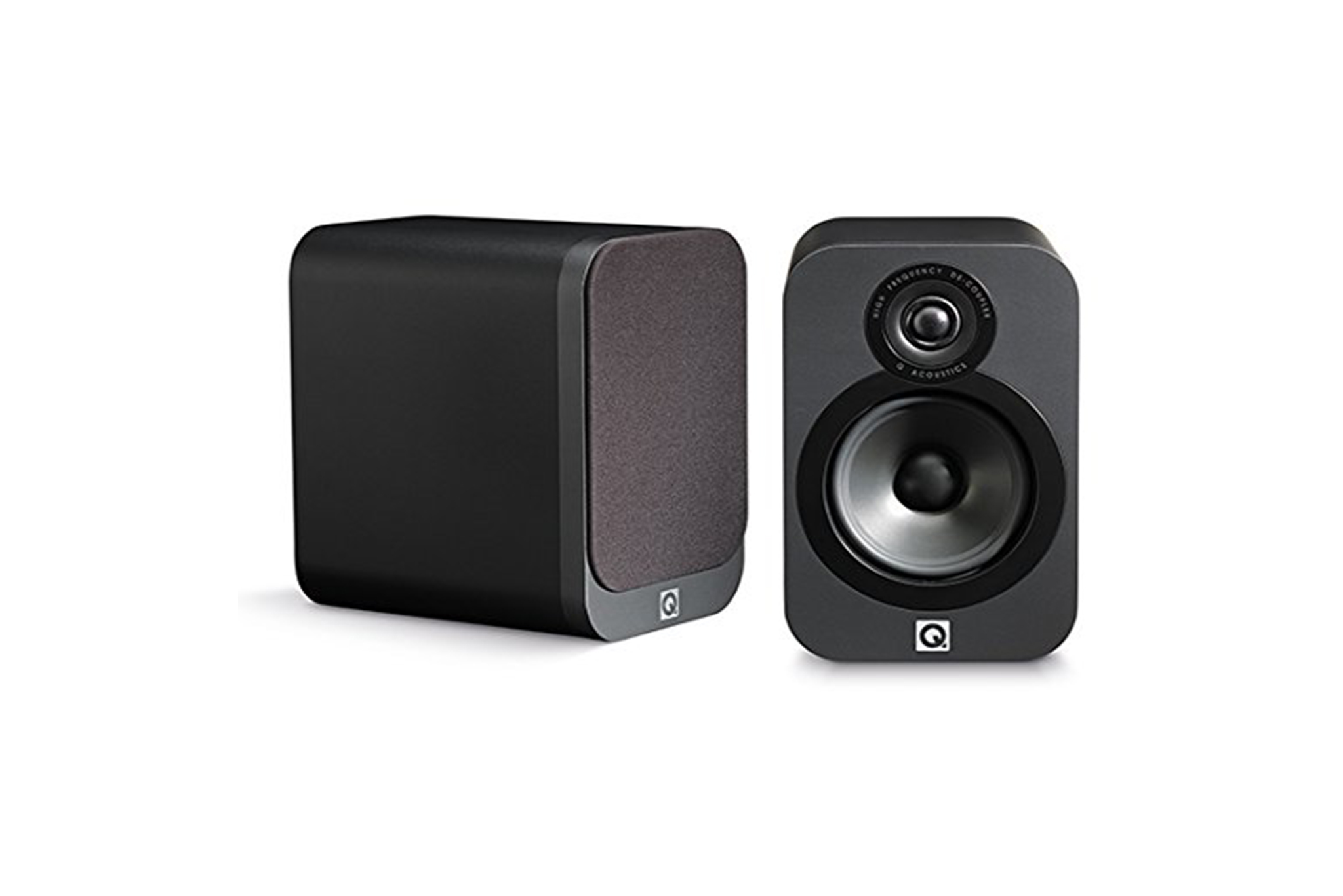
Q Acoustics 3020

Street Price: $270; Deal Price: $243

At $243 from a street price of $270, this is the lowest price we’ve seen for a pair of Q Acoustics 3020 in either the American Walnut finish or graphite color. These colors are typically priced lower than the black and white colors, but if you absolutely must have either of those, they are also down to the lowest price we’ve seen at $289 from $320.

The Q Acoustics 3020 is the top pick in our guide to the best bookshelf speakers for most stereos. “The Q Acoustics 3020 pair reproduces music of all genres with great detail and clarity on a wide soundstage. Despite each speaker’s compact size, the set delivers both strong bass and accurate vocals,” Chris Heinonen wrote. “These speakers are efficient, too, which means they can play louder with less-powerful receivers and amplifiers. The compact, rounded-corner design comes in four finishes to help this set fit in with a wider variety of decors.”
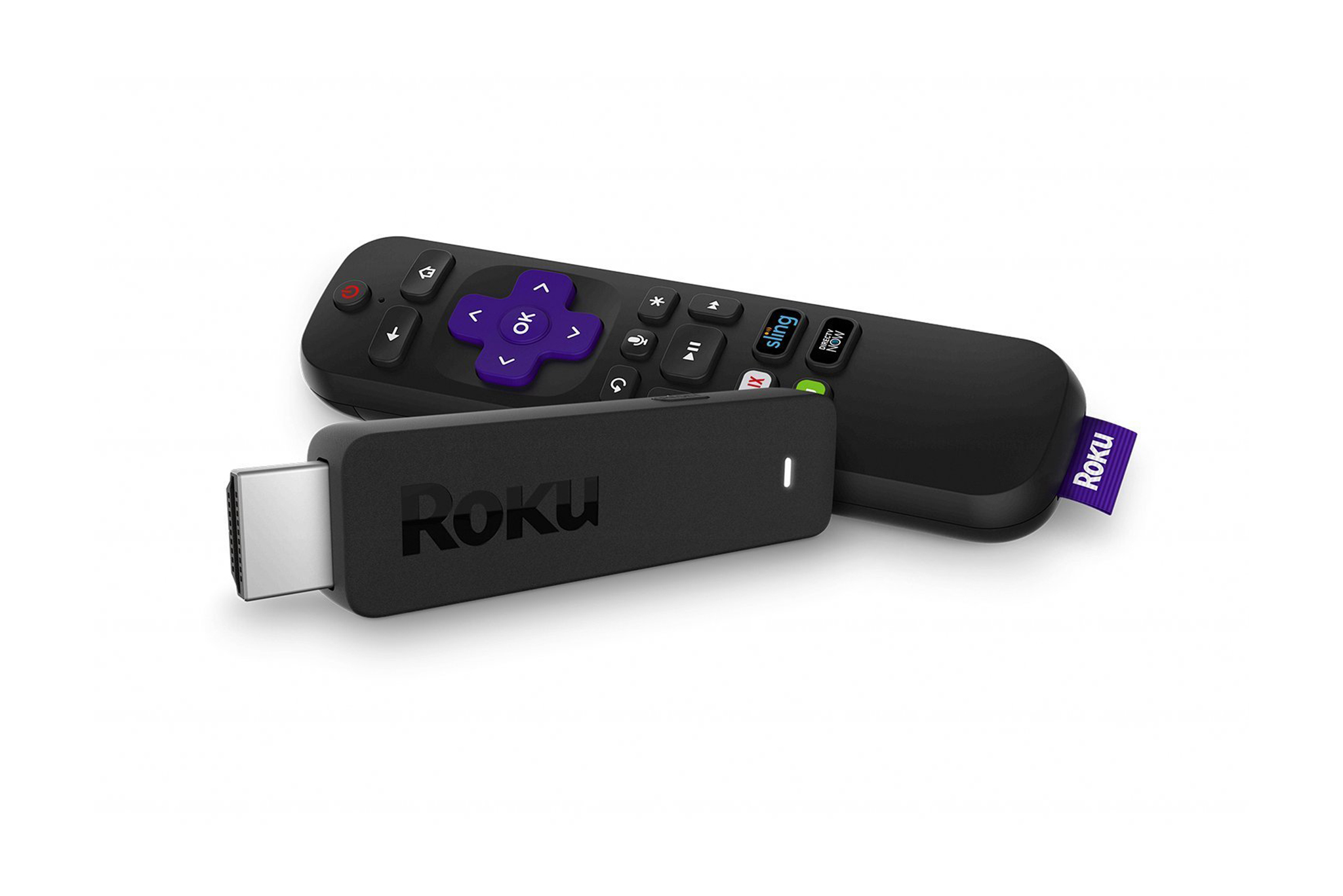
Roku Streaming Stick

Street Price: $45; Deal Price: $35

Recently we’ve been seeing a lot of price fluctuations between $40 and $50, so it’s nice to see this media streaming device down to a new low price of $35. Prior to this deal the best price we’ve seen is $39.

The Roku Streaming Stick is the runner-up pick (if you don’t need 4K) in our guide to the best media streaming devices. Chris Heinonen wrote, “If you don’t need to stream UltraHD 4K content, the Roku Streaming Stick is the best option available today. It is almost identical to the Streaming Stick+, but supports only 1080p resolution and doesn’t have the external Wi-Fi antenna. If you know you aren’t going to get a 4K TV in the future, or are just looking to upgrade an existing 1080p TV or projector, it offers the same content selection, search, and performance of our main pick.”
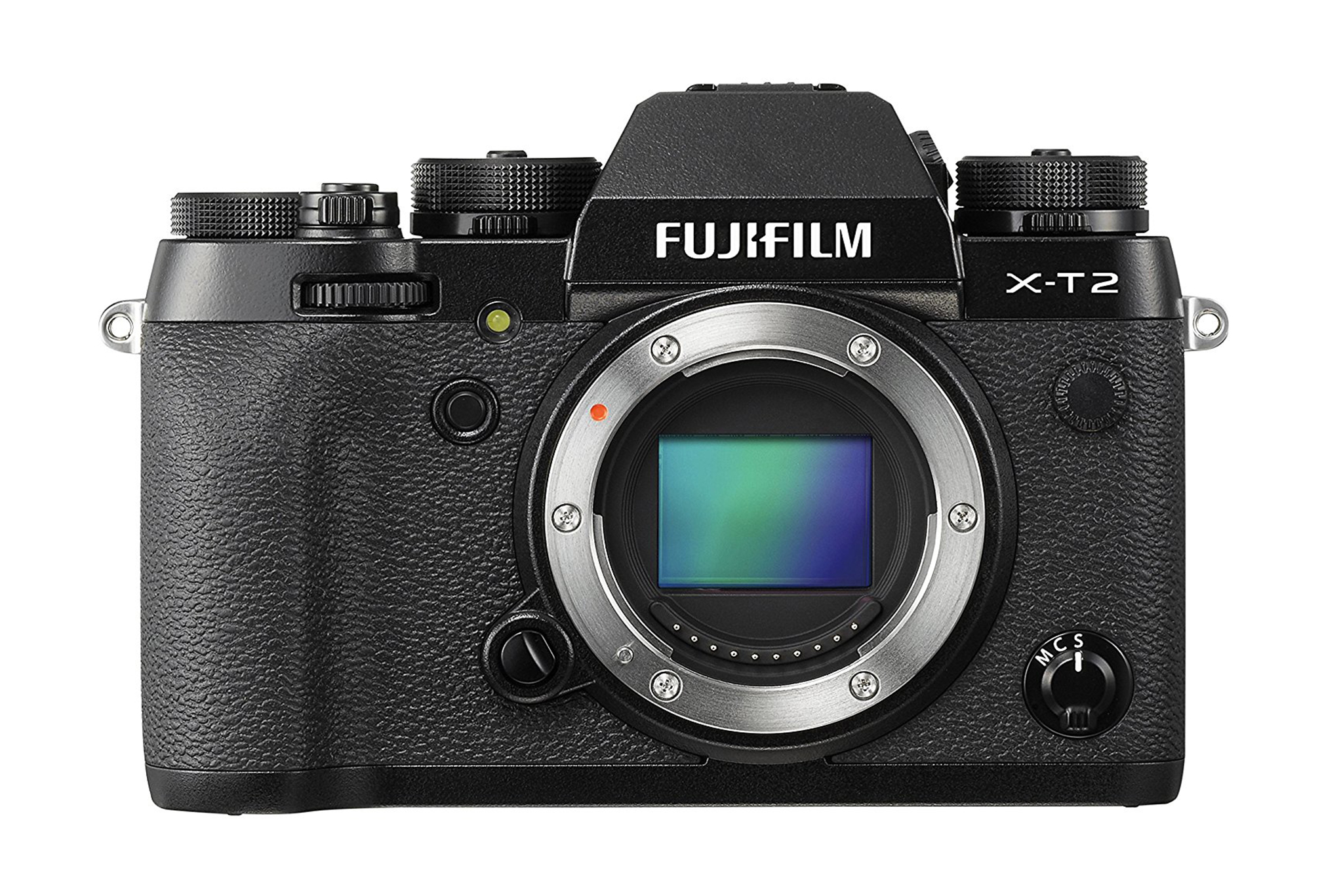
Fujifilm X-T2

Street Price: $1500; Deal Price: $1,100

The high-end Fujifilm camera we recommend is down to a new low price of $1,100 from a street price of $1,500. The deal is for the black color and only the body without a lens. Prior to this sale the lowest price we’ve seen is $1,400, although there were some deals around Black Friday for the camera with a lens.

The Fujifilm X-T2 is the top pick for experienced shooters and pros in our guide to the best Fujifilm cameras. Amadou Diallo wrote, “The Fujifilm X-T2 represents a significant investment into your photography, and that’s before you even consider adding any of Fujifilm’s well-regarded lenses. But its sensor outperforms what you get in many DSLRs, providing impressively detailed images in even very dark lighting conditions.”

ChargeTech Portable Power Outlet

Street Price: $190; Deal Price: $130 w/ code AMUZISNW

Use the code AMUZISNW to get this price. It’s the lowest price we’ve seen so far, and only $8 more than our top pick, but with 30 percent more mAh/charge.

The ChargeTech Portable Power Outlet is our runner-up pick for laptop charging in our guide to the best portable AC battery pack. “If our top pick is unavailable or you need a little more power to keep a larger laptop going, get the ChargeTech Portable Power Outlet,” Mark Smirniotis wrote. “It has the same 85 W output as the Jackery PowerBar, so it can power the same types of laptops and electronics, but with an extra 25 percent capacity, this ChargeTech model will last a bit longer—handy if you’re frequently on long-haul flights or working in the field.”

littleBits Rule Your Room Kit

Street Price: $80; Deal Price: $40

Down to $40 when typically it’s priced around $85, this is an all-time low price for this electronics kit. Prior to this deal the lowest price we’ve seen is $56. We doubt this deal will last more than a few days, at most, so don’t wait — grab it at this low price if you know a would-be inventor.

The littleBits Rule Your Room Kit is the upgrade pick in our guide to the best electronics kits for kids and beginners. “Kids can create a piggy-bank alarm, a catapult, or an invention of their own using modular pieces that snap together magnetically. Each project takes more time and produces a more satisfying, practical device than those in the other kits we tested,” Signe Brewster wrote. “The Rule Your Room Kit comes with the fewest pieces and sample projects among our field of competitors, but because littleBits encourages the incorporation of everyday items into the projects, the kit feels like it offers more possibilities than other kits of similar size.”

Acton Blink Lite

Street Price: $225; Deal Price: $200

Back down to $200, this is a nice deal on this recommended electric skateboard. The Acton Blink Lite is our budget pick for lighter riders in our guide to the best electric skateboard. If you’re a sub-180-pound rider who isn’t looking to spend a ton, this is a good opportunity to save some cash. While the street price has dropped in recent months, it’s still a solid discount.

“The Acton Blink Lite may not be the most powerful board around, but it’s a phenomenal value considering its price, and it would be a good gift for the young skater in your life,” Jack Smith wrote. “But despite the lack in power, we found riding the Blink Lite to be a blast, largely due to its nimble mini-cruiser design and small size. It’s also significantly cheaper than most other boards available.”

Because great deals don’t just happen on Prime Day, sign up for our daily deals email and we’ll send you the best deals we find every weekday. Also, deals change all the time, and some of these may have expired. To see an updated list of current deals, please go here.


Read Full Article
Apple releases third iOS 12 beta to everyone


Apple just released the third version of the iOS 12 beta as part of the public beta program. It means that everyone can now install a development build of iOS 12, the next major version of the operating system for iPhone and iPad.

Don’t forget this is still a beta version. Things will crash, things won’t work. Don’t be surprised if you lose data in your Photos, Notes or Messages apps for instance.

But if you have an iPhone or iPad that you don’t use every day, you can get a glimpse of the future of iOS right now. While the final version of iOS 12 should be released near the end of September, Apple is going to release beta versions every few weeks over the summer.

Before installing the beta, don’t forget to back up your device to iCloud and/or your computer using iTunes. You can then head over to Apple’s beta website, sign up with your Apple ID and download the beta profile.

The profile is just a tiny file that tells your iPhone to check for public betas. After restarting your device, you can open the Settings app and install the iOS update just like any normal software update. If you already installed a previous beta, it’s time to update.

In September, your device should automatically update to the final version of iOS 12 and you’ll be able to delete the configuration profile.

Here’s a quick rundown of what’s new in iOS 12. The main feature of iOS 12 is a performance improvement, especially for older devices. If you have an iPhone 6 or an iPad Air for instance, you should see a big improvement when it comes to launching apps, triggering the camera and entering text.

The other big theme of the year is new features to help you spend less time using your phone. There’s a new Screen Time feature to see and control how much time you spend using each app. Notifications are now grouped and you can silence them from the lock screen. You also can turn on Do Not Disturb when you’re in a meeting, for a few hours or for longer.

Apple didn’t stop there, and added new power features as well. Developers will be able to take advantage of a new file format for augmented reality and new features in ARKit 2.0. Apple is releasing the Workflow app as a new Siri Shortcuts app. Developers will be able to add information to Siri, as well, so that you can add a boarding pass or a music playlist to Siri.

The Photos, News and Stocks apps have been improved, as well as Apple Books (the app formerly known as iBooks). Apple is introducing Memoji on the iPhone X. It’s a customized avatar that you can use in iMessage and FaceTime to represent you.

If you want to learn more, read my iOS 12 preview to get my thoughts on this update.


Read Full Article