21 September 2013

Split Chrome Browser on Two Frame and Surf Two Web Pages Together


If ever wished to access two or more webpages or website together, then here is a cool extension for Google Chrome named Split Screen that would help you.


Split Screen is an awesome extension that lets you to create multiple screens to open different webpages simultaneously. It also has a notebook to help you note key points.


Features of Split Screen:


  • Surf 2 or more webpages simultaneously

  • Notebook feature

  • Easy configuration

  • Chrome extension


split screen


NOTE: HTTPS sites won’t work, and can’t work within frames because they have a framekiller and jump out of frame command.


How to Setup:


Step1: Download Split Screen From Here

Step2: After download you see its icon on right top side


sa


Step3: Now you see the Split options. do the setting here as your requirement and enjoy double surfing on same page.


split screen options


The post Split Chrome Browser on Two Frame and Surf Two Web Pages Together appeared first on Hack Illusion.


Coursera And Udacity Gain Competition As FutureLearn Joins The MOOC Bandwagon


classroom

FutureLearn has launched with an open beta website and a roster of free online courses. The UK based program is an alliance of many British educational institutions and also worldwide recognized names like British Council, British Library and the British Museum. FutureLearn is owned by The Open University and its making a foray into the very open space of Massively Open Online Courses (MOOC) with nearly 26 educational partners. While Coursera and Udacity have become recognizable names in the online courses arena, FutureLearn is a late-starter. But the beginning has been made with the launch of its educational portal and...


Read the full article: Coursera And Udacity Gain Competition As FutureLearn Joins The MOOC Bandwagon


A Whole New Way to Explore What’s Trending on Twitter


A new website makes it easier for you to explore trending topics on Twitter across the world. It helps you know what's popular on Twitter right now in your city or country.


This story, A Whole New Way to Explore What’s Trending on Twitter, was originally published at Digital Inspiration on 21/09/2013 under Twitter, Internet

What Do Bing And Yahoo Have That Google Doesn’t?


yahoo-bing-google

While Google has everything that I personally need, it has its shortcomings when you compare it against some of the features Bing and Yahoo! have to offer. Even if you’re a Google supporter, knowing that it has competitors standing up and challenging it to improve, should make you happy. Without them, Google would look like a monopoly. Google isn’t perfect, and I’m here to tell you why. I was wondering to myself this week, “Why would anyone have their homepage or default search engine set as anything other than Google?” It’s the obvious choice, and anything that comes across as...


Read the full article: What Do Bing And Yahoo Have That Google Doesn’t?


You Got Your Android In My Blackberry – How To Run Android Apps On Blackberry OS 10


blackberry-android

Blackberry Ltd. (formerly Research In Motion) recently launched Blackberry OS 10. It is the latest and greatest iteration of the legendary smartphone platform and brings to the table features that are sure to excite consumer and enterprise customers as well as win back some of the market share it lost with the advent of the iPhone. One such feature is the ability to run Android applications. Presently, it can run any application that runs on Android Gingerbread. However, the next version of the Blackberry 10 platform promise to have compatibility with anything that runs on Android 4.2 Jellybean. It’s not...


Read the full article: You Got Your Android In My Blackberry – How To Run Android Apps On Blackberry OS 10


20 September 2013

Want More YouTube Views? 5 Key Tips To Follow


youtube-views

Here’s the situation: you’ve been putting out YouTube videos for a while now and you aren’t sure why your viewership hasn’t skyrocketed. It’s not uncommon, and people ask how to increase video views all the time. Some people look at low viewer numbers and use that as an excuse to give up, but the fact that you’re reading this article right now says something about you — that you want to take matters into your own hands, and that’s a good sign. When increasing viewership, there are two types of growth: viral growth, which explodes rapidly but also dwindles away...


Read the full article: Want More YouTube Views? 5 Key Tips To Follow


A Break from Blogging - Little About Myself


Hey there ,Imran here.Its been exactly two years I entered into Blogosphere ,so just thought to share my journey with you people.In this post I will be sharing more about myself than blogging ,so just bare with me..


If you don't know I am an Engineering Student and a part time Blogger.Currently I am studying 4th year of my Engineering which gonna finish soon ,Yeah :D !


Pic Captured on my Birthday (Yeah I turned 21)

Though I am a Mechanical Engineering Student I got attracted towards computers,that doesn't mean that I am not interested in Mechanical field.I always try to learn new things and I love Technology no matter whether its related to Mechanics, Biology, Chemistry what not...I always like to learn things which practically work.That means things that can be implemented in the real world.


Till my Intermediate(+2) I used to focus more on my academics and aggregate.I used to do good with them and was always in the Top list in my academics.But I was not at all satisfied with that.I see many people of my age inventing some new things,discovering something new whose are no more than me(us).I mean people at very small age accomplish some great things.I always wanted to do something new like that.


Then I started thinking what could be the difference between them and me?

Then I found that the only difference is that the people who do something extraordinary and us is that they believe in themselves. They really don't care what the society, family and friends gonna think of them.They know what they are going to accomplish.Most of us afraid to take action.Honestly most of us don't have guts to try out something new though we have a vision that we can do it.

And this is the kind of attitude which I tried to implement in myself later on.


Before I got into blogging I was very much attracted towards literature and would have made it as my career if I was not into Blogging/Internet Marketing.

How it all Started?


When I stepped up into my Engineering I was not with the same mindset which I used to be before .That means I was not aiming for a good aggregate in my academics.The motto with which I entered into Engineering is to accomplish something that can satisfy me.


Then I started doing intense research on Mechanical related stuff.To do some advanced research I used to take help of Internet for which I had to go to Internet Cafe as I didn't have a PC at my home.Then I realized the potential of computers and internet.Internet is such a great thing ,you can solve most of your issues and find a good answer to almost all your questions.This thing has drawn my attention completely.


At the end of my Engineering first year my mom bought me a Personal Computer.Then,it all started.It started with doing research on things related to academics.I was very shy kind of person and always wanted to get out of it.I thought that being socially awkward can harm my growth in many aspects.So I started developing some unique skills like Magic ,Mind Reading to get more connected with people and try to get rid of social barriers.This helped me to get connected with people more and more.Now I feel very very comfortable to communicate with strangers and socialise with people easily.

You don't believe me but wherever I go today I initiate the conversation and always ready to speak out at any event.That level of extrovert I am today. Haha :)

To learn all these the main resource was the Internet.Then I was addicted to hacking,programming,web designing.I joined few Facebook groups and started helping various people over there and solve their problem related to computers/Internet.I got lots of appreciation from various people for helping them solving their issues online.


Then, I thought that I can make use of my computer knowledge to make money online and solve all my financial issues.That's how I got started with Blogging.

Why I choose Blogging?


Whenever I try something new I will look into 3 aspects.


  1. Knowledge/Skill

  2. Fame

  3. Money.


Blogging is all about learning new things and testing out what works.In this process you will be exposed to various aspects and you can develop a lot of skills.I also need some fame for the work I do ,so I thought I can get some fame via blogging.Money is always a by-product.Though we need to earn money to keep the business up I never did anything just for the sake of money.But yes money is always a primary factor which motivates to come up with some new things.


How much time did it take to make money online?


I started a blog with hacking/cracking and illegal download related stuff which stopped me from making money online as these blogs are very difficult to monetize.

Then after realising my mistake I removed all the illegal content from my blog and moved to a custom domain .After that I started making some money online.It almost took 6 months to earn something from the blog.


My first earning was from mginger which was Rs 300/-($6 approx) check.Then Infolinks sent me a check of $50(Around Rs 2500/-). Then a lot of direct advertisers attracted towards my blog and I started earning some decent money by the end of 1 year.

How much money do I make online now?


Now I make a four figure income online ($XXXX/month).Cannot reveal the exact figure for now but will reveal it soon.With blogging I was able to buy a new car and a brand new flat.

How many Blogs do I manage?


Now I manage over 20+ blogs on different niche.I go on creating new blogs for niche blogging and affiliate marketing.On average I create 1-2 blogs per week.

What are the primary sources of my income?


My primary sources of income are my clients and direct advertisers.I offer SEO services to my clients from which I generate most of the income.

What it takes to make money online?


Its not that easy to make money online and at the same time not impossible as well.All it takes is some time,patience and practise with proper skill set.

My future Plans:


I am planning to start a firm of my own related to SEO services and Internet Marketing.I am also planning something for newbie bloggers who are interested to get started with blogging.Will get back to you with more details soon.

Advice to new Bloggers:


  • Keep on improving your skills day by day.Don't just stick at one thing.Master Affiliate Marketing ,Niche Blogging ,SEO ,Programming ,Web Designing etc.

  • Take proper guidance if you are not clear at something.

  • Respect copyrights and produce fresh content.

  • Do something new to out stand the competition like making Info graphics,Videos ,Presentations etc.

  • When coming to making money don't just stick to Adsense unless and until you become a Premium Adsense Publisher.Once you become a Premium publisher then you can simply ignore everything and live a life with Adsense but before that you should always have alternatives ready with you.

  • If you strongly believe that you can do something then just go ahead .There are many people out there to discourage you.But one day when you succeed the same people will start asking how you did it..Time is going to tell the truth.


This is just the beginning still a lot more to accomplish.If you want to ask anything do let me know in your comments.


Free Quickoffice for Android and iOS


Google announced a new Quickoffice app for Android and iOS that's free and it's optimized for both phones and tablets. The previous paid Quickoffice apps are no longer available, but not all the features from the paid apps are included in the free app. The new Quickoffice application supports a single cloud storage provider (Google Drive) and it requires to log in using a Google account.


Google acquired Quickoffice because it did a better job at handling Microsoft Office files than Google Docs. This was especially important for Google Apps users. Google started to work on porting Quickoffice to Native Client and integrating the application with Chrome OS. Now the mobile apps are free.


There's some overlap between Quickoffice and Google Drive apps, so offering two apps for editing documents, spreadsheets and presentations may seem strange. Quickoffice is a basic office suite that works offline, it lets you create and edit Microsoft Office files and annotate PDFs. You can store these files in Google Drive or on your mobile device. Files uploaded by Quickoffice can't be edited by Google Drive apps without converting them. Google Drive doesn't let you create or edit files when you are offline.


I find the Drive editing interface more intuitive and easier to use, but Quickoffice offers more features. When you open a file in Google Drive for iOS, the application first needs to upload the file to Google Drive. If you try the same thing in Quickoffice, the application opens the file and lets you edit it.


Even if you don't need Quickoffice, it's still a good idea to install the app: you'll get 10GB of free Drive storage for 2 years. "If you sign in to your Google Account from the new Quickoffice app for Android or iOS by September 26, 2013, for two years, an extra 10GB of Google Drive storage will be added to your account in the next few weeks."


Here are the download links:


* Quickoffice for Android (phones and tablets, Android 2.2+)

* Quickoffice for iOS (iPhone/iPad - requires iOS 6+)

10 Ways To Use Your Cloud Storage That You May Not Have Thought Of


Use Your Cloud Storage

One would think that by now we would have covered all the different ways to put free cloud storage to use. We here at MakeUseOf.com have done our little bit. I put my own brain cells on overdrive and came up with some uses of cloud storage that are creative a few months back. But we all need a constant source of inspiration, and it usually comes from the stories of others all around us. When we talk about cloud storage, it usually comes down to a showdown between the big three – Dropbox, SkyDrive, and Google Drive. You can...


Read the full article: 10 Ways To Use Your Cloud Storage That You May Not Have Thought Of


19 September 2013

Google Wallet App for iPhone


When Google released a new version of the Wallet app for Android, it was clear that the features that were available to every Android device in the US didn't require NFC or carriers' approval. The new features are now available for iPhone users.


"The response from users has been great, and we want iOS users to enjoy all of the benefits too. So, today we're introducing the first Google Wallet app for iPhone (iOS v6.0+), which means even more people can easily send money to friends and store all of their loyalty cards and offers in one place," informs Google.


I assume that Google will try to move beyond NFC and find other ways to make Google Wallet useful and widely available. It's not enough to have a good product if most of the people can't use it. Somewhere between security issues, NFC's adoption, carriers' competing services, Google Wallet couldn't find a way to flourish.


Another thing that suggests that Google will move beyond NFC is the Bump acquisition. "Our mission at Bump has always been to build the simplest tools for sharing the information you care about with other people and devices," informed Bump's blog. Bump lets you share photos, videos, contacts without using NFC and it works on Android and iOS. Bump uses your Internet connection to share data with the people nearby.


{ Thanks, Michael. }

Google Tests New Interface for Music Video Results


Google tests a new interface for top search results, but only for music videos. The experimental interface adds a huge thumbnail and shows the name of the artist, the album and the year when it was released.


Here's the regular version:


I think the thumbnail is way too big and the top result shouldn't dominate the entire page, especially when it comes to videos.


{ Thanks, Yvo. }

Building A PC? How To Get The Best Deals On Parts


pc-parts

Building your own computer and want to get the best deals? You need a strategy that can score red-hot sales before they sell out. My preferred method uses a multi-spectrum approach, focusing on price-alert apps within a tight 14-30 day window. Here’s how it works: First, you set up a purchasing schedule inside a 30-day period. Second, you then track the prices of the parts you need using IFTTT or Yahoo Pipes. Third, you use browser plug-ins and web apps to get an understanding of your target’s historical price. When prices get cheap, you pull the trigger. Here are the...


Read the full article: Building A PC? How To Get The Best Deals On Parts


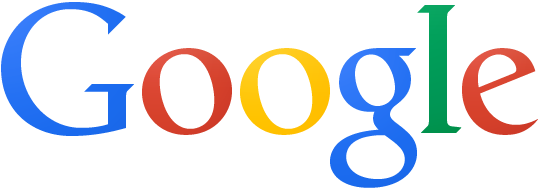
Try Google's New Flat Logo


So many iOS developers had to change app icons and make them flat for iOS7. Flat is now fashionable, so you should expect to see some changes even if you don't use Apple's devices.


I've mentioned in a previous post that Google tested a new logo that's flat, minimalist and reduced to its essence, but someone from Google denied that this will replace the traditional logo. This is obviously not true: it's a Google experiment, the logo is hosted on Google's servers and even Chrome starts to include it.


Here's how you can enable the new logo. If you use Chrome, Firefox, Opera, Safari or Internet Explorer 8+:


1. open google.com in a new tab


2. load your browser's developer console:


* Chrome or Opera 15+ - press Ctrl+Shift+J for Windows/Linux/ChromeOS or Command-Option-J for Mac


* Firefox - press Ctrl+Shift+K for Windows/Linux or Command-Option-K for Mac


* Opera 12 - press Ctrl+Shift+I for Windows/Linux or Command-Option-I for Mac, then click "Console"


* Safari - check this article


* Internet Explorer - press F12 and select the "Console" tab.


3. paste the following code which changes a Google cookie:


document.cookie="PREF=ID=e66a207a51ceefd8:U=936bafc98b2a9121:FF=0:LD=en:NR=10:CR=2:TM=1378808351:LM=1379592992:SG=1:S=OXyq0fqClYB66VuV ; path=/; domain=google.com";window.location.reload();


4. press Enter and close the console.


To go back to the regular interface, use the same instructions, but replace the code from step 3 with this one:


document.cookie="PREF= ; path=/; domain=google.com";window.location.reload();


{ Thanks, André Zlatin. }

Technophilia 81 Live From MakeUseOf


technocover

This week: Google knows every WiFi password in the world. Why not share, Google? A Toronto family bans all pre-1986 technology. Did they ban games from before then too? Because Super Mario Bros 3 is going to blow those kid’s minds. James argues the iPhone announcement was more significant than I think, which isn’t saying much because I didn’t think it was significant at all. Obama’s speech on Syria: significant. For-profit company announcing a new product: not significant. This week’s show is brought to you by the new Bitdefender One for All and All for You! Get The New Bitdefender...


Read the full article: Technophilia 81 Live From MakeUseOf


Google Rolls Out New Navigation Interface


After so many posts about Google's new navigation menu, it looks like this feature will roll out to everyone in the coming weeks. It's time to say goodbye to the black navigation bar, which didn't look that great, but it was always at the top of almost any Google service, so you could quickly navigate to other Google sites.


"We'll be rolling out this new feature in the next few weeks...stay tuned," says Justine Rivero, from Google. "The new design has been under testing for over half a year, with reports coming in as early as February 2013 regarding the new grid menu," informs Google+ Daily.


The new grid icon shows a list of 9 popular Google services (Google+, Web Search, YouTube, Maps, Play, News, Gmail, Drive, Calendar) and you can click "more" to see 8 other services (Translate, Books, Offers, Wallet, Shopping, Blogger, Finance and Google+ Photos). The services that are missing: Google Image Search, Google Mobile and Google Video Search (they are available in the black navigation bar).


The new navigation menu looks just like the Chrome app launcher or the apps section of the Google Search app for iOS. It includes icons for each Google service, so that they look more like real apps.


For the first time, YouTube will have a Google navigation menu and the interface will be more consistent.

Hostgator Hosting Pirate Day Super Discount Sale 44.44% Off on WebHosting


Hostgator is running a special sale today on all their Web Hosting Plans.Today on the occassion of Pirate Day Hostgator is offering 44.44% OFF on all Webhosting Plans with a new Top Level domain for just $5/Year

If you are planning to buy a new hosting package then I strongly recommend you to buy this hosting plan.Hostgator is one of the best hostings in the Industry with awesome support.


Coupon code for this discounted offer is “ARRRSNAP” which will be added automatically while billing. Do remember, this discount is on your first bill, so I suggest you to grab 2 or 3 year deal, if you want to save money on hosting renewals..

Check Out Pirate Day Deal on Hostgator.


This is a very limited time offer and can expire anytime.Take immediate action or else you might miss out this opportunity.


Internet Explorer 11 Release Preview For Windows 7 SP1 Released


CLICK HERE TO SEE FULL POST


Microsoft has just released the Release Preview version of Internet Explorer 11 for Windows 7 and is now available for download. PC users running Windows 7 with SP1 or Server 2008 R2 (x64) can now download and test drive the newest version of Microsoft’s web browser. As with the case of IE11 Developer Preview, which […]

YouTube's Mobile Apps to Add Download Feature


The YouTube Creator blog announced that YouTube's mobile apps will add a feature that lets you download videos so you can watch them offline.


"Later this year we'll launch a new feature on YouTube's mobile apps that will help you reach fans -- even when they're not connected to the Internet. This upcoming feature will allow people to add videos to their device to watch for a short period when an Internet connection is unavailable."


AllThingsD reports that this feature will be available next month and that the downloaded videos will be available for 48 hours. "Next month, Google's video site will let viewers save clips on their phones and other mobile devices for up to 48 hours, so they can watch them when they're not online. The videos will still be free, and Google will run ads on the clips, which will be available via its mobile apps."


YouTube's Android app already has a preloading feature for subscriptions and the "watch later" playlist, but this feature has a catch: you need to be online when starting to play a video. This makes the feature less useful.


A few years ago, YouTube experimented with downloads for some partner channels. Now it only lets you download your videos. There are a lot of third-party applications and extensions for downloading YouTube videos, but you won't find them in the Play Store or the Chrome Web Store because they break YouTube's terms of use.

What Would You Give Up Before The Internet? [We Ask You]


The fact that you’re reading these words at this very moment means you’re connected to the rest of the world via the Internet. It’s easy to forget how epic the Internet is, and how much it has grown since it first hit the mainstream in the 1990s. But it pays to remember on occasion what a phenomenal resource we have at our fingertips. Obviously not everybody in the world has access to the pleasures of the online world, with millions of people yet to have experienced the Internet and everything it has to offer. Which is a crying shame for...


Read the full article: What Would You Give Up Before The Internet? [We Ask You]


3 Ways to Download All Videos in a YouTube Channel


youtube-download

YouTube is great to check out videos on the fly. It’s fast, dynamic and incredibly easy to find other related videos. However, if you have to go offline, that won’t do you much good. Why not download those videos to your computer instead? Not only does this let your enjoy your videos offline, you can also use them in presentations or your own projects. Downloading a single YouTube video is simple, but it’s a bit harder to download all the videos from a particular YouTube channel in one go. Today we’ll be offering you three ways to tackle this problem....


Read the full article: 3 Ways to Download All Videos in a YouTube Channel