28 March 2013

What Should Have Been Culled Instead Of Google Reader? [We Ask You]


The biggest technology news to break recently was undoubtedly the shutting down of Google Reader, with the search and advertising giant deciding it was no longer interested in providing an RSS application to the masses. The outcry from RSS enthusiasts was deafening, to the point that some of us wondered whether Google hadn’t actually declared war on a country rather than having culled another one of its myriad of free services.


Thankfully there are plenty of alternatives to Google Reader, so no one needs to go without their RSS feeds come July. Kannon has since tried to prepare us for future Google culls, suggesting which services Google may kill off in the future and providing alternatives for them all well ahead of time.


No one likes to see something they use regularly pulled from availability. However, there must be an online service, Web app, tech company, social network, operating system, or piece of hardware you’d happily see carted off to the mortuary. It’s this subject that forms the basis for this week’s We Ask You.


This Week’s Question…


We want to know, What Should Have Been Culled Instead Of Google Reader? It turns out that a great many of the MakeUseOf readership were loyal users of Google Reader, and its death is therefore a source of frustration. This is your chance to blow off some of that pent-up frustration with a little snark. It’s healthy once in a while.


After last week’s epic and serious discussion on how the Internet should be governed in the future, it’s time for a more lighthearted topic. We don’t normally condone negativity here on MakeUseOf, but just this once we want you to be as negative as you can.


We want you to name one thing related to technology that you’d like to see culled. It could be a hardware manufacturer or one of the products they make, an online service you hate but use begrudgingly, an operating system that has proved to be more trouble than its worth, or even one specific part of a website, such as the Facebook Timeline.


We cannot promise that the thing you choose will blink out of existence once you submit your comment, but stranger things have happened. We may even find a consensus among the readership, in which case that product, service, or company will have to surely concede its time is limited.


As usual we prefer comments that comprise of more than just a word or two, so please also give your reasons for making your choice.


Drawing Conclusions


All comments will be digested to form conclusions in a follow-up post next week where we will detail what You Told Us. One reader will be chosen for the coveted Comment Of The Week, getting their name up in lights, the respect of other readers, and 150 MakeUseOf points to use for MakeUseOf Rewards. What more motivation than that do you need to respond?


We Ask You is a weekly column dedicated to finding out the opinions of MakeUseOf readers. The questions asked are usually open-ended and likely to necessitate a discussion. Some are opinion-based, while others see you sharing tips and advice, or advocating tools and apps to fellow MakeUseOf Readers. This column is nothing without you, as MakeUseOf is nothing without you.


Image Credit: Davidd


The post What Should Have Been Culled Instead Of Google Reader? [We Ask You] appeared first on MakeUseOf.


How To Insert PHP Content Into the Loop of Your Blog Excerpts


php insert into loopEvery now and then, I get a message from the good folks at Google to my Adsense account suggesting one ad modification or another that they propose may help to bolster my ad revenue. In many cases, the suggested change is pretty simple – just post a slightly larger ad, or move it just a little bit up further “above the fold”.


However, there are times when you realize that an ad or maybe some other content needs to go into an area of your blog that isn’t so easy to get to. Sidebar content is one thing, and usually fairly easy to modify, but when it comes to other areas of your website that might be dynamically generated by code, inserting single content isn’t so simple.


For example, in the case of a WordPress blog or a WordPress website, the central content of your home page is most likely a stream of excerpts from your blog posts. People can click on “Read More” to open up the post page itself. You can create a sort of a template for your blog posts to carefully insert the required ad in your post exactly where you want it to go, but inserting an ad into your main blog page is a little more difficult.


It’s difficult mostly because that isn’t a single flow of code that develops the page content. It’s actually a loop that goes through your most recent posts, pulls out the excerpts, and outputs the text, footer info about the article, and the “Read More” button.


Inserting PHP Content Into Your Blog Loop


So, what does that mean exactly? Well, let’s take my Adsense example. Google tells me that I’d do well if I added a third graphical ad closer to the fold. Now, the perfect location for such an ad is just slightly down the main section and to the right of the navigation bar. That’s right, dead center of the area where my blog excerpts are listed.


Ideally, the ad would go right after the first blog post excerpt, and right before the line separator between posts.


php insert into loop


With WordPress, there are a few places where this sort of post excerpt code takes place, but it really depends on your theme. Usually, you’ll see it in the “page” or “index” PHP files. Again, it depends on your theme, so your best bet is to run a simple, local web server for testing like XAMPP, and load your entire blog or website onto that server. Play around with the PHP file that you think is the right one and see if it changes the page.


php insert in loop


Typically, in WordPress, you’ll see the code that runs through your latest posts using a while statement, as shown below.


php insert in loop


Now, I use the Ikarus theme, which has several different layouts depending on your blog configuration. These are stored in a “layout” folder, and in my particular case, since I chose the “blog” layout, the code I’m looking for can be found in the “blog.php” file.


php insert into loop


There are a dozen and a half ways to force something to display only the first time through a while loop. Everyone is going to have their opinion, and everyone is going to feel their way is the best way. I’m not going to claim that – I’m just going to give you code that works.


Either at the start of your PHP file, or anywhere before the “While” statement, just paste the following code.


<?php
$a=1;
$b=2;
?>


What this does is sets two variables to different values. That’s it. A is 1 and B is 2. Not equal, right? A is less than B.


So now, as you enter into the While statement, you’re going to check if A is less than B. The first time through the While loop, you know this is going to be true, so you display whatever you want to display, and then set A equal to B so that the next time through, the “A is less than B” check will no longer be true, and the thing you wanted to display only in the first time through will not be displayed again.


Here’s what that code looks like.


<!--START OF MAIN PAGE CONTENT AD CODE-->
<?php if($a < $b): ?>

<center>
<script type="text/javascript"><!--
google_ad_client = "ca-pub-xxxxxxxxxx";
/* 336x280, created 12/4/09 */
google_ad_slot = "xxxxxxxxxxx";
google_ad_width = 336;
google_ad_height = 280;
//-->
</script>
<script type="text/javascript"
src="http://pagead2.googlesyndication.com/pagead/show_ads.js">
</script>
</center>

<?php else: ?>
<?php endif; ?>

<?php if($a < $b): ?>
<?php $b = $a; ?>
<?php endif; ?>

<!--END OF MAIN PAGE CONTENT AD CODE-->

<span class="article_seperator">&nbsp;</span>
<?php endwhile; ?>


Now, if you think about it, you can use a similar approach to place something after the first 3 or 4 post excerpts, right? Your approach then would be to set A equal to 1, B equal to 4, and then every time through you would add 1 to A. Eventually, after 3 times through, A would equal B and your code snippet wouldn’t be executed for the rest of the times through the While loop.


Running the first example of code on my blog to insert a Google ad after only the first blog excerpt on the main page worked like a charm.


php insert into loop


Again, yet another way to do this would be to set A as a flag equal to “true” and then set it equal to “false” the first time through the loop. Like I said, six or a half dozen – one or the other. Whatever you choose to do, so long as the condition is true only the first time through the While loop, your code will work perfectly.


How do you do a php insert into a loop? How do you create such “one-time” conditions in your PHP code? Share some of your own techniques and tricks to doing this sort of thing in the comments section below.


Image Credits: PHP Coding via Shutterstock


The post How To Insert PHP Content Into the Loop of Your Blog Excerpts appeared first on MakeUseOf.


Mobile Gmail Navigation: Replacing Buttons With Gestures


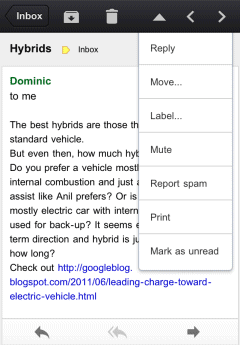
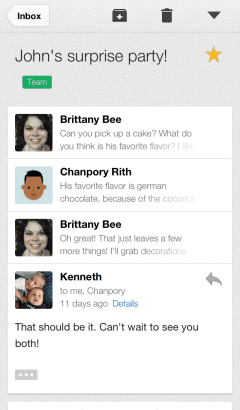
There's a new version of the Gmail app for iOS that brings a very useful feature: swipe left or right to move to the previous or next conversation.


What's old is new again. The first version of the Gmail app for iOS included this feature, but it used arrow buttons instead of gestures, just like the desktop Gmail and the mobile site.


For some reason, the buttons have been removed in Gmail 2.0, released in December.


Gmail 2.1 uses swipes for navigating between messages, but this features is not yet available in the new mobile Gmail site.


While buttons may clutter the interface, gestures could be more intuitive if they're properly implemented. Google made at least two mistakes when it added gestures for navigation: the mobile interface for Blogger blogs and the mobile Chrome. The original version of the mobile Blogger interface was terrible because it was easy to accidentally load the next/previous post when scrolling. Chrome for Android/iOS still has an annoying feature that lets you navigate between tabs using swipes. Try to use Google Image Search and you'll notice how easy is to trigger this feature accidentally.


Fortunately, swiping works better in the Gmail app for iOS, just like in the Gmail Android app.


5 Awesome Meme Generators On The Web


meme generatorAnyone who spends any serious amount of time on the Web will be aware of Internet memes. At least those who venture into the useless-yet-entertaining side streets the Web has to offer. Those who are unaware what an Internet meme is just need to look at the picture to their right for an example. That’s Grumpy Cat, and those words are what I imagine he’s thinking right now.


An Internet meme is any piece of content that has spread online and been appropriated by others along the way. So, a single image can be manipulated numerous times and lose none of its original charm. This is distinct from most viral videos, which are instead shared in their original form.


It’s extremely difficult to originate a meme which takes off. It requires a perfect storm of timing, luck, and the original concept of possessing an innate shareability. However, it’s extremely easy to take an existing meme and add your own spin to it. The meme generator websites below make both possible, though some do it better than others.


Quickmeme


meme generator


Quickmeme is wall-to-wall memes. The homepage comprises featured memes made by other people. All of the best known memes are present, including The Most Interesting Man In The World, Overly Attached Girlfriend, and Success Kid (as pictured above).


To create your own you simply click on Make A Meme! and choose between adding your own caption to an existing meme or uploading a new meme from scratch. The method of adding a caption is very simple: you choose the top and bottom wording, the text style and wrapping, and the size and alignment. You can then save and share your creation.


Meme Generator


how to use meme generator


Meme Generator is a great place to find new memes. The homepage is, as are all of the sites on this list, overflowing with captioned images. As well as the standard stock, including Bad Luck Brian (pictured above) there are new images and trending characters which may become the norm in the coming months.


You can get involved by clicking on either Generate An Image or Create A New Character. The former is the simplest method, seeing you once again adding your own caption to an existing character. The latter sees you either uploading an image or sourcing one from Google in order to become a creator rather than a remixer.


What Do U Meme?


how to use meme generator


What Do U Meme? asks the titular question in the hopes you’ll respond. And judging by the number of custom memes added to the site people do so in droves. The homepage features popular memes, new memes, trending characters, and new characters. This includes Scumbag Steve (as pictured above).


To create your own you (or perhaps that should be “u“) simply click on Make A Meme to be given the option of creating one from scratch or merely adding your own spin to an existing one. The options are limited, but this means everything is kept simple and straightforward.


WeKnowMemes


how to use meme generator


WeKnowMemes professes to know memes, and on the strength of the homepage alone I think it’s safe to say they do. Memes are segregated into various different categories, and there are also rage comics, animated GIFs, lists, and funny texts all adding to the entertainment factor.


Then there is the Meme Generator which presents you with a constantly updating gallery of submitted memes. By clicking on Create Meme you can add your own to the gallery. Once again you can upload your own image or instead merely append one already in existence. Which is exactly what I did with the meta Boromir offering pictured above.


Meme Center


meme generator


Meme Center has several elements to it. The homepage offers an amazing array of the best memes created or shared across the site, and you can also pare them down by Featured, Recent, Top, and Hall Of Fame. Meme Center is also a social network of sorts, with users invited to create an account in order to fully engage.


In terms of meme creation tools, this site has the most to offer. There is the MemeBuilder, described as an “advanced meme making tool,” the Gifmaker, for those who prefer a little animation, and Quickmeme, which pares the process down to the bare essentials. The last option is for those who “ain’t got time” for anything more involved.


Conclusions


By the time you’re reading this paragraph I would hope you’ve headed for at least one of these sites and created your own meme, whether entirely from scratch or by building on an existing concept. In which case it’s now time to share your carefully constructed creation with others.


The best place to do this is Reddit, one of my picks as the wonders of the Web. There’s no guarantee it will be well-received but the more you try the more chance you have of making a breakthrough. If Reddit isn’t your thing then there’s always your social network of choice instead.


What do you think of the Internet meme? Is there any one in particular you love? Or hate? Which of the meme generators above did you find most to your liking? Or do you have another to add to the list? Whatever your thoughts are we’d love to hear them in the comments section below.


The post 5 Awesome Meme Generators On The Web appeared first on MakeUseOf.


27 March 2013

How To Uninstall AVG Toolbar


CLICK HERE TO SEE FULL POST


These days, every other free program comes with browser toolbars and other programs. While most of the programs out there offer an option to not to install the toolbar, some free programs automatically install toolbars along with the main software that you’re willing to install. And the worst thing is that some browser toolbars can’t [...]

All Tech Buzz gets a Responsive Template Design


AllTechBuzz is now dressed up with a Responsive Template Design.2013 is the year of Responsive Web Design as 50% of the Internet users accessing Internet via their Smart Phones and Tablets.To deliver a good user experience and to take advantage of SEO juice every webmaster should move to a Responsive Design.I will be discussing all the SEO benefits of Responsive Design in a separate article.


  • If you are using Tablet or Smart Phone this design should automatically adjust to your screen width.

  • If you are on desktop try zooming or resizing your browser to fit to your screen resolution.


The new template can automatically fit to different screens including mobiles,Kindle ,iPad ,iPhone etc though it uses the same code internally.


Though we tried to keep the design simple and minimalistic , to deliver a good user experience we added few more extra colours and features to give it an attractive look.Anyways our first priority was to cut off the extra loading time.

Your feedback and suggestions regarding the new design are most welcome.Let us know your views in the comment section.Thanks!


26 March 2013

9 Ways To Become More Popular On Facebook [Weekly Facebook Tips]


Facebook is different things to different people. It’s used to stay in touch, play games, share news and stories, or promote brands. What unites almost everyone who regularly uses Facebook is the desire to be popular and Liked.


The problem is that Facebook guards updates and doesn’t automatically show everything to everyone. The algorithm that determines how many people get to see a post is called EdgeRank and it pretty much is a black box. Nobody knows exactly what will make something go viral on Facebook. However, there are a few things you can put on your checklist to significantly improve your chances to become popular.


This article provides a summary of the wisdom from science and social media experts.


Be Upbeat & Positive


Good news spread faster and farther than anything else on social media, which is in contrast to traditional mass media. Psychologists explain that we care how our friends and peers react to what we share. Since we generally want our friends to be happy, we prefer to share something that makes them feel good. Consequently, you will literally be liked a lot more if your updates are upbeat and positive. Frankly, this one shouldn’t come as a surprise as the same is true for how you behave in ‘real life’.


There are some things, however, you should not share on Facebook, regardless of how positive or exciting they are.


Impress!


Studies show that people are much more likely to share or Like content that arouses a strong emotional reaction in them. This includes science articles that leave them in awe, as well as posts that excite them or make them laugh. Although content that triggers strong emotions like anger or anxiety tends to do well, the more positive a story is, the more likely it is to be shared.


See Upworthy’s entire How To Make That One Thing Go Virual slide show.


Appeal To Your Friends & Followers


Being positive and having the potential to trigger strong emotions is worthless, if you fail to capture the interest of your friends and followers. Know what they care about and feed their interests. Or build the audience that genuinely cares for what you have to share. Consider targeting different types of updates to different groups of friends.


There are a few things that really annoy people on Facebook; avoid them like the plaque.


Know Who Your Friends Or Followers Want To Appeal To


Now this one is a little complicated, so bear with me. People won’t just share something because it impressed them, they also want to impress others with what they share. In other words, if they think a person they really care about will Like what they are reading right now, they are much more likely to share it. So try to craft your Facebook updates in a way that make the social cognition regions in your readers’ brains fire! Or in simple terms: appeal to the friends of your friends!


Be Fresh!


Always strive to post about current and exciting things! We all love to be entertained and learn something new. And don’t forget to add your own unique twist; it will make you memorable.


Use Visuals


People don’t read, unless a great headline or a visual catches their attention. Pictures have been found to work best, better even than videos. So put an effort into finding or creating great images for your Facebook updates. Note that with the News Feed changing, pictures will be granted more space; you can now use up to 600 x 600 pixels.


If you decide to use visuals, be very careful not to breach copyright laws. Here is a list of things that might get you banned from Facebook.


Be Brief!


While you’re putting more effort into adding good images, cut down on the amount of words you are using. Although Facebook doesn’t have a character limit, it appears that even 140 characters are too much. Also note that text describing a picture won’t show as caption, instead it will be overlaid at the bottom of the image. Around 80 characters are said to work best.


Interact With Your Friends & Followers


Essentially a no-brainer, but communicating with someone is more engaging for them than being talked at. Involve people in your updates, ask a question, let them fill in a blank, have them write a caption for a funny photo, or challenge them to another activity. Telling people something you would like them to do will significantly increase their interaction. Sometimes life is simple.


Timing


Everyone is busy and all our Facebook News Feeds are flooded with updates. The best time for your posts depend on where your audience is located and what their Facebook habits are. Generally, weekend mornings tend to work best.


See the entire Your Way to Facebook Success Infographic.


Conclusion


Being popular on Facebook or making something go viral is hard work. Moreover, it requires quite a bit of skill and a lot of luck. However, if you follow a basic and smart recipe, practice a lot, and continuously learn from your own experience and that of others, you will eventually have a breakthrough. Never give up!


What is the Facebook success you are dreaming of?


Image Credits: Like via Shutterstock, Girl in Hammock via Shutterstock, Light Bulbs via Shutterstock, Green Grass via Shutterstock, Ladders and Clouds via Shutterstock. This post was inspired by an article on The New York Times and contains additional ideas from a Pagemodo Infographic, DashBurst, and an Upworthy slide show.


The post 9 Ways To Become More Popular On Facebook [Weekly Facebook Tips] appeared first on MakeUseOf.


Kaspersky PURE 3.0 Available For Download Now


CLICK HERE TO SEE FULL POST


Kaspersky has updated its flagship product Kaspersky PURE to version 3.0 and the final version of the software is now available for download. Even though PURE isn’t as popular as Antivirus and Internet Security, it’s the ultimate protection software available from Kaspersky to secure your PC. Kaspersky PURE is packed with all features of Antivirus [...]

6 Movies You’re Either Going to Love Or Hate [Stuff to Watch]


Cinema can do incredible things to an audience. It can thrill with action, woo with romance and tickle with comedy and also suck pretty hard at times, though popular opinion can really be divided sometimes. It’s like there’s almost a sub-genre of films that have the ability to completely polarise their audiences.


If you’ve ever loved a film that critics have panned or walked out of an Oscar-nominated blockbuster hit in disgust then there’s a chance you might find it on this list. There’s also a good chance you won’t find it on this list, in which case you should probably stick it in the comments at the end of this post so the rest of us can check it out.


There’s no middle ground here – you’re either going to love it or hate it.


Beyond The Black Rainbow (2010)


Brave, belligerent, self-absorbed sci-fi nonsense with stunning cinematography, a convincing cast and watery dialogue, Beyond the Black Rainbow is truly the epitome of a polarising film. It’s one of those movies where half the audience will spend most of the film trying to work out exactly what’s going on while the rest will gawp slack-jawed at the action unfolding on the screen. Maybe only a quarter of the audience will love it, with a good half tempted to give up half-way through.


It’s incredibly difficult to even loosely sum up what is a rather disjointed and perplexing sci-fi thriller from writer and director Panos Cosmatos, but I’ll just say it involves a big bad dystopian future corp, a young girl under heavy sedation and a borderline psychotic “evil genius” character. If you like brooding synth, shallow depth of field and being confused then do all you can to find this film.


A.I. Artificial Intelligence (2001)


I’ve never walked out of a movie theatre before, instead preferring to stay and endure the steaming pile in front of me and at least “get my money’s worth” before leaving. AI was undoubtedly the closest I have come to walking out of a cinema in my life, as I watched people in the rows in front leave at around the 2-hour mark.


AI is the bastard child of Stanley Kubrick who had been working on the concept since the 70s. The film was in fact handed over to Steven Spielberg in 1995, but remained stagnant until Kubrick sadly passed away in 1999. The film generally received good reviews, but for my money it was way too long and uninteresting.


Wrong (2012)


Wrong is a film that looks like it was created just to be different, to completely break the rules of traditional cinema and instead of building a careful story full of believable characters, interactions and emotion it tries to blow your mind. The film itself tells the tale of a man who wakes up only to find he has lost his dog. The rest of the film is spent following the quest for Paul the dog which plays out like some unending psychedelic experience in which you wonder if you’ll ever feel normal again.


Perhaps Wrong isn’t quite as polarising as some of the other films on this list but there will certainly be a divide in the audience between those who love being thrown into the back of a crazy van and driven around town for a few hours and others who don’t see the need to create such an extremely warped universe that leaves the viewer with such a sense of unease.


Sex Drive (2008)


I almost hate myself for putting this film on the list, but then again I suppose that’s the point. Never before have I taken to such a laddish tale of balls-first masculinity, and never before have I laughed quite so hard at a series of Amish jokes. With a name like Sex Drive I was ready to completely hate this film when it first came out, but there are subtle flashes of brilliance starting with the credits, which to this day stick in my mind for some unknown reason.


The real saviour is Seth Green, so it goes without saying that if you’re not a fan of the actor, Robot Chicken or Chris’ character from Family Guy then you probably won’t feel the same. The jokes are dry, barely conscious quips laced with passive aggression and delivered on a silver plate. At a push I’d still call this a “bad” film, with some incredibly redeeming comedy thrown in.


The Sixth Sense (1999)


As I write this I’m struggling to see how this M. Night Shyamalan film has scored an 8.2 on IMDB, been nominated for 37 awards and walked off with another 32. In my opinion this is a terrible film with a predictable “something will happen at some point!” storyline that on careful repeat watchings barely makes sense in parts. It’s rather hard to talk about this one without a spoiler or two, so give this last paragraph a miss if you’ve not seen it (or better still, don’t watch it).


The symbolism of a certain colour is not so much subtly hinting at a twist rather than jamming it down your throat. Recent productions have clearly demonstrated that subtlety is not M. Night Shyamalan’s forte, and this film should have been a warning shot. You might love it, but I sure know a lot of people who didn’t.


Eraserhead (1977)


A dark and very strange tale of a man struggling with his wife and newly born mutant child… thing. Eraserhead is part horror part psychotic break which will leave you wondering what you’ve just watched. One thing is for sure: you will not forget this film, whether it’s because you loved how disconnected from reality it was or because you quickly grew tired of the increasingly bizarre plot.


Being a David Lynch film it is of course intended to conjure a sense of foreboding, loneliness and misery. At least, thats how I interpreted it, though everyone will take something different from this film; and it won’t all be good things either. The film drags at points, but it also drags you through a filed of emotion and despair and you’re either going to love it or hate it from the outset.


Have I completely missed the mark? Do you love these films? Are they all rubbish? Any others that should be on the list? Tell me how wrong I am in the comments, below!


The post 6 Movies You’re Either Going to Love Or Hate [Stuff to Watch] appeared first on MakeUseOf.


25 March 2013

Google Shows Results for Similar Searches


Google has a new feature that shows results for different versions of your query. Usually Google removes one or two keywords from your query or replaces them with similar keywords if there aren't many relevant search results for your original query.


For example, when you search for [google maps flash html5 api v4], Google also shows results for searches like: [google maps flash html5 api], [google maps html5 api v4], [google maps flash api], [google flash map api]. It's interesting to notice that the first page of results shows 2 results for your query and 8 results for related queries, but the numbers are different depending on the query.


Here's another example: [gingerbread install chrome browser manually]. This time, Google returns 4 results for your query and 6 results for related queries.


Download UC BrowserHD For Windows 8


CLICK HERE TO SEE FULL POST


Regardless of the editions of Windows 8, Internet Explorer is available in two versions: Internet Explorer for desktop and Internet Explorer with Modern UI. The desktop version of Internet Explorer is the legacy one with all the bells and whistles, and the latter one is cut-down version of the desktop version designed for touch screen. [...]

Hulu Makes Every Star Trek Episode Ever Made Free Until April [Updates]


Star Trek fans, you’re looking at the best week of your lives. To celebrate William Shatner’s birthday on March 22nd, Hulu has made every episode of every Star Trek series available for free. Yes, you heard right, every episode of The Original Series, The Next Generation, Deep Space Nine, Voyager and Enterprise is now free on Hulu, until the end of March.


According to a tally made by TheNextWeb, this makes a total of 693 episodes of Star Trek from 30 different seasons, which means you’d have to watch over 69 episodes per day to make it before April 1st. That’s quite a task, but if you don’t feel up to it, you can settle for watching your favorite episodes in a week-long Star Trek binge, or focus on only one of the series and try to finish it all.


It doesn’t end there, though. On Hulu’s Tumblr, from now until March 31st, you can get the opportunity to vote for your favorite Star Trek character of all times. The vote doesn’t include every character, so you’ll have to choose from the sixteen options Hulu has set for you. If your favorite character is missing, feel free to let Hulu know how wrong they are.


Ready to start? Catch every Star Trek episode for free on Hulu. Keep in mind that Hulu is currently available only in the United States and Japan.


How many episodes do you plan to watch?


Source: Hulu Blog via TheNextWeb


The post Hulu Makes Every Star Trek Episode Ever Made Free Until April [Updates] appeared first on MakeUseOf.


Apple’s Less-Than-Stellar Podcasts App Has Just Gotten A Lot Better [Updates]


When people talk about Apple apps gone wrong, Maps is usually the first one that gets brought up. However, we must not forget about the equally terrible Podcasts application that Apple barely seemed to care about. Thankfully, Apple finally released an update for its Podcasts application that adds some useful new features and actually makes the application worth using.


Apple has given the app a visual overhaul and has done away with the reel to reel design of the playing screen. making it look more like the standard screen that comes with Apple’s music player on iOS. This doesn’t only make the app look different, but makes the buttons much more functional.


The update also adds the ability to create custom stations, to which you can add your favorite shows (perhaps the Technophilia podcast tickles your fancy). These will be updated automatically, making for an experience that is not unlike Pandora or another Internet radio service.


The new version of Podcasts also adds the ability to create playlists with individual episodes, and introduces iCloud integration so your custom stations and playlists can now sync across all your devices. iCloud syncing for Podcasts works both ways, so playlists created in iTunes will automatically show up in the Podcasts app on iPhone, iPod Touch, or iPad.


As usual, a key part of the update is stability improvements. I’ve spent a day using the app, listening to my favorite podcasts, and so far, it has not crashed once, which is more than I could say about its previous version.


Source: Slashgear


The post Apple’s Less-Than-Stellar Podcasts App Has Just Gotten A Lot Better [Updates] appeared first on MakeUseOf.


Google+ Search Filter for Photos


If you want to restrict Google+ search results to posts that include photos, you can now do that. After performing a search, click the "Everything" dropdown and select "Photos".


"You can find any photo post (...) from items shared only with you, to public photos shared by some of the great photographers on Google+. Here are some searches that I enjoy: [Long exposure], [Steel wool], [Cartoons]," says Google's Dave Cohen.


Unfortunately, Google shows a long list of posts instead of a grid of photos. It's worth pointing out that the search results don't include photos uploaded to Google+ that haven't been explicitly shared.


{ via Search Engine Roundtable }


11 Free Electronic New Wave Synth Pop Albums: A Depeche Mode Tribute [Sound Sunday]


free musicSound Sunday is a weekly feature that promotes budding artists, independent labels, and legal music downloads. To honor the release of Depeche Mode’s 13th album Delta Machine , this edition presents a small selection of independent electronic, new wave, and synth pop albums. Enjoy the synthony.


Note that name your price albums can be downloaded for free by entering 0 in the price field. That said, we strongly recommend you to donate a few dollars for music you enjoy!


You are welcome to submit your music, send suggestions with free albums you have discovered, or request genres I haven’t covered in a while. For all Sound Sunday related inquiries, please contact Tina [tina at makeuseof dot com].


Single: SOLID GREY – So Alone


Genre: synth pop, new wave, rock, gothic


So Alone was the first track the Austrian / Belgian band SOLID GREY ever recorded. The more than eight minutes long song was released as part of their debut album Pull The Strings Tighter in 2011.


So Alone is a name your price download from Bandcamp.


Various – DepecheMatika


Genre: electronic, electro pop, synth pop, compilation, covers


From the album page: Synthematik presents DepecheMatika, a special tribute to Depeche Mode dedicated to the 50th anniversary of Dave Gahan. DepecheMatika is free to download at any quality you could possibly wish!


DepecheMatika is a free download from Bandcamp.


Ian Marquis – The Man Forgotten


Genre: new wave, synth pop


From the album page: After recording The Shivers, I fell into a rut. Ever since I wrapped up my first album, The Solomon Project, I’ve had unfinished demo tracks dragging along behind me. The pile only got bigger with each passing year. It was beginning to limit me; I’d always return to these older songs and try to work on them, unable to record much of anything new. But then, something happened. I guess I took a leap as a singer and abandoned a lot of the low, gravely, disaffected style I’d grown comfortable with. I started writing more adventurous arrangements, and working with harmony. I recorded a ton of new songs, and reworked a couple of tracks from The Shivers that I was never really happy with. The result is what I consider my true debut album – The Man Forgotten.


The Man Forgotten is a name your price download from Bandcamp.


LEXELLE – It Girl Volume 1


Genre: dance, new wave, pop


From her Bandcamp profile: Lexelle is a synth based pop music collaboration between Danielle Cardona and Alex Simon. The sound is of Evo-Pop and Dance, combining elements of music from late seventies and early eighties disco with the New Wave and New Romantic sounds of the early eightees. The goal of Lexelle is to create a timeless sound to excite listeners and get them dancing.


It Girl Volume 1 is a free download from Bandcamp.


EP: televided – Robot Hearts


Genre: electronic, dream pop, progressive, shoegaze, synth rock, synth pop


From the album page: ‘Robot Hearts’ is a sci-fi themed synth-rock EP about a scientist, an android, and an overwhelming desire to be alone. Heavily synthesized vocals and electronica boosted by a sly nod toward the Pacific Northwest guitar aesthetic spiraling out of control in a break-beat-drum escape pod.


Robot Hearts is a name your price download from Bandcamp.


THE COCONUTS CLUB – Stranded


Genre: experimental, electronic, pop space pop


From the album page: The Coconuts Club is a Space-Pop project based in Berlin, Germany. We tell the fantastic story of space-pioneer Viktor who finds himself stranded on a desert planet where he will have to deal with the invisible inhabitants.


Stranded is a name your price download from Bandcamp.


EP: The Digital Experience – From Within


Genre: electronic, rock, disco, funk, new wave, post punk


In their musical explorations The Digital Experience focuses on discovering new sounds in the environment, fresh and simple, yet powerful. The band from Montevideo, Uruguay combine classic elements of rock with electronic subtleties. The lyrics of From Within are introspective and sincere, reflecting the inner transformation of a hero that wants to shine.


From Within is a free download from MediaFire.


NewRetroWave – The 80′s Dream Compilation Tape


Genre: electronic, breakbeat, disco, power pop, dreamwave, synth pop, synth wave,


From the album page: For many years the music scene has been hungering for something that will fill a longing void. You have now stumbled across that sound ……the sound of the future…….the RetroWave sound. Harnessing the sound of the 80s and bringing a modern presence, Retrowave promises to bring back the nostalgic feel and daring musicality to what we call music. Turn your speakers up and ‘Live the 80′s Dream’.


The 80′s Dream Compilation Tape is a name your price download from Bandcamp.


EP: Betamaxx – Legacy


Genre: electronic, synth pop


Betamaxx is the electronic music project of analog child and 80s revival enthusiast Nick Morey from Pittsburgh.


Legacy is a free download from Bandcamp.


Rogue – The Flower


Genre: ambient, electronic, dark house, wipeout


A beautiful mystery, to be seen live on May 9 with Boweywhite and Fern Fox Palmer at The Dublin Castle in London, UK.


The Flower is a free download from Bandcamp.


Aphasia Records – Futura Compilation


Genre: electronic, dreamwave, synth, dark synth, retro, compilation


Aphasia Records is a new music label and a collective focused on 80s based synth music.


Futura Compilation is a free download from Bandcamp.


Perturbator – I Am The Night


Genre: electronic, synths, retro, vintage


From the album page: This is the story of someone who has nothing left to lose, wandering in the hostile neon-soaked dirty streets of a city from the future, armed and dangerous. This is your story. No one really knows what kind of danger you will encounter during this journey into madness. You know you’re not alone, but you are ready. You are the night. Now, lights off.


I Am The Night is a name your price download from Bandcamp.


And More…


Enjoyed one of these albums? Pay it back and share this article or the albums you liked. If you really appreciated a particular album, please donate to the respective artist, so they can continue releasing great music.


New to Sound Sunday? Past editions of Sound Sunday are available here.


Are you using ifttt? Check out these recipes for receiving notifications of new Sound Sunday releases to GTalk and Pushover for mobile devices. Thank you @Vampie!


Feel free to get in touch with me [tina at makeuseof dot com] to share free material, suggestions, and feedback or simply add your comments below.


The post 11 Free Electronic New Wave Synth Pop Albums: A Depeche Mode Tribute [Sound Sunday] appeared first on MakeUseOf.


Google Discontinues Blocked Sites Feature


Google had a powerful feature that allowed you to block all search results from a domain. The feature was quickly removed from the interface, but Google still included it in the search preferences page. Last year, the feature disappeared and it came back after a few weeks, but not everyone could use it.


Now Google officially discontinued Blocked Sites. "To block particular sites from your search results, we recommend the Personal Blocklist Chrome extension from Google. You may also download your existing blocked sites list as a text file."


Blocked Sites isn't Google's first attempt to create a feature that lets you hide results from certain domains, so I'm sure we'll see other similar features in the future.


{ Thanks, Dan. }